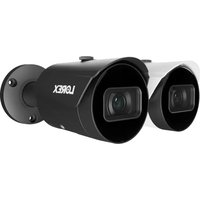
LNB45ABB - Surveillance Camera Lorex - Free user manual and instructions
Find the device manual for free LNB45ABB Lorex in PDF.


| Product Type | Surveillance Camera |
| Brand | Lorex |
| Model | LNB45ABB |
| Power Supply | PoE (Power over Ethernet) or 12 V DC power adapter (not included, regulated required) |
| Connectivity | Ethernet RJ45 (PoE), 12 V DC power connector |
| Resolution | Full HD 1080p (estimated) |
| Night Vision | Yes, with mechanical IR cut filter and IR LED |
| Audio | Built-in microphone |
| Local Storage | microSD card slot (not included) |
| Reset | Reset button (press 10 seconds) |
| Smart Detection | Person and vehicle detection (via compatible NVR) |
| Viewing Angle | Not specified (estimated: 90° - 110°) |
| Weather Resistance | Weather-resistant cap, sheltered installation recommended |
| Operating Temperature | Not specified (estimated: -20°C to 50°C) |
| Dimensions (approximate) | Approximately 70 x 70 x 180 mm (without mount) |
| Weight (approximate) | Approximately 0.3 kg |
| Material | Robust plastic and metal |
| Mounting | Wall mount with screws and anchors included |
| Compatibility | Compatible Lorex recorders (see lorex.com/compatibility) |
| ePoE Technology | Yes, up to 600 m with suitable Ethernet cable |
| Maintenance | Clean with a damp cloth, no abrasive products |
| Safety | Do not disassemble, do not immerse, use regulated power supply |
| Warranty | See limited hardware warranty policy at lorex.com |
Frequently Asked Questions - LNB45ABB Lorex
User questions about LNB45ABB Lorex
0 question about this device. Answer the ones you know or ask your own.
Ask a new question about this device
Download the instructions for your Surveillance Camera in PDF format for free! Find your manual LNB45ABB - Lorex and take your electronic device back in hand. On this page are published all the documents necessary for the use of your device. LNB45ABB by Lorex.
USER MANUAL LNB45ABB Lorex
natural_image
Line drawing of a surveillance camera with lens and aperture (no text or symbols)- Follow all instructions for safe use and handling of the product.
- Use the camera within given temperature, humidity and voltage levels noted in the camera specifications.
- Do not disassemble the camera.
- Do not point the camera directly at the sun or a source of intense light.
- You may need to clean periodically using a damp cloth. Do not use harsh, chemical-based cleaners.
- The supplied cable is rated for surface mounting only (Non-UL). Cables for in-wall and floor-to-floor installations are sold separately (CMR type). These and other cables are available at lorex.com.
- It is recommended to connect the camera to the NVR or an external PoE switch. If using a power adapter with this camera, a REGULATED power supply is REQUIRED (not included). Use of a non-regulated, non-conforming power supply can damage this product and voids the warranty.
Disclaimers
- Use the camera only with compatible Lorex recorders. For a full list, visit lorex.com/compatibility.
- Not intended for submersion in water. Installation in a sheltered location recommended.
- The camera includes an Auto Mechanical IR Cut Filter. When the camera changes between Day/Night viewing modes, an audible clicking noise may be heard from the camera. This clicking is normal, and indicates that the camera filter is working.
- Audio recording and/or face recording without consent is illegal in certain jurisdictions. Lorex Corporation assumes no liability for use of its products that do not conform with local laws.
natural_image
Line drawing of a cylindrical security camera with a mounted sensor (no text or symbols)4MP IP PoE Wired Bullet Camera Caméra IP filaire haute définition PoE 4 MP Cámara bala con cable IP PoE 4 MP
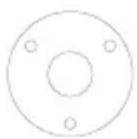
Mounting Template Gabarit de montage Plantilla de montaje
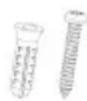
Anchors & Screws (4×) Ancrages & Vis Anclajes & Tornillos
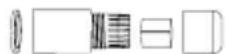
Before installing, ensure the camera is ready to capture footage by connecting it to the NVR's PoE port with the Ethernet cable.
- Consider what you want to monitor and find the best area for coverage.
- Place the camera close to the area of interest.
- Avoid placing the camera directly in front of obstructions like trees, bricks, rain gutters, or reflective surfaces.
• Install the camera where it is difficult for thieves and vandals to reach. - Ensure the mounting surface can support at least 0.8 lb/0.36 kg (3× the camera's weight).
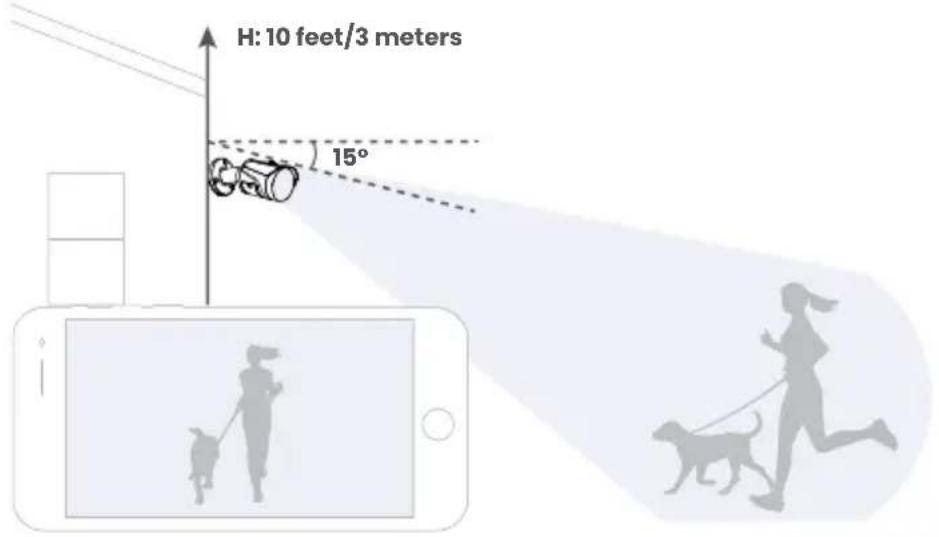
- The ideal position is about 10 ft/3 m above ground, angled 15^ downward.
- Secure the cables so they cannot be seen or easily cut.
Warning! Ensure the mounting surface supports 3.18 lbs/1.4 kg, 3× the camera's weight.
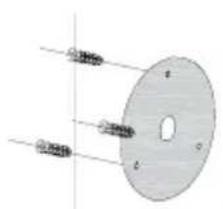
- Use the mounting template to mark and drill holes for screws and the camera's cable.
Note: To route cables along a wall, use the camera's cable notch. - Insert anchors for surfaces like drywall, wood, brick, masonry, or concrete.
- Guide the camera's cable through the surface opening or cable notch.
- Connect one end of the Ethernet cable into the camera's Ethernet connector and the other end into the NVR's PoE port.
- Secure the weather-resistant cap by twisting it onto the camera's Ethernet connector. If exposed to rain, seal it with silicone or electrical tape.
natural_image
Diagram of a circular object with labeled points and internal features, no readable text or symbols present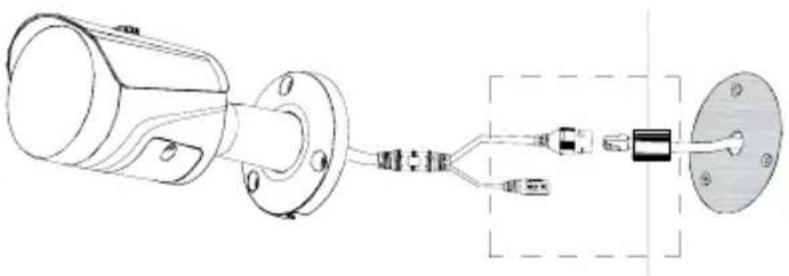
natural_image
Technical line drawing of a mechanical component with connector and housing (no text or symbols)
flowchart
graph LR
    A["Plug"] --> B["Socket"]
    B --> C["Internal Components"]
    C --> D["Capacitor"]
    D --> E["Resistor"]
    E --> F["Rectangular Component"]
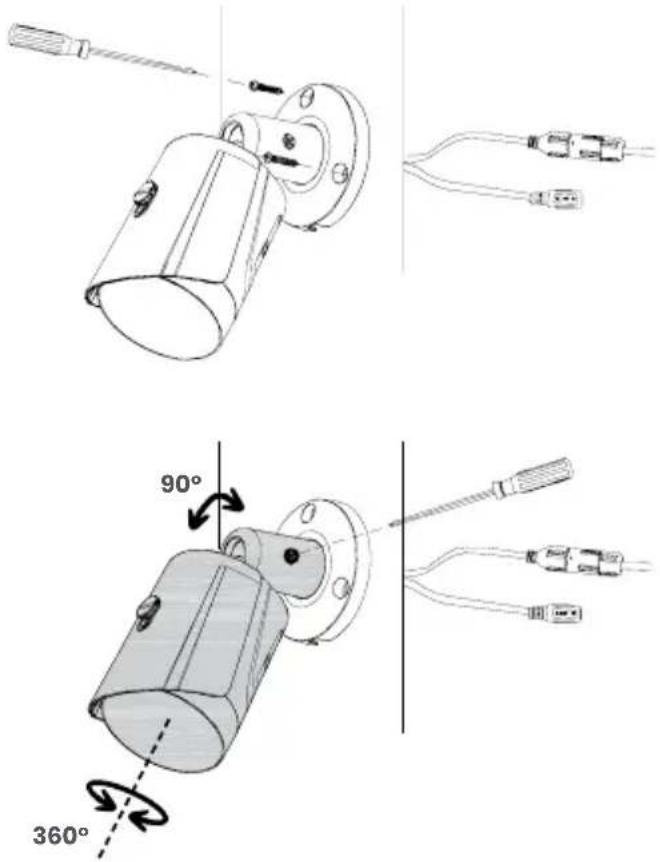
- Attach the camera's bracket to the surface using the provided screws and a screwdriver.
- Loosen the adjustment screw with a screwdriver to position the camera, then securely tighten it in place.
- Important! Remove the vinyl film from the camera lens for a clear view.
Does the camera support ePoE?
Yes, the camera supports ePoE technology. With ePoE, you can connect the camera up to 600 m (2000 ft) away using just one Ethernet cable, compared to the standard 100 m (328 ft) limit. This technology enables both power and data transmission through the same cable. The NVR it connects to must also be equipped with an ePoE port, essential for providing power and ensuring effective communication with the camera.
Can I use a PoE switch to connect the camera to the NVR?
Yes, you can connect the camera to the NVR by connecting it to a PoE switch, available at lorex.com.
How do I access the camera's footage from my phone?
To view the camera's footage from your phone, use the compatible NVR app. Follow the NVR's guide to download the app and add the recorder to your account.
How do I reduce false alerts?
First, manage notifications by scheduling them or snoozing alerts in the app's or NVR's settings. Then, optimize the camera's performance by fine-tuning person and vehicle detection settings and drawing motion zones to receive alerts only for motion detected within those designated areas.
How can I set up person and vehicle detection?
Go to the NVR's settings for Events > Smart Motion Plus or Person and Vehicle Detection. Enable 'Person and Vehicle' detection, draw motion zones to create designated areas for detection, and choose how the system will react to detection events by setting the 'Trigger' options. For detailed instructions, refer to the NVR's manual at help.lorex.com and search for the NVR's model number.
FR - FAQ
For additional support, scan the QR code or visit:
help.lorex.com/LNB45AB-series
See our full Terms of Service and Limited Hardware Warranty Policy at:
Copyright © 2024 Lorex Technology Inc.
As our products are subject to continuous improvement, Lorex reserves the right to modify product design, specifications and prices, without notice and without incurring any obligation. E&OE. All rights reserved.
Wired Pro
A Series
A4
LNB45ABB
LNB45ABW
pro.lorex.com
help.lorex.com/LNB45AB-series
LNB45ABB-LNB45ABW_QSG_EN-FR-ES_R1
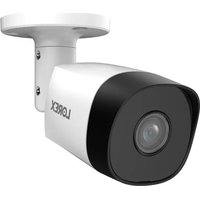
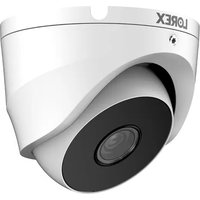

Brand : Lorex
Model : LNB45ABB
Category : Surveillance Camera