
303584 - Measuring instrument Brandson - Free user manual and instructions
Find the device manual for free 303584 Brandson in PDF.


| Product type | Digital caliper |
| Brand | Brandson |
| Model | 303584 |
| Measuring range | 0 - 150 mm (0 - 6 inches) |
| Resolution | 0.1 mm / 0.01 inch |
| Accuracy (tolerance) | 100 mm = ±0.2 mm (±0.01 inch) |
| Display type | LCD |
| Power supply | 1 CR2032 button cell battery (3 V) |
| Dimensions (L × W × H) | 1.7 cm × 23.7 cm × 7.7 cm |
| Weight (approximate) | 150 g |
| Operating ambient temperature | 5 °C to 40 °C |
| Main functions | Inside, outside, depth measurement; mm/inch unit selection; zero setting; on/off |
| Care and cleaning | Clean with a soft dry cloth; avoid harsh solvents; store in a dry place |
| Safety | Do not open or repair yourself; use only indoors and dry; keep out of reach of children |
| Spare parts and repairability | CR2032 button cell battery replaceable by user; no other spare parts provided |
| General information | WEEE number: DE 67896761; compliant with Directive 2012/19/EU |
Frequently Asked Questions - 303584 Brandson
User questions about 303584 Brandson
0 question about this device. Answer the ones you know or ask your own.
Ask a new question about this device
Download the instructions for your Measuring instrument in PDF format for free! Find your manual 303584 - Brandson and take your electronic device back in hand. On this page are published all the documents necessary for the use of your device. 303584 by Brandson.
USER MANUAL 303584 Brandson
ENG: Latest information, drivers, user manuals and data sheets can be found at www.ganzeinfach.de in our download area.

Thank you for choosing a Brandon product. Please read the following user manual carefully so as to get the most from the product you have purchased. Before using the product, first check that the delivered item is complete, accurate and undamaged.
1. Scope of delivery
- Digital callipers
- User manual
2. Technical data
| Measurement range 0-150 mm/0-6 inches |
| Resolution 0.1 mm/0.01 inch |
| Tolerance range 100 mm = 0.2 mm/0.01 inch |
| Battery type 1x 3V CR2032 button cell |
| Dimensions (HxWxD) 1.7 cm x 23.7 cm x 7.7 cm |
| Operating temperature 5°C to 40°C |
| Display type LCD |
3. Operating controls
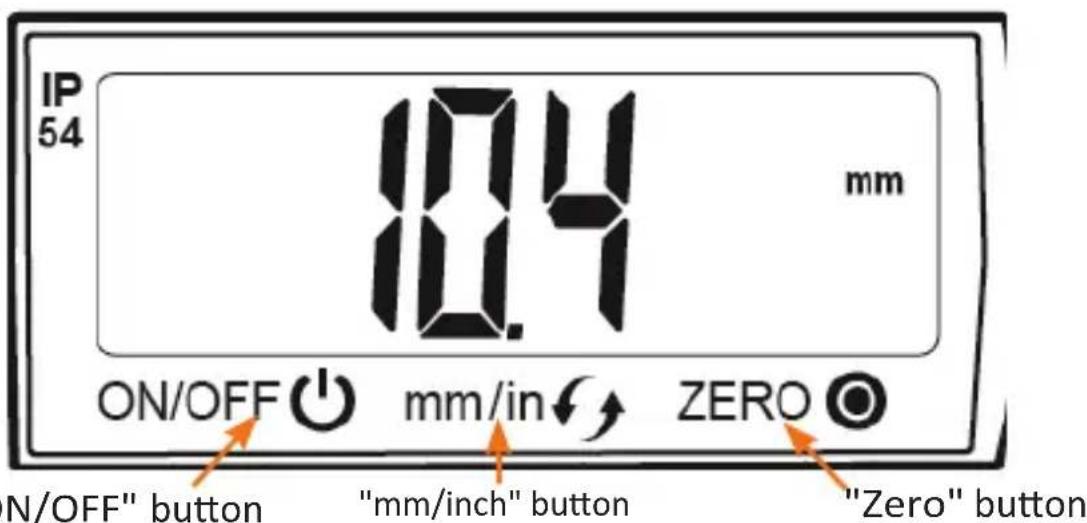
Note: These buttons are touch keys and respond to light touching.
- Product details
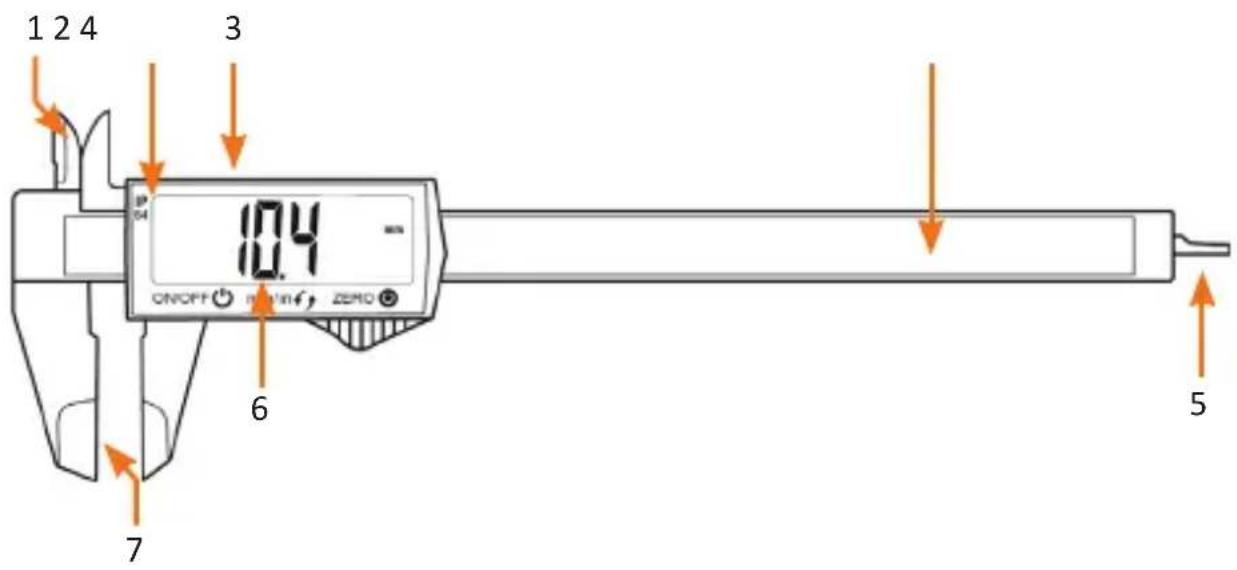
| Number Description | |
| 1 Inner jaw (for the inner dimension of objects) | |
| 2 Slide | |
| 3 Battery compartment | |
| 4 Measurement scale | |
| 5 Depth measurement (for the depth of objects) | |
| 6 LC display | |
| 7 Outer jaw (for the outer dimension of objects) | |
5. Initial use
Take the device out of the package and remove all the packaging material.
Check that the product and the components are intact and that the device is working properly when using it for the first time
- Press the "ON/OFF" button to start the device.
- Press the "mm/inch" button to select the desired unit.
- Press the "Zero" button to define the zero point of the device and to reset the current reading to 0.

Notes:
• To reset the device to the default zero point, push the jaws of the callipers together until they are touching and then press the "Zero" button.
- For more accurate measurement results, we recommend that you take a second reading.
6. Types of measurement
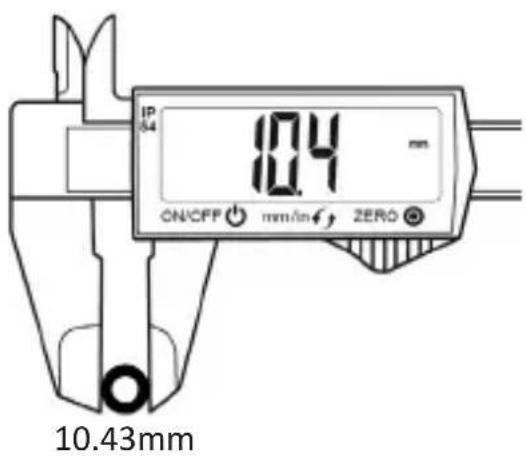
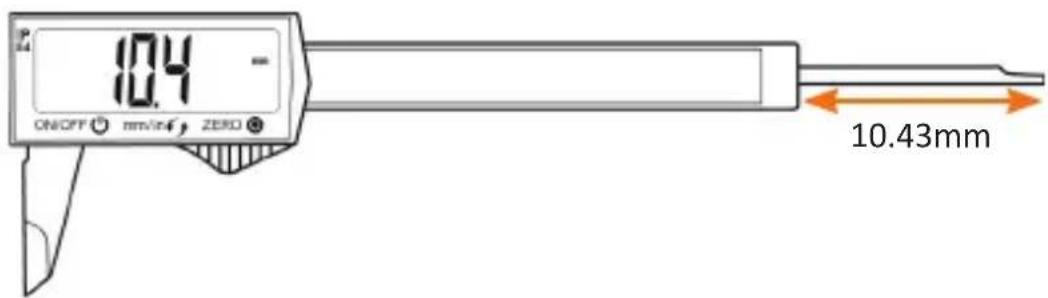
Inner dimensions of objects
10.43mm
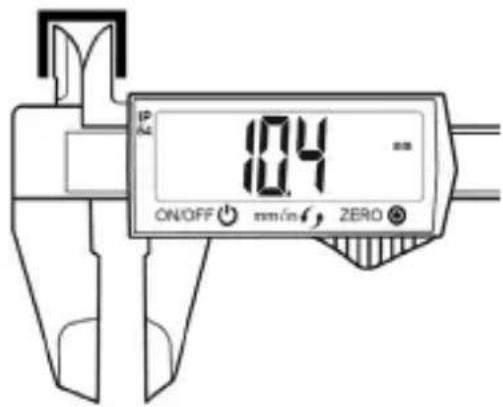
Outer dimensions of objects
Depth of an object
7. Cleaning and Care
• Always keep the device in a clean and dry place.
- Use only a soft and dry cloth for cleaning. Avoid abrasive cleaners, acetone or alcohol for cleaning.
- Do not drop the device and avoid contact with liquids. This may impair its function and damage the device.
- The battery has to be replaced when the slide callipers display starts flashing.
8. Replacing the battery
The display becomes weak when the battery capacity is exhausted. Remove the battery along with the battery compartment and replace them. When inserting the new battery ensure the polarity of the contacts is correct. Here, the "+" pole should face the top (display) and the "-" pole towards the PCB.
9. Safety instructions and disclaimer
Never try to open the device to carry out repairs or modifications. Avoid contact with the mains voltage. The device is free of current only when it is disconnected. Do not short-circuit the product. Please disconnect the power cord when not in use or during storms. The device is not approved for outdoor use. Therefore please use it only in dry surroundings. Protect it from high humidity, water and snow. Keep the device away from high temperatures. Do not expose the device to sudden changes in temperature or strong vibrations, as this could damage the electronic components. Check the device for any damage before using it. The device should not be used if it was subject to impact or has been damaged in some other manner. Please comply with the local regulations and restrictions. Do not use the device for purposes other than those described in the user manual. This product is not a
12 English
toy. Keep it out of the reach of children or mentally disabled persons. Any repair or modifications to the device, which are not carried out by the original supplier, will void any warranty and guarantee claims. The device should be used only by those who have read and understood this user manual. The specifications of the device may be changed without prior notice.
10. Disposal instructions
In line with the European WEEE directive, electrical and electronic devices should not be disposed of along with domestic waste. Their components must be separately sent for recycling or disposal, as improper disposal of toxic and dangerous components may permanently damage the environment. According to the Electrical and Electronic Equipment Act (ElektroG), you are obliged (as a consumer) to return (free of charge) all electrical and electronic devices to the manufacturer, the point of sale, or public collection points at the end of their service life. The relevant local laws regulate the details in this regard. The symbol displayed on the product, in the user manual or/and on the packaging refers to these regulations. With this manner of sorting, recycling and disposal of used devices, you make an important contribution towards protecting our environment.
11. Instructions for battery disposal
In conjunction with the sale of batteries along with the supply of devices that include batteries, the supplier is obliged to point out the following to the customer: The customer is legally obliged to return used batteries. He can return used batteries which the supplier offers or has offered as new batteries in his assortment free of charge to the supplier's dispatch warehouse (shipping address). The symbols shown on the batteries indicate the following: Pb = battery contains more than 0.004 percent lead by weight, Cd = battery contains more than 0.002 percent cadmium by weight, Hg = battery contains more than 0.0005 percent mercury by weight.

The symbol of the crossed-out dustbin means that the battery may not be disposed of in household waste.


WEEE Guideline: 2012/19/EU WEEE Register no.: DE 67896761
The company WD Plus GmbH hereby certifies that the device 303584 /20190227NB102 complies with the fundamental requirements and all other relevant stipulations. A complete conformity statement can be obtained from: WD Plus GmbH, Wohlenbergstraße 16, 30179 Hanover
Touche « ON/OFF »
Tasto ON/OFF
Tasto "mm / pollici"
Tasto "Zero"
Brand : Brandson
Model : 303584
Category : Measuring instrument