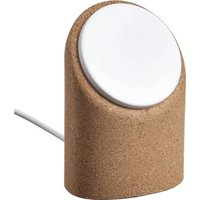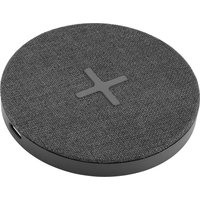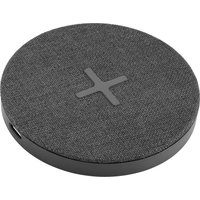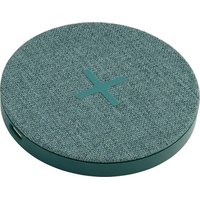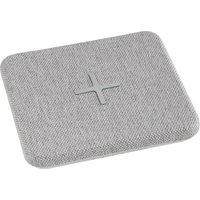
NORDMÄRKE 504.765.33 - Phone charger IKEA - Free user manual and instructions
Find the device manual for free NORDMÄRKE 504.765.33 IKEA in PDF.


| Product type | Portable wireless charger (external battery) |
| Brand | IKEA |
| Model | NORDMÄRKE 504.765.33 |
| Battery capacity | 6500 mAh / 24.0 Wh (Li-ion) |
| Input (USB-C cable) | 5.0 V DC, 2.0 A, 10 W |
| Operating frequency | 112 – 148 kHz |
| Wireless charging standard | Qi 1.2.4 BPP |
| LED indicators | Wireless charging status indicator and battery indicator |
| Operating temperature | 0 °C to 40 °C |
| Storage temperature | -20 °C to 25 °C |
| Usage | Indoor only |
| Care and cleaning | Wipe with a damp cloth, do not immerse |
| Safety | Recharge only Qi-certified devices; do not use damaged cable; do not expose to water or excessive heat |
| Spare parts | Not available; power adapter and USB-C cable sold separately |
| Repairability | Do not open or repair yourself |
| Weight | Approximately 180 g (estimate) |
| Dimensions (approx.) | 10 × 7 × 1.5 cm |
Frequently Asked Questions - NORDMÄRKE 504.765.33 IKEA
User questions about NORDMÄRKE 504.765.33 IKEA
0 question about this device. Answer the ones you know or ask your own.
Ask a new question about this device
Download the instructions for your Phone charger in PDF format for free! Find your manual NORDMÄRKE 504.765.33 - IKEA and take your electronic device back in hand. On this page are published all the documents necessary for the use of your device. NORDMÄRKE 504.765.33 by IKEA.
USER MANUAL NORDMÄRKE 504.765.33 IKEA
natural_image
Line drawing of a rectangular electronic device with a 'X' on top and ports at the bottom (no text or symbols)
Design and Quality
IKEA of Sweden

natural_image
Battery icon with a lightning bolt symbol (no text or numbers)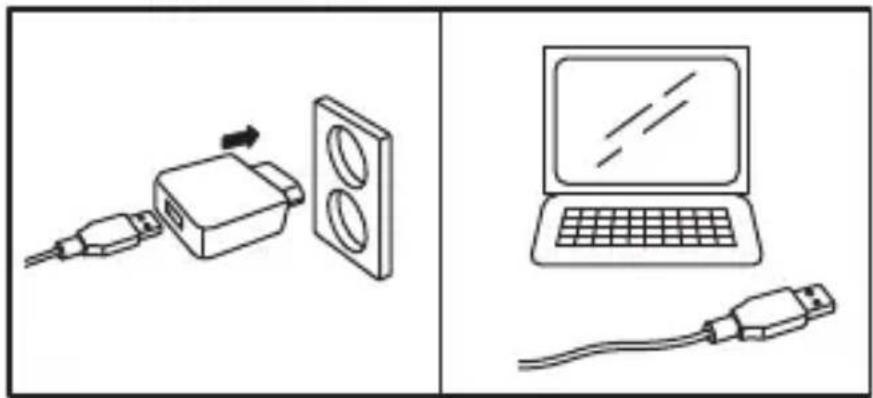
natural_image
Diagram showing two connected devices: one with a USB cable and arrow, the other with a laptop screen and cable (no text or symbols)i
i
natural_image
Battery icon with a lightning bolt symbol (no text or numbers)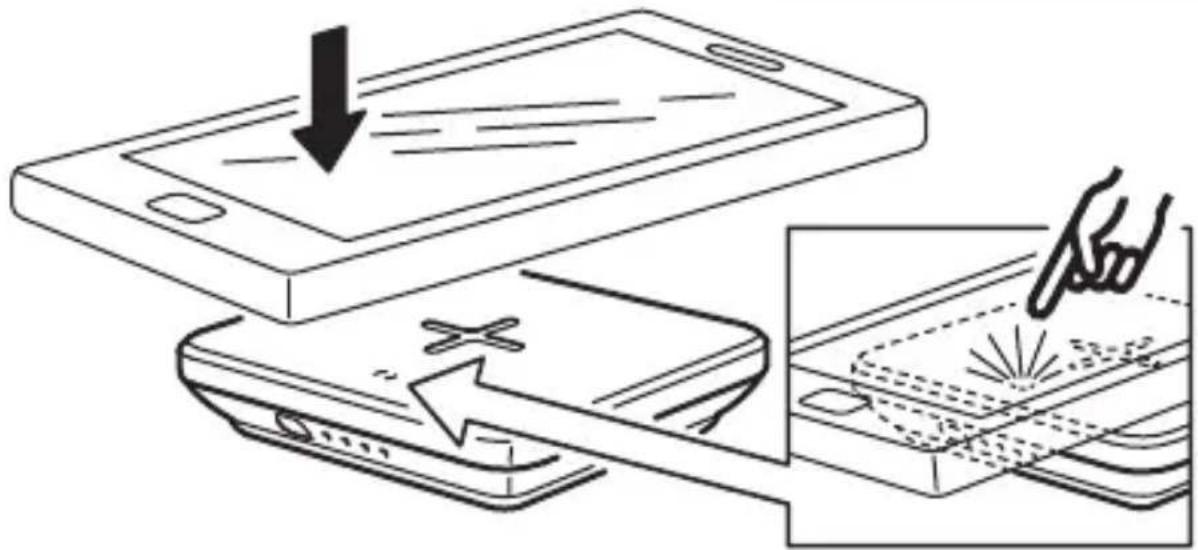
| English | 6 | Latviešu | 81 |
| Deutsch | 11 | Lietuvių 86 | |
| Français | 16 | Português | 91 |
| Nederlands | 21 | Româna | 96 |
| Dansk | 26 | Slovensky 101 | |
| Íslenska | 31 | Български 106 | |
| Norsk | 36 | Hrvatski | 111 |
| Suomi | 41 | Ελληνικα 116 | |
| Svenska | 46 | Русский 121 | |
| Česky 51 | Українська 126 | ||
| Español 56 | Srpski | 131 | |
| Italiano | 61 | Slovenščina 136 | |
| Magyar 66 | Türkçe | 141 | |
| Polski | 71 | عربي 146 | |
| Eesti | 76 |
Charger features
- Wirelessly charges Qi-certified devices, both when connected to mains and as a power bank.
• Certified according Qi 1.2.4BPP specification.
• Temperature and power monitor for safety.
• LED status indicator. - USB power adapter (5.0V, 2.0A) and USB Type-C cable sold separately.
Instructions for use
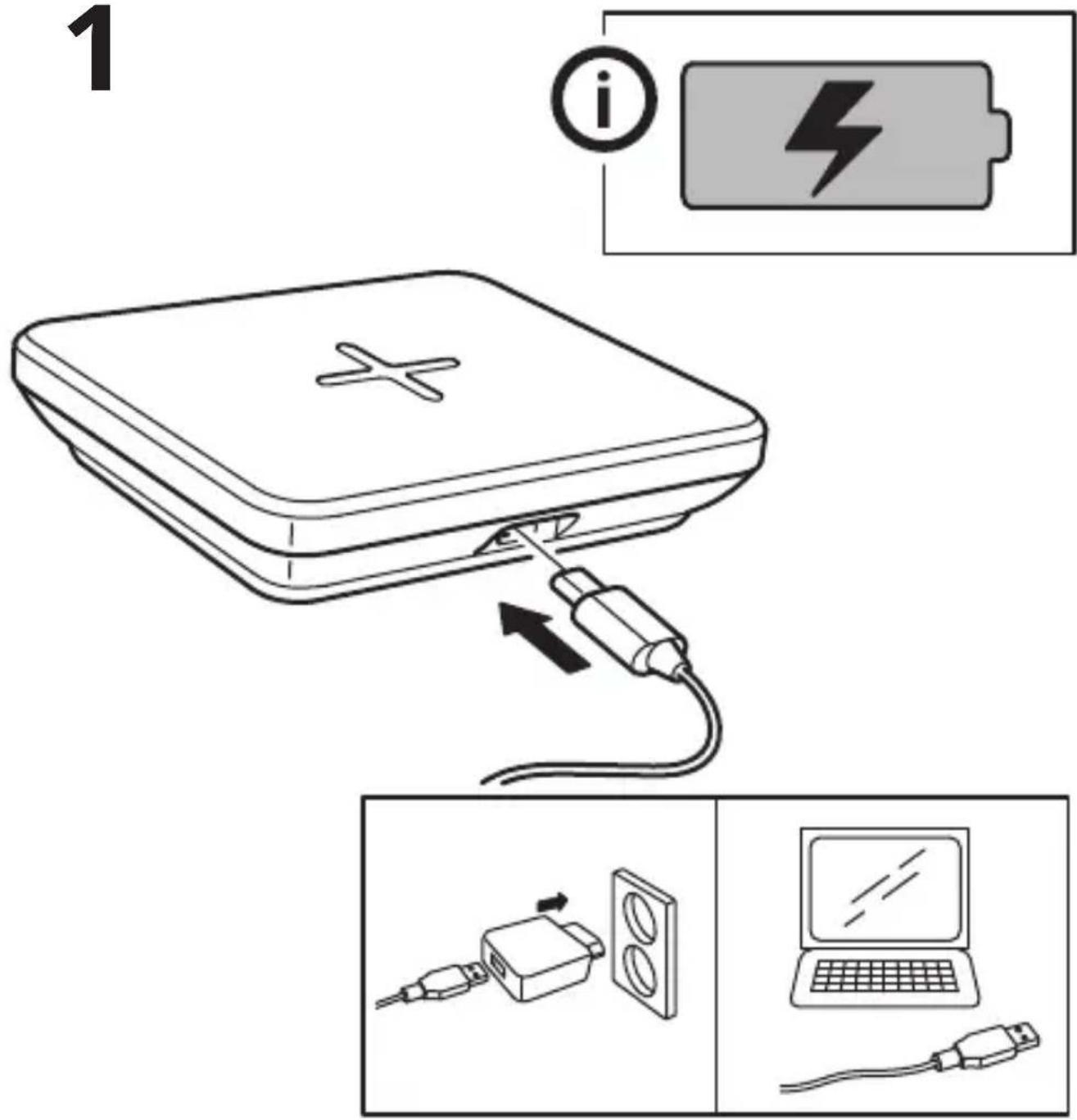
- To charge NORDMÄRKE: Connect the USB-C cable to the power adapter and to NORDMÄRKE. Plug it into the wall socket. The battery LED indicators will indicate charging status.
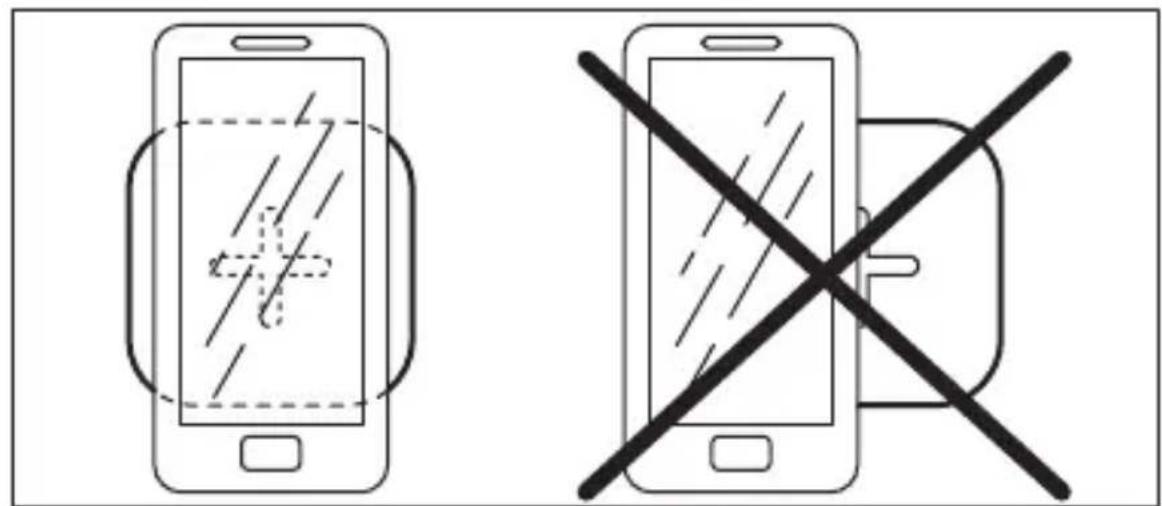
- For wirelessly charging your Qi-certified device: make sure NORDMÄRKE is charged to the desired level, place the device to be charged on top of the plus sign (+) on NORDMÄRKE and push the button next to the battery LED indicator. The device must be placed directly over the plus sign (+) on the charger for the charging function to work optimally. Note that on some devices you may have to activate wireless charging in settings.
- If your battery is completely discharged, it may take a few minutes before it starts charging. This is entirely normal. You can see that the battery has begun charging when the charging LED on your device is lit.
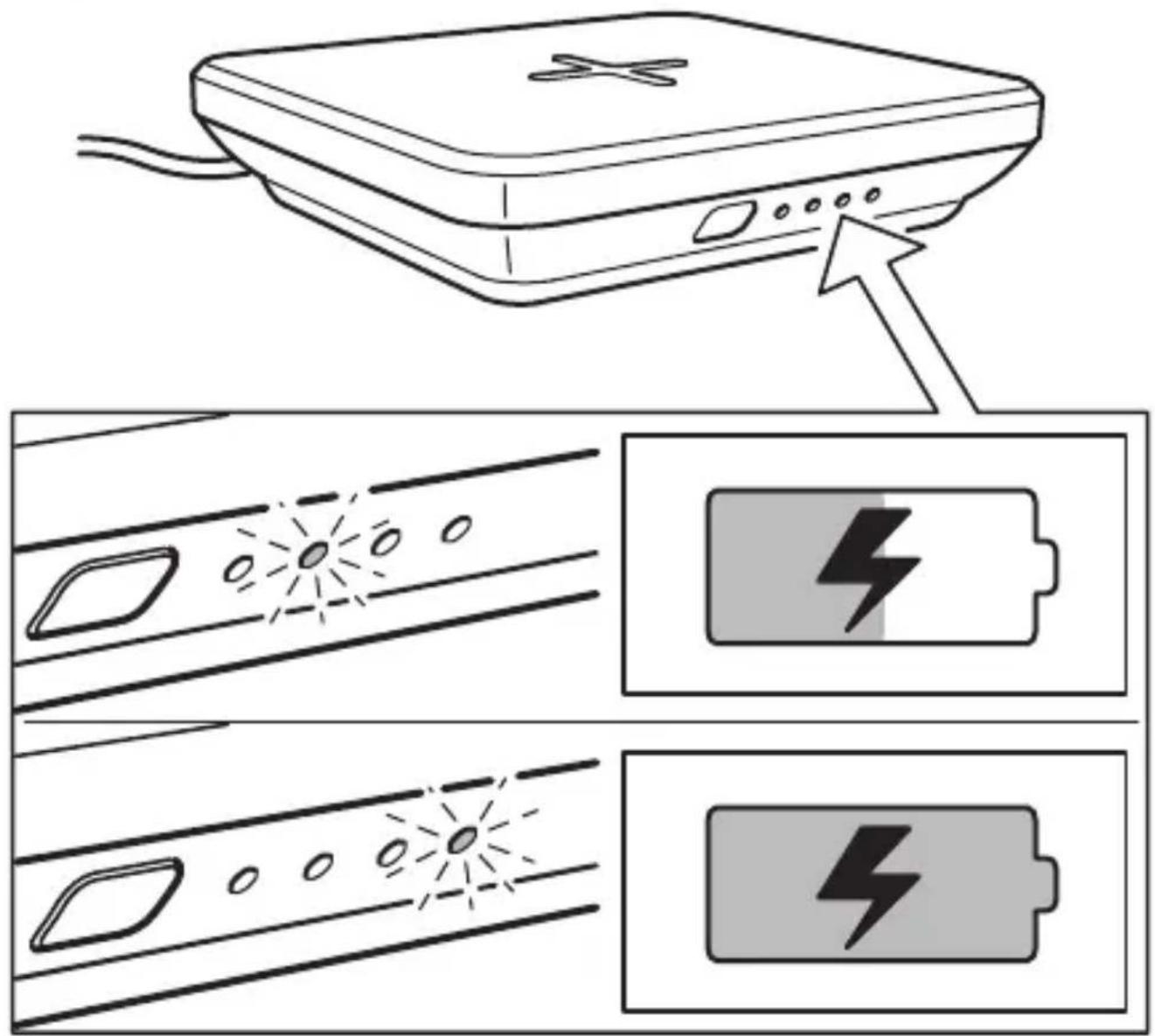
LED indicator wireless charging (see illustrations):
-
Power on: LED lights up for 3 seconds.
-
Wireless charging: LED on.
-
Power on: LED lights up for 3 seconds.
-
Wireless charging: LED on.
-
Wireless charging completed: LED off.
-
Error: LED flashes.
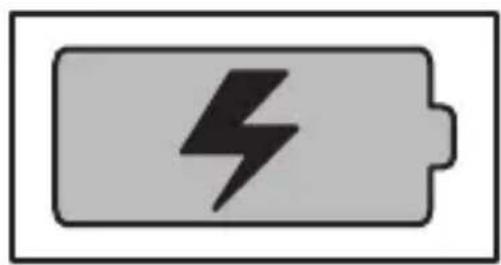
Battery LED indicator (see illustrations):
- USB-C connected for charging:
Lights up according to remaining battery charge.
- USB-C disconnected:
Lights up according to remaining battery charge and goes off after 5 sec.
-
Charging complete: LED off.
-
Button pressed without USB-C connected:
Lights up according to remaining battery charge and goes OFF after 5 sec.
-
Wireless charging ON: LED off.
-
Low battery while wireless charging is on, without USB-C connected: LED blinking.
Good to know
- USB cable length and quality influences charging speed and performance.
• Devices may get warm during charging; this is completely normal and they will gradually cool down again after they are fully charged.
- Charging time may vary based on the device's battery capacity, charge level, the age of the battery and the temperature in the surrounding area.
- Charger storage temperature: -20°C to 25°C.
- Charger operating temperature: 0^ to 40^ .
- Unplug the charger from the power source before cleaning and when it is not in use.
- To clean the charger, wipe with a moist cloth. Never submerge the charger in water.
- It is normal for the battery to become hot during charging and it will gradually cool down after charging.
- Disconnect the battery from the power outlet before cleaning or when it is not used.
- Battery should not be left discharged for a longer period.
- Battery should not be charged while in contact with flammable material like textiles.
Recommended precautionary measures and technical data: see the back of the charger.
Save these instructions for future use.
WARNING:
- Only charge devices that are Qi-certified.
- Only use in dry locations.
- Children should be supervised to ensure they do not play with the product.
- Never use a damage or faulty USB cable for charging, since this can damage the product and harm your device.
-
Do not modify, disassemble, open, drop, crush, puncture, or shred product.
-
Risk of fires and burns. Do not open, crush, heat above 140°F (60°C), or incinerate.
- Do not subject the product to wet, moist or excessively dusty environments since this can cause damage to the unit.
- Keep the product away from open flame or sunlight to prevent heat buildup.
- Keep the product away from high voltage devices.
- In the event of a cell leaking, do not allow the liquid to come in contact with the skin or eyes.
Product servicing
Do not attempt to repair this product yourself, as opening or removing covers may expose you to dangerous voltage points or other risks.
RF EXPOSURE INFORMATION
According to RF exposure regulations, under normal operations the end user shall refrain from being closer than 10 cm from the device.
Technical data
Type: E2008 NORDMÄRKE
Battery capacity: 6500 mAh/24.0 Wh, Li-ion
Input: 5.0V DC, 2.0A, 10W USB Type-C
Indoor use only
Operating frequency: 112 - 148 KHz
Output power: -2 dBμA/m at 10m
Manufacturer: IKEA of Sweden AB
Address: Box 702 SE-343 81 Älmhult SWEDEN
The 'Qi' symbol is a trademark of the Wireless Power Consortium
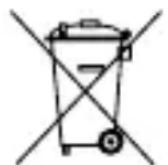
The crossed-out wheeled bin symbol indicates that the item should be disposed of separately from household waste. The item should be handed in for recycling in accordance with local environmental regulations for waste disposal. By separating a marked item from household waste, you will help reduce the volume of waste sent to incinerators or land-fill and minimize any potential negative impact on human health and the environment. For more information, please contact your IKEA store.
RÉPARATION DU PRODUIT
Fabricant : IKEA of Sweden AB
Adresse : Box 702, SE-343 81 Älmhult, SUÈDE
Input: 5,0 V DC, 2,0 A, 10 W USB Type-C
Producent: IKEA of Sweden AB
Inntak: 5,0 V DC, 2,0 A, 10 W USB Type-C
Aðeins til notkunar innanhúss
Vinnslutíðni: 112 - 148 KHz
Framleiðandi: IKEA of Sweden AB
Heimilisfang: Box 702 SE-343 81 Älmhult SWEDEN
Inngang: 5,0 V DC, 2,0 A, 10 W USB Type-C
Produsent: IKEA of Sweden AB
Adresse: Box 702, SE-343 81 Älmhult, SWEDEN

Entrada: 5,0 V CC, 2,0 A, USB-C de 10 W
Producent: IKEA of Sweden AB
Adres: Box 702 SE-343 81 Älmhult SZWECJA
Tootja: IKEA of Sweden AB
Aadress: Box 702 SE-343 81 Älmhult SWEDEN
RF IEDARBĪBAS INFORMĀCIJA
Potência: 5,0 V CC, 2,0 A, 10 W USB Tipo-C
Capacitatea accumulatorului: 6500 mAh/24,0 Wh, Li-ion
Putere de intrare: 5,0 V DC, 2,0A, 10 W USB tip C
Napajanje: 5,0 V DC, 2,0 A, 10 W USB tip C
Samo za uporabu u zatvorenom prostoru
Radna frekvencija: 112 - 148 KHz
Izlazna snaga: -2 dBμA/m na 10m
Ulaz: 5,0 V DC, 2,0 A, 10 W USB Type-C
Samo za upotrebu u zatvorenom prostoru
Radna frekvencija: (112–148) KHz
Izlazna snaga: -2 dBμA/m na 10 m
Pil kapasitesi: 6500 mAh/24,0 Wh, Lityum iyon
Giriş: 5,0V DC, 2,0A, 10W USB Tip C