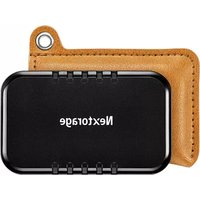
NX-P2SE - External hard drive Nextorage - Free user manual and instructions
Find the device manual for free NX-P2SE Nextorage in PDF.


| Product Type | External SSD |
| Brand | Nextorage |
| Model | NX-P2SE |
| Interface | SuperSpeed USB 10Gbps (USB 3.2 Gen 2) |
| Dimensions (approx) | 66 mm x 9 mm x 40 mm (L x H x D) |
| Operating temperature | 0 °C to 40 °C |
| Storage temperature | -20 °C to +60 °C |
| System compatibility | Windows, macOS, PlayStation 5, PlayStation 4 |
| Included cables | 1 USB Type-C to Type-C cable (30 cm), 1 USB Type-C to USB Standard-A cable (30 cm) |
| Carrying case | Included |
| Provided software | Memory Card File Rescue (download) |
| Warranty | 3 years (United States and Canada) |
| Power supply | Via USB port (bus-powered) |
| Connector type | USB Type-C |
| Main functions | External storage, compatible PS5/PS4 for games, formatting as extended storage, data transfer |
| Safety | Keep out of reach of children, do not expose to moisture, do not open the case |
| Maintenance | Avoid extreme temperatures and humidity, regularly back up data |
| Repairability | Refer to a qualified technician, no user-serviceable parts |
| LED indicator | Blinks during data transfer |
Frequently Asked Questions - NX-P2SE Nextorage
User questions about NX-P2SE Nextorage
0 question about this device. Answer the ones you know or ask your own.
Ask a new question about this device
Download the instructions for your External hard drive in PDF format for free! Find your manual NX-P2SE - Nextorage and take your electronic device back in hand. On this page are published all the documents necessary for the use of your device. NX-P2SE by Nextorage.
USER MANUAL NX-P2SE Nextorage
Please read this instruction manual before use.
© 2023 Nextorage Corporation
PCに接続して使用する
取り付ける
Keep away from children. If swallowed, promptly see a doctor. To reduce fire or shock hazard, do not expose the unit to rain or moisture.
To avoid electrical shock, do not open the cabinet. Refer servicing to qualified personnel only.
Please read this instruction manual carefully to ensure safe use of the product.
Operating Environment Requirements
- Please check the latest compatibility list at the following URL: https://www.nextorage.net/en/compatibility/
- Operation is not guaranteed for all devices.
When Using this Unit on the PC
Installation
- Connect the USB cable to a USB port on this unit.
- Connect the USB cable to a USB port on the PC.
- Be careful when handling this unit after extended periods of use as the surface may be hot.
- If this unit is not recognized by the PC or the host device you are using, remove the device, shutdown or restart your PC or host device, and try plugging this unit again.
- When the data transfer is in progress, the LED indicator is flashing. Please do not remove this unit while flashing.
Disconnecting this Unit from the PC
In this section, we describe the procedure for disconnecting this unit from the PC while the PC is switched on.
Windows PC users
-
Click "Safely Remove Hardware and Eject Media" in the notification area at the bottom right of the desktop.
This unit currently connected to the PC appears on the screen. -
Click on this unit.
-
Wait until the message "Safe to Remove Hardware" appears, and disconnect the USB cable from the PC.
macOS users
- Drag and drop this unit's icon on the desktop into [Trash].
- After the icon has disappeared from the desktop, disconnect the USB cable from the PC.
Supplied software (Memory Card File Rescue)
Download the latest software from the following URL
https://www.nextorage.net/en/mcfr/
* For details, please refer to the web page above.
Using by Connecting to PlayStation 5
Formatting This Unit as USB Extended Storage
Before using this unit as USB extended storage of a PS5 console for the first time, format it with the following procedure.
Notes
- When this unit is formatted, the data saved on the unit will be deleted. Make a backup if necessary.
- Never disconnect the USB cable or turn off your PS5 console during formatting. Doing so may cause a failure.
- Connect this unit to a USB port on the back of your PS5 console.
- Go to [Settings] > [Storage] > [USB Extended Storage] from the home screen.
- Select "Portable Storage" (this unit) from the displayed devices.
- Select [Format as USB Extended Storage].
Moving Data between This Unit and the PS5 Console Storage
You can move saved data between this unit and the PS5 console storage.
-
Select the data to move from [Game Library], and then press the Options button on the controller.
-
Select [Move Games and Apps] > [Move].
If both M.2 SSD storage and USB extended storage are connected, select the [Items You Can Move to USB Extended Storage] tab.
Notes
- Any PS5 game that is not saved in your PS5 console storage cannot be played. To play it, copy back the game data from the USB extended storage to your PS5 console storage. The games labeled [USB Extended Storage] on the [Your Collection] tab of [Game Library] are saved only in the USB extended storage. Select the game you want to copy back, press the options button, and select [Copy].
- You can play PS4 games directly from USB extended storage.
To automatically download PS4 games to this unit
PS4 games can be installed directly to USB extended storage.
Go to [Settings] > [Storage] > [Installation Location] from the home screen, and then set the installation location.
Deleting Data on This Unit
When there is data that will not be used, delete it with the following procedure.
- Go to [Settings] > [Storage] from the home screen.
- Select [USB Extended Storage] > [Games and Apps].
- Select the [Delete Content] tab.
- Select the data to delete, and then select [Delete].
Removing This Unit
Before removing this unit, make sure your PS5 console is turned off.
If you want to remove this unit while your PS5 console is turned on, remove it with the following procedure.
- Select [Settings] > [Storage] > [USB Extended Storage] > [Safely Remove from PS5].
2. Disconnect this unit from your PS5 console.
When you want to use this unit again, connect it to a USB port on the back of your PS5 console.
Formatting (Deleting or Wiping) This Unit on a PS5 Console
You can format the drive when you no longer want to use this unit as a USB extended storage drive for your PS5 console.
Notes
- When you format the drive, all data saved on this unit is erased. Make a backup if necessary.
-
Never disconnect the USB cable or turn off your PS5 console during formatting. Doing so may cause a failure.
-
Go to [Settings] > [Storage] > [USB Extended Storage].
-
Select [...] (More) > [Format as exFAT].
Using by Connecting to PlayStation 4
Formatting This Unit as Extended Storage
Before using this unit as extended storage of a PS4 system for the first time, format it with the following procedure.
Notes
- When this unit is formatted, the data saved on this unit will be deleted. Make a backup if necessary.
-
Never disconnect the USB cable or turn off your PS4 system during formatting. Doing so may cause a failure.
-
Connect this unit to a USB port of your PS4 system.
- Go to [Settings] > [Devices] > [USB Storage Devices] from the home screen.
- Select "Portable Storage" (this unit) from the displayed devices.
- Select [Format as Extended Storage].
Changing the Install Location
To change the install location of your games, specify where you would like to save them with the following procedure.
Notes
You cannot change the install location while a game is downloading.
- Go to [Settings] > [Storage] from the home screen, and then press the OPTIONS button on the controller.
- Select [Application Install Location] > [Extended Storage].
Moving Data between This Unit and the PS4 System Storage
You can move saved data between this unit and the PS4 system storage.
Notes
- If the data of the same game is saved in both the system storage and extended storage, the extended storage cannot be used unless that data is deleted from one of them.
-
You can install add-ons to extended storage, even if the related game data is saved in the system storage.
-
Go to [Settings] > [Storage] from the home screen.
- Select the storage where the data to be moved is saved, and then select [Applications].
- Press the OPTIONS button, and then select [Move to Extended Storage] or [Move to System Storage].
- Add ticks to the data you wish to move, and then select [Move].
Removing This Unit
Before removing this unit, make sure your PS4 system is turned off.
If you want to remove this unit while your PS4 system is on, use one of the following methods.
- Select [Sound/Devices] > [Stop Using Extended Storage] on the quick menu.
- Select this unit in [Settings] > [Devices] > [USB Storage Devices], and then select [Stop Using This Extended Storage].
When you want to use this unit again, connect it to a USB port on your PS4 system.
The method to connect to PlayStation was confirmed in April 2023. For details, see the official PlayStation support page.
Cautions on Use
This unit is a precision instrument. Saved data may be lost due to sudden failure. As a precaution against possible failure, periodically save the data in this unit elsewhere. Nextorage will not repair, restore or replicate recorded contents under any circumstances.
Furthermore, Nextorage shall not be responsible for any damage to or loss of recorded data for any cause.
- Note the following when using other USB devices while connecting this unit to equipment.
- The transfer speed of this unit may become slower.
- You may be unable to use this unit if it is connected to equipment via a USB hub. If this happens, reconnect this unit directly to the USB port of the equipment.
- Do not connect a wrong USB cable to this unit, which may damage the socket.
- Do not remove this unit from the equipment while writing, reading or deleting data. Doing so may damage the data.
- If this unit is still connected to the PC in the following situations, the PC may not operate correctly.
- When you start or restart the PC.
- When the PC enters sleep or hibernation, or returns from either. Disconnect this unit from the PC before doing these operations.
- It is strongly recommended that you periodically back up the data written on this unit.
- The supplied product warranty is limited only to this External Solid State Drive itself, when used normally in accordance with these
operating instructions and with the accessories that were included with this unit in the specified or recommended system environment. Services provided by the Company, such as user support, are also subject to these restrictions.
- The data in the SSD may not be completely erased by formatting or deleting using the functions of your equipment. When transferring or disposing of the SSD, you are responsible for taking a measure for the data, such as using special data erasure software or physically destroying the SSD.
Nextorage shall not be responsible for any damage to or loss of recorded data.
Handling this unit
- Do not use or store this unit in the following locations. Doing so may cause this unit to malfunction.
– Somewhere extremely hot, cold or humid
Never leave this unit exposed to high temperature, such as in direct sunlight, near a heater, or inside a closed car in summer. Doing so may cause this unit to malfunction or become deformed. - In a badly ventilated place
- In a dusty or humid place
High temperature of this unit
While using this unit, the main body of this unit becomes hot. This is not a malfunction. Depending on the operating status, their temperature may rise to 40 °C or higher. Touching them for a long time in this condition may cause a low temperature burn.
For the detail on operations and support related information, see the following URL.
https://www.nextorage.net/en/support/
Specifications
Interface* SuperSpeed USB 10Gbps (USB 3.2 Gen 2)
Dimensions (Approx.)
This unit only: 66 mm × 9 mm × 40 mm (2 5/8 in × 3/8 in × 1 5/8 in) (W × H × D, without protrusions)
Operating environment
Temperature: 0 °C to 40 °C (32 °F to 104 °F) (non-condensing)
Storage environment
Temperature: -20°C to +60°C (-4°F to +140°F) (non-condensing)
Included items: USB Type-C to USB Type-C cable (30 cm) (1) USB Type-C to USB Standard-A cable (30 cm) (1) Carrying Pouch (1)
* To connect via SuperSpeed USB 10Gbps (USB 3.2 Gen 2), the device must be used with SuperSpeed USB 10Gbp(USB 3.2 Gen 2) compatible devices.
Design and specifications are subject to change without notice.
Trademarks
- USB Type-C® and USB-C® are registered trademarks of USB Implementers Forum.
- Windows is registered trademarks and/or trademarks of Microsoft Corporation in the United States and/or other countries.
• macOS is registered trademarks and/or trademarks of Apple Inc. in the U.S. and other countries. - "PlayStation", "PS5" and "PS4" are registered trademarks or trademarks of Sony Interactive Entertainment Inc.
- All other system names and product names mentioned in these operating instructions are the trademarks or registered trademarks of their respective development companies.
^TM and ^® are not mentioned in each case in these instructions.
- Our product warranty is limited only to the data recording device itself, when used normally in accordance with these operating instructions and with the accessories that were included with this unit in the specified or recommended system environment. Services provided by the Company, such as user support, are also subject to these restrictions.
- The Company cannot accept liability for damage or loss resulting from the use of this unit, or for any claim from a third party.
- The Company cannot accept any liability for: problems with your PC or other hardware arising from the use of this product; the suitability of this product for specific hardware, software, or peripherals; operating conflicts with other installed software; data loss; or other accidental or unavoidable damages.
- The Company cannot accept any liability for financial damages, lost profits, claims from third parties, etc., arising from the use of the software provided with this unit.
LIMITED WARRANTY
United States and Canada only – 3 years
Nextorage Corporation ("Nextorage"), solely for purchases made in the United States and Canada, warrants this product against defects in material or workmanship for the original owner and any subsequent end user owner(s) ("You" or "Your") for the time period set forth above as set forth herein.
Pursuant to this Limited Warranty, Nextorage will, at its option, i) replace the product with a new or recertified/refurbished product of the same (or similar) model ii) refund the purchase price upon confirmation of Your receipt or purchase record at the online store or retailer where You purchased the product. For purposes of this Limited Warranty, “recertified” or “refurbished” means a product or part that has been returned to its original specifications. In the event of a defect, these are Your exclusive remedies. Nextorage does not warrant that the operation of the product will be uninterrupted or error-free.
Term: F or the time period set forth above from the original date of purchase of the product from the online store or retailer authorized by Nextorage to sell the product.
This Limited Warranty covers only the hardware components packaged with the product. It does not cover separate accessories, technical assistance for hardware or software usage and it does not cover any software products whether or not contained in the product, and other included content; any such software or other included content is provided "AS IS" unless expressly provided for in a separate written agreement.
In order to receive warranty service, the product must be returned according to the procedures of the online store where it was purchased. To obtain warranty service, please contact the customer service department of the online store where You purchased the product. Use of Your Personal Information. If You obtain service under this Limited Warranty, You authorize Nextorage to store, use and process information about the service provided to You and Your contact information (including Your name, phone number, address, and e-mail address). Nextorage may use this information to perform service under this Limited Warranty in accordance with its Privacy Policy, which can be found here: https://www.nextorage.net/en/privacy/
Loss of Data: Nextorage cannot guarantee that it will be able to refund or exchange any product under this Limited Warranty without risk to or loss of software or data. It is Your responsibility to remove or backup any removable media or parts, data, software or other materials You may have stored or preserved on Your product. It is likely that any media or parts, data, software, or other materials (like pictures, music, videos, etc.) will be lost or reformatted during service and Nextorage will not be responsible for any such damage or loss.
Refund/Replacement Warranty: This Limited Warranty shall apply to any replacement, recertified or refurbished product for the remainder of the original Limited Warranty period or for ninety (90) days from the replacement, whichever is longer. Any product replaced under this Limited Warranty will become the property of Nextorage. Any replacement recertified or refurbished product provided under this Limited Warranty may, at Nextorage's option, vary in color and/or cosmetic design from the
original product and may not include any original engraving or similar customization/personalization.
Exceptions: Nextorage is not responsible for, and this Limited Warranty does not cover, any damage arising from a failure to operate the product within its intended uses, or otherwise follow the owner's manual and safety instructions relating to the product's use and installation. Nextorage is not responsible for any labor costs You may incur relating to service from service providers other than from an online store's Customer Service where the product was purchased. This Limited Warranty only covers product issues caused by defects in material or workmanship during ordinary consumer use. This Limited Warranty does not cover products purchased from sources other than authorized retailers or authorized online stores, or issues due to: (i) outdoor exposure and other acts of nature; (ii) power surges; (iii) accidental damage; (iv) abuse; (v) limitations of technology; (vi) cosmetic damage; (vii) contact with liquid, heat, humidity or perspiration, sand, smoke, or foreign materials; (viii) damage, malfunction and/or failure to the product resulting from use of parts or supplies not sold or authorized by Nextorage; (ix) damage, malfunction and/or failure to the product resulting from servicing not authorized or performed by Nextorage; (x) computer or internet viruses, bugs, worms, or Trojan Horses; (xi) malfunctions due to peripherals/accessories; (xii) modifications of or to any part of the product, including "rooting" or other modifications to control the behavior of the product or any factory installed operating system; (xiii) use of the product with constant or repetitive recording applications such as drive recorders, surveillance cameras, server applications, and constant playback applications such as digital signage, or industrial applications; or (xiv) any product where the factory-applied serial number has been altered or removed from the product.
LIMITATION ON DAMAGES: Nextorage SHALL NOT BE LIABLE FOR ANY INCIDENTAL OR CONSEQUENTIAL DAMAGES FOR BREACH OF ANY EXPRESS OR IMPLIED WARRANTY OR CONDITION ON THIS PRODUCT. NOR SHALL RECOVERY OF ANY KIND AGAINST Nextorage BE GREATER THAN THE ORIGINAL PURCHASE PRICE OF THE PRODUCT FROM Nextorage OR AN AUTHORIZED ONLINE SHOP.
DURATION OF IMPLIED WARRANTIES OR CONDITIONS: EXCEPT TO THE EXTENT PROHIBITED BY APPLICABLE LAW, ANY IMPLIED WARRANTY OF MERCHANTABILITY OR FITNESS FOR A PARTICULAR PURPOSE ON THIS PRODUCT IS LIMITED IN DURATION TO THE DURATION OF THIS LIMITED WARRANTY.
Some jurisdictions do not allow the exclusion or limitation of incidental or consequential damages, or allow limitations on how long an implied warranty lasts, so the above limitations or exclusions may not apply to You. This Limited Warranty gives You specific legal rights and You may have other rights which vary from jurisdiction to jurisdiction.
For purchases made in the U.S.: Read the following Dispute Resolution/Arbitration provision carefully. It details Your rights and instructions should a dispute related to the product arise.
What Happens If We Have A Dispute: Should a dispute or claim arise related to the product, Your purchase and/or use of the product, the terms of this Limited Warranty, or any service provided under the terms of this Limited Warranty (including any repair or replacement) ("Dispute"), You and Nextorage agree that the Dispute
shall be resolved exclusively through binding arbitration. YOU UNDERSTAND AND ACKNOWLEDGE THAT BY AGREEING TO ARBITRATION, YOU ARE GIVING UP THE RIGHT TO LITIGATE (OR PARTICIPATE IN AS A PARTY OR CLASS MEMBER) IN ANY DISPUTES IN COURT. You also agree that ANY DISPUTE RESOLUTION PROCEEDING WILL ONLY CONSIDER YOUR INDIVIDUAL CLAIMS, AND BOTH PARTIES AGREE NOT TO HAVE ANY DISPUTE HEARD AS A CLASS ACTION, REPRESENTATIVE ACTION, CONSOLIDATED ACTION, OR PRIVATE ATTORNEY GENERAL ACTION. Despite
the above, You have the right to litigate any Dispute on an individual basis in small claims court or other similar court of limited jurisdiction, to the extent the amount at issue does not exceed \$15,000, and as long as such court has proper jurisdiction and all other requirements (including the amount in controversy) are satisfied.
Arbitration Instructions. To begin Arbitration, either You or Nextorage must make a written demand to the other for arbitration. The Arbitration will take place before a single arbitrator. The arbitration will be administered in keeping with the Expedited Procedures of the Commercial Arbitration Rules and the Supplementary Proceedings for Consumer-Related disputes ("Rules") of the American Arbitration Association ("AAA"), when applicable and in effect when the claim is filed. You may get a copy of AAA's Rules by contacting AAA at (800) 778-7879 or visiting www.adr.org. The filing fees to begin and carry out arbitration will be shared between You and Nextorage, but in no event shall Your fees ever exceed the amount allowable by the special rules for Consumers Disputes provided for by AAA, at which point Nextorage will cover all additional administrative fees and expenses. This does not prohibit the Arbitrator from giving the winning party their fees and expenses of the arbitration when appropriate pursuant to the Rules. Unless You and Nextorage agree differently, the arbitration will take place in the county and state where You live, and applicable federal or state law shall govern the substance of any Dispute during the arbitration. However, the Federal Arbitration Act, 9 U.S.C. § 1, et seq., will govern the arbitration itself and not any state law on arbitration. The Arbitrator's decision will be binding and final, except for a limited right of appeal under the Federal Arbitration Act.
Opt-Out Instructions. IF YOU DO NOT WISH TO BE BOUND BY THE BINDING ARBITRATION PROVISION, THEN: (1)
You must notify Nextorage in writing within 30 days of the date that You purchased the product; (2) Your written notification must be mailed to Nextorage Corporation, Kawasaki-eki-mae Tower Riverk 9F 12-1 Ekimaehoncho, Kawasaki-ku Kawasaki city Kanagawa 210-0007 Japan. AND (3) Your written notification must include (a) Your NAME, (b) Your ADDRESS, (c) the DATE You purchased the product, and (d) a clear statement that "YOU DO NOT WISH TO RESOLVE DISPUTES WITH Nextorage THROUGH ARBITRATION AND/OR BE BOUND BY THE CLASS ACTION WAIVER"
Opting out of this dispute resolution procedure will not affect the coverage of the Limited Warranty in any way, and You will continue to enjoy the benefits of the limited warranty.
For the Customers in U.S.A
NOT APPLICABLE IN CANADA, INCLUDING IN THE PROVINCE OF QUEBEC (POUR LES CONSOMMATEURS AUX ÉTATS-UNIS. NON APPLICABLE AU CANADA, Y COMPRIS LA PROVINCE DE QUÉBEC)
CAUTION
You are cautioned that any changes or modifications not expressly approved in this manual could void your authority to operate this equipment.
Notes:
- This equipment has been tested and found to comply with the limits for a Class B digital device, pursuant to Part 15 of the FCC Rules. These limits are designed to provide reasonable protection against harmful interference in a residential installation. This equipment generates, uses, and can radiate radio frequency energy and, if not installed and used in accordance with the instructions, may cause harmful interference to radio communications. However, there is no guarantee that interference will not occur in a particular installation. If this equipment does cause harmful interference to radio or television reception, which can be determined by turning the equipment off and on, the user is encouraged to try to correct the interference by one or more of the following measures:
- Reorient or relocate the receiving antenna.
- Increase the separation between the equipment and receiver.
- Connect the equipment into an outlet on a circuit different from that to which the receiver is connected.
- Consult the dealer or an experienced radio/TV technician for help.
The information below is for the FCC related matters only.
Supplier's Declaration of Conformity Trade Name: Nextorage Model: NX-P2SExTB (x:alphanumeric character such as 1,2,..., A,B,...) Responsible Party: Violette Engineering Corporation Address: 313 Park Avenue Suite 300, Falls Church, VA 22046 USA Mail: info@violetteengineering.com
Français
Attention :
$$ \begin{array}{l} \text {https: / / www.nextorage.net / en/} \ \text {compatibility /} \end{array} $$
- 无法保证对所有设备都能正常操作。
在电脑上使用本装置时
安装
(Nextorage Corporation)
制造商地址:
日本国神奈川县川崎市川崎
区驿前本町 12 番地 1 川崎驿
前塔里拜克 9 层
仅限中国市场:
总经销商:北京鑫东原科贸有限公司
总经销商地址:
北京市海淀区中关村大街22号
中科大厦 A 座 807 室
产品保修卡
Nextorage
产品名称:移动固态硬盘
保修期:3年
商品产地:台湾
保修服务规定
Nextorage Corporation
Tower Riverk 9F, 12-1, Ekimaehoncho, Kawasaki-ku, Kawasaki City, Kanagawa 210-0007, Japan