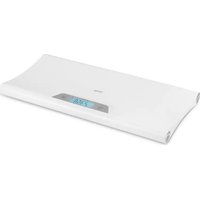
BabyBalance - Baby products Lionelo - Free user manual and instructions
Find the device manual for free BabyBalance Lionelo in PDF.


| Product Type | Digital Baby Scale |
| Brand | Lionelo |
| Model | BabyBalance |
| Maximum weight | 20 kg (44.09 lb) |
| Power supply | 3 AAA 1.5V batteries (not included) |
| Display | Digital screen with backlight |
| Weight units | g, kg, lb, st:lb |
| Tare function | Yes (allows weighing the child on a cushion) |
| Memory function | Yes (displays last measurement) |
| Measurement lock | Automatic (after 3 blinks) or manual |
| Auto-off | After approximately 25 seconds of inactivity |
| Usage | Household only (non-medical) |
| Required surface | Flat, horizontal and stable |
| Cleaning | Soft damp cloth (no harsh chemicals) |
| Safety instructions | Never leave the child unattended |
| Manufacturer | BrandLine Group Sp. z o. o. |
| Warranty | Detailed conditions on manufacturer's website |
Frequently Asked Questions - BabyBalance Lionelo
User questions about BabyBalance Lionelo
0 question about this device. Answer the ones you know or ask your own.
Ask a new question about this device
Download the instructions for your Baby products in PDF format for free! Find your manual BabyBalance - Lionelo and take your electronic device back in hand. On this page are published all the documents necessary for the use of your device. BabyBalance by Lionelo.
USER MANUAL BabyBalance Lionelo
natural_image
White digital kitchen scale with a digital display showing temperature reading (no visible text or symbols on the device body)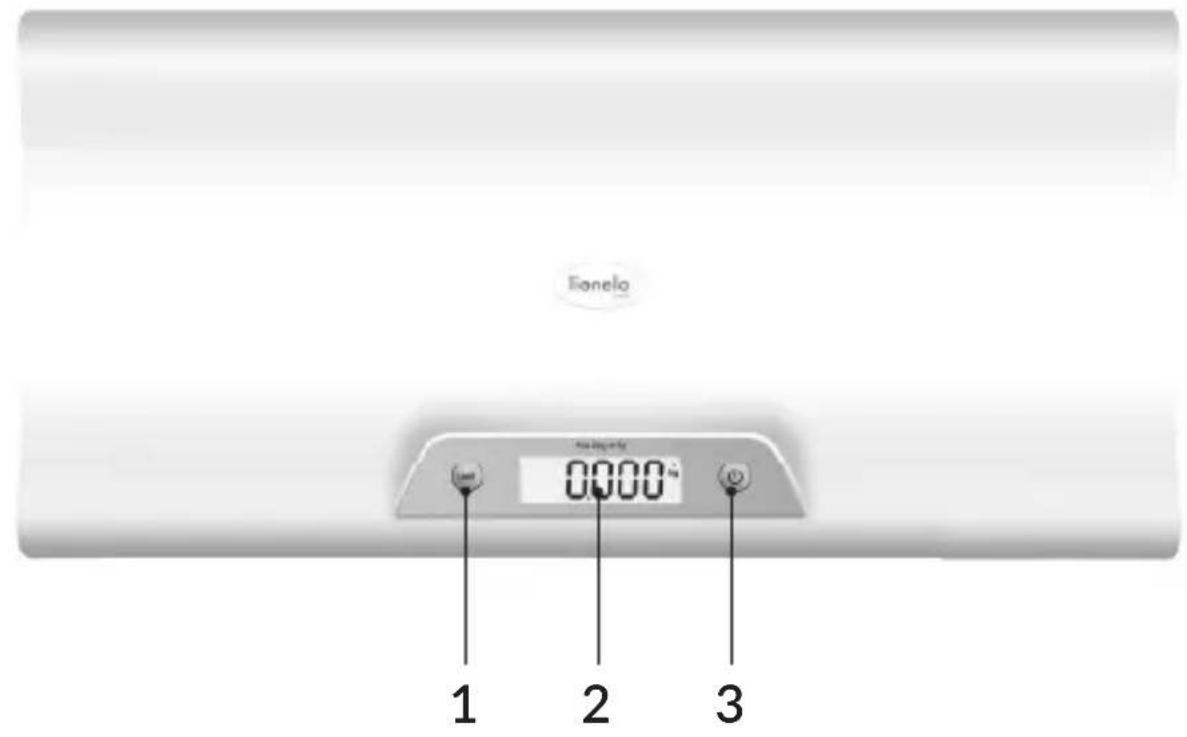
natural_image
Top-down view of a white electronic device panel with mounting holes and a labeled component (number 4), no readable text or symbols beyond the label.A
Dear customer!
Should you have any remarks or questions concerning the product, please do not hesitate to contact us: help@lionelo.com
Producer:
BrandLine Group Sp. z o. o.
- Read this instruction manual and keep it for future reference.
- The scale is designed to measure the weight of infants only.
- The scale is intended for home use only and is not intended for medical or commercial use.
- Use this scale only for the purpose for which it is intended. Follow this instruction manual.
- The manufacturer is not responsible for any damage resulting from misuse of the device.
- The maximum weight of the child and the object to be weighed must not exceed 20 kg (44.09 lb). Do not exceed the maximum weight. This may cause damage to the device.
- Make sure the scale is placed on a flat, level and stable surface before placing a child on it.
- Never leave a child unattended while using the scale.
- Regularly check the scale for damage or wear. Do not use the scale if it is damaged.
- In the event of damage, contact the manufacturer of the device. Do not modify or repair the device yourself.
- If you have any concerns about the scale or your child's health, consult a doctor or specialist.
BATTERY WARNINGS
- Keep batteries away from children.
-
Insert batteries into the compartment according to the polarity (+ and -) and markings inside the battery compartment.
-
Make sure to use batteries with a voltage value of 1.5V to ensure proper operation of the device.
- Do not throw batteries into fire. Explosion hazard.
- If the product is not used for a long time, remove the batteries from the compartment.
- Always remove empty battery. A battery left in the product may leak or explode and destroy the product.
- Batteries that are not designed for charging should not be charged.
- Do not mix batteries of different types or old (used) batteries with new batteries.
- Do not short circuit the power supply terminals.
- Dispose of batteries according to regulations by disposing of them in specially designated containers.
DEVICE PANEL (FIG. A)
- Button to change weight unit / Memory function
- Weight indicator
- On/Off switch / Tare button / Manual measurement lock
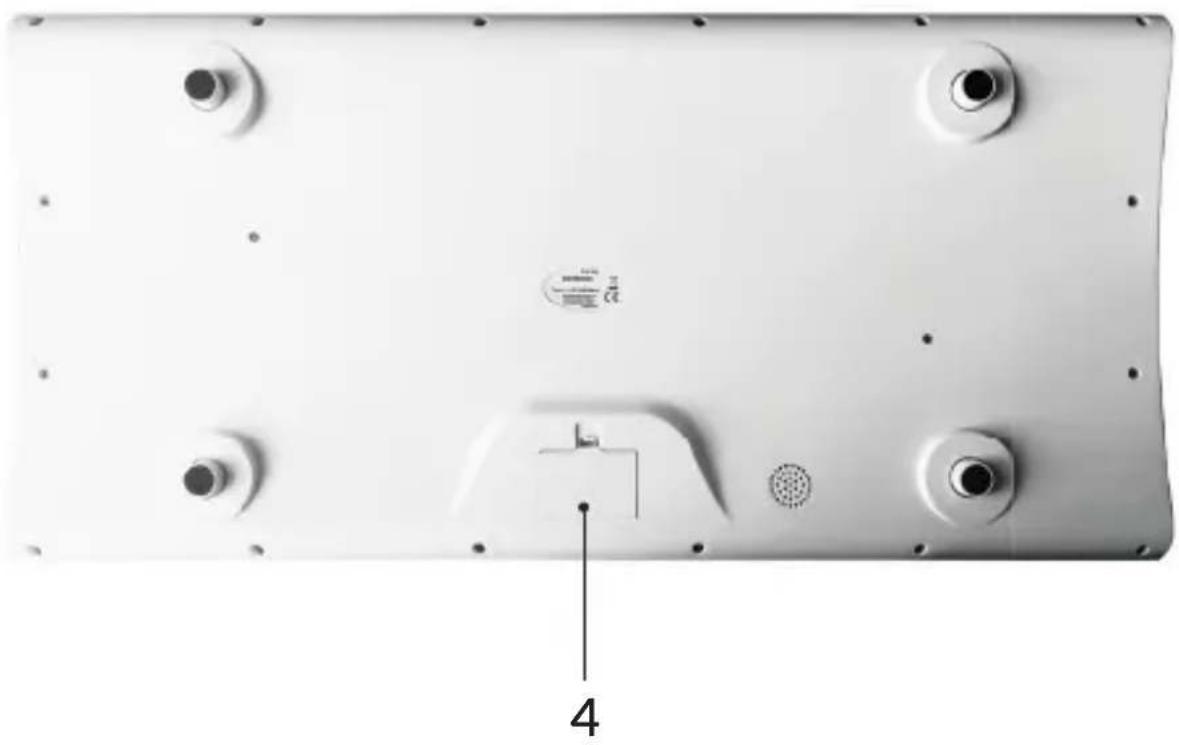
- Battery compartment
BATTERY INSTALLATION
- Make sure the scale is turned off.
- Turn the scale over and open the battery compartment flap (4, fig. A).
- Insert the three AAA batteries. Note the correct polarity markings (+/-).
- Close the compartment flap.
- Turn on the scale to verify proper installation.
USE
- Place the scale on a flat, horizontal and stable surface. Press the switch (3, fig. A) to turn the scale on.
- When the scale indicator (2, fig. A) displays 0.00, the device is ready for use.
- Place the child on the scale. The scale indicator will display the weight and flash three times, and the measured value will lock automatically.
- To manually lock the measurement, press and hold the manual lock button (3, fig. A).
-
The measurement is displayed for 25 seconds after locking. After the child is lifted off the scale, it will still be visible.
-
Press and hold the on/off switch (3, fig. A) to turn off the scale. When not in use, the scale will automatically turn off after about 25 seconds.
WEIGHT UNIT SELECTION
Press the weight unit change button (1, fig. A) to change the displayed weight unit (g, kg, lb or st:lb).
TARE FUNCTION
To use the tare function:
- Turn on the scale (see: Use). Place the pad on the scale where you want to place the child. The device will display the weight of the pad.
- Press the tare button (3, fig. A). Wait until the scale displays values of 0.00, and then place the child on the scale. The device will display the weight of the child without the pad.
MEMORY FUNCTION
The device has a built-in memory function. In order to display the last measurement:
- Make sure there are no objects on the scale.
- Press and hold the memory function button (1, fig. A).
CLEANING THE DEVICE
Clean the scale with a soft, damp cloth. Do not use aggressive cleaning agents.
Photos are for reference only, the actual appearance of the products may differ from that shown in the photos.
Drogi Kliencie!
EN: The product complies with the requirements of European Union directives. In accordance with Directive 2012/19/EU, this product is subject to separate collection. The product should not be disposed of with municipal waste as it may pose a risk to the environment and human health. Return the used product to the recycling centre for electrical and electronic equipment.
EN: Simplified EU declaration of conformity
BrandLine Group Sp. z o. o. hereby declares that the “BABYBALANCE” product complies with the directive: 2014/30/EU - EMC Directive, 2011/65/EU - RoHS Directive. Full content of EU declaration of conformity is available on the following website:
Detailed warranty conditions are available on the website:
Brand : Lionelo
Model : BabyBalance
Category : Baby products