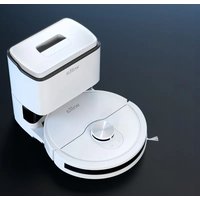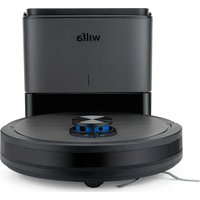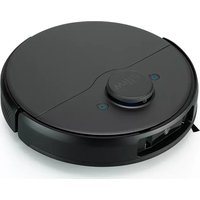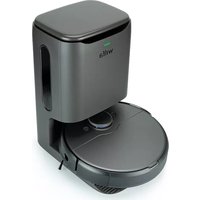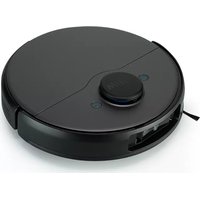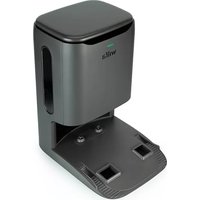
Innobot RVCD-D17 - Robot vacuum WILFA - Free user manual and instructions
Find the device manual for free Innobot RVCD-D17 WILFA in PDF.



| Product type | Robot vacuum cleaner |
| Brand | Wilfa |
| Model | Innobot RVCD-D17 |
| Dimensions (diameter x height) | 33 cm x 9 cm |
| Weight | 3.5 kg |
| Power supply | D4000 power adapter (100-240 V, 50/60 Hz) |
| Battery type | Rechargeable lithium-ion (built-in) |
| Battery life | Approximately 90 minutes (depending on use) |
| Dust bin capacity (station) | 2.5 L |
| Dust container capacity (robot) | 200 ml |
| Automatic emptying function | Yes (automatic emptying station) |
| App control | Yes (iOS 14.0 / Android 10.0 minimum) |
| Floor types | Hard floor, parquet, tile, carpet |
| Sensors | Obstacle and drop detection |
| Noise level | Approximately 65 dB |
| Filter type | Washable HEPA filter |
| Filter maintenance | Automatic and manual cleaning recommended every 2 weeks |
| Dust bag replacement | Every 1 to 2 months depending on use |
| Safety | Automatic stop when lifted, fall protection |
| Spare parts available | Filter, battery, dust bag, brush roll, mop |
| Warranty | 5 years |
| Recycling | Compliant with WEEE directive – do not dispose with household waste |
Frequently Asked Questions - Innobot RVCD-D17 WILFA
User questions about Innobot RVCD-D17 WILFA
0 question about this device. Answer the ones you know or ask your own.
Ask a new question about this device
Download the instructions for your Robot vacuum in PDF format for free! Find your manual Innobot RVCD-D17 - WILFA and take your electronic device back in hand. On this page are published all the documents necessary for the use of your device. Innobot RVCD-D17 by WILFA.
USER MANUAL Innobot RVCD-D17 WILFA
INNOBOT AUTO-EMPTY STATION
DUSTBIN RVCD-D17
EN· Instruction manual
DE·Anleitung
NO·Bruksanvisning
NL · Instructies
SE· Bruksanvisning
PL ·Instrukcje
IMPORTANT SAFETY INSTRUCTIONS
- This appliance can be used by children aged from 8 years and above and persons with reduced physical, sensory or mental capabilities or lack of experience and knowledge if they have been given supervision or instruction concerning use of the appliance in a safe way and understand the hazards involved. Children shall not play with the appliance. Cleaning and user maintenance shall not be made by children without supervision.
- This product is only used for floor cleaning in home environment, and should not be used in outdoor, non-floor, commercial or industrial environment.
- Do not let children play with the machine. Please supervise children and pets to keep them as far away as possible when the machine works.
- If the power cord is damaged, it must be replaced with a special cord or a special component purchased from its manufacturer or maintenance department.
- Do not let children, pets sit on the machine at any time.
- Do not handle this robot by using the protective cover of laser radar as handle.
- Do not use it in suspended environments without
protective fences (such as duplex floors, open balconies and furniture tops).
- Do not use it in an environment where the temperature is higher than 35^ lower than 0^ or there are any liquids and sticky objects on the ground.
- Before use, please arrange and fold the wires on the floor in case of any obstruction that blocks the machine movement.
- Do not let the machine absorb hard objects or sharp objects (such as decoration waste, glass and nails, etc.).
- Please clean and maintain the appliance and base in power-off state.
- If products need to be transported, please make sure that the machine is turned off, and it is recommended to use the original packaging box for packaging protection.
CHARGING
- Do not use any third-party battery, power cord or base.
- Do not disassemble, repair or modify the battery or base without permission.
EN
- Do not place the auto-clean base near the heat source (such as radiator, etc.).
- Before scrapping the machine, the power supply must be disconnected, and the battery should be taken out of the machine.
- If it is not used for a long time, please turn off the machine after being fully charged and put it in a cool and dry place.
- It is recommended to charge at least once a month.
- Only use with RVCD-D17 or D4000 supply unit.
- Detachable supply unit D-C
SYSTEM DISCLAIMER
The list of smartphone types in the market is long and increasing. System performance can vary for different combinations of the operating system and how it is implemented in the phone model. Alterations from industry can have an impact too. Therefore, although we expect good performance in most cases, the expected performance of the app is not guaranteed. Although the app most likely will work for a long time with older hardware and software versions you need to keep your phone's operations systems updated to be sure to get the app fully functional.
Minimum requirement of January 2023:
iOS 14.00
Android 10.0
COLLECT DUST MANUALLY
When the robot is on the auto empty station, you can initiate a manual
dust collection immediately by tapping the "Manual dust collection" icon

on the app map page.
Do not use the function repeatedly in quick succession.
PRODUCT OVERVIEW
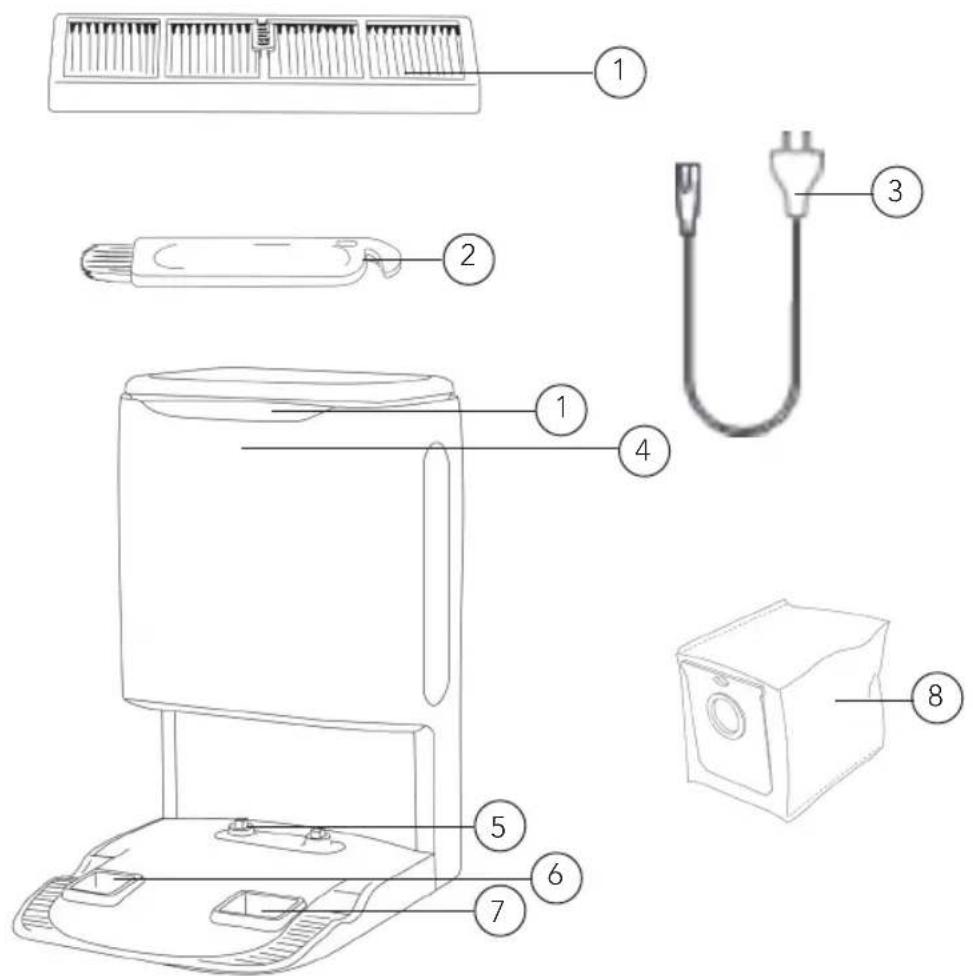
- Filter screen
- Cleaning tool
3.Powercord - Indicator
- Charging electrode
-
Air outlet
-
Dust inlet
- Dustbag
PRODUCT OVERVIEW - LIGHTS AND BUTTONS
| Green light | The auto empty station is connected to power and the robot is not charging |
| The auto empty station is connected to power and the robot is fully charged | |
| Flashing green light The robot is charging | |
| No light Dust station is not connected to the power supply | |
| Red light The top lid is open | |
| Dust bag is not installed | |
| Flashing orange light Collecting dust from the robot | |
INSTALLATION
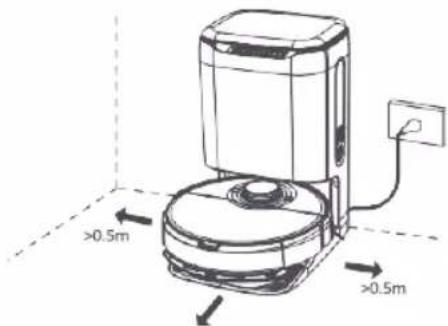
To install the auto-empty station. Place the dustbin against the wall and connect the power cord.
Note:
- Do not place the charger in direct sunlight.
- The auto-empty station requires more than 1.5-meter space in front and more than 0.5-meter space on both sides.
- Make sure the power cord is not placed where the robot can drag it.
POWER ON AND CHARGE
Put the robot on the base and align the charging electrodes with charging contact. For daily use, you can start intelligent recharge by short pressing the button
- Robot can't start up when it has low power. Please put it on the base to recharge.
- Robot will start up automatically after connecting to the base and can't be shut down while recharging.
MAINTENANCE AND CLEANING
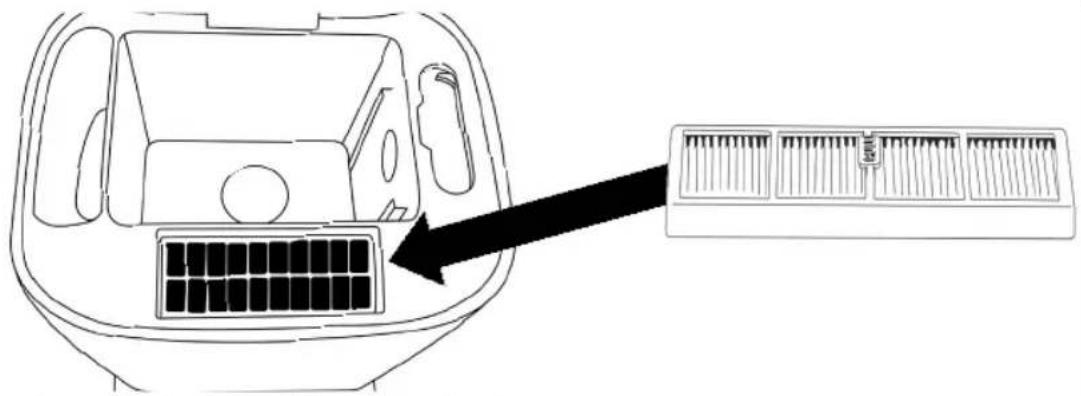
To clean the filter, open up the top of the unit and place the filter as shown in the figure. The unit will automatically clean the filter.
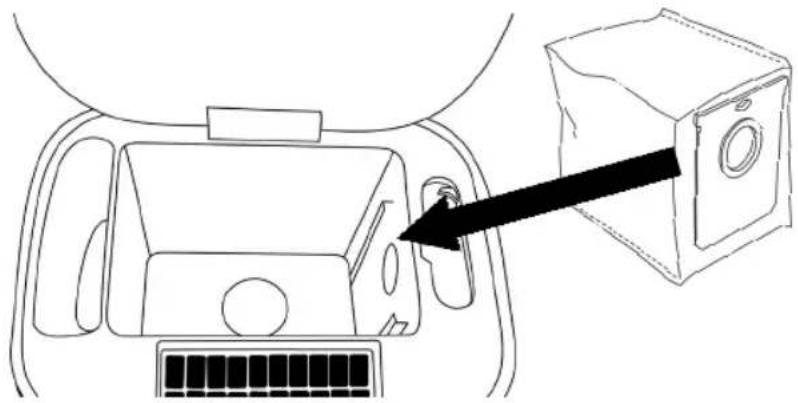
To place the dustbag, slide it into the slot.
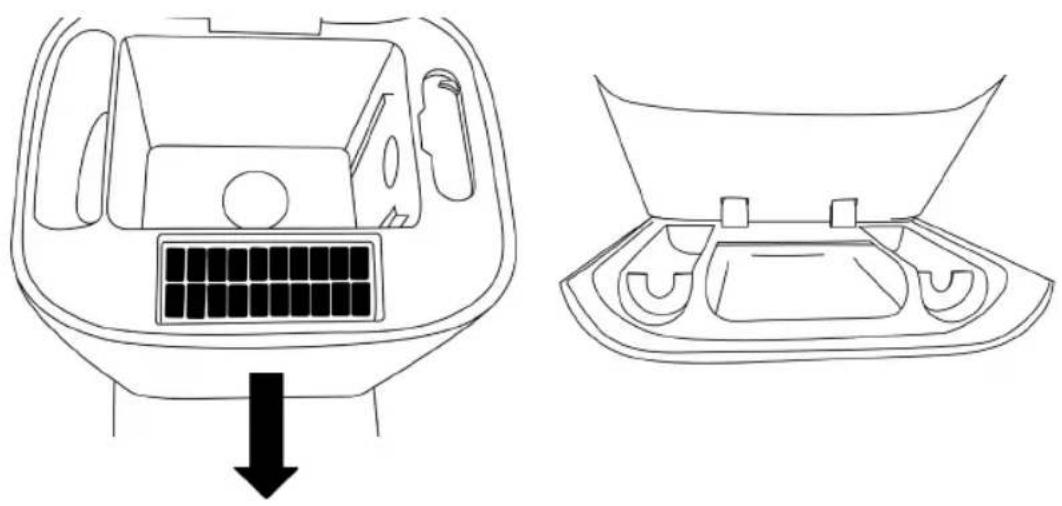
Pull out the front panel to open the storage compartment. It fits dustbags, mops and brushes.

GUARANTEE
Wilfa issues a 5 year guarantee on this product from the day of purchase. The guarantee covers production failure or defects that arise during the guarantee period. Your purchase receipt works as proof towards retailer if claiming your guarantee.
The guarantee is valid only for products that are bought and used in private households. The guarantee is not valid if the product is used commercially. The guarantee is not valid if the product is misused, used by negligence, if not following instructions given by Wilfa, if modified or if unauthorized reparation is done. The guarantee is also not valid for normal wear of the product, misuse, lack of maintenance, use of wrong electrical voltage or:
Overloading of product
- Parts which are normally worn down
- Parts you can expect being replaced regularly (e.g. filter, battery etc.)
Instruction manual is also available at our website; wilfa.com
PRODUCT SPECIFICATIONS
220-240V~50/60HZ 1000W
SUPPORT AND SPARE PARTS
For support please visit us at wilfa.com, and see our customer service/support page. Here you will find frequently asked questions, spare parts, tips and tricks and all our contact information.
RECYCLABILITY
This marking indicates that this product should not be disposed with other household wastes throughout the EU. To prevent possible harm to the environment or human health from uncontrolled waste disposal, recycle it responsibly to promote the sustainable reuse of material resources. To return your used device, please use the return and collection systems or
contact the retailer where the product was purchased. They can take this product for environmentally safe recycling free of charge.
NO
NO
INNHOLD
16 VIKTIGE SIKKERHETSANVISNINGER
17 LADING
18 ANSVARSFRASKRIVELSE - SYSTEM
19 PRODUKTOVERSIKT
20 PRODUKTOVERSIKT - LYS OG KNAPPER
20 INSTALLASJON
21 VEDLIKEHOLD OG RENGJØRING
22 GARANTI
23 PRODUKTSPESIFIKASJONER
23 SUPPORT OG RESERVEDELER
23 GJENVINNING
VIKTIGE SIKKERHETSANVISNINGER
VEDLIKEHOLD OG RENGJØRING
SAMLA UPP DAMM MANUELLT
CARACTERISTIQUES DU PRODUIT
220-240V~50/60HZ 1000W