ManualGo.com
W452ASD-E - Surveillance Camera Lorex - Free user manual and instructions
Find the device manual for free W452ASD-E Lorex in PDF.

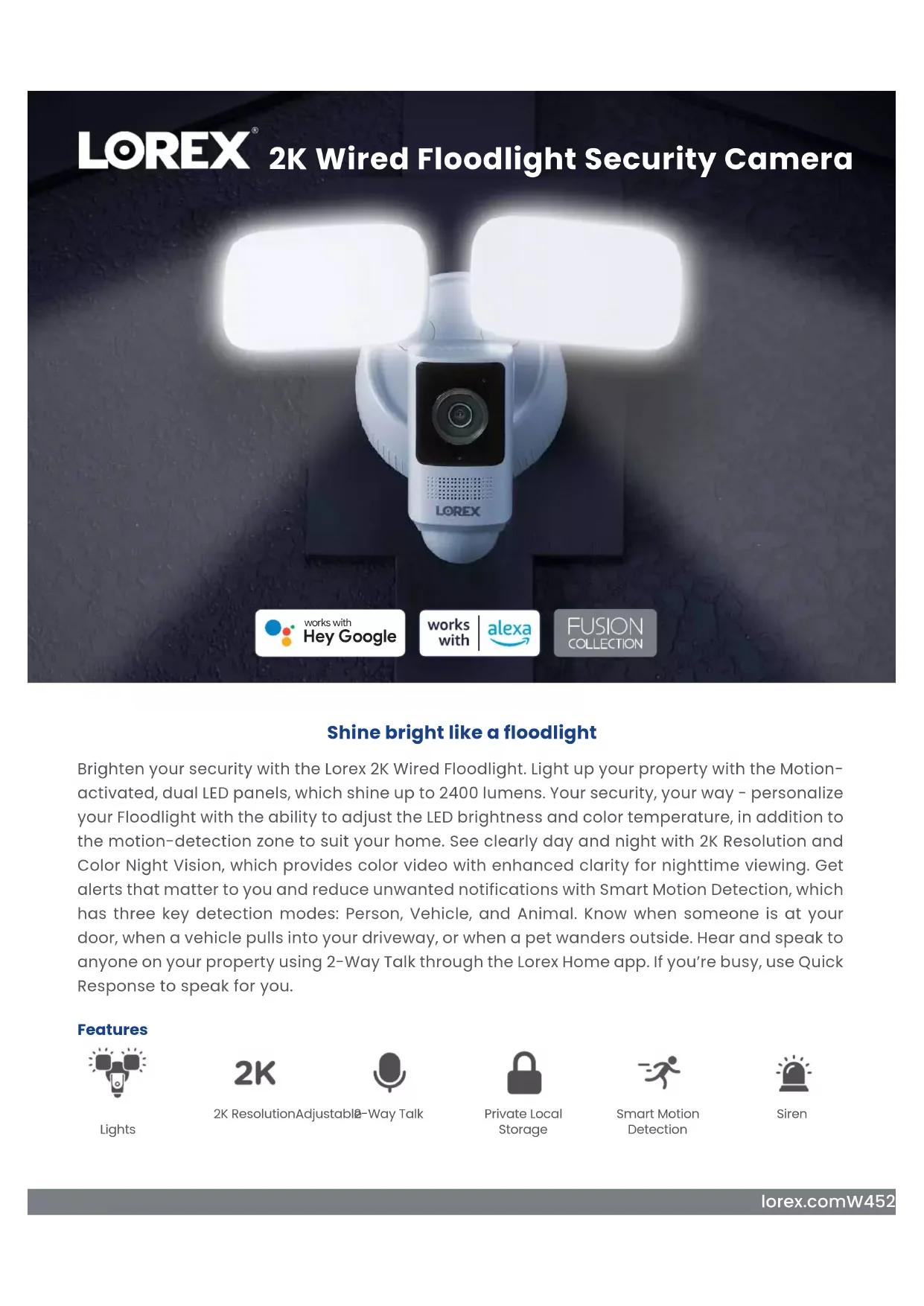

Download the instructions for your Surveillance Camera in PDF format for free! Find your manual W452ASD-E - Lorex and take your electronic device back in hand. On this page are published all the documents necessary for the use of your device. W452ASD-E by Lorex.
USER MANUAL W452ASD-E Lorex
Panneau DEL/Panel led
10. Floodlight Housing
If you are unsure of which breaker controls the circuit, then turn off the main power switch. If you do not know where your breaker is or how to turn off power, consult a licensed electrician. Make sure the supply voltage is correct. 100-240 VAC 50/60Hz is required. DO NOT connect the floodlight to a dimmer or timer.
1. Remove the existing light xture and bracket from the wall, and then disconnect
the wires. Tip! Bend the power cables so they do not fall through the wall.
2. Run the existing wires through the middle of the Mounting Plate.
3. Place and align the Mounting Plate with the
arrow up. Make sure the 2 horizontal holes are level.
4. Secure the Mounting Plate to the Junction Box using the included Junction Box
screws. If you are not replacing a light xture, you will need to run power cabling to the install location, and purchase a UL listed junction box for a licensed electrician to install. Si vous ne remplacez pas un luminaire, vous devrez faire arriver le câble d’alimenta
3. Slide the O-Rings onto the Machine Screws, and
then use a Phillips-head screwdriver to secure the Mounting Bracket to the Plate.
4. Ensure the Outer Ring is completely rotated
posts on the inner sides of the Bracket, and then push the Floodlight into place. Ensure there are no gaps around the perimeter between the Floodlight and Bracket. Tip! Align the to the symbol on the sides.
6. Twist the Outer Ring clockwise until the
and the symbols align.
7. Tighten the pre-installed locking screw at the bottom of
the Mounting Bracket.
8. Remove the Rubber Plug at the bottom of the Floodlight.
9. Adjust the camera and LED Panels to the desired
position by loosening / tightening the screws on the LED panel arms and the camera.
10. Turn the power ON at the breaker. If the status indicator
does not turn on, check that the wiring is correct.
- Lightweight and compact design makes it easier to install
1. Connect wires through the rear of the unit
2. Install mounting hardware
3. Twist and Lock to secure placement
Your Floodlight, Your Way
- Set your lights to the perfect brightness, and adjust between warm or cool temperatures
- Adjust the position of the camera and LED panels to illuminate important areas
- Choose from 4 Light Modes: Motion-Activated, Camera Activated, Manual and Scheduled. Note: Motion-activated only triggers LED in dark settings. Privacy is a priority
- Rest assured, your videos are private and securely stored on the pre-installed 32GB MicroSD card
- Access all camera features with no monthly fees! Build your security the way you want
- Create your own Lorex Smart Home Ecosystem by adding additional Lorex Fusion Wi-Fi Cameras, Doorbells, Floodlights and Sensors
- Alternatively, connect to a Fusion Recorder for additional storage and 24/7 continuous recording, and the ability to connect with Lorex Wired cameras lorex.comW452AS Series 2K Wired Floodlight Security Camera Get important details with Auto-Framing
- Track, follow and zoom in on a person or vehicle within the camera’s field of view, and do it all hands-free
- Only available in liveviewLorex Corporation10440 Little Patuxent Parkway, ste, 300,Columbia, MD 21044, United States© 2022 Lorex CorporationAs our product is subject to continuous improvement, Lorex Technology & subsidiaries reserve the right to modify product design, specifications & prices without notice and without incurring any obligation. E&OE.(22-0092-LOR) 11222022-1 lorex.com W452AS Series Product Specifications Model Information What’s Included W452ASD-E (white) US package6-95529-04667-9W452ASDB-E (black)US package6-95529-04664-8W452ASD-F (white) Canadian package6-95529-05009-6W452ASDB-F (black)Canadian package6-95529-05008-9Package Type GiftboxPackage Weight 4.4lb / 2kgPackage Dimensions (W × D × H)11.8 × 8.8 × 9” / 300 × 224 × 229mmPackage Cube 0.54cbf / 0.015cbmDisclaimers: 1. For product compatibility, visit www.lorextechnology.com/compatibility 2. Accuracy ofSmart Motion Detection isdependent on several factors,includingdistance, height, and angle of the camera relative to the object. In addition to the size of the object, and the amount of ambient light available.3. Person Detection accuracy is compromised when the face and/or body is partially covered. 4. The clarityand activation of Color Night Visionis dependent on ambient lighting conditions. If there is notsufficient ambientlight, the camera will automatically switch to IR (black and white) night vision.IR Night vision rangeis dependent on the cameras’ installation location, viewing area and subject to surrounding objects and light sources, which will reflect and absorb the light. 5. Stated IR illumination range is based on ideal conditions in typical outdoor nighttime ambient lighting (up to 32 ft or 10 m in total darkness). Actual range and image clarity depends on installation location, viewing area and light reflection/absorption. 6. Controlling certain features in your security system requires a compatible smart device. Availability and performance of certain features and services are smart device dependent and may not be available in all areas or networks. For compatibility, features, instructions visit: www.lorex.com/smarthome 7. Audio and video recordings without consent, is illegal in certain jurisdictions. Lorex Technology does not assume liability for any use of its product that fails to conform to local laws. 8. Not intended for submersion in water. Installation in a sheltered area recommended.9. Recording time may vary based on recording resolution & quality, lighting conditions and movement in the scene. 10. Require a high-speed internet connection and aWi-Fi router (not included) that supports 2.4Ghz. A minimum upload and download speed of 10 Mbps is required for optimal performance. For the latest list of supported apps and devices, please visit: www.lorex.com/support Lorex products are designed for consumer and business use only and not for US federal governments, federally-funded projects or contractors subject to NDAA. All trademarks belong to their respective owners. No claim is made to the exclusive right to use the trademarks listed, other than the trademarks owned by Lorex Corporation. We reserve the right to change models, configurations or specifications without notice or liability. Product may not be exactly as shown. Apple, the Apple logo and AppleTV are trademarks of Apple Inc., registered in the U.S. and other countries. App Store is a service mark of Apple Inc. Google, Google Home, Google Play, Google Play logo, Google Assistant logo and Chromecast are trademarks of Google Inc. Amazon, Alexa and all related logos are trademarks of Amazon.com, Inc. or its affiliates. 2-way communication is not available via Alexa. 2K Floodlight Camera Mounting Kit 32 GB MicroSD Quick Start Guide Lorex Home App 2K Wired Floodlight Security Camera Sensor Image Sensor 1/2.8" CMOS Sensor Resolution 4 MP Optical Lens Type Fixed Focal Length 2.8 mm Aperture F1.6 Shutter Speed 1/3–1/100,000 s Video Video Resolution 2560×1440 Aspect Ratio 16:9 Frame Rate 2K @15fps HDR Yes White Balance Auto Gain Control Auto Noise Reduction 3D Temporal Signal-Noise Ratio (SNR) > 56dB Video Codec H.265, H.264 Diagonal FOV 122° Horizontal FOV 104° Vertical FOV 55° PIR FOV 270° LEDs White LED Yes White Light Brightness 1500 - 2400 Lumens White Light Color 5000 K Infrared Wavelength 850 nm Low Light IR Night Vision Range 33ft (10m) Minimum Color Illumination