93LCLS - Laser level Klein Tools - Free user manual and instructions
Find the device manual for free 93LCLS Klein Tools in PDF.


| Product Type | Self-Leveling Cross Line Laser with Plumb |
| Brand and Model | Klein Tools 93LCLS |
| Dimensions (L x W x H) | 134 x 127 x 65 mm |
| Weight (without batteries) | 820 g |
| Power Supply | 3 AA alkaline batteries 1.5 V |
| Laser Type | Class 2 laser, 630-680 nm, ≤ 1 mW per beam |
| Projection | Horizontal, vertical lines and plumb (up/down) |
| Accuracy | ± 2 mm per 10 m (± 3/32 in per 33 ft) |
| Self-Leveling Range | Up to 4° tilt |
| Excessive Tilt Indicator | Yes, beam flashing and indicator light |
| Battery Status Indicator | Green (charged), red (low) |
| Protection (IP) | IP54 (water and dust resistant) |
| Operating Temperature | -10 °C to 45 °C |
| Storage Temperature | -20 °C to 60 °C |
| Maximum Altitude | 2000 m |
| Relative Humidity | < 80 % (non-condensing) |
| Mounting | Magnetic bracket, keyhole mount, wall adapter, tripod 1/4-20 and 5/8-11 |
| Rotation | 360° on bracket |
| Cleaning | Dry lint-free cloth, no solvents |
| Warranty | See www.kleintools.com/warranty |
| Compliance | EN 61326-1:2013, EN 60825-1:2014, FCC, ICES-003 |
| Package Contents | Laser level, brackets, batteries - not specified |
Frequently Asked Questions - 93LCLS Klein Tools
User questions about 93LCLS Klein Tools
0 question about this device. Answer the ones you know or ask your own.
Ask a new question about this device
Download the instructions for your Laser level in PDF format for free! Find your manual 93LCLS - Klein Tools and take your electronic device back in hand. On this page are published all the documents necessary for the use of your device. 93LCLS by Klein Tools.
USER MANUAL 93LCLS Klein Tools
Self-Leveling Cross Line Laser Level with Plumb Spot
• HORIZONTAL AND VERTICAL CROSS LINES
• PLUMB SPOT (MODEL 93LCLS)

ESPAÑOL pg. 9
FRANÇAIS pg. 17

KLEIN TOOLS

CE UK CA
GENERAL SPECIFICATIONS
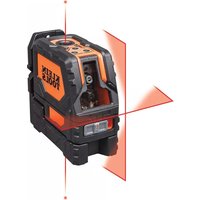
Klein Tools 93LCLS is a self-leveling laser alignment instrument that can be used to deliver horizontal and/or vertical cross lines for alignment and layout applications. Furthermore, 93LCLS can also deliver a plumb spot directly above the instrument.
- Operating Altitude: 6562 ft. (2000 m)
- Relative Humidity: <80% non-condensing
- Operating Temp: 20^ to 115^ (-10°C to 45°C)
• Storage Temp: -5°F to 140°F (-20°C to 60°C) - Laser: 630-680nm, ≤1mW each beam, Class II Laser Product
- Accuracy: ±3/32" per 33' (±2mm per 10 m) (Vertical & Horizontal Beams)
- Battery Type: 3 x 1.5V AA Alkaline
- Dimensions: 5.3" x 5.0" x 2.8" (134 x 127 x 65 mm)
• Weight: 26 oz. (820 g) without batteries (model 93LCLS) - Calibration: Accurate for one year
• Standards: Conforms to: EN61326-1:2013, EN60825-1:2014.
Complies with 21 CFR 1040.10 and 1040.11 except for conformance with IEC 60825-1 Ed. 3., as described in Laser Notice No. 56, dated May 8, 2019.
- Pollution degree: 2
- Ingress Protection: IP54 Dust & Water Resistant
- Electromagnetic Environment: IEC EN61326-1:2013. This equipment meets requirements for use in basic and controlled electromagnetic environments like residential properties, business premises, and light-industrial locations.
Specifications subject to change.
⚠️ WARNINGS
To ensure safe operation and service of the instrument, follow these instructions. Failure to observe these warnings can result in serious personal injury, fire, or electrical shock. Retain these instructions for future reference.

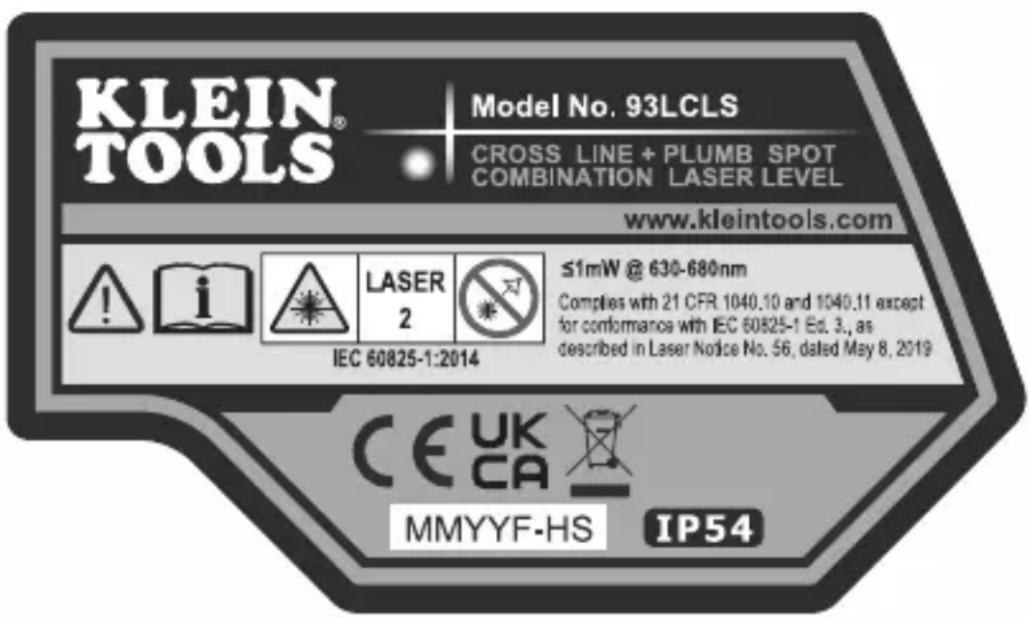
WARNING: LASER RADIATION. DO NOT STARE INTO BEAM. Class II Laser.
- Exposing eyes to laser radiation can result in severe and permanent eye injuries. NEVER look directly into the laser beam emitted by this instrument.
- Do not use the instrument if it appears to be damaged.
- Do not modify the instrument in any way, as to do so could result in emission of hazardous laser radiation than could result in severe eye injuries.
- Do not use optical equipment such as lenses, prisms, optical scopes, etc. to transmit, retransmit, or view the laser beam as this could result in severe eye injuries.
- This product should not be used by untrained operators or operators who have not read and fully understood the instructions.
- This product should not be used in any location that could result in somebody looking at or having their eyes inadvertently irradiated by the laser beam as this could result in severe eye injuries.
- The instrument should be powered off following use to minimize the risks of inadvertently exposure to hazardous laser radiation that could result in severe eye injuries.
- Do not remove warning labels from this instrument as this could result in serious personal injury and increases the risk of exposure to hazardous laser irradiation.
- The instrument should be securely located in a tidy work environment prior to operation as unexpected drops or movement of the instrument may result in damage to the instrument and increases the risk of inadvertent exposure to laser radiation that could result in severe eye injuries.
- This instrument is IP54 dust & water resistant. Following any contact with water, thoroughly dry the instrument with a dry, lint-free cloth.
- There are no user serviceable parts in this instrument.
Warning label on side of 93LCLS
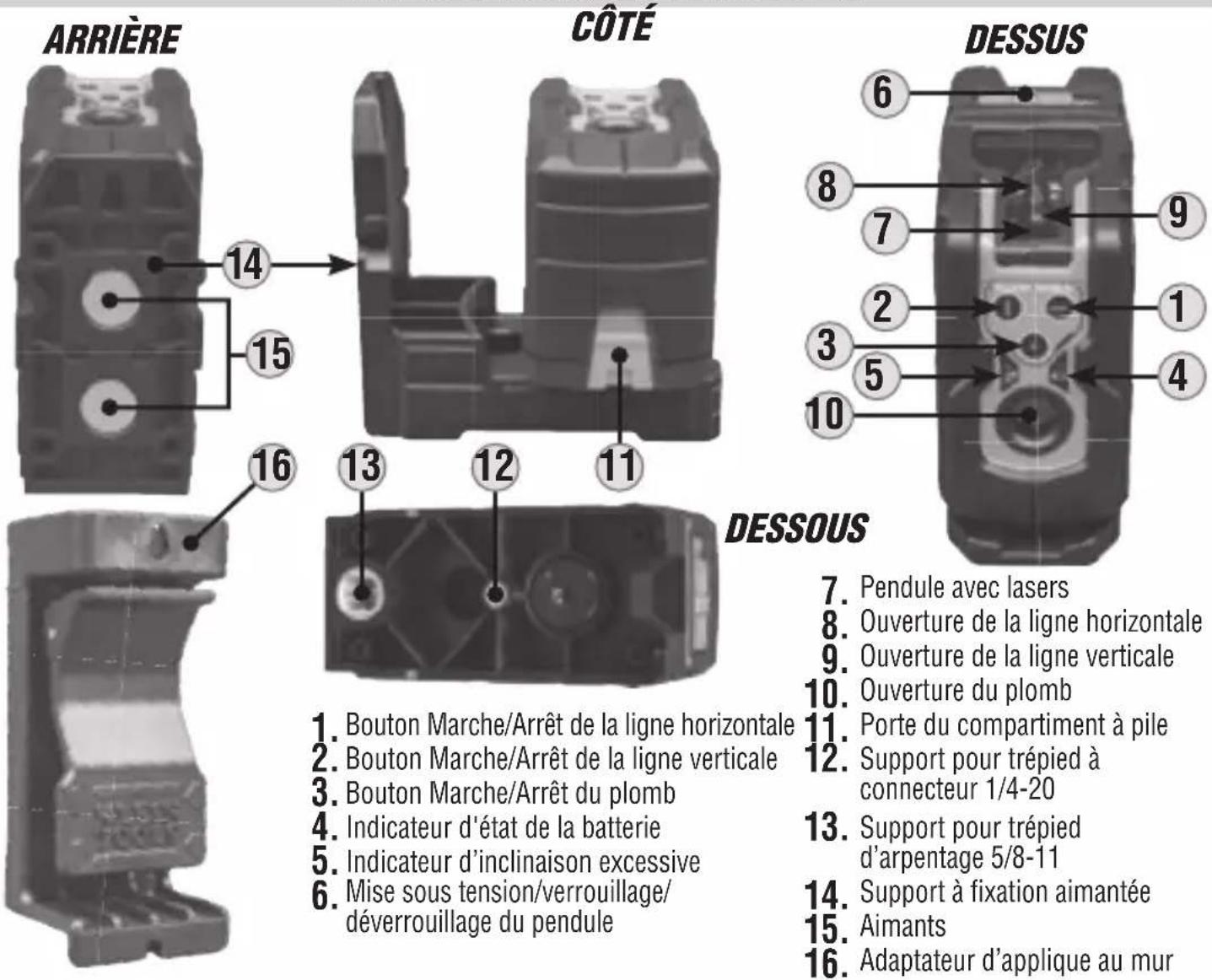
FEATURE DETAILS
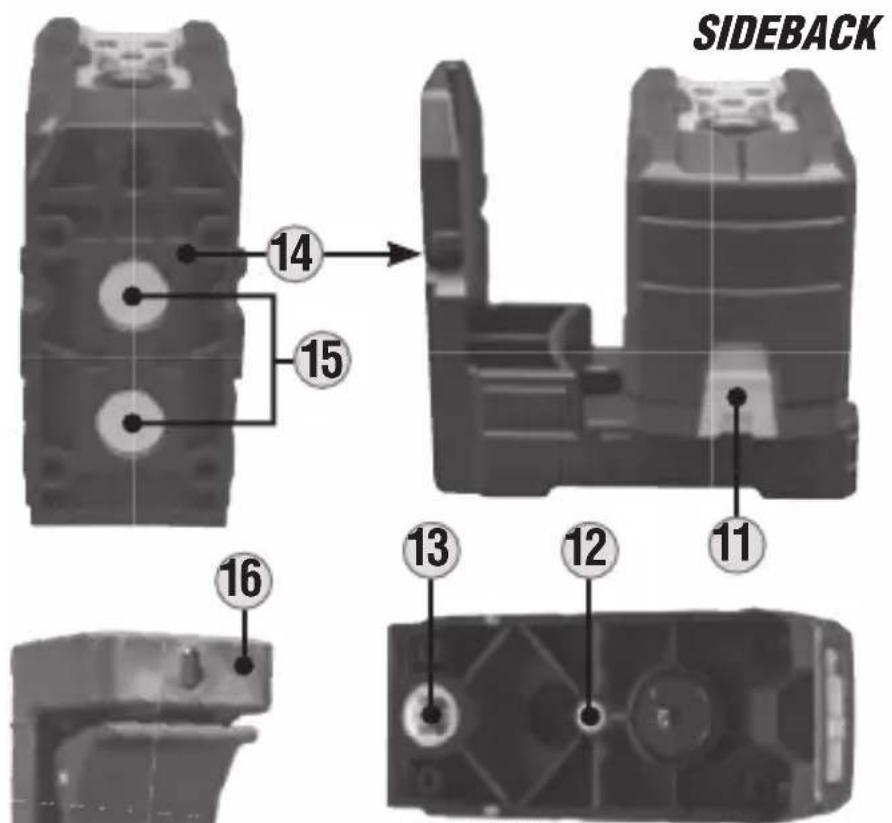
BOTTOM
- Horizontal Line On/Off Button
- Vertical Line On/Off Button
- Plum Spot On/Off Button
- Battery Status Indicator
- Excessive Tilt Indicator
- Power/Pendulum Lock/Unlock Switch
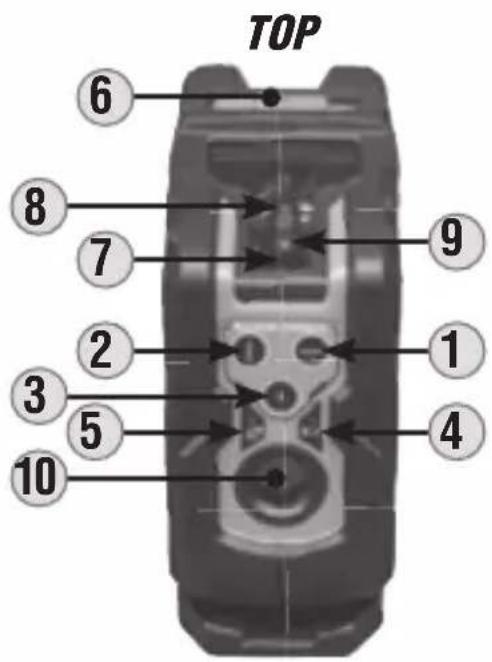
- Pendulum with Lasers
- Horizontal Line Aperture
- Vertical Line Aperture
- Plum Spot Apeture
- Battery Compartment Door
- 1/4-20 Tripod Mount
- 5/8-11 Survey Tripod Mount
- Magnetic Mount Bracket
- Magnets
- Clamp-On Wall Adapter
NOTE: There are no user-serviceable parts inside this instrument.
SYMBOLS ON INSTRUMENT
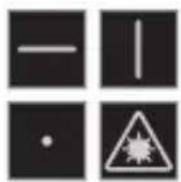
 | Vertical Laser Line |  | Battery Status Indicator (Green = charged, red = low) |  | Ingress Protection IP54 Rating – Dust & Water Resistant |
 | Horizontal Laser Line |  | Excessive Tilt Indicator Hazardous |  | radiation |
 | Plumb Spot Laser |  | Battery Polarity Warning or Cautior |  | |
 | WEEE: Electronics disposal |  | Conformité Européenne: Conforms with European Economic Area directives |  | UKCA: UK Conformity Assessment |
 | Laser Class 2 |  | DO NOT stare into beam or view directly with optical instruments |  | Read instructions |
OPERATING INSTRUCTIONS
TURNING LASER BEAMS ON/OFF
Push the ON/OFF buttons for the horizontal line 1, vertical line 2, and plumb spot 3 to turn ON and OFF their respective laser lines. These buttons are only active once the Pendulum Lock/Unlock Slider Switch 6 has been set to the Unlocked position. If the Pendulum Slider Switch is moved from the Unlocked to the Locked position while the laser beams are active, they will be turned OFF. The different laser lines can be operated independently or simultaneously.
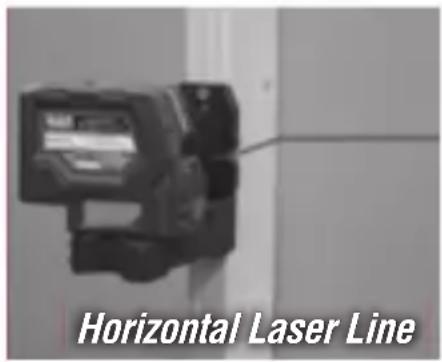
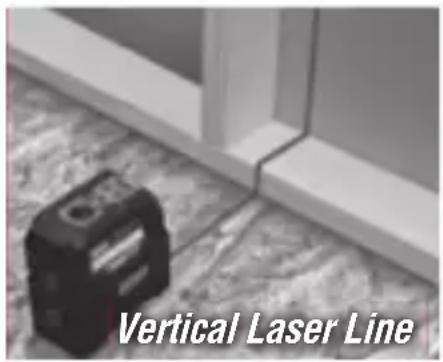
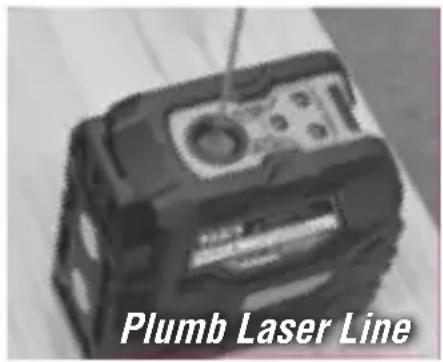
NOTE: The plumb spot application projects laser beams both in upward and downward directions. The downward beam may be used to locate a specific point on a floor layout while the upward beam projects that same point to a ceiling.
PENDULUM SLIDER SWITCH & SELF-LEVELING
The laser assemblies are mounted on a pendulum so that the instrument can self-level. The Pendulum Slider Switch 6 must be in the unlocked position for the instrument to self-level. If the instrument is tilted by >4^ from the horizontal plane, the pendulum will not be capable of self-leveling; the active laser beams will flash and the Excessive Tilt Indicator 5 will blink to indicate that the instrument is not level and cannot self-level. The instrument must be repositioned on a more level geometry for the self-Leveling pendulum to function appropriately.
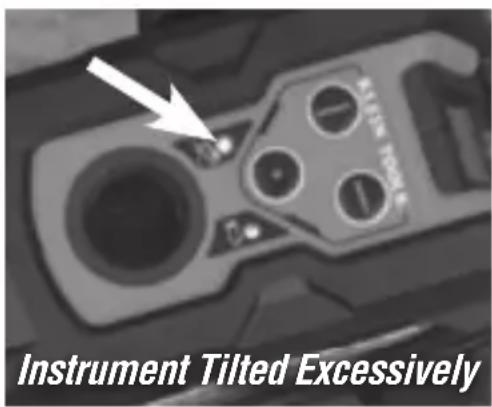
NOTE: If the instrument indicates that it is not level (via flashing beams and/or a blinking Excessive Tilt indicator 5), then it should not be used for laying out level or plumb lines.
NOTE: Following use, the active laser beams must be turned OFF and the Pendulum Slider Switch must be placed in the Locked position prior to storage.
OPERATING INSTRUCTIONS
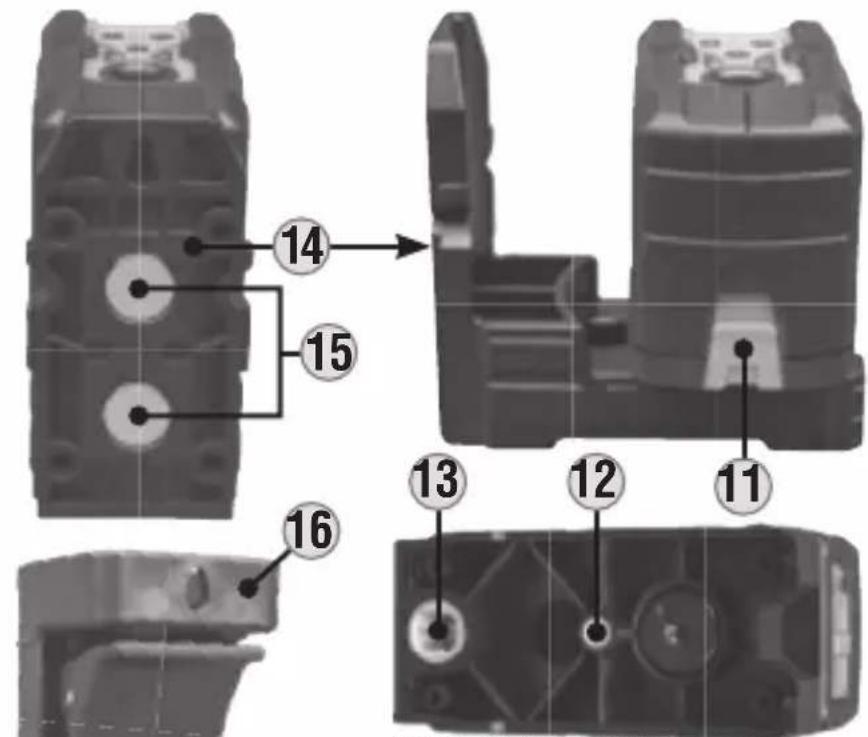
MAGNETIC MOUNTING BRACKET 14
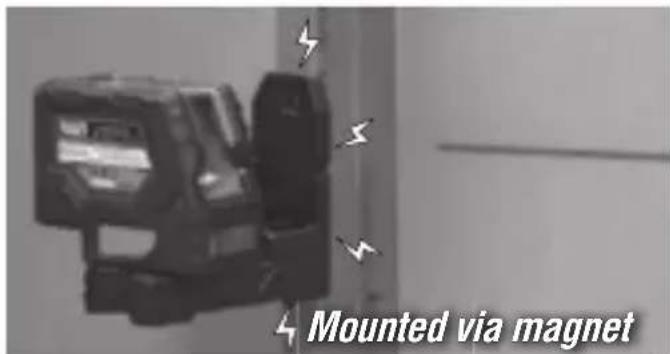
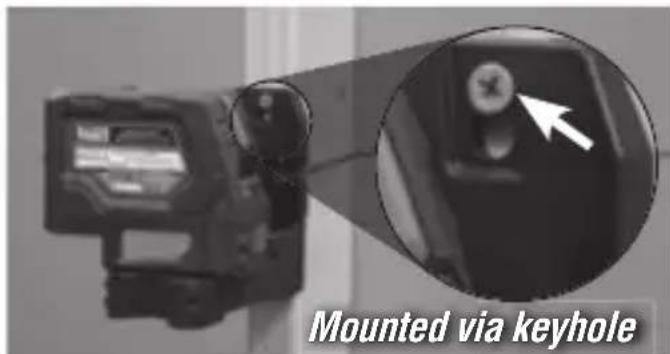
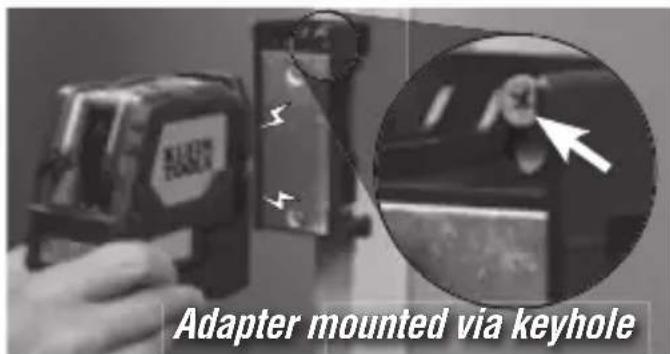
The instrument is attached to a magnetic mounting bracket. The bracket may be magnetically attached to any magnetic structure such as steel studs, ducts, structural beams, and steel doors. The bracket also features a key-hole for mounting the instrument using a screw or nail to non-magnetic structures. Once mounted to a structure via the mounting bracket the instrument can be rotated on the bracket through 360^ to direct the laser beams.
CLAMP-ON WALL ADAPTER 16
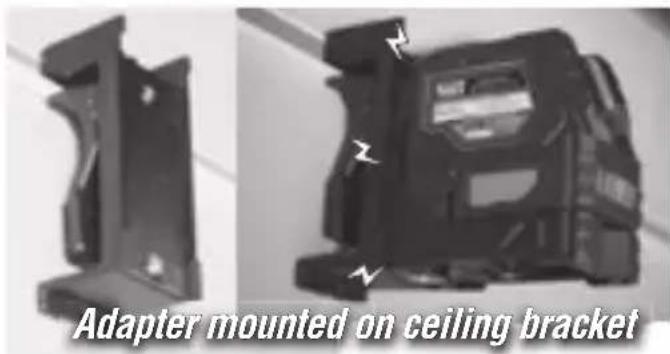
The clamp-on wall adapter may be clamped to a structural beam, or wall bracket for suspended ceiling installations, to present a steel surface onto which the instrument's magnetic mounting bracket may be attached. Once magnetically attached the instrument may be positioned to deliver the laser line at the required location. The clamp-on adapter also features a key-hole for mounting the instrument using a screw or nail.
VERIFYING ACCURACY OF LASER LINES
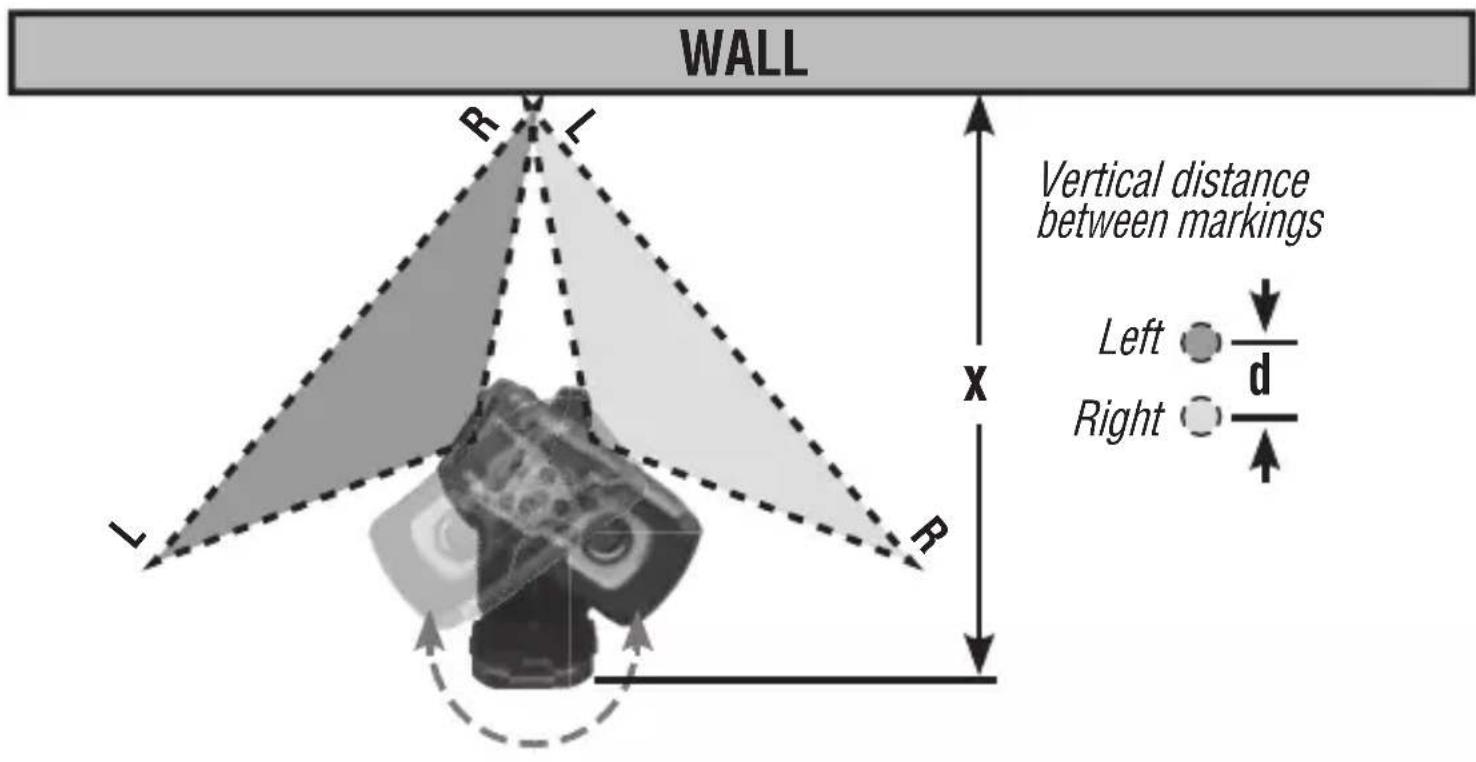
Horizontal Beam Left/Right Tilt
Secure instrument via its mounting bracket at a distance x from a vertical wall structure as shown. Rotate the instrument on the bracket to the left so that the right side of the beam is projected on the wall directly across from the instrument, mark the vertical location on the wall. Rotate the instrument to the right and repeat marking the vertical location of the left side of the beam. At \~33' (10 m) the vertical distance d between the left-side and right-side markings should be ≤ 5/32" (4 mm). For example, if x is set to 15' (4.6 m), the vertical distance d should be ≤3/32" (2 mm).
VERIFYING ACCURACY OF LASER LINES
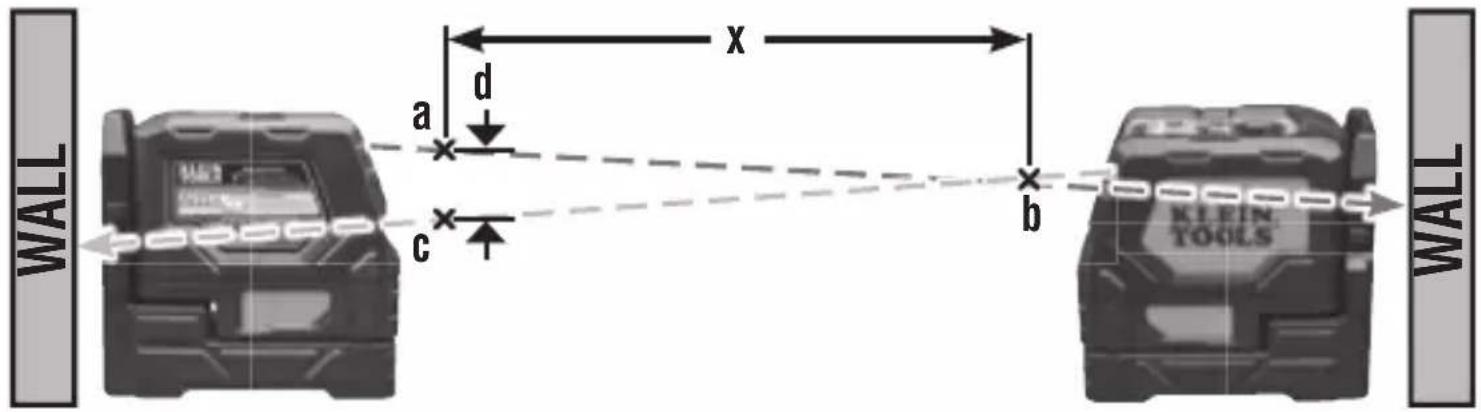
Horizontal Beam Out-of-Plane Tilt
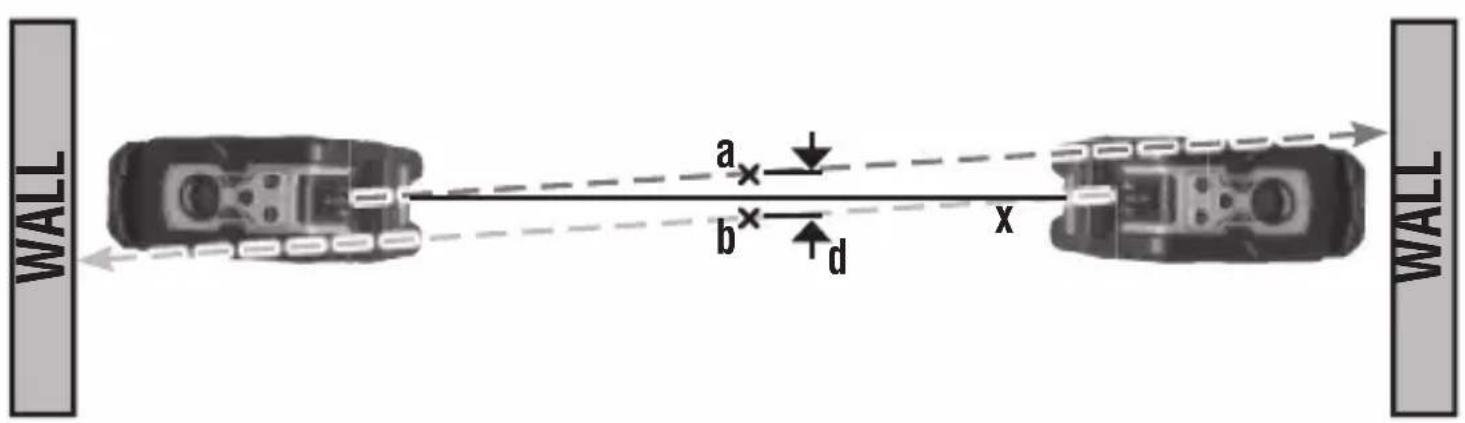
Position the instrument parallel to a wall and project a beam along the wall, from left to right as shown. Mark two locations (a, b) along the beam separated by distance x. Position the laser at the other side of the wall and project the beam back through mark b, from right to left as shown, and mark position c. If x is 30' (9.1 m), then the vertical distance d should be ≤ 5/32" (4 mm). For example, if x is set to 15' (4.6 m), then the vertical distance d should be ≤ 3/32" (2 mm).
Vertical Beam Tilt
Position the instrument on the floor and project a vertical beam along a line x of about 6' (1.9 m). Mark point a on the ceiling. Position the instrument on the other side of the line and repeat marking point b on the ceiling. The distance d should be ≤5/32" (4 mm) for a 33' (10 m) ceiling or ≤3/32" (2 mm) for a 15' (4.6 m) ceiling.
VERIFYING ACCURACY OF LASER LINES
Plumb Spot
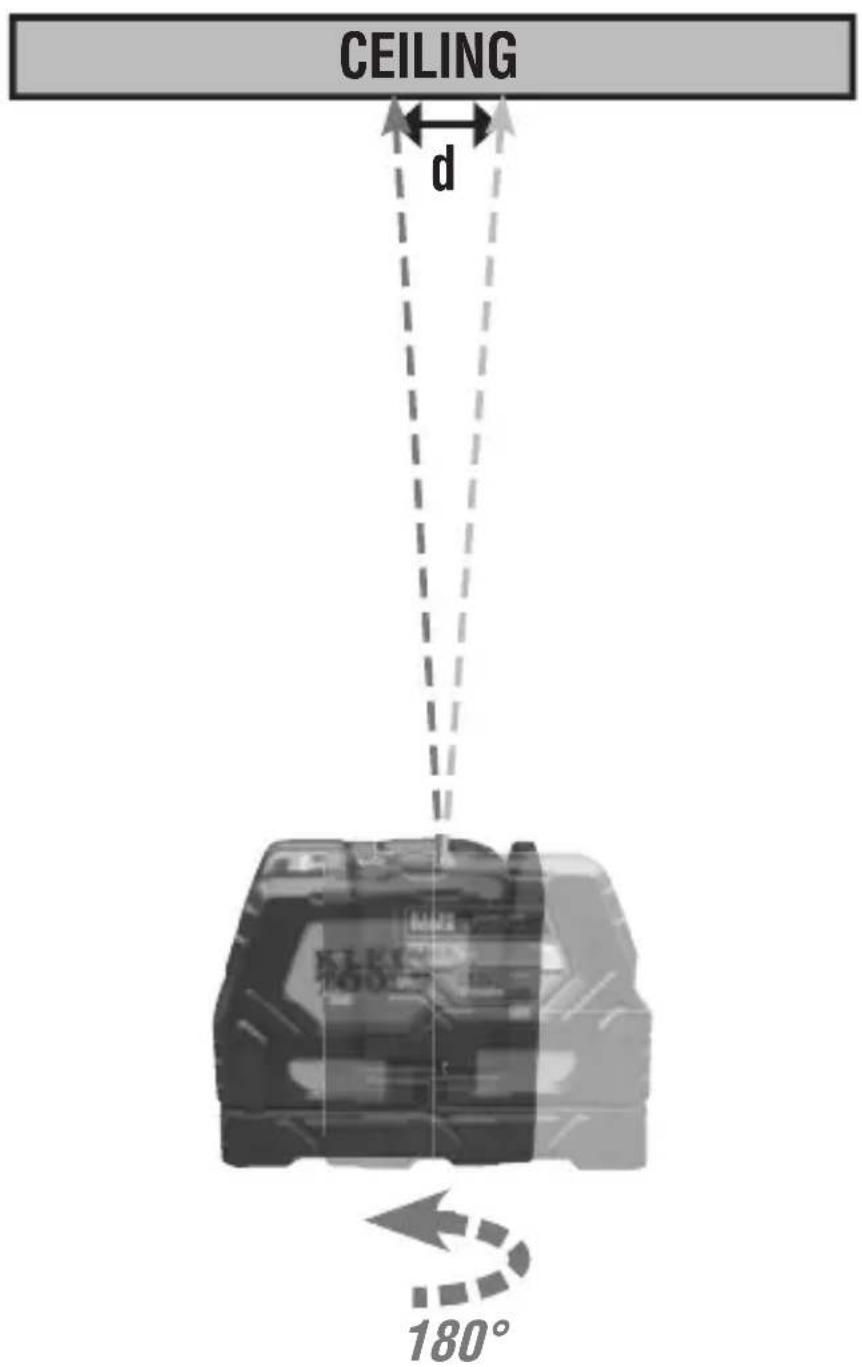
Position instrument on the floor and project a spot with the plumb spot laser to the ceiling. Rotate the laser by 180^ and project the exact same spot to the ceiling. The distance d should be ≤1/4" (6mm) for a 33' (10m) ceiling or ≤1/8" (3mm) for a 15' (4.6m) ceiling.
MAINTENANCE
BATTERY REPLACEMENT
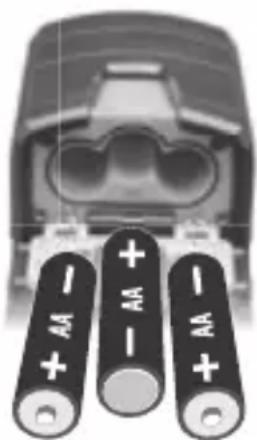
When the Battery Status Indicator ④ is illuminated red, the batteries must be replaced.
- Open the battery compartment door ⑪.
- Remove and recycle three spent AA batteries.
- Install new batteries (note proper polarity).
- Close battery compartment, ensuring that it is securely shut.
natural_image
Close-up of a car's front bumper with three battery terminals (no visible text or symbols)CLEANING
Be sure laser level is turned off and wipe with a clean, dry lint-free cloth. Do not use abrasive cleaners or solvents.
STORAGE
Remove the batteries when the instrument is not in use for a prolonged period of time. Do not expose to high temperatures or humidity. After a period of storage in extreme conditions exceeding the limits mentioned in the General Specifications section, allow the laser level to return to normal operating conditions before using.
FCC AND IC COMPLIANCE
See this product's page at www.kleintools.com for FCC compliance information. Canada ICES-003 (B) / NMB-003 (B)
WARRANTY
Do not place equipment and its accessories in the trash. Items must be properly disposed of in accordance with local regulations. Please see www.epa.gov/recycle for additional information.
CUSTOMER SERVICE
KLEIN TOOLS, INC.
450 Bond Street Lincolnshire, IL 60069 1-800-553-4676
customerservice@kleintools.com www.kleintools.com
DETALLES DE LAS CARACTERÍSTICAS
VISTA TRASERA VISTA LATERAL
VISTA INFERIOR
natural_image
Close-up of a connector with three battery terminals (no visible text or symbols)LIMPIEZA
CARACTÉRISTIQUES GÉNÉRALES
CARACTÉRISTIQUES DÉTAILLÉES