FSM-FLAT-M-EFS - Wall mount MONSTER - Free user manual and instructions
Find the device manual for free FSM-FLAT-M-EFS MONSTER in PDF.




| Product Type | Flat Wall Mount |
| Brand | Monster |
| Model | FSM-FLAT-M-EFS |
| Compatible Screen Size | 27 to 46 inches |
| Maximum Supported Weight | 100 lb (45.4 kg) |
| Maximum VESA Standard | 400 x 400 mm (with adapters included) |
| Mounting Type | Vertical wall (wood studs, brick, solid concrete, concrete blocks) |
| Wall Attachment | Lag bolts and washers (included) |
| Adjustment System | Vertical adjustment bars with QuickLift hooks and cord locking mechanism |
| Cable Management | Compatible with CleanView system (sold separately) |
| 90° HDMI Adapter | Included for installation in tight spaces |
| Bubble Level | Included |
| Required Tools (wood studs) | Stud finder, drill, 3/16" drill bit, Phillips screwdriver, wrenches |
| Required Tools (masonry) | Hammer, 1/2" masonry bit, concrete anchors included |
| Maintenance | Ultra-soft microfiber cloth (do not use abrasive products) |
| Safety | Do not install on inclined surface, near water or heat, do not hang on |
| Warranty | Lifetime warranty for original purchaser |
| Country of Manufacture | China |
Frequently Asked Questions - FSM-FLAT-M-EFS MONSTER
User questions about FSM-FLAT-M-EFS MONSTER
0 question about this device. Answer the ones you know or ask your own.
Ask a new question about this device
Download the instructions for your Wall mount in PDF format for free! Find your manual FSM-FLAT-M-EFS - MONSTER and take your electronic device back in hand. On this page are published all the documents necessary for the use of your device. FSM-FLAT-M-EFS by MONSTER.
USER MANUAL FSM-FLAT-M-EFS MONSTER
Medium SuperThin™ Flat Mount

THANK YOU for purchasing a Monster SuperThin™ Flat Mount. This mount reflects our passion for creating the most innovative and practical AV solutions on the market to enhance your viewing experience. Monster SuperThin Flat Mounts deliver the clean, sophisticated look you want, with an ultra-low profile that allows a clean, stylish installation, along with solid, safe construction. Start enjoying TV on your terms—when, where and how you want to watch.

natural_image
Portrait of a smiling man wearing glasses and traditional attire (no text or symbols visible)
Noel Lee, The Head Monster
More Great Products from Monster FlatScreen™
Get the Look You Want and the Performance You Need.
Monster FlatScreen CleanView™ Cable Manager

natural_image
Close-up of a vertical metal rod with a framed picture on top (no visible text or symbols)Conceal unruly cords and cables for a clean, sleek look. Easy to install with paintable covers to match any décor.
natural_image
Close-up of a metallic electrical plug with coiled cable, labeled 'deli' (no other text or symbols visible)Monster FlatScreen Cables™
Monster Flatscreen Cables are compact and flexible for easy routing and installation. Exclusive Monster patented technologies deliver the advanced performance you need from your flatscreen TV.
Monster FlatScreen PowerProtect™ and PowerCenters™
Protect your flatscreen TV from harmful surges and spikes and maximize performance with Monster Tri-Mode ^® surge protection and HD Clean Power ^® filtering, designed specifically for HDTVs.
natural_image
Black electronic device labeled 'VONGHAI POWER' with no visible text or symbols on its body
natural_image
Close-up of a cleaning tool on a textured surface (no visible text or symbols)Monster FlatScreen Clean™
Safely clean your LCD or plasma flatscreen TV without staining, streaking, or dripping. Ultra-soft MicroFiber cloth won't scratch delicate screen coatings.
For more details on all our Monster FlatScreen products, visit us at MonsterCable.com/FlatScreen
MONSTER FLATSCREEI MOUNTS
Medium SuperThin™ Flat Mount
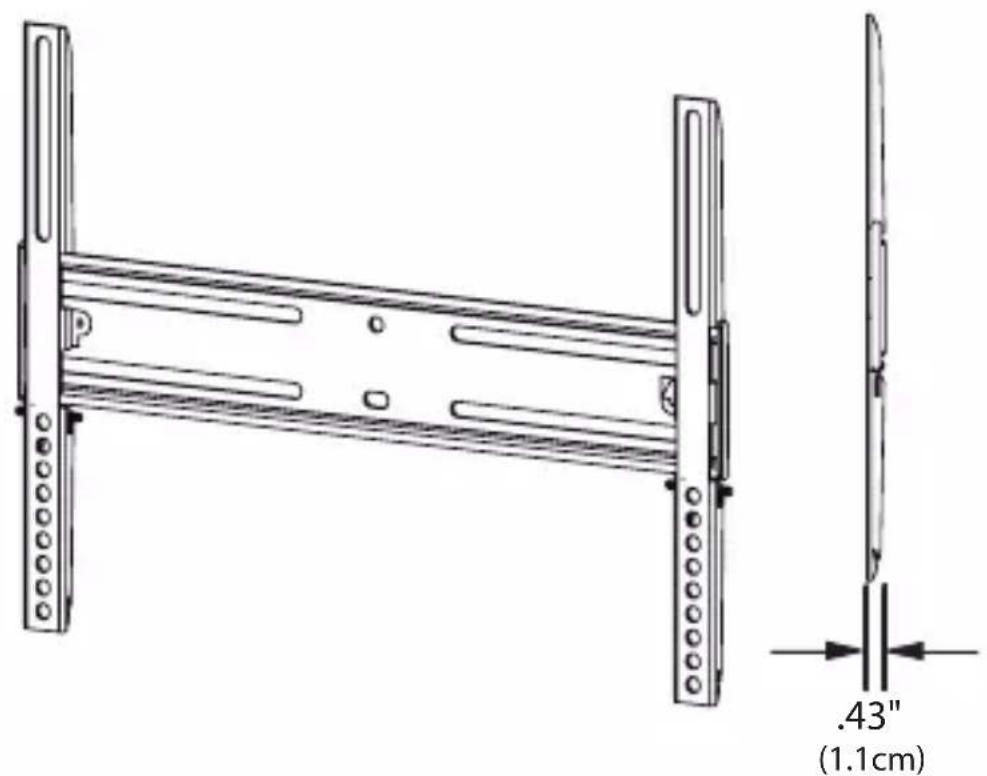
This mount is designed to mount 27" to 46" flatscreen televisions to vertical walls. Maximum weight capacity is 100 lbs.
SAFETY WARNING: If you don't understand these directions, or have doubts about this product's installation, please call a qualified contractor or contact Monster Cable Products, Inc.
U.S. and Mexico customers: call 1-877-800-8989
Canada customers: call 1-866-348-4171
Before installing, carefully review the instructions to ensure that no parts are missing or defective. Improper installation can cause damage or serious injury. Do not use this product for any purpose not explicitly specified by Monster or the manufacturer. Neither Monster nor the manufacturer can be liable for damage or injury caused by incorrect assembly, incorrect mounting or incorrect use.
All hardware is supplied for the following wall conditions: Wood stud, brick, solid concrete and concrete block.
Note: The supplied hardware is not for steel stud walls. If you are uncertain about the nature of your wall construction, consult an installation contractor.
Specifications and Notes:

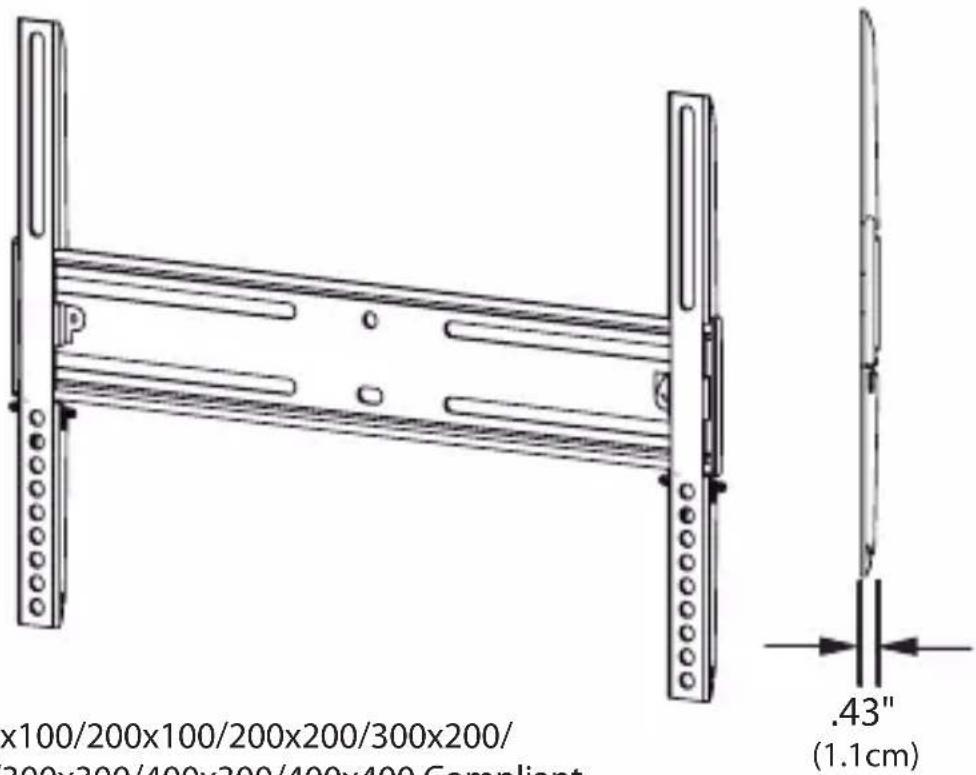
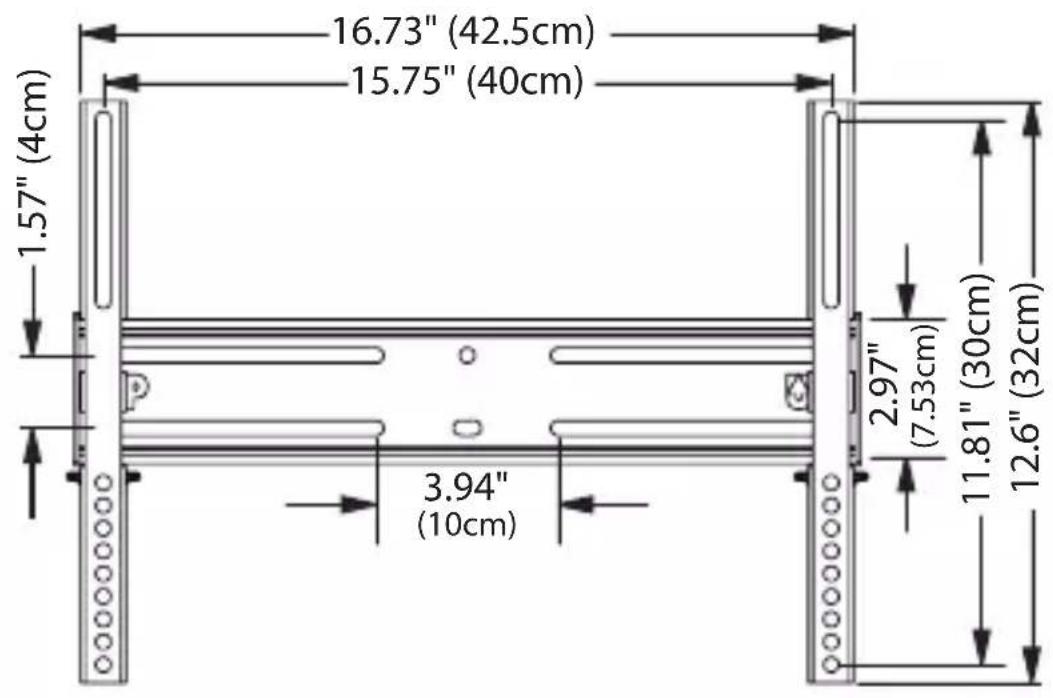
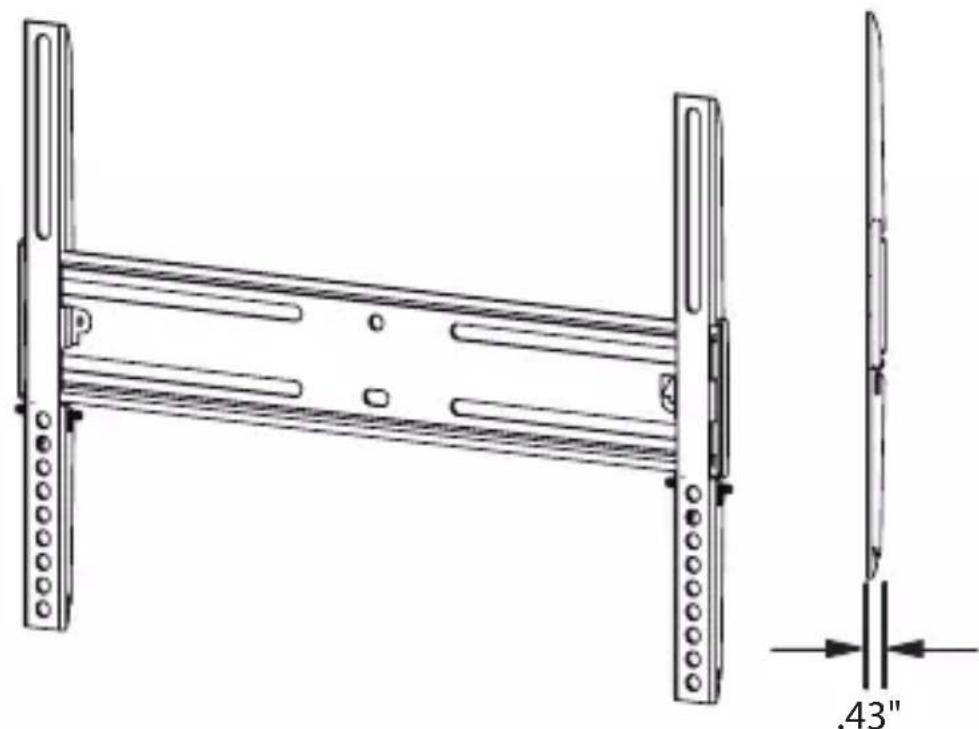
VESA™ 100x100/200x100/200x200/300x200/400x200/300x300/400x300/400x400 Compliant
Monster is constantly striving to improve its products. Specifications are subject to change without notice.
Required Tools
Wall Stud Mounting:
Electronic stud sensor•
Level•
Electric hand drill•
3/16" drill bit•
Phillips screwdriver•
Combination wrenches or socket set•
Masonry Mounting
(brick, concrete, concrete blocks):
Above tools•
Replace 3/16" drill bit with 1/2" masonry drill bit•
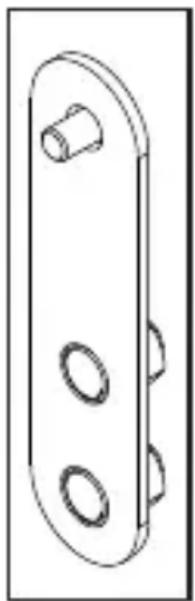
Adapter Included for VESA™ 400x400 Pattern:
natural_image
Technical line drawing of a mechanical bracket with three circular cutouts (no text or symbols)VESA is an international organization that sets industry-wide standards for consumer electronics. VESA information referred to in this manual describes the patterns of holes in the back of your TV and how they match to specific Monster Flatscreen™ mounts.
Four extension adapters are included to extend the mount's VESA compliant standard to 400x 400mm. If your TV's VESA pattern requires this adapter, refer to pages 16-17 for instructions.
Package Contents
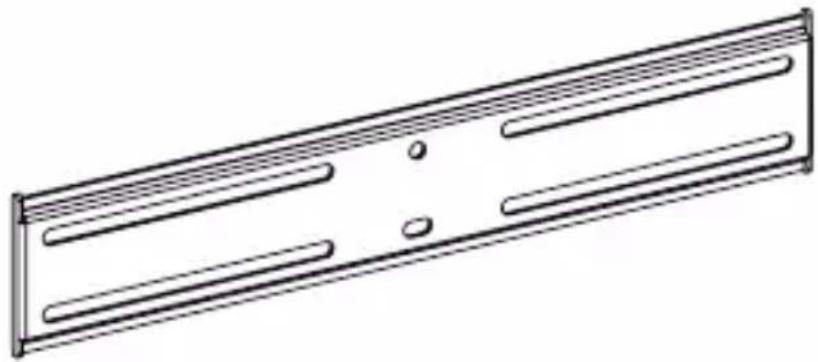
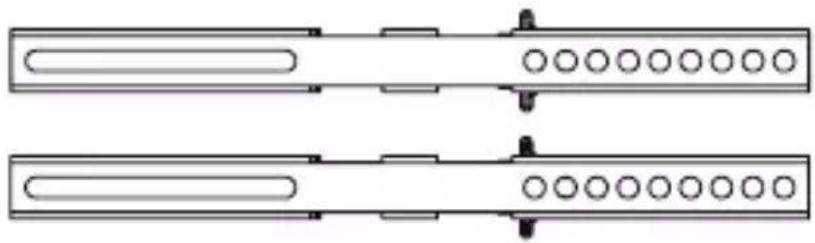
1 Wall Plate
natural_image
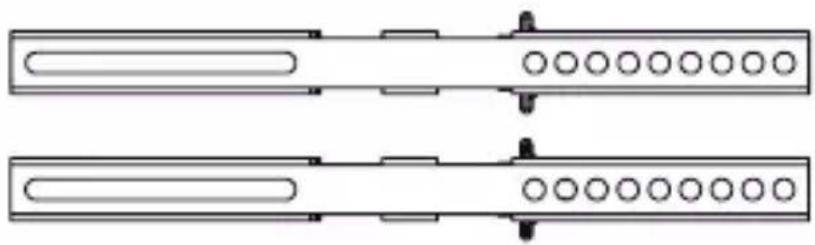
Technical line drawing of a rectangular metal panel with internal slots and mounting holes (no text or symbols)2 Vertical Adjustment Bars
natural_image
Pure electrical circuit lines without any symbols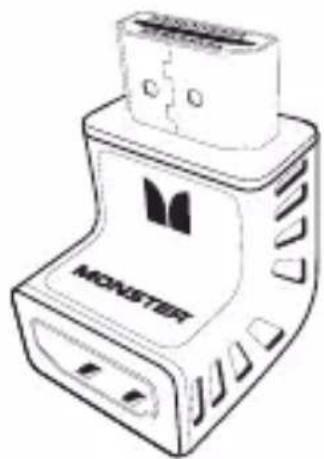
natural_image
Line drawing of a device labeled 'MONSTER' with ports and connectors (no readable text beyond branding)HDMI™ 90° Adapter

natural_image
Line drawing of a bolt with threaded shaft (no text or symbols)4 Concrete Anchors

natural_image
Simple line drawing of a mechanical bracket with three circular holes (no text or symbols)4 Adapters

natural_image
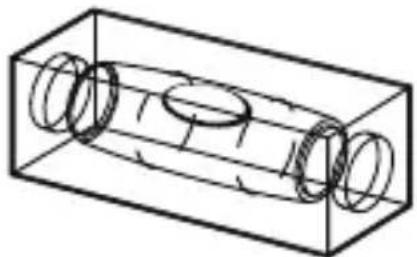
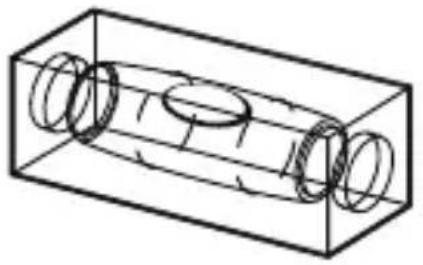
Isometric line drawing of a rectangular pipe with three circular openings, no text or symbols present1 Bubble Level
natural_image
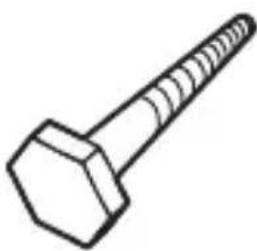
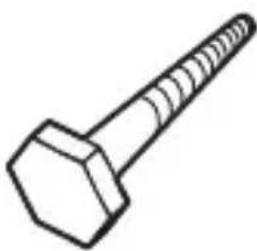
Line drawing of a hexagonal bolt with threaded shaft (no text or symbols)4 Lag Bolts
natural_image
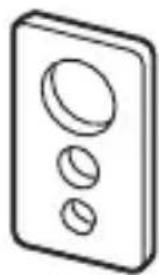
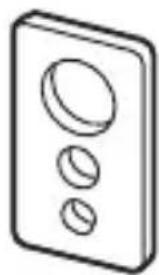
Simple line drawing of a three-hole electrical switch (no text or symbols)4 Square Washers
natural_image
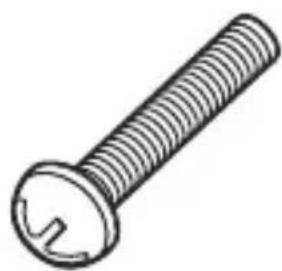
Line drawing of a standard screw with a flanged head and threaded shaft (no text or symbols)Screws
4 ea. M4x15/M4x25
4 ea. M5x15/M5x25
4 ea. M6x15/M6x25
Important: Read Before Installing
Warning:
DO NOT install on a sloping surface.
Install exclusively on a vertical surface.
DO NOT install in a room with excessively high temperatures or high humidity.
DO NOT install near an air conditioner.
DO NOT install in a location with excessive dust, smoke or moisture. These sources can create a fire.
DO NOT apply unnecessary stress or load on the installed unit.
DO NOT install unit alone. Safe installation requires at least two people.
DO NOT route your flatscreen TV's power cord in wall. Check local building/electrical codes for more information.
Caution:
To prevent eye fatigue, do not install where there is direct sunlight or excessive light.
When carrying out maintenance, disconnect the TV's power supply to avoid electrical shock.
⚠️ If planning to route AV cable in wall, only use cable UL-certified for this use.
Pre-Installation Checklist
☐ Your mounting location must have at least two wall studs.
☐ Your view of the mounting location must be free of glare or other obstructions.
□ Your mounting location must be near an AC power outlet. Ideally the outlet should be behind your TV. This allows you to conceal your display's power cord.
☐ Your mounting location must be at least 3 ft. from any source of heat or water.
TIP Use the included Monster® for HDMI™ 90 ^0 adapter for easy installation in tight spaces.
To hide your TV's power cord and AV Cables, install a Monster FlatScreen™ CleanView™ cable manager.
Installing the Wall Mounting Plate
Remove all pieces of the wall mounting system to ensure you have all necessary parts.
⚠️ Be sure to choose a mounting location with easy access to an AC power outlet.
Wood Stud Mounting:
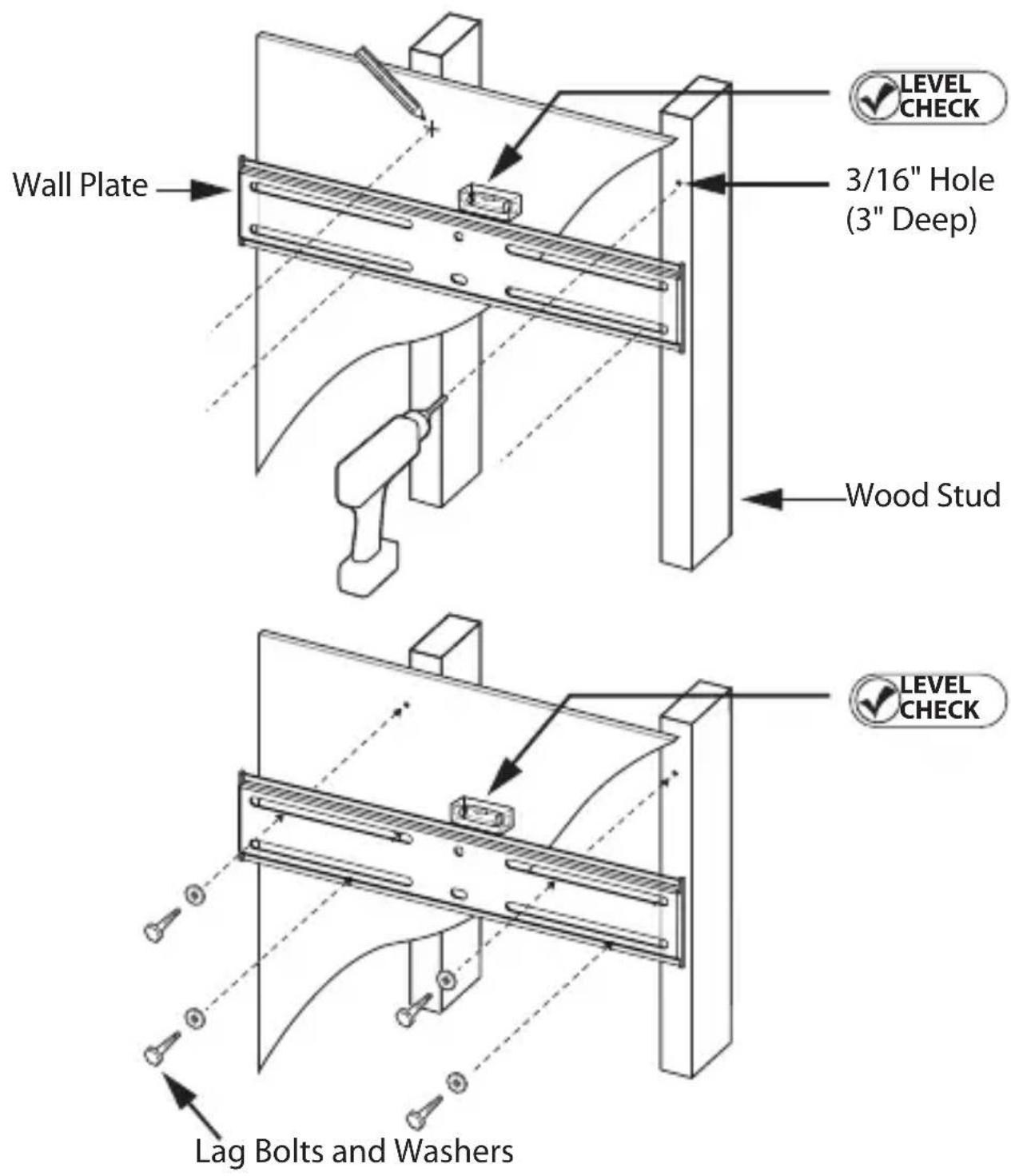
Using an electronic stud sensor, locate two adjacent 1) wall studs at least 12" apart.
With the help of a friend, align the wall plate's top 2) and bottom horizontal mounting slots over the center of each wall stud.
3) LEVEL CHECK wall plate with the bubble level.
Hold the plate firmly in place.
Mark the stud center in each of the four slots 4) (bottom left, top left, bottom right, top right).
With your electrical drill and 3/16" bit, pre-drill a 3" 5) deep hole at each mark.
Attach the wall plate to the wall using the lag bolts 6) and round washers as shown to the right. Tighten each bolt with your electric drill or socket wrench. Turn clockwise until secure.
⚠️ DO NOT over tighten bolts. This can damage the wall plate or the surface of your wall.
⚠️ DO NOT release the wall plate until you are absolutely sure it is secured to the wall.
Installing the Wall Plate continued
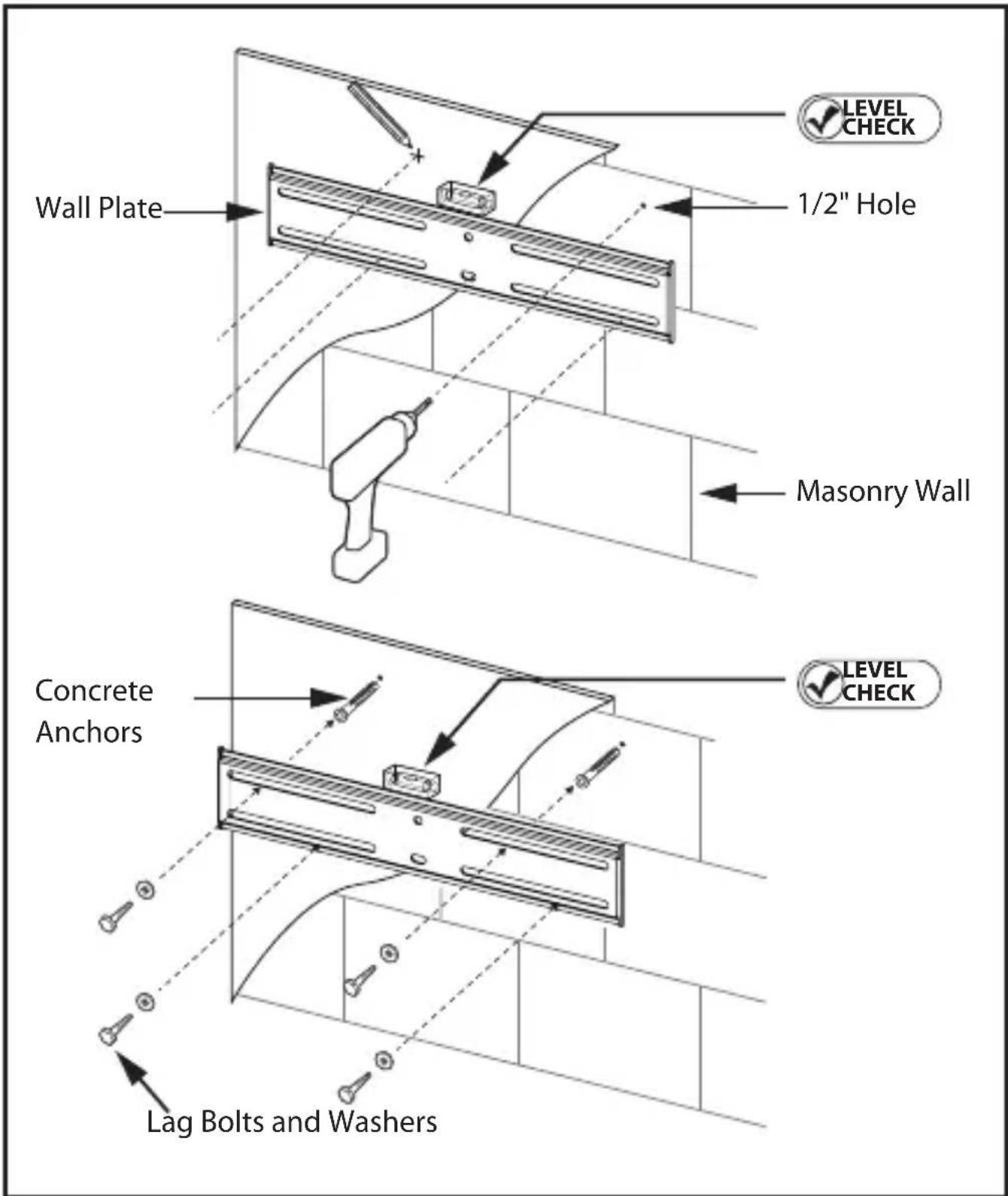
Masonry Mounting
While masonry materials (bolts and concrete anchors) are included, masonry mounting requires specialized knowledge, skills and tools. Monster highly recommends that you seek the assistance of a professional installer when mounting to masonry.

DO NOT drill holes in masonry mortar joints.
1) With the help of a friend, position the wall plate in your desired mounting location. Level the wall plate with the provided bubble level. Mark the centers of four bolt slots as shown to the right. Be careful not to mark a mortar joint.
With your electrical drill and 1/2" masonry bit, pre-drill 2) a 3" deep hole at each mark.
Install the supplied plastic concrete anchors in each 3) hole. Tap into hole until fully seated.
Attach the wall plate to the wall using the lag bolts 4) and round washers as shown to the right. Make sure flat center of the plate is facing the wall.

DO NOT over tighten bolts. This can damage the wall plate or the surface of your wall.

DO NOT release the wall plate until you are absolutely certain it is secured to the wall.
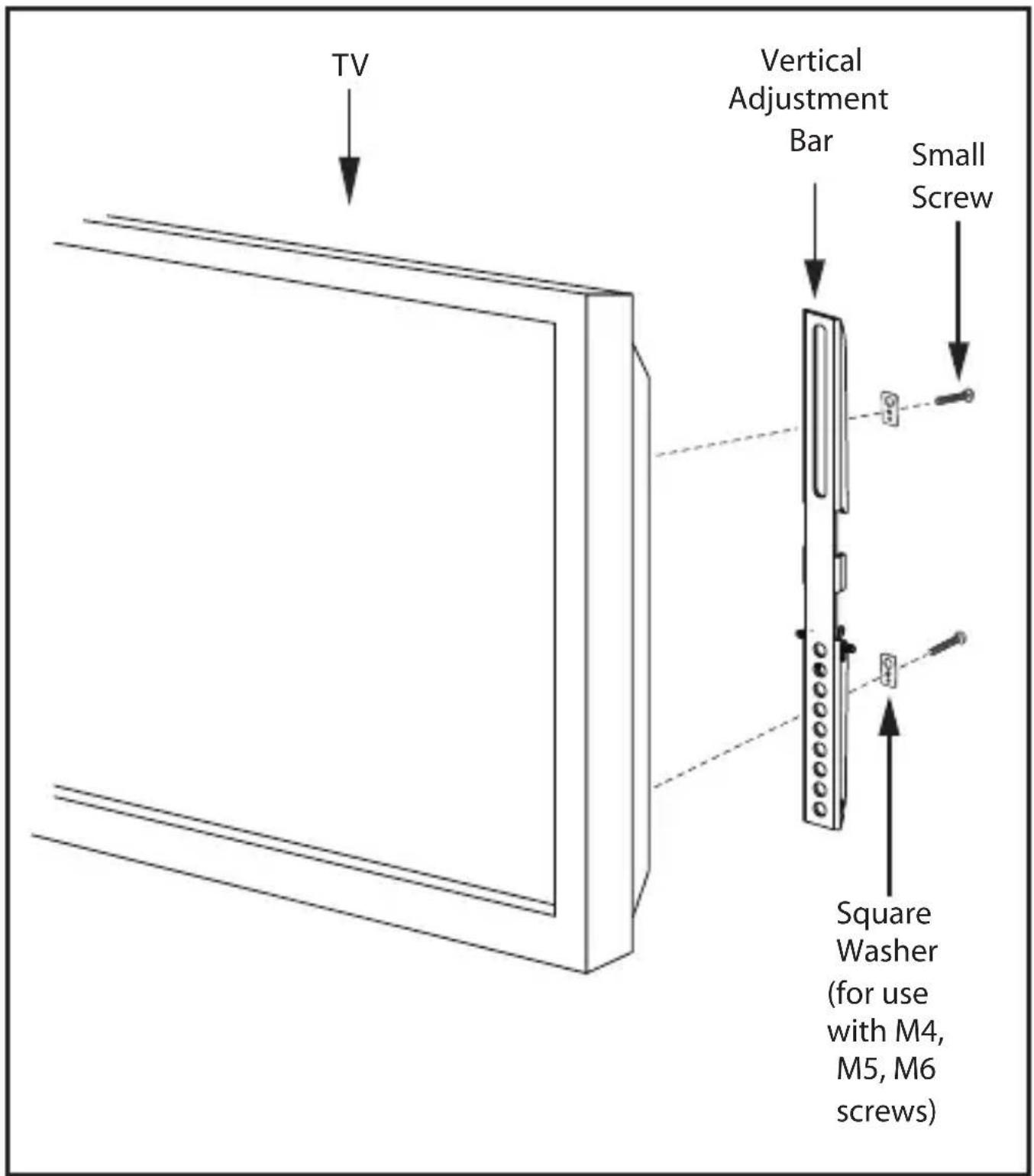
Attaching the Vertical Adjustment Bars to the TV

DO NOT lay your TV face down when attaching the Vertical Adjustment Bars. This can cause permanent damage to your screen. Lean it against a wall or other solid surface so it remains vertically upright.

The television should be unplugged before threading any bolt or screw into the back panel.
Your mounting system features 12 sets of screws of varying diameter and length. Before attaching the adjustment bars to your display, determine which screw set is correct for your display.
TVs with flat backs use a shorter screw without a spacer. TVs with curved backs or recessed inserts may require a longer screw with a spacer between the TV and adjustment bars. Smaller M4, M5 or M6 screws require a square washer (supplied) between the adjustment bar and each screw.
Locate the threaded inserts on your TV's back panel. 1) Thread a screw from the set into one of the inserts to ensure it is the correct choice.
Thread screws through the adjustment bars into the 2) TV inserts with the appropriate spacer and washer set, if needed.
With a Phillips screwdriver, tighten the screws so the 3) adjustment bars are firmly attached to the TV.

DO NOT over tighten screws. Thread screws refully by hand before tightening. If you feel y resistance, remove the screw immediately.
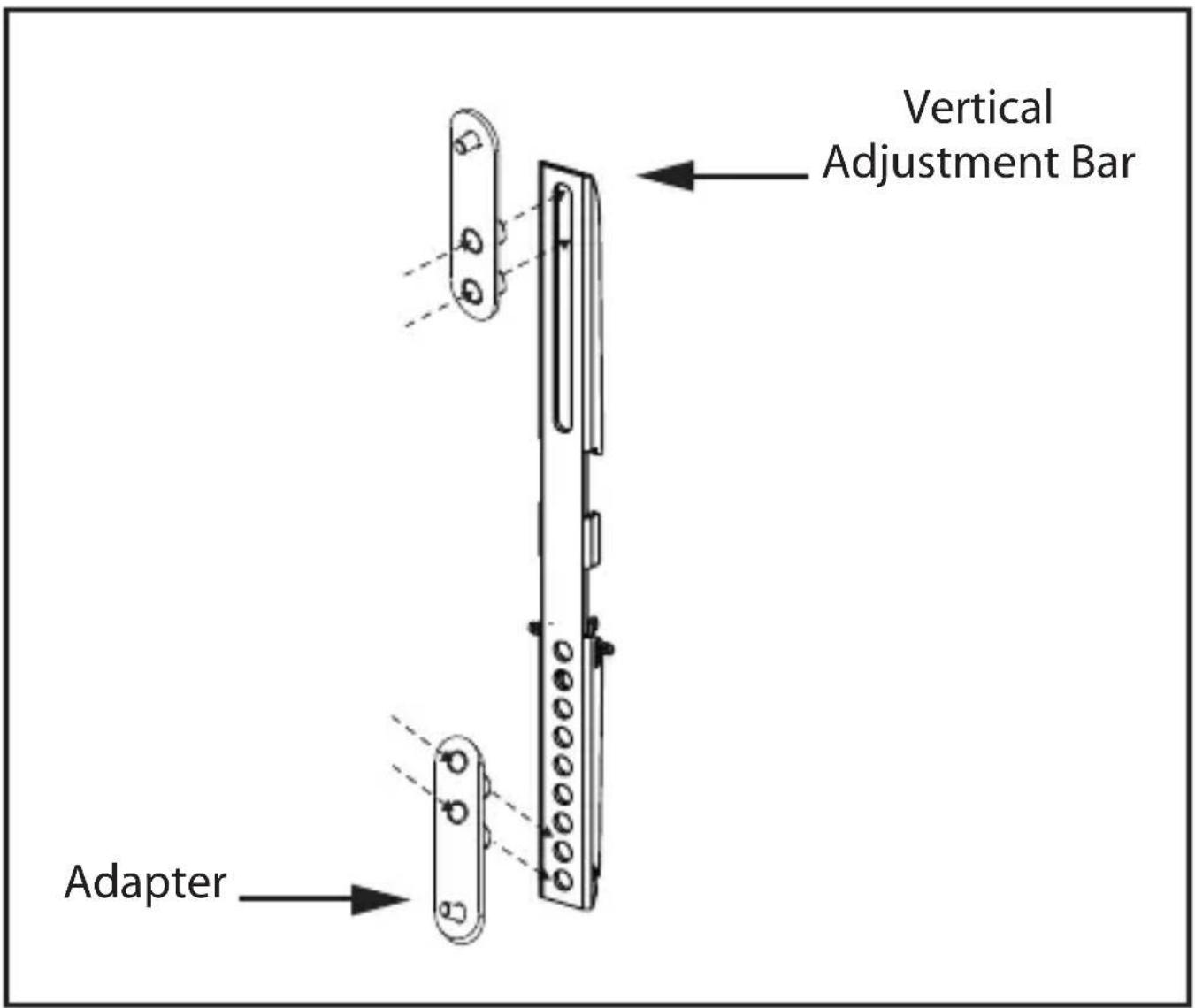
Attaching Extension Adapters to Extend VESA™ Pattern to 400x400
NOTE: Each adapter includes two threaded studs and nuts. No additional hardware is required to attach the adapter to the mount.
To attach the adapter to the ends of Tilting V-Bars, 1) place the adapter in front of the Tilting V-Bar. The adapter should be attached at the uppermost slot at the top of each vertical adjustment bar and the lowest two holes in the bottom of each Tilting V-Bar.
Using a 12 " (13mm) wrench, attach the adapter 2) by tightening the two nuts through the back of the Tilting V-Bar.
Using a Phillips head screwdriver, affix the adapter's 3) head cap screws to the back of your TV
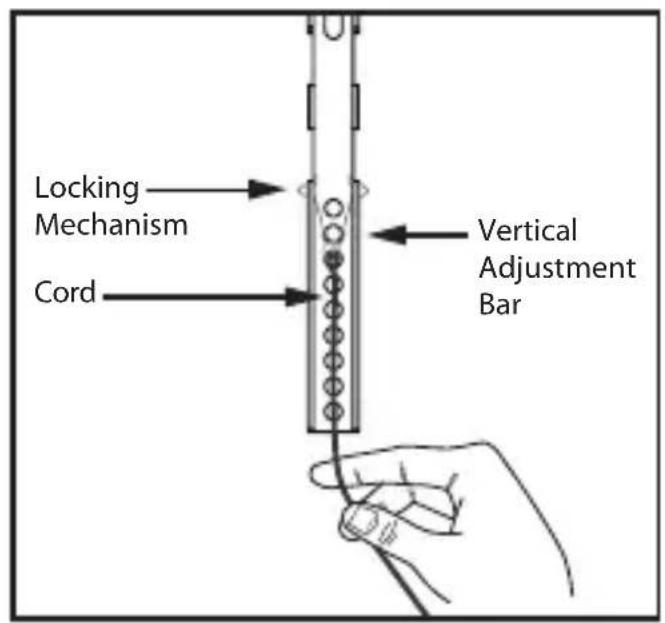
Hanging the TV and Vertical Adjustment Bars on the Wall Plate

Monster strongly recommends that a minimum of two people perform the following steps.

DO NOT release the TV until you are certain it is properly mounted and secured to the wall plate.
Connect the TV's power cord and any AV cables to the 1) TV before hanging it. With the help of a friend, lift the TV and plug its power cord into a nearby AC outlet. If routing AV cable in wall, route the cable through the wall plate's Pass-Thru slots into the prepared opening in your wall.
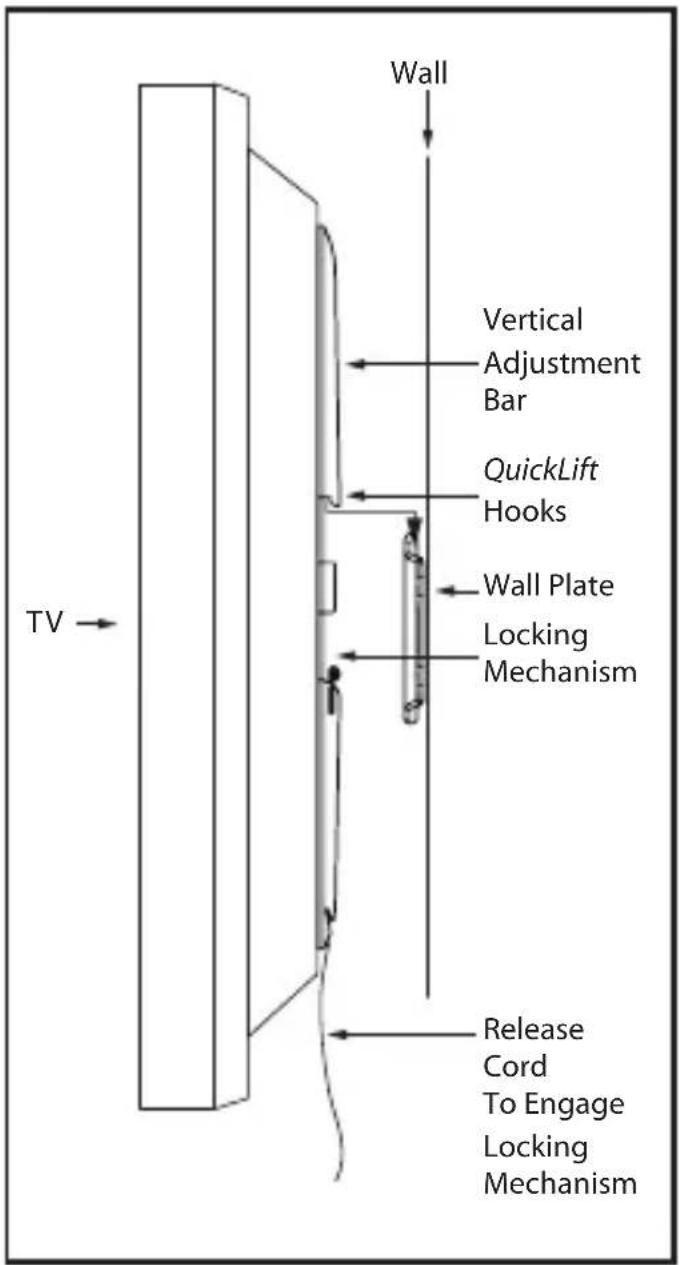
Locate the 2) QuickLinks on the back of the Vertical Adjustment Bars, now attached to your TV.
A cord is attached to the bottom of each vertical 3) adjustment bar. Pull the cords to open the locking mechanism, then secure the cord to the notch at the bottom of the vertical adjustment bar. This will keep the locking mechanism open while you hang the TV.
Hang the 4) QuickBooks on the wall plate's top and bottom horizontal channels.
Release the cords from the notch to engage the 5) locking mechanism on each vertical adjustment bar.
Hang the excess cord behind the TV. It's OK to cut 6) the cord to fit behind the TV, but make sure to leave enough to release locking mechanism if it is necessary to remove the TV for any reason.
NOTE: A 90 ^0 HDMI ^TM adapter is included to allow cable installation in tight spaces.

Congratulations
You've successfully installed your Monster FlatScreen™ SuperThin™ Flat Mount.
Visit us at www.MonsterCable.com/FlatScreen for more innovative Monster FlatScreen products.
LIMITED WARRANTY FOR CONSUMERS
Monster, LLC., 7251 West Lake Mead Blvd., Las Vegas, NV 89128, USA, (415) 840-2000 ("Monster") extends You this Limited Warranty. Statutory or common law may provide You with additional rights or remedies, which shall not be affected by this Limited Warranty.
DEFINITIONS
"Adequate Use" means use of the Product (i) within a home or dwelling, (ii) for private (as opposed to commercial) purposes, (iii) in conformance with all applicable local, state or federal law, code or regulations (including without limitation building and/or electrical codes), (iv) in accordance with manufacturer recommendations and/or instructions in the materials and documentation that accompany the Product, and (v) if applicable, with proper electrical grounding.
"Authorized Dealer" means any distributor, reseller or retailer that (i) was duly authorized to do business in the jurisdiction where it sold the Product to You, (ii) was permitted to sell You the Product under the laws of the jurisdiction where You bought the Product, and (iii) sold You the Product new and in its original packaging.
"Formal Warranty Claim" means a claim made in accordance with the section "Formal Warranty Claims" herein.
"Product" means a Product (i) that is listed in the Specifications Table below, (ii) that You bought from an Authorized Dealer new and in its original packaging, and (iii) whose serial number, if any, has not been removed, altered, or defaced.
"Product Defect" means an inadequacy of the Product that existed at the time when You received the Product from an Authorized Dealer and that causes a failure of the Product to perform in accordance with Monster's documentation accompanying the Product, unless such failure has been caused completely or partly by (a) any use other than Adequate Use, (b) transportation, neglect, misuse or abuse by anyone other than Monster's employees; (c) alteration, tampering or modification of the product by anyone other than a Monster employee; (d) accident (other than a malfunction that would otherwise qualify as a Product Defect); (e) maintenance or service of the Product by anyone other than a Monster employee; (f) exposure of the Product to heat, bright light, sun, liquids, sand or other contaminants; or (g) acts outside the control of Monster, including without limitation acts of God, fire, storms, earthquake or flood.
"Warranty Period" means the time period during which Monster must have received Your Formal Warranty Claim. The different Warranty Periods related to Product Defects are defined in the Specifications Table below. The Warranty Period commences on the date when You purchased or received (whichever occurs later) the Product from an Authorized Dealer as evidenced by the Authorized Dealer's invoice, sales receipt or packing slip. If You do not have written proof of the date of purchase or receipt,
then the Warranty Period commences three (3) months after the date when the Product left Monster's or its factory as evidenced by Monster's records. The Warranty Period ends after the time defined in the Specifications Table has expired or after You have transferred ownership of the Product, whichever occurs earlier. Also, You must call Monster and obtain a Return Authorization Number (as described under "How to Make a Claim") within two (2) months after You discover a Product Defect (or should have discovered it, if such Product Defect was obvious).
"You" means the first individual person that purchased the Product in its original packaging from an Authorized Dealer. This Limited Warranty does not apply to persons or entities that bought the Product (i) in used or unpackaged form, (ii) for resale, lease or other commercial use, or (iii) from someone other than an Authorized Dealer.
SCOPE OF THIS LIMITED WARRANTY
PRODUCTS. If a Product contained a Product Defect when You bought it from an Authorized Dealer and Monster receives a Formal Warranty Claim from You within two (2) months after You discover such Product Defect (or should have discovered it, if such Product Defect was obvious) and before the end of the Warranty Period for Product Defects applicable to the affected Product, then Monster will provide You with one of the following remedies: Monster will (1) repair or, at Monster's sole discretion, replace the Product, or (2) refund to You the purchase price You paid to the Authorized Dealer for the affected Product if repair or replacement is not commercially practicable or cannot be timely made. NOTE: MONSTER DOES NOT ASSUME ANY LIABILITY FOR ANY INCIDENTAL, CONSEQUENTIAL OR INDIRECT DAMAGES UNDER THIS LIMITED WARRANTY.
GENERAL PROVISIONS
CHOICE OF LAW/JURISDICTION. This Limited Warranty and any disputes arising out of or in connection with this Limited Warranty (“Disputes”) shall be governed by the laws of the State of California, USA, excluding conflicts of law principles and excluding the Convention for the International Sale of Goods. The courts located in the State of California, USA shall have exclusive jurisdiction over any Disputes.
OTHER RIGHTS. THIS LIMITED WARRANTY GIVES YOU SPECIFIC LEGAL RIGHTS, AND YOU MAY ALSO HAVE OTHER RIGHTS, WHICH VARY FROM STATE TO STATE AND JURISDICTION TO JURISDICTION, AND WHICH SHALL NOT BE AFFECTED BY THIS LIMITED WARRANTY. THIS WARRANTY EXTENDS ONLY TO YOU AND CANNOT BE TRANSFERRED OR ASSIGNED. If any provision of this Limited Warranty is unlawful, void or unenforceable, that provision shall be deemed severable and shall not affect any remaining provisions. In case of any inconsistency between the English and other versions of this Limited Warranty, the English version shall prevail.
REGISTRATION. Please register Your Product at www.MonsterCable.com.
Failure to register will not diminish Your warranty rights.
| Product Model Warranty Period for Product | |
| Medium SuperThinTM Flat Mount | Lifetime |
"Lifetime" means the lifetime of the original individual purchaser of the Product, or for as long as the original individual purchaser owns the Product, whichever is less in time.
FORMAL WARRANTY CLAIM
HOW TO MAKE A CLAIM. In the event damage has occurred to Products, You must follow these instructions: (1) Call Monster within two (2) months after You discover a Product Defect (or should have discovered it, if such Product Defect was obvious); (2) Give a detailed explanation of how the damage occurred; (3) Obtain a Return Authorization Number; (4) Return the Products, shipping prepaid by You (to be refunded if You are entitled to a remedy under the Scope of this Limited Warranty), to Monster for verification of damage, along with a copy of Your original sales receipts and proof of purchase (UPC label or packing slip) for such Products, the completed claim form, and printed Return Authorization Number on the outside of the return package (the claim form will include instructions for return).
TELEPHONE NUMBERS. If you bought the product in the United States, Latin America, or Asia Pacific, contact Monster, LLC (455 Valley Drive, Brisbane, CA 94005) at 1 877 800-8989. If you bought the product anywhere else, contact Monster Technology International Ltd., Ballymaley Business Park, Ennis, Co. Clare, Ireland. You can write or use one of the following telephone numbers: Canada 866-348-4171, Ireland 353 65 68 69 354, Belgium 0800-79201, Czech Republic 800-142471, Denmark 8088-2128, Finland 800-112768, France 0800-918201, Germany 0800-1819388, Greece 00800-353-12008, Italy 800-871-479, Netherlands 0800-0228919, Norway 800-10906, Russia 810-800-20051353, Spain 900-982-909, Sweden 020-792650, United Kingdom 0800-0569520
FURTHER PROCEEDINGS. Monster will determine whether a Product Defect existed. Monster may, at its discretion, direct You to obtain a repair estimate at a service center. If a repair estimate is required, You will be instructed on how to properly submit the estimate and the resulting invoice to Monster for payment. Any fees for repairs may be negotiated by Monster.
TIMING. If You bring a Formal Warranty Claim and fully comply with all terms and conditions of this Limited Warranty, Monster will use its best efforts to provide You with a remedy within thirty (30) days after receipt of Your Formal Warranty Claim (if You reside in the United States - forty-five (45) days if You reside elsewhere), unless obstacles outside Monster's control delay the process.
Ver.072109 – GLOBAL ©2003–2009 Monster, LLC
NOTE DE LA DIRECTION DE MONSTER
natural_image
Portrait of a smiling man wearing glasses and traditional attire (no text or symbols visible)
natural_image
Close-up of a metallic electrical plug with visible internal wires (no text or symbols)natural_image
Black industrial refrigerator with 'MONSHENG POWER' branding and volume number 200 (no visible text beyond branding)
natural_image
Close-up of a cleaning tool on a textured surface (no visible text or symbols)Monster FlatScreen Clean ^MC
Specifications and Notes:

natural_image
Technical line drawing of a mechanical support structure with two vertical supports and a side view showing a 43-inch length dimension (no text or symbols present)VESA™ 100x100/200x100/200x200/300x200/400x200/300x300/400x300/400x400 Conforme
(1.1cm)
natural_image
Technical line drawing of a mechanical bracket with three circular cutouts (no text or symbols)natural_image
Technical line drawing of a rectangular metal panel with internal slots and mounting holes (no text or symbols)natural_image
Pure electrical circuit lines without any symbols
natural_image
Line drawing of a device labeled 'MONSTER' with ports and connectors (no readable text beyond branding)natural_image
Line drawing of a threaded bolt (no text or symbols)4 Ancrages de béton

natural_image
Simple line drawing of a mechanical bracket with three circular holes (no text or symbols)4 Adaptateurs
natural_image
Isometric line drawing of a rectangular container with three circular loops inside (no text or symbols)1 Niveau à bulle
natural_image
Line drawing of a hexagonal bolt with threaded shaft (no text or symbols)4 Tirefonds
natural_image
Simple line drawing of a three-hole electrical switch (no text or symbols)natural_image
Line drawing of a standard screw with threaded shaft and circular head (no text or symbols)Vis
4 ch. M4x15/M4x25
4 ch. M5x15/M5x25
4 ch. M6x15/M6x35
Ver.072109 – GLOBAL ©2003–2009 Monster, LLC
UN MENSAJE DEL MONSTER MAYOR
natural_image
Portrait of a smiling man wearing glasses and a dark shirt (no text or symbols visible)
Noel Lee,
El Monster Mayor
natural_image
Close-up of a metallic electrical plug with coiled cable (no text or symbols visible)natural_image
Black industrial device with 'HEAVES' branding and '300' label (no readable text beyond branding)
natural_image
Close-up of a glass bottle placed on a textured cloth, no visible text or symbolsLimpiador Monster FlatScreen Clean™
Cumple con las normas VESA™ 100x100/200x100/200x200/300x200/400x200/300x300/400x300/400x400
natural_image
Technical line drawing of a mechanical bracket with three circular holes (no text or symbols)natural_image
Technical line drawing of a rectangular metal panel with internal slots and mounting holes (no text or symbols)2 barras de ajuste vertical
natural_image
Pure electrical circuit lines without any symbols
natural_image
Illustration of a device labeled 'MONSTER' with ports and connectors (no readable text beyond label)natural_image
Line drawing of a bolt with threaded shaft (no text or symbols)natural_image
Simple line drawing of a mechanical bracket with three circular holes (no text or symbols)4 adaptadores
natural_image
Isometric line drawing of a rectangular container with three cylindrical rings inside (no text or symbols)1 nivel de burbuja

natural_image
Line drawing of a hexagonal bolt with threaded shaft (no text or symbols)natural_image
Simple line drawing of a three-hole electrical switch (no text or symbols)natural_image
Line drawing of a standard screw with threaded shaft and circular head (no text or symbols)Tornillos
4 pza. M6x15/M6x25
4 pza. M6x15/M6x25
4 pza. M6x15/M6x25
Ver.072109 – GLOBAL ©2003–2009 Monster, LLC
NOTA DO HEAD MONSTER
natural_image
Portrait of a smiling man wearing glasses and a dark shirt (no text or symbols visible)
Noel Lee,
O Head Monster
natural_image
Pure electrical circuit lines without any symbols
natural_image
Close-up of a metallic electrical plug with visible internal wires, labeled 'necess' below (no other text or symbols)Monster FlatScreen Cables™
natural_image
Black industrial device with visible ports and branding (no readable text or symbols)
natural_image
Close-up of a glass bottle placed on a textured surface, no visible text or symbolsMonster FlatScreen Clean™
natural_image
Technical line drawing of a mechanical assembly with two vertical supports and a separate close-up view showing a 43-inch length dimension (no text or symbols present)Compatível com™ 100x100/200x100/200x200/300x200/400x200/300x300/400x300/400x400
(1.1cm)
natural_image
Technical line drawing of a mechanical bracket with three circular cutouts (no text or symbols)natural_image
Technical line drawing of a rectangular metal panel with internal slots and mounting holes (no text or symbols)natural_image
Pure electrical circuit lines without any symbols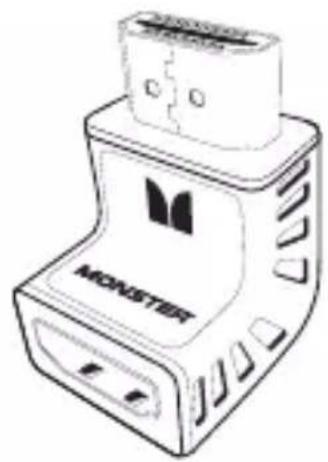
natural_image
Illustration of a device labeled 'MONSTER' with no visible text or symbols on its bodyAdaptador HDMI™ 90°

natural_image
Line drawing of a bolt with threaded shaft (no text or symbols)natural_image
Simple line drawing of a mechanical bracket with three circular holes (no text or symbols)4 Adaptadores
1 Nível de Bolha
4 Parafusos
4 Arruelas Quadradas
Parafusos AA
4 de cada M4x15/M4x25
4 de cada M5x15/M5x25
4 de cada M6x15/M6x25
Importante: Leia Antes de Instalar:
Aviso:
OBSERVAÇÃO: Each adapter includes two threaded studs and nuts. No additional hardware is required to attach the adapter to the mount.
Monster, LLC., 7251 West Lake Mead Blvd., Las Vegas, NV 89128, USA, (415) 840-2000 ("Monster") extends You this Limited Warranty. Statutory or common law may provide You with additional rights or remedies, which shall not be affected by this Limited Warranty.
DEFINIÇÕES
Ver.072109 – GLOBAL ©2003–2009 Monster, LLC
MONSTER
MonsterCable.com/FlatScreen
© 2009 Monster, LLC
7251 West Lake Mead Blvd., Las Vegas, NV 89128
Engineered in the USA and manufactured for Monster to its quality specifications.
Made in China.
"Monster," "Monster Cable," the Monster logo, "PowerProtect," "Clean Power," "Monster FlatScreen Clean," "Monster FlatScreen Mounts," "QuickLift," "SuperThin," Monster FlatScreen," "PowerCenter," and "Monster FlatScreen Cables" "CleanView", "TriMode", the product and packaging are trademarks or registered trademarks of Monster Cable Products, Inc. or its subsidiaries in the US and other countries. VESA is a trademark of the Video Electronics Standards Association.
- Medium SuperThin™ Flat Mount
- More Great Products from Monster FlatScreen™
- Monster FlatScreen CleanView™ Cable Manager
- Monster FlatScreen Cables™
- Monster FlatScreen PowerProtect™ and PowerCenters™
- Monster FlatScreen Clean™
- MONSTER FLATSCREEI MOUNTS
- Specifications and Notes:
- Required Tools
- Wall Stud Mounting:
- Masonry Mounting
- (brick, concrete, concrete blocks):
- Adapter Included for VESA™ 400x400 Pattern:
- Package Contents
- Important: Read Before Installing
- Warning:
- Caution:
- Pre-Installation Checklist
- Installing the Wall Mounting Plate
- ⚠️ Be sure to choose a mounting location with easy access to an AC power outlet.
- Wood Stud Mounting:
- Installing the Wall Plate continued
- DO NOT drill holes in masonry mortar joints.
- Attaching the Vertical Adjustment Bars to the TV
- Attaching Extension Adapters to Extend VESA™ Pattern to 400x400
- Hanging the TV and Vertical Adjustment Bars on the Wall Plate
- Congratulations
- LIMITED WARRANTY FOR CONSUMERS
- DEFINITIONS
- SCOPE OF THIS LIMITED WARRANTY
- GENERAL PROVISIONS
- FORMAL WARRANTY CLAIM
- NOTE DE LA DIRECTION DE MONSTER
- Monster FlatScreen Clean MC
- UN MENSAJE DEL MONSTER MAYOR
- Limpiador Monster FlatScreen Clean™
- NOTA DO HEAD MONSTER
- Noel Lee,
- Importante: Leia Antes de Instalar:
- Aviso:
- DEFINIÇÕES
- MONSTER
- MonsterCable.com/FlatScreen
Brand : MONSTER
Model : FSM-FLAT-M-EFS
Category : Wall mount