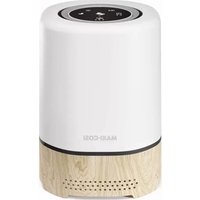
Clean - Air purifier MAXI-COSI - Free user manual and instructions
Find the device manual for free Clean MAXI-COSI in PDF.



| Product type | Air purifier |
| Brand | Maxi-Cosi |
| Model | Clean |
| Power supply | AC 220-240 V, 50/60 Hz via mains adapter |
| Filter type | HEPA filter (captures 99.97% of particles ≥ 0.3 µm) |
| Filter lifespan | Approximately 1,000 hours (≈ 90 days at 11 h/day) |
| Connectivity | WiFi 2.4 GHz, Maxi-Cosi Connected Home app |
| Fan speeds | Low, Medium, High |
| LED night light | 3 brightness levels (non-replaceable) |
| Soothing sounds | 5 volume levels, multiple sounds |
| Timer | 2 h (nap) or 12 h (bedtime), configurable in app |
| Sleep mode | Dims all indicator lights |
| Child lock | Yes (press and hold Sleep button) |
| Filter reset | Press and hold fan button for 5 seconds |
| Maintenance | Do not wash the filter; dust with compressed air; wipe exterior with a soft, dry cloth |
| Safety | Use by children ≥ 8 years under supervision; power cord at least 90 cm from bed; do not immerse |
| Replacement parts | HEPA filter sold separately (Maxi-Cosi Clean) |
| Warranty | 24 months (manufacturing or material defects) |
| Weight | Approximately 2.5 kg (estimated) |
| Dimensions (approx.) | 20 × 20 × 30 cm (estimated) |
| Noise level | Varies with speed, up to approximately 50 dB |
Frequently Asked Questions - Clean MAXI-COSI
User questions about Clean MAXI-COSI
0 question about this device. Answer the ones you know or ask your own.
Ask a new question about this device
Download the instructions for your Air purifier in PDF format for free! Find your manual Clean - MAXI-COSI and take your electronic device back in hand. On this page are published all the documents necessary for the use of your device. Clean by MAXI-COSI.
USER MANUAL Clean MAXI-COSI
natural_image
White MAXI-COSI air purifier with wooden base and perforated vent, no visible text or symbols on bodyIndex

EN 3
FR 12
DE 21
NL 30
ES 39
IT 48
PT 57
SV 66
DA 75
FI 84
NO 93
EL 102
TR 111
PL 120
RU 129
UK 138
HR 147
SK 156
BG 165
HU 174
SL 183
ET 192
CS 201
RO 210
HE 219
AR 228



natural_image
Blue circular icon with a white triangular warning symbol containing an exclamation mark (no text or numbers)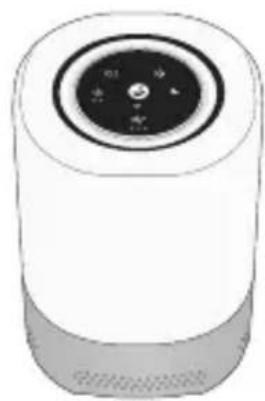
natural_image
Illustration of a cylindrical device with a circular top and control knob (no text or symbols)Air Purifier
natural_image
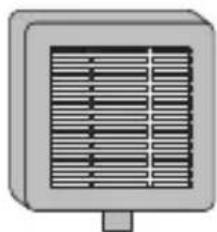
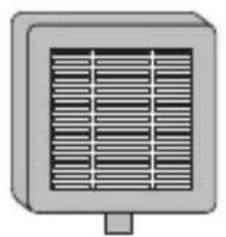
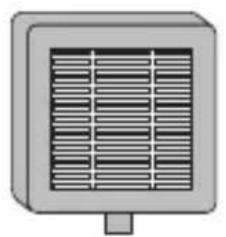
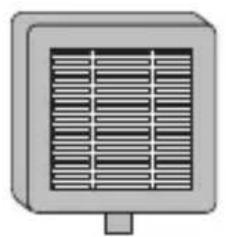
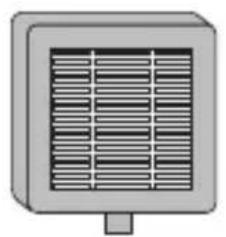
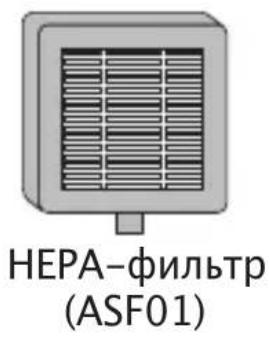
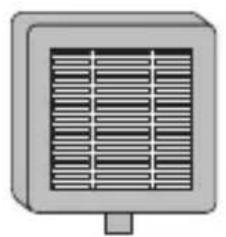
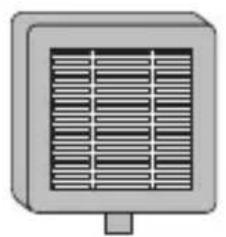
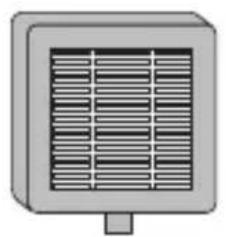
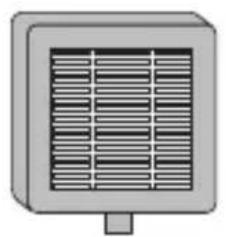
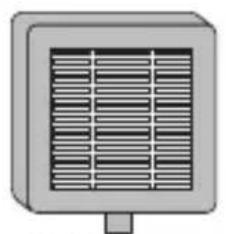
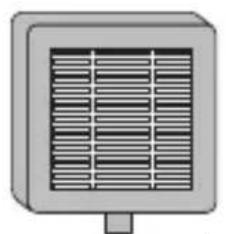
Simple illustration of a heat exchanger or vent with no text or symbolsHEPA Filter (ASF01)
Features
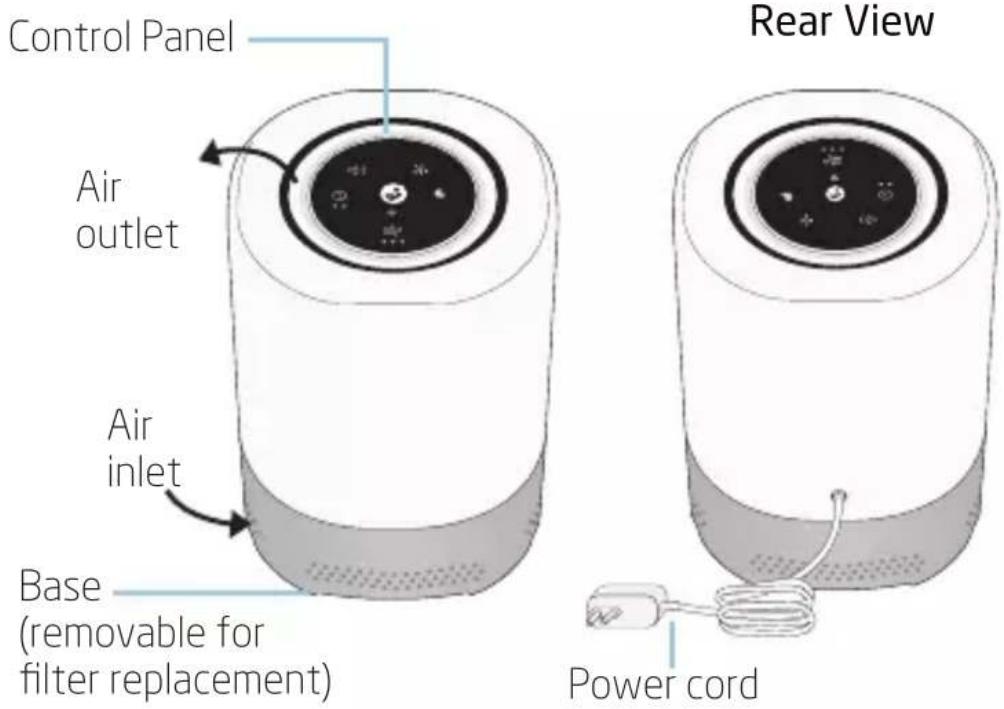
text_image
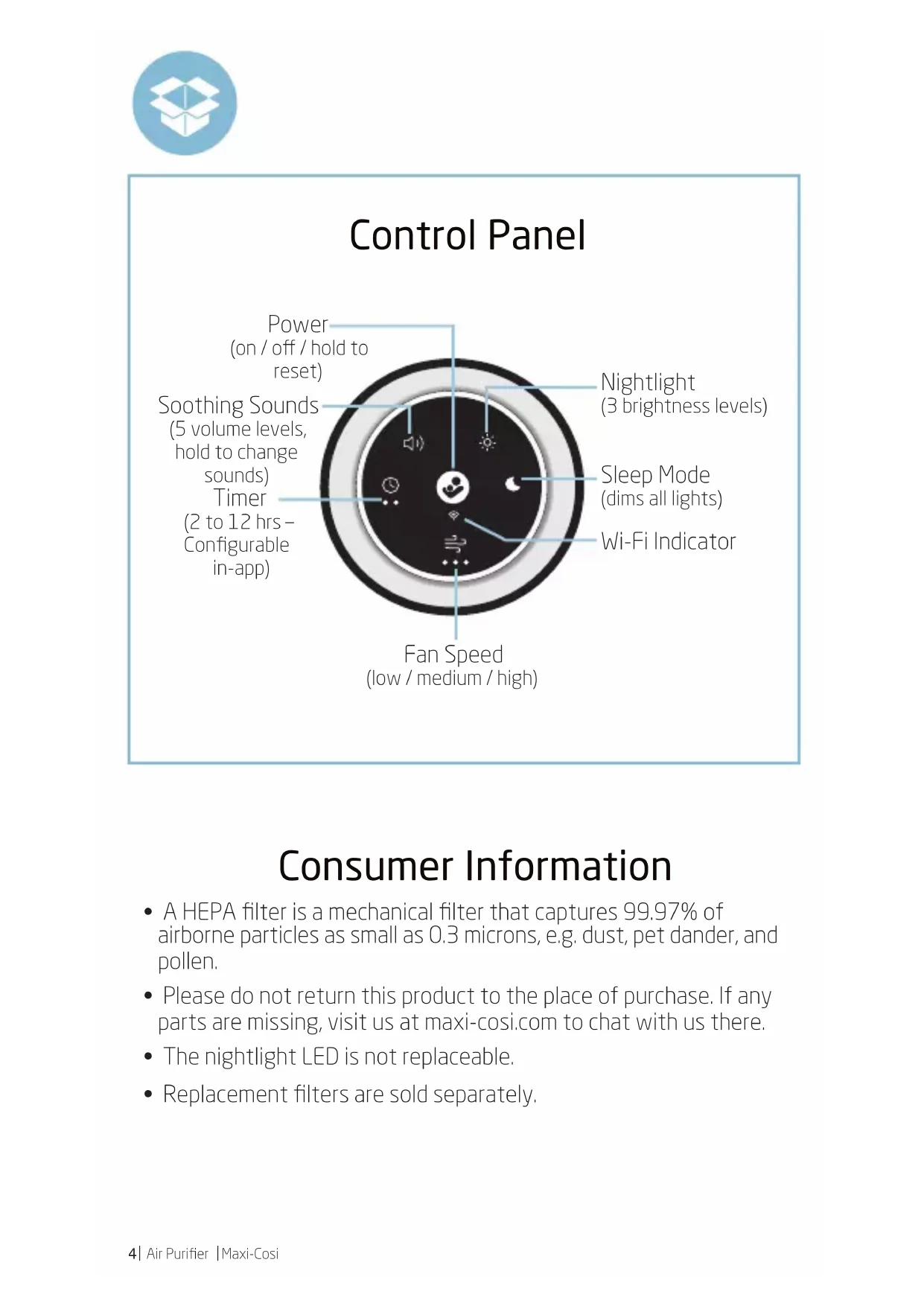
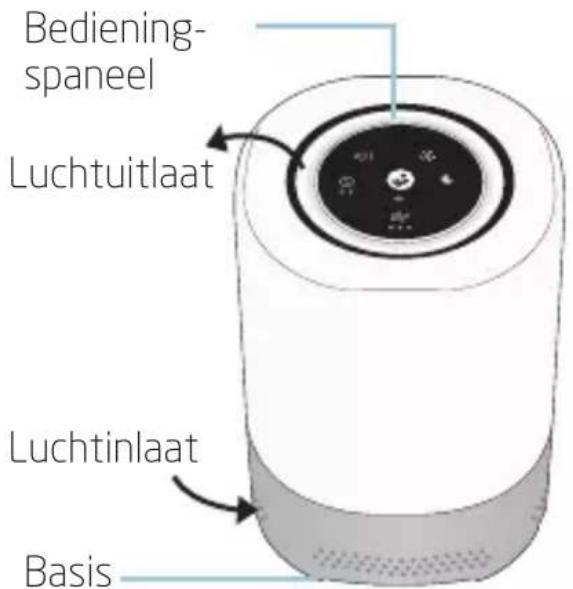
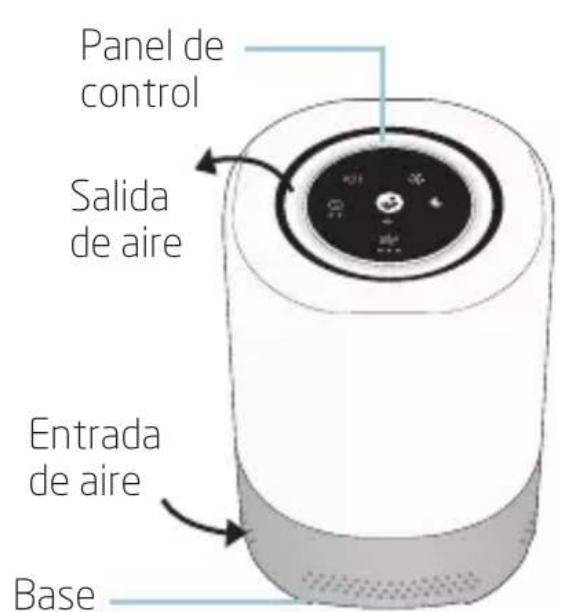
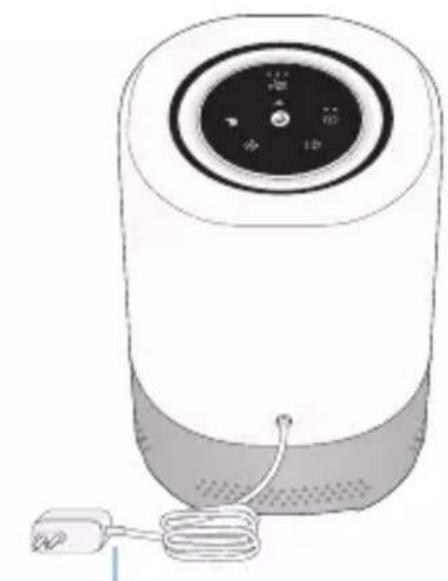
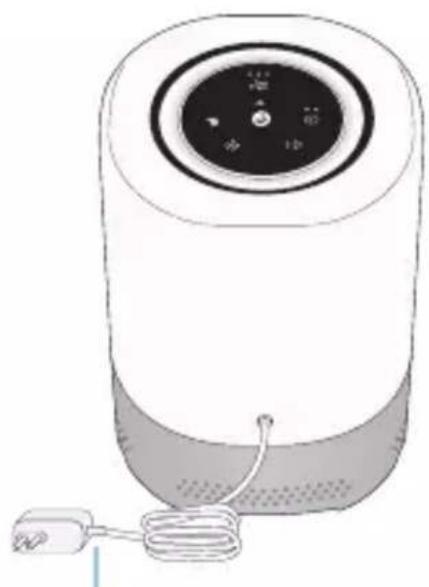
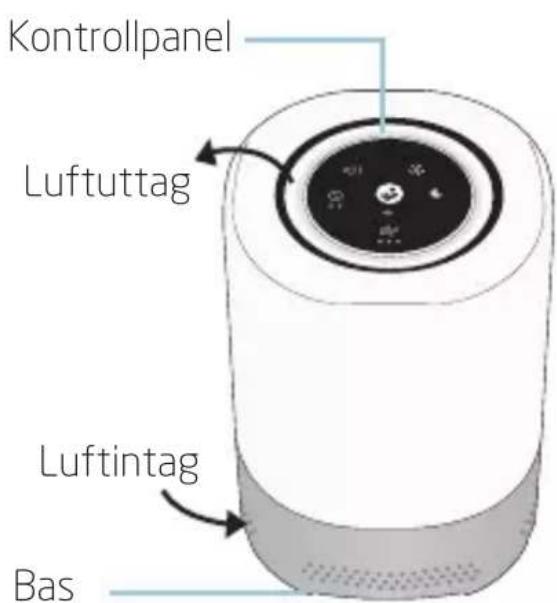
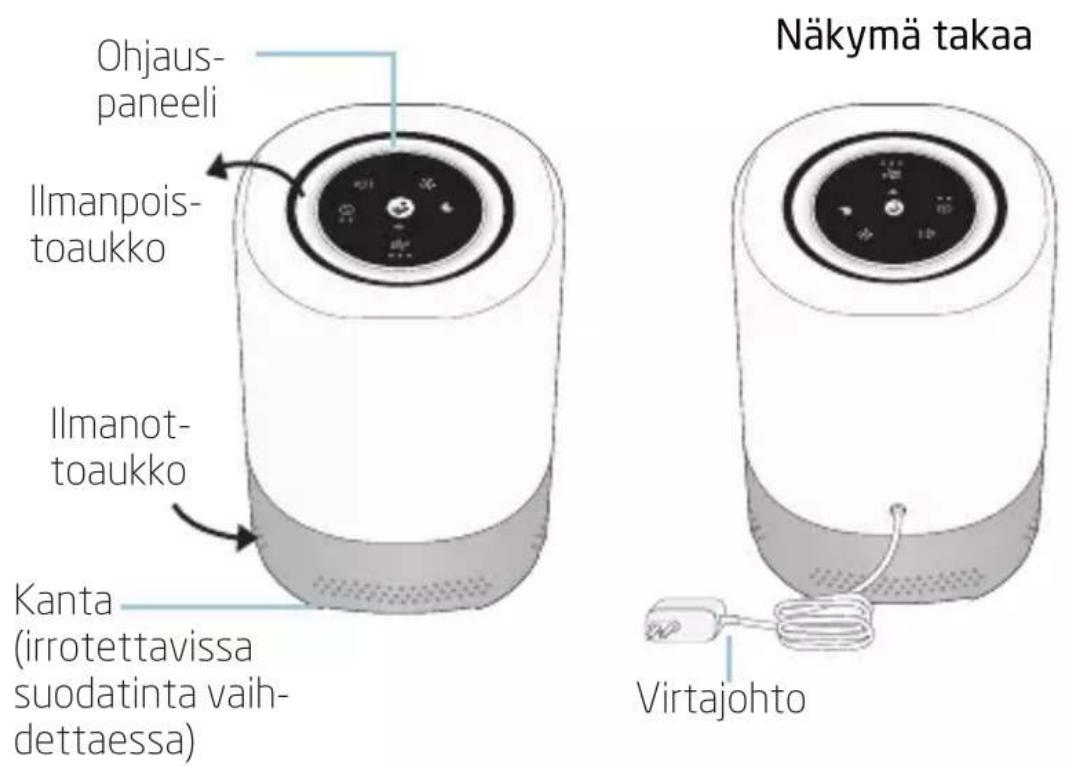
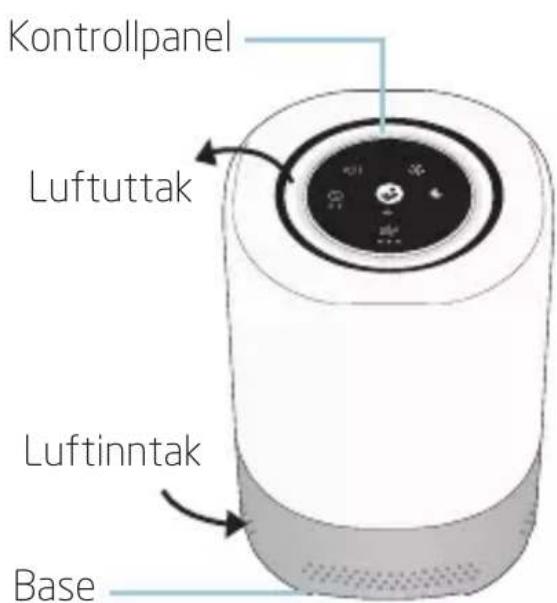
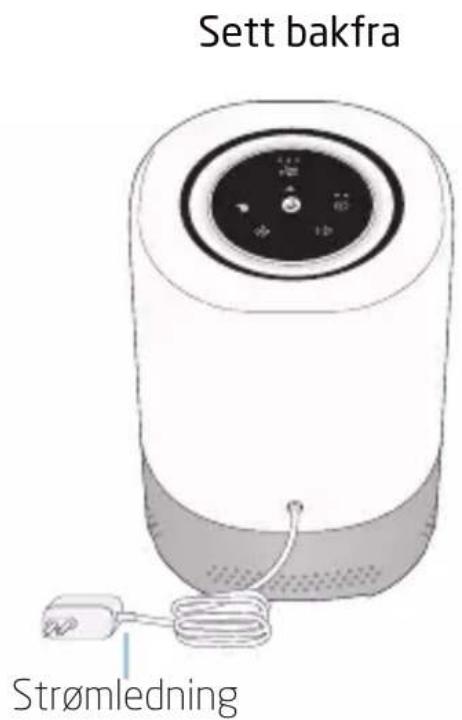
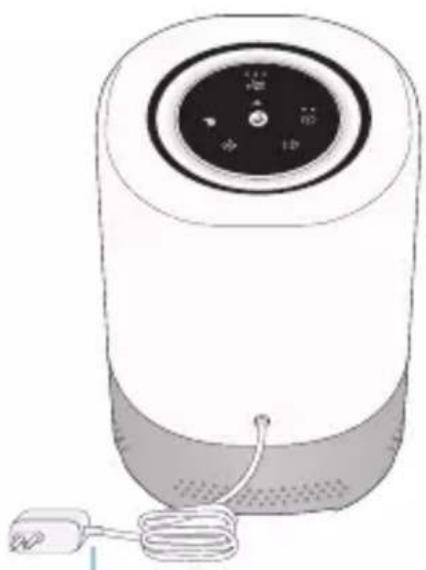
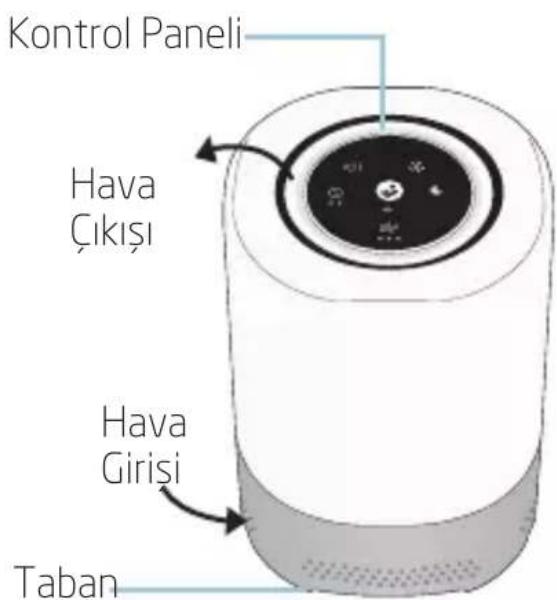
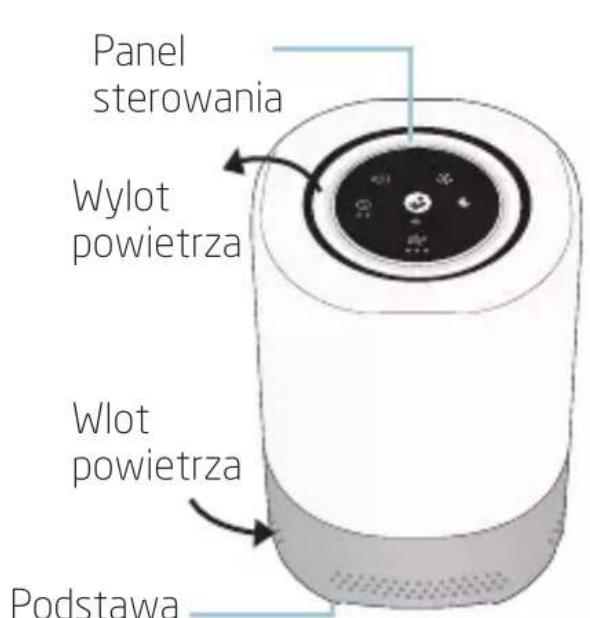
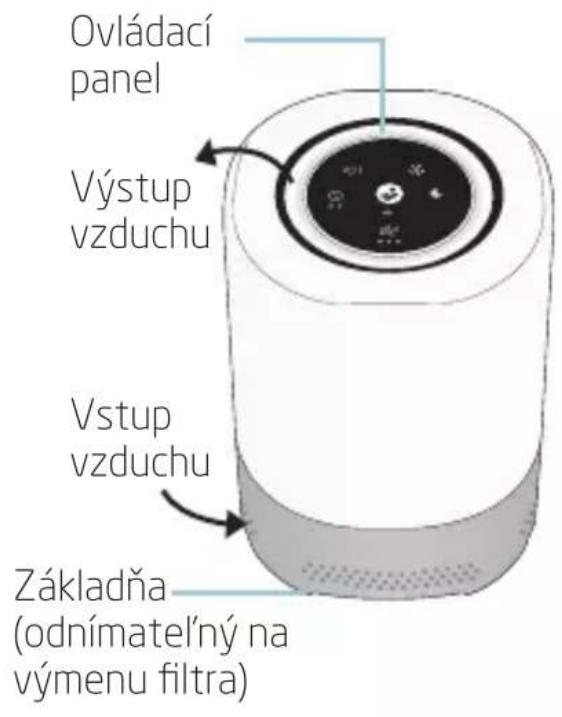
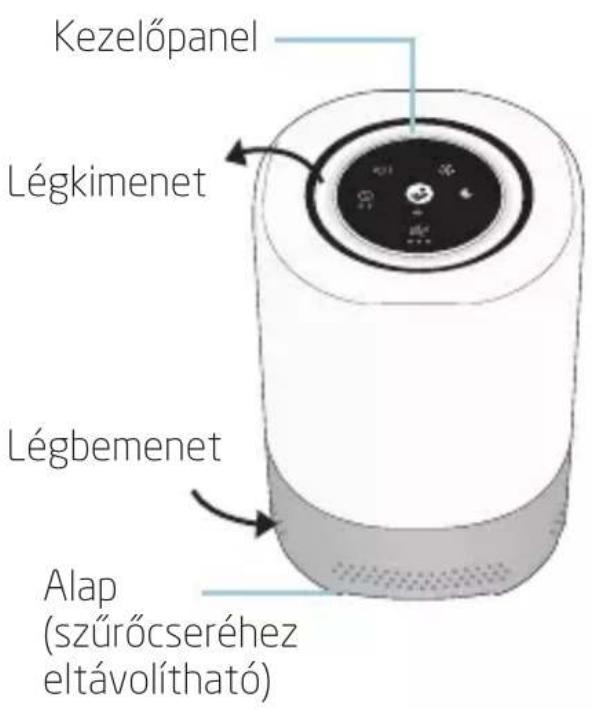
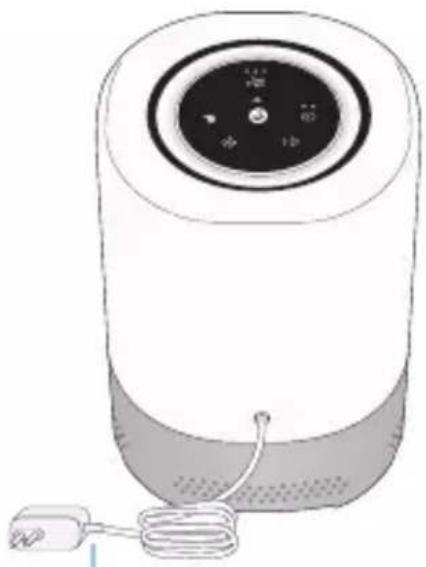
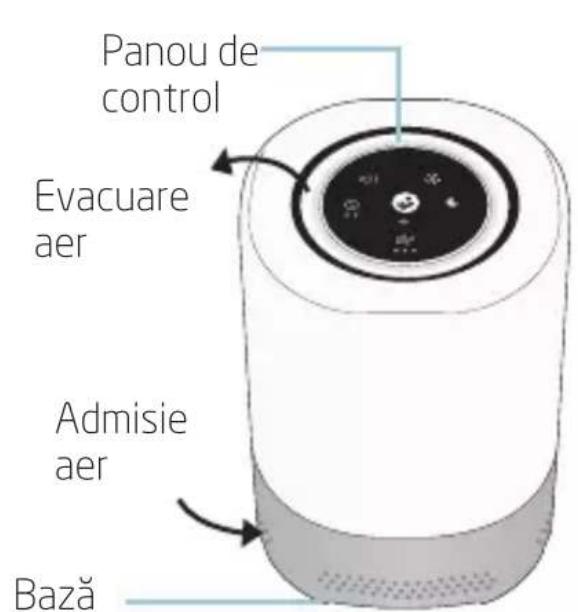
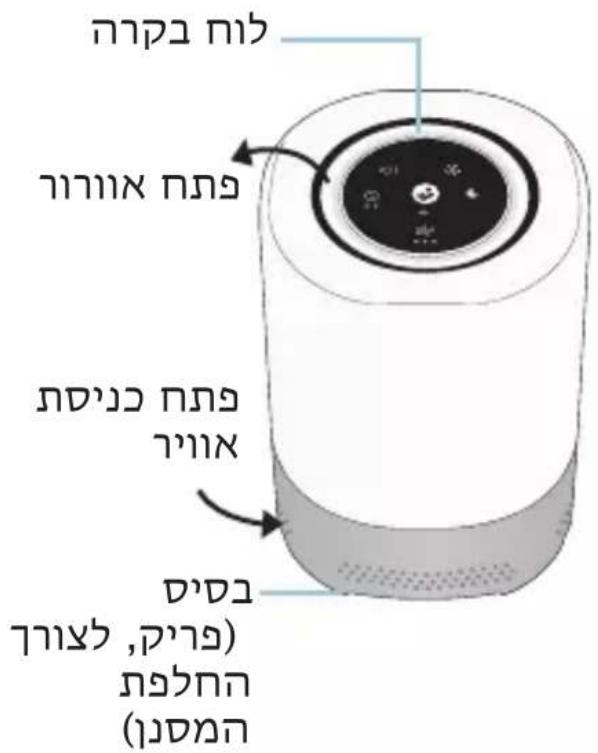
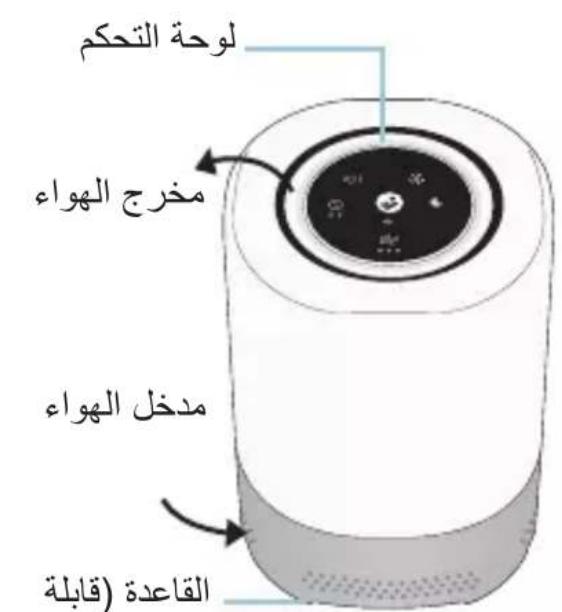
Control Panel Air outlet Air inlet Base (removable for filter replacement) Rear View Power cordControl Panel
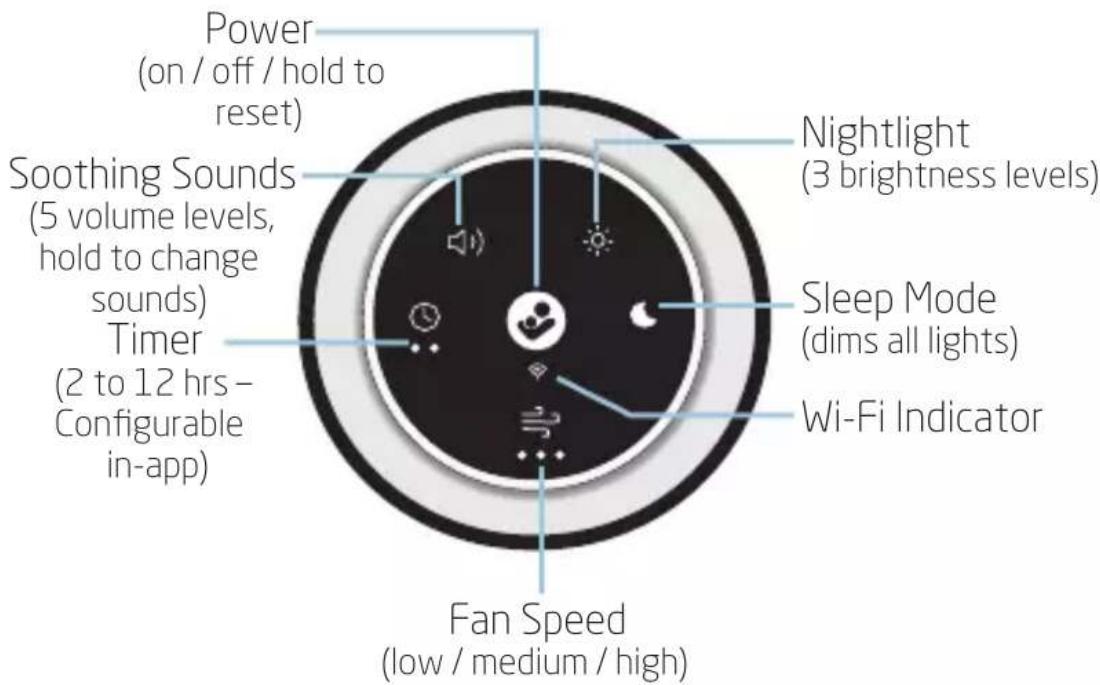
text_image
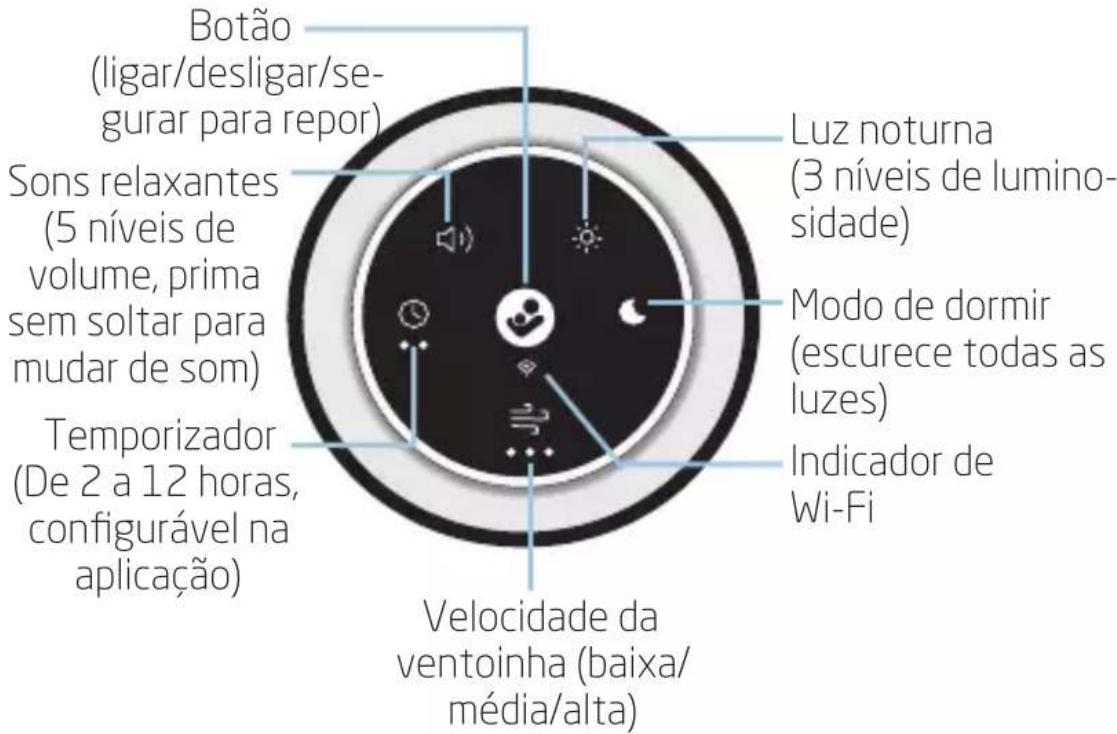
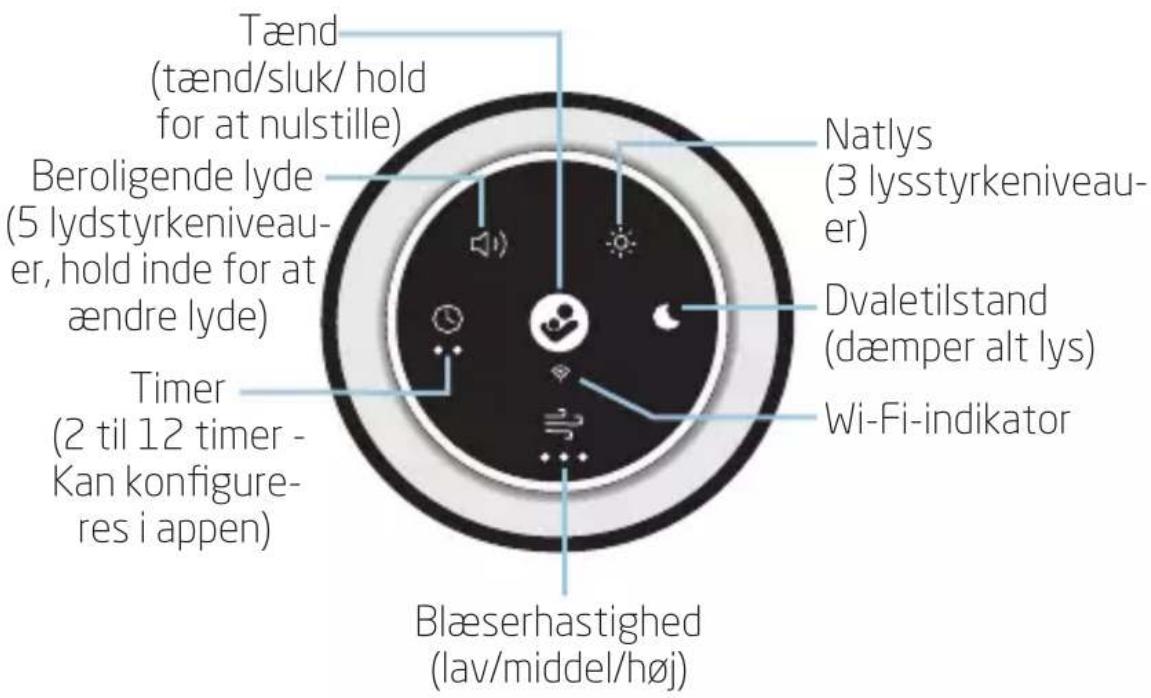
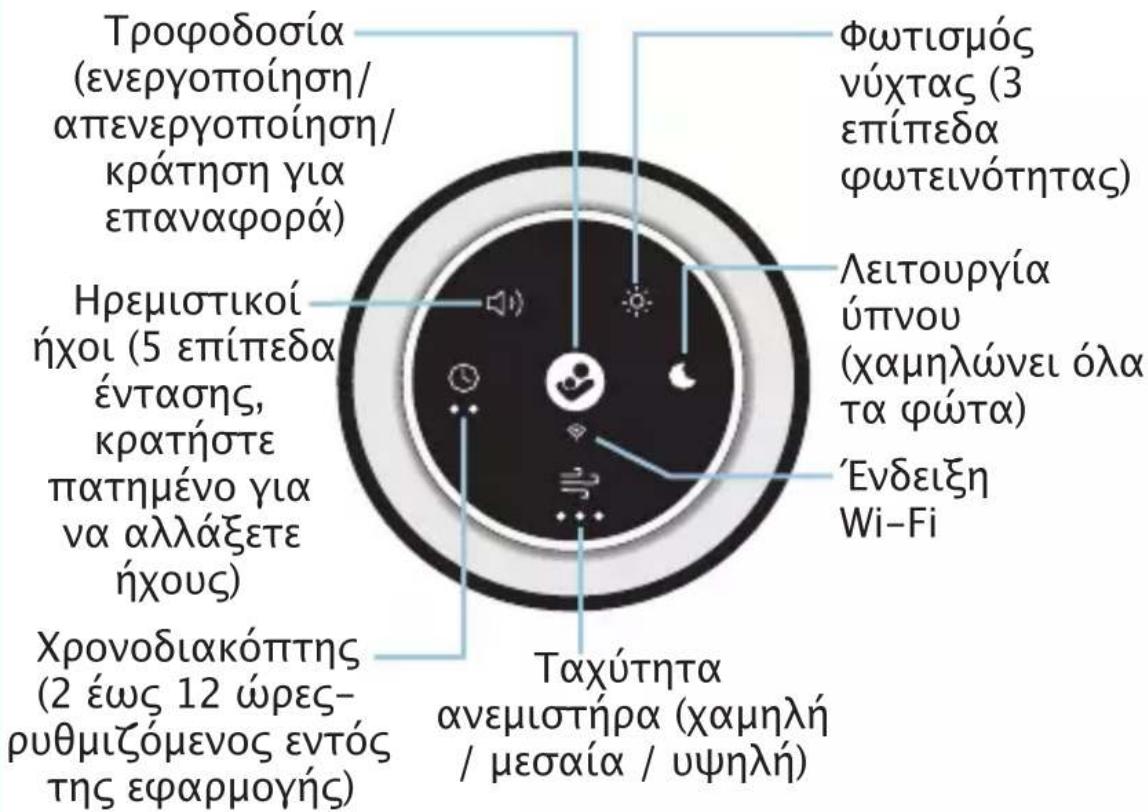
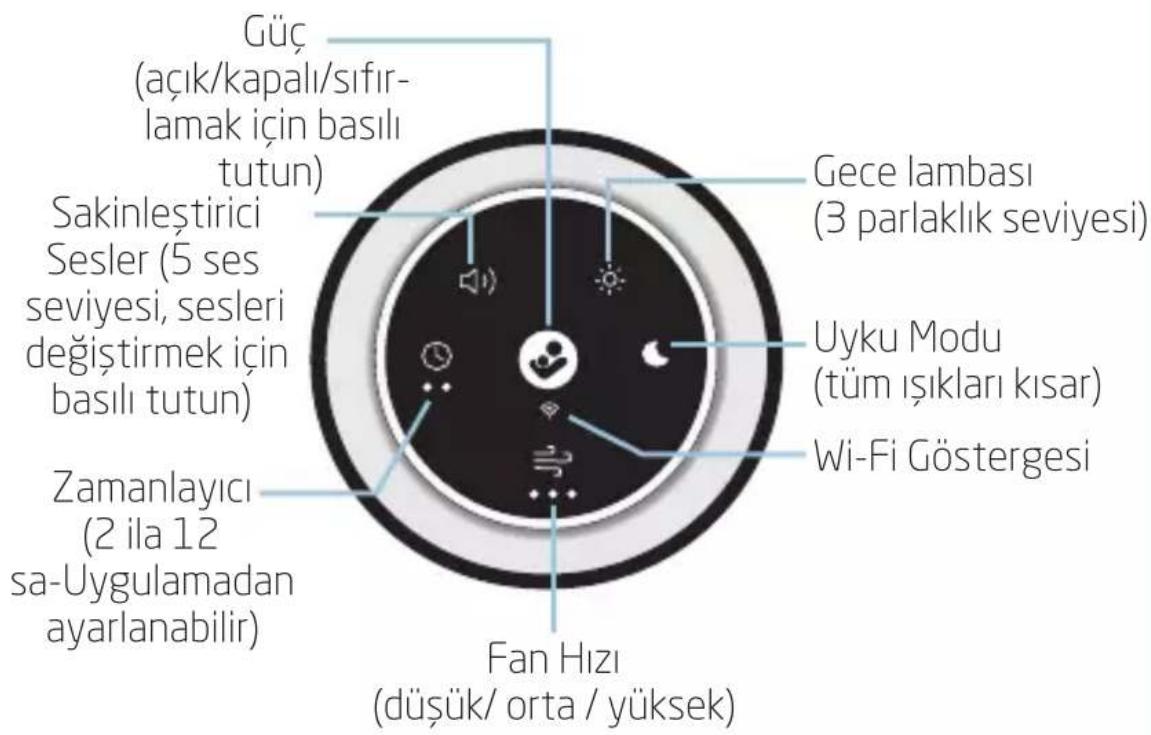
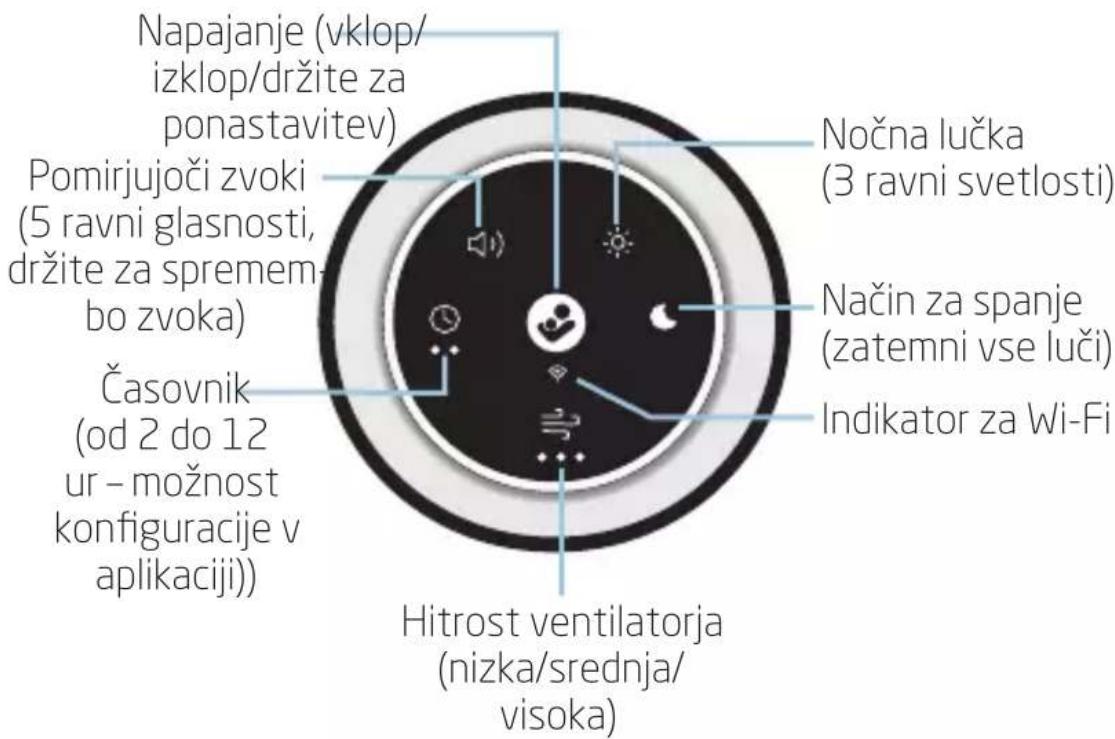
Power (on / off / hold to reset) Soothing Sounds (5 volume levels, hold to change sounds) Timer (2 to 12 hrs- Configurable in-app) Nightlight (3 brightness levels) Sleep Mode (dims all lights) Wi-Fi Indicator Fan Speed (low / medium / high)Consumer Information
- A HEPA filter is a mechanical filter that captures 99.97% of airborne particles as small as 0.3 microns, e.g. dust, pet dander, and pollen.
- Please do not return this product to the place of purchase. If any parts are missing, visit us at maxi-cosi.com to chat with us there.
• The nightlight LED is not replaceable. - Replacement filters are sold separately.
To Install/Change the Air Filter
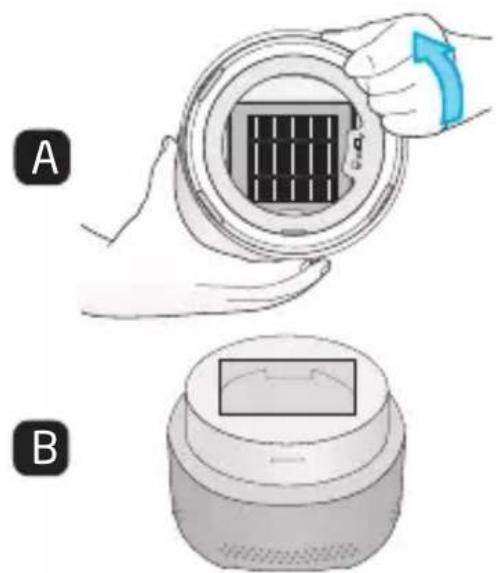
natural_image
Illustration of two hands installing a circular component with a grid pattern, labeled A and B (no text or symbols on the diagram itself)WARNING :Turn off and unplug air purifier before removing base.
- Ensure the air purifier is turned OFF and unplugged.
- Removebase:
Hold air purifier upside down. Twist base counter-clockwise (Figure A). Set base aside (Figure B).
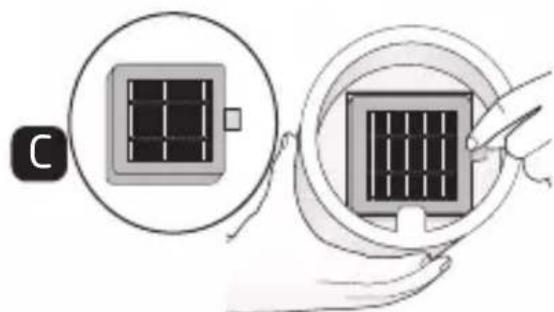
- Insertfilter:
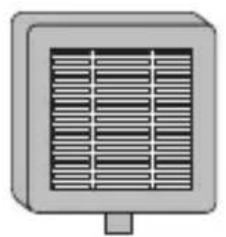
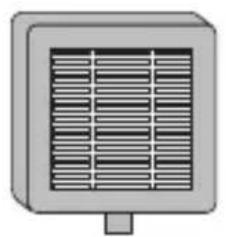
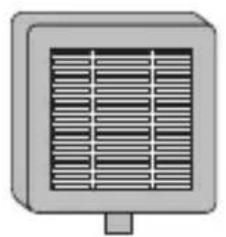
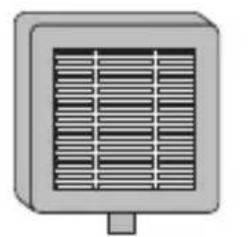
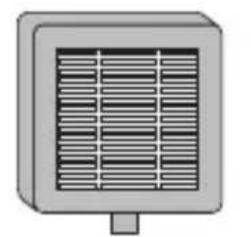
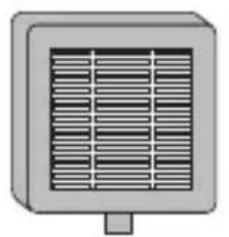
Remove plastic bag surrounding filter. Place filter inside upper portion with the tab facing you (Figure C).
natural_image
Illustration showing two hands holding a solar panel with a magnified inset (no text or symbols)- Assemble base to upper portion:
Insert base back into the air purifier and twist clockwise (Figure D).
- Selectalocation:
Choose a flat and level surface.
- Connect to power:
Plug into your 100-240V wall outlet.
- Turnon:
Press the Power On/Off button.
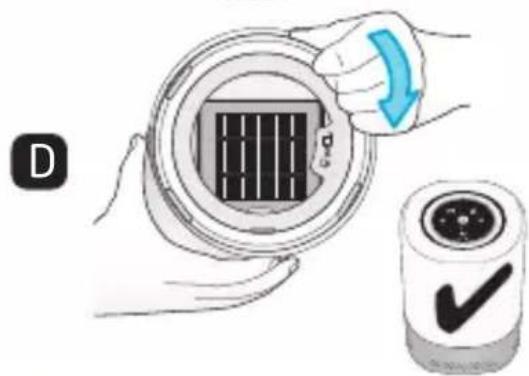
text_image
Diagram showing a hand holding a circular device with a grid pattern and a checkmark icon, alongside a magnified view of the device.Filter timer reset : Once you replace the filter, you must reset the filter replacement timer.

Long press Fan button for 5 seconds. A sound will prompt the reset is successful, and the flashing stops.
NOTE: The Fan light will remain red if you do not reset the timer.
Filter Replacement Reminder : When the cumulative use time of the filter reaches 1,000 hours, the Fan icon turns red.
NOTE: The filter replacement timing is based on usage. 1,000 hours would equate to about 90 days with daily usage of 11 hours. 24 hours continuous usage would require a filter change earlier.
Getting Started
Download the Maxi-Cosi Connected Home app by searching for Maxi-Cosi in the app store.
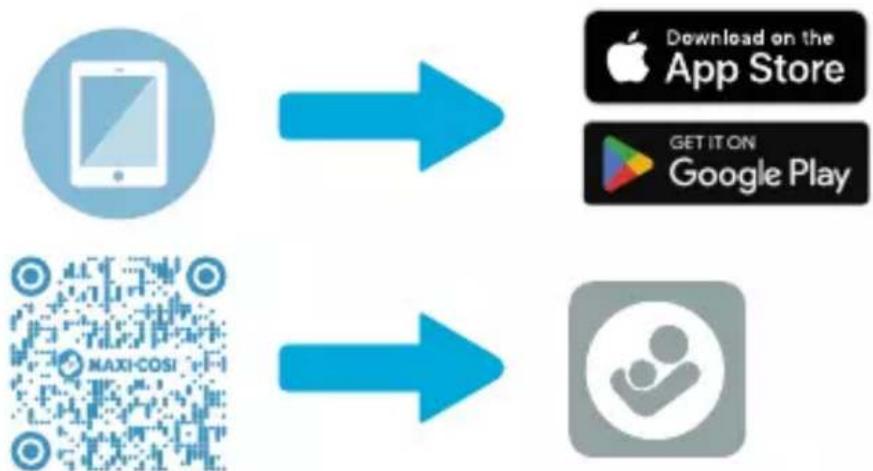
flowchart
graph LR
    A["App Store"] --> B["Download on the App Store"]
    A --> C["GET ON Google Play"]
    D["MAXI-COSI QR Code"] --> E["User icon"]
Setup
- Remove air purifier and HEPA filter from packaging.
- Install HEPA filter
- Plug air purifier into power source. The Wi-Fi indicator will flash when ready for pairing.
- On your mobile device, follow the step-by-step instructions in the Maxi-Cosi Connected Home app for setup.
- Once paired, the Wi-Fi indicator on the control panel will light up (white).
- Explore the features and functionality within the Maxi-Cosi Connected Home app.
Wi-Fi Connectivity
A 2.4GHz Wi-Fi internet connection is required.
Check the Wi-Fi signal strength from your router.
To reduce signal interference, avoid placing the air purifier near major electrical appliances, large metal or concrete surfaces.
Placement
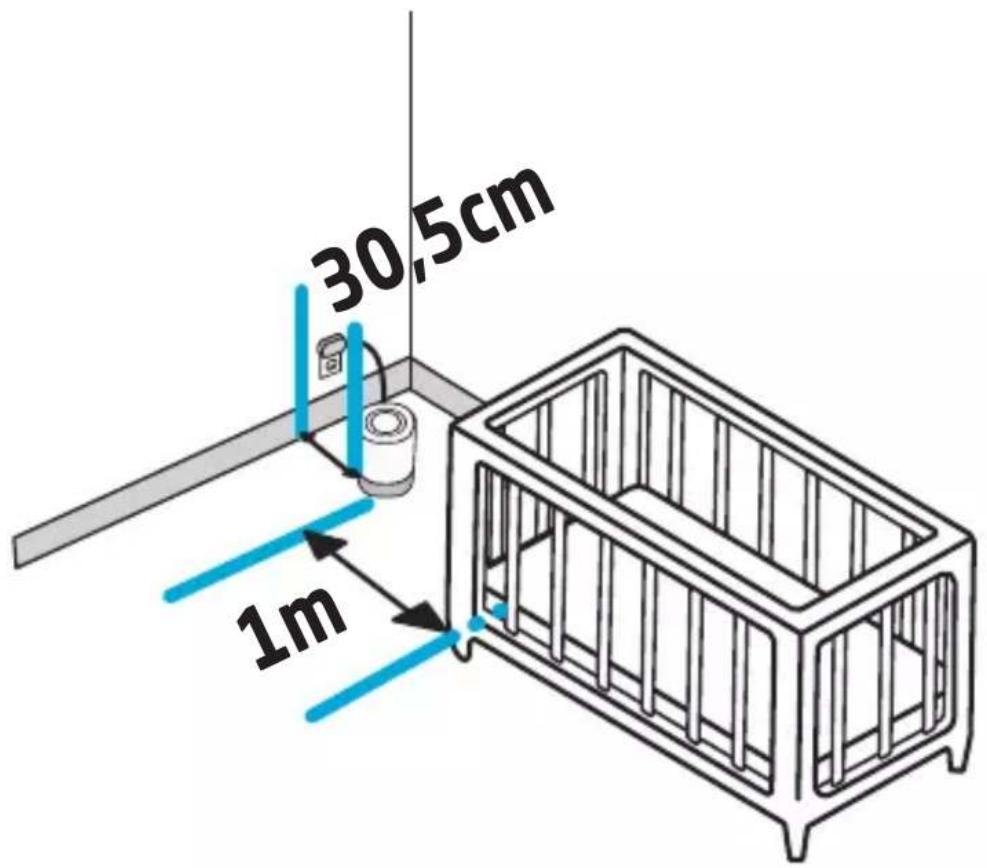
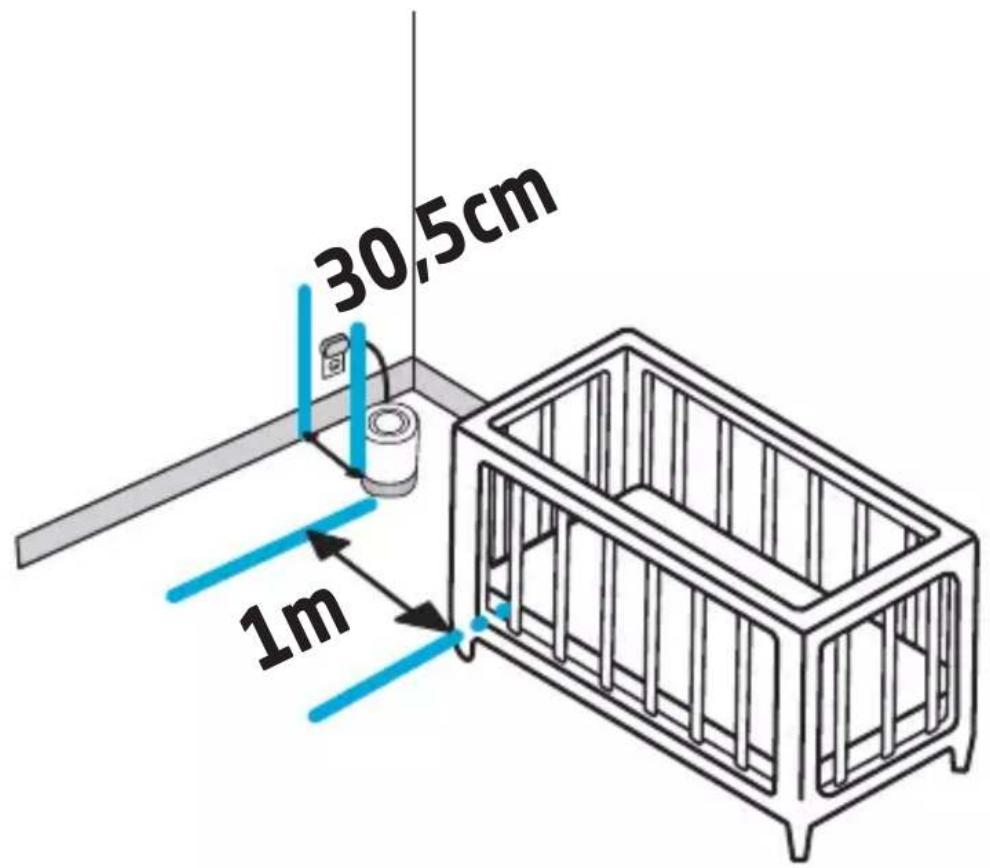
text_image
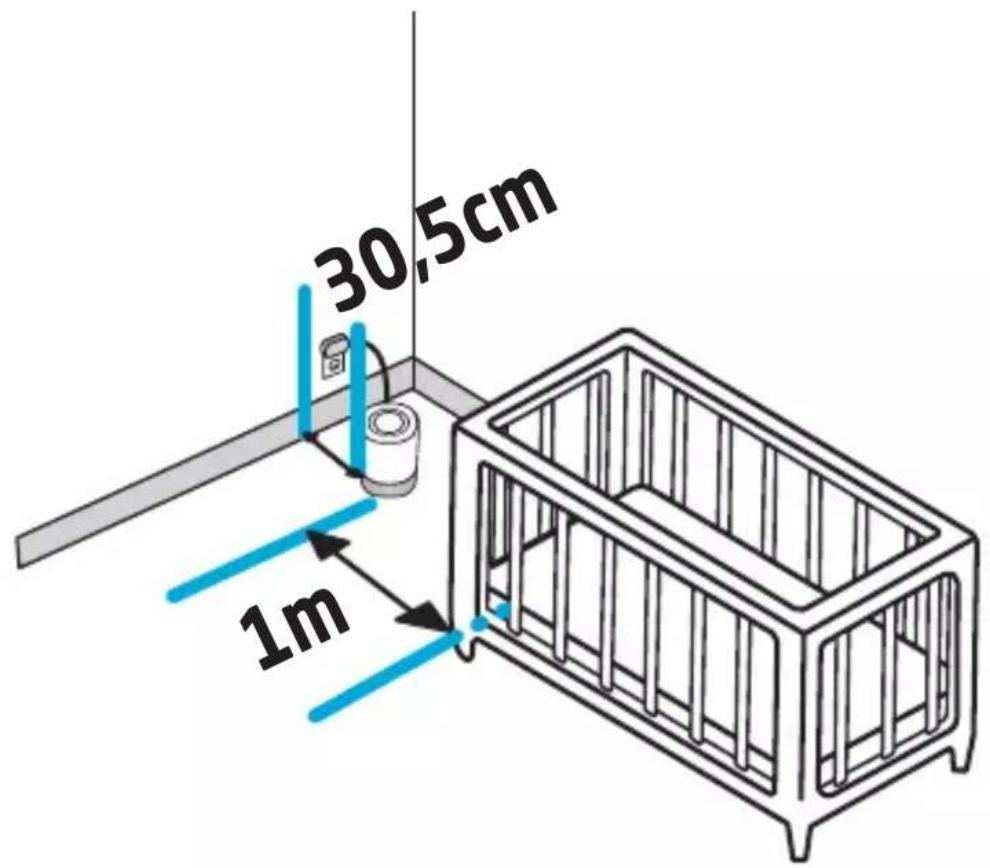
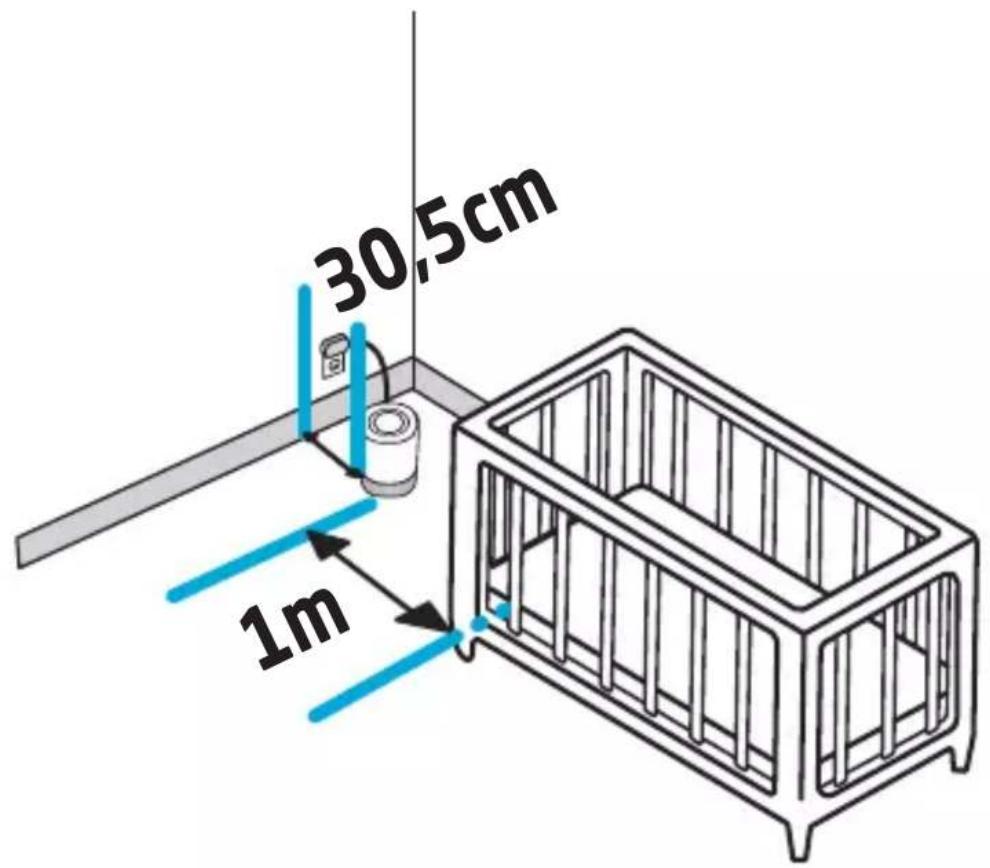
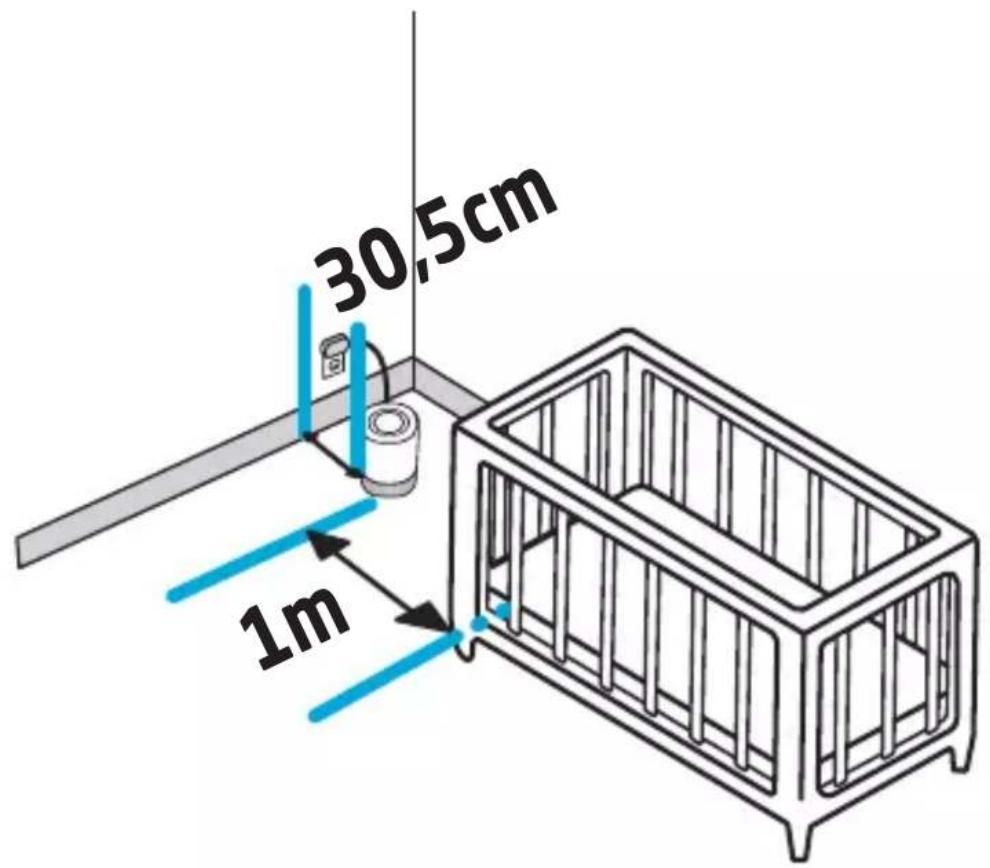
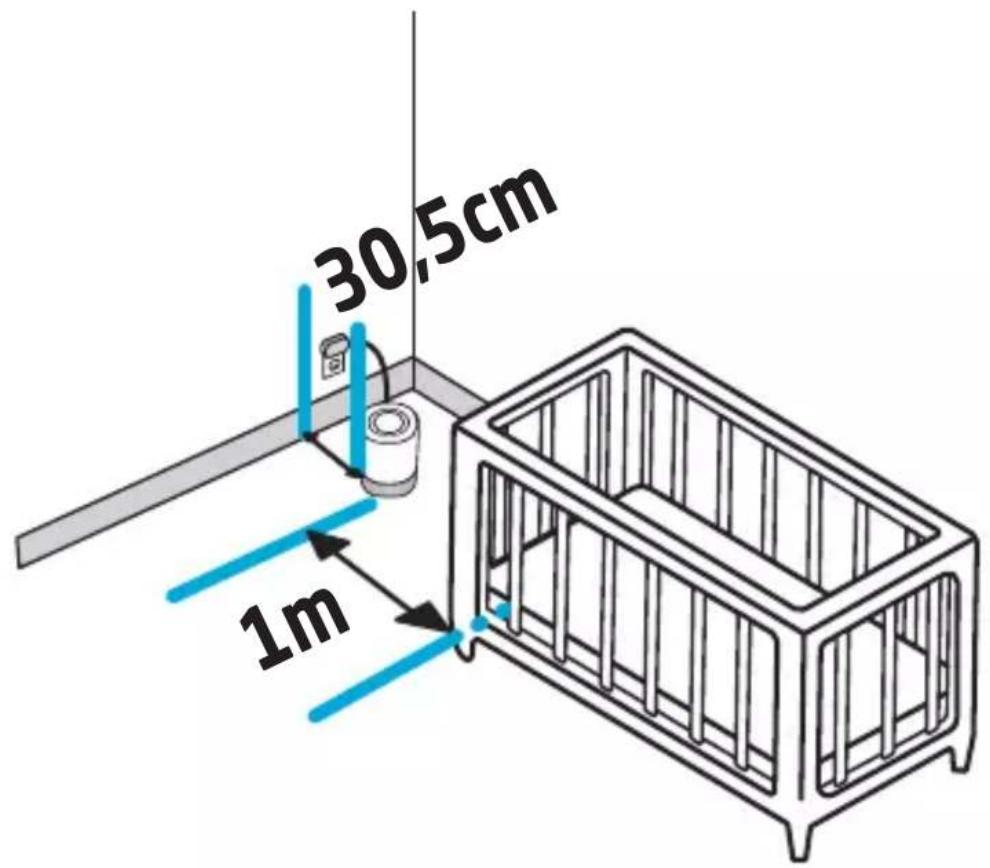
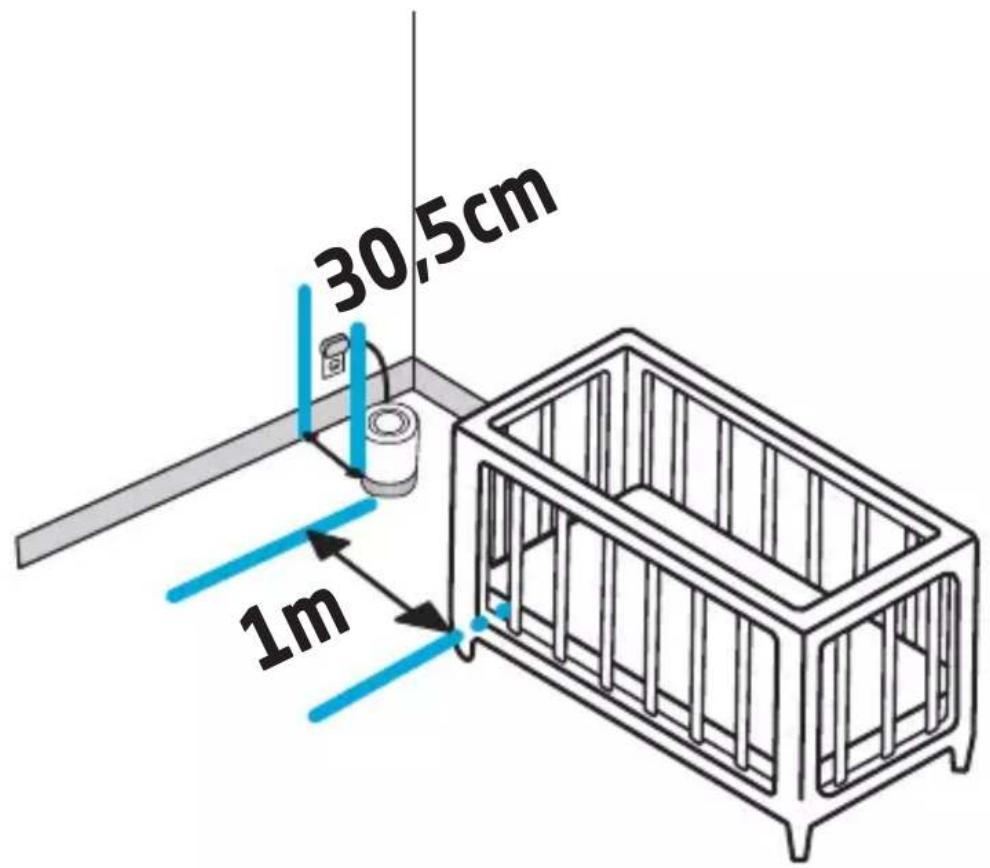
30,5cm 1mDetermine the ideal location for the air purifier ensuring that the power cord remains at least 1 m (3 ft) away from crib.
The air purifier should be placed on the floor or another flat surface, such as a side table. DO NOT place on a carpet.

To Adjust Settings
You can adjust settings directly on the unit or by using the Maxi-Cosi Connected Home app.

Short press the Power button to power on/off.
Long press for 5 seconds to enter pairing mode
Long press for 10 seconds restore to factory settings, makes a sound, power icon blinks 3 times.
NOTE: Memory will recall your last settings when next powered on.

Press Fan Speed button to cycle through low, medium, and off.

Press Nightlight button to set brightness to low, medium, and off.

Press Soothing Sounds/White Noise button to turn it on. It's again to cycle through volume volume level 1, 2, 3, 4, 5, 6, 7 off.
Long press to cycle through available sounds and to turn off Short press to adjust the volume.

Sleep Mode keeps indicator lights off unless they are pressed. It press to enable/disable sleep mode.
Long press to enable/disable child lock. Any button pressed will be locked when enabled.

Press Timer button to cycle through settings:
♦Naptime, Bedtime and off.
Left LED - Naptime timer (2 hours*)
Right LED - Bedtime timer (12 hours*)
Both LEDs - Custom timer (in-app only)
*Configurable in-app.
FAQs
Why can I not connect the air purifier to my home Wi-Fi?
- The Wi-Fi Indicator must be flashing to be in pairing mode. If it is not flashing, long press the power button for 5 seconds to enter pairing mode.
- Follow in-app instructions to pair the device to your home wireless network. Ensure the device is within 6m of your wireless router and your smartphone is connected to the same network. You must be using a 2.4GHz wireless network to pair this device.
Can I pair my device with more than one account?
- Sharing access to your device with other caregivers is easy. Access the device settings screen, select "sharing & users" then tap "add a new user" and complete the information.
- To pair the device with a new account owner, you must factory reset the device by holding the power button for 10 seconds.
Can the HEPA filter be washed?
- Large debris can be carefully removed from the HEPA filter using a soft brush. When the filter has reached the end of its recommended usage period, replace it with Maxi-Cosi replacement filters, sold separately. Do not wash the filter.
How often should the HEPA filter be replaced?
- The included HEPA filter has a lifecycle of 1,000 hours or about 90 days when using the fan/air purifier feature for 11 hours a day. When it's time to replace the filter, the fan speed icon will glow red. You can also opt-in to receive push notification reminders on your smartphone.
What is Sleep Mode?
- Sleep mode will turn off all indicator lights on the device and continue to allow you to customize your preferences for device functionality including fan speed, soothing sounds, nightlight or timer.
text_image
ENSAFETY
Read all the safety instructions carefully before use and keep this instruction manual for future reference.
- Product contains small parts, take care when unpacking and assembling the product.
- Cords present a potential strangulation hazard. Keep cords out of reach of children (more than 1 meter / 3.5 feet away).
WARNING
- Please follow all the safety precautions listed below for safety and to reduce the risk of injury or electrical shock.
- This Air Purifier can be used by children aged from 8 years and above and persons with reduced physical, sensory or mental capabilities or lack of experience and knowledge if they have been given supervision or instruction concerning use of the Air Purifier in a safe way and understand the hazards involved. Children shall not play with the Air Purifier. Cleaning and user maintenance shall not be made by children without supervision.
- Before using this Air Purifier ensures that the voltage of your electricity supply is the same as that indicated on the rating plate of the Air Purifier.
- Always place the Air Purifier on a hard, flat and level surface. Avoid exposure to direct sunlight and always keep it away from walls and heat sources such as stoves, radiators, etc. Warning: The Air Purifier may not work correctly if it is not placed on a level surface.
- DO NOT plug in the cord with wet hands.
- If the mains cable is damaged it must be replaced by the manufacturer, its service agent, or similarly qualified person in order to avoid a hazard.
- To reduce the risk of electric shock, do not remove screws. The Air Purifier does not contain any user-serviceable parts, except the Filter. Please leave all maintenance work to qualified personnel.
- Do not run the Air Purifier when there is no Filter in place or with any other filters than the one sold by Maxi Cosi.
- Never manipulate while the Air Purifier is in operation.
- If there is an unusual smell when it is being used as described in these manual, switch the Air Purifier off, unplug it and have it examined by your dealer.
- Unplug the Air Purifier before cleaning it or change the filter.
- Do not immerse the Air Purifier or the mains cable or plug in water or other liquids.
- Never scrape the transducer with a hard tool. The Air Purifier must be cleaned regularly. To do this, refer to the cleaning instructions in this manual.
- If you spill any liquid on the Air Purifier, it can cause serious damage. Switch it off at the mains immediately. Withdraw the mains plug and consult your dealer.
- Disconnect the Air Purifier from the power supply when not in use and before cleaning.
- Ensure that the mains cable does not touch any hot surface and that it does not overhang a table edge.
- Never use this Air Purifier in a room where aerosol products (sprays) are used or in a room or where oxygen is being administered.
- Do not put items of clothing or towels on top of the Air Purifier. If the nozzle is obstructed, this may cause Air Purifier to malfunction.
- Never use the Air Purifier in a dusty or humid place. The ideal relative humidity level for human comfort is in fact between 45% and 65%. Excess humidity shows up in the form of condensation on cold surfaces or cold walls in the room. To measure the room's humidity correctly, use a hygrometer available in most specialist shops and hypermarkets.
- The Air Purifier is designed for indoor and domestic use only.
- Never use the appliance close to a heat source.
- Do not use the appliance close to flammable objects or products (curtains, aerosols, solvents, etc.).
IMPORTANT SAFETY INSTRUCTIONS
- VENTILATION: DO NOT block ventilation openings. DO NOT place on a bed, sofa, rug or similar surface. DO NOT place in a bookcase or cabinet that may restrict air flow.
-
HEAT: The air purifier should be situated away from heat sources such as radiators, heat registers, stoves, or other appliances that produce heat. Also keep these components out of direct sunlight.
-
POWER CORD PROTECTION: Never place the cord near any heat source. Do not cover the cord with a rug, carpet, or other covering. Do not place the cord under furniture or appliances. Pay particular attention to the cord at the plug, convenience receptacle, and at the point it exits from the air purifier. Keep the cord out of areas where people walk often. Place the cord where it will not be tripped over."
- Product contains small parts, take care your children and keep small parts away from children when unpacking and assembling the product.
- This product is not a toy and should be kept out of children's reach.
- Cords present a potential strangulation hazard. Keep cords out of reach of children: 90cm (3 feet).
- This device is designed for indoor use only. Do not use in wet or damp areas, NEVER place in water or liquid.
Care and Maintenance
- NOTE: This is an electrical appliance and requires attention when in use.
• DO NOT WASH FILTER - Remove any excess dust from fan by using compressed air. Remove filter and blow compressed air into the unit.
- Unplug before cleaning. Wipe the outside of the air purifier with a soft, dry cloth.
- Do Not clean with abrasive chemicals or flammable cleaning agents.
Declaration of Compliance
Compliance with standards
Hereby, Maxi-Cosi declares that the Air Purifier is in compliance with RED 2014/53/EU. The full text of the EU DOC is available at the following internet address:
Electromagnetic fields
This Maxi-Cosi humidifier complies with all applicable standard and regulations regarding exposure to electromagnetic fields.
RF parameter:
Wi-Fi Frequency Range
Frequency band: 2412MHz \~ 2472MHz
Maximum output power: 14.53dBm
Bluetooth Frequency Range
Frequency band: 2402MHz \~ 2480MHz
Maximum output power: 0.18dBm
Environmentally friendly disposal
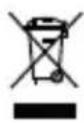
Old electrical appliances must not be disposed of together with the residual waste, but have to be disposed of separately. The disposal at the communal collecting point via private persons is for free. The owner of old appliances is responsible to bring the appliances to these collecting points or to similar collection points. With this little personal effort, you contribute to recycle valuable raw materials and the treatment of toxic substances.
Disclaimer
To protect your legal rights, please read the instruction, disclaimers, important notice and safety items provided with this product before using this product to understand your legal rights, responsibilities and safety precautions. Otherwise, it may bring you property damage, personal safety hazards or accidents. Maxi-Cosi reserves the right to update this document. Please ensure to operate this product in accordance with the instructions and safety instructions.
Warranty
Dorel Juvenile Group will replace or repair (at our option) your unit free of charge from 24 months from the date of purchase if the unit is defective in workmanship or materials, when used in normal conditions and in accordance with our user manual. Contact Consumer Care within 24 months of purchase from an authorized retailer.
natural_image
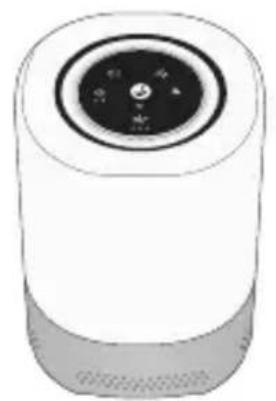
Illustration of a cylindrical smart speaker with a circular dial and control knob (no text or symbols)Purificateur d'air
natural_image
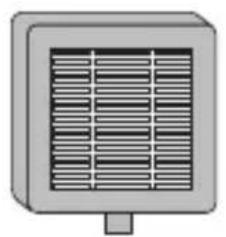
Illustration of a rectangular air conditioner unit with ventilation grilles (no text or symbols)Filtre HEPA (ASF01)
Fonctionnalités
Panneau de commande
Sortie d'air
Entrée d'air
text_image
Diagram of a smart air purifier with labeled ports and control buttonsVue arrière
natural_image
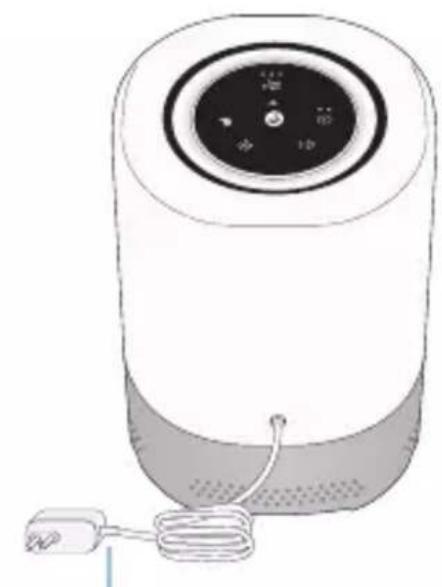
Illustration of a cylindrical smart air purifier with control panel and power cord (no text or symbols)text_image
Diagram of a circular device interface with icons for sound, weather, and user interactionnatural_image
Blue circular icon with a white wrench symbol (no text or numbers)natural_image
Illustration of a hand holding a circular device with a grid pattern, alongside a close-up of a device with a rectangular panel (no text or symbols)natural_image
Illustration showing a small solar panel being processed with a hand, no text or symbols present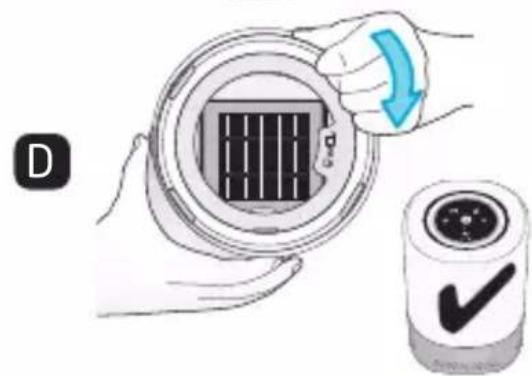
text_image
Diagram showing a hand holding a circular device with a grid pattern and a checkmark icon, alongside a magnified view of the device.text_image
30,5cm 1mnatural_image
Illustration of a cylindrical device with a circular top and control panel (no text or symbols)Luftreiniger
natural_image
Illustration of a rectangular air conditioner unit with ventilation grilles (no text or symbols)HEPA-Filter (ASF01)
natural_image
Illustration showing a hand holding a circular device with a grid pattern, and a separate view of a device with a rectangular panel (no text or symbols)natural_image
Illustration showing two steps of installing a solar panel, one with a magnified view and the other with a finger pointing to it (no text or symbols present)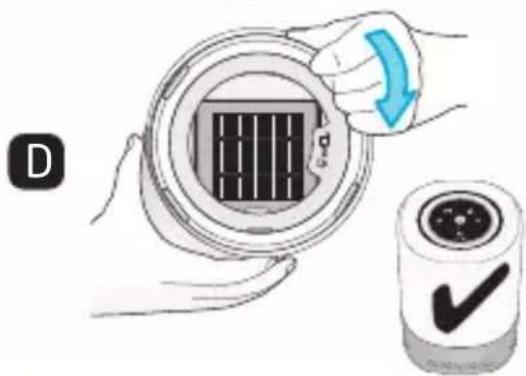
text_image
Diagram showing a hand holding a circular device with a grid pattern and a blue arrow indicating rotation, alongside a labeled checkmark icon.text_image
30,5cm 1mnatural_image
Illustration of a cylindrical device with a circular top and internal components (no text or symbols)Luchtreiniger
natural_image
Illustration of a rectangular air conditioner unit with ventilation grilles (no text or symbols)HEPA-filter (ASF01)
Kenmerken
natural_image
Circular diagram with icons for sound, lighting, and home control (no text or labels)Nachtlampje (drie helderheidsniveaus)
natural_image
Illustration of hands holding a circular device with a grid pattern, labeled 'A' (no text or symbols on the device itself)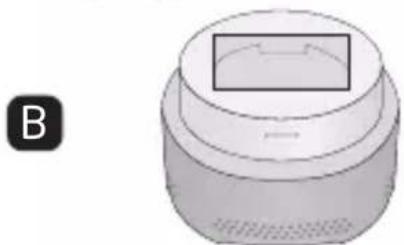
natural_image
3D rendering of a cylindrical device with a rectangular top and side panel, labeled 'B' in the corner (no text or symbols on the device itself)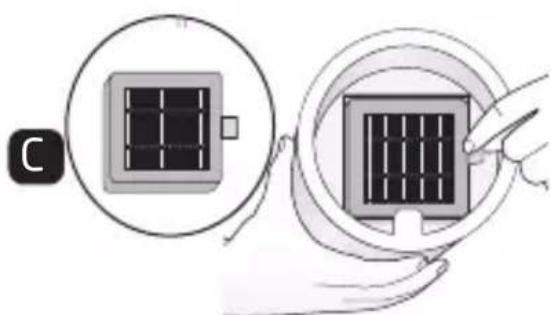
natural_image
Illustration showing two steps of inserting a solar panel into a device, with no visible text or symbols.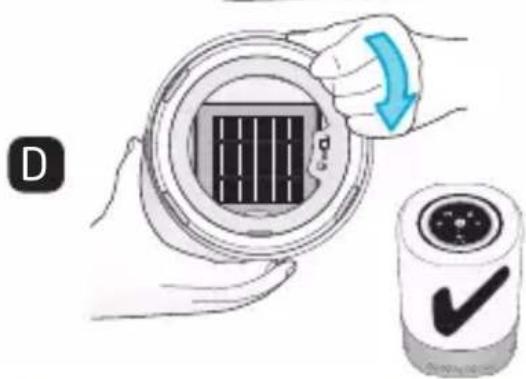
text_image
Diagram showing a hand holding a circular device with a grid pattern and a checkmark icon, alongside a smaller labeled container.natural_image
Blue circular icon with a white wrench symbol (no text or numbers)Plaatsing
text_image
30,5cm 1mnatural_image
Illustration of a cylindrical device with a circular top and control panel (no text or symbols)Purificador de aire
natural_image
Illustration of a rectangular air conditioner unit with ventilation grilles (no text or symbols)Filtro HEPA (ASF01)
Características
text_image
Panel de control Salida de aire Entrada de aire Basenatural_image
Illustration of two hands installing a circular component with a grid pattern, labeled A and B (no text or symbols on the diagram itself)text_image
Diagram illustrating solar panel installation steps, showing step C and step D with magnified views and a checkmark.text_image
30,5cm 1mnatural_image
Illustration of a cylindrical smart speaker with a circular dial and control knob (no text or symbols)Purificatore d'aria
natural_image
Illustration of a rectangular air conditioner unit with ventilation grilles (no text or symbols)Filtro HEPA (ASF01)
Caratteristiche
natural_image
Diagram of a cylindrical device with a central control panel and two arrows indicating directional flow (no text or symbols)Retrovisore
natural_image
Illustration of a cylindrical device with a digital display and cable, no text or symbols presentnatural_image
Illustration of a hand holding a circular device with a grid pattern, being handled by another device (no text or symbols present)natural_image
Illustration showing two steps of inserting a solar panel into a device, with no visible text or symbols.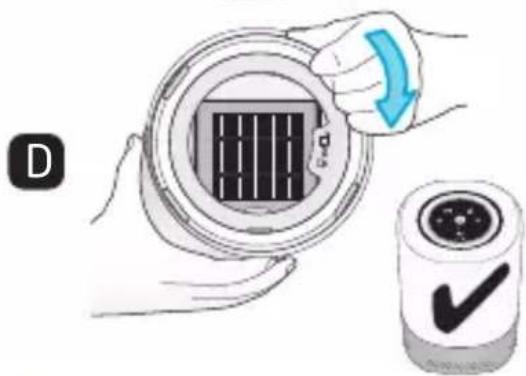
text_image
Diagram showing a hand holding a circular device with a grid pattern and a checkmark icon, alongside a labeled 'D' and a directional arrow.text_image
30,5cm 1mnatural_image
Illustration of a cylindrical device with a circular top and control panel (no text or symbols)Purificador de ar
natural_image
Illustration of a rectangular air conditioner unit with ventilation grilles (no text or symbols)Filtro HEPA (ASF01)
Características
Painel de controlo
Saída de ar
Entrada de ar
text_image
Diagram of a digital speaker with labeled ports and directional arrows indicating sound or vibration components.Vista posterior
natural_image
Illustration of a cylindrical water heater with a coiled cable and control panel (no text or symbols)Cabo de alimentação
Painel de controlo
natural_image
Illustration of two hands installing a circular component with a grid pattern, labeled A and B (no text or symbols on the diagram itself)AVISO : Desligue o purificador de ar e retire a ficha da tomada antes de remover a base.
text_image
Diagram illustrating solar panel installation steps, showing step C and step D with magnified views and a confirmation button.text_image
30,5cm 1mnatural_image
Illustration of a cylindrical device with a circular top and internal components (no text or symbols)Luftrenare
natural_image
Illustration of a rectangular air conditioner unit with ventilation grilles (no text or symbols)HEPA-filter (ASF01)
Funktioner
text_image
Kontrollpanel Luftuttag Luftintag Basnatural_image
Illustration of two hands installing a circular component with a grid pattern, labeled A and B (no text or symbols on the diagram itself)text_image
Diagram illustrating solar panel installation steps, showing step C and step D with magnified views and a confirmation button.natural_image
Blue circular icon with a white wrench symbol (no text or numbers)Placering
text_image
30,5cm 1mnatural_image
Illustration of a cylindrical device with a circular top and control panel (no text or symbols)Luftrenser
natural_image
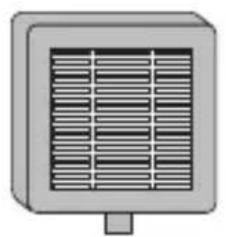
Illustration of a rectangular air conditioner unit with ventilation grilles (no text or symbols)HEPA filter (ASF01)
Egenskaber
Kontrolpanel
Luftudgang
Luftindgang
Base
natural_image
Illustration of a cylindrical device with a digital display and coiled cable, no text or symbols present.Strømkabel
Kontrolpanel
natural_image
Illustration of hands holding a circular device with a grid pattern, labeled 'A' (no text or symbols on the device itself)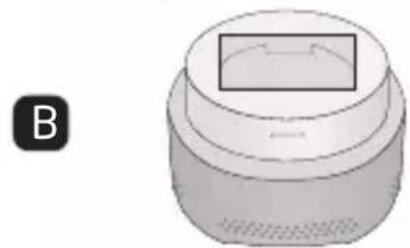
natural_image
3D rendering of a cylindrical object with a rectangular top and side panel, labeled 'B' in the corner (no text or symbols on the object itself)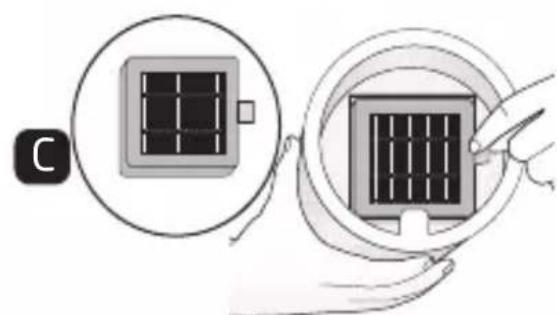
natural_image
Illustration showing two steps of a solar panel installation, one with a grid and the other with a rectangular panel (no text or symbols)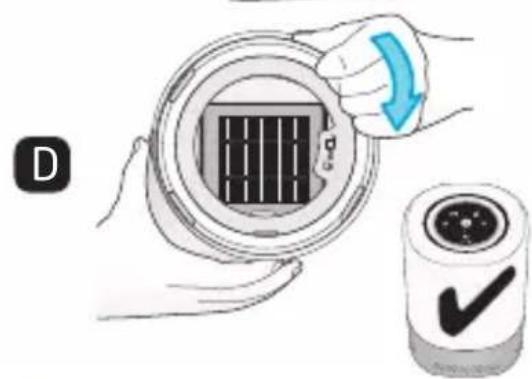
text_image
D ✓text_image
30,5cm 1mnatural_image
Illustration of a cylindrical device with a circular top and internal components (no text or symbols)Ilmanpuhdistin
natural_image
Simple 3D illustration of a rectangular device with a grid pattern and a small protrusion at the bottom (no text or symbols)Mikrosuodatin (ASF01)
Ominaisuudet
natural_image
Illustration of hands holding a circular device with a grid pattern, labeled 'A' (no text or symbols on the device itself)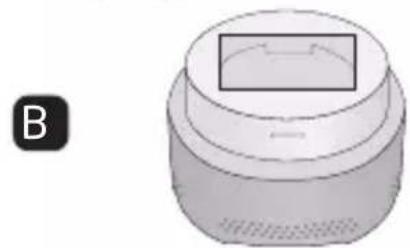
natural_image
3D rendering of a cylindrical device with a rectangular top and label B (no text or symbols on the device itself)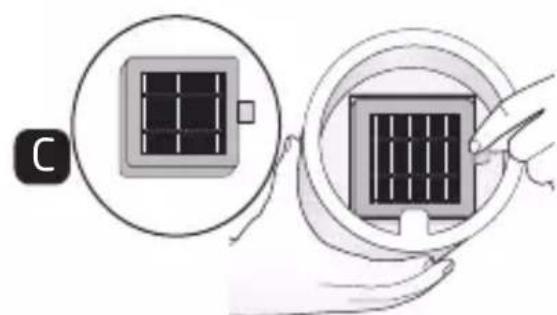
natural_image
Illustration showing a solar panel being processed with a hand, no text or symbols present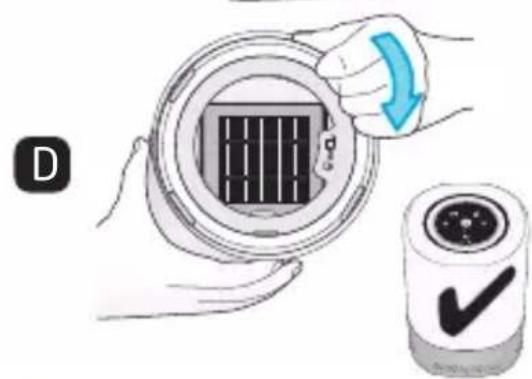
text_image
Dnatural_image
Blue circular icon with a white wrench symbol (no text or numbers)Sijainti
text_image
30,5cm 1mnatural_image
Illustration of a cylindrical device with a circular top and control panel (no text or symbols)Luftrenser
natural_image
Illustration of a rectangular air conditioner unit with ventilation grilles (no text or symbols)HEPA-filter (ASF01)
Funksjoner
text_image
Kontrollpanel Luftuttak Luftinntak BaseBase (avtakbar for filterbytte)
natural_image
Illustration of a hand holding a circular device with a grid pattern, alongside a separate view of a device with a rectangular panel (no text or symbols)ADVARSEL: Slå av og koble fra luftrenseren før du fjerner basen.
natural_image
Illustration showing two steps of inserting a solar panel into a device, with no visible text or symbols.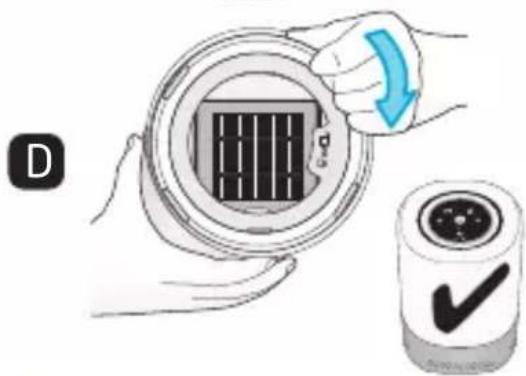
text_image
Diagram showing a hand holding a circular device with a grid pattern and a checkmark indicating approval or confirmation.Tilbakestilling av filtertimer : Når du har skiftet filteret, må du nullstille filterbyttetimeren.

text_image
30,5cm 1mBestem den ideelle plasseringen for luftrenseren, og sørg for at strømledningen forblir minst 0,9 m unna barnesengen.
Luftrenseren bør plasseres på gulvet eller en annen flat overflate, for eksempel et sidebord. IKKE plasser den på et teppe.
natural_image
Illustration of a cylindrical device with a circular top and internal components (no text or symbols)Καθαριστής αέρα
natural_image
Simple 3D illustration of a rectangular air vent with horizontal slats (no text or symbols)Φίλτρο HEPA (ASF01)
Χαρακτηριστικά
Πίνακας ελέγχου
'Εξοδος αέρα
Είσοδος αέρα
natural_image
Diagram of a cylindrical device with labeled ports and directional arrows indicating rotation (no text or symbols present)Οπίσθια όψη
natural_image
Illustration of a cylindrical device with a digital display and coiled cable, no text or symbols present.Καλώδιο τροφοδοσίας
Πίνακας ελέγχου
natural_image
Illustration of hands holding a circular device with a grid pattern, labeled 'A' in the corner (no text or symbols on the device itself)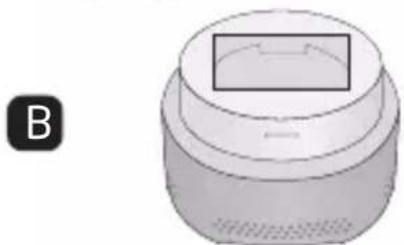
natural_image
3D rendering of a cylindrical object with a rectangular opening, labeled 'B' in the corner (no text or symbols on the object itself)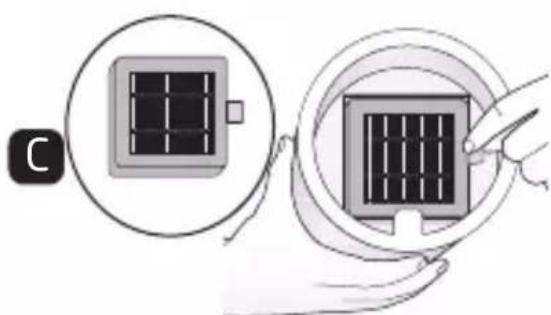
natural_image
Illustration showing two steps of inserting a solar panel into a device, with no visible text or symbols.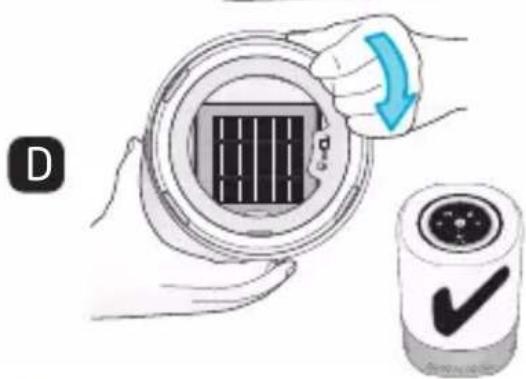
natural_image
Illustration of a hand holding a circular device with a grid pattern and a blue arrow indicating rotation (no text or symbols)text_image
30,5cm 1mnatural_image
Illustration of a cylindrical device with a circular top and base, showing internal components (no text or symbols)Hava Temizleyici
natural_image
Simple 3D illustration of a rectangular device with a grid pattern and a small protrusion at the bottom (no text or symbols)HEPA Filtresi (ASF01)
Özellikler
natural_image
Illustration of a cylindrical smart air purifier with a coiled cable and indicator lights (no text or symbols)Güç kablosu
Kontrol Paneli
natural_image
Illustration of hands holding a circular device with a grid pattern, labeled 'A' in the corner (no text or symbols on the device itself)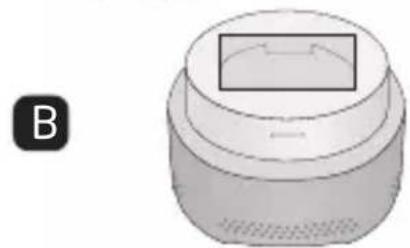
natural_image
3D rendering of a cylindrical object with a rectangular top and side panel, labeled 'B' in the corner (no text or symbols on the object itself)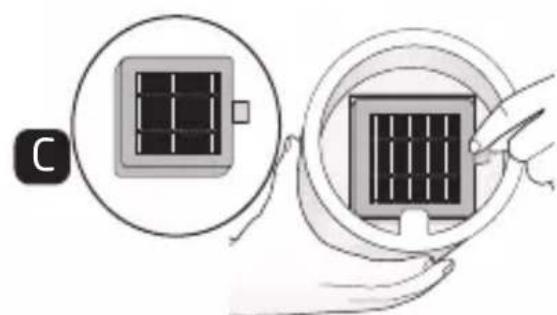
natural_image
Illustration showing two steps of a solar panel installation, one with a magnified view and the other with a hand holding a grid (no text or symbols)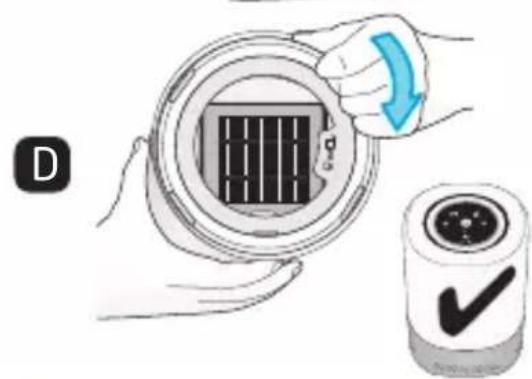
text_image
Dtext_image
30,5cm 1mnatural_image
Illustration of a cylindrical device with a circular top and control panel (no text or symbols)natural_image
Illustration of a square industrial fan or vent with ventilation grille (no text or symbols)Filtr HEPA (ASF01)
Cechy
natural_image
Illustration of hands holding a circular device with a grid pattern, labeled 'A' in the corner (no text or symbols on the device itself)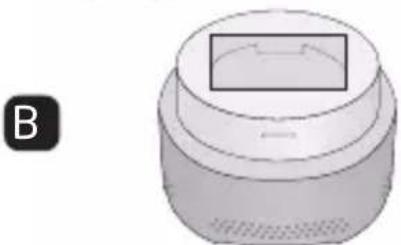
natural_image
3D rendering of a cylindrical device with a rectangular top and side panel, labeled 'B' (no text or symbols on the device itself)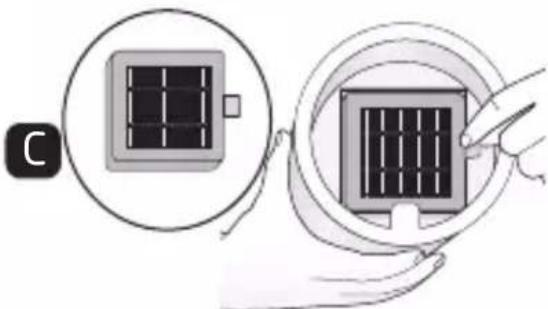
natural_image
Illustration showing two steps of installing a solar panel, one with a magnified view and the other with a hand holding it (no text or symbols present)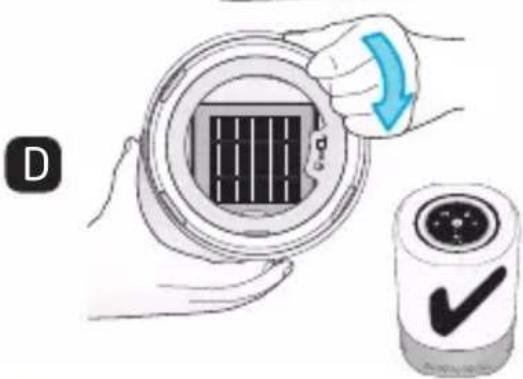
natural_image
Illustration of a hand holding a circular device with a grid pattern and a blue arrow indicating rotation (no text or symbols)text_image
30,5cm 1mnatural_image
Illustration of a cylindrical device with a circular top and base, showing internal components (no text or symbols)Очиститель воздуха
text_image
HEPA-фильтр (ASF01)Характеристики
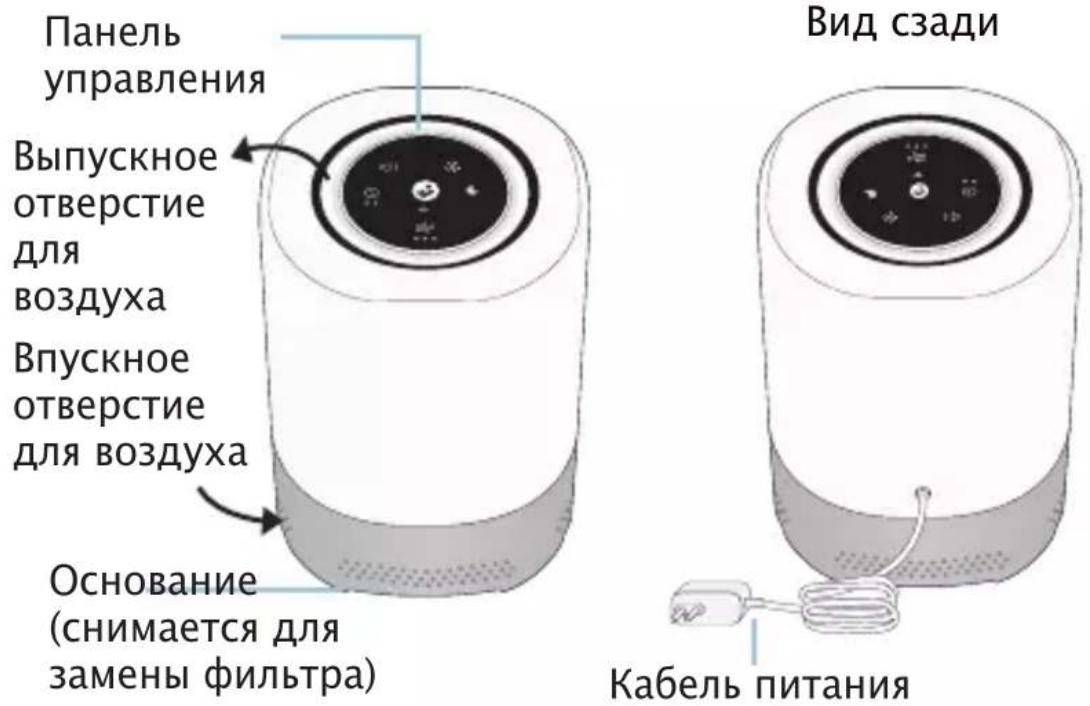
Вид сзади
Панель управления
natural_image
Illustration of two hands installing a circular component with a grid pattern, labeled A and B (no text or symbols on the diagram itself)text_image
Diagram illustrating solar panel installation steps, showing step C and step D with magnified views and a checkmark.text_image
30,5cm 1mnatural_image
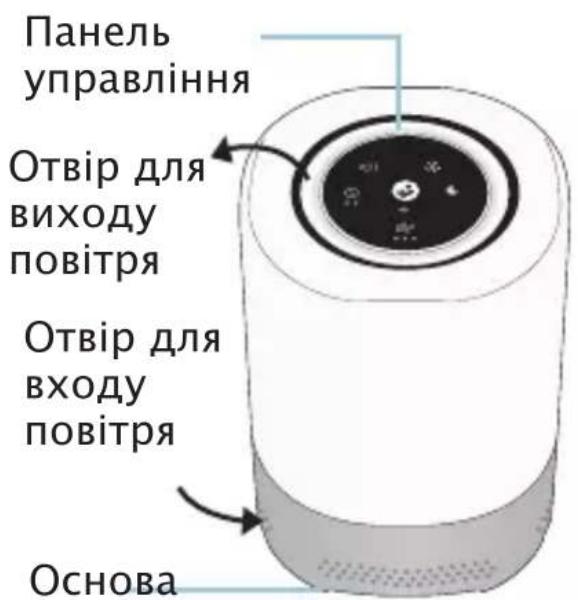
Illustration of a cylindrical device with a circular top and central dial (no text or symbols)Очищувач повітря
text_image
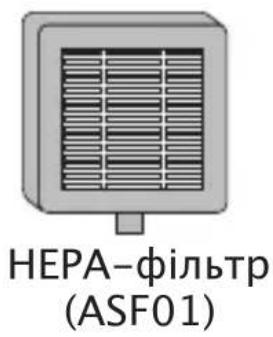
HEPA-фільтр (ASF01)Характеристики
natural_image
Illustration of hands holding a circular device with a grid pattern, labeled 'A' in the corner (no text or symbols on the device itself)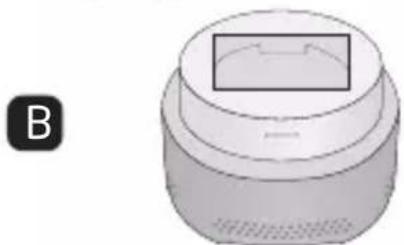
natural_image
3D rendering of a cylindrical device with a rectangular top and label B (no text or symbols on the device itself)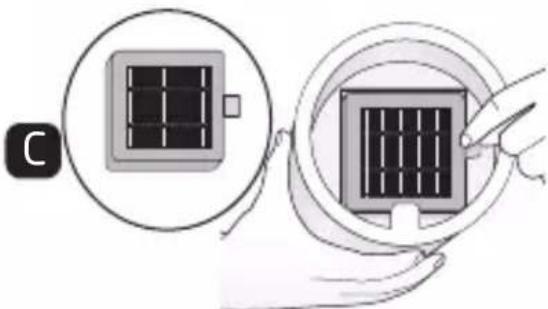
natural_image
Illustration showing two steps of inserting a solar panel into a device, with no visible text or symbols.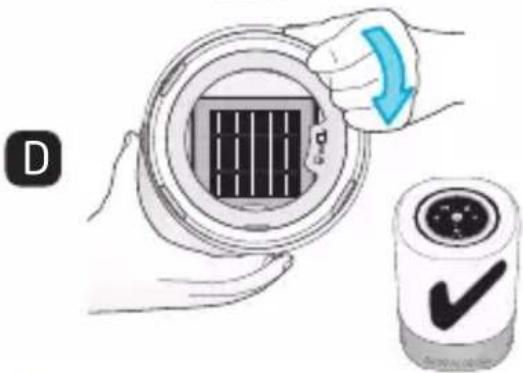
natural_image
Illustration of a hand holding a circular device with a grid pattern and a blue arrow indicating rotation (no text or symbols)text_image
30,5cm 1mnatural_image
Illustration of a cylindrical device with a circular top and control knob (no text or symbols)pročišćivač zraka
natural_image
Illustration of a rectangular air conditioner unit with ventilation grilles (no text or symbols)HEPA filtar (ASF01)
Značajke
upravljačka ploča
otvor za izlaz zraka
otvor za ulaz zraka
natural_image
Illustration of a cylindrical device with a digital display and coiled cable, no text or symbols present.kabel za napajanje
upravljačka ploča
text_image
Diagram of a circular device interface with icons for audio, sound, night, and home control functionsbrzina ventilatora (niska/srednja/ visoka)
noćno svjetlo (tri razine svjetline)
natural_image
Illustration of hands holding a circular device with a grid pattern inside, labeled 'A' (no text or symbols on the device itself)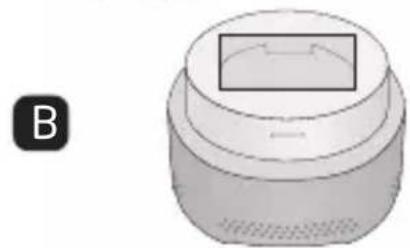
natural_image
3D rendering of a cylindrical object with a rectangular top and side panel, labeled 'B' in the corner (no text or symbols on the object itself)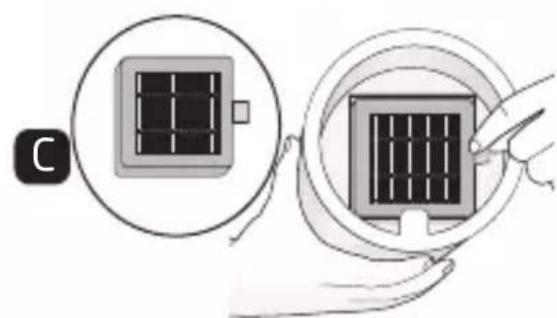
natural_image
Diagram showing two steps of inserting a solar panel into a device, with no visible text or symbols.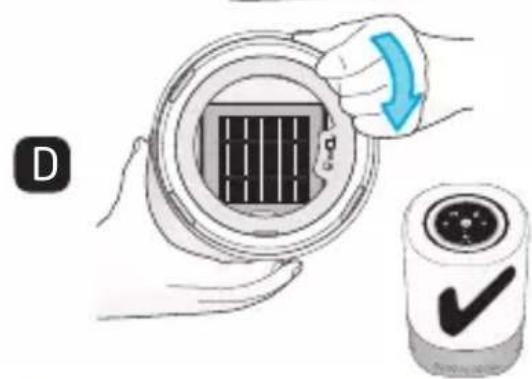
text_image
Dtext_image
30,5cm 1mOdredite idealnu lokaciju za pročišćivač zraka, pazeći da kabel za napajanje bude najmanje 0,9 m (3 stope) udaljen od dječjeg krevetića.
VAŽNE SIGURNOSNE UPUTE
natural_image
Illustration of a cylindrical device with a circular top and control panel (no text or symbols)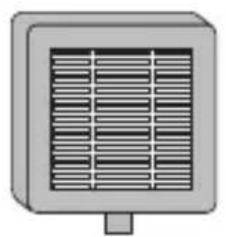
natural_image
Illustration of a rectangular air conditioner unit with ventilation grilles (no text or symbols)Filter HEPA (ASF01)
Čistička vzduchu
Vlastnosti
natural_image
Circular diagram with icons for sound, lighting, and weather symbols (no text or labels)natural_image
Blue circular icon with a white wrench symbol (no text or numbers)natural_image
Illustration of two hands installing a circular component with a grid pattern, labeled A and B (no text or symbols on the diagram itself)natural_image
Illustration showing two steps of installing a solar panel, one with a magnified view and the other with a finger pointing to it (no text or symbols present)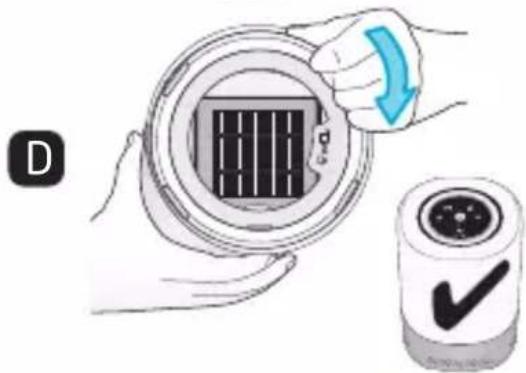
natural_image
Illustration of a hand holding a circular device with a grid pattern and a blue arrow indicating rotation (no text or symbols)text_image
30,5cm 1mDÔLEŽITÉ BEZPEČNOSTNÉ POKYNY
natural_image
Illustration of a cylindrical device with a circular top and internal components (no text or symbols)natural_image
Illustration of hands holding a circular device with a grid pattern, labeled 'A' in the corner (no text or symbols on the device itself)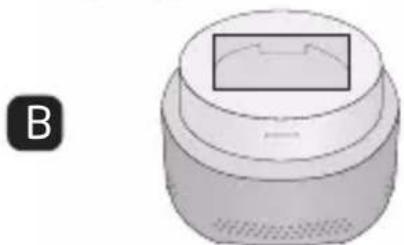
natural_image
3D rendering of a cylindrical object with a rectangular opening, labeled 'B' in the corner (no text or symbols on the object itself)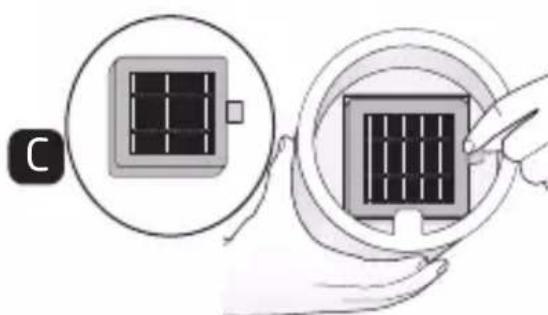
natural_image
Illustration showing two steps of inserting a solar panel into a device, with no visible text or symbols.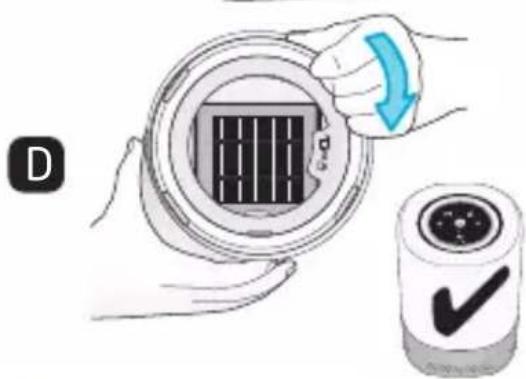
natural_image
Illustration of a hand holding a circular device with a grid pattern and a blue arrow indicating rotation (no text or symbols)Maxi-Cosi Connected Home.
Wi-Fi свързаност
text_image
30,5cm 1mnatural_image
Illustration of a cylindrical device with a circular top and control panel (no text or symbols)Légtisztító
natural_image
Illustration of a rectangular air conditioner unit with ventilation grilles (no text or symbols)HEPA szürő (ASF01)
Tulajdonságok
natural_image
Blue circular icon with a white wrench symbol (no text or numbers)natural_image
Illustration of two hands installing a circular component with a grid pattern, labeled A and B (no text or symbols on the diagram itself)natural_image
Illustration showing a solar panel being placed on a screen, with no text or symbols present.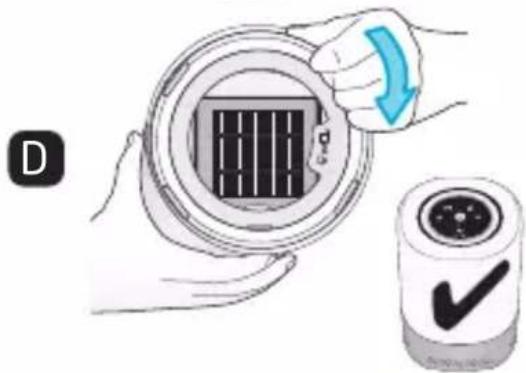
natural_image
Illustration of a hand holding a circular device with a grid pattern and a blue arrow indicating rotation (no text or symbols)text_image
30,5cm 1mnatural_image
Illustration of a cylindrical device with a circular top and base, showing internal components (no text or symbols)Čistilec zraka
natural_image
Illustration of a rectangular industrial fan or vent with ventilation grille (no text or symbols)Filter HEPA (ASF01)
Oprema
Kontrolpanel
natural_image
Illustration of a cylindrical device with a digital display and coiled cable, no text or symbols present.Napajalni kabel
Nadzorna plošča
natural_image
Illustration of hands holding a circular device with internal grid pattern (no text or symbols)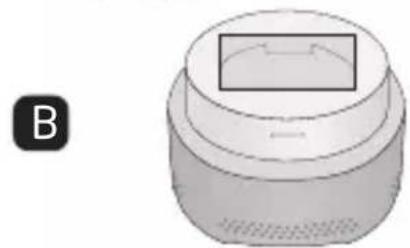
natural_image
3D rendered object resembling a mechanical or electronic component with a rectangular top and circular base, labeled 'B' in the corner (no text or symbols on the object itself)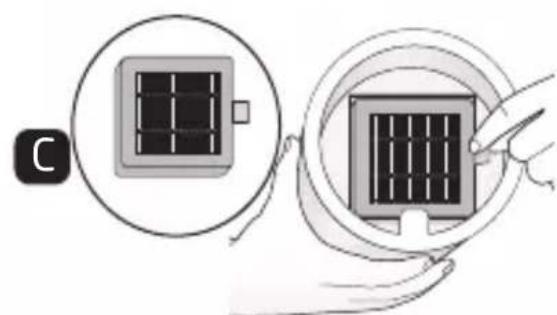
natural_image
Illustration showing two steps of a solar panel installation, one with a magnified view and the other with a hand holding a grid (no text or symbols)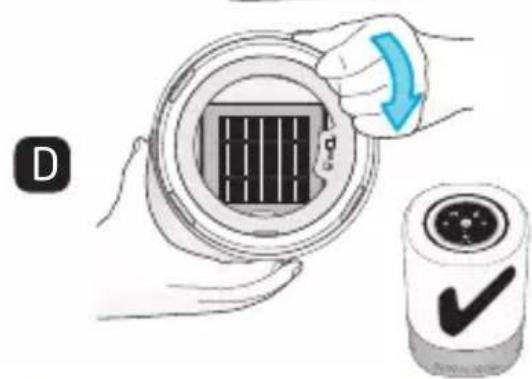
text_image
Dtext_image
30,5cm 1mnatural_image
Illustration of a cylindrical device with a circular top and internal components (no text or symbols)Õhupuhasti
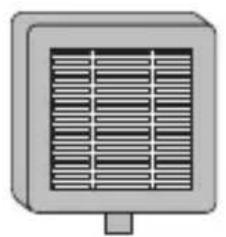
natural_image
Illustration of a rectangular industrial fan or vent with ventilation grille (no text or symbols)HEPA-filter (ASF01)
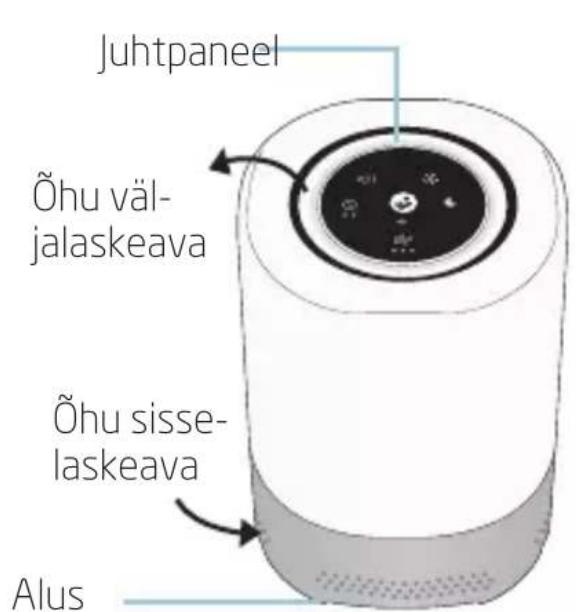
Funktsioonid
natural_image
Circular diagram with icons and lines, no readable text or symbolsÖövalgus (3 heleduse taset)
natural_image
Illustration of hands holding a circular device with a grid pattern, labeled 'A' in the corner (no text or symbols on the device itself)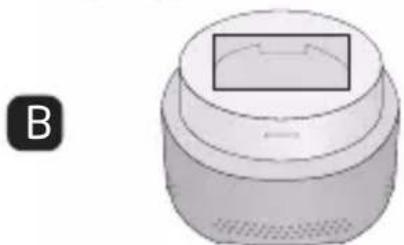
natural_image
3D rendering of a cylindrical device with a rectangular top and side panel, labeled 'B' in the corner (no text or symbols on the device itself)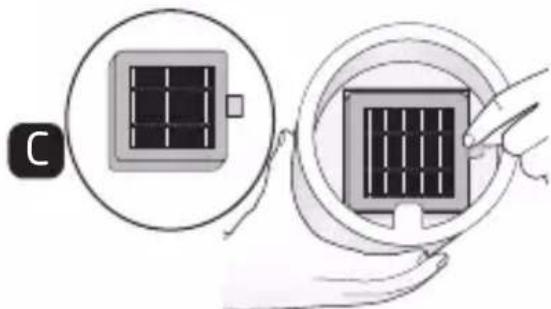
natural_image
Illustration showing two steps of inserting a solar panel into a device, with no visible text or symbols.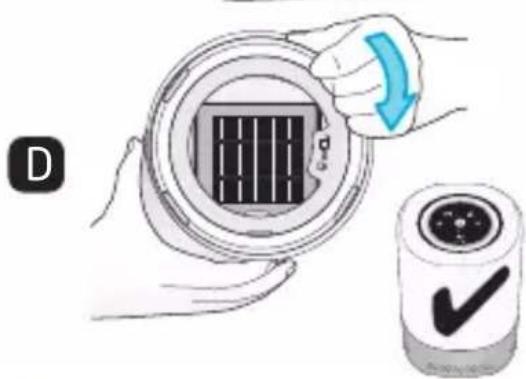
natural_image
Illustration of a hand holding a circular device with a grid pattern and a blue arrow indicating rotation (no text or symbols)natural_image
Blue circular icon with a white wrench symbol (no text or numbers)Paigutus
text_image
30,5cm 1mOLULISED OHUTUSJUHISED
natural_image
Illustration of a cylindrical device with a circular top and base, showing internal components (no text or symbols)
natural_image
Illustration of a square industrial fan or vent with ventilation grille (no text or symbols)natural_image
Diagram of a cylindrical device with a central control panel and directional arrows indicating rotation (no text or symbols)Pohled zezadu
natural_image
Illustration of a cylindrical water heater with a coiled cable and indicator lights (no text or symbols)Napájecí kabel
Ovládací panel
natural_image
Circular diagram with icons for sound, lighting, and home control (no text or labels)natural_image
Illustration of a hand holding a circular device with a grid pattern, alongside a separate view of a device with a rectangular panel (no text or symbols)natural_image
Illustration showing two steps of inserting a solar panel into a device, with no visible text or symbols.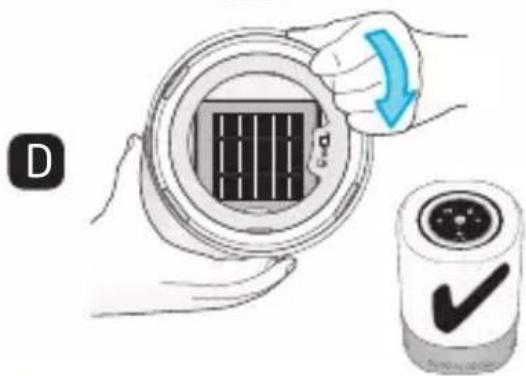
text_image
Diagram showing a hand holding a circular device with a grid pattern and a checkmark indicating approval or confirmation.text_image
30,5cm 1mnatural_image
Illustration of a cylindrical smart speaker with a circular dial and control knob (no text or symbols)Purificator de aer
natural_image
Illustration of a rectangular air conditioner unit with ventilation grilles (no text or symbols)Filtru HEPA (ASF01)
Caracteristici
text_image
Diagram of a circular device with labeled icons for sound, lighting, and home control functionsnatural_image
Illustration of hands holding a circular device with a grid pattern, labeled 'A' in the corner (no text or symbols on the device itself)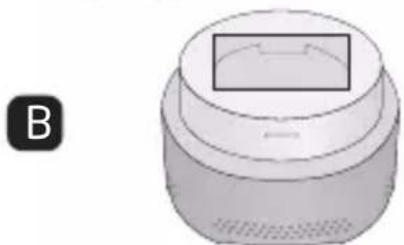
natural_image
3D rendering of a cylindrical object with a rectangular opening, labeled 'B' in the corner (no text or symbols on the object itself)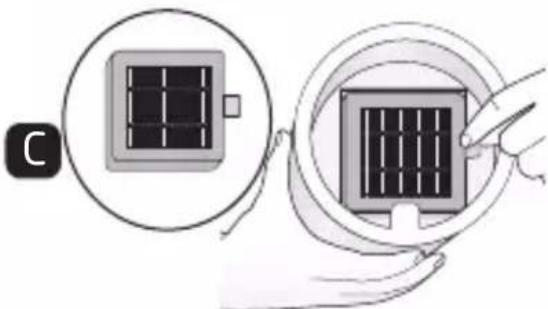
natural_image
Diagram showing two steps of installing a solar panel, one with a magnified view and the other with a hand holding it (no text or symbols present)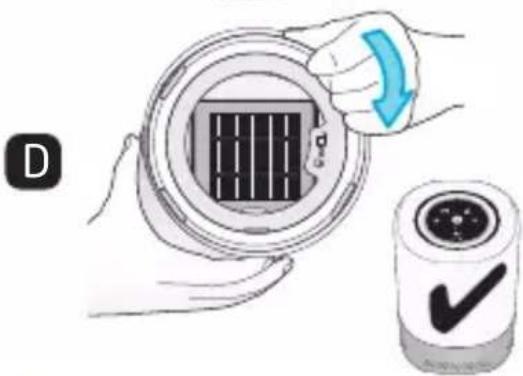
text_image
Diagram showing a hand holding a circular device with a grid pattern and a checkmark indicating approval or confirmation.
natural_image
Blue circular icon with a white wrench symbol (no text or numbers)Amplasare
text_image
30,5cm 1mnatural_image
Illustration of a cylindrical device with a circular top and control panel (no text or symbols)תְרָה בְרָה
natural_image
Illustration of a rectangular industrial fan or vent with horizontal slats (no text or symbols)HEPA
(ASF01)
תָרִיּ
natural_image
Illustration of hands holding a circular device with a grid pattern, labeled 'A' in the corner (no text or symbols on the device itself)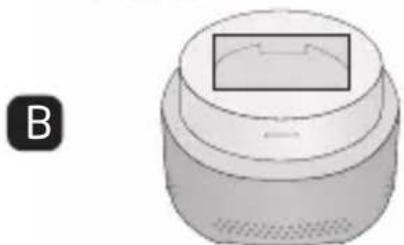
natural_image
3D rendering of a cylindrical object with a rectangular opening, labeled 'B' in the corner (no text or symbols on the object itself)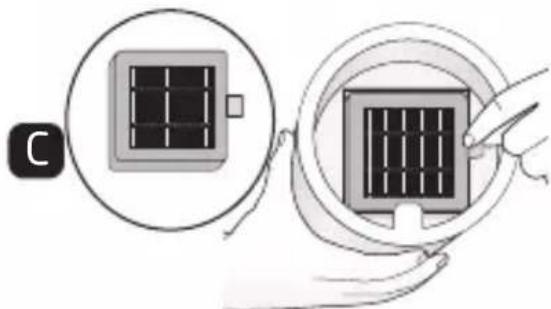
natural_image
Diagram showing two steps of inserting a solar panel into a device, with no visible text or symbols.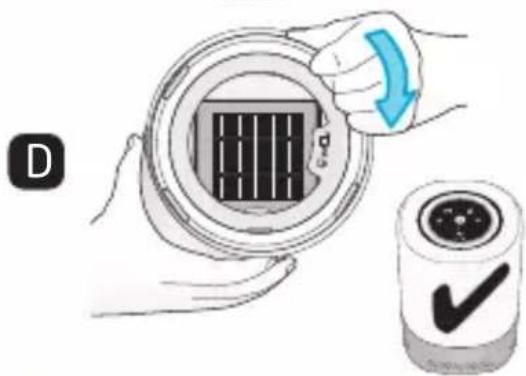
natural_image
Illustration of a hand holding a circular device with a grid pattern and a blue arrow indicating rotation (no text or symbols)תְאָהִיַעֹרְהָהִיַעֹרְהָהִיַעֹרְהָהִיַעֹרְהָהִיַעֹרְהָהִיַעֹרְהָהִיַעֹרְהָהִיַע .6
.Maxi-Cosi Connected Home
Wi-Fi
.2.4GHz ⁵⁵ Wi-Fi ⁷⁴⁰⁶⁵
text_image
30,5cm 1mnatural_image
Illustration of a cylindrical smart speaker with a circular dial and control knob (no text or symbols)جهاز تنقبة الهواء
natural_image
Illustration of a rectangular industrial fan or vent with horizontal slats (no text or symbols)HEPA فلتر
(ASF01)
الميزات
text_image
Diagram of a smart home control panel with labeled icons for voice, sound, weather, and smart speakernatural_image
Illustration of hands holding a circular device with a grid pattern inside, labeled 'A' (no text or symbols on the device itself)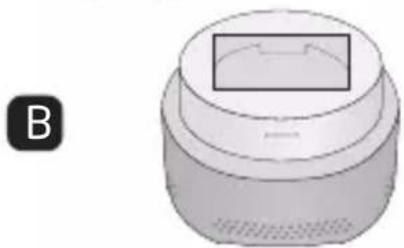
natural_image
3D rendering of a cylindrical object with a rectangular opening, labeled 'B' in the corner (no text or symbols on the object itself)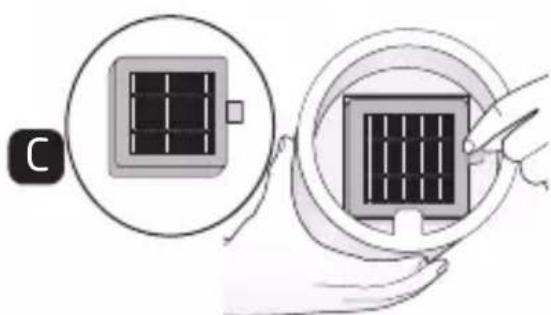
natural_image
Illustration showing two steps of inserting a solar panel into a device, with no visible text or symbols.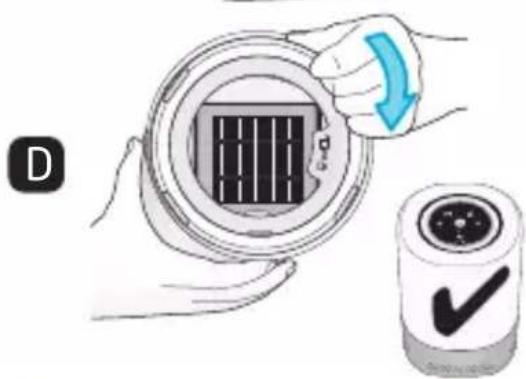
text_image
Diagram showing a hand holding a circular device with a grid pattern and a checkmark icon, alongside a magnified view of the device.
natural_image
Blue circular icon with a white wrench symbol (no text or numbers)تحديدunded
text_image
30,5cm 1mnatural_image
Simple icon of a bus inside a circle (no text or symbols)Smart Air Purifier
DOREL U.K. LTD
Imperial Place,
Maxwell Road, Borehamwood,
Hertfordshire, WD6 1JN
UNITED KINGDOM
DOREL FRANCE S.A.S
Z.I. - 9 bd du Poitou BP 905
49309 Cholet Cedex FRANCE
DOREL GERMANY
GMBH
Lintgasse 9
50667 Köln
DEUTSCHLAND
DOREL ITALIA S.P.A.
a Socio Unico - Via
Verdi, 14
24060 Telgate
(Bergamo)
ITALIA
DOREL HISPANIA, S.A.U.
Edificio Barcelona
Moda Centre
Ronda Maiols, 1 Planta
3 ^a , local 340
08192, Sant Quirze
del Vallès
ESPAÑA
DOREL NETHERLANDS
Postbus 6071 - 5700
ET HELMOND
NEDERLAND
DOREL PORTUGAL
Rua Pedro Dias, 25