
GIGASET4015 COMFORT - Cordless phone SIEMENS - Free user manual and instructions
Find the device manual for free GIGASET4015 COMFORT SIEMENS in PDF.


| Product type | Cordless phone DECT/GAP |
| Brand | SIEMENS (Gigaset Communications GmbH) |
| Model | GIGASET4015 COMFORT |
| Base dimensions (L x W x H) | Approx. 136.6 x 149 x 64.2 mm |
| Handset dimensions (L x W x H) | Approx. 155 x 53.6 x 36.2 mm |
| Base weight | 180 g |
| Handset weight (with battery) | Less than 175 g |
| Power supply | Mains adapter 220/230 V ~ 50 Hz (SNG X-a) |
| Compatible batteries | NiMH 700 to 1600 mAh (e.g., Sanyo, Panasonic, Varta) |
| Standby time | Up to 400 hours (depending on battery capacity) |
| Talk time | Up to 23 hours (depending on battery capacity) |
| Range outdoor/indoor | Up to 300 m outdoors / 50 m indoors |
| Main features | Integrated answering machine, SMS, 200-entry directory, Voice control, Speakerphone, Baby monitoring, Walkie-talkie, Alarm, Appointment reminder |
| Display | Graphic backlit 5-line display |
| Maximum number of handsets | 6 |
| Standards | DECT, GAP |
| Security | System PIN, keypad lock, per-call secret |
| Care and cleaning | Avoid moisture, clean with a soft dry cloth |
| Spare parts and repairability | Rechargeable batteries, belt clip, cables; Siemens after-sales service |
| General information | User manual available for download; CE compliance |
Frequently Asked Questions - GIGASET4015 COMFORT SIEMENS
User questions about GIGASET4015 COMFORT SIEMENS
0 question about this device. Answer the ones you know or ask your own.
Ask a new question about this device
Download the instructions for your Cordless phone in PDF format for free! Find your manual GIGASET4015 COMFORT - SIEMENS and take your electronic device back in hand. On this page are published all the documents necessary for the use of your device. GIGASET4015 COMFORT by SIEMENS.
USER MANUAL GIGASET4015 COMFORT SIEMENS
Gigaset Communications GmbH is the legal successor to Siemens Home and Office Communication Devices GmbH & Co. KG (SHC), which in turn continued the Gigaset business of Siemens AG. Any statements made by Siemens AG or SHC that are found in the user guides should therefore be understood as statements of Gigaset Communications GmbH.
We hope you enjoy your Gigaset.
FR Chere Cients, Cher Client
Mini-messages (SMS) 61
Liste Arrivée 65
Liste Départ 67
Centre SMS 68
Répondeur 71
Mini-messages (SMS)\*
Interruption (pause).

www.my-siemens.com/customercare
,We, Siemens AG, declare, that the above mentioned product is manufactured according to our Full Quality Assurance System certified by CETECOM ICT Services GmbH with the registration number „Q810820M" in compliance with ANNEX V of the R&TTE-Directive 99/05/EC.
Senior Approvals Manager
The Declaration of Conformity (DoC) has been signed. In case of need, a copy of the original DoC can be made available via the company hotline.
https://communication-market.siemens.de/serviceshop/default.asp
Announce standard 73
Annuaire 27
Activer/Désactiver 10
Activer/désactiver 10
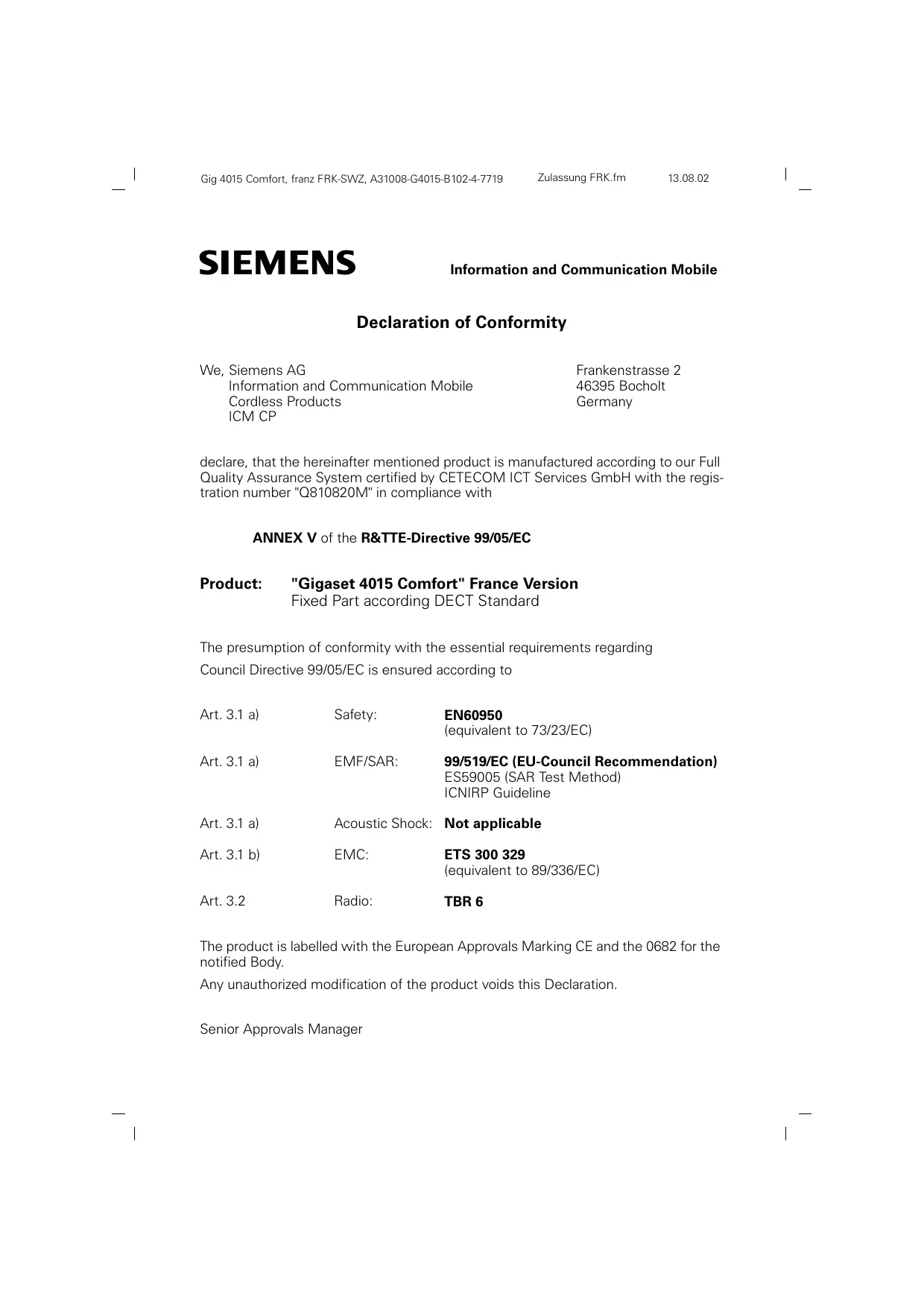
Declaration of Conformity
We, Siemens AG
Information and Communication Mobile
Cordless Products
ICM CP
Frankenstrasse 2
46395 Bocholt
Germany
declare, that the hereinafter mentioned product is manufactured according to our Full Quality Assurance System certified by CETECOM ICT Services GmbH with the registration number "Q810820M" in compliance with
ANNEX V of the R&TTE-Directive 99/05/EC
Product: "Gigaset 4015 Comfort" France Version
Fixed Part according DECT Standard
The presumption of conformity with the essential requirements regarding
Council Directive 99/05/EC is ensured according to
Art. 3.1 a)
Safety:
EN60950
(equivalent to 73/23/EC)
Art. 3.1 a)
EMF/SAR:
99/519/EC (EU-Council Recommendation)
ES59005 (SAR Test Method)
ICNIRP Guideline
Art. 3.1 a)
Acoustic Shock:
Not applicable
Art. 3.1 b)
EMC:
ETS 300 329
(equivalent to 89/336/EC)
Art. 3.2
Radio:
TBR6
The product is labelled with the European Approvals Marking CE and the 0682 for the notified Body.
Any unauthorized modification of the product voids this Declaration.
Senior Approvals Manager
Declaration of Conformity
We, Siemens AG
Information and Communication Mobile
Cordless Products
ICM CP
Frankenstrasse 2
46395 Bocholt
Germany
declare, that the hereinafter mentioned product is manufactured according to our Full Quality Assurance System certified by CETECOM ICT Services GmbH with the registration number "Q810820M" in compliance with
ANNEX V of the R&TTE-Directive 99/05/EC
Product: "Gigaset 4010/4015 Comfort" Swiss Version
Fixed Part according DECT Standard
The presumption of conformity with the essential requirements regarding
Council Directive 99/05/EC is ensured according to
Art. 3.1 a)
Safety:
EN60950
(equivalent to 73/23/EC)
Art. 3.1 a)
EMF/SAR:
99/519/EC (EU-Council Recommendation)
ES59005 (SAR Test Method)
ICNIRP Guideline
Art. 3.1 a)
Acoustic Shock:
Not applicable
Art. 3.1 b)
EMC:
ETS 300 329
(equivalent to 89/336/EC)
Art. 3.2
Radio:
TBR6
The product is labelled with the European Approvals Marking CE and the 0682 for the notified Body.
Any unauthorized modification of the product voids this Declaration.
Senior Approvals Manager
Information and Communication mobile
Haidenaupplatz 1
D-81667 Munchen
© Siemens AG 2002
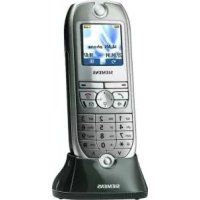
Brand : SIEMENS
Model : GIGASET4015 COMFORT
Category : Cordless phone