HomeRun 3000 Series Aqua XU3000 - Vacuum Cleaner PHILIPS - Free user manual and instructions
Find the device manual for free HomeRun 3000 Series Aqua XU3000 PHILIPS in PDF.



| Product type | Robot vacuum mop |
| Brand | Philips |
| Model | HomeRun 3000 Series Aqua XU3000 |
| Navigation | LiDAR 360° and ToF sensors |
| Cleaning functions | Simultaneous vacuum and mop, vacuum only, mop only, silent mode, intensive |
| Suction power | Adjustable: Eco, Normal, Strong, Maximum |
| Water level | Adjustable: Off, Low, Medium, High |
| Dustbin capacity | Not specified (estimated 400 mL) |
| Water tank capacity | Not specified (estimated 200 mL) |
| Battery | Rechargeable lithium-ion, battery life not specified |
| Charging time | Not specified |
| Connectivity | Wi-Fi, Philips HomeRun app, voice assistant compatibility |
| Obstacle detection | Front 3D ToF sensors (120°) and perimeter sensors (x8), anti-drop sensors (x6), collision sensor |
| Mapping | Multi-floor map creation, up to 5 saved maps, no-go zones and dry zones |
| Cleaning modes | Automatic, custom (room, zone, defined area) |
| Maintenance | Washable mop cloth replace every 3-6 months, washable filter, main brush, side brush |
| Spare parts | Mop cloths XV1470, dust bags XV1472, maintenance kit XV1473 |
| Dimensions (L x W x H) | Not specified (estimated 320 x 320 x 90 mm) |
| Weight | Not specified (estimated 3 kg) |
| Power supply | Charging station, power cord |
| Safety | Anti-drop sensors, obstacle detection, stops if blocked |
| Warranty | International warranty, support at www.philips.com/support |
Frequently Asked Questions - HomeRun 3000 Series Aqua XU3000 PHILIPS
User questions about HomeRun 3000 Series Aqua XU3000 PHILIPS
0 question about this device. Answer the ones you know or ask your own.
Ask a new question about this device
Download the instructions for your Vacuum Cleaner in PDF format for free! Find your manual HomeRun 3000 Series Aqua XU3000 - PHILIPS and take your electronic device back in hand. On this page are published all the documents necessary for the use of your device. HomeRun 3000 Series Aqua XU3000 by PHILIPS.
USER MANUAL HomeRun 3000 Series Aqua XU3000 PHILIPS
English 6
Čeština 42
Dansk 78
Deutsch 114
Eesti 152
Español 188
Français 227
Hrvatski 265
Italiano 301
Latviešu 339
Lietuviškai 376
Magyar 413
Nederlands 451
Norsk 489
Polski 525
Português 563
Română 601
Shqip 638
Slovenščina 676
Slovensky 712
Srpski 749
Suomi 785
Svenska 821
Türkçe 857
Ελληνικά 893
Български 894
Македонски 933
Русский 972
Українська 1011
6 English
Contents
Introduction 6
Product overview 6
Sensor overview 7
Before first use 7
Preparing for use 8
Audible signals 13
How your robot works 13
Using your robot 18
Cleaning and maintenance 21
User interface signals and their meaning 32
Reset/restore the robot 34
Replacement 34
Warranty and support 36
Disposal and recycling 37
Troubleshooting 37
Introduction
Congratulations on your purchase of a Philips HomeRun Vacuum and Mop robot 7000 Series Aqua! To get the most out of your robot and access all the advanced functions you can download and install the Philips HomeRun robot app. You can also find support videos and frequently asked questions in the app.
Read the separate safety booklet carefully before you use the machine for the first time and save it for future reference.
Product overview
1 Dust bin
2 Washable filter
3 Lid of the washable filter
4 Filter lock
5 Filter lid lock
6 Dust bin empty lid
7 Release buttons of the dust bin
8 On/off button
9 Home button
10 Reset button
11 Top cover
12 Bumper
13 Vacuum inlet
14 Air outlet
15 Water tank
16 Release button of the water tank
17 Water inlet
18 Main brush
19 Brush cover
20 Release buttons of the brush cover
21 Main wheels
22 Front caster wheel
23 Charging contact points (robot)
24 Side brush
25 Mop pad holder
26 Washable mop pad (2x)
27 Power cord (XU7000)
28 (Charging) station (XU7000)
29 IR signal window (XU7000)
30 Charging contact points (station)
31 Power cord socket
32 Placemat (XU7000)
33 Dust bag (2x) (XU7100)
34 Canister lid
35 Dust bag compartment
36 Auto-Empty station (XU7100)
37 Indicator light
38 IR signal window
39 Ramp
40 Auto-Empty inlet
41 Auto-Empty air outlet
42 Charging contact points (station)
43 Exhaust vent
44 Brush cleaning tool
45 Power cord socket
46 Power cord (XU7100)
Sensor overview
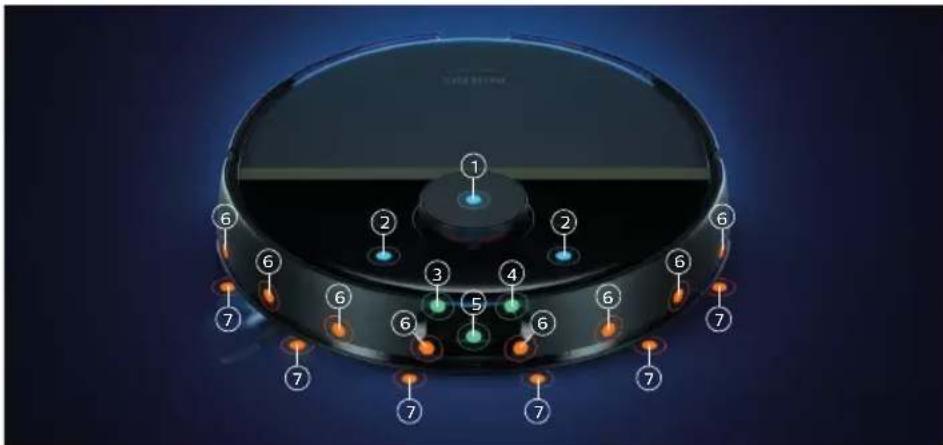
1 360° laser navigation (LiDAR)
2 Collision sensor (2x)
3 Infrared signal receiver to find the station
4 Infrared signal emitter to communicate with the station
5 3D ToF sensor to detect and avoid small obstacles in front of the robot (120°)
6 ToF-sensor to detect and avoid small obstacle around the robot (8x)
7 Anti-drop sensor (6x)
Before first use
1 Take the appliance out of the box and remove all packaging.
2 Remove the protection covers.
8 English
3 If you see any sign of visible damage, go to www.philips.com/support or contact the Consumer Care Center in your country.
Install and fill the water tank
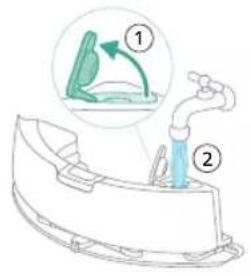
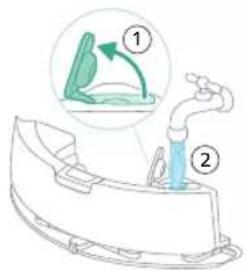
1 Fill the water tank. Use the water inlet.
i Note: Make sure that the outside of the water tank is dry.
i Note: Do not use cleaning detergents.
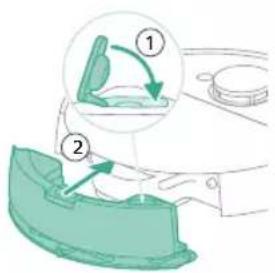
2 Insert the water tank in the correct location.
Preparing for use
Install the robot and the station
Tips for choosing the best location for installing the station:
- Do not place the station in bright sunlight or under furniture. This will block the infrared signal that helps the robot find its way back to the station.
- Install the station on a level surface against a wall.
- Install the station on a hard floor.
- Do not place the station near stairs or a heating source (radiator).
- Install in a location with good WiFi coverage.
To install the station:
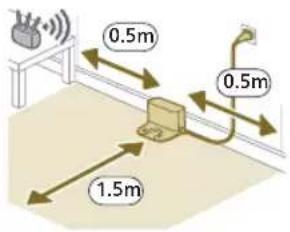
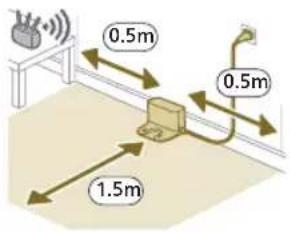
1 Install the station within the correct dimensions for placement.
- Model XU7100 - Model XU7000
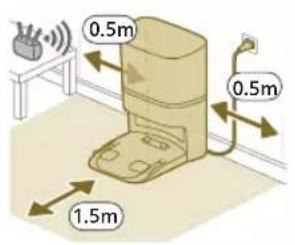
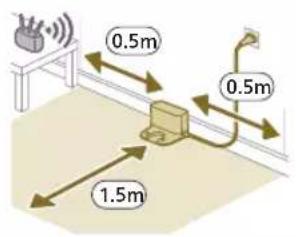
i Note: Keep 0.5 meters of space on the sides of the station and 1.5 meters in front of the station.
2 Connect the station to the power supply.
3 Make sure that the remaining part of the power cable is well concealed behind the station so that the robot cannot drive over it.
i Note: For model XU7100 only, place the dust bag in the dust bag compartment of the station.
Charging the robot
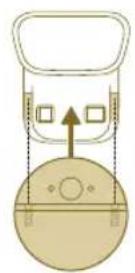
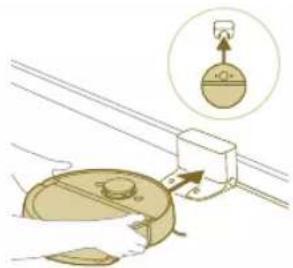
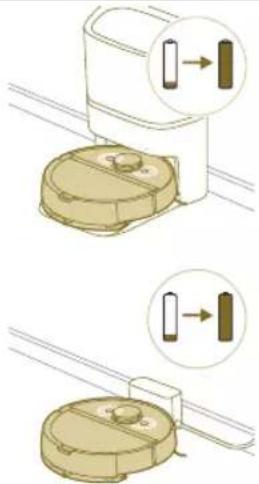
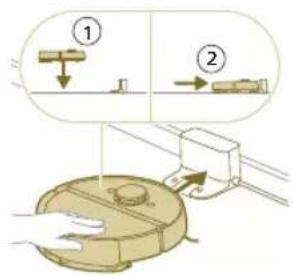
1 Turn the robot to its correct position and put the robot on the floor in front of the station. The water tank should be facing away from the station.
- Model XU7100 - Model XU7000
natural_image
Illustration of a mechanical clamp or bracket assembly with a magnified inset showing a component (no text or symbols present)2 Make sure that the station is connected to the wall socket.
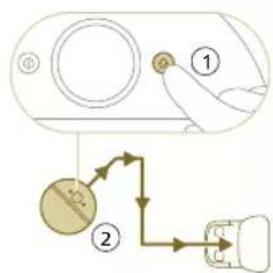
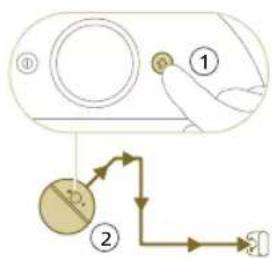
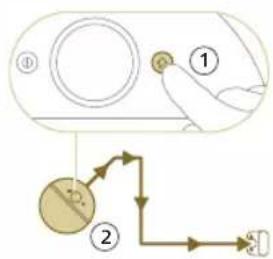
3 Press and hold the on/off button for 3 seconds to switch on the robot.
4 Press the home button. The robot drives to the correct position in the station.
- Model XU7100 - Model XU7000
flowchart
graph TD
    A["①"] --> B["②"]
    B --> C["③"]
    style A fill:#f9f,stroke:#333
    style B fill:#ccf,stroke:#333
    style C fill:#cfc,stroke:#333
5 Wait until the robot is fully charged.
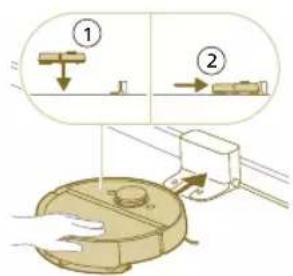
If the battery is empty, the robot will not drive itself to the correct position. In this case, follow the next steps:
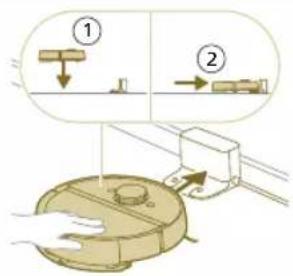
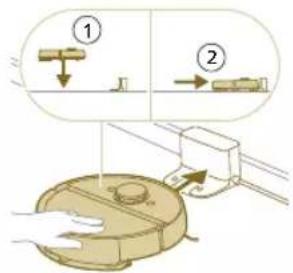
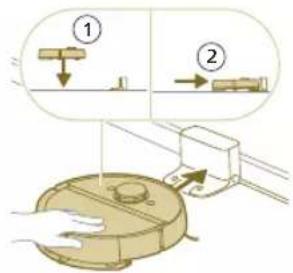
1 Turn the robot to its correct position and put the robot on the floor in front of the station.
2 Align the wheels with the tracks on the station (for model XU7100) or align the charge contacts of the robot with the charge terminals of the station (for model XU7000).
3 Push the robot in and let the wheels go in the tracks (for model XU7100) or put the robot with the charge contacts on the charge terminals of the station (for model XU7000).
Model XU7100 Model XU7000
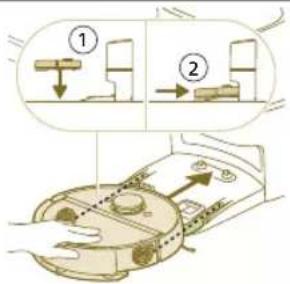
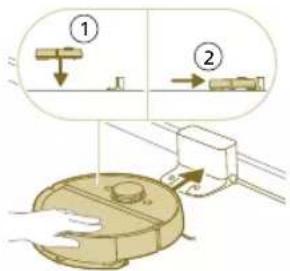
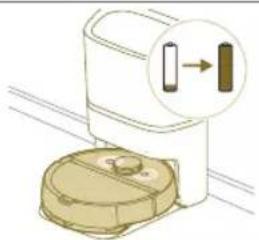
i Note: Make sure that the robot is in its correct position and starts to charge. The lights in the two buttons on the robot flash slowly. If the battery is empty, it may take a while before the robot indicates that it is charging.
4 Wait until the robot is fully charged.
i Note: Make sure the robot is fully charged before you use it for the first time.
i Note: When the robot is charging, the lights in the two buttons on the robot will flash slowly.
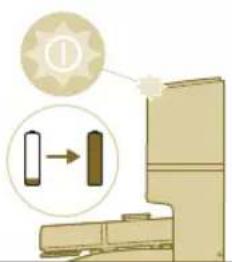
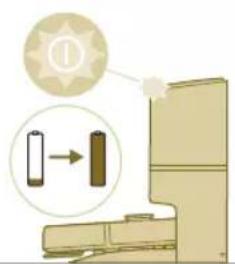
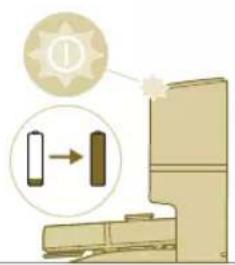
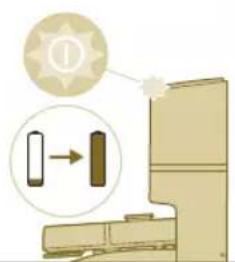
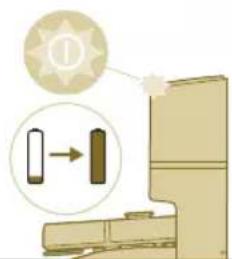
i Note: For model XU7100 only, the white LED on the station also lights up to indicate that the robot is charging.
i Note: For model XU7100 only, after the battery is fully charged, the white LED on the station will light up continuously, meaning the robot is now in standby mode.
Download the app, register, and connect to Wi-Fi
App content
You can operate the robot with the Philips HomeRun robot app. The app allows you to manage your robot and offers help and support:
1 How-to-use videos.
2 Full user manual.
3 FAQs.
4 Contact Consumer Care.
5 Create a map of your home.
6 Select which rooms to clean.
7 Choose between different cleaning modes and settings for each room.
8 View the status of the cleaning run in real time and see the battery level.
9 Receive notifications and alerts.
10 Schedule a cleaning run.
11 See the maintenance status and find replacement parts.
12 Connect your robot with a digital voice assistant to operate it via voice commands.
Downloading the app
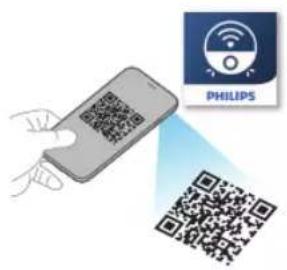
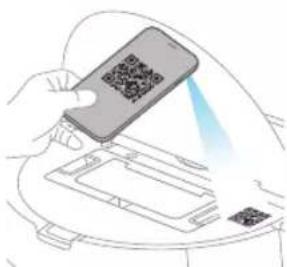
1 Scan the QR code on the cover of this user manual or on the package of the robot.
Or:
Search for 'Philips HomeRun robot app' in the Apple App Store or one of the Android App Stores.
2 Download and install the app.
3 Follow the instructions in the app.
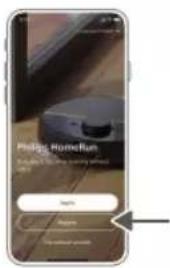
Registering a personal account
You can register a personal account and benefit from the following advantages:
- Control the robot from more than one device, e.g. a smart phone and tablet, or add multiple users in the household.
- Save back-up of important data like customized cleaning plans for your home.
- Connect your robot with a smart home speaker.
i Note: If you change your phone and you don't have an account, then you'll lose all customized cleaning plans.
i Important: Philips values and respects your privacy. A link to our privacy notice can be found in the app before registering.
Setting up the Wi-Fi connection
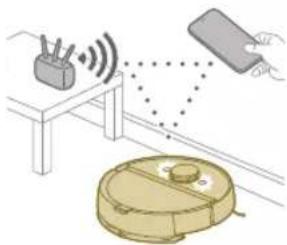
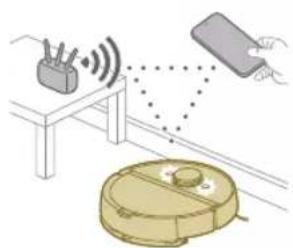
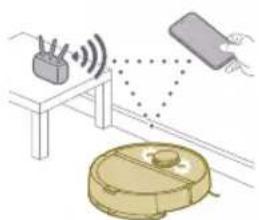
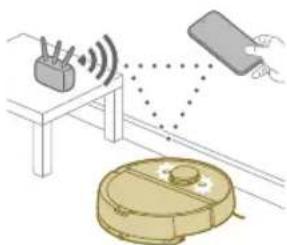
Before you begin: make sure that the robot and your mobile device have good Wi-Fi coverage.
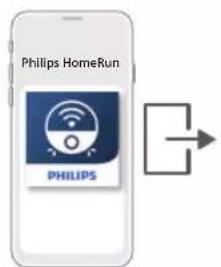
1 Press the 'Add robot' button in the app and follow the instructions.
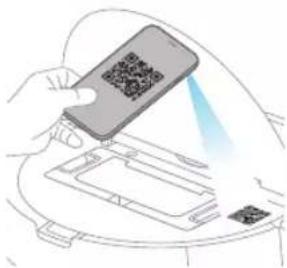
2 Select the model of your robot.
natural_image
Illustration of a hand holding a smartphone scanning a QR code into a device (no text or symbols visible)- Model XU7100 - Model XU7000
12 English
natural_image
Line drawing of a compact water heater with a small rectangular component on the side (no text or symbols)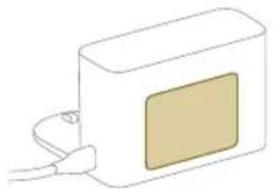
natural_image
Simple line drawing of a rectangular device with a beige square and cable, no text or symbols present.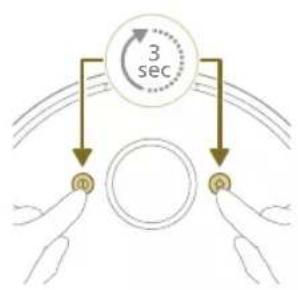
flowchart
graph TD
    A["Input Pulse m"] --> B["Circle"]
    C["Input Pulse q"] --> B
    B --> D["3 sec"]
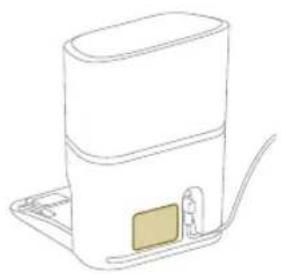
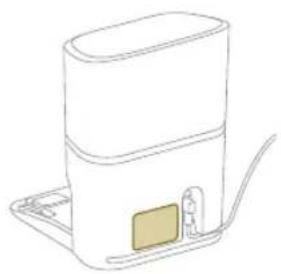
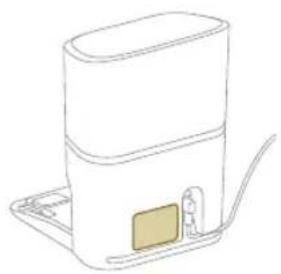
You can select the model of your robot by scanning the QR code on top of the robot, or you can look up the model number yourself on the type plate at the back of the station.
3 Install the station within the correct dimensions for placement.
4 Press and hold the on/off button and home button at the same time for three seconds. The lights in the buttons will flash orange to indicate that the robot is in in Wi-Fi set-up mode.
5 Pair the robot with the Wi-Fi in the app.
6 Click the join button if it's visible in the app to connect with the 'Philips robot' network.
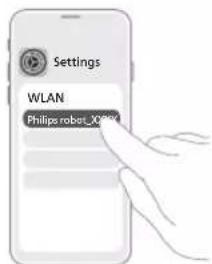
i Note: If the join button is not visible in the app, leave the app and go to Wi-Fi under 'Settings' on your mobile device. There you can select the 'Philips robot' network and connect to it.
If the Wi-Fi pairing fails:
- Check if you have selected the correct robot model.
- Check your Wi-Fi connection
- Check if you entered the correct Wi-Fi password
- Check if the robot is still in Wi-Fi set-up mode.
natural_image
Illustration of a robotic vacuum cleaner with signal detection and control panel (no text or symbols)i Note: You can recognize this if the lights in the two buttons on the robot are still flashing orange.
i Note: If you are unable to solve the problem, visit www.philips.com/myrobot7000 for support information and the contact details of Consumer Care.
Audible signals
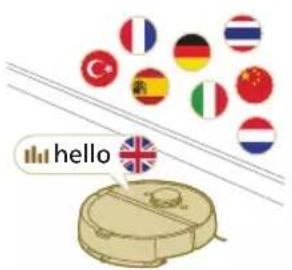
- The voice alert language of the robot can be changed from English to your local language. To change the language, download the app and connect the robot with the Wi-Fi, so that it can download the new language.
- The app will give alerts and reminders if the robot needs attention. This way you'll be fully informed on the real-time status even if the robot cleans while you're away.
Set the language of the voice alert
i You can set the language of the voice alert immediately after you have connected the robot to Wi-Fi
1 Make sure that the robot is connected with the app.
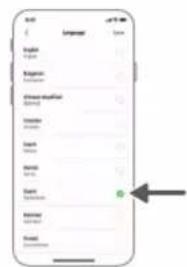
2 In two places in the app you can find the option to change the language of the voice alert.
- On the same app screen where you are asked to name the robot
- Or by pressing the three lines at the top left and then choosing the Robot settings tab.
3 Then choose the language of the voice alert there.
How your robot works
Create a mapping
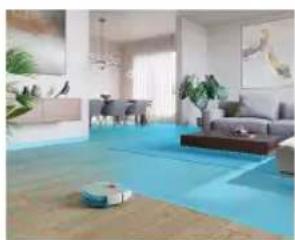
How mapping works
natural_image
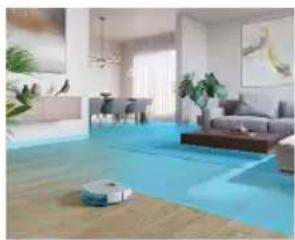
Interior view of a modern living room with blue flooring, ambient lighting, and a robotic vacuum cleaner (no visible text or symbols)The robot drives through the rooms and the laser navigation quickly scans the rooms to build a map of the floor.
natural_image
Floor plan diagram with room layout and furniture placement (no text or labels)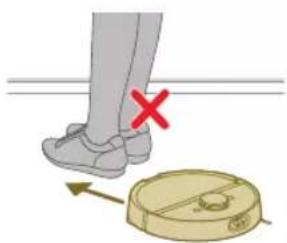
natural_image
Illustration of a person's legs and foot with a circular object, showing a red X mark and directional arrow (no text or symbols)Map Edit
In the app, you can use Map Edit to:
- Edit rooms (merge/divide rooms, name rooms) so you can customize the cleaning routine of the robot per room.
- Set up restricted areas to specify where the robot is allowed to clean and where it is not.
- Create a map for each floor of your home and store up to 5 maps. When you use the appliance, it generates a new map in a new environment. If you have maps that you use frequently and do not want to accidentally overwrite, you can lock up to 3 maps.
Preparing the room for mapping
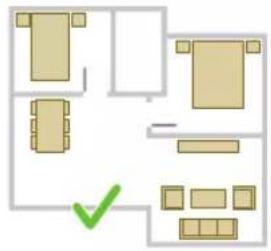
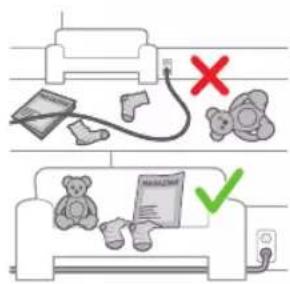
Before you start mapping, make sure to:
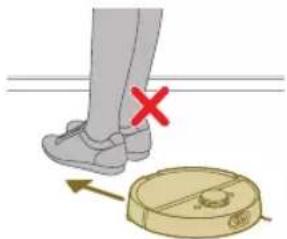
- Tidy up the area.
- Put furniture in the proper place.
- Put away loose and small obstacles.
i Note: This is important to avoid permanently storing the obstacles on the map.
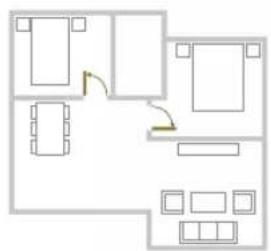
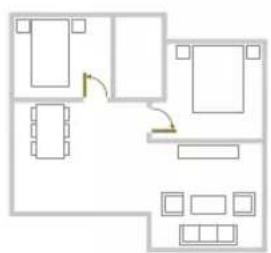
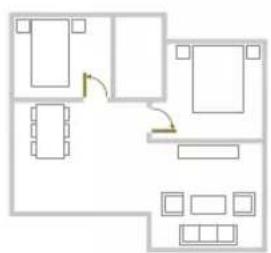
- Open all in-house doors.
i Important: Make sure the robot cannot get blocked during use.
Creating a map
i Important: During mapping your robot will not clean.
i Important: To create a map of a floor, it is very important to place the station on the floor that you want to map because the robot must be in the station when starting and ending the mapping. If you want to create a map of the 2nd floor, the station must be placed there during the mapping process. Thereafter the map of this floor can be used even if the station is on another floor.
i Note: For model XU7100 only, after the robot has completed its mapping run, the Auto-empty station will start emptying the robot. This is not an error but normal behavior.
Tell your robot where not to clean with restricted cleaning zones
In the app you can set up restricted areas to indicate where the robot is allowed to clean and where it is not.
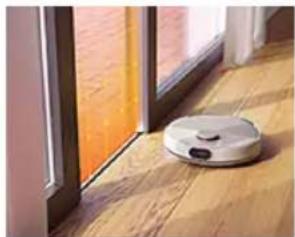
Virtual wall and No-Go zone
natural_image
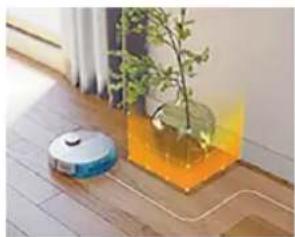
White robotic vacuum cleaner placed on wooden flooring next to a large window with orange curtains (no text or symbols visible)Create virtual walls and No-Go zones areas you do not want the robot to go. You can for example create virtual walls or No-Go zones to:
- Protect fragile objects. The robot cannot detect shiny, transparent (e.g. glass) or dark obstacles or surfaces.
- Prevent the robot from getting stuck while cleaning.
natural_image
Interior scene with a robotic vacuum cleaner and a potted plant in a glass container (no visible text or symbols)i Note: The robot can get stuck on high pile carpets, carpets with fringes or or very light rugs like in the bathroom. Also the robot cannot detect cables on the floor.
- Protect the robot.
i Note: The robot should be kept away from liquids and wet areas such as pet bowls and plant trays.
i Important: virtual walls and No-Go zones should not be used to protect against hazards.
i Important: virtual walls and No-Go zones should not prevent the robot from returning to the station.
i Important: Do not use your robot outdoors. It was not designed for outdoor use.
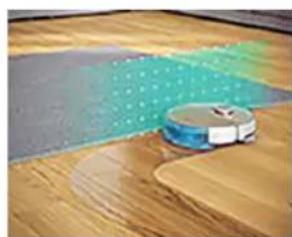
No-Mop zone
natural_image
A robotic vacuum cleaner placed on a wooden floor with a green dotted pattern on the floor (no text or symbols visible)Create No-Mop zones 📋 to prevent the robot from mopping carpets or rugs. You can adjust the following options in the app under 'Robot settings':
- Avoid No-Mop zones when the rest of the room is mopped.
- Only vacuum the No-Mop zone. Note that the mop can still be moist.
natural_image
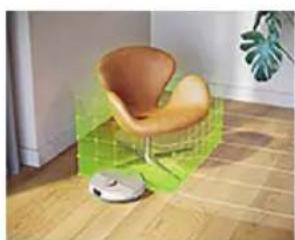
Interior scene with a wooden floor, a green textured surface, and a small white robot on the floor (no text or symbols visible)Gentle zone
Your robot can navigate over some furniture if need be. Don't want it to climb over certain things? Draw a Gentle zone on your map. Your robot will roll up to your furniture, climbing only a little, before turning away.
IMPORTANT: If you want your robot to still go into other rooms, make sure that your Gentle zone isn't too close to a door with a threshold. Set your Gentle zone at least 1 meter from a door with a threshold.
How your robot cleans
In the app, the following cleaning routines can be selected:
Routine Description
Regular cleaning | Regular cleaning is intended for your normal daily cleaning routines. The robot cleans each room according to the settings you specified and saved in the cleaning plan. If the environment is not recognized, the robot maps the environment and simultaneously vacuums it (the robot does not mop in this case). After completion, it returns to the station. |
Custom cleaning | Custom cleaning can be used to have the robot perform cleaning actions at unique occasions. You can customize the cleaning routine of your robot to your wishes. You can set the following three options.- Room: the robot cleans one or more rooms in an order you specify.- Zone: the robot cleans a zone in a room you specify- Spot: the robot cleans in a square of 1.5 by 1.5 meter in a specific spot in your house that you want to have cleaned.i Note: with spot cleaning, place the robot in the middle of the square you want the robot to clean.After selecting one of the above options, you can select a cleaning mode and fine-tune your cleaning preferences and advanced settings. |
Set cleaning preferences, advanced settings and cleaning order
In the app, you can select five different cleaning modes for each room. These are standard modes that can be used in most situations. You can customize your cleaning mode by fine-tuning cleaning preferences and advanced settings.
Cleaning modes
| Mode Description |
| Wet & dry The robot vacuums and mops the floor at the same time. This mode is intended for regular cleaning of hard floors. |
 |
| Dry The robot only vacuums the floor. This mode can be used for areas that shouldn't be mopped. |
| Quiet The robot cleans with minimal noise. The suction power is lowered and the voice alerts are muted. |
Cleaning modes
| Intensive The robot vacuums and mops the floor at the same time and at full power. This mode is intended for thorough cleaning of small areas. |
| i Note that it is not recommended to clean large areas in this mode. The robot passes the area 5 times, so the cleaning time and battery usage will increase significantly. |
| Individual For this mode you can select all expert settings from scratch. |
Cleaning preferences
For each cleaning mode, you can fine-tune the following cleaning preferences:
Setting Description
| Suction power change the suction power: | |
| - Eco: for efficient cleaning with low energy consumption and low noise level.- Normal: for regular cleaning and effective removal of fine dust on hard floors with optimal balance between power and efficiency.- High: for a thorough cleaning of large floors. Can clean more on a single charge than max mode.- Max: ideal for removing large dirt like pet hairs or crumbs. The strong suction power removes fine dust particles hidden deep inside carpets and crevices. | |
| Water level determine the flow rate that is pumped from the electric water tank onto the mop:- Off: Switch off the mopping wetness for uncoated wooden floors and carpets.- Low: to mop a sensitive floor e.g. parquet. The combination of vacuuming and mopping removes more fine dust than vacuuming alone.- Middle: optimal for a regular wet & dry cleaning. The mop removes superficial dirt and bacteria to keep your home sanitized and healthy.- High: for an effective removal of footprints for a spotlessly clean home. It is recommended to combine this setting with mop vibrations turned on and 5 cleaning path repetitions for an intensive cleaning. | |
| Cleaning path sequence | Specify the number of cleaning passes. One pass is sufficient for normal cleaning. It is possible to program the robot to make two or even five passes for intensive cleaning of stubborn dirt. It is recommended to select this option only for specific cleaning areas as it impacts cleaning duration. |
Advanced settings
For each cleaning mode, you can fine-tune the following advanced settings:
Setting Description
| Mop vibration 📌urn the mop vibration on or off. The vibrations gently yet effectively scrub the floor to loosen dirt and footprints. |
| Y-pattern mopping Change the mopping pattern to Y-pattern. By mopping in a Y-pattern, the robot will leave less watermarks and traces. Note that the cleaning time will be a bit longer than normal mopping. |
Setting Description
Carpet boost Turn the carpet boost on or off. The robot automatically increases the suction power when it has driven onto a carpet or rug. It is recommended to enable this setting. However, you can disable it for rooms where no disturbance is wanted.
Using your robot
Preparing for a cleaning run
Before you start the robot on its cleaning run:
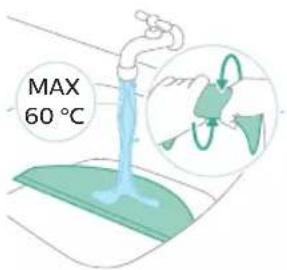
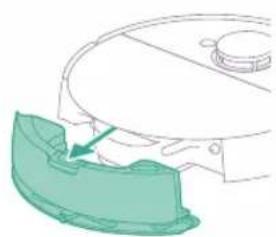
- Pre-wet the mop for optimal results.
natural_image
Diagram of a robotic arm with a green highlighted component (no text or symbols)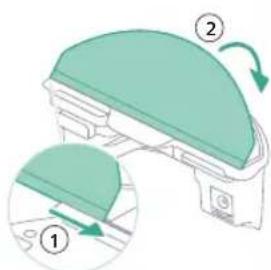
- Attach the washable mop pad to the mop pad holder.
▲ IMPORTANT: The mop pad holder cannot be removed and when using the robot, the washable mop pad must always be attached to the mop pad holder, even if you use the robot without mopping. This is to prevent damage to the floor and the mop holder during use.
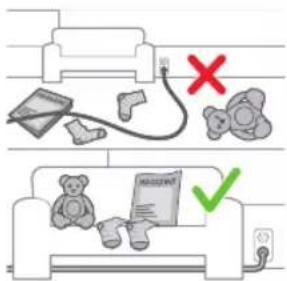
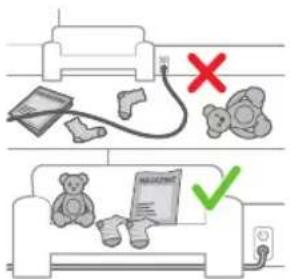
- Remove all cables, wires and cords from the floor to prevent the robot from getting entangled in them.
natural_image
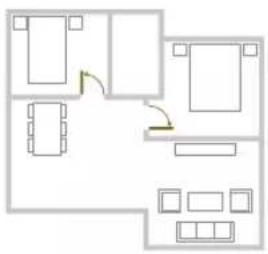
Floor plan diagram with room layout and furniture placement (no text or labels)- Open all in-house doors.
Start your first cleaning program via the app (see H.)
Start
1 Open the app.
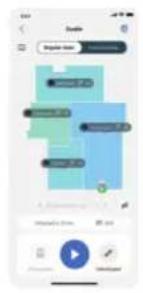
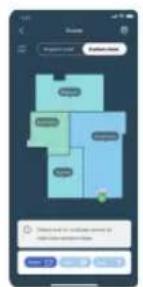
2 Select the cleaning program: Regular cleaning or Custom cleaning.
3 Press the 'start' icon.
i Note: If the battery level is too low, cleaning cannot start. Wait until the robot is sufficiently charged before you start a cleaning run.
Stop
1 Press the Pause icon in the app. The robot stops.
2 Press the Start icon again. The robot continues.
3 Press the Home & charge icon. The robot goes back to the station.
Using the robot without the app
i Note: For an optimal experience, we recommend using the app.
Without the app, you can use the two buttons on the robot to operate it:
- On/off button
- Long press (3s) to turn the robot on and off.
- Short press to start cleaning or to pause cleaning. Press again to resume cleaning.
- Home button
- Short press (when the robot is not cleaning): the robot will find the station and charge.
- Short press while cleaning: the robot will stop cleaning. Short press again: the robot returns to the station to charge.
- Short press when the robot is driving back to the station: the robot will pause returning to the station. Press again to let it drive back to the station.
When operating the robot manually, it will vacuum and mop. However, if the water tank is empty it won't mop.
Your robot's cleaning pattern
flowchart
graph TD
    A["①"] --> B["②"]
    B --> C["③"]
    C --> D["④"]
    D --> A
    style A fill:#f9f,stroke:#333
    style B fill:#bbf,stroke:#333
    style C fill:#bfb,stroke:#333
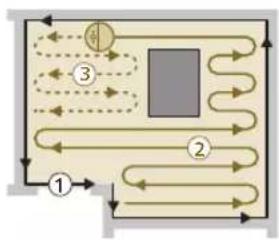
The robot cleans the home in a structured way. The robot cleans room by room and always starts by cleaning the edges of the room first before covering the remaining surface.
i Note: If cleaning is completed within 10 minutes, the area will be cleaned twice. This is an extra touch up to improve cleaning results.
Returning to the station
flowchart
graph TD
    A["A"] --> 2["●"]
    B["B"] --> 2
    C["C"] --> 2
    D["D"] --> 2
    E["E"] --> 2
    1["1"] --> 2
    2 --> 3["3"]
    style 1 fill:#f9f,stroke:#333
    style 2 fill:#ccf,stroke:#333
    style 3 fill:#cfc,stroke:#333
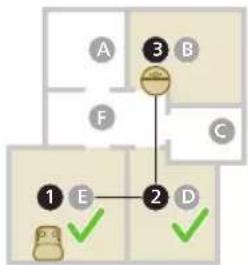
After the robot has completed its cleaning run, the robot will automatically drive back to the station to recharge.
i Note: When the robot is docked it will withdraw power to keep the battery performance optimal. However, the energy consumption is limited.
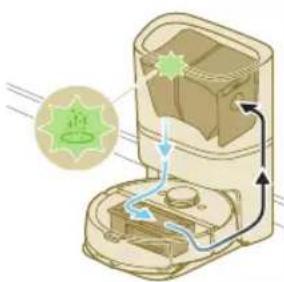
i Note: For model XU7100 only, the station will also vacuum the dust bin of the robot empty. The dust is then collected in the dust bag of the station.
Auto recharge and resume
natural_image
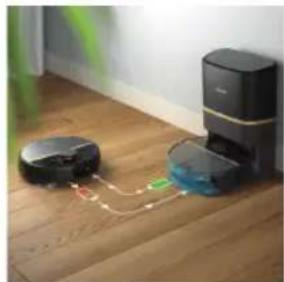
Interior scene showing a robotic vacuum cleaner connected to a digital cleaning device on a wooden floor (no text or symbols visible)When the battery runs low (<20%) while cleaning, the robot automatically returns to the station to recharge. After the battery has been charged, the robot continues where it has left off.
Cleaning and maintenance
When to do maintenance
Item Cleaning Replacement
| Washable mop pad After every use 3-6 months | |
| Main brush Monthly 6-12 months | |
| Washable filter Monthly 3-6 months | |
| Side brush Monthly 6-12 months | |
| Main wheels & universal wheel | Monthly - |
| 360° laser navigation (LiDAR) sensor | Monthly - |
| Sensors:- Collision sensor (2x)- Infrared signal receiver to find the station- Infrared signal emitter to communicate with the station- 3D ToF sensor to detect and avoid small obstacles in front of the robot (120°)- ToF-sensor to detect and avoid small obstacle around the robot (8x)- Anti-drop sensor (6x) | Monthly - |
| Charging contacts robot and station | Monthly - |
| Sensors to detect placement of dust bin and water tank | 6 months - |
| Dustbin (XU7000) Empty the dustbin after each use | - |
22 English
Dust bag in Auto-empty station (XU7100)
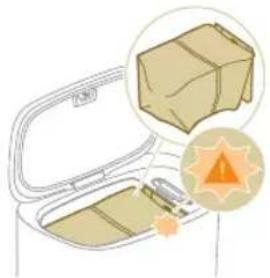
- When the orange LED on the auto-empty station
flashes indicating that de dust bag is full.
natural_image
Illustration of a cardboard box with an open lid and a warning symbol (no text or labels)Cleaning the washable mop pad
natural_image
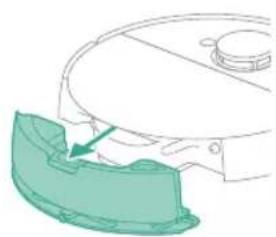
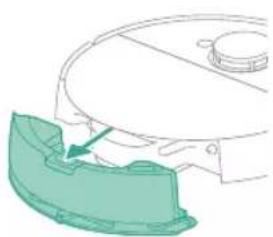
Diagram of a robotic arm with a green highlighted component (no text or symbols)1 Push the water tank release button.
2 Pull the water tank out of the robot.
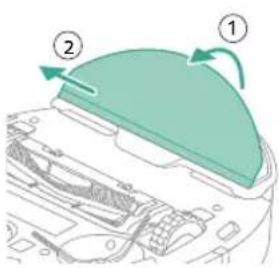
3 Pull the washable mop off the velcro material.
4 Slide the straight side of the washable mop out of the slot.
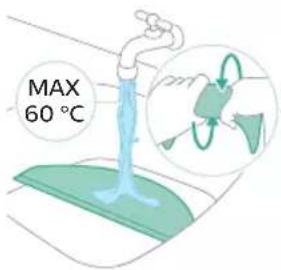
5 Rinse and clean the washable mop pad with water or wash it in the washing machine.
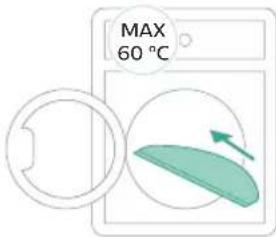
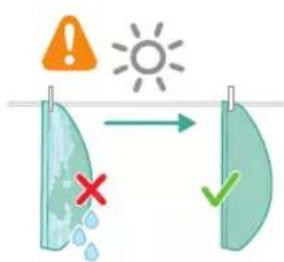
6 Air dry the washable mop pad.
i Note: Do not use other ways to dry the washable mop pad.
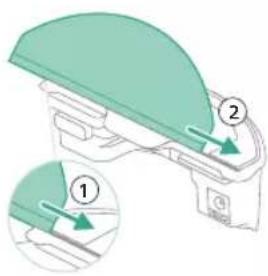
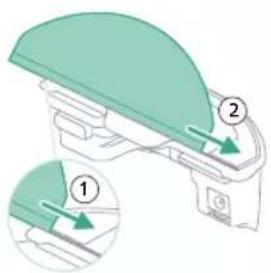
7 Slide the straight side of the washable mop pad in the correct slot of the mop pad holder
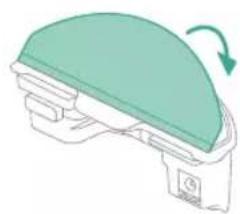
natural_image
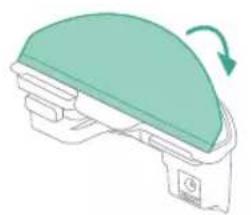
Diagram of a mechanical device with a green top and rotating arrow (no text or symbols)8 Attach the washable mop pad to the velcro material of the mop pad holder.
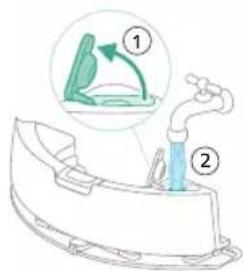
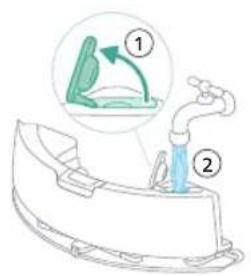
9 Fill the water tank. Use the water inlet.
i Note: Make sure that the outside of the water tank is dry.
i Note: Do not use cleaning detergents.
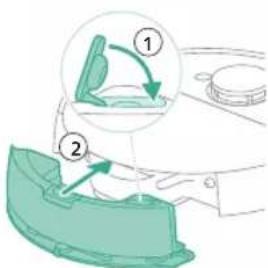
10 Insert the water tank in the correct location.
Emptying the dust bin
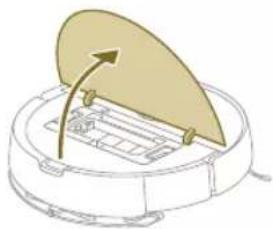
natural_image
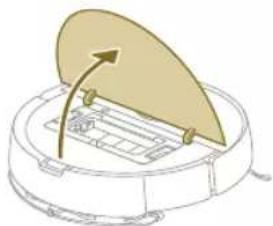
Diagram of a robotic arm with a curved blade and directional arrow (no text or symbols)1 Open the top cover.
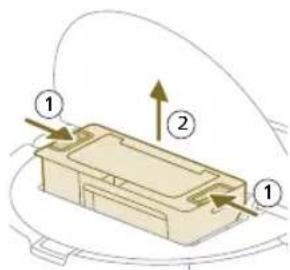
2 Push the release buttons of the dust bin at the same time.
3 Pull the dust bin out.
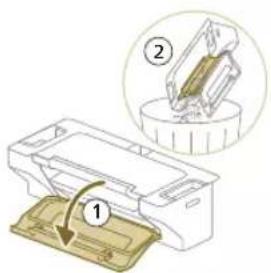
4 Open the empty door of the dust bin.
i Note: Do not confuse the empty door of the dust bin with the lid of the washable filter. The empty door of the dustbin is blue.
5 Let the dirt out of the dust bin.
Cleaning and drying the dust bin
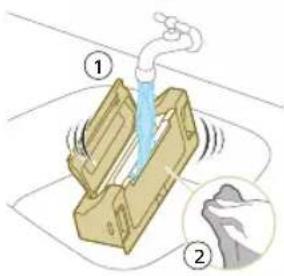
1 Rinse the dust bin with water.
Do not use cleaning detergents.
IMPORTANT: Do not wash the dust bin in the dishwasher.
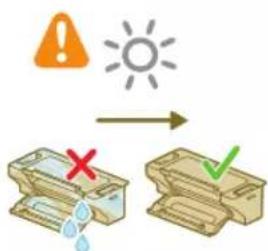
2 Air dry the dust bin.
i Note: Do not use other ways to dry the dust bin.
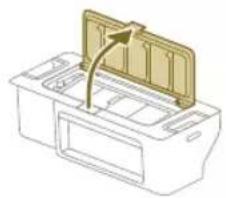
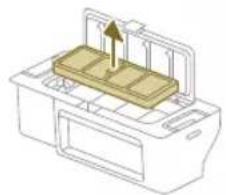
Cleaning the washable filter
1 Open the lid of the washable filter.
natural_image
Diagram of a printer's front panel with a paper feeding into the cover (no text or symbols)2 Pull the washable air filter out.
natural_image
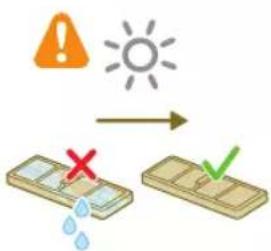
Diagram of a printer with a wooden cover and paper feeding into a tray, showing internal structure (no text or symbols)3 Rinse the washable filter with water.
4 Air dry the washable filter for 24 hours.
i Note: Do not use other ways to dry washable filter.
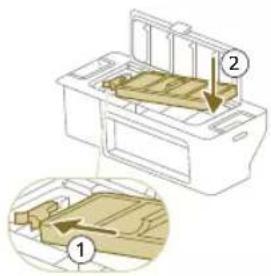
5 Put the washable filter against the filter lock of the dust bin and push it in.
6 Push the washable filter down.
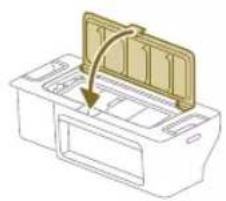
natural_image
Diagram of a printer with a paper filter being inserted, showing the blade and base (no text or symbols)7 Close the lid of the washable filter.
26
English
natural_image
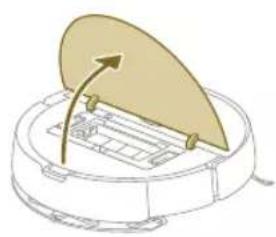
Diagram of a robotic vacuum cleaner with a lid and internal components (no text or symbols)8 Open the top cover of the robot.
natural_image
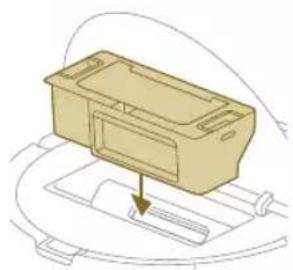
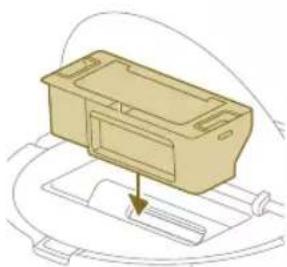
Diagram of a beige plastic container with a downward arrow pointing to it, placed on a curved surface (no text or symbols)9 Insert the dust bin in the correct location.
Cleaning the main brush
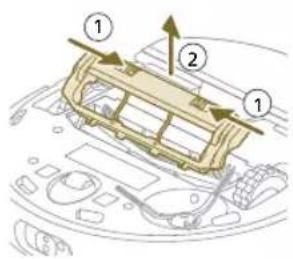
1 Put the robot upside down on a surface that is flat and stable.
2 Push the release buttons of the brush cover at the same time.
3 Lift and remove the brush cover.
natural_image
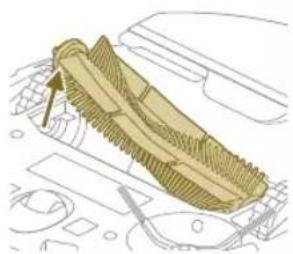
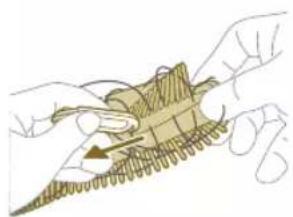
Technical line drawing of a mechanical component with no visible text or symbols4 Pull the main brush out.
natural_image
Illustration of hands holding a wooden object with a triangular base and a small arrow indicating motion (no text or symbols)5 Use the brush cleaning tool to cut through the hairs.
natural_image
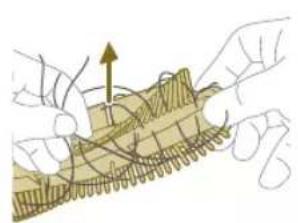
Illustration of hands manipulating a mechanical component with an upward arrow (no text or symbols)6 Remove the hairs and dirt from the main brush.
Tip: Use the brush end of the cleaning tool to remove the dirt on the main brush.
7 If necessary, install the caps on both ends of the main brush. Turn the caps clockwise to lock them in position.
natural_image
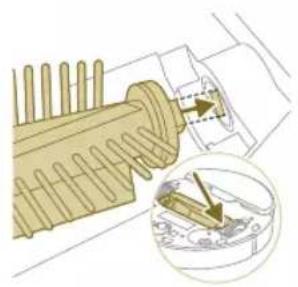
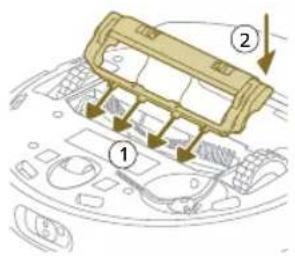
Diagram of a mechanical assembly with pins and a magnified inset showing a component detail (no text or symbols)8 Install the main brush in the correct location.
natural_image
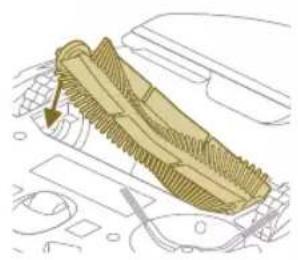
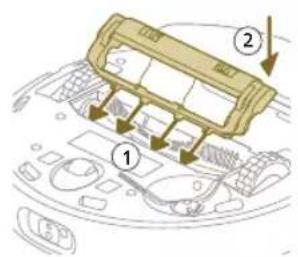
Diagram of a mechanical component with textured surfaces and directional arrow (no text or symbols)9 Put the lips of the brush cover in the correct cutouts.
10 Push the brush cover in.
Cleaning the side brush
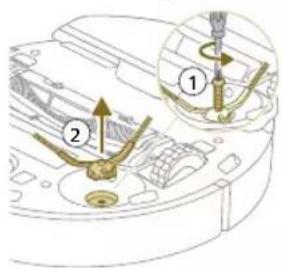
1 Put the robot upside down on a surface that is flat and stable.
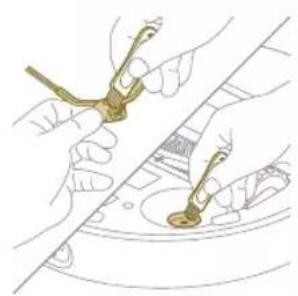
2 Remove the screw with a screw driver.
3 Remove the side brush.
English
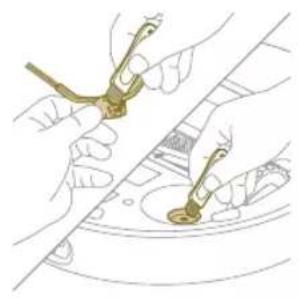
natural_image
Illustration of hands using a tool to apply or install a component, no text or symbols present4 Use a brush with soft bristles (e.g. a toothbrush) to remove dust or fluff from the side brush and the robot.
Tip: You can use the brush end of the cleaning tool to remove dust or fluff from the side brush and the robot.
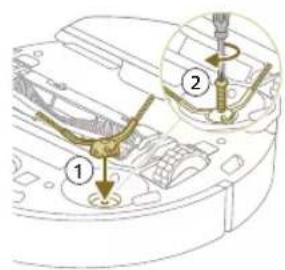
5 Put the cleaned side brush in the correct location.
6 Attach the side brush with the screw and a screw driver.
Cleaning the main wheels and the front caster wheel
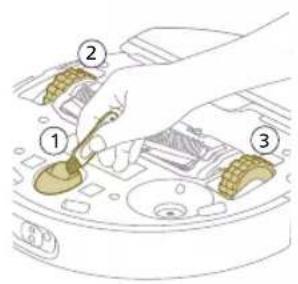
1 Put the robot upside down on a surface that is flat and stable.
2 Use a brush with soft bristles (e.g. a toothbrush) to remove dust or fluff from the front caster wheel and main wheels.
You can use the brush end of the cleaning tool to remove dust or fluff from the wheels.
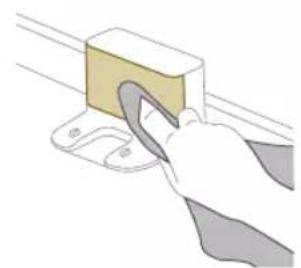
To maintain good cleaning performance, you have to clean sensor, contact points and IR signal window from time to time.
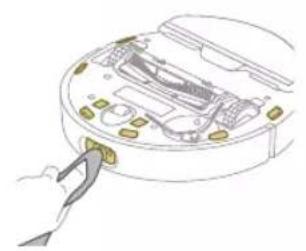
natural_image
Illustration of a hand inserting a component into a device casing (no text or symbols visible)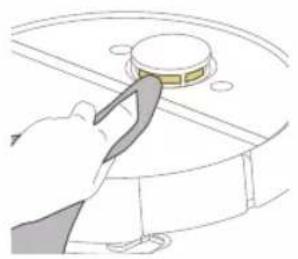
natural_image
Illustration of a hand using a tool to press a circular component (no text or symbols visible)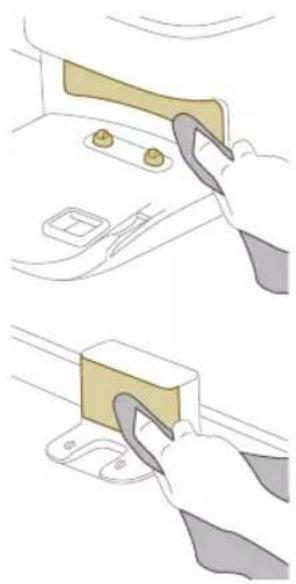
natural_image
Illustration showing two steps of a hand holding a clip and a clip attached to a car door panel (no text or symbols present)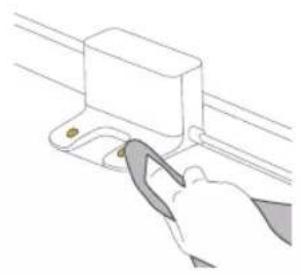
natural_image
Illustration of a hand using a tool to adjust or install a component on a rail track (no text or symbols visible)1 Unplug the station from the wall socket
2 Use a soft non-abrasive dry cloth. If necessary, lightly moisten the cloth.
3 Clean the components.
i Note: Do not use cleaning detergents.
4 Dry the components and surfaces with a dry cloth.
i Note: Do not use other ways to dry the components.
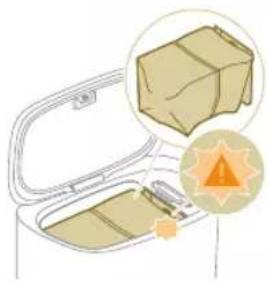
Replacing the dust bag (XU7100)
natural_image
Illustration of a cardboard box with an orange warning symbol (no text or labels)When the orange LED on the auto-empty station flashes indicating that de dust bag is full.
1 Open the lid of the Auto-Empty station.
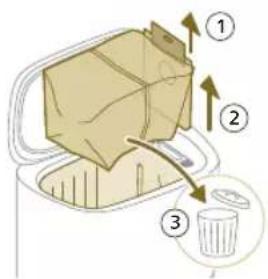
2 Pull the dust bag out of the Auto-Empty station.
3 Remove and dispose the dust bag.
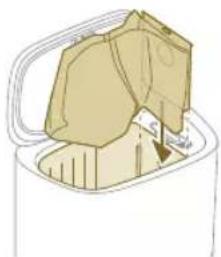
natural_image
Illustration of a garment being cut into a container with a handle (no text or symbols)4 Slide the cardboard piece of the dust bag into the slot that is indicated on the Auto-Empty station.
5 Close the lid of the Auto-Empty station.
i For information on where and how to order new dust bags, see the 'Replacement' section in the manual.
Removing blockages from the Auto-Empty inlet (XU7100)
The Auto-Empty inlet of the Auto-Empty station (XU7100) may become clogged. You may notice this when the dust bin of the robot is no longer properly emptied by the Auto-Empty station. Below you can find the instructions to remove blockages from Auto-Empty inlet of the Auto-Empty station (XU7100).
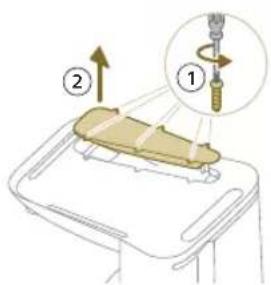
1 Unplug the Auto-Empty station from the wall socket and put the Auto-Empty station upside down on a surface that is flat and stable.
2 Remove the screws from the bottom cover with a screw driver.
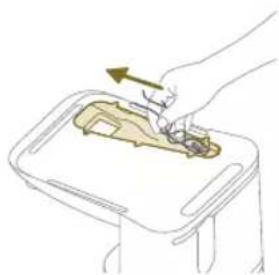
natural_image
Illustration of a hand placing food into a tray with an arrow indicating direction (no text or symbols)3 Remove hair and dirt that is stuck in the Auto-Empty inlet.
Cleaning the water tank
natural_image
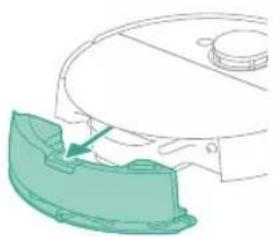
Diagram of a robotic arm with a highlighted green component (no text or symbols)1 Push the water tank release button.
2 Pull the water tank out of the robot.
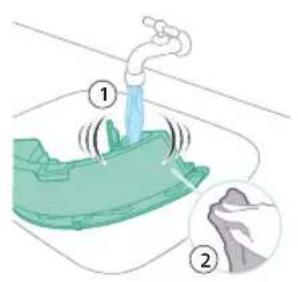
3 Rinse the water tank with tap water
4 Dry the outside of the water tank with a cloth.
i Note: Do not use cleaning detergents.
IMPORTANT: Do not wash water tank in the dishwasher.
5 Keep the sealing cap of the water tank open and allow the inside of the water tank to air dry.
i Note: Do not use other ways to dry the water tank.
6 Fill the water tank. Use the water inlet.
i Note: Make sure that the outside of the water tank is dry.
i Note: Do not use cleaning detergents.
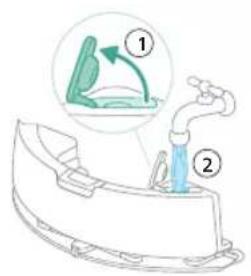
7 Insert the water tank in the correct location.
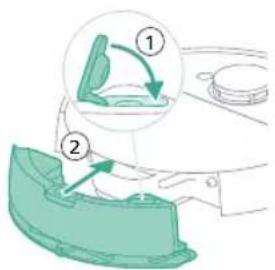
Long term storage
1 Charge the battery until it is full.
2 Store the robot within a temperature range of below +35 °C and above 8 °C.
32 English
User interface signals and their meaning
| Robot model number | Signal Description of signal Meaning of signal | ||
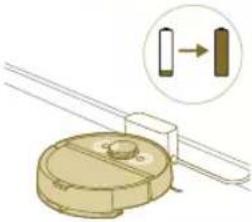
| XU7100 | The lights in the two buttons on the robot flash slowly. | The robot is charging. | |
| XU7000 | 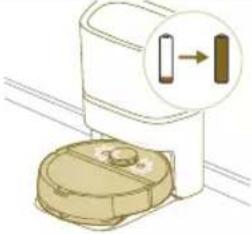 | ||
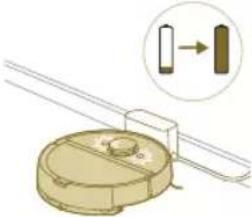 | |||
| XU7100 | The lights in the two buttons on the robot are on continuously. | The robot is fully charged. | |
| XU7000 | 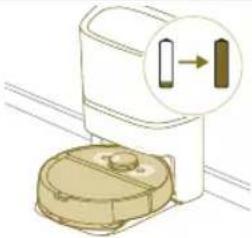 | ||
 | |||
| XU7100 | The lights in the two buttons on the robot flash orange. | The robot is in in Wi-Fi set-up mode. | |
| XU7000 | 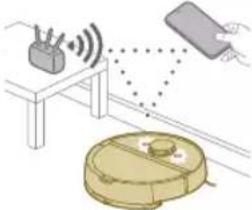 | ||
| XU7100 | The Robot's lights go out. The robot has gone into sleep mode. | ||
| XU7000 | 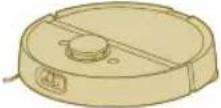 | ||
Robot model number
Signal Description of signal Meaning of signal
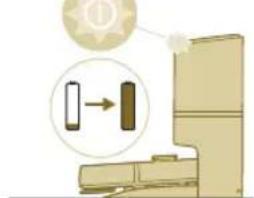
XU7100 The white LED on the Auto-
natural_image
Illustration of a toilet with a magnified view showing a device connected to a door (no text or symbols present)Empty station flashes when the robot is charging.
i Note: When the robot is fully charged, the white LED will be on continuously, after 10 minutes, the white LED will dim and shine at only 30%.
The robot is charging when the white LED is flashing and the robot is fully charged when the white LED is on continuously.
XU7100 The green LED on the auto
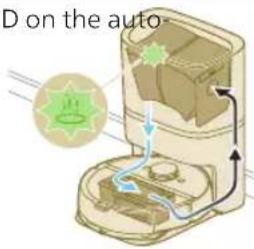
empty station flashes.
The Auto-Empty station vacuuming the dust bin of the robot empty. The dust and dirt is collected in the dust bag of the station.
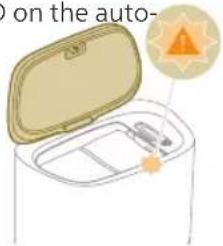
XU7100 The orange LED on the auto-
natural_image
Illustration of a hand holding an open cylindrical device with a sun icon (no text or symbols)empty station flashes.
The canister lid is open.
XU7100 The orange LED on the auto-
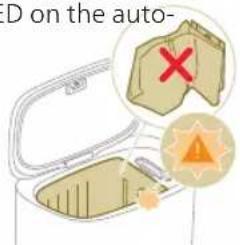
empty station flashes.
There is no dust bag installed.
XU7100 The orange LED on the auto-
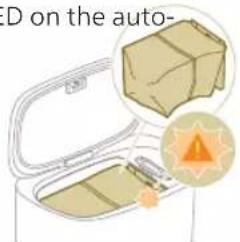
empty station flashes.
The dust bag is full.
Reset/restore the robot
natural_image
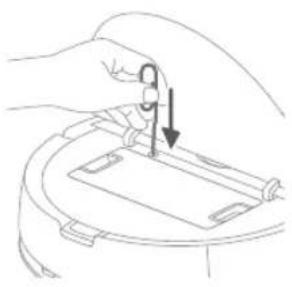
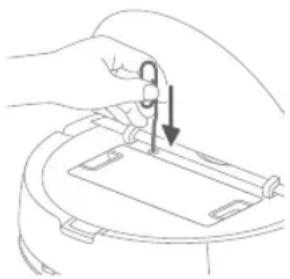
Line drawing of a hand holding a small object with an arrow indicating downward motion (no text or symbols)You can reset/restore the robot by pressing the reset button with a needle.
- By long pressing the reset button for 3 seconds, you will not only restore factory settings, but also reset the firmware to the last version.
- By long pressing reset button for 10 seconds, the robot will clear all network connection information, map information, scheduled task, do-not-disturb information, and customization information, and reset the suction power to the default level.
i Note: After resetting/restoring the robot, the robot needs to reconnect the app, and the relevant settings in the app are removed.
Replacement
Ordering accessories
To buy accessories or spare parts, visit www.philips.com/myrobot7000 or go to your Philips dealer. You can also contact the Philips Consumer Care Center in your country (see the international warranty leaflet for contact details).
Replacement parts:
XV1470 Replacement washable mops
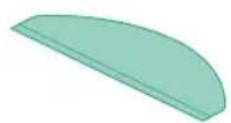
XV1472 Dust bags
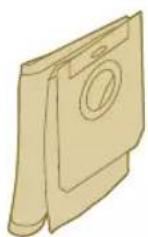
XV1473 Maintenance kit with 2 filters, 1
main brush and 1 side brush.
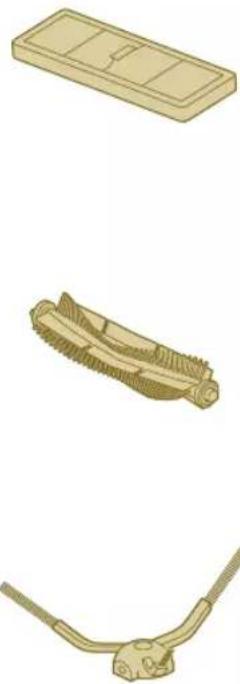
natural_image
Illustration of three different mechanical components: a rectangular plate, a threaded rod with grooves, and a curved bracket (no text or symbols)Removing the rechargeable battery
To remove the rechargeable battery, follow the instructions below. You can also take the robot to a Philips service center to have the rechargeable battery removed. Contact the Philips Consumer Care Center in your country for the address of a service center near you.
Take any necessary safety precautions when you handle tools to open the product and when you dispose of the rechargeable battery.
Warning: Before you remove the battery, make sure that the product is disconnected from the station and that the battery is completely empty.
1 Start the robot from a place somewhere in the room and not from the station station.
2 Let the robot run until the rechargeable battery is empty to make sure that the rechargeable battery is completely discharged before you remove it and dispose of it.
English
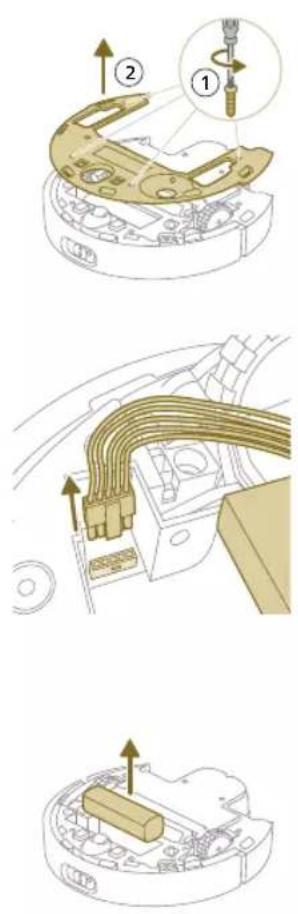
3 Undo the screws of the battery compartment lid and remove the lid.
4 Lift out the rechargeable battery and disconnect it by pressing the little clip on the battery connector to release the battery connector.
5 Take the robot and the rechargeable battery to a collection point for electrical and electronic waste.
Warranty and support
If you need information or support, please visit www.philips.com/support or read the international warranty leaflet.
Your robot vacuum cleaner has been designed and developed with the greatest possible care. In the unfortunate case that your robot needs repair, the Consumer Care Centre in your country will help you by arranging any necessary repairs in the shortest possible time and with maximum convenience. If there is no Consumer Care Centre in your country, go to your local Philips dealer.
Disposal and recycling
natural_image
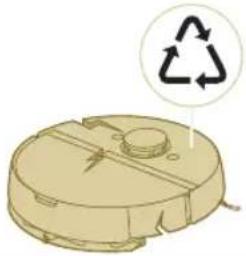
Illustration of a circular mechanical component with a recycling symbol (no text or labels)Do not dispose the robot in the regular trash. Make sure to bring it to your the recycling facility for electrical equipment.
Troubleshooting
This chapter summarizes the most common problems you could encounter with the appliance. If you are unable to solve the problem with the information below, go to the Philips HomeRun robot app or visit
www.philips.com/myrobot7000, where can also find support videos and frequently asked questions. You can also contact the Consumer Care Center in your country.
Problem Possible cause Solution
| The robot doesn't switch on. The battery is low. Charge the robot on the station before use. | ||
| The ambient temperature is too low or too high. | Use the robot at a temperature between 8 °C and 35 °C. | |
| The robot is unable to pair with the app. | The robot is no longer in pairing mode. | Put the robot back in pairing mode by holding the home and on/off button at same time (lights will flash orange). |
| The Wi-Fi connection (signal) is not good. | Place the robot in an area with a good Wi-Fi signal. | |
| A wrong Wi-Fi network selected or | Make sure you select the correct Wi-Fi network. | |
| A wrong password used. Make sure you use the correct Wi-Fi password. | ||
| A wrong robot model is selected in the app. | Make sure you select the correct robot model. | |
| A wrong app is downloaded Always use the app that you have downloaded via the QR-code from the quick start guide. | ||
| The app and the robot lose connection. | The robot has gone out of reach of the Wi-Fi signal. | Wait for robot to drive back into area with a good Wi-Fi signal. |
| The robot has gone into sleep mode. | The robot will go into sleep mode if if it has not returned to the station. Press the on/off button for 3 seconds or longer to awake the robot. Then send it via the app to the station. | |
Problem Possible cause Solution
| The Wi-Fi password has been changed. | When Wi-Fi details have changed: add the robot to the app again. | |
| The Wi-Fi network name has been changed. | When Wi-Fi details have changed: add the robot to the app again. | |
| The app account was changed. | When account details were changed, add robot to the app again. | |
| The email with the verification code has not been received. | The verification code email may take up to a minute to arrive. | Wait more than a minute for the email. |
| The email has not been sent. Click the "resend" button. | ||
| The email may have landed in 'spam' or 'junk' folder. | Check the 'spam' or 'junk' folders. (The sender of the e-mail is: HomeRun_noreply@). | |
| A wrong email address is used. | Check if you have used the correct email address. | |
| The phone or computer doesn't have good internet connection to receive the email. | Make sure the phone or computer has a good internet connection. | |
| The robot can't find station. | The station has been moved during a cleaning run. | Place the station back in the same place it was before the cleaning run started. |
| The station is not connected to the power supply. | Connect the station to the power supply. | |
| The sensors on robot and/or station are dirty. | Clean all the sensors of the robot and the station. | |
| A No-Go zone was placed too close to the station | Don't save No-Go zones too close to the station. | |
| The station has been placed on a spot with very bright light. | Don't put the station in a place with very bright light (like direct sun light) this may interfere with the infra red signal. | |
| The robot pushes the station away. | The station is not standing close to a wall. | Place station with the back towards a wall. |
| The sensors on robot and/or station are dirty. | Clean all the sensors of the robot and the station. | |
| The station doesn't have enough space around it (0,5 meter to each side and 1,5 m to the front). | Make sure the station has enough space around it. | |
| The robot doesn't clean properly. | The dust bin of the robot is full (XU7000). | Empty the dust bin of the robot (XU7000). |
| The water tank is empty. | Refill the water tank in time. | |
Problem Possible cause Solution
| Obstacles are stuck in the brushes. | Remove all obstacles from the brushes. | |
| The filter has not been cleaned. | Clean the filter regularly. | |
| The filter has not been placed back or has not been placed back correctly. | Place the filter back correctly. | |
| The washable mop needs to be replaced. | Replace the XV1470 washable mop. Purchase a new XV1470 washable mop via de app or on www.philips.com/myrobot7000 | |
| The robot uses no or little water during mopping. | The water level is set too low. | Set the water level higher in the app. |
| Too much water comes out of the mop / the robot makes the floor too wet. | The water level is set too high. | Set the water level lower in the app. |
| IMPORTANT: For mopping sensitive hard floors, such as parquet floors, set the water level in the app to the lowest level. | ||
| Robot misses areas for cleaning/ robot does not clean the whole area/ robot has began to miss certain spots | The sensors of the robot are no longer clean. | Clean the robot's sensors with a dry cloth. |
| The robot is working on slippery polished floors. | Make sure the floor is dried before the robot starts cleaning. | |
| The robot is unable to reach certain areas blocked by furniture or barriers. | Tidy up the area to be cleaned by putting furniture and small objects in their proper place. | |
| The cleaning area is not tidy. | Remove small objects from the floor and tidy up the cleaning area before the robot starts cleaning. | |
| The robot keeps a safety margin in the distance close to No-Go zones and No-Mop zones, and this can cause that the robot won't pass a certain area. | Make the No-Go zone or No-Mop zone in the app a bit smaller. | |
| The robot has blocked itself by eating a cable. | There are cables on the floor which the robot is unable to detect. | Stop the robot and remove the brush cover. Take away main brush and check if something is stuck in the side brush: remove side brush, take away the cable, reattach the side brush. Remove all cables from the floor before you start a cleaning run. |
Problem Possible cause Solution
| The robot falls from stairs. The anti-drop sensors on the bottom of the robot are dirty. | Clean the anti-drop sensors on the bottom of the robot. | |
| Objects have been placed on the top step of the stairs that the robot detects and therefore thinks it is safe to drive. | Remove the any objects that are placed on the top step of the stars. | |
| The robot doesn't charge or discharges very quickly. | The robot is stored in a space that is too hot or too cold. | Charge and store the robot at a temperature between 8 °C and 35 °C. |
| The Auto-Empty station doesn't collect dust from the robot (XU7100). | The dust bag has not been placed back or placed back correctly. | Place a dust bag correctly in the Auto-Empty station. |
| The dust bag is full. Place an empty dust bag in the Auto-Empty station. | ||
| The quiet mode or do not disturb setting has been activated in the app. | De-select the quiet mode or do not disturb in the app. | |
| The Auto-Empty station inlet is blocked. | Clean the Auto-Empty station inlet. | |
| There is foam buildup in the water tank and the robot moves strangely. | Detergent has been added to the water tank, causing the robot to be slippery. | Never add detergent to the water tank again. Clean the robot and its wheels, including a thorough rinse of the water tank. |
| The robot is making an abnormal noise. | The filter has not been placed back or has not been placed back correctly. | Check if filter is placed back correctly. |
| The brushes are no longer turning. | Hairs are stuck in the main brush. | Remove hairs with the brush cleaning tool provided with the robot. |
| Other obstacles are stuck in the brushes. | Remove other obstacles from the brushes. | |
| The main brush was not placed back correctly. | Remove the main brush and reassemble it. | |
| When main brush is not placed back correctly: reassemble correctly the square shaft into the square hole. | ||
| The side brush gets deformed. | Something may have gotten stuck in the side brush. | Put brush in hot water for a while and let it dry. |
| Purchase a new side brush via de app or on www.philips.com/myrobot7000 | ||
| The robot won't drive on to a black floor. | The robot thinks a pitch black floor is a falling hazard - the cliff detection is activated. | Make sure lights are switched on in the room with pitch black flooring. |
Problem Possible cause Solution
| Clean the anti-drop sensor on the bottom of the robot. | ||
| A schedule is set, but the robot doesn't start cleaning according to the schedule. | The 'do not disturb' function may be activated. | Check in the app if the 'do not disturb' function is switched on at the same time as the schedule. |
| The robot is in sleep mode. Make sure that the robot is charging in the station. | ||
| The wrong time zone has been selected in the app. | You can change the time zone in in the app in 'My Account' under 'Profile'. | |
| The robot has lost connection with the Wi-Fi network. | Make sure the Wi-Fi network is working. | |
| The battery of the robot is empty. | Make sure that the station is connected to the power supply. | |
| It is not possible to log in to the robot app account. | The email address has been changed. | Create a new app account in case the email address has been changed. |
| The password is wrong. Enter the correct password. | ||
| In case the password is forgotten, click 'forgot password' and follow the steps. | ||
| The wrong country region is selected. | Select the correct country region in the app. | |
| Pop-up messages about app or firmware updates continue to be received. | App updates or firmware updates are not installed. | For continuous improvement of the robot we recommend installing all updates. |
Obsah
Úvod 42
Přehled výrobku 42
Přehled senzorů 43
natural_image
Diagram of a mechanical clamp or bracket assembly with a magnified inset showing a circular component (no text or symbols)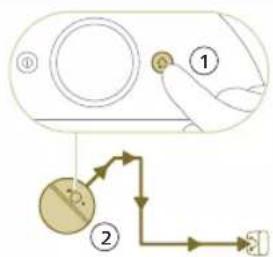
flowchart
graph TD
    A["①"] --> B["②"]
    B --> C["③"]
    C --> D["④"]
natural_image
Illustration of a hand holding a smartphone with a QR code being scanned, placed on a device (no text or symbols visible)- Model XU7100 - Model XU7000
natural_image
Line drawing of a compact water heater with a small rectangular component on the side (no text or symbols)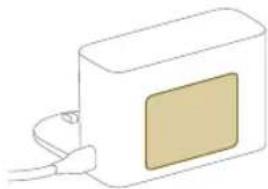
natural_image
Simple line drawing of a rectangular device with a square patch and cable, no text or symbols present.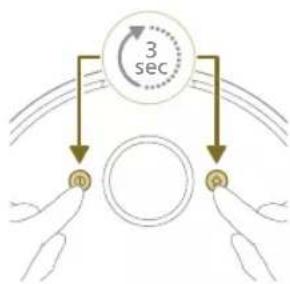
flowchart
graph TD
    A["3 sec"] --> B["n"]
    A --> C["p"]
natural_image
Illustration of a robotic vacuum cleaner with sensor array and hand interacting with a device (no text or symbols)natural_image
Modern living room interior with blue flooring, white furniture, and a robotic vacuum cleaner (no visible text or symbols)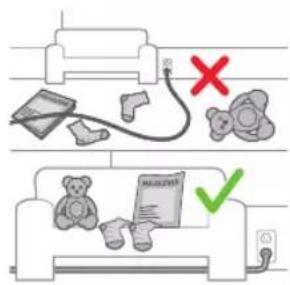
natural_image
Floor plan diagram with room layout and furniture placement (no text or labels)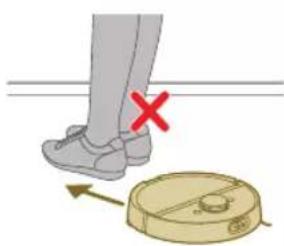
natural_image
Illustration of a person's legs and foot with a robot navigating a circular device, marked with a red X (no text or symbols)Úpravy mapy
natural_image
White robotic vacuum cleaner placed on wooden flooring next to a large window with orange light (no text or symbols visible)natural_image
Robot vacuum cleaner placed in a tiled room next to a plant with orange liquid (no text or symbols visible)natural_image
A robotic vacuum cleaner positioned on a wooden floor with a green dotted pattern on the floor (no text or symbols visible)natural_image
Interior scene with a wooden chair and green cushion, no visible text or symbolsnatural_image
Diagram of a robotic arm with a green plastic component inserted, showing no text or symbols.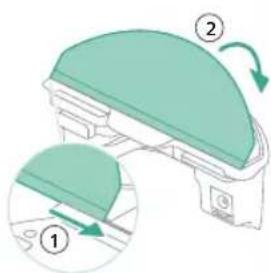
natural_image
Floor plan diagram with furniture layout and directional arrows (no text or labels)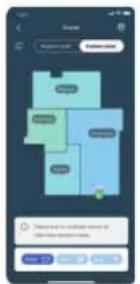
natural_image
Illustration of a robotic vacuum cleaner with airflow path and warning symbol (no text or labels)natural_image
Two robotic vacuum cleaner units connected via a cable to a digital device on a wooden floor (no text or symbols visible)natural_image
Illustration of a cardboard box with a warning symbol (no text or labels)natural_image
Diagram of a robotic arm with a green plastic component inserted, showing no text or symbols.natural_image
Illustration of a green dome-shaped object with a curved arrow indicating rotation (no text or symbols)natural_image
Diagram of a robotic arm with a curved blade and handle, showing internal components (no text or symbols)natural_image
Diagram of a printer with a paper feed cover and paper holder, showing no text or symbolsnatural_image
Diagram of a printer with a stack of paper and an upward arrow indicating motion (no text or symbols)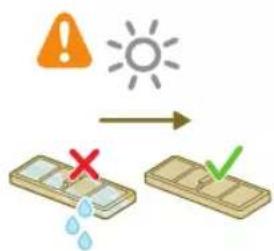
natural_image
Diagram of a printer's internal structure with a curved arrow indicating rotation (no text or symbols)natural_image
Diagram of a robotic vacuum cleaner with a circular housing and directional arrow indicating motion (no text or symbols)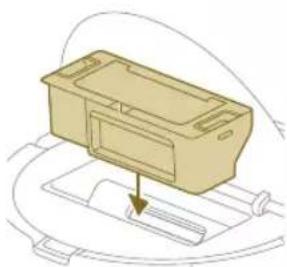
natural_image
Diagram of a mechanical component with a downward arrow indicating motion or force (no text or symbols)natural_image
Technical line drawing of a mechanical component with no visible text or symbolsnatural_image
Illustration of hands performing a mechanical tool with a spring-like component (no text or symbols)natural_image
Illustration of hands manipulating a mechanical component with a yellow arrow indicating upward motion (no text or symbols)natural_image
Technical illustration of a mechanical component with a magnified inset showing internal components (no text or symbols)natural_image
Diagram of a mechanical component with a highlighted section, showing internal parts and no visible text or symbols.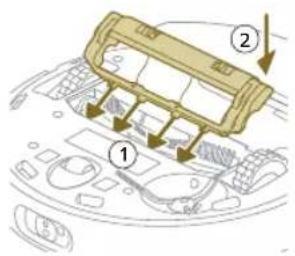
natural_image
Illustration of hands using a tool to adjust or install a component on a curved surface (no text or symbols visible)natural_image
Illustration of a hand using a tool to adjust or install electronic components on a circular device (no text or symbols visible)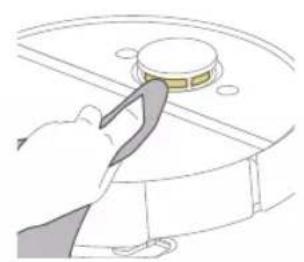
natural_image
Illustration of a hand using a tool to press or install a circular component on a curved surface (no text or symbols visible)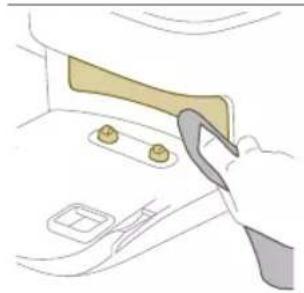
natural_image
Illustration of a hand holding a tool interacting with a device inside a container (no text or symbols visible)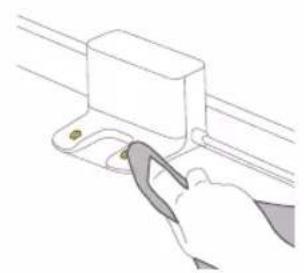
natural_image
Illustration of a hand using a tool to adjust or install a component on a rail (no text or symbols visible)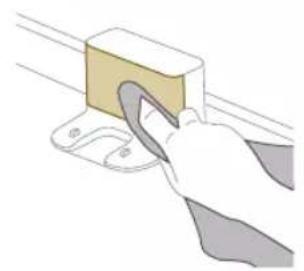
natural_image
Illustration of a hand using a tool to lift a rectangular block (no text or symbols visible)natural_image
Illustration of a closed cargo container with an inset showing a cardboard box and warning symbol (no text or labels)natural_image
Illustration of a garment being filled with fabric, showing front and back views (no text or symbols)natural_image
Illustration of a hand placing a small object into a tray with an arrow indicating motion (no text or symbols)natural_image
Diagram of a robotic arm with a green plastic component inserted, showing no text or symbols.natural_image
Illustration of a toilet with a magnified inset showing a button (no text or symbols)natural_image
Diagram of a mechanical component with a magnified inset showing a directional arrow (no text or symbols)XU7100
XU7000
natural_image
Illustration of a toilet with a magnified inset showing a button or connector (no text or symbols)natural_image
Diagram of a mechanical component with a magnified inset showing a cylindrical component (no text or symbols)XU7100
XU7000
natural_image
Illustration of a robotic vacuum cleaner connected to a table with sensors and signal waves (no text or symbols)natural_image
Illustration of a toilet with a magnified view showing a device inside (no text or symbols)natural_image
Line drawing of a hand holding a small electronic device with a downward arrow indicating motion (no text or symbols)natural_image
Illustration of three different mechanical components: a rectangular plate, a threaded fastener, and a curved cable (no text or symbols)natural_image
Diagram of a mechanical or electrical component with curved internal lines and directional arrows, no visible text or symbols.natural_image
Diagram of a mechanical component with a wooden block and upward arrow, no visible text or symbolsZáruka a podpora
natural_image
Illustration of a circular mechanical device with a recycling symbol (no text or labels)1 360-graders lasernavigation (LiDAR)
2 Kollisionssensor (2x)
3 Infrarød signalmodtager for at finde stationen
4 Infrarød signalgiver til at kommunikere med stationen
5 3D ToF-sensor til at registrere og undgå små forhindringer foran robotten (120°)
6 ToF-sensor til at registrere og undgå små forhindringer omkring robotten (8x)
7 Anti-drop-sensor (6x)
natural_image
Diagram of a mechanical clamp or bracket assembly with a magnified inset showing a circular component (no text or symbols)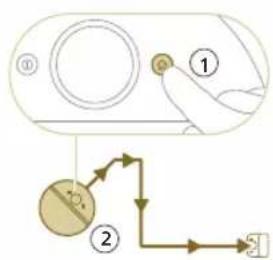
natural_image
Illustration of a toilet with a magnified view showing a button and arrow (no text or symbols)natural_image
Illustration of a robotic vacuum cleaner with signal waves and a hand holding a remote device (no text or symbols)2 Vælg robotmodellen.
- Model XU7100 - Model XU7000
natural_image
Line drawing of a compact water heater with a small rectangular component on the side (no text or symbols)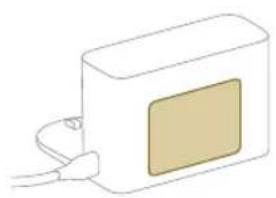
natural_image
Simple line drawing of a rectangular device with a beige square on its side and connected to a cable (no text or symbols)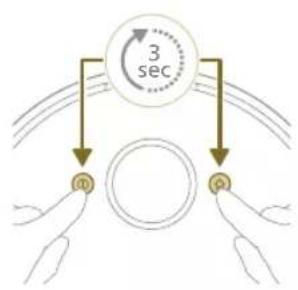
flowchart
graph TD
    A["Input Pulse m"] --> B["Circle"]
    C["Input Pulse q"] --> B
    B --> D["3 sec"]
natural_image
Illustration of a robotic vacuum cleaner with sensor array and hand interacting with a device (no text or symbols)Sådan fungerer din robot
Opret et kort
natural_image
Modern living room interior with blue flooring, white furniture, and a robotic vacuum cleaner (no visible text or symbols)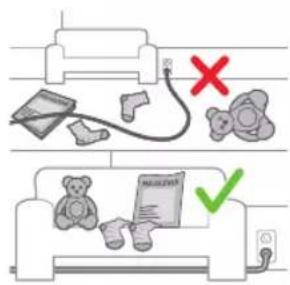
natural_image
Floor plan diagram with room layout and furniture placement (no text or labels)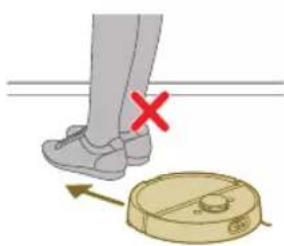
natural_image
Illustration of a person's legs and foot with a robot navigating a circular device, marked with a red X (no text or symbols)Kort Rediger
I appen kan du bruge kortredigering til at:
natural_image
White robotic vacuum cleaner placed on wooden flooring next to a large window with orange light (no text or symbols visible)natural_image
Roozer vacuum cleaner placed on tiled floor next to a potted plant in a transparent container (no text or symbols visible)natural_image
Robot on wooden floor with green dotted pattern on floor (no text or symbols visible)Skånsom zone
natural_image
Interior scene with a wooden chair and green tiled floor, no visible text or symbolsnatural_image
Diagram of a robotic arm with a green plastic component and an arrow pointing to the part (no text or symbols)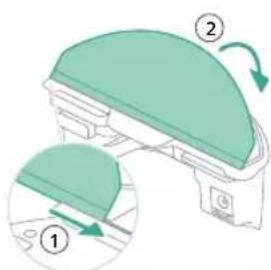
natural_image
Floor plan diagram with room layout and furniture placement (no text or labels)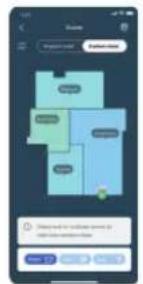
natural_image
Two robotic vacuum cleaner stations connected by a green sensor on a wooden floor (no visible text or symbols)natural_image
Illustration of a cardboard box with an open lid and internal compartments, accompanied by a warning symbol (no text or labels present)natural_image
Diagram of a robotic arm with a green plastic component inserted, showing no text or symbols.6 Lufttør den vaskbare moppepude.
natural_image
Illustration of a mechanical component with a green top and arrow indicating rotation (no text or symbols)8 Fastgør den vaskbare moppepude til moppepudeholderens velcro-materiale.
natural_image
Diagram of a robotic arm with a curved blade and handle, showing internal components (no text or symbols)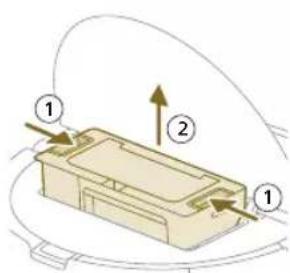
4 Åbn støvbeholderens tømningslåge.
Bemærk: Undgå at forveksle tømningslågen på støvbeholderen med låget på det vaskbare filter. Støvbeholderens tømningslåge er blå.
1 Skyl støvbeholderen med varmt vand.
natural_image
Illustration of a printer's front panel with a paperclip and arrow indicating rotation (no text or symbols)natural_image
Diagram of a printer with a stack of paper and an upward arrow indicating motion (no text or symbols)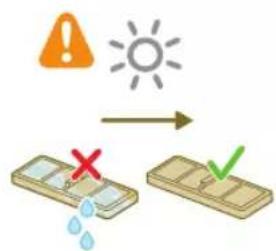
3 Rens det vaskbare filter med vand.
4 Lufttør det vaskbare filter i 24 timer.
natural_image
Diagram of a printer's internal structure with a paper feeding into a cover (no text or symbols)7 Luk läget til det vaskbare filter.
natural_image
Diagram of a robotic vacuum cleaner with a curved blade and internal components (no text or symbols)8 Åbn robottens topdæksel.
natural_image
Diagram of a mechanical component with a downward arrow indicating motion or force (no text or symbols)9 Placer støvbeholderen på det korrekte sted.
natural_image
Technical line drawing of a mechanical component with no visible text or symbolsnatural_image
Illustration of hands performing a mechanical tool with a spring-like component (no text or symbols)natural_image
Illustration of hands manipulating a mechanical component with a yellow arrow indicating upward motion (no text or symbols)natural_image
Technical illustration of a mechanical component with a magnified inset showing internal components (no text or symbols)natural_image
Technical line drawing of a mechanical component with no visible text or symbols100 Dansk
1 Anbring robotten med bunden opad på et fladt og stabilt underlag.
natural_image
Illustration of hands using a tool to adjust or install a component on a curved surface (no text or symbols visible)natural_image
Illustration of a hand inserting a component into a device casing (no text or symbols visible)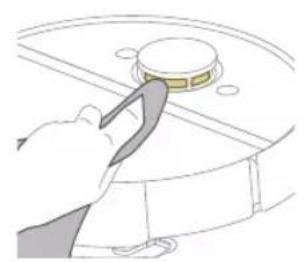
natural_image
Illustration of a hand using a tool to press or install a circular component on a curved surface (no text or symbols visible)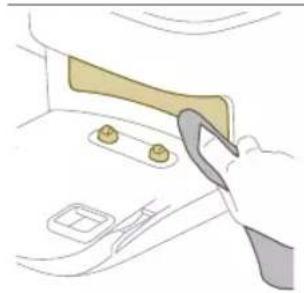
natural_image
Illustration of a hand holding a tool interacting with a device inside a vehicle (no text or symbols visible)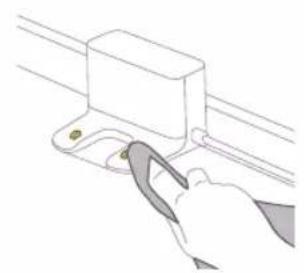
natural_image
Line drawing of a hand using a tool to adjust or install a component on a rail (no text or symbols)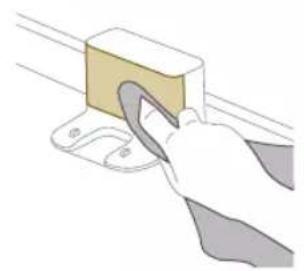
natural_image
Illustration of a hand using a tool to lift a rectangular block (no text or symbols visible)natural_image
Illustration of a cardboard box with an icon indicating warning or hazard (no text or symbols present)natural_image
Illustration of a garment being filled with fabric, showing front and back views (no text or symbols)natural_image
Illustration of a hand using a tool to lift a small object into a tray (no text or symbols)natural_image
Diagram of a robotic vacuum cleaner with a green plastic housing and a circular top (no text or symbols)104 Dansk
Langtidsopbevaring
Lysene i de to knapper på
robotten blinker langsomt.
Robotten oplades.
XU7100
XU7000
natural_image
Illustration of a toilet with two arrows indicating movement, showing internal components and wiring (no text or symbols)natural_image
Illustration of a robotic vacuum cleaner connected to a table with sensors and signal waves (no text or symbols)Lysene i de to knapper på
robotten blinker orange.
Robotten er i Wi-Fi-opsætningstilstand.
Robotmo- delnummer
natural_image
Illustration of a closed open box with a sun icon and a small orange triangle symbol (no text or labels)tømningsstations orange LED blinker.
natural_image
Illustration of a car interior with a package and warning symbol (no text or labels)Støvposen er fuld.
tømningsstations orange LED blinker.
Nulstil/gendan robotten
natural_image
Line drawing of a hand holding a small electronic device with a vertical arrow indicating motion (no text or symbols)Du kan nulstille/gendanne robotten ved at trykke på nulstillingsknappen med en nål.
natural_image
Illustration of three different mechanical components: a rectangular plate, a threaded fastener, and a curved cable (no text or symbols)natural_image
Illustration of a circular mechanical device with a recycling symbol (no text or labels)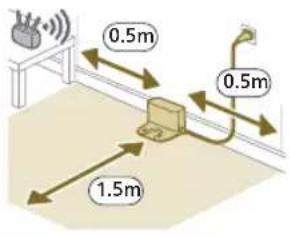
natural_image
Diagram of a mechanical clamp or bracket assembly with a magnified inset showing a circular component labeled 'H2+' (no text or symbols present)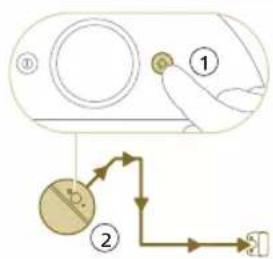
natural_image
Diagram showing a door with a magnified view of a vertical component, no text or symbols present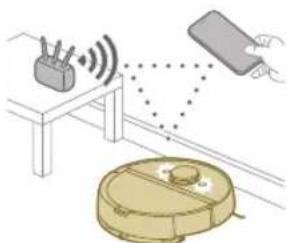
natural_image
Line drawing of a modern water heater with a small rectangular component on the base (no text or symbols)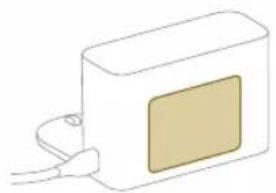
natural_image
Simple line drawing of a rectangular device with a square patch and cable connector (no text or symbols)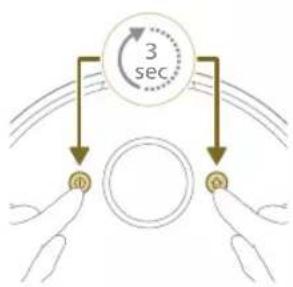
flowchart
graph TD
    A["3 sec"] --> B["ID"]
    A --> C["Q"]
natural_image
Illustration of a robotic vacuum cleaner with sensor array and wiring, connected to a handheld device (no text or symbols)natural_image
Modern living room interior with blue flooring, coffee table, and wall art (no visible text or symbols)Karte bearbeiten
natural_image
Floor plan diagram with furniture layout (no text or labels)natural_image
Illustration of a person's legs and foot with a robot navigating a circular device, marked with a red X (no text or symbols present)natural_image
White robotic vacuum cleaner placed on wooden flooring next to a large window with orange light (no text or symbols visible)natural_image
Interior scene with a robotic vacuum cleaner and a potted plant in a glass container (no text or symbols visible)natural_image
Robot on wooden floor with green dotted pattern on surface (no text or symbols visible)natural_image
Interior scene with a wooden chair and green floor tiles, no visible text or symbolsSanfter Bereich
natural_image
Diagram of a robotic arm with a green component inserted, showing no text or symbols.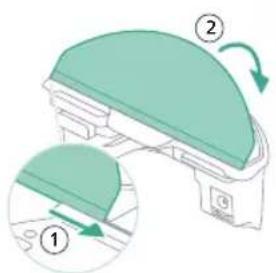
natural_image
Floor plan diagram with room layout and furniture placement (no text or labels)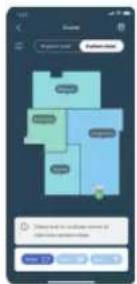
natural_image
Two robotic vacuum cleaner units connected by a green sensor on a wooden floor, with a black server unit nearby (no visible text or symbols)natural_image
Illustration of a cardboard box with a warning symbol (no text or labels)Reinigen des Wischtuchs
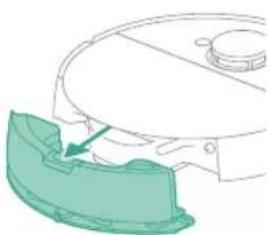
natural_image
Diagram of a robotic arm with a green highlighted component (no text or symbols)natural_image
Illustration of a mechanical component with a green top and arrow indicating rotation (no text or symbols)natural_image
Diagram of a robotic vacuum cleaner with a curved blade and internal components (no text or symbols)natural_image
Diagram of a printer with a paper feeding into a slot (no text or symbols)natural_image
Diagram of a printer with a stack of paper and an upward arrow indicating motion (no text or symbols)natural_image
Diagram of a printer's internal structure with a curved arrow indicating rotation (no text or symbols)natural_image
Diagram of a robotic vacuum cleaner with a circular housing and directional arrow indicating motion (no text or symbols)natural_image
Diagram of a mechanical component with a downward arrow indicating motion or force (no text or symbols)natural_image
Technical line drawing of a mechanical component with no visible text or symbolsnatural_image
Illustration of hands performing a mechanical tool with a spring-like component (no text or symbols)natural_image
Illustration of hands manipulating a mechanical component with an upward arrow (no text or symbols)natural_image
Technical illustration of a mechanical component with a magnified inset showing internal components (no text or symbols)natural_image
Technical line drawing of a mechanical component with no visible text or symbols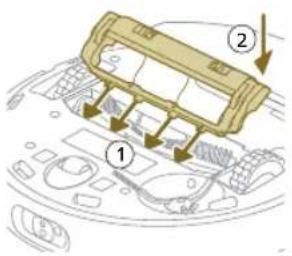
natural_image
Illustration of hands using a tool to adjust or install a component on a curved surface (no text or symbols visible)natural_image
Illustration of a hand inserting a component into a device casing (no text or symbols visible)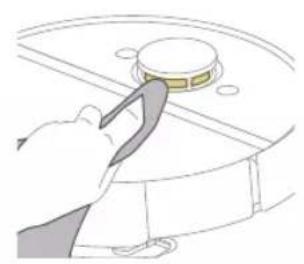
natural_image
Illustration of a hand using a tool to press or install a circular component on a curved surface (no text or symbols)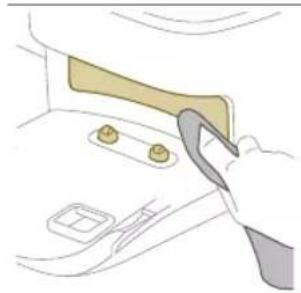
natural_image
Illustration of a hand holding a tool interacting with a car interior panel (no text or symbols visible)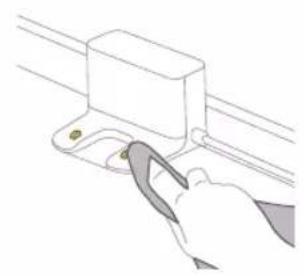
natural_image
Line drawing of a hand using a tool to adjust or install a component on a rail (no text or symbols)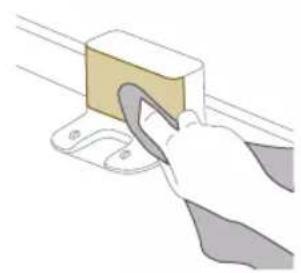
natural_image
Illustration of a hand using a tool to lift a block on a metal bracket (no text or symbols)natural_image
Illustration of a closed cargo container with an inset showing a cardboard box and warning symbol (no text or labels)natural_image
Illustration of a garment being filled with fabric, showing front and back views (no text or symbols)natural_image
Illustration of a hand using a tool to lift a small object into a tray (no text or symbols)natural_image
Diagram of a robotic arm with a green plastic component and an arrow pointing to the part (no text or symbols)natural_image
Line drawing of a hand holding a small lock component with an arrow indicating downward motion (no text or symbols)natural_image
Illustration of three different mechanical components: a rectangular plate, a threaded fastener, and a curved cable (no text or symbols)Entfernen des Akkus
natural_image
Diagram of a mechanical or electrical component with curved yellow wires and a directional arrow (no text or symbols)natural_image
Diagram of a mechanical component with a wooden block and upward arrow, no visible text or symbolsnatural_image
Illustration of a circular mechanical device with a recycling symbol (no text or labels)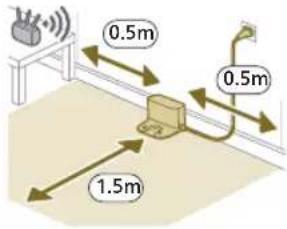
natural_image
Diagram of a mechanical device with a magnified view showing a component (no text or symbols present)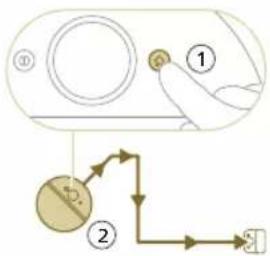
natural_image
Illustration of a toilet with a magnified view showing a component being inserted (no text or symbols)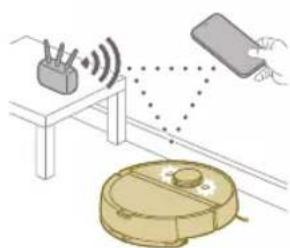
natural_image
Illustration of a robotic vacuum cleaner with signal waves and a hand holding a device (no text or symbols)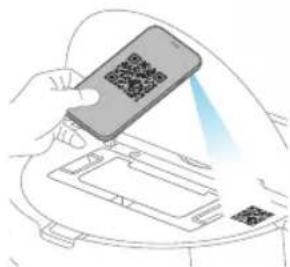
natural_image
Line drawing of a compact water heater with a small screen and base (no text or symbols)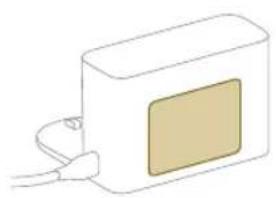
natural_image
Simple line drawing of a rectangular device with a beige square on its side and connected to a cable (no text or symbols)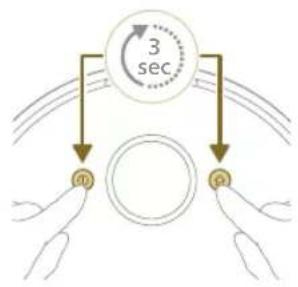
flowchart
graph TD
    A["0"] --> B["1"]
    B --> C["3 sec"]
    style A fill:#f9f,stroke:#333
    style B fill:#bbf,stroke:#333
    style C fill:#dfd,stroke:#333
natural_image
Modern living room interior with blue flooring, large wall art, and minimalist furniture (no visible text or symbols)Kaardi muutmine
natural_image
Floor plan diagram with room layout and furniture placement (no text or labels)- Avage köik siseuksed.
natural_image
Illustration of a person's legs and foot stepping on a circular object with an arrow, marked with a red X (no text or symbols)natural_image
White robotic vacuum cleaner placed on wooden flooring next to a large window with orange light (no text or symbols visible)natural_image
Interior scene with a robotic vacuum cleaner and a potted plant in a transparent container (no text or symbols visible)natural_image
Robot on wooden floor with green dotted pattern on floor (no text or symbols visible)Mopivaba tsoon
natural_image
Interior scene with a wooden chair, green floor tiles, and a robotic vacuum cleaner (no text or symbols visible)Örn tsoon
natural_image
Diagram of a robotic arm with a green plastic component inserted, showing no text or symbols.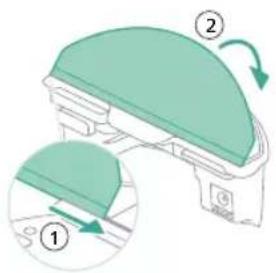
- Kinnitage pestav mopipadi mopipadja hoidiku külge.
natural_image
Floor plan diagram with furniture layout (no text or labels)- Avage köik siseuksed.
natural_image
Illustration of a robotic device with motion arrows indicating movement (no text or symbols)natural_image
Two robotic vacuum cleaner units on a wooden floor, connected by a green sensor or signal line (no text or symbols visible)natural_image
Illustration of a closed storage box with a package and warning symbols (no text or labels)Pestava mopipadja puhastamine
natural_image
Diagram of a robotic arm with a green plastic component and an arrow pointing to the part (no text or symbols present)7 Lükake pestava mopipadja sirge külg mopipadja hoidiku öigesse pilusse.
natural_image
Diagram of a mechanical component with a green dome and rotation arrow (no text or symbols)8 Kinnitage pestav mopipadi mopipadja hoidiku takjariba külge.
natural_image
Diagram of a mechanical component with a curved arrow indicating rotation or force direction (no text or symbols)4 Avage tolmukambri tühjendusava.
i Märkus. Ärge ajage tolmukambri tühjendusava segamini pestava filtri kaanega. Tolmukambri tühjendusava on sinine.
natural_image
Illustration of a printer with a scroll wheel and paper filter (no text or symbols)172 Eesti

natural_image
Diagram of a beige rectangular device with a downward arrow pointing to its base, surrounded by curved lines (no text or symbols)natural_image
Technical line drawing of a mechanical component or gear assembly (no text or symbols)natural_image
Illustration of hands holding a wooden object with a pencil, no text or symbols presentnatural_image
Illustration of hands manipulating a mechanical component with an upward arrow (no text or symbols)natural_image
Technical illustration of a mechanical assembly with a magnified inset showing internal components (no text or symbols)natural_image
Diagram of a car interior showing a textured component with an arrow indicating direction (no text or symbols present)1 Pange robot tagurpidi tasasele stabiilsele pinnale.
2 Eemaldage kruvi kruvikeeraja abil.
3 Eemaldage külgmine hari.
natural_image
Illustration of hands using a tool to adjust or install a component on a curved surface (no text or symbols)natural_image
Illustration of a hand inserting a cable into a device casing (no text or symbols visible)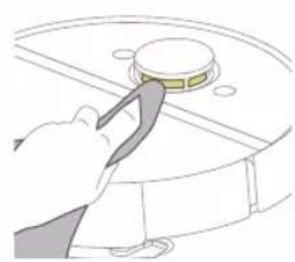
natural_image
Illustration of a hand using a tool to press a circular component on a surface (no text or symbols)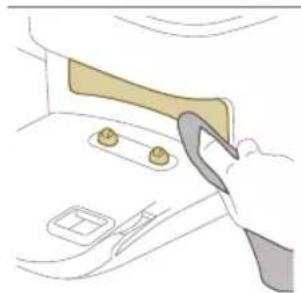
natural_image
Illustration of a hand using a tool to adjust or install a component on a car interior (no text or symbols visible)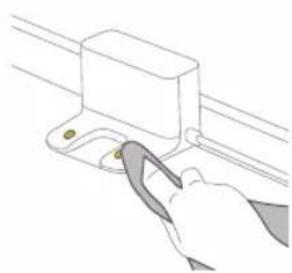
natural_image
Line drawing of a hand using a tool to adjust or install a rectangular component (no text or symbols)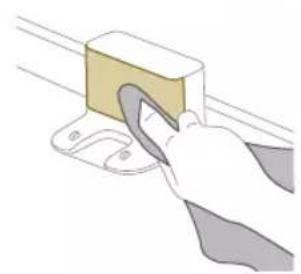
natural_image
Illustration of a hand using a tool to lift a rectangular object (no text or symbols visible)natural_image
Illustration of a cargo box with a highlighted package and warning symbol (no text or labels)natural_image
Illustration of a garment pattern piece inside a container (no text or symbols)natural_image
Illustration of a hand using a tool to lift a small object into a tray (no text or symbols)natural_image
Diagram of a robotic arm with a green plastic component inserted, showing no text or symbols.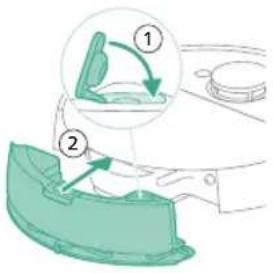
natural_image
Illustration of a toilet with two arrows indicating direction of movement (no text or symbols present)natural_image
Diagram showing two views of a toilet with directional arrows indicating movement (no text or symbols present)natural_image
Line drawing of a hand holding a small electronic device with a downward arrow indicating rotation (no text or symbols)natural_image
Illustration of a robotic vacuum cleaner with a circular symbol indicating recycling (no text or symbols present)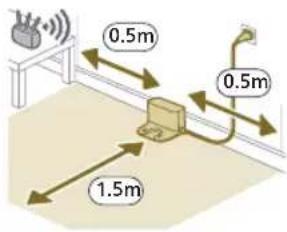
natural_image
Diagram of a mechanical clamp or bracket assembly with a magnified inset showing a circular component (no text or symbols)flowchart
graph TD
    A["Step 1: Hand pressing"] --> B["Step 2: Directional arrow pointing to device"]
    B --> C["End of second step"]
natural_image
Illustration of a toilet with a battery and indicator light showing sun (no text or symbols)Descarga la app, registrate y conéctate a la red Wi-Fi.
Contenido de la app
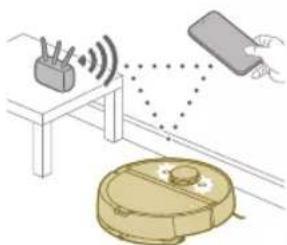
natural_image
Diagram showing a robotic vacuum cleaner connected to a device with signal waves, no text or symbols present- Modelo XU7100 - Modelo XU7000
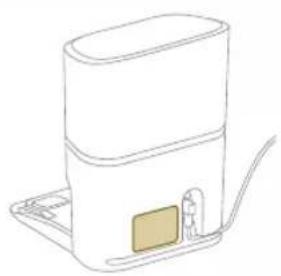
natural_image
Line drawing of a modern water heater with a small rectangular component on the base (no text or symbols)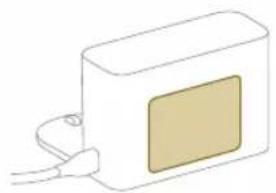
natural_image
Simple line drawing of a rectangular device with a square patch and cable connector (no text or symbols)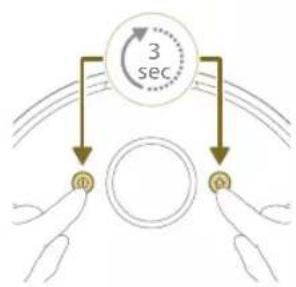
flowchart
graph TD
    A["3 sec"] --> B["Top Circle"]
    A --> C["Bottom Circle"]
    B --> D["Left Hand"]
    C --> E["Right Hand"]
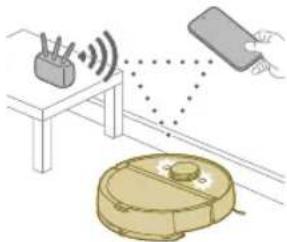
natural_image
Illustration of a robotic vacuum cleaner with sensor array and hand holding a device (no text or symbols)natural_image
Modern living room interior with blue flooring, coffee table, and wall art (no visible text or symbols)Editar mapa
natural_image
Floor plan diagram with furniture layout (no text or labels)natural_image
Illustration of a person's legs and foot with a robot navigating a circular device, marked with a red X (no text or symbols)natural_image
White robotic vacuum cleaner placed on wooden flooring next to a large window (no text or symbols visible)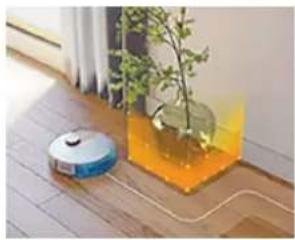
natural_image
Interior scene with a robotic vacuum cleaner and a potted plant in a glass jar (no text or symbols visible)natural_image
Robot on wooden floor with green dotted pattern overlay (no text or symbols)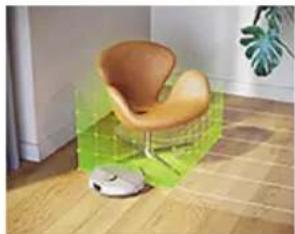
natural_image
Interior scene with a wooden armchair and a small robot, no visible text or symbolsZona suave
natural_image
Diagram of a robotic arm with a green plastic component and an arrow pointing to the part (no text or symbols)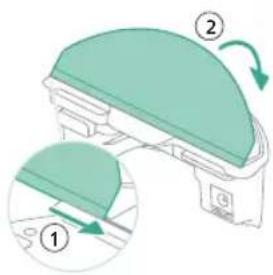
natural_image
Floor plan diagram with room layout and furniture placement (no text or labels)natural_image
Illustration of a robotic vacuum cleaner with airflow path and sensor icon (no text or symbols)natural_image
Two robotic vacuum cleaner stations connected by a green sensor on a wooden floor, with a black server tower nearby (no visible text or symbols)natural_image
Illustration of a closed storage box with a package and warning symbol (no text or labels)206 Español
natural_image
Diagram of a robotic arm with a highlighted green component (no text or symbols)natural_image
Illustration of a mechanical component with a green top and arrow indicating rotation (no text or symbols)natural_image
Diagram of a robotic arm with a curved blade and base, showing no text or symbolsnatural_image
Diagram of a printer holder with a paper feed cover, showing internal structure and page layout (no text or symbols)natural_image
Diagram of a printer with a wooden cover and upward arrow indicating motion (no text or symbols)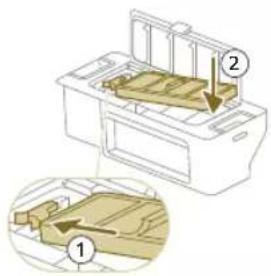
natural_image
Diagram of a printer with a paper filter and arrow indicating rotation (no text or symbols)Español
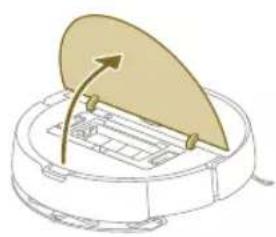
natural_image
Diagram of a robotic vacuum cleaner with a lid and internal components (no text or symbols)natural_image
Diagram of a beige plastic container with a downward arrow pointing to it, placed on a curved surface (no text or symbols)natural_image
Technical line drawing of a mechanical component with no visible text or symbolsnatural_image
Illustration of hands using a tool to adjust or install a mechanical component (no text or symbols visible)natural_image
Illustration of hands manipulating a mechanical component with a directional arrow (no text or symbols)natural_image
Technical illustration of a mechanical component with a magnified inset showing internal components (no text or symbols)natural_image
Diagram of a mechanical component with textured surfaces and a directional arrow (no text or symbols)natural_image
Illustration of hands using a tool to adjust or install a component on a curved surface (no text or symbols visible)natural_image
Diagram of a computer mouse with a hand inserting a button to the inner casing (no text or symbols present)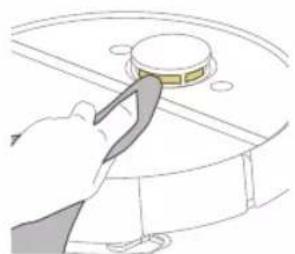
natural_image
Illustration of a hand using a tool to press or adjust a circular component (no text or symbols visible)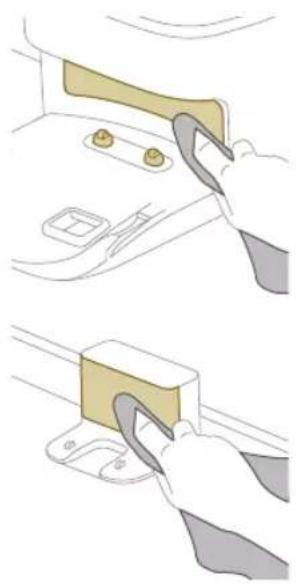
natural_image
Illustration showing two steps of a hand holding a tool, with no visible text or symbols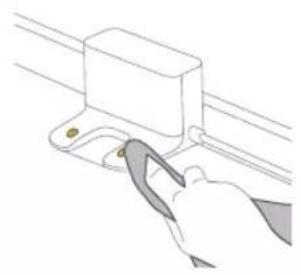
natural_image
Illustration of a hand using a tool to lift a rectangular component (no text or symbols visible)natural_image
Illustration of a closed cargo box with a highlighted package and warning symbol (no text or labels)natural_image
Illustration of a garment pattern piece inside a container (no text or symbols)natural_image
Illustration of a hand using a tool to lift a small object into a tray (no text or symbols)natural_image
Diagram of a robotic arm with a green plastic component inserted, showing no text or symbols.natural_image
Line drawing of a hand holding a key inserted into a device component (no text or symbols)natural_image
Illustration of three different mechanical components: a rectangular plate, a threaded screw, and a curved arm (no text or symbols)natural_image
Diagram of a mechanical or electrical component with curved golden bands and directional arrows, no visible text or symbols.natural_image
Diagram of a mechanical component with a wooden block and upward arrow, no visible text or symbolsnatural_image
Illustration of a circular mechanical device with a recycling symbol (no text or labels)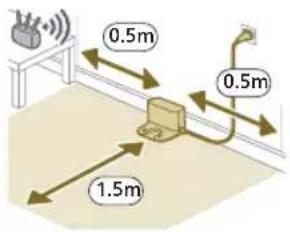
natural_image
Diagram of a mechanical clamp or bracket assembly with a magnified inset showing a circular component (no text or symbols)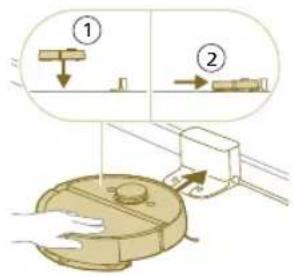
natural_image
Illustration of a toilet with a magnified view showing a device (no text or symbols present)natural_image
Illustration of a hand holding a smartphone with a QR code, interacting with a device (no text or symbols visible)natural_image
Line drawing of a portable electronic device with a small screen and base, no text or symbols present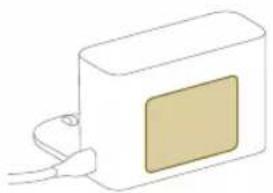
natural_image
Simple line drawing of a rectangular device with a beige square and cable, no text or symbols present.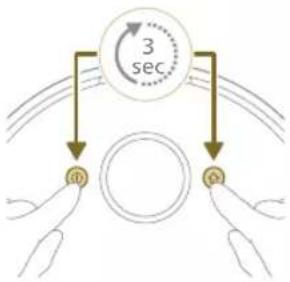
flowchart
graph TD
    A["3 sec"] --> B["a"]
    A --> C["b"]
natural_image
Illustration of a robotic vacuum cleaner with sensor array and hand interacting with a device (no text or symbols)natural_image
Modern living room interior with blue flooring, coffee table, and robotic vacuum cleaner (no visible text or symbols)natural_image
Floor plan diagram with room layout and furniture placement (no text or labels)natural_image
Illustration of a person's legs and foot stepping on a robot's floor, with a red X mark indicating the knee point (no text or symbols present)natural_image
White robotic vacuum cleaner placed on wooden flooring next to a large window with a brick door (no text or symbols visible)natural_image
Interior scene with a robotic vacuum cleaner and a plant in a transparent container (no text or symbols visible)natural_image
Robot vacuum cleaner on wooden floor with green sensor array (no text or symbols visible)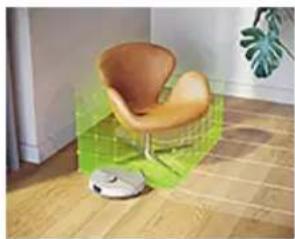
natural_image
Interior scene with a wooden chair and green cushion, no visible text or symbolsnatural_image
Diagram of a robotic arm with a green plastic component inserted, showing no text or symbols.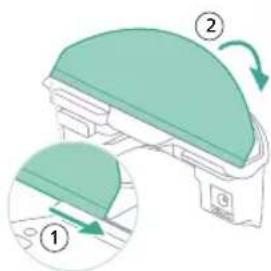
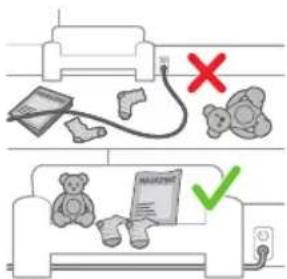
- Placez la lingette lavable sur son support.
natural_image
Floor plan diagram with room layout and furniture placement (no text or labels)natural_image
Two robotic vacuum cleaner units connected by a dotted line on a wooden floor, with green arrows indicating connection (no text or symbols visible)natural_image
Illustration of a cardboard box with a warning symbol (no text or labels)Nettoyage de la lingette lavable
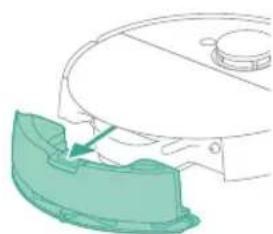
natural_image
Diagram of a robotic arm with a green plastic component inserted, showing no text or symbols.natural_image
Illustration of a mechanical component with a green top and arrow indicating rotation (no text or symbols)natural_image
Diagram of a robotic vacuum cleaner with a golden lid and control panel (no text or symbols)natural_image
Illustration of a printer's front panel with a paper feeding into the cover (no text or symbols)natural_image
Diagram of a printer with a stack of paper and an upward arrow indicating motion (no text or symbols)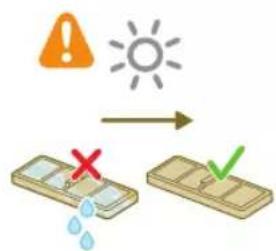
natural_image
Diagram of a printer's internal structure with a paper feeding into a cover (no text or symbols)natural_image
Diagram of a robotic vacuum cleaner with a circular housing and directional arrow indicating motion (no text or symbols)natural_image
Diagram of a mechanical component with a downward arrow indicating motion or force (no text or symbols)natural_image
Technical line drawing of a mechanical component with no visible text or symbols4 Sortez la brosse principale.
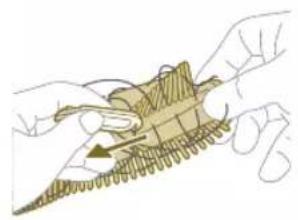
natural_image
Illustration of hands performing a mechanical tool with a spring-like component (no text or symbols)natural_image
Illustration of hands manipulating a mechanical component with a yellow arrow indicating upward motion (no text or symbols)natural_image
Technical illustration of a mechanical assembly with a magnified inset showing internal components (no text or symbols)natural_image
Diagram of a mechanical component with a highlighted section, showing internal parts and no visible text or symbols.250 Français
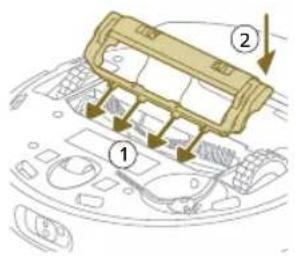
natural_image
Illustration of hands using a tool to adjust or install a component on a curved surface (no text or symbols visible)natural_image
Illustration of a hand using a tool to press internal components on a device casing (no text or symbols visible)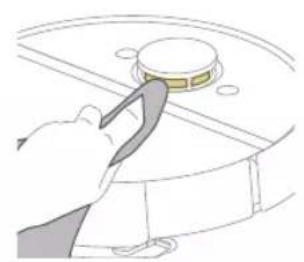
natural_image
Illustration of a hand using a tool to press or install a circular component (no text or symbols visible)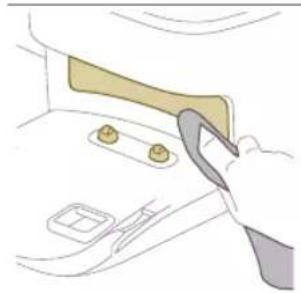
natural_image
Illustration of a hand using a tool to adjust or install a component on a door (no text or symbols visible)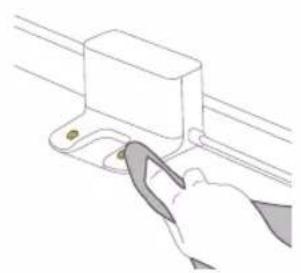
natural_image
Line drawing of a hand using a tool to adjust or install a component on a rail (no text or symbols)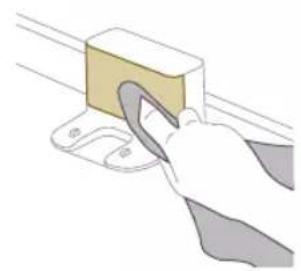
natural_image
Illustration of a hand using a tool to lift a rectangular block (no text or symbols visible)natural_image
Illustration of a closed cargo box with a package inside, showing a warning symbol (no text or labels present)natural_image
Illustration of a garment being filled with fabric, showing front and back views (no text or symbols)natural_image
Illustration of a hand placing a small object into a tray with an arrow indicating motion (no text or symbols)natural_image
Diagram of a robotic arm with a green plastic component, no text or symbols present254 Français
natural_image
Line drawing of a hand holding a small electronic device with a vertical arrow indicating motion (no text or symbols)natural_image
Illustration of three different mechanical components: a rectangular plate, a threaded rod with grooves, and a curved cable (no text or symbols)natural_image
Illustration of a circular mechanical component with a recycling symbol (no text or labels)2 Umetnite spremnik za vodu na pravilnu lokaciju.
Priprema za uporabu
Postavite robot i stanicu
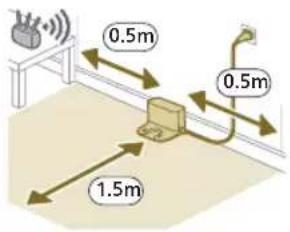
i Napomena: Ostavite 0,5 metara razmaka s obje strane stanice i 1,5 metara ispred stanice.
2 Spojite stanicu na napajanje.
natural_image
Diagram of a mechanical clamp or bracket assembly with a magnified inset showing a circular component (no text or symbols)2 Provjerite je li stanica uključena u zidnu utičnicu.
3 Kako biste uključili robot, pritisnite i 3 sekunde držite gumb za uključivanje/isključivanje.
4 Pritisnite tipku za početni zaslon. Robot vozi do pravilnog položaja na stanici.
- Model XU7100 - Model XU7000
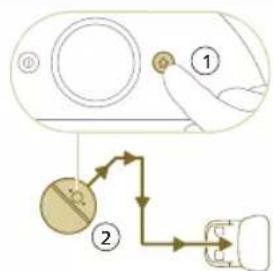
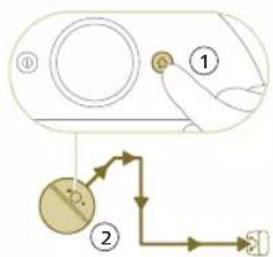
flowchart
graph TD
    A["①"] --> B["②"]
    B --> C["③"]
    C --> D["④"]
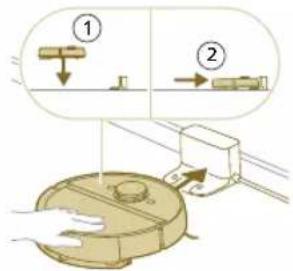
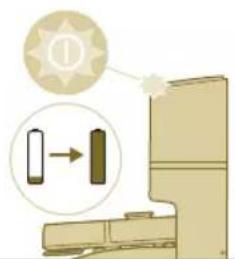
natural_image
Illustration of a toilet with a magnified view showing a directional arrow (no text or symbols)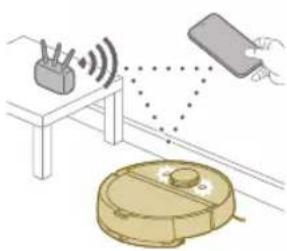
natural_image
Illustration of a robotic vacuum cleaner with signal waves and a hand holding a remote (no text or symbols)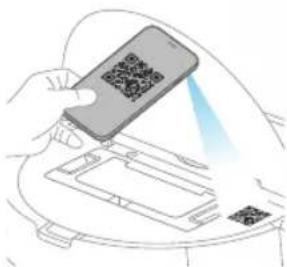
natural_image
Illustration of a hand holding a smartphone with a QR code being scanned, placed on a device (no text or symbols visible)10 Napravite raspored čišćenja.
11 Pogledajte status održavanja i pronadite rezervne dijelove.
12 Povežite robot i digitalni glasovni pomoćnik za rad pomoću glasovnih naredbi.
natural_image
Line drawing of a compact water heater with a small rectangular component on the side (no text or symbols)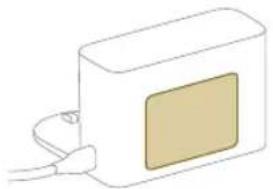
natural_image
Simple line drawing of a rectangular device with a beige square on the front and connected to a cable (no text or symbols)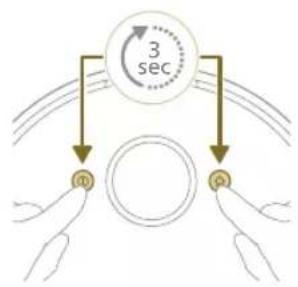
flowchart
graph TD
    A["Hand 1"] --> B["Circle"]
    C["Hand 2"] --> B
    B --> D["3 sec"]
    style A fill:#f9f,stroke:#333
    style C fill:#f9f,stroke:#333
i Možete odabrati model svog robota skeniranjem QR koda na vrhu robota ili možete sami potražiti broj modela na tipskoj pločici na stražnjoj strani stanice.
3 Postavite stanicu unutar pravilnih dimenzija za položaj.
4 Pritisnite i držite gumb za uključivanje/isključivanje i tipku za početni zaslon istovremeno tri sekunde. Svjetla na gumbima bljeskat će narančasto da označe da je robot u načinu postavljanja Wi-Fi veze.
5 Uparite robot koristeći Wi-Fi u aplikaciji.
6 Ako je vidljiv u aplikaciji, kliknite gumb za pridruživanje da biste se povezali s mrežom „Philips robot”.
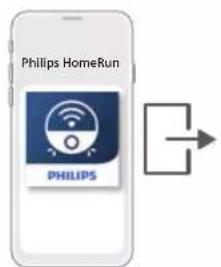
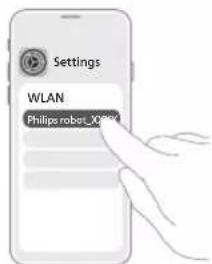
i Napomena: Ako gumb za pridruživanje nije vidljiv u aplikaciji, napustite aplikaciju i idite na Wi-Fi u dijelu Postavke na svom mobilnom uređaju. Ondje možete odabrati mrežu „Philips robot“ i povezati se s njom.
natural_image
Illustration of a robotic vacuum cleaner with signal detection and control panel (no text or symbols)Način na koji robotski usisavač radi
Izradite kartu
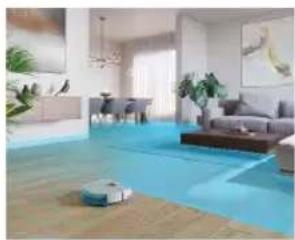
natural_image
Interior view of a modern living room with blue flooring, large windows, and minimal furniture (no visible text or symbols)Na koji način radi mapiranje
Robot vozi kroz sobe, a laserska navigacija brzo skenira sobe kako bi izradila kartu poda.
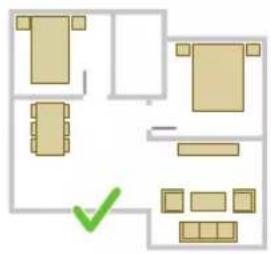
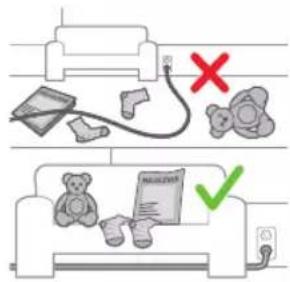
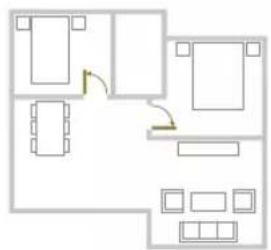
natural_image
Floor plan diagram with room layout and furniture placement (no text or labels)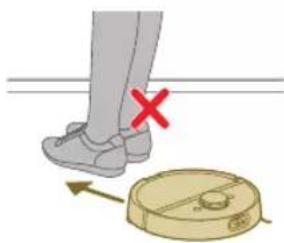
natural_image
Illustration of a person's legs and foot with a robot navigating a circular device, marked with a red X (no text or symbols)Uređivanje karte
natural_image
White robotic vacuum cleaner placed on wooden flooring next to a large window with orange curtains (no text or symbols visible)natural_image
Interior scene with a robotic vacuum cleaner and a potted plant in a transparent container (no text or symbols visible)natural_image
Rovator on wooden flooring with green sensor array (no text or symbols visible)natural_image
Interior scene with a wooden floor, a green 3D cube-shaped object, and a small white robot on the floor (no text or symbols visible)Zona blagog čišćenja
Vaš robot može prelaziti preko određenog namještaja ako je to potrebno. Ne želite da se penje preko određenih stvari? Iscrtajte zonu blagog čišćenja na karti. Vaš robot će doći do vašeg namještaja, uspeti se samo malo, a nakon toga će se okrenuti.
VAŽNO: Ako želite da vaš robot i dalje ulazi u druge sobe, pazite da zona blagog čišćenja ne bude preblizu vratima s pragom. Postavite zonu blagog čišćenja na najmanje 1 metar udaljenosti od vrata s pragom.
natural_image
Diagram of a robotic arm with a green plastic component and a circular head (no text or symbols)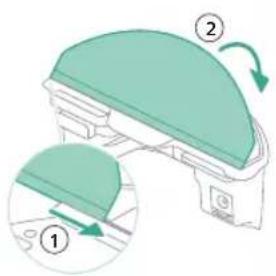
- Pričvrstite perivu podlogu krpe na držač krpe.
natural_image
Floor plan diagram with room layout and furniture placement (no text or labels)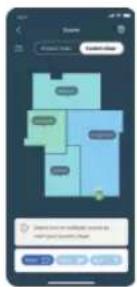
2 Odaberite program za čišćenje: Redovito čišćenje ili prilagođeno čišćenje.
3 Pritisnite ikonu za pokretanje.
i Napomena: Ako je razina napunjenosti baterije preniska, čišćenje ne može započeti. Prije pokretanja čišćenja pričekajte da se robot dovoljno napuni.
Zaustavljanje
1 Pritisnite ikonu Pauza u aplikaciji. Robot se zaustavlja.
2 Ponovno pritisnite ikonu Pokretanje. Robot nastavlja s radom.
3 Ponovno pritisnite ikonu za Početak i punjenje. Robot se vraća na stanicu.
natural_image
Two robotic vacuum cleaner units connected via a cable to a digital device on a wooden floor (no text or symbols visible)natural_image
Illustration of a cardboard box with a warning symbol (no text or labels)Čišćenje perive krpe
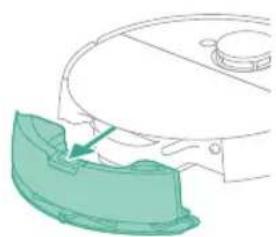
natural_image
Diagram of a robotic arm with a green plastic component inserted, showing no text or symbols.1 Pritisnite gumb za oslobadanje spremnika za vodu.
2 Izvucite spremnik za vodu iz robota.
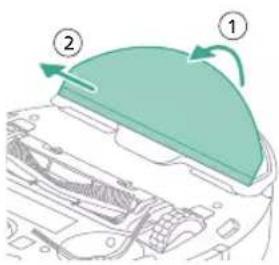
3 Povucite perivu krpu s čičak-materijala.
4 Izvucite ravnu stranu perive krpe iz utora.
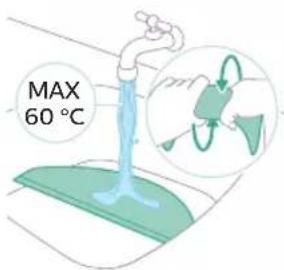
282 Hrvatski
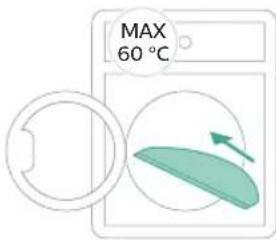
5 Isperite i očistite perivu krpu vodom ili je operite u perilici rublja.
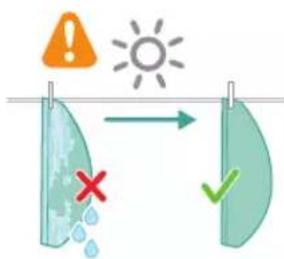
7 Gurnite ravnu stranu perive krpe u pravilan utor držača krpe
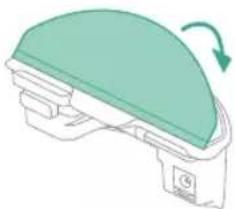
natural_image
Illustration of a mechanical component with a green top and arrow indicating rotation (no text or symbols)8 Pričvrstite perivu krpu na čičak-materijal držača krpe.
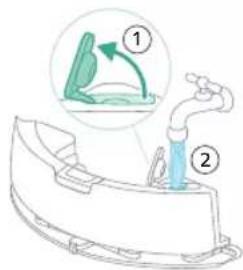
10 Umetnite spremnik za vodu na pravilnu lokaciju.
Pražnjenje spremnika za prašinu
1 Otvorite gornji poklopac.
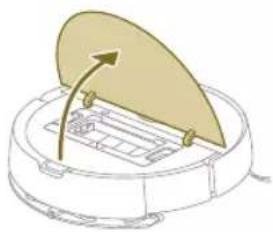
natural_image
Diagram of a robotic vacuum cleaner with a golden lid and control panel (no text or symbols)2 Istovremeno pritisnite gumbe za oslobadanje spremnika za prašinu.
3 Izvucite spremnik za prašinu.
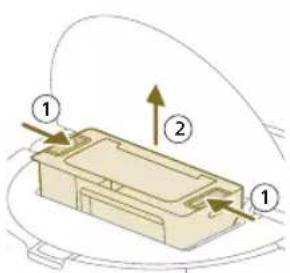
4 Otvorite vratašca za pražnjenje spremnika za prašinu.
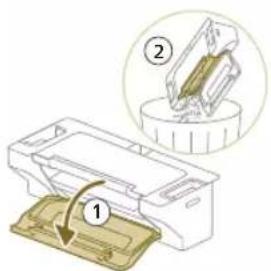
i Napomena: Nemojte zamijeniti vratašca za pražnjenje spremnika za prašinu s poklopcem perivog filtra. Vratašca za pražnjenje spremnika za prašinu su plava.
1 Isperite spremnik za prašinu vodom.
natural_image
Diagram of a printer's front panel with a paper feeding into the cover (no text or symbols)1 Otvorite poklopac perivog filtra.
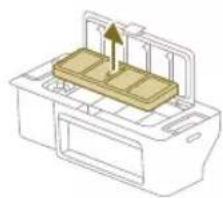
natural_image
Diagram of a printer with a stack of paper and an arrow indicating upward motion (no text or symbols)2 Izvadite perivi filtar.
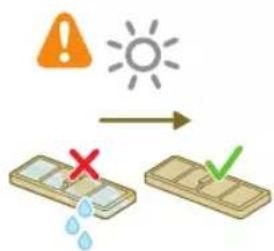
3 Isperite perivi filtar vodom.
4 Osušite perivi filtar na zraku 24 sata.
5 Postavite perivi filtar na bravu filtra spremnika za prašinu i gurnite ga unutra.
6 Gurnite perivi filtar prema dolje.
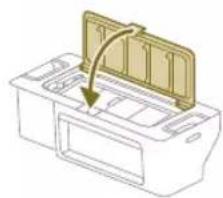
natural_image
Diagram of a printer's internal structure with a paper feeding into a cover (no text or symbols)7 Zatvorite poklopac perivog filtra.
8 Otvorite gornji poklopac robota.
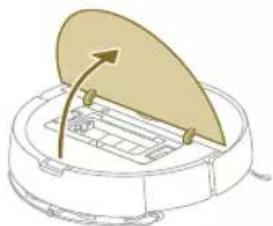
natural_image
Diagram of a robotic vacuum cleaner with a circular housing and directional arrow indicating motion (no text or symbols)9 Umetnite spremnik za prašinu na pravilnu lokaciju.
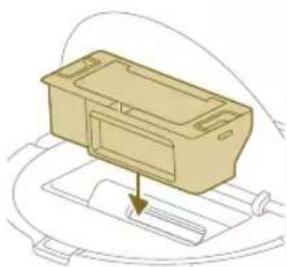
natural_image
Diagram of a mechanical component with a downward arrow indicating motion or force (no text or symbols)1 Okrenite robot naopako na površinu koja je ravna i stabilna.
2 Istovremeno pritisnite gumbe za oslobadanje poklopca četke.
3 Podignite i uklonite poklopac četke.
286 Hrvatski
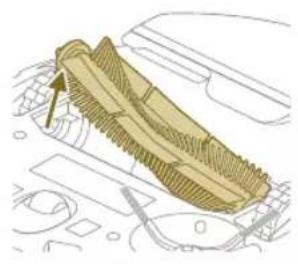
natural_image
Technical line drawing of a mechanical component with no visible text or symbolsnatural_image
Illustration of hands performing a mechanical tool manipulation (no text or symbols visible)natural_image
Illustration of hands manipulating a mechanical component with a yellow arrow indicating upward motion (no text or symbols)6 Uklonite kosu i prljavštinu s glavne četke.
natural_image
Technical illustration of a mechanical component with a magnified inset showing internal components (no text or symbols)natural_image
Diagram of a mechanical component with textured surfaces and directional arrow (no text or symbols)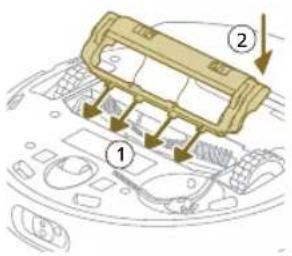
9 Postavite usne poklopca četke na odgovarajuće ureze.
10 Gurnite poklopac četke.
1 Okrenite robot naopako na površinu koja je ravna i stabilna.
2 Izvadite vijak pomoću odvijača.
3 Uklonite bočnu četku.
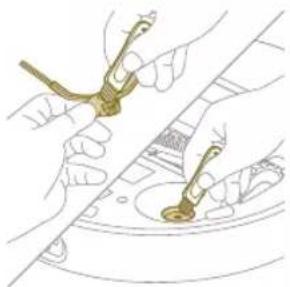
natural_image
Illustration of hands using a tool to adjust or install a component on a curved surface (no text or symbols visible)4 Pomoću četke s mekim vlaknima (npr. četkice za zube) uklonite prašinu i nakupine s bočne četke i robota.
5 Vratite očišćenu bočnu četku na pravilnu lokaciju.
2 Pomoću četke s mekim vlaknima (npr. četkice za zube) uklonite prašinu i nakupine prašine s prednjeg kotačića i glavnih kotačića.
natural_image
Illustration of a hand inserting a component into a device casing (no text or symbols visible)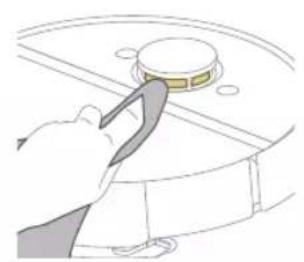
natural_image
Illustration of a hand using a tool to press or install a circular component on a curved surface (no text or symbols visible)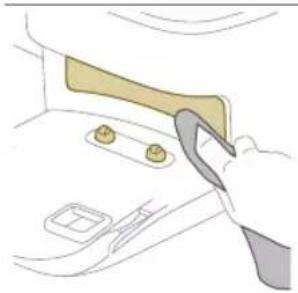
natural_image
Illustration of a hand using a tool to adjust or install a small object inside a vehicle (no text or symbols visible)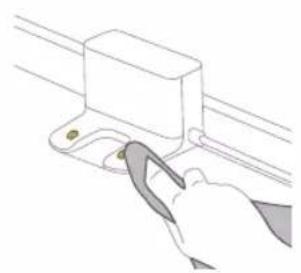
natural_image
Line drawing of a hand using a tool to adjust or install a mechanical component (no text or symbols)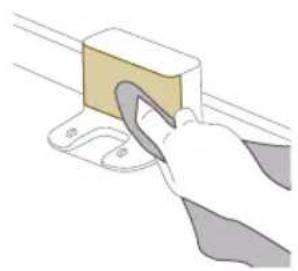
natural_image
Illustration of a hand using a tool to lift a rectangular block (no text or symbols visible)1 Iskopčajte stanicu iz zidne utičnice
2 Koristite meku suhu krpu. Ako je potrebno, lagano namočite krpu.
3 Očistite dijelove.
natural_image
Illustration of a closed cargo container with an inset showing a cardboard box and warning symbol (no text or labels)Kada narančasta LED lampica na stanici za automatsko pražnjenje bljeska pokazujući da je vrećica za prašinu puna.
1 Otvorite poklopac stanice za automatsko pražnjenje.
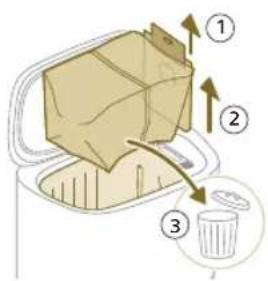
natural_image
Illustration of a garment being filled with fabric, showing front and back views (no text or symbols)4 Klizno umetnite kartonski dio vrećice usisavača u utor označen na stanici za automatsko pražnjenje.
5 Zatvorite poklopac stanice za automatsko pražnjenje.
natural_image
Illustration of a hand using a tool to lift a small object into a tray (no text or symbols)3 Uklonite kosu i prljavštinu koja se zaglavila u ulazu za automatsko pražnjenje.
Čišćenje spremnika za vodu
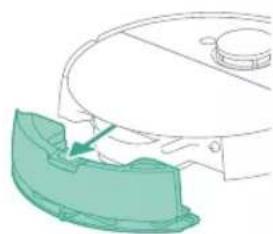
natural_image
Diagram of a robotic arm with a green plastic component inserted, showing no text or symbols.1 Pritisnite gumb za oslobadanje spremnika za vodu.
2 Izvucite spremnik za vodu iz robota.
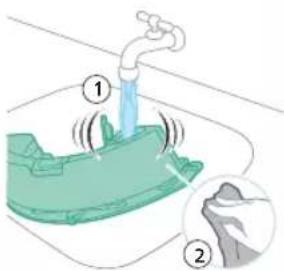
3 Isperite spremnik za vodu vodom iz slavine
4 Obrišite vanjski dio spremnika za vodu krpom.
7 Umetnite spremnik za vodu na pravilnu lokaciju.
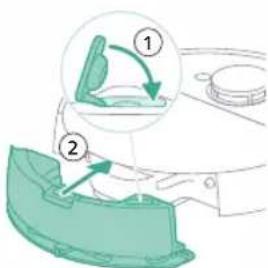
Dugotrajna pohrana
1 Potpuno napunite bateriju.
2 Pohranite robot na temperaturi nižoj od +35 °C i višoj od 8 °C.
natural_image
Illustration of a toilet with a magnified inset showing a close-up of the lid (no text or symbols)Svjetla na dva gumba na robotu polako bljeskaju.
Robotski usisavač se puni.
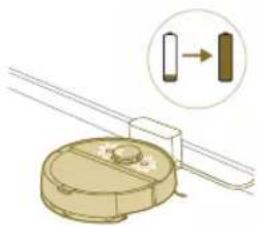
natural_image
Diagram of a mechanical component with a magnified inset showing a directional arrow (no text or symbols)XU7100
XU7000
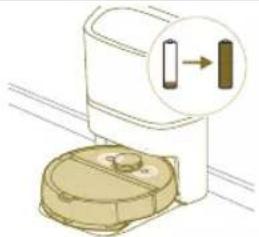
natural_image
Illustration of a toilet with a magnified inset showing a close-up of the lid (no text or symbols)natural_image
Diagram of a mechanical component with a magnified inset showing a cylindrical component (no text or symbols)XU7100
XU7000
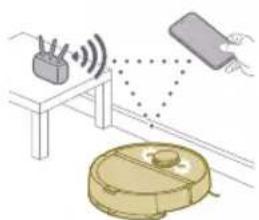
natural_image
Illustration of a robotic vacuum cleaner connected to a table with sensors and signal waves (no text or symbols)Svjetla na dva gumba na robotu bljeskaju narančasto.
Robot je u načinu postavljanja Wi-Fi veze.
292 Hrvatski
Broj modela robota
natural_image
Illustration of a toilet with a magnified view showing a device connected to a door (no text or symbols present)natural_image
Illustration of a svjetlo machine with open lid and internal compartments, accompanied by a starburst symbol (no text or labels)bljeska na stanici za automatsko pražnjenje.
Otvoren je poklopac spremnika.
XU7100 Narančasto LED svjetlo
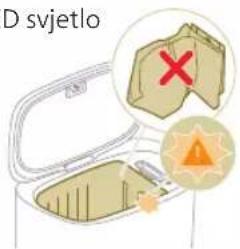
bljeska na stanici za automatsko pražnjenje.
Nije postavljena vrećica usisavača.
Broj modela robota
natural_image
Line drawing of a hand holding a small electronic device with a downward arrow indicating rotation (no text or symbols)natural_image
Illustration of a circular mechanical device with a recycling symbol (no text or labels)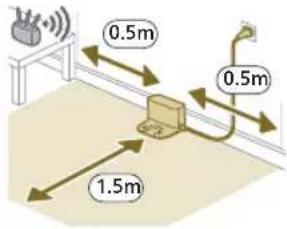
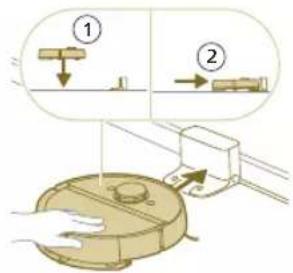
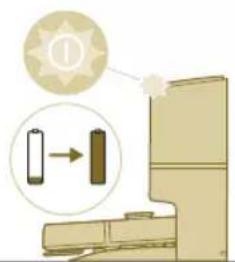
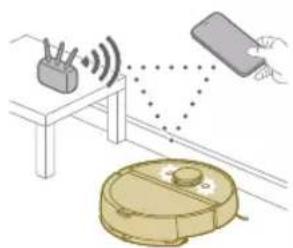
natural_image
Illustration of a robotic vacuum cleaner with signal waves and a hand interacting with a device (no text or symbols)natural_image
Illustration of a hand holding a smartphone with a QR code on top, emitting a light beam to a device (no text or symbols visible)natural_image
Line drawing of a modern water heater with a small rectangular component on the base (no text or symbols)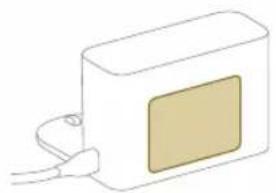
natural_image
Simple line drawing of a rectangular device with a square patch and cable connector (no text or symbols)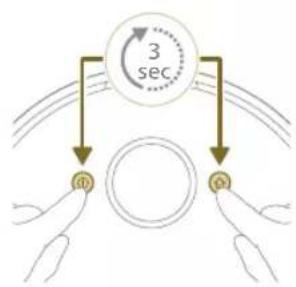
flowchart
graph TD
    A["3 sec"] --> B["Top Circle"]
    A --> C["Bottom Circle"]
    B --> D["Left Hand"]
    C --> E["Right Hand"]
natural_image
Illustration of a robotic vacuum cleaner with sensor array and hand interacting with a rectangular device (no text or symbols)natural_image
Modern living room interior with blue flooring, sofa, and large wall art (no visible text or symbols)natural_image
Floor plan diagram with room layout and furniture placement (no text or labels)natural_image
Illustration of a person's legs and foot with a robot navigating a circular path (no text or symbols)natural_image
White robotic vacuum cleaner placed on wooden flooring next to a large window (no text or symbols visible)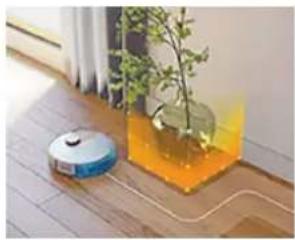
natural_image
Interior scene with a robotic vacuum cleaner and a potted plant in a glass container (no text or symbols visible)natural_image
Robot on wooden floor with green dotted pattern on surface (no text or symbols visible)natural_image
Interior scene with a wooden chair, green tiled floor, and a white robotic vacuum cleaner (no text or symbols visible)natural_image
Diagram of a robotic arm with a green plastic component and an arrow indicating motion (no text or symbols)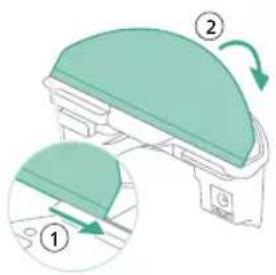
natural_image
Floor plan diagram with room layout and furniture placement (no text or labels)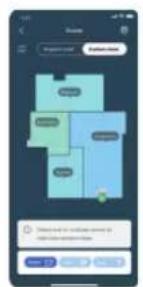
natural_image
Two robotic vacuum cleaner units on a wooden floor, connected by a dotted line (no visible text or symbols)natural_image
Diagram of a robotic arm with a green highlighted component (no text or symbols)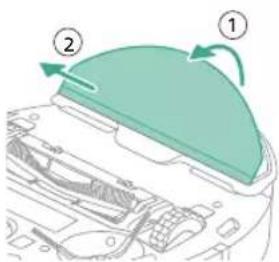
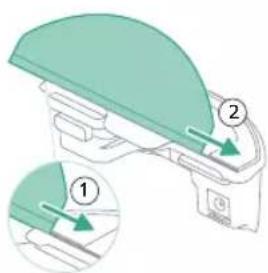
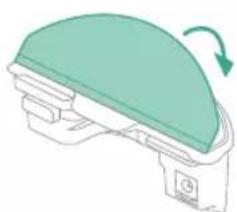
natural_image
Illustration of a mechanical component with a green top and arrow indicating rotation (no text or symbols)natural_image
Diagram of a robotic arm with a curved blade and internal components (no text or symbols)natural_image
Diagram of a printer with a paper feed cover and paper holder, showing internal structure (no text or symbols)natural_image
Diagram of a printer with a stack of paper and an upward arrow indicating motion (no text or symbols)natural_image
Technical line drawing of a mechanical component with no visible text or symbolsnatural_image
Illustration of hands performing a mechanical tool with a spring-like component (no text or symbols)natural_image
Illustration of hands manipulating a mechanical component with a yellow arrow indicating upward motion (no text or symbols)natural_image
Technical illustration of a mechanical component with a magnified inset showing internal components (no text or symbols)natural_image
Diagram of a mechanical component with a highlighted section, showing internal parts and no visible text or symbols.324 Italiano
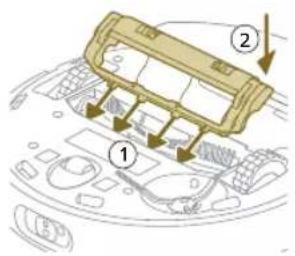
1 Capovolgete il robot su una superficie piana e stabile.
natural_image
Illustration of hands using a tool to adjust or install a component, no text or symbols presentnatural_image
Illustration of a hand using a tool to adjust internal components on a circular device (no text or symbols visible)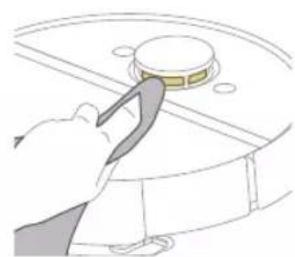
natural_image
Illustration of a hand using a tool to press or install a circular component on a surface (no text or symbols visible)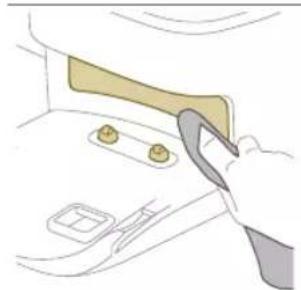
natural_image
Illustration of a hand using a tool to lift or lift a component, no text or symbols present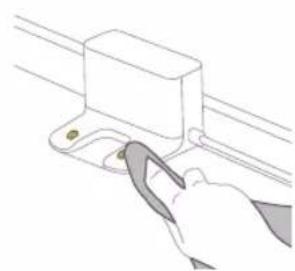
natural_image
Line drawing of a hand using a tool to adjust or install a component on a rail (no text or symbols)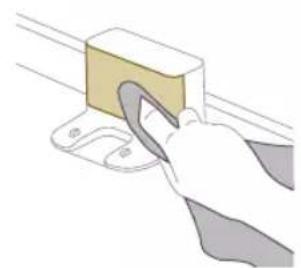
natural_image
Illustration of a hand using a tool to lift a rectangular block (no text or symbols visible)natural_image
Illustration of a cardboard box with an arrow and warning symbol (no text or labels)natural_image
Diagram of a container with a lid and internal structure, no text or symbols presentnatural_image
Illustration of a hand using a tool to lift a small object into a tray (no text or symbols)natural_image
Diagram of a robotic arm with a green plastic housing and a blue outline, showing no text or symbols.natural_image
Illustration of a toilet with a magnified inset showing a vertical bar and arrow (no text or symbols)natural_image
Diagram of a mechanical component with a magnified inset showing a rectangular component and its directional arrow (no text or symbols)XU7100 XU7000
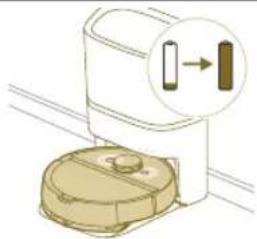
natural_image
Illustration of a toilet with a magnified inset showing a vertical tube (no text or symbols)natural_image
Diagram of a mechanical component with a magnified inset showing a rectangular component and directional arrow (no text or symbols)XU7100 XU7000
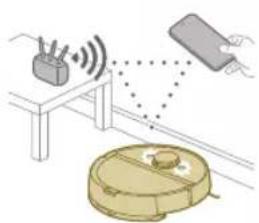
natural_image
Illustration of a robotic vacuum cleaner with signal waves and a sensor, connected to a device (no text or symbols)natural_image
Illustration of a toilet with a magnified view showing a device connected to a door (no text or symbols present)natural_image
Illustration of a closed open box with a yellow lid and a small orange star-shaped icon (no text or symbols)natural_image
Line drawing of a hand holding a small electronic device with a downward arrow indicating motion (no text or symbols)natural_image
Diagram of a cable or connector assembly with directional arrows indicating flow or movement (no text or symbols present)natural_image
Diagram of a mechanical assembly with a central block and an upward arrow, no visible text or symbolsnatural_image
Illustration of a circular mechanical component with a recycling symbol (no text or labels)1 Piepildiet udens tvertni. Izmantojiet udens iepildišanas atveri.
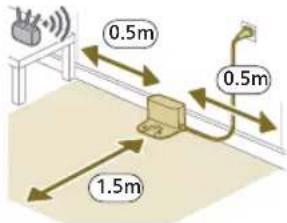
natural_image
Diagram showing a mechanical assembly with a component and a magnified view of a spherical object (no text or symbols)2 Pārliecinieties, ka stacija ir pievienota sienas kontaktligzdai.
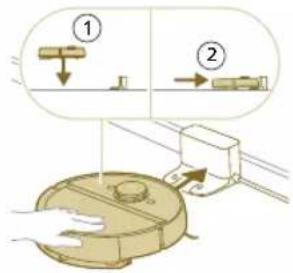
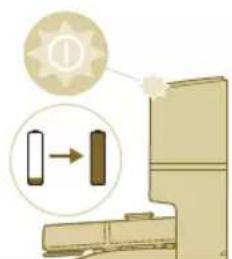
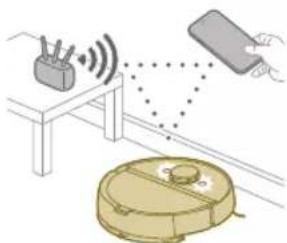
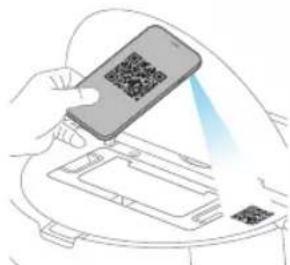
natural_image
Illustration of a hand holding a smartphone with a QR code being scanned, placed on a device (no text or symbols visible)natural_image
Line drawing of a portable electronic device with a small rectangular component on the front panel (no text or symbols)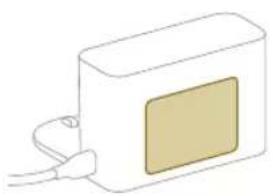
natural_image
Simple line drawing of a rectangular device with a central square and cable connector (no text or symbols)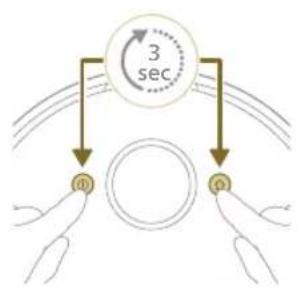
flowchart
graph TD
    A["Hand 1"] --> B["Hand 2"]
    B --> C["Hand 3"]
    C --> D["Hand 4"]
    D --> E["Hand 5"]
    E --> F["Hand 6"]
    F --> G["Hand 7"]
    G --> H["Hand 8"]
    H --> I["Hand 9"]
    I --> J["Hand 10"]
    J --> K["Hand 11"]
    K --> L["Hand 12"]
    L --> M["Hand 13"]
    M --> N["Hand 14"]
    N --> O["Hand 15"]
    O --> P["Hand 16"]
    P --> Q["Hand 17"]
    Q --> R["Hand 18"]
    R --> S["Hand 19"]
    S --> T["Hand 20"]
    T --> U["Hand 21"]
    U --> V["Hand 22"]
    V --> W["Hand 23"]
    W --> X["Hand 24"]
    X --> Y["Hand 25"]
    Y --> Z["Hand 26"]
    Z --> AA["Hand 27"]
    AA --> AB["Hand 28"]
    AB --> AC["Hand 29"]
    AC --> AD["Hand 30"]
    AD --> AE["Hand 31"]
    AE --> AF["Hand 32"]
    AF --> AG["Hand 33"]
    AG --> AH["Hand 34"]
    AH --> AI["Hand 35"]
    AI --> AJ["Hand 36"]
    AJ --> AK["Hand 37"]
    AK --> AL["Hand 38"]
    AL --> AM["Hand 39"]
    AM --> AN["Hand 40"]
    AN --> AO["Hand 41"]
    AO --> AP["Hand 42"]
    AP --> AQ["Hand 43"]
    AQ --> AR["Hand 44"]
    AR --> AS["Hand 45"]
    AS --> AT["Hand 46"]
    AT --> AU["Hand 47"]
    AU --> AV["Hand 48"]
    AV --> AW["Hand 49"]
    AW --> AX["Hand 50"]
natural_image
Modern living room interior with blue flooring, large wall art, and minimalist furniture (no visible text or symbols)Kartes rediğešana
Lietotnē varat izmantot kartes rediğešanu, lai:
natural_image
Floor plan layout with room layouts and furniture placement (no text or labels)natural_image
Illustration of a person's legs and foot with a robot, showing a red X mark and directional arrows (no text or symbols)natural_image
White robotic vacuum cleaner placed on wooden flooring next to a large window with orange and yellow panels (no text or symbols visible)natural_image
A robotic vacuum cleaner placed on a wooden floor next to a potted plant in a transparent container (no text or symbols visible)natural_image
Illustration of a robotic vacuum cleaner on a wooden surface with a green mesh overlay (no text or symbols)natural_image
Interior scene with a wooden floor, a small robotic vacuum cleaner, and a potted plant (no text or symbols visible)Saudzīgā zona
natural_image
Diagram of a robotic arm with a green plastic component and a circular head (no text or symbols)352 Latviešu
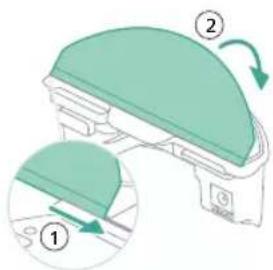
natural_image
Floor plan diagram with furniture layout (no text or labels)natural_image
Illustration of a robotic device with motion arrows indicating movement (no text or symbols)natural_image
Two robotic vacuum cleaner units on a wooden floor connected by a green sensor or signal line (no text or symbols visible)natural_image
Illustration of a cardboard box with an open lid and warning symbol (no text or labels)natural_image
Diagram of a robotic arm with a green highlighted part, showing no text or symbols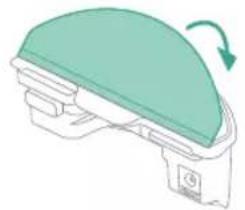
natural_image
Diagram of a mechanical component with a green dome and directional arrow (no text or symbols)natural_image
Diagram of a device with a curved top component and internal structure (no text or symbols)1 Atveriet augšejo pârsegu.
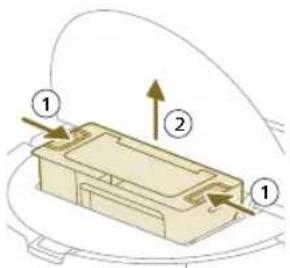
2 Vienlaikus nospiediet puteklu tvertnes atbrivošanas pogas.
1 Izskalojiet puteklu tvertni ar üdeni.
2 Laujiet puteklu tvertnei nožut.
i Piezime. Nesusiniet putekju tvertni citos veidos.
natural_image
Illustration of a printer with a paper feed cover and paper tray, showing no text or symbols.
natural_image
Diagram of a beige plastic container with a downward arrow indicating a process or movement (no text or symbols present)natural_image
Technical line drawing of a mechanical component with no visible text or symbolsnatural_image
Illustration of hands holding a wooden object with a curved handle, no text or symbols presentnatural_image
Illustration of hands manipulating a mechanical component with an upward arrow (no text or symbols)natural_image
Technical illustration of a mechanical assembly with a magnified inset showing a component detail (no text or symbols)natural_image
Diagram of a car interior showing a textured blade and dashboard (no text or symbols)natural_image
Illustration of hands using a tool to adjust or install a component on a curved surface (no text or symbols)4 Izmantojiet birsti ar mikstiem sariem (piem., zobu birsti), lai noņemtu puteklus vai pūkas no sānu sukas un robota.
natural_image
Illustration of a hand inserting a cable into a device casing (no text or symbols visible)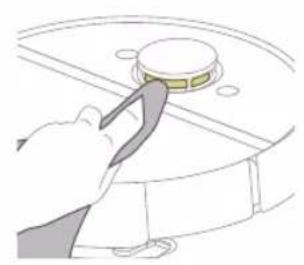
natural_image
Illustration of a hand using a tool to press a circular component on a surface (no text or symbols)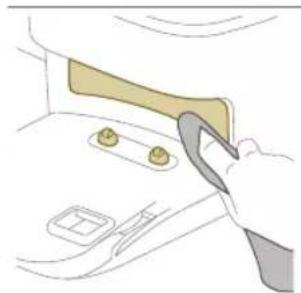
natural_image
Illustration of a hand using a tool to adjust or install a component on a car interior (no text or symbols visible)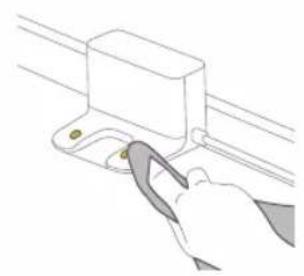
natural_image
Illustration of a hand using a tool to adjust or install a mechanical component (no text or symbols visible)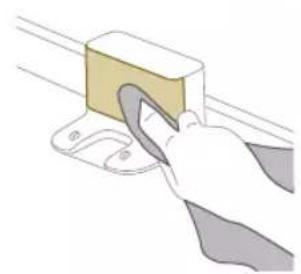
natural_image
Illustration of a hand using a tool to lift a yellow block on a surface (no text or symbols)natural_image
Illustration of a cargo box with a highlighted package and warning symbol (no text or labels)natural_image
Illustration of a garment pattern piece inside a container (no text or symbols)natural_image
Illustration of a hand using a tool to lift a small object into a tray (no text or symbols)natural_image
Diagram of a robotic arm with a green plastic component inserted, showing no text or symbols.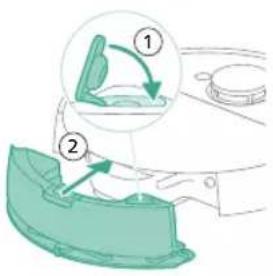
natural_image
Illustration of a toilet with two close-up views showing internal components (no text or symbols)natural_image
Simple line drawing of a closed open box with a star-shaped label (no text or symbols)natural_image
Illustration of a box with a magnified inset showing internal components (no text or symbols)natural_image
Line drawing of a hand holding a small lock with a downward arrow, partially open the dashboard area (no text or symbols)natural_image
Illustration of three different mechanical components: a rectangular plate, a threaded fastener, and a hanging clamp (no text or symbols)370 Latviešu
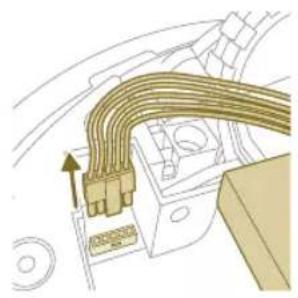
natural_image
Diagram of a car interior showing airflow or heat transfer between surfaces and equipment (no text or symbols)natural_image
Diagram of a mechanical assembly with a central block and upward arrow (no text or symbols)natural_image
Illustration of a robotic vacuum cleaner with a circular symbol indicating recycling (no text or symbols present)1 Pripildykite vandens bakelj. Naudokite vandens jleidimo anga.
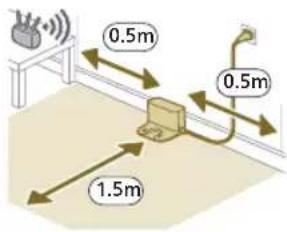
natural_image
Diagram of a mechanical clamp or bracket assembly with a magnified inset showing a circular component (no text or symbols)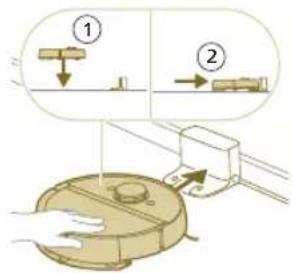
natural_image
Illustration of a toilet with a battery and indicator light showing sun (no text or symbols)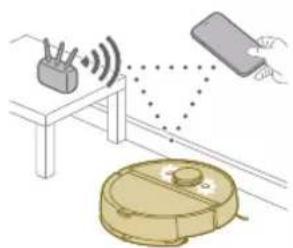
natural_image
Diagram showing a robotic vacuum cleaner emitting signals from a sensor device and a hand interacting with it (no text or symbols present)natural_image
Illustration of a hand holding a smartphone with a QR code on top, emitting a light beam to a device (no text or symbols visible)2 Pasirinkite roboto modelj.
- Modelis XU7100 - Modelis XU7000
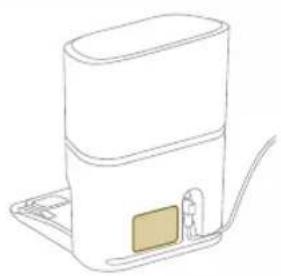
natural_image
Line drawing of a white appliance with a small rectangular component on the base, connected to a flat base (no text or symbols)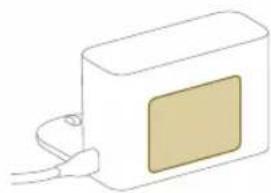
natural_image
Simple line drawing of a rectangular device with a beige panel and cable, no text or symbols present.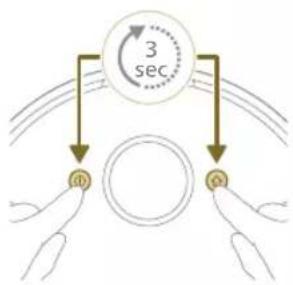
flowchart
graph TD
    A["Input Signal i"] --> B{3 sec}
    B --> C["Output Signal o"]
    style A fill:#f9f,stroke:#333
    style C fill:#bbf,stroke:#333
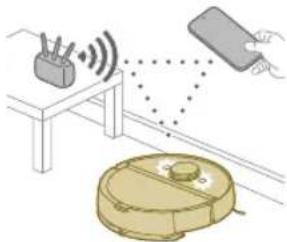
natural_image
Illustration of a robotic vacuum cleaner with sensor array and hand holding a device (no text or symbols)natural_image
Modern living room interior with blue flooring, coffee table, and robotic vacuum cleaner (no visible text or symbols)natural_image
Floor plan diagram with furniture layout (no text or labels)natural_image
Illustration of a person's legs and foot with a robot navigating a circular path (no text or symbols)natural_image
White robotic vacuum cleaner placed on wooden flooring next to a large window with orange and yellow panels (no text or symbols visible)natural_image
A robotic vacuum cleaner placed on a wooden floor next to a potted plant in a transparent container (no text or symbols visible)natural_image
Robot on a wooden floor with green dotted pattern, no visible text or symbolsnatural_image
Interior scene with a wooden chair and green mesh floor, no visible text or symbolsAtsargaus veikimo zona
natural_image
Diagram of a robotic arm with a green plastic component and an arrow pointing to the part (no text or symbols present)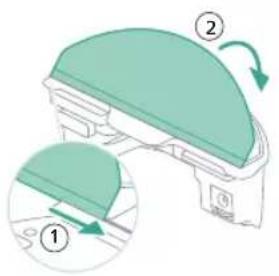
natural_image
Floor plan diagram with furniture layout and directional arrows (no text or labels)
natural_image
Two robotic vacuum cleaner units on a wooden floor connected by a small green sensor or signal line (no text or symbols visible)natural_image
Illustration of a closed storage box with a package and warning symbol (no text or labels)natural_image
Diagram of a robotic vacuum cleaner with a green component inserted, showing no text or symbols.natural_image
Illustration of a mechanical component with a green top and arrow indicating rotation (no text or symbols)9 Pripildykite vandens bakelj. Naudokite vandens jleidimo anga.
natural_image
Diagram of a robotic vacuum cleaner with a curved blade and internal components (no text or symbols)natural_image
Diagram of a printer with a paper feed cover and paper holder, showing internal structure (no text or symbols)1 Atidarykite plaunamo filtro dangtelj.
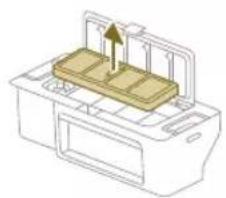
natural_image
Diagram of a printer with a stack of paper and an upward arrow indicating motion (no text or symbols)natural_image
Diagram of a printer's internal structure with an arrow indicating rotation (no text or symbols)7 Uždarykite plaunamo filtro dangtelj.
natural_image
Diagram of a robotic vacuum cleaner with a curved blade and internal components (no text or symbols)natural_image
Diagram of a mechanical component with a downward arrow indicating motion or force (no text or symbols)natural_image
Technical line drawing of a mechanical component with no visible text or symbolsnatural_image
Illustration of hands performing a mechanical tool with a spring-like component (no text or symbols)natural_image
Illustration of hands manipulating a mechanical component with a yellow arrow indicating upward motion (no text or symbols)natural_image
Technical illustration of a mechanical component with a magnified inset showing internal components (no text or symbols)natural_image
Technical line drawing of a mechanical component with no visible text or symbols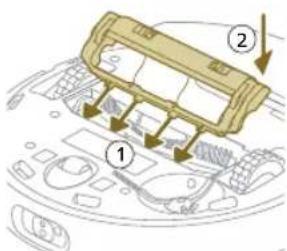
natural_image
Illustration of hands using a tool to adjust or install a component on a curved surface (no text or symbols visible)natural_image
Illustration of a hand using a tool to press internal components on a device casing (no text or symbols visible)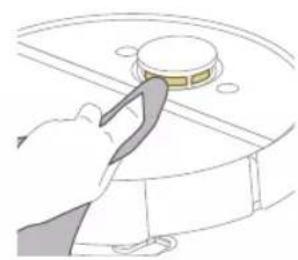
natural_image
Illustration of a hand using a tool to press or install a circular component (no text or symbols visible)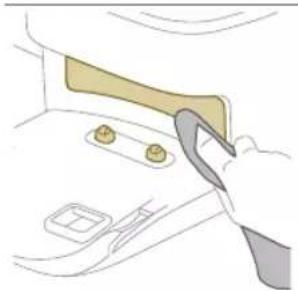
natural_image
Illustration of a hand using a tool to adjust or install a component on a door (no text or symbols visible)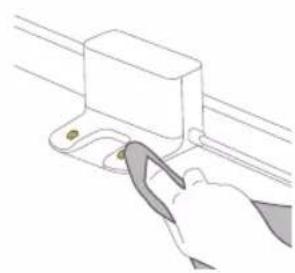
natural_image
Line drawing of a hand using a tool to lift a rectangular component (no text or symbols)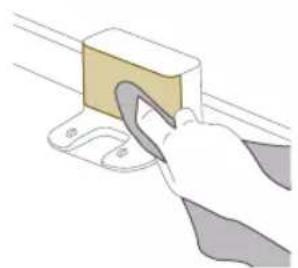
natural_image
Illustration of a hand using a tool to lift a rectangular block (no text or symbols visible)natural_image
Illustration of a closed cargo container with an inset showing a cardboard box and warning symbol (no text or labels)natural_image
Illustration of a garment being filled with fabric, showing front and back views (no text or symbols)natural_image
Illustration of a hand using a tool to lift a small object into a tray (no text or symbols)natural_image
Diagram of a robotic arm with a green plastic component inserted, showing no text or symbols.6 Pripildykite vandens bakelj. Naudokite vandens jleidimo anga.
natural_image
Line drawing of a hand holding a small electronic device with a vertical arrow indicating motion (no text or symbols)natural_image
Illustration of a circular mechanical component with a recycling symbol (no text or labels)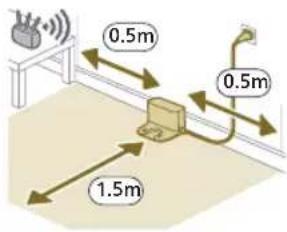
natural_image
Diagram of a mechanical clamp or bracket assembly with a magnified inset showing a circular component (no text or symbols)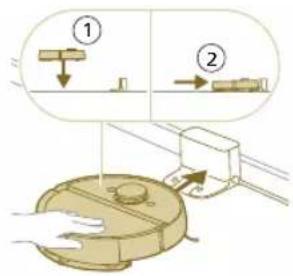
natural_image
Illustration of a toilet with a battery and indicator light, no text or symbols presentnatural_image
Illustration of a robotic vacuum cleaner with sensor array and hand interacting with a device (no text or symbols)natural_image
Line drawing of a modern water heater with a small rectangular component on the base (no text or symbols)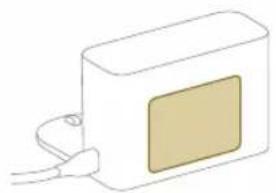
natural_image
Simple line drawing of a rectangular device with a square patch and cable connector (no text or symbols)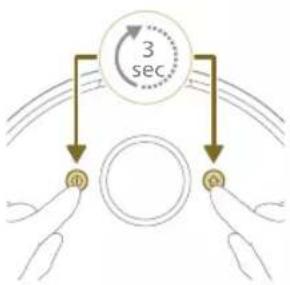
flowchart
graph TD
    A["Input 1"] --> B["Circle"]
    C["Input 2"] --> B
    B --> D["Target 1"]
    B --> E["Target 2"]
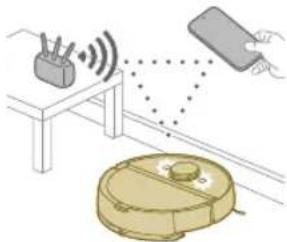
natural_image
Illustration of a robotic vacuum cleaner with sensor array and hand holding a device (no text or symbols)natural_image
Modern living room interior with blue flooring, coffee table, and wall art (no visible text or symbols)Térkép szerkesztése
natural_image
Floor plan diagram with room layout and furniture placement (no text or labels)natural_image
Illustration of a person's legs and foot stepping on a robot's floor, with a red X mark indicating the knee point (no text or symbols present)natural_image
White robotic vacuum cleaner placed on wooden flooring next to a large window with brick walls (no text or symbols visible)natural_image
Interior scene with a robotic vacuum cleaner and a potted plant in a glass vase, placed on a wooden floor (no text or symbols visible)natural_image
Robot on a wooden floor with green dotted pattern overlay (no text or symbols)natural_image
Interior scene with a wooden chair, green cushion, and small robot on the floor (no text or symbols visible)Kímélő zóna
natural_image
Diagram of a robotic arm with a green highlighted component and an arrow indicating motion (no text or symbols)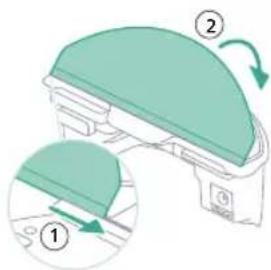
natural_image
Floor plan layout with room layouts and furniture placement (no text or labels)natural_image
Illustration of a robotic device with motion arrows indicating movement (no text or symbols)natural_image
Two robotic vacuum cleaner stations connected by a small line on a wooden floor, with no visible text or symbols.natural_image
Illustration of a cardboard box with a warning symbol (no text or labels)natural_image
Diagram of a robotic vacuum cleaner with a green component inserted, showing no text or symbols.natural_image
Illustration of a mechanical component with a green top and arrow indicating rotation (no text or symbols)natural_image
Diagram of a robotic arm with a curved blade and base, showing no text or symbolsnatural_image
Illustration of a printer's front panel with a paper feeding into the cover (no text or symbols)natural_image
Diagram of a printer with a stack of paper and an upward arrow indicating motion (no text or symbols)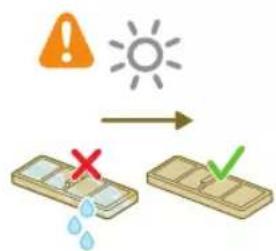
natural_image
Diagram of a printer's internal structure with a curved arrow indicating rotation (no text or symbols)natural_image
Diagram of a robotic vacuum cleaner with a curved blade and control panel (no text or symbols)natural_image
Diagram of a mechanical component with a downward arrow indicating motion or force (no text or symbols)natural_image
Technical line drawing of a mechanical component with no visible text or symbolsnatural_image
Illustration of hands performing a mechanical tool with a gear-like component (no text or symbols)natural_image
Illustration of hands manipulating a mechanical component with a yellow arrow indicating upward motion (no text or symbols)natural_image
Technical illustration of a mechanical assembly with a magnified inset showing a component detail (no text or symbols)natural_image
Diagram of a car interior showing a textured, ribbed component with an arrow indicating direction (no text or symbols present)436 Magyar
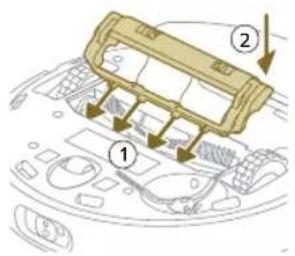
natural_image
Illustration of hands using a tool to adjust or install a component on a curved surface (no text or symbols visible)natural_image
Illustration of a hand using a tool to press internal components on a device casing (no text or symbols visible)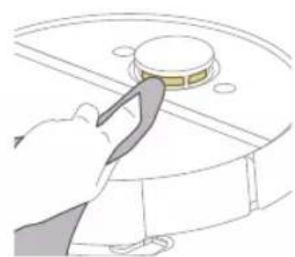
natural_image
Illustration of a hand using a tool to press or install a circular component on a surface (no text or symbols visible)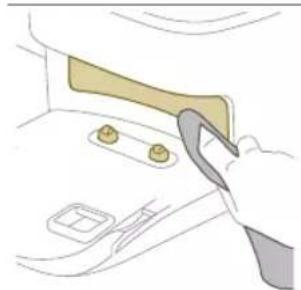
natural_image
Illustration of a hand using a tool to interact with a device inside a container (no text or symbols visible)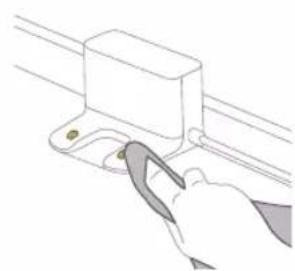
natural_image
Illustration of a hand using a tool to adjust or install a component on a rail (no text or symbols visible)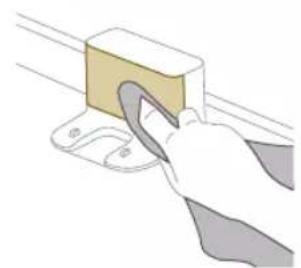
natural_image
Illustration of a hand using a tool to lift a rectangular block (no text or symbols visible)natural_image
Illustration of a closed cargo container with a package inside, showing a warning symbol (no text or labels present)natural_image
Diagram of a mechanical component inside a container, showing internal structure and part (no text or symbols)natural_image
Illustration of a hand placing a small object into a tray with an arrow indicating motion (no text or symbols)natural_image
Diagram of a robotic arm with a green plastic component, no text or symbols present440 Magyar
Tárolás
natural_image
Illustration of a closed open appliance with a lid and internal compartments, accompanied by a starburst symbol (no text or labels)natural_image
Line drawing of a hand holding a small electronic device with a downward arrow indicating rotation (no text or symbols)natural_image
Illustration of three different mechanical components: a rectangular plate, a threaded fastener, and a curved cable (no text or symbols)natural_image
Illustration of a circular mechanical device with a recycling symbol (no text or labels)1 360° lasernavigatie (LiDAR)
2 Botsdetectie (2x)
3 IR-ontvanger
7 Anti-valsensor (6x)
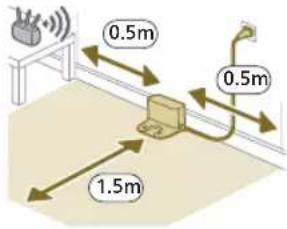
natural_image
Diagram of a mechanical clamp or bracket assembly with a magnified inset showing a circular component (no text or symbols)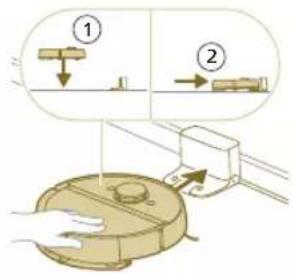
natural_image
Illustration of a toilet with a battery and indicator light showing sun (no text or symbols)De app downloaden, uw product registreren en de Wi-Fi-verbinding instellen.
App-inhoud
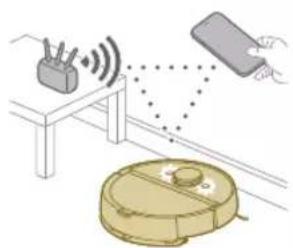
natural_image
Illustration of a robotic vacuum cleaner emitting signals from a device, with no visible text or symbols.natural_image
Illustration of a hand holding a smartphone with a QR code on top, emitting a light beam to a device (no text or symbols visible)natural_image
Line drawing of a modern water heater with a small rectangular component on the base (no text or symbols)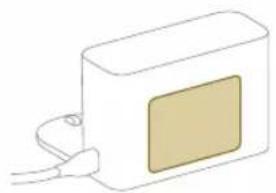
natural_image
Simple line drawing of a rectangular device with a square patch and cable connector (no text or symbols)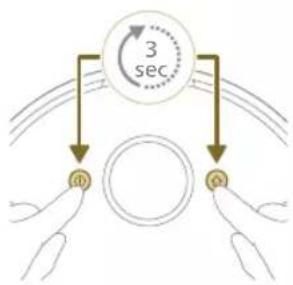
flowchart
graph TD
    A["Red Signal"] --> B["Yellow Signal"]
    C["Gold Signal"] --> D["Yellow Signal"]
    B --> E["3 sec"]
    D --> E
    E --> F["Output"]
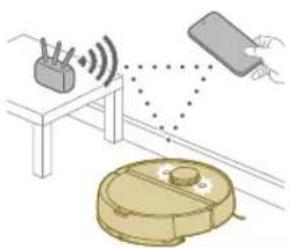
natural_image
Illustration of a robotic vacuum cleaner with signal waves and a sensor, connected to a device (no text or symbols)natural_image
Modern living room interior with blue flooring, coffee table, and wall art (no visible text or symbols)natural_image
Floor plan diagram with room layout and furniture placement (no text or labels)- Open alle deuren in huis.
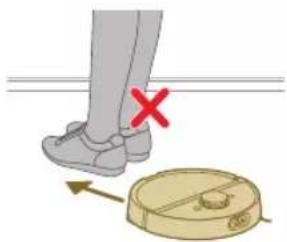
natural_image
Illustration of a person's legs and foot with a robot navigating a circular path (no text or symbols)natural_image
White robotic vacuum cleaner placed on wooden flooring next to a large window (no text or symbols visible)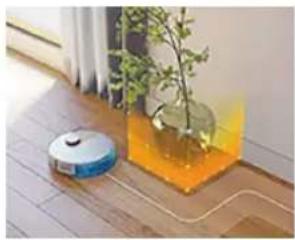
natural_image
Interior scene with a robotic vacuum cleaner and a potted plant in a glass vase (no text or symbols visible)natural_image
Robot on wooden floor with green dotted pattern, no visible text or symbolsnatural_image
Interior scene with a yellow and orange swivel chair on a green textured floor, next to a small robotic arm and a leafy plant (no text or symbols visible)natural_image
Diagram of a robotic arm with a green plastic component and an arrow indicating motion (no text or symbols)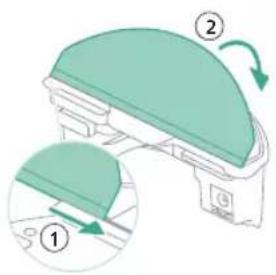
natural_image
Floor plan diagram with room layout and furniture placement (no text or labels)- Open alle deuren in huis.
natural_image
Two robotic vacuum cleaner units connected by a dotted line on a wooden floor, with green arrows indicating connection (no text or symbols visible)natural_image
Illustration of a cardboard box with a warning symbol (no text or labels)natural_image
Diagram of a robotic arm with a green plastic component and an arrow pointing to the part (no text or symbols)natural_image
Illustration of a mechanical component with a green top and arrow indicating rotation (no text or symbols)natural_image
Diagram of a robotic vacuum cleaner with a golden lid and control panel (no text or symbols)1 Open de bovenklep.
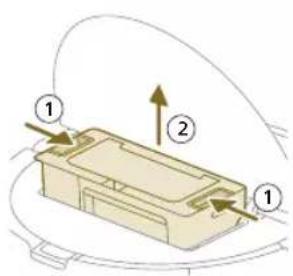
natural_image
Diagram of a printer with a paper feed cover and paper holder, showing no text or symbolsnatural_image
Diagram of a printer with a stack of paper and an upward arrow indicating motion (no text or symbols)472 Nederlands
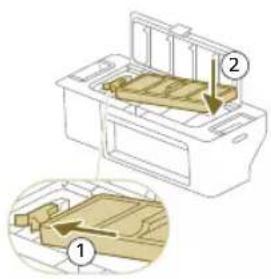
natural_image
Diagram of a printer's internal structure with an arrow indicating rotation (no text or symbols)natural_image
Diagram of a robotic vacuum cleaner with a circular housing and directional arrow indicating motion (no text or symbols)natural_image
Diagram of a mechanical component with a downward arrow indicating motion or force (no text or symbols)natural_image
Technical line drawing of a mechanical component with no visible text or symbols4 Trek de borstel eruit.
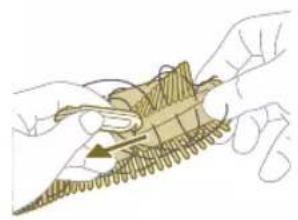
natural_image
Illustration of hands performing a mechanical tool with a spring-like component (no text or symbols)natural_image
Illustration of hands manipulating a mechanical component with a yellow arrow indicating upward motion (no text or symbols)natural_image
Technical illustration of a mechanical component with a magnified inset showing internal components (no text or symbols)natural_image
Diagram of a mechanical component with a highlighted section, showing internal parts and no visible text or symbols.474 Nederlands
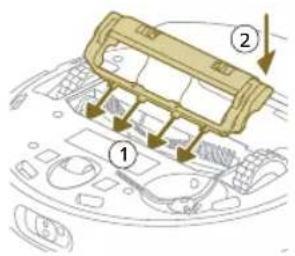
natural_image
Illustration of hands using a tool to adjust or install a component on a curved surface (no text or symbols visible)natural_image
Illustration of a hand inserting a component into a device casing (no text or symbols visible)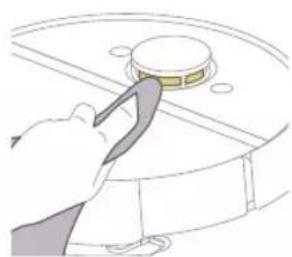
natural_image
Illustration of a hand using a tool to press a circular component (no text or symbols visible)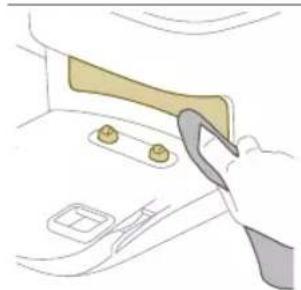
natural_image
Illustration of a hand using a tool to lift or adjust a component on a door (no text or symbols visible)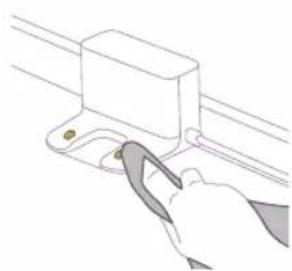
natural_image
Line drawing of a hand using a tool to lift a rectangular component (no text or symbols)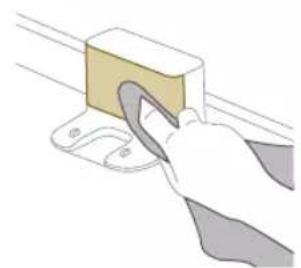
natural_image
Illustration of a hand using a tool to lift a rectangular block (no text or symbols visible)natural_image
Illustration of a closed cargo container with an inset showing a cardboard box and warning symbol (no text or labels)natural_image
Illustration of a garment being filled with fabric, showing front and back views (no text or symbols)natural_image
Illustration of a hand using a tool to lift a small object into a tray (no text or symbols)natural_image
Diagram of a robotic arm with a green plastic component inserted, showing no text or symbols.Langdurige opslag
De stofzuigerzak is vol.
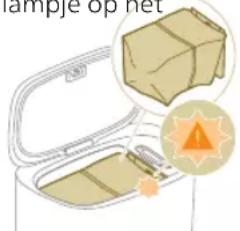
natural_image
Line drawing of a hand holding a small electronic device with a downward arrow indicating rotation (no text or symbols)natural_image
Illustration of three different mechanical components: a rectangular plate, a threaded fastener, and a curved cable (no text or symbols)natural_image
Illustration of a circular mechanical device with a recycling symbol (no text or labels)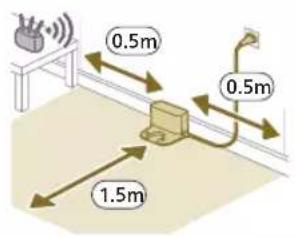
492 Norsk
natural_image
Diagram of a mechanical device with a magnified view showing a component (no text or symbols present)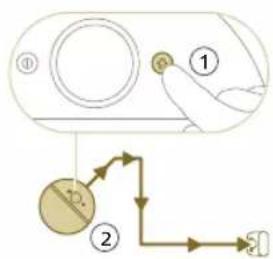
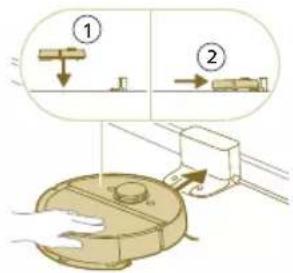
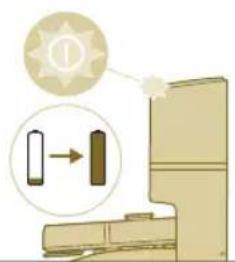
natural_image
Illustration of a toilet with a magnified inset showing a component (no text or symbols)i Merk: Sørg for at roboten er i den korrekte posisjonen og begynner å lade. Lysene i de to knappene på roboten blinker sakte. Hvis batteriet er tomt, kan det ta en stund før roboten indikerer at den lader.
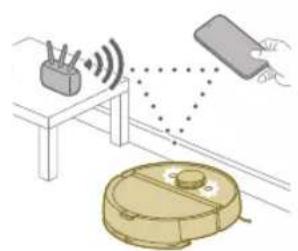
natural_image
Illustration of a robotic vacuum cleaner with sensor array and hand interacting with a device (no text or symbols)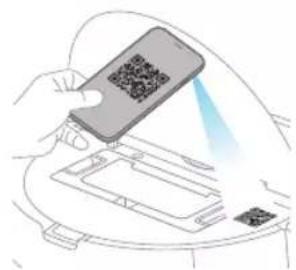
natural_image
Illustration of a hand holding a smartphone scanning a QR code into a device (no text or symbols visible)Nedlasting av appen
1 Skann QR-koden på omslagssiden til denne brukerhåndboken eller på robotemballasjen.
Eller:
natural_image
Line drawing of a compact water heater with a small screen and base (no text or symbols)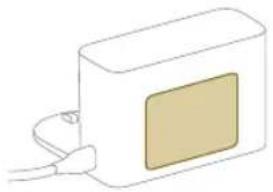
natural_image
Simple line drawing of a rectangular device with a beige square and cable, no text or symbols present.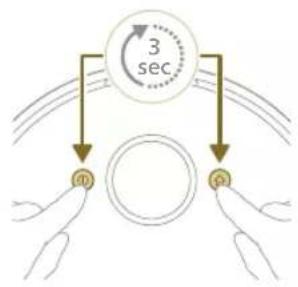
flowchart
graph TD
    A["3 sec"] --> B["a"]
    A --> C["b"]
i Merk: Hvis Bli med-knappen ikke er synlig i appen, går du ut av appen og går til Wi-Fi under «Innstillinger» på mobilenheten din. Der kan du velge og koble til «Philips robot»-nettverket.
natural_image
Modern living room interior with blue flooring, coffee table, and robotic vacuum cleaner (no visible text or symbols)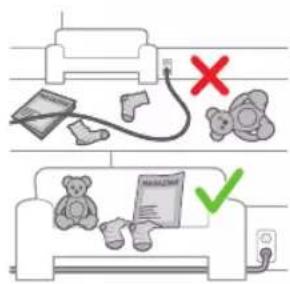
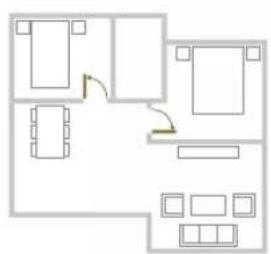
natural_image
Floor plan diagram with furniture layout (no text or labels)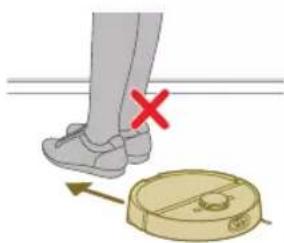
natural_image
Illustration of a person's legs and foot with a robot navigating a circular device, marked with a red X (no text or symbols)Kartredigering
I appen kan du bruke kartredigering for å:
natural_image
White robotic vacuum cleaner placed on wooden flooring near a large window with orange and yellow curtains (no text or symbols visible)natural_image
Interior scene with a robotic vacuum cleaner and a plant in a glass container, placed on a wooden floor (no text or symbols visible)natural_image
A robotic vacuum cleaner positioned on a wooden floor with a green dotted pattern on the floor (no text or symbols visible)Skånsom sone
natural_image
Interior scene with a wooden chair and green tiled floor, no visible text or symbolsnatural_image
Diagram of a robotic arm with a green plastic component and an arrow pointing to the part (no text or symbols present)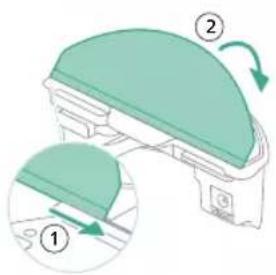
- Fest den vaskbare moppeputen til holderen for mikrofiberklut.
natural_image
Floor plan diagram with furniture layout (no text or labels)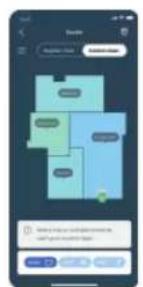
natural_image
Two robotic vacuum cleaner units connected by a dotted line on a wooden floor, with green arrows indicating connection (no text or symbols visible)- Anti-fall sensor (6x)
natural_image
Diagram of a car trunk with a box and gear, showing a highlighted cargo box and warning symbol (no text or labels)natural_image
Diagram of a robotic arm with a green highlighted component and a blue outline (no text or symbols)1 Trykk på utløserknappen på vannbeholderen.
2 Trekk vannbeholderen ut av roboten.
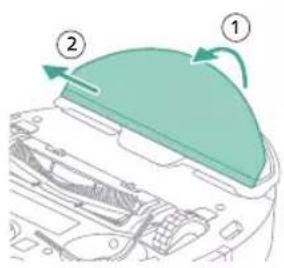
3 Dra den vaskbare mikrofiberkluten av borrelåsen.
4 Skyv den rette siden av den vaskbare mikrofiberkluten ut av sporet.
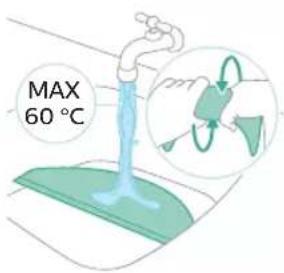
506 Norsk
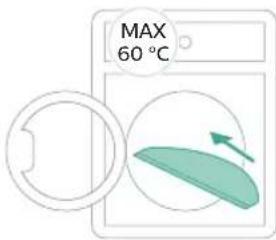
6 La den vaskbare mikrofiberkluten lufttørke.
natural_image
Illustration of a mechanical component with a green top and arrow indicating rotation (no text or symbols)8 Fest den vaskbare mikrofiberkluten i borrelåsen på holderen for mikrofiberkluten.
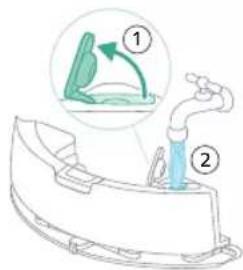
natural_image
Diagram of a robotic vacuum cleaner with a lid and internal components (no text or symbols)1 Skyll støvbeholderen med vann.
natural_image
Diagram of a printer with a paper feed cover and paper holder, showing no text or symbols2 Dra ut det vaskbare luftfilteret.
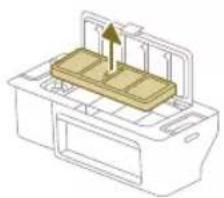
natural_image
Diagram of a printer with a stack of paper and an upward arrow indicating motion (no text or symbols)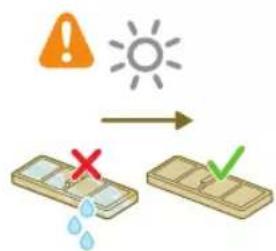
3 Skyll det vaskbare filteret med vann.
4 La det vaskbare filteret lufttørke i 24 timer.
natural_image
Diagram of a printer's internal structure with a curved arrow indicating rotation (no text or symbols)7 Lukk lokket på det vaskbare filteret.
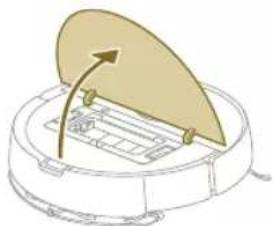
natural_image
Diagram of a robotic vacuum cleaner with a circular housing and directional arrow indicating motion (no text or symbols)natural_image
Diagram of a mechanical component with a downward arrow indicating motion or force (no text or symbols)natural_image
Technical line drawing of a mechanical component with no visible text or symbolsnatural_image
Illustration of hands performing a mechanical tool with a spring-like component (no text or symbols)natural_image
Illustration of hands manipulating a mechanical component with a yellow arrow indicating upward motion (no text or symbols)natural_image
Technical illustration of a mechanical component with a magnified inset showing internal components (no text or symbols)natural_image
Diagram of a mechanical component with a highlighted section, showing internal parts and no visible text or symbols.2
natural_image
Illustration of a hand inserting a component into a device casing (no text or symbols visible)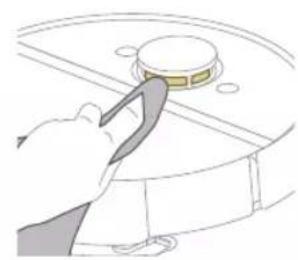
natural_image
Illustration of a hand using a tool to press or install a circular component (no text or symbols visible)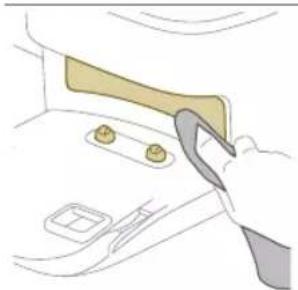
natural_image
Illustration of a hand using a tool to adjust or install a component on a door (no text or symbols visible)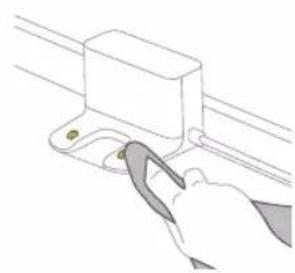
natural_image
Line drawing of a hand using a tool to adjust or install a mechanical component (no text or symbols)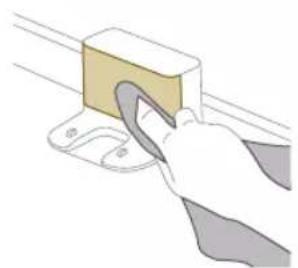
natural_image
Illustration of a hand using a tool to lift a rectangular block (no text or symbols visible)natural_image
Illustration of a closed cargo container with an inset showing a cardboard box and warning symbol (no text or labels)natural_image
Illustration of a garment being filled with fabric, showing front and back views (no text or symbols)natural_image
Illustration of a hand using a tool to lift a small object into a tray (no text or symbols)natural_image
Diagram of a robotic vacuum cleaner with a green plastic housing and a circular top (no text or symbols)1 Trykk på utløserknappen på vannbeholderen.
2 Trekk vannbeholderen ut av roboten.
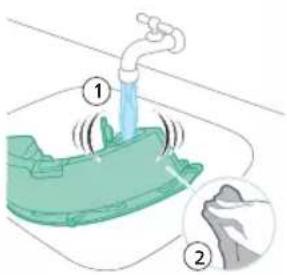
Langtidsoppbevaring
1 Lad opp batteriet helt.
2 Oppbevar roboten ved en temperatur på mellom 8 °C og 35 °C.
natural_image
Illustration of a toilet with a magnified inset showing the right-hand side of the toilet (no text or symbols present)Lysene i de to knappene på roboten blinker sakte.
Roboten lader.
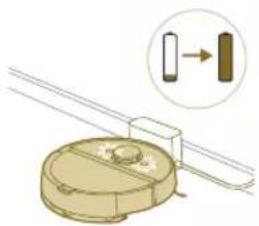
natural_image
Diagram of a mechanical component with a magnified inset showing a directional arrow (no text or symbols)XU7100
XU7000
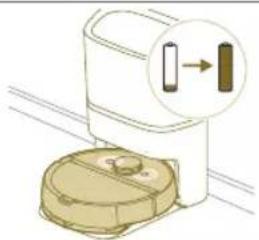
natural_image
Illustration of a toilet with a magnified inset showing a close-up of its internal components (no text or symbols)Lysene i de to knappene på roboten lyser kontinuerlig.
Roboten er fulladet.
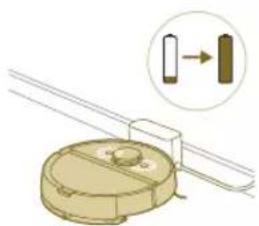
natural_image
Diagram of a mechanical component with a magnified inset showing a cylindrical component (no text or symbols)XU7100
XU7000
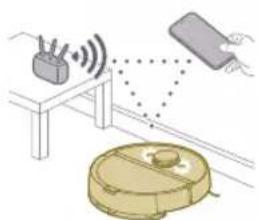
natural_image
Illustration of a robotic vacuum cleaner connected to a table with sensors and signal waves (no text or symbols)Lysene i de to knappene på roboten blinker oransje.
Robotener i Wi-Fi-oppsettmodus.
natural_image
Illustration of a toilet with a gear icon and directional arrow, no text or symbols presentstasjonen for automatisk tømming blinker när roboten lades.
natural_image
Illustration of a box with lid open, showing internal compartments and a sun icon (no text or symbols)natural_image
Line drawing of a hand holding a small electronic device with a downward arrow indicating motion (no text or symbols)natural_image
Illustration of three different mechanical components: a rectangular plate, a threaded fastener, and a curved cable (no text or symbols)Fjerne det oppladbare batteriet
natural_image
Illustration of a circular mechanical device with a recycling symbol (no text or labels)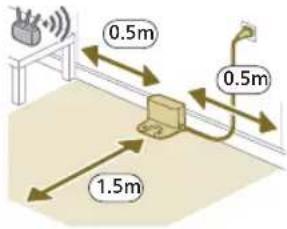
natural_image
Diagram of a mechanical clamp or bracket assembly with a magnified inset showing a circular component (no text or symbols)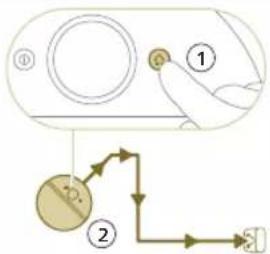
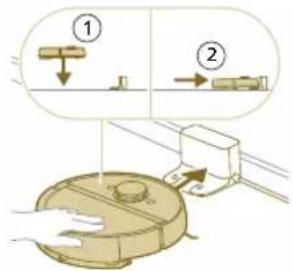
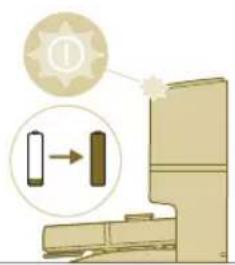
natural_image
Illustration of a toilet with a magnified view showing a device connected to a door (no text or symbols present)natural_image
Illustration of a robotic vacuum cleaner emitting signal waves from a device, with a hand holding the device (no text or symbols present)natural_image
Illustration of a hand holding a smartphone with a QR code on top, emitting a light beam to a device (no text or symbols visible)- Model XU7100 - Model XU7000
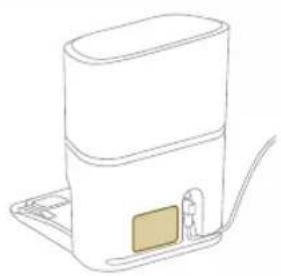
natural_image
Line drawing of a white appliance with a small rectangular component on the base, connected to a flat base (no text or symbols)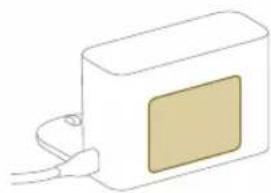
natural_image
Simple line drawing of a rectangular device with a beige panel and cable, no text or symbols present.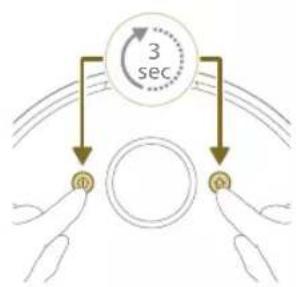
flowchart
graph TD
    A["3 sec"] --> B["Top Circle"]
    A --> C["Bottom Circle"]
    B --> D["Left Hand"]
    C --> E["Right Hand"]
natural_image
Illustration of a robotic vacuum cleaner with sensor array and hand interacting with a rectangular device (no text or symbols)natural_image
Modern living room interior with blue flooring, coffee table, and wall art (no visible text or symbols)Edycja mapy
natural_image
Floor plan diagram with room layout and furniture placement (no text or labels)natural_image
Illustration of a person's legs and foot with a circular object below, marked with a red X (no text or symbols)natural_image
White robotic vacuum cleaner placed on wooden flooring next to a large window with a red brick wall (no text or symbols visible)natural_image
Interior scene with a blue robotic vacuum cleaner and a plant in a transparent container (no text or symbols visible)natural_image
Robot on a wooden floor with green dotted pattern overlay (no text or symbols)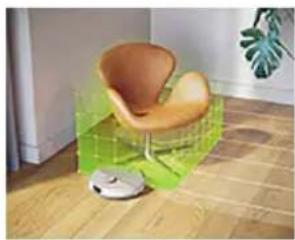
natural_image
Interior scene with a wooden floor, a green textured floor, and a small robotic vacuum cleaner (no text or symbols visible)natural_image
Diagram of a robotic arm with a green plastic component and an arrow pointing to the part (no text or symbols)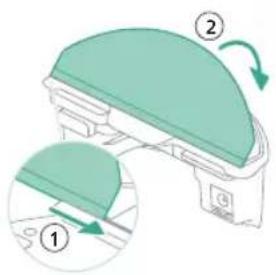
natural_image
Floor plan diagram with room layout and furniture placement (no text or labels)natural_image
Two robotic vacuum cleaner units connected by a dotted line on a wooden floor, with no visible text or symbols.natural_image
Diagram of a car trunk with a box and gear, showing a highlighted cargo box and warning symbol (no text or labels)natural_image
Diagram of a robotic arm with a green plastic housing and an arrow pointing to the component (no text or symbols present)natural_image
Illustration of a mechanical component with a green top and arrow indicating rotation (no text or symbols)natural_image
Diagram of a robotic vacuum cleaner with a circular component and directional arrow indicating motion (no text or symbols)natural_image
Illustration of a printer's front panel with a paper feeding into the cover (no text or symbols)2 Wyciągnij filtr.
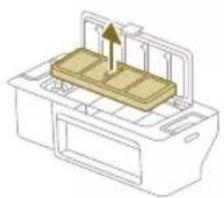
natural_image
Diagram of a printer with a stack of paper and an upward arrow indicating motion (no text or symbols)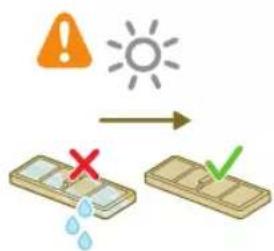
5 Przystaw filtr do blokady filtra w pojemniku na kurz i wepchnij filtr do środka.
6 Wepchnij filtr do dołu.
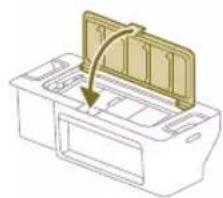
natural_image
Diagram of a printer's internal structure with a curved arrow indicating rotation (no text or symbols)natural_image
Diagram of a robotic vacuum cleaner with a circular housing and directional arrow indicating motion (no text or symbols)natural_image
Diagram of a mechanical component with a downward arrow indicating motion or force (no text or symbols)natural_image
Technical line drawing of a mechanical component with no visible text or symbolsnatural_image
Illustration of hands performing a mechanical tool with a spring-like component (no text or symbols)natural_image
Illustration of hands manipulating a mechanical component with a yellow arrow indicating upward motion (no text or symbols)natural_image
Technical illustration of a mechanical component with a magnified inset showing internal components (no text or symbols)natural_image
Technical line drawing of a mechanical component with no visible text or symbols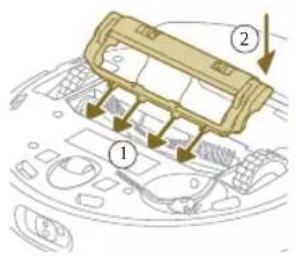
natural_image
Illustration of hands using a tool to adjust or install a component on a curved surface (no text or symbols visible)natural_image
Illustration of a hand inserting a component into a device casing (no text or symbols visible)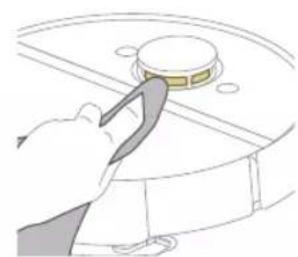
natural_image
Illustration of a hand using a tool to press or install a circular component (no text or symbols visible)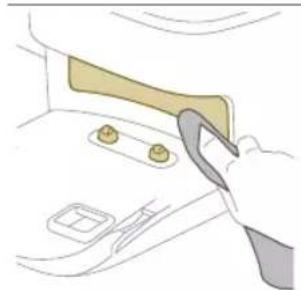
natural_image
Illustration of a hand using a tool to lift or adjust a component on a door (no text or symbols visible)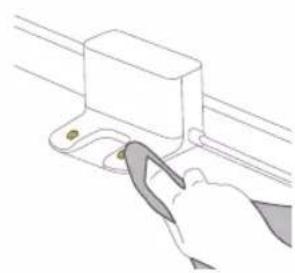
natural_image
Line drawing of a hand using a tool to lift a rectangular component (no text or symbols)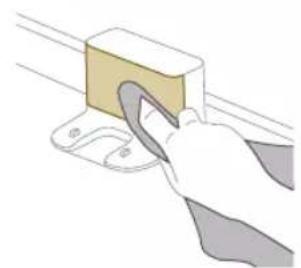
natural_image
Illustration of a hand using a tool to lift a rectangular block (no text or symbols visible)natural_image
Illustration of a cargo box with a package inside and warning symbols (no text or labels)natural_image
Diagram of a garment pattern piece inside a container, showing fabric and stitching details (no text or symbols)natural_image
Illustration of a hand using a tool to lift a small object into a tray (no text or symbols)natural_image
Diagram of a robotic arm with a green plastic component inserted, showing no text or symbols.552 Polski
natural_image
Illustration of a closed mechanical device with internal components and a highlighted part (no text or symbols)natural_image
Line drawing of a hand holding a small electronic device with a vertical arrow indicating rotation (no text or symbols)natural_image
Illustration of a robotic vacuum cleaner with a circular component and recycling symbol (no text or labels)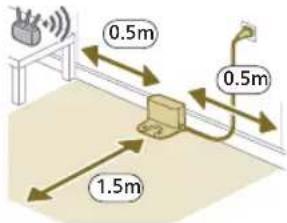
natural_image
Diagram of a mechanical clamp or bracket assembly with a magnified inset showing a circular component (no text or symbols)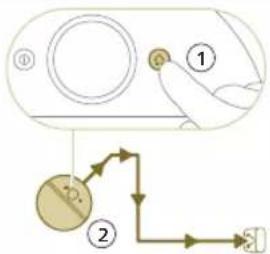
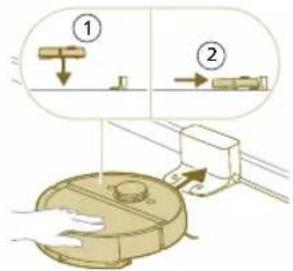
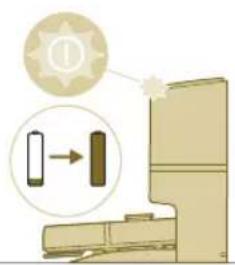
natural_image
Illustration of a toilet with a magnified view showing a device connected to a door (no text or symbols present)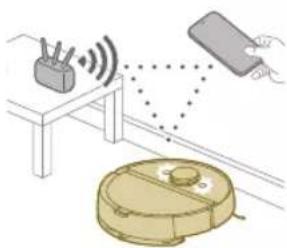
natural_image
Illustration of a robotic vacuum cleaner with sensor array and hand interacting with a device (no text or symbols)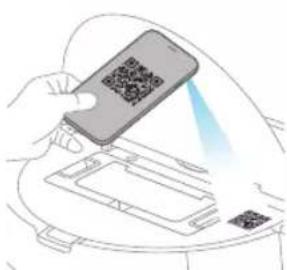
natural_image
Line drawing of a compact water heater with a small rectangular component on the side (no text or symbols)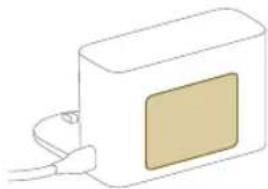
natural_image
Simple line drawing of a rectangular device with a square patch and cable, no text or symbols present.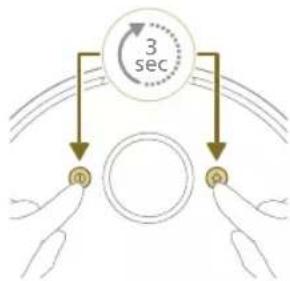
flowchart
graph TD
    A["3 sec"] --> B["m"]
    A --> C["p"]
natural_image
Illustration of a robotic vacuum cleaner with sensor array and connected to a handheld device (no text or symbols)natural_image
Modern living room interior with blue flooring, ambient lighting, and a robotic vacuum cleaner (no visible text or symbols)Funcionamento do mapeamento
Edição do mapa
natural_image
Floor plan diagram with room layout and furniture placement (no text or labels)natural_image
Illustration of a person's foot stepping on a circular device with a red X mark, no text or symbols presentnatural_image
White robotic vacuum cleaner placed on wooden flooring next to a large window with orange light (no text or symbols visible)natural_image
Interior scene with a robotic vacuum cleaner and a plant in a glass container on a wooden floor (no text or symbols visible)natural_image
Robot on a wooden floor with green dotted pattern on the surface (no text or symbols visible)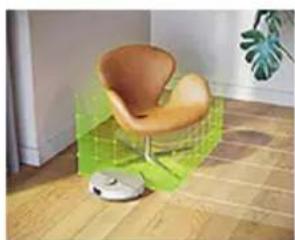
natural_image
Interior scene with a wooden chair, a vacuum cleaner, and a potted plant on the floor (no text or symbols visible)Zona Suave
natural_image
Diagram of a robotic arm with a green plastic component and an arrow pointing to the part (no text or symbols present)Português
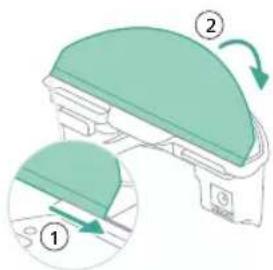
natural_image
Floor plan diagram with furniture layout (no text or labels)natural_image
Illustration of a robotic device with motion arrows indicating movement (no text or symbols)natural_image
Two robotic vacuum cleaner units on a wooden floor connected by a green sensor or signal line (no text or symbols visible)natural_image
Illustration of a cardboard box with an inset showing a package and a warning symbol (no text or labels)natural_image
Diagram of a robotic arm with a green plastic component and an arrow pointing to the part (no text or symbols present)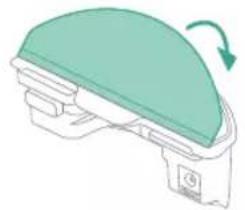
natural_image
Diagram of a mechanical component with a green dome and directional arrow indicating rotation (no text or symbols)natural_image
Diagram of a device with a curved top component and internal structure (no text or symbols)1 Abra a tampa superior.
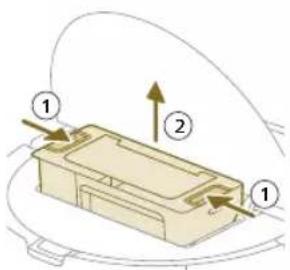
natural_image
Diagram of a printer with a paper feed cover and paper holder, showing no text or symbols
natural_image
Diagram of a yellow rectangular device with a downward arrow pointing to its base, surrounded by curved lines (no text or symbols)natural_image
Technical line drawing of a mechanical component with no visible text or symbolsnatural_image
Illustration of hands manipulating a mechanical component with a directional arrow (no text or symbols)natural_image
Illustration of hands performing a sewing or sewing process with a needle and fabric (no text or symbols)natural_image
Illustration of a hand inserting a cable into a device casing (no text or symbols visible)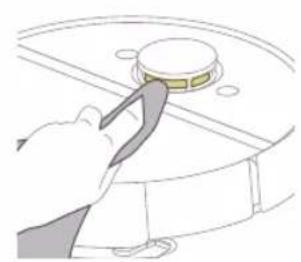
natural_image
Illustration of a hand using a tool to press or install a circular component on a surface (no text or symbols visible)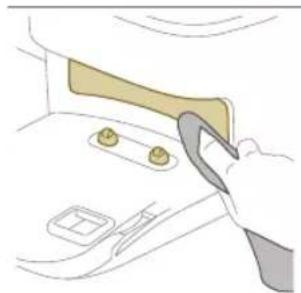
natural_image
Illustration of a hand using a tool to adjust or install a component on a car interior (no text or symbols visible)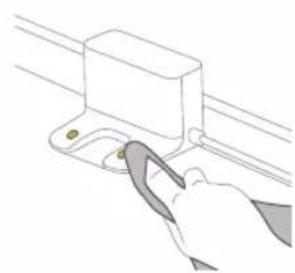
natural_image
Line drawing of a hand using a tool to adjust or install a mechanical component (no text or symbols)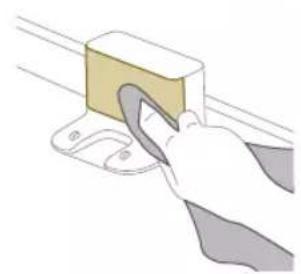
natural_image
Illustration of a hand using a tool to lift a yellow block on a surface (no text or symbols)natural_image
Illustration of a cargo box with a highlighted package and warning symbol (no text or labels)natural_image
Illustration of a mechanical component with a handle and internal structure (no text or symbols)natural_image
Illustration of a hand using a tool to lift a small object into a tray (no text or symbols)natural_image
Diagram of a robotic arm with a green plastic component inserted, showing no text or symbols.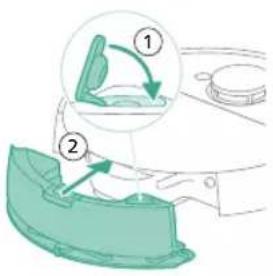
natural_image
Illustration of a toilet with a magnified inset showing a vertical arrow pointing to a rectangular component (no text or symbols present)natural_image
Diagram of a mechanical component with a magnified inset showing a transformation or assembly (no text or symbols present)590 Português
natural_image
Illustration of a toilet with a magnified inset showing a vertical indicator (no text or symbols)natural_image
Diagram of a mechanical component with a magnified inset showing a directional arrow (no text or symbols)XU7100
XU7000
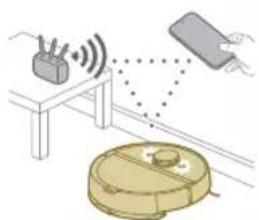
natural_image
Illustration of a robotic vacuum cleaner connected to a device with signal waves, no text or symbols presentRepor/restaurar o robot
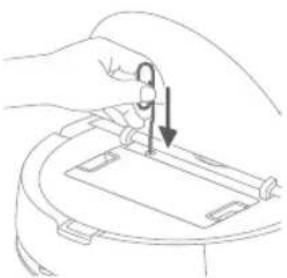
natural_image
Line drawing of a hand holding a small object with an arrow indicating direction (no text or symbols)Encomendar acessórios
natural_image
Illustration of three different mechanical components: a rectangular plate, a threaded fastener, and a hanging clamp (no text or symbols)natural_image
Illustration of a robotic vacuum cleaner with a circular component and recycling symbol (no text or labels)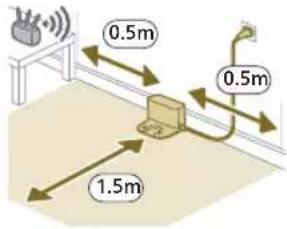
natural_image
Diagram of a mechanical clamp or bracket assembly with a magnified inset showing a circular component (no text or symbols)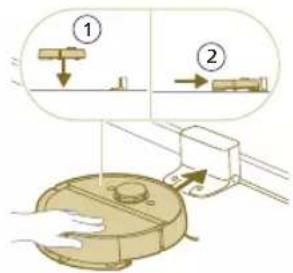
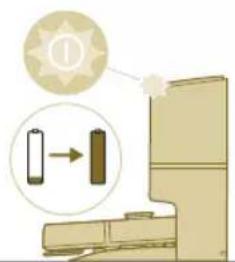
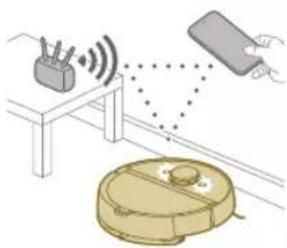
natural_image
Illustration of a hand holding a smartphone with a QR code on top, emitting a light beam to a device (no text or symbols visible)natural_image
Line drawing of a modern kitchen appliance with a flat lid and base (no text or symbols)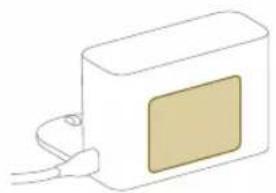
natural_image
Simple line drawing of a rectangular device with a square patch and cable connector (no text or symbols)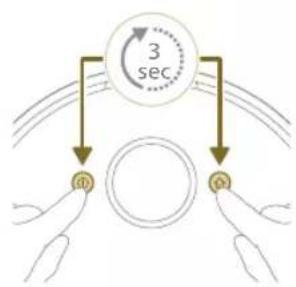
flowchart
graph TD
    A["3 sec"] --> B["Top Circle"]
    A --> C["Bottom Circle"]
    B --> D["Left Hand"]
    C --> E["Right Hand"]
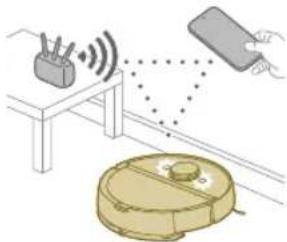
natural_image
Illustration of a robotic vacuum cleaner with sensor array and hand holding a device (no text or symbols)natural_image
Modern living room interior with blue flooring, coffee table, and wall art (no visible text or symbols)Editarea hârtilor
natural_image
Floor plan diagram with room layout and furniture placement (no text or labels)natural_image
Illustration of a person's legs and foot with a circular object below, marked with a red X (no text or symbols)natural_image
White robotic vacuum cleaner placed on wooden flooring next to a large window with red brick walls (no text or symbols visible)natural_image
Interior scene with a blue robotic vacuum cleaner and a plant in a transparent container (no text or symbols visible)natural_image
Robot on a wooden floor with green dotted pattern overlay (no text or symbols)natural_image
Interior scene with a wooden armchair, green cushion, and a small robot on the floor (no text or symbols visible)Zonă mod delicat
natural_image
Diagram of a robotic arm with a green plastic component and an arrow indicating motion (no text or symbols)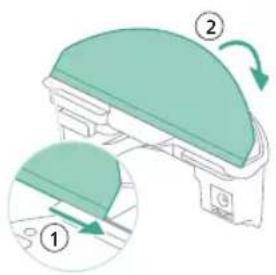
natural_image
Floor plan diagram with room layout and furniture placement (no text or labels)flowchart
graph TD
    A["A"] --> 2["③"]
    B["B"] --> 2
    C["C"] --> 2
    D["D"] --> 2
    1["①"] --> 2
    2 --> 1
    2 --> 2
    style 1 stroke:#000,stroke-width:2px
    style 2 stroke:#000,stroke-width:2px
    style 3 stroke:#000,stroke-width:2px
natural_image
Two robotic vacuum cleaner stations connected by a dotted line on a wooden floor, with green-labeled sensors nearby (no text or symbols visible)natural_image
Illustration of a closed storage unit with a package and warning symbol (no text or labels)natural_image
Diagram of a robotic arm with a green plastic component and an arrow pointing to the part (no text or symbols present)natural_image
Illustration of a green and white mechanical component with a curved top surface and a green arrow indicating rotation (no text or symbols)natural_image
Diagram of a robotic vacuum cleaner with a circular component and directional arrow (no text or symbols)1 Deschideti capacul superior.
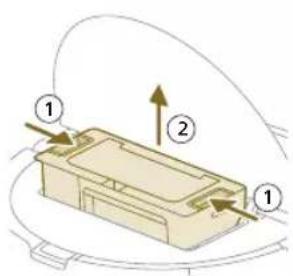
natural_image
Diagram of a printer with a paper feed cover and paper holder, showing no text or symbolsnatural_image
Diagram of a printer with a stack of paper and an upward arrow indicating motion (no text or symbols)622 Română
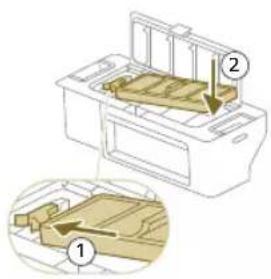
natural_image
Diagram of a printer's internal structure with a curved arrow indicating rotation (no text or symbols)natural_image
Diagram of a robotic vacuum cleaner with a circular housing and directional arrow indicating motion (no text or symbols)natural_image
Diagram of a mechanical component with a downward arrow indicating motion or force (no text or symbols)natural_image
Technical line drawing of a mechanical component with no visible text or symbolsnatural_image
Illustration of hands performing a mechanical tool with a spring-like component (no text or symbols)natural_image
Illustration of hands manipulating a mechanical component with a yellow arrow indicating upward motion (no text or symbols)natural_image
Technical illustration of a mechanical component with a magnified inset showing internal components (no text or symbols)natural_image
Diagram of a mechanical component with a highlighted section, showing internal parts and no visible text or symbols.624 Română
2
natural_image
Illustration of a hand using a tool to adjust or install electronic components on a circular device (no text or symbols visible)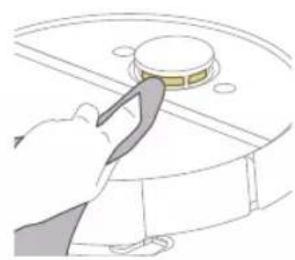
natural_image
Illustration of a hand using a tool to press or install a circular component (no text or symbols visible)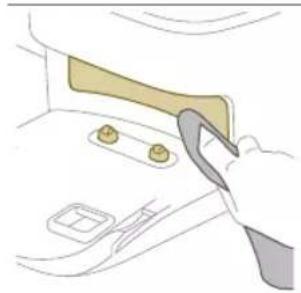
natural_image
Illustration of a hand holding a tool interacting with a car interior panel (no text or symbols visible)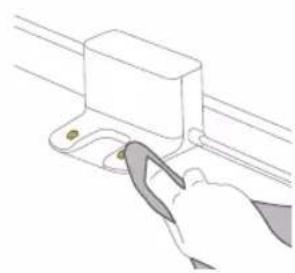
natural_image
Line drawing of a hand using a tool to adjust or install a mechanical component (no text or symbols)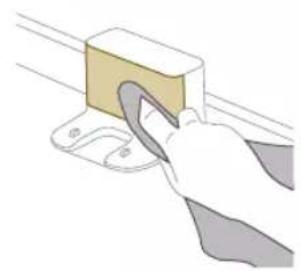
natural_image
Illustration of a hand using a tool to lift a rectangular block (no text or symbols visible)1 Deconectați statia de la priza de perete
natural_image
Illustration of a closed cargo box with a package inside, showing a warning symbol (no text or labels present)natural_image
Illustration of a garment being filled with fabric, showing front and back views (no text or symbols)natural_image
Illustration of a hand using a tool to lift a small object into a tray (no text or symbols)natural_image
Diagram of a robotic arm with a green plastic component inserted, showing no text or symbols.natural_image
Line drawing of a hand holding a small electronic device with a downward arrow indicating rotation (no text or symbols)natural_image
Illustration of three different mechanical components: a rectangular plate, a threaded fastener, and a curved cable (no text or symbols)natural_image
Diagram of a cable or connector assembly with directional arrows indicating flow or movement (no text or symbols)natural_image
Diagram of a mechanical component with a wooden block and upward arrow, no visible text or symbolsnatural_image
Illustration of a circular mechanical device with a recycling symbol (no text or labels)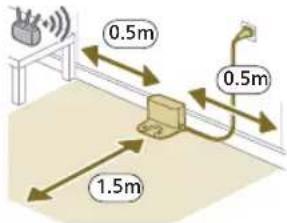
natural_image
Diagram of a mechanical clamp or bracket assembly with a magnified inset showing a circular component (no text or symbols)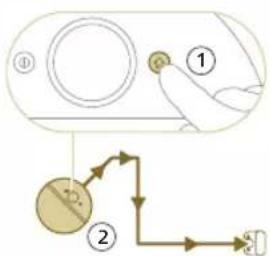
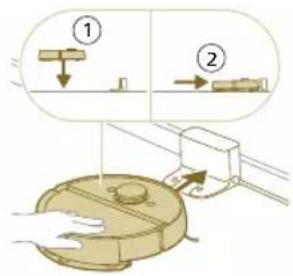
natural_image
Illustration of a toilet with a magnified view showing a device and a star symbol (no text or labels)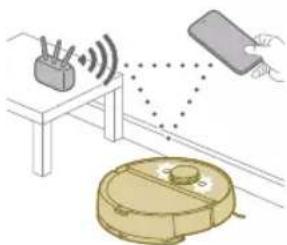
natural_image
Illustration of a robotic vacuum cleaner with signal waves and a hand interacting with a device (no text or symbols)natural_image
Line drawing of a white appliance with a small rectangular component on the base, connected to a flat base (no text or symbols)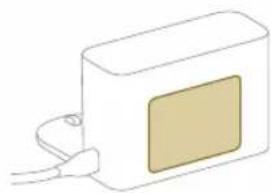
natural_image
Simple line drawing of a rectangular device with a beige panel and cable, no text or symbols present.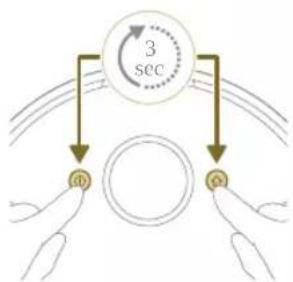
flowchart
graph TD
    A["3 sec"] --> B["ID"]
    A --> C["Q"]
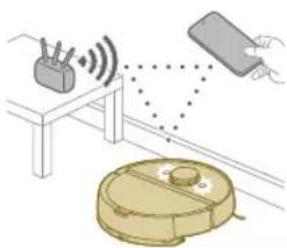
natural_image
Illustration of a robotic vacuum cleaner emitting signal waves from a device, with a hand holding the device (no text or symbols present)natural_image
Modern living room interior with blue flooring, sofa, and large wall art (no visible text or symbols)natural_image
Floor plan layout with room layouts and a green checkmark indicating selection (no text or symbols)Modifikimi i hartës
natural_image
Floor plan diagram with furniture layout (no text or labels)natural_image
Illustration of a person's legs and foot with a robot navigating a circular path (no text or symbols)natural_image
White robotic vacuum cleaner placed on wooden flooring next to a large window with brick walls (no text or symbols visible)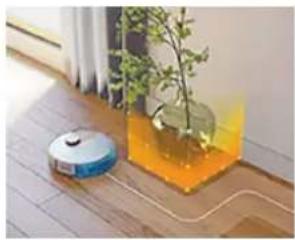
natural_image
Interior scene with a robotic vacuum cleaner and a potted plant in a glass container (no text or symbols visible)natural_image
Robot on wooden floor with green dotted pattern on surface (no text or symbols visible)natural_image
Interior scene with a wooden chair and green overlay on the floor, no visible text or symbolsnatural_image
Diagram of a robotic arm with a green plastic component and an arrow indicating motion (no text or symbols)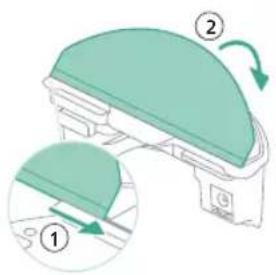
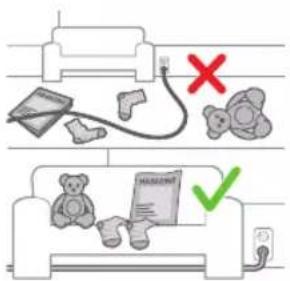
natural_image
Floor plan diagram with furniture layout (no text or labels)2 Zgjidhni programin e pastrimit: Pastrim i rregullt ose pastrim i personalizuar.
3 Shtypni ikonën "Fillo".
natural_image
Two robotic vacuum cleaner units connected by a dotted line on a wooden floor, with a black server tower nearby (no visible text or symbols)natural_image
Illustration of a cardboard box with a warning symbol (no text or labels)natural_image
Diagram of a robotic arm with a green highlighted component (no text or symbols)natural_image
Illustration of a mechanical component with a green top and arrow indicating rotation (no text or symbols)natural_image
Diagram of a robotic vacuum cleaner with a curved blade and internal components (no text or symbols)1 Shpëlani koshin e pluhurit me ujë.
natural_image
Illustration of a printer's front panel with a paper feeding into the cover (no text or symbols)1 Hapni kapakun e filtrit.
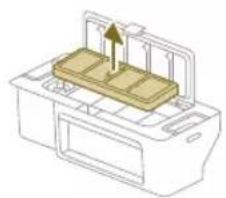
natural_image
Diagram of a printer with a stack of paper and an upward arrow indicating motion (no text or symbols)natural_image
Diagram of a printer with a paper filter and arrow indicating rotation (no text or symbols)7 Mbylleni kapakun e filtrit.
natural_image
Diagram of a robotic arm with a curved arrow indicating rotation or movement (no text or symbols present)natural_image
Diagram of a mechanical component with a downward arrow indicating motion or force (no text or symbols)natural_image
Diagram of a mechanical component with a textured surface and directional arrow (no text or symbols)natural_image
Illustration of hands performing a mechanical tool with a spring-like component (no text or symbols)natural_image
Illustration of hands manipulating a mechanical component with a yellow arrow indicating upward motion (no text or symbols)natural_image
Technical illustration of a mechanical component with a magnified inset showing internal components (no text or symbols)natural_image
Technical line drawing of a mechanical component with gear and internal structure (no text or symbols)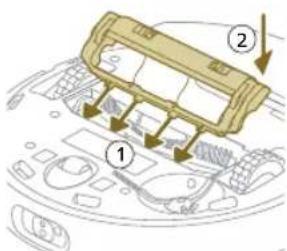
natural_image
Illustration of hands using a tool to adjust or install a component on a curved surface (no text or symbols visible)natural_image
Illustration of a hand using a tool to press internal components on a circular device (no text or symbols visible)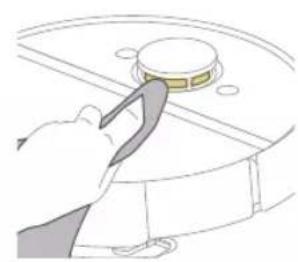
natural_image
Illustration of a hand using a tool to press or install a circular component (no text or symbols visible)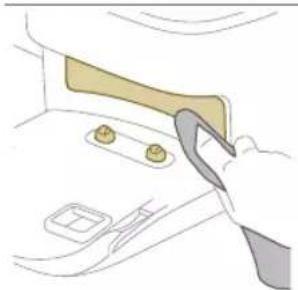
natural_image
Illustration of a hand using a tool to cut or inspect a component on a surface (no text or symbols visible)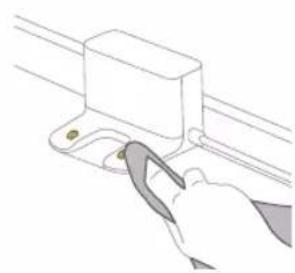
natural_image
Line drawing of a hand using a tool to lift a rectangular component (no text or symbols)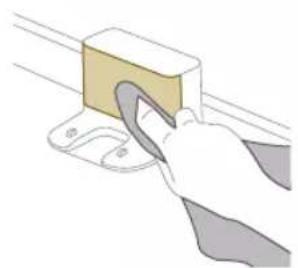
natural_image
Illustration of a hand using a tool to lift a rectangular block (no text or symbols visible)1 Hiqeni stacionin nga priza.
natural_image
Illustration of a closed cargo box with a package inside, showing a warning symbol (no text or labels present)2 Nxirreni qesen e pluhurit nga stacioni i boshatisjes automatike.
3 Hiqni dhe hidhni qesen e pluhurit.
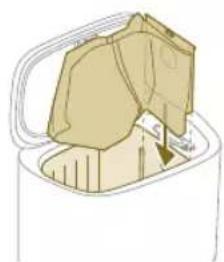
natural_image
Illustration of a garment being filled with fabric, showing front and back views (no text or symbols)natural_image
Illustration of a hand using a tool to lift a small object into a tray (no text or symbols)natural_image
Diagram of a robotic arm with a green plastic component inserted, showing no text or symbols.natural_image
Line drawing of a hand holding a small electronic device with a downward arrow indicating rotation (no text or symbols)natural_image
Illustration of a circular mechanical device with a recycling symbol (no text or labels)2 Posodo za vodo vstavite na pravo mesto.
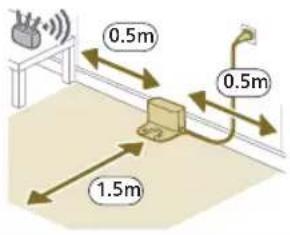
i Opomba: Na straneh postaje naj ostane 0,5 metra prostora in pred postajo 1,5 metra.
natural_image
Diagram of a mechanical clamp or bracket assembly with a magnified inset showing a circular component (no text or symbols)2 Prepričajte se, da je postaja priključena v omrežno vtičnico.
3 Za vklop robota pritisnite gumb za vklop/izklop in ga za 3 sekunde zadržite.
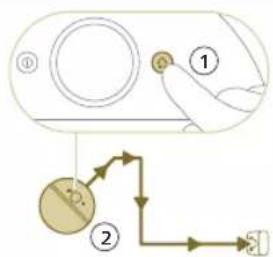
flowchart
graph TD
    A["①"] --> B["②"]
    B --> C["③"]
    C --> D["④"]
5 Počakajte, da se robot povsem napolni.
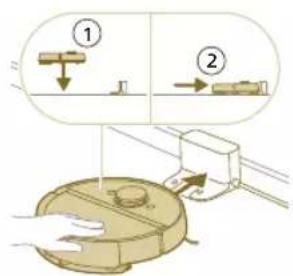
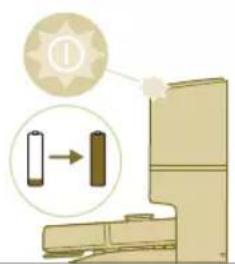
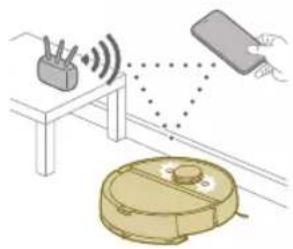
2 Izberite model robota.
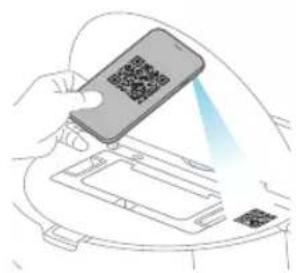
natural_image
Illustration of a hand holding a smartphone with a QR code, interacting with a device (no text or symbols visible)- Model XU7100 - Model XU7000
682 Slovenščina
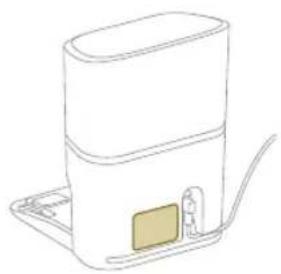
natural_image
Line drawing of a portable water heater with a small rectangular component on the side (no text or symbols)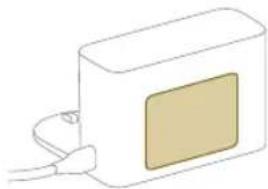
natural_image
Simple line drawing of a rectangular device with a square button and cable (no text or symbols)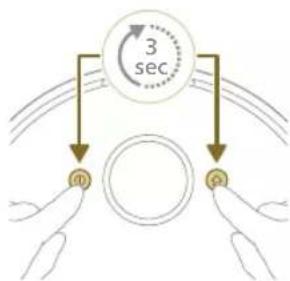
flowchart
graph TD
    A["3 sec"] --> B["0"]
    A --> C["1"]
    A --> D["2"]
natural_image
Illustration of a robotic vacuum cleaner emitting signal waves from a device, with a hand holding a remote (no text or symbols)Kako deluje robotski sesalnik
natural_image
Interior view of a modern living room with blue flooring, large windows, and a robotic vacuum cleaner (no visible text or symbols)Robot se pomika skozi prostore in laserska navigacija na hitro preleti prostore, da si sestavi zemljevid al.
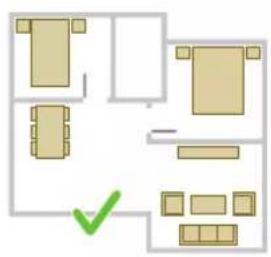
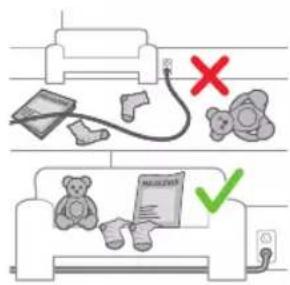
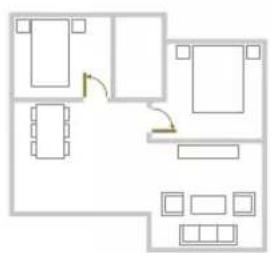
natural_image
Floor plan diagram with room layout and furniture placement (no text or labels)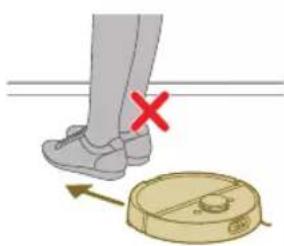
natural_image
Illustration of a person's legs and foot stepping on a robot, with a red X mark indicating the left foot (no text or symbols present)Urejanje zemljevida
natural_image
White robotic vacuum cleaner placed on wooden flooring next to a large window with brick walls (no text or symbols visible)natural_image
Interior scene with a robotic vacuum cleaner and a potted plant in a transparent container (no text or symbols visible)natural_image
Robot on wooden floor with green tiled floor and blue control panel (no text or symbols visible)natural_image
Interior scene with a wooden chair and a small robot on a tiled floor, no visible text or symbolsNežno območje
natural_image
Diagram of a robotic arm with a green plastic component and an arrow pointing to the part (no text or symbols)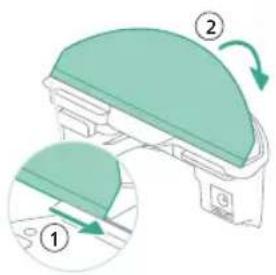
- Pralno krpo za mokro brisanje pritrdite na držalo krpe za brisanje.
- S tal odstranite vse kable in žice, da se robot ne bi zapletel vanje.
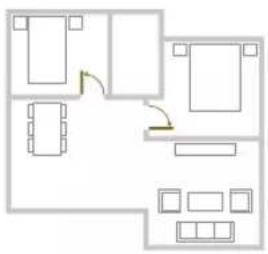
natural_image
Floor plan diagram with room layout and furniture placement (no text or labels)
natural_image
Two robotic vacuum cleaner stations connected by a green sensor on a wooden floor, with a black robot nearby (no visible text or symbols)natural_image
Illustration of a cardboard box with open lid and internal compartments, accompanied by warning symbols (no text or labels)natural_image
Diagram of a robotic vacuum cleaner with a green component inserted, showing no text or symbols.3 Pralno krpo za mokro brisanje povlecite z ježka.
4 Ravno stran pralne krpe za mokro brisanje izvlecite iz reže.
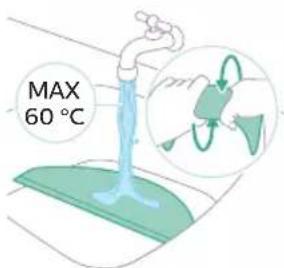
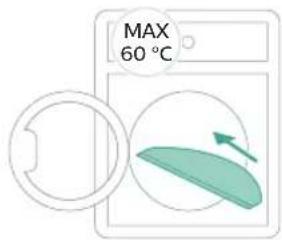
5 Izperite in očistite pralno krpo za mokro brisanje z vodo ali jo operite v pralnem stroju.
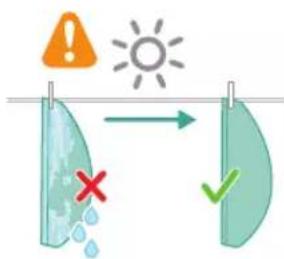
6 Pralno krpo za mokro brisanje posušite na zraku.
i Opomba: Ne uporabljajte drugih načinov za sušenje pralne krpe za mokro brisanje.
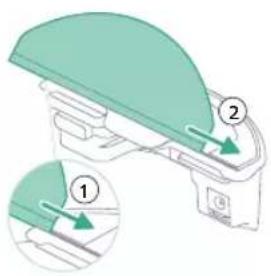
7 Ravno stran pralne krpe za mokro brisanje potisnite v pravo režo na držalu krpe za brisanje.
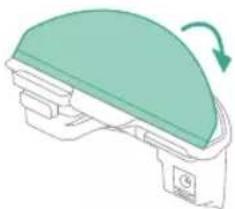
natural_image
Illustration of a green dome-shaped object with a curved arrow indicating rotation (no text or symbols)8 Pralno krpo za mokro brisanje pritrdite na ježka držala krpe za brisanje.
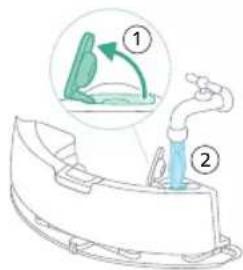
10 Posodo za vodo vstavite na pravo mesto.
Praznjenje posode za prah
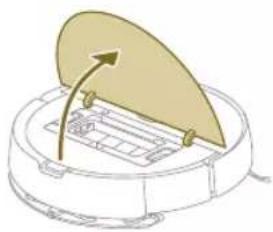
natural_image
Diagram of a robotic vacuum cleaner with a circular component and directional arrow indicating motion (no text or symbols)4 Odprite vratca za praznjenje posode za prah.
1 Posodo za prah izperite z vodo.
2 Posodo za prah posušite na zraku.
i Opomba: Ne uporabljajte drugih načinov za sušenje posode za prah.
natural_image
Illustration of a printer's front panel with a paper feeding into the cover (no text or symbols)natural_image
Diagram of a printer with a stack of paper and an upward arrow indicating motion (no text or symbols)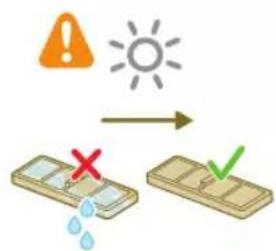
3 Pralni filter izperite z vodo.
4 Pralni filter naj se suši na zraku 24 ur.
5 Pralni filter namestite na zaklep filtra posode za prah in ga potisnite noter.
6 Pritisnite pralni filter navzdol.
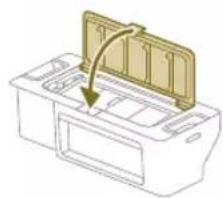
natural_image
Diagram of a printer's internal structure with a paper feeding into a cover (no text or symbols)7 Zaprite pokrov pralnega filtra.
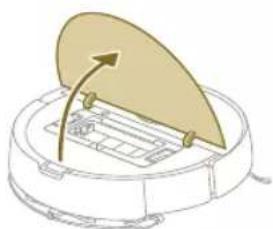
natural_image
Diagram of a robotic vacuum cleaner with a curved blade and control panel (no text or symbols)8 Odprite zgornji pokrov robota.
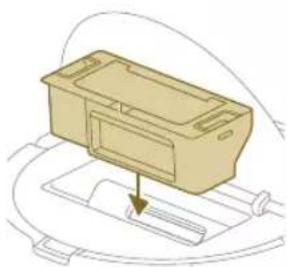
natural_image
Diagram of a mechanical component with a downward arrow indicating motion or force (no text or symbols)9 Vstavite posodo za prah na pravo mesto.
natural_image
Technical line drawing of a mechanical component with no visible text or symbolsnatural_image
Illustration of hands performing a mechanical tool with a spring-like component (no text or symbols)natural_image
Illustration of hands manipulating a mechanical component with a yellow arrow indicating upward motion (no text or symbols)6 Z glavne ščetke odstranite lase, dlake in umazanijo.
natural_image
Technical illustration of a mechanical component with a magnified inset showing internal components (no text or symbols)natural_image
Diagram of a mechanical component with a highlighted section, showing internal parts and no visible text or symbols.698 Slovenščina
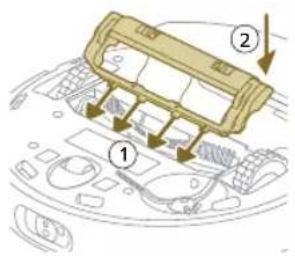
9 Robove pokrova ščetke vstavite v prave zareze.
10 Potisnite pokrov ščetke noter.
1 Robota na glavo položite ravno in stabilno površino.
natural_image
Illustration of hands using a tool to adjust or install a component on a curved surface (no text or symbols visible)natural_image
Illustration of a hand inserting a component into a device casing (no text or symbols visible)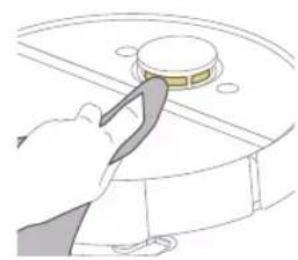
natural_image
Illustration of a hand using a tool to press or install a circular component (no text or symbols visible)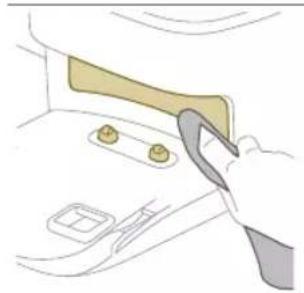
natural_image
Illustration of a hand using a tool to lift or adjust a car interior panel (no text or symbols visible)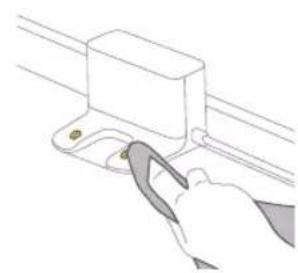
natural_image
Line drawing of a hand using a tool to lift a rectangular component (no text or symbols)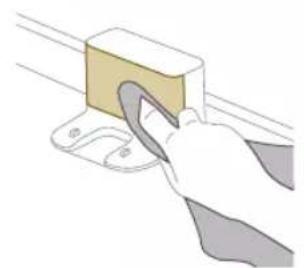
natural_image
Illustration of a hand using a tool to lift a rectangular block (no text or symbols visible)natural_image
Illustration of a closed cargo container with an inset showing a cardboard box and warning symbol (no text or labels)2 Povlecite vrečko za prah iz postaje za samodejno praznjenje.
3 Odstranite vrečko za prah in jo zavrzite.
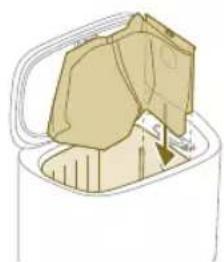
natural_image
Illustration of a garment being filled with fabric, showing front and back views (no text or symbols)natural_image
Illustration of a hand using a tool to lift a small object into a tray (no text or symbols)3 Odstranite lase, dlake in umazanijo, ki so se zataknili v dovodu za samodejno praznjenje.
natural_image
Diagram of a robotic arm with a green plastic component and an arrow pointing to the part (no text or symbols present)3 Posodo za vodo izperite z vodo iz pipe.
4 Zunanjost posode za vodo osušite s krpo.
7 Posodo za vodo vstavite na pravo mesto.
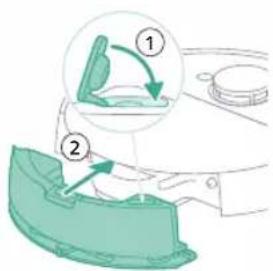
702 Slovenščina
Dolgotrajno shranjevanje
1 Baterijo povsem napolnite.
2 Robota shranjujte pri temperaturi pod 35 in nad 8°C.
natural_image
Illustration of a toilet with a magnified inset showing a button (no text or symbols)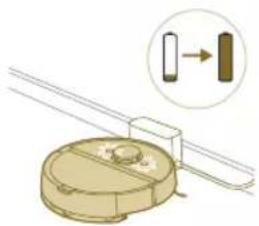
natural_image
Diagram of a mechanical component with a magnified inset showing a directional arrow (no text or symbols)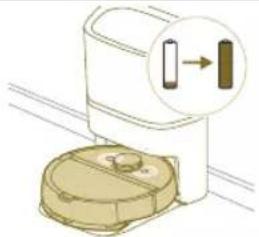
natural_image
Illustration of a toilet with a magnified inset showing a vertical strip (no text or symbols)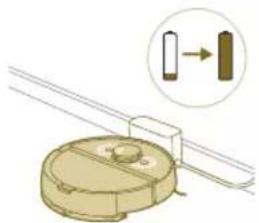
natural_image
Diagram of a mechanical component with a magnified inset showing a vertical bar and a right-angle indicator (no text or symbols)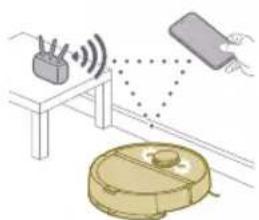
natural_image
Illustration of a robotic vacuum cleaner connected to a table with sensors and signal waves (no text or symbols)Številka modela Signal Opis signala Pomen signala robota
XU7100
XU7000
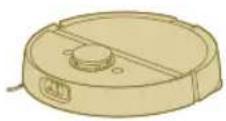
Lučke robota se izklopijo. Robot je prešel v način spanja.
XU7100 Ko se robot polni, bela lučka
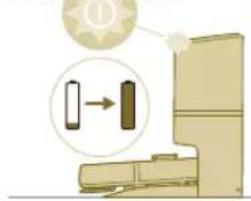
natural_image
Illustration of a toilet with a gear icon and directional arrow, no text or symbols presentna postaji za samodejno praznjenje utripa.
natural_image
Illustration of a closed open food item with a yellow lid and a sun icon (no text or symbols)natural_image
Line drawing of a hand holding a small electronic device with a vertical arrow indicating motion (no text or symbols)natural_image
Illustration of three different mechanical components: a rectangular plate, a threaded fastener, and a curved cable (no text or symbols)2 Preden odstranite in zavržete akumulatorsko baterijo, se prepričajte, da je popolnoma prazna tako, da sesalnik pustite delovati, dokler se baterija ne izprazni.
3 Odvijte vijake pokrova prostora za baterije in odstranite pokrov.
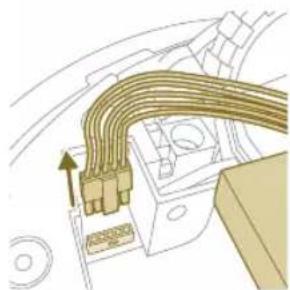
natural_image
Diagram of a cable or connector assembly with directional arrows indicating flow or movement (no text or symbols)4 Akumulatorsko baterijo dvignite in jo izključite tako, da pritisnete malo sponko na priključku baterije, da se ta sprosti.
natural_image
Diagram of a mechanical component with an upward arrow indicating force or direction (no text or symbols present)Jamstvo in podpora
natural_image
Illustration of a robotic vacuum cleaner with a recycling symbol (no text or labels)1 Naplňte nádobu na vodu. Použite prívod vody.
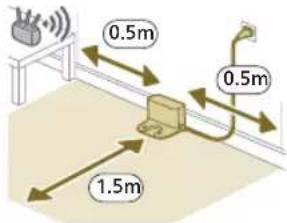
i Poznámka: Po bokoch stanice nechajte 0,5 metra volného priestoru. Pred stanicou nechajte 1,5 metra priestoru.
natural_image
Diagram of a mechanical clamp or bracket assembly with a magnified inset showing a circular component (no text or symbols)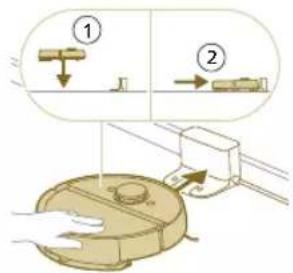
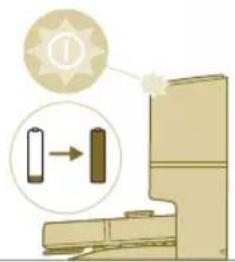
natural_image
Illustration of a toilet with a magnified view showing a battery and a switch (no text or symbols)natural_image
Illustration of a robotic vacuum cleaner emitting signal waves from a device, with a hand holding a remote (no text or symbols)2 Vyberte model svojho robota.
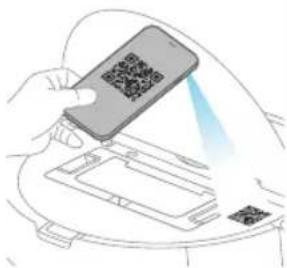
natural_image
Illustration of a hand holding a smartphone scanning a QR code on a device (no text or symbols visible)- Model XU7100 - Model XU7000
Slovensky
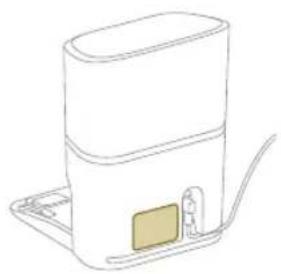
natural_image
Line drawing of a portable water heater with a small rectangular component on the side (no text or symbols)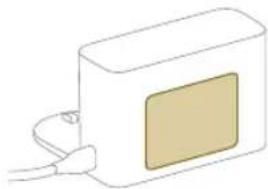
natural_image
Simple line drawing of a rectangular device with a square patch and cable, no text or symbols present.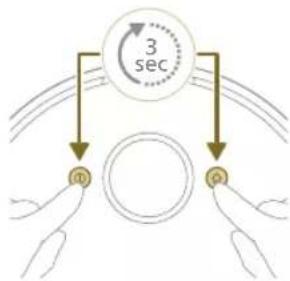
flowchart
graph TD
    A["3 sec"] --> B["m"]
    A --> C["p"]
720 Slovensky
Ako robot funguje
Vytvorenie mapy
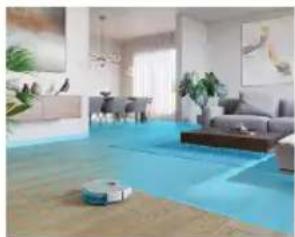
natural_image
Interior view of a modern living room with blue flooring, white walls, and decorative wall art (no visible text or symbols)Úprava mapy
natural_image
Floor plan layout with furniture placement (no text or labels)natural_image
Illustration of a person's legs and foot with a robot vacuum cleaner below (no text or symbols)natural_image
White robotic vacuum cleaner placed on wooden flooring next to a large window with orange light (no text or symbols visible)natural_image
A robotic vacuum cleaner placed in a transparent container with orange liquid, next to a small plant inside a glass jar (no text or symbols visible)natural_image
Robot on wooden floor with green tiled floor and blue roof, no visible text or symbolsnatural_image
Interior scene with a wooden chair and green mesh floor, no visible text or symbolsnatural_image
Diagram of a robotic arm with a green plastic component and an arrow indicating a specific part (no text or symbols present)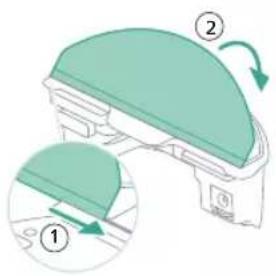
- Pripevnite utierku mopu k držiaku na utierku mopu.
natural_image
Floor plan diagram with furniture layout and directional arrows (no text or labels)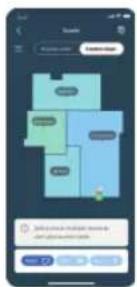
natural_image
Illustration of a robotic device with motion arrows indicating movement, no text or symbols presenti Poznámka: Iba pri modeli XU7100 stanica navyše vysaje prach z nádoby v robote. Prach sa potom zhromažđuje vo vrecku na prach v stanici.
natural_image
Two robotic vacuum cleaner stations on a wooden floor, connected by a green sensor (no visible text or symbols)Ked'sa počas upratovania vybije batéria (< 20 %), robot sa automaticky vráti do stanice, aby sa dobil. Po dobití batérie robot pokračuje tam, kde skončil.
Čistenie a údržba
natural_image
Illustration of a cardboard box with warning symbols (no text or labels)Čistenie pratelnej utierky mopu
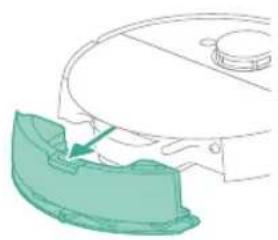
natural_image
Diagram of a robotic arm with a green highlighted part, showing no text or symbols.6 Vysušte pratelnú utierku mopu na vzduchu.
natural_image
Illustration of a mechanical component with a green top and arrow indicating rotation (no text or symbols)9 Naplňte nádobu na vodu. Použite prívod vody.
natural_image
Diagram of a mechanical component with a curved arrow indicating rotation or force direction (no text or symbols)natural_image
Diagram of a printer holder with a paper feed cover and paper tray, showing no text or symbols.natural_image
Diagram of a printer with a wooden cover and paper feeding into a slot, showing internal structure (no text or symbols)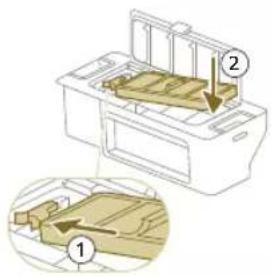
natural_image
Diagram of a printer with a paper filter being inserted, showing the blade and base (no text or symbols)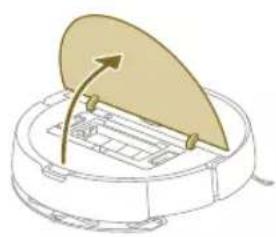
natural_image
Diagram of a robotic vacuum cleaner with a lid and internal components (no text or symbols)natural_image
Illustration of a beige plastic container with a downward arrow pointing to it, placed on a curved surface (no text or symbols)natural_image
Technical line drawing of a mechanical component with no visible text or symbols4 Vytiahnite hlavnú kefu.
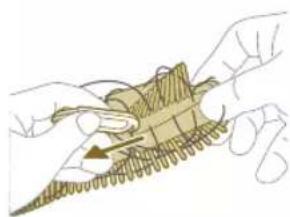
natural_image
Illustration of hands holding a mechanical component with a spring-like base (no text or symbols)natural_image
Illustration of hands manipulating a mechanical component with an upward arrow (no text or symbols)natural_image
Diagram of a mechanical assembly with a component being inserted, showing internal components and motion direction (no text or labels)natural_image
Technical line drawing of a mechanical component with no visible text or symbolsnatural_image
Illustration of hands using a tool to apply a component on a curved surface (no text or symbols)natural_image
Illustration of a device's internal components with a hand pointing to a yellow button (no text or symbols)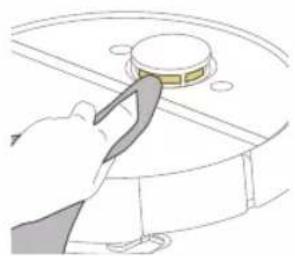
natural_image
Illustration of a hand using a tool to press or install a circular component (no text or symbols visible)736
Slovensky
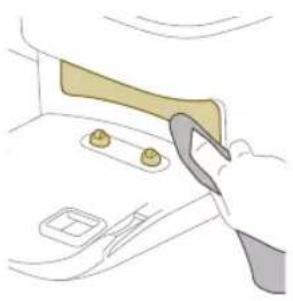
natural_image
Illustration of a hand using a tool to interact with a car interior (no text or symbols visible)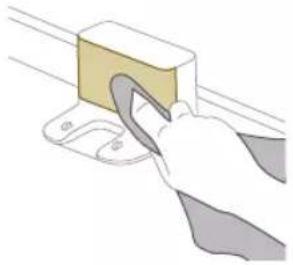
natural_image
Illustration of a hand using a tool to clean or store items on a shelf (no text or symbols visible)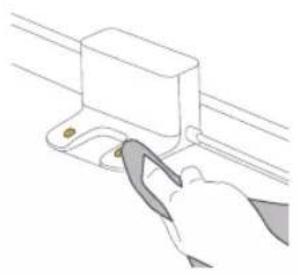
natural_image
Line drawing of a hand using a tool to adjust or install a component on a rail (no text or symbols)natural_image
Illustration of a closed cargo box with a highlighted package and warning symbol (no text or labels)natural_image
Illustration of a garment pocket with fabric and a small inset showing a sewing machine (no text or symbols)natural_image
Illustration of a hand using a tool to lift a small object into a tray (no text or symbols)natural_image
Diagram of a robotic arm with a green plastic component inserted, showing no text or symbols.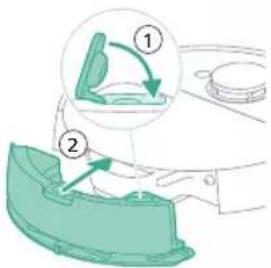
natural_image
Illustration of a toilet with a magnified inset showing a vertical arrow pointing to the next outlet (no text or symbols present)natural_image
Diagram of a mechanical component with a magnified inset showing a directional arrow (no text or symbols)XU7100
XU7000
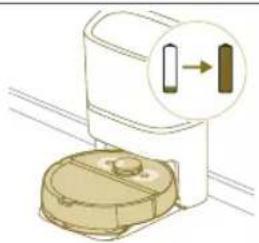
natural_image
Illustration of a toilet with a magnified inset showing a vertical arrow pointing to the next outlet (no text or symbols present)Kontrolky na dvoch tlačidlách na robote nepretržite svietia.
natural_image
Diagram of a mechanical component with a circular base and two rectangular parts, one highlighted by an arrow (no text or symbols present)XU7100
XU7000
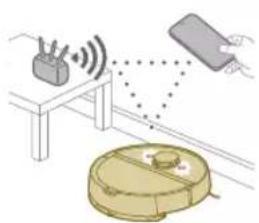
natural_image
Illustration of a robotic vacuum cleaner with signal waves and a sensor device, no text or symbols presentnatural_image
Illustration of a toilet with a magnified view showing a device (no text or symbols present)natural_image
Simple line drawing of a box with lid open, no text or symbols presentnatural_image
Line drawing of a hand holding a small object with an arrow indicating direction (no text or symbols)natural_image
Illustration of three different mechanical components: a rectangular plate, a threaded fastener, and a hanging clamp (no text or symbols)Vybratie nabíjatel'nej batérie
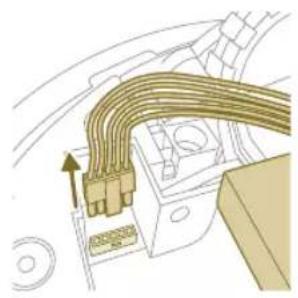
natural_image
Diagram of a mechanical or electrical component with curved internal lines and a directional arrow (no text or symbols)natural_image
Diagram of a mechanical assembly with a central block and upward arrow (no text or symbols)natural_image
Illustration of a robotic vacuum cleaner with a circular symbol indicating recycling (no text or symbols present)1 Laserska navigacija od 360° (LiDAR)
2 Senzor za sudar (2x)
3 Prijemnik infracrvenog signala za pronalaženje stanice
4 Odašiljač infracrvenog signala za komunikaciju sa stanicom
5 Senzor 3D ToF za otkrivanje i izbegavanje malih prepreka ispred robota (120°)
6 Senzor ToF za otkrivanje i izbegavanje malih prepreka oko robota (8x)
7 Senzor ispadanja (6x)
1 Napunite rezervoar za vodu. Koristite ulazni otvor za vodu.
i Napomena: Proverite da li je spoljašnjost rezervoara za vodu suva.
i Napomena: Nemojte koristiti deterdžente za čišćenje.
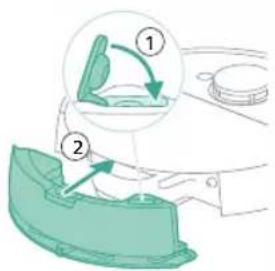
2 Postavite rezervoar za vodu na pravo mesto.
Pre upotrebe
Postavite robot i stanicu
Saveti za izbor najbolje lokacije za postavljanje stanice:
- Nemojte postavljati stanicu na jaku sunčevu svetlost ili ispod nameštaja. To će blokirati infracrveni signal koji pomaže robotu da se vrati do stanice.
- Postavite stanicu na ravnu površinu pored zida.
- Postavite stanicu na tvrdi pod.
- Nemojte postavljati stanicu pored stepenica ili izvora toplote (radijator).
- Postavite je na lokaciju sa dobrom pokrivenošću Wi-Fi mreže.
Za postavljanje stanice:
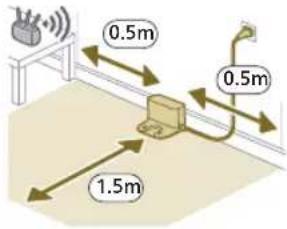
i Napomena: Ostavite po 0,5 metara razmaka sa obe strane stanice i 1,5 metar ispred stanice.
2 Uključite stanicu na napajanje.
3 Proverite da li je preostali deo kabla za napajanje dobro sakriven iza stanice kako robot ne bi prešao preko njega.
i Napomena: Samo na modelu XU7100, postavite kesu za prašinu u odeljak za kesu za prašinu na stanici.
Punjenje robota
1 Okrenite robot u pravilan položaj i postavite ga na pod ispred stanice. Rezervoar za vodu treba da bude okrenut suprotno od stanice.
- Model XU7100 - Model XU7000
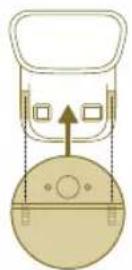
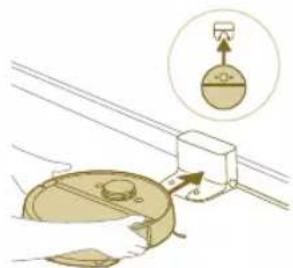
natural_image
Diagram of a mechanical clamp or bracket assembly with a magnified inset showing a circular component (no text or symbols)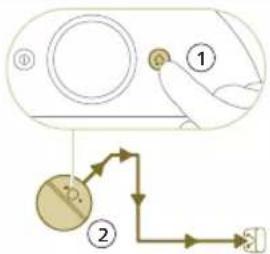
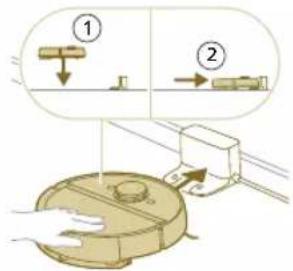
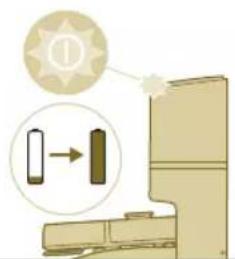
natural_image
Illustration of a toilet with a magnified view showing a directional arrow (no text or symbols)i Napomena: Proverite da li je robot u ispravnom položaju i da li je počeo da se puni. Svetla na dva dugmeta na robotu sporo trepere. Ako je baterija prazna, možda će malo potrajati dok robot ne pokaže da se puni.
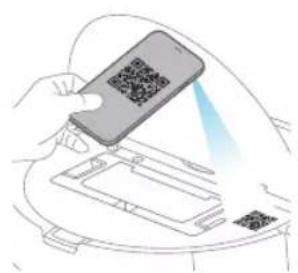
natural_image
Illustration of a hand holding a smartphone with a QR code, interacting with a device (no text or symbols visible)11 Prikaz statusa održavanja i pronalaženje rezervnih delova.
12 Povezivanje robota sa digitalnim glasovnim asistentom za rad pomoću glasovnih komandi.
natural_image
Line drawing of a compact water heater with a small rectangular component on the side (no text or symbols)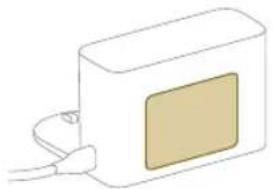
natural_image
Simple line drawing of a rectangular device with a beige square on the front and connected to a cable (no text or symbols)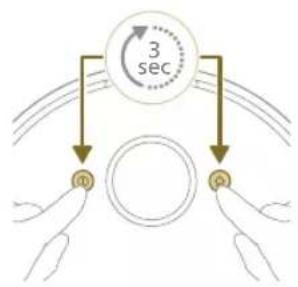
flowchart
graph TD
    A["Hand 1"] --> B["Circle"]
    C["Hand 2"] --> B
    B --> D["3 sec"]
    style A fill:#f9f,stroke:#333
    style C fill:#f9f,stroke:#333
i Model robota možete da izaberete tako što ćete skenirati QR kôd koji se nalazi na gornjoj strani robota ili možete sami da potražite broj modela na pločici sa oznakom modela na zadnjoj strani stanice.
natural_image
Illustration of a robotic vacuum cleaner with signal detection and control panel (no text or symbols)Kako robot radi
Kreirajte mapu
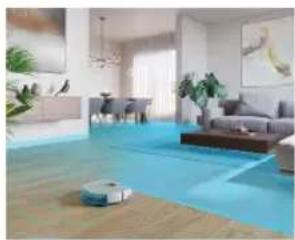
natural_image
Interior view of a modern living room with blue flooring, ambient lighting, and a robotic vacuum cleaner (no visible text or symbols)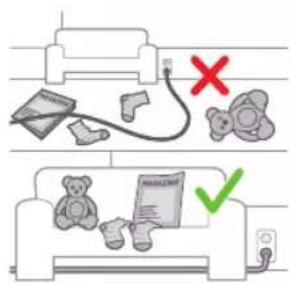
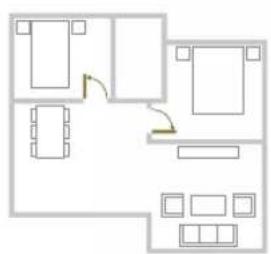
natural_image
Floor plan diagram with furniture layout (no text or labels)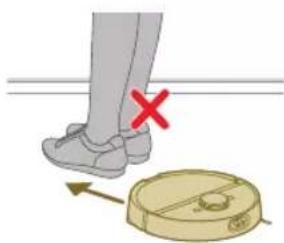
natural_image
Illustration of a person's legs and foot with a robot navigating a circular device, marked with a red X (no text or symbols)Uređivanje mape
Uređivanje mape u aplikaciji možete da koristite za:
- Izmenu prostorija (spajanje/deljenje soba, davanje naziva sobama) što omogućava prilagođavanje rutine čišćenja u zavisnosti od prostorije.
- Postavljanje zabranjenih područja kojim se određuje gde robot sme da čisti, a gde ne.
- Možete da kreirate mapu za svaki sprat svog doma i da sačuvate do 5 mapa. Kada koristite ovaj aparat, on pravi novu mapu u novom okruženju. Ako imate mape koje često koristite i ne želite da ih slučajno izbrišete, možete da zaključate do 3 mape.
Priprema prostorije za mapiranje
natural_image
White robotic vacuum cleaner placed on wooden flooring next to a large window (no text or symbols visible)Napravite virtuelne zidove ✝ zabranjene zone 2 područja na koja ne želite da robot ide. Na primer, možete da napravite virtuelne zidove ili zabranjene zone:
natural_image
Interior scene with a robotic vacuum cleaner and a potted plant in a glass vase on a wooden floor (no text or symbols visible)i Napomena: Robot može da se zaglavi na debelim tepisima, tepisima sa resama ili veoma laganim prostirkama, kao što su one u kupatilu. Takode, robot ne može da otkrije kablove na podu.
- Zaštitite robota.
i Napomena: Robota treba držati dalje od tečnosti i vlažnih područja kao što su posude za kućne ljubimce i tacne za saksije.
i Važno: virtuelni zidovi i zabranjene zone se ne smeju koristiti za zaštitu od opasnosti.
i Važno: virtuelni zidovi i zabranjene zone ne smeju da spreče robota da se vrati u stanicu.
i Važno: Nemojte koristiti robota na otvorenom. On nije namenjen za upotrebu na otvorenom.
Zona bez brisanja
Napravite zone bez brisanja 🌐a robot ne bi brisao tepihe ili prostirke.
natural_image
Robot on a wooden floor with green dotted pattern on the floor (no text or symbols visible)Zona blagog čišćenja
natural_image
Interior scene with a wooden floor, a small robotic vacuum cleaner, and a plant (no text or symbols visible)VAŽNO: Ako želite da robot ide i u druge prostorije, zona blagog čišćenja ne sme da bude u blizini vrata sa pragom. Zonu blagog čišćenja postavite na udaljenost od najmanje 1 metra od vrata sa pragom.
Kako robot čisti
natural_image
Diagram of a robotic arm with a green plastic component and an arrow pointing to the part (no text or symbols present)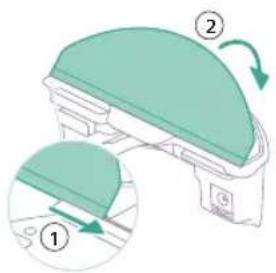
natural_image
Floor plan diagram with furniture layout (no text or labels)- Otvorite sva unutrašnja vrata.
Pokrenite prvi program čišćenja pomoću aplikacije (pogledajte H.)
Pokretanje
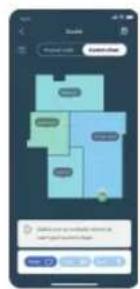
2 Izaberite program za čišćenje: redovno čišćenje ili prilagođeno čišćenje.
natural_image
Illustration of a robotic device with airflow path and warning symbol (no text or labels)i Napomena: Samo na modelu XU7100, stanica će usisati sadržaj i isprazniti posudu za prašinu robota. Prašina se sakuplja u kesu za prašinu na stanici.
Automatsko punjenje i nastavak čišćenja
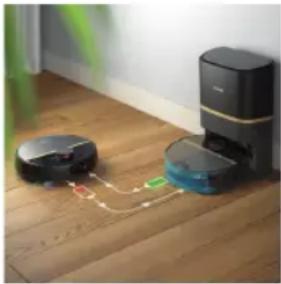
natural_image
Two robotic vacuum cleaner units on a wooden floor connected by a dotted line (no text or symbols visible)natural_image
Illustration of a cardboard box with a warning symbol (no text or labels)natural_image
Diagram of a robotic arm with a green plastic component and an arrow pointing to the part (no text or symbols)1 Pritisnite dugme za oslobadanje rezervoara za vodu.
2 Izvucite rezervoar za vodu iz robota.
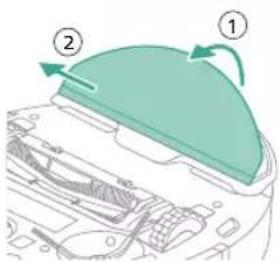
3 Povucite perivi umetak da ga odvojite sa čičak trake.
4 Izvucite ravnu stranu perivog umetka za brisanje iz proreza.
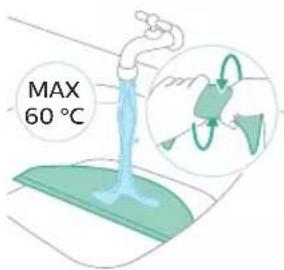
766 Srpski
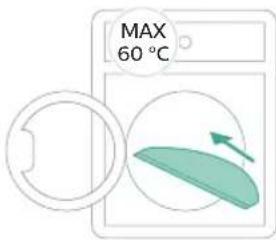
5 Isperite i očistite perivi umetak za brisanje vodom ili ga operite u mašini za pranje veša.
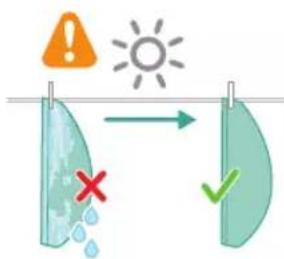
7 Gurnite ravnu stranu perivog umetka za brisanje u odgovarajući prorez na držaču umetka za brisanje
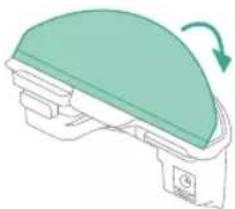
natural_image
Diagram of a mechanical component with a green top and arrow indicating rotation (no text or symbols)10 Postavite rezervoar za vodu na pravo mesto.
Pražnjenje posude za prašinu
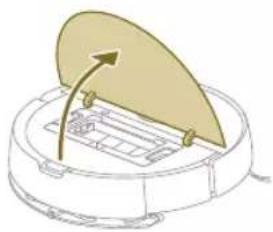
natural_image
Diagram of a robotic vacuum cleaner with a golden lid and control panel (no text or symbols)1 Otvorite gornji poklopac.
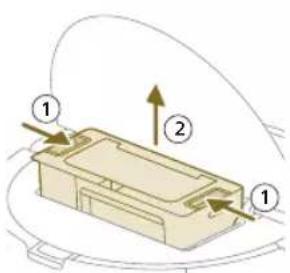
2 Istovremeno pritisnite dugmad za oslobadanje posude za prašinu.
3 Izvucite posudu za prašinu.
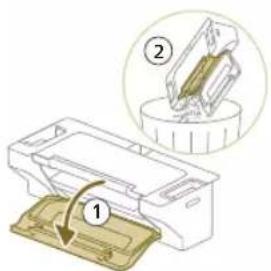
4 Otvorite vratanca za pražnjenje posude za prašinu.
i Napomena: Nemojte da pomešate vratanca za pražnjenje posude za prašinu sa poklopcem perivog filtera. Vratanca za pražnjenje posude za prašinu su plava.
5 Izbacite prljavštinu iz posude za prašinu.
768 Srpski
Čišćenje i sušenje posude za prašinu
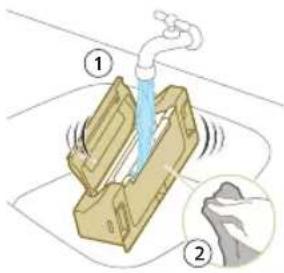
1 Isperite posudu za prašinu vodom.
natural_image
Illustration of a printer's front panel with a paper feeding into the cover (no text or symbols)2 Izvucite perivi filter.
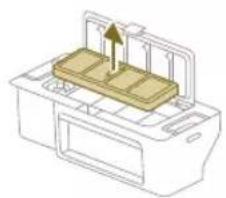
natural_image
Diagram of a printer with a stack of paper and an upward arrow indicating motion (no text or symbols)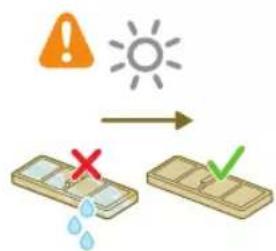
3 Isperite perivi filter vodom.
4 Sušite perivi filter na vazduhu 24 sata.
5 Postavite perivi filter na bravu filtera u posudi za prašinu i gurnite ga unutra.
6 Gurnite perivi filter nadole.
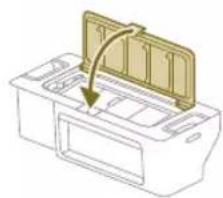
natural_image
Diagram of a printer's internal structure with a curved arrow indicating rotation (no text or symbols)7 Zatvorite poklopac perivog filtera.
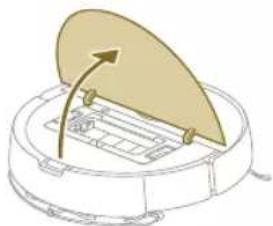
natural_image
Diagram of a robotic vacuum cleaner with a circular housing and directional arrow indicating motion (no text or symbols)8 Otvorite gornji poklopac robota.
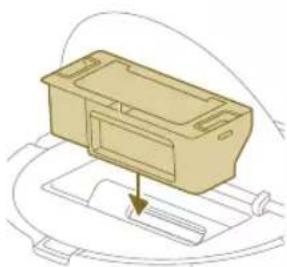
natural_image
Diagram of a mechanical component with a downward arrow indicating motion or force (no text or symbols)9 Postavite posudu za prašinu na pravo mesto.
1 Okrenite robot naopako na površini koja je ravna i stabilna.
2 Istovremeno pritisnite dugmad za oslobadanje poklopca četke.
3 Podignite i skinite poklopac četke.
770 Srpski
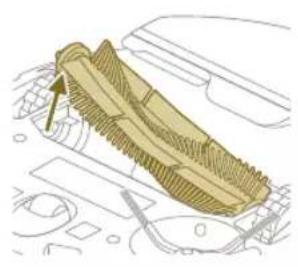
natural_image
Technical line drawing of a mechanical component with no visible text or symbolsnatural_image
Illustration of hands performing a mechanical tool with a spring-like component (no text or symbols)natural_image
Illustration of hands manipulating a mechanical component with a yellow arrow indicating upward motion (no text or symbols)natural_image
Technical illustration of a mechanical component with a magnified inset showing internal components (no text or symbols)8 Postavite glavnu četku na pravo mesto.
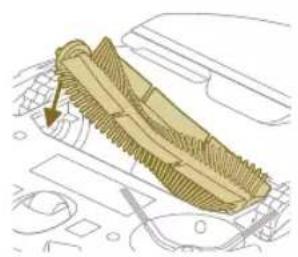
natural_image
Diagram of a mechanical component with a highlighted section, showing internal parts and no visible text or symbols.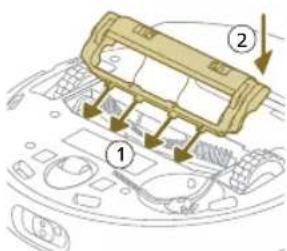
9 Postavite jezičke na poklopcu četke u odgovarajuće ureze.
10 Gurnite poklopac četke.
1 Okrenite robot naopako na površini koja je ravna i stabilna.
2 Odvijte vijak pomoću odvijača.
3 Izvadite bočnu četku.
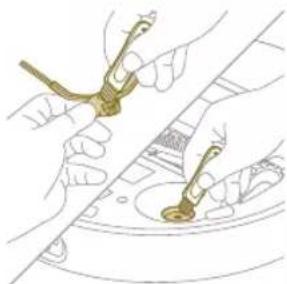
natural_image
Illustration of hands using a tool to adjust or install a component on a curved surface (no text or symbols visible)5 Stavite očišćenu bočnu četku glavnu četku na pravo mesto.
natural_image
Illustration of a hand using a tool to press internal components on a circular device (no text or symbols visible)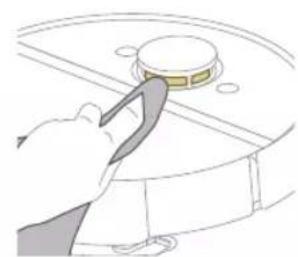
natural_image
Illustration of a hand using a tool to press or install a circular component (no text or symbols visible)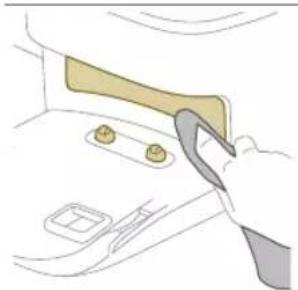
natural_image
Illustration of a hand using a tool to adjust or install a component on a door (no text or symbols visible)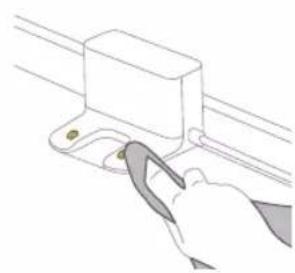
natural_image
Line drawing of a hand using a tool to adjust or install a mechanical component (no text or symbols)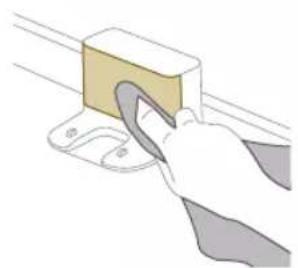
natural_image
Illustration of a hand using a tool to lift a rectangular block (no text or symbols visible)natural_image
Illustration of a closed shipping container with a package and warning symbol (no text or labels)Kada narandžasta LED lampica na stanici za automatsko pražnjenje treperi, to znači da je kesa za prašinu puna.
1 Otvorite poklopac stanice za automatsko pražnjenje.
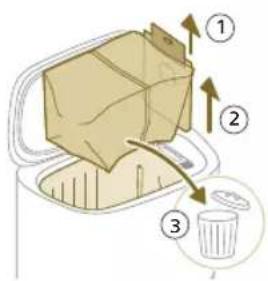
2 Izvucite kesu za prašinu iz stanice za automatsko pražnjenje.
3 Uklonite i bacite kesu za prašinu.
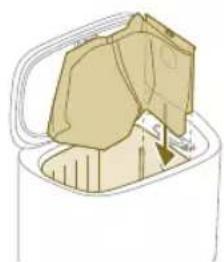
natural_image
Illustration of a garment being filled with fabric, showing front and back views (no text or symbols)4 Uvucite kartonski deo kese za prašinu u prorez koji je naznačen na stanici za automatsko pražnjenje.
5 Zatvorite poklopac stanice za automatsko pražnjenje.
natural_image
Illustration of a hand placing a small object into a tray with an arrow indicating motion (no text or symbols)3 Očistite dlake i prljavštinu koja se zaglavila u ulazu za automatsko pražnjenje.
Čišćenje rezervoara za vodu
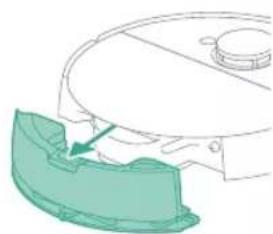
natural_image
Diagram of a robotic arm with a green plastic component inserted, showing no text or symbols.1 Pritisnite dugme za oslobadanje rezervoara za vodu.
2 Izvucite rezervoar za vodu iz robota.
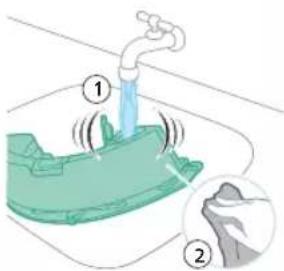
3 Isperite rezervoar za vodu vodom sa česme
4 Osušite spoljašnjost rezervoara za vodu krpom.
i Napomena: Nemojte koristiti deterdžente za čišćenje.
VAŽNO: Nemojte prati rezervoar za vodu u mašini za pranje sudova.
5 Ostavite otvoren zaptivni poklopac na rezervoaru za vodu i ostavite da se unutrašnjost rezervoara osuši na vazduhu.
7 Postavite rezervoar za vodu na pravo mesto.
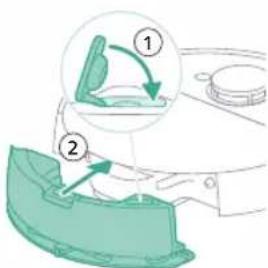
natural_image
Illustration of a toilet with a magnified inset showing a close-up of the lid (no text or symbols)XU7100 XU7000
Svetla na dva dugmeta na robotu sporo trepere.
Robot se puni.
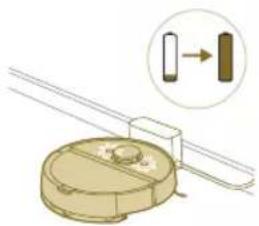
natural_image
Diagram of a mechanical component with a magnified inset showing a directional arrow (no text or symbols)XU7100
XU7000
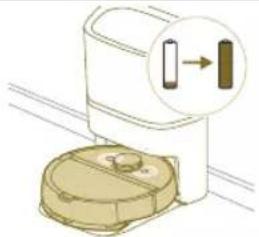
natural_image
Illustration of a toilet with a magnified inset showing a close-up of the lid (no text or symbols)Svetla na dva dugmeta na robotu neprekidno svetle.
natural_image
Diagram of a mechanical component with a magnified inset showing a vertical bar and a right-angle indicator (no text or symbols)XU7100
XU7000
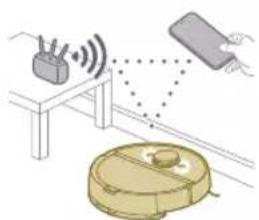
natural_image
Illustration of a robotic vacuum cleaner with signal waves and a hand interacting with a device (no text or symbols)Svetla na dva dugmeta na robotu sporo trepere narandžasto.
natural_image
Illustration of a toilet with a gear icon and directional arrow, no text or symbols presentautomatsko pražnjenje treperi kada se robot puni.
i Napomena: Kada se robot potpuno napuni, belo LED svetlo će neprekidno svetleti, a nakon 10 minuta, belo LED svetlo će biti prigušeno i svetleće samo na 30%.
Robot se puni kada belo LED svetlo treperi, a potpuno je napunjen kada belo LED svetlo neprekidno svetli.
XU7100 Zeleno LED svetlo treperi na
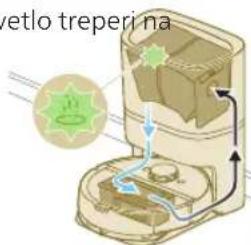
stanici za automatsko pražnjenje.
Stanica za automatsko pražnjenje usisava sadržaj i prazni posudu za prašinu robota. Prašina i prljavština se sakupljaju u kesi za prašinu na stanici.
XU7100 Narandžasto LED svetlo
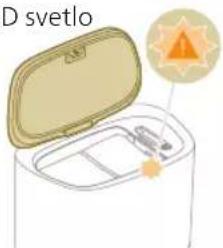
natural_image
Illustration of a svetlo appliance with open lid and tray, accompanied by a sun icon (no text or symbols)treperi na stanici za automatsko pražnjenje.
natural_image
Line drawing of a hand holding a small electronic device with a downward arrow indicating rotation (no text or symbols)Pritisnite iglom dugme za resetovanje da biste resetovali/vratili podešavanja robota.
natural_image
Illustration of a circular mechanical device with a recycling symbol (no text or labels)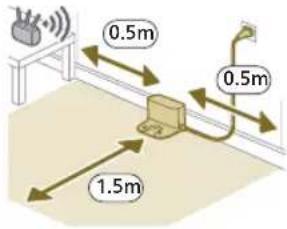
natural_image
Diagram of a mechanical device with a magnified view showing a component (no text or symbols present)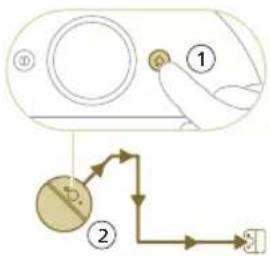
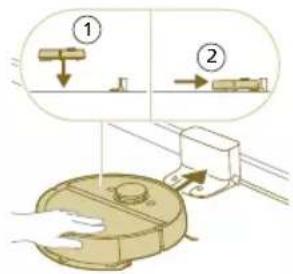
natural_image
Illustration of a toilet with a magnified view showing a door and wall-mounted device (no text or symbols)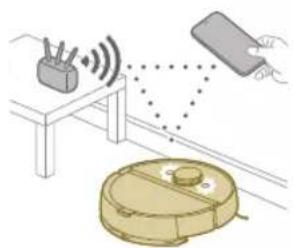
natural_image
Illustration of a robotic vacuum cleaner with signal waves and a hand interacting with a device (no text or symbols)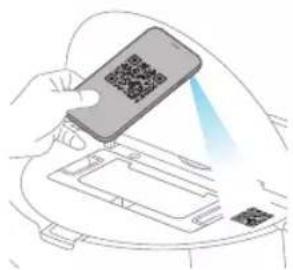
natural_image
Illustration of a hand holding a smartphone with a QR code scanning through it, placed on a device (no text or symbols visible)natural_image
Line drawing of a white rectangular device with a small rectangular component on the base, connected to a stand (no text or symbols)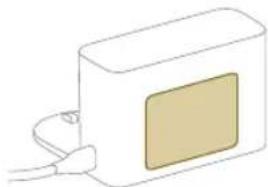
natural_image
Simple line drawing of a rectangular device with a beige square on the front and connected to a cable (no text or symbols)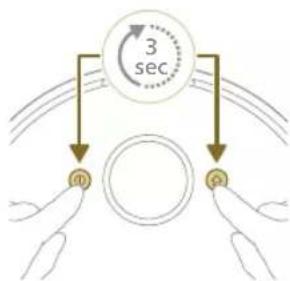
flowchart
graph TD
    A["3 sec"] --> B["0"]
    A --> C["1"]
    A --> D["2"]
natural_image
Illustration of a robotic vacuum cleaner emitting signal waves from a device, with a hand holding the sensor (no text or symbols present)Robotin toiminta
Kartan luominen

natural_image
Modern living room interior with blue flooring, white furniture, and large wall art (no visible text or symbols)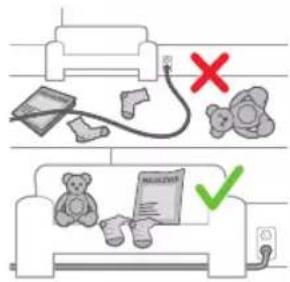
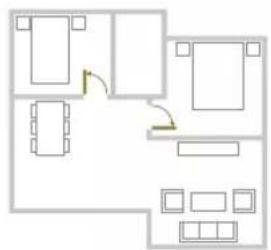
natural_image
Floor plan diagram with room layout and furniture placement (no text or labels)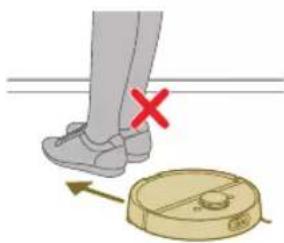
natural_image
Illustration of a person's legs and foot with a robot navigating a circular path (no text or symbols)Kartan muokkaus
natural_image
White robotic vacuum cleaner placed on wooden flooring next to a large window with orange light (no text or symbols visible)natural_image
Interior scene with a robotic vacuum cleaner and a plant in a glass container, placed on a tiled floor (no text or symbols visible)natural_image
Robot on wooden floor with green sensor array overlay (no text or symbols)Hellävarainen alue
natural_image
Interior scene with a wooden floor, a yellow chair, and a green textured wall (no text or symbols visible)natural_image
Diagram of a robotic arm with a green plastic component and an arrow pointing to the part (no text or symbols present)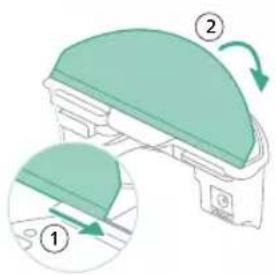
natural_image
Floor plan diagram with furniture layout (no text or labels)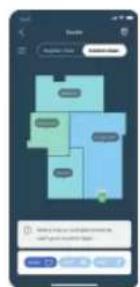
natural_image
Illustration of a robotic device with motion arrows indicating movement, no text or symbols presentnatural_image
Two robotic vacuum cleaner units on a wooden floor connected by a dotted line (no text or symbols visible)natural_image
Diagram of a robotic arm with a green plastic housing and an arrow pointing to the component (no text or symbols)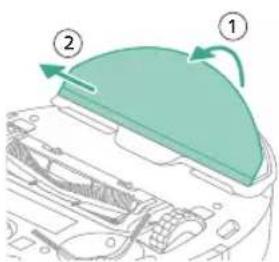
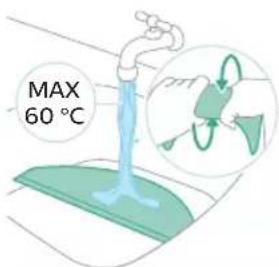
natural_image
Illustration of a mechanical component with a green top and arrow indicating rotation (no text or symbols)natural_image
Diagram of a robotic vacuum cleaner with a curved blade and internal components (no text or symbols)1 Avaa suojakansi.
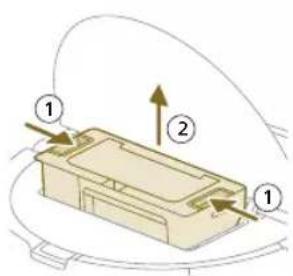
natural_image
Illustration of a printer's front panel with a paper feeding into the cover (no text or symbols)natural_image
Diagram of a printer with a stack of paper and an upward arrow indicating motion (no text or symbols)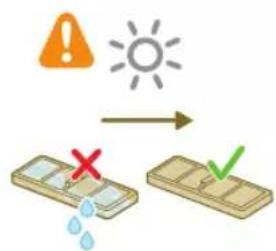
natural_image
Diagram of a printer's internal structure with a paper feeding into a cover (no text or symbols)natural_image
Diagram of a robotic vacuum cleaner with a circular housing and directional arrow indicating motion (no text or symbols)natural_image
Diagram of a mechanical component with a downward arrow indicating motion or force (no text or symbols)natural_image
Technical line drawing of a mechanical component with no visible text or symbolsnatural_image
Illustration of hands performing a mechanical tool with a gear-like component (no text or symbols)natural_image
Illustration of hands manipulating a mechanical component with a yellow arrow indicating upward motion (no text or symbols)natural_image
Technical illustration of a mechanical component with a magnified inset showing internal components (no text or symbols)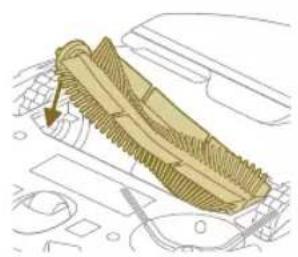
natural_image
Diagram of a mechanical component with a highlighted section, showing internal structure without any text or symbols.natural_image
Illustration of hands using a tool to adjust or install a component on a curved surface (no text or symbols visible)natural_image
Illustration of a hand using a tool to press internal components on a device casing (no text or symbols visible)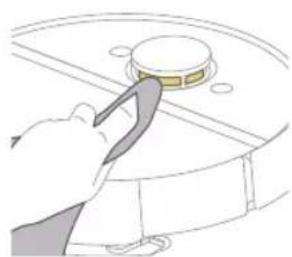
natural_image
Illustration of a hand using a tool to press a circular component (no text or symbols visible)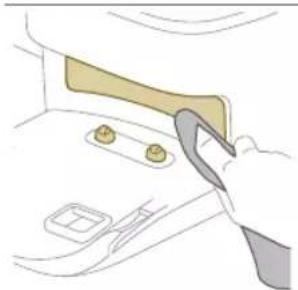
natural_image
Illustration of a hand using a tool to adjust or install a component on a door (no text or symbols visible)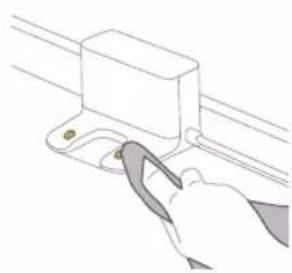
natural_image
Illustration of a hand using a tool to lift a rectangular component (no text or symbols visible)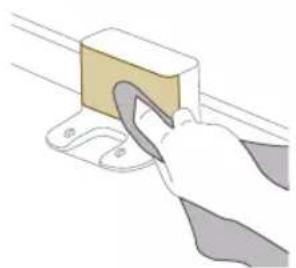
natural_image
Illustration of a hand using a tool to lift a rectangular block (no text or symbols visible)1 Irrota teline pistorasiasta.
natural_image
Illustration of a closed cargo container with an inset showing a cardboard box and warning symbol (no text or labels)natural_image
Illustration of a garment being filled with fabric, showing front and back views (no text or symbols)natural_image
Illustration of a hand using a tool to lift a small object into a tray (no text or symbols)natural_image
Diagram of a robotic arm with a green plastic component inserted, showing no text or symbols.natural_image
Diagram of a cardboard box with an open lid and internal compartments, showing a close-up of its side panel (no text or symbols present)natural_image
Line drawing of a hand holding a small electronic device with a downward arrow indicating motion (no text or symbols)natural_image
Illustration of a robotic vacuum cleaner with a circular symbol containing the word 'RECY' (no text or symbols on the diagram itself)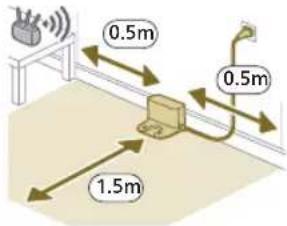
natural_image
Diagram of a mechanical clamp or bracket assembly with a magnified inset showing a circular component (no text or symbols)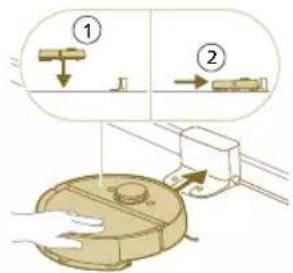
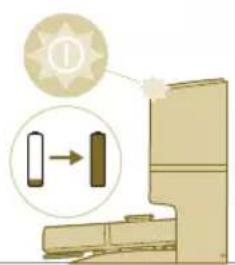
natural_image
Illustration of a toilet with a magnified view showing a component being inserted (no text or symbols)natural_image
Illustration of a robotic vacuum cleaner emitting signals from a device, with no visible text or symbols.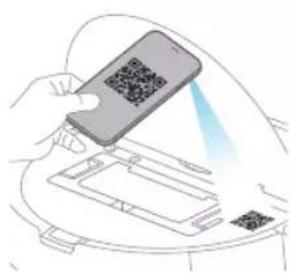
natural_image
Line drawing of a compact water heater with a small rectangular component on the side (no text or symbols)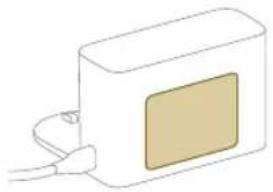
natural_image
Simple line drawing of a rectangular device with a beige panel and cable, no text or symbols present.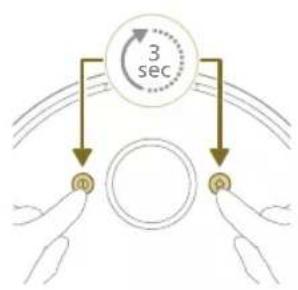
flowchart
graph TD
    A["Input Pulse m"] --> B["Circle"]
    C["Input Pulse q"] --> B
    B --> D["3 sec"]
natural_image
Illustration of a robotic vacuum cleaner with signal detection and control panel (no text or symbols)natural_image
Modern living room interior with blue flooring, large wall art, and minimalist furniture (no visible text or symbols)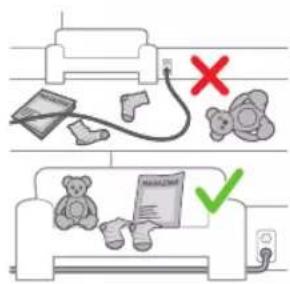
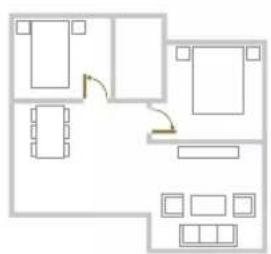
natural_image
Floor plan diagram with room layout and furniture placement (no text or labels)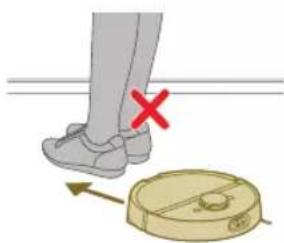
natural_image
Illustration of a person's legs and foot with a robot navigating a circular path (no text or symbols)Redigera karta
natural_image
White robotic vacuum cleaner placed on wooden flooring next to a large window with orange light (no text or symbols visible)natural_image
Interior scene with a robotic vacuum cleaner and a plant in a transparent container (no visible text or symbols)natural_image
Robot on wooden floor with green dotted pattern on floor (no text or symbols visible)Försiktig zon
natural_image
Interior scene with a wooden chair and robotic arm, no visible text or symbolsnatural_image
Diagram of a robotic arm with a green highlighted component and an arrow pointing to the part (no text or symbols present)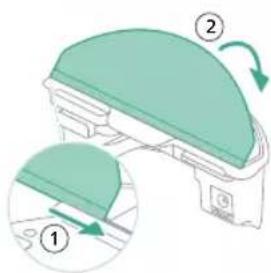
natural_image
Floor plan diagram with furniture layout (no text or labels)- Öppna alla interna dörrar.
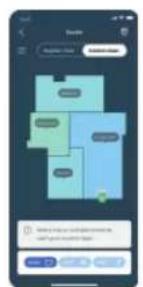
2 Välj rengöringsprogram: Rutinmässig rengöring eller anpassad rengöring.
natural_image
Two robotic vacuum cleaner units connected by a dotted line on a wooden floor, with green arrows indicating signal flow (no text or symbols visible)natural_image
Illustration of a cardboard box with a warning symbol (no text or labels)natural_image
Diagram of a robotic arm with a green plastic component and an arrow pointing to the part (no text or symbols present)natural_image
Illustration of a mechanical component with a green top and arrow indicating rotation (no text or symbols)natural_image
Diagram of a robotic vacuum cleaner with a circular component and directional arrow indicating motion (no text or symbols)1 Öppna topplocket.
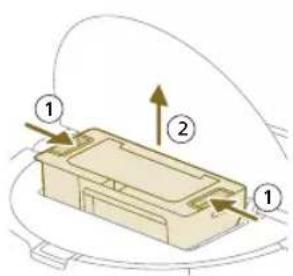
natural_image
Illustration of a printer's front panel with a paper feeding into the cover (no text or symbols)natural_image
Diagram of a printer with a stack of paper and an upward arrow indicating motion (no text or symbols)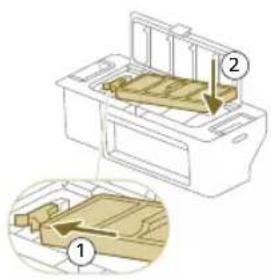
natural_image
Diagram of a printer's internal structure with a curved arrow indicating rotation (no text or symbols)natural_image
Diagram of a robotic vacuum cleaner with a circular housing and directional arrow indicating motion (no text or symbols)natural_image
Diagram of a mechanical component with a downward arrow indicating motion or force (no text or symbols)natural_image
Technical line drawing of a mechanical component with no visible text or symbolsnatural_image
Illustration of hands performing a mechanical tool with a spring-like component (no text or symbols)natural_image
Illustration of hands manipulating a mechanical component with a yellow arrow indicating upward motion (no text or symbols)natural_image
Technical illustration of a mechanical component with a magnified inset showing internal components (no text or symbols)natural_image
Diagram of a mechanical component with a highlighted section, showing internal parts and no visible text or symbols.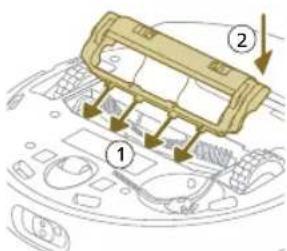
natural_image
Illustration of hands using a tool to adjust or install a component on a curved surface (no text or symbols visible)natural_image
Illustration of a hand using a tool to press internal components on a circular device (no text or symbols visible)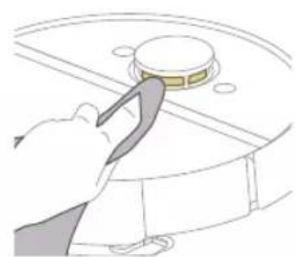
natural_image
Illustration of a hand using a tool to press or install a circular component (no text or symbols visible)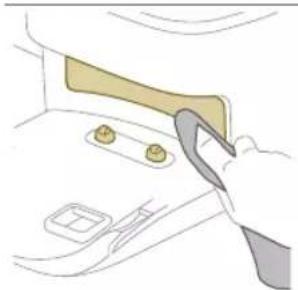
natural_image
Illustration of a hand using a tool to adjust or install a component on a door (no text or symbols visible)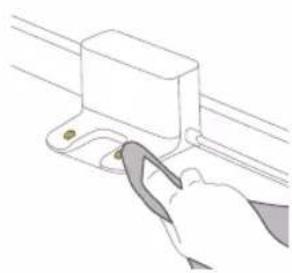
natural_image
Illustration of a hand using a tool to lift a rectangular component (no text or symbols visible)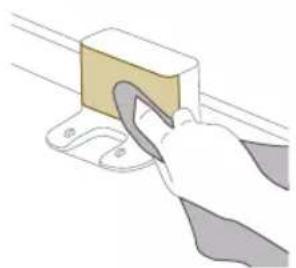
natural_image
Illustration of a hand using a tool to lift a rectangular block (no text or symbols visible)natural_image
Illustration of a cardboard box with a warning symbol (no text or labels)natural_image
Diagram of a mechanical component inside a container, showing internal structure and part (no text or symbols)natural_image
Illustration of a hand using a tool to lift a small object into a tray (no text or symbols)natural_image
Diagram of a robotic arm with a green plastic component inserted, showing no text or symbols.Långvarig förvaring
natural_image
Illustration of a food item with a lid open, accompanied by a sun icon and partial text 'dioden på' (no readable text or symbols on the food itself)natural_image
Line drawing of a hand holding a small electronic device with a vertical arrow indicating motion (no text or symbols)natural_image
Illustration of three different mechanical components: a rectangular plate, a threaded rod with grooves, and a curved cable (no text or symbols)natural_image
Diagram of a mechanical or electrical component with curved internal lines and directional arrows, no visible text or symbols.natural_image
Diagram of a mechanical component with a cylindrical block and directional arrow (no text or symbols)natural_image
Illustration of a circular mechanical component with a recycling symbol (no text or labels)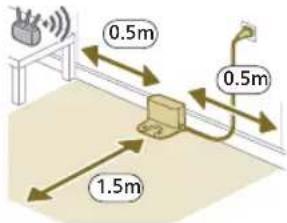
natural_image
Diagram of a mechanical clamp or bracket assembly with a magnified inset showing a circular component (no text or symbols)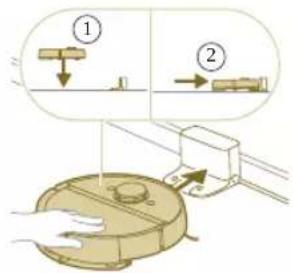
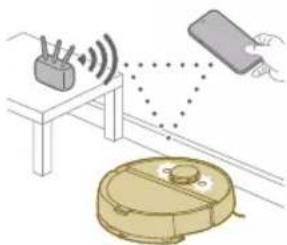
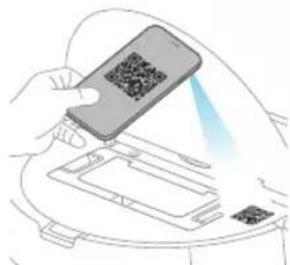
natural_image
Line drawing of a portable water heater with a small screen and base (no text or symbols)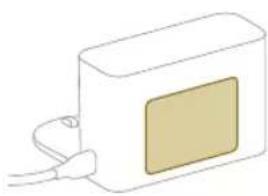
natural_image
Simple line drawing of a rectangular device with a central screen and cable (no text or symbols)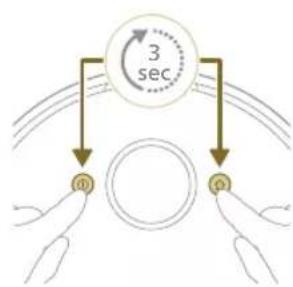
flowchart
graph TD
    A["0"] --> B["1"]
    B --> C["3 sec"]
natural_image
Illustration of a robotic vacuum cleaner emitting signals from a device (no text or symbols present)natural_image
Interior view of a modern living room with blue flooring, large wall art, and minimalist furniture (no visible text or symbols)Harita Düzenleme
natural_image
Floor plan diagram with furniture layout (no text or labels)natural_image
Illustration of a person's legs and foot stepping on a robotic device with a red X mark (no text or symbols)natural_image
White robotic vacuum cleaner placed on wooden flooring next to a large window (no text or symbols visible)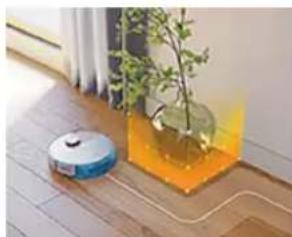
natural_image
Interior scene with a blue robotic vacuum cleaner and a transparent container holding a potted plant, placed on a wooden floor near a window (no text or symbols visible)natural_image
Illustration of a robotic vacuum cleaner on a wooden surface with a green mesh overlay (no text or symbols)natural_image
Interior scene with a wooden floor, a small robotic vacuum cleaner, and a potted plant (no text or symbols visible)Hassas bölge
natural_image
Diagram of a robotic arm with a green highlighted component (no text or symbols)870 Türkçe
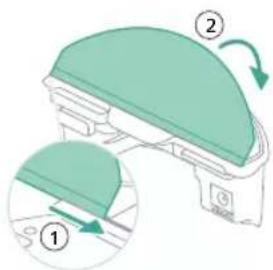
natural_image
Floor plan layout with furniture placement (no text or labels)natural_image
Illustration of a robotic vacuum cleaner with airflow path and warning symbol (no text or labels)natural_image
Two robotic vacuum cleaner units on a wooden floor, connected by wires (no visible text or symbols)natural_image
Illustration of a cardboard box with an open lid and warning symbols (no text or labels)natural_image
Diagram of a robotic arm with a green plastic component and an arrow pointing to the part (no text or symbols present)natural_image
Diagram of a mechanical component with a green dome and directional arrow (no text or symbols)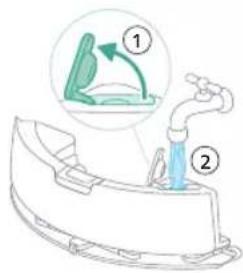
natural_image
Diagram of a device with a curved top component and internal structure (no text or symbols)1 Üst kapağı açın.
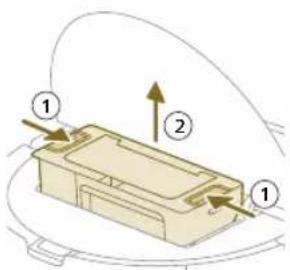
natural_image
Illustration of a printer's front panel with a scroll arrow indicating rotation (no text or symbols)
natural_image
Diagram of a mechanical component with a downward arrow indicating motion or assembly (no text or symbols)natural_image
Technical line drawing of a mechanical component with no visible text or symbolsnatural_image
Illustration of hands performing a mechanical or architectural task with a gear-like structure (no text or symbols visible)natural_image
Illustration of hands manipulating a textured surface with an upward arrow (no text or symbols)natural_image
Technical illustration of a mechanical assembly with a magnified inset showing internal components (no text or symbols)natural_image
Diagram of a car interior showing a textured blade and dashboard (no text or symbols)natural_image
Illustration of hands using a tool to adjust or install a component on a curved surface (no text or symbols)natural_image
Illustration of a hand inserting a cable into a device casing (no text or symbols visible)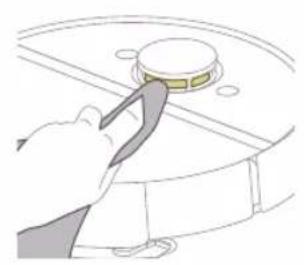
natural_image
Illustration of a hand using a tool to press a circular component on a surface (no text or symbols)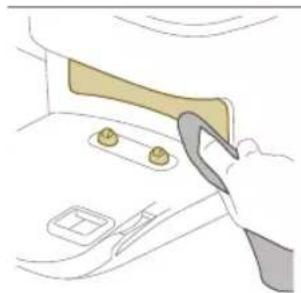
natural_image
Illustration of a hand using a tool to adjust or install a component on a car interior (no text or symbols visible)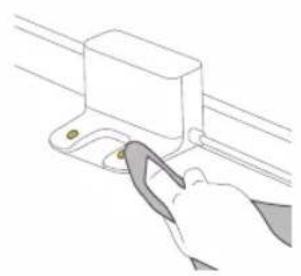
natural_image
Line drawing of a hand using a tool to adjust or install a component on a rail (no text or symbols)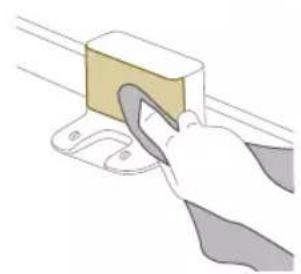
natural_image
Illustration of a hand using a tool to lift a yellow block on a surface (no text or symbols)natural_image
Illustration of a cargo box with a highlighted package and warning symbol (no text or labels)natural_image
Illustration of a mechanical component with a handle and internal structure (no text or symbols)natural_image
Illustration of a hand using a tool to lift a small object into a tray (no text or symbols)natural_image
Diagram of a robotic arm with a green plastic component inserted, showing no text or symbols.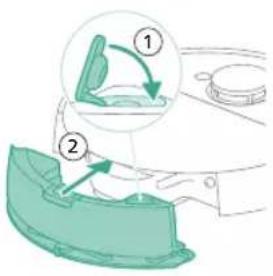
Robot model numarasi
natural_image
Illustration of a toilet with two close-up views showing internal components (no text or symbols)natural_image
Line drawing of a closed box with lid open, containing a tray and a small orange star-shaped symbol (no text or labels)natural_image
Illustration of a car interior with a box and gear, showing a magnified view of the box and gear (no text or symbols)natural_image
Line drawing of a hand holding a small electronic component with a downward arrow indicating rotation (no text or symbols)natural_image
Diagram of a mechanical or electrical component with curved lines and a directional arrow, no visible text or symbols.natural_image
Diagram of a mechanical assembly with a central component and an upward arrow indicating motion (no text or symbols)natural_image
Illustration of a circular mechanical device with a recycling symbol (no text or labels)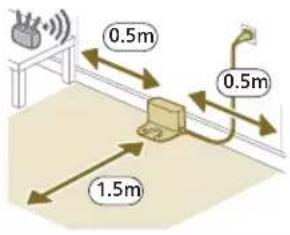
natural_image
Diagram of a mechanical device with a magnified inset showing a circular component labeled 'H2+' (no text or symbols present)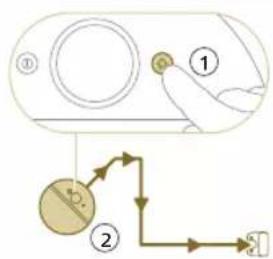
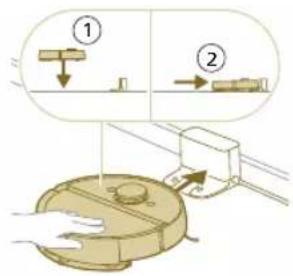
natural_image
Illustration of a toilet with a magnified view showing a component being lifted (no text or symbols)natural_image
Illustration of a hand holding a smartphone with a QR code on top, emitting a light beam to a device (no text or symbols visible)natural_image
Line drawing of a modern water heater with a small rectangular component on the base (no text or symbols)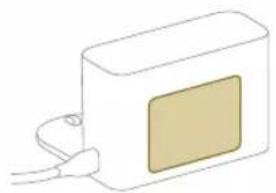
natural_image
Simple line drawing of a rectangular device with a square patch and cable connector (no text or symbols)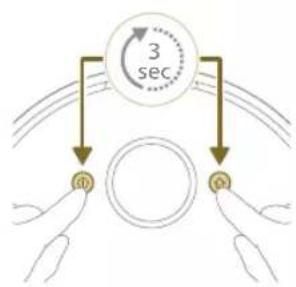
flowchart
graph TD
    A["3 sec"] --> B["Top Circle"]
    A --> C["Bottom Circle"]
    B --> D["Left Hand"]
    C --> E["Right Hand"]
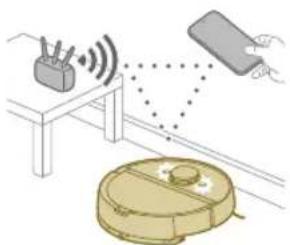
natural_image
Illustration of a robotic vacuum cleaner with sensor array and control panel (no text or symbols)natural_image
Interior view of a modern living room with blue flooring, coffee table, and large wall art (no visible text or symbols)natural_image
Floor plan diagram with furniture layout (no text or labels)natural_image
Illustration of a person's legs and foot with a robot navigating a circular path (no text or symbols)natural_image
White robotic vacuum cleaner placed on wooden flooring next to a large window with red door (no text or symbols visible)natural_image
Roozer vacuum cleaner placed in a transparent container with orange liquid, next to a small plant (no text or symbols visible)natural_image
Illustration of a robotic vacuum cleaner on a wooden floor with a green mesh overlay (no text or symbols)natural_image
Interior scene with a wooden chair, green tiled floor, and a small robotic vacuum cleaner (no text or symbols visible)natural_image
Diagram of a robotic arm with a green plastic component and an arrow pointing to the part (no text or symbols present)908 Български
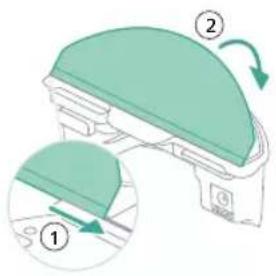
natural_image
Floor plan diagram with furniture layout (no text or labels)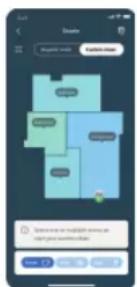
natural_image
Illustration of a robotic device with motion arrows indicating movement, no text or symbols presentnatural_image
Two robotic vacuum cleaner units connected by a small green sensor on a wooden floor, with a black server tower nearby (no visible text or symbols)natural_image
Illustration of a car interior with a package and warning symbol (no text or labels)natural_image
Diagram of a robotic arm with a green plastic component inserted, showing no text or symbols.natural_image
Illustration of a mechanical component with a green top and arrow indicating rotation (no text or symbols)natural_image
Diagram of a robotic vacuum cleaner with a curved blade and internal components (no text or symbols)natural_image
Illustration of a printer's front panel with a paper feeding into the cover (no text or symbols)natural_image
Diagram of a printer with a stack of paper and an upward arrow indicating motion (no text or symbols)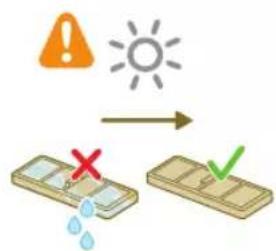
natural_image
Diagram of a printer with a paper feeding into a slot, showing the blade and base (no text or symbols)natural_image
Diagram of a robotic vacuum cleaner with a curved blade and internal components (no text or symbols)natural_image
Diagram of a mechanical component with a downward arrow indicating motion or force (no text or symbols)natural_image
Technical line drawing of a mechanical component with no visible text or symbolsnatural_image
Illustration of hands performing a mechanical tool with a spring-like component (no text or symbols)natural_image
Illustration of hands manipulating a mechanical component with a yellow arrow indicating upward motion (no text or symbols)natural_image
Technical illustration of a mechanical assembly with a component and a magnified inset showing internal components (no text or symbols)natural_image
Diagram of a mechanical component with a textured surface and directional arrow (no text or symbols)2
natural_image
Illustration of a hand inserting a component into a device casing (no text or symbols visible)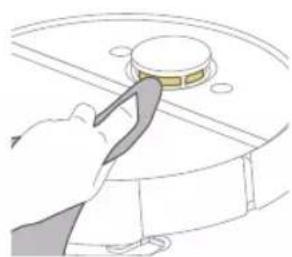
natural_image
Illustration of a hand using a tool to press a circular component (no text or symbols visible)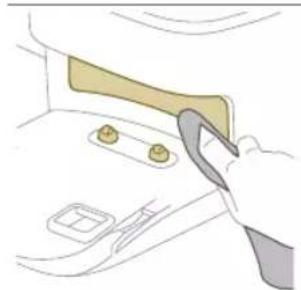
natural_image
Illustration of a hand using a tool to adjust or install a component on a door (no text or symbols visible)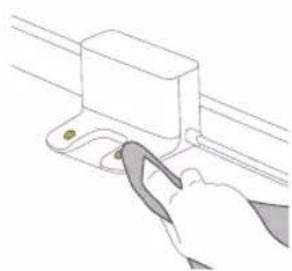
natural_image
Line drawing of a hand using a tool to lift a rectangular component (no text or symbols)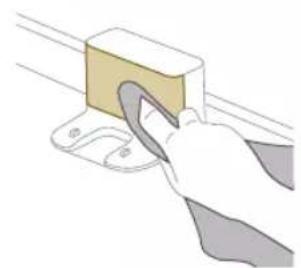
natural_image
Illustration of a hand using a tool to lift a rectangular block (no text or symbols visible)natural_image
Illustration of a cardboard box with an open lid and warning symbol (no text or labels)natural_image
Diagram of a container with a lid and internal structure, no text or symbols presentnatural_image
Illustration of a hand using a tool to lift a small object on a tray (no text or symbols)natural_image
Diagram of a robotic arm with a green plastic component and a blue outline, showing no text or symbols.natural_image
Illustration of a toilet with a magnified inset showing a vertical arrow pointing to a rectangular component (no text or symbols present)natural_image
Illustration of a robotic arm with a circular base and directional arrow, no text or symbols presentXU7100 XU7000
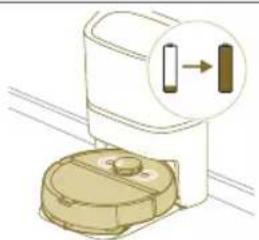
natural_image
Illustration of a toilet with a magnified inset showing a button or indicator (no text or symbols present)natural_image
Diagram of a mechanical component with a magnified inset showing a directional arrow (no text or symbols present)XU7100 XU7000
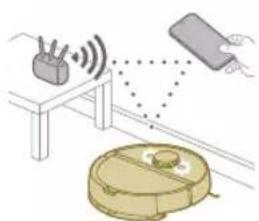
natural_image
Illustration of a device setup with a battery, a remote control unit, and a hand holding a device (no text or symbols present)natural_image
Diagram showing a door with a directional arrow and a gear icon above it (no text or symbols)natural_image
Illustration of a closed open food item with a sun icon and a triangular symbol (no text or labels)natural_image
Diagram of a car interior with highlighted components and a warning symbol (no text or labels)natural_image
Line drawing of a hand holding a small electronic device with a downward arrow indicating a drop or change (no text or symbols present)natural_image
Illustration of a circular mechanical device with a recycling symbol (no text or labels)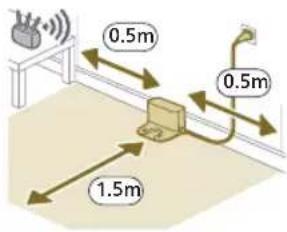
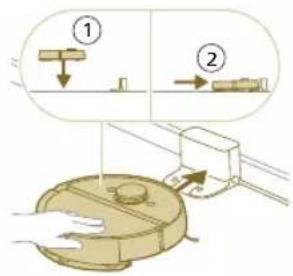
natural_image
Illustration of a toilet with a magnified view showing a component being lifted (no text or symbols)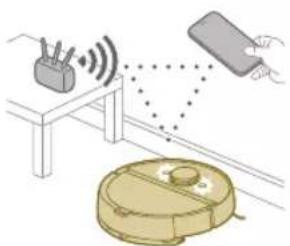
natural_image
Line drawing of a modern water heater with a small rectangular component on the side (no text or symbols)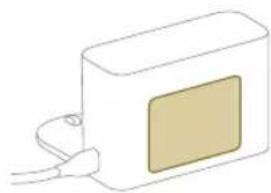
natural_image
Simple line drawing of a rectangular device with a square window and cable (no text or symbols)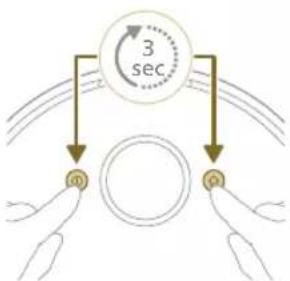
flowchart
graph TD
    A["0"] --> B["1"]
    B --> C["3 sec"]
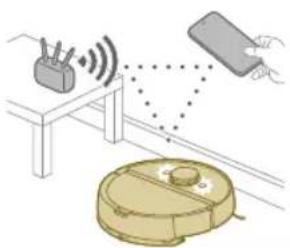
natural_image
Illustration of a robotic vacuum cleaner with signal waves and a sensor, connected to a device (no text or symbols)natural_image
Modern living room interior with blue flooring, sofas, and large wall art (no visible text or symbols)natural_image
Floor plan diagram with room layout and furniture placement (no text or labels)natural_image
Illustration of a person's legs and foot with a robot navigating a circular path (no text or symbols)natural_image
White robotic vacuum cleaner placed on wooden flooring next to a large window with orange curtains (no text or symbols visible)natural_image
Interior scene with a robotic vacuum cleaner and a potted plant in a glass jar on a wooden floor (no text or symbols visible)natural_image
Robot on wooden floor with green dotted pattern, no visible text or symbolsnatural_image
Interior scene with a wooden armchair, a small robotic vacuum cleaner, and a potted plant on the floor (no text or symbols visible)natural_image
Diagram of a robotic arm with a green plastic component inserted, showing no text or symbols.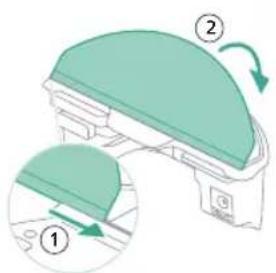
natural_image
Floor plan diagram with furniture layout and directional arrows (no text or labels)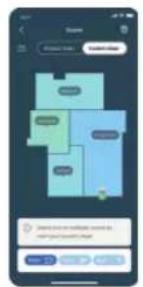
natural_image
Illustration of a robotic device with motion arrows indicating movement, no text or symbols presentnatural_image
Two robotic vacuum cleaner units on a wooden floor connected by a white line, with a black server unit in the background (no visible text or symbols)natural_image
Illustration of a cardboard box with an orange warning symbol (no text or labels)natural_image
Diagram of a robotic arm with a highlighted green component (no text or symbols)natural_image
Illustration of a mechanical component with a green top and arrow indicating rotation (no text or symbols)natural_image
Diagram of a robotic arm with a curved blade and directional arrow, no text or symbols presentnatural_image
Diagram of a printer holder with a paper feed cover, showing internal structure and page layout (no text or symbols)natural_image
Diagram of a printer with a wooden cover and paper feeding into a slot, showing internal structure (no text or symbols)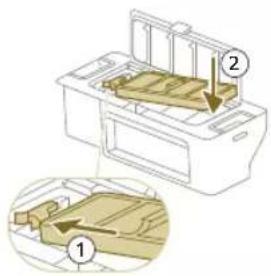
natural_image
Diagram of a printer with a paper filter being inserted, showing the blade and base (no text or symbols)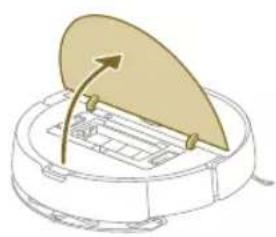
natural_image
Diagram of a robotic vacuum cleaner with a lid and internal components (no text or symbols)natural_image
Illustration of a beige plastic container with a downward arrow pointing to it, placed on a curved surface (no text or symbols)natural_image
Technical line drawing of a mechanical component with no visible text or symbolsnatural_image
Illustration of hands holding a wooden object with a triangular base and a small arrow indicating motion (no text or symbols)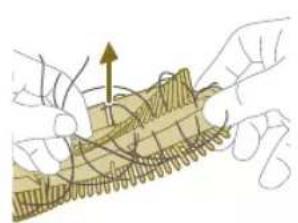
natural_image
Illustration of hands manipulating a mechanical component with a directional arrow (no text or symbols)natural_image
Diagram of a mechanical assembly with a component inserted into a housing, showing internal components and motion direction (no text or labels)natural_image
Technical line drawing of a mechanical component with no visible text or symbolsnatural_image
Illustration of hands using a tool to adjust or install a component, no text or symbols presentnatural_image
Diagram of a device's internal components being inserted into a circular housing (no text or symbols visible)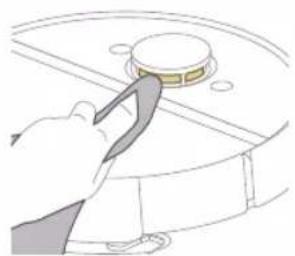
natural_image
Line drawing of a hand using a tool to press or install a component on a circular surface (no text or symbols)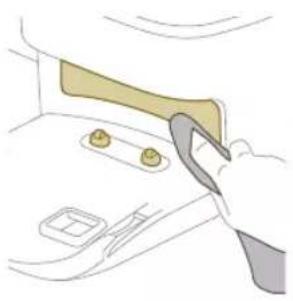
natural_image
Illustration of a hand using a tool to interact with a car interior (no text or symbols visible)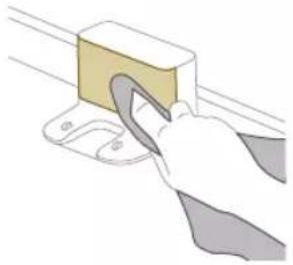
natural_image
Illustration of a hand using a tool to clean or store items on a shelf (no text or symbols visible)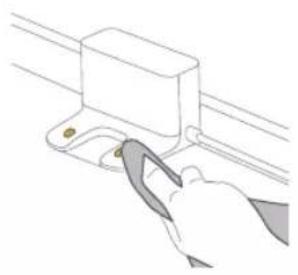
natural_image
Line drawing of a hand using a tool to adjust or install a component on a rail (no text or symbols)natural_image
Illustration of a cardboard box with a warning symbol (no text or labels)natural_image
Illustration of a garment sleeve with a small inset showing a small object inside (no text or symbols)natural_image
Illustration of a hand using a tool to lift a small object into a tray (no text or symbols)natural_image
Diagram of a robotic arm with a green plastic component inserted, showing no text or symbols.natural_image
Illustration of a toilet with a magnified inset showing a vertical indicator (no text or symbols present)natural_image
Diagram of a mechanical component with a magnified inset showing a rectangular component (no text or symbols)XU7100
XU7000
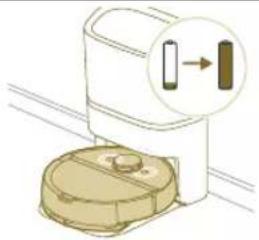
natural_image
Illustration of a microwave oven with a close-up of its internal components (no text or symbols)natural_image
Diagram of a mechanical component with a magnified inset showing a vertical bar and a separate bar (no text or symbols)XU7100
XU7000
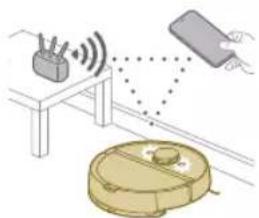
natural_image
Illustration of a closed container with a package and a highlighted package (no text or symbols)natural_image
Line drawing of a hand holding a small electronic device with a downward arrow indicating a component (no text or symbols present)natural_image
Illustration of a circular mechanical component with a recycling symbol (no text or labels)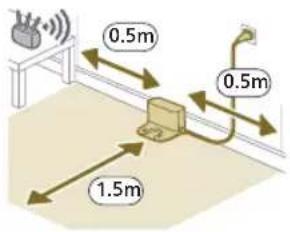
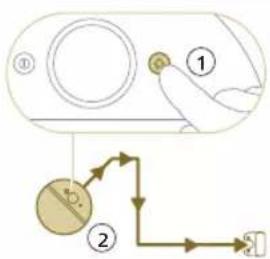
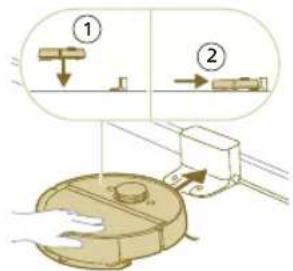
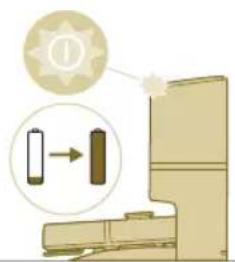
natural_image
Illustration of a toilet with a battery icon and a clock symbol (no text or labels)natural_image
Line drawing of a rectangular device with a small rectangular component on the base, connected to a base plate (no text or symbols)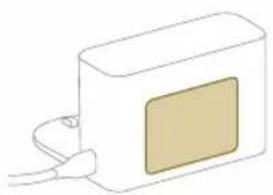
natural_image
Simple line drawing of a rectangular device with a square patch and cable, no text or symbols present.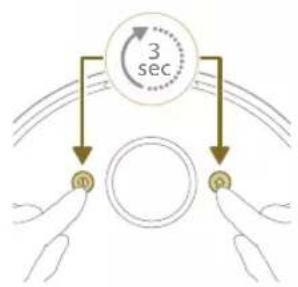
flowchart
graph TD
    A["3 sec"] --> B["m"]
    A --> C["q"]
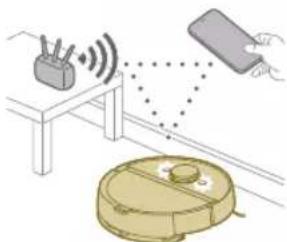
natural_image
Illustration of a robotic vacuum cleaner emitting signals near a table with a device (no text or symbols present)natural_image
Modern living room interior with blue flooring, coffee table, and wall art (no visible text or symbols)natural_image
Floor plan diagram with furniture layout (no text or labels)natural_image
Illustration of a person's legs and foot with a robot navigating a circular device (no text or symbols)natural_image
Roozer vacuum cleaner placed on wooden flooring near a window with brick wall (no text or symbols visible)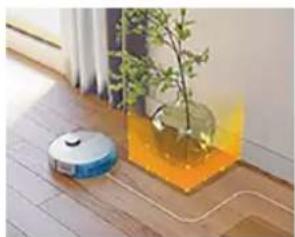
natural_image
Robot vacuum cleaner placed on a wooden floor next to a plant with orange liquid (no text or symbols visible)natural_image
Wooden surface with a robotic vacuum cleaner and a green dotted patterned area (no text or symbols visible)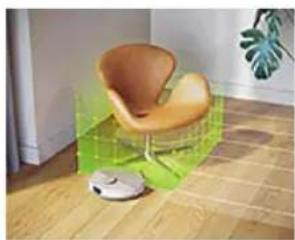
natural_image
Interior scene with a wooden floor, a small robotic vacuum cleaner, and a green wall-mounted device (no text or symbols visible)natural_image
Diagram of a robotic arm with a green plastic component and an arrow pointing to the part (no text or symbols present)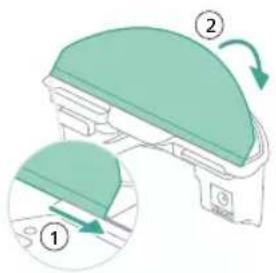
natural_image
Floor plan diagram with room layout and furniture placement (no text or labels)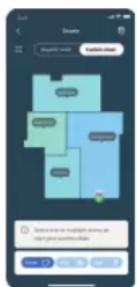
natural_image
Two robotic vacuum cleaner units connected by a glowing path on a wooden floor, with green arrows indicating interaction (no text or symbols visible)natural_image
Illustration of a closed box with internal compartments and a magnified view of a package (no text or symbols)natural_image
Diagram of a robotic arm with a green plastic component inserted, showing no text or symbols.natural_image
Illustration of a mechanical component with a green top and arrow indicating rotation (no text or symbols)natural_image
Diagram of a robotic arm with a curved blade and handle, showing internal components (no text or symbols)natural_image
Illustration of a printer's front panel with a paperclip and arrow indicating rotation (no text or symbols)natural_image
Diagram of a printer with a stack of paper and an upward arrow indicating motion (no text or symbols)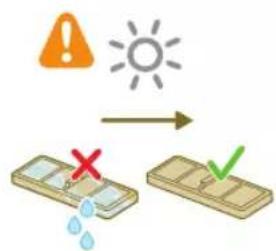
natural_image
Diagram of a printer with a paper feeding into a slot, showing the arrow indicating the process (no text or symbols present)natural_image
Diagram of a robotic vacuum cleaner with a curved blade and control panel (no text or symbols)natural_image
Diagram of a mechanical component with a downward arrow indicating motion or force (no text or symbols)natural_image
Technical line drawing of a mechanical component with no visible text or symbolsnatural_image
Illustration of hands performing a mechanical tool with a spring-like component (no text or symbols)natural_image
Illustration of hands manipulating a mechanical component with a yellow arrow indicating upward motion (no text or symbols)natural_image
Technical illustration of a mechanical assembly with a component and a magnified inset showing internal components (no text or symbols)natural_image
Diagram of a mechanical component with textured surfaces and directional arrows, no visible text or symbols996 Русский
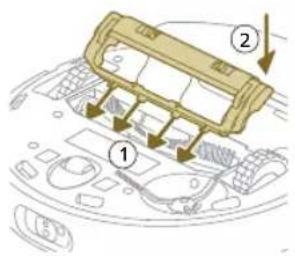
natural_image
Illustration of hands using a tool to adjust or install a component, no text or symbols presentnatural_image
Illustration of a hand using a tool to press internal components on a circular device (no text or symbols visible)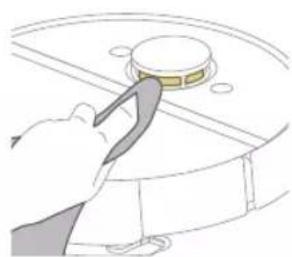
natural_image
Illustration of a hand using a tool to press a circular component (no text or symbols visible)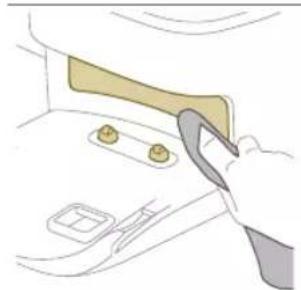
natural_image
Illustration of a hand using a tool to lift or lift a component, no text or symbols present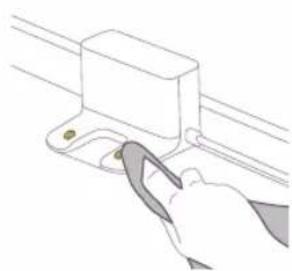
natural_image
Line drawing of a hand using a tool to lift a rectangular component (no text or symbols)