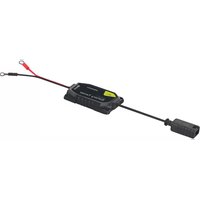
IBT1 - Battery charger Pro-User - Free user manual and instructions
Find the device manual for free IBT1 Pro-User in PDF.



| Product Type | Digital battery tester with Bluetooth |
| Brand | Pro-User |
| Model | IBT1 |
| Dimensions (L x D x H) | 68.0 mm x 48.0 mm x 12.0 mm |
| Power consumption | Less than 30 mA |
| Supported battery voltages | 6V, 12V, 24V |
| Compatible battery types | Lead (dry, MF, Calcium, Gel, AGM, deep discharge) and Lithium |
| Connectivity | Bluetooth BLE 4.3 or later |
| Mobile app | Pro-User Check & Charge (iOS 8.0+ / Android 4.4+) |
| Charging interface | Check & Charge compatible with Pro-User chargers IBC4000, IBC4000B, IBC7500B |
| Operating temperature | -20°C to 65°C, humidity 20%-85% |
| Storage temperature | -20°C to 85°C, humidity 10%-90% |
| Maintenance | Clean with a dry cloth; do not open the device |
| Safety | Use indoors, away from flames and moisture; cut off power before handling |
| Spare parts and repairability | No user-serviceable parts; 2-year warranty |
| Package contents | IBT1 tester with eyelets, Check & Charge interface, manual |
Frequently Asked Questions - IBT1 Pro-User
User questions about IBT1 Pro-User
0 question about this device. Answer the ones you know or ask your own.
Ask a new question about this device
Download the instructions for your Battery charger in PDF format for free! Find your manual IBT1 - Pro-User and take your electronic device back in hand. On this page are published all the documents necessary for the use of your device. IBT1 by Pro-User.
USER MANUAL IBT1 Pro-User
The IBT1 Intelligent Battery Tester with Bluetooth® is an advanced battery tester manufactured for Pro-User Europe GmbH that will help you to monitor your battery's performance data. The IBT1 Intelligent Battery Tester with Bluetooth® functionality and the free app "Check & Charge" additionally enables you to check your battery with your connected Bluetooth®-enabled device. (iOS 8.0 or later, or Android 4.4 or later and a mobile device with Bluetooth® BLE Ver. 4.3 or later is needed to connect to the charger).
We have taken numerous measures in quality control to ensure that your product arrives in top condition, and will perform to your satisfaction.
Please carefully read and follow the safety and operating instructions. Not following these instructions may result in a serious accident, including damaged property, serious or even fatal injuries. If the device is passed on to another person, this manual must also be handed over with it.
IMPORTANT SAFETY INSTRUCTIONS

CAUTION: Please read this instruction manual carefully before installing and starting up the device. Do not operate the device unless you have fully read and understood all the provided information. If you are not confident working with 6V/12V/24V DC voltages or are unsure of what you are doing, consider to seek for professional help e.g. a car garage or your vehicle's manufacturer. Failure to observe these instructions may cause an electrical shock, fatal or serious injury, material damage or impair the function of the device.
Read your vehicle's owner's manual!
Some vehicle manufacturers may have special requirements before doing any changes to the vehicle's battery. (e.g. fuses that have to be removed or certain security demands).
Pro-User accepts no liability for direct or indirect damage caused by faulty connections, a usage of damaged or altered products, a usage for purposes other than described and especially caused by failure to follow these instructions.

For indoor use only: Do not use the unit close to open fire. Do not operate the unit in explosive atmospheres, such as in the presence of flammable liquids, gases or dust. Please stop using the device, if the unit is getting very hot, is smoking or is showing any abnormal behaviour.
Pro-User Europe GmbH is not liable for any direct or indirect damages or injuries caused by the use of the device, especially caused by failure to follow these instructions.
Type of Batteries
This device is intended to be used only on 6V & 12V & 24V batteries, e.g. Lithium, WET, Gel-, AGM-, Calcium-, VRLA-Batteries. Follow the recommendations of your battery's manufacturer.
Storage
When not in use, store the battery tester in a dry environment. Store the battery tester in a safe place out of the reach of children.
Maintenance
The unit is maintenance-free. If necessary, clean the unit with care using a dry cloth. Don't try to open the body casing. There are no user-serviceable parts inside. Damage due to improper use, modifications or attempted repairs lead to the exclusion of liability and the loss of warranty. Do not lengthen or shorten the cables. The cables of this device cannot be replaced. If they are damaged, the appliance must be discarded.
General
- Electrical devices are not toys. Keep the product away from children.
- Only use the product as intended and for purposes described in the manual.
- After opening the package, examine all parts for visible damage. If you have found any damage, please contact the company you purchased this unit from.
- Power-off and stop using the device immediately, if the unit is smoking or is showing any abnormal behaviour.
- This appliance is not intended for use by persons (including children) with reduced physical, sensory or mental capabilities, or lack of experience and knowledge, unless they are supervised or have been instructed on how to use the appliance by a person responsible for their safety. Children should be supervised to ensure that they do not play with the appliance.
- Installing the device, maintenance and repair work may only be carried out by qualified personnel who are familiar with the risks involved, the relevant regulations and with the guidelines and safety precautions to be applied.
- Do not disassemble the device - the internal circuitry may contain hazardous voltages. Attempting to service the unit yourself may result in electric shock or fire and will void the unit warranty.
- Always keep metal objects or other materials that can short circuit the terminals of the battery or the device securely away. A resulting spark or short-circuit may not only damage the device, but also cause an explosion and potentially produce a current high enough to weld a ring or the like to metal. Remove personal metal items such as rings, bracelets, necklaces, and watches when working on the device or the battery.
- Operate the device only, if all cables and the housing are undamaged and all connections are tight and clean. Loose or dirty connections could result in overheating, electrical sparks and fire.
- Ensure the device is standing firmly. The device must be set up and fastened in such a way that it cannot tip over or fall down.
Environment
- Only use the product in environments from -20°C 65°C (20%-85% Relative Humidity).
- Do not operate the product in damp, wet or dusty environments: Never expose the device to rain or snow. Doing so may result in damage to the device or other equipment installed in the system or result in electric shock or fire. Do not operate the unit in explosive atmospheres, such as in the presence of flammable liquids, gases or dust.
- To avoid heat accumulation, do not cover the device. To prevent overheating, ensure that air inlets and ventilation is not obstructed. Do not expose the device to a heat source (such as direct sunlight or heating). Avoid additional heating of the device in this way.
Electrical Cables
- If cables have to be fed through metal holes or other walls with sharp edges, use ducts or cable bushings to prevent damage.
- Do not lay cables which are loose or bent next to electrically conductive material (metal).
- Do not pull on the cables.
- Avoid to lay 230V mains cable and 6V/12/24V DC cables in the same duct.
- Prevent all cables from being stepped on, tripped over, or being damaged by e.g. sharp edges or hot surfaces.
Precautions When Dealing with Batteries
- Batteries can store large amounts of energy and improper handling can be dangerous. NEVER CONNECT to a battery with an unsuited voltage or other unsuitable or damaged batteries
- Keep children away from batteries and acid.
- Never smoke or allow a spark or flame in vicinity of battery or engine.
- Never use the device when it has received a hard blow, been dropped, or otherwise been damaged. Also check all cables prior to use. Take it to a qualified professional for inspection and repair.
- To avoid heat accumulation, do not cover the device.
- Avoid getting electrolyte on your skin or clothes. It is acidic and can cause burns. If battery acid contacts skin or clothing, wash immediately with water. Baking soda neutralizes lead acid battery electrolyte. If electrolyte gets into your eyes, immediately flood your eyes with running cold water for at least 20 minutes and get medical attention immediately. Gloves and eye protection is therefore highly recommended.
- Always keep metal objects or other materials that can short circuit battery terminals securely away from the batteries. The resulting spark or short-circuit may cause an explosion and can produce a current high enough to weld a ring or the like to metal. Remove personal metal items such as rings, bracelets, necklaces, and watches when working with starter batteries.
- Observe technical instructions of the seller or the manufacturer of your battery
- Read your car's owner's manual. Some vehicle manufacturers may have special requirements before dealing with the vehicle's battery (e.g. fuses that have to be removed or certain security demands).
- Keep electrical connections clean: Use terminal grease if necessary.
- Never charge a frozen battery. If battery fluid (electrolyte) becomes frozen, bring the battery to a warm area to allow the battery to thaw before you begin charging.
- Do not place the device directly on top of the battery or vice versa or on a surface constructed from combustible material.
PACKAGING MATERIALS
To avoid danger of suffocation, do not let children play with foils or other packaging materials. Remove all protective coverings before putting the device in operation.
SCOPE OF DELIVERY
- Pro-User IBT1 with battery ring terminals and Pro-User "Check & Charge"-Interface (compatible with Pro User IBC Chargers with "Check & Charge"-Interfaces)
- Operating manual
TECHNICAL DESCRIPTION
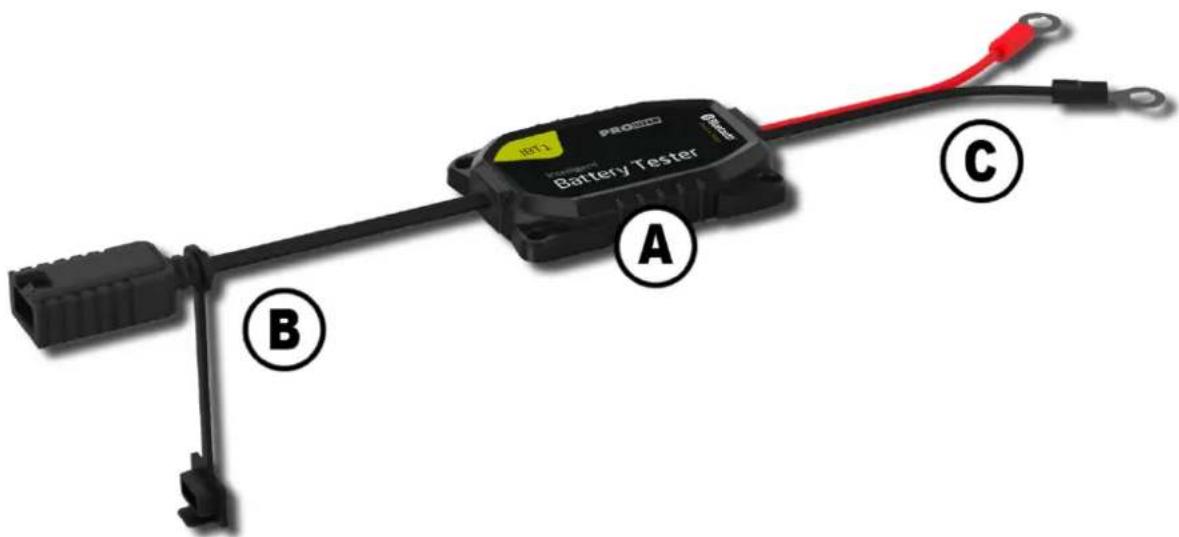
| Item | Description |
| A | Intelligent Battery Tester IBT1 |
| B | Pro-User Check & Charge Interface to easily connect to a compatible Pro-User charger, e.g. IBC4000, IBC4000B, IBC7500B |
| C | Battery connection cables: red (+ positive terminal) and black (- negative terminal) ring terminals |
OPERATION
Please Read Carefully Before Using The Device
This system is intended to be used only with 6V & 12V & 24V DC batteries, e.g. Lithium and Lead-Acid batteries e.g. Wet, Maintenance-Free-, Gel, Calcium-, (VRLA-)AGM, Deep-Cycle-batteries
Preparing The Battery
Follow your battery manufacturer's and vehicle's manufacturer's precautions and preparatory measures, if disconnecting the battery from your vehicle's 6V/12V/24V system is necessary to install the device.
Connecting The Ring Terminal Cables
Connect the clamps to the battery in the following order:
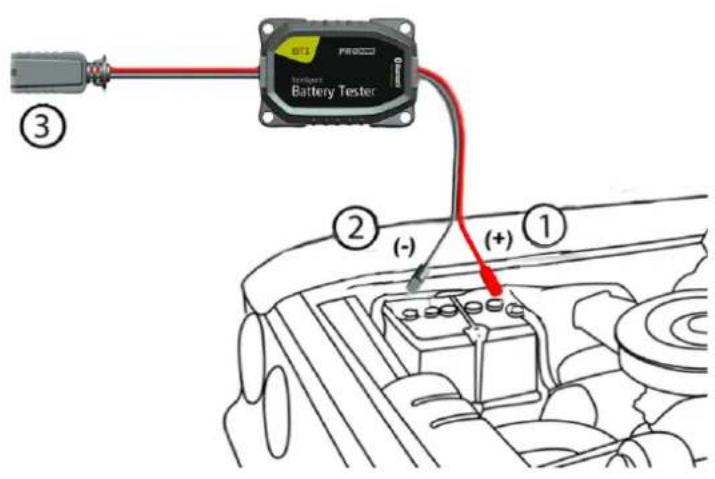
- Connect the RED connection cable to the positive terminal post of the battery (marked +).
- Connect the BLACK connection cable to the negative post of the battery (marked -).
It is important to ensure that all connections are making good contact with their respective terminal posts.
- You can easily connect a compatible Pro-User "Check & Charge" IBC charger to the IBT1 to recharge your battery.
"Check & Charge"-Interface
Use the conveneint Pro-User "Check & Charge"-Interface to easily connect to a compatible Pro-User IBC battery charger
Ideal in combination
with the following
Pro-User battery chargers:
IBC4000 (P/N:18171)
IBC4000B (P/N:18172)
IBC7500B (P/N:18173)

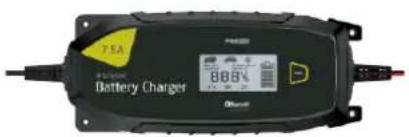

Connecting your IBT1 Intelligent Battery Tester to your Bluetooth® enabled smartphone
Note:
iOS 8.0 or later, or Android 4.4 or later and a mobile device with Bluetooth® BLE Ver. 4.3 or later is needed to connect to the charger
- Download and install the free "Pro-User Check & Charge" App from Apple App Store or Google Play Store.
- Make sure Bluetooth® is enabled on your smartphone.
- Connect the IBT1 to the battery
- Open "Pro-User Check & Charge" App.
- Check the App's "Settings"- and take the desired settings you need (Background Refresh and Notifications)
- Select the IBT1 in the device-list you want to connect to. Make sure the section "Tester" is selected. You may want to connect to more than one tester or a compatible battery charger.
- Change the settings as required
Congratulations!
Now you can check your battery status in a very convenient way.
The app is easy to use and gives you all the information you need to know about your battery.
Name & Password:
If you have more than one IBT1 tester or a charger, you may want to rename the devices. The password is automatically stored in the app. The password of a Pro-User IBT Battery Tester is not changeable. It consists of the unique product key printed on the device.
Bluetooth® Connection:
If you put your smartphone to sleep or the Bluetooth® connection was interrupted in another way, it is possibly required to wait for some seconds and to connect to the charger again (Pull to refresh the device list). Usually no password is required as the password is stored in the app.
Mobile Application User Interface: (software version release 01-2017, details may change)
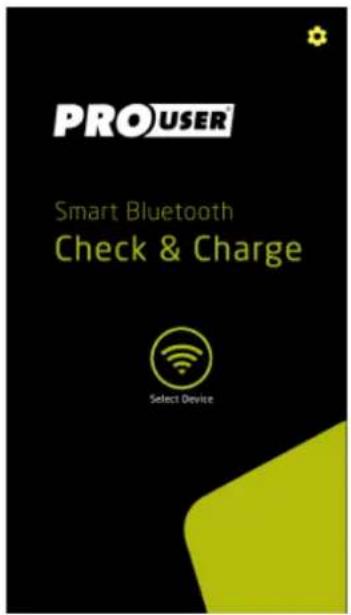
Start-page of "Check & Charge"
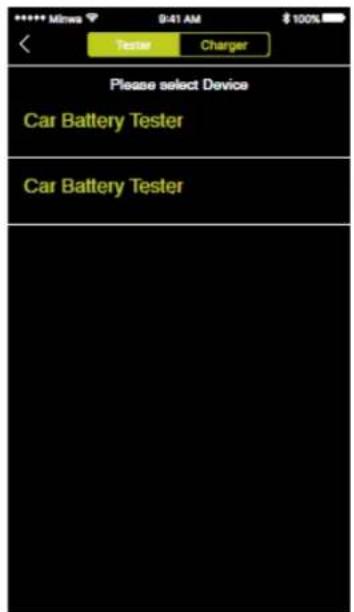
List of connected testers
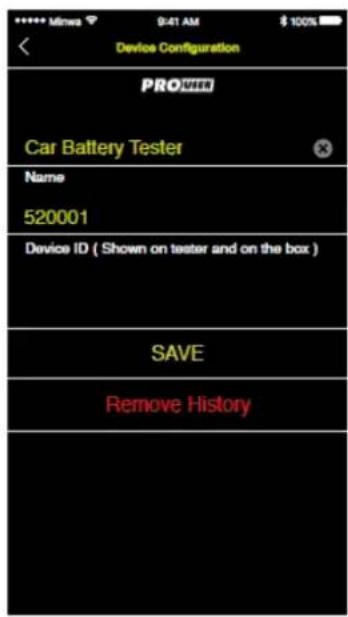
Name and Password setting
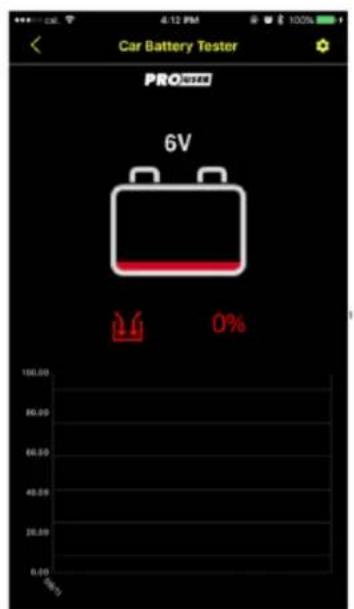
Battery Status
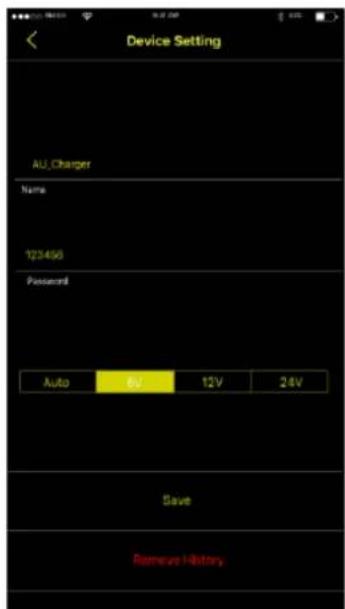
Device settings

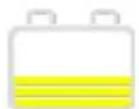
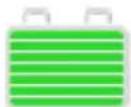
The coloured bars in the battery icon indicate the battery status
TROUBLESHOOTING

WARNING! Do not open or disassemble the device. Attempting to service the unit yourself may cause the risk of electrical shock or fire. Please follow the safety instructions when working on the device.
If the device doesn't work at all, an internal fuse might be blown. This happens always for a reason. Do not try to replace internal fuses yourself. The device has to be checked by the manufacturer or by an authorized service.
Bluetooth®
If you cannot connect to your smartphone, please make sure your device fits the requirements: iOS 8.0 or later, or Android 4.4 or later and a mobile device with Bluetooth® BLE Ver. 4.3 or later is needed to connect to the device. Sometimes it's useful to turn off the Bluetooth®-function of your smartphone and reactivate it again or to connect manually. Please see the instructions of your smartphone operating system how to take the according Bluetooth® settings.
BATTERY MAINTENANCE AND CARE
It is essential to keep your battery regularly charged throughout the year, especially during the winter months. Low temperature reduces the effectiveness of your car battery and your motor oil is thicker. Engines are more difficult to start and the heater, windscreen wipers and lights are all draining power. It is at this time that batteries have to be at peak power. If your battery is not regularly maintained and kept fully charged, it can cause problems and a possible breakdown.
Listed are some helpful hints on how to keep your battery healthy in conjunction with your battery charger:
Detecting faulty cells with a hygrometer (not possible with Lithium, sealed or maintenance-free batteries)
Starter-batteries are usually made of several cells, with a nominal voltage of 2V per cell. If one of the cells is defective, the whole battery deteriorates. If, after several hours of charging, your battery is still flat, you should test the battery cells.
Using a hydrometer, which can be purchased from most motor accessory stores, you can check the specific gravity of the electrolyte in each cell. Take hydrometer readings from each cell in the battery. Put the fluid back into the cell after testing, taking care not to spill the fluid. If one reading is lower than the others, this could indicate a faulty cell. If necessary, get an auto-electrician to check your battery. In some cases a battery can be revived, but one faulty cell is enough to ruin your battery.
Care
Sometimes the battery may appear flat, but the reason could simply be dirty or loose connections on your battery terminals. It is important to maintain the leads on a regular basis. Clean all contacts and grease them using terminal grease. Make sure that all connections are tight.
It is essential to keep the electrolyte level above the plates, note that you should not overfill it, as the electrolyte is strongly acidic. When topping up, do not use tap water. Always use distilled or de-ionized water. If necessary have it checked by your garage.
TECHNICAL SPECIFICATIONS
| Model | IBT1 Intelligent Battery Tester with Bluetooth® |
| Suitable Batteries | |
| Suitable Battery Voltages | 6V & 12V & 24V |
| Suitable Battery-Types | All Batteries with a suitable voltage range e.g. Lead Acid Batteries (e.g. Wet, Maintenance-free, Gel, AGM, Deep-Cycle Batteries) or Lithium-Batteries |
| Electrical Values | |
| Power Consumption (Current) | <30mA |
| Other | |
| Required Mobile Operating System and Bluetooth® Hardware | iOS 8.0 or later, or Android 4.4 or later and a mobile device with Bluetooth® BLE Ver. 4.3 or later |
| Dimensions (LxWxH) | 68.0 mm x 48.0 mm x 12.0 mm |
| MTBF | 30000 Hours min. |
| Operating ambient Temperature & Humidity | -20°C ~ 65°C 20%-85% RH. NON-CONDENSING |
| Ambient Storage Temperature & Humidity | -20°C to 85°C 10%-90% RH. NON-CONDENSING |
This model may be operated in EU countries.







ENVIRONMENTAL PROTECTION
The product is classed as Electrical or Electronic Equipment and should not be disposed of with other household or commercial waste at the end of its working life. Please recycle where facilities exist. Ask your local authority or retailer for recycling advice.
WARRANTY
Pro-User warrants this product for a period of 2 years from the date of purchase to the original purchaser. Warranty is not transferable. Warranty covers defect against workmanship and materials only. To obtain warranty service, please return the unit to the place of purchase or authorized Pro-User dealer together with your proof of purchase. The warranty is void if the product has been damaged or not used as described in this manual. Warranty is void if a non-authorized repair has been performed. Pro-User makes no other warranty expressed or implied. Pro-User is only responsible for repair or replacement (at Pro-Users' Discretion) of the defective product and is not responsible for any consequential damage or inconvenience caused by the defect.
EINLEITUNG
"Check & Charge"-Interface
Ideal in Kombination
mit den folgenden
"Check & Charge" -Interface
Pro-User accruladers:
IBC4000 (P/N:18171)
IBC4000B (P/N:18172)
IBC7500B (P/N:18173)
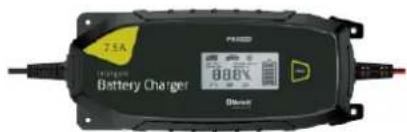


Interface - "Check & Charge"
EU - Declaration of Conformity
We herewith confirm that the appliance as detailed below complies with the mentioned directives.
Articlebezeichnung:
IBT1 Digital Battery Tester with Bluetooth®
Article description:
Governing EU-directives / directives CE concernées:

Electromagnetic compatibility (EMC)
2014/30/EU

Low voltage directive
2014/35/EU

- Funkanlagen und
Radio and Telecommunication Terminal Equipment
R&TTE 1999/5/EC

- RoHS-Richtlinie
RoHS Directive
2011/65/EU (method EN62321)
harmonised EN-Standards
The article complies with the standards as mentioned below which are necessary to obtain the CE-symbol:
Zu 1.
EN55014-1:2006+A1:2009+A2:2011
EN55014-2:1997+A1:2001+A2:2008
EN61000-3-2:2014
EN61000-3-3:2013
Zu 2.
EN60335-1:2012+A11:2014
EN60335-2-29:2004+A2:2010
EN62233:2008 (EMF)
Signature & Company Stamp
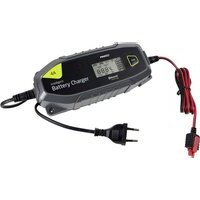
- IMPORTANT SAFETY INSTRUCTIONS
- GENERAL
- ENVIRONMENT
- ELECTRICAL CABLES
- PRECAUTIONS WHEN DEALING WITH BATTERIES
- PACKAGING MATERIALS
- SCOPE OF DELIVERY
- TECHNICAL DESCRIPTION
- OPERATION
- PLEASE READ CAREFULLY BEFORE USING THE DEVICE
- PREPARING THE BATTERY
- CONNECTING THE RING TERMINAL CABLES
- CHECK & CHARGE"-INTERFACE
- NOTE
- CONGRATULATIONS
- NAME & PASSWORD
- BLUETOOTH® CONNECTION
- TROUBLESHOOTING
- BLUETOOTH®
- BATTERY MAINTENANCE AND CARE
- CARE
- TECHNICAL SPECIFICATIONS
- ENVIRONMENTAL PROTECTION
- WARRANTY
- EINLEITUNG
- INTERFACE - "CHECK & CHARGE
- EU - DECLARATION OF CONFORMITY
- ARTICLEBEZEICHNUNG
Brand : Pro-User
Model : IBT1
Category : Battery charger