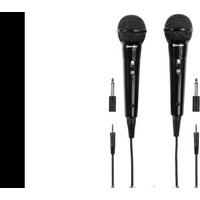
M135D - Headphones THOMSON - Free user manual and instructions
Find the device manual for free M135D THOMSON in PDF.


| Brand | Thomson |
| Model | M135D |
| Product type | Dynamic microphone |
| Polar pattern | Unidirectional |
| Frequency response | 70 Hz – 13 kHz |
| Impedance | 600 ohms |
| Sensitivity | -76 dB-SPL (1 kHz) |
| Weight | 220 g |
| Cable length | 3 m |
| Connector | 3.5 mm mono jack |
| Included adapter | 3.5 mm / 6.3 mm |
| Power supply | None (passive microphone) |
| Switch | Built-in On/Off |
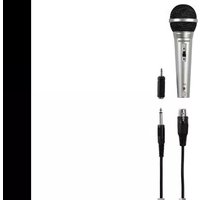
| Package contents | 2 M135D microphones, 2 cables 3 m, 2 adapters 6.3 mm, instruction manual |
| Care and cleaning | Slightly damp lint-free cloth; avoid harsh detergents |
| Safety | Do not open, protect from moisture, keep out of reach of children |
| Warranty | Warranty exclusion for improper installation |
| Spare parts | Not available separately |
| General information | Manufactured by Hama GmbH & Co KG for Thomson |
Frequently Asked Questions - M135D THOMSON
User questions about M135D THOMSON
0 question about this device. Answer the ones you know or ask your own.
Ask a new question about this device
Download the instructions for your Headphones in PDF format for free! Find your manual M135D - THOMSON and take your electronic device back in hand. On this page are published all the documents necessary for the use of your device. M135D by THOMSON.
USER MANUAL M135D THOMSON
Operating Instruction
Mode d'emploi
Bedienungsanleitung

ThankyouforchoosingaThomsonproduct. Takeyourtimeandreadthefollowinginstructions andinformationcompletely.Pleasekeepthese instructionsinasafeplaceforfuturereference.If yousellthedevice,pleasepasstheseoperating instructionsontothenewowner.
1. ExplanationoftheNotes

Note
This symbol is used to indicate additional information or important notes.
2.PackageContents
00131779/M135
- 1xM135microphone
Permanentlyattached3mmicrophonecable,
3.5mmmonojack
• 1x3.5–6.3mmmonojackadapter - Thisoperatinginstruction
00131780/M135D
- 2xM135Dmicrophone Permanentlyattached3mmicrophonecable, 3.5mmmonojack
- 2x3.5–6.3mmmonojackadapter
- Thisoperatinginstruction
3. SafetyNotes
• The product is intended for private, non-commercial use only.
- Protect the product from dirt, moisture and overheating and use it in dry room only.
- Aswithallelectricaldevices, this devices should be kept out of thereachofchildren.
- Donotdroptheproductanddonotexposeitto anymajorshocks.
- Donotopenthedeviceorcontinuetooperateitif itbecomesdamaged.
- Donotmodifythedeviceinanyway.Doingso voidsthewarranty.
4. StartupandOperation
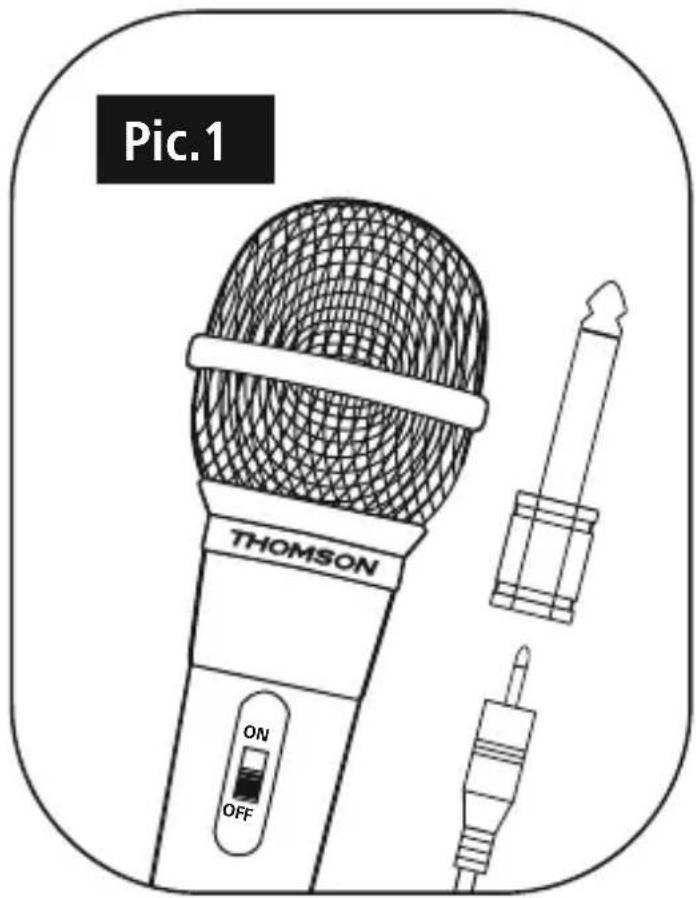
- Ensure that the microphone is switched off (Pic. 1).
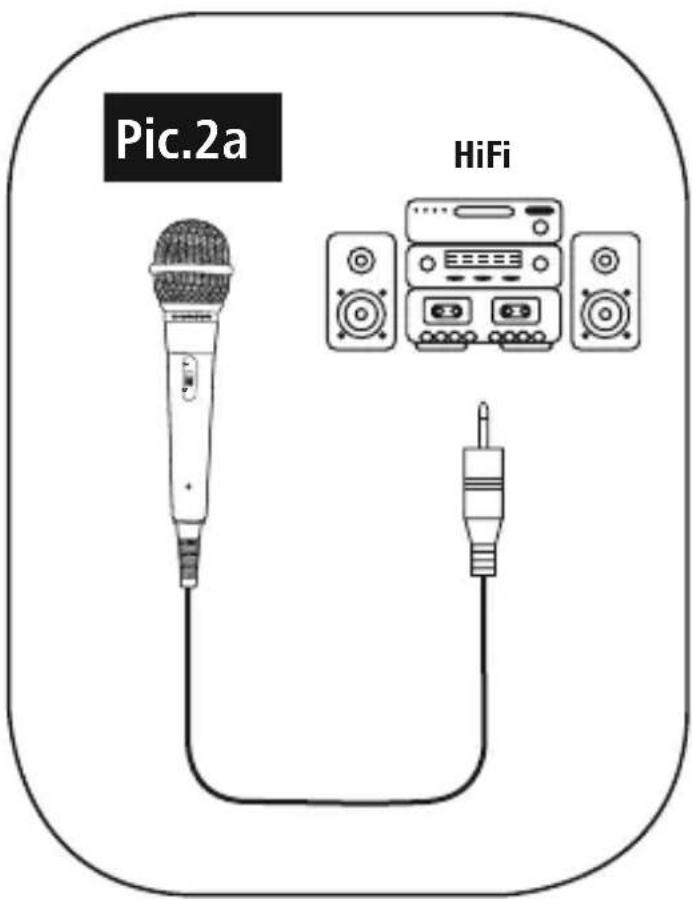
- Connectthe3.5mmmonojackplugwithyour terminaldevice'smicrophoneinput(Pic.2a).If yourterminaldevicehasa6.3mmjackinputfor microphones,usetheincluded6.3mmmonojack adapter(Pic.2b).
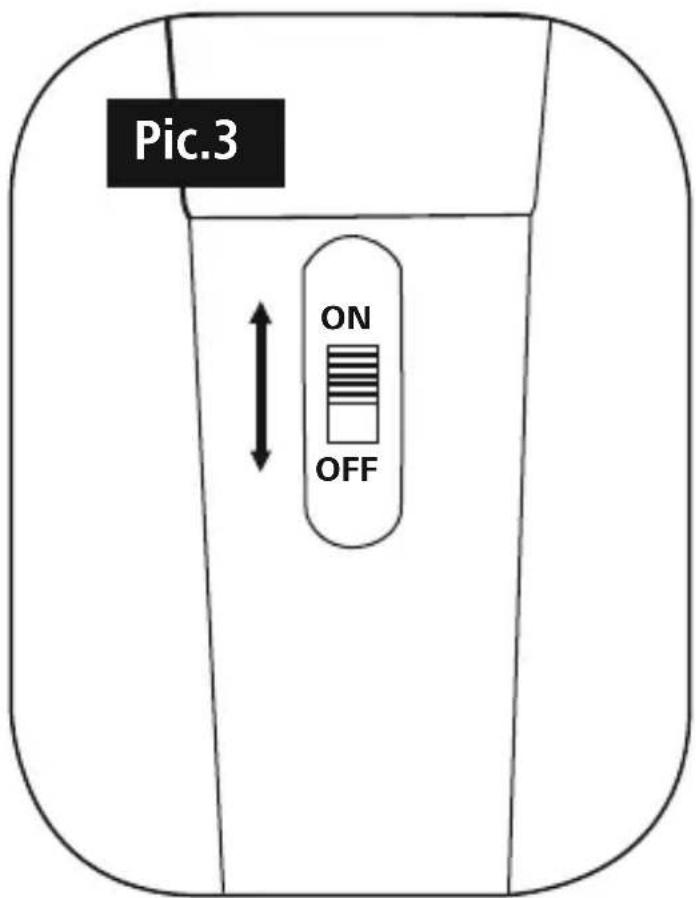
- Switchonthemic microphone(Pic.3).

Note-AFewTips
- Alwayspositionyourmicrophonesothatisas closetoandasdirectlyconnectedtotheaudio sourceaspossible.
- Holdyourmicrophoneasstillaspossible to preventinterferenceandwindnoise.
- Check the functionality and the transmitted volume (soundcheck) before using the microphone.
- Incaseoffeedback(loudscreeching) immediatelyswitchoffthemicrophoneusing theintegratedon/offswitch.Theneliminate thecauseofthefeedback,e.g.byreducingthe volumeofthespeakersortheinputsensitivity (gainorpad,whereapplicable)ofyour microphoneinput,and/ormovingsomewhat behindyourspeaker(s)beforeswitchingthe microphonebackon.
5. Care and Maintenance
- Onlycleanthisproductwithaslightlydamp, lint-freeclothanddonotuseaggressivecleaning agents.
6.WarrantyDisclaimer
HamaGmbH&CoKGassumesnoliability and providesnowarrantyfordamageresultingfrom improperinstallation/mounting,improperuse of theproductorfromfailuretoobservetheoperating instructionsand/orsafetynotes.
7. Service and Support
PleasecontactHamaProductConsultingifyouhave
anyquestionsaboutthisproduct.
Hotline:+499091502-0(German/English)
Furthersupportinformationcanbefoundhere:
www.hama.com
8.TechnicalData
| Impedance600Ohm | |
| Sensitivity-76dB-SPL(1kHz) | |
| Weight220g | |
| Frequency70Hz-13kHz | |
| LengthofCable3m | |
| DesignDynamic | |
| Connection3,5mm | |
| Adapter3,5mm/6,3mm | |
| CharacteristicUnidirectional | |
9. Recycling Information
Noteonenvironmentalprotection:
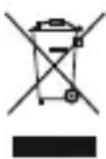
AftertheimplementationoftheEuropean Directive2012/19/EUand2006/66/EUin thenationallegalsystem, the following applies: Electricandelectronicdevicesas wellasbatteriesmustnotbedisposedof
withhouseholdwaste. Consumersareobligedbylaw toreturnelectricalandelectronicdevicesaswellas batteriesattheendoftheirservicelivestothepublic collectingpointsetupforthispurposeorpointof sale. Detailstothisaredefinedbythenationallawof therespectivecountry. Thissymbolontheproduct, theinstructionmanualorthepackageindicatesthat aproductissubjecttotheseregulations. By recycling, reusingthematerialsorotherformsof utilisingolddevices/Batteries, youaremakingan importantcontributiontoprotectingour environment.
Hotline:+499091502-0(Alm/Ing)
Hotline:+499091502-0(ty/eng)
Duhittarmersupport-informationhär:
www.hama.com
8.Tekniskadata
THOMSON, and the THOMSON logo are trademarks used under license by HAMAGmbH & Co KGin86652 Monheim / Germany - further information at www.thomson-brand.com.
www.thomson-av-accessories.eu

PAP
RaccoltaCarta

M135
00131779
M135D
00131780

Brand : THOMSON
Model : M135D
Category : Headphones