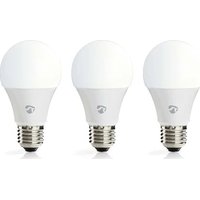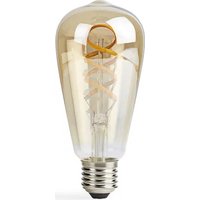
WIFILRT10ST64 - Lighting NEDIS - Free user manual and instructions
Find the device manual for free WIFILRT10ST64 NEDIS in PDF.


User questions about WIFILRT10ST64 NEDIS
0 question about this device. Answer the ones you know or ask your own.
Ask a new question about this device
Download the instructions for your Lighting in PDF format for free! Find your manual WIFILRT10ST64 - NEDIS and take your electronic device back in hand. On this page are published all the documents necessary for the use of your device. WIFILRT10ST64 by NEDIS.
USER MANUAL WIFILRT10ST64 NEDIS
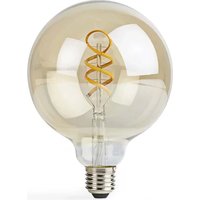
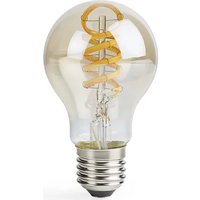
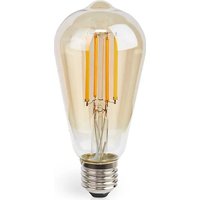
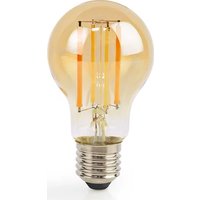
WIFILRT10ST64 is a bulb that allows you to wirelessly control the light.
The product is exclusively intended for lighting an indoor or outdoor environment.
The product is intended to be controlled exclusively via the Nedis SmartLife app.
Any modification of the product may have consequences for safety, warranty and proper functioning.
Specifications
| Product Wi-Fi Smart Bulb | |
| Brightness 806 lm | |
| Light colour 2700 - 6500 K | |
| Power supply 220 - 240 V ~ 50 | / 60 Hz |
| Wattage 5 W | |
| Current 43 mA | |
| Wireless technology Wi-Fi | |
| Frequency range 2412 - 2472 MHz | |
| Max. radio transmit power 17 dBm | |
| Fitting E27 | |
| Material Glass | |
| Article number Dimensions Weight | |
| WIFILRT10A60 Ø 60 x 105 mm 30 g | |
| WIFILRT10G125 Ø 125 x 172 mm 100 g | |
| WIFILRT10ST64 Ø 64 x 142 mm 46 g |
Main parts (image A)
1 Bulb
3 Electric contact
2 Filament
Safety instructions
WARNING
- Ensure you have fully read and understood the instructions in this document before you install or use the product. Keep the packaging and this document for future reference.
- Only use the product as described in this document.
- Do not use a damaged product.
- Do not expose the product to water or moisture.
- Do not drop the product and avoid bumping.
Installation of the Nedis SmartLife app
- Download the Nedis SmartLife app for Android or iOS on your phone via Google Play or the Apple App Store.
- Open the Nedis SmartLife app on your phone.
- Create an account with your mobile phone number or your e-mail address and tap Continue.
- Enter the received verification code.
- Create a password and tap Done.
- Tap Add Home to create a SmartLife Home.
- Set your location, choose the rooms you want to connect with and tap Done.
Installing the product (image B)
Control tile
3 Add product
Common functions
4 On/off button
-
Screw the lamp into an E27 fitting.
-
Turn on the lamp.
-
In the Nedis SmartLife app, tap + B3
-
Under Search Device, select the lamp from the list of available devices.
-
Check if the lamp is blinking. If so, tap to confirm.
If the lamp does not blink, turn the lamp off and on 3 times and check again.
- Enter the password of the 2,4 GHz Wi-Fi network to
which your phone is connected and tap Confirm.
The Nedis SmartLife app will now search for the lamp.
- Rename the lamp after it has been found and
added.
If the regular connection method fails, the lamp
can be connected using AP mode:
a. Tap + B 3
b. Select the lamp from the list of available devices.
c. Select AP Mode in the top right corner.
d. Turn the lamp off and on 3 times and check that
the light starts blinking slowly.
e. Follow the steps in the application.
Using the product
The product can be controlled from any distance using the Nedis SmartLife app.
The home menu of the Nedis SmartLife app shows a control tile for each connected lamp and/or group.
The product can be connected to Google Home or Amazon Alexa to enable speech control.
The product can be connected to IFTTT to enable external conditions to trigger the lamp.
See our support webpage to discover all possibilities of this Nedis® product.
Declaration of Conformity
We, Nedis B.V. declare as manufacturer that
the product WIFILRT10A60 | WIFILRT10G125 |
WIFILRT10ST64 from our brand Nedis®, produced in
China, has been tested according to all relevant CE
standards and regulations and that all tests have been
passed successfully. This includes, but is not limited to
the RED 2014/53/EU regulation.
The complete Declaration of Conformity (and the
safety datasheet if applicable) can be found and
downloaded via:
nedis.com/wifirlt10a60#support
nedis.com/wifilrt10g125#support
nedis.com/wifilrt10st64#support
For additional information regarding the compliance,
contact the customer service:
Web: www.nedis.com
E-mail: service@nedis.com
Nedis B.V., de Tweeling 28
5215 MC's-Hertogenbosch, the Netherlands
DE Kurzanleitung
WLAN-Smart-Glühbirne
WIFILRT10A60
WIFILRT10G125
WIFILRT10ST64
Installation of Nedis SmartLife app'en
5215 MC's-Hertogenbosch, the Netherlands
5215 MC's-Hertogenbosch, the Netherlands
SK Rychly námod
Inteligentažiarovkas fungciou Wi-Fi
WIFILRT10A60
WIFILRT10G125
WIFILRT10ST64
Viac informaci najdetev rozsirenom