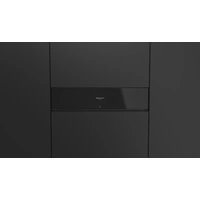
FVSD 150 TC BK - Vacuum packaging machines Fulgor Milano - Free user manual and instructions
Find the device manual for free FVSD 150 TC BK Fulgor Milano in PDF.

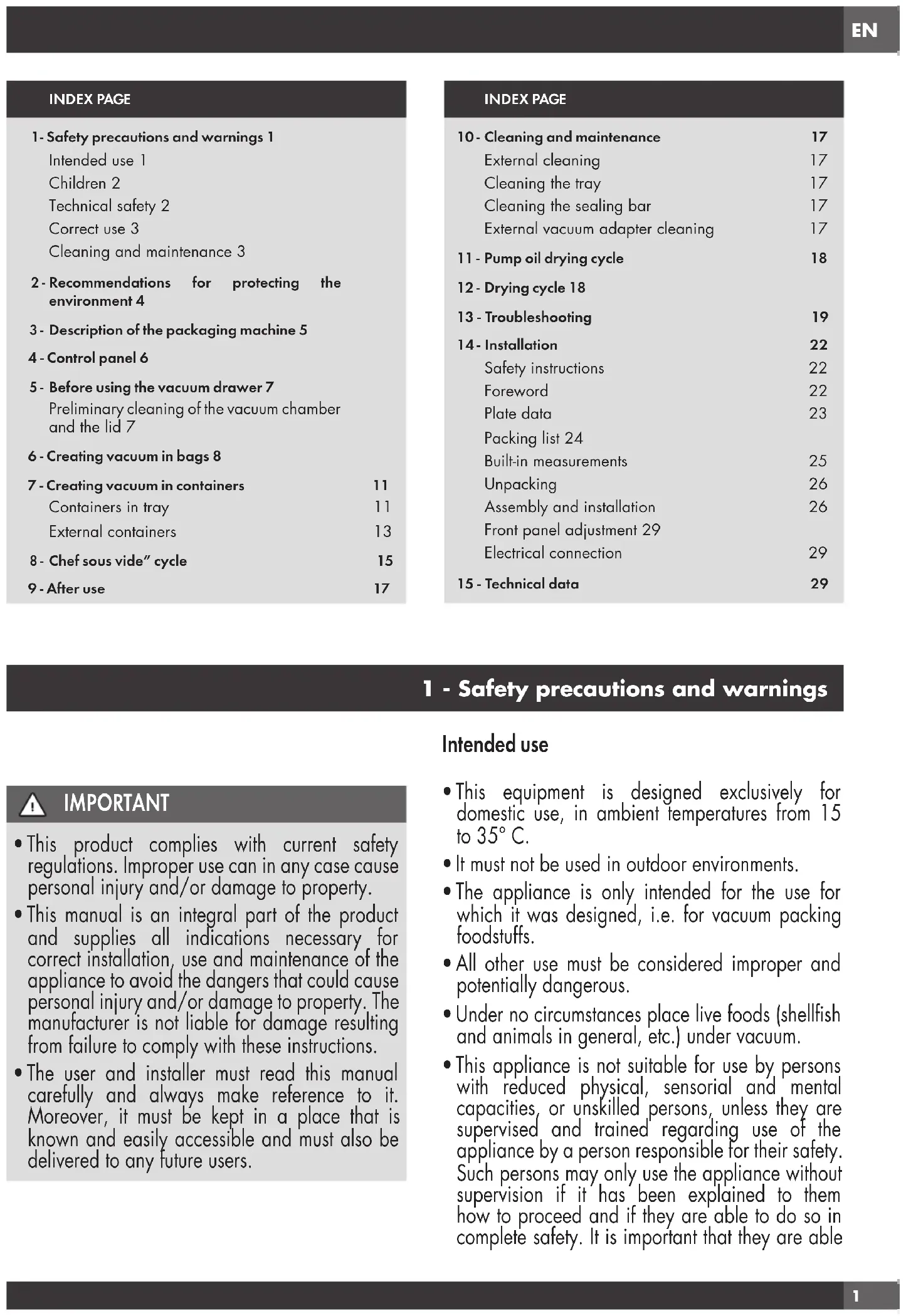


| Product Type | Built-in vacuum packaging appliance |
| Brand | Fulgor Milano |
| Model | FVSD 150 TC BK |
| Built-in housing dimensions (W x H x D) | 553 x 135/140 x 550 mm |
| Weight | 32 kg |
| Power supply | 220-240 V, 50/60 Hz |
| Power | 240 W |
| Current consumption | 1 A |
| Vacuum chamber volume | 6.4 L |
| Effective sealing bar length | 250 mm |
| Maximum pouch dimensions | 250 x 350 mm |
| Maximum drawer load capacity | 30 kg |
| Main functions | Vacuum sealing in pouches (multiple vacuum and sealing levels), vacuum sealing in containers (internal and external), Chef Sous Vide cycle, pump oil drying cycle |
| Installation type | Built-in (under worktop or in column) |
| Recommended ambient temperature | 15 to 35 °C |
| Maintenance and cleaning | Clean the tank, sealing bar, and external adapter with a soft cloth and mild cleaner. Do not use abrasive products. Carry out regular drying cycles. |
| Safety | Do not use if the lid is damaged. Risk of burns after sealing. Do not obstruct ventilation. Disconnect before maintenance. |
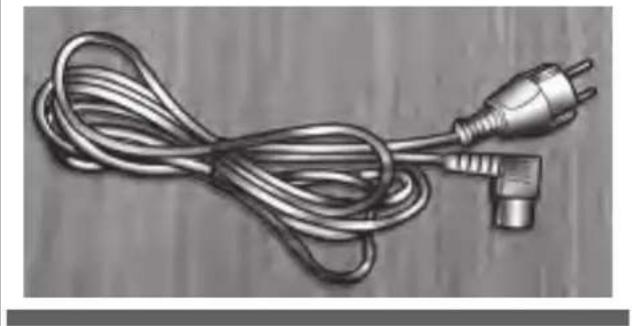
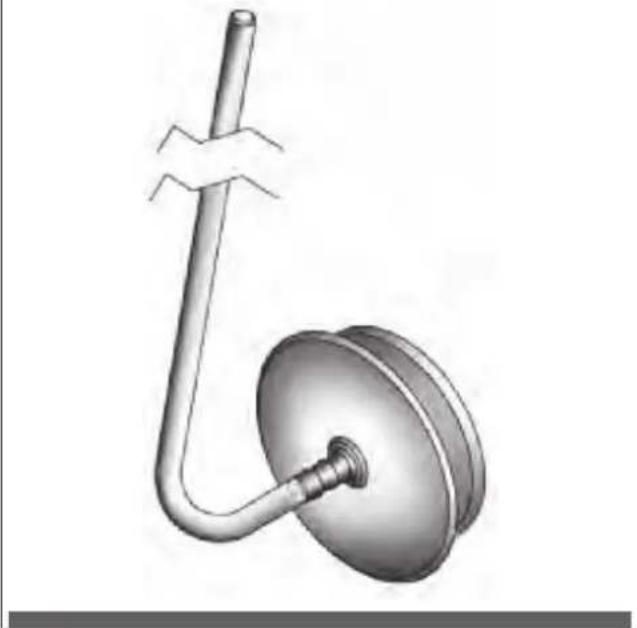
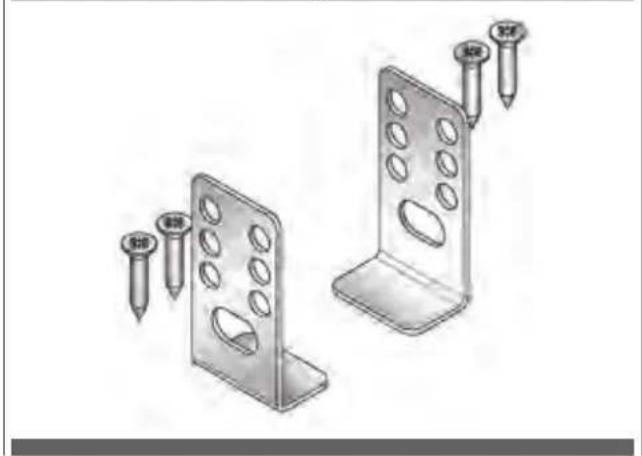
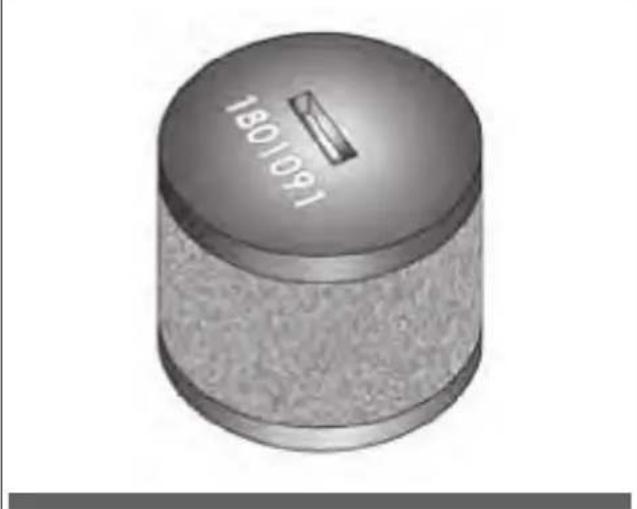
| Included accessories | Accessory for external containers with adapter, pump oil filter, power cord, mounting brackets |
Frequently Asked Questions - FVSD 150 TC BK Fulgor Milano
User questions about FVSD 150 TC BK Fulgor Milano
0 question about this device. Answer the ones you know or ask your own.
Ask a new question about this device
Download the instructions for your Vacuum packaging machines in PDF format for free! Find your manual FVSD 150 TC BK - Fulgor Milano and take your electronic device back in hand. On this page are published all the documents necessary for the use of your device. FVSD 150 TC BK by Fulgor Milano.
USER MANUAL FVSD 150 TC BK Fulgor Milano
natural_image
Abstract black-and-white diagram with curved arrows and a central shape, no text or symbols present.FCLVSD 150 TC
FVSD 150 TC
CASSETTO SOTTOVUOTO
BUILT-IN VACUUM DRAWER
TIROIR SOUS VIDE
VAKUUMIERSCHUBLADE
CAJÓN VACÍO
natural_image
Symbol of a trash bin crossed with two diagonal lines, representing waste sorting or restriction (no text present)IT 4 - Pannello comandi

flowchart
graph TD
    A["1"] --> B["2"]
    C["3"] --> D["4"]
    E["5"] --> F["6"]
    G["7"] --> H["8"]
    I["9"] --> J["10"]
    K["11"] --> L["12"]
    M["Start"] --> N["Stop"]
    O["Start"] --> P["Stop"]
NR DESCRIZIONE
natural_image
Illustration of a hand cleaning a metal tray with a handle, no text or symbols present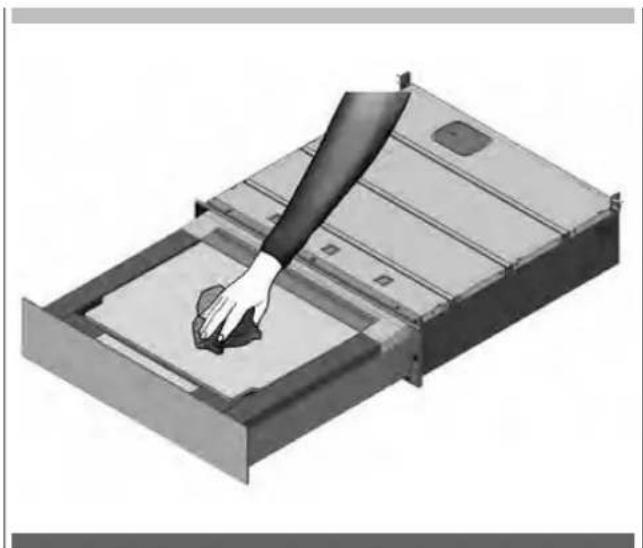
natural_image
Illustration of a hand pressing down on a metal tray with a small component (no text or symbols visible)natural_image
3D rendering of a metal tray or container with an open lid and internal compartments (no text or symbols visible)Fase 3
natural_image
Diagram of a rectangular device with a labeled component 'B' pointing to its side (no text or symbols on the device itself)Fase 4
Fase 6
natural_image
Pure graphical icons showing four speech bubbles and a downward arrow on a black background (no text or symbols)Fase 7
natural_image
Pure graphical icons showing four speech bubbles and a rising arrow on a black background (no text or symbols)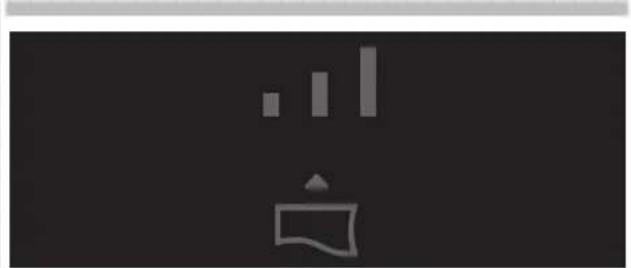
natural_image
Simple icon showing a bar chart above a document icon, no text or symbols presentnatural_image
Abstract graphic with vertical bars and a stylized flag on dark background (no text or symbols)Vuoto minimo.
Da utilizzare per:
natural_image
Simple icon of a megaphone with no text or symbolsVuoto medio.
Da utilizzare per:
natural_image
Abstract black-and-white graphic with vertical bars and a triangular pointer (no text or symbols)Vuoto massimo.
Da utilizzare per:
natural_image
Pure graphical icons with no text or symbols, including bar, icon, and arrow (no readable text or symbols)
natural_image
Abstract icon with a white stylized symbol and vertical bars on dark background, no text or symbols presentLivello 1.
natural_image
Simple icon of a person holding a flag with abstract lines above (no text or symbols)Livello 2.
natural_image
Abstract white geometric symbol on black background, resembling a stylized building or wave with vertical bars (no text or symbols)Livello 3.
natural_image
Illustration of three containers: a hexagonal jar, a lid with granular contents, and scattered seeds (no text or symbols)Fase 2
natural_image
3D rendering of a mechanical component with an open lid and internal cavity (no text or symbols)Fase 4
natural_image
3D rendering of a mechanical component with an open lid and central circular feature (no text or symbols)Fase 5
natural_image
3D rendering of a rectangular mechanical component with a central square recessed, showing internal structure (no text or symbols)Fase 6
Fase 7
natural_image
Pure graphical icons showing four food-related icons above a black bar, with an upward arrow at the bottom (no text or symbols)Fase 8
natural_image
Pure graphical icons showing kitchen, chef, and food items with an upward arrow (no text or symbols)
natural_image
Simple icon showing a container with an upward arrow and three vertical bars above it, set against a dark background (no text or symbols)Livello 1.
Da utilizzare per:
natural_image
Simple icon of a trash bin with three vertical bars and a triangular top, set against a dark background (no text or symbols)Livello 2.
Da utilizzare per:
natural_image
Simple icon showing a bar chart above a trash bin with an upward arrow, set against a black background (no text or symbols)Livello 3.
Da utilizzare per:
Contenitori esterni
Fase 1
natural_image
Illustration of three containers: a hexagonal jar with lid, a clear container filled with granular material, and scattered seeds (no text or symbols)Fase 2
natural_image
3D rendering of a mechanical tray or housing with an open lid and internal compartments (no text or symbols visible)Fase 4
natural_image
3D diagram of a mechanical component with an open lid and labeled point A (no text or symbols beyond label)Fase 5
Fase 6
natural_image
Pure graphical icons showing four document icons and a rising arrow on a black background (no text or symbols)Fase 7
natural_image
Simple icon showing a container with a small bar and a pointer, against a dark background (no text or symbols)Livello 1.
Da utilizzare per:
natural_image
Simple icon of a trash bin with three vertical bars and a triangular load, set against a dark background (no text or symbols)Livello 2.
Da utilizzare per:
natural_image
Simple icon showing three vertical bars above a container with an upward arrow, set against a dark background (no text or symbols)Livello 3.
Da utilizzare per:
• Vasi professionali:
Da usare per:
natural_image
3D rendering of a mechanical component with an open lid and internal cavity (no text or symbols)Fase 3
natural_image
Diagram of a rectangular device with a labeled component 'B' pointing to its side panel (no text or symbols beyond label)Fase 4
Fase 6
natural_image
Abstract black-and-white graphic with vertical bars and a stylized icon (no text or symbols)natural_image
Simple icon of a speech bubble with sound waves, no text or symbols presentnatural_image
Abstract black-and-white graphic with vertical bars and a stylized icon (no text or symbols)natural_image
3D diagram of a mechanical assembly with labeled component A, showing internal components and mounting brackets (no text or symbols beyond label)natural_image
3D diagram of a structural panel with labeled component A, showing internal components and mounting holes (no text or symbols beyond label)natural_image
3D rendering of a rectangular metal enclosure or housing component with mounting flanges and internal ribs (no text or symbols visible)Fig. 4
natural_image
Coiled metallic electrical plug with terminal connector, resting on wooden surface (no text or symbols)Fig. 5
natural_image
3D rendered diagram of a mechanical device with a curved pipe and flanged base (no text or symbols)Fig. 2
natural_image
Two metal bracket components with screw holes and two screws inserted (no text or symbols)Fig. 6
natural_image
Two screws with cross markings, shown in grayscale (no text or symbols on the screws themselves)Misure d'incasso
natural_image
Illustration of an open cardboard box with a rising arrow and directional arrows inside (no text or symbols)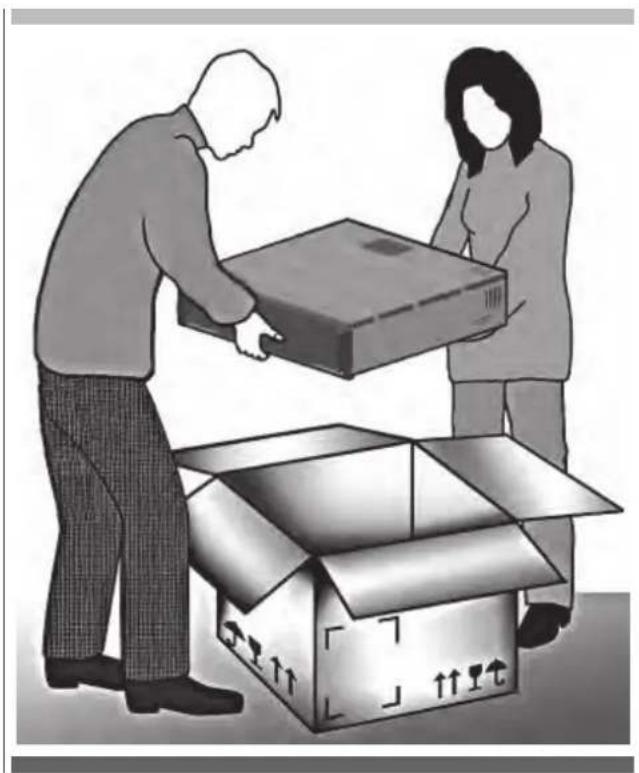
natural_image
Illustration of two people loading a cardboard box into an open cardboard box (no text or symbols)Fase 2
Fase 3
natural_image
Technical illustration showing a mechanical component with a labeled section (C), its internal structure, and a close-up of the internal part (no text or symbols present)Fase 4
natural_image
Diagram showing a device with a cable being inserted into a plastic container, with no visible text or symbols.Fase 5
natural_image
Exterior view of a computer case with a labeled component (D) and a close-up of the internal device (no text or symbols visible)Fase 6
Fase 7
natural_image
Interior view of a minimalist room with dark tiled walls and a single light-colored vent (no text or symbols visible)Fase 8
Fase 9
natural_image
Exterior view of a black electronic device casing with ventilation slots and a small inset component (no visible text or symbols)Fase 10
natural_image
Diagram showing two opposing arrows pointing up and down on a vertical structure, with no text or symbols present.Fase 11
natural_image
Interior view of a room with a door, door lock, and a bed (no text or symbols visible)Fase 12
natural_image
Close-up of a metal structural component with dashed vertical lines and a pipe connection (no text or symbols visible)natural_image
Hand inserting a plug into an electrical outlet (no text or symbols visible)15 - Dati tecnici
1- Safety precautions and warnings 1
Intended use 1
Children 2
Technical safety 2
Correct use 3
Cleaning and maintenance 3
2 - Recommendations for protecting the environment 4
3 - Description of the packaging machine 5
4 - Control panel 6
5 - Before using the vacuum drawer 7
Preliminary cleaning of the vacuum chamber and the lid 7
6 - Creating vacuum in bags 8
7 - Creating vacuum in containers 11
Containers in tray 11
External containers 13
10 - Cleaning and maintenance 17
External cleaning 17
Cleaning the tray 17
Cleaning the sealing bar 17
External vacuum adapter cleaning 17
11 - Pump oil drying cycle 18
12 - Drying cycle 18
13 - Troubleshooting 19
14 - Installation 22
Safety instructions 22
Foreword 22
Plate data 23
Packing list 24
Built-in measurements 25
Unpacking 26
Assembly and installation 26
Front panel adjustment 29
Electrical connection 29
15 - Technical data 29
1 - Safety precautions and warnings
Intended use

IMPORTANT
- This product complies with current safety regulations. Improper use can in any case cause personal injury and/or damage to property.
- This manual is an integral part of the product and supplies all indications necessary for correct installation, use and maintenance of the appliance to avoid the dangers that could cause personal injury and/or damage to property. The manufacturer is not liable for damage resulting from failure to comply with these instructions.
-
The user and installer must read this manual carefully and always make reference to it. Moreover, it must be kept in a place that is known and easily accessible and must also be delivered to any future users.
-
This equipment is designed exclusively for domestic use, in ambient temperatures from 15 to 35^ .
- It must not be used in outdoor environments.
- The appliance is only intended for the use for which it was designed, i.e. for vacuum packing foodstuffs.
- All other use must be considered improper and potentially dangerous.
- Under no circumstances place live foods (shellfish and animals in general, etc.) under vacuum.
- This appliance is not suitable for use by persons with reduced physical, sensorial and mental capacities, or unskilled persons, unless they are supervised and trained regarding use of the appliance by a person responsible for their safety. Such persons may only use the appliance without supervision if it has been explained to them how to proceed and if they are able to do so in complete safety. It is important that they are able
to recognise and understand what dangers may arise from incorrect use of the appliance.
Children
- Keep children below the age of eight away from the appliance or constantly supervise them.
- Children over the age of eight may only use the appliance without supervision if it has been explained to them how to proceed and if they are able to do so in complete safety. It is important that they are able to recognise and understand what dangers may arise from incorrect use of the appliance.
- Supervise children who may be in the immediate vicinity of the tray. Do not allow children to play with it.
- Keep children away from the appliance until the sealing head and the sealing line have cooled in order to avoid any risk of scalding.
- The packaging material (plastic bags, polystyrene parts, etc.) must be kept out of the reach of children as they are a potential source of danger.
- Scrap the appliance following local Standards regarding disposal of waste and take it to appropriate collection points. Do not leave it unguarded even for just a few days as it is a source of danger to children.
Technical safety
- Installation work and extraordinary maintenance or repairs performed below standard can cause serious hazards for the user. Ensure this type of intervention is only performed by qualified personnel authorised by the manufacturer.
- Pay particular attention to the general conditions of the lid (presence of cracks, chips, scratches and deep marks). Possible damage could cause an implosion with serious danger to the user. Never use the appliance if the lid is damaged.
- An oil vacuum pump is installed in the appliance. Never tilt or overturn the device to prevent the oil overflowing.
- Correct operation of the appliance is only guaranteed if it is connected to legally compliant electrical systems with absolute correspondence (voltage, frequency) with the data shown on the appliance data plate. In case of uncertainty arrange for the system to checked by a qualified electrician.
- Electrical safety is only guaranteed if the device is connected to a compliant earthing system. Make sure that this fundamental safety condition is confirmed. In case of uncertainty arrange for the system to checked by a qualified electrician.
- Multiple sockets or extension cords do not guarantee the required level of safety (fire hazard). Therefore do not connect the appliance using these types of devices.
- Touching or altering electrical or mechanical components can result in injury and equipment failure. Never open the appliance casing.
- If the power supply cable is damaged, it must be replaced by an authorised after-sales centre.
- When removing the plug or if the cord is not provided with a plug, make sure the appliance is connected to the electrical mains by a qualified electrician.
- If anomalies are noticed of the appliance (e.g. the electric power supply cable is damaged of the control panel does not work) do not use the machine and inform your authorised support centre immediately.
- Do not use the appliance with wet hands or where there is any contact with water.
- The right to warranty is invalidated if the tray is not repaired by an authorised support centre.
- Only replace any broken or defective parts with original spare parts supplied by your dealer.
- In the event of a power outage during the vacuuming process, the vacuum state is maintained in the chamber and the lid cannot be opened. Never attempt to open the lid by force or with the use of tools. Once electrical power is restored it will again be possible to open the lid.
- To perform work of extraordinary maintenance, installation and repair, disconnect the appliance from the electrical mains and remove the plug from the electrical socket. If the plug is not accessible, turn off the electrical system to which the appliance is connected via the corresponding main switch. Before performing any works of repair or installation, make sure that the appliance is effectively disconnected from the mains.
- On scrapping, cut the power supply cable and make the appliance unusable by removing the lid, in a way that children cannot close themselves inside the appliance.
Correct use
- Scalding hazard! After the bag sealing process, the sealing bar and the sealing area of the bag itself are very hot. Do not touch the sealing bar or the sealing line immediately after the sealing process.
- Fire hazard! Do not store materials or substances that are easily flammable in the immediate vicinity of the tray.
- The slides have a maximum capacity of 30kg. Do not overload or lean on the open tray as this could damage the slides.
- Any damage to the lid could cause an implosion. Do not place any objects on the lid and avoid striking its surface with any object. In case of accidental impact with the lid, carefully inspect it for damage. If in doubt, contact the authorised technical support centre.
- Do not use the appliance or lid as a work surface, for support or for cutting.
• Install the tray in such a way that it is possible to completely extract the tray and to ensure the lid can be fully opened. Only in this way is it possible to supervise the vacuum chamber at each phase and to avoid entering into contact with the sealing bar and the sealing line when these are still hot. - Always pack foods when they are sufficiently cold; products cooled to 3^ provide the best preservation results. Furthermore, the formation of vapours is avoided which may cause problems with functioning of the tray. Monitor the vacuum process carefully and where the formation of bubbles in the liquid is noticed, prevent leakage prior to sealing.
- If liquids reach the pump suction, the latter can become damaged.
- Before using containers or vessels of any type, make sure that they are sufficiently robust to withstand the degree of vacuum including when placed in a refrigerator, thereby preventing an implosion that could be dangerous to the user.
- Never close the tray during operation as this would prevent ventilation of the appliance. Only close the tray at the end of its use.
Cleaning and maintenance
- To clean the appliance only use damp cloths and non aggressive disinfectants and detergents. Do not use abrasive sponges or cloths to avoid damaging the stainless steel surfaces and the cover surfaces.
- Water or steam could reach live parts and cause a short circuit. Never use running water or steam cleaning equipment.
- Cleaning and user maintenance shall not be made by children without supervision.
EN 2 - Recommendations for protecting the environment
1) Packaging:
The packaging material is 100% re-cyclable and is marked with the re-cycling symbol. Follow local Standards regarding disposal. The packaging material (plastic bags, polystyrene parts, etc.) must be kept out of the reach of children as they are a potential source of danger.
2) Scrapping/Disposal:
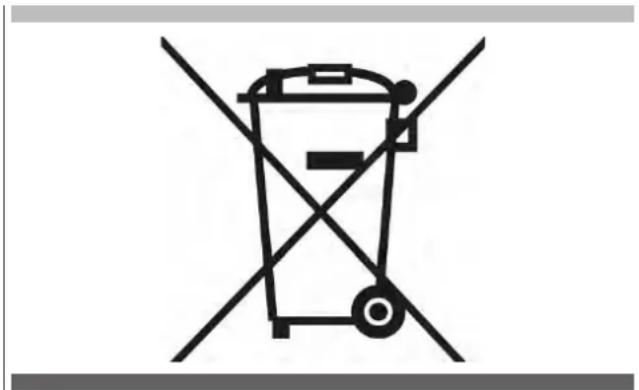
The appliance has been made with material that can be re-cycled. This appliance is marked in compliance with the 2002/96/EC European Directive, Waste Electrical and Electronic Equipment (WEEE). By making sure that this appliance is scrapped correctly, you contribute to preventing the potential negative consequences on the environment and health.
The symbol on the appliance or on the accompanying documentation indicates that as the product must be treated separately from domestic waste, at the end of its life span it must be taken to a collection site for electric and electronic appliances.
natural_image
Symbol of a trash bin crossed with two diagonal lines, representing waste sorting or restriction (no text present)On scrapping, cut the power supply cable and make the appliance unusable by removing the lid, in a way that children cannot close themselves inside the appliance.
Scrap the appliance following local Standards regarding disposal of waste and take it to appropriate collection points. Do not leave it unguarded even for just a few days as it is a source of danger to children.
For further information regarding treatment, recovery and re-cycling of this appliance, contact the
suitable local office, the waste recovery service or the dealer where the appliance was purchased.
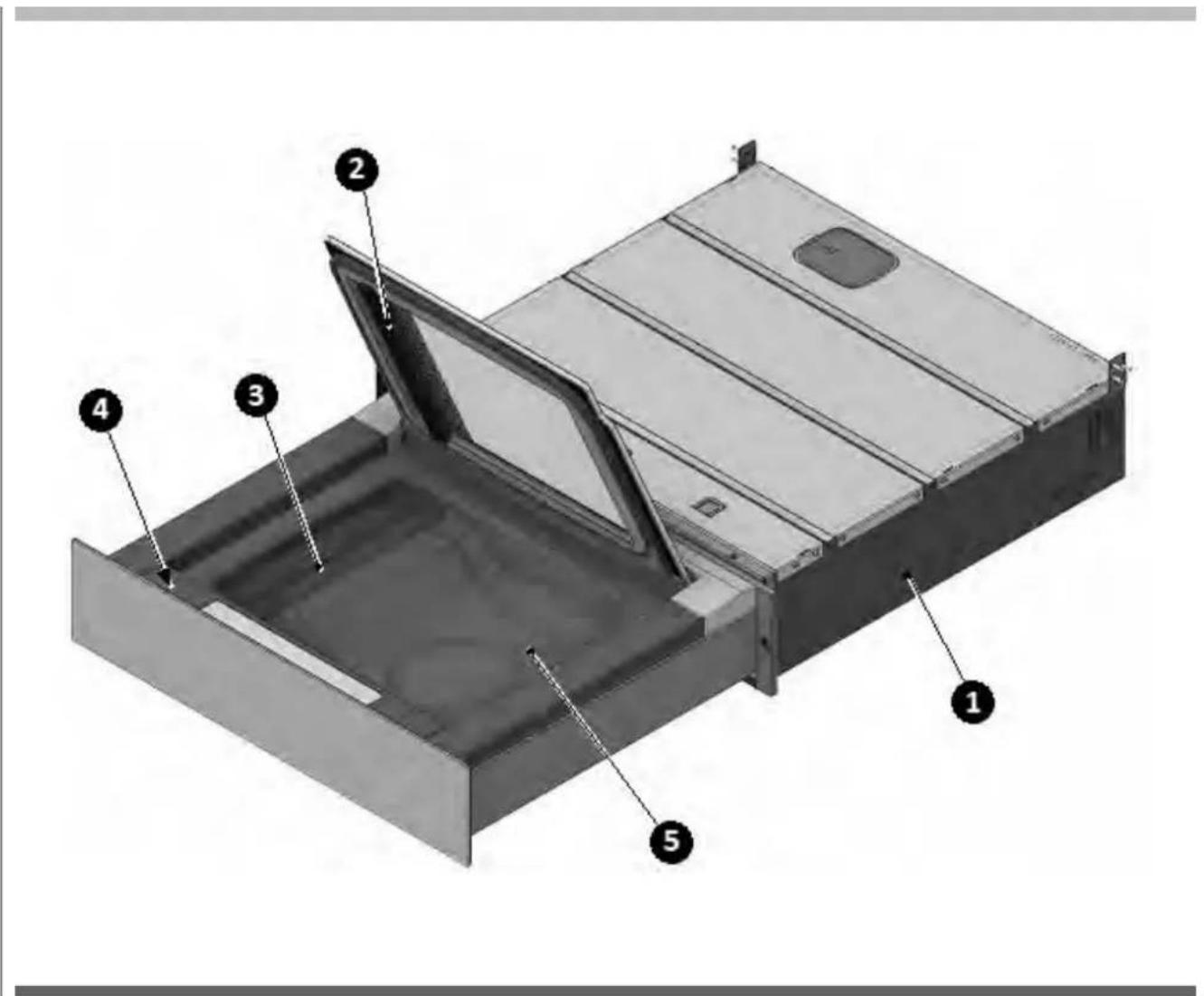
3 - Description of the packaging machine
EN
1) Recessed box
2) Lid
3) Sealing bar
4) Control panel
5) Vacuum chamber tray

flowchart
graph TD
    A["1"] --> B["2"]
    C["3"] --> D["4"]
    E["5"] --> F["6"]
    G["7"] --> H["8"]
    I["9"] --> J["10"]
    K["11"] --> L["12"]
    M["13"] --> N["13"]
    O["Start"] --> P["Stop"]
NR DESCRIPTION
| 1 | Bag vacuum level segments indicator |
| 2 | Key for the selection and setting of the bag vacuum level |
| 3 | Chef Sous Vide cycle indicator |
| 4 | Chef Sous Vide cycle selection key |
| 5 | Sealing intensity segment indicator |
| 6 | Bag sealing level selection key |
| 7 | Container vacuum level segments indicator |
| 8 | Key for the selection and setting of the container vacuum level |
| 9 | Alarm status indicator |
| 10 | Indicator of the need to start a drying cycle |
| 11 | Cycle started indicator |
| 12 | Cycle start/stop key |
| 13 | Packaging machine ON/OFF |
Preliminary cleaning of the vacuum chamber and the lid
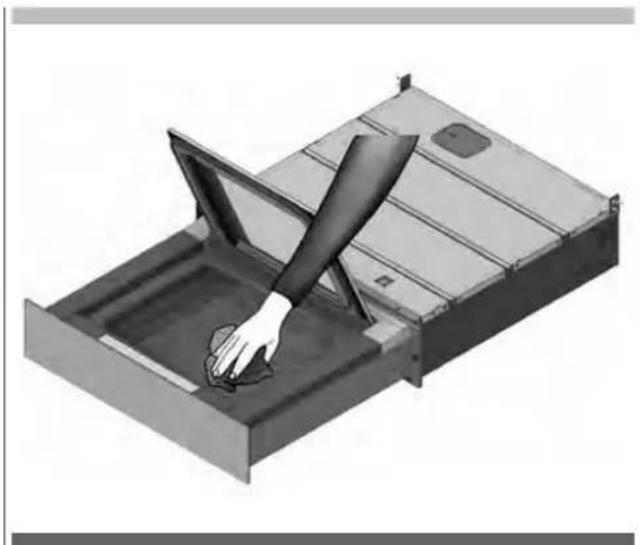
- Before using the machine, the vacuum chamber and lid must be cleaned using a damp cloth and drinking water.
- It is recommended not to use aggressive detergents, stainless steel scrubbers, scrapers or abrasive, acid or aggressive substances, which could damage the stainless steel surface inside the vacuum chamber irreparably.
natural_image
3D illustration of a hand cleaning a metal tray with a handle, no text or symbols present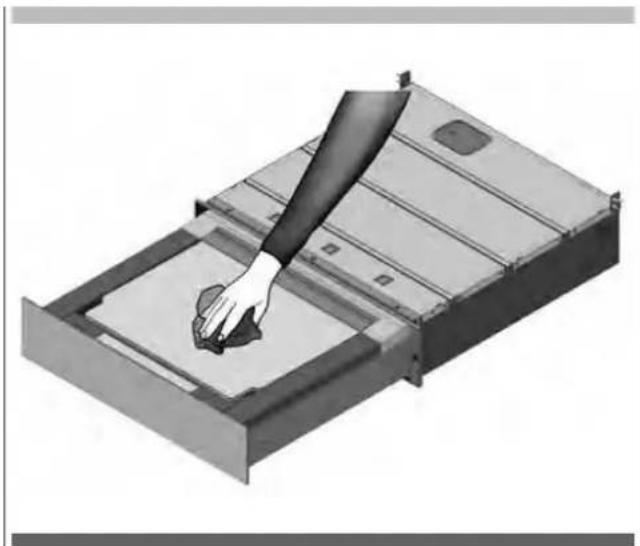
natural_image
3D illustration of a hand pressing down on a metal tray (no text or symbols visible)EN 6 - Creating vacuum in bags
Step 1
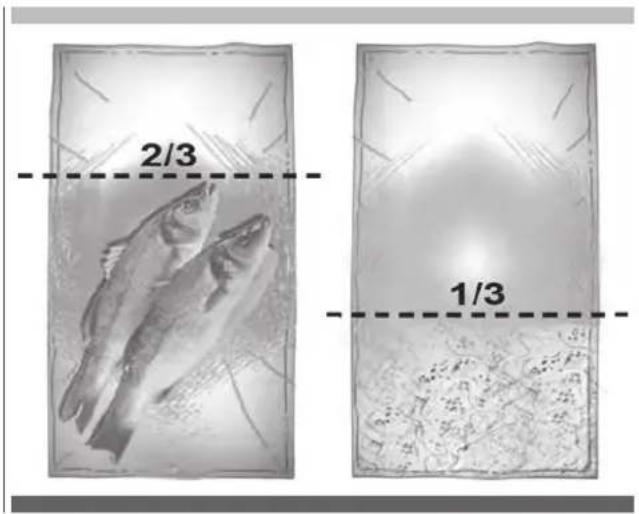
Choose the bag according to the use (preservation or cooking), suitable to the sizes of the product: a solid product must not occupy more than 2/3 of the actual volume of the bag; liquid products must not occupy more than the 1/3 of the volume of the bag.
Introduce sufficiently cold foods; products cooled to 3°C (refrigerator temperature) provide the best preservation results.
Step 2
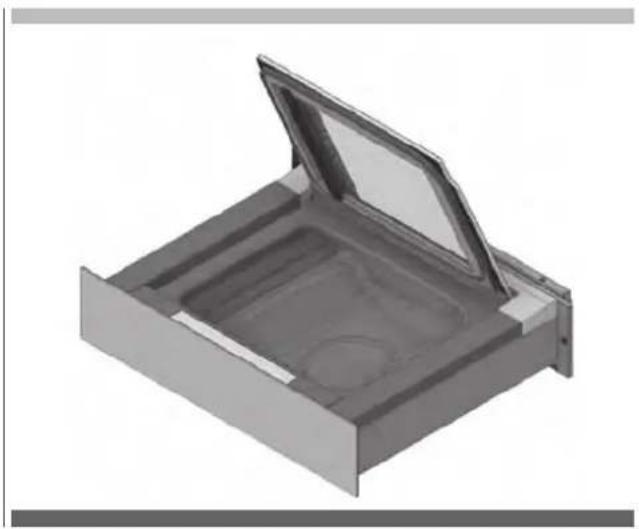
Open the lid and make sure the vacuum chamber and the product to be packaged are dry. Be careful not to let the inner part close to the opening of the bag become dirty or wet.
natural_image
3D rendering of a metal tray or container with an open lid and internal compartments (no text or symbols visible)Step 3
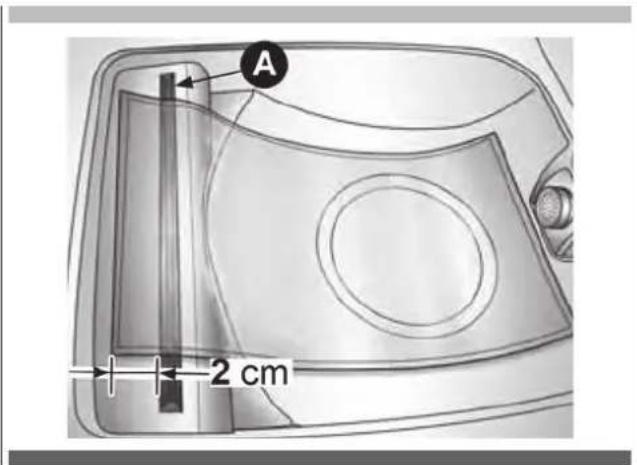
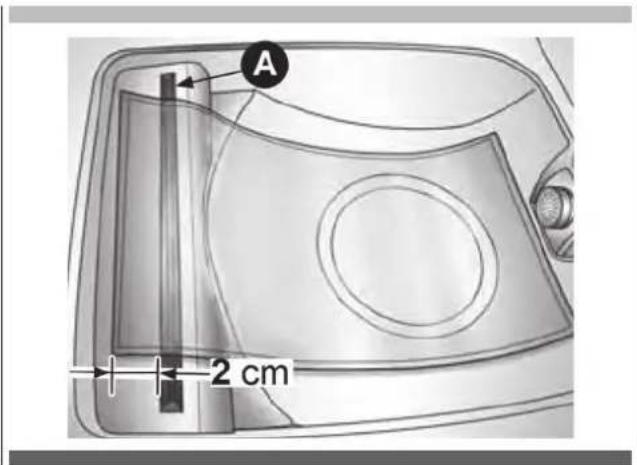
Position the bag, centred on the sealing bar (A) so that the open flap protrudes by approximately 2 cm with respect to the bar itself.
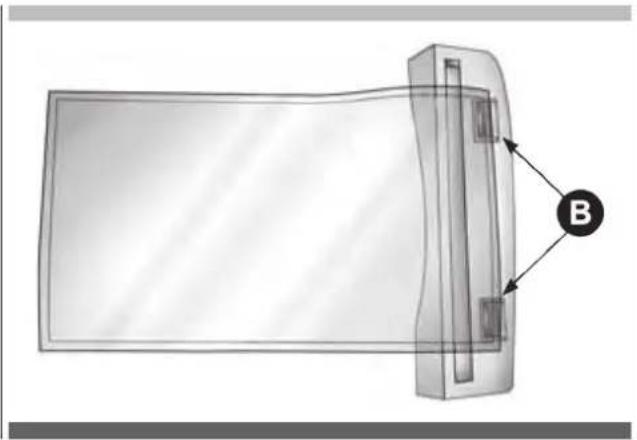
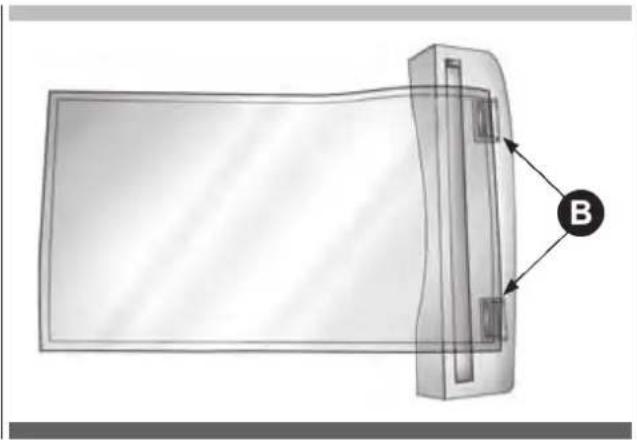
If the sealing bar is provided with Clips (B) stop the bag under the Clips.
natural_image
Diagram of a rectangular device with a labeled component 'B' pointing to its side (no text or symbols on the device itself)Step 4
Close the lid of the device.
Step 5
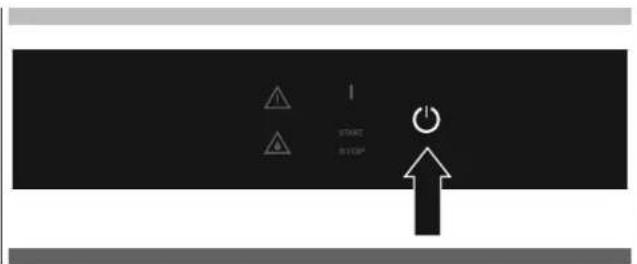
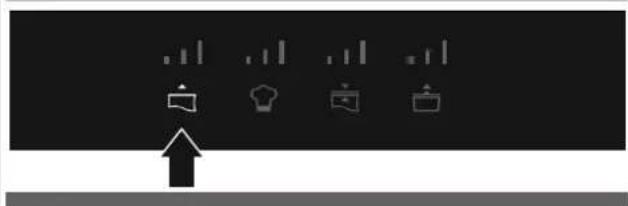
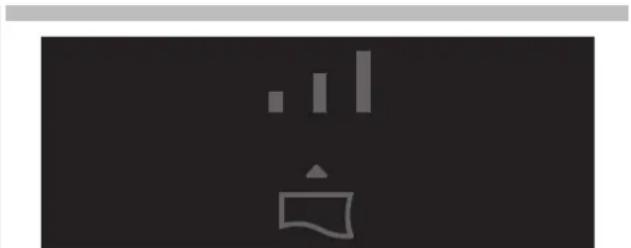
Press 2" 🔒 to switch on the packaging machine.
Step 6
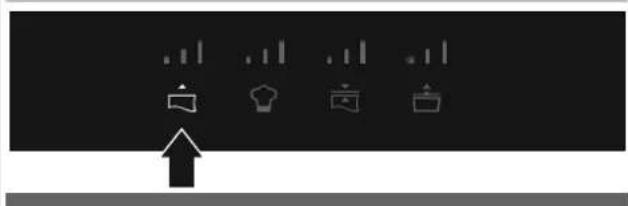
If the light 🔒, is not already on, press on the icon to select the programs for vacuum in bags.
natural_image
Pure graphical icons with no text or symbols, including a lightbulb, gear, window, and document icons, against a black background with a white upward arrow at the bottom.Step 7
Repeatedly press 🔒 to select the desired level of vacuum:
natural_image
Pure graphical icons showing four document icons above a rising arrow, no text or symbols present
natural_image
Abstract graphic with vertical bars and a speech bubble on dark background (no text or symbols)Sealing Only. No preservation effect
To be used to:
- Close bags.
- Pack delicate products.
- Repackage products such as chips, bread and biscuits.

natural_image
Simple icon set with a speech bubble and three vertical bars on dark background (no text or symbols)Minimum vacuum.
To be used for:
• The packaging of delicate products.
- products sensitive to pressure such as salads, strawberries and berries,
- products sensitive to loss of volume, such as mousse, whipped cream,
- fresh cheeses (brie, gorgonzola).

natural_image
Simple icon of a speech bubble with sound waves, no text or symbols presentMedium vacuum.
To be used for:
- The preservation of raw or cooked products sensitive to pressure as:
- fish fillets,
- chicken meat with bone,
- rabbit meat with bone,
- whole crustaceans (prawns with head),
- courgettes, tomatoes and aubergines,
- sauces or soups (meat sauce, minestrone soup, barley soup).

natural_image
Simple white icon of a megaphone with bar chart above it, no text or symbols presentMaximum vacuum.
To be used for:
• The preservation of non-delicate raw or cooked products:
- potatoes and carrots,
- meat
- the preservation of products with liquid - vegetables in oil
• the preservation of slices of cheese
• Products to be cooked
- meat
- fish
- vegetables
- meat or vegetarian saucesi
Step 8
Press 📋 to set the desired sealing level. The higher the level of sealing chosen, the longer the sealing time. For the preservation of food and for vacuum cooking, the use of level 2 or 3 is recommended.


natural_image
Abstract black-and-white graphic with a white stylized icon and two vertical bars above a central symbol (no text or symbols present)Level 1.
To be used for thin bags also not suitable for vacuum.

natural_image
Simple icon of a kitchen appliance with a chimney and menu, no text or symbols presentLevel 2.
To be used for bags normally commercially available for vacuum.

natural_image
Abstract black-and-white graphic with vertical bars and a stylized icon (no text or symbols)Level 3.
To be used for aluminium bags or for very thick bags for vacuum.
Step 9
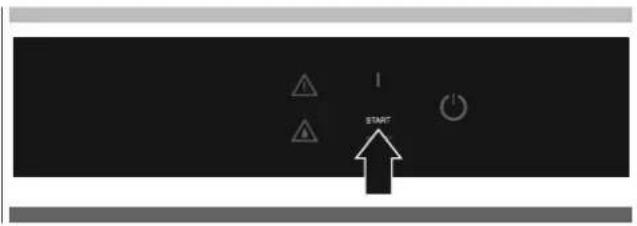
Press START to start the program.
Step 10
Press the lid lightly to start the vacuum.
Step 11
The cycle ends with sealing of the bag and the air re-entering the tray.
Step 12
Open the lid and remove the bag.
It is possible to interrupt the cycle at any time:
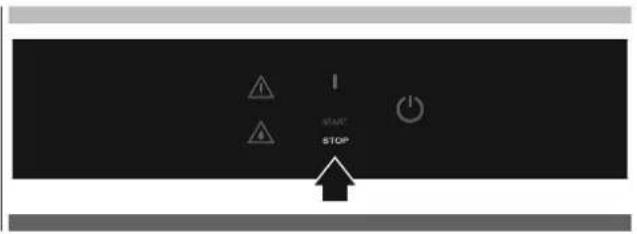
Press STOP. The air re-enters the tray.
Containers in tray
Step 1
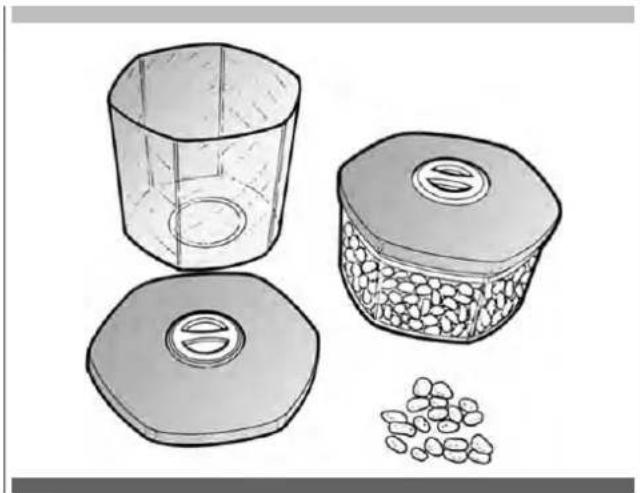
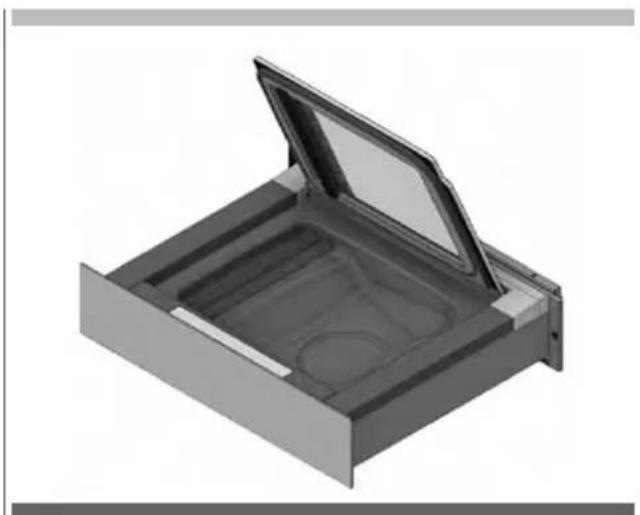
Choose a container suitable to the vacuum, that can enter the tray and that, once inserted, remains at approximately 1 cm from the closed lid of the packaging machine.
natural_image
Illustration of three containers: a hexagonal jar, a lid with granular contents, and scattered seeds (no text or symbols)Step 2
Insert the product into the container and close it. Introduce sufficiently cold foods; products cooled to 3°C (refrigerator temperature) provide the best preservation results.
Filling limits:
• Solid products: 100%
- Broths, infusions: 12
• Vegetarian and meat sauces: 1/3
• Creams, cream-based sauces: 1/4
- Products based on eggs or egg white: 1/6
Step 3
Open the lid and make sure the vacuum chamber and the product to be packaged are dry.
Be careful not to contaminate or wet the inner part.
natural_image
3D rendering of a mechanical component with an open lid and internal cavity (no text or symbols)Step 4
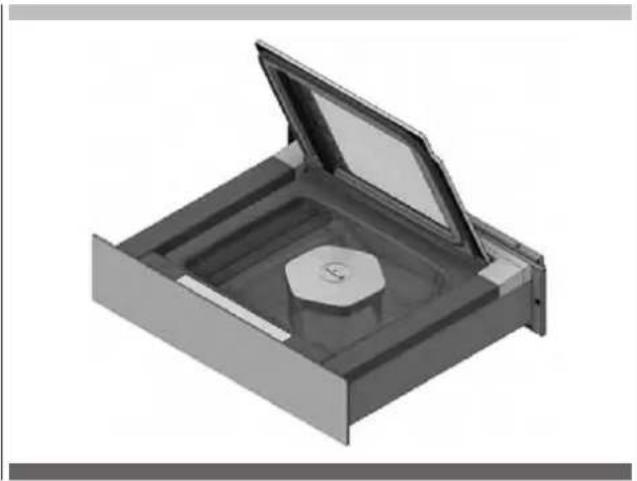
Insert the container into the packaging machine

IMPORTANT
Make sure there is a distance between the container and lid of at least 1 cm, otherwise do NOT change the container.
natural_image
3D rendering of a mechanical component with an open lid and central circular feature (no text or symbols)Step 5
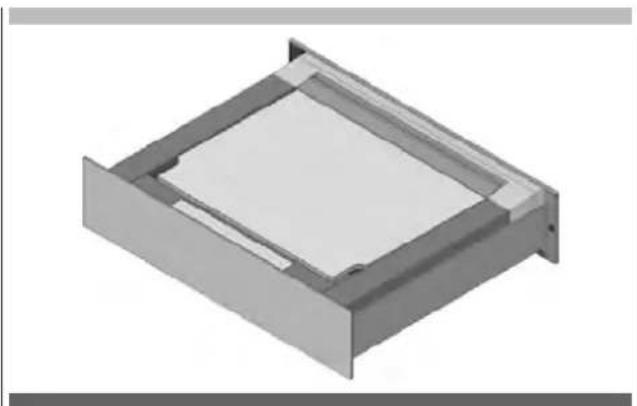
Close the lid of the device.
natural_image
3D rendering of a rectangular mechanical component with a central square recessed, showing internal structure (no text or symbols)Step 6
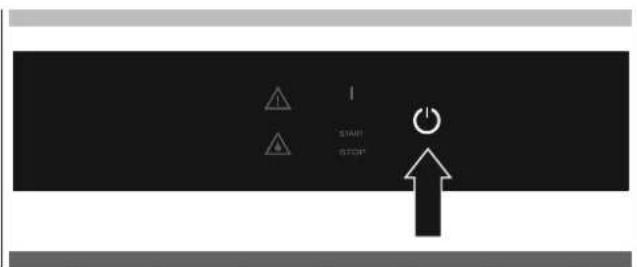
Press 2" 🔒 to switch on the packaging machine.
Step 7
Press 🔒, to select the container vacuum programs.
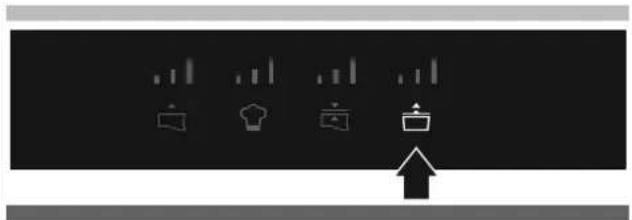
natural_image
Abstract graphic with four white icons (bell, shirt, bag, folder) above a black background with a rising arrow at the bottom (no text or symbols)Step 8
Press repeatedly o select the desired vacuum level:
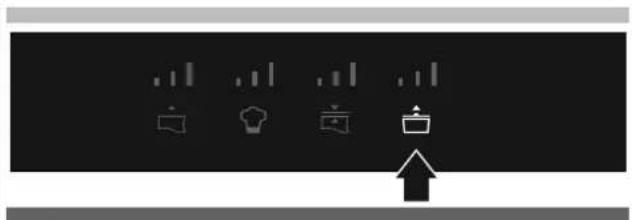
natural_image
Pure graphical icons showing four document icons and a pointing arrow on a black background (no text or symbols)
natural_image
Simple icon of a trash bin with two vertical bars above it, no text or symbols present.Level 1.
To be used for:
- jars with screw lid (twist-off), new or already packaged:
- jams and marmalades,
- meat sauces and preserves (tomato sauce, vegetables in oil, pickles),
- mousse, whipped cream.
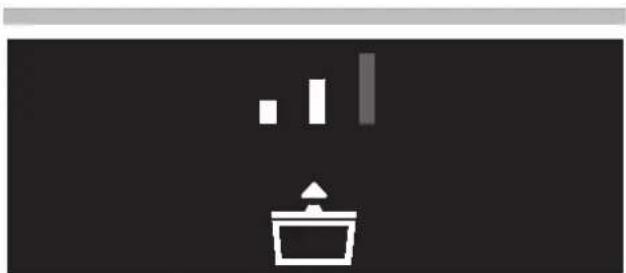
natural_image
Simple icon of a trash bin with three vertical bars above it, no text or symbols present.Level 2.
To be used for:
• Vasi professionali, vasi con coperchio a vite (Twist-off):
- jams and marmalades,
- meat sauces and preserves (tomato sauce, vegetables in oil, pickles),
- creams,
- vegetables.
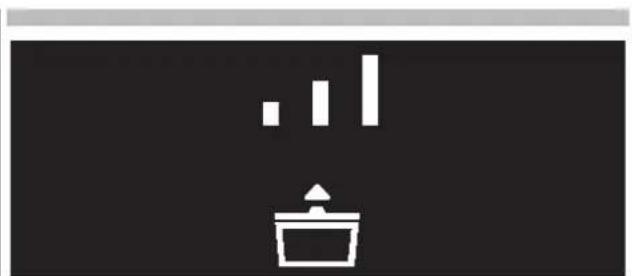
natural_image
Simple icon showing a bar chart above a container with an upward arrow, set against a black background (no text or symbols)Level 3.
To be used for:
• Professional jars:
- jams and marmalades,
- meat sauces and preserves (tomato sauce, vegetables in oil, pickles),
- vegetables,
- pot cooking,
- biscuits.
Step 9
Press START to start the program.
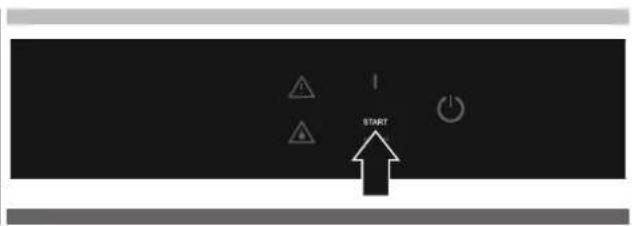
Step 10
Press the lid lightly to start the vacuum.
Step 11
The cycle ends with re-entry of the air into the tray.
Step 12
Open the lid and remove the container.
It is possible to interrupt the cycle at any time: Press STOP. The air re-enters the tray. The container remains with the internal vacuum created.
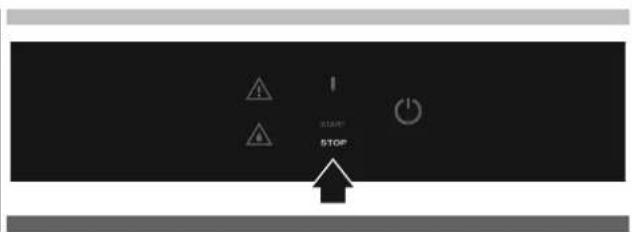
External containers
Step 1
Choose a container suitable for the vacuum.
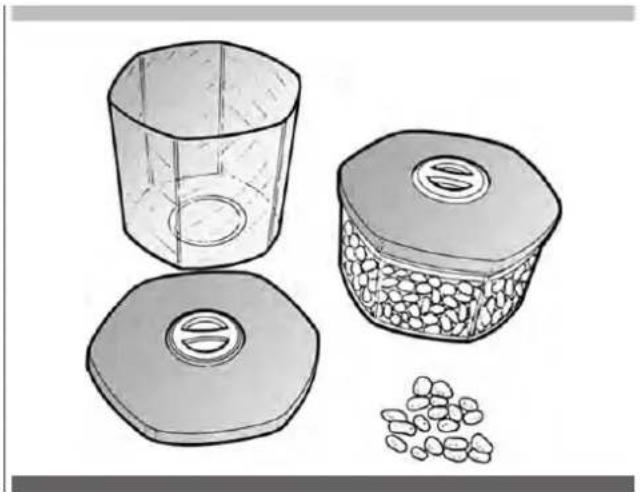
natural_image
Illustration of three containers: a hexagonal jar, a lid with granular contents, and scattered seeds (no text or symbols)Step 2
Insert the product into the container and close it.
Introduce sufficiently cold foods; products cooled to 3°C (refrigerator temperature) provide the best preservation results.
Filling limits:
- Solid products: 100%
- Broths, infusions: 12
• Vegetarian and meat sauces: 1/3
• Creams, cream-based sauces: 1/4 - Products based on eggs or egg white: 1/6
Step 3
Open the lid of the packaging machine
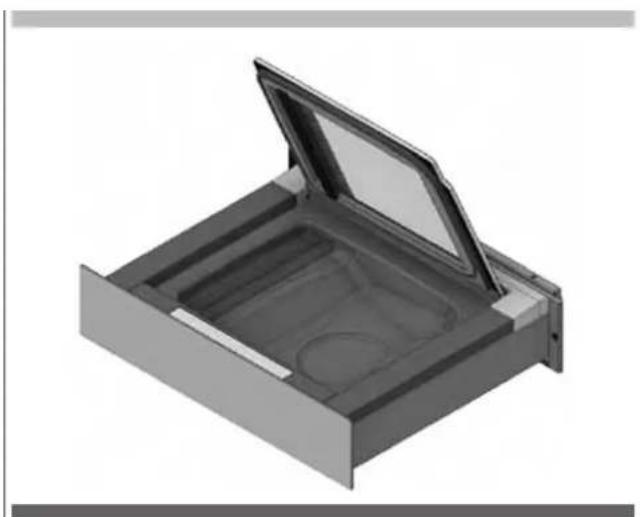
natural_image
3D rendering of a mechanical component with an open lid and internal compartments (no text or symbols)Step 4
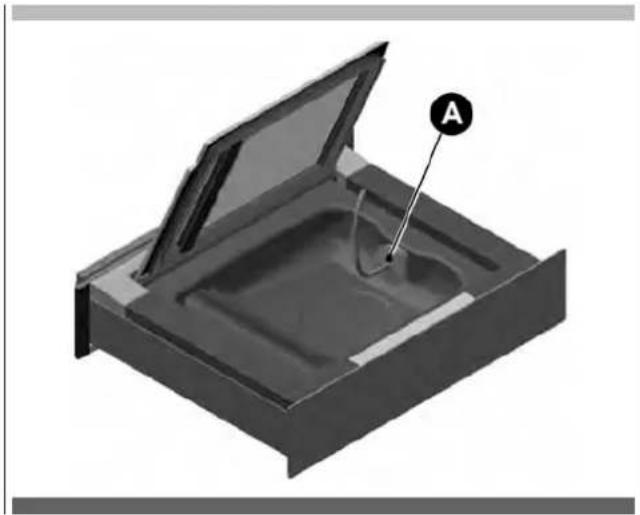
Attach the accessory (A) for external containers in the tray and on the lid of the container.
natural_image
3D diagram of a mechanical component with an open lid and labeled point A (no text or symbols beyond label)Step 5
Press 2" ⏻ to switch on the packaging machine.
Step 6
Press 🔒, to select the container vacuum programs.
natural_image
Pure graphical icons representing menu, chart, kitchen, storage, and home (no text or symbols)Step 7
Press repeatedly 🔒 to select the desired vacuum level:
natural_image
Pure graphical icons for window, lamp, folder, and document symbols without any text or labels
natural_image
Simple icon of a trash bin with three vertical bars above it, no text or symbols present.Level 1.
To be used for:
- jars with screw lid (twist-off), new or already packaged:
- jams and marmalades,
- meat sauces and preserves (tomato sauce, vegetables in oil, pickles),
- mousse, whipped cream.

natural_image
Simple icon of a trash bin with three vertical bars and an upward arrow, set against a dark background (no text or symbols)Level 2.
To be used for:
• Professional jars, jars with screw lid (twist-off):
- jams and marmalades,
- meat sauces and preserves (tomato sauce, vegetables in oil, pickles),
- creams,
- vegetables.

natural_image
Simple icon showing three vertical bars above a stylized container with an upward arrow (no text or symbols)Level 3.
To be used for:
• Professional jars:
- jams and marmalades,
- meat sauces and preserves (tomato sauce, vegetables in oil, pickles),
- vegetables,
- pot cooking,
- biscuits.
Step 8
Press START to start the program.
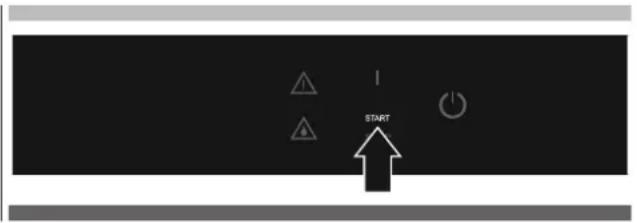
Step 9
Press the lid lightly to start the vacuum.
Step 10
At the end of the cycle remove the accessory from the tray.
Elt is possible to interrupt the cycle at any time:
Press STOP. The air re-enters the tray. The container remains with the internal vacuum created.
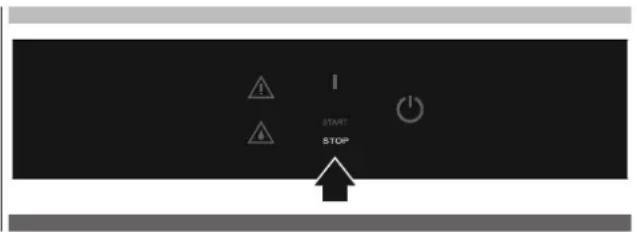
To be used for:
- Tomato sauce.
- Fruit juices and coulis
- Syrups and concentrates (of wine, of vinegar).
- Meat marinade.
- Fish marinade.
• Preparation of salted meat, thin slices of beef
• Preparation of vegetables in oil and pickles
Step 1
Choose the bag according to the use (preservation or cooking), suitable to the sizes of the product: a solid product must not occupy more than 2/3 of the actual volume of the bag; liquid products must not occupy more than the 1/3 of the volume of the bag.
Introduce sufficiently cold foods; products cooled to 3°C (refrigerator temperature) provide the best results.
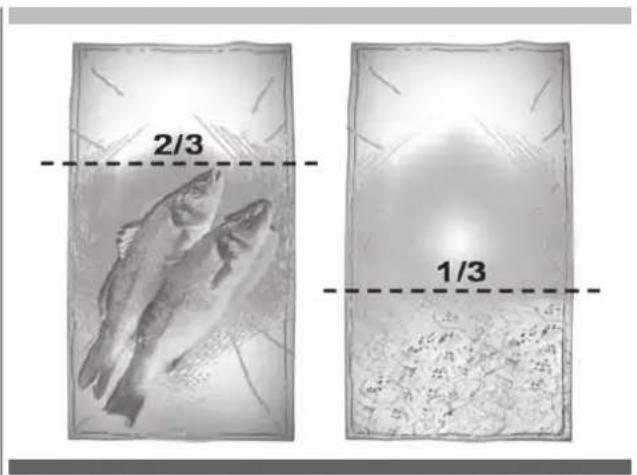
Step 2
Open the lid and make sure the vacuum chamber and the product to be packaged are dry.
Be careful not to le the inner part close to the opening of the bag come dirty or wet.
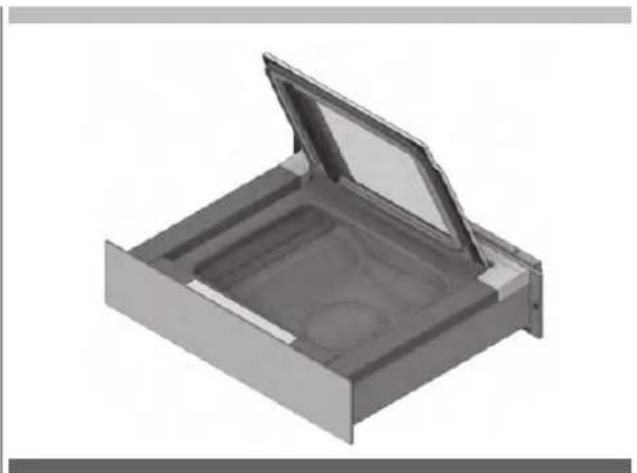
natural_image
3D rendering of a mechanical component with an open lid and internal cavity (no text or symbols)Step 3
Position the bag, centred on the sealing bar (A) so that the open flap protrudes by approximately 2 cm with respect to the bar itself.
If the sealing bar is provided with Clips (B) stop the bag under the Clips.
natural_image
Diagram of a rectangular device with a labeled component 'B' pointing to its side panel (no text or symbols beyond label)Step 4
Close the lid of the device.
Step 5
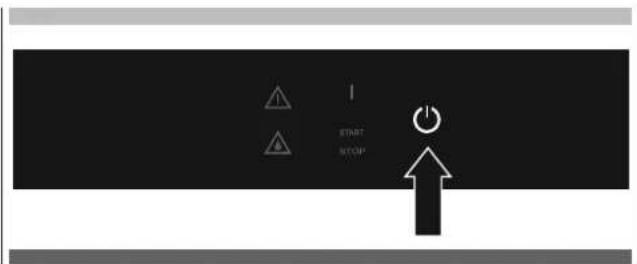
Press 2" ⏻ to switch on the packaging machine.
Step 6
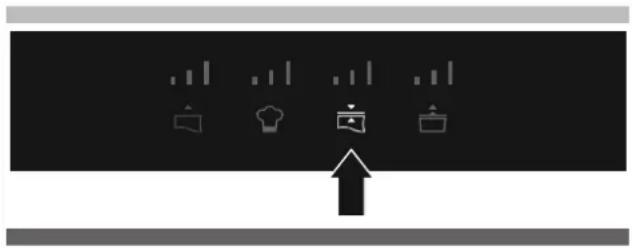
Press 📋 to set the desired sealing level. The higher the level of sealing chosen, the longer the sealing time. For the preservation of food and for vacuum cooking, the use of level 2 or 3 is recommended.
natural_image
Pure graphical icons showing four kitchen-related symbols with an upward arrow, no text or labels present.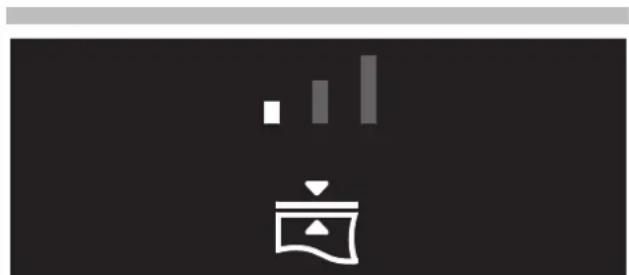
natural_image
Abstract black-and-white graphic with vertical bars and a stylized icon (no text or symbols)Level 1.
To be used for thin bags also not suitable for vacuum.
natural_image
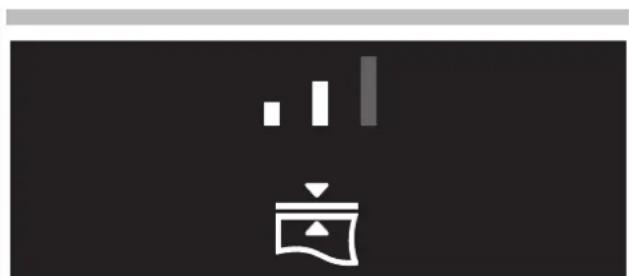
Abstract black-and-white graphic with vertical bars and a stylized icon (no text or symbols)Level 2.
To be used for bags normally commercially available for vacuum.
natural_image
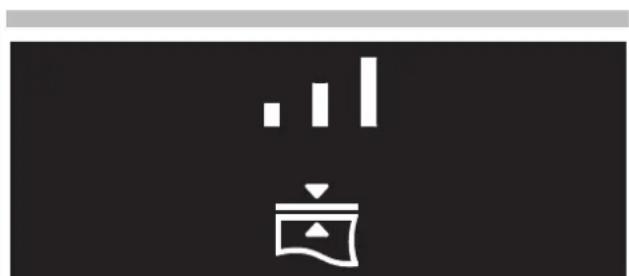
Abstract black-and-white graphic with vertical bars and a stylized icon (no text or symbols)Level 3.
To be used for aluminium bags or for very thick bags for vacuum.
Step 7
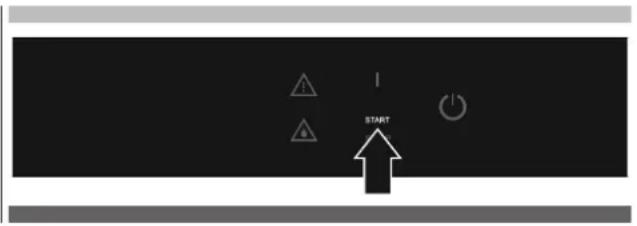
Press START to start the program.
Step 8
Press the lid lightly to start the vacuum.
Step 9
The cycle ends with sealing of the bag and the air re-entering the tray.
Step 10
Open the lid and remove the bag.
It is possible to interrupt the cycle at any time:
Press STOP. The air re-enters the tray.
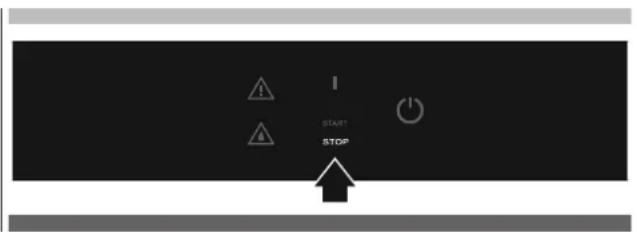
- Switch off the machine by pressing for 2".
- Clean and dry the packaging machine and the accessories used.
- When the tray is completely dry, close the lid.
- Close the drawer.
10 - Cleaning and maintenance
- For cleaning, do not use stainless steel sponges, scrapers, abrasive, acid or aggressive materials which could irreversibly damage the surfaces.
- Use a soft cloth and a mild detergent.
- Switch off the machine by pressing ⏻ for 2".
External cleaning
- For steel parts it is advisable to clean by following the direction of the satin finish.
- For the lid and the controls front, use a soft, clean and damp cloth.
Cleaning the tray
1) Wait until the sealing bar has cooled down
2) Remove the sealing bar by pulling it upwards
3) Avoid cleaning the intake opening with water. The water if aspirated could result in damage to the packaging machine.
4) Remove any dirt with a soft cloth moistened with warm water. If required, use a neutral disinfectant.
5) Dry with a soft cloth.
Cleaning the sealing bar
1) Wait until the sealing bar has cooled down.
2) Remove the sealing bar by pulling it upwards.
3) Clean with a soft cloth moistened with warm water.
4) Dry thoroughly before using the packaging machine.
External vacuum adapter cleaning
1) Use hot water and detergent for dishes.
2) Rinse thoroughly.
3) Dry with a clean cloth.
4) Reuse the adapter when it is completely dry.
EN 11 - Pump oil drying cycle
The heart of the machine is the vacuum pump.
Sometimes products are packaged at inappropriate temperatures, i.e. at much more than 3^ C, which can cause significant levels of humidity to be sucked in together with the air. Humidity in water vapour form accumulates inside the pump and turns into water once the pump has cooled. Especially during prolonged periods of inactivity, the water oxidises the internal surfaces of the pump and forms residues that can in some cases cause the rotor or blades to jam.
The vacuum drawer indicates:
a) When packaging products that are too liquid or warm via an indicator light coming ⚠.
b) When performance is affected due to the frequent packaging of too liquid or warm products to the point where a good vacuum level cannot be guaranteed. In this case, the indicator light ⚠️ comes on, at which point a dehumidifying cycle of the pump oil is required.
WARNING
If further dehumidifying cycles are indicated as being necessary, the machine enters an obligatory cooling cycle for one hour.
Follow the following simple instructions carefully in order to prolong the machine's life and guarantee optimum packaging cycles every time.
1) Always package products when they are cold, if possible between 3-4°C. The warmer the product is, the shorter its conservation life (due to bacteria formation) and the greater the condensation levels inside the pump.
2) Carefully follow indications on liquid product levels when packaged in bags or containers.
The warnings and their meanings are detailed in the "Troubleshooting" chapter below.
12 - Drying cycle
- The packaging machine prompts the need to start a DRYING CYCLE when the signal comes on ⚠️.
- Remove from the tray any object and residual liquid.
- Press START.
- Wait until the end of the cycle. The duration is approximately 20'. In the case of early interruption, the cycle will be repeated.
Most of the problems that occur during daily use of the packaging machine can be eliminated personally. The following table serves as a support.
Request the intervention of Technical Assistance if it is not possible to solve the problem personally.
| Problem Cause Solution | ||
| The packaging machine does not come out of the drawer. | • Guides “push to open” system jammed.• Coiled power cable jammed. | • Contact the installer.• Contact the installer. |
| The packaging machine does not switch on | • The packaging machine is not powered.• The power plug is not inserted in the socket. | • Check that there is power to the socket used.• Insert the plug of the power supply into the socket. |
| The packaging machine is off. • No electrical power.• Electronic fault. | • Disconnect the electrical power supply.• Contact the technical support service. | |
| The keys do not react to the commands. | • The surface of the control panel is dirty or wet. | • Clean and dry the surface of the control panel. |
| The lid doesn’t open. • A cycle is running.• There is no indicator light illuminated on the panel | • It is normal that during the operating cycles the lid remains closed. Wait for the end of the cycle or press STOP to interrupt the cycle and emptythe tray.• During the cycle there is no electrical power. NEVER ATTEMPT TO OPEN THE LID. Restore the power supply and wait for decompression of the tray. | |
| Too much air remains in the sealed bag. | • The bag is not suitable to the dimensions of the product to be packaged.• The level of vacuum chosen is too low.• The product is liquid. | • Use a bag of suitable size.• Repeat the cycle with a higher level of vacuum.• It is normal that with a liquid product, some air bubbles remain inside. |
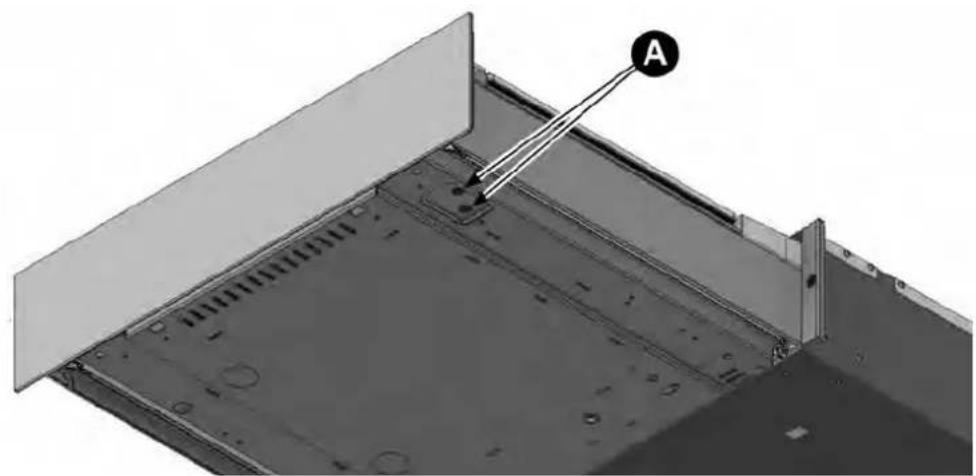
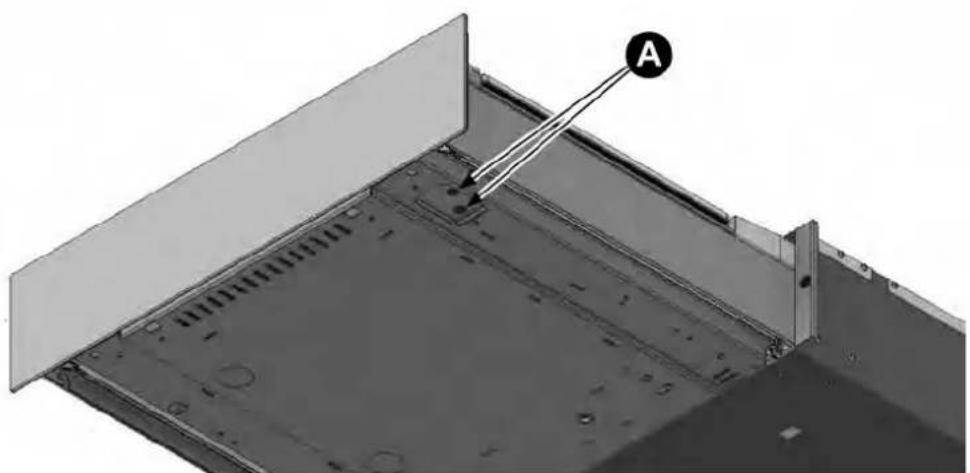
| The sealing bar is raised but sealing is not performed. | • The protection device of the sealing bar is activated.• The sealing bar is broken. | • In the bottom right of the packaging machine there are 2 buttons (A) that restore the internal protections. Press the keys to restore the protections. If the fault recurs contact the Technical Support service.• Contact the Technical Support service. |
| Sealing is not optimal • The level of sealing set is not correct for the type of bag being used. • Many consecutive cycles were performed with sealing. • The bag is larger than the sealing bar. • The edge of the bag was not positioned correctly. • The edge of the bag is dirty. • The counter-pressure rubber and the sealing bar are dirty. • The counter-pressure rubber and the sealing bar are damaged. | • Repeat the cycle by adjusting the sealing level. • Wait at least 2 minutes between one cycle and another to allow the sealing bar to cool. • Use a suitable bag. • Position the edge of the bag centrally and so that it protrudes approximately 2 cm from the sealing bar. • Avoid the edge forming creases close to the sealing bar. • When the product is inserted, turn the edge of the bag over so that the outer part remains clean. • Clean the sealing bar and the counter-pressure rubber. • Contact the Technical Support service. | |
natural_image
Technical diagram of a mechanical assembly with labeled component A, showing internal components and mounting brackets (no text or symbols beyond label)| Problem Cause Solution | ||
| Flashes ▲ | • The pump has absorbed humidity and impurities. | • Start the DRYING CYCLE.• Take more care to cool products to 3°C and/or respect the liquid part quantities inserted into the bag or container. |
| At the end of a CHEF cycle, the symbol ⚠ remains on. | The product inserted is too hot or with a quantity of liquid above the indicated amount. | Cool the product to 3°C and/or reduce the liquid part. |
| At the end of a MAx bag cycle, the machine does not seal the bag and the symbol ⚠ flashes. | ||
| At the end of a MED bag cycle, the symbol ⚠ flashes. | ||
| At the end of a MAx container cycle, the symbol ⚠ flashes. | ||
| During a cycle ⚠ comes on, accompanied by an audible signal. | The vacuum is not activated. The lid has not been closed.The vacuum is not activated. There is dirt on the seal of the lid.The vacuum is not activated. The lid seal is broken.The pump won't start. The pump protection has been activated. | When the cycle has been started, gently press the lid to activate the vacuum.Clean the tray and the seal.Contact the Technical Support service for replacement.In the bottom right of the packaging machine, there are 2 buttons (A) that restore the internal protections. Press the keys to restore the protections. If the fault recurs contact the Technical Support service. |
| During a cycle with external container ⚠ comes on accompanied by an acoustic signal. | The lid of the external container is not positioned correctly.The external suction device was not properly connected. | Correctly position the lid of the external container.Correctly connect the external suction device to the packaging machine and to the container. |
| The cycle completes, the symbol ⚠ flashes along with an acoustic warning. | Vacuum sensor fault | Contact the Technical Support service. |
| It comes on ⚠ and flashes ⚡ | Many consecutive cycles were performed and the oil in the pump has overheated. | Cool the packaging machine for at least 1 hour. |
natural_image
Technical diagram of a structural panel with labeled component A, showing internal components and mounting holes (no text or symbols beyond label)Safety instructions
This manual is an integral part of the product and supplies all indications necessary for correct installation and maintenance of the machine.

ATTENTION
It is mandatory for the user and installer to read this manual carefully and always make reference to it. Moreover, it must be kept in place that is known and accessible to the authorised operators (installer, user, maintenance technician).
The appliance is only intended for the use for which it was designed, i.e. for vacuum packing foodstuffs.
All other use must be considered improper and potentially dangerous.
The manufacturer declines any liability and all warranty obligations, whenever damage/injury occurs to persons, the appliance and objects that can be blamed on:
- Incorrect installation and/or that is not in compliance with the laws in force.
- Modifications or interventions that are not specific for the model.
- Use of non-original spare parts or that are not specific for the model.
- Failure to comply, even partial, with the instructions in this manual.
- Failure to comply with Accident-prevention Standards and the Laws in force during installation.
Foreword

ATTENTION
Installation must be carried out exclusively by authorised and specialised staff, respecting the instructions and the prescriptions in this manual.
- Before installing the appliance, make sure that any pre-existing electric plants are in compliance with the Law and suitable for the plate data of the appliance to be installed (V, kW, Hz, N° of phases and power available).
- The installer must also check any prescriptions on the subject of fire-prevention.
- The Manufacturer declares compliance with the European Standards in force.
- Always work with the packaging machine disconnected from the mains.
- Do not pull the power cable to disconnect the packaging machine.

ATTENTION
Handling of the machine must be performed using protective gloves and always by two persons.
ll the components of the packaging must be disposed of according to the regulations in force in the country where the equipment is being used. In any case nothing must be disposed of into the environment.
The components of the packaging may be potentially dangerous for children and pets. Make sure they cannot play with them.
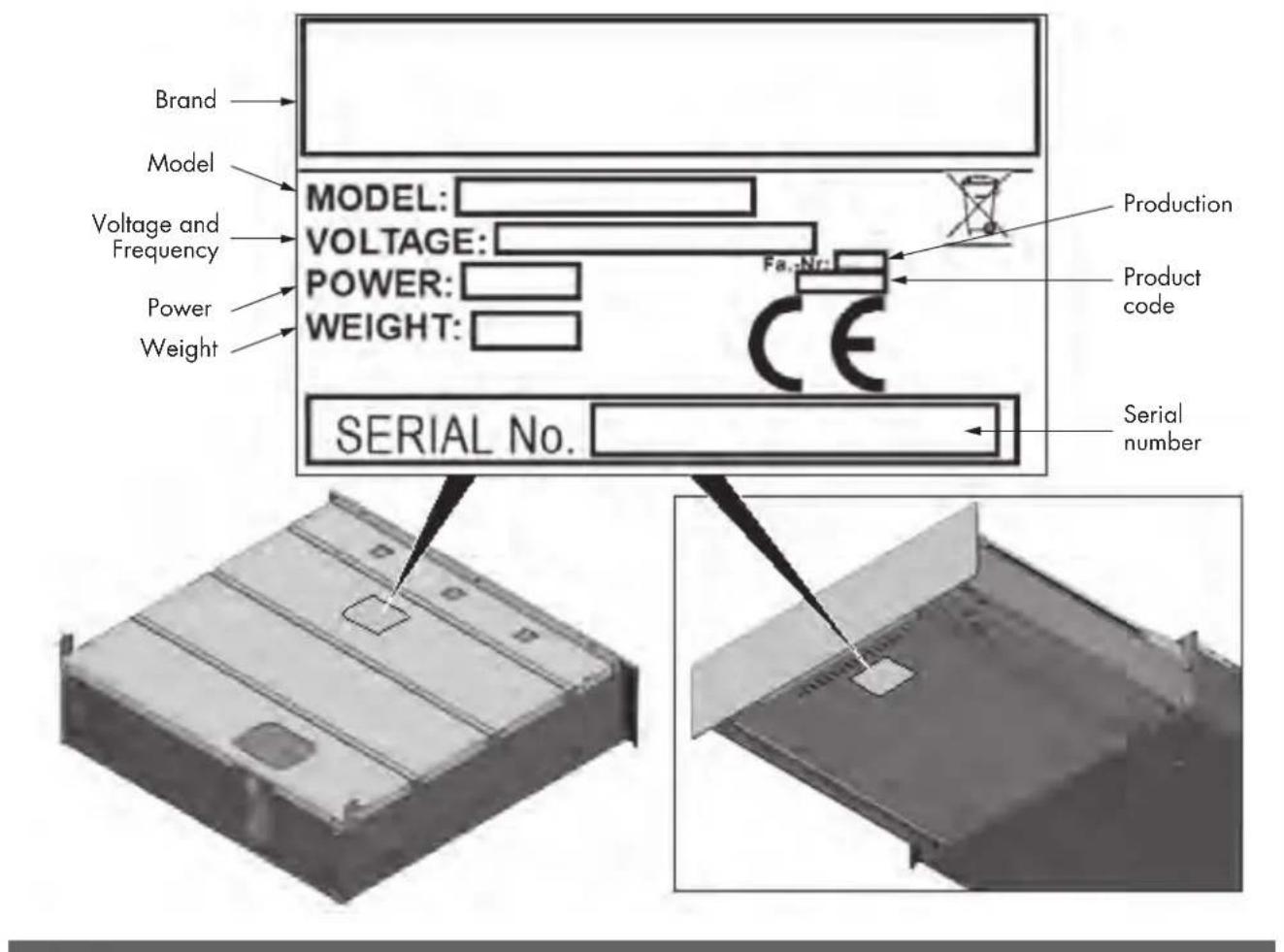
Plate data
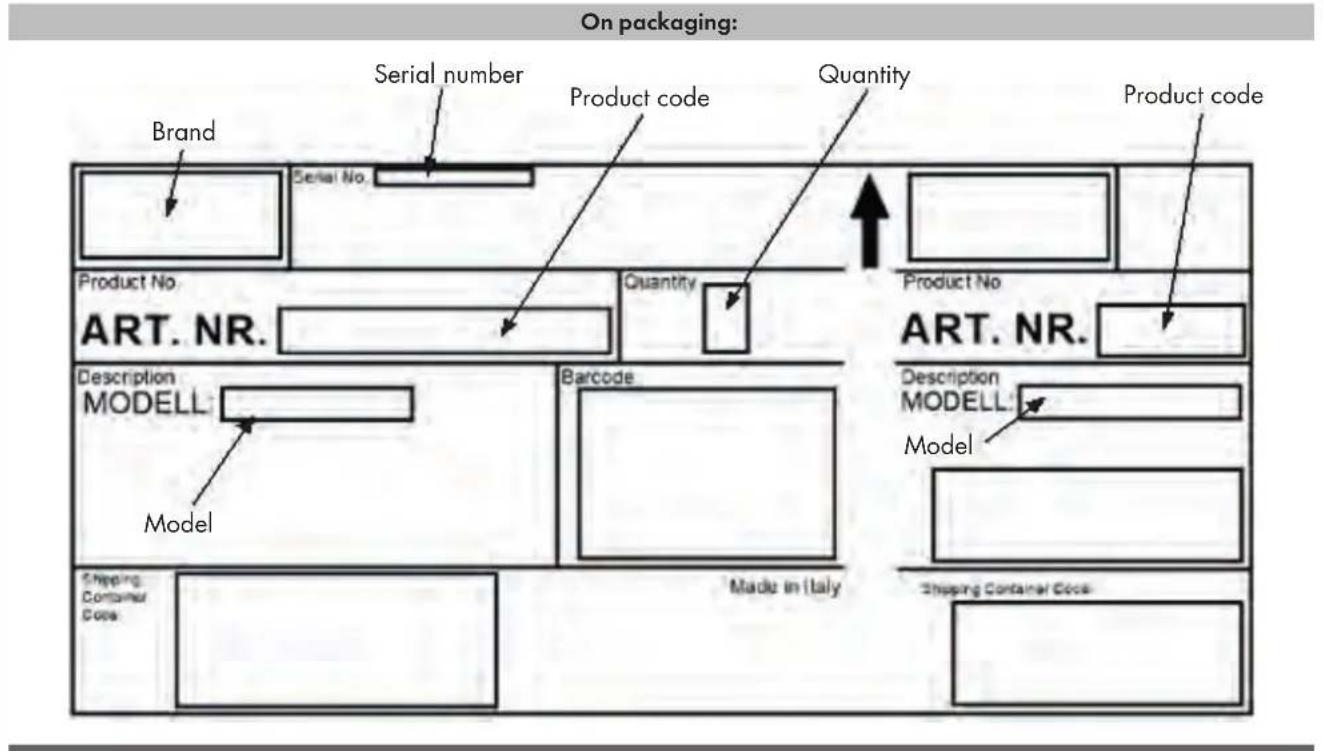
On the packaging machine: mounted on the recessed box and under the front of the packaging machine.
Packing list
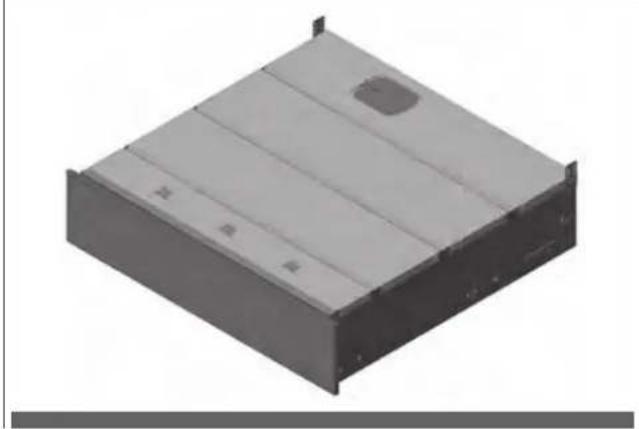
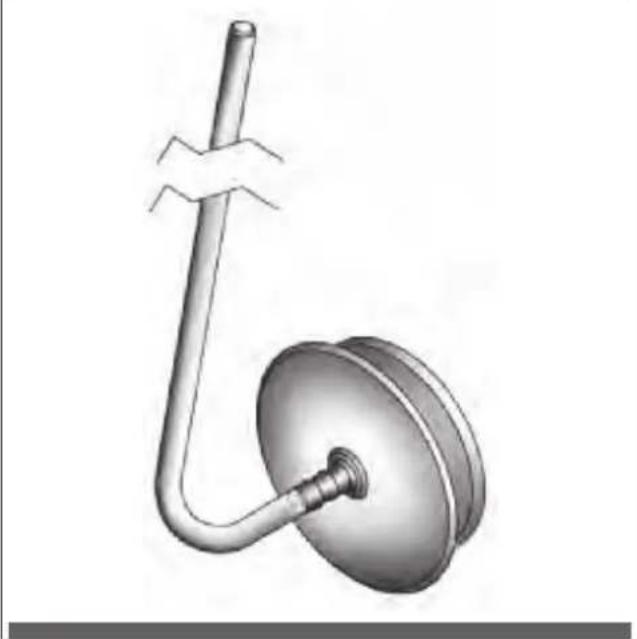
• No. 1 packaging machine (Fig. 1).
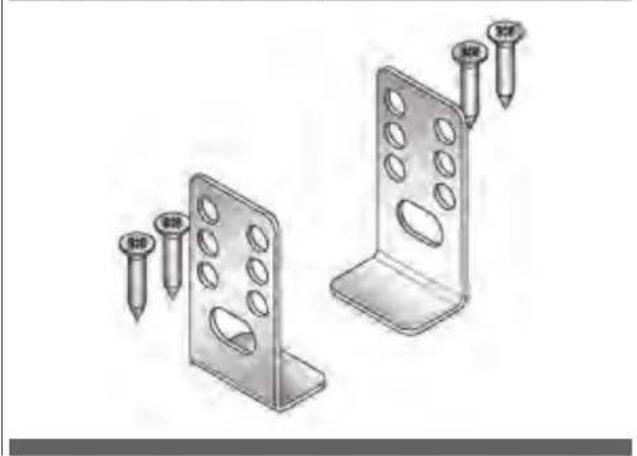
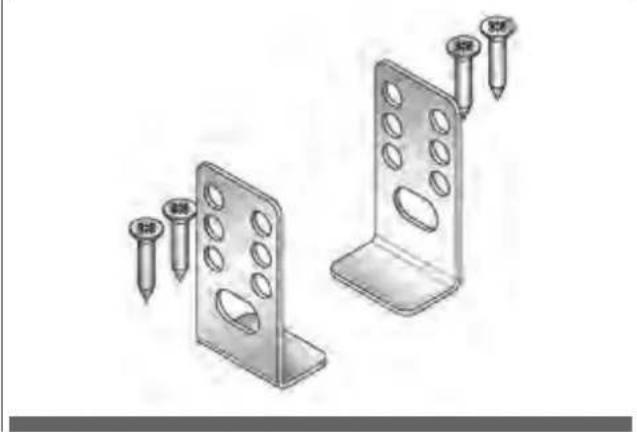
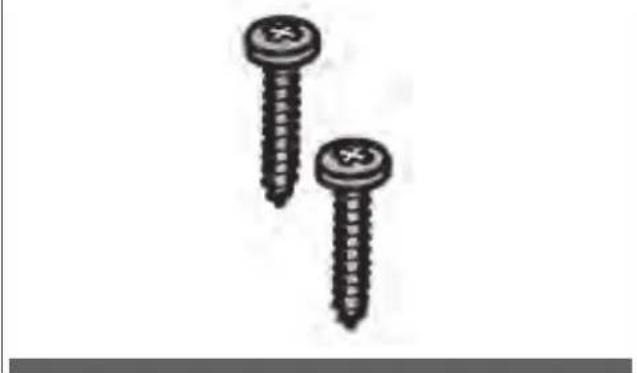
- No. 2 rear mounting brackets + no. 4 chipboard screws 4.5 × 16 ~mm (Fig. 2).
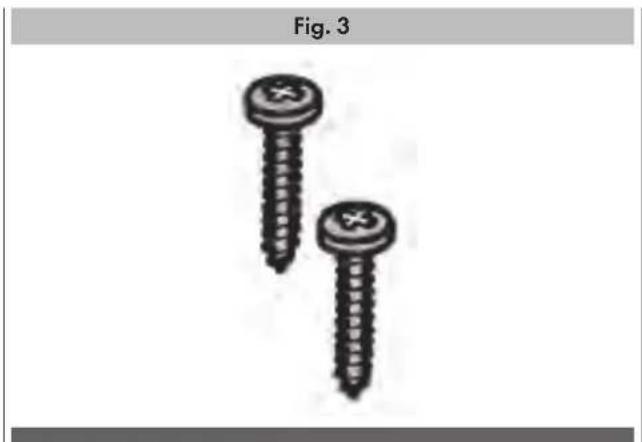
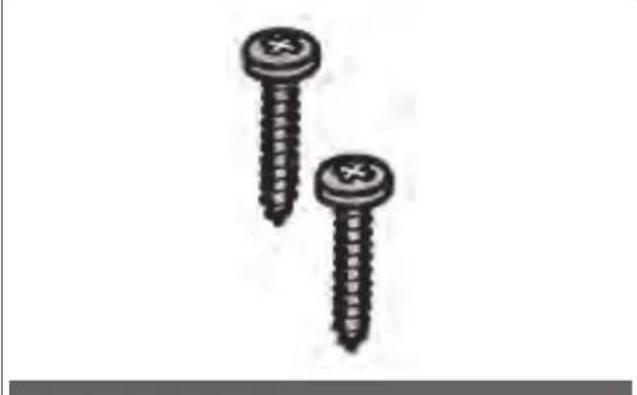
- No. 2 chipboard screws 4.5 × 16 ~mm for front mounting of the packaging machine to the unit (Fig. 3).
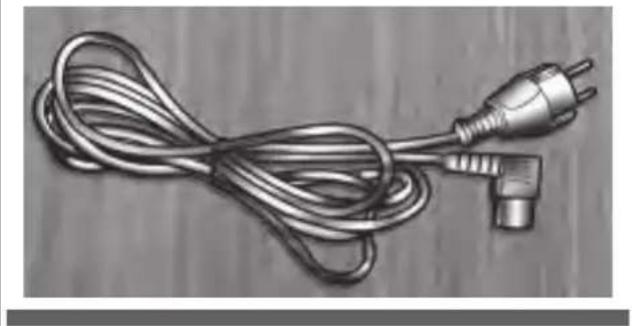
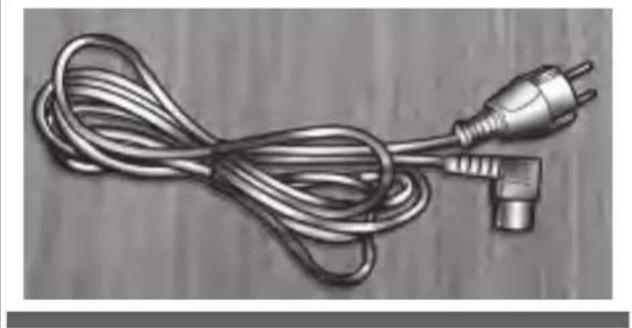
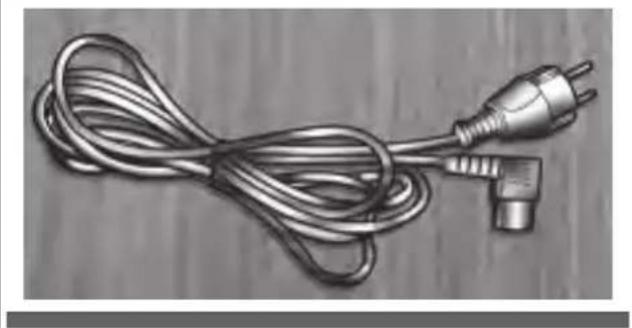
• No. 1 power cable (Fig. 4).
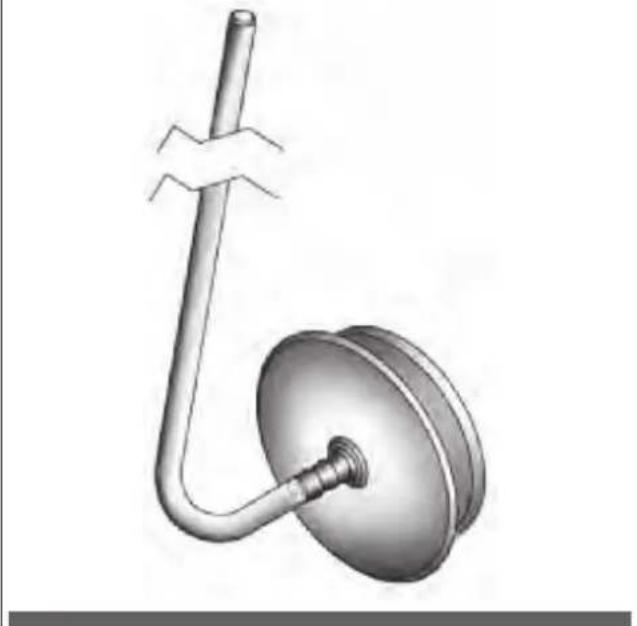
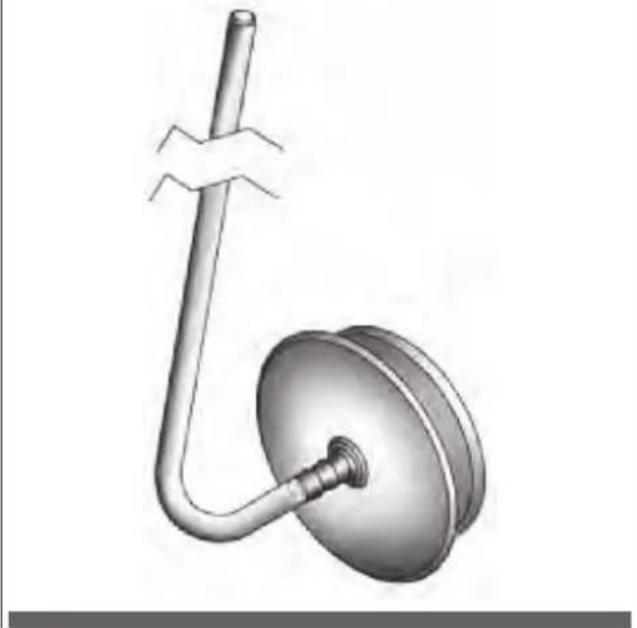
- No. 1 accessory for the external containers with adapter (Fig. 5).
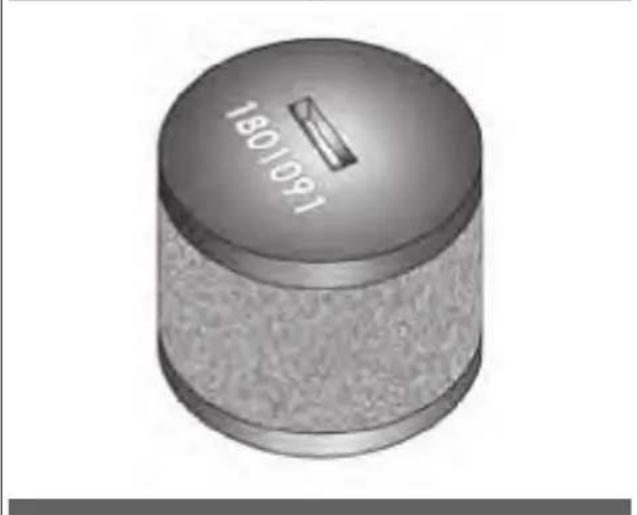
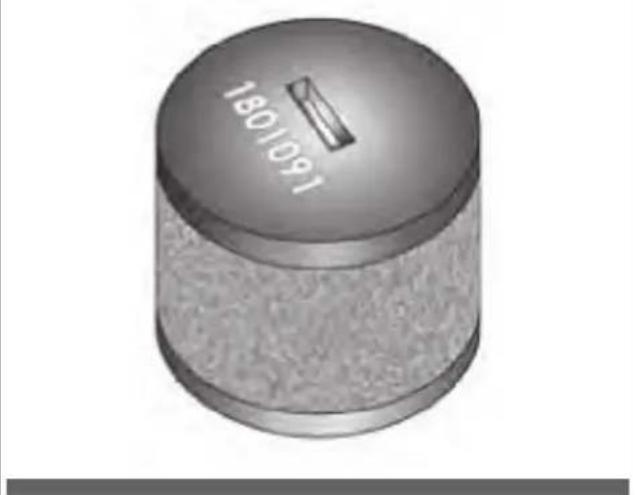
• No. 1 oil pump filter (Fig. 6).
Fig. 1
natural_image
3D rendering of a rectangular metal enclosure or housing component with internal ribs and mounting holes (no text or symbols visible)Fig. 4
natural_image
Coiled metallic electrical plug with terminal connector, resting on wooden surface (no text or symbols)Fig. 5
natural_image
3D illustration of a mechanical device with a curved pipe and flanged base (no text or symbols)Fig. 2
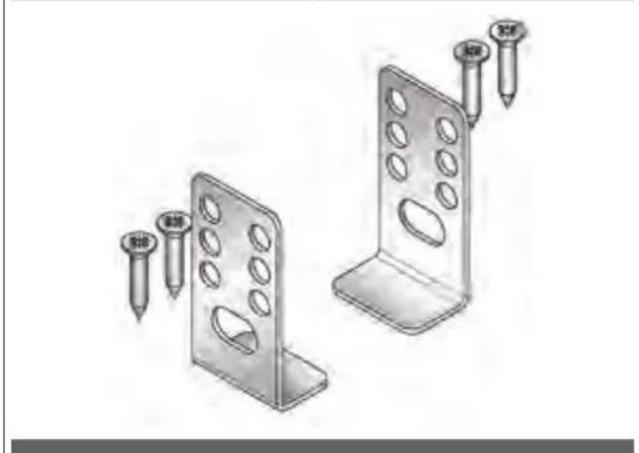
natural_image
Illustration of two metal bracket components with screw fasteners inserted (no text or symbols)Fig. 6
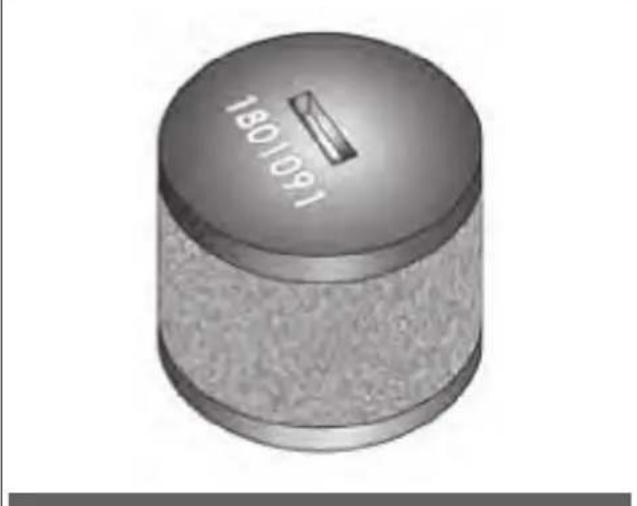
Fig. 3
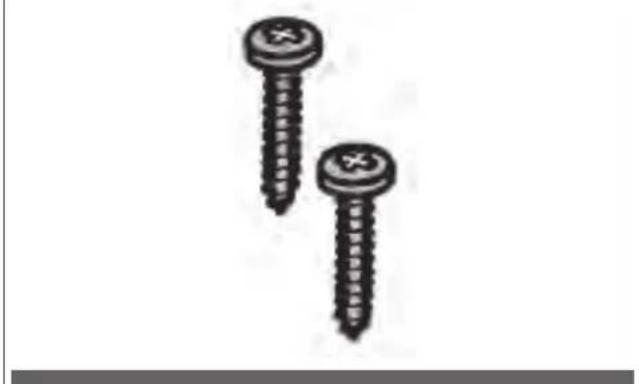
natural_image
Two screws with cross markings, shown in grayscale (no text or symbols)Built-in measurements
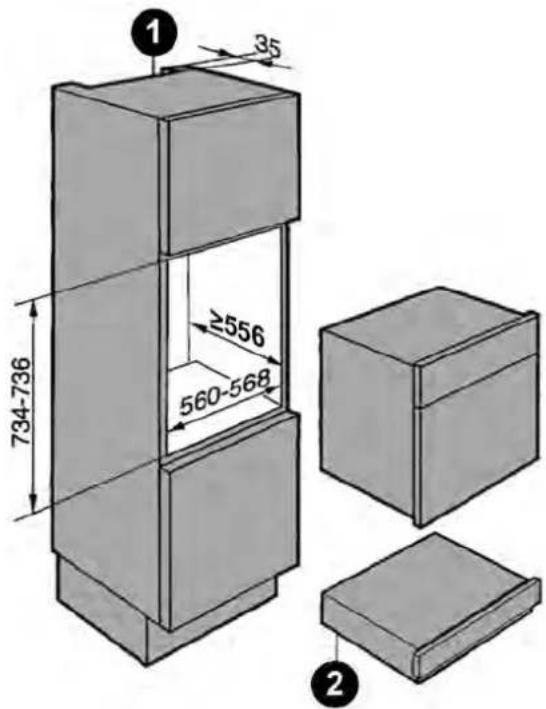
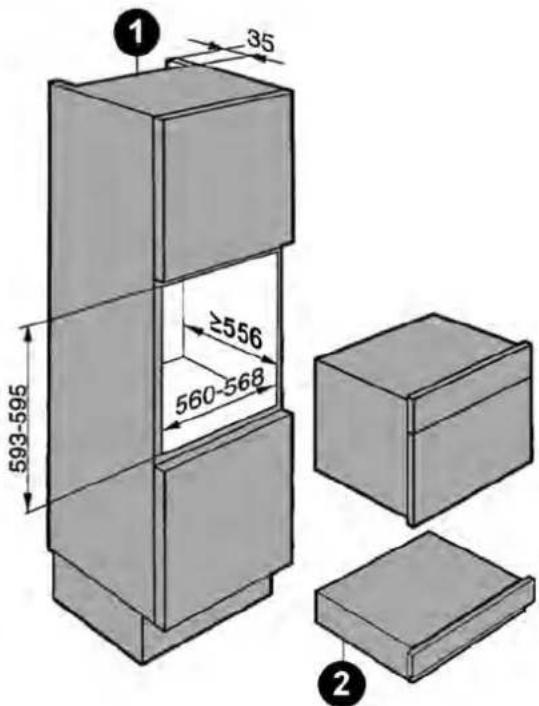
Under work top assembly Column-integrated Recess height 150 mm
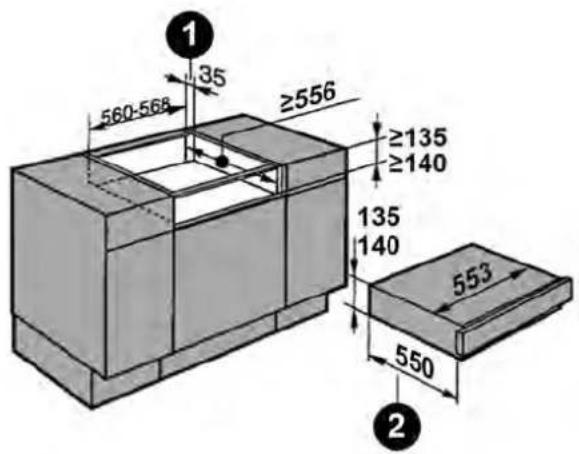
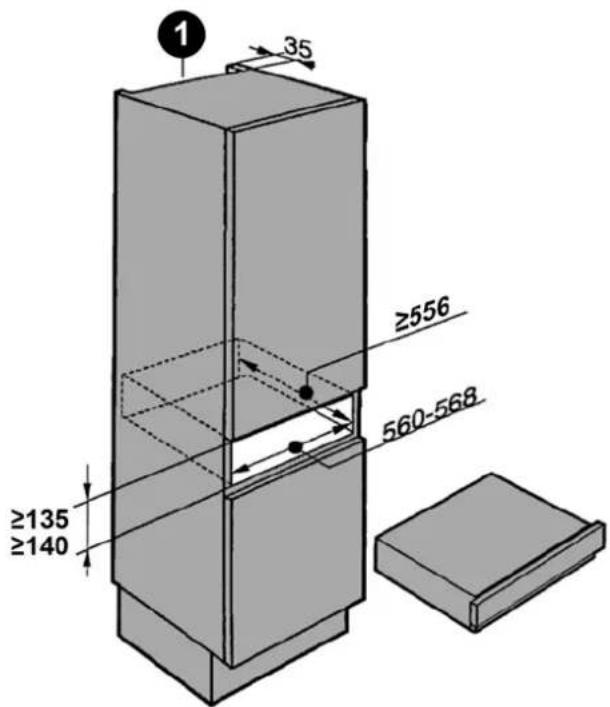
Column-integrated Recess height 750 mm Column-integrated Recess height 600 mm
1
Ventilation opening
2
Recessed measurement including plug for the electrical power supply. Electrical power cord, L = 2000 mm
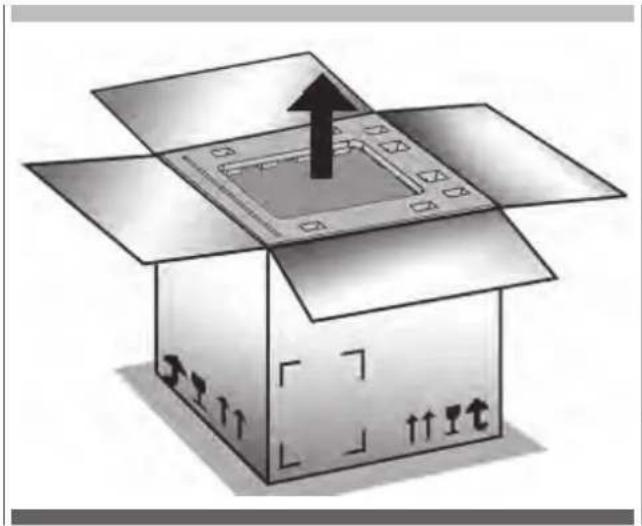
Unpacking
- Open the packaging.
- Extract the filler volumes.
- Remove the packaging machine.
- Remove the accessories.
- Check the integrity of the accessories and of the packaging machine. In the case of missing or damaged parts, suspend assembly and contact the dealer.
natural_image
Illustration of an open cardboard box with a central tray and upward arrow, no text or symbols present.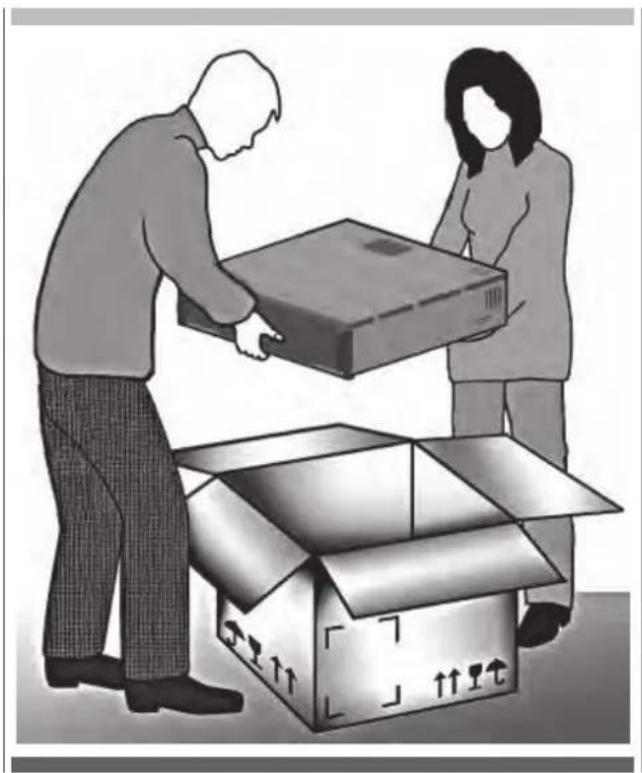
natural_image
Illustration of two people loading a cardboard box into an open box (no text or symbols)Assembly and installation
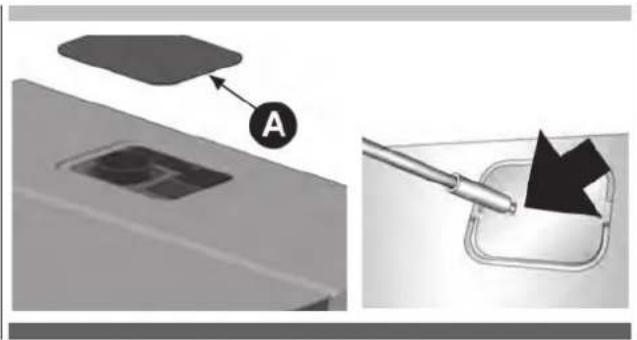
Step 1
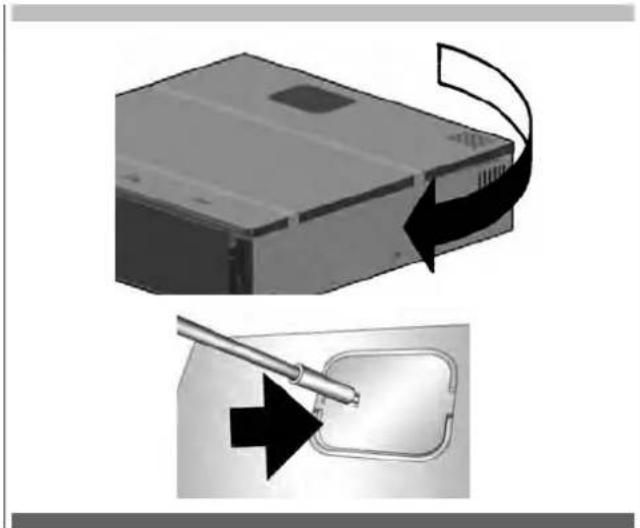
Remove the upper lid (A).
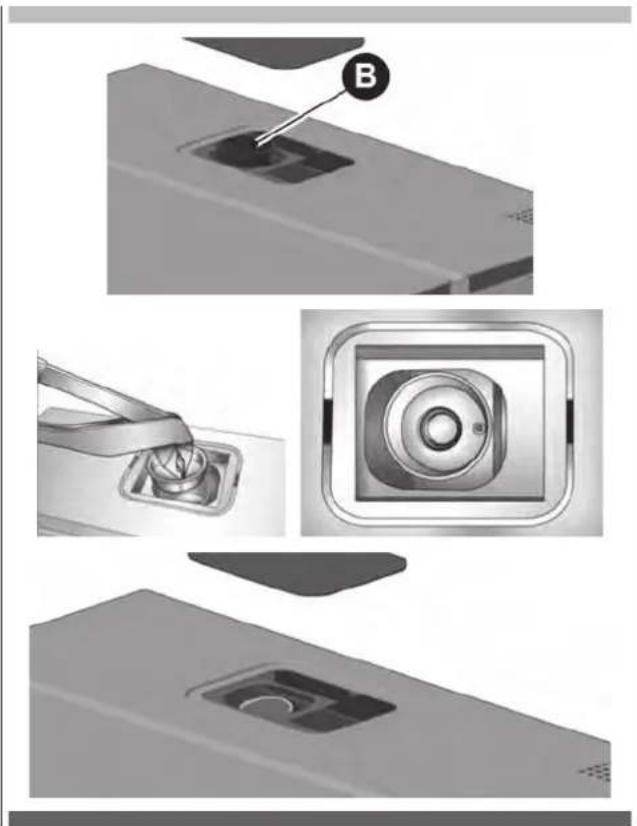
Step 2
Remove the oil filter plug (B).
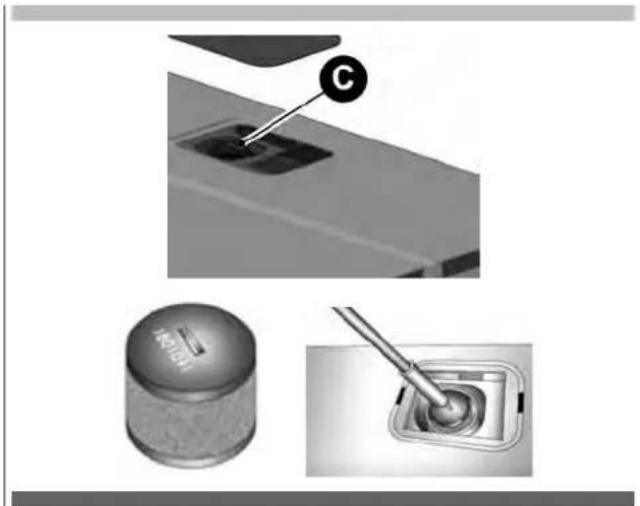
Step 3
Screw the filter (C) on the pump.
natural_image
Three-panel image showing a mechanical component with a labeled section (C), a cylindrical component, and a tool inserted into a button (no visible text or symbols)Step 4
Install the upper lid.
natural_image
Diagram showing a device with a cable being inserted into a package, with no visible text or symbols.Step 5
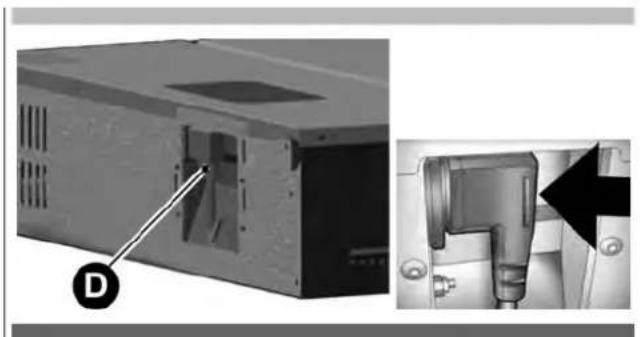
Insert the plug (D) into the socket on the back of the recessed box.
natural_image
Exterior view of a computer case with a labeled component (D) and a close-up of the internal device (no text or symbols visible)Step 6
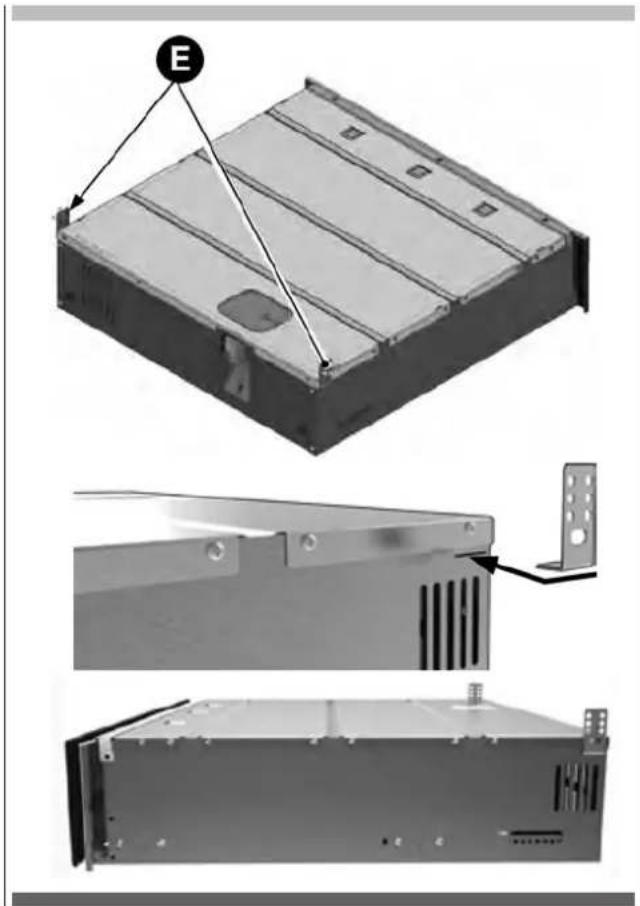
Install the rear retaining brackets (E).
Step 7
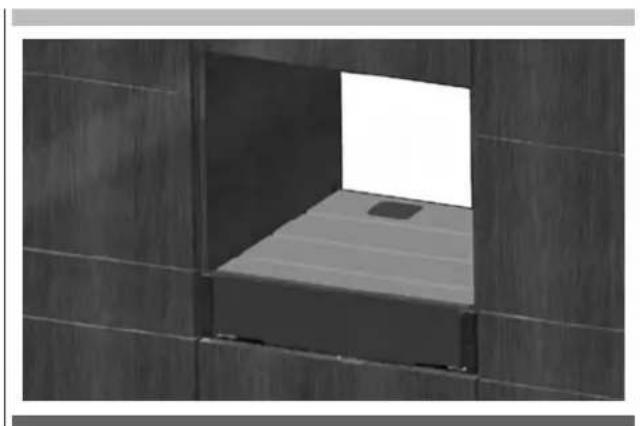
Lift the packaging machine and insert it into the unit, resting it on the floor of the unit.
natural_image
Interior view of a minimalist room with dark tiled walls and a single light-colored vent (no text or symbols visible)Step 8
Using the chipboard screws 4.5×16mm, secure the rear retaining brackets (G) to the side walls of the unit.
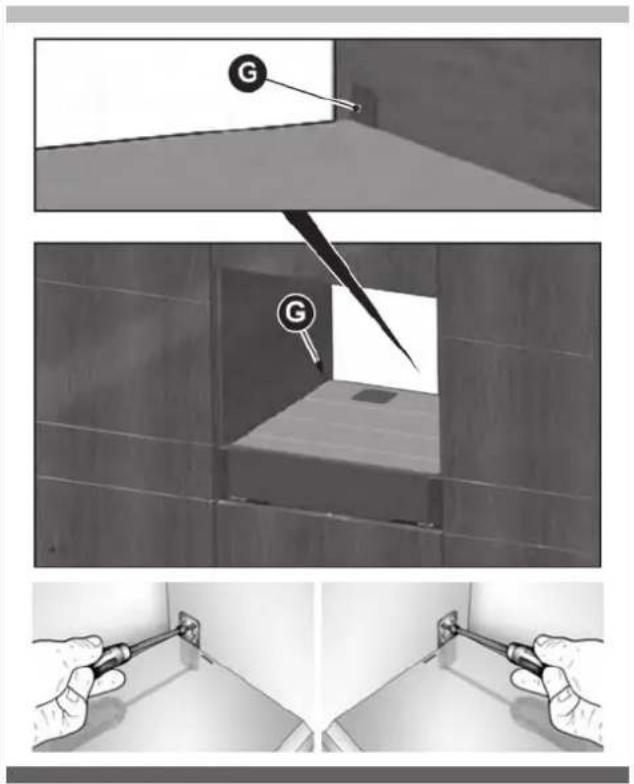
Step 9
Run the power cord towards the wall socket provided.
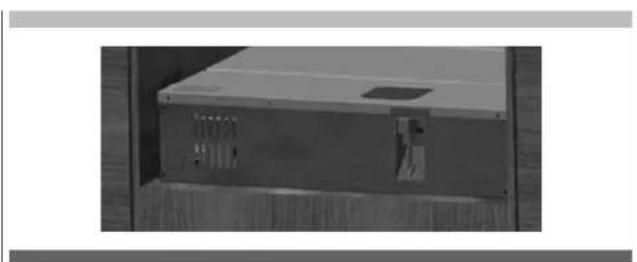
natural_image
Exterior view of a rectangular electronic device with ventilation slots and a small vent (no text or symbols visible)Step 10
Remove the safety bands.
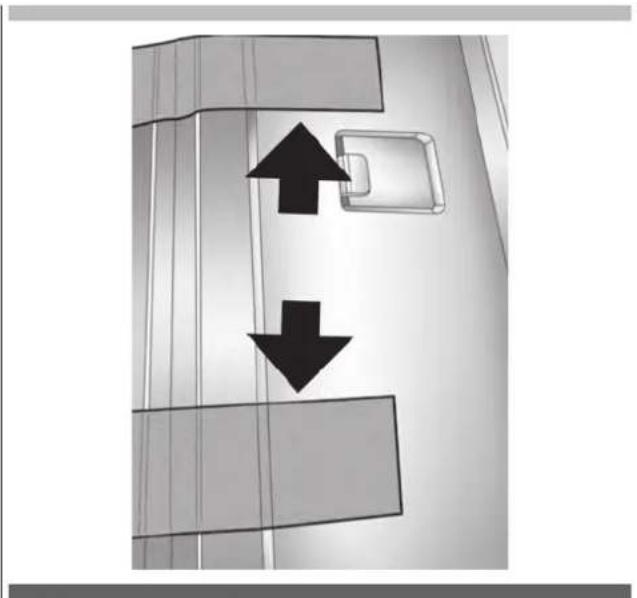
natural_image
Diagram showing two opposing arrows pointing upward and downward within a vertical structure, with no text or symbols present.Step 11
Attach the front of the packaging machine to the unit with the chipboard screws (H) 4.5×16mm.
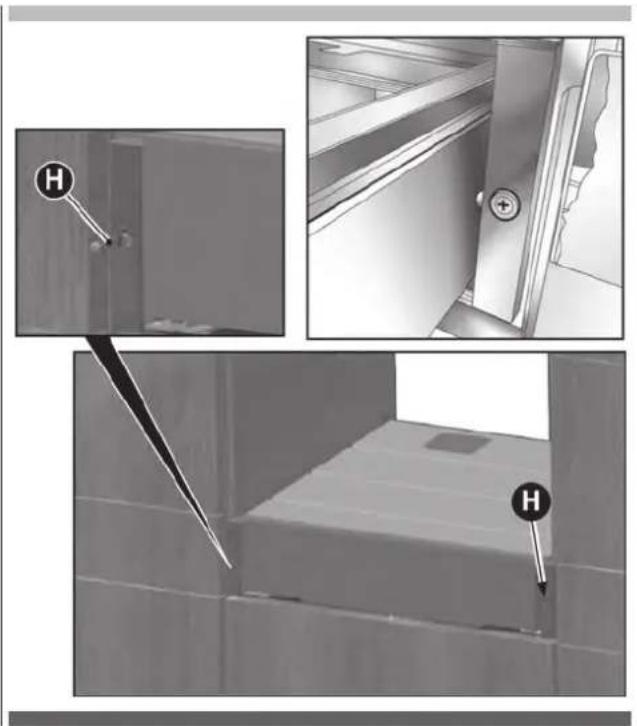
natural_image
Interior view of a room with a door, door lock, and a bed (no text or symbols visible)Step 12
Ensure central alignment of the packaging machine.
Front panel adjustment
- Remove the packaging machine by lightly pressing the front part.
- In the lower part of the front panel there are 2 adjustment screws on the right and 2 on the left.
- Act on the adjustment screws to adjust the front panel.
- Insert the packaging machine by pushing it inwardly.
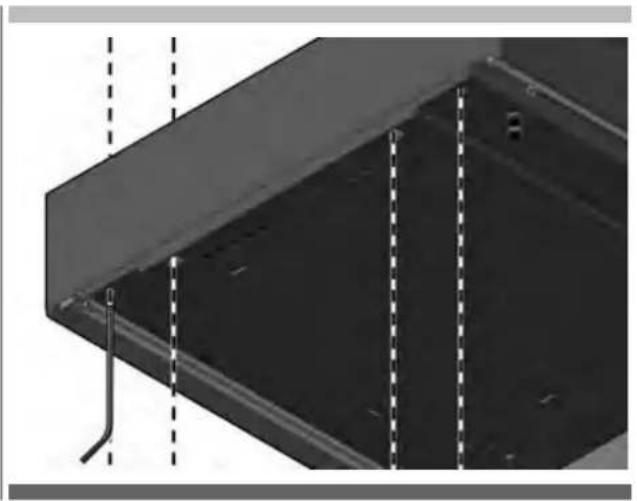
natural_image
Close-up of a metal structural component with dashed vertical lines and a pipe connection (no text or symbols visible)Electrical connection
- Check again that the characteristics of the electrical system correspond with the plate data of the packaging machine.
- Insert the plug into the socket of the electrical system.
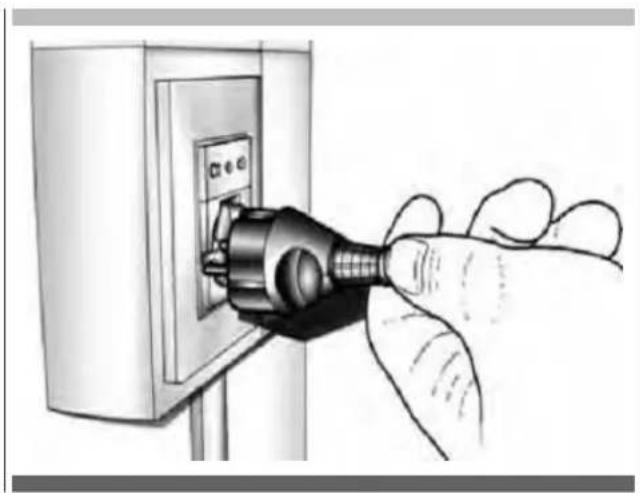
natural_image
Hand inserting a plug into an electrical outlet (no text or symbols visible)15 - Technical data
| Recessed box sizes | Width: 553 mm; Height: 135/140 mm; Depth: 550 mm |
| Weight | Kg 32 |
| Power supply voltage | 220-240 V |
| Frequency | 50/60 Hz |
| Power | 240 W |
| Current consumption | 1 A |
| Installation | Recessed |
| Vacuum chamber volume | 6.4 l |
| Sealing beam | 250 mm |
| Maximum size of the bags | 250×350 mm |
Notes
INDEX PAGE
natural_image
Symbol of a trash bin crossed with two diagonal lines, representing waste sorting or disposal (no text or labels)natural_image
3D illustration of a hand cleaning a metal tray with a handle (no text or symbols)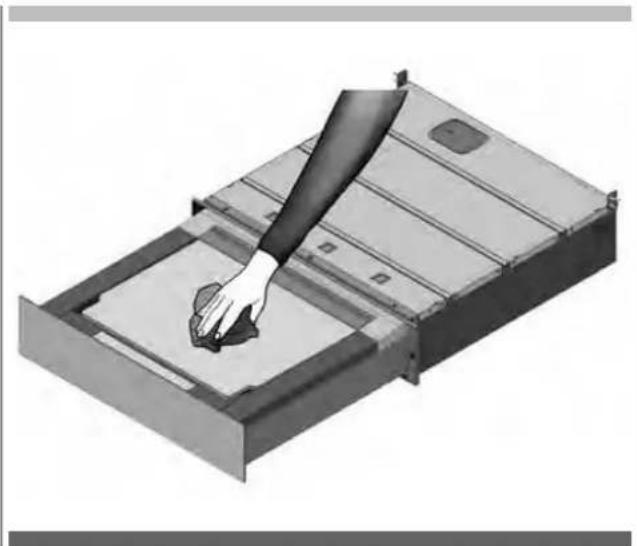
natural_image
Illustration of a hand pressing down on a metal tray with a circular button, no text or symbols presentnatural_image
3D rendering of a metal tray or container with an open lid and internal compartments (no text or symbols visible)Phase 3
natural_image
Diagram of a rectangular device with a labeled component 'B' pointing to its side (no text or symbols on the device itself)Phase 4
Phase 6
Phase 7
natural_image
Pure graphical icons showing four speech bubbles and a downward arrow on a black background (no text or symbols)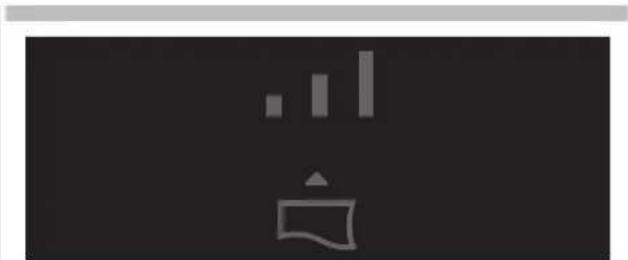
natural_image
Abstract graphic with vertical bars and a document icon on dark background (no text or symbols)natural_image
Abstract graphic with a white bell icon and two gray bars on dark background (no text or symbols)Vide minimal.
A utiliser pour :
natural_image
Simple icon of a speech bubble with three vertical bars and a triangular pointer, set against a dark background (no text or symbols)Vide moyen.
A utiliser pour :
natural_image
Simple white icon of a bell with three vertical bars on black background (no text or symbols)Vide maximal.
A utiliser pour :
natural_image
Pure graphical icons showing four document icons above a black arrow, no text or symbols present
natural_image
Abstract icon with a white megaphone and gray bars on dark background (no text or symbols)Niveau 1.
natural_image
Abstract white icon with vertical bars and a stylized '声' shape on dark background (no text or symbols)Niveau 2.
natural_image
Abstract white icon with vertical bars and a stylized house on a dark background (no text or symbols)Niveau 3.
natural_image
Illustration of three containers: a hexagonal jar, a lid with granular contents, and scattered seeds (no text or symbols)Phase 2
natural_image
3D rendering of a mechanical component with an open lid and internal cavity (no text or symbols)Phase 4
natural_image
3D rendering of a mechanical component with an open lid and internal cavity (no text or symbols visible)Phase 5
natural_image
3D rendering of a rectangular mechanical component with a central square recess (no text or symbols)Phase 6
Phase 7
natural_image
Pure graphical icons showing four document icons and an upward arrow, no text or symbols present.Phase 8
natural_image
Pure graphical icons showing four kitchen-related icons above a black rectangle with an upward arrow (no text or symbols)
natural_image
Simple icon showing a container with a bar and upward arrow, no text or symbols present.Niveau 1.
A utiliser pour :
natural_image
Simple icon of a container with an upward arrow and three vertical bars above it, set against a dark background (no text or symbols)Niveau 2.
A utiliser pour :
natural_image
Simple icon showing a bar chart above a container with an upward arrow, set against a dark background (no text or symbols)Niveau 3.
A utiliser pour :
natural_image
Illustration of three containers: a hexagonal jar with lid, a clear container filled with granular material, and scattered seeds (no text or symbols)Phase 2
natural_image
3D rendering of a mechanical component with an open lid and internal cavity (no text or symbols)Phase 4
natural_image
3D mechanical component diagram showing a lid with an open lid and labeled point A (no text or symbols beyond label)Phase 5
Phase 6
natural_image
Pure graphical icons showing four document icons and a rising arrow on a black background (no text or symbols)Phase 7
natural_image
Simple icon showing a container with an upward arrow and three vertical bars above it, set against a dark background (no text or symbols)Niveau 1.
A utiliser pour :
natural_image
Simple icon of a trash bin with three vertical bars and an upward arrow, set against a dark background (no text or symbols)Niveau 2.
A utiliser pour :
natural_image
Simple white icon depicting a rising bar chart above a container with an upward arrow (no text or symbols)Niveau 3.
A utiliser pour :
A utiliser pour :
natural_image
3D rendering of a mechanical component with an open lid and internal cavity (no text or symbols)Phase 3
natural_image
Diagram of a rectangular device with a labeled component 'B' pointing to its side panel (no text or symbols beyond label)Phase 4
Phase 6
natural_image
Abstract icon with a white stylized 'S' and gray vertical bars on dark background, no text or symbols presentNiveau 1.
natural_image
Simple icon of a megaphone with no text or symbolsNiveau 2.
natural_image
Abstract black-and-white graphic with vertical bars and a stylized icon (no text or symbols)Niveau 3.
natural_image
Technical diagram of a structural panel with labeled component A, showing internal components and mounting holes (no text or symbols beyond label)natural_image
3D diagram of a structural panel with labeled component A, showing internal components and mounting holes (no text or symbols beyond label)natural_image
3D rendering of a rectangular metal enclosure or housing component with internal ribs and mounting holes (no text or symbols visible)Fig. 2
natural_image
Two metal bracket panels with screw fasteners, no text or symbols presentFig. 3
natural_image
Two screws with cross marks, one upright and one tilted (no text or symbols)Fig. 4
natural_image
Illustration of a coiled electrical plug with two terminal connectors (no text or symbols)Fig. 5
natural_image
3D illustration of a mechanical device with a curved pipe and flange (no text or symbols)Fig. 6
Dimensions
natural_image
Illustration of an open cardboard box with a central square and upward arrow, no text or symbols present.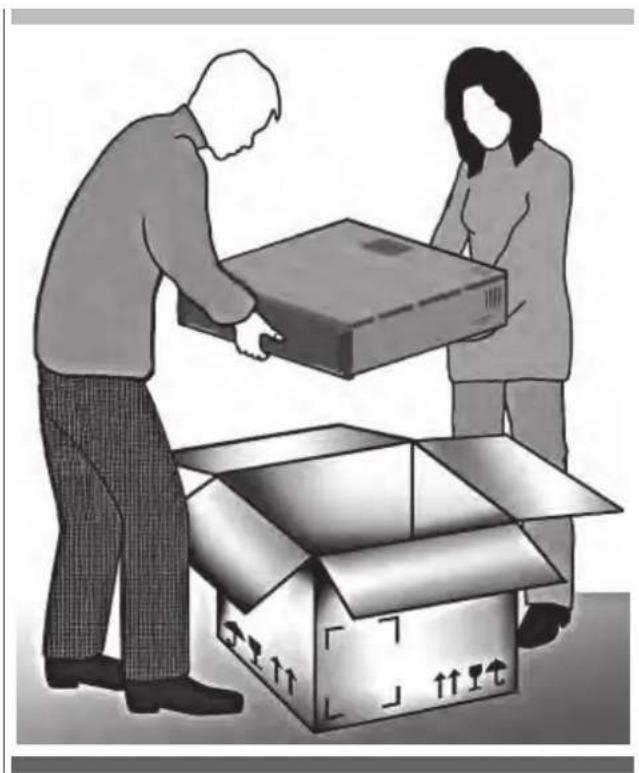
natural_image
Illustration of two people loading a cardboard box into an open cardboard box (no text or symbols)Phase 2
Phase 3
natural_image
Technical illustration showing a mechanical component with a labeled section (C), its base, and a tool inserted into a button (no text or symbols present)Phase 4
natural_image
Diagram showing a device with a cable being inserted into a plastic container, with no visible text or symbols.Phase 5
natural_image
Exterior view of a computer case with a labeled component (D) and a close-up of the internal device (no text or symbols visible)Phase 6
Phase 7
natural_image
Interior view of a minimalist room with dark tiled walls and a single light-colored vent (no text or symbols visible)Phase 8
Phase 9
natural_image
Exterior view of a black electronic device casing with ventilation slots and a small inset component (no visible text or symbols)Phase 10
natural_image
Diagram showing two opposing arrows pointing upward and downward within a vertical structure, with no text or symbols present.Phase 11
natural_image
Interior view of a room with a door, door lock, and a bed (no text or symbols visible)Phase 12
natural_image
Close-up of a metal structural component with dashed vertical lines and a pipe connection (no text or symbols visible)natural_image
Hand inserting a plug into an electrical outlet (no text or symbols visible)natural_image
Symbol of a trash bin crossed with two diagonal lines, representing waste sorting or disposal (no text or labels)
flowchart
graph TD
    A["1"] --> B["3"]
    B --> C["5"]
    C --> D["7"]
    D --> E["8"]
    E --> F["2"]
    E --> G["4"]
    E --> H["6"]
    E --> I["8"]
    J["9"] --> K["11"]
    K --> L["10"]
    K --> M["12"]
    K --> N["13"]
    O["△"] --> P["△"]
    P --> Q["△"]
    Q --> R["△"]
    R --> S["○"]
NR BESCHREIBUNG
natural_image
3D rendering of a hand cleaning a metal tray with a handle (no text or symbols visible)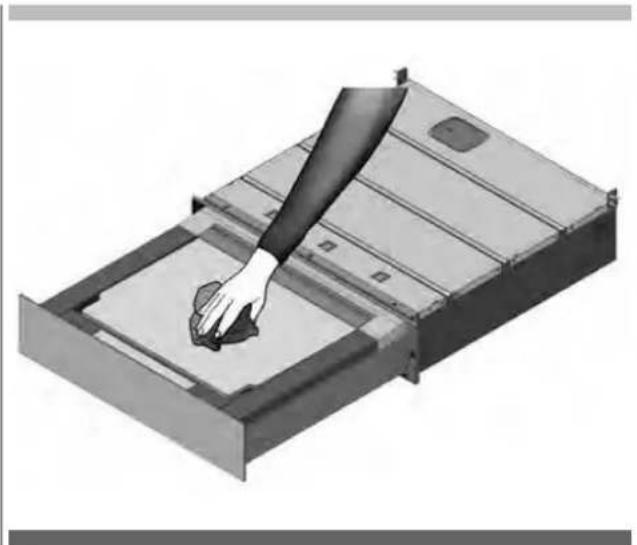
natural_image
Illustration of a hand cleaning a rectangular electronic device with a handle (no text or symbols visible)natural_image
3D rendering of a metal tray or container with an open lid and internal compartments (no text or symbols visible)Phase 3
natural_image
Diagram of a rectangular device with a labeled component 'B' pointing to its side (no text or symbols on the device itself)Phase 4
Phase 6
natural_image
Pure graphical icons showing four clothing items with an upward arrow, no text or symbols presentPhase 7
natural_image
Pure graphical icons with no text or symbols, including a megaphone, shirt, bag, and arrow (no readable text or symbols)
natural_image
Simple icon showing a bar chart above a document with a triangular pointer (no text or symbols)natural_image
Simple icon set with a speech bubble and three vertical bars on dark background (no text or symbols)Kleines Vakuum.
Zu verwenden für:
natural_image
Simple icon of a megaphone with vertical bars and a triangular pointer, set against a dark background (no text or symbols)Mittleres Vakuum.
Zu verwenden für:
natural_image
Simple white icon depicting a document with a flag and three vertical bars on dark background (no text or symbols)Großes Vakuum.
Zu verwenden für:
natural_image
Pure electrical circuit lines without any symbols
natural_image
Abstract icon with a white stylized figure and gray vertical bars on dark background (no text or symbols)Stufe 1.
natural_image
Simple white icon of a person holding a flag with three vertical bars above it, on a dark background (no text or symbols)Stufe 2.
natural_image
Abstract white icon with vertical bars and a stylized house on a dark background (no text or symbols)Stufe 3.
natural_image
Illustration of three containers with lids and scattered seeds, no text or symbols presentPhase 2
natural_image
3D rendering of a mechanical component with an open lid and internal cavity (no text or symbols)Phase 4
natural_image
3D rendering of a mechanical component with an open lid and internal cavities (no text or symbols visible)Phase 5
natural_image
3D rendering of a rectangular metal frame with a central square recess (no text or symbols)Phase 6
natural_image
Pure graphical icons showing four kitchen-related icons above a black rectangle with an upward arrow (no text or symbols)Phase 8
natural_image
Pure graphical icons showing four kitchen-related icons above a black background with an upward arrow (no text or symbols)
natural_image
Simple icon showing a shopping cart with bar chart elements, no text or symbols presentStufe 1.
Zu verwenden für:
natural_image
Simple icon showing a container with a bar and a vertical line above it, against a dark background (no text or symbols)Stufe 2.
Zu verwenden für:
natural_image
Simple icon of a shopping cart with an upward arrow, no text or symbols presentStufe 3.
Zu verwenden für:
- Einmachgläser:
Externe Behälter
Phase 1
natural_image
Illustration of three containers: a hexagonal jar, a glass jar with granular contents, and scattered seeds (no text or symbols)Phase 2
natural_image
3D rendering of a mechanical component with an open lid and internal cavity (no text or symbols)Phase 4
natural_image
3D diagram of a mechanical component with an open lid and labeled point A (no text or symbols beyond label)Phase 5
Phase 6
natural_image
Pure graphical icons showing four document icons and a pointing arrow on a black background (no text or symbols)Phase 7
natural_image
Pure graphical icons showing four speech bubbles and a rising arrow on a black background (no text or symbols)
natural_image
Simple icon of a trash bin with three vertical bars above it, no text or symbols present.Stufe 1.
Zu verwenden für:
natural_image
Simple icon of a trash bin with three vertical bars and an upward arrow, set against a dark background (no text or symbols)Stufe 2.
Zu verwenden für:
natural_image
Simple icon showing three vertical bars above a stylized container with an upward arrow (no text or symbols)Stufe 3.
Zu verwenden für:
Für:
natural_image
3D rendering of a mechanical component with an open lid and internal cavity (no text or symbols)Phase 3
natural_image
Diagram of a rectangular device with a labeled component 'B' pointing to its side panel (no text or symbols beyond label)Phase 4
Phase 6
natural_image
Pure graphical icons with no text, numbers, or symbols, showing a black rectangle with four white icons and a large upward arrow below (no text or symbols)
natural_image
Abstract black-and-white graphic with vertical bars and a stylized white icon (no text or symbols)Stufe 1.
natural_image
Simple icon of a megaphone with vertical bars and a flag on a dark background (no text or symbols)Stufe 2.
natural_image
Abstract black-and-white graphic with vertical bars and a stylized icon (no text or symbols)Stufe 3.
natural_image
3D diagram of a structural panel with labeled component A, showing internal components and mounting brackets (no text or symbols beyond label)natural_image
3D diagram of a mechanical assembly with labeled component A, showing internal components and mounting brackets (no text or symbols beyond label)DE 14 - Installation
natural_image
3D rendering of a rectangular metal enclosure or housing with internal ribs and mounting holes (no text or symbols)Abb. 2
natural_image
Illustration of two metal bracket components with screw fasteners, no text or symbols presentAbb. 3
natural_image
Two screws with cross marks, one upright and one tilted (no text or symbols)Abb. 4
natural_image
Illustration of a coiled electrical plug with two terminal connectors (no text or symbols)Abb. 5
natural_image
3D rendered diagram of a mechanical device with a curved pipe and flanged base (no text or symbols)Abb. 6
Einbaumaße
natural_image
Illustration of an open cardboard box with a rising arrow and directional arrows on the cover (no text or symbols)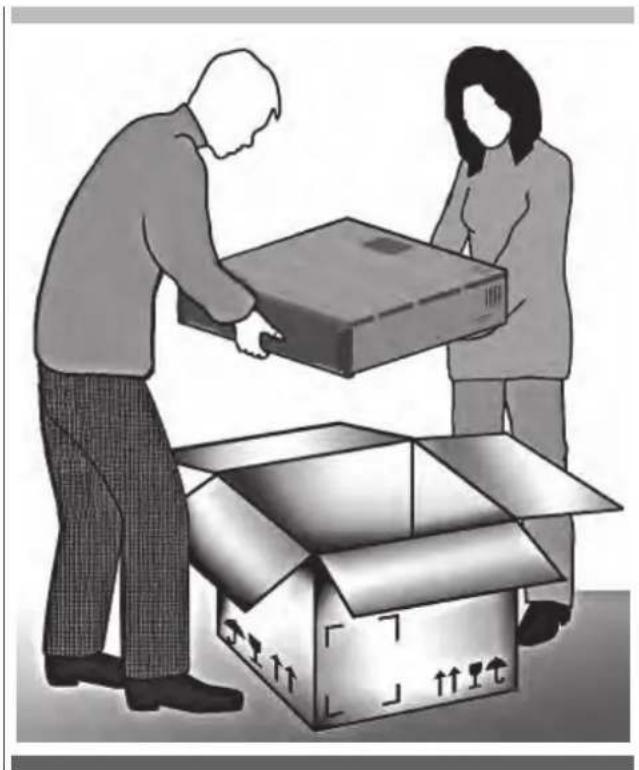
natural_image
Illustration of two people loading a cardboard box into an open cardboard box (no text or symbols)Phase 2
natural_image
Three-panel image showing a mechanical component with a labeled section (C), a cylindrical component, and a tool inserted into a button (no visible text or symbols)Phase 4
natural_image
Diagram showing a device with a cable being inserted into a package, with no visible text or symbols.Phase 5
natural_image
Exterior view of a computer case with a labeled component (D) and a close-up of the internal component (no text or symbols visible)Phase 7
natural_image
Interior view of a minimalist room with dark tiled walls and a single light-colored vent (no text or symbols visible)Phase 8
Phase 9
natural_image
Exterior view of a black electronic device casing with internal components (no visible text or symbols)Phase 10
natural_image
Diagram showing two opposing arrows pointing up and down on a vertical structure, with no text or symbols present.Phase 11
Phase 12
natural_image
Close-up of a metal frame structure with dashed vertical lines and a pipe connection (no text or symbols)natural_image
Hand inserting a plug into an electrical outlet (no text or symbols visible)natural_image
Symbol of a trash bin crossed with diagonal lines, representing waste sorting or disposal (no text present)
flowchart
graph TD
    A["1"] --> B["3"]
    B --> C["5"]
    C --> D["7"]
    D --> E["8"]
    E --> F["2"]
    E --> G["4"]
    E --> H["6"]
    E --> I["8"]
    J["9"] --> K["11"]
    K --> L["10"]
    K --> M["12"]
    K --> N["13"]
    O["△"] --> P["△"]
    P --> Q["△"]
    Q --> R["△"]
    R --> S["○"]
N° DESCRIPCIÓN
natural_image
3D illustration of a hand cleaning a metal tray with a handle (no text or symbols)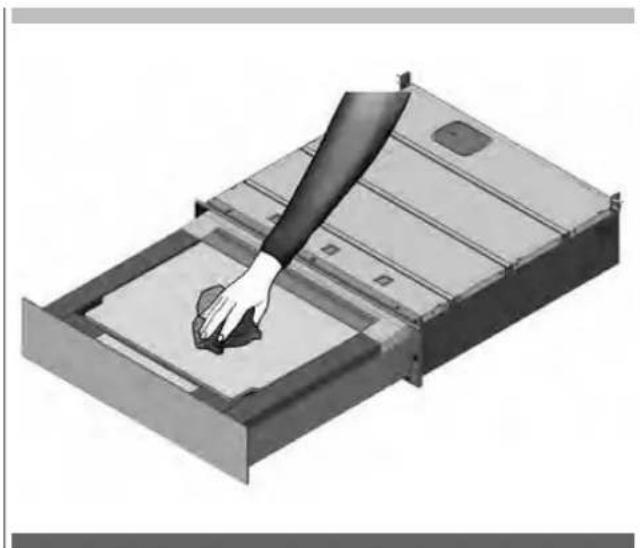
natural_image
Illustration of a hand pressing down on a metal tray with a handle (no text or symbols)natural_image
3D rendering of a metal tray or housing component with an open lid and internal cavity (no text or symbols visible)Fase 3
natural_image
Diagram of a rectangular device with a labeled component 'B' pointing to its side panel (no text or symbols beyond label)Fase 4
Fase 6
Fase 7
natural_image
Simple icon set with three vertical bars and a document icon, no text or symbols presentnatural_image
Simple icon set with a speech bubble and three vertical bars on dark background (no text or symbols)Vacío mínimo.
Se debe usar para:
natural_image
Simple white icon of a megaphone with vertical bars and a triangular pointer, on a dark background (no text or symbols)Vacío medio.
Se debe usar para:
natural_image
Simple white icon depicting a document with a speech bubble and three vertical bars on dark background (no text or symbols)Vacío máximo.
Se debe usar para:
natural_image
Pure graphical icons with no text or symbols, including bar, gear, and document symbols, against a black background with horizontal lines (no readable text or symbols)
natural_image
Simple icon of a person holding a flag with abstract bars above (no text or symbols)Nivel 1.
natural_image
Simple icon of a person holding a flag with three vertical bars above it, set against a dark background (no text or symbols)Nivel 2.
natural_image
Abstract white geometric symbol on black background, resembling a stylized 'bar' or wave with vertical bars (no text or symbols)Nivel 3.
Recipientes en tina
Fase 1
natural_image
Illustration of three containers with lids and granular contents, no text or symbols presentFase 2
natural_image
3D rendering of a mechanical tray or drawer with an open lid and internal compartments (no text or symbols visible)Fase 4
natural_image
3D rendering of a mechanical component with an open lid and internal cavity (no text or symbols visible)Fase 5
natural_image
3D rendering of a rectangular mechanical component with a central square recessed, showing internal structure (no text or symbols)Fase 6
natural_image
Pure graphical icons for window, lamp, door, and folder symbols without any text or labelsFase 8
natural_image
Pure graphical icons showing four kitchen-related icons above a black rectangle with an upward arrow (no text or symbols)
natural_image
Simple icon showing a document with an upward arrow and three vertical bars on a dark background (no text or symbols)Nivel 1.
Se debe usar para:
natural_image
Simple icon of a kitchen sink with three vertical bars and a triangular roof, set against a dark background (no text or symbols)Nivel 2.
Se debe usar para:
- Tarros profesionales, tarros con tapa con rosco (Twist-off):
natural_image
Simple icon showing three vertical bars above a container with an upward arrow, set against a dark background (no text or symbols)Nivel 3.
Se debe usar para:
natural_image
Illustration of three containers: a hexagonal jar with lid, a clear container filled with granular material, and scattered seeds (no text or symbols)Fase 2
natural_image
3D rendering of a mechanical tray or drawer with an open lid and internal compartments (no text or symbols visible)Fase 4
natural_image
3D diagram of a mechanical component with an open lid and labeled point A (no text or symbols beyond label)Fase 5
Fase 6
natural_image
Pure graphical icons showing four document icons and a rising arrow on a black background (no text or symbols)Fase 7
natural_image
Pure graphical icons showing four document icons and a rising arrow on a black background (no text or symbols)
natural_image
Simple icon showing a container with an upward arrow and three vertical bars above it, set against a dark background (no text or symbols)Nivel 1.
Se debe usar para:
natural_image
Simple icon of a trash bin with three vertical bars and a triangular load, set against a dark background (no text or symbols)Nivel 2.
Se debe usar para:
natural_image
Simple icon showing a bar chart above a container with an upward arrow, set against a black background (no text or symbols)Nivel 3.
Se debe usar para:
De usar para:
natural_image
3D rendering of a metal tray or drawer with an open lid, showing internal compartments and mounting brackets (no text or symbols)Fase 3
natural_image
Diagram of a rectangular device with a labeled component 'B' pointing to its side panel (no text or symbols beyond label)Fase 4
Fase 6
natural_image
Pure graphical icons showing four clothing items with an upward arrow, no text or symbols present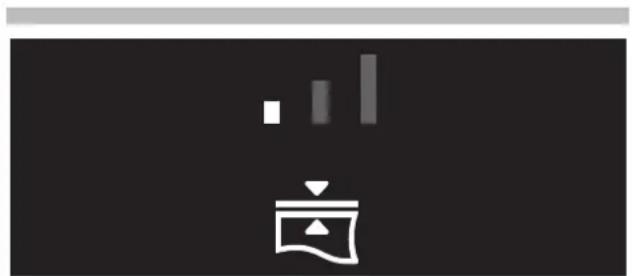
natural_image
Simple icon of a kitchen appliance with a menu and bar, no text or symbols presentNivel 1.
natural_image
Simple icon of a kitchen counter with menu and scale symbols (no text or numbers)Nivel 2.
natural_image
Abstract black-and-white graphic with vertical bars and a stylized icon (no text or symbols)Nivel 3.
natural_image
Technical diagram of a structural panel with labeled component A, showing internal components and mounting brackets (no text or symbols beyond label)natural_image
3D diagram of a mechanical assembly with labeled component A, showing internal components and mounting holes (no text or symbols beyond label)natural_image
3D rendering of a rectangular metal enclosure or housing with internal ribs and mounting holes (no text or symbols visible)Fig. 2
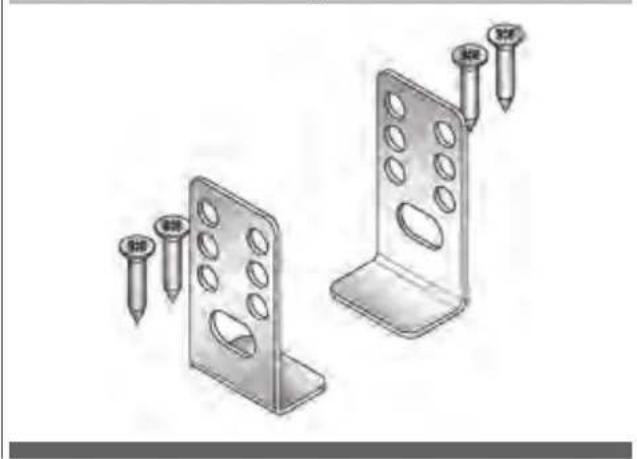
natural_image
Illustration of two metal bracket components with screw fasteners (no text or symbols)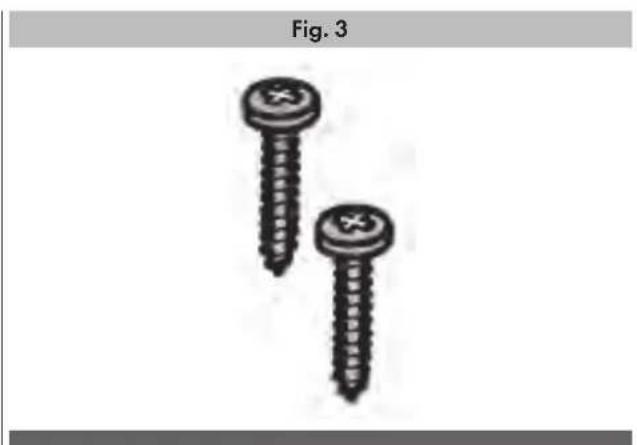
natural_image
Two screws with cross markings, labeled Fig. 3 (no text or symbols on the screws themselves)Fig. 4
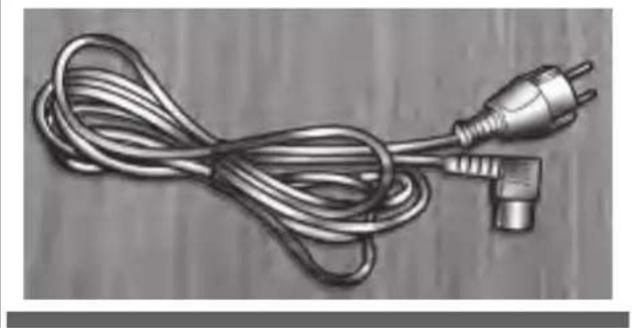
natural_image
Illustration of a coiled electrical plug with two terminal connectors (no text or symbols)Fig. 5
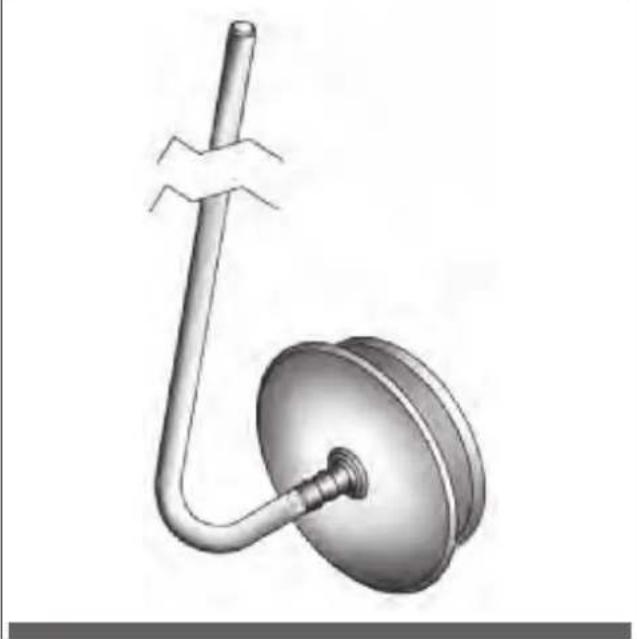
natural_image
3D illustration of a mechanical device with a curved pipe and flange (no text or symbols)Fig. 6
natural_image
Illustration of an open cardboard box with a rising arrow and directional arrows inside (no text or symbols)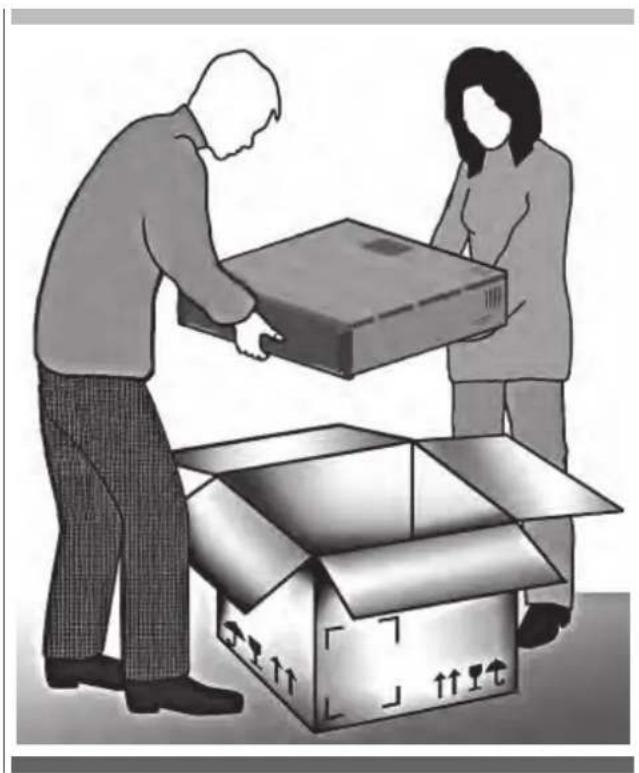
natural_image
Illustration of two people loading a cardboard box into an open cardboard box (no text or symbols)Fase 2
Fase 3
natural_image
Technical illustration showing a mechanical component with a labeled section (C), its internal structure, and a close-up of the internal gear mechanism (no text or symbols present)Fase 4
natural_image
Diagram showing a device with a curved arrow pointing to a component, and a magnified view of a small rectangular object with a tool inserted (no text or symbols present)Fase 5
natural_image
Exterior view of a computer case with internal components and a close-up of a mechanical component (no visible text or symbols)Fase 6
Fase 7
natural_image
Interior view of a minimalist room with dark tiled walls and a single white vent (no text or symbols visible)Fase 8
Fase 9
natural_image
Exterior view of a computer drive chassis with visible ports and mounting bracket (no text or symbols)Fase 10
natural_image
Diagram showing two opposing arrows pointing up and down on a vertical structure, with no text or symbols present.Fase 11
natural_image
Architectural detail showing a door opening with a door handle and a close-up of the interior wall (no text or symbols visible)Fase 12
natural_image
Close-up of a metal structural component with dashed vertical lines and a pipe connection (no text or symbols visible)Conexión eléctrica
natural_image
Hand inserting a plug into an electrical outlet (no text or symbols visible)15 - Datos técnicos
natural_image
Symbol of a trash bin crossed out by two diagonal lines, representing waste sorting or disposal (no text present)
flowchart
graph TD
    A["1"] --> B["2"]
    C["3"] --> D["4"]
    E["5"] --> F["6"]
    G["7"] --> H["8"]
    I["9"] --> J["10"]
    K["11"] --> L["12"]
    M["Start"] --> N["Stop"]
    O["Start"] --> P["Stop"]
№ ОПИСАНИЕ
natural_image
3D rendering of a hand cleaning a metal tray with a circular object on the cover (no text or symbols visible)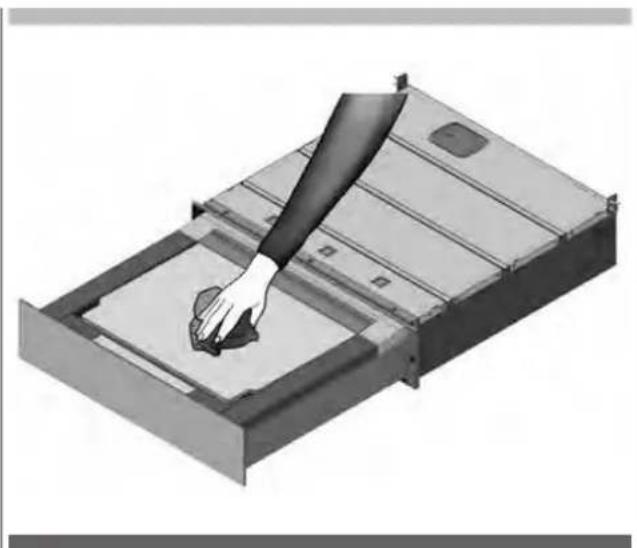
natural_image
Illustration of a hand pressing down on a metal tray with a small object inside (no text or symbols)natural_image
3D rendering of a metal tray with an open lid and internal compartments (no text or symbols)Фаза 3
natural_image
Diagram of a rectangular device with a labeled component 'B' pointing to its side (no text or symbols on the device itself)Фаза 4
Фаза 6
Фаза 7
natural_image
Pure graphical icons showing five document icons above a black rectangle with an upward arrow (no text or symbols)
natural_image
Abstract graphic with vertical bars and a document icon, no text or symbols presentnatural_image
Simple icon showing a document with a speech bubble and three vertical bars above it, set against a black background (no text or symbols)natural_image
Simple white icon of a megaphone with a speech bubble and vertical bars on dark background (no text or symbols)Среднее разрежение.
Используется для:
natural_image
Simple white icon depicting a document with a speech bubble and three vertical bars above it, on a black background (no text or symbols)natural_image
Pure graphical icons with no text or symbols, including bar, pie, and arrow symbols (no readable text or labels)
natural_image
Abstract graphic with vertical bars and a stylized icon (no text or symbols)Уровень 1.
natural_image
Simple icon of a tower with vertical bars and a triangular base, no text or symbols presentУровень 2.
natural_image
Abstract white icon with vertical bars and a stylized house on a dark background (no text or symbols)Уровень 3.
natural_image
Illustration of three containers with lids and scattered seeds, no text or symbols presentФаза 2
natural_image
3D rendering of a mechanical component with an open lid and internal cavity (no text or symbols)Фаза 4
natural_image
3D rendering of a mechanical component with an open lid and internal cavity (no text or symbols visible)Фаза 5
natural_image
3D rendering of a rectangular metal frame with a central square recess (no text or symbols)Фаза 6
Фаза 7
natural_image
Abstract graphic with four icons (bell, folder, document, shopping bag) above a black arrow on a white background, no text or symbols present.Фаза 8
natural_image
Pure graphical icons showing four document icons above a black bar chart, with an upward arrow below (no text or symbols)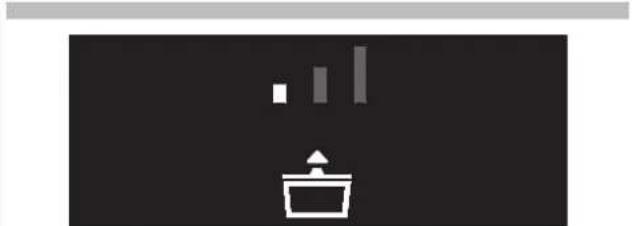
natural_image
Simple icon showing a container with an upward arrow and three vertical bars above it, set against a dark background (no text or symbols)Уровень 1.
Используется для:
natural_image
Simple icon of a trash bin with three vertical bars above it, no text or symbols present.Уровень 2.
Используется для:
natural_image
Simple icon showing a bar chart above a container with an upward arrow, set against a dark background (no text or symbols)Уровень 3.
Используется для:
natural_image
Illustration of three containers: a transparent container with lid, a closed lid, and scattered seeds (no text or symbols)Фаза 2
natural_image
3D rendering of a mechanical component with an open lid and internal cavity (no text or symbols)Фаза 4
natural_image
3D diagram of a mechanical component with an open lid and labeled point A (no text or symbols beyond label)Фаза 5
Фаза 6
natural_image
Pure graphical icons showing four document icons and a pointing arrow on a black background (no text or symbols)Фаза 7
natural_image
Simple icon showing a container with an upward arrow and three vertical bars above it, set against a dark background (no text or symbols)Уровень 1.
Используется для:
natural_image
Simple icon showing a shopping cart with a bar chart above it, no text or symbols present.Уровень 2.
Используется для:
natural_image
Simple icon showing three vertical bars above a stylized basket, no text or symbols presentУровень 3.
Используется для:
Используется для:
natural_image
3D rendering of a metal tray with an open lid, showing internal compartments and mounting feet (no text or symbols)Фаза 3
natural_image
Diagram of a rectangular device with a labeled component 'B' pointing to its side (no text or symbols on the device itself)Фаза 4
Фаза 6
natural_image
Pure graphical icons showing four clothing items with an upward arrow, no text or symbols present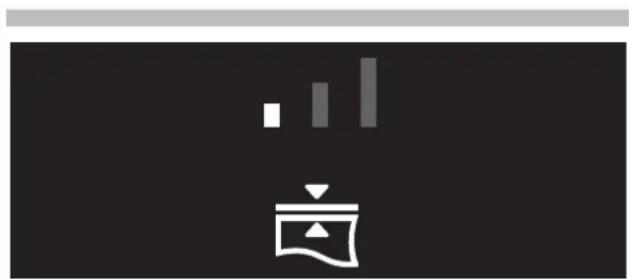
natural_image
Simple icon of a megaphone with bar chart above it, no text or symbols presentУровень 1.
natural_image
Simple icon of a megaphone with no text or symbolsУровень 2.
natural_image
Pure electrical circuit lines without any symbolsУровень 3.
natural_image
3D diagram of a structural panel with labeled component A, showing internal components and mounting brackets (no text or symbols beyond label)natural_image
3D diagram of a mechanical assembly with labeled component A, showing internal components and mounting brackets (no text or symbols beyond label)natural_image
3D rendering of a rectangular electronic device casing with internal compartments and mounting holes (no text or symbols)рис. 4
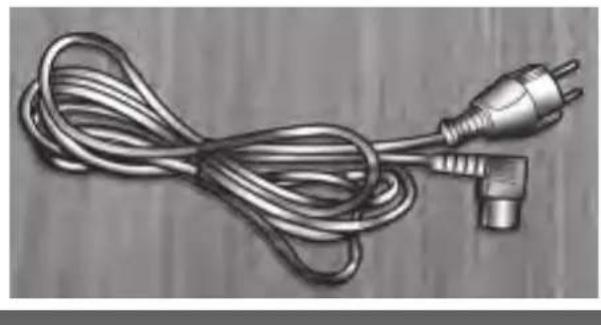
natural_image
Illustration of a coiled electrical plug with two terminal pins, no text or symbols presentрис. 5
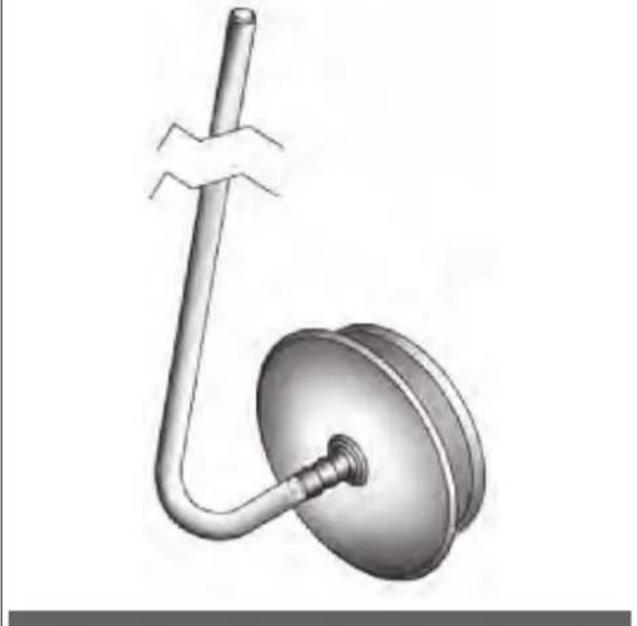
natural_image
3D rendered diagram of a mechanical device with a curved pipe and circular housing (no text or symbols)рис. 2
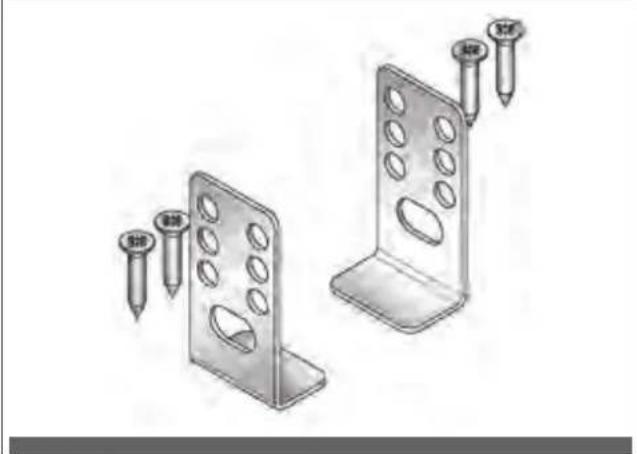
natural_image
Two metal bracket panels with screw holes and two nail tips, shown from different angles (no text or symbols)рис. 6
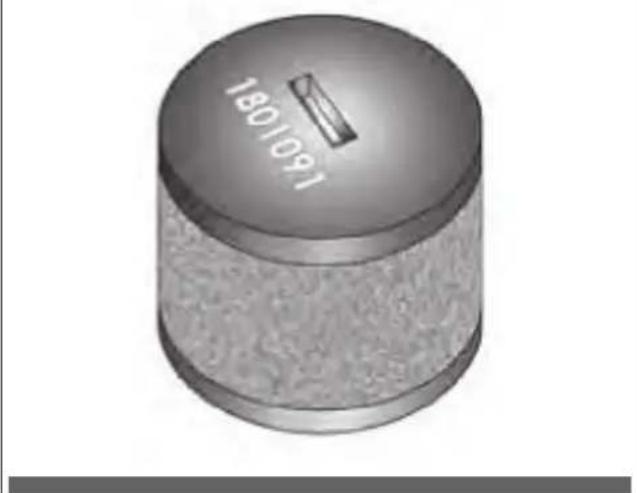
рис. 3
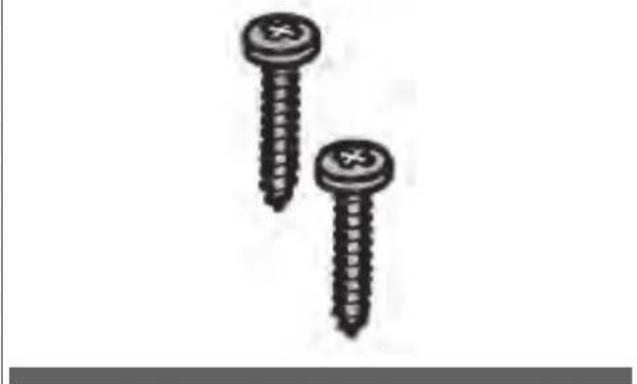
natural_image
Two screws with cross marks, one upright and one tilted (no text or symbols)natural_image
Illustration of an open cardboard box with a central square and upward arrow, no text or symbols present.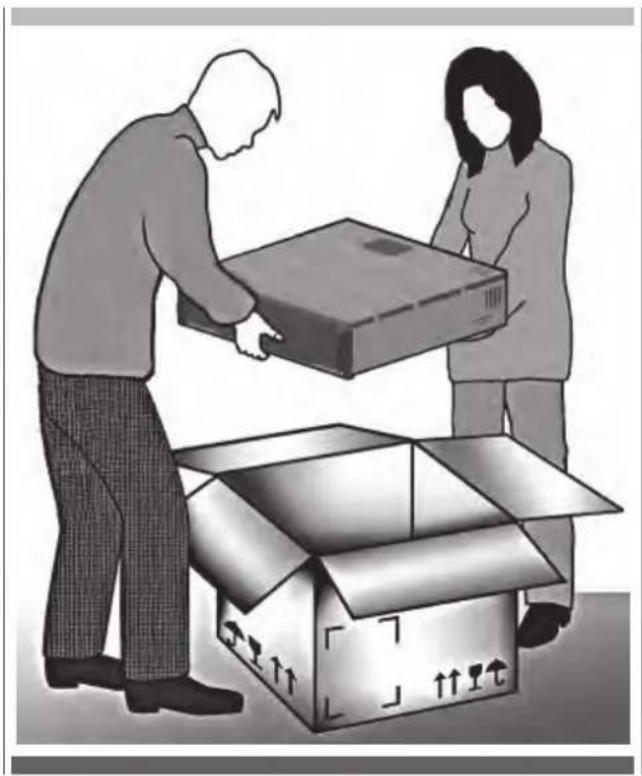
natural_image
Illustration of two people loading a cardboard box into an open box (no text or symbols)Сборка и установка
Фаза 1
Фаза 2
Фаза 3
Фаза 4
natural_image
Diagram showing a device being inserted into a package with a pen, no text or symbols presentФаза 5
natural_image
Exterior view of a computer case with labeled component D, showing internal structure and close-up of a device (no text or symbols)Фаза 6
Фаза 7
natural_image
Interior view of a minimalist room with dark tiled walls and a single white panel on the wall (no text or symbols visible)Фаза 8
Фаза 9
natural_image
Exterior view of a rectangular electronic device with internal components and mounting bracket (no visible text or symbols)Фаза 10
natural_image
Diagram showing two opposing arrows pointing up and down on a vertical structure, with no text or symbols present.Фаза 11
natural_image
Interior view of a room with three views: close-up of a door, interior close-up of a cabinet, and exterior wall (no text or symbols visible)Фаза 12
natural_image
Close-up of a metal panel with dashed vertical lines and a pipe, no visible text or symbolsnatural_image
Hand inserting a plug into an electrical outlet (no text or symbols visible)
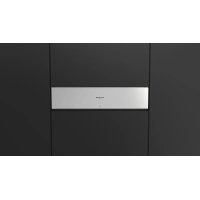
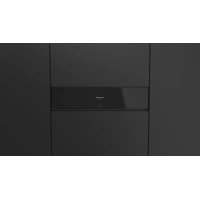
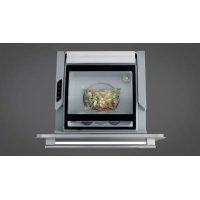
- IT 4 - Pannello comandi
- Fase 3
- Fase 4
- Fase 6
- Fase 7
- Vuoto minimo.
- Vuoto medio.
- Vuoto massimo.
- Fase 2
- Fase 5
- Fase 8
- Livello 1.
- Livello 2.
- Livello 3.
- Contenitori esterni
- Fase 1
- Da usare per:
- Misure d'incasso
- Fase 9
- Fase 10
- Fase 11
- Fase 12
- - Safety precautions and warnings
- Intended use
- IMPORTANT
- Children
- Technical safety
- Correct use
- Cleaning and maintenance
- EN 2 - Recommendations for protecting the environment
- 1) Packaging:
- 2) Scrapping/Disposal:
- - Description of the packaging machine
- Preliminary cleaning of the vacuum chamber and the lid
- EN 6 - Creating vacuum in bags
- Step 1
- Step 2
- Step 3
- Step 4
- Step 5
- Step 6
- Step 7
- Sealing Only. No preservation effect
- Minimum vacuum.
- Medium vacuum.
- Maximum vacuum.
- Step 8
- Step 9
- Step 10
- Step 11
- Step 12
- Containers in tray
- Level 1.
- Level 2.
- Level 3.
- External containers
- To be used for:
- - Cleaning and maintenance
- External cleaning
- Cleaning the tray
- Cleaning the sealing bar
- External vacuum adapter cleaning
- EN 11 - Pump oil drying cycle
- The vacuum drawer indicates:
- WARNING
- - Drying cycle
- Safety instructions
- ATTENTION
- All other use must be considered improper and potentially dangerous.
- Foreword
- Packing list
- Built-in measurements
- Unpacking
- Assembly and installation
- Front panel adjustment
- Electrical connection
- Notes
- INDEX PAGE
- Phase 3
- Phase 4
- Phase 6
- Phase 7
- Vide minimal.
- Vide moyen.
- Vide maximal.
- Phase 2
- Phase 5
- Phase 8
- Niveau 1.
- Niveau 2.
- Niveau 3.
- A utiliser pour :
- Dimensions
- Phase 9
- Phase 10
- Phase 11
- Phase 12
- Kleines Vakuum.
- Mittleres Vakuum.
- Großes Vakuum.
- Stufe 1.
- Stufe 2.
- Stufe 3.
- Externe Behälter
- Phase 1
- Für:
- DE 14 - Installation
- Einbaumaße
- Vacío mínimo.
- Vacío medio.
- Vacío máximo.
- Recipientes en tina
- Nivel 1.
- Nivel 2.
- Nivel 3.
- De usar para:
- Conexión eléctrica
- № ОПИСАНИЕ
- Фаза 3
- Фаза 4
- Фаза 6
- Фаза 7
- Среднее разрежение.
- Фаза 2
- Фаза 5
- Фаза 8
- Уровень 1.
- Уровень 2.
- Уровень 3.
- Используется для:
- Сборка и установка
- Фаза 1
- Фаза 9
- Фаза 10
- Фаза 11
- Фаза 12
Brand : Fulgor Milano
Model : FVSD 150 TC BK
Category : Vacuum packaging machines