BWFAN01 - Fan BISWIND - Free user manual and instructions
Find the device manual for free BWFAN01 BISWIND in PDF.



| Product type | Tower fan |
| Brand | BISWIND |
| Model | BWFAN01 |
| Height | 121 cm |
| Weight | 3.75 kg |
| Rated voltage | 220-240 V ~ 50 Hz |
| Rated power | 45 W |
| Maximum power consumption | 64.8 W |
| Maximum airflow | 43.2 m³/min |
| Sound power level | 64.6 dB(A) |
| Number of speeds | 3 (low, medium, high) |
| Timer | 1 to 12 hours |
| Oscillation function | Yes, horizontal air distribution |
| Ionizer | Yes, eliminates static electricity and deodorizes |
| Operating modes | Natural mode, sleep mode (gradual reduction) |
| Remote control | Yes, included |
| Digital display | Ambient temperature and timer |
| Maintenance and cleaning | Soft cloth, soapy water. Do not immerse |
| Safety | Automatic shut-off? Not specified, but follow safety instructions |
| Spare parts | Available from the manufacturer or authorized service |
| Manufacturer | Schuss Home Electronic GmbH, Scheringgasse 3, A-1140 Vienna, Austria |
| Warranty | Refer to the manual or website www.biswind.at |
| Standby power consumption | 0.227 W |
Frequently Asked Questions - BWFAN01 BISWIND
User questions about BWFAN01 BISWIND
0 question about this device. Answer the ones you know or ask your own.
Ask a new question about this device
Download the instructions for your Fan in PDF format for free! Find your manual BWFAN01 - BISWIND and take your electronic device back in hand. On this page are published all the documents necessary for the use of your device. BWFAN01 by BISWIND.
USER MANUAL BWFAN01 BISWIND
natural_image
Modern vertical bar tower with ventilation grille and control panel (no visible text or symbols)HERZLICHEN GLÜCKWUNSCH!
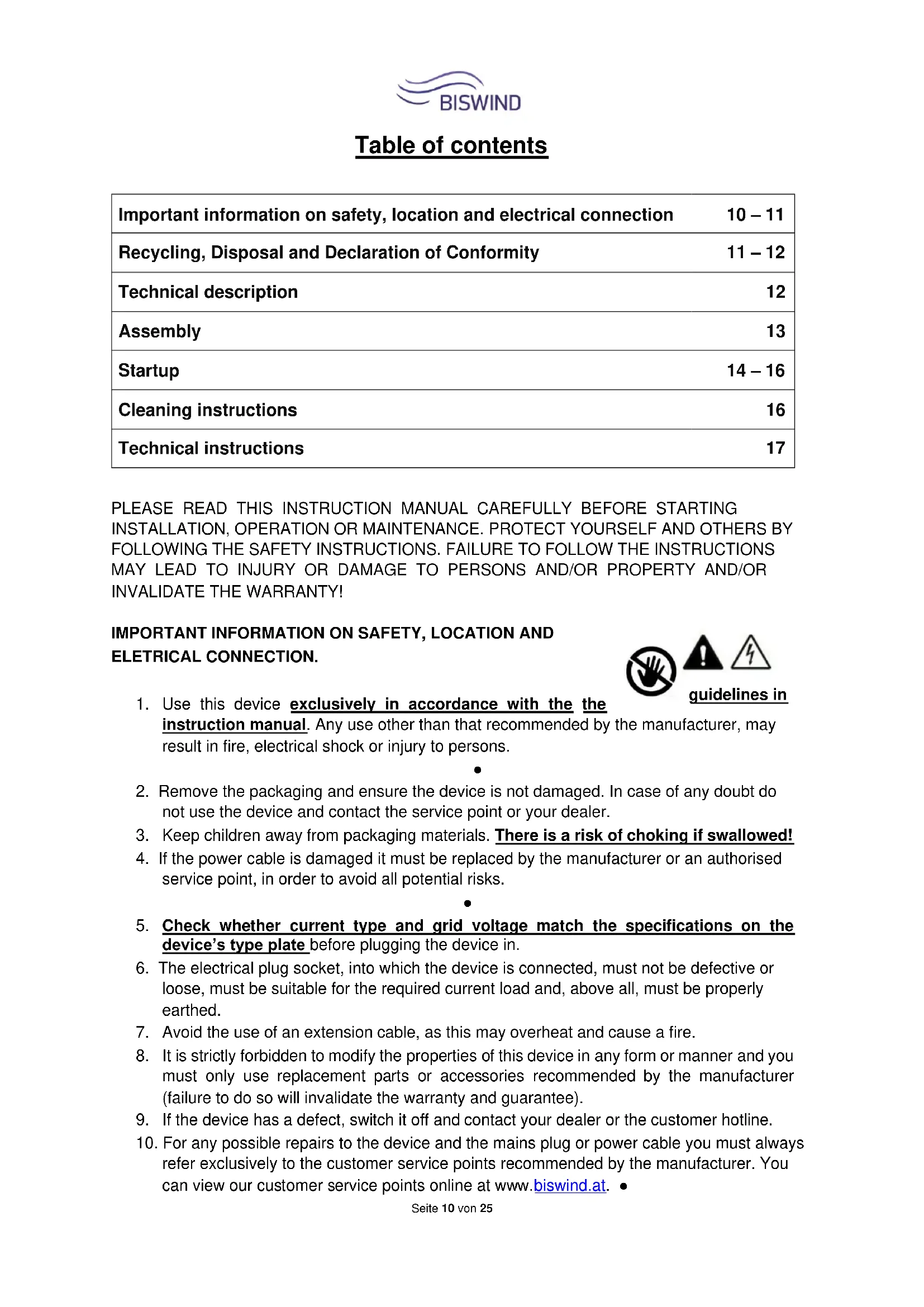
| Important information on safety, location and electrical connection | 10 – 11 |
| Recycling, Disposal and Declaration of Conformity | 11 – 12 |
| Technical description | 12 |
| Assembly | 13 |
| Startup | 14 – 16 |
| Cleaning instructions | 16 |
| Technical instructions | 17 |
PLEASE READ THIS INSTRUCTION MANUAL CAREFULLY BEFORE STARTING INSTALLATION, OPERATION OR MAINTENANCE. PROTECT YOURSELF AND OTHERS BY FOLLOWING THE SAFETY INSTRUCTIONS. FAILURE TO FOLLOW THE INSTRUCTIONS MAY LEAD TO INJURY OR DAMAGE TO PERSONS AND/OR PROPERTY AND/OR INVALIDATE THE WARRANTY!
IMPORTANT INFORMATION ON SAFETY, LOCATION AND ELETRICAL CONNECTION.
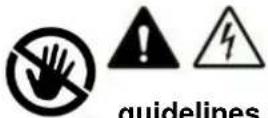
-
Use this device exclusively in accordance with the the instruction manual. Any use other than that recommended by the manufacturer, may result in fire, electrical shock or injury to persons.
-
Remove the packaging and ensure the device is not damaged. In case of any doubt do not use the device and contact the service point or your dealer.
-
Keep children away from packaging materials. There is a risk of choking if swallowed!
-
If the power cable is damaged it must be replaced by the manufacturer or an authorised service point, in order to avoid all potential risks.
-
Check whether current type and grid voltage match the specifications on the device's type plate before plugging the device in.
-
The electrical plug socket, into which the device is connected, must not be defective or loose, must be suitable for the required current load and, above all, must be properly earthed.
-
Avoid the use of an extension cable, as this may overheat and cause a fire.
-
It is strictly forbidden to modify the properties of this device in any form or manner and you must only use replacement parts or accessories recommended by the manufacturer (failure to do so will invalidate the warranty and guarantee).
-
If the device has a defect, switch it off and contact your dealer or the customer hotline.
-
For any possible repairs to the device and the mains plug or power cable you must always refer exclusively to the customer service points recommended by the manufacturer. You can view our customer service points online at www.biswind.at.
-
Children under the age of 8 and persons with limited physical, psychological, sensory or mental abilities and lack of experience and knowledge may only use this device under appropriate supervision and if comprehensively briefed on the safe use of the device and the associated hazards.
-
Do not use the device without supervision. Always switch the device off when leaving the room.
-
Children must not be allowed to play with the device.
-
Do not twist or kink the power cable.
-
Do not use the device with wet hands.
-
Do not use the device outdoors.
-
Never use the device in rooms in which gas, oil or sulphur are present.
-
Do not use the device in the proximity of water or strong moisture, e.g. in damp cellars, close to pools, bathtubs or showers. Make sure no water can enter the device.
-
Do not place any objects on the device.
-
Place the device on a stable and level subsurface.
-
Never cover the device.
-
Never put fingers, pens or other items into the device and make sure that air in- and outlets are never blocked.
-
Always switch the device off before pulling the power plug.
-
Do not pull on the power cable to unplug the device. Always pull on the plug to unplug the device.
-
Do not touch the plug with wet hands to avoid electrical shocks.
-
Pull the plug if you are not using the device, if you want to clean it, if it has to be serviced or if it is moved from one location to another.
-
Keep the device in good shape by cleaning and maintaining it. If you have any questions regarding maintenance you can contact the manufacturer's authorised customer hotline / service point.
-
Keep and store the device at a safe and dry place out of reach for children when you are not using it.

RECYCLING
The device's packaging materials can be recycled. It is therefore recommended to dispose of them through sorted waste collection.
DISPOSAL
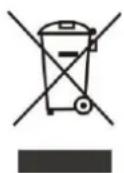
The “crossed-out bin” symbol indicates that electrical and electronic devices (WEEE) must be disposed of separately. Electrical and electronic devices can contain hazardous substances and environmental pollutants. Therefore do not dispose of them in unsorted residual waste but at a designated collection point for electrical and electronic devices. You will thus contribute to resource and environmental protection.
For more information please contact your dealer or the local authorities.
DECLARATION OF CONFORMITY
CE
We hereby confirm that this item complies with the basic requirements, regulations and directives of the EU.
You can view the detailed Declaration of Conformity by clicking on the following link: www.biswind.at/downloads/doc/bwfan01-bronze.pdf
Subject to errors and technical changes.
www.biswind.at
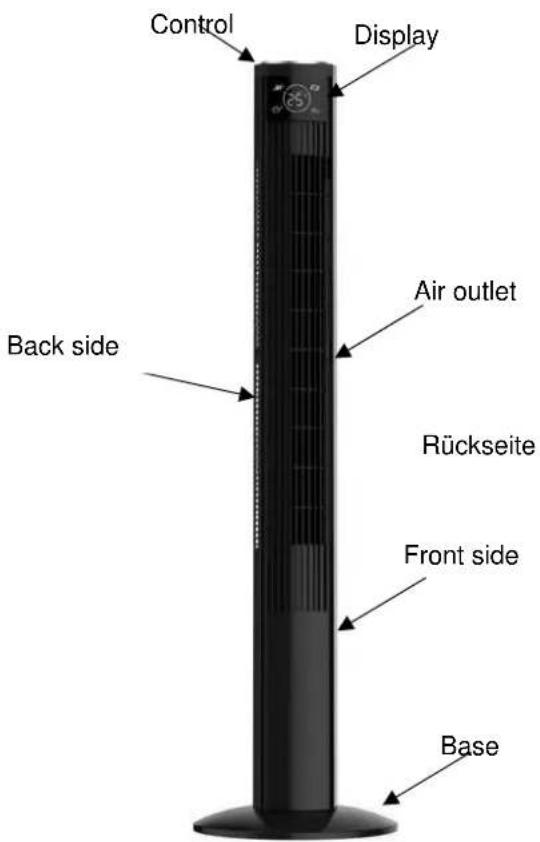
TECHNICAL DESCRIPTION
ASSEMBLY
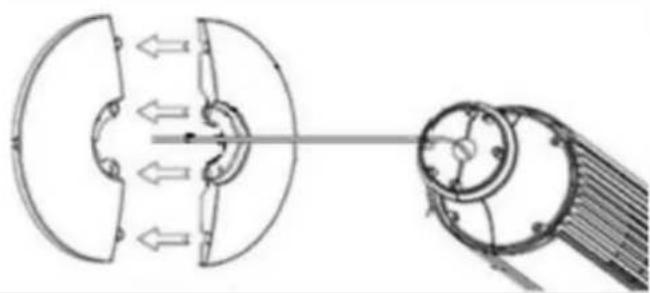 | Attach the two components of the base to each other while pulling the cable through the middle.Then push the two parts into each other, making sure that they click into place. |
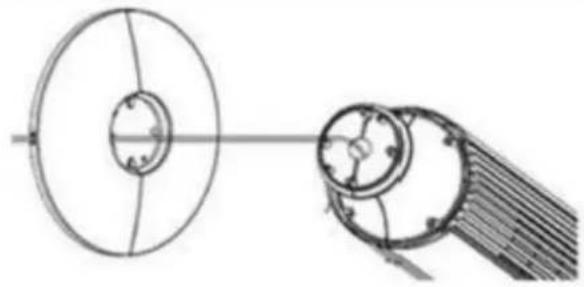 | Place the base on the fan housing and gently pull the power cord through the opening of the base. |
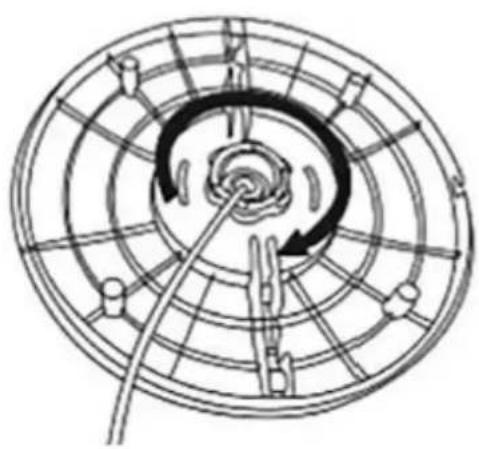 | Base installation1. Unscrew the locking nut from the fan housing anticlockwise2.Pass the power cord through the central hole of the two semicircle bases.3. Insert the fan housing into the central hole of the two semicircle bases and then press these two semicircle bases together; make sure the 4 holes between these two semicircle were closed tight.4.Fix the base onto the fan housing; Insert the locking nut and turn it clockwise to lock the base into position |
START UP
- Place the device on a flat and dry surface (no use in wet rooms).
- Plug the plug into a standard 220 \~ 240V outlet.
- The functions of the fan can be adjusted both with the remote control and directly on the unit with the buttons on the control panel.
- If controlled by remote control, it should be aimed directly at the device to ensure proper operation.
REMOTE CONTROL CONTROL PANEL
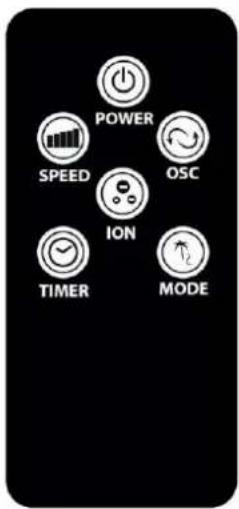
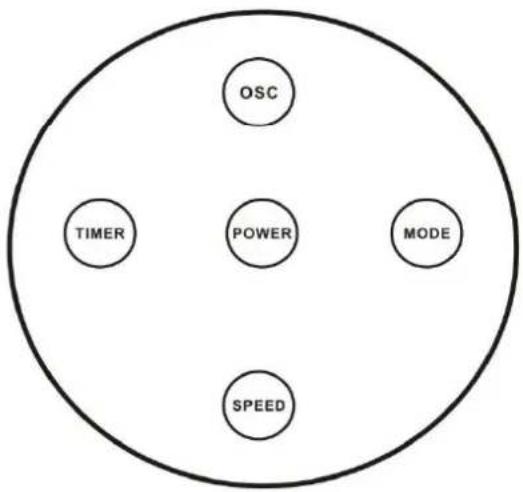
flowchart
graph TD
    OSC --> Timer
    OSC --> POWER
    MOTOR --> MODE
    POWER --> SPEED
    MODE --> SPEED
- When setting the functions, the respective symbols light up on the display:
Timer & temperature
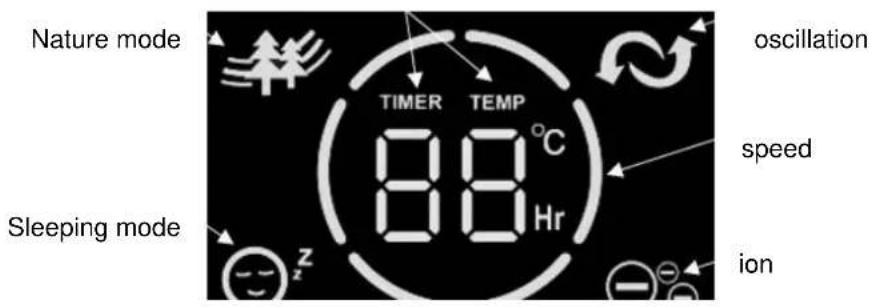
NOTE
As soon as you connect the device to the power supply and with on the device, the room temperature is shown on the display.

ON/OFF:
• To turn on the fan, use the -button.
SPEED:
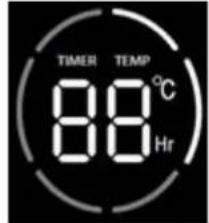
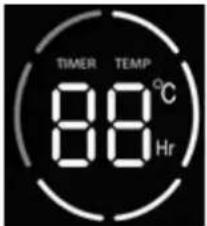
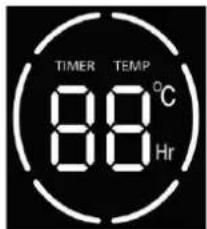
The tower fan has three different speed settings.
• Use the 📁 button, until the desired speed setting lights up on the display:
Low speed Medium speed High speed

MODE:
The tower fan has two different mode you can chose from:
• Use the _Z^2 -button until the desired mod lights up on the display :
| Mode | Function | |
 | Nature Mode→ Changing speed levels, which is modeled on the natural wind. | |
 | Sleep Mode→ The tower fan will decrease the speed every 30 minutes until it runs at the lowest speed until you turn off the unit or the timer automatically shuts it off. | |

TIMER:
This feature allows you to turn off the device on a scheduled basis. Here you can select an operating time of 1 to 12 hours.
- Press the ⏰ button repeatedly until the desired time appears on the display.
• The "TEMP" indicator changes to "TIMER" when it is on.

OSCILLATION
- Pressing the - button starts or stops the swing- function.
NOTE
With this function, the blown air is distributed to the left and right. This allows you to achieve a horizontal air distribution in the room.

ION:
The fan is equipped with an ionizer. This distributes ionized air into the rooms and removes static electricity.
To start the ionizer function please proceed as follows:
• Control panel → Press the
- button for 3 seconds.
- Remote control Press the
utton.


NOTE
The resulting atoms and molecules promote the chemical degradation process and can be used for odor removal and disinfection of the air
NOTE
The tower fan has an automatic energy-saving mode.
The display dims 30 seconds after each setting and lights up brightly when you press the remote control or control panel.
CLEANING INSTRUCTIONS
- Caution! Allow the unit to come to a complete stop before cleaning and disconnect it from the socket.
• Use a soft cloth to clean. Should be dirt or not easily removable dirt, use warm soapy water. - Do not use solvents or abrasives (thinner), metal utensils or hard brushes for cleaning, as they may damage the plastic housing.
- Do not immerse the fan in water or other liquids. Do not allow water to drip onto or into the motor housing of the fan.
• Thoroughly dry all components before storing them. - Store the device in a cool, dry and clean environment.
- Keep the device out of the reach of children and animals.
Technical information
| Rated voltage | 220-240V | ||
| Frequency | 50Hz | ||
| Rated input power | 45W | ||
| Height | 121cm | ||
| Weight | 3.75kg | ||
| Name | Symbol | Value | Unit |
| Maximum volume flow | F | 43.2 | m^3/min |
| Fan power consumption | P | 64.8 | W |
| Service value | SV | 0.66 | (m^3/min)/W |
| Fan sound power level | LWA | 64.6 | dB(A) |
| Consumption in standby mode | PSB | 0.227 | W |
| Contact address for further information and service line: | Schuss Home Electronic GmbH Scheringgasse 3, A-1140 Vienna Tel: +43 (1) 97 0 21 – 0 Service line: +43 (1) 97 0 21 – 502 www.biswind.at Commercial register no.: 236974 t / Commercial register court: Vienna | ||
Table des matières
DÉCLARATION DE CONFORMITÉ
techniques. www.biswind.at
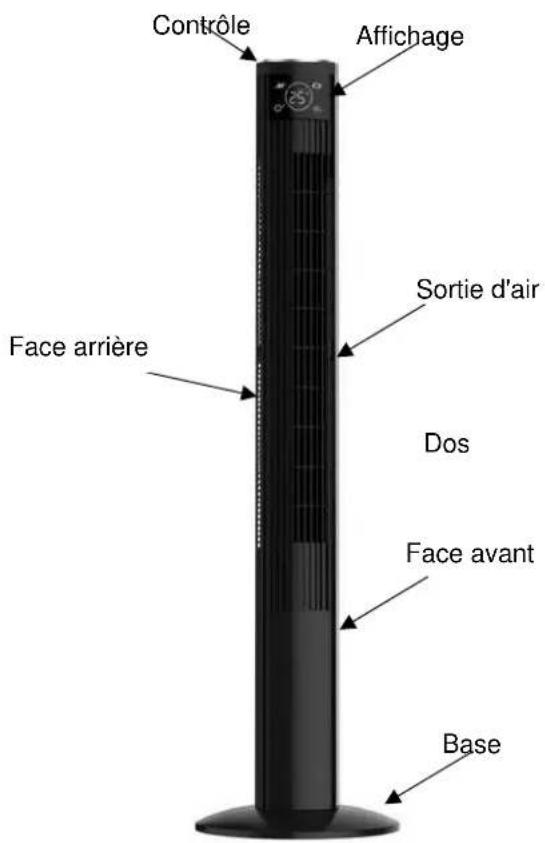
DESCRIPTION TECHNIQUE