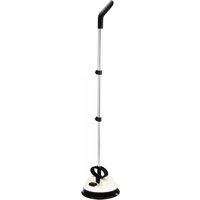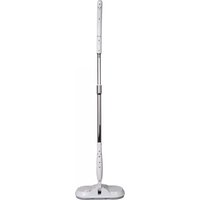
Electra 1 FP40 - Vacuum Cleaner Ewbank - Free user manual and instructions
Find the device manual for free Electra 1 FP40 Ewbank in PDF.


User questions about Electra 1 FP40 Ewbank
0 question about this device. Answer the ones you know or ask your own.
Ask a new question about this device
Download the instructions for your Vacuum Cleaner in PDF format for free! Find your manual Electra 1 FP40 - Ewbank and take your electronic device back in hand. On this page are published all the documents necessary for the use of your device. Electra 1 FP40 by Ewbank.
USER MANUAL Electra 1 FP40 Ewbank
text_image
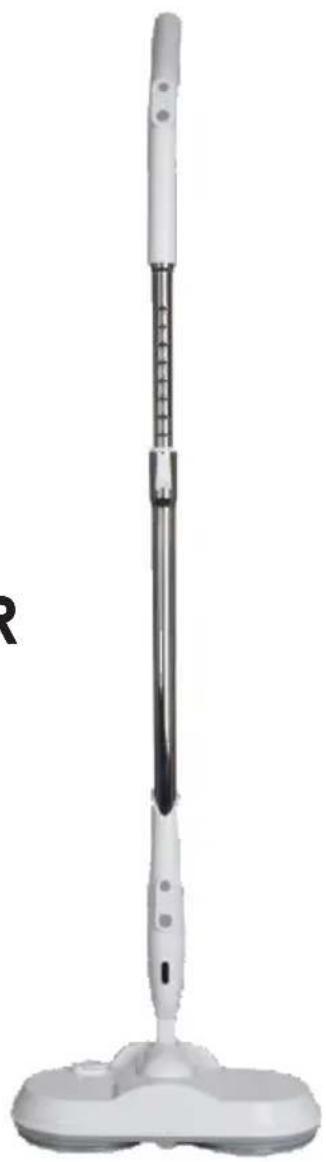
Ewbank® Cleaning homes since 1880CORDLESS-WASHER & POLISHER
Lithium-ion battery: 7.2V 2000 mAh
Electra 1
Model FP40
Care & Use Instructions
natural_image
White portable mopper with adjustable handle and base (no text or symbols visible)Thank you for purchasing a Ewbank product. We have been manufacturing cleaning products since 1880 and we want to ensure that you get the best from this polisher so please read these instructions carefully and retain for reference in the future
Manufactured by: Ewbank Products Ltd,
Distributed by Ewbank LLC
6801-D Northpark Boulevard,
Charlotte, North Carolina, 28216 USA
Telephone: Tel: 704-827-9385
Email: enquiries@ewbankus.com
www.ewbankus.com
Pack contents
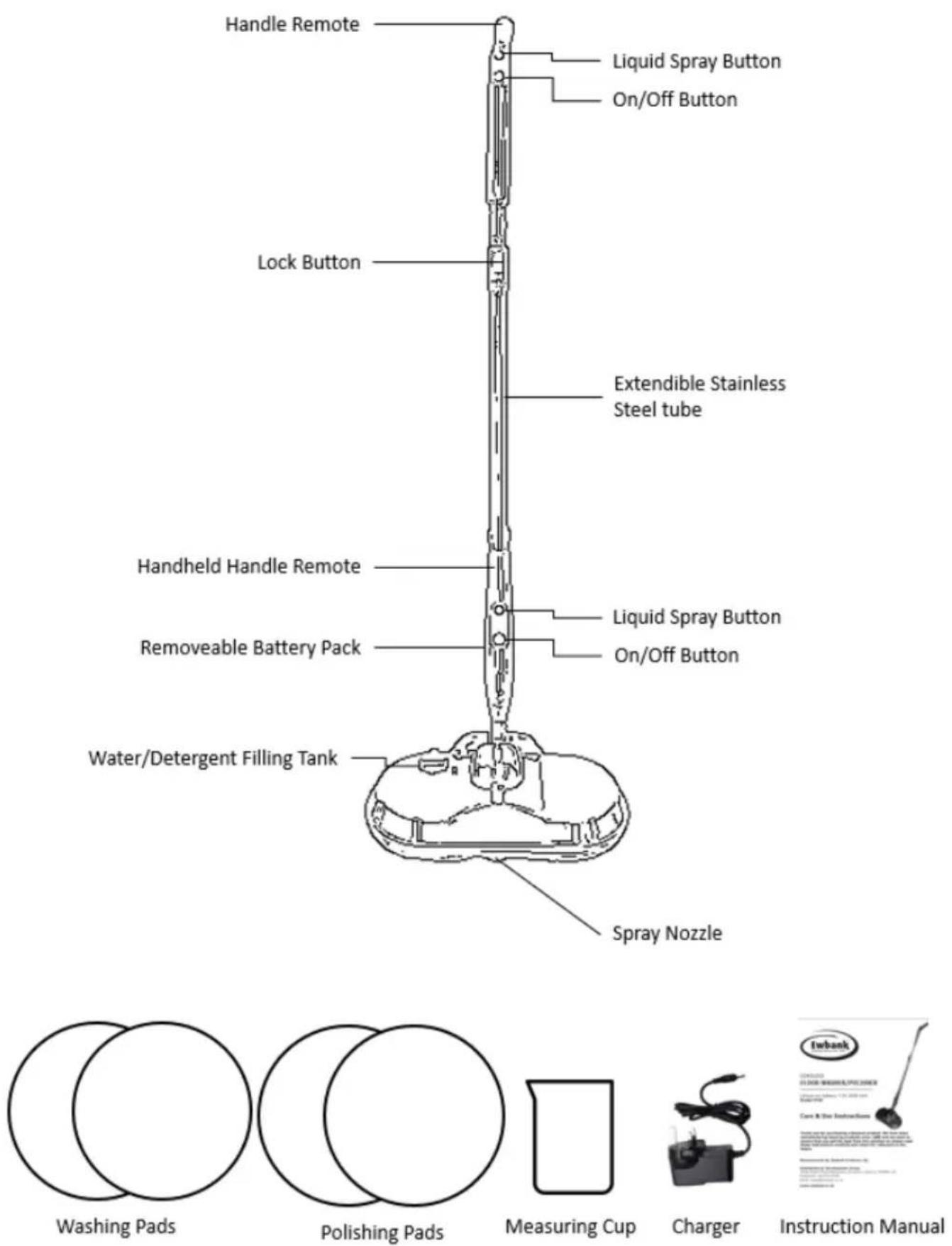
This machine is designed to remove the hassle of the traditional mop and bucket when cleaning or polishing. Its 250- revolutions per minute motor makes achieving that sparkling clean easy with the built-in electric spray. It has a 180° rotation to get around corners and a slim profile for under furniture.
The Cordless Washer and Polisher comes with 2 pairs of interchangeable reusable pads. 2 blue macrofibre washing pads and 2 yellow chenille polishing pads allowing you to use the Cordless Washer & Polisher from unboxing.
Safety Instructions – CAUTION
DO NOT:
- Modify the unit in any way. It is dangerous voids the warranty
- Handle the unit with wet hands.
WARNING!
- Follow the assembly process in this manual. The manual will give the important instructions about the assembly and safety.
- After unpacking, make sure that the product is intact with no visible signs of damage caused by transport, should you have any doubts, do not use the product, and call our Quality department. All packing materials (plastic wrapping, cardboard box, etc.) are potentially dangerous and must be kept out of children's reach.
- This product is only designed for domestic applications, any other usage is unsuitable and will not be covered by warranty.
-
Before charging the product for the first time, check that the rating plate specifications on the adaptor correspond to your electrical power supply.
-
The product must only be used with the charging adaptor supplied with the product or a replacement purchased from Ewbank or one of our distributors.
- Never use the charging station with multiple plug or extended power cord. The charging plug needs to fit directly into the socket.
- Do not plug the equipment into other devices such as timer, remote controlled device or similar equipment
Safety Instructions - CAUTION
- Please do not leave the unattended product when it is powered on.
- After charging has finished, and you are removing from the wall socket, pull out by the plug of adaptor only, do not pull by the power cord
- Before cleaning and maintaining the product, please remove the power cord from the outlet and switch off the machine.
- If the product stops working or there is an abnormal sound, please switch the power off and contact our Service Department.
- Never try to replace the power cord. If the cord or plug is damaged or needs to be replaced, then please contact our Service Department.
- NEVER use with flammable or combustible liquids such as gasoline, other volatile substances or burning embers.
- NEVER use in the presence of explosive liquids, vapors, or explosive dust such as coal or grain.
- This product can only be used by children aged from 14
years and above. Persons with reduced physical, sensory, or mental capabilities or lack of experience and knowledge must have been given supervision or instruction concerning use of the product in a safe way and understand the hazards involved. Children must not play with the product.
- Never submerge in water. Otherwise, the motor will be at high risk of being burnt out. The product should be kept far away from heat sources (such as central heating radiators, ovens, etc.) to avoid damage to the product.
- Before using the product, please remove any large or sharp matter on the floor to avoid damaging the plastic parts, filter, and motor.
- Ensure the polisher is switched off at the on/off push button switch when removing the cleaning pads
- In order to protect the battery, the unit cannot be switched on while it is being charged, the unit will not operate.
- If you are replacing the batteries, the old batteries must be correctly recycled. Never attempt to burn batteries
- Ensure fingers, hair, jewelry etc. are kept away from rotating parts
- Please use the product according to these instructions and use only Ewbank accessories.
- For initial charging, insert the power cord into the wall socket and the other end insert into the main body of the product, the indicator light on the front of the machine will display the charge level on the battery. It should take 4.5 hours for this process on the first charge.
- Always store in a cool place
Safety Instructions – CAUTION
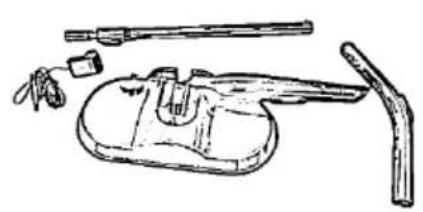
Identify the components required.
natural_image
Line drawing of a mechanical device with handle, lever, and tool (no text or symbols)Take the main body and the two-part handle out of the box.
natural_image
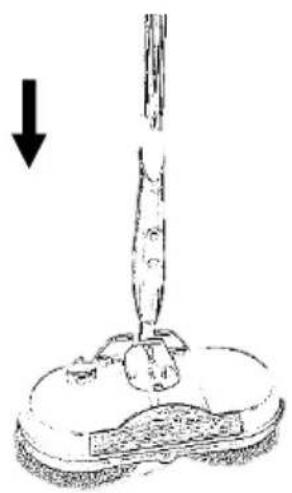
Diagram of a mechanical device with a downward arrow indicating force or direction (no text or symbols present)1. Attach telescopic part of handle.
Slide the bottom end of telescopic handle onto the main body until it clicks into place. After connecting, please pull tightly to ensure the handle is securely locked in place.
natural_image
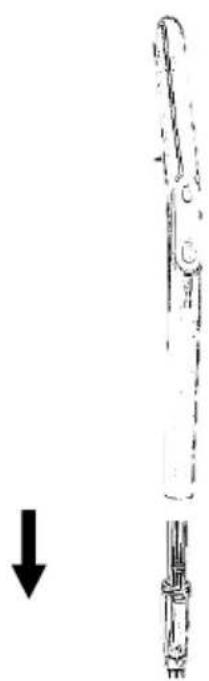
Diagram of a mechanical device with a downward arrow indicating force or direction (no text or symbols present)2. Install batteries and fit top part of handle.
Open the battery cover in the back part of handle and insert the two AA batteries. Replace the battery cover.
Connect the handle to the telescopic handle, until it clicks into place. After connecting, please pull tightly to ensure the handle is securely locked in place
How to operate using extension handle
natural_image
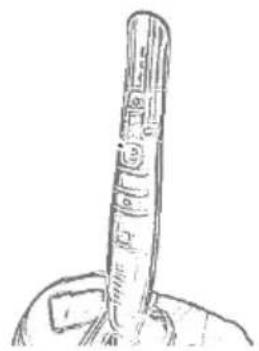
Hand-drawn sketch of a vertical cylindrical object with segmented bands, possibly a tool or device (no text or symbols visible)- Charging the unit. Insert the charging plug into the charging point at the back of the handheld head
natural_image
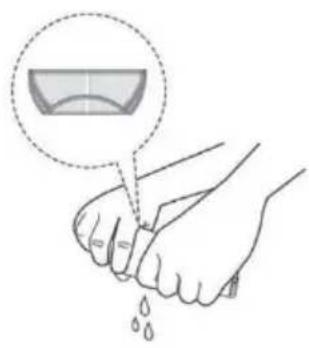
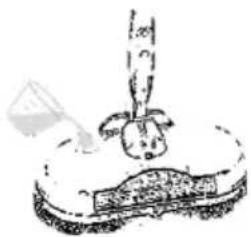
Illustration of a hand holding a bowl with liquid dripping (no text or symbols)- Make sure the pads are clean.
Twist and wring out any excess water.
text_image
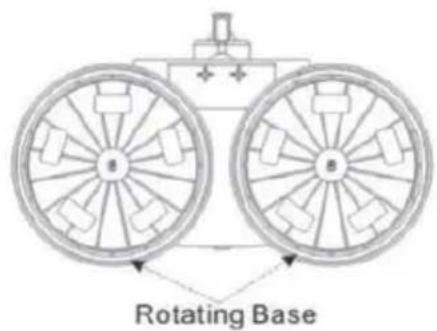
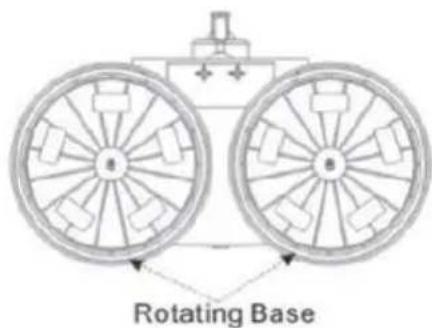
Rotating Base- Fix the pads to the rotating base.
natural_image
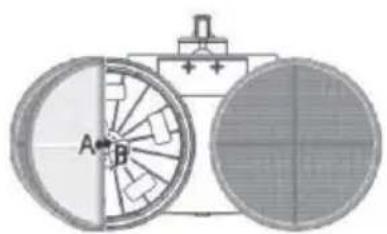
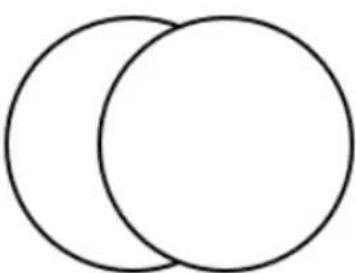
Diagram of a mechanical device with two circular components and labeled parts (A, B), no readable text or symbols present.- Ensure the pads are central on each base.
Press pads firmly onto the rotating bases.
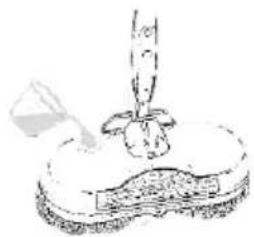
natural_image
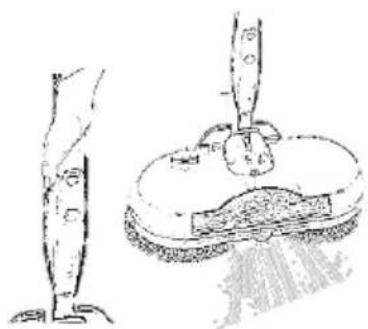
Simple line drawing of a hand holding a small object above a base, with no text or symbols present.- Fill the spray container with water and Any cleaning chemical Required.
The tank holds 200ml
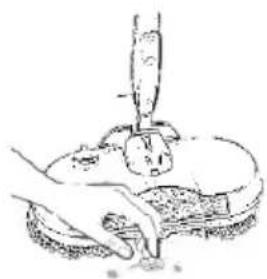
natural_image
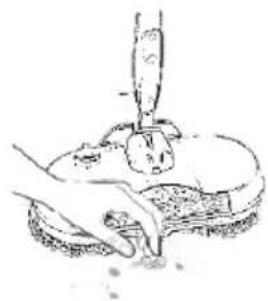
Illustration of a hand using a tool to press or inspect a surface, no text or symbols present- Clear the floor of debris and foreign objects.
We suggest a quick vacuum before cleaning
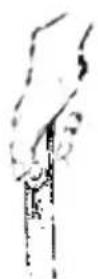
- Press the power button on the handle to power the rotating bases in the head unit.
Ensure you have fitted batteries
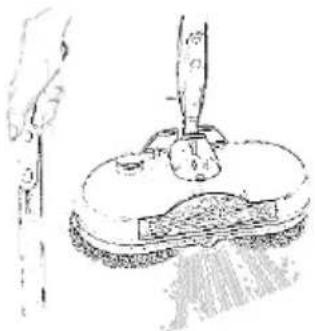
natural_image
Illustration of a hand using a tool to press or brush on a textured surface (no text or symbols visible)- When required, press the spray button on the handle to trigger the sprayer
How to operate using hand-held
natural_image
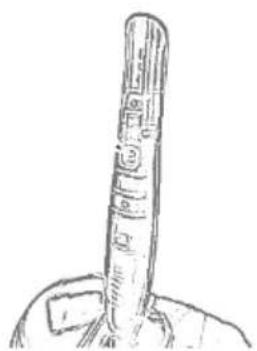
Simple line drawing of a cylindrical object with a handle, resembling a stylized pen or tool (no text or symbols)- Charging the unit. Insert the charging plug into the charging point at the back of the handheld head
natural_image
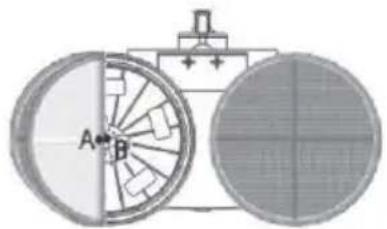
Diagram of a mechanical device with two circular components and internal gear-like structures (no text or symbols)- Ensure the pads are central on each base. Press pads firmly onto the rotating bases.
natural_image
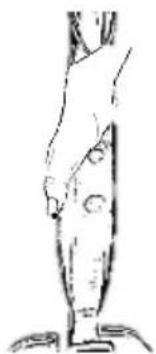
Line drawing of a human leg and foot (no text or symbols)- Press the power button on the handle to power the rotating bases in the head unit.
Ensure you have fitted batteries
natural_image
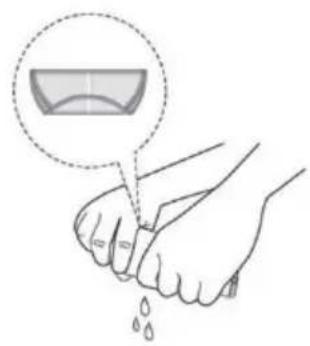
Illustration of a hand holding a small object with liquid droplets, no text or symbols present- Make sure the pads are clean. Twist and wring out any excess water.
natural_image
Simple line drawing of a cartoon character sitting on a platform with a small object nearby (no text or symbols)- Fill the spray container with water and Any cleaning chemical required
natural_image
Illustration of a foot and ankle joint with a tool on a circular base (no text or symbols)- When required, press the spray button on the handle to trigger the sprayer
text_image
Rotating Base- Fix the pads to the rotating base.
natural_image
Illustration of a hand using a tool to press or inspect a textured object on a plate (no text or symbols visible)- Clear the floor of debris and foreign objects. We suggest a quick vacuum before cleaning
Caring for your cleaning pads – fit correctly in use
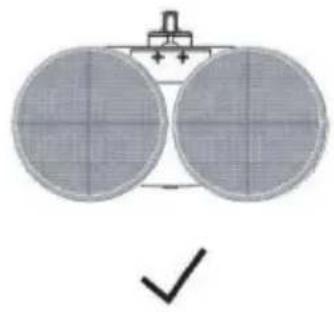
natural_image
Simple diagram of two circular objects with grid patterns and a checkmark below (no text or symbols)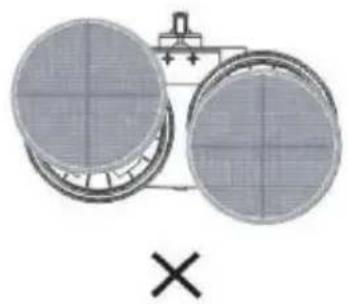
natural_image
Two circular industrial components with internal grid patterns, connected by a pipe (no text or symbols visible)
natural_image
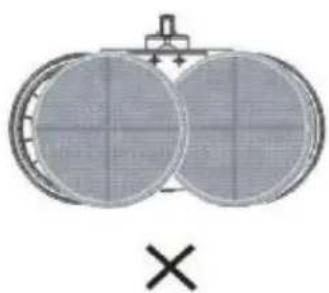
Diagram of two circular components with a cross symbol below, no text or labels presentCaring for your cleaning pads – washing
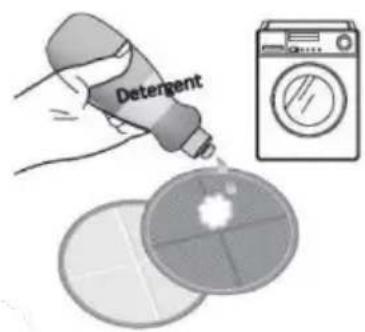
text_image
Detergent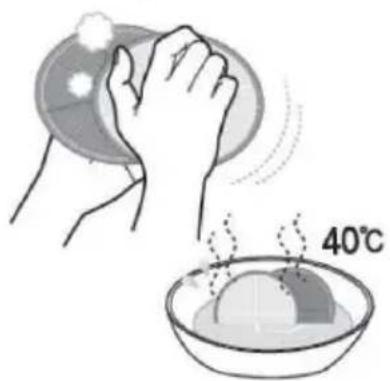
text_image
40°C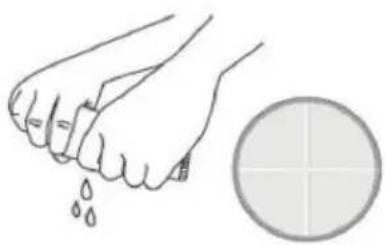
natural_image
Illustration of a clenched fist crushing droplets next to a circular grid (no text or symbols)When machine washing, apply a little detergent to each pad directly.
When hand washing, rub the two pads together to scrub them clean
Twist and wring out any excess water.
natural_image
Crossed medical device with bacterial colonies on left and plate with cross symbol (no text or labels)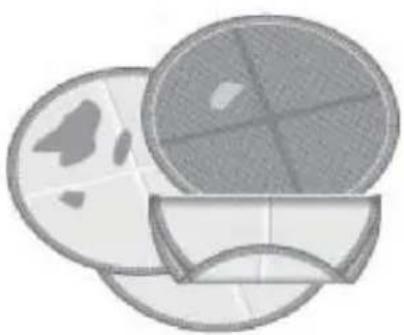
natural_image
Illustration of three overlapping circular objects with internal patterns, no text or symbols present.
text_image
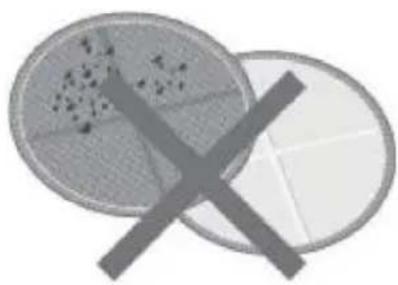
Bleach SoftenerRemove all debris from the pads to avoid damage to the floor when cleaning.
Wash separately from other items.
Never use bleach or fabric softener on the pads
Problem
Possible fault/solution
| The Cordless Polisher/washer won't start? | - Please ensure the product has been sufficiently charged. - Ensure the charging cable has been tightly inserted - Please ensure the batteries in the handle are not empty and that they have been installed correctly. - Please ensure the normal running time of 25 minutes has not been exceeded. |
| The pads and pump won't turn on | - Please press the foot switch on the top of the polisher head to start the machine. The LED lights will come on as an indicator. |
| Excessive water is left on the floor | - Please ensure the pads are not full of soaked up water. |
| Excessive vibrations in the head of the unit. | - Please ensure that the pads have been installed centrally on the rotating heads. |
| There is an unusual noise when cleaning. | - The unit will emit a light “buzzing” sound. This is normal. - Other noising could be caused by foreign objects attached to the cleaning pads. |
Technical Data
| Rated Voltage | Input: 220V, 50/60HzOutput: 7.2V 2000mAh |
| Rated Power | 30W |
| Water Tank Capacity | 6.76fl oz |
| Unit Dimension | 13.4*6.7*54.7in |
| Net Weight | 3.7lb |
INFORMATION ON THE DISPOSAL OF WASTE ELECTRICAL AND ELECTRONIC EQUIPMENT KNOWN AS WEEE
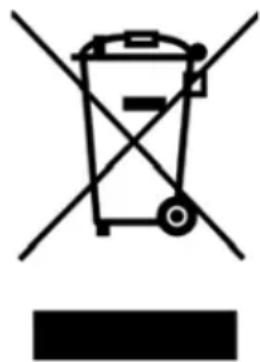
Your attention is brought to new directives applicable to the disposal of this electrical equipment where, in accordance with legislation, this product must not be disposed of in your normal household waste. Instead, it is your responsibility to dispose of this type of waste by handing it over to special designated collection points for recovery and recycling. This product is marked with a 'Wheelie bin' symbol with a cross on it to remind you of this action. The objective of this directive is to help conserve resources and ensure that it is recycled in a manner that protects human health and the environment. For more information about where you can drop off your waste please contact your local authority, take back facilities are free of charge.
natural_image
Symbol of a trash bin with crossed lines indicating no waste or discharge, and a solid black rectangle below (no text or labels)Your Warranty
This product is guaranteed for a period of 12 months against faulty materials and workmanship. While every possible care is taken by Ewbank LLC to ensure that our products leave the factory in good working order, Ewbank LLC cannot under any circumstances accept liability for problems or damage caused by their subsequent use. It is the responsibility of the user to ensure the surfaces to be treated or cleaned are suitable for polishing. This warranty does not affect your statutory rights. This warranty excludes the use for rental. In the event of a fault occurring please contact our helpline before returning the unit to our Service Department at the address below together with a copy of your purchase receipt. All repairs will be dealt with speedily. Some States do not allow limitations on how long an implied warranty lasts and some States do not allow the exclusion or limitation of incidental or consequential damages, so part or all the above limitations or exclusions may not apply to you. This warranty gives you specific legal rights, and you may also have other rights which vary from state to state.
For service and further information, please contact: 6801-D Northpark Boulevard, Charlotte, North Carolina, 28216 USA Telephone: Tel: 704-827-9385
Email: enquiries@ewbankus.com, www.ewbankus.com
Made in China EB1194 02/21

text_image
Ewbank® Cleaning homes since 1880LAVEUSE & POLISSEUSE SAN FIL
natural_image
White mobile phone with a long vertical scroll and base, no visible text or symbols on the device itself.Contenu du paquet

natural_image
Two overlapping circles forming a Venn diagram shape (no text or symbols)Coussinets de Lavage
natural_image
Two overlapping circles forming a Venn diagram shape (no text or symbols)text_image
Ewbank DESCRIPTION EXTRA:#000000000000000000 Copyright: e-bank@e-bank.com Customer: e-bank@e-bank.com Product name: e-bank@e-bank.com Product type: e-bank@e-bank.com Product description: e-bank@e-bank.com Product quality: e-bank@e-bank.com Product manufacturer: e-bank@e-bank.com Product manufacturer: e-bank@e-bank.com Product manufacturer: e-bank@e-bank.com Product manufacturer: e-bank@e-bank.com Product manufacturer: e-bank@e-bank.com Product manufacturer: e-bank@e-bank.com Product manufacturer: e-bank@e-bank.com Product manufacturer: e-bank@e-bank.com Product manufacturer: e-b Bank @ Ewbank.com Product manufacturer: e-b Bank @ Ewbank.com Product manufacturer: e-b Bank @ Ewbank.com Product manufacturer: e-b Bank @ Ewbank.com Product manufacturer: e-b Bank @ Ewbank.com Product manufacturer: e-b Bank @ Ewbank.com Product manufacturer: e-b Bank @ Ewbank.com Product manufacturer: e-b Bank @ Ewbank.com Product manufacturer: e-b Bank @ Ewbank.com Product Manufacturer: e-b Bank @ Ewbank.com Product Manufacturer: e-b Bank @ Ewbank.com Product Manufacturer: e-b Bank @ Ewbank.com Product Manufacturer: e-b Bank @ Ewbank.com Product Manufacturer: e-b Bank @ Ewbank.com Product Manufacturer: e-b Bank @ Ewbank.com Product Manufacturer: e-b Bank @ Ewbank.com Product Manufacturer: e-b Bank @ Ewbank.com Product Manufacturer: e-bBank @ Ewbank.com Product Manufacturer: e-bBank @ Ewbank.com Product Manufacturer: e-bBank @ Ewbank.com Product Manufacturer: e-bBank @ Ewbank.com Product Manufacturer: e-bBank @ Ewbank.com Product Manufacturer: e-bBank @ Ewbank.com Product Manufacturer: e-bBank @ Ewbank.com Product Manufacturer: e-bBank @ Ewbank.com Product Manufacturer: e-bBank @ Ew bank @ Ew bank.com Product Manufacturer: e-bBank @ Ew bank.com Product Manufacturer: e-bBank @ Ew bank.com Product Manufacturer: e-bBank @ Ew bank.com Product Manufacturer: e-bBank @ Ew bank.com Product Manufacturer: e-bBank @ Ew bank.com Product Manufacturer: e-bBank @ Ew bank.com Product Manufacturer: e-bBank @ Ew bank.com Product Manufacturer: e-bBank @ Ew bank.com Product Manufacturer: e-bBank @ Ew bence @ Ew bence @ Ew bence @ Ew bence @ Ew bence @ Ew bence @ Ew bence @ Ew bence @ Ew bence @ Ew bence @ Ew bence @ Ew bence @ Ew bence @ Ew bence @ Ew bence @ Ew bence @ Ew bence @ Ew bence @ Ew bence @ Ew bence @ Ew bance @ Ew bance @ Ew bance @ Ew bance @ Ew bance @ Ew bance @ Ew bance @ Ew bance @ Ew bance @ Ew bance @ Ew bance @ Ew bance @ Ew bance @ Ew bance @ Ew bance @ Ew bance @ Ew bance @ Ew bance @ Ew bance @ Ew bance @ Ew bonce @ Ew bonce @ Ew bonce @ Ew bonce @ Ew bonce @ Ew bonce @ Ew bonce @ Ew bonce @ Ew bonce @ Ew bonce @ Ew bonce @ Ew bonce @ Ew bonce @ Ew bonce @ Ew bonce @ Ew bonce @ Ew bonce @ Ew bonce @ Ew bance@Ewcban@Ewcban.comManuel
natural_image
Line drawing of a handheld vacuum cleaner with attached tool and cable (no text or symbols)natural_image
Diagram of a mechanical device with a downward arrow indicating force or direction (no text or symbols present)natural_image
Simple line drawing of a mechanical component with an arrow indicating downward motion (no text or symbols)natural_image
Simple line drawing of a vertical cylindrical object with textured surface and base, no text or symbols presentnatural_image
Diagram of a mechanical device with two circular components and labeled parts (A, B), no readable text or symbols present.natural_image
Illustration of a hand holding a small object with droplets, accompanied by a magnified inset showing a bowl (no text or symbols)natural_image
Simple line drawing of a fruit on a rounded base with a stick above it (no text or symbols)natural_image
Hand holding a tool above a circular object with a brush, no visible text or symbolstext_image
A B Base Rotativenatural_image
Illustration of a hand using a tool to press or inspect a textured surface (no text or symbols visible)natural_image
Line drawing of a traditional Chinese bamboo or silk tool with a long handle and flared base (no text or symbols)natural_image
Diagram of a mechanical device with two circular components and internal blades, labeled A and B (no text or symbols beyond labels)natural_image
Line drawing of a human leg in profile view (no text or symbols)natural_image
Illustration of a hand holding a spoon with liquid, showing a magnified view of the cup (no text or symbols present)natural_image
Simple line drawing of a small object with a stick and a label, no text or symbols present.natural_image
Illustration of a person's legs and foot with a tool on a circular object, no text or symbols presenttext_image
Rotating Base Base Rotativenatural_image
Illustration of a hand using a tool to clean food from a bowl (no text or symbols visible)natural_image
Simple diagram of two circular objects with a handle and checkmark below (no text or symbols)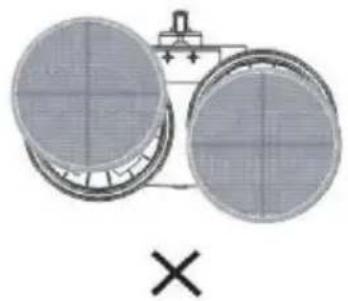
natural_image
Two circular filter or filter units with a cross symbol below, no text or labels present.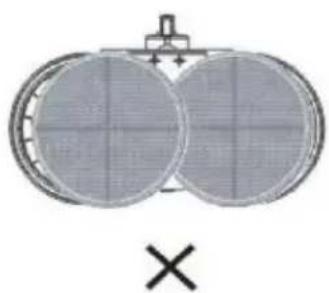
natural_image
Diagram of two circular components with grid patterns, no text or symbols presentnatural_image
Illustration of a clenched fist and a circular object with a grid pattern (no text or symbols)natural_image
Crossed illustration of two petri dishes with a crossed-out arrow, no text or symbols present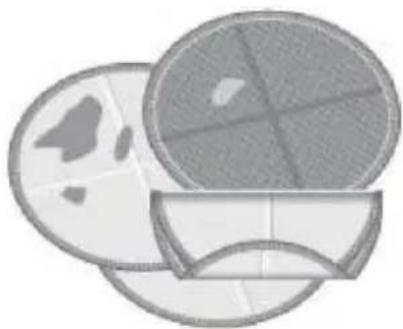
natural_image
Illustration of two overlapping circular objects with abstract patterns, no text or symbols present.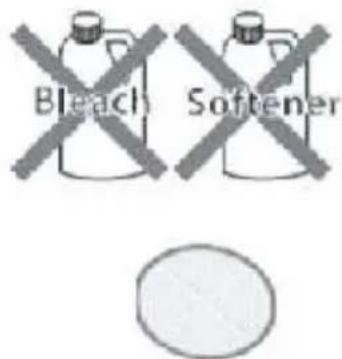
text_image
Bleach Softenernatural_image
Symbol of a trash bin with no text or numbers presentVotre Garantie
natural_image
Line drawing of a handheld vacuum cleaner with attached tubing and cable (no text or symbols)natural_image
Diagram of a mechanical device with a downward arrow indicating force or direction (no text or symbols present)natural_image
Simple line drawing of a mechanical device with a downward arrow indicating motion (no text or symbols)natural_image
Line drawing of a cylindrical object with a textured top and base, possibly a tool or device (no text or symbols visible)natural_image
Illustration of a hand holding a small object with liquid dripping, no text or symbols presentnatural_image
Technical diagram of a mechanical device with two circular components and labeled parts (A, B), no readable text or symbols present.natural_image
Simple line drawing of a decorative object with a central figure and base, no text or symbols present.natural_image
Illustration of a hand pressing down on a plate with a tool above it (no text or symbols)natural_image
Illustration of a hand holding a tool above a circular object with a handle, no visible text or symbolsnatural_image
Simple line drawing of a vertical cylindrical object with a base, resembling a stylized pen or tool (no text or symbols)natural_image
Diagram of a mechanical device with two circular components labeled A and B, showing internal components (no text or symbols beyond labels)4. Asegurar que las
natural_image
Line drawing of a human leg in profile view (no text or symbols)natural_image
Illustration of a hand holding a cup with liquid dripping, showing a magnified view of the cup (no text or symbols present)2. Asegurar que las
natural_image
Simple line drawing of a small object on a textured surface, possibly a device or tool, with no visible text or symbols.natural_image
Illustration of a hand holding a small object above a textured surface, with no visible text or symbols.text_image
Rotating Basenatural_image
Illustration of a hand performing a medical procedure on a patient's abdomen (no text or symbols visible)natural_image
Simple diagram of two circular objects with a handle and checkmark below (no text or symbols)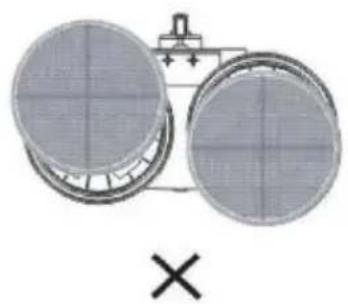
natural_image
Diagram of two circular components with a cross symbol below, no text or labels present