USER MANUAL AS09GS1ERA HAIER
AS07GS1ERA
AS09GS1ERA
AS12GS1ERA
Contents
PARTS AND FUNCTIONS 1
OPERATION 2
INDOOR UNIT INSTALLATION 5
MAINTENANCE 8
CAUTIONS 9
TROUBLE SHOOTING 10
English
Contenido
PARTES Y FUNCIONES 11
FUNCIONAMIENTO 12
- Please read this operation manual before using the air conditioner. Keep this operation manual for future reference.
Parts and Functions
Indoor Unit
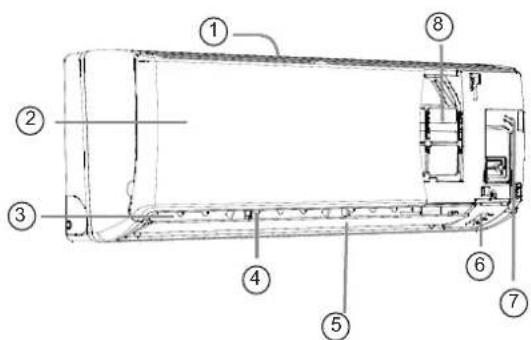
① Inlet ② Inlet grille ③ Outlet ④ Vertical blade (adjust left and right air flow) ⑤ Horizontal flap (adjust up and down air flow. Don't adjust it manually)
⑥ Display board ⑦ Emergency Switch ⑧ Air Purifying Filter (inside)
Please refer to the actual product purchased; the above picture is for reference only.
Outdoor Unit
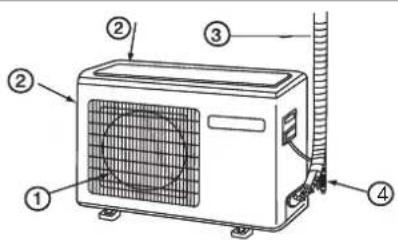
① OUTLET ③ CONNECTING PIPING AND ELECTRICAL WIRING ② INLET ④ DRAIN HOSE
Please refer to the actual product purchased; the above picture is for reference only.
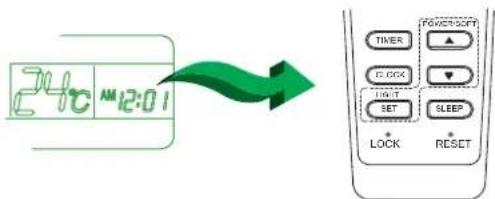
Clock set
Press CLOCK button, "AM" or "PM" flashes.
Press △ or ▽ to set the correct time. Each press will increase or decrease by 1 minute. If the button is kept pressed, the time will change quickly. After time setting is confirmed, press SET, "AM" and "PM" stop flashing, and the clock starts working.
Remote controller
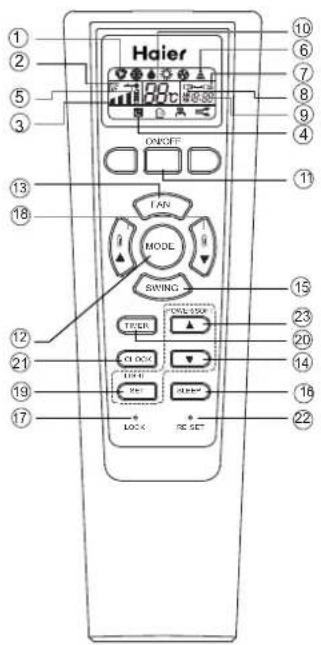
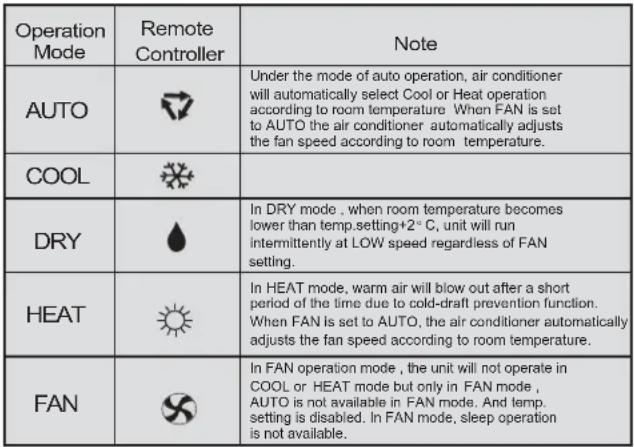
- Mode display
| Operation mode | AUTO | COOL | DRY | HEAT | FAN |
| Remote controller | | | | | |
- SWING display
- FAN SPEED display
- SLEEP display
- LOCK display
- SIGNAL SENDING
- TIMER OFF display
- TIMER ON display
- CLOCK display 10.TEMP display
- POWER ON/OFF button
- MODE button
- FAN button
- HOUR button
- SWING button
- SLEEP button
- LOCK button
Used to lock buttons and LCD display.
- TEMP.SETTING button
- SET / LIGHT button
- TIMER button
- CLOCK button Used to set correct time.
- RESET button
When the remote controller appears abnormal, use a sharp pointed article to press this button to reset the remote controller to normal. 23. HOUR / POWER/SOFT button
Used to set clock and timer settings.
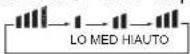
Every time the button is pressed,
the display changes as follows:

Loading the battery
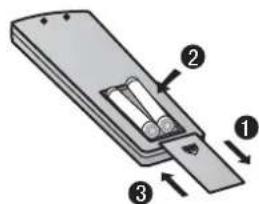
1 Remove the battery cover; 2 Load the batteries as illustrated.
2 R-03 batteries, resetting key (cylinder); 3 Be sure that the loading is in line with the " + "/"-";
4 Load the battery, then put the cover back on.
Note:
● The distance between the signal transmission head and the receiver hole should be within 7m without any obstacles. - When an electronic-started type fluorescent lamp, change-over type fluorescent lamp, or wireless telephone is installed in the room, the receiver is apt to be disturbed in receiving signals, so the distance to the indoor unit should be shorter. ● Full display or unclear display during operation indicates the batteries have been used up. Please change the batteries. - If the remote controller doesn't run normally during operation, please remove the batteries and reload them several minutes later.
Hint:
Remove the batteries if the unit won't be used for a long period. If there is any display after taking them out, just press the reset key.
Operation
Base Operation
Remote controller
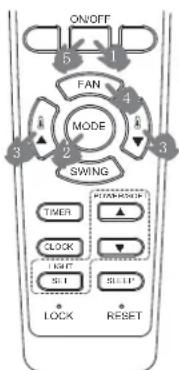
1. Unit start
Press ON/OFF on the remote controller, unit starts.
2. Select operation mode
Press MODE button. For each press, operation mode changes as follows:
Remote controller:

3. Select temp. setting
Press


button

Every time the button is pressed, temp. setting increases by 1°C; if kept depressed, it will increase rapidly.

Every time the button is pressed, temp. setting decreases by 1°C; if kept depressed, it will decrease rapidly.
Select a desired temperature.
4. Fan speed selection
Press FAN button. For each press, fan speed changes as follows:
Remote controller:

Air conditioner is running under displayed fan speed. When FAN is set to AUTO, the air conditioner automatically adjusts the fan speed according to room temperature.
Emergency operation and test operation
Emergency Operation:
- Use this operation only when the remote controller is defective or lost, and with function of emergency running, air conditioner can run automatically for a while.
- When the emergency operation switch is pressed, the "Pi" sound is heard once, which means the start of this operation.
- When power switch is turning on for the first time and emergency operation starts, the unit will run automatically in the following modes:
| Room temperature | Designated temperature | Timer mode | Fan speed | Operation mode |
| Above 23°C | 26°C | No | AUTO | COOL |
| Below 23°C | 23°C | No | AUTO | HEAT |
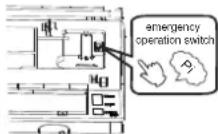
- It is impossible to change the settings of temp. and fan speed, It is also not possible to operate in timer or dry mode.
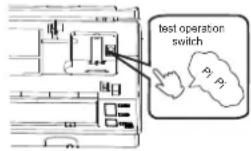
Test operation:
Test operation switch is the same as emergency switch.
- Use this switch in the test operation when the temperature is below 16°C, do not use it in the normal operation.
- Continue to press the test operation switch for more than 5 seconds. After you hear the "Pi" sound twice, release your finger from the switch: the cooling operation starts with the air flow speed "Hi".
- Under this operation mode, the fan motor of indoor unit will run in high speed.
Air Flow Direction Adjustment
- Status display of air flow
Vertical flap
Pos.1 blank Pos.2 Pos.3
Pos.4 (Auto swing)
- Left and right air flow adjustment (manual)
Move the vertical blade by a knob on air conditioner to adjust left and right direction referring to Fig.
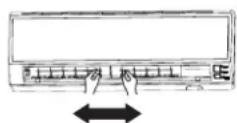

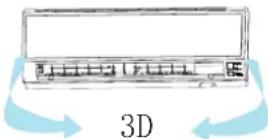
Cautions:
- When adjusting the flap by hand, turn off the unit.
- When humidity is high, condensate water might occur at air outlet if all vertical louvers are adjusted to left or right.
- It is advisable not to keep horizontal flap at downward position for a long time in COOL or DRY mode, otherwise, condensate water might occur.
Note:
When restart after remote turning off, the remote controller will automatically memorize the previous set swing position.
Operation
Sleep Operation
Before going to bed, you can simply press the SLEEP button and unit will operate in SLEEP mode and bring you a sound sleep.

Use of SLEEP function
After the unit starts, set the operation status, then press SLEEP button before which the clock must be adjusted and time being set.
Operation Mode
1. In COOL, DRY mode
1 hour after SLEEP mode starts, the temperature will become 1°C higher than the temperature setting. After another 1 hour, the temperature rises by 1°C further. The unit will run for a further 6 hours then stops. The temperature is higher than the temperature setting so that the room temperature won't be too low for your sleep.
![graph TD A["SLEEP operation starts SLEEP operation stops"] --> B["Approx.6hrs"] B --> C["1 hr"] C --> D["Rises 1°C"] D --> E["1 hr"] E --> F["Rises 1°C"] F --> G["Unit stop"] style A fill:#f9f,stroke:#333 style G fill:#ccf,stroke:#333](/content/2026/04/636257/images/a956db11f2f477e5768f34c2fca941d27f6a7ee976f24f47951d729c58c0f395.jpg)
2. In HEAT mode
1 hour after SLEEP mode starts, the temperature will become 2°C lower than the temperature setting. After another 1 hour, the temperature decreases by 2°C further. After another 3 hours, the temperature rises by 1°C further. The unit will run for a further 3 hours then stops. The temperature is lower than the temperature setting so that the room temperature won't be too high for your sleep.
![graph TD A["Temp. setting"] --> B["1 hr"] B --> C["Decreases 2°C"] B --> D["1 hr"] D --> E["Decreases 2°C"] D --> F["3 hrs"] F --> G["Rises 1°C"] G --> H["SLEEP operation stops"] style A fill:#f9f,stroke:#333 style H fill:#ccf,stroke:#333](/content/2026/04/636257/images/c1f48a5412e05f806bc6fae8e63041bc8b5e965e4f1f73dee53287f1cba5f040.jpg)
3. In AUTO mode
The unit operates in the corresponding sleep mode adapted to the automatically selected operation mode.
4. In FAN mode
It has no SLEEP function.
- When the quiet sleeping function is set to 8 hours, the quiet sleeping time cannot be adjusted. When the TIMER function is set, the quiet sleeping function cannot be set up. After the sleeping function is set up, if the user resets the TIMER function, the sleeping function will be cancelled; the machine will be in the state of timing-on. If the two modes are set up at the same time, whichever operation time ends first, the unit will stop automatically, and the other mode will be cancelled.
Power Failure Resume Function
- If the unit is started for the first time, the compressor will not start running unless 3 minutes have elapsed. When the power resumes after a power failure, the unit will run automatically, and 3 minutes later the compressor starts running.
- Note to the power failure resume: press the sleep button ten times in five seconds and enter this function after hearing four sounds. And press the sleep button ten times within five seconds and leave this function after hearing two sounds.
POWER/SOFT Operation
(1) POWER Operation
When you need rapid heating or cooling, you can use this function. In COOL mode, fan speed automatically takes high speed of AUTO fan mode. In HEAT mode, fan speed automatically takes medium speed of AUTO fan mode.
(2) SOFT Operation
You can use this function when silence is needed for rest or reading. In SOFT operation mode, fan speed automatically takes low speed of AUTO fan mode.
Note:
During POWER operation, in rapid HEAT or COOL mode, the room will show uniform temperature distribution. Long period SOFT operation will cause effect of not too cool or not too warm.
To cancel POWER or SOFT operation
Press POWER/SOFT button again, POWER or SOFT disappears.
Operation
Timer On/Off On-Off Operation
Set clock correctly before starting TIMER operation.
- After unit starts, select your desired operation mode.
- Press TIMER button to change TIMER mode. Every time the button is pressed, display changes as follows: Remote controller:
![graph LR A["ON"] --> B["OFF"] B --> C["ON"] --> D["OFF"] D --> E["BLANK"] style A fill:#f9f,stroke:#333 style B fill:#f9f,stroke:#333 style C fill:#f9f,stroke:#333 style D fill:#f9f,stroke:#333 style E fill:#f9f,stroke:#333](/content/2026/04/636257/images/448fa4e26a1c81773eb86f4e16bb1f434d45bbc6f4d85b3676e756229f23220f.jpg)
Then select your desired TIMER mode (TIMER ON or TIMER OFF or TIMER ON-OFF). "ON" or "OFF" will flash.
- Press ▲/ ▼ button to set time.
It can be adjusted within 24 hours.
- After setting correct time, press SET button to confirm
"ON" or "OFF" on the remote controller stops flashing.
- Cancel TIMER mode
Just press TIMER button several times until TIMER mode disappears.
Hints:
After replacing batteries or a power failure happens, time setting should be reset.
Remote controller possesses memory function, when use TIMER mode next time, just press SET button after mode selecting if time setting is the same as previous one.
According to the Time setting sequence of TIMER ON or TIMER OFF, either Start-Stop or Stop-Start can be achieved.
CE
All the products are in conformity with the following European provision:
- Low Voltage Directive 73/23/EEC
- Low Voltage Directive 2006/95/EC - Electromagnetic Compatibility 89/336/EEC - Electromagnetic Compatibility 2004/108/EC
ROHS
The products are fulfilled with the requirements in the directive 2002/95/EEC of the European parliament and of council on the Restriction of the use of Certain Hazardous Substances in Electrical and Electronic Equipment (EU RoHS Directive)
WEEE
In accordance with Directive 2002/96/EC of the European Parliament, we hereby inform consumers about the disposal requirements for electrical and electronic products.
DISPOSAL REQUIREMENTS:
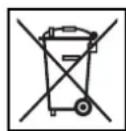
Your air conditioning product is marked with this symbol. This means that electrical and electronic products shall not be mixed with unsorted household waste. Do not attempt to dismantle the system yourself: the dismantling of the air
conditioning system, treatment of the refrigerant, oil, and other parts must be carried out by a qualified installer in accordance with relevant local and national legislation. Air conditioners must be treated at a specialized treatment facility for reuse, recycling, and recovery. By ensuring this product is disposed of correctly, you will help prevent potential negative consequences for the environment and human health. Please contact the installer or local authority for more information. Batteries must be removed from the remote controller and disposed of separately in accordance with relevant local and national legislation.
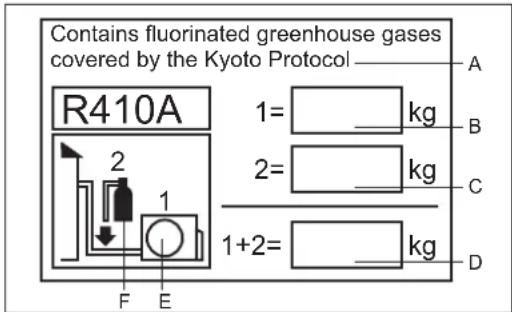
This product contains fluorinated greenhouse gases covered by the Kyoto Protocol. Do not vent into the atmosphere.
Refrigerant type: R410A
GWP* value: 1975
GWP = global warming potential
Please fill in with indelible ink:
• 1 the factory refrigerant charge of the product • 2 the additional refrigerant amount charged in the field, and 1+2 the total refrigerant charge on the refrigerant charge label supplied with the product. The filled-out label must be adhered in the proximity of the product charging port (e.g., onto the inside of the stop valve cover).
A contains fluorinated greenhouse gases covered by the Kyoto Protocol B factory refrigerant charge of the product: see unit name plate C additional refrigerant amount charged in the field D total refrigerant charge E outdoor unit F refrigerant cylinder and manifold for charging
Indoor Unit Installation
Driver●
Nipper
Hacksaw
Hole core drill
Spanner (17, 19 and 26 mm)
Gas leakage detector or soap-and-water solution
Torque wrench
(17 mm, 22 mm, 26 mm)
Pipe cutter
Flaring tool
Knife
Measuring tape
Reamer
Selection of Installation Place
Place, robust not causing vibration, where the body can be supported sufficiently. Place, not affected by heat or steam generated in the vicinity, where inlet and outlet of the unit are not disturbed. Place, possible to drain easily, where piping can be connected with the outdoor unit. Place, where cold air can be spread in a room entirely. Place, nearby a power receptacle, with enough space around. Place where the distance of more than 1 m from televisions, radios, wireless apparatuses and fluorescent lamps can be left. In the case of fixing the remote controller on a wall, place where the indoor unit can receive signals when the fluorescent lamps in the room are lightened.
Power Source
● Before inserting power into receptacle, check the voltage without fail. ● The power supply is the same as the corresponding nameplate. ● Install an exclusive branch circuit of the power. ● A receptacle shall be set up in a distance where the power cable can be reached. Do not extend the cable by cutting it.
Accessory Parts
| Remote controller (1) | Drain hose (1) |
| R-03 dry battery (2) | Plastic cap (4)∅4X25 Screw (4) |
| Mounting plate (1) | Air purifying filter(Optional) (1) |
Selection of Pipe
| FOR 07K 09K 12K | Liquid pipe | φ 6.35x0.8mm |
| Gas pipe | φ 9.52x0.8mm |
Drawing for the installation of indoor units
The models adopt HFC free refrigerant R410A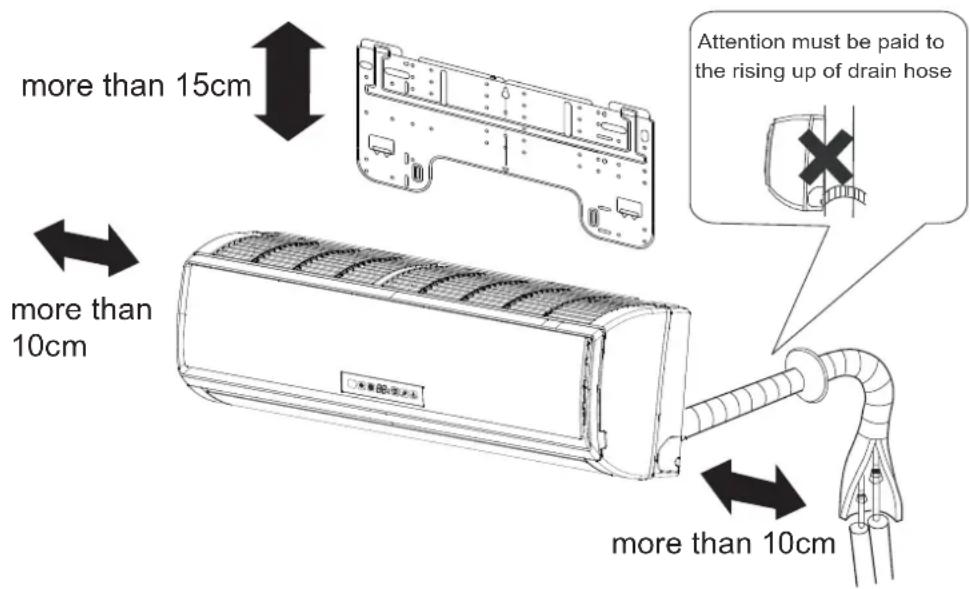
Arrangement of piping directions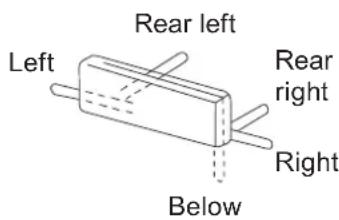
The distance between the indoor unit and the floor should be more than 2m.
Please be subject to the actual product purchased, the above picture is just for your reference.
Indoor Unit Installation
1 Fitting of the Mounting Position of the wall Hole
When the mounting plate is first fixed
- Carryout, based on the neighboring properties leveling tels, for the plate to be fixed against the wall, then temporarily fasten the plate with one steel nail.
- Make sure once more the proper level of the plate, by hanging a thread with aweight from the central top of the plate, then fasten securely the plate with the attachment steel nail.
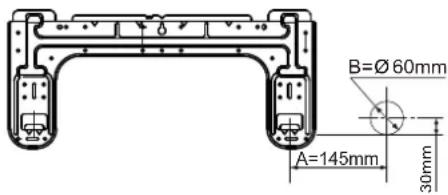
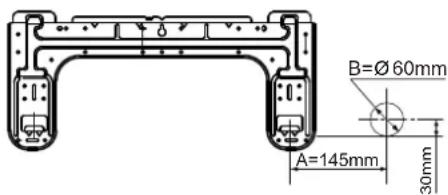
- Find the wall hole location A using a measuring tape
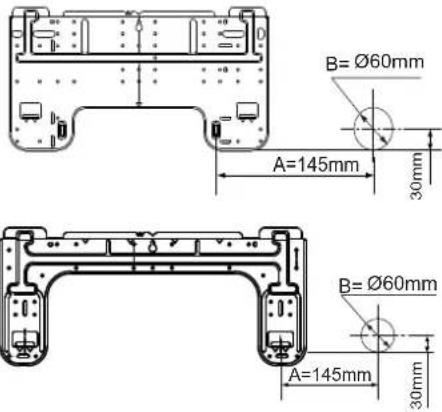
When the mounting plate is fixed side bar and lintel
● Fix a mounting bar (sold separately) to the side bar and lintel, then fasten the plate to the fixed mounting bar. - Refer to the previous article, "When the mounting plate is first fixed", for the position of the wall hole.
2 Making a Hole on the Wall and Fitting the Piping Hole Cover
● Make a hole of 60 mm in diameter, slightly descending to outside the wall. ● Install piping hole cover and seal it off with putty after installation
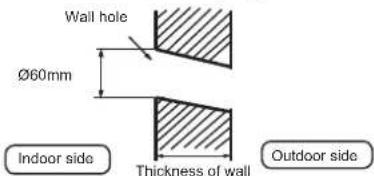
(Section of wall hole) © Piping hole pipe
3 Installation of the Indoor Unit
Drawing of pipe
[ Rear piping ]
● Draw pipes and the drain hose, then fasten them with the adhesive tape [Left · Left-rear piping] - In case of left side piping, cut away, with a nipper, the lid for left piping.
- In case of left-rear piping, bend the pipes according to the piping direction to the mark of hole for left-rear piping which is marked on heat insulation materials.
- Insert the drain hose into the dent of heat insulation materials of indoor unit.
- Insert the indoor/outdoor electric cable from backside of indoor unit, and pull it out on the front side, then connect the
- Coat the flaring seal face with refrigerant oil and cover the connection part with heat insulation material and make sure fixing with adhesive tape
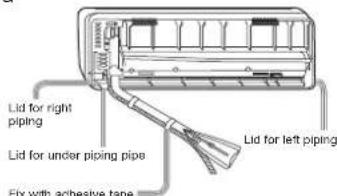
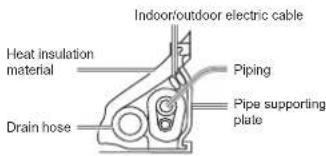
- Indoor/outdoor electric cable and drain hose must be protected by tape.
[ Other direction piping ]
● Cut away, with a nipper, the lid for piping according to the piping direction and then bend the pipe according to the position of wall hole. When bending, be careful not to crash pipes. - Connect beforehand the indoor/outdoor electric cable, and then pull out the connected to the heat insulation of connecting part specially.
Fixing the indoor unit body
- Hang the unit body securely onto the upper notches of the mounting plate. Move the body from side to side to verify its secure fixing.
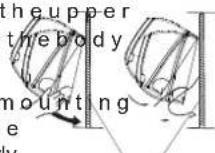
- In order to fix the body onto the mounting plate, hold up the body aslant from the underside and then put it down perpendicularly.
mounting plate
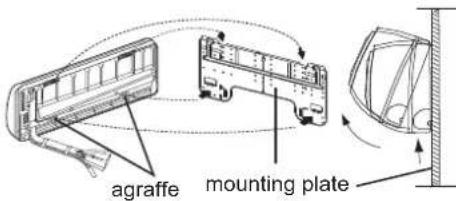
Unloading of indoor unit body
When you unload the indoor unit, please use your hand to raise the body to leave the graffe, then lift the bottom of the body outward slightly and lift the unit aslant until it leaves the mounting plate.
4 Connecting the indoor/outdoor Electric Cable
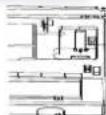
Removing the wiring cover
- Remove terminal cover at right bottom corner of indoor unit, then take off wiring cover by removing its screws.
When connecting the cable after installing the indoor unit
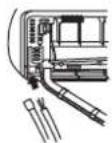
- Insert from outside the room cable into left side of the wall hole, in which the pipe has already existed.
- Pull out the cable on the front side, and connect them making a loop.
When connecting the cable before installing the indoor unit
- Insert the cable from side of the unit, then pull it out on the front side.
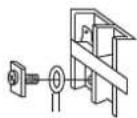
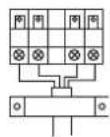
- Loosen the screws and insert the cable ends fully into terminal block, then tighten the screws.
- Pull the cable slightly to make sure the cables have been properly inserted and tightened. ● After the cable connection, never fail to fasten the connected cable with the wiring cover.
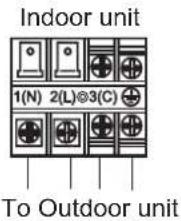
Note:
When connecting the cable, confirm the terminal number of indoor and outdoor units carefully. If wiring is not correct, proper operation cannot be carried out and will cause defect.
| Model | AS07GS1ERA AS09GS1ERA AS12GS1ERA |
| Connecting wiring | 4G0.75mm2 |
- If the supply cord is damaged, it must be replaced by the service agent or a similar qualified person. The type of connecting wire is H05RN-F or H07RN-F.
- If the fuse on PC board is broken, please check type of fit with the T.3.15A/250VAC (Indoor).
- The wiring method should be in line with the local wiring
- After installation, the power plug should be easily reached.
- A breaker should be incorporated into fixed wiring. The ball-pole switch and the distance between its two contacts should be not less than 3mm.
5 Power Source Installation
● The power source must be exclusively used for air conditioner. - In the case of installing an air conditioner in a moist place, please install an earth leakage breaker. ● For installation in other places, use a circuit breaker as far as possible.
6 Cutting and Flaring Work of Piping
● Pipe cutting is carried out with a pipe cutter and burs must be removed. ● After inserting the flare nut, flaring work is carried out.
| Flare tool for R410A | Conventional flare tool |
| Clutch-type | clutch-type(Rigid-type) | Wing-nut type (Imperial-type) |
| A | 0~0.5mm | 1.0~1.5mm | 1.5~2.0mm |
Flare tooling die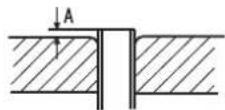
1.Cut pipe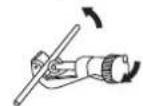
- Insert the flare nut
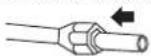
- Remove burs
4. Flare pipe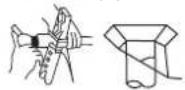
| Correct | Incorrect |
| Lean | Damage of flare | Crack | Partial | Too outside |
cable
7. On Drainage
- Please install the drain hose so as to be downward slope without fail.
- Please don't do the drainage as shown below.
It becomes high midway.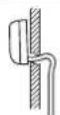
The end is immersed in water.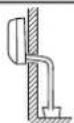
It waves.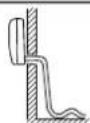
The gap with the ground is too small.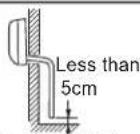
There is the bad smell from a ditch.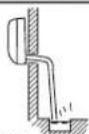
● Please pour water in the drain pan of the indoor unit, and confirm that drainage is carried out surely to outdoor. - In case that the attached drain hose is in a room, please apply heat insulation to it without fail.
8. On Drainage
| Code indication | Trouble description | Analyze and diagnose |
| E1 | Indoor fan motor malfunction | Faulty connector connection;Faulty thermistor;Faulty PCB; |
| E2 | Heat-exchange sensor failure |
| E4 | Indoor EEPROM error | Faulty EEPROM data;Faulty EEPROM;Faulty PCB; |
 | Communication fault between indoor and outdoor units | Indoor unit- outdoor unit signal transmission error due to wiring error;Faulty PCB; |
| E7 |
 | Indoor fan motor malfunction | Operation halt due to breaking of wire inside the fan motor;Operation halt due to breaking of the fan motor lead wires;Detection error due to faulty indoor unit PCB; |
 |
9. Check for Installation and Test Run
Please kindly explain to our customers how to operate through the instruction manual.
Check Items for Test Run
Put check mark √ in boxes
□ Gas leak from pipe connecting? □ Heat insulation of pipe connecting? □ Are the connecting wirings of indoor and outdoor firmly inserted to the terminal block? □ Is the connecting wiring of indoor and outdoor firmly □ Is drainage securely carried out? □ Is the earth line securely connected? □ Is the indoor unit securely fixed? □ Is power source voltage abided by the code? □ Is there any noise? □ Is the lamp normally lighting? Are cooling and heating (when in heat pump) performed □ Is the operation of room temperature regulator normal?
Maintenance
For Smart Use of The Air Conditioner
Setting of proper room temperature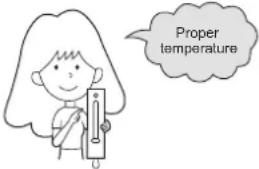 | Do not block the air inlet or outlet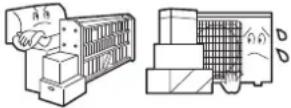 |
Close doors and windows during operation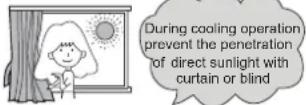 | Use the timer effectively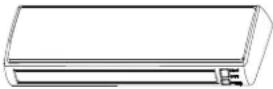 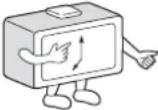 |
If the unit is not to be used for a long time, turn off the power supply main switch.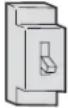 OFF OFF | Use the louvers effectively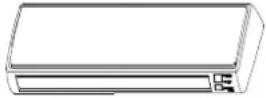 |
Remote Controller Indoor Body
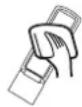
Do not use water, wipe the controller with a dry cloth. Do not use glass cleaner or chemical cloth.
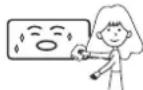
Wipe the air conditioner by using a soft and dry cloth. For serious stains, use a neutral detergent diluted with water. Wring the water out of the cloth before wiping, then wipe off the detergent completely.
Do not use the following for cleaning
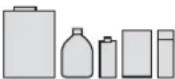
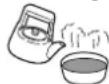
Gasoline, benzine, thinner or cleanser may damage the coating of the unit.
Hot water over 40°C (104°F) may cause discoloring or deformation.
Air Filter cleaning
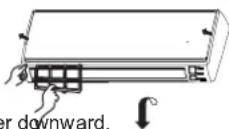
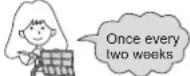
1 Open the inlet grille by pulling it upward. 2 Remove the filter. Push up the filter's center tab slightly until it is released from the stopper, and remove the filter downward. 3 Clean the filter. Use a vacuum cleaner to remove dust, or wash the filter with water. After washing, dry the filter completely in the shade. 4 Attach the filter. Attach the filter correctly so that the "FRONT" indication is facing to the front. Make sure that the filter is completely fixed behind the stopper. If the right and left filters are not attached correctly, that may cause defects. 5 Close the inlet grille.
Replacement of Air Purifying Filter
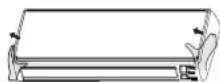
1. Open the Inlet Grille
Prop up the inlet grille using a small device called a grille support, located on the right side of the indoor unit.
- Detach the standard air filter
Slide the knob slightly upward to release the filter, then withdraw it.
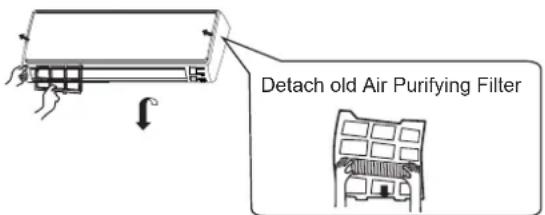
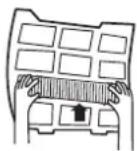
- Attach Air Purifying Filter
Place the air purifying filter appliances into the right and left filter frames.
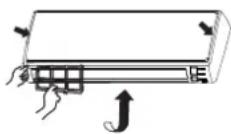
- Attach the standard air filter (Necessary installation)
ATTENTION:
The white side of the photocatalyst air purifying filter faces outward, and the black side faces the unit. The green side of the bacteria-killing medium air purifying filter faces outward, and the white side faces the unit.
5. Close the Inlet Grille
Close the grille securely.
NOTE:
- The photocatalyst air purifying filter will be solarized at fixed intervals. In normal household use, it should be solarized every 6 months.
- The bacteria-killing medium air purifying filter can be used for a long time without replacement. However, during use, you should remove dust frequently by using a vacuum cleaner or by tapping it lightly; otherwise, its performance will be affected.
- When not in use, keep the bacteria-killing medium air purifying filter in a cool, dry place, and avoid prolonged direct sunlight, as this may reduce its sterilizing ability.
Cautions

WARNING
Please call Sales/Service Shop for the Installation.
Do not attempt to install the air conditioner by yourself because improper works may cause electric shock, fire, water leakage.

WARNING
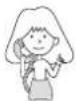
When abnormality such as burnt-small found, immediately stop the operation button and contact sales shop.
OFF
STRICT
ENFORCEMENT
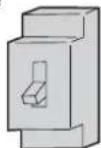
Use an exclusive power source with a circuit breaker
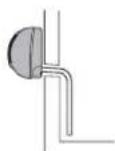
Check proper
installation of the
drainage securely
STRICT
ENFORCEMENT
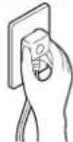
Connect power supply cord to the outlet completely
STRICT
ENFORCEMENT
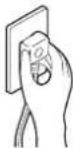
STRICT
ENFORCEMENT
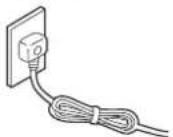
PROHIBITION
Use the proper voltage
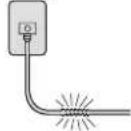
PROHIBITION
Do not use an extended power supply cord connected halfway.
- Do not install in a place where there is any possibility of inflammable gas leakage around the unit.
- Do not expose the unit to vapor or oil steam.
PROHIBITION
Do not start or stop the operation by disconnecting the power supply cord, etc.
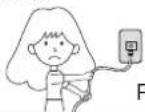
PROHIBITION
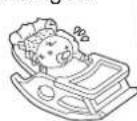
Do not channel the air flow directly at people, especially at infants or the aged.
PROHIBITION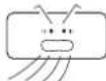
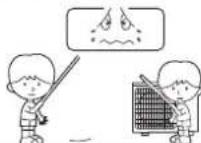
Do not insert objects into the air inlet or outlet.
PROHIBITION
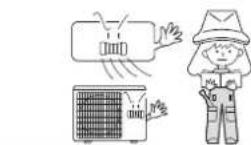
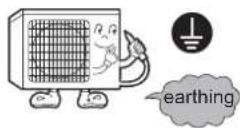
Connect the earth cable.

CAUTION
Do not use for the purpose of storage of food, art work, precise equipment, breeding, or cultivation.
PROHIBITION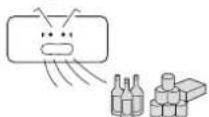
Take fresh air occasionally especially when gas appliance is running at the same time.
STRICT ENFORCEMENT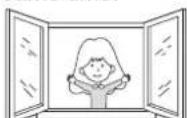
Do not operate the switch with wet hand.
PROHIBITION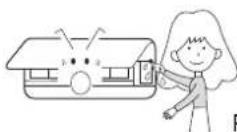
Do not install the unit near a fireplace or other heating apparatus.
PROHIBITION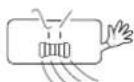

Check good condition of the installation stand
PROHIBITION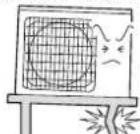
Do not pour water onto the unit for cleaning
PROHIBITION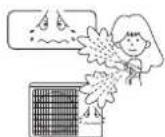
Do not place animals or plants in the direct path of the air flow
PROHIBITION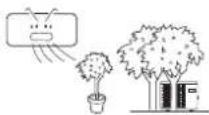
Do not place any objects on or climb on the unit.
PROHIBITION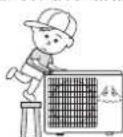
Do not place flower vases or water containers on top of the unit.
PROHIBITION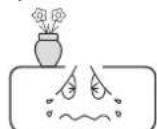
Troubleshooting
Before requesting service, check the following first.
| Phenomenon | Cause or check points |
| Normal Performance inspection | The system does not restart immediately. | When unit is stopped, it won't restart immediately until 3 minutes have elapsed to protect the system.When the electric plug is pulled out and reinserted, the protection circuit will work for 3 minutes to protect the air conditioner. |
Noise is heard | During unit operation or at stop, a swishing or gurgling noise may be heard.At first 2-3 minutes after unit start, this noise is more noticeable.(This noise is generated by refrigerant flowing in the system.)During unit operation, a cracking noise may be heard.This noise is generated by the casing expanding or shrinking because of temperature changes.Should there be a big noise from air flow in unit operation, air filter may be too dirty. |
| Smells are generated. | This is because the system circulates smells from the interior air such as the smell of furniture, paint, cigarettes. |
Mist or steam are blown out.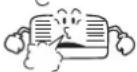 | During COOL or DRY operation, indoor unit may blow out mist.This is due to the sudden cooling of indoor air. |
| In dry mode, fan speed can't be changed. | In DRY mode, when room temperature becomes lower than temp. setting+2 °C,unit will run intermittently at LOW speed regardless of FAN setting. |
| Multiple check |  | Is power plug inserted?Is there a power failure?Is fuse blownout? |
Poor cooling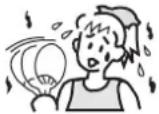 | Is the air filter dirty?Normally it should be cleaned every 15 days.Are there any obstacles before inlet and outlet?Is temperature set correctly?Are there some doors or windows left open?Is there any direct sunlight through the window during the cooling operation?(Use curtain)Are there too much heat sources or too many people in the room during cooling operation? |
Cautions
- Do not obstruct or cover the ventilation grille of the air conditioner. Do not put fingers or any other objects into the inlet/outlet and swing louver.
- Do not allow children to play with the air conditioner. Under no circumstances should children be allowed to sit on the outdoor unit.
Specifications
• The refrigerating circuit is leak-proof.
The machine is adaptable in the following situations.
- Applicable ambient temperature range:
| Cooling | Indoor | Maximum:D.B/W.B 32°C/23°C Minimum:D.B/W.B 21°C/15°C |
| Outdoor | Maximum:D.B/W.B 46°C/26°C Minimum: D.B 18°C |
| Heating | Indoor | Maximum:D.B 27°C Minimum: D.B 15°C |
| Outdoor | Maximum:D.B/W.B 24°C/18°C Minimum:D.B/W.B -7°C/-8°C |
| Outdoor(INVERTER) | Maximum:D.B/W.B 24°C/18°C Minimum:D.B -15°C |
- If the power supply cord is damaged, it must be replaced by the manufacturer, its service agent, or a similarly qualified person.
- If the fuse of indoor unit on PC board is broken, please change it with the type of T. 3.15A/250V. If the fuse of outdoor unit is broken, change it with the type of T.25A/250V
- The wiring method should be in line with the local wiring standard.
- After installation, the power plug should be easily reached.
- The waste battery should be disposed properly.
- The appliance is not intended for use by young children or infirm persons without supervision.
- Young children should be supervised to ensure that they do not play with the appliance.
- Please employ the proper power plug, which fit into the power supply cord.
- The power plug and connecting cable must have acquired the local attestation.
- In order to protect the units, please turn off the A/C first, and at least 30 seconds later, cutting off the power.
Haier Group
Address: No.1 Haier Road, Hi-tech Zone, Qingdao 266101 P.R. China
Contacts: TEL +86-532-8893-6943; FAX +86-532-8893-1010
Website: www.haier.com
① OUTLET FOR CONNECTION OF PIPING AND ELECTRICAL CABLES ② DRAIN PIPE INLET
- Start the unit
Caution:
GWP=global warming potential
① VENT CONNECTION OF PIPING AND ELECTRICAL WIRING
② DRAIN INLET
Warning:
Warning: