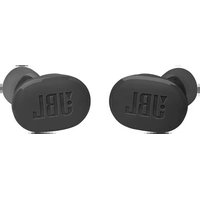
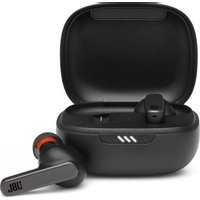
Tune Buds - Wireless Earbuds JBL - Free user manual and instructions
Find the device manual for free Tune Buds JBL in PDF.


| Product type | True Wireless Earbuds |
| Model | Tune Buds |
| Brand | JBL |
| Speaker size | 10 mm / 0.39" dynamic speaker |
| Frequency response | 20 Hz - 20 kHz |
| Impedance | 32 ohms |
| Sensitivity | 101 dB SPL at 1 kHz |
| Max sound pressure | 93 dB |
| Bluetooth version | 5.3 |
| Bluetooth profiles | A2DP V1.3.2, AVRCP V1.6.2, HFP V1.8 |
| Playback time (without ANC) | Up to 12 hours |
| Talk time (without ANC) | Up to 6.6 hours |
| Earbud battery capacity | 70 mAh (Li-ion, 3.85 V) |
| Case battery capacity | 750 mAh (Li-ion, 3.7 V) |
| Charging time | 2 hours |
| Power supply | 5 V / 1 A |
| Earbud weight (each) | 5.4 g |
| Case weight | 42 g |
| Active Noise Cancellation (ANC) | Yes |
| Ambient Aware mode | Yes |
| VoiceAware | Yes |
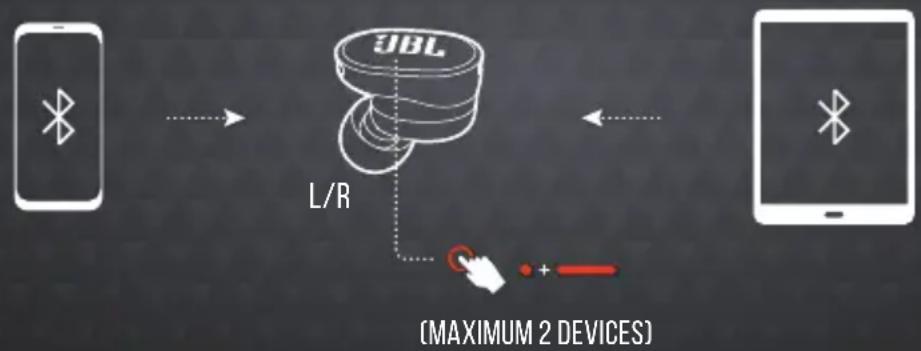
| Multipoint connection | Up to 2 devices |
| Companion app | JBL Headphones (Android and iOS) |
| Care | Clean with a soft, dry cloth. Do not use liquids. |
| Max operating temperature | 45°C |
Frequently Asked Questions - Tune Buds JBL
User questions about Tune Buds JBL
0 question about this device. Answer the ones you know or ask your own.
Ask a new question about this device
Download the instructions for your Wireless Earbuds in PDF format for free! Find your manual Tune Buds - JBL and take your electronic device back in hand. On this page are published all the documents necessary for the use of your device. Tune Buds by JBL.
USER MANUAL Tune Buds JBL
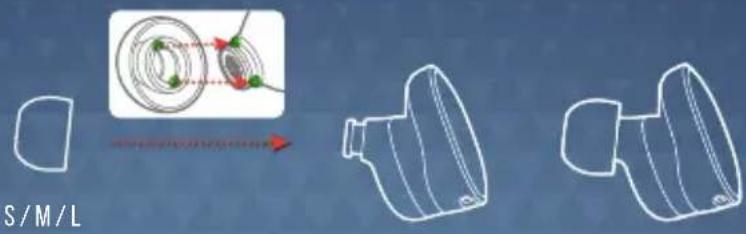
HOW TO WEAR
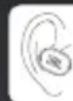
1 TRY DIFFERENT SIZES FOR A PERFECT FIT AND AUDIO PERFORMANCE.


FIRST TIME USE
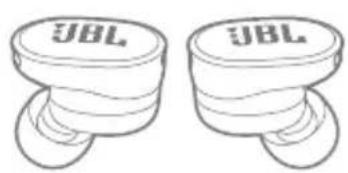
natural_image
Two identical stylized JBL earbuds with no text or symbols on their surfaces
POWER ON & CONNECT

OTHERS ANDROID™ 6.0+ WINDOWS 10 V1803+


natural_image
Illustration of a laptop with a 'ON' button and a Bluetooth symbol (no text or numbers present)
MICROSOFT SWIFT PAIR
CHOOSE "JBL TUNE BUDS" TO CONNECT
DUAL CONNECT + SYNC

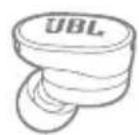
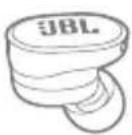
STEREO MODE MONO MODE
natural_image
Line drawing of a JBL brand earbuds device (no text or symbols on body)
L/RRL

natural_image
Line drawing of a JBL branded container with a dotted cap (no text or symbols on the object itself)MULTI-POINT CONNECTION
TAP × 1 HOLD (5 s)
flowchart
graph LR
    A["Smartphone"] -->|Wireless Signal| B["JBL Sensor"]
    B --> C["L/R Interface"]
    C --> D["Mobile Device"]
    style A fill:#fff,stroke:#000
    style B fill:#fff,stroke:#000
    style C fill:#fff,stroke:#000
    style D fill:#fff,stroke:#000
CONTROLS

flowchart
graph LR
    L["UBL"] -->|Analog Signal| ANC["ANC*"]
    L -->|Audio Signal| Ambient["Ambient AWARE*"]
    L -->|Audio Signal| TalkTHRU["TALKTHRU*"]
    L -->|Audio Signal| BIXBY/SIRI[" BIXBY/SIRI®/OTHERS BIXBY/SIRI "]
    R["JBL"] -->|Audio Signal| Antenna["Antenna 11"]
    R -->|Audio Signal| Antenna["Antenna 12"]
    R -->|Audio Signal| Antenna["Antenna 13"]
    R -->|Audio Signal| Antenna["Antenna 14"]
    R -->|Audio Signal| Antenna["Antenna 15"]
    R -->|Audio Signal| Antenna["Antenna 16"]
    R -->|Audio Signal| Antenna["Antenna 17"]
    R -->|Audio Signal| Antenna["Antenna 18"]
    R -->|Audio Signal| Antenna["Antenna 19"]
    R -->|Audio Signal| Antenna["Antenna 20"]
    R -->|Audio Signal| Antenna["Antenna 21"]
    R -->|Audio Signal| Antenna["Antenna 22"]
    R -->|Audio Signal| Antenna["Antenna 23"]
    R -->|Audio Signal| Antenna["Antenna 24"]
    R -->|Audio Signal| Antenna["Antenna 25"]
    R -->|Audio Signal| Antenna["Antenna 26"]
    R -->|Audio Signal| Antenna["Antenna 27"]
    R -->|Audio Signal| Antenna["Antenna 28"]
    R -->|Audio Signal| Antenna["Antenna 29"]
    R -->|Audio Signal| Antenna["Antenna 30"]
    R -->|Audio Signal| Antenna["Antenna 31"]
    R -->|Audio Signal| Antenna["Antenna 32"]
    R -->|Audio Signal| Antenna["Antenna 33"]
    R -->|Audio Signal| Antenna["Antenna 34"]
    R -->|Audio Signal| Antenna["Antenna 35"]
    R -->|Audio Signal| Antenna["Antenna 36"]
    R -->|Audio Signal| Antenna["Antenna 37"]
    R -->|Audio Signal| Antenna["Antenna 38"]
    R -->|Audio Signal| Antenna["Antenna 39"]
    R -->|Audio Signal| Antenna["Antenna 40"]
    R -->|Audio Signal| Antenna["Antenna 41"]
    R -->|Audio Signal| Antenna["Antenna 42"]
    R -->|Audio Signal| Antenna["Antenna 43"]
    R -->|Audio Signal| Antenna["Antenna 44"]
    R -->|Audio Signal| Antenna["Antenna 45"]
    R -->|Audio Signal| Antenna["Antenna 46"]
    R -->|Audio Signal| Antenna["Antenna 47"]
    R -->|Audio Signal| Antenna["Antenna 48"]
    R -->|Audio Signal| Antenna["Antenna 49"]
    R -->|Audio Signal| Antenna["Antenna 50"]
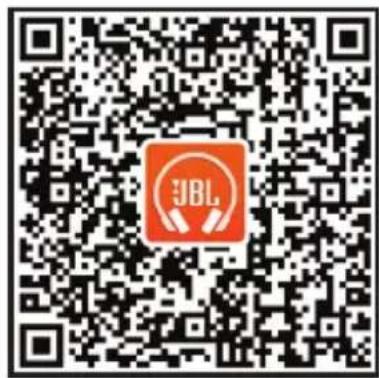
* ENABLE ADVANCE CONTROLS BY CONNECTING YOUR JBL TUNE BUDS TO JBL HEADPHONES APP 📄.
** ENABLE YOUR VOICE ASSISTANT THROUGH JBL HEADPHONES APP AND ASSIGN IT TO YOUR PREFERRED EARBUD (L/R).
** ENABLE YOUR VOICE ASSISTANT THROUGH JBL HEADPHONES APP AND ASSIGN IT TO YOUR PREFERRED EARBUD [L/R].
VOICEAWARE



POWER OFF


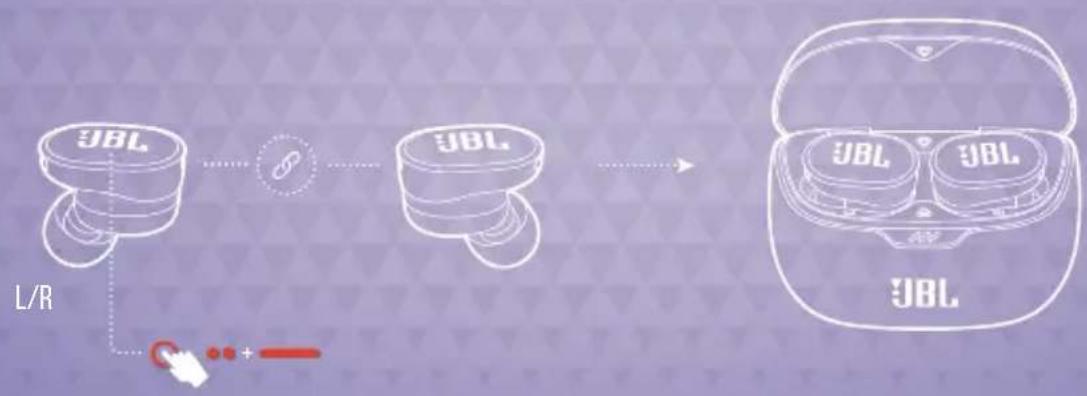
FACTORY RESET


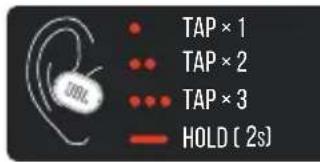
TAP × 2
HOLD (5 s)
flowchart
graph LR
    A["JBL"] --> B["Linker"]
    B --> C["JBL"]
    C --> D["Device with two JBLs"]
    D --> E["L/R"]
    E --> F["+"]
    style A fill:#f9f,stroke:#333
    style B fill:#ccf,stroke:#333
    style C fill:#cfc,stroke:#333
    style D fill:#fcc,stroke:#333
    style E fill:#cff,stroke:#333
DO MORE WITH THE APP

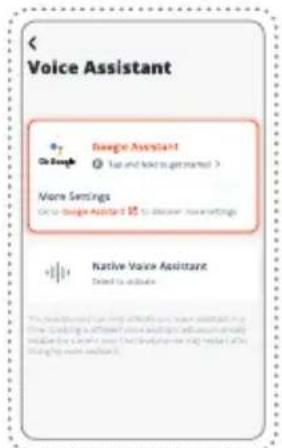


line
| Category | Value | | ---------- | ----- | | JAZZ | 100 | | VOCAL | 80 | | BASS | 70 | | CLUB | 60 | | STUDIO | 50 | | EXTREME BASS | 40 |*ONLY AVAILABLE ON ANDROID™
CHARGING
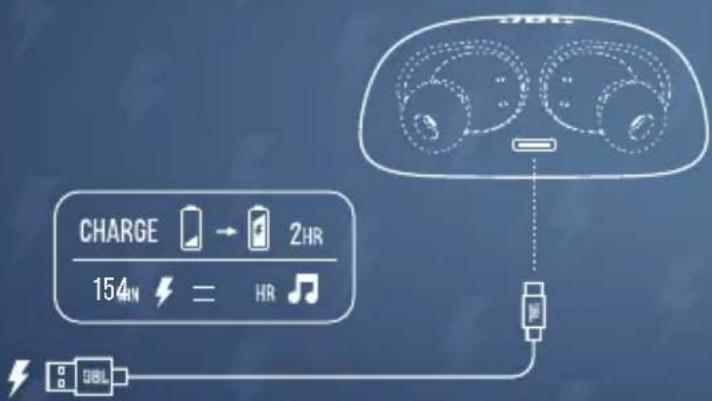
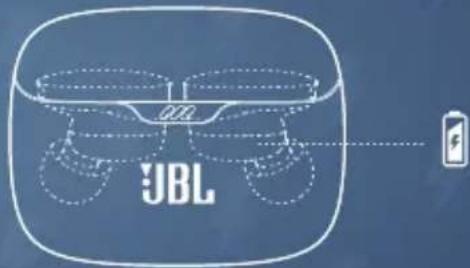
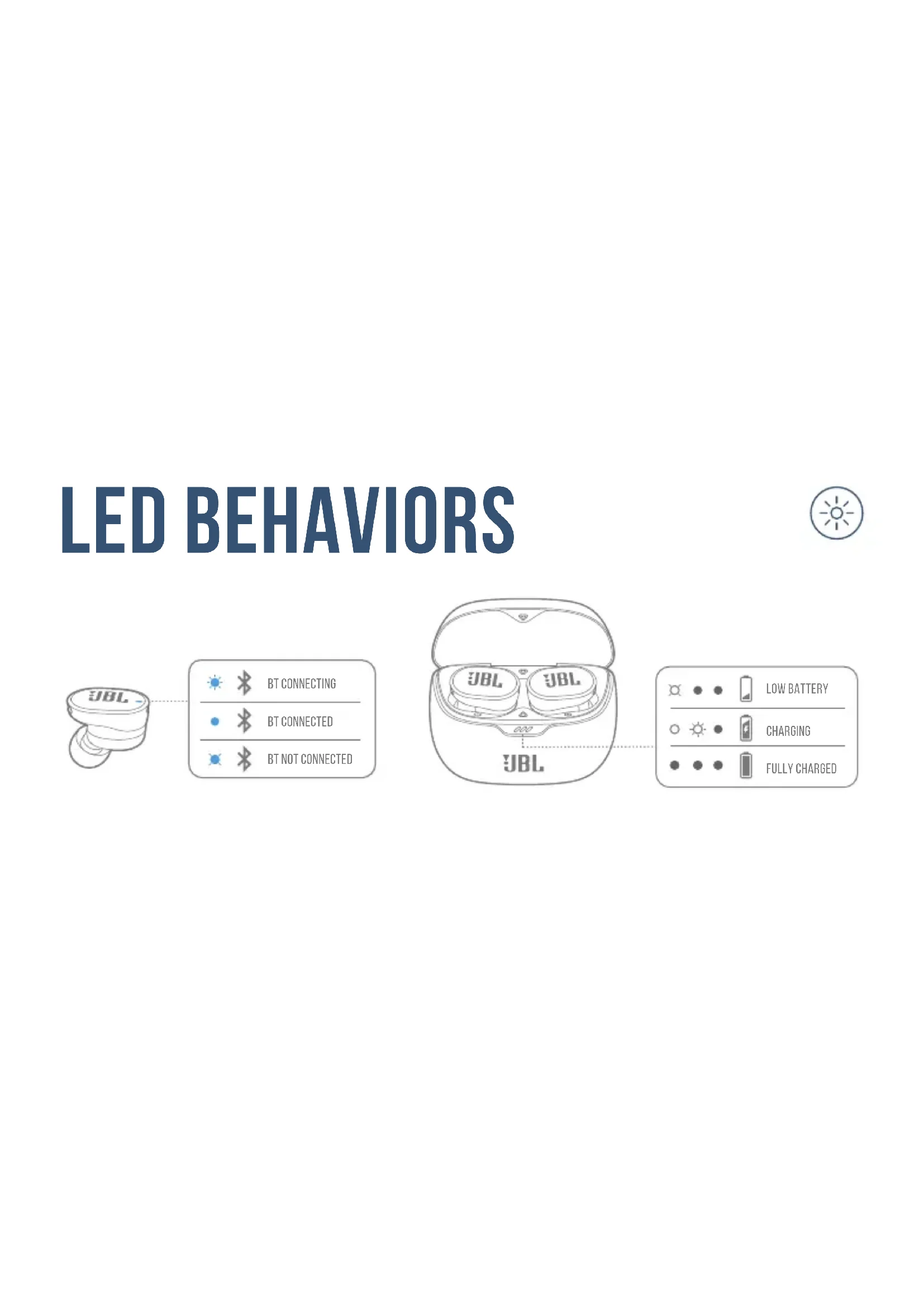
LED BEHAVIORS


BT CONNECTING

BT CONNECTED

BT NOT CONNECTED


LOW BATTERY


CHARGING


FULLY CHARGED
TECH SPEC
Model: TUNE BUDS
Driver size: 10 mm/0.39" Dynamic Driver
Power supply: 5 V = 1 A
Earbud: 5.4 g per pc (10.8 g combined)/0.012 lbs per pc (0.024 lbs combined)
Charging case: 42 g/0.093 lbs
Earbud battery type: Lithium-ion Battery (70 mAh/ 3.85 V)
Charging case battery type: Lithium-ion Battery (750 mAh/3.7 V)
Charging time: 2 hrs from empty
Music playtime with BT on and ANC off: Up to 12 hrs
Music playtime with BT on and ANC on: Up to 10 hrs
Talk time with ANC on: Up to 6 hrs
Talk time with ANC off: Up to 6.6 hrs
Frequency response: 20 Hz – 20 kHz
Impedance: 32 ohm
Sensitivity: 101 dB SPL@1 kHz
Maximum SPL: 93 dB
Microphone sensitivity: -38 dBV/Pa@1 kHz
Bluetooth version: 5.3
Bluetooth profile version: A2DP V1.3.2, AVRCP V1.6.2, HFP V1.8
Bluetooth transmitter
frequency range:
Bluetooth transmitter power:
Bluetooth transmitter modulation:
Maximum operation temperature:

2.4 GHz - 2.4835 GHz
<11 dBm (EIRP)
GFSK, π/4-DQPSK, 8-DPSK
45°C
FR
CONTENU DE LA BOÎTE APPLICATION
TalkThru (Conversation)*
Bixby/Siri®/Autres
Assistants vocaux**
ANC (Aktives Noise-Cancelling)*
Ambient Aware
(Umgebungsbewusst)*
TalkThru*
LED-MERKKIVALON TOIMINNOT
DETTA FINNS I LÅDAN APP
FLERPUNKTSANSLUTNING
Ambient Aware (Ortam
Farkındalığı)*
一只0.012lbs(一副0.024lbs)
充电盒:42q/0.093lbs
**透過 JBL Headphones 應
KEGUNAAN LAIN APLIKASI
* Hanya tersedia di Android™
MENGISI DAYA
POLA LED
BT menyambungkan
BT Tersambung
BT tidak tersambung
Daya baterai lemah
Mengisi daya
Daya terisi penuh
SPESIFIKASI TEKNIS
Model: TUNE BUDS
Ukuran driver: 10 mm/0,39" Driver Dinamis
Catu daya: 5 V ===1 A
Earbud: 5,4 g per buah (total 10,8 g)/ 0,012 lbs per buah (total 0,024 lbs)
Casing pengisi daya: 42 g/0,093 lbs
Tipe baterai earbud: Bateral Litium-ion (70 mAh/3,85 V)
Tipe baterai casing pengisi
daya: Baterai Litium-ion (750 mAh/3,7 V)
A2DP V1.3.2, AVRCP V1.6.2, HFP V1.8
2.4GHz\~2.4835GHz
m (EIRP)
π'4-DQPSK, 8-DPSK
45°C
MM
ඉංක්: අංකාවියේ
:
అనీర
A2DP V1.3.2AVRCP V1.6.2 HFP V1.8
ఎం:చుర్ష అండ్యార
2.4 GHz - 2.4835 GHz
- <11 dBm (EIRP)
మ్యా:ప్రాసిండు
GFSKI π/4-DQPSKI 8-DPSK
###
45^
AR
ANCSanct Chatting me in the thinking
DO NOT ATTEMPT TO OPEN, SERVICE, OR DISASSEMBLE THE BATTERY | DO NOT SHORT CIRCUIT | MAY EXPLODE IF DISPOSED OF IN FIRE | RISK OF EXPLOSION IF BATTERY IS REPLACED BY AN INCORRECT TYPE | DISPOSE OR RECYCLE USED BATTERIES ACCORDING TO THE INSTRUCTIONS
IC RF Exposure Information and Statement
The SAR limit of Canada (C) is 1.6 W/kg averaged over one gram of tissue. Device types: (IC: 6132A-JBLTUNEBUDS) has also been tested against this SAR limit According to this standard, the highest SAR value reported during product certification for head use is 1.067 W / kg.
The device was tested for typical bodily operations where the product was kept 0 mm from the head. To maintain compliance with IC RF exposure requirements, use accessories that maintain a separation distance of 0mm between the user's head and the back of the headset. The use of belt clips, holsters and similar accessories shall not contain metal parts in its assembly. Use of accessories that do not meet these requirements may not comply with IC RF exposure requirements and should be avoided.
Head operation
The device was subjected to a typical head manipulation test. In order to comply with RF exposure requirements, a minimum separation distance of 0 cm must be maintained between the user's ear and the product (including the antenna). Head exposure that do not meet these requirements may not meet RF exposure requirements and should be avoided. Use only the supplied or approved antenna.
IC: 6132A-JBLTUNEBUDS
The Bluetooth ^® word mark and logos are registered trademarks owned by Bluetooth SIG, Inc. and any use of such marks by HARMAN International Industries, Incorporated is under license. Other trademarks and trade names are those of their respective owners.

ANATEL
Google, Android and Google Play are trademarks of Google LLC.
Product specifications and app screens are subject to change without notice.
HP_JBL_TUNE BUDS_QSG_Global_SOP_V12
- HOW TO WEAR
- FIRST TIME USE
- POWER ON & CONNECT
- DUAL CONNECT + SYNC
- MULTI-POINT CONNECTION
- CONTROLS
- VOICEAWARE
- POWER OFF
- FACTORY RESET
- DO MORE WITH THE APP
- CHARGING
- LED BEHAVIORS
- TECH SPEC
- FR
- CONTENU DE LA BOÎTE APPLICATION
- LED-MERKKIVALON TOIMINNOT
- DETTA FINNS I LÅDAN APP
- FLERPUNKTSANSLUTNING
- KEGUNAAN LAIN APLIKASI
- MENGISI DAYA
- POLA LED
- SPESIFIKASI TEKNIS
- MM
- AR
- IC RF Exposure Information and Statement
- Head operation
- IC: 6132A-JBLTUNEBUDS
- ANATEL
Brand : JBL
Model : Tune Buds
Category : Wireless Earbuds