EasyManual
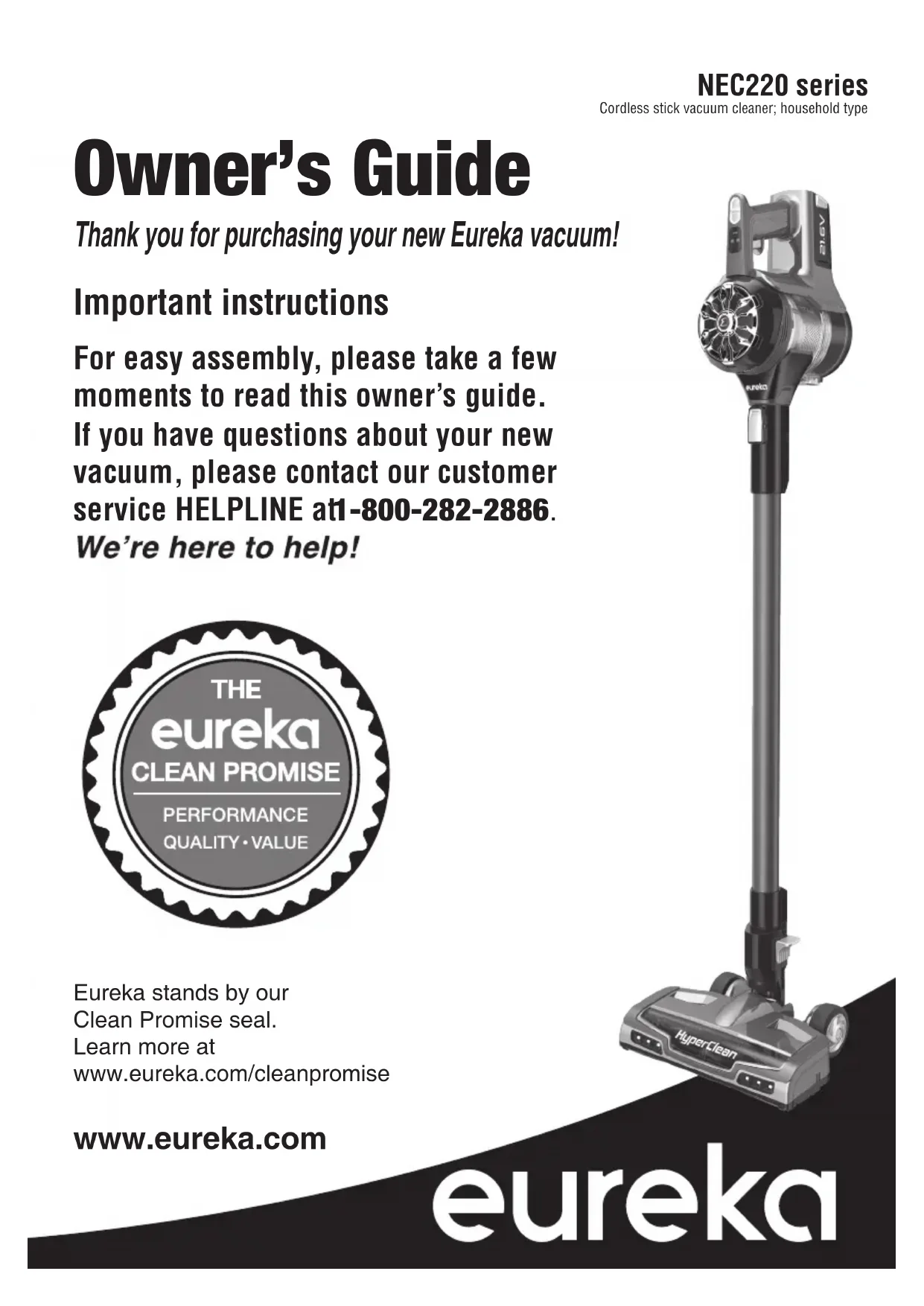
HyperClean NEC222 - Vacuum Cleaner EUREKA - Free user manual and instructions
Find the device manual for free HyperClean NEC222 EUREKA in PDF.


Questions des utilisateurs sur HyperClean NEC222 EUREKA
0 question sur cet appareil. Repondez a celles que vous connaissez ou posez la votre.
Poser une nouvelle question sur cet appareil
Download the instructions for your Vacuum Cleaner in PDF format for free! Find your manual HyperClean NEC222 - EUREKA and take your electronic device back in hand. On this page are published all the documents necessary for the use of your device. HyperClean NEC222 by EUREKA.
USER MANUAL HyperClean NEC222 EUREKA
- Thank you for purchasing your new Eureka vacuum! Important instructions For easy assembly, please take a few moments to read this owner’s guide. If you have questions about your new vacuum, please contact our customer service HELPLINE at 1-800-282-2886. Eureka stands by our Clean Promise seal. Learn more at www.eureka.com/cleanpromise www.eureka.com Owner’s Guide NEC220 series Cordless stick vacuum cleaner; household type2 Contents Important safeguards p. 3
- What comes in the carton p. 4
- How to identify parts of your vacuum cleaner p. 5
- Easy assembly, How to install wall mount, How to charge battery and Battery indicator lights p. 6
- How to use your vacuum cleaner p. 7
- How to use hand vacuum and accessory tools p. 7
- -8 How to maintain your vacuum cleaner p. 9
- The Eureka limited warranty p. 10
- Thermal cut-off and problem solving p. 11
- How to dispose vacuum cleaner and battery pack p. 11
- How to order replacement parts Eureka Customer Service HELPLINE 1-800-282-2886 p. 12
Follow caution information wherever you see this symbol. Write the model, type and serial number here: Date of purchase (keep your receipt) ______________ Model number and type _________________________ Serial number ________________________________ Find these numbers on a label on the hand vacuum, battery, and charger. Refer to these numbers when ordering parts and accessories, or if service is needed. : To register your product visit www.eureka.com link in the top right corner. : Carefully unpack and inspect your new Eureka vacuum cleaner for shipping damage. Each unit is tested and thoroughly inspected before shipping. For instructions regarding any shipping damage, call the Eureka Customer Service HELPLINE at 1-800-282-2886 immediately.IMPORTANT SAFEGUARDS READ ALL INSTRUCTIONS BEFORE USING THIS VACUUM CLEANER WARNING
SAVE THESE INSTRUCTIONS
- Prevent unintentional starting. Ensure the switch is in the off-position before connecting to battery pack, picking up or carrying the appliance. Carr on the switch or energizing appliance that has the switch on invites accidents.
- Do not touch nozzle when the vacuum cleaner is on. Danger.
- Do not put any object into openings. Do not use with any openings blocked; keep free of dust, lint, hair and anything that
- Do not use outdoors or on wet surfaces.
- Do not operate the vacuum cleaner or charger if it has been damaged in any way. If vacuum cleaner is not working as it should, has been dropped, damaged, left outdoors, or dropped into water, call the Eureka Customer Service HELPLINE at 1-800-282-2886.
- To avoid excessive heat and damage to the unit or battery, the vacuum cleaner will not operate while charging.
- Do not allow to be used as a toy. Close attention is necessary when used by or near children.
- Use only as described in this manual. Use only manufacturer’s recommended attachments.
A charger that is suitable for one type of battery pack may ry pack.
- Do not pull or carry the charger by cord, use cord as a handle, close a door on cord, or pull cord around sharp edges or corners. Do not run appliance over cord. Keep cord away from heated surfaces.
- This charger is not intended for use by travelers.
- Do not use extension cords or outlets with inadequate current- carrying capacity for the charger.
- Do not unplug by pulling on cord. To unplug, grasp the plug, not the cord.
- Do not handle charger or vacuum cleaner with wet hands.
- Use appliances only with speci cally designated battery packs. Use of any other battery packs may create a risk of injury and
- Liquid ejected from the battery may cause irritation or burns. If the liquid gets on the skin, (1) seek medical attention, (2) wash quickly with soap and water, and (3) neutralize with a mild acid such as lemon juice or vinegar. If the liquid gets into the eyes, minutes.
- When battery pack is not in use, keep it away from other metal objects, like paper clips, coins, keys, nails, screws or other small metal objects, that can make a connection from one terminal to another. Shorting the battery terminals together
- Do not use a battery pack or appliance that is damaged or modi ed. Damaged or modi ed batteries may exhibit unpredictable behavior resulting in re, explosion or risk of injury.
- Do not expose a batter cause explosion.
in the instructions. Charging improperly or at temperatures ry and
- Have servicing per only identical replacement parts. This will ensure that the safety of the product is maintained.
- Do not modify or attempt to repair the appliance or the battery pack except as indicated in the instructions for use and care.
- The terminals on both the vacuum cleaner and battery should be kept free and clean of objects. Do not insert metal objects inside the terminals.
- This vacuum cleaner creates suction. Keep hair, loose clothing, parts.
- Do not pick up anything that is burning or smoking, such as cigarettes, matches, or hot ashes.
- Use extra care when cleaning stairs.
as gasoline, or use in areas where they may be present.
- Store vacuum cleaner and charger indoors in a cool, dry area. To avoid electric shock and/or cleaner damage, do not expose to weather elements.
before vacuuming them.
- Overcharging, short circuiting, reverse charging, mutilating or incinerating the cells and the batteries must be avoided.
- If a cell or a battery has leaked or vented, it should be replaced immediately using protective gloves.
- If and when necessary, these cells or batteries must be replaced with identical new ones from the same manufacturer. If a cell or a battery to be replaced is connected with other cells or batteries in series, it is recommended that the other cells or batteries be replaced with new ones at the same time.
- Reverse polarity installation of the cell or the battery in the end product must be avoided.
- Do not incinerate this appliance even if it is severely damaged. Contact local waste facility before discarding in trash.
- This product is functioning at temperature range within .SPARE FILTERS 24h Charger 2-in-1 upholstery tool GUIDE Important safeguards 3 screws & drywall anchors
1. Slide battery onto hand vacuum
2. Slide wand onto hand vacuum
- Choose location near power outlet. Locate point high enough on wall nozzle to hang freely.
- Place mount against wall and use pencil to mark drill holes.
- Drill holes (with 1/4" bit) and insert drywall anchors. Insert screws through holes on mount and tighten store accessories (Fig. 5)
- Place assembled vacuum cleaner on wall mount.
- Plug charger into power outlet and then into charger port on hand vac.
- Loop charger cord into clips on sides of wall mount.
- Snap tool(s) into tool storage areas. (Fig. 5)
- Indicator lights stop blinking when fully charged.
- Charge battery fully before using for four hours.
Eureka Customer Service HELPLINE 1-800-282-2886 Cord clip Drywall anchors Tool storageCord clip Tool storage2 MAX power button
1. Click power button once to start
(Fig. 1). on what type of surface you are cleaning (Fig. 2).
3. For maximum power, press the
MAX power button (Fig. 2). glide back and forth on area to be cleaned. Avoid oversized or sharp items (such as screws) with cleaner.
5. Twist wrist to engage swivel
This cleaner has a unique swivel feature that allows for easy manuevering around furniture. Twist wrist to engage swivel function.
There are two ways to empty the dust cup:
1. Hold cleaner over waste basket.
position (Fig. 5). Once emptied, reattach dust cup by lining up arrow position. Twist dust cup until arrow lines up with position.8 Additional accessory tools on select models Use with or without wand. • 2-in-1 upholstery tool: Use brush to vacuum blinds, vents or upholstered surfaces. Use felt portion to clean delicate surfaces. To switch between felt and brush portions, press thumb release and slide brush up or down. PowerPlush nozzle (NEC226-NEC229)
- Attach Powerplush nozzle for optimal performance on Eureka Customer Service HELPLINE 1-800-282-2886 How to use hand vacuum and Ideal for cleaning stairs.
- Press release button to remove wand from directly to hand vacuum until it clicks.
- Click power button once to start. How to use hand vacuum and accessories
Crevice tool: Cleans hard-to-reach areas such as corners, baseboard edges, dryer vents, chairs and sofas.
The hand vacuum can be used with or without tools.
- To use without tools, press release button and remove wand. Collect debris directly with hand vacuum nozzle (Fig. 1).
- To use tools with wand, press release button onto end of wand until it clicks (Fig. 2).
- To use tools with hand vacuum only, press onto hand vacuum until it clicks (Fig. 3). Moving parts! Aways turn off hand vacuum before attaching accessories.
3How to maintain your vacuum cleaner www.eureka.com 9
1. Twist dust cup and remove. THOROUGHLY.
position. FlatThe Eureka two-year limited warranty Midea America Corp. (“Eureka”), subject to the terms and conditions herein, warrants this vacuum cleaner to be free from defects in material and workmanship for a term of two years from the date of original purchase when used in accordance with the Eureka operating and maintenance instructions and under normal household usage. This warranty is granted only to the original purchaser and members of immediate household, and is applicable only to original purchases from Eureka authorized resellers. What Eureka will do: Eureka will, at its option, repair or replace a defective vacuum or vacuum part that is covered by this warranty. Repairs may be performed using new parts. If Eureka elects to replace the vacuum, the replacement may be a reconditioned unit. Depending on availability of products, Eureka reserves the right to provide you with a replacement product that is the same or similar, or substitute equivalent of the original product. As a matter of warranty policy, Eureka will not refund the consumer’s purchase price. This warranty does not cover: • Battery module and battery components. The battery module and its components are covered by a separate one-year limited battery warranty. e r i u q e r t a h t s t r a p m u u cav d n a m u u cav e h t f o r a e t d n a r a e w l a m r o N • belts, light bulbs, brush-roll, bristles, impellers and cleaning. e s u e l b a n o sae r n u r o r e p o r p m i : m o r f g n i t l u s e r s n o i t c n u f l a m r o s e g ama D • or maintenance, abuse, negligence, failure to follow instructions contained in any written materials that accompany the product, deterioration by reason of excess moisture, corrosive atmosphere, lightning, power surges, connections to improper voltage supply, unauthorized alteration, or other external causes such as extremes in temperature or humidity, God. This warranty also does not cover damage resulting from repair or attempted repair by anyone other than Eureka or an authorized Eureka Warranty Station. This warranty is not applicable to any product that has removed. Altering, erasing, or forging any proof-of-purchase documents voids any applicable product warranty. Obtaining warranty service: To obtain warranty service you must contact the Eureka Service Team, toll free, at 1-800-282-2886 or email customerserviceusa@midea.com, to discuss the warranty claim and procedures to be followed. All warranty claims must include submission of proof-of-purchase documentation. For additional information, you may also visit www.eureka.com. Shipping charges: You will be responsible for any initial shipping and insurance charges if the defective product(s) must be shipped for warranty service or warranty evaluation; however, Eureka or a Eureka Authorized Warranty Station will pay the return shipping charges if repairs are covered by the warranty. When returning parts for repair, you must include the model, type and serial number located on the rating plate. If any product submitted for warranty service is found to be ineligible, an estimate of repair cost will be furnished and the repair performed only if requested by the owner and upon receipt of payment or acceptable arrangements for payment. Further limitations and exclusions: Any warranty that may be implied in connection with your purchase or use of the vacuum, including any warranty of Merchantability or any warranty of Fitness For A Particular Purpose is limited to the duration of this limited warranty. Some states do not allow limitations on how long an implied warranty lasts, so the above limitations may not apply to you. Your relief for the breach of this warranty is limited to the relief expressly provided above. In no event shall the manufacturer be liable for any consequential or incidental damages you may incur in connection with your purchase or use of the vacuum. Some states do not allow the exclusion or limitation of incidental or consequential damages, so the above limitation rights. You may also have other rights, which may vary by state.
The Eureka 12-month limited battery warranty Midea America Corp. (“Eureka”), subject to the terms and conditions herein, warrants this Battery Module to be free from defects in material and workmanship for a term of one year from the date of original purchase when used in accordance with the Eureka operating and maintenance instructions and under normal household usage. This warranty is granted only to the original purchaser and members of immediate household, and is applicable only to original purchases from Eureka authorized resellers. What Eureka will do: Eureka will, at its option, repair or replace a defective Battery Module or battery part that is covered by this warranty. Repairs may be performed for new parts. If Eureka elects to replace the Battery Module, the replacement may be a reconditioned unit. Depending on availability of products, Eureka reserves the right to provide you with a replacement product that is the same or similar, or substitute equivalent of the original product. As a matter of warranty policy, Eureka will not refund the consumer’s purchase price. This warranty does not cover: e r i u q e r t a h t s t r a p y r e t t a b d n a e l udo M y r e t t a B e h t f o r a e t d n a r a e w l a m r o N • replacement under normal use. e l b a n o sae r n u r o r e p orp m i : m o r f g n i t l u s e r s n o i t c n u f l a m r o s e g ama D • use or maintenance, abuse, negligence, failure to follow instructions contained in any written materials that accompany the product, deterioration by reason of excess moisture, corrosive atmosphere, lightning, power surges, connections to improper voltage supply, unauthorized alteration, or other external causes such as extremes in temperature or humidityaccidents, misuse, or acts of God. This warranty also does not cover damage resulting from repair or attempted repair by anyone other than Eureka or an authorized Eureka Warranty Station. This warranty is not applicable to any product that has been altered or on which the serial forging any proof-of-purchase documents voids any applicable product warranty. Obtaining warranty service: To obtain warranty service you must contact the Eureka Service Team, toll free, at 1-800-282-2886 or email customerserviceusa@midea.com, to discuss the warranty claim and procedures to be followed. All warranty claims must include submission of proof-of-purchase documentation. For additional information, you may also visit www.eureka.com. Shipping charges: You will be responsible for any initial shipping and insurance charges if the defective product(s) must be shipped for warranty service or warranty evaluation; however, Eureka or a Eureka Authorized Warranty Station will pay the return shipping charges if repairs are covered by the warranty. When returning parts for repair, you must include the model, type and serial number located on the rating plate. If any product submitted for warranty service is found to be ineligible, an estimate of repair cost will be furnished and the repair performed only if requested by the owner and upon receipt of payment or acceptable arrangements for payment. Further limitations and exclusions: Any warranty that may be implied in connection with your purchase or use of the Battery Module, including any warranty of Merchantability or any warranty of Fitness For A Particular Purpose is limited to the duration of this limited warranty. Some states do not allow limitations on how long an implied warranty lasts, so the above limitations may not apply to you. Your relief for the breach of this warranty is limited to the relief expressly provided above. In no event shall the manufacturer be liable for any consequential or incidental damages you may incur in connection with your purchase or use of the Battery Module. Some states do not allow the exclusion or limitation of incidental or consequential damages, so the above limitation or exclusion may not apply to you. You may also have other rights, which may vary by state. Midea America (Canada) Corp. • Unité 2-215 Shields Court • Markham, Ontario • L3R 8V2 Canada Eureka Customer Service HELPLINE 1-800-282-2886e r i u q e r t a h t s t r a p m u u cav d n a m u u cav e h t f o r a e t d n a r a e w l a m r o N • e s u e l b a n o sae r n u r o r e p o r p m i : m o r f g n i t l u s e r s n o i t c n u f l a m r o s e g ama D • e r i u q e r t a h t s t r a p y r e t t a b d n a e l udo M y r e t t a B e h t f o r a e t d n a r a e w l a m r o N • e l b a n o sae r n u r o r e p orp m i : m o r f g n i t l u s e r s n o i t c n u f l a m r o s e g ama D •
- Make sure MAX power mode is on maintenance instructions. • Make sure cleaner is fully powered. Charge battery. • Make sure cleaner is fully powered. • Charge battery for 4 hours before using.• Check brushroll for debris. See page 9 for maintenance instructions. Li-ionThis vacuum cleaner has a special thermostat that protects the vacuum cleaner in case of motor overheating. , proceed as follows: 1) Check the vacuum for a
2) After the 30 minute period, press the power button. If the vacuum still does not work, call the
Eureka Customer Service HELPLINE at 1-800-282-2886.Motor will not startCharging indicator lights are not lit while charging• Make sure cleaner is fully powered. • Push charger securely into electrical outlet, try another outlet or check circuit breaker. • See detailed “thermal cut-off” instructions above. To preserve natural resources, please recycle or dispose of expired battery pack properly. www.eureka.com 11e r i u q e r t a h t s t r a p y r e t t a b d n a e l udo M y r e t t a B e h t f o r a e t d n a r a e w l a m r o N • e l b a n o sae r n u r o r e p orp m i : m o r f g n i t l u s e r s n o i t c n u f l a m r o s e g ama D • Motorized pet tool 12 © Midea America (Canada) Corp., 2020. Imprimé en Chine 02155120_WMT_rev3 Order genuine Eureka accessories and replacement parts Visit www.eureka.com or call 1-800-282-2886 Image Part name Filter screen 2-in-1 upholstery tool Z1201 (all) Z0201 (all) Battery Charger Crevice tool Wall mount PowerPlush nozzle Z0702 (all) Z0601 (all) Z0101 (all) Z0801 (all) Z0901 (all) Z0501 (all) Z1102 (NEC226)Z1103 (NEC228)Z1104 (NEC229) Z0303 (all) Z1002 (NEC222)Z1003 (NEC226)Z1004 (NEC228)Z1005 (NEC229)PERFORMANCEQUALITÉ ● VALEUR