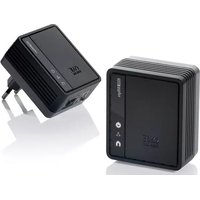
SV-2010 - Dongle ONE FOR ALL - Free user manual and instructions
Find the device manual for free SV-2010 ONE FOR ALL in PDF.


| Brand | ONE FOR ALL |
| Model | SV-2010 |
| Product type | Powerline adapter (Powerline Communication) |
| Category | Network dongle |
| Power supply | 230 V AC mains socket |
| Maximum powerline data rate | 200 Mbps |
| Powerline standard | HomePlug AV |
| Network interface | 1 RJ45 Ethernet port |
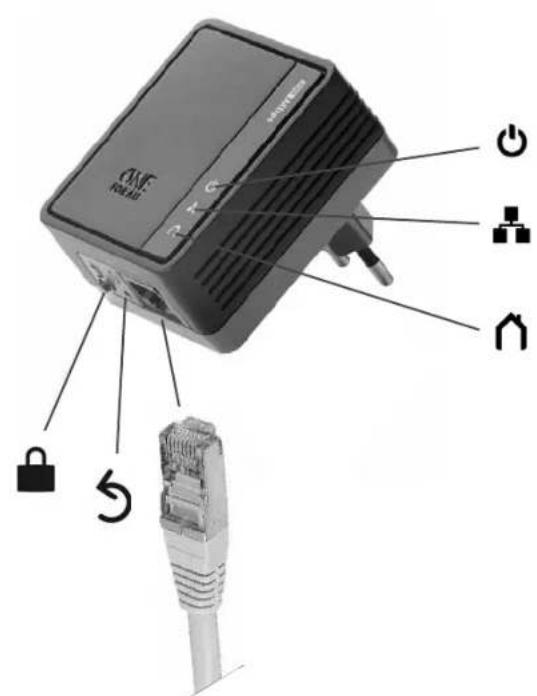
| LED indicators | Power, Powerline, Ethernet (traffic and link) |
| Security button | Pairing and reset (hold 1 s for reset, 5-8 s for pairing, 12 s for standby) |
| Security | 128-bit AES encryption (via security button) |
| Box contents | Pack of two adapters (first and second) |
| Main features | Data transmission over electrical wiring, ideal for connecting TV, set-top box, game console |
| Standby mode | Hold security button for 12 s to enter standby, 1 s to exit |
| Installation | Plug into mains sockets, connect router and target device via Ethernet |
| Compatibility | Router/modem, smart TV, set-top box, game console, media player, Blu-ray |
| Care and cleaning | Clean with a soft dry cloth |
| Operating temperature | 0 to 40 °C (estimate) |
| Dimensions | Approx. 65 x 50 x 30 mm (estimate) |
| Weight | Approx. 60 g each (estimate) |
Frequently Asked Questions - SV-2010 ONE FOR ALL
User questions about SV-2010 ONE FOR ALL
0 question about this device. Answer the ones you know or ask your own.
Ask a new question about this device
Download the instructions for your Dongle in PDF format for free! Find your manual SV-2010 - ONE FOR ALL and take your electronic device back in hand. On this page are published all the documents necessary for the use of your device. SV-2010 by ONE FOR ALL.
USER MANUAL SV-2010 ONE FOR ALL
Internet to TV adapters
1
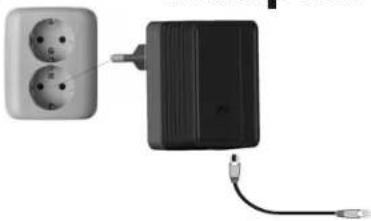
Adapter 1
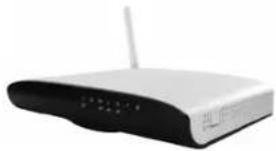
modem / router
2
Adapter 2
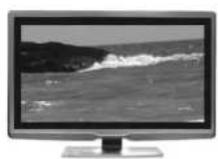
Internet-enabled TV

network cable
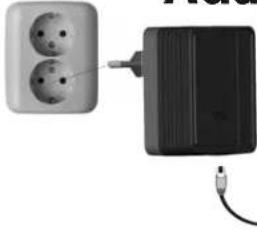
- Connect the first adapter to your router/modem;
- Connect the second adapter to your Internet-enabled TV / Set-Top-Box / Game Console / Media Player / Blu-ray Player etc.
Your ONE FOR ALL Internet to TV adapters are now READY to use.
| Usage |
| OFF: -> POWER OFF SLOW blinking: -> Adapter is in standby. FAST blinking: -> Adapter is doing security key exchange. This could take up to 2 minutes. |
| OFF: -> No network connection detected. ON: -> Network connection detected, but no network traffic. BLINKING: -> Network traffic detected. |
| ON: -> Powerline Link detected but no Powerline traffic. FAST BLINKING (0.06 s ON/ 0.06 s OFF): -> Powerline data rate higher than 60Mbps. NORMAL BLINKING (0.2 s ON/ 0.2 s OFF): -> Powerline data rate between10Mbps to 60Mbps. SLOW BLINKING (1 s ON/ 1 s OFF): -> Powerline data rate slower than 10Mbps. OFF: -> No Powerline Link detected. |
| ENHANCED SECURITY Following these steps below will create enhanced security for your ONE FOR ALL Internet to TV adapters; 1. Press and hold the Security button on the first adapter for 5-8 seconds and then release. All LEDs will simultaneously turn off and on once; 2. Press and hold the Security button on the second adapter for 5-8 seconds and then release. All LEDs will simultaneously turn off and in once; 3. Press Security button on first adapter for 1-3 seconds. The power LED will start blinking; 4. Within 2 minutes press Security button on second adapter for 1-3 seconds. The power LED will start blinking; |
| SV-2010 = Press and hold for 12 seconds: -> Enter standby mode. Press and hold for 1 second to exit standby mode. SV-2020 = auto-standby: -> Will enter standby mode automatically if ethernet is disconnected for 2 minutes. Awakes automatically if there are network activities. |

Reset to factory default: -> Press and hold for 1 second.
Trouble-shooting
Internet-to-TV adapters are not communicating
New adapters are shipped with the same Powerline Group name and should be mutually communicable at first deployment. If two adapters are not communicating:
Check if the adapters are properly powered;
- Check if the Ethernet cables are securely plugged in;
Perform a reset on both adapters by pressing the RESET button of the adapter for more than 1 second (for safety reasons, do not use a metal pin). This will reset the adapter to its factory default Powerline Group ("HomePlugAV"). If the adapters still don't communicate, the electrical wiring may be causing the issue.
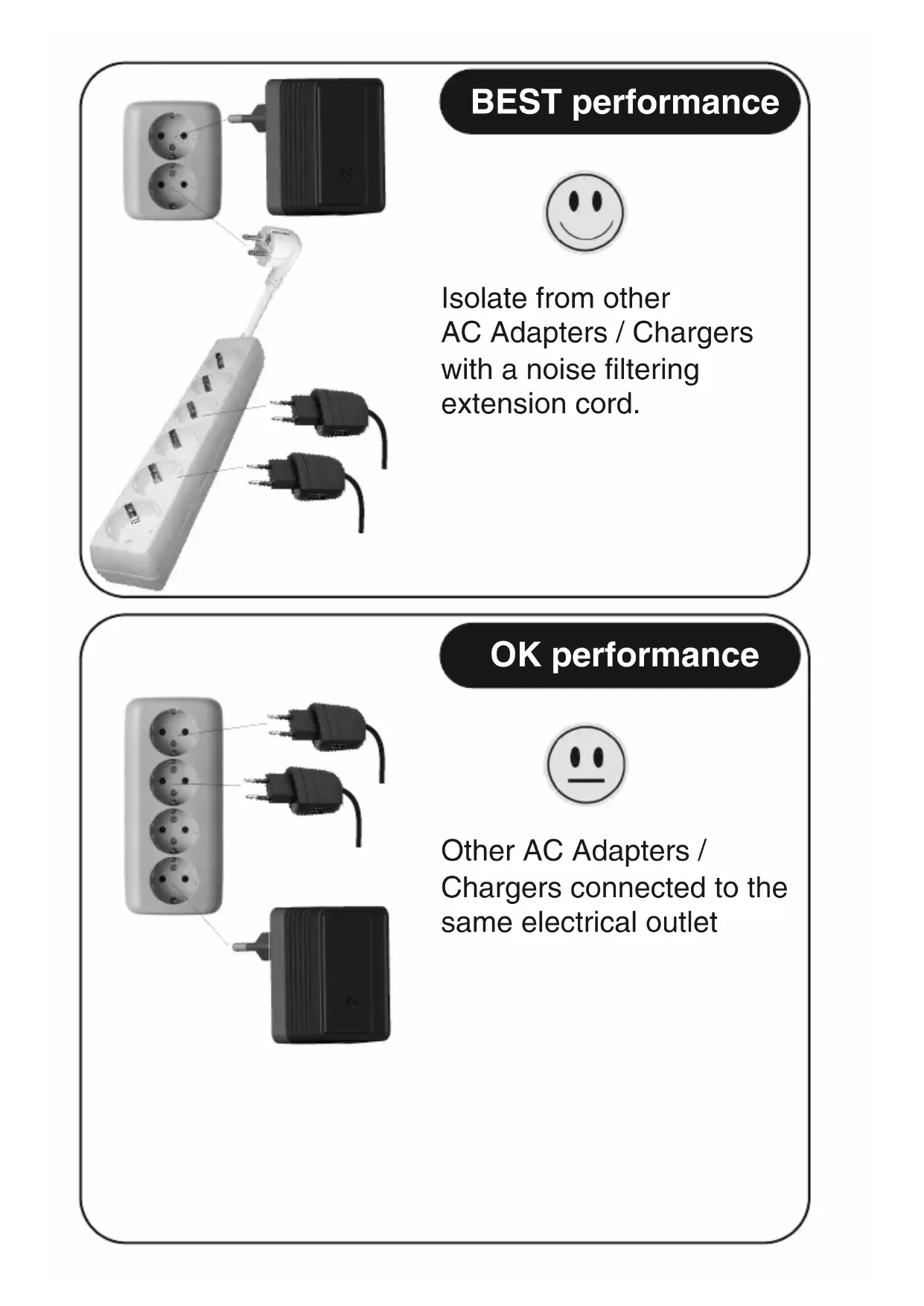
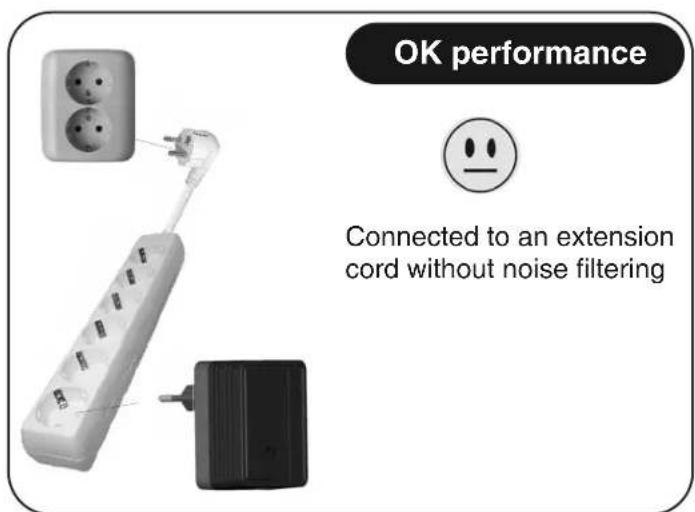
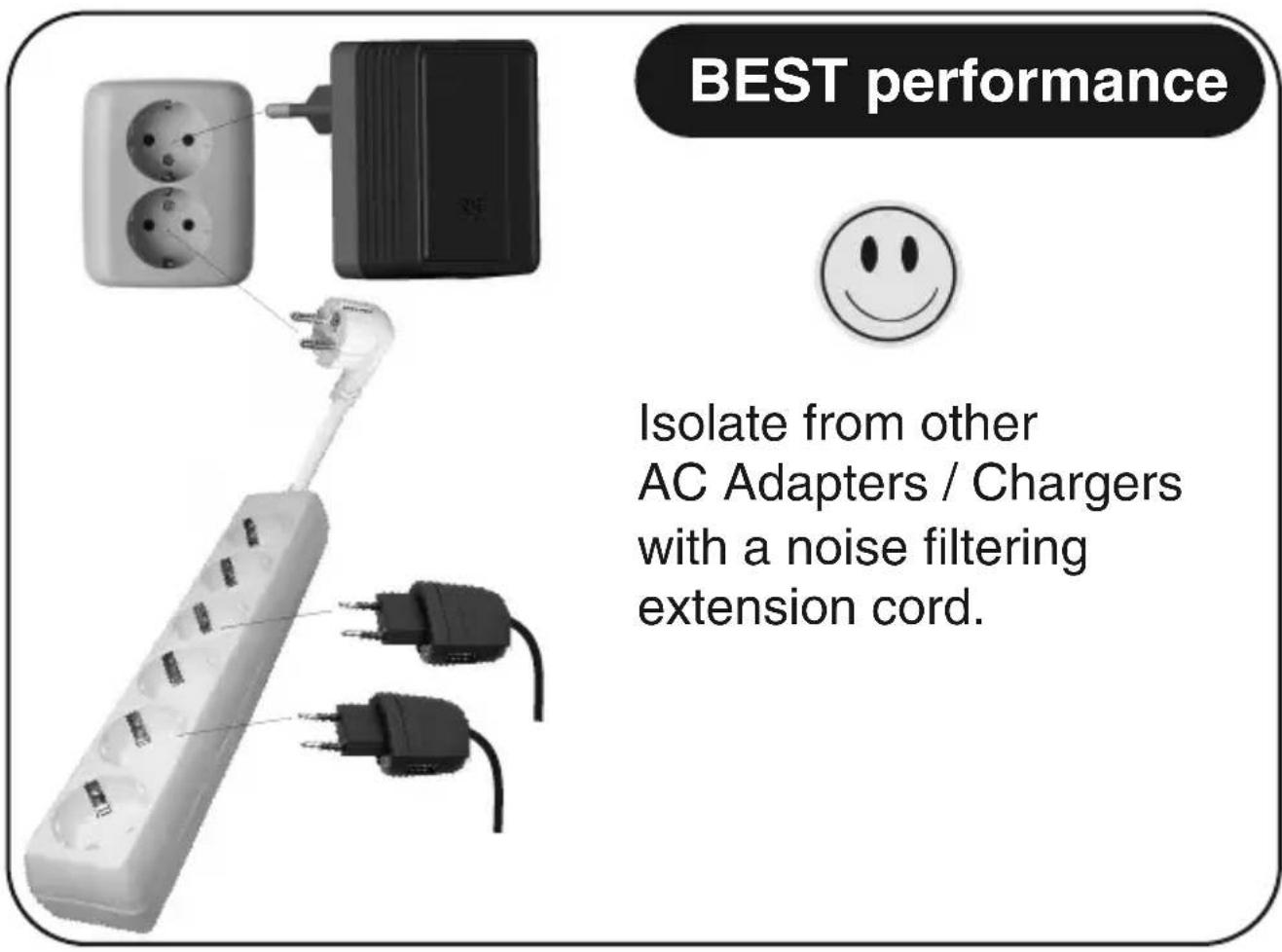
Plug two adapters into nearby electric outlets in the same room or into the same power strip. If these two devices can communicate, gradually increase the distance between the adapters. This method will determine the maximum distances you can achieve in your house.
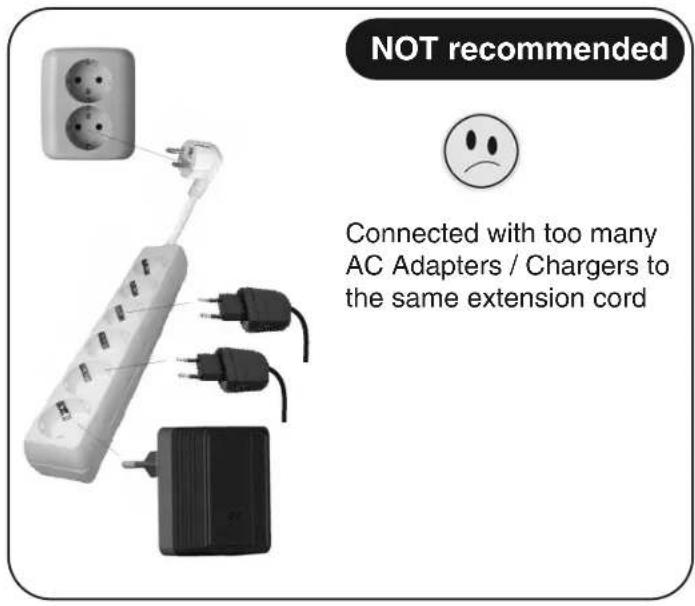
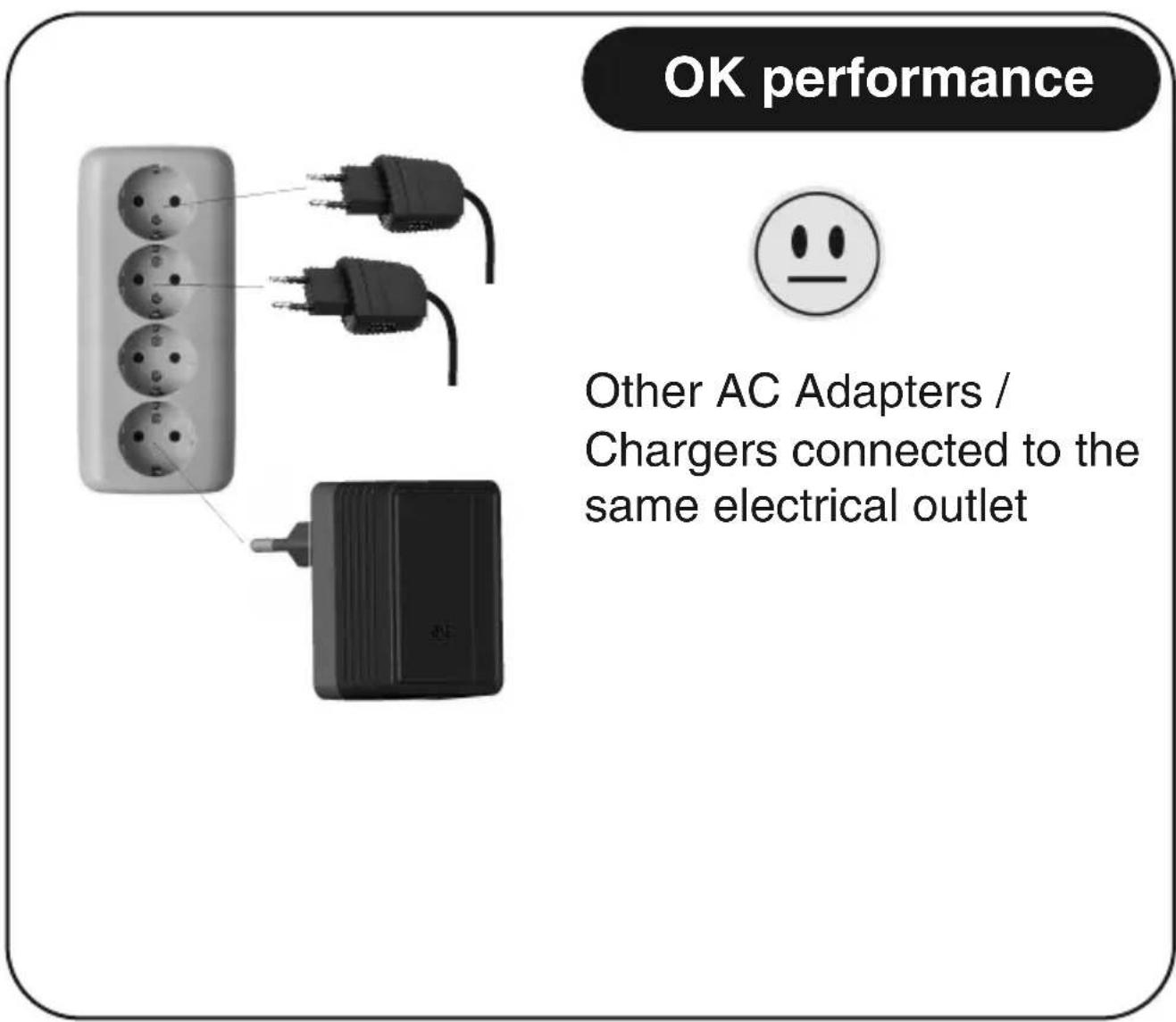
- Pay special attention to the electrical noise generated by the following devices:
Air conditioning
- Power adapters and chargers
- Florescent lights
- Refrigerators
- Surge protectors and other line filters and conditioning
- Blowers and electrical motors
Please follow the manual instructions carefully. For questions regarding this product please contact:
- ofahelp@uebv.com
www.oneforall.com
IMPORTANT SAFETY INSTRUCTIONS
This product is intended for connection to the AC power line. Make sure to read and understand all safety instructions before using this product. You can find the safety instructions on www.oneforall.com
CE DECLARATION OF CONFORMITY
We, Universal Electronics Inc., 6101 Gateway Drive, Cypress, CA 90630, U.S.A., and its subsidiaries
Universal Electronics BV, Institutenweg 21, 7521 PH Enschede, Netherlands, ONE FOR ALL GmbH, Fabrikstraße 3, 48599 Gronau, Germany, ONE FOR ALL UK Ltd, Institutenweg 21, 7521 PH Enschede, Netherlands, ONE FOR ALL IBERIA S.L., Gran Via, Carlos III, no 84, 3a planta, Barcelona, Spain, ONE FOR ALL ARGENTINA S.R.L., AV. Las Heras 2126, 5th Floor (Suite "C") ZC 1111, Recoleta, Buenos Aires, Argentina, Universal Electronics Italia S.r.l., Via Cerva, 18, 20122 Milano, Italia
Declare under sole responsibility that the ONE FOR ALL products: Internet to TV Link 200 (SV 2010) & Internet to TV Link 500 (SV 2020) to which this declaration relates is in conformity with:
EN 55022:2006+ A1:2007, Class B
In accordance with the Council Directive 2004/108/EC.
EN 60950-1:2006+A11:2009/EN 50075
In accordance with the Council Directive 2006/95/EC
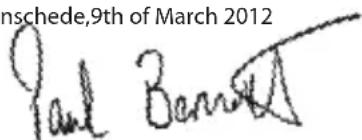
Enschede,9th of March 2012
Paul J. Bennett
As Managing Director Europe, Executive Vice President International
In accordance with the Council Directive 2004/108/EC.
EN 60950-1:2006+A11:2009/EN 50075
In accordance with the Council Directive 2006/95/EC
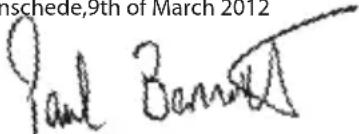
Enschede,9th of March 2012
Paul J. Bennett
As Managing Director Europe, Executive Vice President International
In accordance with the Council Directive 2004/108/EC.
EN 60950-1:2006+A11:2009/EN 50075
In accordance with the Council Directive 2006/95/EC
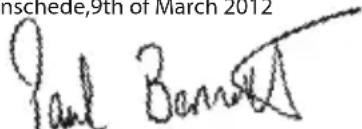
Enschede,9th of March 2012
Paul J. Bennett
As Managing Director Europe, Executive Vice President International
In accordance with the Council Directive 2004/108/EC.
EN 60950-1:2006+A11:2009/EN 50075
In accordance with the Council Directive 2006/95/EC
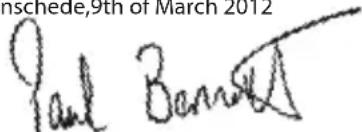
Enschede,9th of March 2012
In accordance with the Council Directive 2004/108/EC.
EN 60950-1:2006+A11:2009/EN 50075
In accordance with the Council Directive 2006/95/EC
Enschede,9th of March 2012
In accordance with the Council Directive 2004/108/EC.
EN 60950-1:2006+A11:2009/EN 50075
In accordance with the Council Directive 2006/95/EC
Enschede,9th of March 2012
Nós, Universal Electronics Inc., 6101 Gateway Drive Cypress, CA 90630, U.S.A., e as nozzas filiais.
Universal Electronics BV, Institutenweg 21, 7521 PH Enschede, Netherlands, ONE FOR ALL GmbH, Fabrikstraße 3, 48599 Gronau, Germany, ONE FOR ALL UK Ltd, Institutenweg 21, 7521 PH Enschede, Netherlands, ONE FOR ALL IBERIA S.L., Gran Via, Carlos III, no 84, 3a planta, Barcelona, Spain, ONE FOR ALL ARGENTINA S.R.L., AV. Las Heras 2126, 5th Floor (Suite "C") ZC 1111, Recoleta, Buenos Aires, Argentina, Universal Electronics Italia S.r.l., Via Cerva, 18, 20122 Milano, Italia
In accordance with the Council Directive 2004/108/EC.
EN 60950-1:2006+A11:2009/EN 50075
In accordance with the Council Directive 2006/95/EC
Enschede,9th of March 2012
In accordance with the Council Directive 2004/108/EC.
EN 60950-1:2006+A11:2009/EN 50075
In accordance with the Council Directive 2006/95/EC
Enschede,9th of March 2012
In accordance with the Council Directive 2004/108/EC.
EN 60950-1:2006+A11:2009/EN 50075
In accordance with the Council Directive 2006/95/EC
Ensched,9th of March 2012
In accordance with the Council Directive 2004/108/EC.
EN 60950-1:2006+A11:2009/EN 50075
In accordance with the Council Directive 2006/95/EC
Enschede,9th of March 2012
Paul J. Bennett
As Managing Director Europe, Executive Vice President International
Council Directive 2004/108/EC (EMC Directive)
EN 55022:2006+ A1:2007, Class B
In accordance with the Council Directive 2004/108/EC.
EN 60950-1:2006+A11:2009/EN 50075
In accordance with the Council Directive 2006/95/EC
Enschede,9th of March 2012
Council Directive 2004/108/EC (EMC Directive)
EN 55022:2006+A1:2007, Class B
In accordance with the Council Directive 2004/108/EC.
EN 60950-1:2006+A11:2009/EN 50075
In accordance with the Council Directive 2006/95/EC
Enschede,9th of March 2012
Paul J. Bennett
As Managing Director Europe, Executive Vice President International
- Koble den Forste adapteren til ruteren/modemet.
- Koble den andre adaptersen til den Internett-aktivierte TVen / set-top-bokens / spillkonsollen / mediespilleren / Blu-ray-spilleren osv.
AV: -> Fantingen Powerline-kobling.

ØKT SIKKERHET
planta, Barcelona, Spain, ONE FOR ALL ARGENTINA S.R.L., AV. Las Heras 2126, 5th Floor (Suite "C") ZC 1111, Recoleta, Buenos Aires,
Argentina, Universal Electronics Italia S.r.l., Via Cerva, 18, 20122 Milano, Italia
Deklarerar under ansamt ansvar att ONE FOR ALL: Internet to TV Link 200 (SV 2010) & Internet to TV Link 500 (SV 2020) att omfattas avenna forsakran ar i overensstammelse med:
EN 55022:2006+A1:2007,Class B
CISPR/1 /xx /CDV Opt B
EN 61000-3-2:2006
EN 61000-3-3:2008
EN50412-2-1:2005
IEC 61000-4-2:2008
IEC 61000-4-3:2008
IEC 61000-4-4:2004
IEC 61000-4-5:2005
IEC 61000-4-6:2008
IEC 61000-4-8:2009
IEC 61000-4-11:2004
In accordance with the Council Directive 2004/108/EC.
EN 60950-1:2006+A11:2009/EN 50075
In accordance with the Council Directive 2006/95/EC
Enschede,9th of March 2012
Paul J. Bennett
As Managing Director Europe, Executive Vice President International
- Anslut den forsta adaptern till din router aller ditt modem.
- Anslut den andra adaptern till din Internet-aktiverade TV/digitalmottagare/spelkonsol/ mediaspelare/Blu-ray-spelare, osv.
In accordance with the Council Directive 2004/108/EC.
EN 60950-1:2006+A11:2009/EN 50075
In accordance with the Council Directive 2006/95/EC
Enschede,9th of March 2012
Paul J. Bennett
As Managing Director Europe, Executive Vice President International
planta, Barcelona, Spain, ONE FOR ALL ARGENTINA S.R.L., AV. Las Heras 2126, 5th Floor (Suite "C") ZC 1111, Recoleta, Buenos Aires,
Argentina, Universal Electronics Italia S.r.l., Via Cerva, 18, 20122 Milano, Italia
In accordance with the Council Directive 2004/108/EC.
EN 60950-1:2006+A11:2009/EN 50075
In accordance with the Council Directive 2006/95/EC
Enschede,9th of March 2012
Paul J. Bennett
As Managing Director Europe, Executive Vice President International
- Suvdelta tov npwto npoapayea oTo dpouoloynt/óvτeμ.
- Suvdelta tov delta o npooapoyea otnv tnlaopaon me duvatotnta ouvdelta onc oTo Internet/aonokwdeltaikonoiŋkovola naixviδiwv Suokevun avanapaywync eoovv/Blu-ray Kλn
Oipooapouyeic Internet oE tnAeopaon ONE FOR ALL iivaltwpa ETOIMOI yia xphon.
In accordance with the Council Directive 2004/108/EC.
EN 60950-1:2006+A11:2009/EN 50075
In accordance with the Council Directive 2006/95/EC
Enschede,9th of March 2012
Paul J. Bennett
As Managing Director Europe, Executive Vice President International
BbIKJ.: ->Powerline Link He o6HapyKeH.

yIyuUHEHHA CNCTEMA BE3OPIACHOCTN
C npBHeHHbIM HKe nKpUkuaM, Bbl moK eTe o6ecneuMb ynyuHbI ypOBeh 6e3ona Choc m dIpa6otbl nepeXoHKnOB INHTepHer-TB ONEFORALL
1.HaXMMTe n yepKnBaIe KhoONky6e3oNaChOCTHa nepB om aJa nTepe B TeueHne 5-8 cekyHd, 3aTEM OTnyCTITE ee. BCE CBeTo DINO BoDIO OndHOBpe EHHO BblKnIOuATcN BkIIIOUaTcN OOnH pa3;
2. Haxmte u depknae KhoNky6e3oNaCh Octn Ha BTOPOM aanTepe B TeueHne 5-8 ceKyHd, 3aTeM OTNyCTnte ee. BCE cBeTo dIOdbI OndHOBpem EHHO BbKIIouaTcN IN BKIIouaTcOdIN pa3;
3. Haxmte u yepxnbte KhoNky"Be3oac Hoctb" H a nepbom nepexoHnke B teueHne 1-3 cekyHn, HndkaTOP nHTaHnaHayHcT MraTb;
4.B nocJeIyUoIe 2 MnHyTbIHaxMMte N yIepKJBaIte KHOJKy "Be3OJaCHOCtB" Ha BTOpOM nepeXoHNke BTqIeHne 1-3cekyH.NHdkaTOP nHTaHnHaHHeT MnraTb;
SV-2010 = HaxmnTe u ydepxmbaIte B teeHne 12
cekyHd: -> AKTINBIPOBaTb peKIM OxuHaHn. HaxMITE uYdePKeBaIe B TeueHne 1 ceKHyDbI DJIy BblXoDa n3 peKIma OxuHaHn.
SV-2020 = aBTOMaTnueckn nepexoB pexim
OxuaHn: -> Pekm OxuaHn 6ydtakTbnpoBa h ABTomaTneckn, ecnn ethernet-coeHHne 6ydt OTKIOueHO B TeueHne 2 MInHyr. BixoN3 pexMa OxuaHn npOncxOanT abTomatueckn npn HAnuHn CeTeBbIX onepaun.

HEnCnpaBHOCTeI
OTcyTCTByET CB3b MEXy nepexoHkamn HHTephet-TB
HobIe nepexoHNKIOCTaBnTcC OINHaKObIMN IMeHAMn Powerline Group n doJxhbl yctaHOBT b3aUMHyO cBra3b npn nepBOM p a3BePbBaHm. Ecn CBA3b MeXy DByMNEpexoHNkAMn OTCyTCTByET:
y6eNTecb,HTO nepexoHNKn npaBnIbHO nOKnIOueHb K cTeu nTaHn;
-86eHTecb, yTo Ka6eHn Ethernet-coeHNHeHnaHaeXNo nOdkIIOyeHbI;
-песлустеоба пекхониka, ужьгья RESET (CBPOC) на пекхониke в чужни (и з coobpaхени 6e3oNaChocTN He pekomehdyetcЯ nCnoJb3ObaTb MeaJIInueckyio 6yIaNkU).Пр n ATOM 6yIeT BblOnHeHO BOCCTaHOBnEne 3aBODCKNX HAcTpoek пекхониka Powerline Group ("HomePlugAV").Есln CB83b MeJdny пекхониками no-пекнemу He yctaHaBnBaETcR, BO3MOxHo, npuHNoIЯВЯeTcR HeICnpaBBOcTB 3NeKTPnueckoI npoBOdkN.
·ПоdkночiteобапесхоникКэлкгчсckmpo3eKam,HaxoДшмсн HeNoDAlekypyrOTdpyra,ВОнй KOMHaTeИнHaOДHom ceteBOMФиьтpe.Пу uCTaHOBJIeHn CBa3m MeJx yCTpOHTbAMn NOCTeHNO yBeIINuBaIte paCSTOrHne MeJxупесхониКam.ЗTOT MeToI NOMOKe T Bam ONpeJeNTb MaKcIMaJIbHoe paCSTOrHne,doCTyNHOe BdaHHbIX yCIOBuaX.
O6paTnTe Oco6oe BHMaHHe Ha 3JIeKTPnueckne NOMexn, co3JaBaembIe CNeIyIOUmm yCTpoiCTBaMn:
-KoHdInuHep
-AdanTepbI nHTaHnI 3apAhbIy UcTpoCTBa
-ФлуорецHTьелamMbbl
-XoJIoNbHnKu
-CeTeBbIe I npOue IINHeHbIe fOpIbTpbl
-BeHTnJIaTOpbI n 3JIeKTpOaBnTaTeN
BHHMaTeIbHo CnEduyIe NHCtpyKUma, npuBeDeHHbIM B pyKOBoDCTBe NO EKnnyatau. IIO BCem Bonpocam, CBa3aHHbIM C daHHbIM npOdyKTOM, o6paauTecb no aDpecy:
- ofahelp@uebv.com
www.oneforall.com
BAKHbIe INHCTPYKlM NIO B3OINACHOCTN
Danhbl npodykt npedna3nueH dnn noKniueHn K ceTn nepemehoro ToKa. O6raTeIbHO npouHTaTe n yacnHe BCE uHCTpykunno 6e3onachocntn peepncnoJIb3ObaHnem daHHORo npodykta. HcTpykun no 6e3onachocntn haoJATcHa Be6-caiTe www.oneforall.com
CE 3AABJIeHnE O COOTBETCTBnN
Mbl, Universal Electronics Inc., 6101 Gateway Drive, Cypress, CA 90630, U.S.A., a taKke fHnnaIb nae KOMnau, Universal Electronics BV, Institutenweg 21, 7521 PH Enschede, Netherlands, ONE FOR ALL GmbH, Fabrikstraße 3, 48599 Gronau, Germany, ONE FOR ALL UK Ltd, Institutenweg 21, 7521 PH Enschede, Netherlands, ONE FOR ALL IBERIA S.L., Gran Via, Carlos III, no 84, 3a planta, Barcelona, Spain, ONE FOR ALL ARGENTINA S.R.L., AV. Las Heras 2126, 5th Floor (Suite "C") ZC 1111, Recoleta, Buenos Aires, Argentina, Universal Electronics Italia S.r.l., Via Cerva, 18, 20122 Milano, Italia O6bBnTb npd co6CTBeHHyO tBETCTBeHHocTb, yTO ONE FOR ALL: Internet to TV Link 200 (SV 2010) & Internet to TV Link 500 (SV 2020), K KOTOpBIM 3TO 3aRbHeHne OTHOcNTcR, B COOTBeTCTBNI C:
EN 55022:2006+A1:2007,Class B
In accordance with the Council Directive 2004/108/EC.
EN 60950-1:2006+A11:2009/EN 50075
In accordance with the Council Directive 2006/95/EC
Enschede,9th of March 2012
Paul J. Bennett
As Managing Director Europe, Executive Vice President International
- Conecta ti primul adaptor la routerul/modemul dvs.;
- Conectaţi cel de-al doilea adaptor la televizorul/Set-Top-Box/consola de jocuri conectate la internet Player Media/player Blu-ray etc.
Council Directive 2004/108/EC (EMC Directive)
EN 55022:2006+ A1:2007, Class B
In accordance with the Council Directive 2004/108/EC.
EN 60950-1:2006+A11:2009/EN 50075
In accordance with the Council Directive 2006/95/EC
Enschede,9th of March 2012
- Connect the first adapter to your router/modem;
- Connect the second adapter to your Internet-enabled TV / Set-Top-Box / Game Console / Media Player / Blu-ray Player etc.
Your ONE FOR ALL Internet to TV adapters are now READY to use.
| Upotreba | |
| Isključeno: -> Isključivanje Sporo treperenje: -> Adapter je u stanju priapravnosti. Brzo treperenje: -> Adapter razmjenjuje sigurnosnu tipku. To\ može potrajati do 2 minute. | |
| Isključeno: -> Nije prepoznata mrežna veza. Uključeno: -> Mrežna veza je prepoznata, ali nema mrežnog prometa. Treperenje: -> Mrežni promet je prepoznat. | |
| Uključeno: -> Powerline veza je prepoznata, ali nema Powerline prometa. isključeno: -> Powerline prijenos podataka veci od 60 Mb/s. Normalno treperenje (0,06 s uključeno/0,06 s isključeno): -> Powerline prijenos podataka izmerodu 10 Mb/s i 60 Mb/s. isključeno: -> Powerline prijenos podataka manji od 10 Mb/s. Sporo treperenje (1 s uključeno/1 s isključeno): -> Powerline prijenos podataka manji od 10 Mb/s. Isključeno: -> Nije prepoznata Powerline veza. |

ENHANCED SECURITY
Following these steps below will create enhanced security for your ONE FOR ALL Internet to TV adapters;
- Pritisnite i držite Sigurnosnu tipku na prvom adapteru 5-8 sekundi i tada opustite. Sve LED diode ce se istovremeno{jednom ugasiti i upaliti;
- Pritisnite i držite Sigurnosnu tipku na drugom adapteru 5-8 sekundi i tada opustite. Sve LED diode ce se istovremeno{jednom ugasiti i upaliti;
- Press Security button on first adapter for 1-3 seconds. The power LED will start blinking;
- Within 2 minutes press Security button on second adapter for 1-3 seconds. The power LED will start blinking;
SV-2010 = Pritisnite držite pritisnutom 12
planta, Barcelona, Spain, ONE FOR ALL ARGENTINA S.R.L., AV. Las Heras 2126, 5th Floor (Suite "C") ZC 1111, Recoleta, Buenos Aires,
Argentina, Universal Electronics Italia S.r.l., Via Cerva, 18, 20122 Milano, Italia
Izjavljujemo pod iskljućivo vlastitom odgovronoću da ONE FOR ALL: Internet to TV Link 200 (SV 2010) & Internet to TV Link 500 (SV
In accordance with the Council Directive 2004/108/EC.
EN 60950-1:2006+A11:2009/EN 50075
In accordance with the Council Directive 2006/95/EC
Enschede,9th of March 2012
Paul J. Bennett
As Managing Director Europe, Executive Vice President International
- Pripojte prvy adaptér k vášmu smerovacu/modemu;
- Pripojte druhy adaptér k vašmu TV s podporou internetového pripojenia/ zariadeniu Set-Top-Box/hernej konzole/ medialnemu prehrávaču/prehrávaču diskov Blu-ray atd'.
Vase adaptéry pripojenia TV k internetu ONE FOR ALL su teraz PRIPRAVENÉ na používanie.
Pokyny k používaniu

VYPNUTA: -> NAPAJANIE JE VYPNUTÉ
POMALÉ blikanie: -> Adapter je v pohotovostnom režime.
In accordance with the Council Directive 2004/108/EC.
EN 60950-1:2006+A11:2009/EN 50075
In accordance with the Council Directive 2006/95/EC
Enschede,9th of March 2012
1.Cbpxke Te npBnna aanTep KbMaun pyTeP/MoDEM;
2.CbbpKTe BToPnAaAnTep KbMaBnA CbBMecTm CnHTepHeT TeBeu3Op /dekoep
(Set-Top-Box) / irrhoBa KOH30a / MeDnA nIeBp / Blu-ray nIeBp u np.
Cera BaunTe aanTepn 3a cBbP3BaHe c TeleBn3Op npe3 nHTepHET ONE FOR ALL Internet to TV ca ITOBn 3a n3noJ3BaHe.
Kak da ro n3noJ3BaTe

N3KJI:->N3KJIIOUYEHO 3AXPAHBAHE
BABHO murahe: ->AanTepbTe bpeKm Ha roTOBHOCT.
ББP30 Mнганe: ->АдалтпгИЗВьршБаОмMeH Ha 3aUnTHN KОДObE.
Toba moxe da npoDbjxn do 2 mHyTu.

M3Kl.: -> He ycTaHOBeHa Bpb3Ka Cmpexka.
BKN.: -> YctaHOBeHa e Bpb3ka c MpeXa, Ho JInncBa MpeXOB TpaΦnK.
MMRAHE: ->OTHTa ce mpeXOB TpaΦNK.

BKN.: -> YctaHOBeHa e Bpb3Ka npes eJeKtpuYeckaTa MpeKa (Powerline Link), Ho JnncBa Powerline TpaΦnK.
БьP3O MИГАЕ (0,06 c BKЛ./ 0,06 c N3KЛ.): ->Скорост Ha петаане НданITE ппз сөлөгүрүческытмөжа, no-Bucoka ot 60 Mbps.
HOPMAJIHO MUNAHE (0,2 c BKJI./ 0,2 c N3KJI.): -> CkopocT Ha npedabaHe Ha daHHnTe npe3 eNeKtpnueckaTaMpeka ot 10 Mbps do 60 Mbps.
BABHO MUNAHE (1 c BKJI./ 1 c N3KJI.): -> CkopoCt Ha npedabaHe Ha daHHnTe npe3 eeneKTpuYeckaTaMpeXa, no-HnCKa ot 10 Mbps.
M3Kl.:->He yctaHOBeHa Bpb3Ka Ipe3 eIeKtpueeckaTa Mpeka.

ПОВИSEHA CINΥPHOCT
Podla doleuvedenych krokov zvysite bezpečnost'vašich adapterov pripojenia TV k internetu ONE FOR ALL;
- HatncheTe n 3aIpbjxTe 6yToHa Security (cHypnOCT) Ha IpbBna aadTep 3a 5-8 cekHyn i cne ToBa ro npChTe. BcnuKn CBeToNDOn eHOBpeMeHHo BeHNbX uye yraChat n CBeTHaT;
- Hatnche n 3aepbxte 6ytoHa Security (cnrgpocT) Ha BTOPIAanTpep 3a 5-8 cekynn i cnei TOBa ro npchete. BCNUKN CBeToNDIOeNHOBpeMeHHo BeHNbX Iye yrCaHAT N CBETHaT;
- Stlacte a podrzte stlacene tlacidlo Security (Bezpecnost) na pvom adapteri po dobu 1 - 3 sekund. Kontrolka LED napajania zaene blikat;
- V priebehu 2 minut stlacte a podrzte stlacene tlaidlo Security (Bezpecnost) na druhom adapteri po dobu 1 - 3 sekund. Kontrolka LED napajania zachne blikat;
SV-2010 = Hatachete n 3aapbxte 3a 12
cekyHn: PpeBkIIOUbaHe B pexmHa rTOBHOCT. HATNCHeTn 3aIpXkTe 3a 1 cekyHda, 3a Da n3Je3eTe OT pexmHa HrTOBHOCT.
SV-2020 = aBTOMaTHueh pexHm Ha rTOBHOCT: IpeBkIIOUBy aBTOMaTHUHO B pexHM Ha rTOBHOCT, aKO Ethernet Bpb3KaTa ce npekbcne 3a 2 MInHyTn. AKTNbupa ce aBTOMaTHUHO npn HauNue Ha aKTUBHOCT mpeKata.

Bb3ctahOBraBe Ha a6pHnHe HacpoKn:HaTncHe n 3aDpbXKe 3a 1 ceKyHa.
OTkpmbaHne N OTcTpaHЯBaHe Ha Heu3npaBHOCT
AanTrepeTe 3a CbP3BaHe c TeneBn3Op npes nHTepHET He OcbuIeCTBraBt KOMyHkaunn NOMekdy cn
Hobnte aanTepn ce doctabrt c eoHO n cbso ime 3a Powerline Group n trp6Ba da morat da KOMyHKupat nomekdy cn npn nbpBoto NHctanpahe. Ako lincBA komyHkaunmexky dbata aanTepa:
BAKHIN YKA3AHN 3A BE3OPIACHOCT
ToBa n3dJIeNe e npedHa3NaueHo 3a CBbP3BaHe KbM MpeXa 3a npomeHnIBOTOKOBO eIeKTPo3aXpaHbaHe. 3aIbJxITeHNO npouTeTe N ocmncIte BcUcky kAka3aHnra 3a 6e3oNacHOCT, npEi da n3no13BaTe n3deJeMeTo. MoKeTe da HamepuTe yka3aHnra 3a 6e3oNacHOCT Ha aDpec www.oneforall.com
CE DEKJIAPAUZNA CbOTBETCTBNE
Hne, Universal Electronics Inc, 6101 Gateway dnckoBc, Knapac, CA 90630, CAU, n Herobnte dbuepn npyjxcTba
Universal Electronics BV, Institutenweg 21, 7521 PH Enschede, Netherlands, ONE FOR ALL GmbH, Fabrikstraße 3, 48599 Gronau,
Germany, ONE FOR ALL UK Ltd, Institutenweg 21, 7521 PH Enschede, Netherlands, ONE FOR ALL IBERIA S.L., Gran Via, Carlos III, no 84, 3a
planta, Barcelona, Spain, ONE FOR ALL ARGENTINA S.R.L., AV. Las Heras 2126, 5th Floor (Suite"C") ZC 1111, Recoleta, Buenos Aires,
Argentina, Universal Electronics Italia S.r.l., Via Cerva, 18, 20122 Milano, Italia
06aBEN e hcbOra OTROBOPHOCT, cE ONE FOR ALL: Internet to TV Link 200 (SV 2010) & Internet to TV Link 500 (SV 2020) e bCbOTBeTCTBn
CbCbSueCTBeHnTEu3NCKBaHHa:
EN 55022:2006+ A1:2007, Class B
In accordance with the Council Directive 2004/108/EC.
EN 60950-1:2006+A11:2009/EN 50075
In accordance with the Council Directive 2006/95/EC
Enschede,9th of March 2012
Paul J. Bennett
As Managing Director Europe, Executive Vice President International
English
Please follow the manual instructions carefully. For questions regarding this product please contact:
Deutsch
MOnr, cneBauTe BnMaTeHNo IHCTpyKcH 3a pbUHO. 3a BbnpocN OTHOCHO To3N npOdyKT, MoJr CBbpXeTe ce C:
ofahelp@uebv.com
www.oneforall.com
slovencina
- Adapter 1
- Adapter 2
- Trouble-shooting
- Internet-to-TV adapters are not communicating
- CE DECLARATION OF CONFORMITY
- ØKT SIKKERHET
- yIyuUHEHHA CNCTEMA BE3OPIACHOCTN
- HEnCnpaBHOCTeI
- OTcyTCTByET CB3b MEXy nepexoHkamn HHTephet-TB
- CE 3AABJIeHnE O COOTBETCTBnN
- ENHANCED SECURITY
- Pokyny k používaniu
- Kak da ro n3noJ3BaTe
- ПОВИSEHA CINΥPHOCT
- OTkpmbaHne N OTcTpaHЯBaHe Ha Heu3npaBHOCT
- AanTrepeTe 3a CbP3BaHe c TeneBn3Op npes nHTepHET He OcbuIeCTBraBt KOMyHkaunn NOMekdy cn
- CE DEKJIAPAUZNA CbOTBETCTBNE
- English
- Deutsch
- slovencina
Brand : ONE FOR ALL
Model : SV-2010
Category : Dongle