F2AA002ABBK - Wall mount Furrion - Free user manual and instructions
Find the device manual for free F2AA002ABBK Furrion in PDF.



| Product Type | Tilting and fixed outdoor wall mount |
| Brand | Furrion |
| Model | F2AA002ABBK |
| Maximum Load | 110 lb (50 kg) |
| VESA Compatibility | Up to 600 x 400 mm |
| Tilt Angle | 0° (up) / -12° (down) |
| Distance from Wall | 1 7/16 in (36 mm) |
| Built-in Level | Yes, bubble level |
| Anti-theft Lock | Yes, with locking bar and padlock (not included) |
| Materials | Steel (estimated) |
| Compatible Wall Type | Wood studs or solid concrete |
| Included Mounting Hardware | Screws, washers, concrete anchors, toggle bolts |
| Required Tools (not included) | Drill, 5/16 in (8 mm) and 1/4 in (6 mm) drill bits, level, stud finder |
| Recommended Number of People | At least 2 |
| Maintenance and Cleaning | Clean with a dry cloth, check and retighten screws periodically |
| Warranty | Any incorrect installation voids the warranty |
| Contact | support@furrion.com |
Frequently Asked Questions - F2AA002ABBK Furrion
User questions about F2AA002ABBK Furrion
0 question about this device. Answer the ones you know or ask your own.
Ask a new question about this device
Download the instructions for your Wall mount in PDF format for free! Find your manual F2AA002ABBK - Furrion and take your electronic device back in hand. On this page are published all the documents necessary for the use of your device. F2AA002ABBK by Furrion.
USER MANUAL F2AA002ABBK Furrion
Universal Outdoor Fixed Tilt Mount
Support inclinable et fixe universal pour l'extérieur Soporte universal de inclinacion fija para exterioriores
Instruction Manual
*Product picture is for reference only.
Welcome 3
Important Safety Instruction. 3
What's in the box 4
Installation 6
Tilt Adjustment 10
French 11
Thank you for purchasing the Furrion Universal Outdoor Fixed Tilt Mount for 43"/49"/55"/65" Furrion Aurora™ TV. Before operating your new product, please read these instructions carefully. This instruction manual contains information for safe use, installation, introduction of the product. Please keep this manual for future reference.
The manufacturer does not accept responsibility for any damages from incorrect installation due to not observing these instructions.
If you have any further questions regarding our products, please contact us at
support@furrion.com
Important Safety Instruction
WARNING
This product is designed to be installed on wood stud or solid concrete walls. Before installing make sure the wall or mounting surface will safely support four times the combined weight of the mounted equipment including its accessories. Never exceed the Maximum Load Capacity (110 lbs/50 kg).
PLEASE NOTE: Improper installation will void warranty and may cause serious injury or damage. It is recommended that a qualified contractor installs the fixed tilt mount.
Safety Precaution
- Ensure these instructions are thoroughly understood before attempting installation. If unsure of any part of the installation process, contact a professional installer for assistance.
- Be careful not to pinch fingers during installation.
- At least two people are required for this installation and it is highly recommended that this product is installed by qualified professionals.
- Screws must be tightly secured, but do not overtighten screws. Over tightening can damage the items, greatly reducing their holding power.
- Always use an assistant or mechanical lifting equipment to safely lift and position equipment.
- Safety gear and proper tools must be used. Failure to do so can result in property damage and/or serious injury.
- This wall mount is intended for use only with the maximum weight of 110 lbs (50 kg). Use with products heavier than the maximum weight indicated may result in instability causing possible injury.
- Care and clean: Clean your mount regularly with a dry cloth. Inspect all screws and hardware periodically, including tilt adjustment screws, to ensure that no connections become loose over time. Re-tighten as needed.
What's in the box
Unpack the box carefully and check if the following parts are included. If any parts are missed or damaged, do not attempt to assemble the product. Please contact the authorized retailer where you purchased immediately.

Wall Plate Locking Bar


Mounting Arms (Left & Right)
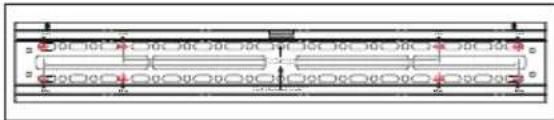
Wall Plate Paper Template

Instruction Manual & Warranty Manual
Hardware Kit (A~K)
WARNING: This product contains small items that could be a choking hazard if swallowed.
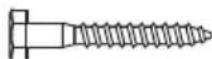
(A) lag bolt ST8*63 (x 4) & metal clip (x 1)
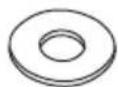
(B)washer 9.5^ 21^*2.0 (x4)
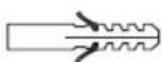
(C) anchor 10^*50 / PA6 (x6)

(D) Phillips bolt M6*16 (x 4)

(E) Phillips bolt M6*18 (x 4)
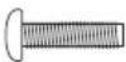
(F) Phillips bolt M6*25 (x 4)
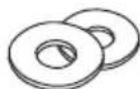
(G)washer 6.4^ 18^1.5(x4)

(H) Phillips bolt M8*18 (x 4)
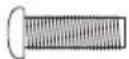
(I) Phillips bolt M8*25 (x 4)
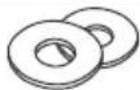
(J)washer 8.4^ 19^2.0(x4)

(K) spacer 8^ 18^10 (x8)
Before Installation
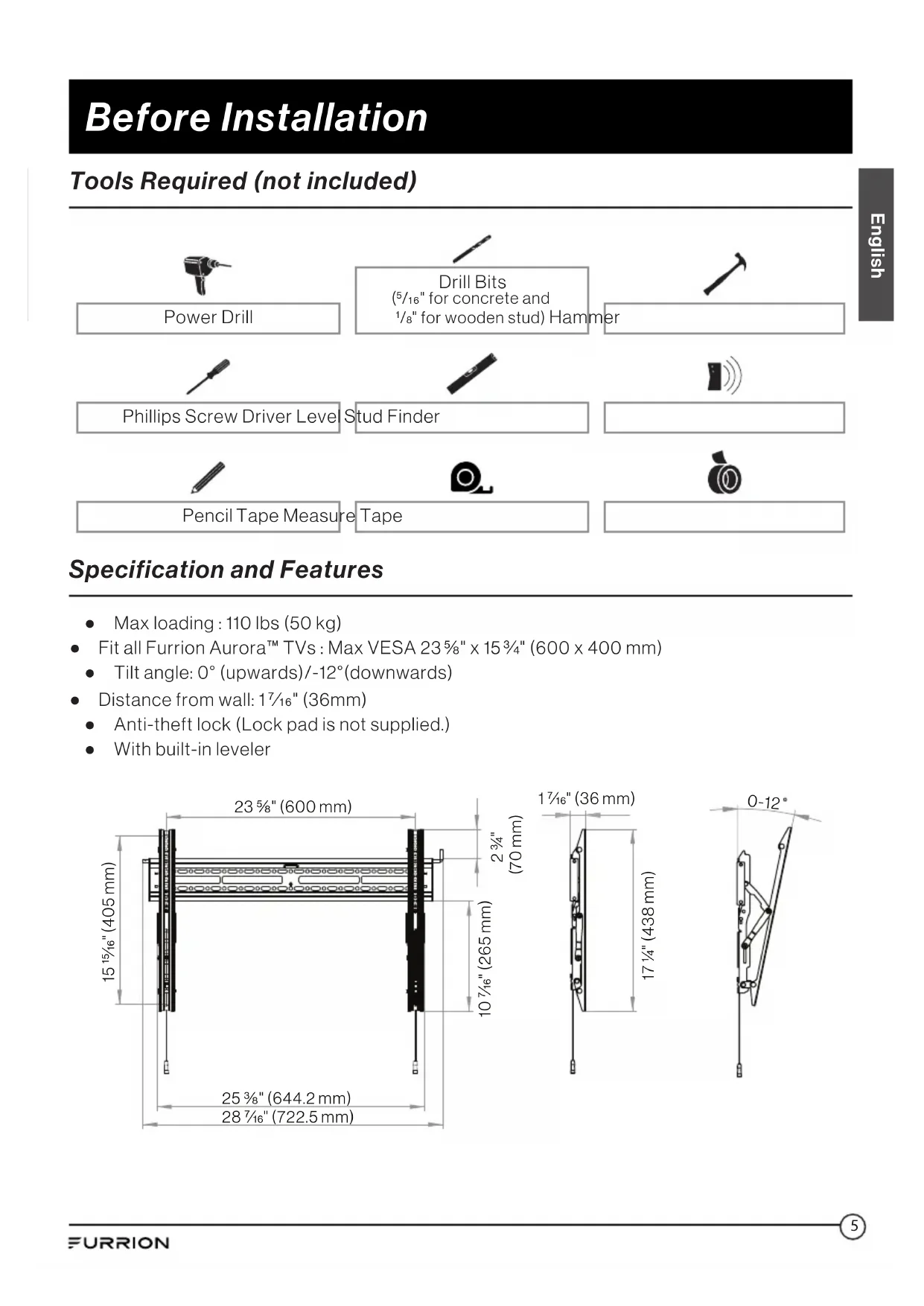
Tools Required (not included)
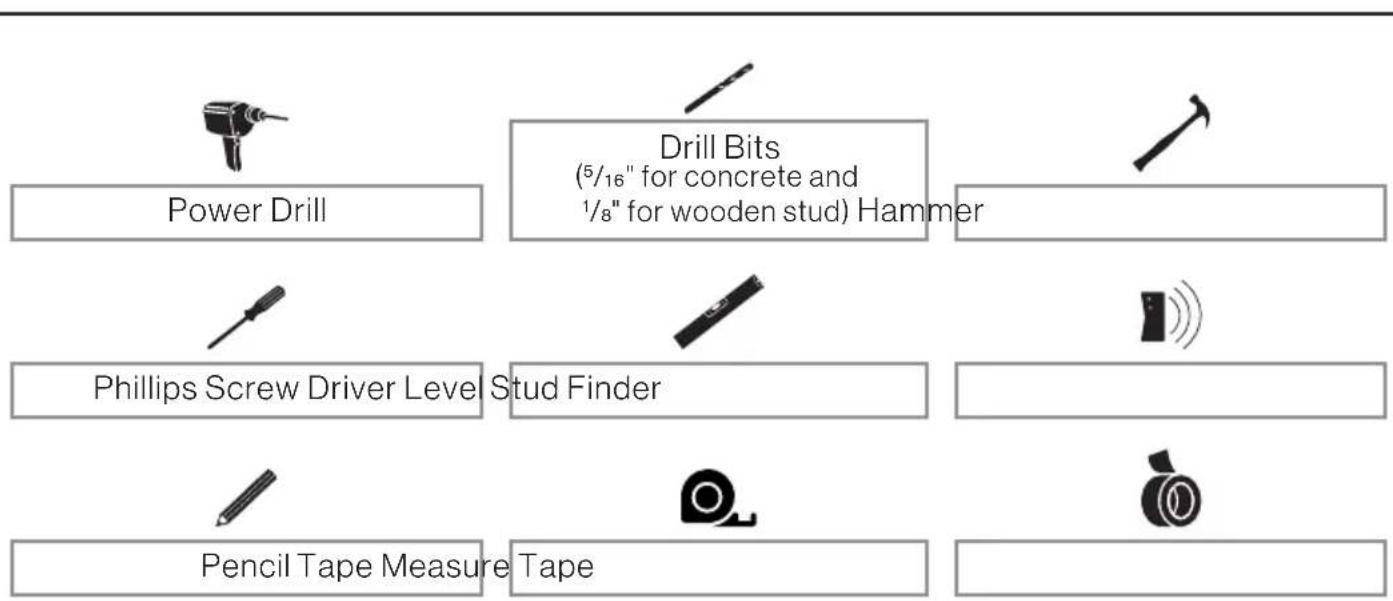
Specification and Features
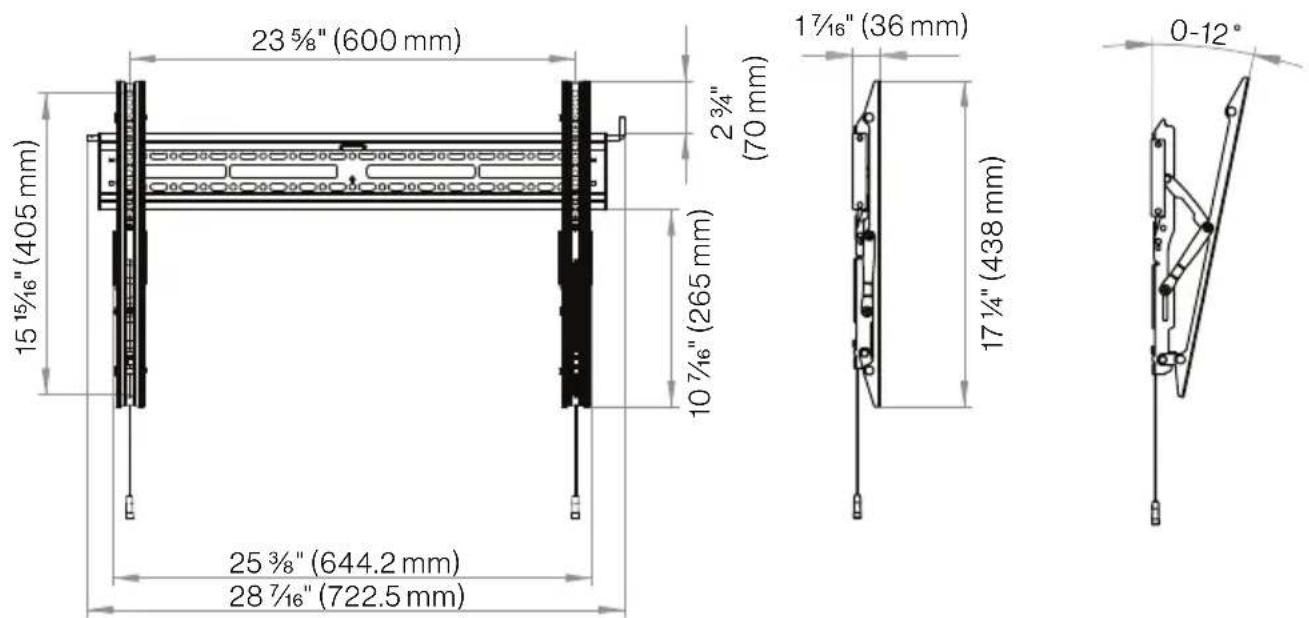
Max loading: 110 lbs (50 kg)
- Fit all Furrion Aurora™ TVs: Max VESA 23½" × 15¾" (600 × 400 mm)
- Tilt angle: 0^ (upwards)/-12°(downwards)
Distance from wall: 17% (36mm)
- Anti-theft lock (Lock pad is not supplied.)
- With built-in leveler
Installation
Step 1. Mount the Wall Plate on Wall
WARNING: Do not drill into mortar joints.
Be sure to drill holes centered within studs or bricks.
A. Mounting on solid concrete or concrete block wall
- Choose a proper height for your TV. Level the wall plate paper template on wall with a level and tape it in place.
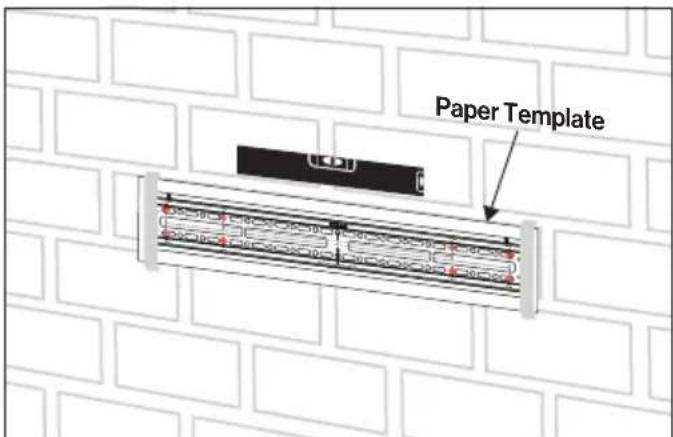
- Using a 5 / 16 (8 mm) drill bit, drill 4 mounting holes based on the hole marking on paper template.
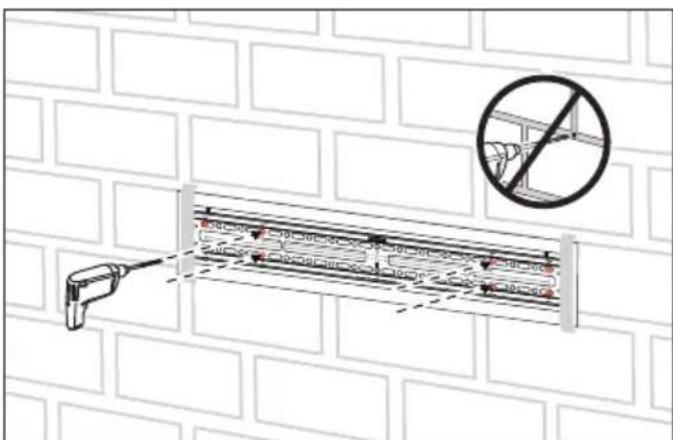
- Remove the wall plate paper template. Insert a concrete anchor (C) into each hole and ensure it is flush with the concrete surface.
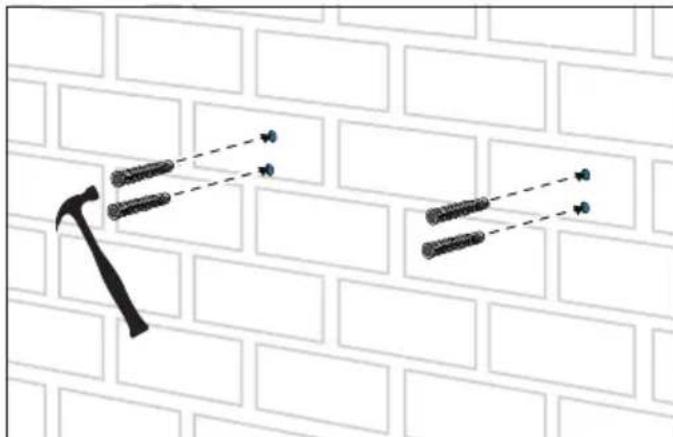
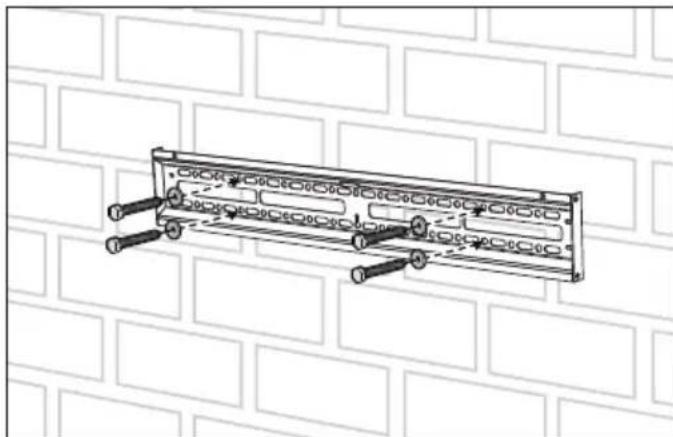
- Place the wall plate against the wall and use 4 lag bolts (A) with the washers (B) to attach the wall plate onto wall.
Tighten the lag bolts securely and ensure the wall plate level by using the built-in bubble level on the mount.
Caution: Do not over-tighten these bolts.
Installation
B. Mounting on a wood stud wall covered with gypsum board drywall
- Use a stud finder to locate two adjacent studs. Find both edges of each stud to mark down the center lines for two studs with a pencil.
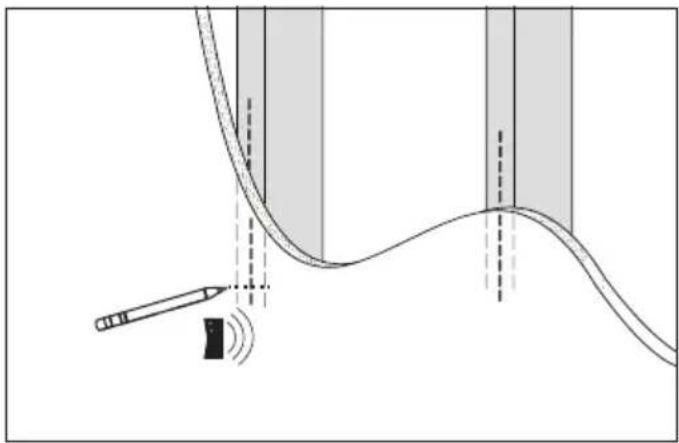
Note: Drywall covering the wall must not exceed 16mm (5 / 8) .
- Place the wall plate paper template against the wall to ensure the 4 holes line up with the stud center lines. Level the paper template and tape it in place.
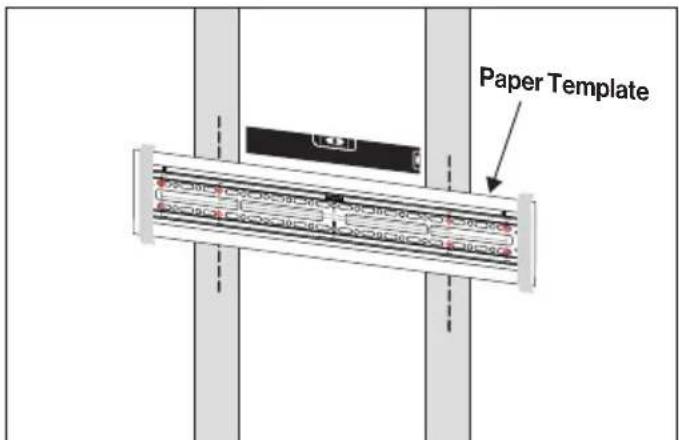
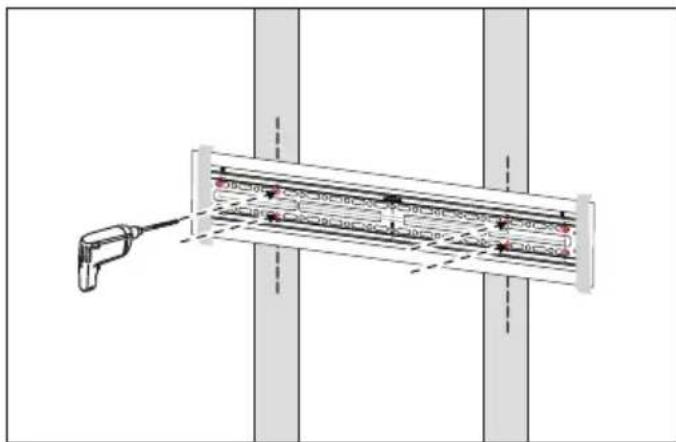
- Using a 14 " (6mm) drill bit, drill 4 mounting holes with the depth 3" (76mm). Then remove the paper template.
- Install the wall plate on wall using 4 lag bolts(A) and washers (B).
Tighten the lag bolts securely and ensure the wall plate level by using the built-in bubble level on the mount.
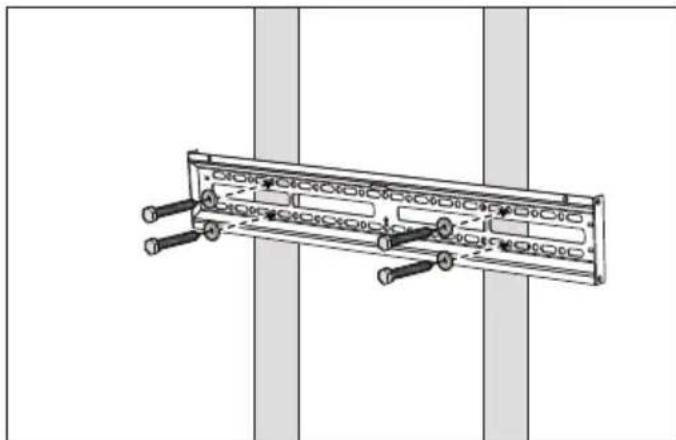
CAUTION: Do not over-tighten the lag bolts. Improper use could reduce the holding power of the lag bolt.
Installation
Step 2. Attach the Mounting Arms to the TV Display
- Determine the correct length and diameter of screws to use based on your TV mounting patterns.
If your TV back is flat, use the shorter screws with proper washers.
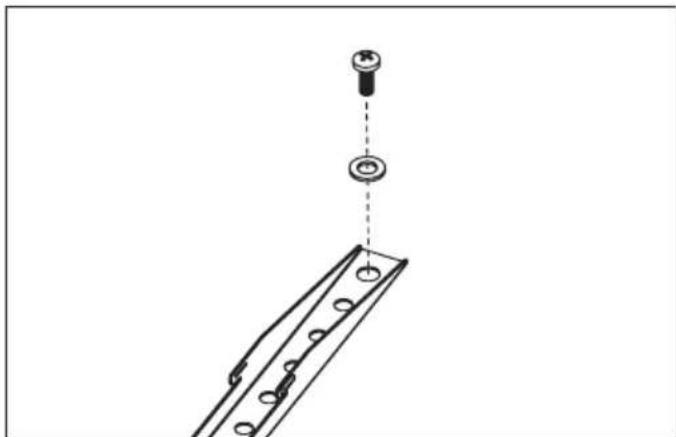
If your TV back is irregular or curved, use the longer screws with proper washers and spacers (K).
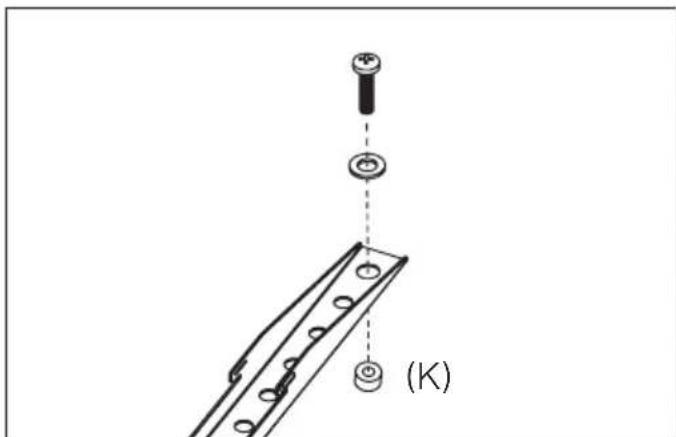
- Open the mounting arms with the max tilt angle.
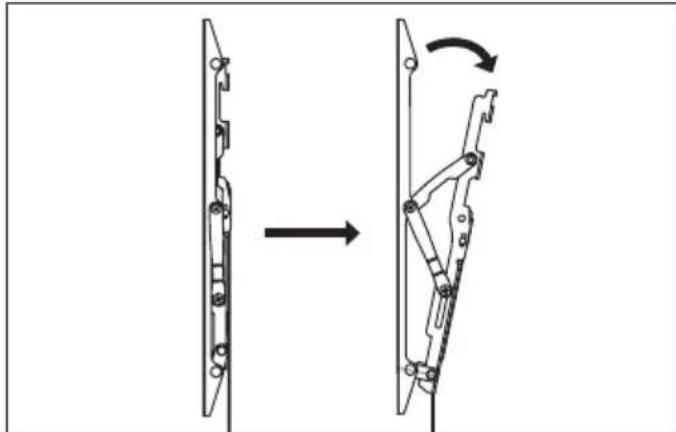
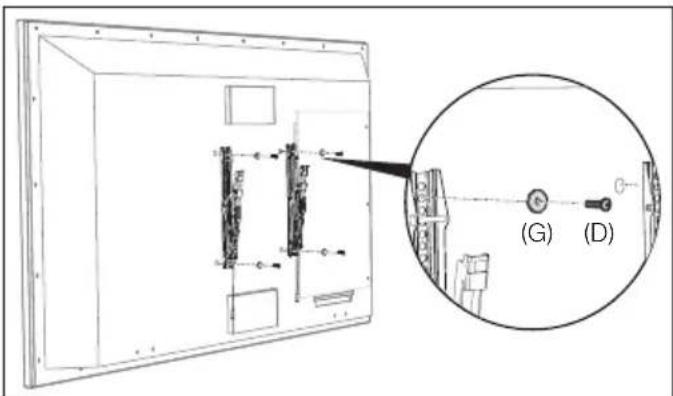
- Use the selected 4 screws and washers to assemble the mounting arms on TV back.
Tighten the screws to ensure the arms firmly and vertically attached on the TV display.
For Furrion Aurora™ TV, please use the supplied screw M6 15mm (D) and washers (G) to attach the mount arms to TV display.
- Close the mounting arms without tilt after being assembled on TV back.
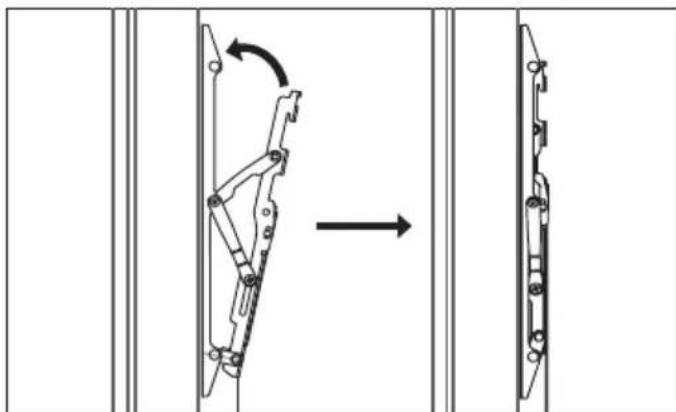
Installation
Step 3. Hang the TV Display on Wall
Caution: Make sure the spring clips on the mount arms are closed before you hang TV on wall.
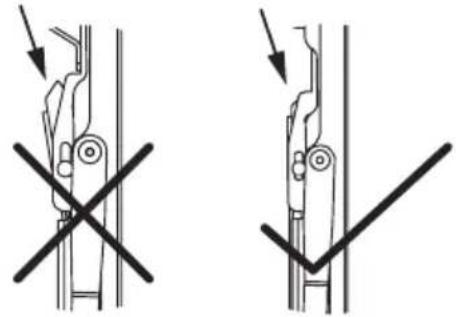
OpenedClosed
- Use at least two people to lift your TV display and hook the mounting arms onto the wall plate.
- Lock the spring clips on the mounting arms to the wall plate, by gently applying pressure to the bottom of your TV display.
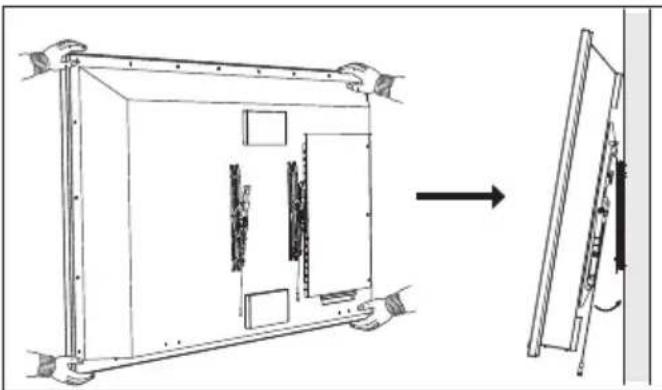
Important: Do not release the TV display until the mounting arms have securely hooked onto the wall plate.
- To remove the TV from the wall, pull down both strings on the arms to unlock the clips and lift the TV display from the wall plate with two people at least.
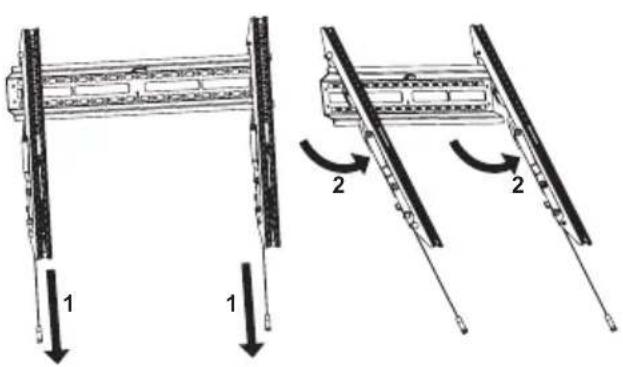
Step 4. Lock the Mounting Arms
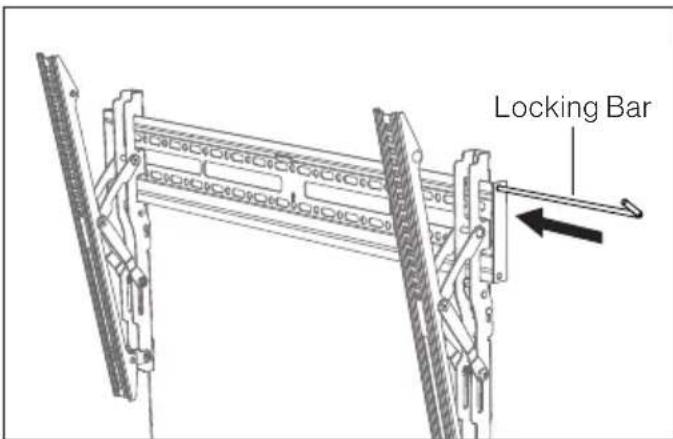
- Insert the locking bar through the left and right mounting arms.
Installation
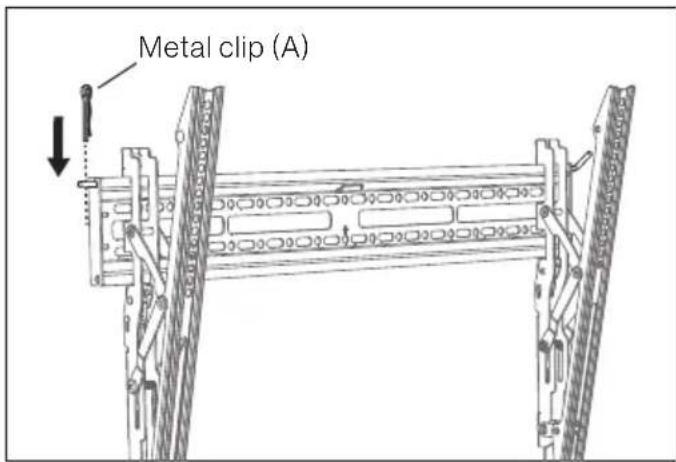
- Use the metal clip (A) to fix the locking bar. In this way the mounting arms could be protected from moving or falling down.
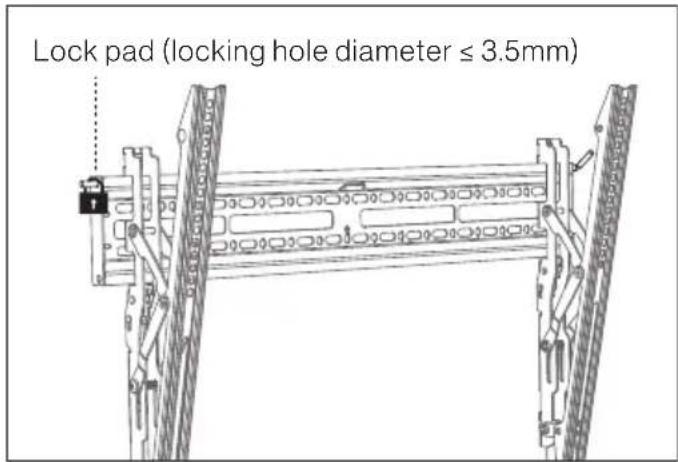
- For anti-theft and safety purpose, you can lock the mounting assembly using a lock pad (not included).
Tilt Adjustment
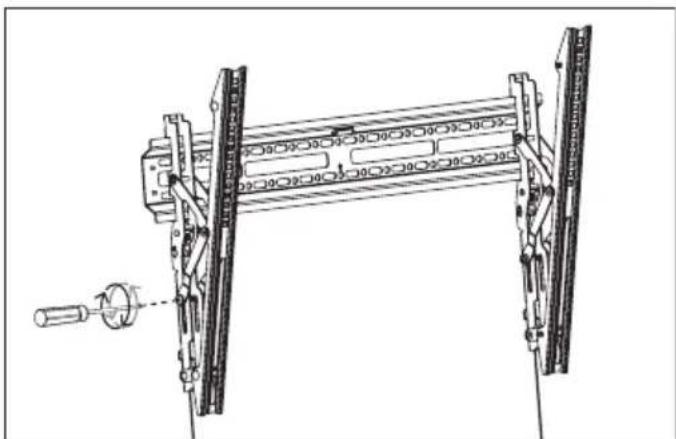
To adjust the tilt angle, simply move the TV display to your desired angle.
If you can not easily move the TV display for changing tilt angle, loosen or tighten the adjustment screws on the left/right arms to move the display to the desired angle.
Note: Once adjustment is completed, tighten the left and right screws firmly in place to avoid the damage caused by any movement.
Bienvenue
Furrion Innovation Center & Institute of Technology
-
52567 Independence Ct., Elkhart, IN 46514, USA • Toll free:1-888-354-5792
-
Email: support@furrion.com
©2007-2019 Furrion Ltd. Furrion® and the Furrion logo are trademarks licensed for use by Furrion Ltd. and registered in the U.S. and other countries.