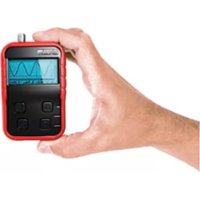
HPS140 - Portable oscilloscope VELLEMAN - Free user manual and instructions
Find the device manual for free HPS140 VELLEMAN in PDF.



| Product type | Handheld oscilloscope |
| Brand | Velleman |
| Model | HPS140 |
| Bandwidth | Up to 10 MHz (-3 dB or -4 dB) |
| Real-time sampling | 40 MS/s |
| Sensitivity | 1 mV to 20 V/div in 14 steps |
| Timebase | 250 ns to 1 h/div |
| Input coupling | DC, AC, GND |
| ADC resolution | 8 bits |
| Display | LCD with white LED backlight |
| Power supply | Rechargeable NiMH battery pack (BPHPS140) or USB charger (5 V/500 mA) or 9 VDC/200 mA adapter |
| Battery life | Up to 6 h after full charge |
| Dimensions | 74 x 114 x 29 mm |
| Weight | 200 g |
| Safety category | CAT II |
| Pollution degree | 2 |
| Maximum input voltage | 100 Vp (AC+DC) |
| Main functions | Automatic range selection, time and voltage markers, display hold, memory (2 banks), direct audio power measurement, x10 probe |
| Included accessories | USB charger, PROBE60S probe (HPS140i model) |
| Warranty | 2 years |
| Maintenance and cleaning | Clean with a soft, dry cloth. Do not use abrasive products or solvents. |
Frequently Asked Questions - HPS140 VELLEMAN
User questions about HPS140 VELLEMAN
0 question about this device. Answer the ones you know or ask your own.
Ask a new question about this device
Download the instructions for your Portable oscilloscope in PDF format for free! Find your manual HPS140 - VELLEMAN and take your electronic device back in hand. On this page are published all the documents necessary for the use of your device. HPS140 by VELLEMAN.
USER MANUAL HPS140 VELLEMAN
40MS/s Personal Scope
Usermanual - Gebruikershandleiding - Mode d'emploi - Bedienungsanleitung - Manual del usuario
Contents - Inhoud - Sommaire - Inhaltverzeichnis - Contenido
UK
Warranty & Safety information 3
During Use 3
Specifications & features 4
Survey of the front panel....5
Charging the scope....5
Use of the oscilloscope 5
Short menu & Extended menu....6
Hold function 7
Use the markers and recall the memory....7
Look on our website www.velleman.eu for more info and updated manual
NL
natural_image
Simple line drawing of a trash bin with crossed lines indicating no waste or discharge (no text or symbols)To all citizens of the European Union Important environmental information about this product
This symbol on this unit or the package indicates that disposal of this unit after its lifecycle could harm the environment. Do not dispose the unit (or batteries if used) as unsorted municipal waste; it should be disposed by a specialized company for recycling. This unit should be returned to your distributor or to a local recycling service. Respect the local environmental rules.
If any doubt contact your local authorities about waste disposal rules.
Safety : General rules concerning safe.
To ensure your safety, please observe these safety measures. In no way these are complete. As safety requirements vary, please check with your local authorities, in order to comply with local requirements.
WARRANTY
This product is guaranteed against defects in components and construction from the moment it is purchased and for a period of TWO YEAR starting from the date of sale. This guarantee is only valid if the unit is submitted together with the original purchase invoice. VELLEMAN Ltd. limits its responsibility to the reparation of defects or, as VELLEMAN Ltd. deems necessary, to the replacement or reparation of defective components. Costs and risks connected to the transport, removal or placement of the product, or any other costs directly or indirectly connected to the repair, will not be reimbursed by VELLEMAN Ltd. VELLEMAN Ltd. will not be held responsible for any damages caused by the malfunctioning of a unit.

Safety information
natural_image
Architectural cutaway view of a multi-story building with exposed beams and windows (no text or symbols visible)
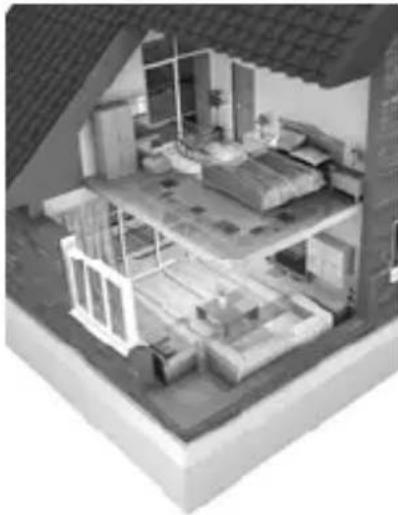
OVERVOLTAGE / INSTALLATION CATEGORIES
CAT II: A CAT II-rated meter is suitable for measurements on mono-phase appliances that are connected to the mains by means of a plug and circuits in a normal domestic environment. E.g. household appliances, portable tools...
Provided that the circuit is at least 10m apart from a CAT III- or 20m apart from a CAT IV-environment.
POLLUTION DEGREE
Pollution degree 2 : Only nonconductive pollution occurs. Occasionally, temporary conductivity caused by condensation is to be expected.(home and office environments fall under this category).
During use
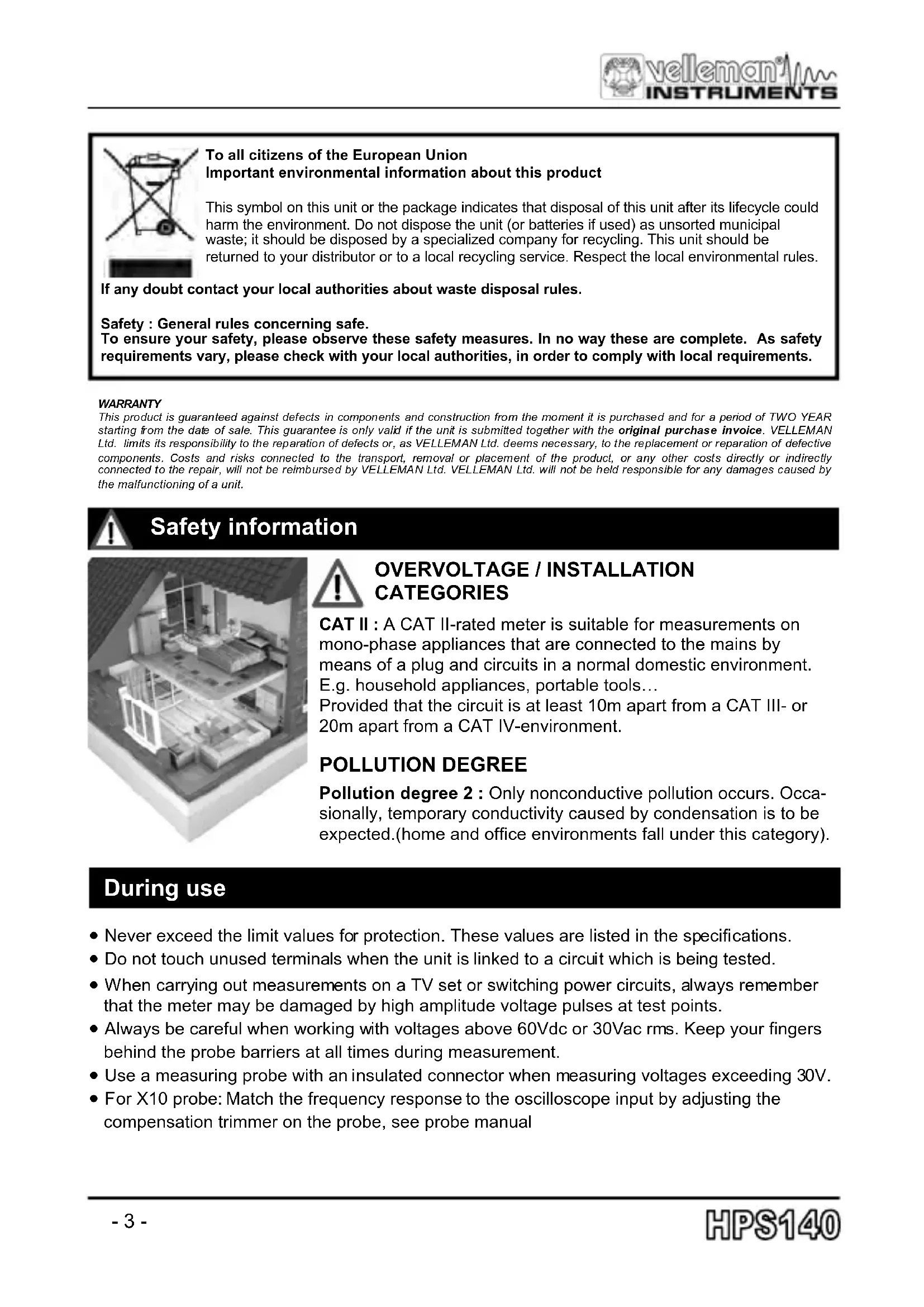
- Never exceed the limit values for protection. These values are listed in the specifications.
- Do not touch unused terminals when the unit is linked to a circuit which is being tested.
- When carrying out measurements on a TV set or switching power circuits, always remember that the meter may be damaged by high amplitude voltage pulses at test points.
- Always be careful when working with voltages above 60Vdc or 30Vac rms. Keep your fingers behind the probe barriers at all times during measurement.
- Use a measuring probe with an insulated connector when measuring voltages exceeding 30V.
- For X10 probe: Match the frequency response to the oscilloscope input by adjusting the compensation trimmer on the probe, see probe manual
Specifications & Features
40 Megasamples/s in real time
☑ Bandwidth up to 10MHz
☑ Full auto-range option
☑ Sensitivity down to 0.1mV
☑ Signal markers for amplitude and time
☑ Memory 'Hold'-function
☑ Direct Audio Power Measurement (Watts)
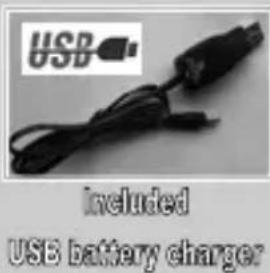
USB battery charger included
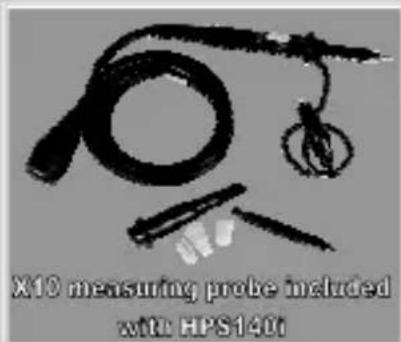
X10 measuring probe included with HSP140i
Specifications:
• Bandwidth: up to 10 MHz (-3dB or -4dB at selected ranges)
- Input range: 1mV to 20V/division in 14 steps
- Input coupling: DC, AC and GND
• Real-time sample rate up to 40MS/s
- AD resolution: 8 bits
• Time base: 250ns to 1h per division
• Auto set-up function (or manual)
- Probe x10 readout option
• x10 probe test signal on backside
- Readouts: DC, AC+DC, True RMS, dBm, Vpp, Min-Max. (±2.5%)
• Audio power measurement into 2 to 32 ohms
- 'Hold'- & store function
• Time and Voltage markers readout
- Input: 100Vp AC+DC max.
- White LED backlight
- NiMH rechargeable battery pack (BPHPS140 included)
- Operates up to 6 hours on a single charge ^1
- Charging power supply: 9Vdc/200mA
- For use on CLASS II pollution degree II installations
- Dimensions: 74x114x29mm (2.9x4.5x1.14)"
• Weight: 200g, (7oz)
1 Do not operate the device while charging from the USB charger. Use a standard 9Vdc mains adaptor if operation during charging is required.
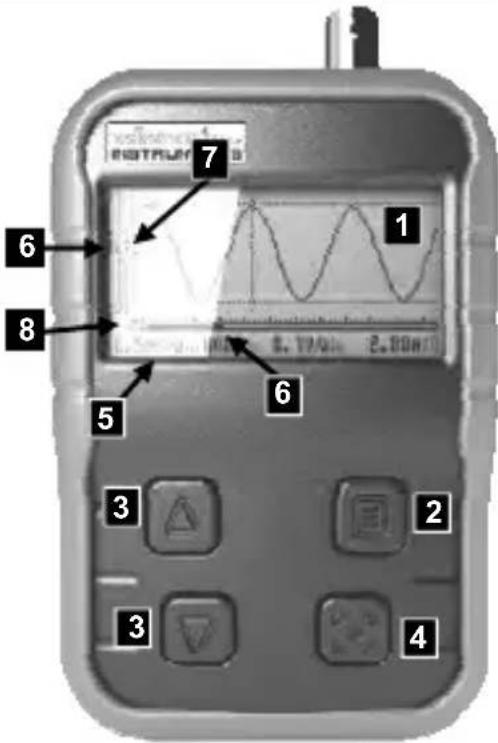
Frontpanel
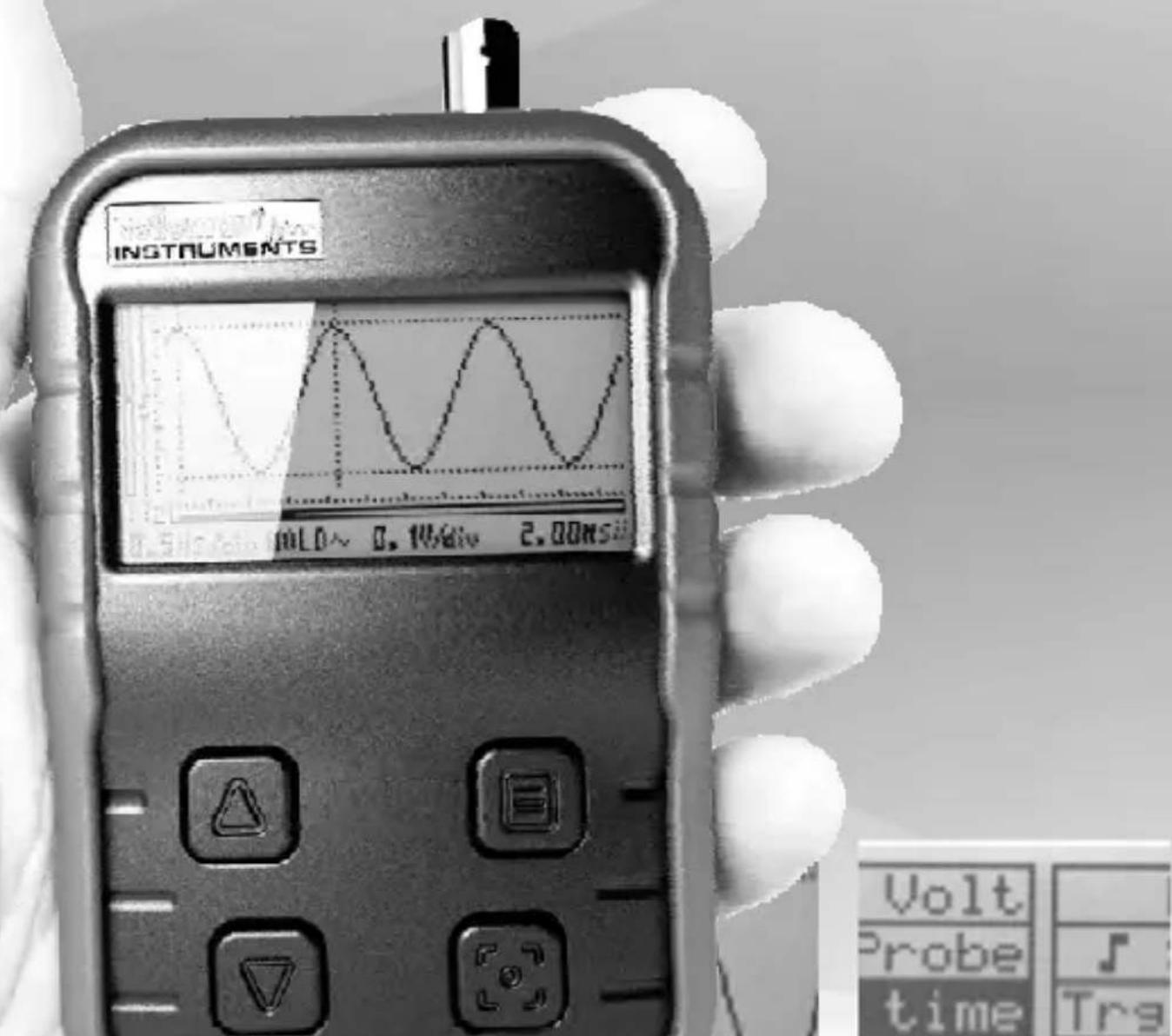
1) Signal and menu display
2) Menu button
- Press briefly for the short menu
- Keep pressed to access the extended menu
3) Up and Down buttons
The up or down buttons are used to change or adjust a selected parameter
4) Hold button
Press the Hold button to freeze the waveform on-screen
5) Parameter indicators
Time/div, Trigger mode, AC/DC/GND, Volt/div and readout
6) Signal position indicators (X and Y scroll bar)
7) Trigger level and slope indicators
8) Last selected function indicator
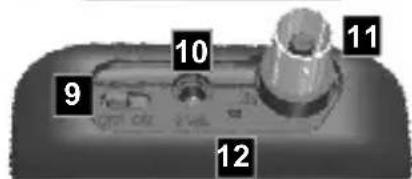
9) On/Off switch
10) DC input (9V/200mA)
11) BNC input connector : Maximum input 100Vp !
12) Charge LED: Will light when the batteries are being charged.
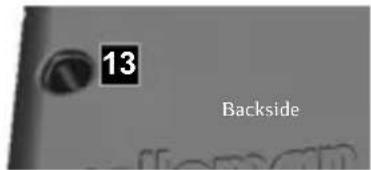
13) X10 probe test signal
Charging the oscilloscope
The are several charging options: Use the included USB charger, plugged into a computer USB port, a mains to USB adaptor, a car 12V to USB adaptor or any USB type socket that can supply 5V/500mA. For measurements during charging, it is strongly advised to use a 9Vdc/min 200mA mains adaptor.
Charging of completely drained batteries can take up to 7 hours. The charge LED indicator will light while the scope is charging.
Quick use of the oscilloscope
After turning ON, a start-up screen appears. During this time, some calibrations are performed, so it can take a few seconds before the oscilloscope is ready for use.
The scope always starts in full auto set-up mode. This mode can be used for most (repetitive) signals. Set the input coupling to "DC" if very low frequencies or DC voltages are measured (see further).
SHORT MENU > access by briefly pressing the menu button
The short menu is used to change the most common parameters like volts per division or time-base. For more advanced functions, the extended menu can be used.
Briefly press the menu button to select and highlight the desired parameter
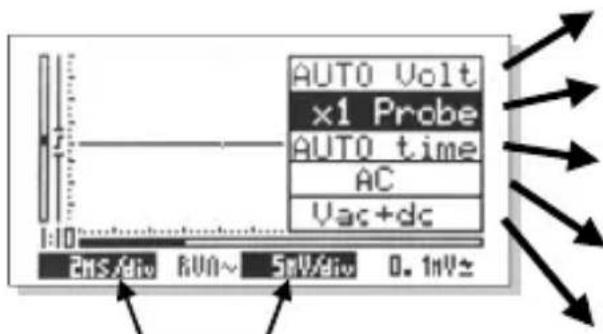
Parameters in reverse= automatic mode.
Enlarge or reduce the signal vertically by adjusting the voltage per division, or select 'AUTO' for automatic signal display
Adapt the scope readout to the probe setting "x1" or "x10"
Time base: More or less signal cycles will be visible by modifying the time per division, or select 'AUTO' for automatic signal display
Select the input coupling AC / DC or choose a zero reference level (GND)
Select the desired voltage readout (Volt, dB, audio power measuring...)
Note: The menu will exit automatically if no button is pressed for a few seconds, or exit by a long press on the menu button.
Hint: In most settings, hold the UP or DOWN button pressed to activate the auto-range function.
EXTENDED MENU > access by keeping the menu button pressed
Briefly press the menu button to select and highlight the desired parameter
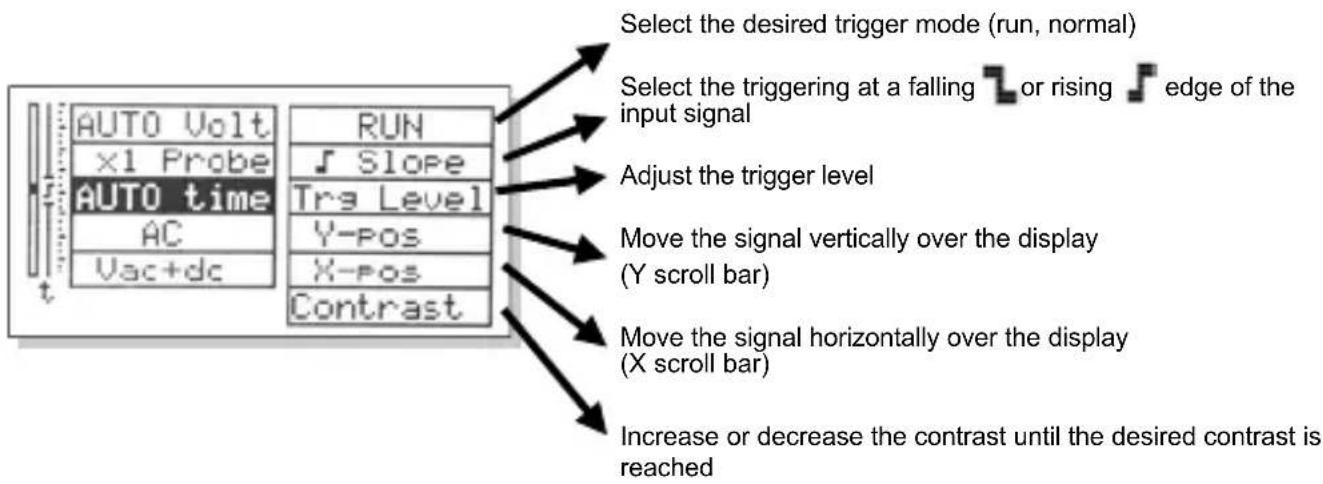
flowchart
graph TD
    A["Select the desired trigger mode (run, normal)"] --> B["Select the triggering at a falling or rising edge of the input signal"]
    B --> C["Adjust the trigger level"]
    C --> D["Move the signal vertically over the display (Y scroll bar)"]
    D --> E["Move the signal horizontally over the display (X scroll bar)"]
    E --> F["Increase or decrease the contrast until the desired contrast is reached"]
Note: The last selected extended menu option will appear in the short menu, until an other parameter is selected.
'Hold'-function
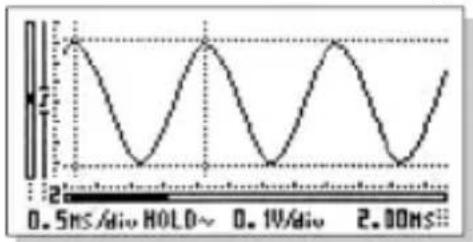
The scope has two memories and one hold screen. The two memories are stored even after power off. Press the 'hold'-button briefly to freeze the screen
line
| Time (ms) | Value | | --------- | ----- | | 0.5 | 2 | | 1 | 0 | | 2 | 2 | | 3 | 0 | | 4 | 2 | | 5 | 0 | | 6 | 2 | | 7 | 0 | | 8 | 2 | | 9 | 0 | | 10 | 2 | | 11 | 0 | | 12 | 2 | | 13 | 0 | | 14 | 2 | | 15 | 0 | | 16 | 2 | | 17 | 0 | | 18 | 2 | | 19 | 0 | | 20 | 2 | | 21 | 0 | | 22 | 2 | | 23 | 0 | | 24 | 2 | | 25 | 0 | | 26 | 2 | | 27 | 0 | | 28 | 2 | | 29 | 0 | | 30 | 2 | | 31 | 0 | | 32 | 2 | | 33 | 0 | | 34 | 2 | | 35 | 0 | | 36 | 2 | | 37 | 0 | | 38 | 2 | | 39 | 0 | | 40 | 2 | | 41 | 0 | | 42 | 2 | | 43 | 0 | | 44 | 2 | | 45 | 0 | | 46 | 2 | | 47 | 0 | | 48 | 2 | | 49 | 0 | | 50 | 2 | | 51 | 0 | | 52 | 2 | | 53 | 0 | | 54 | 2 | | 55 | 0 | | 56 | 2 | | 57 | 0 | | 58 | 2 | | 59 | 0 | | 60 | 2 | | 61 | 0 | | 62 | 2 | | 63 | 0 | | 64 | 2 | | 65 | 0 | | 66 | 2 | | 67 | 0 | | 68 | 2 | | 69 | 0 | | 70 | 2 | | 71 | 0 | | 72 | 2 | | 73 | 0 | | 74 | 2 | | 75 | 0 | | 76 | 2 | | 77 | 0 | | 78 | 2 | | 79 | 0 | | 80 | 2 | | 81 | 0 | | 82 | 2 | | 83 | 0 | | 84 | 2 | | 85 | 0 | | 86 | 2 | | 87 | 0 | | 88 | 2 | | 89 | 0 | | 90 | 2 | | 91 | 0 | | 92 | 2 | | 93 | 0 | | 94 | 2 | | 95 | 0 | | 96 | 2 | | 97 | 0 | | 98 | 2 | | 99 | 0 | | | |To store:
1- Press and keep the 'hold'-button to store the frozen screen until MEM1 appears
2- Your signal is stored in MEM1, if a signal was previous stored, this signal is moved to MEM2
3- Press the 'hold'-button briefly to release the screen for measurements
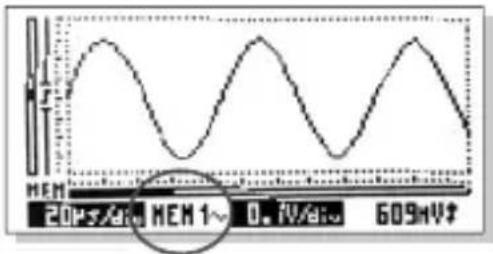
Use the markers and recall the memory
line
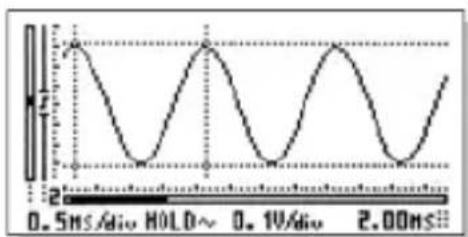
| Time (ms) | Value | | --------- | ----- | | 0.5 | 1.0 | | 1.0 | 0.0 | | 1.5 | 1.0 | | 2.0 | 0.0 | | 2.5 | 1.0 | | 3.0 | 0.0 |Press the 'hold'-button briefly Now two menu screens can be recalled
1- Press the menu button briefly to call the short menu OR
2- Keep the menu button pressed to call the extended menu
3- Press the menu button briefly to select an item
4- Use the up or down buttons, to change the selected item
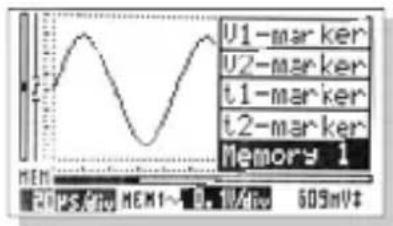
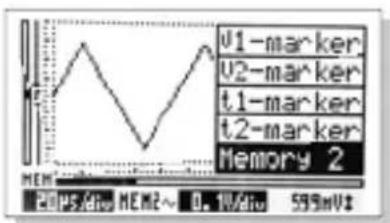
Using the short menu you can move the signal markers for voltage and time. To recall a memory (if used) select "memory", then press up or down to switch between:
Memory 1 > Memory 2 > Current Frozen screen...
line
| Measurement | Value | | ----------- | ----- | | V1-marker | | | V2-marker | | | t1-marker | | | t2-marker | | | Memory 2 | |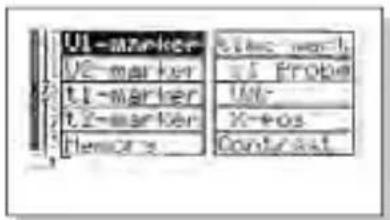
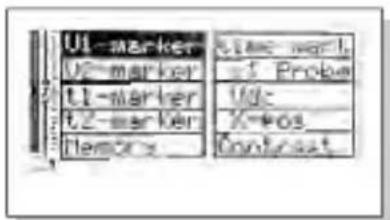
Using the extended menu you can additionally:
- Set the "x10" probe readout
- Change the 'time' marker readout setting (time or frequency)
- Move the signal in X position
- Change the display contrast
- Select 'time' or 'voltage' marker
natural_image
Symbol of a trash bin crossed out by diagonal lines, representing waste sorting or disposal (no text or labels)natural_image
Architectural cutaway view of a dormitory room showing bed, shelf, and fixtures (no text or labels)
OVERSPANNING-/INSTALLATIECATEGORIE
natural_image
Black USB cable with connector, no visible text or symbols on the device itselfUSB-lader meegeleverd
Frontpaneel
natural_image
Simple line drawing of a trash bin with crossed lines indicating no waste or discharge (no text or symbols)natural_image
Interior architectural cutaway view of a multi-level building with visible furniture and structural elements (no text or symbols)
CATÉGORIES DE SURTENSION/D'INSTALLATION
natural_image
Close-up of a black cylindrical object with a textured surface and a small circular mark on the side (no visible text or symbols)Adaptateur USB
natural_image
Black USB cable with a logo (no readable text or symbols on the cable itself)Chargeur USB inclus
Panneau frontal
natural_image
Simple line drawing of a trash bin with crossed lines indicating no waste or discharge (no text or symbols)natural_image
Isometric architectural model of a modern building interior with exposed beams and windows (no text or symbols)
Specifications & Features
natural_image
Close-up of a black cylindrical object with a textured surface (no visible text or symbols)optional USB-KFZ-Adapter
natural_image
Black USB cable with connector, no visible text or symbols on the device itself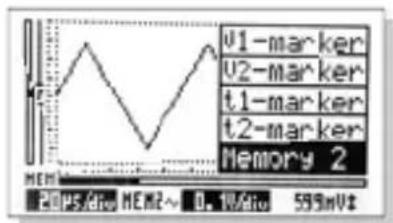
natural_image
Simple line drawing of a trash bin with crossed lines indicating no waste or discharge (no text or symbols)natural_image
Architectural 3D rendering of a dormitory or dormitory room with bed, fixtures, and structural elements (no text or symbols visible)
natural_image
Close-up of a black cylindrical object with a textured surface and a small mark on the side (no visible text or symbols)natural_image
Black USB cable with connector, no visible text or symbols on the device itselfvelleman INSTRUMENTS
Legen Heirweg 33,
9890 Gavere
Belgium Europe