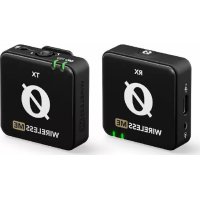
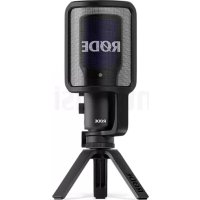
Røde Wireless ME - Microphone

Wireless ME - Microphone Røde - Free user manual and instructions

Find the device manual for free Wireless ME Røde in PDF.

📄 23 pages English EN 💬 AI Question
Notice Røde Wireless ME - page 1
View the manual : Français FR English EN

User questions about Wireless ME Røde

0 question about this device. Answer the ones you know or ask your own.

Ask a new question about this device

L'email reste privé : il sert seulement à vous prévenir si quelqu'un répond à votre question.

No questions yet. Be the first to ask one.

Download the instructions for your Microphone in PDF format for free! Find your manual Wireless ME - Røde and take your electronic device back in hand. On this page are published all the documents necessary for the use of your device. Wireless ME by Røde.
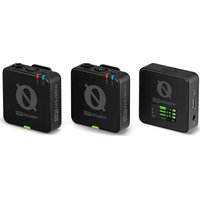
USER MANUAL Wireless ME Røde

2/20/24, 9:52 AM Wireless ME | USER GUIDE & SUPPORT | RØDE https://rode.com/en-us/user-guides/wireless-me 1/23

compact wireless microphone system that makes recording professional audio for your videos effortless

Discover everything you need

know about using your Wireless

Contents Features Receiver

02/20/24, 9:52 AM Wireless ME | USER GUIDE & SUPPORT | RØDE https://rode.com/en-us/user-guides/wireless-me 2/23

Battery Indicator LED

Connectivity Indicator LED Transmitter

Battery Indicator LED Wireless

02/20/24, 9:52 AM Wireless ME | USER GUIDE & SUPPORT | RØDE https://rode.com/en-us/user-guides/wireless-me 3/23

Connectivity Indicator LED Getting Started The Wireless

The transmitter picks

audio either with its

external mic plugged into its

and then transmits this audio

the receiver wirelessly

The receiver then sends this audio via either USB

another audio device

both the transmitter and receiver for three

power down both units

transmitter and receiver are already paired out

When you turn them both

briefly before turning

Manually Pairing With both units powered

the transmitter and receiver

they will quickly pair and the connectivity indicator LEDs will remain solid

Both the transmitter and receiver will automatically power down after three

The connectivity LED may

green rather than amber

02/20/24, 9:52 AM Wireless ME | USER GUIDE & SUPPORT | RØDE https://rode.com/en-us/user-guides/wireless-me 4/23 Attaching Wireless ME Both the Wireless

transmitter and receiver feature

clothing and other items

The clip can also slot into the cold shoe mount

attach your Wireless

02/20/24, 9:52 AM Wireless ME | USER GUIDE & SUPPORT | RØDE https://rode.com/en-us/user-guides/wireless-me 5/23 Connecting an External Microphone The Wireless

transmitter features

TRS input for connecting

camera microphone like the VideoMicro

Simply plug the external microphone into the

This will bypass the

built microphone and start using the external mic

with two black plugs

into the transmitter

input and the other end into your microphone

you can clip the Wireless

You can also select the

reduce the brightness

both the transmitter and receiver

Device Connectivity Wireless

02/20/24, 9:52 AM Wireless ME | USER GUIDE & SUPPORT | RØDE https://rode.com/en-us/user-guides/wireless-me 7/23 Connecting

with the two black plugs

connect your Wireless

the perfect length for running between your Wireless

02/20/24, 9:52 AM Wireless ME | USER GUIDE & SUPPORT | RØDE https://rode.com/en-us/user-guides/wireless-me 8/23 Connecting

connect the Wireless

your audio settings and select

This essentially turns the Wireless

your computer only features

02/20/24, 9:52 AM Wireless ME | USER GUIDE & SUPPORT | RØDE https://rode.com/en-us/user-guides/wireless-me 9/23 Connecting

connect the receiver

cable included with the Wireless

You can also use the

tablets and laptops that have TRRS inputs

Simply plug the black end into your Wireless

receiver and the grey end into your device

adaptor that came with your device

Connecting to the RØDECaster Series You can pair

RØDECaster Duo and they will

treated like any other input channel

meaning that you can record

mix and apply the APHEX

access the channel set

assign your wireless device

instrument and other input options that you can scroll through

transmitter and short

press its power button

ensuring that the transmitter isn

mute and battery status will

the four input channels

option will override the associated physical XLR

meaning that you won

hear any audio coming from microphones

instruments plugged into that channel

02/20/24, 9:52 AM Wireless ME | USER GUIDE & SUPPORT | RØDE https://rode.com/en-us/user-guides/wireless-me 10/23 LEDs, Battery and Charging The Wireless

battery and connectivity conditions

The connectivity indicator LED will flash slowly when unpaired and will start

flash more quickly when attempting

the connectivity indicator LEDs will

The connectivity indicator LED

Batteries The Wireless

transmitter and receiver each have

ion battery that can last

the battery LED will turn amber and when

This LED will start flashing red when the battery level

recharged using the supplied

the transmitter and receiver will flash green

The LEDs will turn solid green when fully charged

You can still use the Wireless

You can lower the brightness

RØDE Central under the LEDs setting

02/20/24, 9:52 AM Wireless ME | USER GUIDE & SUPPORT | RØDE https://rode.com/en-us/user-guides/wireless-me 11/23 Adjusting Wireless ME Settings Using RØDE Central RØDE Central

use desktop and mobile companion app for the Wireless

that allows for complete device configuration anywhere

for use with other devices like cameras

computers and smartphones

The settings include

Mic Setting the GainAssist mode

Pairing and unpairing

two transmitters Switching between Split and Merged modes Setting output gain Adjusting LED brightness Updating

unlock the full potential

02/20/24, 9:52 AM Wireless ME | USER GUIDE & SUPPORT | RØDE https://rode.com/en-us/user-guides/wireless-me 12/23 ME Mic (Receiver Microphone)

the receiver also has

which allows the Wireless

and behind the camera

With the receiver connected

open RØDE Central and turn

connectivity indicator LED will

02/20/24, 9:52 AM Wireless ME | USER GUIDE & SUPPORT | RØDE https://rode.com/en-us/user-guides/wireless-me 13/23 GainAssist The Wireless

features intelligent GainAssist technology

which automatically controls the microphone levels

ensure they are perfectly balanced and

prevent your audio from clipping

There are two different GainAssist modes available

The receiver and transmitter

microphone can have different modes selected

With the receiver connected

open RØDE Central and adjust the

Both the transmitter and receiver will

Auto The Auto GainAssist mode will give you

more consistent sound

recording scenario like

interview where your audio levels are jumping around

Dynamic The Dynamic GainAssist mode balances your audio while maintaining dynamics

controlled recording environment where the sound you

02/20/24, 9:52 AM Wireless ME | USER GUIDE & SUPPORT | RØDE https://rode.com/en-us/user-guides/wireless-me 14/23 Setting Gain Levels With A Camera While GainAssist will help prevent clipping

still possible for your camera

your audio levels are set incorrectly

output gain and your camera

Output Gain The Wireless

level output gain control

which you can adjust

recommend setting your camera

possible and adjusting the output gain

Camera Settings Many cameras come with

noise reduction and AGC

these are primarily implemented

these settings off when using your camera with your Wireless

When setting your camera gain

start low and use the Wireless

Your audio level should

jumping around the 70% mark

the level meter while you

increase your camera

small increments until the desired audio level

Check out this article for more information

get the best audio from your camera

02/20/24, 9:52 AM Wireless ME | USER GUIDE & SUPPORT | RØDE https://rode.com/en-us/user-guides/wireless-me 15/23 Pairing Multiple Transmitters

you have another RØDE Series

wireless transmitter

connect your Wireless

you have two transmitters paired

your transmitters will record

the left channel and the

all three audio sources are summed

see below for more information

Split and Merged mode

with more than one microphone

with two transmitters paired

record the transmitter and receiver

microphone audio onto separate channels

switch between the two settings

connect the receiver

Merged Mode Merged mode

quick and easy solution

both the transmitter and receiver

single summed output

person interviews and similar situations where you need

edit and mix each sound source independently

the transmitter and receiver

recorded onto separate channels

left and right respectively

hear the recorded audio from the transmitter

the left channel and the receiver

the right channel until you separate them

mode with two transmitters connected and the

the two transmitters will

summed onto the left channel and the

02/20/24, 9:52 AM Wireless ME | USER GUIDE & SUPPORT | RØDE https://rode.com/en-us/user-guides/wireless-me 17/23 Transmitter

Transmitter Off Merged Mode Only

Transmitter On Merged

Transmitters On Merged

Transmitters Off Merged

02/20/24, 9:52 AM Wireless ME | USER GUIDE & SUPPORT | RØDE https://rode.com/en-us/user-guides/wireless-me 18/23 Both the transmitter and receiver feature

These are sensitive microphones that are designed

sound from all around

When recording outdoors

recommended you use the supplied furry windshields

help reduce any wind noise

comes with two furry windshields

securely attach them

align the two white dots

the windshield with the black dots

then push the windshield down and twist clockwise

The windshields are designed

extremely strong connection and will not fall

even with vigorous use

video recording app that pairs seamlessly with RØDE microphones for professional video and audio capture

ideal for recording video and audio from both

and behind the camera when the Wireless

transmitter and receiver microphones are both switched

the receiver when you engage the dual cam mode

single camera operation

Any settings adjusted using RØDE Capture will persist

for use with other devices like cameras

computers and smartphones

02/20/24, 9:52 AM Wireless ME | USER GUIDE & SUPPORT | RØDE https://rode.com/en-us/user-guides/wireless-me 19/23 Download for iOS RØDE Connect RØDE Connect

simple and powerful software solution for podcasting and streaming with the Wireless

create professional sounding podcasts

also incredibly useful for streamers

with dedicated outputs for connecting

streaming software like OBS

Any settings adjusted using RØDE Connect will persist

for use with other devices like cameras

computers and smartphones

02/20/24, 9:52 AM Wireless ME | USER GUIDE & SUPPORT | RØDE https://rode.com/en-us/user-guides/wireless-me 20/23 RØDE Reporter RØDE Reporter

mobile recording app for iOS and Android that also acts

simple and intuitive solution for recording audio onto your phone when connected

Download for Android Wireless

02/20/24, 9:52 AM Wireless ME | USER GUIDE & SUPPORT | RØDE https://rode.com/en-us/user-guides/wireless-me 21/23 Updating Firmware

update your Wireless

connect both your receiver

your computer and open RØDE Central

repeat the process for each unit

update your firmware

manual update from within RØDE Central

02/20/24, 9:52 AM Wireless ME | USER GUIDE & SUPPORT | RØDE https://rode.com/en-us/user-guides/wireless-me 22/23 Products Microphones Headphones Interfaces and Mixers Accessories Apps Apparel Support Contact RØDE Service Centre Warranty Where

Buy Authorised Dealers Company About RØDE News and Info Job Opportunities Account Create Account Subscribe

our latest news and offers Subscribe Wireless

02/20/24, 9:52 AM Wireless ME | USER GUIDE & SUPPORT | RØDE https://rode.com/en-us/user-guides/wireless-me 23/23 Privacy Policy

© 2024 RØDE All Rights Reserved

Manual assistant
Powered by Anthropic
Waiting for your message
Product information

Brand : Røde

Model : Wireless ME

Category : Microphone