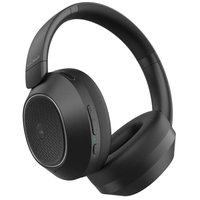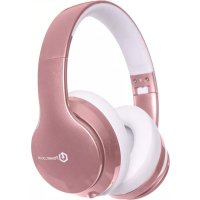
P6 - Earphones PowerLocus - Free user manual and instructions
Find the device manual for free P6 PowerLocus in PDF.


| Product Type | Wireless headset with earphones |
| Brand | PowerLocus |
| Model | P6 |
| Wireless Technology | Bluetooth |
| Bluetooth Version | 5.0 (estimated) |
| Battery Life | Approximately 8 to 10 hours (estimated) |
| Charging Time | Approximately 2 to 2.5 hours |
| Battery Type | Rechargeable lithium-ion |
| Connectivity | Bluetooth, 3.5mm headphone jack, USB port |
| Main Functions | MP3 music (via TF card), FM radio, phone calls, wired mode |
| Controls | Buttons: volume +/-, play/pause, answer/end call, multi-function (M) |
| Indicators | Blue and red LED for charging and pairing status |
| Weight | Approximately 180 g (estimated) |
| Included Accessories | USB charging cable, 3.5mm audio cable (estimated), user manual |
| Care and Cleaning | Clean with a soft, dry cloth. Avoid moisture and shocks. |
| Safety | Do not expose to excessive heat. Do not disassemble. Use a 5V charger. |
| Spare Parts and Repairability | Contact after-sales service via email or WhatsApp as indicated in the manual. |
| General Information | 4-in-1 headset: Bluetooth, MP3, FM, wired. Compatible with smartphones, tablets, computers. |
Frequently Asked Questions - P6 PowerLocus
User questions about P6 PowerLocus
0 question about this device. Answer the ones you know or ask your own.
Ask a new question about this device
Download the instructions for your Earphones in PDF format for free! Find your manual P6 - PowerLocus and take your electronic device back in hand. On this page are published all the documents necessary for the use of your device. P6 by PowerLocus.
USER MANUAL P6 PowerLocus
USER'S MANUAL
PowerLocus Multi-function / 4in1 Wireless Stereo Headphones
Facebook : @PowerLocus
Email: powerdirect155@gmail.com
Whatsapp: +31 633242189
US Phone Support: 646-844-2665
UK Phone Support: +44 203608580
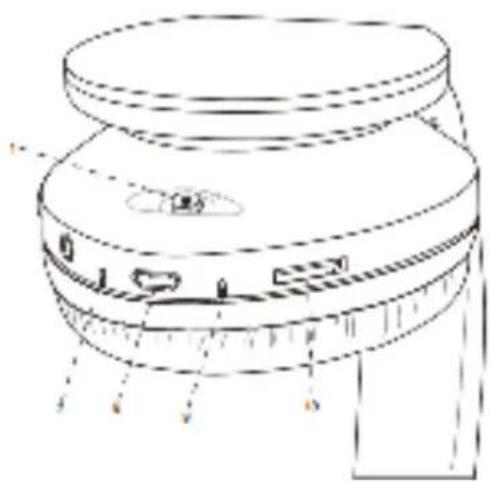
(1) Product indication
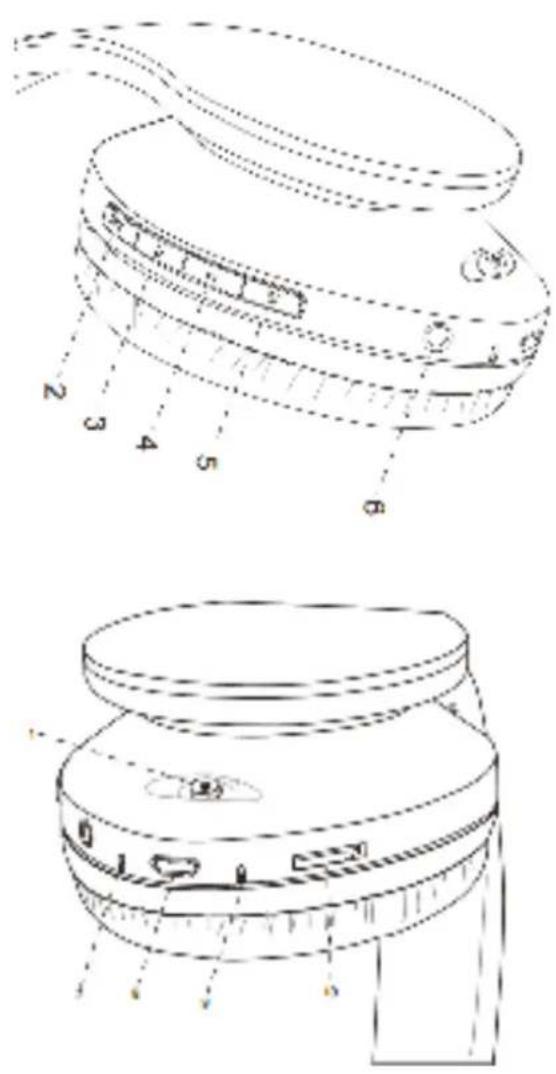
1- Power on /off
2- play/pause,answer/end calls,reject call,last number redial
3- Volume up(Long Press)/Next song(Short Press)
4- volume down(Long Press)/Last song(Short Press)
5- Multi-function button(pairing, auto search radio)
6- Headset jack
7- LED indicator
8- Micro USB charging port
9- Microphone
10- Micro SD/TF card slot
1/4 pages
(2) Power on/off the headset
- Power on: Slide the switch right and the blue and red indicator light will flash (the headset said: the wireless is ready to pair).
• Power off: Slide the switch left and blue indicator light will go off.
(3) Pair to your mobile phone or other products
- Slide the switch right and the blue and red indicator light will flash(the headset said:the wireless is ready to pair).
- Turn on the bluetooth function of your phone or other products.
- Search for the bluetooth devices and select 'JH-812'.(Enter the code '0000' if needed)
- If paring is successful, the blue light indicator starts flashing (the headset said: the wireless is connected successfully).
- Please make sure the headphone is working before pairing.
- It will connect to the pre-set phone automatically when turns on(Please make sure the bluetooth function of your phone is working)
- If the pairing is not successful, please switch off headset firstly, and then re-pair again.
(4) MP3/FM
- In power-on mode, insert the TF card, short press M button, MP3 will play automatically. If have not TF card, short press M button, FM radio will play automatically.
2/4 pages
- In power-on mode, short press button, FM radio will play automatically. Long press the button to auto search all radio station, wait for a moment, then short press or , you will listening to any radio station you like..
- If you are listening to FM radio, short press M button, it will be converted to the bluetooth mode. And auto connected to your phone or other products.
(5) answer/end calls, reject call, last number redial (In the bluetooth mode)
- When there is a call, short press ▶//c button can answer the call. After the call, press ▶//c button can hang up. If the other side hang up, no need to press the ▶//c button.
- reject call: long press ▶//c button about 2-3seconds
- last number redial: press fast ▶//c button 2 times
- When the phone call out or answer the call, if the bluetooth headphone are playing the music, the music will pause automatically and enter the waiting state. After hang up, the music will continue to play automatically.
(6) Charging the headset
- Insert USB charging cable into USB port which have support 5V power (such as AC/DC USB adapter or PC USB port). When the red light is on, the headset is in charging. When the red light will be off, the headset is fully charged. It takes about 2-2.5 hours to charge the headset fully.
- The battery is rechargeable. Low-Voltage alert: When the alert tone ‘low battery’ sounds and the indicator turns into red indicate that the battery has run out, need to be charged as soon as possible. First time charging : please be sure the battery has been charged fully before use.
3/4 pages
(7) Wired headphone function
For any mode of headphone, you can connect one side of 3.5 stereo sound supply extension line to headphone audio jack, the another side connect to Audio jack(such as mobile phone, computer, Ipad etc). Then you will hear songs from other devices.
(8)Precautions
1) Please be gentle when using headphone. The Maximum tolerance of the button is 250g. Excessive force or be stroked by something all will damage buttons.
2) Please do align the USB port when plug or pull USB cable in case that damages the USB cable fail to charge the headphone.
3) When encounter something similar to interference. please first delete the Bluetooth devices that connected with headphone before, then restart your phone, at last please repair with the Bluetooth headphone.
4) If long time without using headset, it is recommended to turn off the headset, in case that the battery is in a low voltage state, causing the charging problems.
5) Please don't put the headset in hot temperature area.
6) Please don't vibrate or shock the headset violently, and do not let it fall down from high place.
7) If there is no response of the headset, Pls insert headphone plug hole to reset by tool.
4/4 pages


natural_image
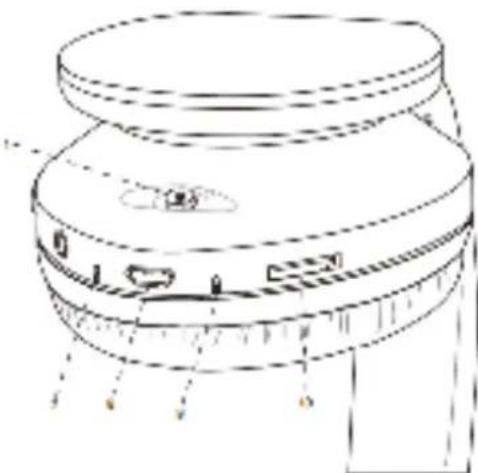
Technical line drawing of a mechanical component with no visible text or symbols1- Power on /off
9- Micro USB charging port
10- Microphone
11- Micro SD/TF card slot
1/4 pages
(2) Chaussure/Arrêt
natural_image
Technical line drawing of a mechanical component with no visible text or symbols
natural_image
Technical line drawing of a mechanical component with no visible text or symbols8-micro - usb - port
9- microfono
10- micro sd / tf card slot
1/4 pages