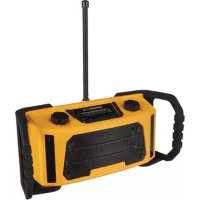
HQWS10001 - Radio HQ Power - Free user manual and instructions
Find the device manual for free HQWS10001 HQ Power in PDF.


User questions about HQWS10001 HQ Power
0 question about this device. Answer the ones you know or ask your own.
Ask a new question about this device
Download the instructions for your Radio in PDF format for free! Find your manual HQWS10001 - HQ Power and take your electronic device back in hand. On this page are published all the documents necessary for the use of your device. HQWS10001 by HQ Power.
USER MANUAL HQWS10001 HQ Power
natural_image
Yellow and black portable radio device with antenna and control buttons (no visible text or symbols)USER MANUAL 3
HANDLEIDING 14
MODE D'EMPLOI 25
MANUAL DEL USUARIO 36
To all residents of the European Union
Important environmental information about this product
This symbol on the device or the package indicates that disposal of the device after its lifecycle could harm the environment. Do not dispose of the unit (or batteries) as unsorted municipal waste; it should be taken to a specialized company for recycling. This device should be returned to your distributor or to a local recycling service. Respect the local environmental rules.
If in doubt, contact your local waste disposal authorities.
Thank you for choosing HQPower™! Please read the manual thoroughly before bringing this device into service. If the device was damaged in transit, do not install or use it and contact your dealer.
2. Safety Instructions

Read and understand this manual and all safety signs before using this appliance.
Indoor use only.

Power supply polarisation.
- This device can be used by children aged from 8 years and above, and persons with reduced physical, sensory or mental capabilities or lack of experience and knowledge if they have been given supervision or instruction concerning the use of the device in a safe way and understand the hazards involved. Children shall not play with the device. Cleaning and user maintenance shall not be made by children without supervision.
- Do not expose this appliance to dripping or splashing liquids. Do not place objects filled with liquid, such as a vase, on top of the appliance.
- Do not block any ventilation openings. Install in accordance with the manufacturer's instructions.
- Do not install near any heat sources such as radiators, heat registers, stoves or other devices (including amplifiers) that produce heat.
- Only use attachments and accessories specified by the manufacturer.
- Unplug this appliance during lightning storms or when not in use for long periods of time.
- Protect the power cord from being walked on or pinched, particularly at the prongs, convenience receptacles, the point where they exit from the appliance.
- If the external flexible cable or cord of this device is damaged, it shall be exclusively replaced by the manufacturer or his service agent or a similar qualified person in order to avoid a hazard.
- Where the mains plug or an appliance coupler is used as the disconnect device, the disconnect device shall remain readily operable.
- This appliance may require the use of a different line cord, attachment plug, or both, depending on the available power source at installation. Connect this appliance only to the power source indicated on the appliance's rear panel. To reduce the risk of fire or electric shock, refer servicing to qualified service personnel or equivalent.
3. General Guidelines
- Refer to the Velleman ^® Service and Quality Warranty on the last pages of this manual.
- All modifications of the device are forbidden for safety reasons. Damage caused by user modifications to the device is not covered by the warranty.
- Only use the device for its intended purpose. Using the device in an unauthorised way will void the warranty.
- Damage caused by disregard of certain guidelines in this manual is not covered by the warranty and the dealer will not accept responsibility for any ensuing defects or problems.
- Nor Velleman nv nor its dealers can be held responsible for any damage (extraordinary, incidental or indirect) – of any nature (financial, physical...) arising from the possession, use or failure of this product.
- Keep this manual for future reference.
4. Overview
Refer to the illustrations on page 2 of this manual.
| 1 | preset/3/8 |
| 2 | preset/2/7 |
| 3 | preset/1/6 |
| 4 | preset/4/9 |
| 5 | preset/5/10 |
| 6 | shift/pause |
| 7 | snooze/tuning/enter |
| 8 | rewind/scan |
| 9 | info/menu |
| 10 | mode |
| 11 | on-off/vol +/- |
5. Operation
5.1 Setup
First-Time Use
Connect the appliance to a suitable power supply source, or insert four C-type batteries in the battery compartment. It is recommended to power this appliance with batteries only for short portable use.
Next, fully extend the antenna.
Switching On
Connect the appliance to a suitable power supply source. Press the on-off button to switch on the appliance.
text_image
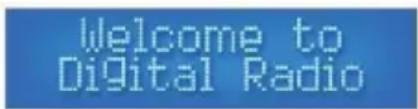
Welcome to Digital RadioDate and time will automatically be set by the DAB signal. The radio will scan for available frequencies.
text_image
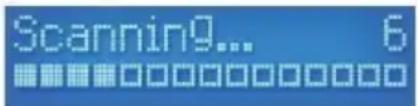
Scanning9... 6The digit on the right indicates the amount of available frequencies.
Once the scan completed, the radio will tune itself to the first alphabetically listed station available in DAB mode.

text_image
Absolute Radio Now Playing9...Press the on-off button again to put the appliance in standby mode.
Switching Off
Press and hold the on-off button until the appliance switches off, or just press the button briefly to cancel the standby mode.
5.2 Controls
Using the Buttons
All button actions are a brief press unless otherwise stated in the required action. This includes the button function of the dials.
Using the Dial
The dials on this appliance are dual action. This means you can use them to scroll through the available options and press them for the required button actions.
5.3 DAB Mode and Options
Selecting a Station
Use the tuning/enter dial to cycle through the available DAB stations. Press the dial to tune the radio into the displayed station.
Scanning
Retune or refresh the amount of available DAB stations by pressing the scan button. It is recommended you do this when the radio has been moved or if you are getting a poor DAB signal.
DAB Menu Options
Press and hold the info/menu button until [Full Scan] is displayed.

text_image
DABTurn the tuning/enter dial to cycle through the options and press the same dial to select. Available options:
Full Scan → Manual Tune → DRC → Prune → System
Full Scan
Select [Full Scan] in the menu options to fully erase and retune all the available DAB stations.

text_image
DAB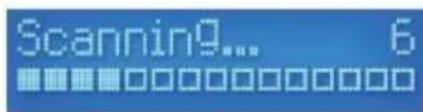
text_image
Scanning... 6The radio will scan through the available channels. All the channels will be shown in alphabetical order.
Manual DAB Tuning
Select [Manual Tune] to manually tune the radio.

text_image
DABUse the tuning/enter dial to tune the radio in and press the same dial to keep the current tuning. Save as a preset if required. This helps in getting a clearer signal in areas where signal is poor.
DRC (Dynamic Range Compression)
This function enables to even out the audio by raising the volume of quieter audio levels and lowering the volume of louder audio levels. Select [DRC] in the menu options.

text_image
DABThe low option will give you a small amount of DRC, where the high option gives you a strong amount. Use the tuning/enter dial to tune the radio in. Then, press the same dial to select the required preference. The asterisk in the top right corner indicates the current selection.
Prune
It is possible to remove DAB stations listed with a [?] by using the prune function.

text_image
?talkSPORT Now Playing...
text_image
Prune?Select the station you wish to remove and select [Prune] from the menu options. Select [Yes] to confirm.
5.4 FM Mode
Selecting the FM Mode
Press the mode button to change from DAB to FM radio.
Auto Tune FM
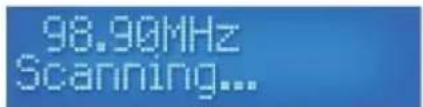
To autotune the next available radio station, press the scan button once.
text_image
98.90MHz Scanning...The scan will always stop at the next signal received. Save a preset if required.
Manually Tune FM
Use the tuning/enter dial to manually tune the radio in FM mode. Save as a preset if required. This helps in getting a clearer signal in areas where signal is poor.
FM Menu Options
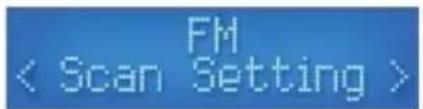
Press and hold the info/menu button until [Scan Setting] is displayed.

text_image
FM < Scan Setting >Use the tuning/enter dial to cycle through the options. Then, press the same dial to select an option:
Scan Setting → Audio Set → System
Scan Settings
You can change the auto tune search ability between [All Stations] and [Strong Stations]. Select [Scan Settings] from the menu options.
Use the tuning/enter dial to cycle between either [Strong Stations] or [All Stations]. Press the same dial to select the required option. The asterisk in the top right corner indicates the current selection.
text_image
FM < Scan Setting >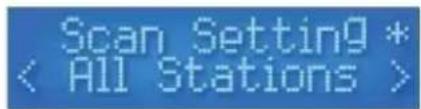
text_image
Scan Setting * < All Stations >You will be sent to the previous menu once a selection has been made. Press the info/menu button to return to the main screen.
Audio Settings
Use the tuning/enter dial to cycle between [Stereo Allowed] and [Forced Mono] options. Press the same dial to confirm. The asterisk in the top right corner indicates the current selection.
5.5 Aux Mode
Selecting the AUX Mode
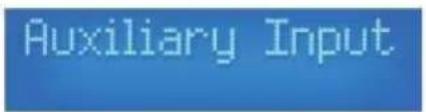
To select the AUX mode, press mode until [AUX] is displayed.
text_image
Auxiliary Input
text_image
AUX 00:00:00Using the AUX Mode
Connect a 3.5 mm jack cable from the device (mobile, MP3 player, tablet...) to the AUX port at the back of the appliance. Make sure the connected device has the volume output at maximum in order to play the sound through the radio. Use the volume control to regulate the end volume output.
AUX Menu Option
Press and hold the info/menu button until [System] is displayed.

text_image
AUXPress the tuning/enter dial to select the [System] option.
5.6 System Options
System Menu Options
Press and hold the info/menu button until [Scan Setting] is displayed in either DAB or FM mode, or [System] is displayed in AUX mode. Turn the tuning/enter dial to cycle to the [System] option and press the same dial to select. Use the same dial as before to cycle and select the available options:
Sleep → Alarm → EQ → Time → Backlight → Inactive Standby → Lang. → Reset → SW Ver.
Sleep
You can set the radio to standby after a period of time. Use the tuning/enter dial to cycle through the options and press the same dial to select an option:
$$ \text { Off } \rightarrow 1 5 \rightarrow 3 0 \rightarrow 4 5 \rightarrow 6 0 \rightarrow 9 0 \text { minutes } $$
Alarm
See below.
EQ
You can change the sound output preference choosing from these options:
$$ \text { Normal } \rightarrow \text { Classic } \rightarrow \text { Jazz } \rightarrow \text { Pop } \rightarrow \text { Rock } \rightarrow \text { Speech } \rightarrow \text { My EQ } ^ {*} $$
* You can customise the EQ by using the submenu under [My EQ]:
| Loudness | Y/N |
| Treble | +/- 7 |
| Bass | +/- 7 |
Use the tuning/select dial to cycle through the options and press the same dial to select.
Time
All the time and date functions and preferences can be altered here. Turn the tuning/enter dial to cycle through the options and press the same dial to select.

text_image
SystemThe options are:
Time/Date → Auto Update → Set 12/24 → Date Format
Time/Date
This option allows you to manually set the time and date.
Once selected from the [Time] submenu, you will see the hours flashing. Turn the tuning/enter dial to cycle through the hours and press the same dial to select the required hour value.

text_image
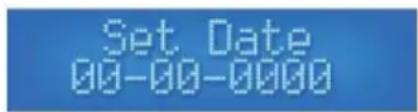
Set Time 00:00Once the hours have been set, the minutes are flashing. Repeat the process above and set the minutes. Once selected, you will move on to the next screen for setting the date.
text_image
Set Date 00-00-0000Cycle through the numbers with the tuning/enter dial and press the same dial to select the value. Move to the next value to set. When the last value is set, the display will confirm the new time and date has been saved.

text_image
Time SavedBacklight
You can change the brightness and light duration of the display.

text_image
System BacklightTurn the tuning/enter dial to cycle through the options and press the same dial to select an option:
$$ \text { Time Out } \rightarrow \text { On Level } \rightarrow \text { Dim } $$
Time Out
This option allows you to set the duration of the time before the display dims. Choose from the options by turning the tuning/enter dial and press the same dial to select:
$$ \text { On } \rightarrow 1 0 \rightarrow 2 0 \rightarrow 3 0 \rightarrow 4 5 \rightarrow 6 0 \rightarrow 9 0 \rightarrow 1 2 0 \rightarrow 1 8 0 \text { seconds } $$
The asterisk in the top right corner indicates the current selection.
On Level
This option lets you set the active display light level. Choose from the options by turning the tuning/enter dial and press the same dial to select:
$$ \text { High } \rightarrow \text { Med } \rightarrow \text { Low } $$
The asterisk in the top right corner indicates the current selection.
Dim
This option lets you set the inactive display light level. Choose from the options by turning the tuning/enter dial and press the same dial to select:
$$ \text { High } \rightarrow \text { Med } \rightarrow \text { Low } $$
The asterisk in the top right corner indicates the current selection.
Inactive Standby (Step)
You can set the auto standby time with this feature. Choose from the options by turning the tuning/enter dial and press the same dial to select:
$$ \text { Off } \rightarrow 2 \rightarrow 4 \rightarrow 5 \rightarrow 6 \text { hours } $$
Each value is a period of minutes. The radio will continue to play for the selected duration until you select [Off]. The asterisk in the top right corner indicates the current selection.
Language
With this option you can choose your language. Choose from the options by turning the tuning/enter dial and press the same dial to select:
$$ \text { English } \rightarrow \text { Français } \rightarrow \text { Deutsch } \rightarrow \text { Italiano } \rightarrow \text { Español } $$
The asterisk in the top right corner indicates the current selection.
Reset
Selecting this option will reset the radio and clear any saved presets. Use this option if the DAB signal is still poor after re-scanning for stations or any other possible default.
SW Ver.
This will display the current software version in use.
5.7 DAB/FM Preset
The radio has 10 preset slots for both DAB and FM selections.
Storing Preset 1-5
Tune a station in on either DAB or FM and make sure it is currently playing. Press and hold on of the presets marked 1/6, 2/7, 3/8, 4/9 or 5/10. This relates to the first number shown. If done successfully, you will see a stored message on the display.
Preset 1 Stored
Storing Preset 1-6
Tune a station in on either DAB or FM and make sure it is currently playing. Press the shift button, and press and hold on of the presets marked 1/6, 2/7, 3/8, 4/9 or 5/10. This relates to the second number shown. If done successfully, you will see a stored message on the display.
Recalling a Preset
To recall a preset on 1-5, press one of the preset numbers to recall a saved station. To recall a preset on 6-10, press the shift button followed by one of the preset numbers to recall a saved station. Note that all presets will be lost as soon as the radio is disconnected from the mains or if the batteries are removed.
5.8 DAB/FM Information
Information Details
When listening in DAB or FM mode, press the info button to cycle through the available information from the broadcasting service and the radio.
The information cycle:
$$ \mathrm{DAB} \rightarrow \mathrm{FM} \rightarrow \mathrm{AUX} $$
DAB
- Now Playing
- Signal Strength
- Music Genre
• National/Local Designation - MHz Frequency
- Signal Errors
• Kbps Data Transfer Rate - Power Type
- Time Date
- Now Playing
- Station Name
- Music Genre
- Mono/Stereo
- Power Type
- Time
- Date
- Power Type
- Time
- Date
FM
AUX
5.9 Alarm
Disabling the Alarm/Snooze
Press the on/off button to turn off the alarm, or press the snooze button to start a 5 minute countdown before the alarm sounds again.
Setting the Alarm
Press and hold the info/menu button until the display changes. Use the tuning/enter dial to cycle to the [System] menu and press the same dial to select it. Use the tuning/enter dial to cycle to the [Alarm] menu and press the same dial to select it. Note that you can only set the alarm when the radio is active and not in standby mode.
Setting the Alarm
Cycle to the option by using the tuning/enter dial and press the same dial to select it. Once an option has been selected it will move on to the next value to set until the process is complete.
Process flow:
| Alarm | Alarm 1 Setup → Alarm 2 Setup |
| Time | Hour → Minutes |
| Duration | 15 → 30 → 45 → 60 → 90 minutes |
| Alert | Buzz → *DAB → *FM |
| * If [DAB] or [FM] is selected | Last Listened → Preset 1-10 |
| Repeat | Daily → *Once → Weekday → Weekend |
| * If [Once] is selected | Day → Month → Year |
| Volume | Select Volume Level |
| Alarm | On → Off |
Once the alarm has been successfully set, [Alarm Saved] will be displayed to confirm.

text_image
Alarm SavedWhen the radio is in standby, you can see which alarm has been set with the icons on the right of the display.

text_image
10:59:31 19-11-2015 *1 *2 *車Switching the Alarm On/Off
Go through the procedure to set the alarm and change the [Alarm] option to [On] or [Off].
6. Care and Maintenance
Cleaning
- Before starting any cleaning or maintenance activities, unplug the appliance from its power source and let it cool down.
- Wipe all exterior surfaces of the appliance clean with a soft cloth dampened with a soap and water solution. Do not immerse or submerge any part of the appliance in water or any other liquid. Never use solvents or cleaning agents containing petroleum (petrol, kerosene, oil), paint thinner, turpentine, alcohol, or ammonia.
Maintenance
- All repairs should only be carried out by qualified service personnel. Do not open exterior casing of the appliance. There are no user-serviceable parts inside. Opening or visible attempts to open or repair the appliance may void any guarantee and/or cause damage to the product or personal injury.
Storage
- Store the appliance and its accessories in a clean and dry area.
7. Technical Specifications
| power supply | |
| adapter | 5 VDC, 1 A |
| batteries | 4 x 1.5 V C cell (not incl.) |
| speaker output | 2 x 2.5 W |
| IP rate | IPX3 |
| frequency | |
| FM | 87.5-108 MHz |
| DAB | 174-240 MHz |
| dimensions | 322 x 110 x 136 mm |
| weight | 1.4 kg |
Use this device with original accessories only. Velleman nv cannot be held responsible in the event of damage or injury resulting from (incorrect) use of this device. For more info concerning this product and the latest version of this manual, please visit our website www.velleman.eu. The information in this manual is subject to change without prior notice.
© COPYRIGHT NOTICE
The copyright to this manual is owned by Velleman nv. All worldwide rights reserved. No part of this manual may be copied, reproduced, translated or reduced to any electronic medium or otherwise without the prior written consent of the copyright holder.
HANDLEIDING
1. Inleiding
text_image
Welcome to Digital Radiotext_image
Scanning9... 6text_image
Absolute Radio Now Playing9...text_image
Scanning9... 6DRC (Dynamic Range Compression)
text_image
?talkSPORT Now Playing...
text_image
Prune?text_image
98.90MHz Scanning...text_image
FM < Scan Setting >Scan Setting → Audio Set → System
Scan Settings (Scaninstellingen)
Bij de automatische scanfunctie kunt u kiezen tussen [All Stations] en [Strong Stations]. Selecteer [Scan Settings] in de menuopties.
text_image
FM < Scan Setting >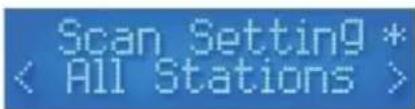
text_image
Scan Setting * < All Stations >text_image
Auxiliary Input
text_image
AUX 00:00:00Sleep → Alarm → EQ → Time → Backlight → Inactive Standby → Lang. → Reset → SW Ver.
Sleep (slaaptimer)
Off → 15 → 30 → 45 → 60 → 90 minutes
Alarm (alarm)
Zie hierna.
EQ (equalizer)
Normal → Classic → Jazz → Pop → Rock → Speech → My EQ*
Time/Date → Auto Update → Set 12/24 → Date Format
text_image
Time Savedtext_image
System Backlighttext_image
Preset 1 StoredVoorinstelling 1-6 opslaan
- Now Playing
- Signal Strength
- Music Genre
• National/Local Designation - MHz Frequency
- Signal Errors
• Kbps Data Transfer Rate - Power Type
- Time Date
FM
- Now Playing
- Station Name
- Music Genre
- Mono/Stereo
- Power Type
- Time
- Date
AUX
- Power Type
- Time
- Date
5.9 Alarm
| Alarm | Alarm 1 Setup → Alarm 2 Setup |
| Time | Hour → Minutes |
| Duration | 15 → 30 → 45 → 60 → 90 minutes |
| Alert | Buzz → *DAB → *FM |
| * If [DAB] or [FM] is selected | Last Listened → Preset 1-10 |
| Repeat | Daily → *Once → Weekday → Weekend |
| * If [Once] is selected | Day → Month → Year |
| Volume | Select Volume Level |
| Alarm | On → Off |
text_image
Alarm Savedtext_image
Welcome to Digital Radiotext_image
Scanning9... 6text_image
Absolute Radio Now Playing...text_image
Scanning9... 6DRC (Dynamic range compression)
text_image
?talkSPORT Now Playing...
text_image
Prune?text_image
98.90MHz Scanning...text_image
FM < Scan Setting >Scan Setting → Audio Set → System
text_image
FM < Scan Setting >
text_image
Scan Setting * < All Stations >text_image
Auxiliary Input
text_image
AUX 00:00:00Sleep → Alarm → EQ → Time → Backlight → Inactive Standby → Lang. → Reset → SW Ver.
Veille
Off → 15 → 30 → 45 → 60 → 90 minutes
Alarme
Voir ci-dessous.
EQ
Normal → Classic → Jazz → Pop → Rock → Speech → My EQ*
Time/Date → Auto Update → Set 12/24 → Date Format
Heure/Date
text_image
Preset 1 Stored- Now Playing
- Signal Strength
- Music Genre
• National/Local Designation - MHz Frequency
- Signal Errors
• Kbps Data Transfer Rate - Power Type
- Time Date
FM
- Now Playing
- Station Name
- Music Genre
- Mono/Stereo
- Power Type
- Time
- Date
AUX
- Power Type
- Time
- Date
5.9 Alarme
text_image
Alarm Savedtext_image
Welcome to Digital Radiotext_image
Scanning9... 6text_image
Absolute Radio Now Playing...text_image
Scanning... 6text_image
?talkSPORT How Playing...
text_image
Prune?text_image
98.90MHz Scanning...text_image
FM < Scan Setting >Scan Setting → Audio Set → System
Scan Settings
text_image
FM < Scan Setting >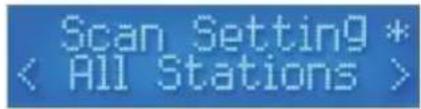
text_image
Scan Setting * < All Stations >text_image
Auxiliary Input
text_image
AUX 00:00:00Usar el modo AUX
Sleep → Alarm → EQ → Time → Backlight → Inactive Standby → Lang. → Reset → SW Ver.
Sleep
Off → 15 → 30 → 45 → 60 → 90 minutes
Alarma
Véase abajo.
EQ
Normal → Classic → Jazz → Pop → Rock → Speech → My EQ*
Time/Date → Auto Update → Set 12/24 → Date Format
Hora/Fecha
- Now Playing
- Signal Strength
- Music Genre
• National/Local Designation - MHz Frequency
- Signal Errors
• Kbps Data Transfer Rate - Power Type
• Time Date FM - Now Playing
- Station Name
- Music Genre
- Mono/Stereo
- Power Type
- Time
- Date
- Power Type
- Time
- Date
AUX
5.9 Alarm
Desactivar la alarma/snooze
text_image
Alarm Savedtext_image
Welcome to Digital RadioHQWS10001
text_image
Scanning... 6text_image
Absolute Radio Now Playing9...text_image
Scanning... 6text_image
?talkSPORT Now Playing...
text_image
Prune?text_image
98.90MHz Scanning...text_image
FM < Scan Setting >Scan Setting → Audio Set → System
Scan Settings
text_image
FM < Scan Setting >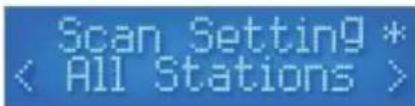
text_image
Scan Setting * < All Stations >text_image
Auxiliary Input
text_image
AUX 00:00:00AUX-Modus verwenden
Sleep → Alarm → EQ → Time → Backlight → Inactive Standby → Lang. → Reset → SW Ver.
Sleep
Time/Date → Auto Update → Set 12/24 → Date Format
Zeit/Datum
text_image
Time Savedtext_image
System BacklightHQWS10001
- Now Playing
- Signal Strength
- Music Genre
• National/Local Designation - MHz Frequency
- Signal Errors
• Kbps Data Transfer Rate - Power Type
- Time Date
HQWS10001
FM
- Now Playing
- Station Name
- Music Genre
- Mono/Stereo
- Power Type
- Time
- Date
AUX - Power Type
- Time
- Date
5.9 Alarm
Alarm/Snooze deaktivieren
text_image
Alarm Savedtext_image
10:59:31 19-11-2015 #1 #2 #text_image
Welcome to Digital Radiotext_image
Scanning9... 6text_image
Absolute Radio Now Playing9...text_image
Scanning9... 6text_image
?talkSPORT Now Playing...
text_image
Prune?text_image
98.90MHz Scanning...text_image
FM < Scan Setting >Scan Setting → Audio Set → System
text_image
FM < Scan Setting >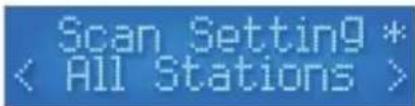
text_image
Scan Setting * < All Stations >text_image
Auxiliary Input
text_image
AUX 00:00:00Używanie trybu AUX
Sleep → Alarm → EQ → Time → Backlight → Inactive Standby → Lang. → Reset → SW Ver.
Uśpienie
Time/Date → Auto Update → Set 12/24 → Date Format
Czas/data
text_image
Time SavedPodświetlanie
text_image
System BacklightHQWS10001
Inactive Standby (Step)
text_image
Alarm Savedtext_image
10:59:31 19-11-2015 #1 #2 #text_image
Welcome to Digital Radiotext_image
Scanning9... 6text_image
Absolute Radio Now Playing...text_image
Scanning9... 6text_image
?talkSPORT Now Playing...
text_image
Prune?text_image
98.90MHz Scanning...text_image
FM < Scan Setting >text_image
FM < Scan Setting >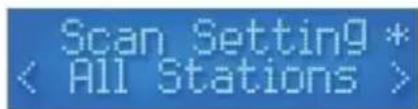
text_image
Scan Setting * < All Stations >text_image
Auxiliary Input
text_image
AUX 00:00:00Utilizar o Modo AUX
Sleep → Alarm → EQ → Time → Backlight → Inactive Standby → Lang. → Limpar → SW Ver.
Ibernar
Normal → Classic → Jazz → Pop → Rock → Speech → My EQ*
text_image
Time SavedRetroiluminação
text_image
System BacklightInactive Standby (Step)
text_image
Preset 1 StoredVelleman® Service and Quality Warranty
Since its foundation in 1972, Velleman® acquired extensive experience in the electronics world and currently distributes its products in over 85 countries.
All our products fulfil strict quality requirements and legal stipulations in the EU. In order to ensure the quality, our products regularly go through an extra quality check, both by an internal quality department and by specialized external organisations. If, all precautionary measures notwithstanding, problems should occur, please make appeal to our warranty (see guarantee conditions).
General Warranty Conditions Concerning Consumer Products (for EU):
- All consumer products are subject to a 24-month warranty on production flaws and defective material as from the original date of purchase.
- Velleman® can decide to replace an article with an equivalent article, or to refund the retail value totally or partially when the complaint is valid and a free repair or replacement of the article is impossible, or if the expenses are out of proportion.
You will be delivered a replacing article or a refund at the value of 100% of the purchase price in case of a flaw occurred in the first year after the date of purchase and delivery, or a replacing article at 50% of the purchase price or a refund at the value of 50% of the retail value in case of a flaw occurred in the second year after the date of purchase and delivery.
• Not covered by warranty:
- all direct or indirect damage caused after delivery to the article (e.g. by oxidation, shocks, falls, dust, dirt, humidity...), and by the article, as well as its contents (e.g. data loss), compensation for loss of profits;
- consumable goods, parts or accessories that are subject to an aging process during normal use, such as batteries (rechargeable, non-rechargeable, built-in or replaceable), lamps, rubber parts, drive belts... (unlimited list);
- flaws resulting from fire, water damage, lightning, accident, natural disaster, etc....;
- flaws caused deliberately, negligently or resulting from improper handling, negligent maintenance, abusive use or use contrary to the manufacturer's instructions;
- damage caused by a commercial, professional or collective use of the article (the warranty validity will be reduced to six (6) months when the article is used professionally);
- damage resulting from an inappropriate packing and shipping of the article:
- all damage caused by modification, repair or alteration performed by a third party without written permission by Velleman®.
- Articles to be repaired must be delivered to your Velleman® dealer, solidly packed (preferably in the original packaging), and be completed with the original receipt of purchase and a clear flaw description.
- Hint: In order to save on cost and time, please reread the manual and check if the flaw is caused by obvious causes prior to presenting the article for repair. Note that returning a non-defective article can also involve handling costs.
• Repairs occurring after warranty expiration are subject to shipping costs.
- The above conditions are without prejudice to all commercial warranties.
The above enumeration is subject to modification according to the article (see article's manual).