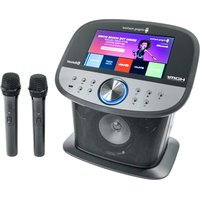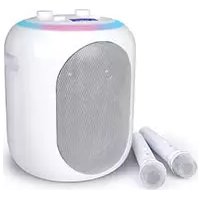
ISM2040 - Speaker Singing Machine - Free user manual and instructions
Find the device manual for free ISM2040 Singing Machine in PDF.


User questions about ISM2040 Singing Machine
0 question about this device. Answer the ones you know or ask your own.
Ask a new question about this device
Download the instructions for your Speaker in PDF format for free! Find your manual ISM2040 - Singing Machine and take your electronic device back in hand. On this page are published all the documents necessary for the use of your device. ISM2040 by Singing Machine.
USER MANUAL ISM2040 Singing Machine
natural_image
Line drawing of a vacuum cleaner with a vertical stand and a separate housing (no text or symbols)www.singingmachine.com
The Singing Machine ^® is a registered trademark of The Singing Machine Co., Inc.
The Singing Machine ^® es marca registrada de The Singing Machine Co., Inc.
DANGEROUS VOLTAGE: The lightning flash with arrowhead symbol within an equilateral triangle is intended to alert the user to the presence of uninsulated dangerous voltage within the product's enclosure that may be of sufficient magnitude to constitute a risk of electric shock to persons.

ATTENTION: The exclamation point within an equilateral triangle is intended to alert the user to the presence of important operating and maintenance (servicing) instructions in the literature accompanying this product.
DRIPPING WARNING: This product shall not be exposed to dripping or splashing, and no objects filled with liquids, such as vases, shall be placed on the product.
VENTILATION WARNING: The normal ventilation of the product shall not be impeded for intended use.
CAUTION: TO PREVENT ELECTRIC SHOCK, MATCH WIDE BLADE OF PLUG TO WIDE SLOT AND FULLY INSERT.
WARNING: TO PREVENT FIRE OR SHOCK HAZARD, DO NOT EXPOSE THIS UNIT TO RAIN OR MOISTURE.
FCC WARNING: This equipment may generate or use radio frequency energy. Changes or modifications to this equipment may cause harmful interference unless the modifications are expressly approved in the instruction manual. The user could lose the authority to operate this equipment if an unauthorized change or modification is made.
This device complies with part 15 of the FCC Rules. Operation is subject to the following two conditions: (1) This device may not cause harmful interference, and (2) this device must accept any interference received, including interference that may cause undesired operation.
NOTE: This equipment has been tested and found to comply with the limits for a Class B digital device, pursuant to part 15 of the FCC Rules. These limits are designed to provide reasonable protection against harmful interference in a residential installation. This equipment generates, uses and can radiate radio frequency energy and, if not installed and used in accordance with the instructions, may cause harmful interference to radio communications. However, there is no guarantee that interference will not occur in a particular installation. If this equipment does cause harmful interference to radio or television reception, which can be determined by turning the equipment off and on, the user is encouraged to try to correct the interference by one or more of the following measures:
• Reorient or relocate the receiving antenna.
- Increase the separation between the equipment and receiver.
- Connect the equipment into an outlet on a circuit different from that to which the receiver is connected.
- Consult the dealer or an experienced radio/TV technician for help. The rating information is located at the bottom of the unit.
Warning: Changes or modifications to this unit not expressly approved by the party responsible for compliance could void the user's authority to operate the equipment.
Important Safety Information
- Read these Instructions.
- Keep these Instructions.
- Heed all Warnings.
- Follow all Instructions.
- Do not use this apparatus near water.
- Clean only with a dry cloth.
- Do not block any of the ventilation openings. Install in accordance with the Manufacturer's instructions.
- Do not install near any heat sources such as radiators, heat registers, stoves, or other apparatus (including amplifiers) that produce heat.
- Do not defeat the safety purpose of the polarized or grounding-type plug. A polarized plug has two blades with one wider than the other. A grounding type plug has two blades and a third grounding prong. The wide blade or the third prong are provided for your safety. When the provided plug does not fit into your outlet, consult an electrician for replacement of the obsolete outlet.
- Protect the power cord from being walked on or pinched particularly at plugs, convenience receptacles, and the point where they exit from the apparatus.
-
Only use attachments/accessories specified by the manufacturer.
-
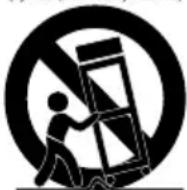
Use only with a cart, stand, tripod, bracket, or table specified by the manufacturer, or sold with the apparatus. When a cart is used, use caution when moving the cart/ apparatus combination to avoid injury from tip-over.
-
Unplug this apparatus during lightning storms or when unused for long periods of time.
-
Refer all servicing to qualified service personnel. Servicing is required when the apparatus has been damaged in any way, such as power-supply cord or plug is damaged, liquid has been spilled or objects have fallen into the apparatus, the apparatus has been exposed to rain or moisture, does not operate normally, or has been dropped.
-
WARNING: To reduce the risk of fire or electric shock, do not expose this apparatus to rain or moisture. Do not place objects filled with water, such as a vase, on the apparatus.
-
The AC mains plug is used as the power disconnect device and it should remain readily accessible and operable during intended use. In order to completely disconnect the apparatus from power, the mains plug should be completely removed from the AC outlet socket.
-
CAUTION: To reduce the risk of fire or explosion, do not expose batteries to excessive heat such as sunshine, fire or other heat sources.
PORTABLE CART WARNING (symbol provided by RETAC)
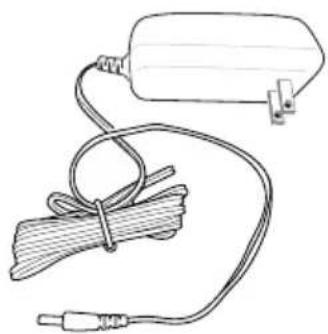
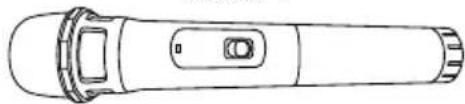
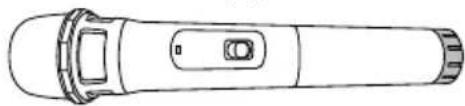
Included
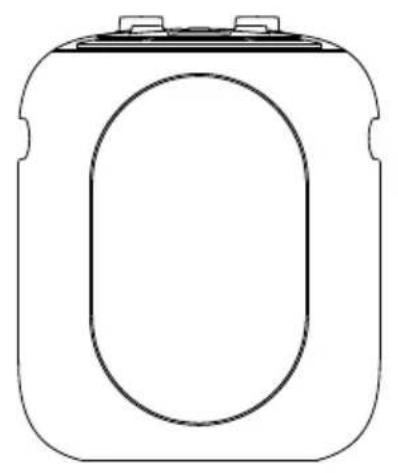
Please make sure that the following items are included.
natural_image
Simple line drawing of a rectangular device with an oval cutout on the front face (no text or symbols)Main Unit
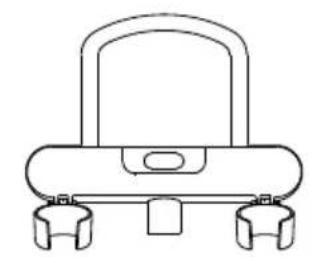
natural_image
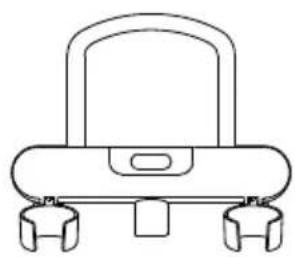
Line drawing of a mechanical device with a handle and two side legs (no text or symbols)Cradle with mic holders (Detachable)

natural_image
Pure line drawing of a cylindrical mechanical component (no text or symbols)Extendable Mic stand

Base
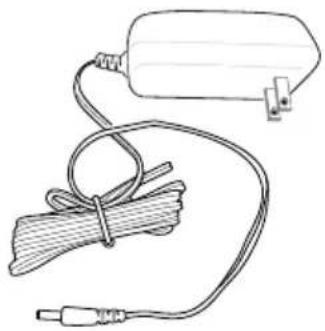
natural_image
Line drawing of a medical or electrical device with a coiled cable and plug, no text or symbols presentAC Adapter
natural_image
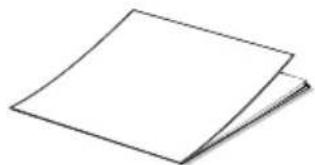
Simple line drawing of a blank sheet or paper with no text, numbers, or symbolsManual
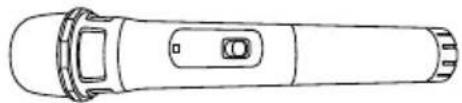
Mic 1
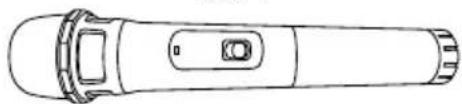
natural_image
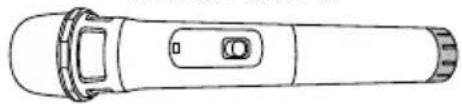
Line drawing of a handheld device with a circular button and handle (no text or symbols)Mic 2
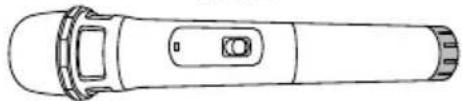
natural_image
Line drawing of a handheld device with a circular button and lid (no text or symbols)Wireless Microphone
Assembly
Not for use with other microphone stands. Only lift unit from bottom base. Use caution when placing larger-sized devices in holder.
All-in-one assembly
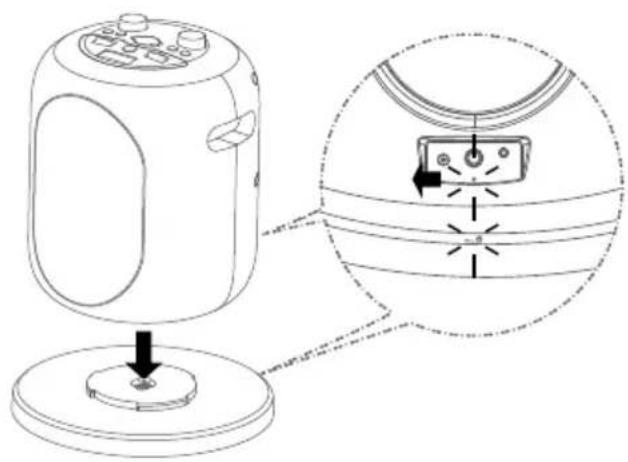
natural_image
Diagram of a device with a base and top, showing internal components and a close-up view of the component (no text or symbols present)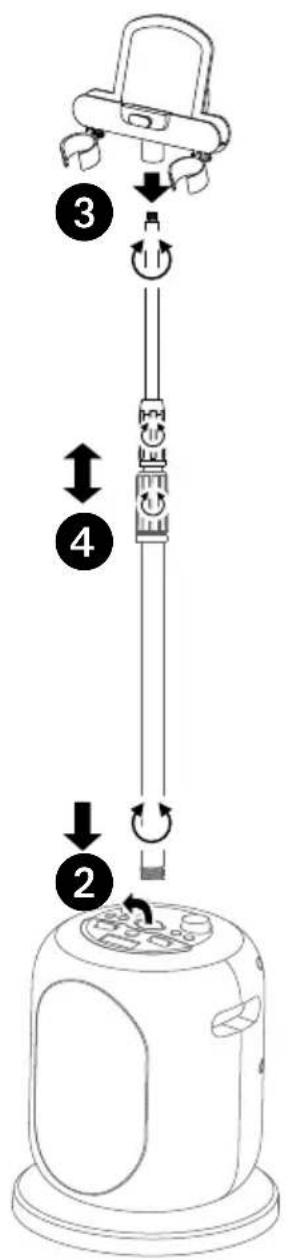
text_image
Diagram of a device with numbered steps and directional arrows indicating motion or assembly.1 Insert and rotate clockwise to tighten the Main unit onto the Base.
2 Lift the rubber cover on the top of the Main unit. Insert the Mic stand into the Main unit and tighten it.
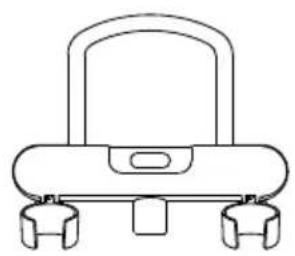
3 Insert and rotate to tighten the Cradle with Mic holders on the Mic stand.
4 Untighten the mic stand locker(s) to adjust to a suitable height. Retighten the locks to hold in position.
Assembly
Split type assembly
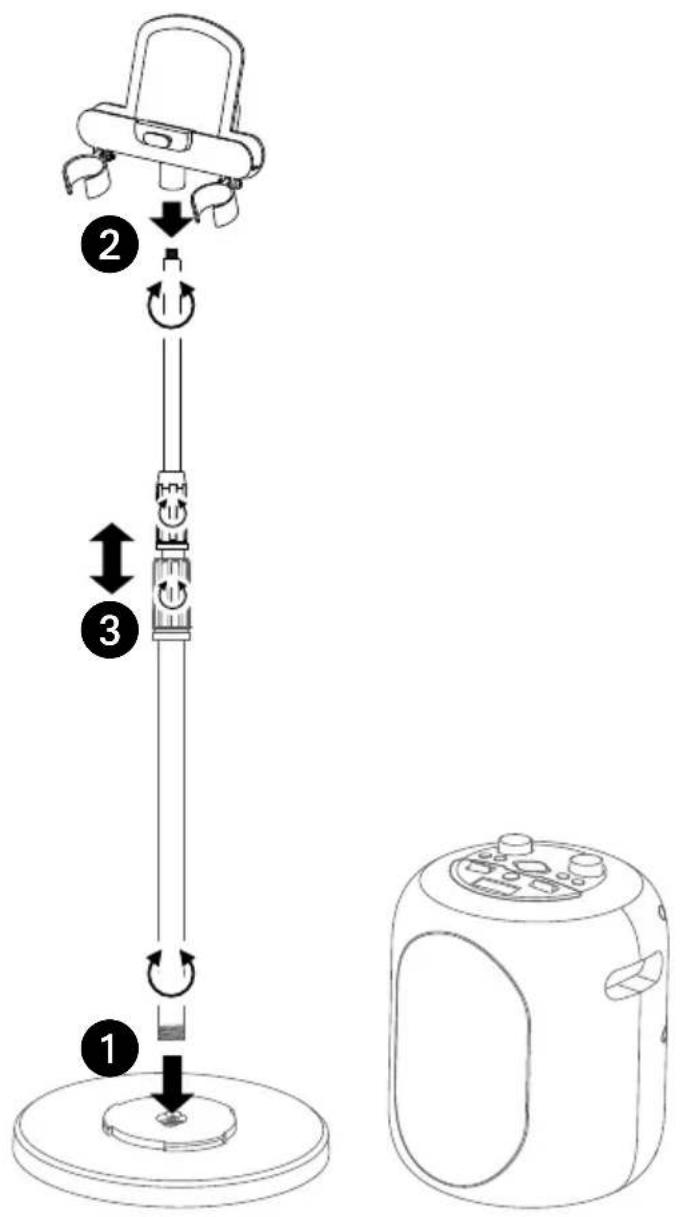
text_image
Diagram illustrating the step-by-step installation of a vacuum cleaner, showing steps from base to top with labeled arrows.1 Insert the Mic stand into the Base and tighten it.
2 Insert and rotate to tighten the Cradle with Mic holders on the Mic stand.
3 Untighten the mic stand locker(s) to adjust to a suitable height. Retighten the locks to hold in position.
4 Leave the main unit within 30 feet/10 meters distance as a speaker.
NOTE: Always remember to put the rubber cover back in place.
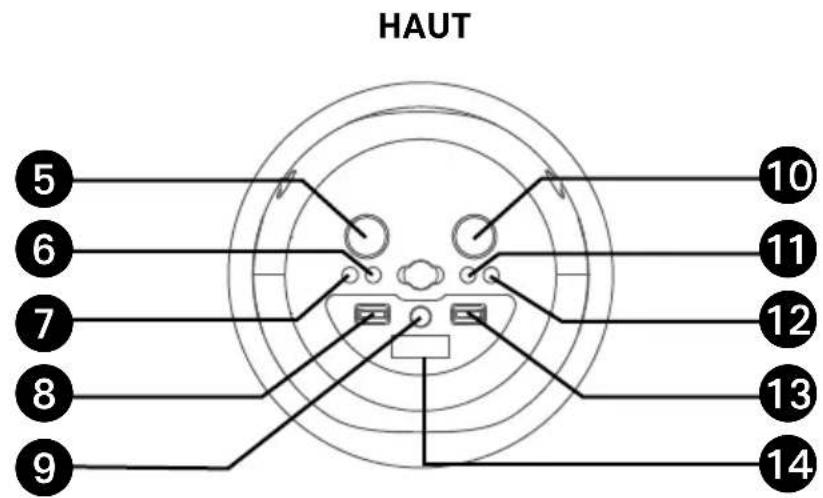
Location of Controls
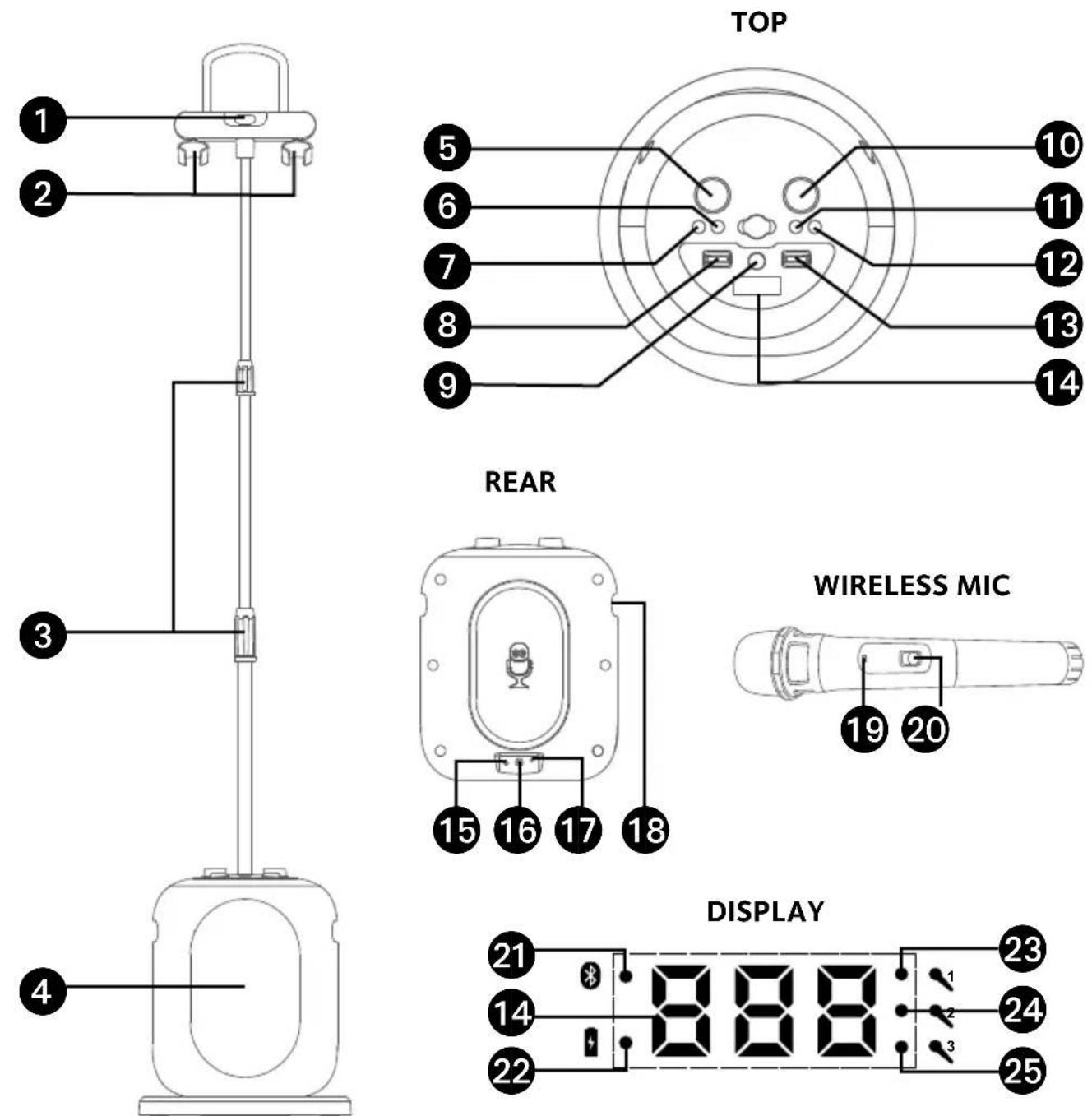
- Cradle
- Mic Holders
- MIC stand locks
- Speaker
- Mic Volume/VOCAL OFF Control
- /*(Bluetooth/ Play/Pause Button
- / (LIGHTS/On/ Standby) button
-
VOCAL EFFECTS Control
-
PERFECT PITCH Button
-
MUSIC VOLUME Control
- RECORD Button
- PLAYBACK Button
- EFFECTS STRENGTH Control
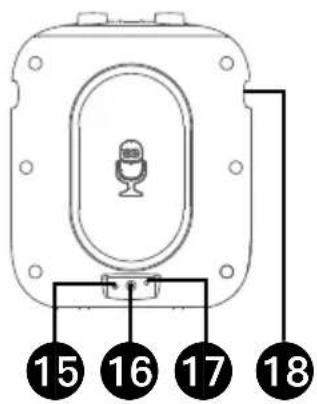
14 Display - DC In Jack
- Mic 3 Jack
-
AUX In Jack
-
Handle
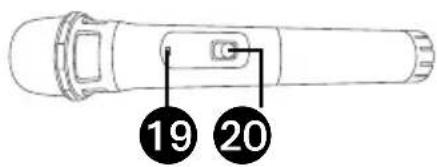
- Wireless Mic battery indicator
- Wireless Mic ON/OFF button
- Bluetooth indicator
- Battery indicator
- Mic 1 indicator (wireless)
- Mic 2 indicator (wireless)
- Mic 3 indicator (wired)
Rechargeable Battery
This unit comes with a built-in rechargeable battery pack that will allow the unit to be used without being connected to AC power. The rechargeable battery pack must NOT to be replaced by the user.
To optimize the battery life, we recommend to charge the unit once a month. When the battery indicator on the display flashes slowly, recharge the unit by following the steps below:
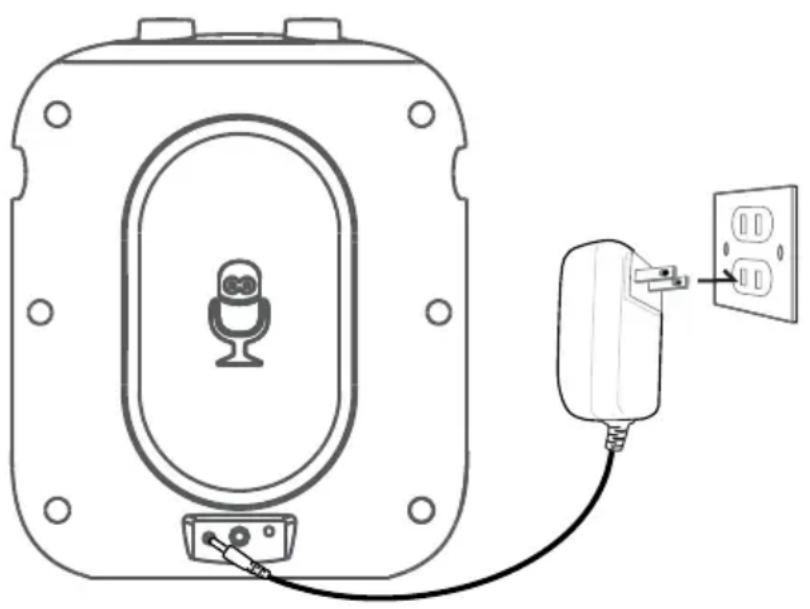
natural_image
Line drawing of a microphone connected to an electrical outlet (no text or symbols)1 Insert the AC power cord into a conveniently located AC outlet having 120V, 60Hz.
2 Allow the unit to charge for approximately 8 hours for a full charge. When fully charged, the battery indicator will light solid.
3 Disconnect the AC cord and the fully charged unit can be used for approximately 4-10 hours depending on the function chosen.
Attention: The sound volume will adjust automatically when the battery is not full.
Recycling and Disposal Information:
- Do not dispose of electronic devices or any of their components.
(especially batteries and LCD displays) in your municipal trash collection. - Consult your local waste management authority or a recycling organization like Earth911.com to find an electronics recycling facility in your area.
CAUTION: Rechargeable batteries must be recycled or disposed of properly.
Energy Saving (Auto Power System-APS)
The unit will automatically enter the Standby mode after 30 minutes in the following situations:
- There is no audio playback;
- The playback of external music player had been stopped but the audio cable is still plugged into the LINE IN jack.
The unit can be resumed to turn on by pressing the ✦ button.
APS is for energy saving purposes.
Connections
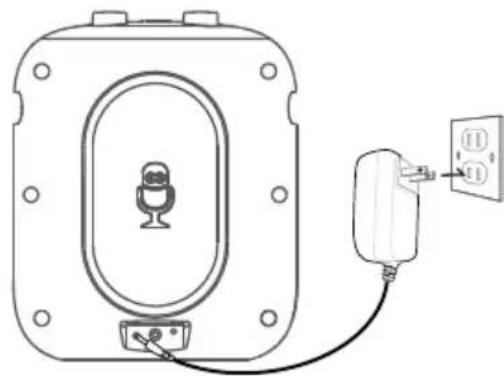
Charging the unit
natural_image
Line drawing of a device with a microphone and plug, no text or symbols presentInsert the AC power cord into a conveniently located AC outlet having 120V AC, 60Hz.
NOTES:
- Make all connections prior to plugging the AC adaptor into a power outlet.
- The AC adaptor has a polarized plug that fits into the AC outlet only one way. If the plug does not fit properly, turn it over and try again. Do not force and do not file or cut the wide blade.
- The provided AC adapter can only support to charge the built-in rechargeable battery.
Connecting the Wireless Microphone(s)
natural_image
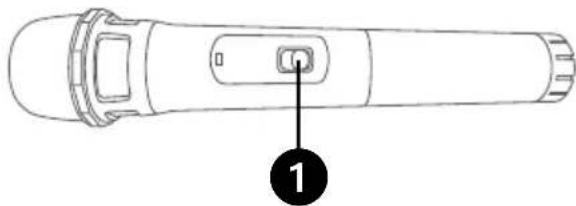
Line drawing of a handheld device with a labeled button (no text or symbols beyond the number 1)Rotate the MIC VOLUME/VOCAL OFF control, the Mic indicator 1 and 2 will appear in display and flash.
Slide the Wireless Mic's ON/MUTE/OFF
① switch to the ON position. The Mic indicator 1 or 2 will light solid.
NOTES:
- The working distance up to 30 feet/10 meters measured in open space.
- If there is no audio input for 15 minutes, the wireless mics connection will automatically turn off. Rotate the MIC VOLUME/VOCAL OFF control to reactivate the connection.
Connections
Changing the Wireless Microphone's Battery
natural_image
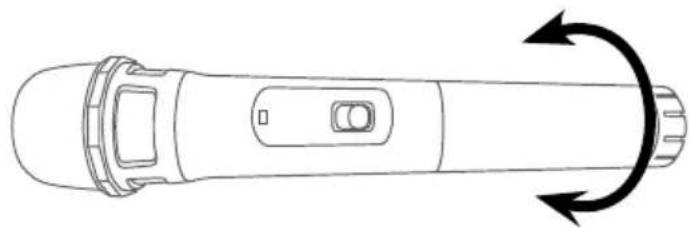
Top-down line drawing of a handheld device with a curved arrow indicating rotational motion (no text or symbols)When the wireless mic battery indicator flashes, it shows it is out of power. Change the batteries as follows:
1 Unscrew the bottom of wireless microphone.
2 Replace the batteries with 2 x "AA" size/LR6 battery.
3 Replace the bottom of wireless microphone and screw it on.
Battery Precautions
The precautions below should be followed when using batteries in this device:
- Use only the size and type of batteries specified.
- Be sure to follow the correct polarity when installing the batteries as indicated in the battery compartment. Reversed batteries may cause damage to the device.
- Do not mix different types of batteries together (e.g. Alkaline and Carbon Zinc) or old batteries with fresh ones.
-
If the device is not to be used for a long period of time, remove the batteries to prevent damage or injury from possible battery leakage.
-
Do not try to recharge batteries not intended to be recharged, they can overheat and rupture. (Follow battery manufacturer's directions.)
- Rechargeable batteries are to be removed from the product before being charged.
- Rechargeable batteries are only to be charged under adult supervision.
- Exhausted batteries are to be removed from the product.
- Batteries shall not be exposed to excessive heat such as sunshine, fire or the like.
Connecting the optional wired Microphone
natural_image
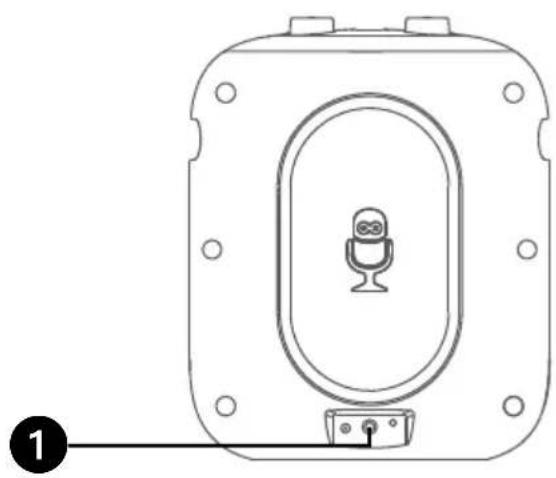
Line drawing of a device with a central microphone and mounting bracket (no text or symbols)Connect the wired microphone (not included) into Mic jack ① (when desired).
NOTE: Maximum of two microphones (wired or wireless) connected to the unit at one time. After inserting the wired microphone (Mic 3), the wireless microphone 1 (Mic 1) will be automatically turned off.
Connections
Lights Mode
text_image
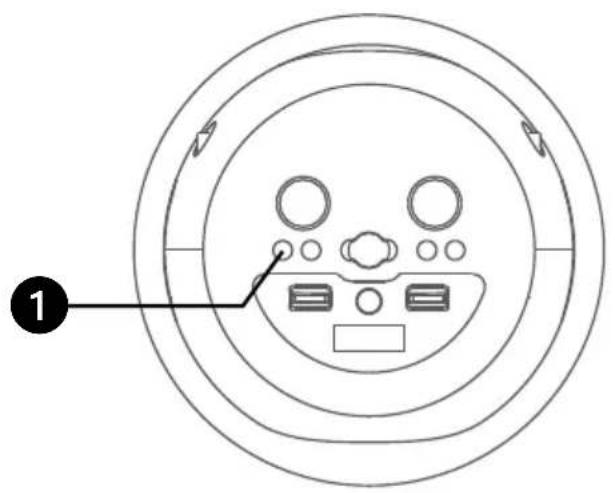
Diagram of a circular device interior with labeled components and directional arrowsThere are 5 built-in light mode. Repeatly press ✦/⏻ button to switch between lighting effects.
Connecting to AUX IN Jack
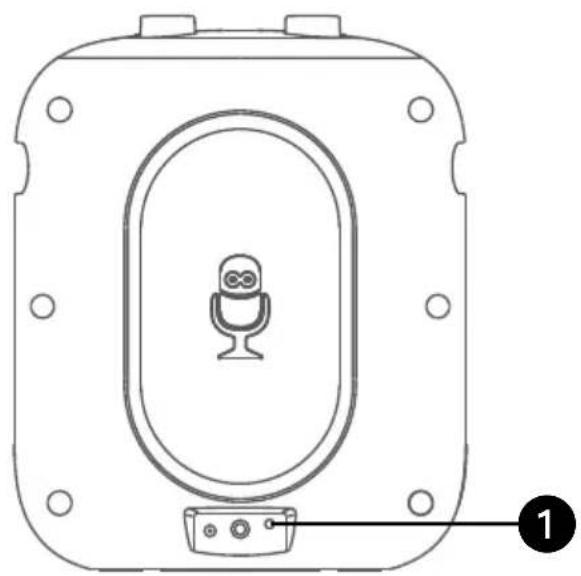
natural_image
Line drawing of a device panel with a microphone and labeled component (no text or symbols)Connect an external device by using an appropriate cable (3.5mm audio cable not included) as shown.
NOTE:
See page E13 to select and use the Aux In function.
Cradle
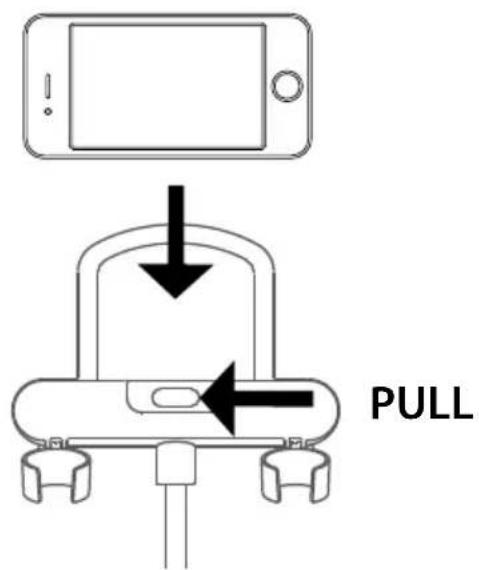
text_image
PULLOperation
Using a Bluetooth Device
text_image
Diagram of a circular device interior with labeled components and directional arrows indicating flow or movement.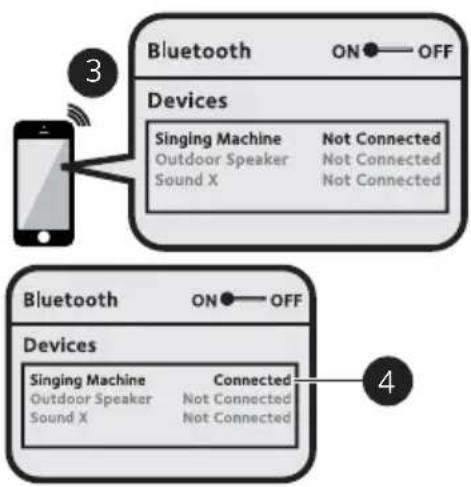
flowchart
graph TD
    A["Smartphone"] -->|3| B["Bluetooth ON OFF"]
    B --> C["Devices"]
    C --> D["Singing Machine\nOutdoor Speaker\nSound X"]
    C --> E["Not Connected\nNot Connected\nNot Connected"]
    F["Bluetooth ON OFF"] --> G["Devices"]
    G --> H["Singing Machine\nOutdoor Speaker\nSound X"]
    G --> I["Connected\nNot Connected\nNot Connected"]
    J["4"] --> K["Device"]
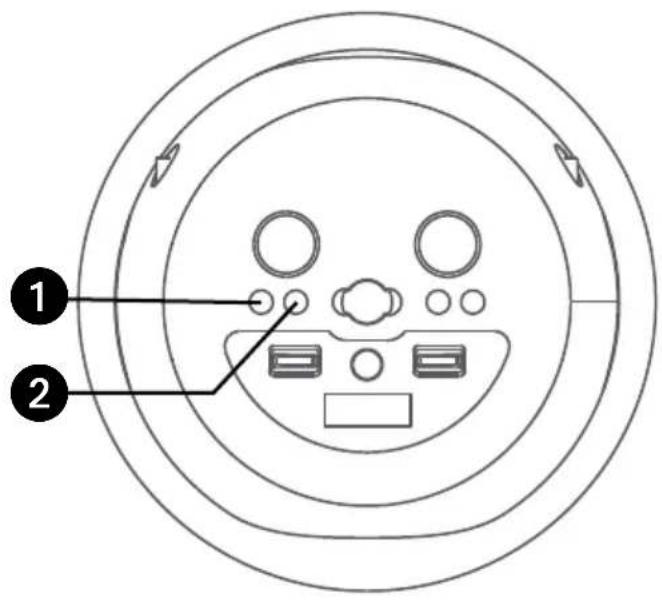
1 Connect the unit as described previously. Press the ✦ button to turn the unit on.
2 "bt" and bluetooth indicator will appear in display and flash. The unit automatically searches and pairs a previously paired Bluetooth device (if previously paired). If no previously paired devices are present and you cannot find this unit on your bluetooth compatible device's search list. Press and hold the 🔊 button; the "PR" and bluetooth indicator will start flashing for 60 seconds.
NOTE: You can also press and hold the button to disconnect any paired devices in order to pair another device.
3 Turn on your device's Bluetooth option in settings to search for a discoverable device with a Bluetooth signal. Select "SINGING MACHINE" from the device results on the Bluetooth menu.
NOTE: Also refer to the user manual of your Bluetooth device for detailed instructions.
4 "bt" and bluetooth indicator will light solid and a successful pairing sound will be heard.
NOTES:
- If your Bluetooth prompts you for a passcode during the pairing process, please enter "0000" to connect.
- On some Bluetooth devices, once pairing is completed, select your Bluetooth device as "Use as Audio Device" or similar.
- If connection is lost after successful pairing, check to make sure the distance between speaker and Bluetooth-enabled device does not exceed 30 feet/10 meters.
- "Bluetooth" will blink on TV screen, and will stop blinking after successful connection.
Operation
Using a Bluetooth Device (Continued)
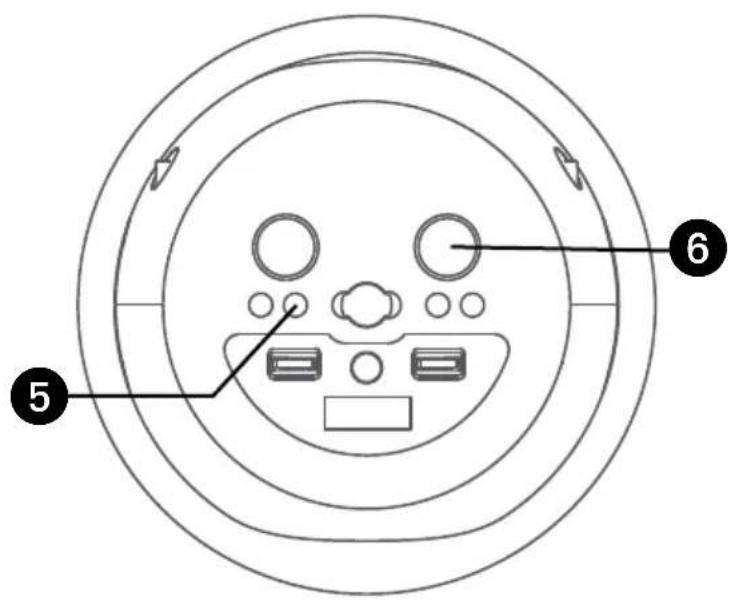
text_image
Diagram of a circular device interior with labeled components and directional arrows indicating flow or movement.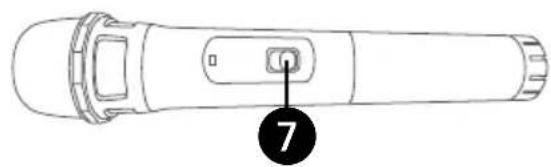
natural_image
Line drawing of a handheld device with a labeled button (no text or symbols beyond the number 7)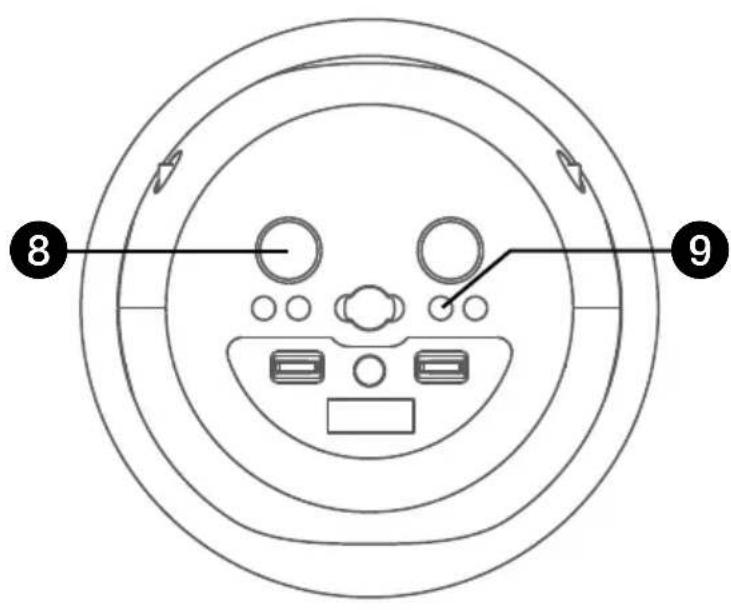
text_image
8 95 To control your Bluetooth device from this unit, press the ✝ ▶|| button to start playback. Press the ✝ ▶||ton during playback to pause the song.
6 Adjust the volume to a comfortable level using the MUSIC VOLUME control on this unit as well as the volume on your Bluetooth device.
7 Slide the Wireless Mic's ON/MUTE/OFF switch to the ON position.
NOTE: Slide to MUTE position is to temporary stop the microphone input.
8 Adjust the MIC VOLUME/ VOCAL OFF control as desired. Increasing this control will increase the volume of microphones.
During music playback, press the RECORD button to record your singing and the music, "REC" will appear in display and light solid. Press the RECORD button again to stop recording, the "REC" will turn off. This unit is able to record for 5 minutes. It will also stop recording automatically after 5 minutes and the "REC" will turn off.
NOTE: Please note that each time when the new recording is being recorded, the existing recording will be deleted.
Operation
Using a Bluetooth Device (Continued)
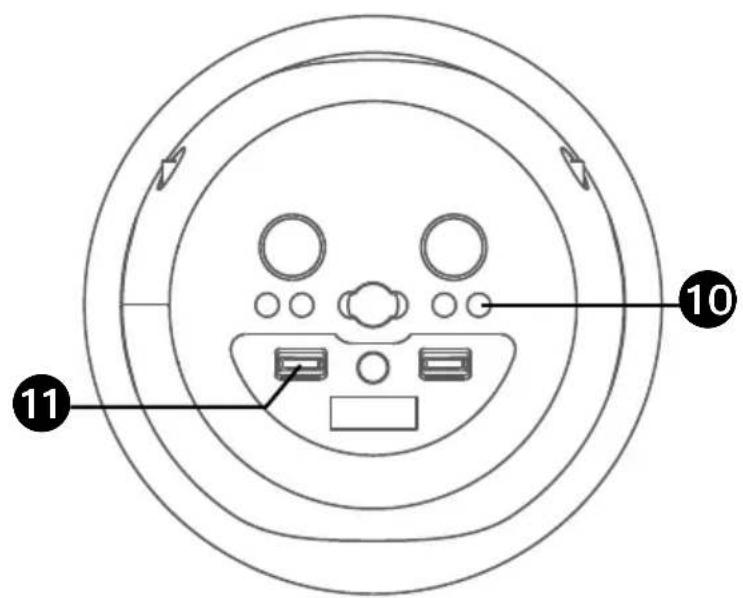
text_image
Diagram of a circular device interior with labeled components, marked with numbers 10 and 11 pointing to specific areas.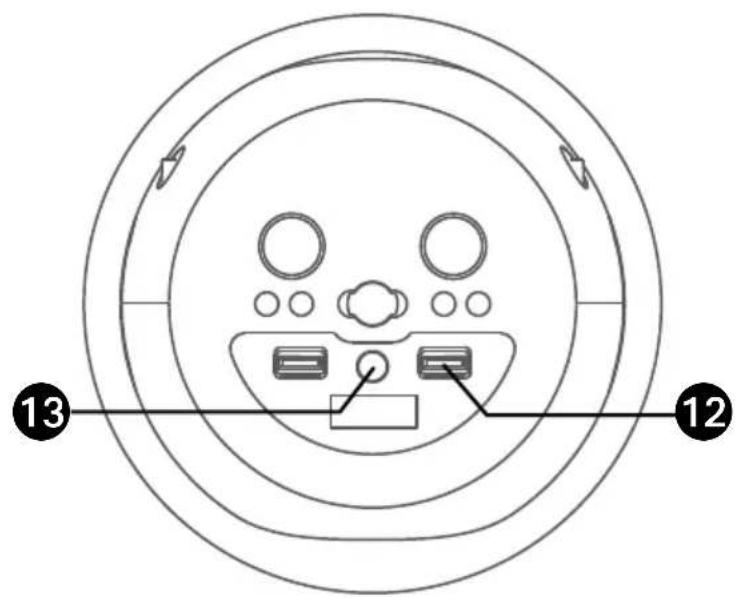
text_image
13 12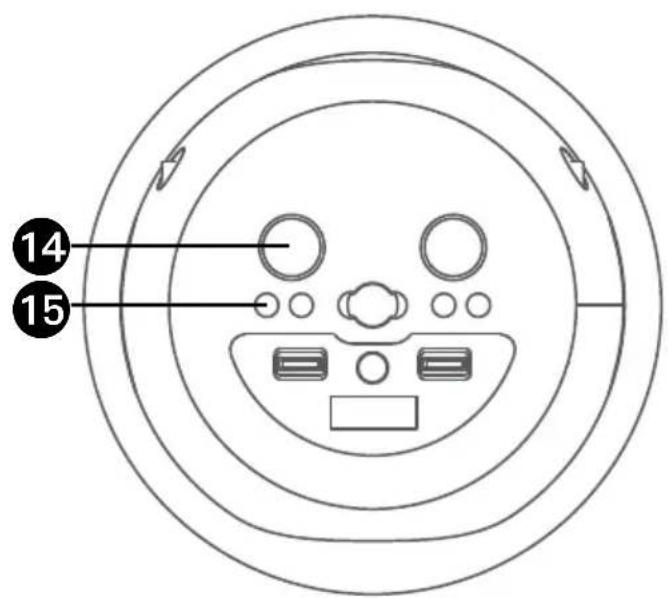
text_image
14 15To playback your singing performance, you can press the PLAYBACK button. "PB" will appear on the display and light solid. Press again to stop. Press and hold the PLAYBACK button to delete the recorded track.
11 Slide the VOCAL EFFECTS control up or down to select the vocal effects.
12 Slide the EFFECTS STRENGTH control up or down to adjust the level of the selected vocal effects.
13 Repeatedly press the PERFECT PITCH button to switch between the different levels of voice pitch. Display will show level.
NOTE: This function is only available for either Wireless Mic 1 or Mic 3.
14 To sing without the lead singer on the recording, press the MIC VOLUME/VOCAL OFF control. To resume the lead singer, press again.
NOTE: Lead vocal removal might work better on some songs than others.
15 Press and hold the * button to turn off the unit.
Operation
Using the AUX IN Jack
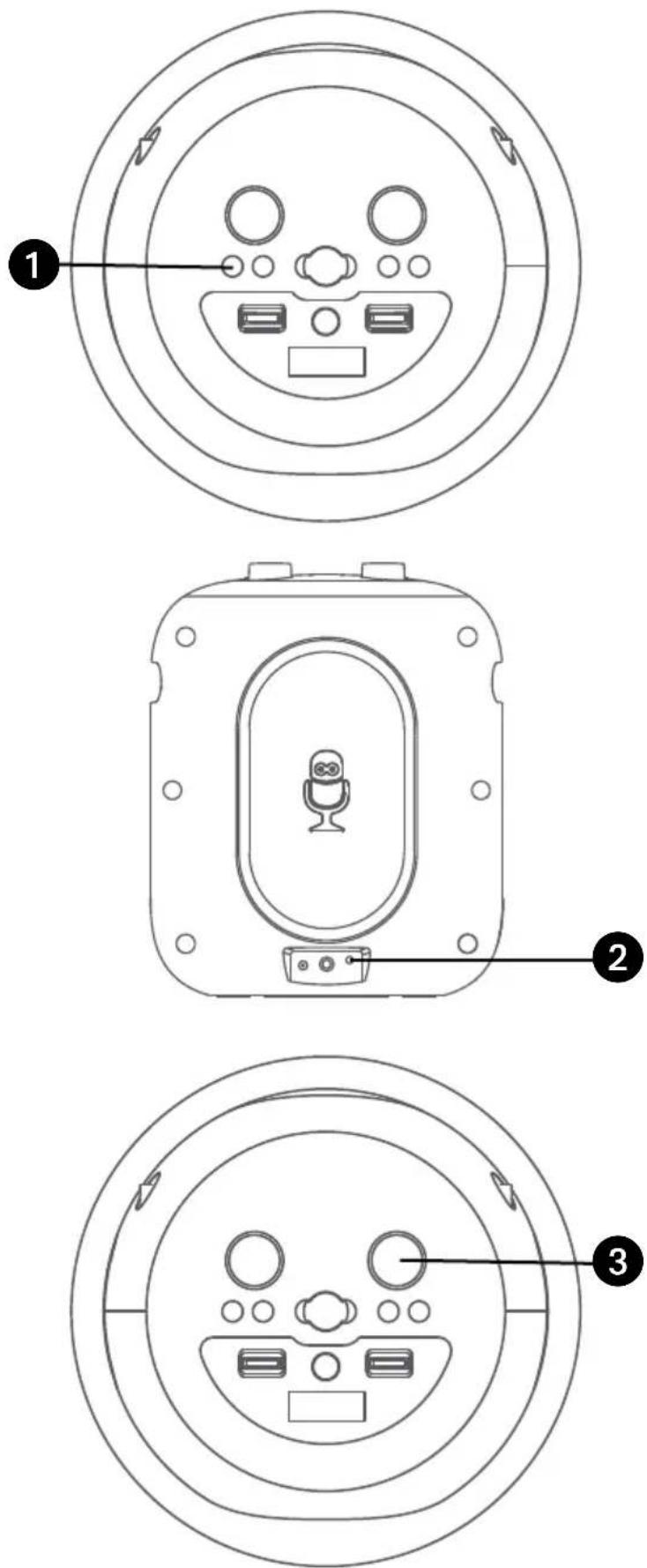
1 Connect the unit as described previously. Press the ✦ ⏻ button to turn the unit on.
2 Connect the external device by using an appropriate cable (3.5mm audio cable not included) to the AUX IN Jack on the rear of this unit as previous described. When connected, the Aux function is automatically selected, "AUX" will appear in display and light solid.
NOTES:
- It is highly recommended to set the volume on the auxiliary unit to 1/3 or lower to avoid distortion.
- All controlling functions are not possible on this unit when using an external device.
3 Adjust the volume to a comfortable level using the MUSIC VOLUME control on this unit or your external device's volume control.
Operation
Using the AUX IN Jack (Continued)
text_image
Diagram of a device with labeled components including a remote control panel and circular dial system with numbered parts.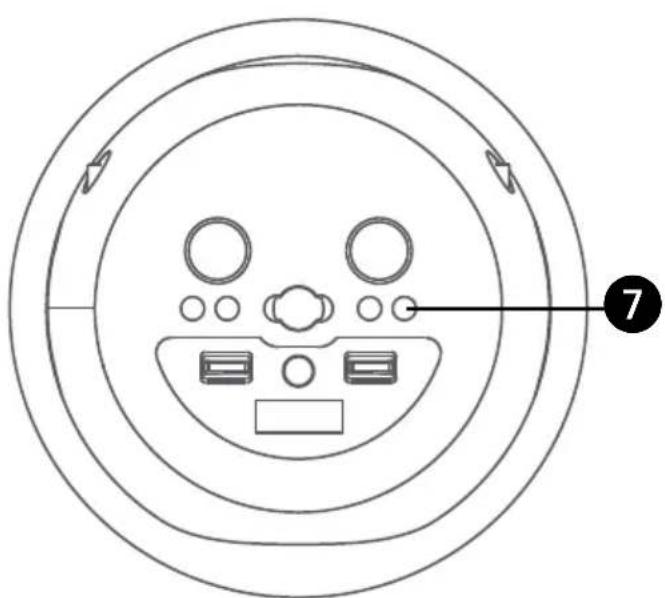
text_image
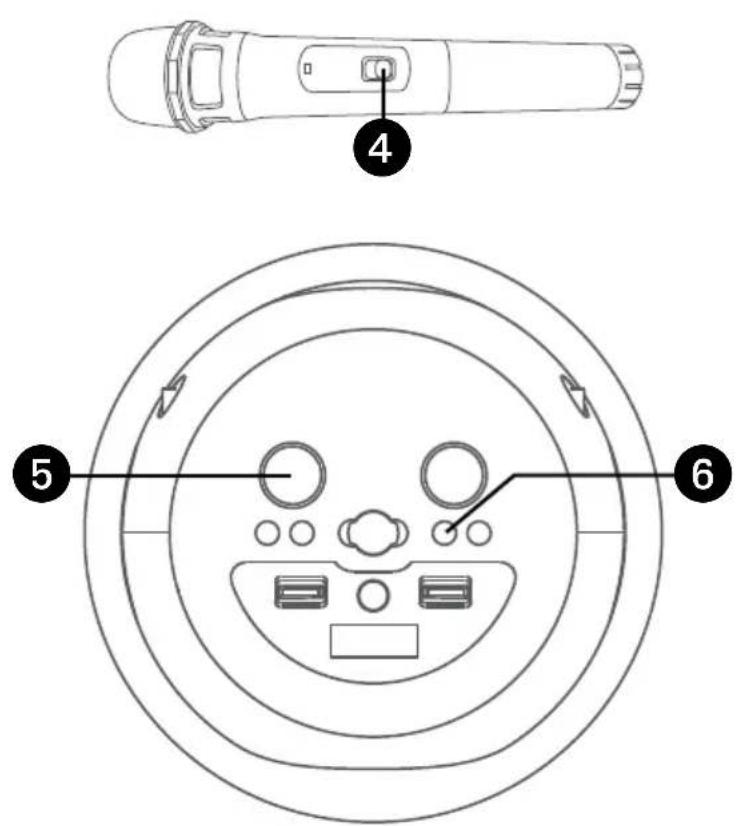
Diagram of a circular device interior with labeled components and directional arrows4 Slide the Wireless Mic's ON/MUTE/OFF switch to the ON position.
NOTE: Slide to MUTE position is to temporary stop the microphone input.
5 Adjust the MIC VOLUME/ VOCAL OFF control as desired. Increasing this control will increase the volume of both microphones.
During music playback, press the RECORD button to record your singing and the music, "REC" will appear in display and light solid. Press the RECORD button again to stop recording, the "REC" will turn off. This unit is able to record for 5 minutes. It will also stop recording automatically after 5 minutes and the "REC" will turn off.
NOTE: Please note that each time when the new recording is being recorded, the existing recording will be deleted.
To playback your singing performance, you can press the PLAYBACK button. "PB" will appear on the display and light solid. Press again to stop. Press and hold the PLAYBACK button to delete the recorded track.
Operation
Using the AUX IN Jack (Continued)
text_image
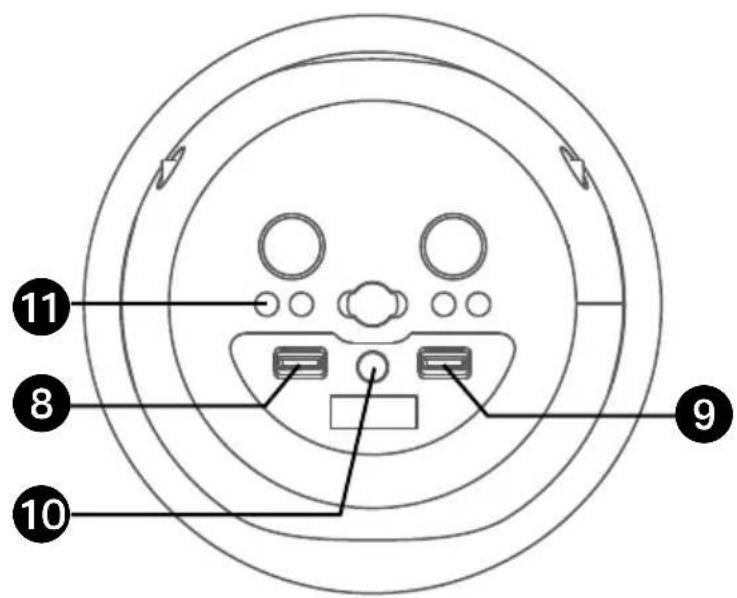
11 8 10 98 Slide the VOCAL EFFECTS control up or down to select the vocal effects.
9 Slide the EFFECTS STRENGTH control up or down to adjust the level of the selected vocal effects.
10 Repeatedly press the PERFECT PITCH button to switch between the different levels of voice pitch. Display will show level.
NOTE: This function is only available for either Wireless Mic 1 or Mic 3.
11 Press and hold the *button to turn off the unit.
Pitch Lab Vocal Enhancement Guide
Name Display Effect Description
None --- No voice effects applied
Basic Pitch 1 Silky smooth & balanced reverb & echo; a great all around go-to vocal enhancer
Billie Eyelash 2 Queue up Bad Guy & let it rip with this harmonized choir effect that is perfect for Alternative and Rock singing
Phil the Air Tonight 3 Heavy on the reverb & echo with delicate feedback & flanger effect for a lovely sound perfect for 80's hits
Grunge 4 Unmistakably gritty, great for rock, alt, pop and just making your voice sound cool
Reggae-Tone 5 Enhanced echo and choir makes voices shine especially while singing reggae and reggaeton
Hip-Hop 6 Big room echo & reverb with a smooth chorus
Oldtown Rd 7 A touch of echo with added vocal boost that's great for belting out country tunes
Diva 8 Take your voice to new heights with this octave booster
Doo-Wop 9 Smooth harmony adds some bass backup to your voice
Electronica 10 Punchy and unique, perfect for pop, EDM and making heads turn
Up to Mars ballads to funk 11 Big echo and chorus good for a wide range of songs from
Anthems 12 Lots of echo and reverb for when your voice needs to be BIG
Nosebleed Seats 13 Did someone say sold out stadium shows?
Voice of an Angel 14 Have your own angelic choir singing along with this lovely chorus effect
4 of a Kind 15 your vocals It's like having a few more singers harmonize along with
Ballad Rock 16 Crank up your favorite guilty pleasure ballad and rock it out for that special someone in the audience
Bad Trip 17 Wild & fun chorus effect
Laser 18 Crazy & silly vocal laser beams
Warp Speed 19 Bouncy & echos, lots of fun
Barry Deep 20 Oh baby, that's a deep voice
Troubleshooting Guide
Should this unit exhibit a problem, check the following before seeking service:
No Power
- Power is not on; press the ⚙/⏻ (LIGHTS/ON/STANDBY) button to turn power on.
- The unit has no battery left. Connect to AC power to recharge the battery.
- The normal function of the product may be disturbed by strong Electro-Magnetic Interference. If so, simply restart the product to resume normal operation by following the instruction manual. In case the function could not resume, please use the product in another location.
No Sound – General
• Music Volume is set to minimum; raise volume.
- If using an external device, raise the volume.
No sound from the microphone
- The wireless microphone has no battery left. Change the batteries.
- Make sure the mic's ON/OFF switch is set to the ON position.
- Make sure the MIC VOLUME/VOCAL OFF control is not set too low.
The Bluetooth device cannot be paired or connected with the unit
- Ensure any other Bluetooth devices are turned off to avoid accidental pairing.
- You have not activated the Bluetooth function of your device; see page E10 or refer to the Bluetooth device user's manual.
- The system is not in pairing mode; press and hold the 🔊 button to restart pairing.
The Music is not available on the unit after successfully connecting the Bluetooth
- Ensure your Bluetooth device can support the A2DP Bluetooth profile.
- The volume on the external Bluetooth device is set too low or muted; raise as desired.
Specifications
AUDIO
Output Power ....70 Watts (RMS)
BLUETOOTH
Bluetooth Version V5.0
Working Distance .... Up to 30 feet/10 meters measured in open space
CONNECTING JACKS
Microphone 6.3mm
Aux In.... 3.5mm Stereo Jack
GENERAL
Power 100-240V, 50/60Hz
Output ...... DC9V 1A Positive Center
Dimensions:
Main Unit only 10.3 x 10.3 x 12.6 inches (26.2 x 26.2 x 32cm)
Mic stand only .... Adjustable height max. 57.0 H inches/ 145cm (optional)
Main unit + Mic stand .... Adjustable height max. 66.9 H inches/ 170cm (optional)
Base 11.8 x 11.8 x 1.1 inches (30.0 x 30.0 x 2.7cm)
Weight - Main Unit only 9.7 Lbs (4.4 kgs)
Mic Stand only 9.9 Lbs (4.5 kgs)
Wireless Microphone ...... VHF band (204.5MHz/208.5 MHz Freq) Dynamic Microphone
Specifications are subject to change without notice.
Bluetooth®
The Bluetooth® word mark and logos are registered trademarks owned by Bluetooth SIG, Inc. and any use of such marks and logos by The Singing Machine Company, Inc. is under license. Other trademarks and trade names are those of their respective owners.
Advertencias

PRECAUCIÓN
RIESGO DE DESCARGA ELÉCTRICA
NO ABRIR

PORTABLE CART WARNING (symbol provided by RETAC)

Piezas incluidas
natural_image
Simple line drawing of a rectangular device with an oval cutout on the front face (no text or symbols)Unidad Principal
natural_image
Line drawing of a mechanical device with a handle and four wheels (no text or symbols)natural_image
Line drawing of a cylindrical mechanical component with no visible text or symbolsnatural_image
Simple line drawing of a medical or electrical device with a coiled cable and attached cylindrical component (no text or symbols)Adaptador de CA
natural_image
Simple line drawing of a blank sheet or paper with no text or symbolsManual
MICRÓFONO 1
natural_image
Line drawing of a handheld device with a circular button and flange (no text or symbols)MICRÓFONO 2
natural_image
Line drawing of a handheld device with a circular button and textured grip (no text or symbols)natural_image
Diagram of a portable water heater with a base, showing internal components and a close-up view of the device's internal structure (no text or symbols present)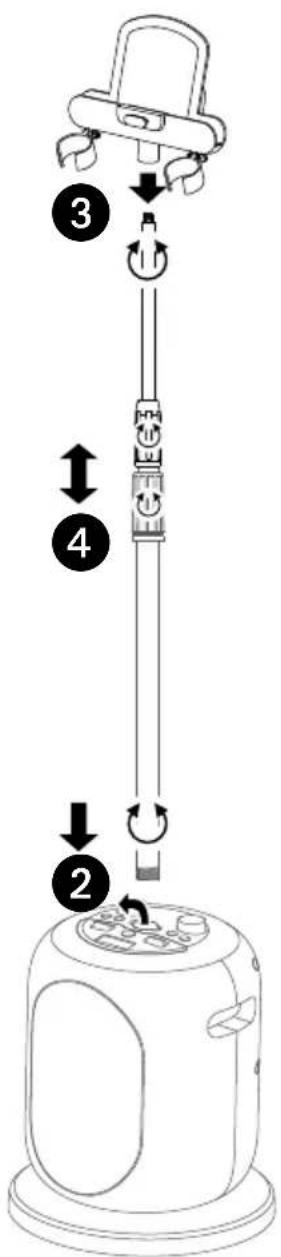
text_image
Diagram of a device with numbered steps and directional arrows indicating motion or assembly.text_image
Diagram showing step-by-step instructions for lifting a device, labeled with numbers 1, 2, and 3.text_image
Technical diagram of a vertical stand with numbered components labeled 1 to 4natural_image
Line drawing of a microphone connected to an electrical outlet with a plug (no text or symbols)natural_image
Line drawing of a device with a microphone and plug, connected to an electrical outlet (no text or symbols)natural_image
Line drawing of a handheld device with a labeled button (no text or symbols present)natural_image
Top-down line drawing of a handheld device with a curved arrow indicating rotational motion (no text or symbols)natural_image
Technical line drawing of a device casing with a central microphone and mounting bracket (no text or symbols)natural_image
Line drawing of a device panel with a central microphone and labeled pin (no text or symbols beyond basic diagram)text_image
Diagram of a circular device interior with labeled components, showing numbered parts for identification.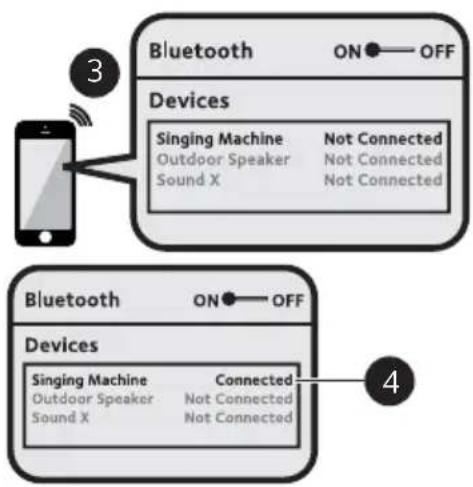
flowchart
graph TD
    A["Smartphone"] -->|3| B["Bluetooth ON OFF Devices"]
    B --> C["Singing Machine\nOutdoor Speaker\nSound X"]
    B --> D["Not Connected\nNot Connected\nNot Connected"]
    E["Bluetooth ON OFF Devices"] --> F["Singing Machine\nOutdoor Speaker\nSound X"]
    E --> G["Connected\nNot Connected\nNot Connected"]
natural_image
Line drawing of a handheld device with a button labeled '7' (no text or symbols beyond the number)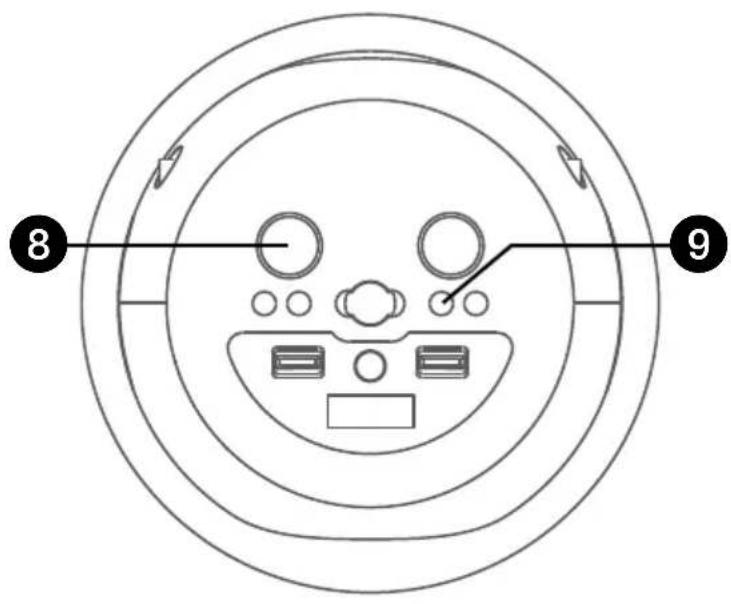
text_image
8 9text_image
Diagram of a device with labeled components and circular layout, showing front view and interior views with numbered annotations.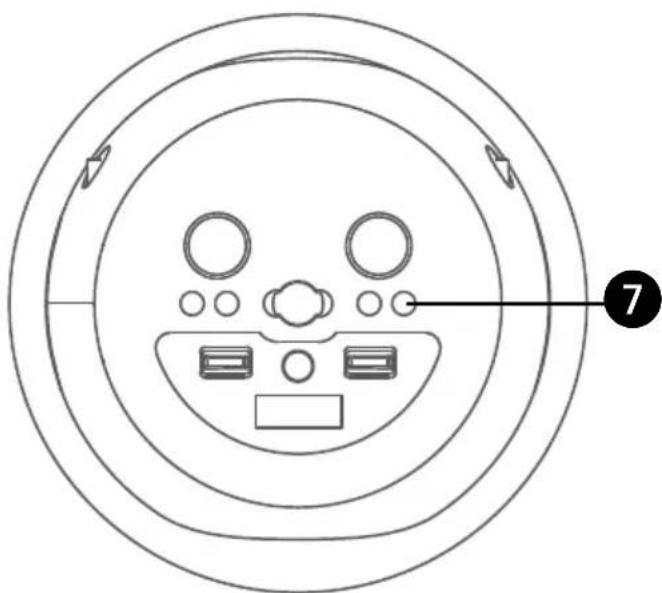
text_image
Diagram of a circular device interior with labeled components and directional arrows indicating flow or movement.natural_image
Simple line drawing of a rectangular device with an oval cutout and two small tabs on top (no text or symbols)Unité Principal
natural_image
Line drawing of a mechanical device with three legs and a handle (no text or symbols)natural_image
Pure line drawing of a cylindrical mechanical component with no text or symbolsSupport de micro extensible

Base
natural_image
Simple line drawing of a medical or electrical device with a coiled cable and attached component (no text or symbols)Adapteur CA
natural_image
Simple line drawing of a blank sheet or paper with no text, numbers, or symbolsManual D'Emploi
Micro 1
natural_image
Line drawing of a handheld electronic device with a circular handle and central button (no text or symbols)Micro 2
natural_image
Line drawing of a handheld electronic device with a central button and side ports (no text or symbols)Microphone sans fil
Assemblage
natural_image
Diagram of a device with a base and top, showing internal components and a close-up view of the component (no text or symbols present)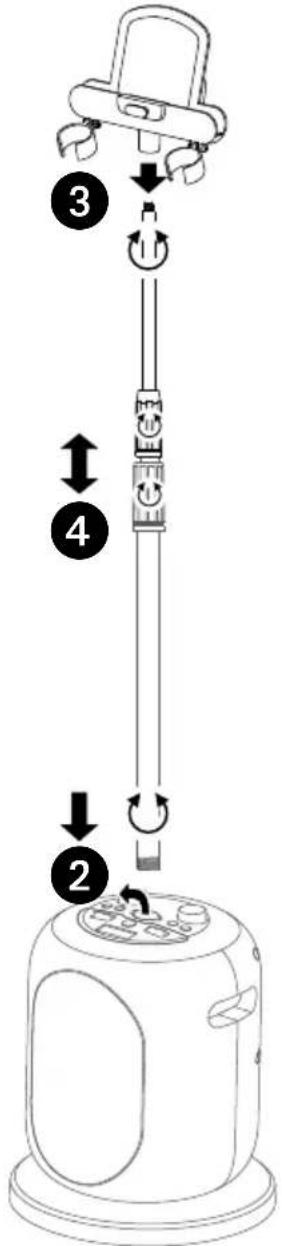
text_image
Diagram of a device with numbered steps and directional arrows indicating motion or assembly.text_image
Diagram showing step-by-step instructions for lifting a device, with labeled parts and directional arrows.text_image
Technical diagram of a vertical stand with numbered components labeled 1 to 4- Support
- Supports de micro
- Verrous de support MIC
- Haut-parleur
- Commande VOLUME MICRO/Commande VOCAL OFF
- 🎨/▶(Iouche Bluetooth/Lecture/Pause)
- ✉/ QTouche LUMIÈRE / MARCHE/VEILLE)
- Contrôle des effets vocaux
text_image
HAUT 5 6 7 8 9 10 11 12 13 14ARRIÈRE
text_image
15 16 17 18MICRO SANS FIL
text_image
19 20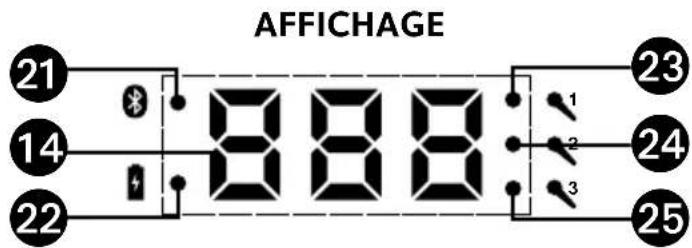
text_image
AFFICHAGE 21 14 22 888 1 2 3 23 24 25Batterie rechargeable
natural_image
Line drawing of a device with a microphone and plug, connected to an electrical outlet (no text or symbols)natural_image
Line drawing of a device with a microphone inside a housing and connected to an electrical outlet (no text or symbols)natural_image
Line drawing of a handheld device with a labeled button (no text or symbols beyond the number 1)natural_image
Line drawing of a handheld device with a curved arrow indicating rotational motion (no text or symbols)natural_image
Technical line drawing of a device casing with a central microphone and mounting base (no text or symbols)natural_image
Line drawing of a device panel with a microphone and connector (no text or symbols)text_image
Diagram of a circular device interior with labeled components and directional arrows indicating flow or movement.
flowchart
graph TD
    A["Smartphone"] -->|3| B["Bluetooth ON OFF Devices"]
    B --> C["Singing Machine\nOutdoor Speaker\nSound X"]
    B --> D["Not Connected\nNot Connected\nNot Connected"]
    E["Bluetooth ON OFF Devices"] --> F["Singing Machine\nOutdoor Speaker\nSound X"]
    E --> G["Connected\nNot Connected\nNot Connected"]
text_image
Diagram of a circular device interior with labeled components and directional arrows indicating flow or movement.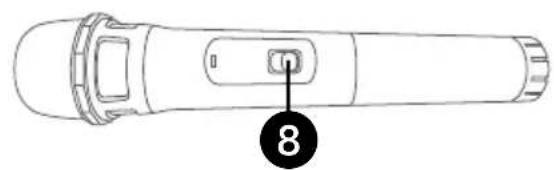
text_image
8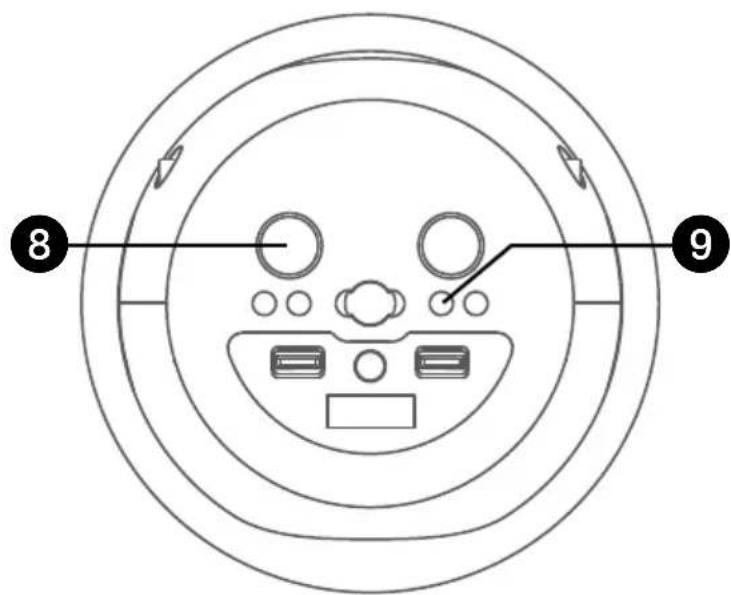
text_image
8 9text_image
Diagram of a circular device interior with labeled components and directional arrows indicating flow or movement.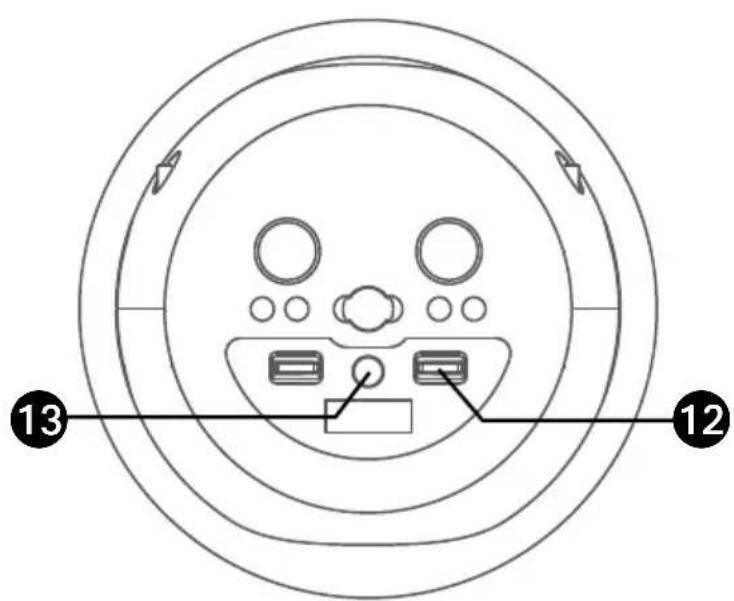
text_image
Diagram of a circular device interior with labeled components and numbered indicators (13 and 12)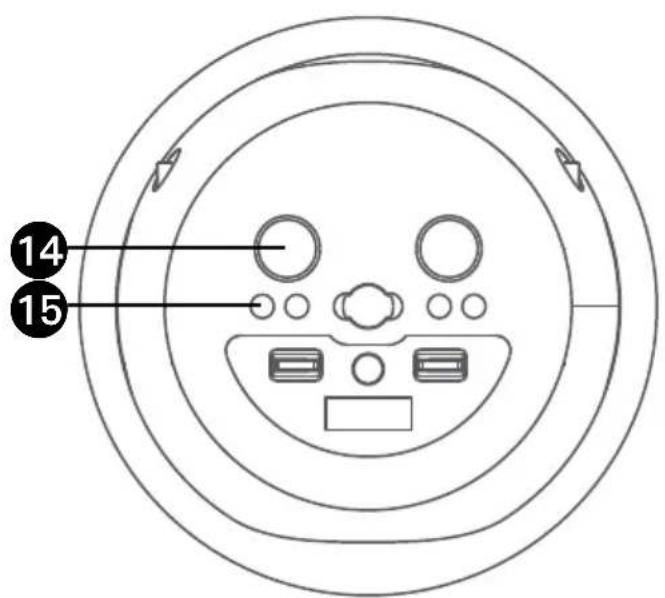
text_image
14 1510 LISEZ VOTRE PERFORMANCE DE CHANT
Copyright © 2021 All Rights Reserved.
The Singing Machine Company, Inc.
4060 E Jurupa Street, Unit B
Ontario, CA 91761-1413 USA
U.S. Representative
Company Name : The Singing Machine Company, Inc.
Address : 6301 NW 5th Way, Suite 2900, Fort Lauderdale,
FL33309, USA
Telephone : 954 -596-1000
Website : www.singingmachine.com
PRINTED IN CHINA
IMPRESO EN CHINA
Imprimé en Chine
2040-2105-ESF01-US