ManualGo.com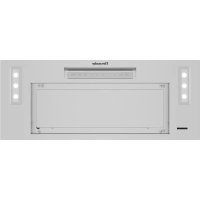
VCI6B30ZS - Basket THERMADOR - Free user manual and instructions
Find the device manual for free VCI6B30ZS THERMADOR in PDF.



Download the instructions for your Basket in PDF format for free! Find your manual VCI6B30ZS - THERMADOR and take your electronic device back in hand. On this page are published all the documents necessary for the use of your device. VCI6B30ZS by THERMADOR.
USER MANUAL VCI6B30ZS THERMADOR
- What this warranty covers & who it applies to p. 19
- How long this warranty lasts p. 19
- Repair/replace as your exclusive remedy p. 19
- Out of warranty product p. 20
- Warranty exclusion Page 3 SAFETY DEFINITIONS WARNING This indicates that death or serious injuries may occur as a result of non-observance of this warning. CAUTION This indicates that minor or moderate injuries may occur as a result of non-observance of this warning. NOTICE: This indicates that damage to the appliance or property may occur as a result of non-compliance with thisadvisory. NOTE: This alerts you to important information and/or tips.Page 4 p. 20
IMPORTANT SAFETY INSTRUCTIONS
READ AND SAVE THESE INSTRUCTIONS
WARNING When properly cared for, your new appliance has been designed to be safe and reliable. Read all instructions carefully before use. These precautions will reduce the risk of electrical shock, re and injury to persons. When using kitchen appliances, basic safety precautions must be followed including those in the following pages. Examine the appliance after unpacking it. In the event of transport damage, do not plug it in. WARNING TO REDUCE THE RISK OF FIRE, ELECTRIC SHOCK, OR INJURY TO PERSONS, OBSERVE THE FOLLOWING:
Use this unit only in the manner intended by the manufacturer. If you have questions, contact the manufacturer.
Before servicing or cleaning unit, switch power off at service panel and lock the service disconnecting means to prevent power from being switched on accidentally.
When the service disconnecting means cannot be locked, securely fasten a prominent warning device, such as a tag, to the servicepanel. WARNING TO REDUCE THE RISK OF FIRE, ELECTRIC SHOCK, OR INJURY TO PERSONS, OBSERVE THE FOLLOWING:
Installation work and electrical wiring must be done by quali ed person(s) in accordance with all applicable codes and standards, including re-rated construction.
Suf cient air is needed for proper combustion and exhausting of gases through the ue (chimney) of fuel burning equipment to prevent back drafting. Follow the heating equipment manufacturer’s guideline and safety standards such as those published by the National Fire Protection Association (NFPA), and the American Society for Heating, Refrigeration and Air Conditioning Engineers (ASHRAE), and the local code authorities.
When cutting or drilling into wall or ceiling, do not damage electrical wiring and other hidden utilities.
Ducted fans must always be vented to the outdoors. WARNING If the information in this manual is not followed exactly, a re or explosion may result causing property damage, personal injury or death. -- DO NOT store or use gasoline or other ammable vapors and liquids in the vicinity of this or any other appliance. -- WHAT TO DO IF YOU SMELL GAS
- DO NOT try to light any appliance.
- DO NOT touch any electrical switch.
- DO NOT use any phone in your building.
- Immediately call your gas supplier from a neighbor’s phone. Follow the gas supplier’s instructions.
- If you cannot reach your gas supplier, call the re department. -- Installation and service must be performed by a quali ed installer, service agency or the gas supplier. INSTALLER: LEAVE THESE INSTRUCTIONS WITH THE APPLIANCE AFTER INSTALLATION IS COMPLETE. OWNER : SAVE THESE INSTRUCTIONS FOR THE LOCAL INSPECTOR’S USE. Fire safety WARNING Use this appliance only for its intended use as described in this manual. Always have a working smoke detector near the kitchen. In the event that personal clothing or hair catches re, drop and roll immediately to extinguish ames. Have an appropriate re extinguisher available, nearby, highly visible and easily accessible near the appliance. Smother ames from food res other than grease res with baking soda. Never use water on cooking res. WARNING TO REDUCE THE RISK OF INJURY TO PERSONS IN THE EVENT OF A RANGE TOP GREASE FIRE, OBSERVE THE FOLLOWING:
a. SMOTHER FLAMES with a close- tting lid, cookie sheet, or metal tray, then turn off the burner. BE CAREFUL TO PREVENT BURNS. If the ames do not go out immediately, EVACUATE AND CALL THE FIRE DEPARTMENT. b. NEVER PICK UP A FLAMING PAN – You may be burned. c. DO NOT USE WATER, including wet dishcloths or towels – a violent steam explosion will result. d. Use an extinguisher ONLY if: - You know you have a Class ABC extinguisher, and you already know how to operate it. - The re is small and contained in the area where it started. - The re department is being called. - You can ght the re with your back to an exit.
Based on “Kitchen Fire Safety Tips” published by NFPA. Whenever possible, do not operate the ventilation system during a cooktop re. However, do not reach through re to turn it off. WARNING
When gas burners are in operation without any cookware placed on them, they can build up a lot of heat. A ventilation appliance installed above the cooker may become damaged or catch re. Only operate the gas burners with cookware on them.Page 5
IMPORTANT SAFETY INSTRUCTIONS
READ AND SAVE THESE INSTRUCTIONS
WARNINGRISK OF FIREHot oil and fat catch re fast. Never leave hot oil and fat unsupervised. Never extinguish a re with water. Switch off the cooking position. Suffocate ames carefully with a lid, a re blanket or similar.WARNINGRISK OF FIREGrease deposits in the grease lter can catch re. Never work with a naked ame near the appliance (e.g. ambéing). Install the unit near a heat-producing appliance for solid fuels (e.g. wood or coal) only if there is a closed, non-detachable cover. There must be no ying sparks.Clean the grease lter at lest every two months or as frequently as necessary.Never operate the appliance without the grease lter.WARNINGRISK OF BURNSThe accessible parts get hot during operation. Never touch hot parts. Keep children away. Child safety When children become old enough to use the appliance, it is the responsibility of the parents or legal guardians to ensure that they are instructed in safe practices by quali ed persons.Do not allow anyone to climb, stand, lean, sit, or hang on any part of an appliance. This can damage the appliance or cause injury.WARNINGBe sure the entire appliance (including the grease lter and light bulbs, if applicable) has cooled and grease has solidi ed before attempting to clean any part of the appliance.Do not use steam cleaners to clean the appliance. State of California Proposition 65 Warnings WARNINGThis product may contain a chemical known to the State of California, which can cause cancer or reproductive harm. Therefore, the packaging of your product may bear the following label as required by California: STATE OF CALIFORNIA PROPOSITION 65 WARNING: WARNING Cancer and Reproductive Harm - www.P65Warnings.ca.gov Causes of damage NOTICERisk of damage due to corrosion. Always turn appliance on when cooking to avoid condensation buildup. Condensation can lead to corrosion damage.Risk of damage due to moisture entering into the electronic circuitry. Never clean operator controls with a wet cloth.Surface damage due to incorrect cleaning. Clean stainless steel surfaces in the grain direction only. Do not use any stainless steel cleaners on operator controls. Never use strong or abrasive cleaning agents, since they can cause surface damage.Page 6 Operation and maintenance This appliance is intended for normal family household use only. It is not approved for outdoor use. See the Statement of Limited Product Warranty on pages 19 and 20. If you have any questions, contact the manufacturer. Do not store or use corrosive chemicals, vapors, ammables or nonfood products in or near this appliance. It is speci cally designed for use when heating or cooking food. The use of corrosive chemicals in heating or cleaning will damage the appliance and could result in injury. Do not operate this appliance if it is not working properly, or if it has been damaged. Contact an authorized servicer. Do not repair or replace any part of the appliance unless speci cally recommended in this manual. Refer all servicing to a factory authorized service provider. WARNING Improper installation of gas appliances and ventilation hoods can create a risk for carbon monoxide which can be harmful. To reduce the risk of carbon monoxide poisoning, ensure the gas appliance is properly installed according to the manufacturer’s instructions, as well as ensuring the hood is vented to the outside for proper exhausting of gases or fumes. Refer to local building codes for latest requirements and restrictions when installing ventilation products in recirculation mode
CAUTION Grease left on lter can melt and move into the vent and catch re. WARNING Hidden surfaces may have sharp edges. Use caution when reaching behind, in or under appliance. WARNING Tie long hair so that it does not hang loose, and do not wear loose tting clothing or hanging garments, such as ties, scarves, jewelry, or dangling sleeves. WARNING When the hood is operated in exhaust-air mode simultaneously with a different appliance which also makes use of the same chimney (such as gas, oil or coal- red heaters, continuous- ow heaters, hot-water boilers) care must be taken to ensure that there is an adequate supply of fresh air which will be needed by the appliance for combustion. This can be achieved if combustion air can ow through non-lockable openings, e.g. in doors, windows and via the air-intake/exhaust-air wall box or by other technical measures, such as reciprocal interlocking, etc. WARNING Avoid carbon monoxide poisoning – Make sure there is adequate make up air so that combustions gases are extracted. NOTE: When assessing the overall requirement, the combined ventilation system for the entire household must be taken into consideration. This rule does not apply to the use of cooking appliances, such as cooktops and ovens.
IMPORTANT SAFETY INSTRUCTIONS
READ AND SAVE THESE INSTRUCTIONSPage 7 Home Connect User’s Information Wi-Fi
IC: 21152-COM2 The Home Connect module is a communication device designed to provide communication between appliances and smart devices. This module is integrated at the factory, under direct control of BSH Home Appliances Corporation, and is not user serviceable or upgradable. At least 20 cm separation distance should be maintained from device to user.
FCC COMPLIANCE STATEMENT
CAUTION: Changes or modi cations not expressly approved could void your authority to use this equipment. This device complies with Part 15 of the FCC Rules. Operation to the following two conditions: (1) This device may not cause harmful interference, and (2) This device must accept any interference received, including interference that may cause undesired operation.
INDUSTRY CANADA STATEMENT
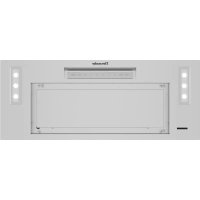
This device complies with Industry Canada licence-exempt RSS standard(s). Operation is subject to the following two conditions: (1) this device may not cause interference, and (2) this device must accept any interference, including interference that may cause undesired operation of the device.Page 8 UNIT OVERVIEW Refer to the illustration at right to identify the parts of your appliance: A: Decorative panel (the lter is located behind) B: LED modules C: Touch control panel.
OPERATING MODES You can use this appliance in the air extraction or the recirculation mode. NOTE: All openings in ceiling and wall where the hood will be installed must be sealed. Fan operation The air that is drawn in is cleaned by the grease lters and exhausted outdoors by a ductwork. NOTE: Ventilation may not exit through an already operational smoke or exhaust chimney, nor a duct used for ventilating furnace installation areas.
If the ventilation is intended to pass through a smoke or exhaust chimney that is not in operation, the responsible area heating inspector must give approval.
If the ventilation passes through an external wall, use a telescopic wall sleeve. Recirculating mode The air that is drawn in is cleaned by the grease lters and activated carbon lters and returned back into the kitchen. WARNING Improper installation of gas appliances and ventilation hoods can create a risk for carbon monoxide which can be harmful. To reduce the risk of carbon monoxide poisoning, ensure the gas appliance is properly installed according to the manufacturer’s instructions, as well as ensuring the hood is vented to the outside for proper exhausting of gases or fumes. Refer to local building codes for latest requirements and restrictions when installing ventilation products in recirculation mode
Recirculating mode fi lter To bind odors in recirculating mode, a charcoal lter must be installed. The required charcoal lter kits are available for purchase from specialist retailers, from customer service or from the Online Shop. See table below to nd out the lter kit part number corresponding to the unit model. Unit Model Charcoal Filter Kit
1. Open the decorative panel (A), then remove and set aside the lter
from the module and frame assembly by pulling down its tab (B).
2. Install the charcoal lter (included in the charcoal lter kit) on metal
grease lter back (A). Hold the charcoal lter in place using both metal clips (included in the charcoal lter kit) (B).
3. Reinstall the grease lter, then close the decorative panel.
FILTER Clean Filter Reminder After 40 hours of operation, the FILTER button will illuminate indicating that the lter needs to be cleaned. When this indicator illuminates clean the lter as instructed on page 15. After cleaning, press and hold the FILTER button for 3 seconds until it beeps to reset the 40-hour period and to turn the reminder off. Receive clean lter reminder noti cation through the Home Connect™ app when activated in settings section, as well as see lter saturation status. DELAY Delay Shut Off If the blower is off when the DELAY button is pressed, the blower will turn on to the high speed setting for 10 minutes. Once time has elapsed, the blower will automatically turn off. If the blower is on when the DELAY button is pressed, the blower runs for 10 minutes from the time the DELAY button was pressed at the current speed then turns off. During the 10 minute timed period, the DELAY button is illuminated. To interrupt a timed period, press one of the fan speed buttons or 0 button to turn off. Ability to choose a different time period and speed than the default setting is possible through the Home Connect™ app in the settings menu.
Off Touch ‘0’ once to turn the blower off and reset the control. 1-4 Fan Speeds Increases or decreases the blower speeds. The chosen blower speed LED will remain illuminated while in operation. 1 – Low 2 – Medium 3 – Medium/High 4 – High Remotely control and monitor hood fan speeds through Home Connect™ app. An ability to choose a different speed other than the default setting is also possible through the Home Connect app in the settings menu. AUTO Automatic Mode When in AUTO mode, the hood automatically turns the blower on, depending on the amount of heat the control senses. It automatically adjusts every 5 minutes. If the control does not sense a high level of heat, it will turn the blower off. LIGHTS LED Light Control This button controls the LED lighting. The rst press turns the lights on. A second press dims the lights. A third press turns the lights off. 0-100% light slider in Home Connect™ app allows additional control to obtain the perfect level of light. CONNECT Home Connect™ This function allows the user to connect the hood with a mobile device. See “With the Home Connect™ feature” on page 12. Control tone To turn OFF/ON the control tone, hold the FILTER and LIGHTS button for 3 seconds. Control tone can also be turned OFF/ON through the settings section of the Home Connect™ app.Page 11 OPERATION OF THE HOOD, HOW TO USE IT NOTE
- The blower should be turned on for about 5 minutes before cooking in order to establish air currents upward through the hood. Thus when heat, smoke, moisture, grease and cooking odors are produced, they will be carried outside instead of drifting into other rooms.
- Use the low speeds for normal use and the higher speeds for strong odors or fumes.
- Drafts across the range or cooktop will reduce the effectiveness of the hood. Such drafts should be prevented when possible.
- The best job of ventilation in the kitchen is done where the only air currents are those created by the blower itself.
- Regular use of the fan system while cooking helps keep the kitchen comfortable and less humid.
- Use a rear burner when browning or pan frying meat.
- For optimal performance, the width of the hood should equal that of the cooktop or rangetop or exceed it by 3 inches (76,2 mm) on either side.Page 12
WITH THE HOME CONNECT™ FEATURE
With Home Connect™, the appliance is Wi-Fi-capable and can be remotely controlled using a mobile device (e.g. tablet PC, smartphone). Home Connect™ app offers additional functions which are a perfect complement to the networked appliance. Home Connect™ does not work over Wi-Fi networks that require browser registration, i.e. a user name and password entered via a web browser. You should have a stable wireless network with good reception and access to the internet. If the appliance is not connected to the WLAN network (home network), it functions in the same way as a typical hood with no network connection and can be operated as usual via the Touch Panel. NOTE: Please ensure that you follow the safety instructions given at the beginning of this instruction manual and that these are also observed when operating the appliance via the Home Connect™ app and when away from home. Please also follow the instructions in the Home Connect™ app. NOTE: Operation on the appliance itself always takes priority, and during this time it is not possible to operate the appliance using Home Connect™ App. Cooktop-Hood Sync You can connect this appliance to a matching cooktop (if the cooktop supports connection to the hood) and then control the functions of the hood via your cooktop. There are various options for connecting the appliances: Home Connect™ Two appliances can be connected using the Home Connect™ app provided that both appliances are Home Connect™ compatible. Refer to the Home Connect™ documents supplied for more information. Connecting appliances directly If the appliance is connected directly to a cooktop, it cannot be connected to your home network as well. The appliance will function in the same way as a hood that is not connected to the network and you can continue to operate it via the touch control panel. Connecting appliances via your home network If the appliances are connected to each other via your home network, both the hood controls on the cooktop and Home Connect™ can be used to operate the appliance. NOTES:
- Make sure you follow the safety instructions in the instruction manual for your hood and that these are complied with even when operating the appliance via the hood controls on the cooktop.
- If the hood is being operated by means of the touch control panel on the hood itself, this mode of operation always has priority. It is not possible to use the hood controls on the cooktop during this time. Setting up a connection To set up the connection between the hood and the cooktop, the hood must be switched off and the cooktop must be switched on before you can connect the cooktop and hood. Connecting directly Ensure that the cooktop is switched on and is in search mode. To do this, refer to the section entitled “Connecting to the hood” in the instruction manual for your cooktop. NOTES
- If your hood is connected directly to the cooktop, it cannot be connected to your home network as well and you will not be able to use Home Connect™.
- The cooktop must not be connected to your home network. To break a connection, follow the instructions in the section entitled “Disconnecting from the network”. Press and hold the CONNECT button until it starts to ash. The hood has been connected to the cooktop when the CONNECT button stops ashing and remains continuously lit. Connecting via your home network Follow the instructions in the section entitled “Connecting your hood to your home network (Wi-Fi)” on page 18. Once the hood is connected to your home network, you can connect to the hob via the Home Connect™ app. To do this, follow the instructions on your mobile device. Setting up To implement settings via Home Connect™, you must have installed the Home Connect™ App on a mobile device (e.g. tablet PC, smartphone). Follow the steps speci ed by the app to implement the settings. What do you need to connect your hood to Home Connect™?
- Your smartphone or tablet PC must be running the latest version of the operating system it uses.
- A home network signal (Wi-Fi) at the location where the home appliance is located.
- Name and password for your home network (Wi-Fi): (SSID):.......................................................................... Password:.................................................................... Step 1: Installing the Home Connect™ app
1. On your smartphone or tablet PC, go to the App Store (Apple
3. Select the “Home Connect (America)” app published by BSH Home
Appliances Corporation and install it on your smartphone or tablet. Open the Home Connect™ app and press “Register” to create a new Home Connect™ account. The app will guide you through the registration process. Don’t forget to make a note of your e-mail address and password afterwards. Save your Home Connect™ login details here: Email:........................................................................ Password:..................................................................Page 13 Step 2 (initial start-up): Connecting your hood to your home network (Wi-Fi) A. Connect the appliance. B. Check whether your home network router has A WPS function (automatic connection) and locate the WPS button. Refer to the router manual for more information. C. Does your router have a WPS function (automatic connection)? Now go on to Step 2.1 – Yes Automatic connection (WPS connection). Now go on to Step 2.2 –
Manual connection (Professional mode). Step 2.1: Connect to your home network (Wi-Fi) via WPS
- Press SPEED 1 button.
- CONNECT and SPEED 1 buttons ash.
- WPS connection process started. A. Note: To connect the hood to your home network, the hood and the light must be switched off. You can cancel the process at any time by pressing “0”. B. Press and hold the “CONNECT” button until “0” and “CONNECT” start ashing. C. Press “1”. Note: “1” and “CONNECT” will ash. D. If you have WPS, press the WPS button on your router. Note: Please consult your router’s manual to locate the WPS button. E. When “CONNECT” and “3” ashes your appliance is connected to the home network. Go on to step 3. Error: If the “CONNECT” and “2” light ashes then the hood could not establish a connection with your home Wi-Fi within 2 minutes. Fix: Check whether your hood is in range of your Wi-Fi and repeat the process. If unsuccessful, refer to step 2.2 to connect the hood manually.
WITH THE HOME CONNECT™ FEATURE
Step 2.2: Manually connecting your hood to your home network (Wi-Fi) Before connecting make sure you have opened the Home Connect app and created an account. A. Note: To connect the hood to your home network, the hood and the light must be switched off. You can cancel the process at any time by pressing “0”. B. Press and hold the “CONNECT” button until it starts ashing. C. Press “2”. Note: “2” and “CONNECT” will start ashing. D. Follow directions in the Home Connect app. You will be directed to connect to network named “HomeConnect”. This is your hoods Wi-Fi-network. Use the following login information to connect: Wi-Fi-Name/SSID: HomeConnect Password/Key: HomeConnect E. Open the Home Connect™ App on your mobile device. F. The app will prompt you to enter your home Wi-Fi’s network name and password. Note: The app may take a few minutes to nd your hood. G. Next, follow directions in the App. H. When “CONNECT” and Fan Setting “3” ashes your appliance is connected to the home network. Go on to step 3. Step 3: Connecting your hood to another Home Connect™ account A. Open general settings on your mobile device and then open Wi-Fi settings. Connect to the same home network (Wi-Fi) as the hood. B. Press and hold the “CONNECT” button until the “CONNECT” and 3 buttons start ashing. C. Open the app on your mobile device and follow the instructions. D. The registration process is complete once “CONNECT” stops ashing on the hood. Error: The appliance fails to connect to the app (The “CONNECT” light will turn off). Fix: Ensure your smartphone or tablet is connected to the same home network (Wi-Fi). Check that your wireless connection is stable and has a strong signal. Then repeat the process from step 2. If you want to change the wireless home network that is connected to the hood, reset the connection to your hood by: A. Press and hold the “CONNECT” and fan setting “0” buttons on your hood for at least 3 seconds. The “CONNECT” button will turn off. B. Repeat the process from step 2.Page 14
WITH THE HOME CONNECT™ FEATURE
Software update Using the software update function, your hood’s software can be updated (e.g. for the purpose of optimization, troubleshooting or security updates). To do this, you need to be a registered Home Connect™ user, have installed the app on your mobile device and be connected to the Home Connect™ server. As soon as a software update is available, you will be informed through the Home Connect™ app and will be able to start the software update via the app. Once the update has been successfully downloaded, you can start installing it via the Home Connect™ app if you are on your local area network. The Home Connect™ app will inform you once installation is complete. NOTES
- You can continue to use your hood as normal while updates are downloading.
- Depending on your personal settings in the app, software updates can also be set to download automatically.
- We recommend that you install security updates as soon as possible. Resetting the connection You can reset the connections you have saved on your home network and on Home Connect™ at any time.
- Press and hold the 0 and CONNECT buttons at the same time until the CONNECT symbol is no longer illuminated. About Data Protection When your appliance is connected for the rst time to a WLAN network, which is connected to the Internet, your appliance transmits the following categories of data to the Home Connect™ server (initial registration):
- Unique appliance identi cation (consisting of appliance codes as well as the MAC address of the installed Wi-Fi communication module).
- Security certi cate of the Wi-Fi communication module (to ensure a secure IT connection).
- The current software and hardware version of your domestic appliance.
- Status of any previous resetting to factory settings. This initial registration prepares the Home Connect™ functions for use and is only required when you want to use these Home Connect™ functions for the rst time. NOTE: Ensure that the Home Connect™ functions can be used only in conjunction with the Home Connect™ app. Information on data protection can be accessed in the Home Connect™ app.Page 15
WARNING To avoid risk of re and explosion do not use ammable liquids or solvents. Always switch power off at the service panel and lock the panel to prevent the power from being switched on accidentally. Do not use steam cleaners to clean the appliance. Hidden surfaces may have sharp edges. Use caution when reaching behind or under appliance. WARNING
RISK OF ELECTRIC SHOCK
Moisture penetration can cause electric shock. Only clean appliance with a damp cloth. Prior to cleaning, switch power off at the service panel and lock the panel to prevent the power from being switched on accidentally. Cleaning agents To prevent various surfaces from becoming damaged due to incorrect cleaning agents, follow the speci cations given in the table. Do not use:
- cleaning agents that are harsh or scouring,
- cleaning agents with high alcohol content,
- hard scouring pads or sponges,
- high-pressure cleaners or steam cleaners. Thoroughly rinse all new sponges before use. Observe all instructions and warnings accompanying cleaning agents. Area Cleaning agents Stainless steel Warm soapy water: Clean with a non-abrasive, non-sponge dish towel and dry with a clean, soft towel. Clean stainless steel surfaces in the grain direction only. Apply the Thermador Stainless Steel Conditioner (part # 00576697) available for purchase from customer service. Apply a thin layer of the care product with a soft cloth. Painted surfaces Warm soapy water: Clean with a non-abrasive, non-sponge dish towel and dry with a clean,soft towel. Do not use stainless steel cleaner. Aluminum and plastic Glass cleaner: Clean with a soft cloth. Glass Glass cleaner: Clean with a soft cloth. Do not use a glass scraper. Controls Warm soapy water: Clean with a non-abrasive, non-sponge dish towel and dry with a clean, soft towel. Risk of damage to electronics due to moisture penetration. Never clean controls with a wet cloth. Do not use stainless steel cleaner.Page 16
Metal grease fi lter cleaning WARNING RISK OF FIRE. Grease deposits in the grease lter can ignite. Clean the grease lter at least every two months, or as frequently as necessary. Never operate the appliance without the grease lter. WARNING Do not reach inside the hood, there can be sharp points and hidden edges. NOTES
- Do not use any aggressive, acidic or alkaline cleaning agents.
- When cleaning the metal grease lter, also clean the metal grease lter holder in the appliance with a moist cloth.
- You can clean the metal grease lter in a dishwasher or by hand. Uninstalling the metal grease fi lter
1. Open the decorative panel to access the metal grease lter.
NOTE: If desired, unhook the decorative panel to ease cleaning.
2. Pull the lter tab to remove the metal grease lter from its mounting.
- Grease can gather in the bottom of the metal grease lter.
- Hold metal grease lter horizontally to prevent grease from dripping.
3. Clean metal grease lter.
By hand: NOTE: You can use a special grease solvent if soiling is stubborn. You can order it via the online shop.
- Soak the metal grease lter in hot soapy solution.
- Use a brush for cleaning and then rinse the lter well.
- Allow the metal grease lter to drip dry. In the dishwasher: NOTE: Slight discoloration is possible when cleaning the grease lter in the dishwasher. This does not affect the metal grease lter’s functioning.
- Do not clean extremely dirty metal grease lter with dishes.
- Loosely position the metal grease lter in the dishwasher. The metal grease lter must not be jammed in. Installing the metal grease fi lter Insert metal grease lter (A), then reinstall the decorative panel (B) (if removed for cleaning) and close it.
BPage 17 You can often easily eliminate issues that may occur on your own. Before calling customer service, take into account the following information. WARNING
RISK OF ELECTRIC SHOCK
Improper repairs are dangerous. Only an authorized servicer may perform repairs and may replace damaged connecting leads. Remove the fuse or deactivate the breaker in the fuse box or breaker box if the appliance is damaged. Call Customer Service. TROUBLESHOOTING Disruption Possible Cause and Solution The hood is not venting properly
- The hood may be too high from the cook top.
- The hood may not be centered above the cook top.
- Make up air not suf cient.
- The wind from opened windows in the surrounding area is affecting the ventilation of the hood. Close all the windows to eliminate the outside air ow.
- Blockage in the duct opening or ductwork. Remove all blockage from the ductwork or duct opening.
- Duct length too long, too many elbows, “back to back” elbows, or too small roof or wall cap, will all cause issues with air draw. Fault tone • Two short beeps will sound whenever the pressing of a button by the user results in a possible function that is not possible by the system. The beep tone can be disabled by pressing the FILTER and LIGHTS buttons simultaneously for at least 3 seconds. Pressing the FILTER and LIGHTS buttons simultaneously when the beep sound is turned off will turn on the beep sound. Lighting not working.
- LED lighting module have failed. The LED modules are replaceable by an authorized service provider only. See the support contact information in Customer Service section. Disruption Possible Cause and Solution Noise during operation Some noise is normal due to vibration and air movement.
- Excessive noise could indicate one of the following: -- ductwork is too small / undersized -- ductwork is too large / oversized -- ductwork is loose -- transition is too small or is loose -- wood screws are not fully tightened -- loose screws in trim parts, etc. Check installation manual to verify that ductwork is the proper size. Tighten screws. Noise when unit is off.
- Backflow flap on outside of duct wall cap moves with the wind. This is normal. Lights and fan blower do not work
- Hood circuit breaker may be tripped. Reset breaker. Fan blower does not work.
- Power supply is insuf cient.
- Electrical wiring is incorrectly connected. See the installation manual for more information. Hood trips breaker.
- Electrical wiring is incorrectly connected.
- Circuit is not suf cient.Page 18 Before calling service First, refer to the troubleshooting section. Refer to the “Statement of Limited Product Warranty”. To reach a service representative, see the contact information at right. Please be prepared with the information printed on your product rating plate when calling. Rating plate The rating plate shows the model and serial number. Refer to the rating plate on the appliance when requesting service. The rating plate can be found inside the hood shell. To avoid having to search for each piece of information when calling, you can enter the four items needed in the spaces below. Keep your invoice or escrow papers for warranty validation if service is needed. Service We realize that you have made a considerable investment in your kitchen. We are dedicated to supporting you and your appliance so that you have many years of creative cooking. Please don’t hesitate to contact our STAR
Customer Support Department if you have any questions or in the unlikely event that your THERMADOR
appliance needs service. Our service team is ready to assist you. USA 800-735-4328 www.thermador.com/us/support/customer-care Canada 800-735-4328 www.thermador.ca/en/support Parts and accessories Parts, lters, descalers, stainless steel cleaners and more can be purchased in the THERMADOR
eShop or by phone. USA www.thermador.com/us/accessories Canada www.thermador.ca/en/support/ lters-cleaners-accessories THERMADOR
What this Warranty Covers & Who it Applies to The limited warranty provided by BSH Home Appliances (“Thermador“) in this Statement of Limited Product Warranty applies only to the Thermador appliance sold to you (“Product“), provided that the Product was purchased:
- For your normal, household (non-commercial) use, and has in fact at all times only been used for normal household purposes.
- New at retail (not a display, “as is”, or previously returned model), and not for resale, or commercial use.
- Within the United States or Canada, and has at all times remained within the country of original purchase. The warranties stated herein apply to the original purchaser of the product warranted herein and to each succeeding owner of the product purchased for ordinary home use during the term of the warranty. Please make sure to return your registration card; while not necessary to effectuate warranty coverage, it is the best way for Thermador to notify you in the unlikely event of a safety notice or product recall. How Long the Warranty Lasts Thermador warrants that the Product is free from defects in materials and workmanship for a period of seven hundred and thirty (730) days from the date of purchase. The foregoing timeline begins to run upon the date of purchase, and shall not be stalled, tolled, extended, or suspended, for any reason whatsoever. This Product is also warranted to be free from cosmetic defects in material and workmanship (such as scratches of stainless steel, paint/ porcelain blemishes, chips, dents, or other damage to the nish) of the Product, for a period of sixty (60) days from the date of purchase or closing date for new construction. This cosmetic warranty excludes slight color variations due to inherent differences in painted and porcelain parts, as well as differences caused by kitchen lighting, product location, or other similar factors. This cosmetic warranty speci cally excludes any display, oor, "As Is", or "B" stock appliances. Repair/Replace as Your Exclusive Remedy During this warranty period, Thermador or one of its authorized service providers will repair your Product without charge to you (subject to certain limitations stated herein) if your Product proves to have been manufactured with a defect in materials or workmanship. If reasonable attempts to repair the Product have been made without success, then Thermador will replace your Product (upgraded models may be available to you, in Thermador’s sole discretion, for an additional charge). Nothing in this warranty requires damaged or defective parts to be replaced with parts of a different type or design than the original part. All removed parts and components shall become the property of Thermador at its sole option. All replaced and/or repaired parts shall assume the identity of the original part for purposes of this warranty and this warranty shall not be extended with respect to such parts. Thermador's sole liability and responsibility hereunder is to repair manufacturer-defective Product only, using a Thermador authorized service provider during normal business hours. For safety and property damage concerns, Thermador highly recommends that you do not attempt to repair the Product yourself, or use a non-authorized service provider; Thermador will have no responsibility or liability for repairs or work performed by a non-authorized service provider. Authorized service providers are those persons or companies that have been specially trained on Thermador products, and who possess, in Thermador's opinion, a superior reputation for customer service and technical ability (note that they are independent entities and are not agents, partners, af liates or representatives of Thermador). Notwithstanding the foregoing, Thermador will not incur any liability, or have responsibility, for the Product if it is located in a remote area (more than 100 miles from an authorized service provider) or is reasonably inaccessible, hazardous, threatening, or treacherous locale, surroundings, or environment; in any such event, if you request, Thermador would still pay for labor and parts and ship the parts to the nearest authorized service provider, but you would still be fully liable and responsible for any travel time or other special charges by the service company, assuming they agree to make the service call.Page 20
STATEMENT OF LIMITED PRODUCT WARRANTY
Out of Warranty Product Thermador is under no obligation, at law or otherwise, to provide you with any concessions, including repairs, prorates, or Product replacement, once this warranty has expired. Warranty Exclusion The warranty coverage described herein excludes all defects or damage that are not the direct fault of Thermador, including without limitation, one or more of the following:
- Use of the Product in anything other than its normal, customary and intended manner (including without limitation, any form of commercial use, use or storage of an indoor product outdoors, use of the Product in conjunction with air or water-going vessels).
- Any party's willful misconduct, negligence, misuse, abuse, accidents, neglect, improper operation, failure to maintain, improper or negligent installation, tampering, failure to follow operating instructions, mishandling, unauthorized service (including selfperformed “ xing” or exploration of the appliance's internal workings).
- Adjustment, alteration or modi cation of any kind.
- A failure to comply with any applicable state, local, city, or county electrical, plumbing and/or building codes, regulations, or laws, including failure to install the product in strict conformity with local re and building codes and regulations.
- Ordinary wear and tear, spills of food, liquid, grease accumulations, or other substances that accumulate on, in, or around the Product.
- Any external, elemental and/or environmental forces and factors, including without limitation, rain, wind, sand, oods, res, mud slides, freezing temperatures, excessive moisture or extended exposure to humidity, lightning, power surges, structural failures surrounding the appliance, and acts of God. In no event shall Thermador have any liability or responsibility whatsoever for damage to surrounding property, including cabinetry, oors, ceilings, and other structures or objects around the Product. Also excluded from this warranty are Products, on which the serial numbers have been altered, defaced, or removed; service visits to teach you how to use the Product, or visits where there is nothing wrong with the Product; correction of installation problems (you are solely responsible for any structure and setting for the Product, including all electrical, plumbing or other connecting facilities, for proper foundation/ ooring, and for any alterations including without limitation cabinetry, walls, oors, shelving, etc.); and resetting of breakers or fuses. TO THE EXTENT ALLOWED BY LAW, THIS WARRANTY SETS OUT YOUR EXCLUSIVE REMEDIES WITH RESPECT TO PRODUCT, WHETHER THE CLAIM ARISES IN CONTRACT OR TORT (INCLUDING STRICT LIABILITY, OR NEGLIGENCE) OR OTHERWISE. THIS WARRANTY IS IN LIEU OF ALL OTHER WARRANTIES, WHETHER EXPRESS OR IMPLIED. ANY WARRANTY IMPLIED BY LAW, WHETHER FOR MERCHANTABILITY OR FITNESS FOR A PARTICULAR PURPOSE, OR OTHERWISE, SHALL BE EFFECTIVE ONLY FOR THE PERIOD THAT THIS EXPRESS LIMITED WARRANTY IS EFFECTIVE. IN NO EVENT WILL THE MANUFACTURER BE LIABLE FOR CONSEQUENTIAL, SPECIAL, INCIDENTAL, INDIRECT, "BUSINESS LOSS", AND/OR PUNITIVE DAMAGES, LOSSES, OR EXPENSES, INCLUDING WITHOUT LIMITATION TIME AWAY FROM WORK, HOTELS AND/ OR RESTAURANT MEALS, REMODELLING EXPENSES IN EXCESS OF DIRECT DAMAGES WHICH ARE DEFINITIVELY CAUSED EXCLUSIVELY BY Thermador, OR OTHERWISE. SOME STATES DO NOT ALLOW THE EXCLUSION OR LIMITATION OF INCIDENTAL OR CONSEQUENTIAL DAMAGES, AND SOME STATES DO NOT ALLOW LIMITATIONS ON HOW LONG AN IMPLIED WARRANTY LASTS, SO THE ABOVE EXCLUSIONS OR LIMITATIONS MAY NOT APPLY TO YOU. THIS WARRANTY GIVES YOU SPECIFIC LEGAL RIGHTS, AND YOU MAY ALSO HAVE OTHER RIGHTS WHICH VARY FROM STATE TO STATE. No attempt to alter, modify or amend this warranty shall be effective unless authorized in writing by an of cer of BSH.Page 21 Table des MATIÈRES Cet appareil THERMADOR est fabriqué par BSH Home Appliances Corporation 1901 Main Street, Suite 600 Irvine, CA 92614 États-Unis Des questions? 1800735-4328 www.thermador.com N’hésitez pas à communiquer avec nous! DÉFINITIONS DES TERMES DE SÉCURITÉ .................................. 22