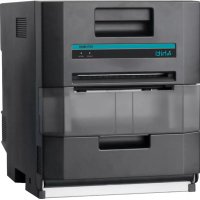
M610 - Printer HITI - Free user manual and instructions
Find the device manual for free M610 HITI in PDF.


User questions about M610 HITI
0 question about this device. Answer the ones you know or ask your own.
Ask a new question about this device
Download the instructions for your Printer in PDF format for free! Find your manual M610 - HITI and take your electronic device back in hand. On this page are published all the documents necessary for the use of your device. M610 by HITI.
USER MANUAL M610 HITI
natural_image
Line drawing of a desktop computer case with ventilation slots and drive bays (no text or symbols)HiTi Digital, Inc.
www.hiti.com
TABLE OF CONTENTS
Chapter 1. Important Safety Instruction
Environments 1-1
Handling Instruction 1-2
Handling Instruction for Consumable and Printed Output 1-3
Chapter 2. Installing and Set Up
Table of Contents 2-1
Parts Name and Function 2-2
Connecting Power Cord & USB cable 2-3
Loading Paper 2-4
Loading Ink Ribbon 2 - 5
Loading Dust box 2-6
Chapter 3. Routine Maintenance
Clean Print head & Rollers 3-1
Clean Filters 3-2
Chapter 4. LED Massage
LED Massage table 4-1
Chapter 5. Errors Handling
Error handling 5-1
Chapter 6. After-sales Service & Specification
Specification 6-1
Chapter 1. Important Safety Instruction
This manual provides detail instructions for the safety use of the printer.
Please read this manual carefully before operating the printer to ensure having proper use.
In this manual, there are notes that require special attention. For your safety operation, Safety Notices are separated as follows;

Inappropriate handling can cause serious wounds and/or physical damage to the users.

Explanation about the cause of the trouble and the environmental condition.
It is difficult to forecast all the danger in setting and use of the printer. Therefore, warnings in this Operation Manual, in the other documents on the printer cannot cover all the cases. In case of performing the operation or maintenance which is not described in this manual, all the concern for the safety have to be taken care of at the customer side.
◆ Operation and the notification for the maintenance described in this manual and other documents are for the proper use of the printer. In case of using the printer for the other purpose, all the concern for the safety has to be taken care of at the customer side.
Do not perform the operation which is prohibited in this manual and other document.
◆ The contents that cannot be printed due to a failure while using the use of this printer are not guaranteed.
Environments
To use the printer safety, please pay attention to the followings:

Do not let children to touch the printer or cables. It may cause accidents or electric shock.

Do not place the printer under a humid or dusty place. It can cause a fire, electric shock or printer problem. Do not place the printer with dust, sand and high humidity such as bathing place, bathroom, hot spring, or on the street.

Do not place the printer on rickety place and/or inclined place. Printer may fall down or tumble and it can cause serious injury.

Do not place the printer under the low temperature such as ski yard, skating rink or open-air with direct sunlight.

Do not put vase, flowerpot, and cup or anything contents water or metric items on the printer. Water spilt or metallic items fall into the printer may cause the fire and electric shock. In case the water spilt or metallic items fall into the printer, please turn off the printer power immediately.

Do not block the openings of the printer. In case, the opening blocked, the heat will remain inside and it can cause the fire.
Handling Instruction
When handling the printer, please pay attention to the followings;

Lift the printer from its box and put it onto a flat and firm table or desk.

When moving the printer, hold the bottom edge of the printer.

In the case of dropping the printer during transportation, contact HiTi dealers or service center for inspection of the printer. Using the printer with possible damage without proper inspection may cause fire or electric shock.

Do not dismantle or remodel the printer. Some sections of the printer contain a high voltage or become very hot. Ignoring this warning may cause electric shock, fire, or burns.

Please make sure the power is off and the power cord is removed from the printer before transportation.

Please take caution when transporting the printer on the slippery floor.

Secure the power cable firmly while using.

The thermal head reaches high temperature during operation but it is normal. Do not touch the thermal head by any case. Touch the thermal head may cause personal injury or damage of the printer.

Touching the surface of the thermal head directly may cause damage to the thermal head. Hard object getting into the printer may also cause the damage to the printer mechanism. In such case, please do not use the printer while any obstacle inside the printer.

Do not attempt to service the printer beyond the instruction specified in this document. In case of irrecoverable problem, please contact HiTi dealers or service center.
Handling Instruction for Consumable and Printed Outputs
In handling the ink ribbon, paper and printed outputs, please pay attention to the followings;

Paper Handling
• Use only the paper specified by HiTi.
- Store the paper flat.
- Store the paper in a dry and dark place to avoid direct sunlight.
(Temperature less than 30°C, Humidity: lass than 60%).
- Do not touch the paper surface before printing to avoid fingerprints.

Ink Ribbon Handling
• Use the ink ribbon specified by HiTi.
- Store the ink ribbon in cool place to avoid sunlight.
(Temperature less than 30°C, Humidity: less than 60%).

Printout Handling
- Store the ink ribbon in cool place to avoid sunlight
- Store the printout way from the organic solvent or fluid which may change or deteriorate the colors.

When abandon the ink ribbon, please handle it as harmful industrial waste.

Please take caution while handling the paper to prevent injure to the hands or paper-cut.
Chapter 2. Installing and Set Up
Table of Contents
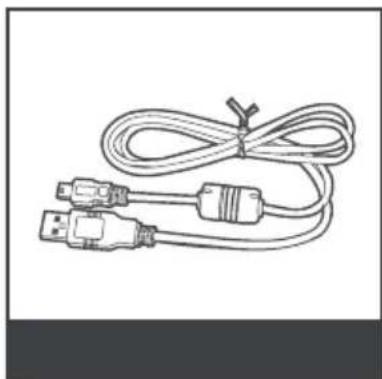
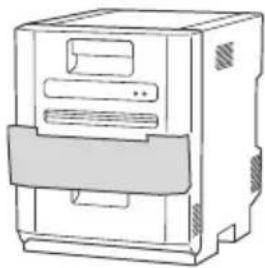
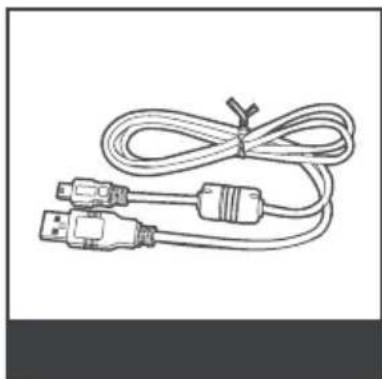
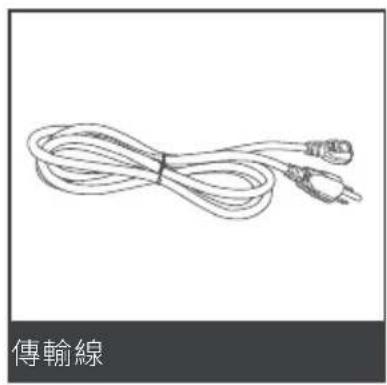
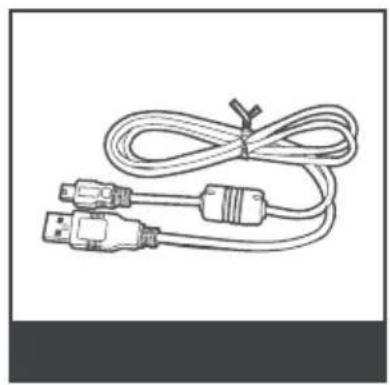
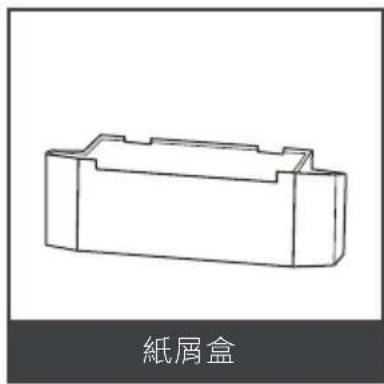
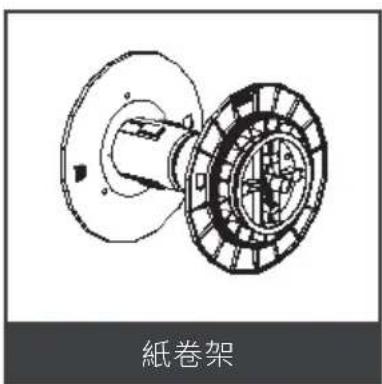
Take out the printer and accessories from the accessory bag and check the contents.
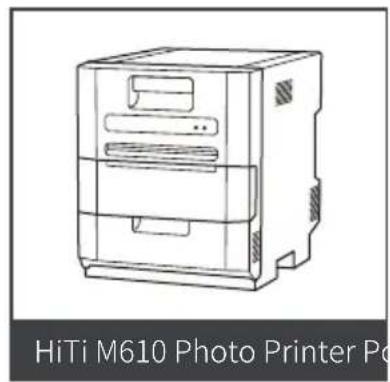
natural_image
Line drawing of a HiTi M610 Photo Printer Pd device (no text or symbols on the device itself)
natural_image
Line drawing of a cord with two leads, labeled 'ord USB cable' below (no other text or symbols)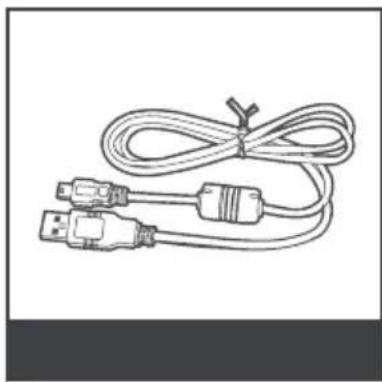
natural_image
Line drawing of a USB cable with two connectors and a connector strap (no text or symbols)
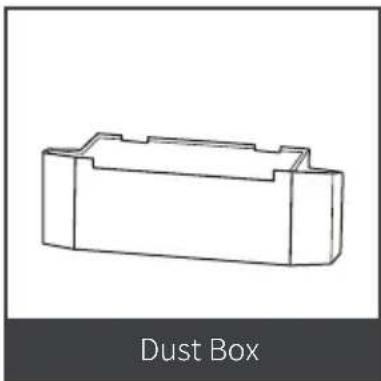
natural_image
3D line drawing of a dust box component (no text or symbols on the object itself)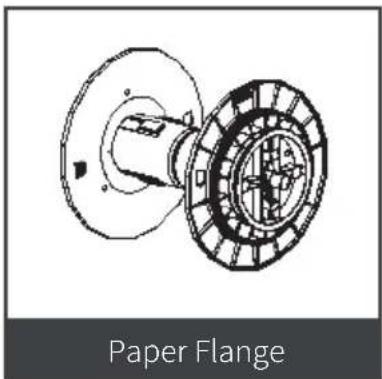
Parts Name and Function
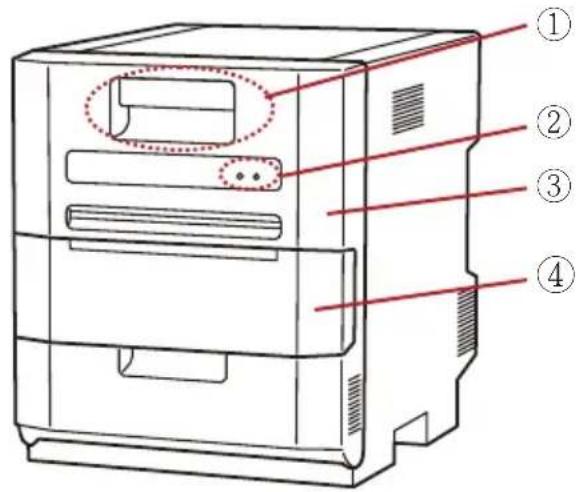
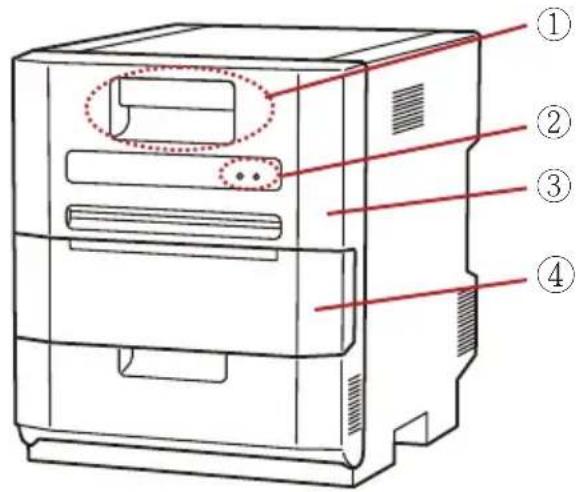
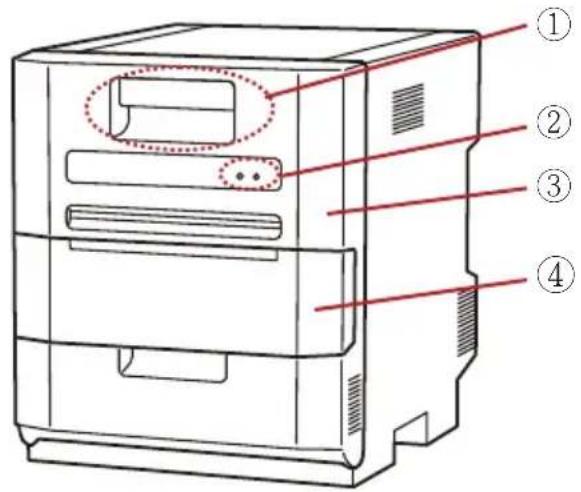
Front View
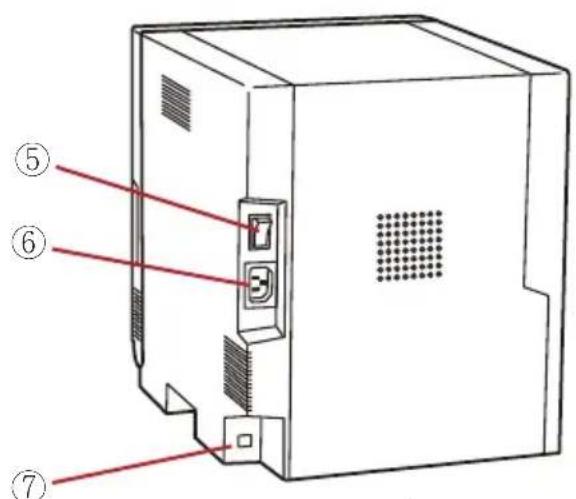
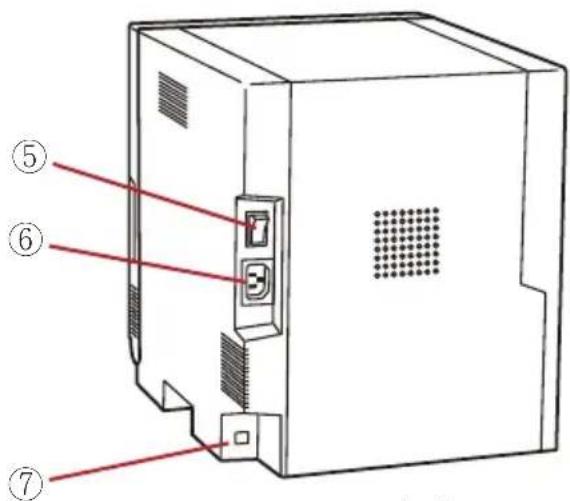
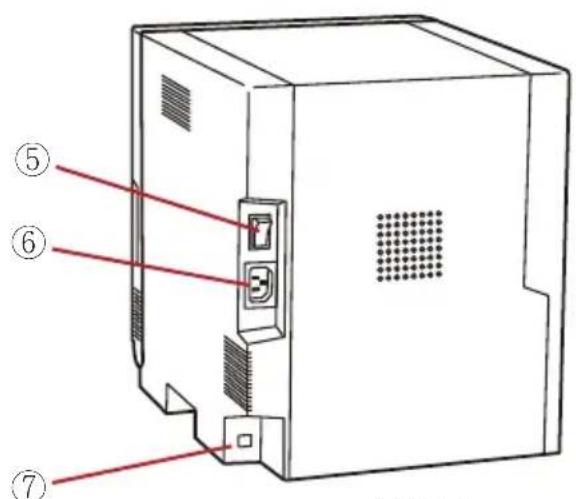
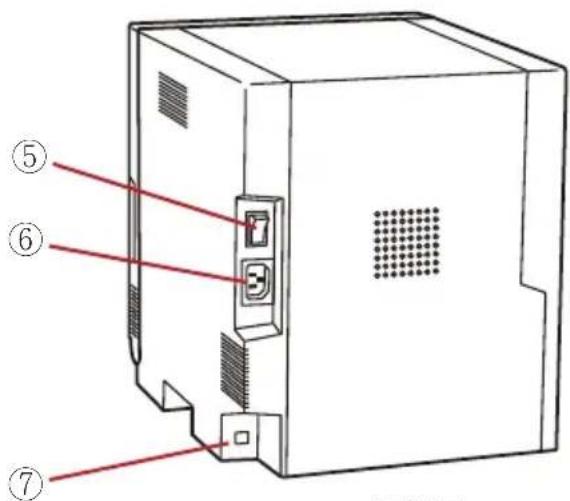
Side view
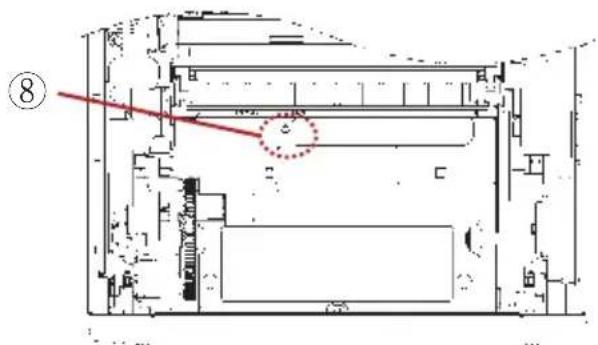
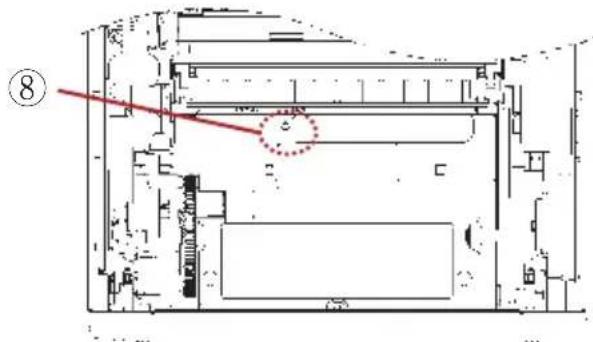
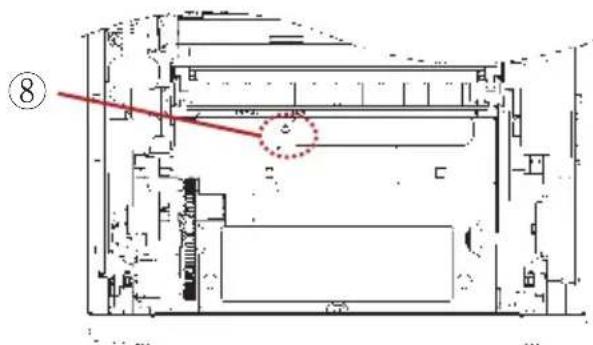
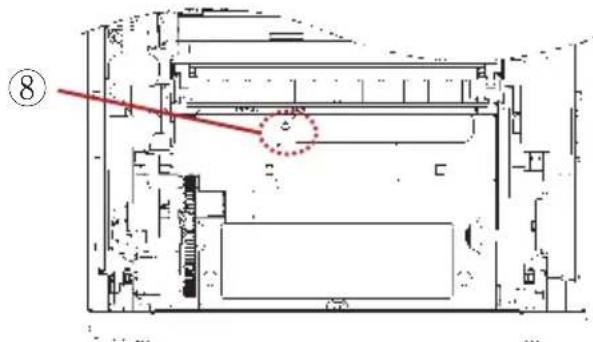
Inside view
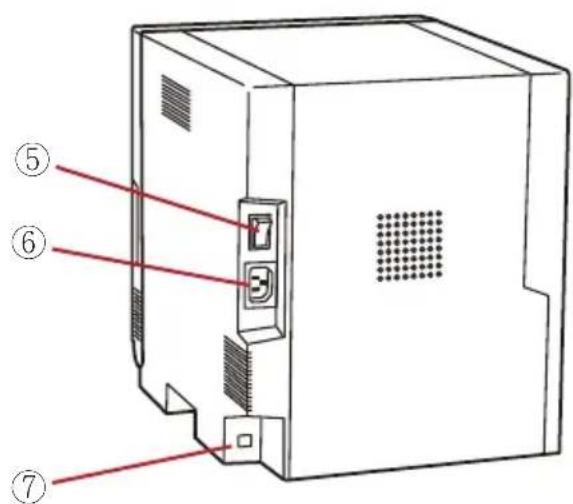
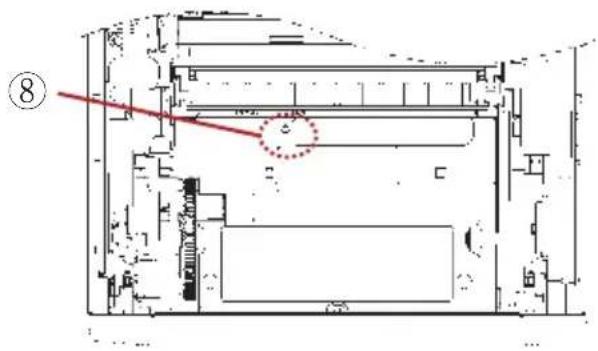
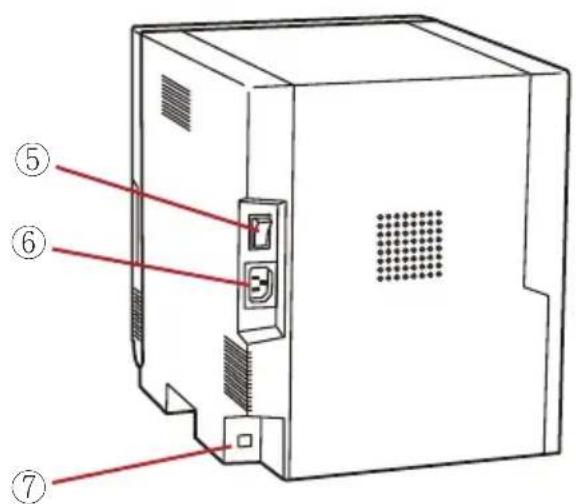
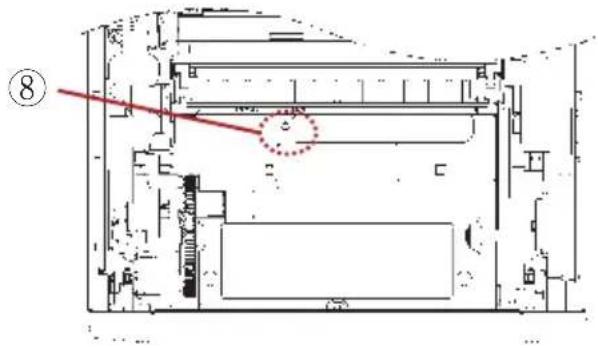
| NO. | Name | Function |
| 1 | Open Lever | When open the Front Cover, hold this lever. |
| 2 | Printer Status LEDs | Printer status display LEDs are located on the panel. |
| 3 | Front Cover | Open the Front Cover when replacing an ink ribbon or paper, or when performing maintenance. |
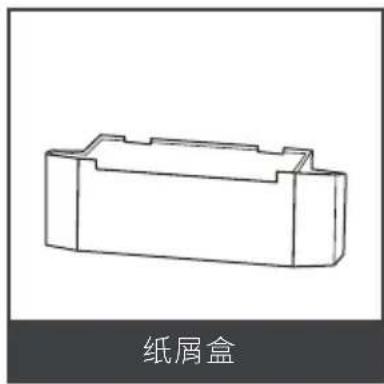
| 4 | Dust Box | The Dust Box stacks trim dusts. |
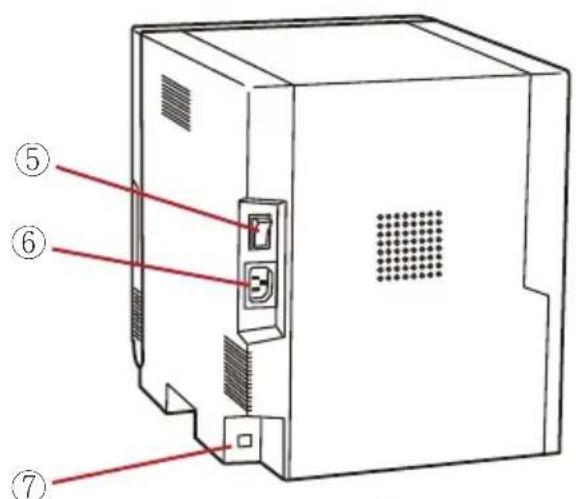
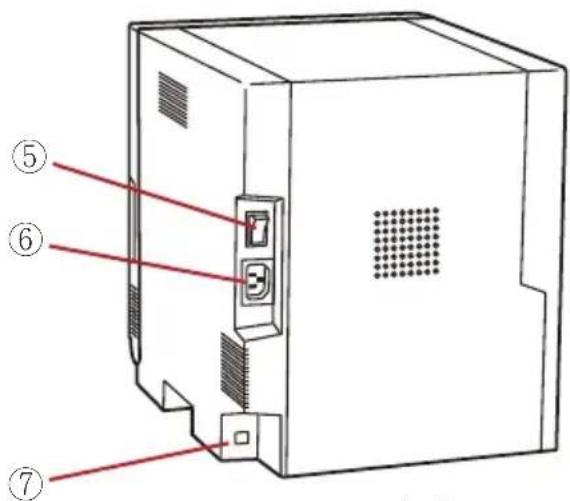
| 5 | Power Switch | This switch turns on/off the power of the printer.Once the printer is turned off, wait at least 3 seconds before turning it on again. |
| 6 | Power Connector | To be used to connect the power cable. |
| 7 | USB Connector | To be used to connect the USB cable. |
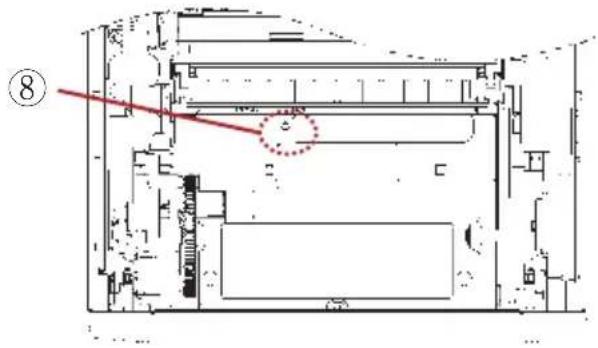
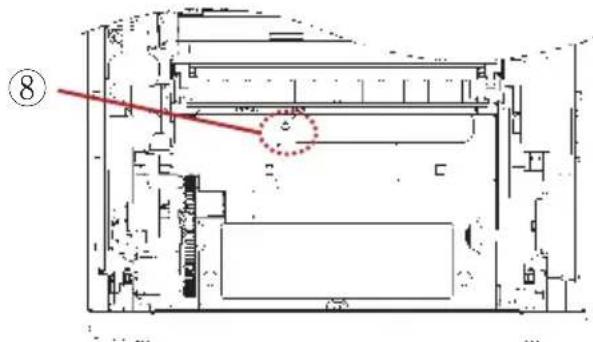
| 8 | Paper Setting LED | When setting the paper, insert the paper until the LED is lit. When the LED blinks, remove the paper until the LED goes off. |
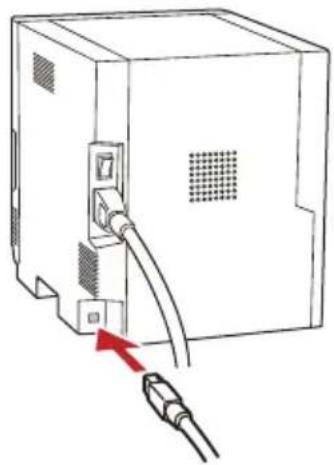
Connecting the Power Cord & USB cable
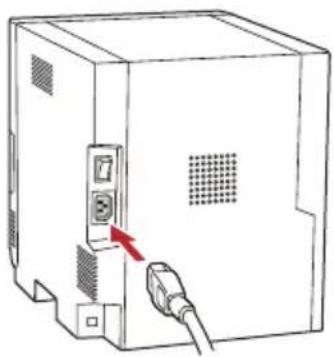
Connect the power cord & USB cable according to the safety instructions below.
natural_image
Line drawing of a computer tower with an attached cable and indicator lights, showing no text or symbols.Connect the printer power cord to the power connector from the back.
natural_image
Diagram of a computer tower with cable and connector, showing no text or symbolsConnect the USB cable to the USB slot from the back.

Before connecting the power cord, please make sure the printer is powered off.

Incorrect insertion of power cord may cause the fire or damage of printer.

Do not insert or remove the power cord with wet hands. It may cause electric leakage.

Do not damage or make any modification to the power cord. Misusing, such as putting the heavy items on the power cord, giving a strong pull to the power cord and twist the power cord may cause the fire and electric shock.

When moving the printer, make sure to turn off the power of the printer, remove the power cord in order to have no connection with other devices. Otherwise, the power cord might be damaged and it can cause the fire and electric shock. Also there is a possibility to fall down caught by the cord.

For the safety consideration, please remove the power cord from the printer if the printer is not to be used for long time.
Loading Paper
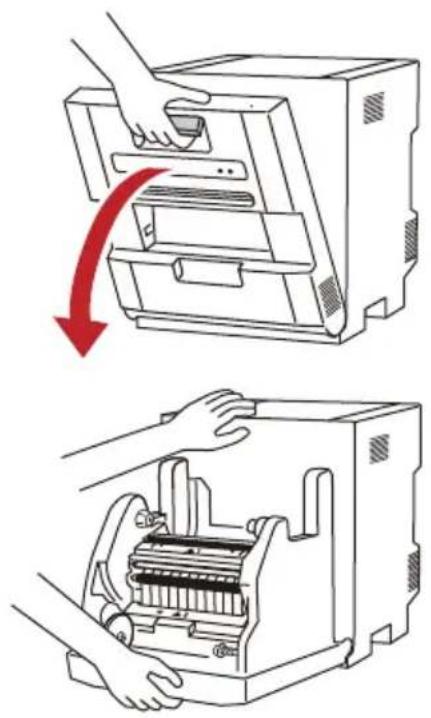
- Turn on the power.
- Pull the lever to open the front cover.
natural_image
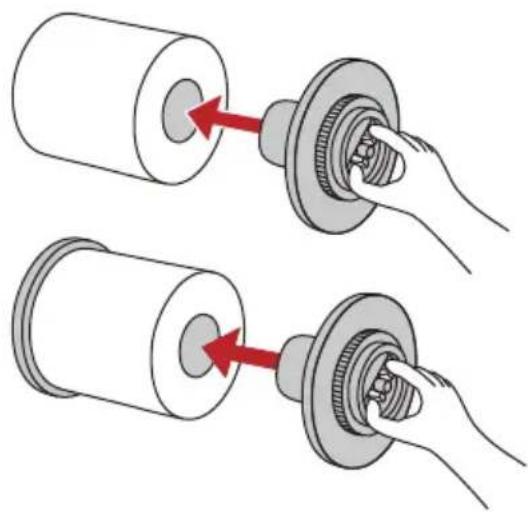
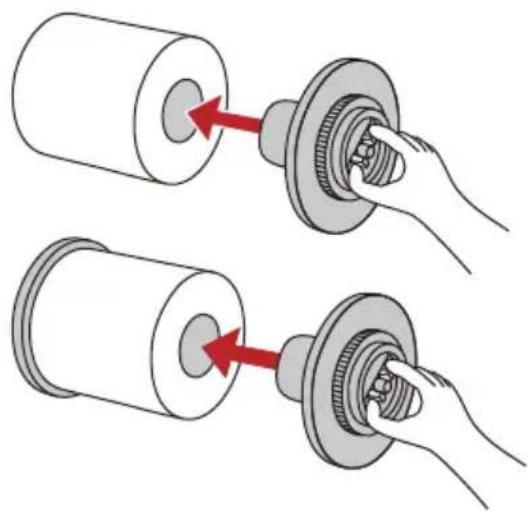
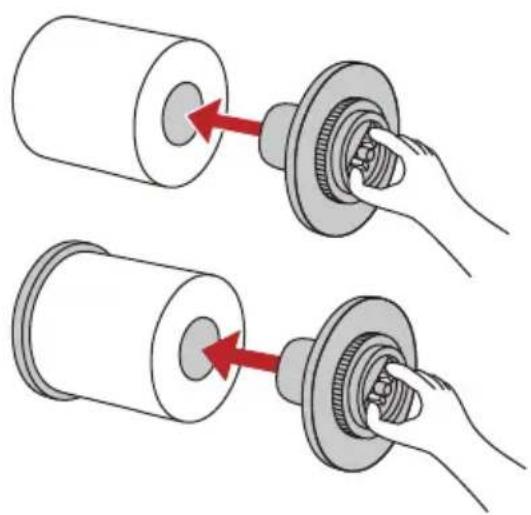
Illustration of a computer tower with a hand inserting a slot into its case, showing the process (no text or symbols present)- Install the paper flanges in the paper roll while holding down the knob on the paper flanges.
natural_image
Illustration of two hands operating a mechanical component with a red arrow indicating direction (no text or symbols present)
CAUTION: The paper is not set correctly if there is a gap of about 10mm between the paper flanges and paper roll.
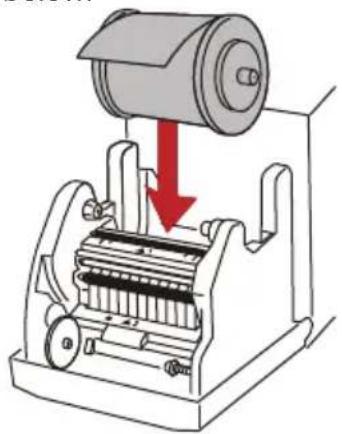
- Set the paper roll to the printer. After setting the paper roll, remove the seal from the paper and load the paper roll as below.
natural_image
Diagram of a mechanical device with a cylindrical component and a red arrow indicating downward motion (no text or symbols present)- Insert the edge of paper under the guide roller by rotating the paper flanges. It is ready when the PAPERSET LED turns to blue.
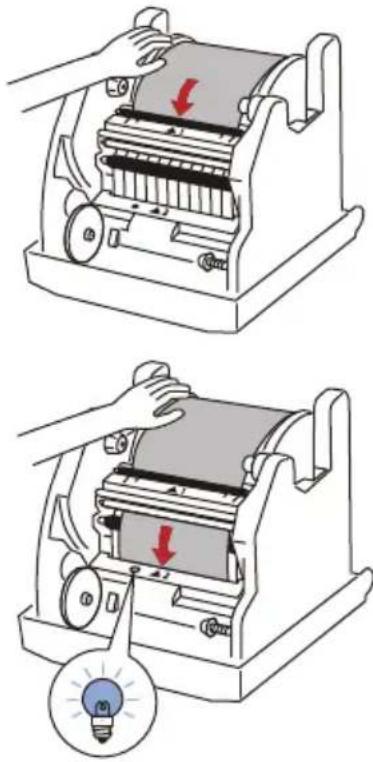
natural_image
Illustration of two hands operating a mechanical device with a light bulb symbol below (no text or labels)
CAUTION: The paper roll is not set correctly if the PAPERSET LED is blinking in red.
Loading Ink Ribbon Loading Dust Box
- Set the ink ribbon to the printing unit as shown below.
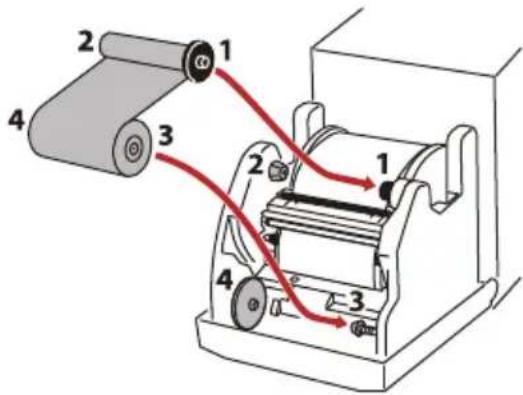
- Tighten the ink ribbon by turning the ink ribbon supply core.
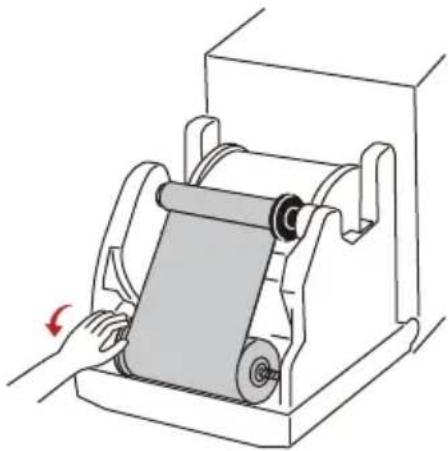
natural_image
Illustration of a hand pressing down on a rolled paper or scroll inside a machine (no text or symbols visible)- Close the front cover gently
When both the paper and the ink ribbon are loaded into the printer and the front cover is closed, the printer will be initialized and few paper will be ejected automatically.
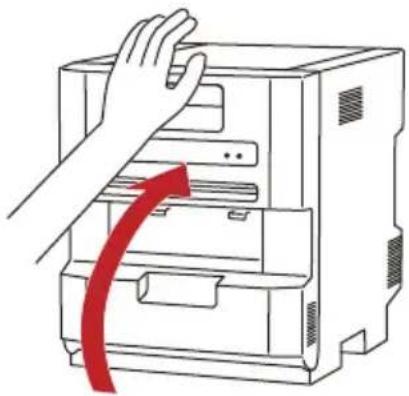
natural_image
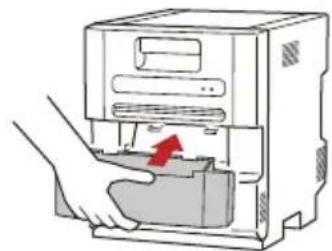
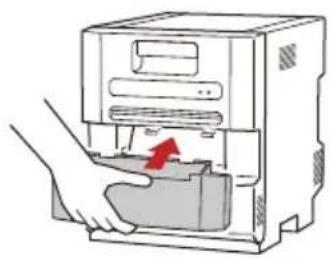
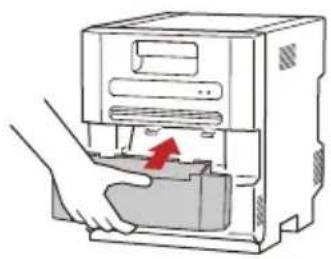
Illustration of a hand opening a computer case with a red curved arrow indicating motion (no text or symbols)- Push the dust box to the printer
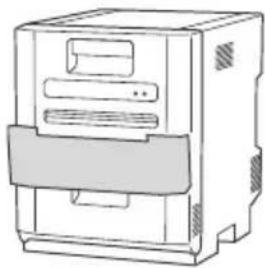
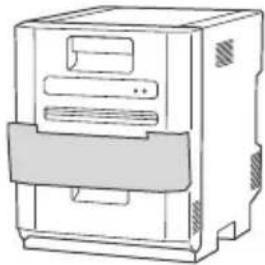
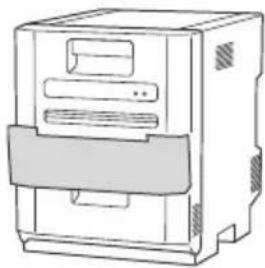
- Please make sure there is no gap between the dust box and the printer.
natural_image
Illustration of a hand pressing down on a computer tower with a red arrow indicating the press or action (no text or symbols present)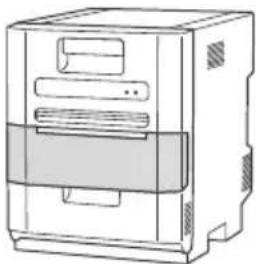
natural_image
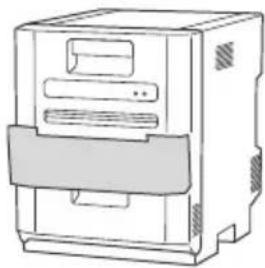
Line drawing of a computer case with ventilation slots and drive bays (no text or symbols)OK
natural_image
Line drawing of a computer case with monitor, tower, and drive base (no text or symbols)×
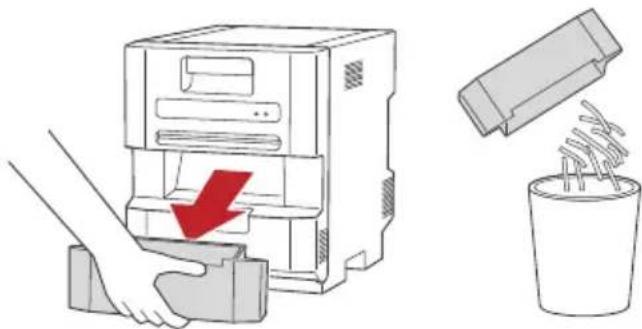
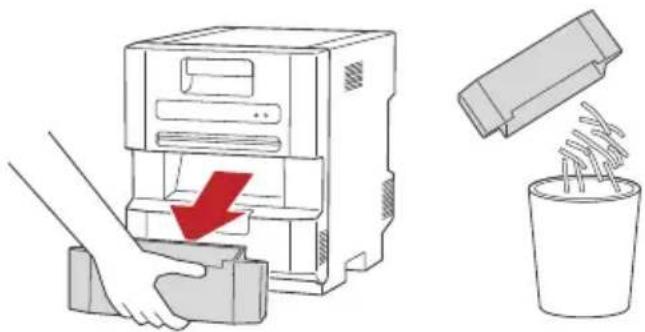
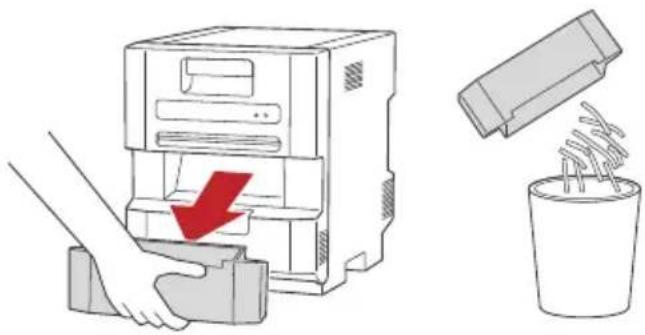
- In case that trim dusts are stacked in the dust box, make sure to throw them away.
natural_image
Illustration of a hand pressing a computer into a container with a red arrow indicating compression, and a separate image showing a container with dried plant material (no text or symbols)The following cautions are necessary in transportation of the printer
- Remove the ink ribbon and paper from the printer before transporting the printer.
- Use the original box to transport the printer. If the box used at the purchase cannot be used, consult with your distributor and purchase a new box.
Chapter 3. Routine Maintenance
Cleaning Thermal Head and Rollers
In order to keep the best printing quality, it is recommended to clean Thermal Head, Peeling Roller, Platen Roller and Main Pinch Roller once per month.

Caution: Make sure that the power is turned off before cleaning.
Make sure that the thermal head has been sufficiently cooled down before cleaning.
Be careful not to damage the Thermal Head.
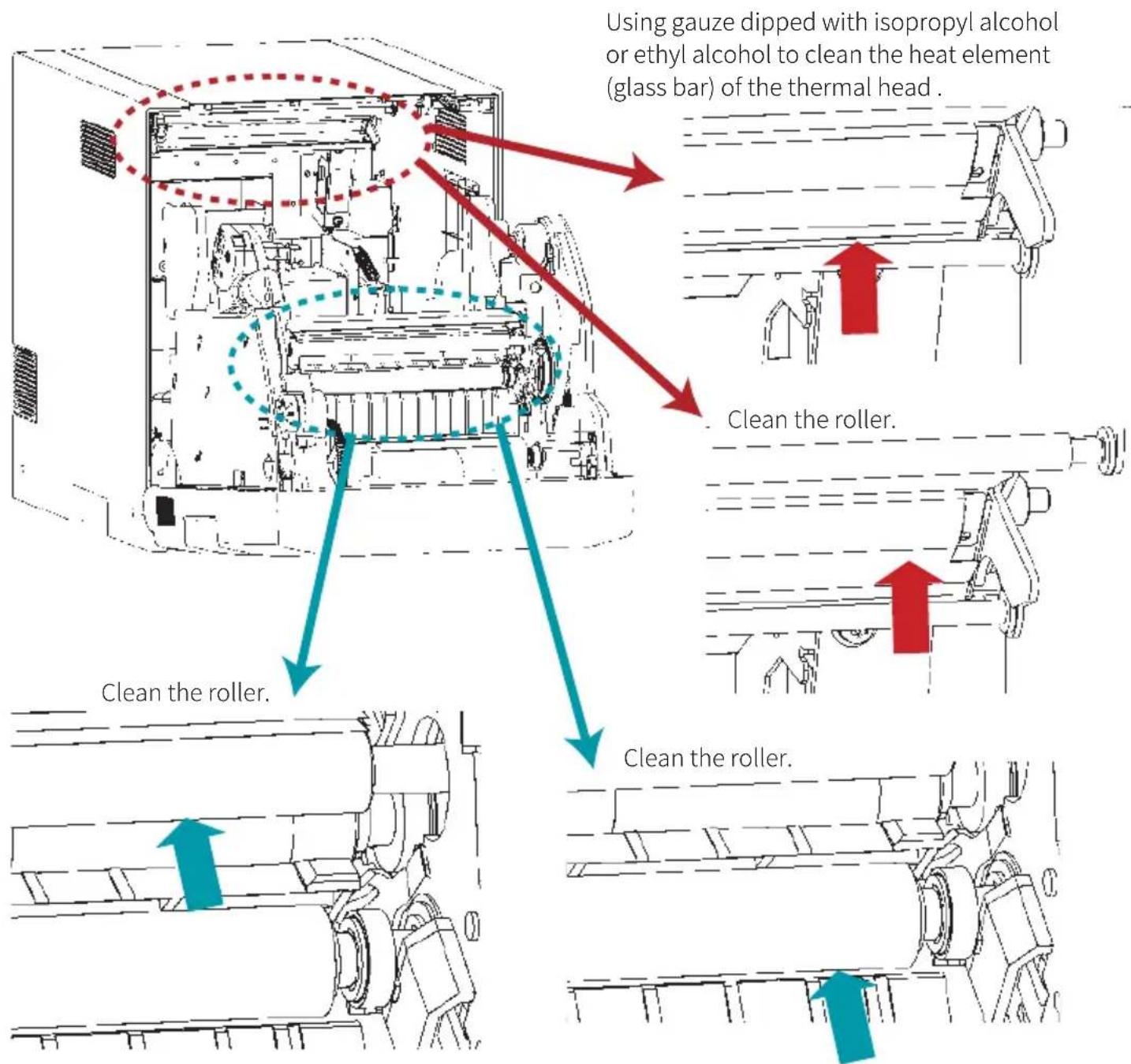
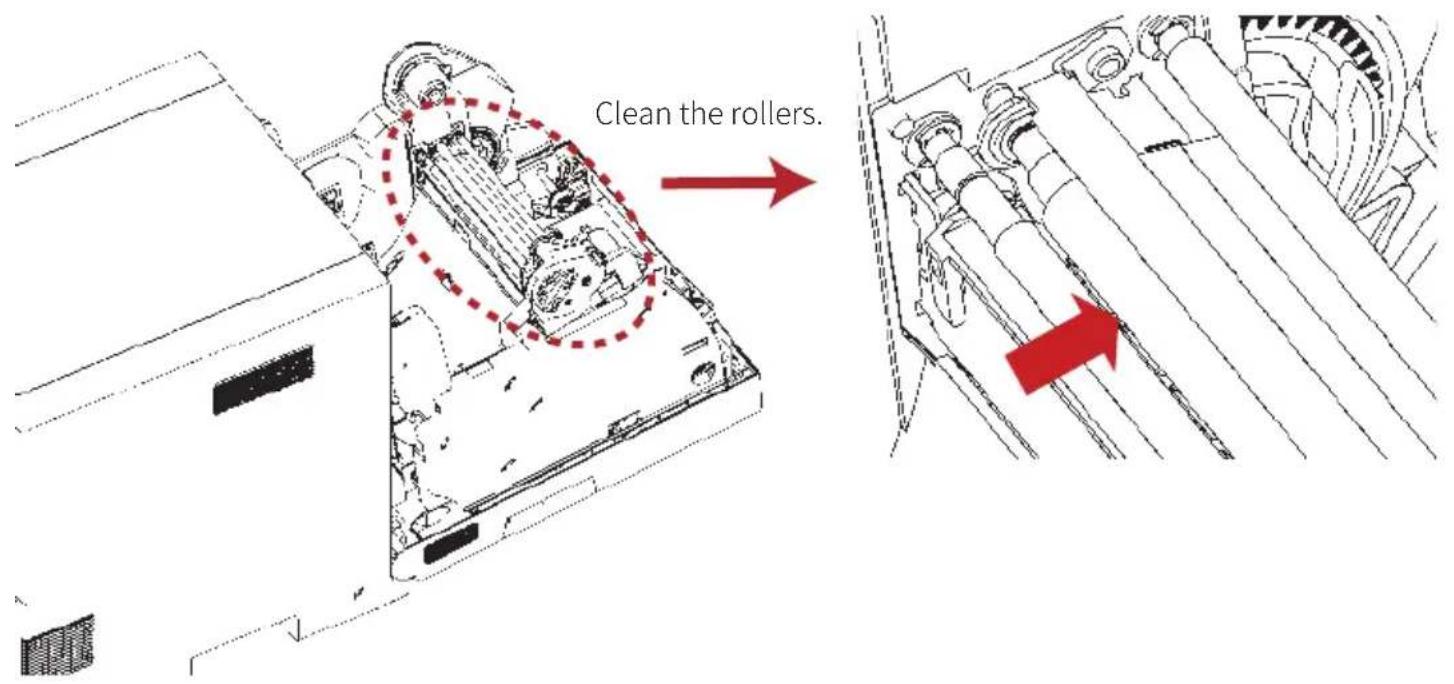
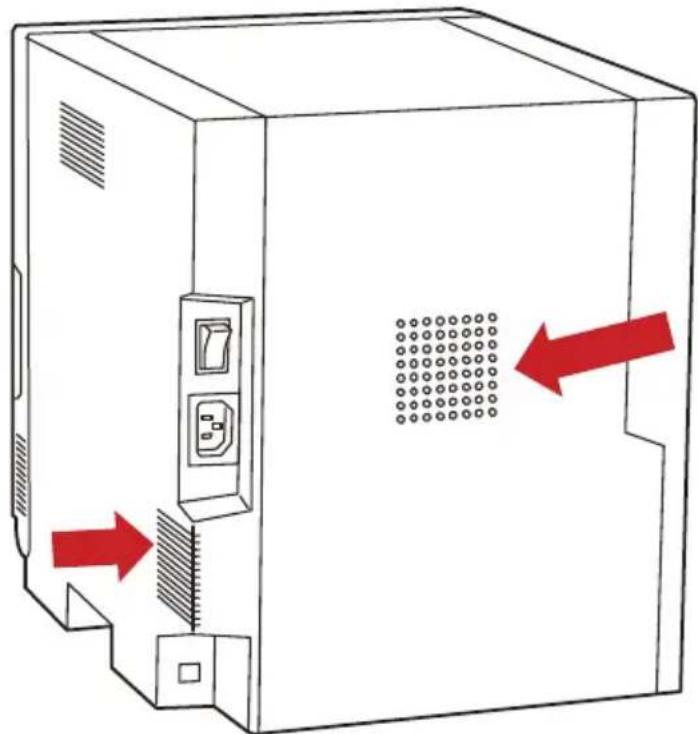
Clean the filters
User vacuum cleaner to clean the filters.
natural_image
Line drawing of a server rack unit with ventilation slots and indicator lights (no text or symbols)Chapter 4. LED messages

●: On
○: Off
★ Blink (Slow)
X : Blink (Flashing)
| LED Indicate | Status | ||
| Power | Error | Set up | |
| ○ | The printer is power off | ||
| ★ | The printer is initializing | ||
| ● | The printer is ready | ||
| ● | ★ | ○ | The paper is empty, or the paper is not loaded |
| ● Yellow | The ink ribbon is empty, or the ink ribbon is not installed | ||
| ● Purple | The ink ribbon loaded is not supported. | ||
| ● | × | × Yellow | The printer could not take up the ink ribbon |
| × Red | Paper jam is occurred | ||
| ★ (Concurrently) ★ | The front cover opened | ||
| ● Blue | The paper has been installed | ||
| ★ (Alternately) ★ | N/A | The front cover is not closed correctly | |
| ● | ● | N/A | Control board in trouble |
| ★ | ● | N/A | The printer Mechanical is faulty |
Chapter 5. Errors Handling
Paper Jam
- Open the front cover.
- Remove the Ink Ribbon.
- Cut off the fold section.
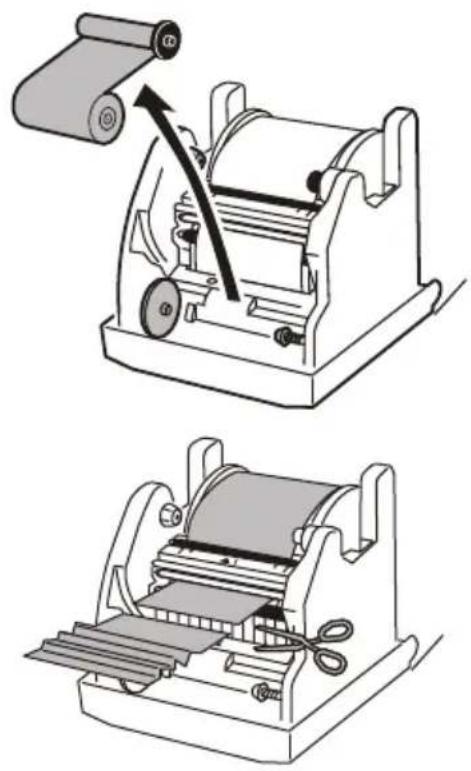
natural_image
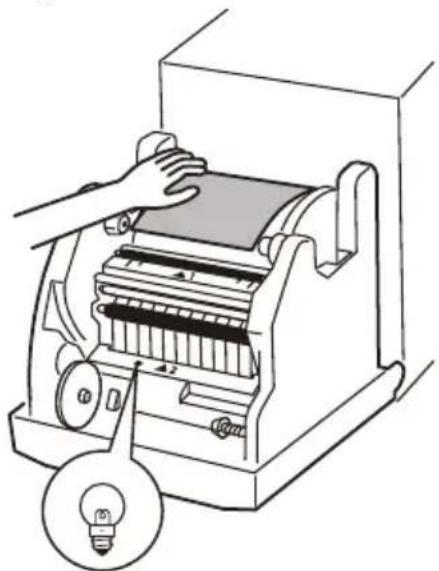
Illustration of two different types of machine tools: one with a roll and arrow, the other with scissors and pliers (no text or symbols)- Pull out the paper until the paper setting LED goes off.
natural_image
Line drawing of a hand operating a printing machine with a light bulb below (no text or symbols)Ink Ribbon snapped
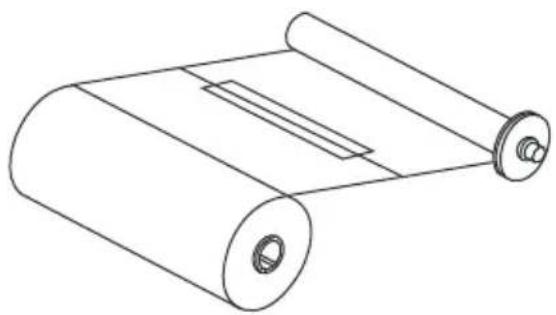
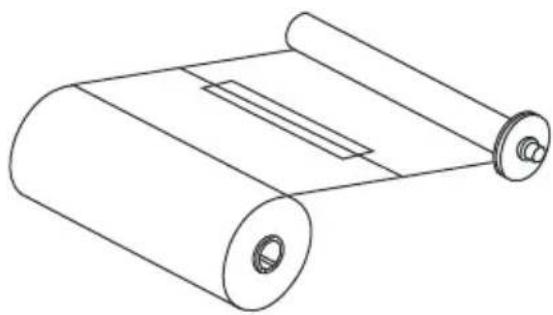
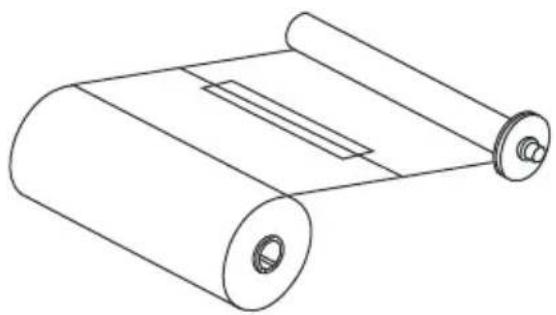
- Stick the broken part of the ribbon with a tape.
natural_image
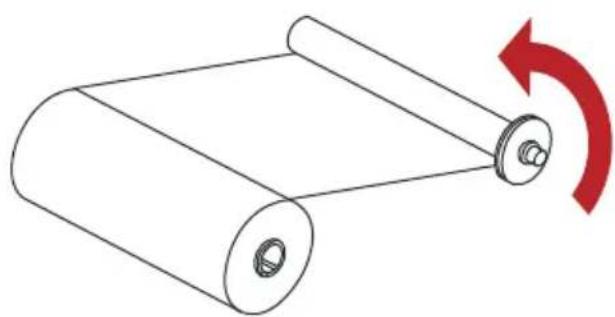
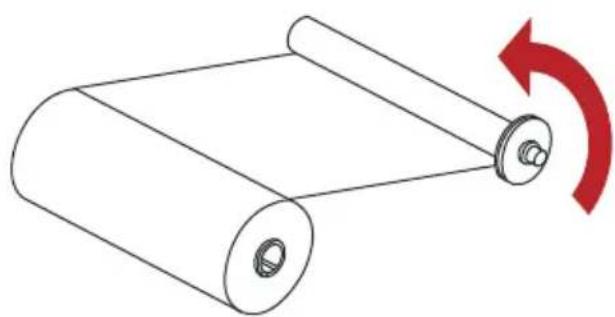
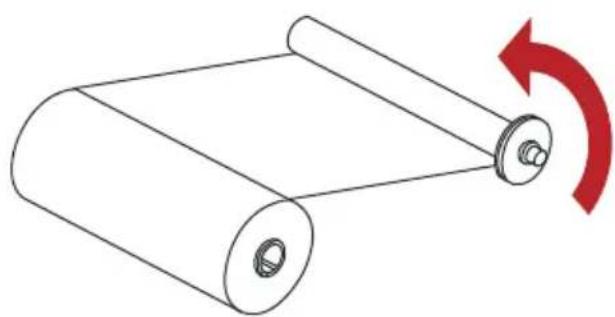
Line drawing of a rolled-up scroll or sheet with a rectangular cutout and circular ends (no text or symbols)- Turn the ribbon on the rewinding side and rewind the taped section completely.
natural_image
Diagram of a roll of paper with a red circular arrow indicating rotational motion (no text or symbols)Chapter 6. After-sales Service and Specification
Contact your HiTi dealers or service center for the details about after-sales service.
Specifications
| Resolution | 300*300 dpi |
| Print Speed | 14 sec (6x4"), 23 sec (6x8") |
| Print Size | 6x4", 6x8" |
| Ribbon/Paper Capacity | 750 print/roll (6x4"), 375 Print/roll (6x8") |
| Power | 100 to 240 V AC |
| Power consumption | 165 W / 1.8 A |
| Interface | USB 2.0 |
| Support OS Win7 and above、macOS v.10.6 or above | |
| Dimensions | 290 x 375 x 345 mm |
| Weight | 15kgs |
*Specifications subject to change without notice
Customer Service Information
Online Support
For further inquires, please log on to HiTi Digital Inc., website at www.hiti.com where users can download free updated drivers, applications, and latest e-templates.
HiTi M610
Manual del Usuario
natural_image
Line drawing of a desktop computer case with ventilation slots and drive bays (no text or symbols)HiTi Digital, Inc.
www.hiti.com
TABLA DE CONTENIDO
natural_image
Line drawing of a USB cable with two connectors and a connector plug (no text or symbols)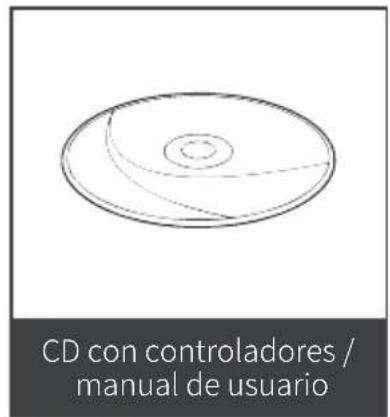
Vista frontal
Vista superior
Vista lateral
natural_image
Line drawing of a computer tower with an attached cable and indicator lights (no text or symbols)natural_image
Diagram of a computer tower with cable and connector, showing no text or symbolsnatural_image
Illustration of two mechanical components with red arrows indicating rotation or assembly (no text or symbols)
natural_image
Diagram of a mechanical device with a motor and gears, showing a red downward arrow indicating motion (no text or symbols present)natural_image
Illustration of two hands operating a mechanical device with a light bulb icon below (no text or symbols)
natural_image
Illustration of a hand pressing down on a rolled paper or scroll inside a machine (no text or symbols visible)natural_image
Illustration of a hand opening a computer case with a red curved arrow indicating motion (no text or symbols)natural_image
Illustration showing a hand inserting a device into a computer with a red arrow indicating the process (no text or symbols present)natural_image
Line drawing of a server rack unit with two red arrows indicating ventilation or heat flow (no text or symbols)natural_image
Illustration of a hand operating a printing machine with a light bulb below (no text or symbols)Cinta de tinta rota
natural_image
Line drawing of a rolled-up scroll or roller with a flat plate and bolted end (no text or symbols)natural_image
Diagram of a roll of paper with a red circular arrow indicating rotational motion (no text or symbols)natural_image
Line drawing of a desktop computer case with ventilation slots and drive bays (no text or symbols)HiTi Digital, Inc.
www.hiti.com
TABLE DES MATIÈRES
natural_image
Line drawing of a computer case with ventilation slots and ventilation ducts (no text or symbols on the device itself)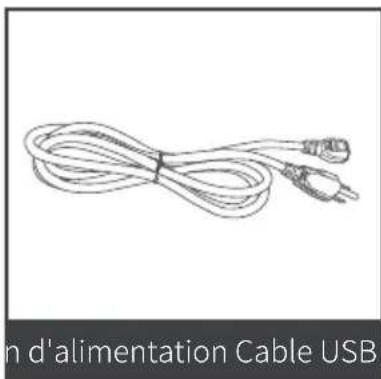
natural_image
Line drawing of a USB cable with two connectors and a connector strap (no text or symbols)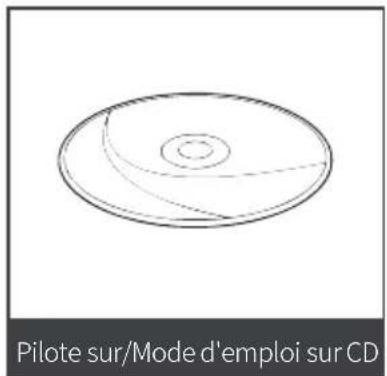
Vue de face
Vue de dessus
Vue de côté
natural_image
Line drawing of a computer tower with an attached cable and indicator lights, showing no text or symbols.natural_image
Diagram of a computer tower with cable and connector, showing no text or symbolsnatural_image
Illustration showing two steps of a computer tower with a hand inserting a component into the base case (no text or symbols present)natural_image
Illustration of two hands operating a mechanical component with a central gear and shaft (no text or symbols)
natural_image
Diagram of a mechanical device with a cylindrical component and a red arrow indicating downward motion (no text or symbols present)natural_image
Illustration of two hands operating a mechanical device with a light bulb icon (no text or symbols)
natural_image
Illustration of a hand pressing down on a mechanical device with a rolled paper or scroll (no text or symbols visible)natural_image
Illustration of a hand opening a computer case with a red curved arrow indicating motion (no text or symbols)natural_image
Illustration showing a hand pressing a computer into a container with a red arrow indicating compression, and a close-up of a container with chopsticks (no text or symbols)natural_image
Line drawing of a server rack unit with ventilation slots and red arrows indicating ports (no text or symbols)natural_image
Illustration of two different types of machine tools: one with a roll and arrow, the other with scissors and pliers (no text or symbols)natural_image
Line drawing of a hand operating a printing machine with a light bulb below (no text or symbols)natural_image
Line drawing of a rolled paper scroll or sheet with a rectangular slot and circular end (no text or symbols)natural_image
Diagram of a roll of paper with a red circular arrow indicating rotational motion (no text or symbols)natural_image
Line drawing of a desktop computer case with monitor and tower (no text or symbols)HiTi Digital, Inc.
www.hiti.com
ÍNDICE
natural_image
Line drawing of a USB cable with two connectors and a connector plug (no text or symbols)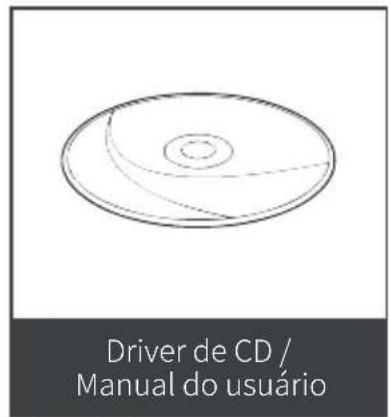
Visão Frontal
Visão Superior
Visão Lateral
natural_image
Line drawing of a computer tower with an attached cable and indicator lights (no text or symbols)natural_image
Diagram of a computer tower with cable and connector, showing no text or symbolsnatural_image
Illustration of two mechanical components with red arrows indicating assembly or force direction (no text or symbols)
natural_image
Diagram of a mechanical device with a motor and gears, showing a downward arrow indicating motion (no text or symbols present)natural_image
Illustration of two hands operating a mechanical device with a light bulb icon below (no text or symbols)
natural_image
Illustration of a hand pressing a rolled document on a machine (no text or symbols visible)natural_image
Illustration of a hand placing a computer tower into a rack, with a red curved arrow indicating motion (no text or symbols)natural_image
Illustration of a hand inserting a device into a computer tower (no text or symbols visible)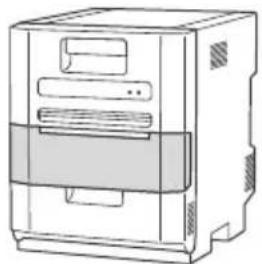
natural_image
Line drawing of a computer tower case with ventilation slots and ventilation duct (no text or symbols)OK
natural_image
Line drawing of a computer case with monitor, tower, and drive base (no text or symbols)Incorreto
natural_image
Illustration showing a hand inserting a device into a computer with a red arrow indicating the device's direction, and a separate illustration of a container pouring liquid into a cup (no text or symbols)natural_image
Line drawing of a server rack unit with two red arrows indicating ventilation or heat flow directions (no text or symbols)natural_image
Diagram of a mechanical device with a scroll wheel and pulley, showing internal components without any text or symbols.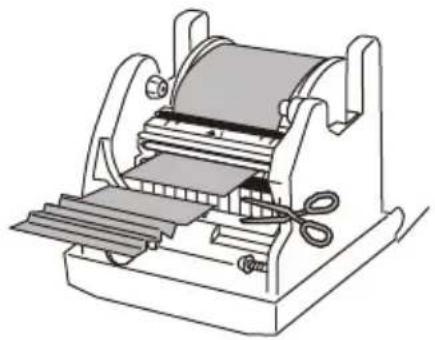
natural_image
Line drawing of a mechanical device with rollers and scissors (no text or symbols)natural_image
Illustration of a hand operating a printing machine with a light bulb below (no text or symbols)natural_image
Line drawing of a rolled paper scroll with a flanged end and central slot (no text or symbols)natural_image
Diagram of a roll of paper with a red circular arrow indicating rotational motion (no text or symbols)natural_image
Line drawing of a desktop computer case with ventilation slots and drive bays (no text or symbols)HiTi Digital, Inc.
www.hiti.com
Inhalt
natural_image
Line drawing of a HiTi-Fotodrucker M610 Ne device (no text or symbols on the device itself)
natural_image
Line drawing of a USB cable with two connectors (no text or symbols on the cable itself)
natural_image
Line drawing of a USB cable with two connectors and a connector strap (no text or symbols)
natural_image
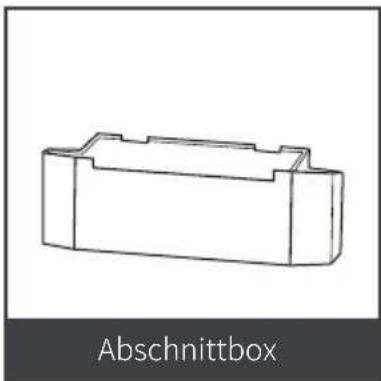
Technical line drawing of a rectangular mechanical part with stepped cutouts, labeled 'Abschnittbox' below (no other text or symbols)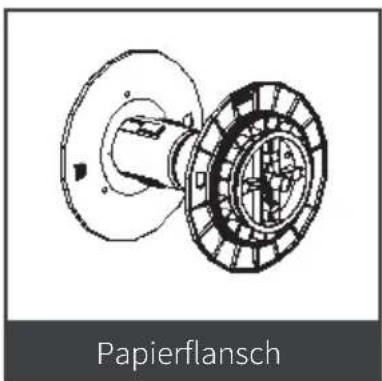
natural_image
Technical line drawing of a mechanical component labeled 'Papierflansch' (no other text or symbols)Ansicht von vorne
Ansicht von oben
natural_image
Line drawing of a computer tower with an attached cable and indicator lights (no text or symbols)natural_image
Diagram of a computer tower with cable and connector, showing no text or symbolsnatural_image
Illustration of a hand pressing down on a computer tower with a red downward arrow indicating compression (no text or symbols)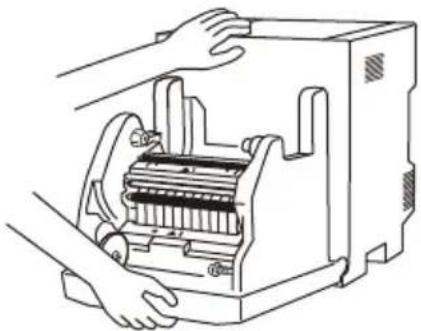
natural_image
Line drawing of hands operating a mechanical device with internal components (no text or symbols)natural_image
Illustration of two mechanical components with red arrows indicating rotation or assembly (no text or symbols)
natural_image
Diagram of a mechanical device with a cylindrical component and a red arrow indicating downward motion (no text or symbols present)natural_image
Illustration of a hand operating a mechanical device with a red arrow indicating compression (no text or symbols present)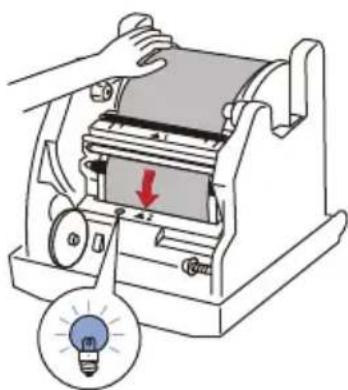
natural_image
Illustration of a hand operating a light bulb machine with a red arrow indicating the process (no text or symbols present)
natural_image
Illustration of a hand pressing a rolled-up sheet on a machine (no text or symbols visible)natural_image
Illustration of a hand opening a computer tower case with a red curved arrow indicating motion (no text or symbols)natural_image
Illustration of a hand inserting a device into a computer tower (no text or symbols visible)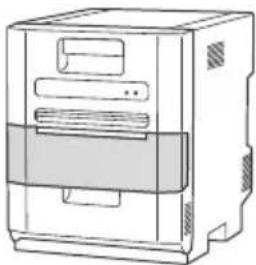
natural_image
Line drawing of a computer case with ventilation slots and a handle (no text or symbols)OK
natural_image
Line drawing of a computer case with ventilation slots and a handle (no text or symbols)Fehlerhaft
natural_image
Illustration of a hand inserting a computer into a storage bin with a red arrow indicating the process (no text or symbols present)natural_image
Line drawing of a server rack unit with two red arrows indicating ventilation or heat flow (no text or symbols)natural_image
Illustration of a hand operating a printing machine with a light bulb below (no text or symbols)Farbband gerissen
natural_image
Line drawing of a rolled-up scroll or roller with a flat plate and bolted end (no text or symbols)natural_image
Diagram of a roll of paper with a red circular arrow indicating rotational motion (no text or symbols)natural_image
Line drawing of a desktop computer case with ventilation slots and drive bays (no text or symbols)HiTi Digital, Inc.
www.hiti.com
TABLE DES MATIÈRES
natural_image
Line drawing of a computer case with ventilation slots and ventilation ducts (no text or symbols on the device itself)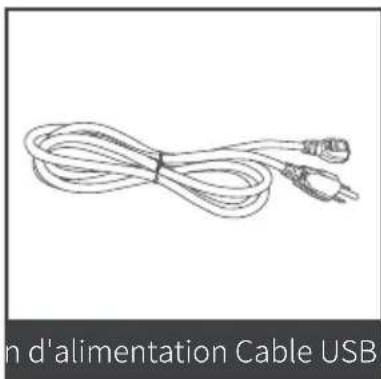
natural_image
Line drawing of a USB cable with two connectors and a connector strap (no text or symbols)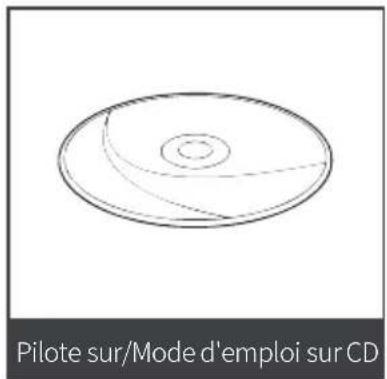
Vue de face
Vue de dessus
Vue de côté
natural_image
Line drawing of a computer tower with an attached cable and indicator lights, no text or symbols presentnatural_image
Diagram of a computer tower with cable and connector, showing no text or symbolsnatural_image
Illustration showing two steps of a computer tower with a hand inserting a component into the base case (no text or symbols present)natural_image
Illustration of two hands operating a mechanical component with red arrows indicating motion (no text or symbols)
natural_image
Diagram of a mechanical device with a cylindrical component and a red arrow indicating downward motion (no text or symbols present)natural_image
Illustration of two hands operating a mechanical device with a light bulb icon (no text or symbols)
natural_image
Illustration of a hand pressing down on a mechanical device with a rolled paper or scroll (no text or symbols visible)natural_image
Illustration of a hand opening a computer case with a red curved arrow indicating motion (no text or symbols)natural_image
Illustration of a desktop computer with a red downward arrow indicating compression, and a container pouring liquid into a cup (no text or symbols)natural_image
Line drawing of a server rack unit with ventilation slots and red arrows indicating ports (no text or symbols)natural_image
Line drawing of a hand operating a printing machine with a light bulb below (no text or symbols)natural_image
Line drawing of a rolled scroll or sheet with two ends and a central slot (no text or symbols)natural_image
Diagram of a roll of paper with a red circular arrow indicating rotational motion (no text or symbols)natural_image
Line drawing of a desktop computer case with ventilation slots and drive bays (no text or symbols)HiTi Digital, Inc.
www.hiti.com
目录
第一章. 使用安全守则
关于使用环境和设置 1-1
关于打印机的使用 1-2
关于耗材的使用和相片的保存 1-3
第二章. 设置和安装
开箱和确认附件 2-1
打印机各部件的名称与功能 2-2
连接电源线及数据线 2-3
相纸的安装方法 2-4
色带的安装方法 2-5
纸屑盒的安装方法 2-6
第三章. 例行保养
清洁打印头及滚轮 3-1
清洁滚轮及滤网 3-2
第四章. 灯号信息
灯号信息与错误 4-1
第五章. 排除错误
色带与相纸错误排除 5-1
第六章. 规格及售后服务
规格 6-1
第一章. 使用安全守则
natural_image
Line drawing of a USB cable with two connectors and a connector plug (no text or symbols)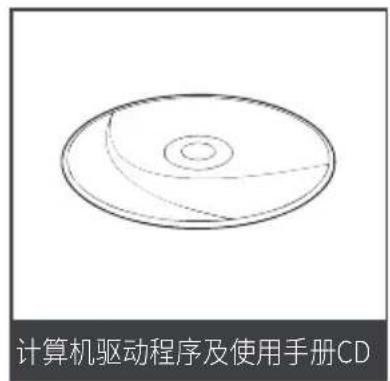
打印机各部件的名称与功能
正视图
侧视图
内视图
natural_image
Diagram of a computer tower with an attached cable and indicator lights, showing no text or symbols.natural_image
Line drawing of a computer tower with cable and connector, no text or symbols presentnatural_image
Illustration of a hand inserting a computer into a rack with a red arrow indicating compression (no text or symbols)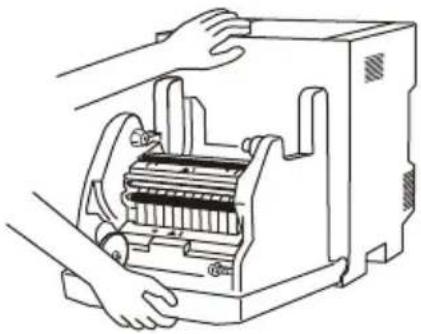
natural_image
Line drawing of hands operating a mechanical device with internal components (no text or symbols)- 放置纸卷架在纸卷两侧
natural_image
Illustration of two hands operating a mechanical component with red arrows indicating direction (no text or symbols)natural_image
Diagram of a mechanical device with a cylindrical component and a red arrow indicating downward motion (no text or symbols present)natural_image
Illustration of a hand operating a mechanical device with a red downward arrow indicating compression (no text or symbols present)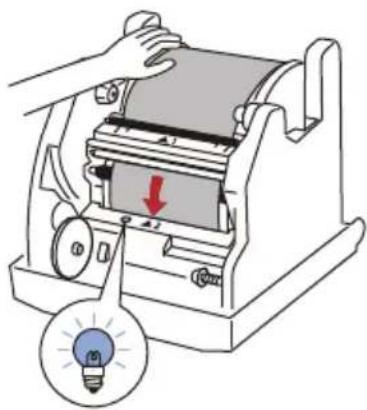
natural_image
Illustration of a hand operating a mechanical device with a red arrow indicating a downward motion, and a lightbulb icon showing the same operation (no text or symbols present)natural_image
Illustration of a hand pressing down on a rolled-up paper or scroll inside a machine (no text or symbols visible)- 轻轻的关起前门
natural_image
Illustration of a hand placing a computer tower into a rack, with a red curved arrow indicating motion (no text or symbols)安装纸屑盒
- 将纸屑盒推进打印机内
- 确保纸屑盒与打印机中间无缝隙
natural_image
Illustration of a hand inserting a device into a computer case (no text or symbols visible)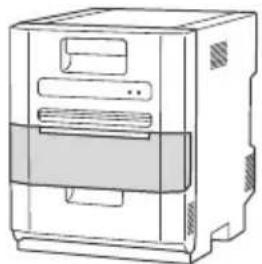
natural_image
Line drawing of a computer case with ventilation slots and a handle (no text or symbols)OK
natural_image
Line drawing of a computer tower case with monitor and drive bays (no text or symbols)×
- 紙屑盒內的紙屑快滿前,請將紙屑清乾淨
natural_image
Illustration of a desktop computer with a red downward arrow indicating compression or disassembly, next to a cup holding a tray with sticks (no text or symbols)搬运打印机时,以下事项必须注意
natural_image
Diagram of a server rack with two outlets and a ventilation grille, showing red arrows indicating direction (no text or symbols)第四章. 灯号信息

natural_image
Illustration of a hand operating a mechanical device with a light bulb below (no text or symbols)色带断掉
- 将断裂的色带黏起
natural_image
Line drawing of a rolled-up scroll or sheet with a rectangular cutout and circular ends (no text or symbols)- 将断裂的色带卷到接受端的滚轮即可
natural_image
Diagram of a roll of paper with a red circular arrow indicating rotational motion (no text or symbols)第六章.售后服务及规格
natural_image
Line drawing of a desktop computer case with ventilation slots and drive bays (no text or symbols)HiTi Digital, Inc.
www.hiti.com
目錄
第一章. 使用安全守則
關於使用環境和設置 1-1
關於印相機的使用 1-2
關於耗材的使用和相片的保存 1-3
第二章. 設置和安裝
開箱和確認附件 2-1
印相機各部件的名稱與功能 2-2
連接電源線及傳輸線 2-3
相紙的安裝方法 2-4
色带的安装方法 2 - 5
紙屑盒的安裝方法 2-6
第三章. 例行保養
清潔列印頭及滾輪 3-1
清潔滾輪及濾網 3-2
第四章. 燈號資訊
燈號資訊與錯誤 4-1
第五章. 排除錯誤
色帶與相紙錯誤排除 5-1
第六章. 規格及售後服務
規格 6-1
第一章. 使用安全守則
Taiwan regulatory information(NCC)
第十二條
natural_image
Line drawing of a USB cable with two connectors and a connector plug (no text or symbols)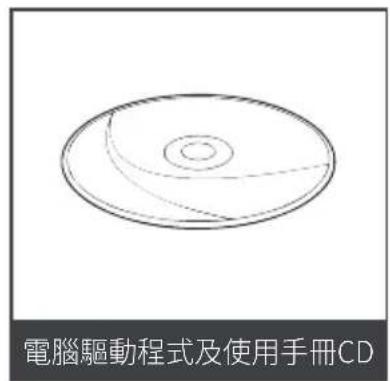
印相機各部件的名稱與功能
正視圖
側視圖
內視圖
natural_image
Diagram of a computer tower with an attached cable and indicator lights, showing no text or symbols.natural_image
Line drawing of a computer tower with cable and connector, no text or symbols presentnatural_image
Illustration of a computer tower with a hand inserting a slot into its case, showing the process (no text or symbols present)- 放置紙卷架在紙卷兩側
natural_image
Illustration of two mechanical components with red arrows indicating rotation or assembly (no text or symbols)
natural_image
Diagram of a mechanical device with a motor and gears, showing a red downward arrow indicating motion (no text or symbols present)
natural_image
Illustration of a hand pressing down on a rolled paper or scroll inside a machine (no text or symbols visible)- 輕輕的關起前門
natural_image
Illustration of a hand opening a computer tower case with a red curved arrow indicating motion (no text or symbols)安裝紙屑盒
- 將紙屑盒推進印相機內
- 確保紙屑盒與印相機中間無縫隙
natural_image
Illustration of a hand inserting a device into a computer case (no text or symbols visible)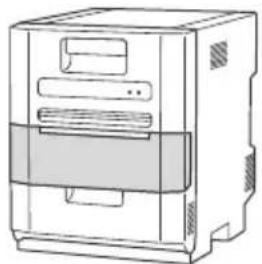
natural_image
Line drawing of a computer case with ventilation slots and a handle (no text or symbols)OK
natural_image
Line drawing of a computer tower case with monitor and drive bays (no text or symbols)×
- 紙屑盒內的紙屑快滿前,請將紙屑清乾淨
natural_image
Illustration of a desktop computer with a red downward arrow indicating compression, next to a cup holding a tray with chopsticks (no text or symbols)搬運印表機時,請注意下列事項
natural_image
Line drawing of a server rack with two outlets and a ventilation grille, showing red arrows indicating movement or flow (no text or symbols)第四章. 燈號資訊

natural_image
Line drawing of a hand operating a printing press machine with a light bulb below (no text or symbols)色帶斷掉
- 將斷裂的色帶黏起
natural_image
Line drawing of a rolled paper scroll with a rectangular slot and circular end (no text or symbols)- 將斷裂的色帶捲到接受端的滾輪即可
natural_image
Diagram of a roll of paper with a red circular arrow indicating rotational motion (no text or symbols)第六章. 售後服務及規格
9F., No.225, Sec. 3, Beixin Rd., Xindian Dist., New Taipei City 231, Taiwan (R.O.C.)
TEL: +886-2-2912-6268
FAX: +886-2-2912-6118
中国苏州 Suzhou China
Room 1914, No. 381, Suzhou Ave. East, Suzhou Industrial Park, Suzhou City, Jiangsu Province, China
TEL: +86-512-82281688-2195
FAX: +86-512-82281690
Singapore
HiTi Digital Singapore Pte Ltd
No. 237 Alexandra Road, #05-14, The Alexcier Singapore 159929.
TEL: +65-6475-1885
FAX: +65-6475-2281
U.S.A. (North America)
HiTi Digital America, Inc.
20803 E Valley Blvd, Suite 110 Walnut, CA 91789, U.S.A.
TEL: +1-844-319-0099, +1-909-594-0099
FAX: +1-909-598-0011
Latin America
Via Walter Marcobi 4, 21100 Varese, Italy
TEL: +39 332 1765 314
Technical Support: +39 332 1765 312
FAX: +39 332 1765 315