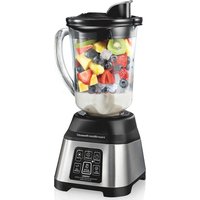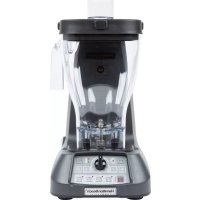
Expeditor HBF1100 - Blender HAMILTON BEACH - Free user manual and instructions
Find the device manual for free Expeditor HBF1100 HAMILTON BEACH in PDF.


User questions about Expeditor HBF1100 HAMILTON BEACH
0 question about this device. Answer the ones you know or ask your own.
Ask a new question about this device
Download the instructions for your Blender in PDF format for free! Find your manual Expeditor HBF1100 - HAMILTON BEACH and take your electronic device back in hand. On this page are published all the documents necessary for the use of your device. Expeditor HBF1100 by HAMILTON BEACH.
USER MANUAL Expeditor HBF1100 HAMILTON BEACH
natural_image
Line drawing of a commercial blender with control panel and brand mark (Hamilton Beach)HBF1100/HBF1100S Series
1 Gallon/4 L
840249500
9/15
IMPORTANT SAFETY INSTRUCTIONS
WARNING – When using electrical appliances, basic safety precautions should always be followed to reduce the risk of fire, electric shock, and/or injury to persons, including the following:
- Read the Operation Manual before using blender. Keep Operation Manual handy.
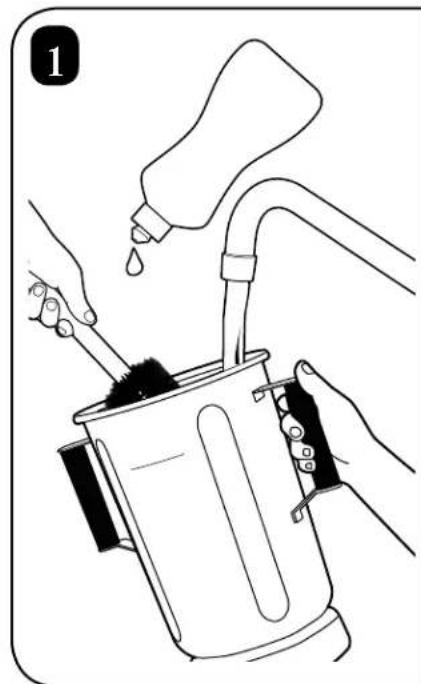
- Before first use, wash container assembly in hot, soapy water. Do NOT place in dishwasher.
- Plug into a grounded outlet.
- Do not remove ground.
- Do not use an adapter.
- Do not use an extension cord.
- Disconnect power before cleaning or servicing.
- To reduce risk of personal injury, unplug cord from outlet when not in use and before putting on or taking off parts.
- Unplug the blender and inspect the power cord insulation for cracks on a weekly basis. Refer to "Technical Services" for repair or replacement.
- To protect against electrical shock, do not immerse cord, plug, or blender base in water or any other liquid.
- Do not spray the base with a high-pressure spray gun.
- Extreme caution must be used when moving an appliance containing hot oil or other hot liquids.
- Do not use appliance for other than intended use.
- This appliance is not intended for use by persons with reduced physical, sensory, or mental capabilities, or lack of experience and knowledge, unless they have been given supervision or instruction concerning use of the appliance by a person responsible for their safety.
- Not intended for use by or near children. Children should be supervised to ensure that they do not play with the appliance.
- The use of accessory attachments not recommended by the appliance manufacturer may cause injuries.
-
To reduce risk of personal injury and to prevent damage to blender or container and cutter assembly, DO NOT insert utensils into blender container while operating blender.
-
Do not store any kitchen utensils in the container because the blender would be damaged if inadvertently turned on.
- To prevent possibility of serious personal injury, keep hands out of blender container while operating blender.
- Avoid contacting moving parts. Switch OFF (O) the appliance and disconnect from power supply before changing accessories or approaching parts that move in use.
- Blades are sharp. Handle carefully.
- If cutter assembly blades are loose, discontinue use immediately and replace cutter assembly. Do not attempt to repair or tighten cutter assembly.
- Inspect container and cutter assembly daily. Do not use broken, chipped, or cracked container. Check cutter for wear, nicks, or broken blades. Do not use broken, loose, or cracked cutting blades.
- Do not use outdoors.
- This appliance is intended for short periods of operation, with a rated operating time of 3 minutes.
- Do not leave blender unattended while it is operating.
- To prevent damage to blender, container, or cutter assembly, DO NOT move or shake blender while in operation. If blending action stops during operation, turn blender OFF (O), remove container from base, remove container cover, and use a thin rubber spatula to push mixture towards cutters.
- When blending hot liquids, remove center piece of two-piece lid. Hot liquids may push lid off jar during blending. To prevent possible burns: Do not fill blender jar beyond the 1 quart (946 ml) level. With the protection of an oven mitt or thick towel, place one hand on top of lid. Keep exposed skin away from lid. Start blending at lowest speed.
-
Always operate blender with container cover in place.
-
This blender is designed with motor overload protection. If the motor stops during operation due to overheating, unplug the unit and allow it to cool down for 15 minutes. Plug unit back in after 15 minutes to resume normal operation.
-
The normal function of this product may be disturbed by strong electromagnetic interference. If this occurs, simply reset the product and resume normal operation by following the operation manual. If normal operation cannot be resumed, place the product in a different location.
-
Do not operate any appliance with a damaged supply cord or plug, or after the appliance malfunctions or has been dropped or damaged in any manner. Supply cord replacement and repairs must be conducted by the manufacturer, its service agent, or similarly qualified persons in order to avoid a hazard. Call the provided customer service number for information on examination, repair, or adjustment.
- SAVE THESE IN STRUC TIONS -
Blender Safety
WARNING

Electrical Shock Hazard Disconnect power before cleaning blender base.
Failure to follow these instructions can result in death or electrical shock.

Electrical Shock Hazard
Plug into a grounded outlet.
Do not remove ground.
Do not use an adapter.
Do not use an extension cord.
Failure to follow these instructions can result in death, fire, or electrical shock.
WARNING

Cut Hazard
The blending blade is sharp.
Always place lid on container when blending.
Do not put hands, spoons, or other utensils in container when blending.
Failure to follow these instructions can result in broken bones, cuts, or other injuries.

Burn Hazard
Always use caution when blending hot contents.
When blending hot liquids, remove center piece of two-piece lid. Hot liquids may push lid off jar during blending. To prevent possible burns: Do not fill blender jar beyond the 1 quart (946 ml) level. With the protection of an oven mitt or thick towel, place one hand on top of lid. Keep exposed skin away from lid. Start blending at lowest speed.
Failure to follow these instructions can result in burns.
Sanitizing
Sanitize using 1 tablespoon (15 ml) of household bleach per 1 gallon (3.8 liter) of clean, cool water (60°F/16°C), mixed according to the instructions on the bleach.
- Fill container with sanitizing solution, replace cover and filler cap, and run on LOW (1) speed for 2 minutes. Empty container.
- Wipe exterior with soft cloth dampened with sanitizing solution.
- Immerse lid, blending jar with cutter assembly, and dosing cup in sanitizing solution for 2 minutes.
- Place empty container on base and run on HIGH (10) speed for 2 seconds to remove any moisture from the cutter assembly.
- When ready to use, rinse with clean water.
22
natural_image
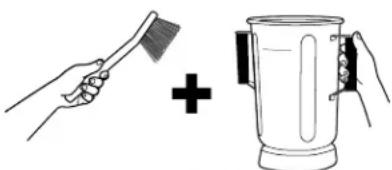
Illustration of a hand brushing a brush and adding a plus sign to a steamer (no text or symbols)
23
natural_image
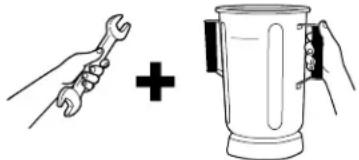
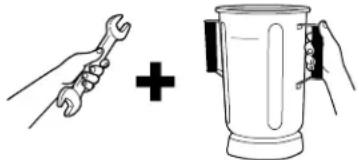
Illustration of a wrench and a blender with a plus sign, no text or symbols present
25
Technical Services
For assistance or replacement parts, call our
Technical Services number:
+910-693-4277 or 1-866-285-1087
8 a.m. – 5 p.m. EST Monday – Friday
www.hamiltonbeachcommercial.com
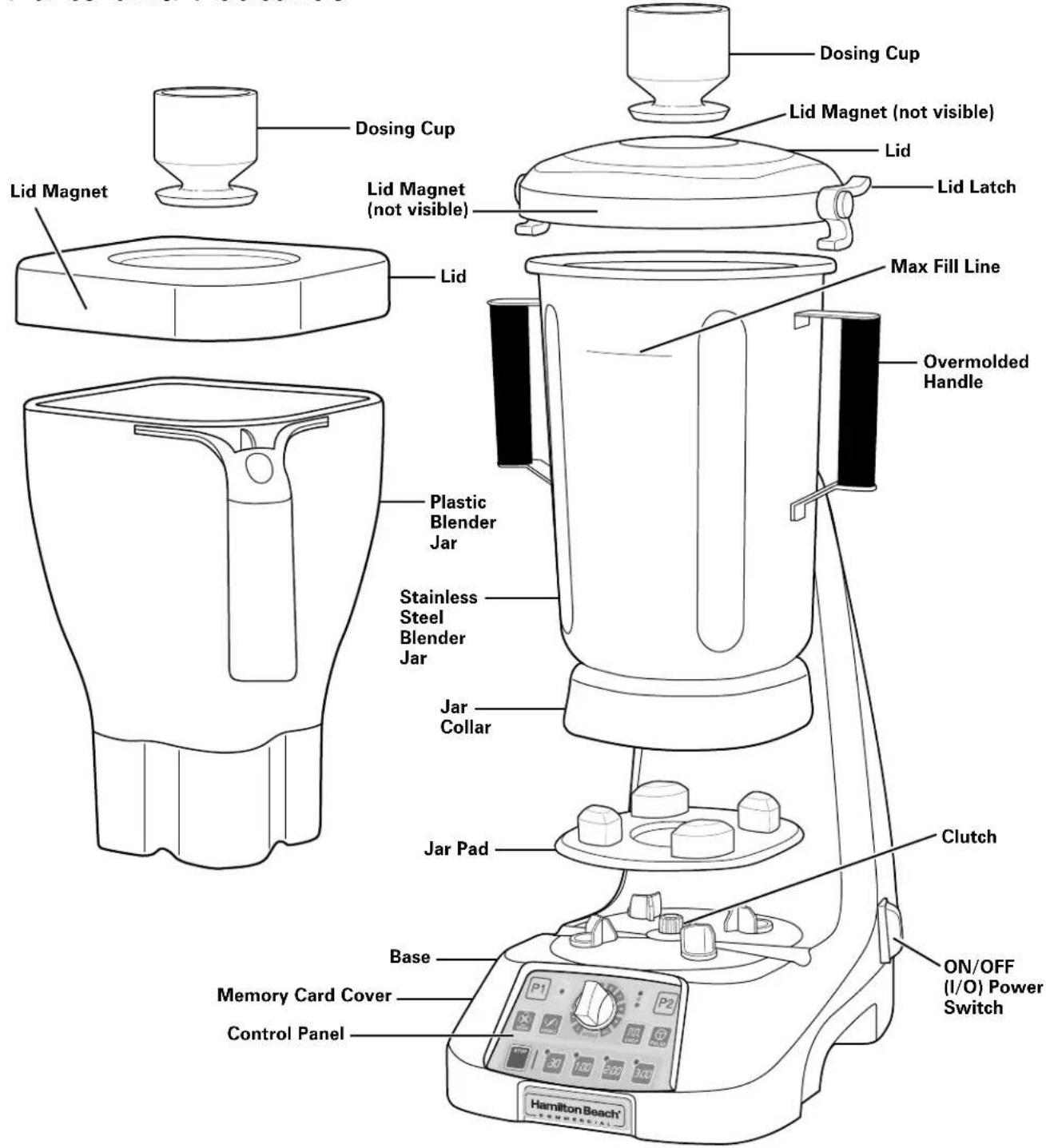
Parts and Features
text_image
Dosing Cup Lid Magnet (not visible) Lid Lid Latch Max Fill Line Overmolded Handle Plastic Blender Jar Stainless Steel Blender Jar Jar Collar Jard Pad Clutch ON/OFF (I/O) Power Switch Base Memory Card Cover Control Panel Hamilton Beach® HAMILTON BEACH®To load custom programs with the memory card:
- Turn OFF (O) and unplug unit.
- Remove the memory card cover.
- Insert memory card.
- Plug in unit and turn ON (Reset) (I).
- Wait 3–5 seconds.
- Turn OFF (O) and unplug unit.
- Remove memory card and reinstall memory card cover.
Using the Controls
text_image
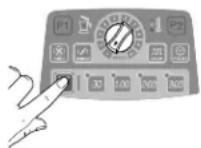
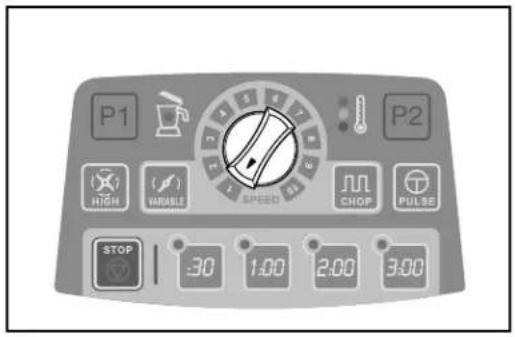
P1 HIGH VARIABLE SPEED P2 CHOP PULSE STOP 30 1:00 2:00 3:00 | Variable Speed ControlSpeeds 1–10. Works with VARIABLE or CHOP functions. | |
 | HIGHSpeed starts LOW and ramps to HIGH. | |
 |  | VARIABLEWorks with Variable Speed Control. |
 |  | CHOPWorks with Variable Speed Control. |
 | PULSEPress and hold for desired time. | |
 |  | P1 and P2Preset program buttons. P1 and P2 can be changed to a different preprogrammed cycle. |
 | Interlock Lid Indicator LightThe red light will flash when lid is not in place.The red flashing light will stop when lid is in place and blending can start. | |
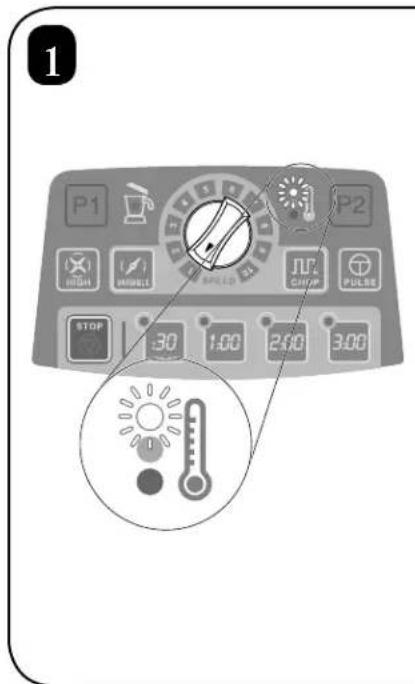
 | Thermal Overload ProtectionTemperature gauge alerts operator if motor overheats while blending back-to-back batches. | |
 |  | LED Lighted Preset Timer PanelProgrammed for 30 seconds, 1 minute, 2 minutes, and 3 minutes.NOTE: 3 minutes is the default setting. |
 | STOPPress STOP or any button to stop operating. | |
Operation
natural_image
Simple line drawing of a rectangular object with a label 'I' and a small circle on the side (no text or symbols beyond basic lines)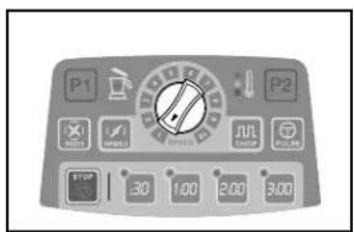
text_image
P1 P2 STOP 30 1.00 2.00 3.00- Plug in blender.
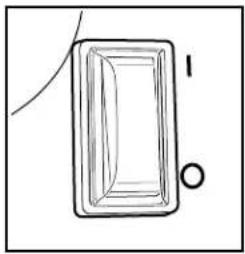
- Turn switch ON (I).
- The 3-minute (3:00) LED light is the default time on the control panel when plugged in.
• Interlock lid red indicator light will be flashing. - When jar and lid are in place, light will stop flashing.
- START by using the controls below.
-
Select an option:
-
Press any timer button (:30, 1:00, 2:00, 3:00) and press HIGH, OR
- Press any timer button (:30, 1:00, 2:00, 3:00), press VARIABLE, and turn variable speed dial, OR
- Press any timer button (:30, 1:00, 2:00, 3:00), press CHOP, and turn variable speed dial, OR
- Press PULSE. Pulse is not associated with the timer buttons.
- Press STOP or any button to stop operation.
Troubleshooting Guide
| Problem . . . Solution . | . |
| Blender fails to start or stops while it is running and cannot be restarted. | Check to see if unit is securely plugged into an electric outlet.Check to see if the fuse for the electric outlet has blown or if a circuit breaker has tripped.Check control panel for red flashing interlock lid light. Realign lid. Start blending.The motor is overheated. Try mixing smaller batches or running for shorter cycle times. Allow motor to cool between batches. See “Motor Cooling Steps” on page 26 for additional details. |
| Ingredients will not mix properly. | Check to see if enough liquid has been added to the ingredients. Mixture should be fluid and free-running at all times.Solid pieces are too large. Cut pieces smaller.Cutters are not sharp or are damaged. Inspect container and cutter assembly daily. Replace container and cutter assembly if damaged.Check to see if cutter assembly is installed properly.Select speed to create a fluid blend. |
Maintenance
Inspect the blender and its various parts and replace as follows:
| Daily Unplug the blender, remove the container from the base, and then inspect the container and cutter assembly for wear, nicks, and broken or loose blades. If the blades are nicked, broken, or loose, discontinue use immediately and replace the container or cutter assembly. See “Replacement Parts” on website www.hamiltonbeachcommercial.com. |
| Weekly Unplug the blender, and then inspect the power cord insulation and power plug for cracks.Refer to “Technical Services” for repair or replacement. Remove jar from blender base.Inspect the cutter assembly by rotating the drive end of the cutter assembly by hand. It should turn smoothly. If it does not, replace the container or cutter assembly. |
Notes
CONSIGNES DE SÉCURITÉ IMPORTANTES
natural_image
Illustration of a hand brushing a brush and adding a plus sign to a mug (no text or symbols)
23
natural_image
Illustration of a wrench and a blender with a plus sign, no text or symbols present
25
Services Techniques
natural_image
Simple line drawing of a rectangular object with a label 'I' and a small circle on the side (no text or symbols beyond basic lines)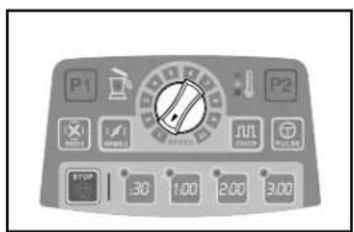
text_image
P1 P2 STOP 30 1:00 2:00 3:00natural_image
Illustration of a hand brushing a brush and adding a plus sign to a mug (no text or symbols)
23
natural_image
Illustration of a wrench and a blender with a plus sign (no text or symbols)
25
Servicios Técnicos
8 a.m. – 5 p.m. EST Lunes – Viernes
www.hamiltonbeachcommercial.com
natural_image
Simple line drawing of a rectangular object with a label 'I' and a small circle on the side (no text or symbols beyond basic lines)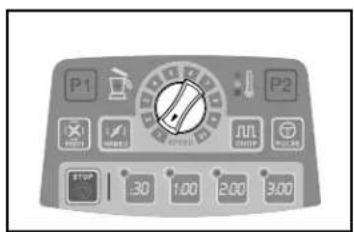
text_image
P1 P2 STOP 30 1:00 2:00 3:00text_image
Two triangular warning signs with silhouettes of a bird and a tree, indicating environmental hazard or pollution.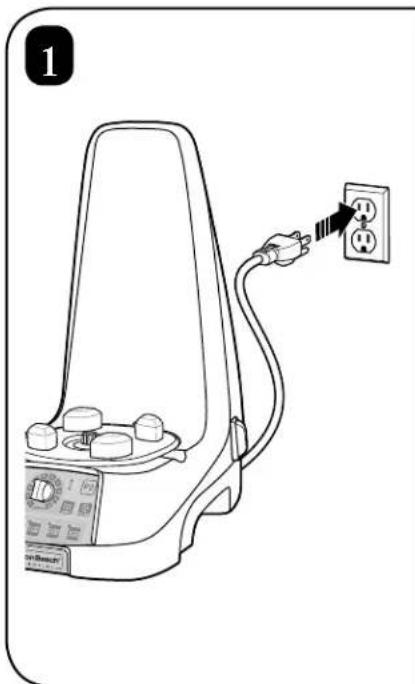
natural_image
Line drawing of a handheld electrical device with a power outlet connected to it (no text or symbols)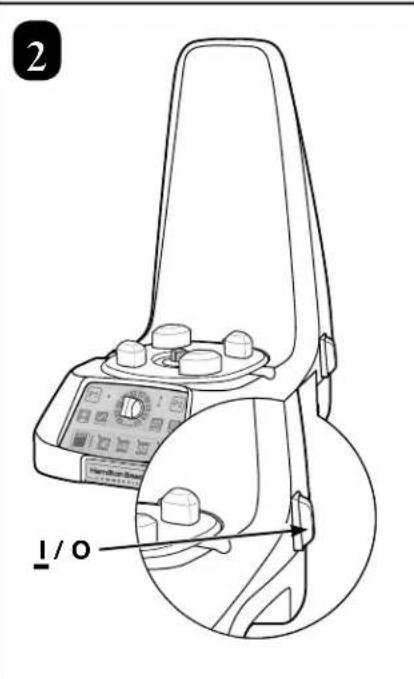
text_image
2 1 / 0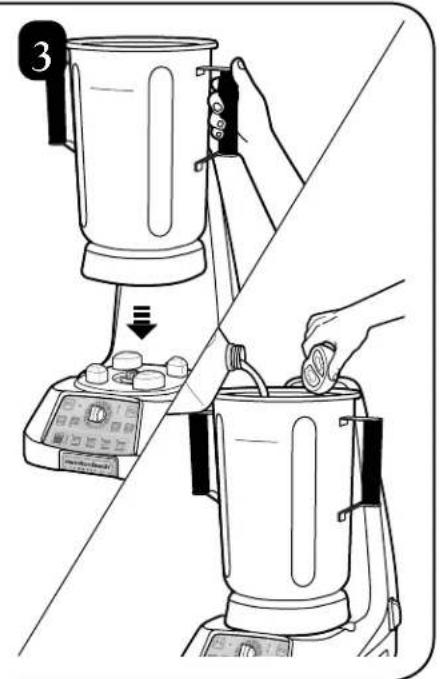
natural_image
Line drawing of a kitchen blender being placed on top of a digital kitchen stand, showing the blade and handle (no text or symbols)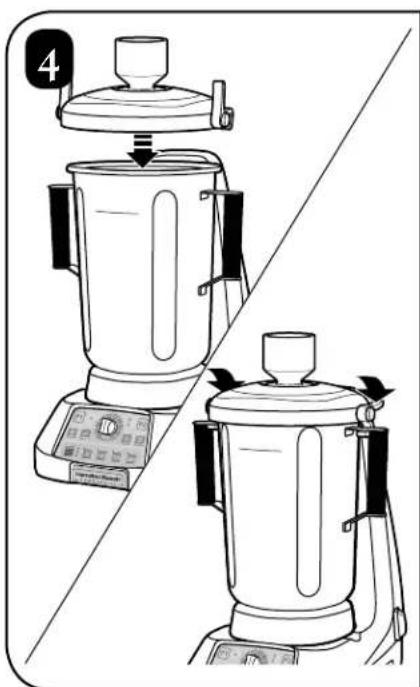
natural_image
Line drawing of a kitchen blender with control panel and side view (no text or symbols)
natural_image
Illustration of a blender being placed on top and bottom, showing the blade and handle (no text or symbols)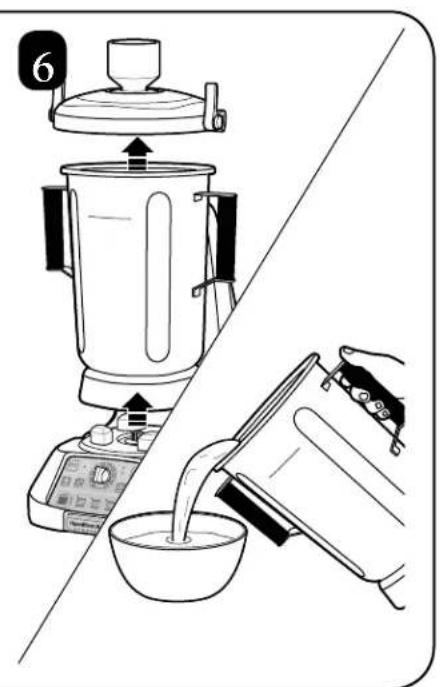
text_image
6
natural_image
Illustration showing a hand holding a brush next to a mixing bowl with a plus sign (no text or symbols)
natural_image
Illustration of a hand pouring liquid into a container with a tool, no text or symbols present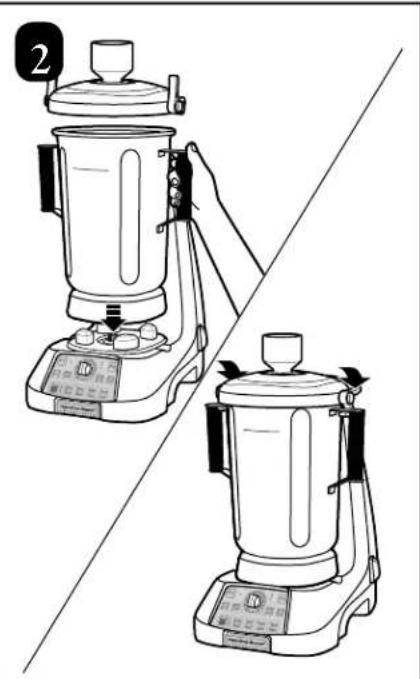
natural_image
Line drawing of a blender being placed on top and bottom, showing the lid and base (no text or symbols)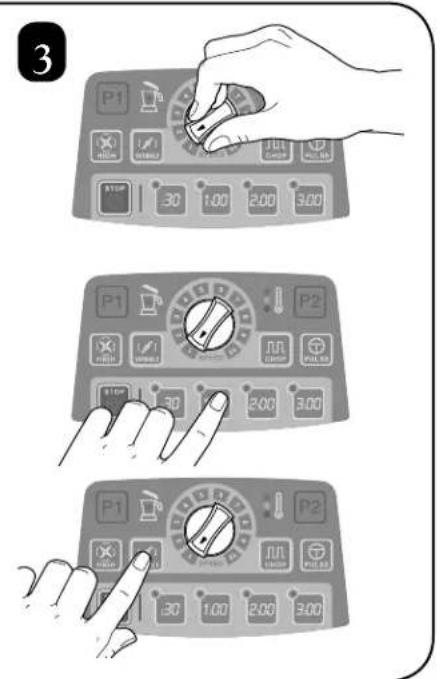
text_image
3 P1 30 1.00 2.00 3.00 P1 30 2.00 3.00 P2 30 2.00 3.00 P1 30 1.00 2.00 3.00 P2
natural_image
Diagram showing two kitchen stewers with control knobs and a side view of their mixing equipment (no text or symbols present)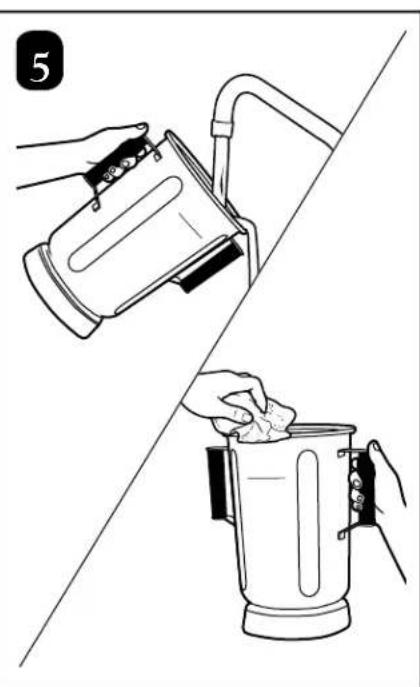
natural_image
Illustration of two hands cleaning a blender with a lid and cloth (no text or symbols)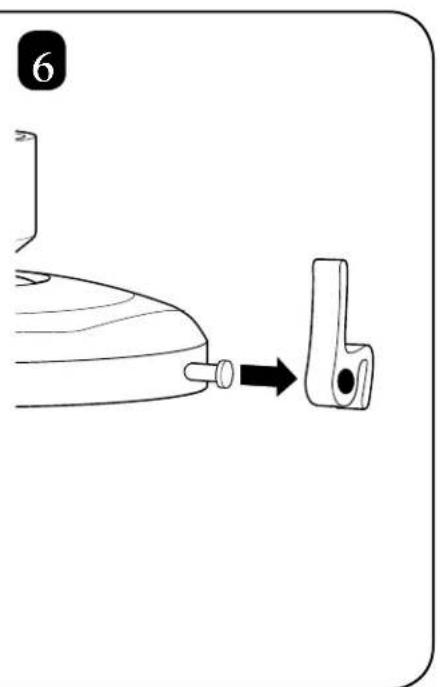
text_image
6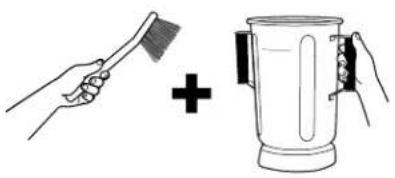
natural_image
Illustration showing a hand brushing a brush and adding a plus sign to a steamer (no text or symbols)
natural_image
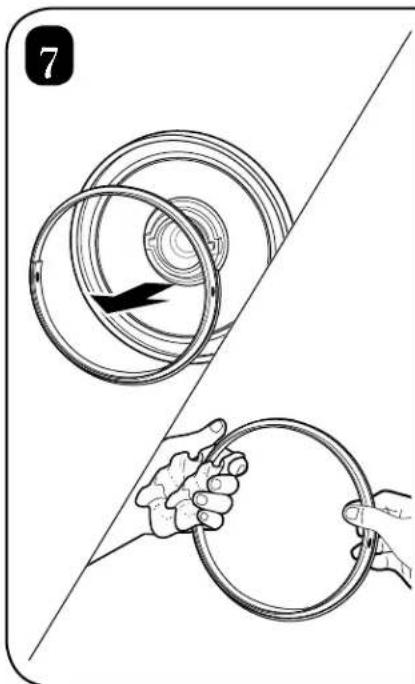
Illustration showing two hands holding a circular ring, with one being pulled out (no text or symbols)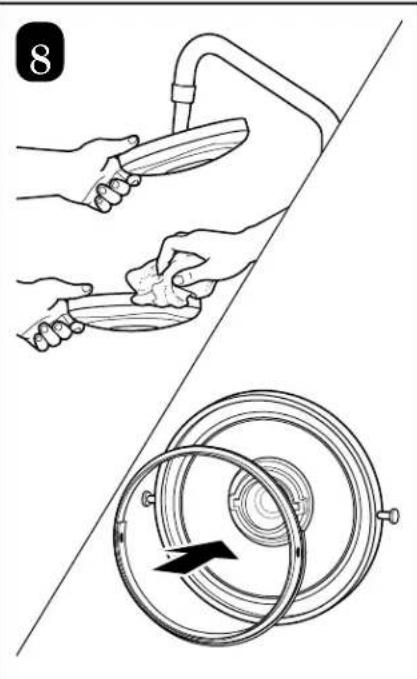
natural_image
Illustration showing hands holding a tool and a circular diagram with arrows, no text or symbols present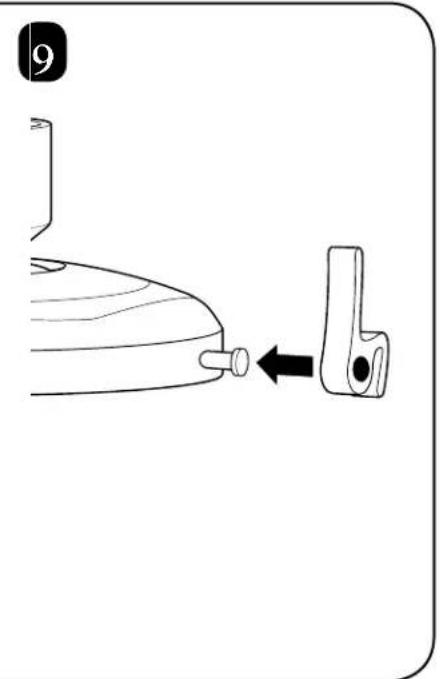
natural_image
Diagram showing a bottle being inserted into a clip, with an arrow indicating the insertion direction (no text or symbols present)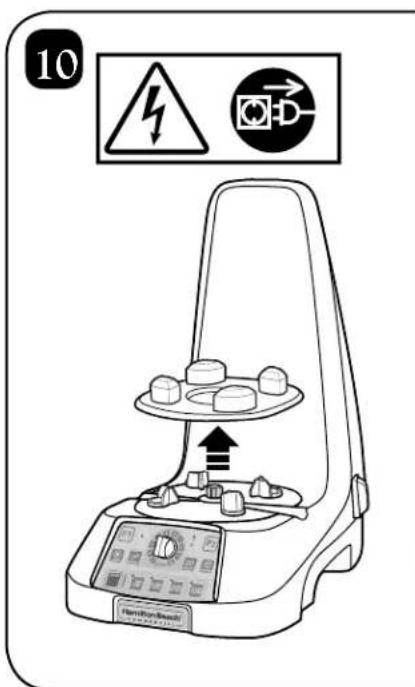
text_image
10 Hamiltonian Hamiltonian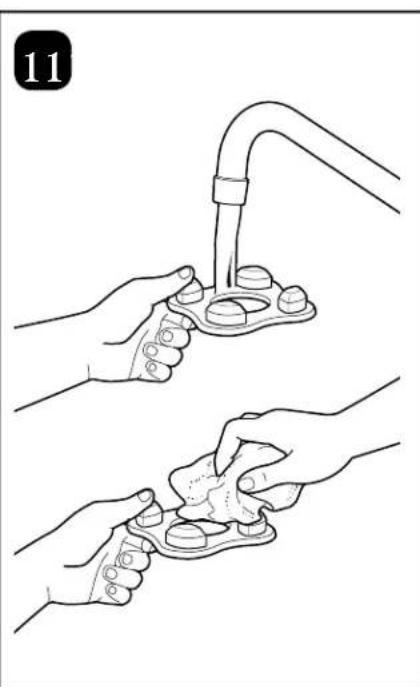
natural_image
Illustration of two hands performing a manual procedure on a medical device, no text or symbols present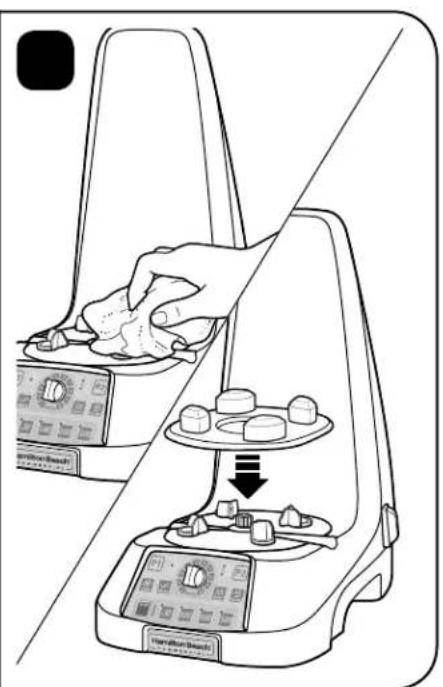
natural_image
Line drawing of a balance scale with hand pressing down on a device, showing components and a downward arrow (no text or symbols)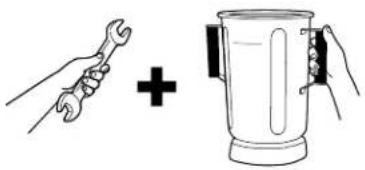
natural_image
Illustration of a wrench and a mixing bowl with hands, no text or symbols present
natural_image
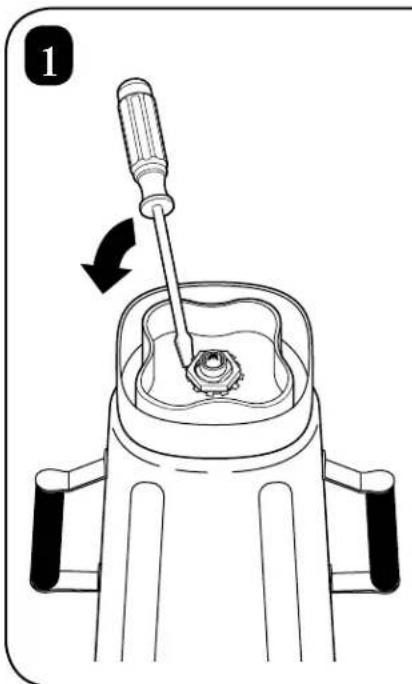
Diagram of a screwdriver working on a mechanical component with a rotating shaft (no text or symbols)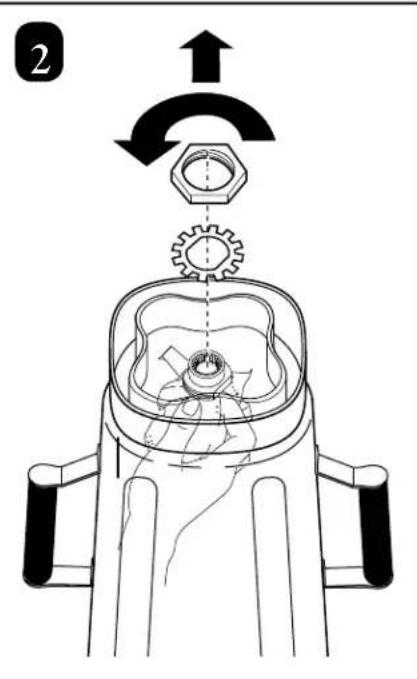
text_image
2
natural_image
Line drawing of a blender with a hand pressing a button on the lid (no text or symbols)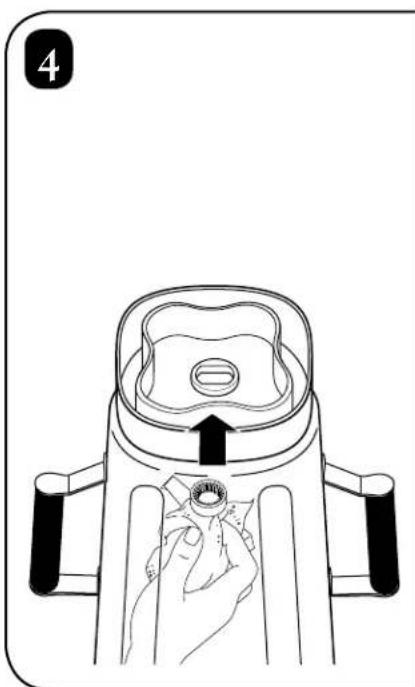
natural_image
Line drawing of a blender with a hand pressing down on the cover (no text or symbols)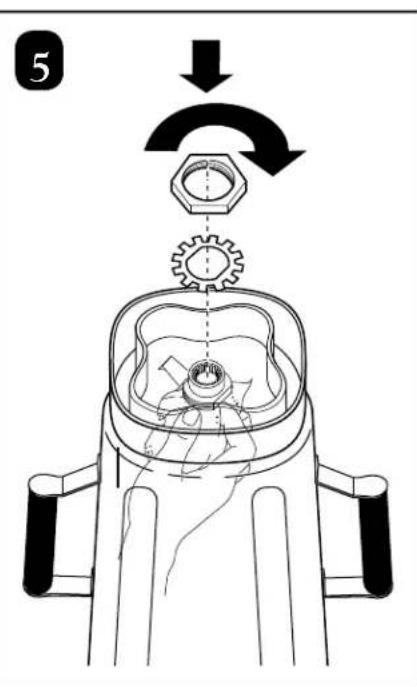
text_image
5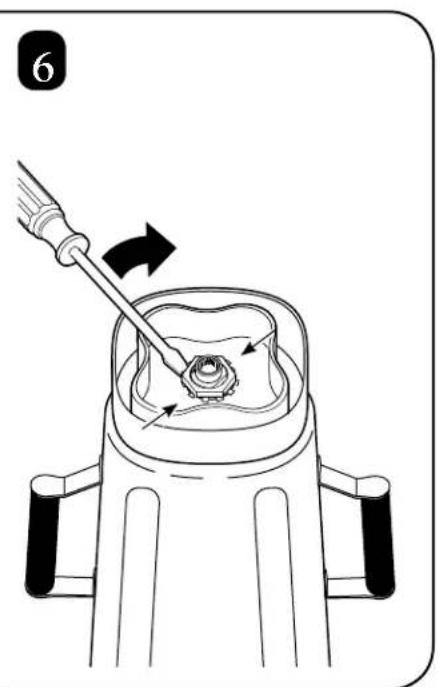
natural_image
Diagram of a mechanical device with a screwdriver inserted, showing a rotating component (no text or symbols)Motor Cooling Steps Étapes de refroidissement du moteur Pasos para Enfriar el Motor

text_image
1 P1 P2 HIGH WHOLE SPEED CHIP PULSE STOP 30 1.00 2:00 3:00 I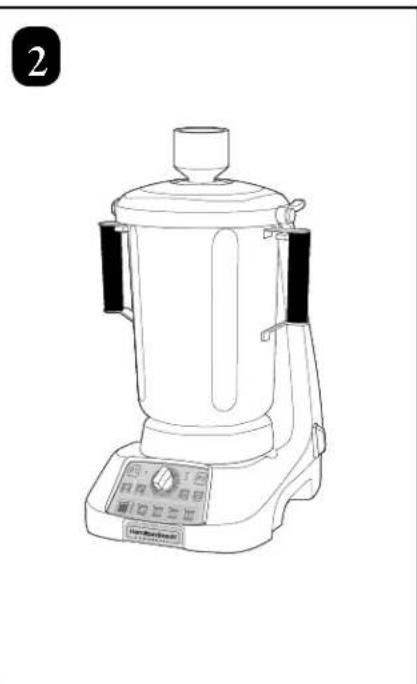
natural_image
Line drawing of a kitchen blender with control panel and digital display (no text or symbols)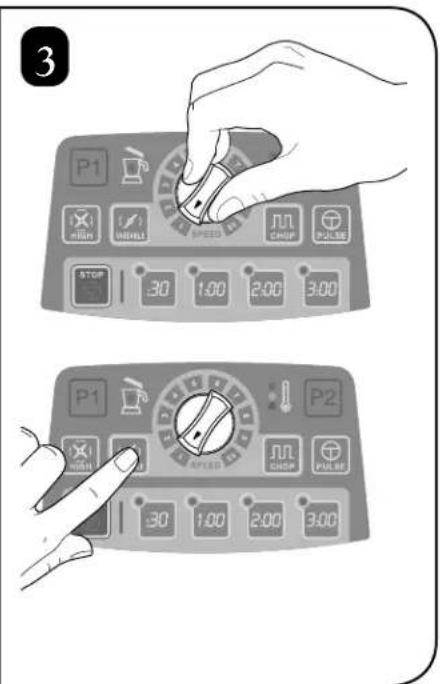
text_image
3 P1 FULL SHORT SPEED WHIP CHIP PULSE STOP 30 1.00 2.00 3.00 P1 FULL SHORT SPEED WHIP CHIP PULSE P2 30 1.00 2.00 3.00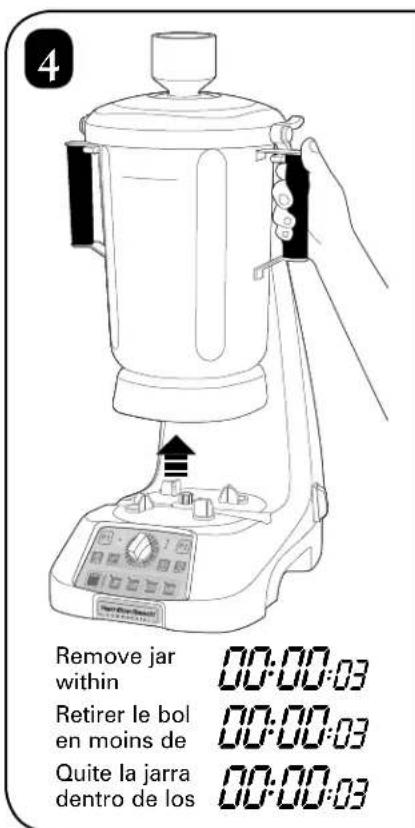
text_image
4 Remove jar within Retirer le bol en moins de Quite la jarra dentro de los 00:00:03 00:00:03 00:00:03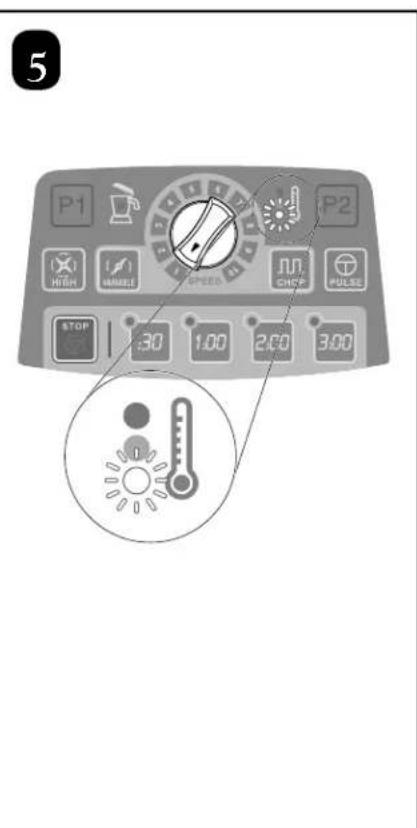
text_image
5 P1 P2 HIGH MACHINE SPEED JUN CHIKU PULSE STOP 30 1.00 2.00 3.00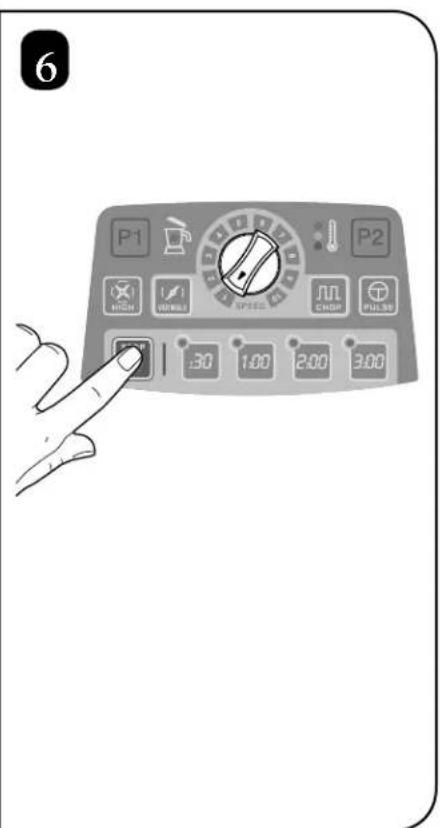
text_image
6 P1 P2 30 1:00 2:00 3:00Notas
Modelos:
HBF1100, HBF1100S
Tipo:
GB33