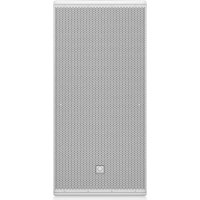
TCS12264AN - Speaker Turbosound - Free user manual and instructions
Find the device manual for free TCS12264AN Turbosound in PDF.



| Product type | Powered speaker (active loudspeaker) with DSP |
| Brand | Turbosound |
| Model | TCS12264AN |
| Category | Loudspeaker |
| Power supply | Mains via Neutrik powerCON connector (100-240 V AC, 50/60 Hz) |
| Audio input connector | Combo XLR/TRS/TS jack (balanced/unbalanced) |
| Audio link connector | XLR AUDIO LINK (unprocessed copy of input signal) |
| Network connector | ULTRANET IN and THRU on RJ45/etherCON |
| USB connector | USB type B for firmware update and DSP control |
| Display | LCD screen for DSP parameter display |
| DSP control | SETUP, PROCESS, ENCODER, ENTER, EXIT buttons and rotary encoder |
| Ultranet network | Up to 16 channels of 24-bit audio, up to 7 devices in daisy chain |
| HF horn rotation | Yes, 90° to swap horizontal and vertical dispersion patterns |
| Mounting points | M10 rigging points (top, bottom, sides, rear) for suspension or brackets |
| Removable grille | Yes, held by 10 screws |
| Cleaning | With a dry cloth only |
| Electrical safety | Grounding required, do not open, do not expose to moisture |
| Disposal | Do not dispose of with household waste, WEEE recycling |
| Warranty | Music Tribe limited warranty, online registration required |
| Operating temperature | Max 45°C (tropical or moderate climate) |
Frequently Asked Questions - TCS12264AN Turbosound
User questions about TCS12264AN Turbosound
0 question about this device. Answer the ones you know or ask your own.
Ask a new question about this device
Download the instructions for your Speaker in PDF format for free! Find your manual TCS12264AN - Turbosound and take your electronic device back in hand. On this page are published all the documents necessary for the use of your device. TCS12264AN by Turbosound.
USER MANUAL TCS12264AN Turbosound
natural_image
Exterior view of a set of black audio/video amplifiers arranged in a row (no text or symbols visible)TCS-AN SERIES
TCS122/64-AN (-WH), TCS122/94-AN (-WH), TCS122/96-AN (-WH), TCS152/64-AN (-WH), TCS152/94-AN (-WH), TCS152/96-AN (-WH), TCS115B-AN (WH), TCS218B-AN (WH)
Arrayable 2,500 Watt 2 Way Full Range Loudspeakers with Dendritic Waveguides 6,000 Watt and Arrayable 3,000 Watt Subwoofers Klark Teknik DSP Technology and ULTRANET Networking
2 TCS-AN SERIES Quick Start Guide 3
EN
ES
EN Important Safety Instructions
Terminals marked with this symbol carry electrical current of sufficient magnitude to constitute risk of electric shock. the only high quality professional speaker tables with 15" TS or twist-locking plugs pre installed. All other installation or modification should be performed only by qualified personnel.
This symbol, wherever it appears, alerts you to the presence of uninsulated dangerous voltage inside the enclosure - voltage that may be sufficient to constitute a risk of shock.
This symbol, wherever it appears, alerts you to important operating and maintenance instructions in the accompanying literature. Please read the manual.
Caution To reduce the risk of electric shock, do not remove the top cover (or the rear section). No user serviceable parts include. Refer servicing to qualified personnel.
Caution To reduce the risk of fire or electric shock, do not expose this appliance to rain and moisture. The apparatus shall not be exposed to dripping or splashing liquids and no objects filled with liquids, such as wares, shall be plated on the apparatus.
Caution These service instructions are for use by qualified service personnel only. To reduce the risk of electric shock do not perform any servicing other than that contained in the operation instructions. Repairs have to be performed by qualified service personnel.
- Read these instructions.
- Keep these instructions.
- Here all warnings.
- Follow all instructions.
- Do not use this apparatus near water.
- Clean only with dry cloth.
- Do not have any ventilation openings, install in accordance with the manufacturer's instructions.
-
Do not install near any heat sources such as rotators, heat registers, stoves, or other apparatus (including amplifiers) that produce heat.
-
Do not defeat the safety purpose of the polarized or grounding-type plug. A polarized plug has two blades with one wider than the other. A grounding-type plug has two blades and a third grounding proing. The wide blade or the third proing are provided for your safety. If the provided plug does not fit into your outlet, consult an electrician for replacement of the obsolete outlet.
-
Protect the power card from being walked on or pinched particularly at plugs, convenience receptacles, and the point where they exit from the apparatus.
- Use only attachments/accessories specified by the manufacturer.

- Use only with the cart, stand, tripod, bracket, or table specified by the manufacturer, or sold with the apparatus. When a cart is used, use caution when moving the cart/apparatus combination to avoid
injury from tip-over.
-
Unplug this apparatus during lightning storms or when unused for long periods of time.
-
Refer all servicing to qualified service personnel. Servicing is required when the apparatus has been damaged in any way, such as power supply cord or plug in damaged, liquid has been spilled or objects have fallen into the apparatus, the apparatus has been exposed to rain or moisture, does not operate normally, or has been dropped.
-
The apparatus shall be connected to a MUNG socket outlet with a protective earthing connection.
-
Where the MAINS plug or an appliance coupler is used as the disconnect device, the disconnect device shall remain readily operable.

- Correct disposal of this product: This symbol indicates that this product must not be disposed of with household waste, according to the WEE Directive (2012/19/EU) and
should be taken to a collection center licensed for the recycling of waste electrical and electronic equipment. EELL, the misunderstanding of this type of waste could have a possible negative impact on the environment and human health due to potentially hazardous substances that are generally associated with EEL, at the same time your cooperation in the correct disposal of this product will contribute to the efficient use of natural resources. For more information about where you can take your waste equipment for recycling, please contact your local city office, or your households waste collection service. 18. Do not install in a confined space, such as a book case is similar unit.
-
Do not place naked flame sources, such as lighted candles, on the apparatus.
-
Please keep the environmental aspects of battery disposal in mind. Batteries must be disposed-of at a battery collection point.
-
This apparatus may be used in tropical and moderate climates up to 45°C.
LEGAL DISCLAIMER
Music Tribe accepts no liability for any loss which may be suffered by any person who relies either wholly or in part upon any description, photograph, or statement contained herein. Technical specifications, appearances and other information are subject to change without notice. All trademarks are the property of their respective owners. Midas, Clark Teknik, Lab Suggers, Lake, Tammy, Turbosound, TC Electronic, TC Helicon, Behringer, Bugera, Institut Microraphes and Codaudio are trademarks or registered trademarks of Music Tribe Global Brands Ltd. © Music Tribe Global Brands Ltd. 2021 All rights reserved.
LIMITED WARRANTY
For the applicable warranty terms and conditions and additional information regarding Music Tribe's Limited Warranty, please see complete details online at musictribe.com/warranty.
ES
BESCHRÄNKTE GARANTIE
Thank you for choosing a Turbosound loudspeaker product for your application. If you would like further information about this or any other Turbosound product, please visit our website at turbosound.com.
Unpacking the Loudspeaker
After unpacking the unit please check carefully for damage. If damage is found, please notify your supplier at once. You, the consignee, must instigate any claim. Please retain all packaging in case of future re-shipment.
Controls
text_image
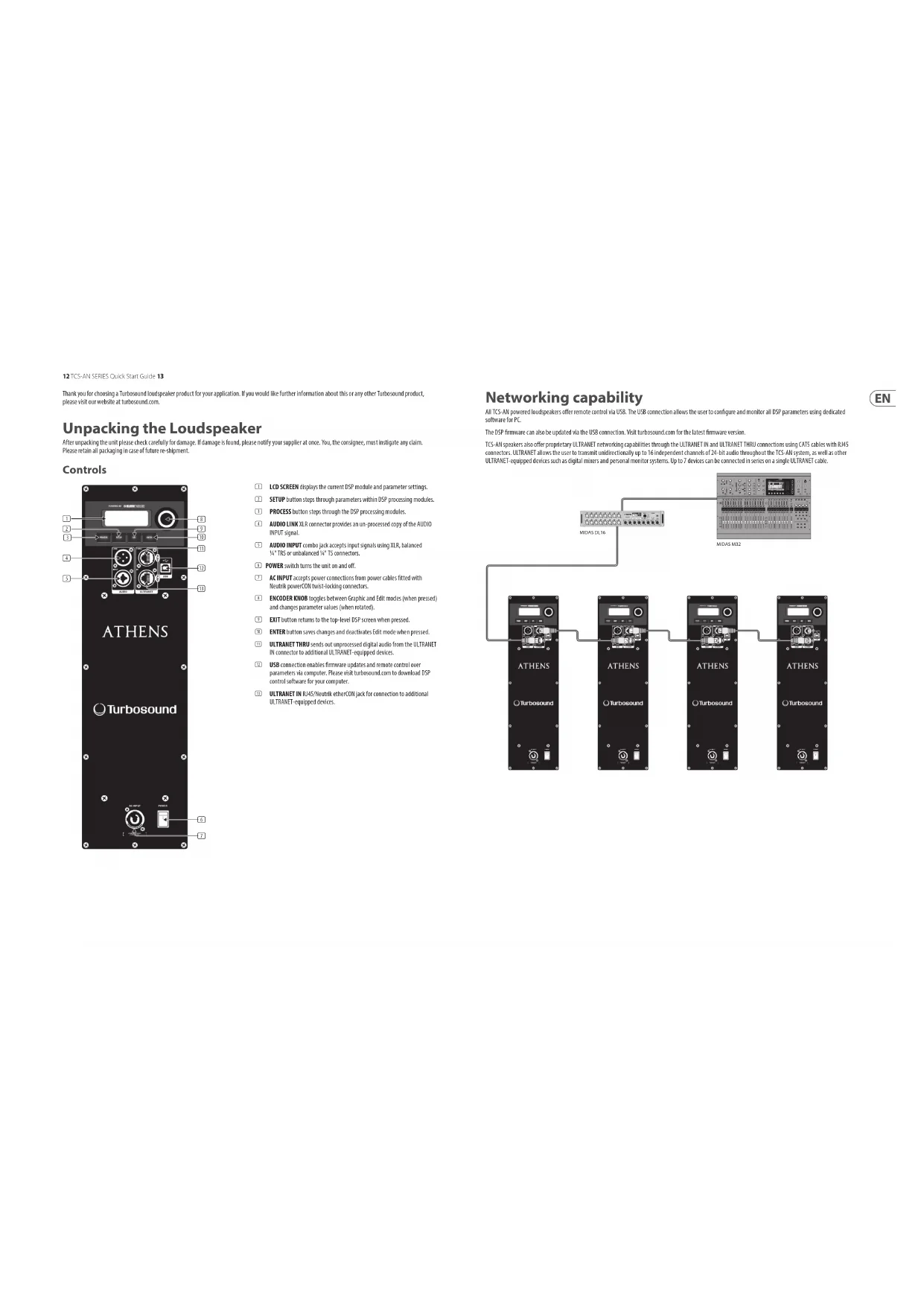
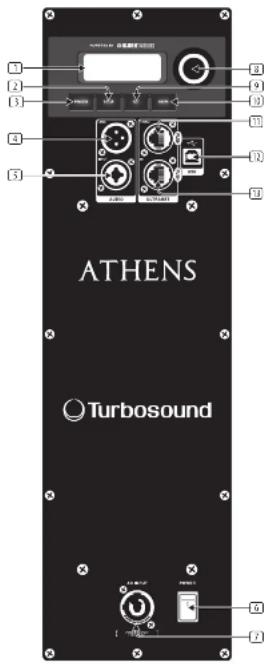
ATHENS Turbosound[1] LCD SCREEN displays the current DSP module and parameter settings.
2 SETUP button steps through parameters within DSP processing modules.
(1) PROCESS button steps through the DSP processing modules.
(4) AUDIO LINK XLR connector provides an un-processed copy of the AUDIO INPUT signal.
[5] AUDIO INPUT combo jack accepts input signals using XLR, balanced N° TRS or unbalanced N° TS connectors.
5 POWER switch turns the unit on and off.
[7] AC INPUT accepts power connections from power cables fitted with Neutrik powerCON twist-locking connectors.
① ENCODER KNOB toggles between Graphic and Edit modes (when pressed) and changes parameter values (when rotated).
(5) EXIT button returns to the top-level DSP screen when pressed.
18 ENTER button saves changes and deactivates Edit mode when pressed.
⑪ ULTRANET THRU sends out unprocessed digital audio from the ULTRANET IN connector to additional ULTRANET-equipped devices.
USB connection enables firmware updates and remote control over parameters via computer. Please visit turbosound.com to download DSP control software for your computer.
⑪ ULTRANET IN RJ45/Neutrik etherCON jack for connection to additional ULTRANET-equipped devices.
Networking capability
All TCS-AN powered loudspeakers offer remote control via USB. The USB connection allows the user to configure and monitor all DSP parameters using dedicated software for PC.
The DSP firmware can also be updated via the USB connection. Visit turbosound.com for the latest firmware version.
TCS-AN speakers also offer proprietary ULTRANET networking capabilities through the ULTRANET IN and ULTRANET THRU connections using CATS cables with RATS connectors. ULTRANET allows the user to transmit unidirectionally up to 16 independent channels of 24-bit audio throughout the TCS-AN system, as well as other ULTRANET-equipped devices such as digital mixers and personal monitor systems. Up to 7 devices can be connected in series on a single ULTRANET cable.
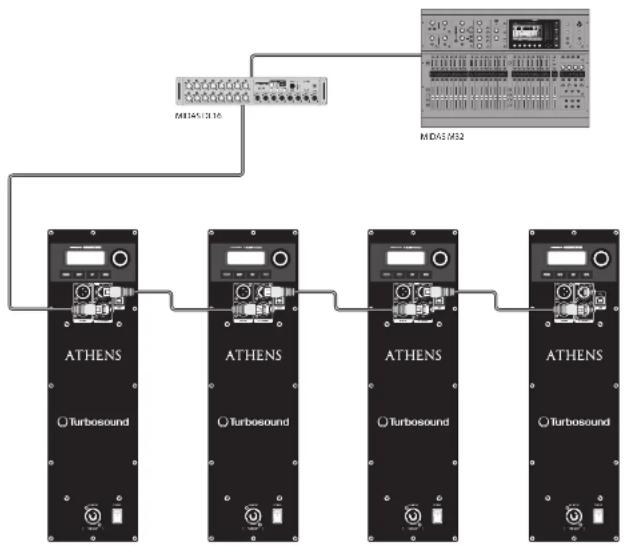
flowchart
graph TD
    A["MDAE/MS2"] --> B["Control knob"]
    B --> C["ATENS Module 1"]
    B --> D["ATENS Module 2"]
    B --> E["ATENS Module 3"]
    B --> F["ATENS Module 4"]
    C --> G["Turbosound"]
    D --> H["Turbosound"]
    E --> I["Turbosound"]
    F --> J["Turbosound"]
| Fullrange Subwoofer Function | ||||
| POSITION | Free | For positioning the speaker in free suspension or ground stacked away from walls. | ||
| Wall | Floor | For positioning the speaker on or next to a wall, or on the floor (subwoofer) | ||
| Ceiling | Wall | For positioning the speaker over the ceiling and wall, or front and wall isubwoofer) | ||
| Corner Corner | For positioning the speaker in a corner next to the ceiling (fixed install) or in a corner on the floor (subwoofer) | |||
| Screenshot update | DELAY | Delay | Delay | Adjusts the amount of delay (max 300 msec = 103 m or 138 feet) |
| Unit | Unit | Selects between them, meters and feet. | ||
| LIMIT LIMIT | Limit Limit | Adjust the limit threshold for the input signal from OFF up to 30 dB. This threshold adjustment allows you to set area output power which is below the loudspeaker system's rated max output. | ||
| LOAD/SPRING | START | Version | Version Displays the installed form are version. | |
| LOAD | 1, 20, 1, 20. | To load a specific preset, turn the encoder to select the desired press's number, and bring press rather than the ENTER button or the encoder. When asked to confirm press the encoder again or DATT to avoid. | ||
| SAVE | 1, 20, 1, 20. | To save a preset choose the respective panel dose and press ENTER or the encoder. | ||
| Sub Menu | Save Preset | Save Preset | Name the preset by choosing the characters with the encoder and pressing to confirm each character. When finished, press the ENTER button to save the preset. | |
| START | Contract | Contract | Adjust LCD panel contrast. The default contrast value is % | |
| ATTENS | Screen Screen | One LCD screen covers (default) turns on automatically after approx. 2 minutes. OFF: LCD turns off automatically after approx. 5 minutes. | ||
| SUB Menu | Lock | Lock | Lock the device and create a password by choosing the password characters with the socket and pressing to confirm each character. When finished, press the ENTER button, unlock the device by entering the password or withdrawing the unit via USB to a PC running proprietary remote software. The software does not require a password. | |
| Warning | Warning | In one of overdining, an alert appears on the LCD screen, and the amplifier will shut down until the unit costs. | ||
LCD Graphic Indicators
To help the user immediately recognize that a parameter has been selected and changed from the initial default setting, the parameter's related text on the top-level screen will invert and change to black text on a white background. As an example, the following screenshots show how the text for the EQ function changes when the TCS-AN default EQ setting has been changed:

This indicator function occurs only on the main DSP menu level and works for all DSP-related functions, except for the LOAD, SAVE and SETUP sub-sections on the second page of the top-level SETUP menu.
Mounting and Fixing
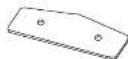
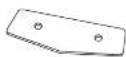
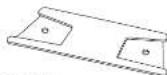
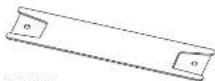
The table below summarises the rigging parts or kits required for various applications, and some examples of the possible rigging options are illustrated.
TCS-AH series cabinets are designed with multiple internal rigging points to suit many possible mounting methods in permanent installations. All cabinets can be simply suspended using optional MB or MTR shoulder eyebrows coupled to the internal rigging points provided. Remove the appropriate countersunk screws and replace them with eyebrows, which must have a thread length of at least 18mm. Use the rear rigging point to single the cabinet for optimum room coverage. Cabinets may be hung upside down if required. Turbosound WB-55 and CR-55 wall and ceiling brackets are optimally available for TCS-AH series cabinets, and these are also compatible with industry standard wall and ceiling brackets which use 50 mm x 60 mm hole spacing.
| Model | Wall | Ceiling | Downfill | Array Kit | Eyebulls |
| TCS122 W8-55 CB-55 | TCS122-TPTCS-F61TCS-F62 | B4-10-40 | |||
| TCS152 W8-55 CB-55 | TCS152-TPTCS-F61TCS-F62 | B4-10-40 | |||
| TCS1158 | TCS115-TPTCS-F63 | B4-10-40 | |||
| TCS Subscaler 1B-10-40 |
TCS Subscribers EB 1040
Some typical examples of the possible rigging options are shown here:
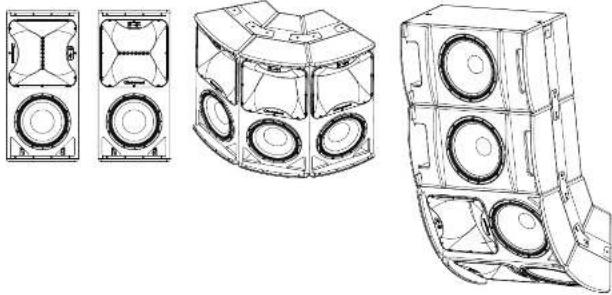
natural_image
Technical line drawings of three different speaker housing designs (no text or symbols)TCS-AN Series Flying Components

Wall and Ceiling Brackets
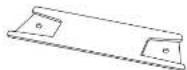
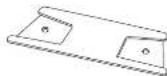
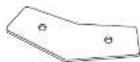
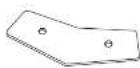
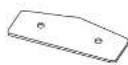
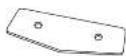
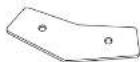
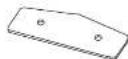
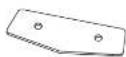
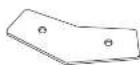
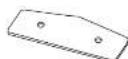
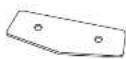
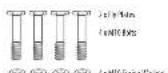
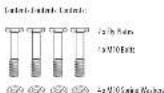
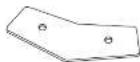
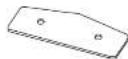
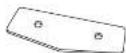
To install a loudspeaker using Turbosound wall and ceiling brackets, first separate the brackets into their wall/ceiling plate and speaker plate component parts. Remove the countersunk bolts on the rear panel of the cabinet. Attach the speaker plate to the cabinet with the bolts supplied. Fix the wall/ceiling plate in the venue using appropriate fixings (not supplied). Lift the loudspeaker on to the wall plate and re-assemble the bracket parts, adjust the vertical angle and tighten all bolts.
Loudspeaker Arrays and Clusters
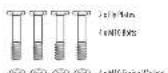
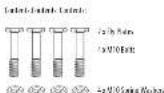
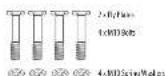
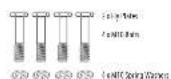
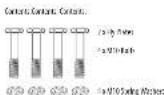
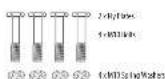
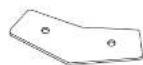
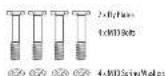
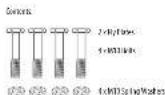
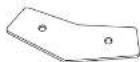
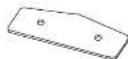
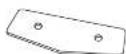
An array of two or more cabinets requires the use of kits of flyplates and inter-cabinet couplers, which are fixed to the cabinet sides through the MTD rigging points and assembled together in a 'daisy chain' fashion to build up the required array. For all loudspeaker arrays consisting of two or more cabinets:
The number of inter cabinet coupler kits required - the number of boxes - 1, The number of flyplate kits required - the number of boxes.
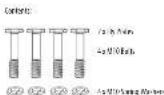
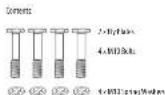
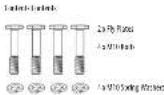
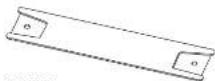
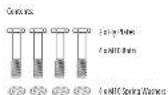
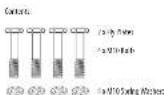
Illustrated here are the components parts available for TCS cabinets.
TCS152-IP(MII)
B, Flax B1 K1 TCS152
7CS122-P-3W1
R/Flex-R/Kr7CS122
© © © © 2: NIO Bokwesen
□ □ □ □ /sV1086388
10 10 10 10 10
TCS-RCT/AM
Incr. Caneet Goula B for TCS12c or TCS152
Comms. 2 dEX
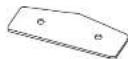
125-35(###)
Into: Cai#r#e Coupie 19.04-7251158
Contents 1-10C
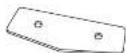
TCB2 (HK)
Inter-Channel Counter Effect for TCS12c or TCS32
General 2.15C

B 1140
Erbcl V100 mm
Color: 12Fptd
Suspending with Eyebolts
TCS-MN cabinets can be suspended using optional eyebolts coupled to the internal rigging points provided on the top, bottom and sides and back. The simplest method is to use the two rigging points on the top and a single pull-back rigging point in the centre of the rear panel.
Remove the appropriate countersunk screws and replace them with shoulder eyebrows, which must have a thread length of at least 18 mm. Use the rear rigging point to angle the cabinet for optimum mom coverage. Cabinets may be hung upside down if required.
IMPORTANT NOTE FOR ALL INSTALLATION METHODS: The mounting of a permanently installed sound system may be dangerous unless undertaken by qualified personnel with the required experience and certification to perform the necessary tasks. Walls, floors or ceilings must be capable of safety and securely supporting the actual load. The mounting accessory used must be safely and securely fixed both to the loudspeaker and to the wall, floor or ceiling.
When mounting rigging components on walls, floors or ceilings, ensure that all fixings and fasteners used are of an appropriate site and load rating. Wall and ceiling claddings, and the construction and composition of walls and ceilings, all need to be taken into account when determining whether a particular fixing arrangement can be safely employed for a particular load. Cavity plugs or other specialist fixings, if required, must be of an appropriate type, and must be fitted and used in accordance with the maker's instructions.
The operation of your speaker cabinet as part of a flown system, if installed incorrectly and improperly, can potentially expose persons to serious health risks and even death. In addition, please ensure that electrical, mechanical and acoustic considerations are discussed with qualified and certified (by local state or national authorities) personnel prior to any installation or flying.
Make sure that speaker cabinets are set up and flown by qualified and certified personnel only, using dedicated equipment and original parts and components delivered with the unit. If any parts or components are missing please contact your Dealer before attempting to set up the system.
Be sure to observe the local, state and other safety regulations applicable in your country. Music Tribe, including the Music Tribe companies listed on the enclosed "Service Information Sheet", assumes no liability for any damage or personal injury resulting from improper use, installation or operation of the product. Regular checks must be conducted by qualified personnel to ensure that the system remains in a secure and stable condition. Make sure that, where the speaker is flown, the area underneath the speaker is free of human traffic. Do not fly the speaker in areas that can be entered or used by members of the public.
Speakers create a magnetic field, even if not in operation. Therefore, please keep all materials that can be affected by such fields (discs, computers, monitors, etc) at a safe distance. If safe distance is usually between 1 and 2 metres.
Rotating the HF horn pattern
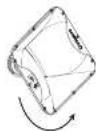
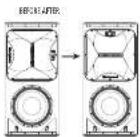
The high frequency hom in all TCS122 and TCS152 models can be rotated through 90° in order to swap the horizontal and vertical dispersion patterns, particularly useful when assembling clusters or for example to retain the original dispersion when the cabinet is installed in a horizontal orientation.
- Place the cabinet on its back on a suitable work surface.
- Remove the 10 post-drive screws that hold the grille in place and set the grille aside (Fig 1).
- Remove and disconnect the bass driver (fig 2) to access the compression driver retaining brace, making a note of the bass driver polarity for later reconnection.
- Reach in through the bass driver cavity and loosen the two wing nuts securing the compression driver retaining brace (Fig 3).
- Remove the horn fixing screws that secure the horn to the enclosure and lift out the horn and compression driver assembly (fig 4). (If required for servicing or replacement, disconnect the cables from the compression driver, making a note of the polarity for later reconnection.)
- Rotate the nom to achieve the desired coverage pattern [fig 5].
- Re-assemble the cabinet and drivers by reversing steps 1-5.
- If the compression driver cables have been disconnected, reconnect the cables while observing the correct polarity (white cable to the -ve terminal, black cable to the -ve terminal).
- Place the horn and compression driver back into the cabinet, making sure that the driver cables pass underneath the compression driver retainer and that the compression driver fits squarely back into the retaining brace.
- Tighten the wing nuts back onto the compression driver retaining brace [fig 3].
- Replace the horn fixing screws and tighten to secure the horn back into the enclosure (Fig 4).
- Reconnect the bass driver cables, observing the correct polarity (red cable to the +ve terminal, blue cable to the -ve terminal).
- Check all components and confirm the horn orientation is correct [fig 6].
- Replace the grille (fig 1) and phase check the cabinet before use.
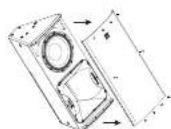
kg.1
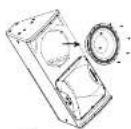
Fig.2
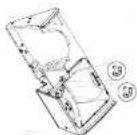
图3
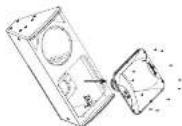
图2-15-10.6
text_image
ATHENS Turbosoundnatural_image
Technical line drawings of four different speaker housing configurations (no text or symbols)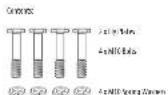
⑤ ⑥ ⑦ ⑧ 4:NICRA Mo#a
① ② ③ ④ ⑤
⑤ ⑥ ⑤ ⑥ 4xMD/Fat/Walers
IC-PC10K
rbc-camC:coaRtBcIcIIS2/cclRS
(###) - 7.6K
25-43-MH
In-line data (appr) for 12/19/1
Somatic Jol.
TCS B214K
Intra Gau et Goula B1 for TCS122 or TCS152
(crem: 3 eK)

B 114
E,abc(10)240mm
(cubcl: 1cylcbl)
text_image
ATHENS Turbosoundnatural_image
Technical line drawings of a multi-tiered speaker tower assembly (no text or symbols)
© © © 4xNICIIL4 Mo-ber
20 20 20 20 427014 MoMn
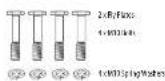
© © © © 4-MD-WaSala
TCS RELIAR
In the case of the TCS12 or TCS15
Consors: 2 cEX
72 PS(MH)
Min (Max Cap) for 725.193
Gorax 140X
TC-49210M
info-Casal-Code#8.16.01.52/ce11353
(www.casal)

E-11-1
Lybe1/21a 4mm
Linde: 1cl,yeed
text_image
ATHENS Turbosoundnatural_image
Technical line drawings of a multi-tiered speaker tower assembly (no text or symbols)
TCR1/AR
inter-Correct Cooler II for TGT22 or TGT32
Cofactors: 2x100.
12 B3/MH
Inter-Chine (exp) 12/159
TCS-02 (A)
Intra-Caust-Guolar B1 for TCS123 or TCS152
Convers. To Beclit

E_1abc (V) Do 40mm
Census:
text_image
ATHENS Turbosoundnatural_image
Technical line drawings of four different speaker housing configurations (no text or symbols)Componentes Voadores Série TCS-AN
Suportes de parede e teto
7CS122 FP 3W-1
By Fire Bt for CS122
TCS115 47 (AM)
By: 0.0283 (CS115)
4: NID-114 Market
© © © © 12/01/14 Mod.
4.001 W/500
TCR104K
Inter-Channel Computer Error (CST2) or TCS32
Contents: 2 eKL
123 83 (MHz)
Inter-Cabinet Couple: 123159
Iomert: 2 c10
TCS-02 [M]
Intra-Caixet-Goula B1 for TCS12 or TCS15
Covers 1 dX

14-11-4
E,abc(1/2)0.40mm
Cenon: 1cE,abc
text_image
ATHENS Turbosoundnatural_image
Technical line drawings of four different speaker housing configurations (no text or symbols)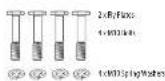
© © © © 4-MD/10/Sales
TCS RELIAR
In the case of the TCS12 or TCS15
Consors: 2 cEX
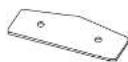
725 PB3(MH)
Min (Lead Copper) for 725.193
Conex 161X
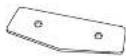
TC-4921/M
mio-Canul-Lozzer B cell (527 or 530)
(complete) 1 or 1

E3-11-7
Lybe1/25h 4mm
Linde: Telpeell
text_image
ATHENS Turbosoundnatural_image
Technical line drawings of a multi-tiered speaker tower assembly (no text or symbols)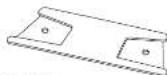
7CS122 FP 3W-1
By Fire Bt for CS122
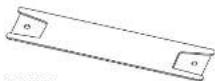
TCS115 47 (AM)
By: 0.0283 (CS115)
4: NID-114 Market
© © © © 12/01/14 Mod.
4.001 W/500
TCS-RC1/AR
inter-Context Similar to for TCS12c: TCS12
Contents: 3 eK1
725 83 (MHI
Inter-Calvin-Couple) Ref: 725-159
Icclerich - 3 (01)
105402 [M]
In a Corneal Cochrane for TGS129 or TGS130
Corrorka 2 e130

14-15-0
Ejede IV 1024(###)
C##t##. 1#Ejede#.
text_image
ATHENS Turbosoundnatural_image
Technical line drawing of a mechanical housing with three circular components (no text or symbols)Flygkomponenter i TCS-AN-serien
Vägg- och takfästen
© © © © 2:NICHEI Water
□ □ □ □ /sV108636
10 10 10 10 10
TCS-RCT/AM
Intr Genet Goules B for TCS12c or TCS152
Consors: 2 cEX
125-35(###)
Into: Cai#r#e Coupie 19.04-7251158
Contents 1-10C
TCB2 (HK)
Inter-Channel Counter Effect for TCS12c or TCS32
General 2.15C

B 1140
Erbcl V100 mm
Color: 12Fptd
text_image
ATHENS TurbosoundSubsolvency 1CS 18-040
natural_image
Technical line drawing of a multi-tiered mechanical housing or enclosure with circular components (no text or symbols)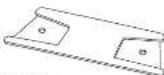
7CS122 FP 3W-1
By Fire Bt for CS122
TCS115 47 (AM)
By: 0.0283 (CS115)
4: NID-114 Market
© © © © 12/01/14 Mod.
4.001 W/500
TCR104K
Inter-Channel Computer Error (CST2) or TCS32
Contents: 2 eKL
123 83 (MHz)
Inter-Cabinet Couple: 967-125159
Contents: 2 e10
TCS-02 [M]
Intra-Caustal Cation B for TCS12c or TCS152
Cortex 2 dX

14-11-4
E_{1}abc+V_{1}O_{2} 40mm
Cenon: 1eE_{1}abc
Technical Specifications
TCS122/64-AN (-WH) TCS122/94-AN (-WH) TCS122/96-AN (-WH) TCS152/64-AN (-WH)
| System | ||||
| Frequency response | 50 Hz - 18 kHz ± 3 dB45 Hz - 20 kHz - 10 dB | 50 Hz - 18 kHz ± 3 dB45 Hz - 20 kHz - 10 dB | 50 Hz - 18 kHz ± 3 dB45 Hz - 20 kHz - 10 dB | 41 Hz - 18 kHz ± 3 dB35 Hz - 20 kHz - 10 dB |
| Nominal dispersion | 62" II x 40" V @ 6 dB points, rotatable | 90" II x 40" V @ 6 dB points, rotatable | 90" II x 60" V @ 6 dB points, rotatable | 60" II x 40" V @ 6 dB points, rotatable |
| Maximum SPC 131 dB peak 131 dB peak 131 dB peak | ||||
| Crossover type active Active Active Active | ||||
| Transducers | 1 x 12" (312 mm)LF Driver1 x 1.4" (36 mm)HF compression driver | 1x 12" (312 mm)LF Driver1x 1.4" (36 mm)HF compression driver | 1 x 12" (312 mm)LF Driver1 x 1.4" (36 mm)HF compression driver | 1 x 15" (284 mm) HF Driver1 x 1.4" (36 mm)HF compression driver |
| Limiter | Independent HF, LF, peak and rms | Independent HF, LF, peak and rms | Independent HF, LF, peak and rms | Independent HF, LF, peak and rms |
| Amplifier | ||||
| Maximum output power* 2500 V 2500 V 2500 V 2500 V | ||||
| Type Class-0 Class-0 Class-0 Class-0 | ||||
| Protection | Short circuit, thermal | Short circuit, thermal | Short circuit, thermal | Short circuit, thermal |
| Connectors | ||||
| Input/Link | 1 x Combo lock/XLR, 1 x ULB | 1 x Combo lock/XLR, 1 x ULB | 1 x Combo lock/XLR, 1 x ULB | 1 x Combo lock/XLR 1 x ULB |
| Sensitivity | +4 dBu or +14 dBu software switchable | +4 dBu or +14 dBu software switchable | +4 dBu or +14 dBu software switchable | +4 dBu or +14 dBu software switchable |
| Input impedance | 40 kΩ balanced | 40 kΩ balanced | 40 kΩ balanced | 40 kΩ balanced |
| Maximum input level | +22 dBu | +22 dBu | +22 dBu | -22 dBu |
| Ultranel input/Link | 2 x R45 | 2 x R45 | 2 x R45 | 2 x R45 |
| Units Supply | Neutink powerCOH 20A | Neutink powerCOH 20A | Neutink powerCOH 20A | Neutink powerCOH 20A |
| Controls | ||||
| DSP | Rotary push encoder and level controlButtons for Process, Setup, Lett, Lenter | Rotary push encoder and level controlButtons for Process, Setup, Lett, Lenter | Rotary push encoder and level controlButtons for Process, Setup, Lett, Lenter | Rotary push encoder and level controlButtons for Process, Setup, Lett, Lenter |
| User DSP Functions | ||||
| Factory EQ Peaks | Positioning, Sound mode, FBQ | Positioning, Sound mode, FBQ | Positioning, Sound mode, FBQ | Positioning, Sound mode, FBQ |
| Display | LCD 128 x 32, blue, backlit | LCD 128 x 32, blue, backlit | LCD 128 x 32, blue, backlit | LCD 128 x 32, blue, backlit |
| Delay | 0 - 100 ms | 0 - 100 ms | 0 - 100 ms | 0 - 100 ms |
| Equulation | High and low shooting EQ2 x parameter EQ | High and low shooting EQ2 x parameter EQ | High and low shooting EQ2 x parameter EQ | High and low shooting EQ2 x parameter EQ |
| Limiter | Zero attack input limiter | Zero attack input limiter | Zero attack input limiter | Zero attack input limiter |
| Presets | 20 total presets19 user-definable | 20 total presets19 user-definable | 25 total presets19 user-definable | 20 total presets19 user-definable |
| Crossover | High Pass I R 24 dB/vert | High Pass I R 24 dB/vert | High Pass I R 24 dB/vert | High Pass I R 24 dB/vert |
| Protection | Lock-out function for all settings | Lock-out function for all settings | Lock-out function for all settings | Lock-out function for all settings |
Quick Start Guide 85
EN
TCS122/64-AN (-WH) TCS122/94-AN (-WH) TCS122/96-AN (-WH) TCS152/64-AN (-WH)
| Ultratec Digital Network | ||||
| Digital processing | ||||
| A/D conversion | 24-bit, 14.3/18 kHz sample rate | 24-bit, 14.3/18 kHz sample rate | 24-bit, 14.3/18 kHz sample rate | 24-bit, 14.3/18 kHz sample rate |
| Converter type | 24-bit delta sigma | 24-bit delta sigma | 24-bit delta sigma | 24-bit delta sigma |
| System | ||||
| Signal | 16 channels | 16 channels | 16 channels | 16 channels |
| Latency | <0.9 m | <0.9 m | <0.9 m | <0.5 m |
| Frequency response | 20 Hz to 20 kHz (+0/-3 dB) | 20 Hz to 25 kHz (+0/-3 dB) | 20 Hz to 20 kHz (+0/-3 dB) | 20 Hz to 20 kHz (+0/-3 dB) |
| Dynamic range | typical 92 dB | typical 92 dB | typical 92 dB | typical 92 dB |
| Cabling | ||||
| Cables | Shielded CATS | Shielded CATS | Shielded CATS | Shielded CATS |
| Cable length | max. 246 L / 75 m recommended | max. 246 L / 75 m recommended | max. 246 L / 75 m recommended | max. 246 L / 75 m recommended |
| Power Supply | ||||
| Power consumption | 90 W x 5 mm power | 90 W x 5 mm power | 90 W x 5 mm power | 90 W x 5 mm power |
| Voltage (uses) | ||||
| USA / Canada | 120 V ~ 60 Hz(1 T 6 A H 250 V) | 120 V ~ 60 Hz(1 T 6 A H 250 V) | 120 V ~ 60 Hz(1 T 6 A H 250 V) | 120 V ~ 60 Hz(1 T 6 A H 250 V) |
| UK / Australia / Europe | 220-240 V ~ 50/60 Hz(T 10 A H 250 V) | 220-240 V ~ 50/60 Hz(T 10 A H 250 V) | 220-240 V ~ 50/60 Hz(T 10 A H 250 V) | 220-240 V ~ 50/60 Hz(T 10 A H 250 V) |
| Korea / China | 220-240 V ~ 50/60 Hz(T 10 A H 250 V) | 220-240 V ~ 50/60 Hz(T 10 A H 250 V) | 220-240 V ~ 50/60 Hz(T 10 A H 250 V) | 220-240 V ~ 56/60 Hz(T 10 A H 250 V) |
| Japan | 120 V ~ 50/60 Hz(T 15 A H 250 V) | 105 V ~ 50/60 Hz(T 15 A H 250 V) | 105 V ~ 50/60 Hz(T 15 A H 250 V) | 100 V ~ 50/60 Hz(T 15 A H 250 V) |
| Endurance | ||||
| Dimensions HDD | 834 x 399 x 425 mm(32.8 x 15.7 x 16.7") | 834 x 399 x 425 mm(32.8 x 15.7 x 16.7") | 834 x 399 x 425 mm(32.8 x 15.7 x 16.7") | 834 x 433 x 451 mm(32.8 x 16.6 x 17.8") |
| Net weight | 27.8 kg (16.1 lbs) | 27.8 kg (16.1 lbs) | 27.8 kg (16.1 lbs) | 30.6 kg (16.3 lbs) |
| Construction | 15 mm (1" inch plywood | 15 mm (7" 8inch plywood | 15 mm (7" 8inch plywood | 15 mm (3" inch plywood |
| Finish | Semi matt black paint(white optional) | Semi matt black paint(white optional) | Semi matt black paint(white optional) | Semi matt black paint(white optional) |
| Grille | Powder coated perforated steel | Powder coated perforated steel | Powder coated perforated steel | Powder coated perforated steel |
| Flying hardware | M10 x 9, M8 x 8 points | M10 x 9, M8 x 8 points | M10 x 9, M8 x 8 points | M10 x 9, M8 x 8 points |
| Accessories | ||||
| TCS122 FP (W) Fly plate kit forTCS122 | TCS122 FP (W) Fly plate kit forTCS122 | TCS122 FP (W) Fly plate kit forTCS122 | TCS152 FP (W) Fly plate kit forTCS152 | |
| TCS-FKI (W) inter-cabinetcoupler kit for TCS122 or TCS152 | TCS-FKI (W) inter-cabinetcoupler kit for TCS122 or TCS152 | TCS-FKI (W) inter-cabinetcoupler kit for TCS122 or TCS152 | TCS-FKI (W) inter-cabinetcoupler kit for TCS122 or TCS152 | |
| TCS FKI (W) inter-cabinetcoupler kit for TCS158 withTCS122 or TCS152 | TCS FKI (W) inter-cabinetcoupler kit for TCS158 withTCS122 or TCS152 | TCS FKI (W) inter-cabinetcoupler kit for TCS158 withTCS122 or TCS152 | TCS FKI (W) inter-cabinetcoupler kit for TCS158 withTCS122 or TCS152 | |
Technical Specifications
| System | ||||
| Frequency response | 41 Hz - 14 kHz ± 1 dB35 Hz - 20 kHz - 10 dB | 41 Hz - 18 kHz ± 1 dB15 Hz - 20 kHz - 10 dB | 45 Hz - 190 Hz ± 1 dB40 Hz - 200 Hz - 10 dB | 33 Hz - 200 Hz ± 1 dB27 Hz - 200 kHz - 10 dB |
| Nominal dispersion | 90° II x 60° Y x 6 dB points, rotatable | 90° II x 60° Y x 6 dB points, rotatable | Part Space Hall Space | |
| Minimum SPL 133 dB peak 133 dB peak 133 dB peak 141 dB peak | ||||
| Crossover type Active Active Active Active | ||||
| Transducers | 1 x 15" (394 mm) LF Driver1 x 1.5" (36 mm)HF compression driver | 1 x 15" (394 mm) LF Driver1 x 1.5" (36 mm)HF compression driver | 1 x 15" (387 mm) LF driver/ | 2 x 16" (460 mm) LF driver/ |
| Limiter | Independent HF, LF, peak and rms | Independent HF, LF, peak and rms | Peak and rms | Peak and rms |
| Amplitude | ||||
| Maximum output power* | 2500 Ω | 2500 Ω | 3000 Ω | 6000 Ω |
| Type | Class-0 | Class-0 | Class-0 | Class-0 |
| Protection | Short circuit, thermal | Short circuit, thermal | Short circuit, thermal | Short circuit, thermal |
| Connectors | ||||
| Input/link | 1 x Combo Jack/XLR 1 x XLR | 1 x Combo Jack/XLR 1 x XLR | 1 x Combo Jack/XLR 1 x XLR | 1 x Combo Jack/XLR 1 x XLR |
| Scritability | +4 dBu or -14 dBu software switchable | +4 dBu or +14 dBu software switchable | +4 dBu or +14 dBu software switchable | +4 dBu or +14 dBu software switchable |
| Input impedance | 40 kΩ balanced | 40 kΩ balanced | 40 kΩ balanced | 40 kΩ balanced |
| Maximum input level | +22 dBu | +22 dBu | +22 dBu | +22 dBu |
| Ultranet input/link | 2 x R45 | 2 x R45 | 2 x R45 | 2 x R45 |
| Maine Supply | Neutink powerCON 20A | Neutink powerCON 20A | Neutink powerCON 20A | Neutink powerCON 20A |
| Controls | ||||
| DSP | Rotary push-encoder and level controlButtons for Process, Setup, Salt, Enter | Rotary push-encoder and level controlButtons for Process, Setup, Coil, Enter | Rotary push-encoder and level controlButtons for Process, Setup, Coil, Enter | Rotary push-encoder and level controlButtons for Process, Setup, Coil, Enter |
| User DSP Functions | ||||
| Factory EQ Sensors | Positioning, Sound mode, FIFO | Positioning, Sound mode, FIFO | Positioning, Sound mode | Positioning, Sound mode |
| Display | LCD 128 x 32, blue, backlit | LCD 128 x 33, blue, backlit | LCD 128 x 32, blue, backlit | LCD 128 x 32, blue, backlit |
| Delay | 0 - 300 ms - 300 ms - 300 ms - 300 ms | |||
| Equalisation | High and low shooting EQ2 x parametric EQ | High and low shooting EQ2 x parametric EQ | High and low shooting EQ2 x parametric EQ | High and low shooting EQ2 x parametric EQ |
| Limiter | Zero attack input limiter | Zero attack input limiter | Zero attack input limiter | Zero attack input limiter |
| Presets | 20 total presets19 user-determinable | 20 total presets,19 user-determinable | 20 total presets,19 user-determinable | 20 total presets,19 user-determinable |
| Crossover | High Pass L 8.24 dB effect | High Pass L 8.24 dB effect | Low Pass L 8.24 dB effect | Low Pass L 8.24 dB effect |
| Protection | Lock-out function for all settings | Lock-out function for all settings | Lock-out function for all settings | Lock-out function for all settings |
Quick Start Guide 87
EN
* independent of limiters and driver protection circuits
† Only qualified personnel are allowed to modify the AC-Main cord and to adhere to all applicable national standards.
Other important information

Important information
- Register online. Please register your new Music Tribe equipment right after you purchase it by visiting muscibe.com. Registering your purchase using our simple online form helps us to process your repair claims more quietly and efficiently. Also, read the terms and conditions of our warranty, if applicable.
- Malfunction, Should your Music Tribe Author and Reseller not be located in your vicinity, you may contact the Music Tribe Authorized Fulfill for your country listed under "Support" at musicitibe.com. Should your country not be listed, please check if your problem can be dealt with by our "Online Support" which may also be found under "Support" at musicitibe.com. Alternatively, please submit an online warranty claim at musicitibe.com BEFORE returning the product.
- Power Connections. Before plugging the unit into a power socket, please make sure you me using the correct mains voltage for your particular model. Equity fuses must be replaced with fuses of the same type and rating without exception.

Responsible Party Name: Music Tribe Commercial NV Inc.
Address: 5270 Procyon Street,
Las Vegas NV 89118,
United States
Phone Number: +1 702 800 8290
TCS-AN SERIES
This equipment has been tested and found to comply with the limits for a Class A digital device, pursuant to part 15 of the FCC Rules. These limits are designed to provide reasonable protection against harmful interference when the equipment is operated in a commercial environment. This equipment generates, uses, and can radiate radio frequency energy and, if not installed and used in accordance with the instruction manual, may cause harmful interference to radio communications. Operation of this equipment in a residential area is likely to cause harmful interference in which case the user will be required to correct the interference at his own expense.
This device complies with Part 15 of the FCC rules. Operation is subject to the
following two conditions:
(1) this device may not cause harmful interference, and
[2] this device must accept any interference received, including interference that may cause undesired operation.
Warning: Operation of this equipment in a residential environment could cause radio interference.
Important information:
Changes or modifications to the equipment not expressly approved by Music Tribe can void the user's authority to use the equipment.

Hereby, MUSIC Tribe declares that this product is in compliance with Directive 2014/35/EU, Directive 2014/30/EU, Directive 2011/65/EU and Amendment 2015/863/EU, Directive 2012/19/EU, Regulation 519/2012 REACH SVHC and Directive 1907/2006/EC.
Full text of EU DoC is available at https://community.musictribe.com/
EU Representative: Music Tribe Brands DK A/S
Address: In Spang Olsens Gade 17, DK - 8200arhus N, Denmark
