VOLTCRAFT VC1113 - Multimeter

VC1113 - Multimeter VOLTCRAFT - Free user manual and instructions

Find the device manual for free VC1113 VOLTCRAFT in PDF.

📄 124 pages English EN 💬 AI Question
Notice VOLTCRAFT VC1113 - page 34
View the manual : Français FR Deutsch DE English EN Nederlands NL

Download the instructions for your Multimeter in PDF format for free! Find your manual VC1113 - VOLTCRAFT and take your electronic device back in hand. On this page are published all the documents necessary for the use of your device. VC1113 by VOLTCRAFT.

USER MANUAL VC1113 VOLTCRAFT

Dear customer Thank you for purchasing this product. This product complies with statutory, national and European regulations. To ensure that the product remains in this state and to guarantee safe operation, always follow the information in these operating instructions. These operating instructions are part of this product. They contain important informa- tion on setting up and using the product. Do not give this product to a third party without the operating instructions. Therefore, retain these operating instructions for reference! If there are any technical questions, please contact: www.conrad.com/contact

2. Description of symbols

a) Symbols in these operating instructions The symbol with the lightning in a triangle indicates that there is a risk to your health, e.g. due to an electric shock. The symbol with an exclamation mark in a triangle points to important information in these operating instructions which must be observed. The arrow symbol indicates special information and tips on how to use the product. 34b) Symbols on the product Symbol Meaning This symbol indicates that this product is built according to protection class

II. It is equipped with reinforced or dual insulation between the mains circuit

and the output voltage. Earth potential The symbol with the exclamation mark in the triangle is used if there is a risk to your health, e.g. due to an electric shock. AC voltage DC voltage Acoustic signals on/off Diode Capacitance measurement range A lightning symbol in a square permits current measurements on uninsu- lated, hazardous/active conductors and warns of the possible hazards. Personal protective equipment must be used. This product has been CE-tested and meets the relevant European guide- lines. CAT II Measurement category II: for measuring electrical and electronic devices that are directly supplied with a mains voltage via a mains plug. This cat- egory also includes all lower categories (e.g. CAT I for measuring signal and control voltages). CAT III Overvoltage category III for measuring in building installation (e.g. outlets or sub-distribution). This category also includes all lower categories (e.g. CAT II for measuring electrical devices). Measuring operation in CAT III is only permitted with probe tips with a maximum free contact length of 4 mm or with cover caps above the measuring probes. Polarity marking (positive pole) for direct current measurement. The sym- bols show the direction of the current ow to ensure the correct polarity when measuring. Position marker for the conductor to ensure the correct current measure- ment.

The product is intended for measuring and displaying electrical parameters in the range of the overvoltage categories CAT II to max. 1000 V and CAT III to max. 600 V against earth potential, in accordance with EN 61010-1, EN 61010-2-032, EN 61010-2-033 and all lower categories. - Measurement of direct and alternating voltages up to 1,000 V/DC, 750 V/AC - Measurement of direct and alternating currents up to a maximum of 200 A - Measurement of resistance - Continuity testing (<10 Ω acoustic) - Diode testing - Measurement of capacitance up to 6 mF - Non-contact AC voltage testing (NCV) ≥100 V RMS distance ≤10 mm - ≥100 - 600 V/AC and ≤15 mm distance - The voltage in the measuring circuit must not exceed 1000 V in CAT II and 600 V in CAT III. Measurements must not be carried out under unfavourable ambient conditions. Adverse condi- tions include: - Moisture or high humidity - Dust and ammable gases - Vapours or solvents - Thunderstorms or similar conditions such as strong electrostatic elds, etc. Only use test leads that conform to the specications of the measuring device. Only use batteries of the specied type. The measuring device must not be used when it is open, when the battery compartment is open or when the battery compartment cover is missing. This product is intended for indoor use only. Do not use it outdoors. Contact with moisture (e.g. in a bathroom) must be avoided under all circumstances. For safety and approval purposes, do not rebuild and/or modify this product. Using the product for purposes other than those described above may damage the product. In addition, improper use can cause hazards such as a short circuit, re or electric shock. Read the operating instruc- tions carefully and store them in a safe place. Only make this product available to third parties together with its operating instructions. All company and product names are trademarks of their respective owners. All rights reserved.

  • Operating instructions 1Up-to-date operating instructions Download the up-to-date operating instructions at www.conrad.com/downloads or scan the QR code shown. Follow the instructions on the website.

5. Features and functions

  • Automatic selection of measurement range
  • Current range max. 200 A
  • Non-contact AC voltage testing (NCV)
  • Display of measurement range exceeded ‘OL’
  • Function for holding the measurement display

Read the operating instructions carefully and the safety information in particular. If you do not follow the safety information and information on proper handling in these operating instructions, we will assume no liability for any resulting personal injury or damage to property. Such cases will invalidate the warranty/guarantee. a) General information

  • The device is not a toy. Keep it out of the reach of children and pets.
  • Do not leave packaging material lying around carelessly. It may become a danger- ous plaything for children.
  • Protect the product from extreme temperatures, direct sunlight, strong vibrations, high humidity, moisture, combustible gases, vapours and solvents.
  • If it is no longer possible to operate the product safely, stop using it and prevent unauthorised use. Safe operation can no longer be guaranteed if the product: - is visibly damaged, - is no longer working properly, - has been stored for extended periods in adverse ambient conditions or - has been subjected to any serious transport-related stress.
  • Handle the product with care. Jolts, impacts or a fall even from a low height may damage the product.
  • Consult a technician if you are not sure how to use or connect the product, or if you have concerns about safety.
  • Maintenance, modications and repairs may only be carried out by a technician or a specialist repair centre.
  • If you have questions which remain unanswered by these operating instructions, contact our technical support service or other technical personnel. b) Connected devices
  • Always observe the safety information and operating instructions of any other devices which are connected to the product. 38c) Batteries
  • Check that the batteries are inserted with the correct polarity.
  • To prevent battery leakage, remove the batteries if you do not plan to use the product for an extended period. Leaking or damaged batteries may cause acid burns if they come into contact with your skin. Always use protective gloves when handling damaged batteries.
  • Keep batteries out of the reach of children. Do not leave batteries lying around, as there is a risk that children or pets may swallow them.
  • Replace all the batteries at the same time. Mixing old and new batteries can cause the batteries to leak and damage the product.
  • Batteries must not be dismantled, short-circuited or thrown into re. Never re- charge non-rechargeable batteries. This may cause an explosion! d) Persons and product
  • Never use the product immediately after it has been taken from a cold room into to a warm one. This may cause condensation to form, which can destroy the product. Allow the product to reach room temperature before connecting it and putting it into use. This may take several hours.
  • Never pour any liquids over electrical devices or place objects lled with liquid next to the product.
  • Do not use the device if the device or test leads appear damaged or if you suspect that the device is not operating properly. Pay particular attention to the insulation. Never carry out any measurements if the protective insulation is defective (torn, ripped off etc.) Replace the test lead if the insulation layer is damaged.
  • The rotary switch should be switched to a dened position for measuring.
  • For safety reasons, use only the supplied test leads as these have been adjusted to the specications of the measuring device.
  • In schools, educational facilities, hobby and DIY workshops, measuring devices must be operated under the responsible supervision of qualied personnel.
  • For installations in industrial facilities, follow the accident prevention regulations for electrical systems and equipment issued by the national safety organisation or the corresponding national authority.
  • This product is only designed for use in dry environments. The entire product must remain dry and must not become wet or damp. Never touch the product with wet hands to avoid damaging it. 39• Check the measuring device and its test leads for damage before each measure- ment.
  • Set the measuring device to the desired unit before each measurement. An incor- rect measurement may destroy the product!
  • The voltage between the connection points must not exceed the specied voltage.
  • Always remove the probe tips from the measured object before changing the measurement range.
  • Take particular care when dealing with voltages exceeding 33 V AC or 42 V DC. Even at these voltages, there is a danger of fatal electric shock if you touch electri- cal conductors.
  • To prevent an electric shock, do not touch the measurement points when taking measurements, either directly or indirectly.
  • When taking measurements, do not touch any area beyond the grip markings on the probe tips and the measuring device.
  • Avoid using the device in the immediate vicinity of: - Strong magnetic or electromagnetic elds - Transmitting aerials or HF generators
  • When taking measurements, ensure that no objects are trapped by the current clamp sensor, such as cables.
  • Always ensure that the polarity is correct when connecting the test leads to the measuring device (red = positive terminal, black = negative terminal).
  • Pay attention to the diagrams in each section for every measurement. An incorrect measurement may destroy the product.
  • Before connecting the test leads, remove the dust protection caps from the con- nection plugs. Replace the caps after each measurement to prevent the contacts from becoming dirty.
  • Observe the safety information in each section.
  • Never use the measuring device without the covers on the back or the battery compartment. There a risk of electric shock.

407. Controls and symbols

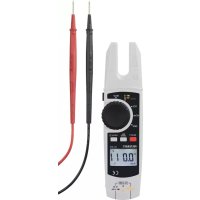
1 Current clamp 2 Torch button 3 Rotary switch for selecting the measuring mode 4 HOLD/ button 5 LC display 6 V measuring socket ( V Ω) 7 COM measuring socket 8 REL ZERO button 9 SELECT button 10 Battery compartment (back) 11 NCV signal display 41b) Symbols on LC display

No. Symbol Meaning A Ω kΩ,MΩ

Ohm (unit of electrical resistance) Kiloohm (exp. 3), megaohm (exp. 6) Hertz (unit of electrical frequency) Millivolt (exp. –3) Milliampere (exp. –3), micro-ampere (exp. –6) Nanofarad (exp. –9; unit of electrical capacitance) Microfarad (exp. –6) Millifarad (exp. –3) B V A Volt (unit of electrical voltage) Ampere (unit of electrical current) C - Measured value display D Battery capacity E Automatic shut-off F NCV Non-contact AC recognition G Symbol for capacitance H Diode test symbol I Acoustic continuity tester symbol J Auto Automatic measurement range is enabled 42No. Symbol Meaning K Lightning icon for voltage measuring L + - Displays the sign of the measured value M DC Direct voltage/current N AC Alternating voltage/current O HOLD function is active when the symbol is displayed P Relative measurement is set Q Zero reset

8. Inserting/changing the batteries

a) Inserting the batteries Batteries are not normally inserted when the product is delivered to you. Using re- chargeable batteries is not recommended due to their low voltage. Follow the steps below to prepare the product for use.

1. Turn the rotary switch (3) to the OFF position. Disconnect the current clamp from any meas-

2. Turn the device over and place it on a soft surface that will protect the display from scratches.

3. Loosen the screw from the battery compartment cover (10) using a suitable Phillips screw-

driver. Remove the battery compartment cover.

4. Remove the old batteries and dispose of them in an environmentally-friendly manner. Refer

to section ‘13. Disposal’.

5. Insert two new 1.5 V AA batteries into the battery compartment, observing the polarity mark-

ings (2 x AA batteries are included in the delivery).

6. Replace the battery compartment cover (pay attention to the tab) and screw it into place with

the screw. Do not use any force when securing the screw. 43Fig. 1 b) Replacing the batteries The batteries need to be replaced if the symbol (D) lights up on the LC display (5) or the back- light is dim or does not come on at all. Replace the batteries as soon as possible as described in ‘a) Inserting the batteries’. If only the symbol is displayed after switching the device on, replace the batteries immediately.

Never exceed the maximum permitted input values. Never touch circuits or parts of circuits when they may contain voltages greater than 33 V/AC RMS or 42 V/DC. Danger of death! The maximum permitted voltage in the measuring circuit against earth potential must not exceed 1000 V in CAT II and 600 V in CAT III. Before taking measurements, check the connected test leads for damage such as cuts, cracks or pinches. Defective test leads must be taken out of use. Danger of death! When taking measurements, do not touch any area beyond the grip markings on the probe tips. Only the two test leads required for measuring operation may be connected to the measuring device at any one time. For safety reasons, remove all unnecessary test leads from the measuring device when carrying out a current measurement. 44Measurements in circuits rated at >33 V/AC and >42 V/DC may only be carried out by qualied and trained personnel who are familiar with the relevant regulations and the associated hazards. Pay attention to the requisite safety information, regulations and protective measures for your own safety. The measured values are displayed on the current clamp’s LC display (5). Negative polarity readings are indicated with the (-) sign automatically. < OL > (overload) on the LC display (5) indicates that the measurement range has been exceeded. The plugs on the test leads are tted with protective transport caps. Remove them before pushing the plugs into the connection sockets on the measuring device. a) Switching on/off and selecting the measuring function

  • Turn the rotary switch (3) from the OFF position to a measur- ing function. The measuring device switches on. A conrmation beep sounds.
  • The product is switched off when the rotary switch (3) is in the OFF position. Switch the product off when you have nished using it.
  • Select the individual measuring functions using the rotary switch. The range is selected automatically for some measur- ing functions. This sets the measurement range automatically. The LC display (5) shows ‘Auto’ (J).
  • Some measuring functions must be set with the help of the SELECT button (9). Refer to the relevant sections. Important! Ensure that you have selected the correct measuring function before each measurement.
  • When a button or rotary switch is actuated, a beep sounds if a switching process was valid. If an operation is invalid, the buzzer sounds twice. Fig. 2

45b) Relative measurement You can measure values absolutely (normal measuring mode) or measure a value in relation to the previous measurement.

  • To accept a currently recorded measured value as the output value (zero value), press the REL ZERO button (8) during a measurement in normal measuring mode. The display changes to ‘000’. ‘REL’ and (P) are shown on the LC display (5).
  • To switch back to normal measuring mode, press the REL ZERO button (8) again. If you set the rotary switch (3) to a different measuring function, the measuring device also returns to normal measuring mode.
  • You can use the HOLD function in the same way for relative measurements. An active HOLD function is switched off when you switch from relative measurement to normal mode. c) Current measurement ‘A’ The current is measured wirelessly via the current clamp (1). The sensors in the current clamp detect the magnetic eld created by current-carrying conductors. Ensure that the conductor always passes through the current clamp correctly (observe the line markings). Do not use the current clamp to surround more than one conductor. 46AC current measurement A
  • Switch the product on at the rotary switch (3) and select measurement range A . The product is in the measurement range for alternating current and the LC display (5) shows ‘AC’ and ‘A’.
  • The measuring device automatically selects the AC measurement range.
  • Route the individual conductor that is to be measured. Position the conductor along the two direction lines at the bottom end of the U-shaped current clamp.
  • The measured current is shown on the LC display. Do not measure currents above 200 A. Continuous beeps will be emitted if the measurement range is exceeded (200 A).
  • After completing the measurement, remove the current clamp from the measured object and switch the product off. AC current measurement A with zero adjustment Due to the high sensitivity and the ambient magnetic eld (e.g. the earth’s magnetic eld), a small current will always be displayed when the current clamp is closed and in the direct cur- rent measurement range. Manually reset the display to zero immediately before each measure- ment or when the cable is changed. To perform zero adjustment, proceed as follows:
  • Switch the product on at the rotary switch (3) and select measurement range A . The product is in the measurement range for alternating current and the LC display (5) shows ‘AC’ and ‘A’.
  • Press the SELECT button (9) to select the DC measurement range. ‘DC’ and ‘A’ appear on the display.
  • Perform a zero adjustment without a conductor in the current clamp. To do so, briey press the REL ZERO button (8). A beep and the zero indication on the LC display conrm the zero adjustment.
  • Each press of the REL ZERO button triggers a new zero adjustment. To disable this function, press and hold the REL ZERO button for approx. 2 seconds. The ‘ZERO’ symbol disappears. This will take you back to the normal measuring mode without the zero adjustment. 47• After a successful zero adjustment, route the individual conductor that is to be measured into the current clamp. Position the conductor along the two direction lines at the bottom end of the U-shaped current clamp.
  • The measured current is shown on the LC display.
  • A positive or negative symbol is also displayed with the display value, depending on the direction of insertion. A minus ‘-’ symbol before the measured value indicates that the current is owing in the opposite direction (or the current clamp terminals have been reversed).
  • Do not measure currents above 200 A. Continuous beeps will be emitted if the measurement range is exceeded (200 A).
  • After completing the measurement, remove the current clamp from the measured object and switch the product off. 48d) Voltage measurement ‘V’ AC voltage measurement (V )
  • Switch the product on at the rotary switch (3) and select the measurement range V . ‘AC’ and ‘V’ appear on the display.
  • Insert the red test lead into the V socket (6) and the black test lead into the COM socket (7).
  • Connect both of the probe tips to the measured object (generator, mains voltage, etc.).
  • The measured value is shown on the LC display (5).
  • Do not measure voltages above 750 V/AC. You will hear a continuous beep if the measurement range is exceeded (750 V/AC). If the voltage exceeds 30 V/AC, the LC display shows a visual high-voltage warning to warn of the danger of an electric shock.
  • After completing the measurement, remove the current clamp from the measured object and switch the product off. 49DC voltage measurement (V )
  • Switch the product on at the rotary switch (3) and select the measurement range V . Press the SELECT button (9) to select the DC measurement range. ‘DC’ and ‘V’ appear on the display.
  • Insert the red test lead into the V socket (6) and the black test lead into the COM socket (7).
  • Connect both of the probe tips to the measured object (battery, circuit, etc.). Connect the red probe tip to the positive terminal and the black probe tip to the negative terminal. If the voltage exceeds 42 V/DC, the LC display shows a visual high-voltage warning to warn of the danger of an electric shock.
  • The current measured value is displayed together with the respective polarity. If a minus ‘-’ appears in front of the measured value for direct voltage, the measured voltage is negative (or the test leads have been swapped).
  • Do not measure voltages above 1000 V/DC. You will hear a continuous beep if the measurement range is exceeded (1000 V/DC).
  • After completing the measurement, remove the current clamp from the measured object and switch the product off. 50e) Resistance measurement Ensure that all objects that you wish to measure (including circuit components, circuits and component parts as well as other measured objects such as capacitors) are disconnected and discharged.
  • Switch the product on at the rotary switch (3) and select the measurement range . ‘Ω’ and ‘V’ appear on the display.
  • Insert the red test lead into the V socket (6) and the black test lead into the COM socket (7). Before measuring in the measurement range of 600 Ω, hold the probe tips together to short circuit them. Press the REL ZERO button (8) to reset the displayed value. This compensates for the inuence of resistance in the probe tips.
  • Connect both of the probe tips to the measured object (component, circuit, etc.). Connect the red probe tip to the positive terminal and the black probe tip to the negative terminal.
  • The current measured value is displayed together with the respective polarity.
  • After completing the measurement, remove the current clamp from the measured object and switch the product off. When taking a resistance measurement, ensure that the points that come into contact with the probe tips are free from dirt, oil, solder and other impurities. These substances may distort the measurement. 51f) Continuity testing Ensure that all objects that you wish to measure (including circuit components, circuits and component parts as well as other measured objects, e.g. capacitors) are disconnected and discharged.
  • Switch the product on at the rotary switch (3) and select the measurement range .
  • Press the SELECT button (9) to select the measurement range for continuity testing . appears on the LC display.
  • Insert the red test lead into the V socket (6) and the black test lead into the COM socket (7).
  • Connect both of the probe tips to the measured object (component, circuit, etc.). Connect the red probe tip to the positive terminal and the black probe tip to the negative terminal.
  • If the measured resistance value is less than 10 ohms, an acoustic signal sounds continuously, if it is between 10 and 100 ohms, a beep may or may not be emitted. No acoustic signal is emitted above 1000 ohms.
  • After completing the measurement, remove the current clamp from the measured object and switch the product off. 52g) Diode testing Ensure that all objects that you wish to measure (including circuit components, circuits and component parts as well as other measured objects, e.g. capacitors) are disconnected and discharged.
  • Switch the product on at the rotary switch (3) and select the measurement range .
  • Press the SELECT button (9) to select the measurement range for the diode test . .appears on the LC display.
  • Insert the red test lead into the V socket (6) and the black test lead into the COM socket (7).
  • Connect both of the probe tips to the measured object (component, circuit, etc.). Connect the red probe tip to the positive terminal and the black probe tip to the negative terminal. Please observe the correct polarity.
  • A positive voltage is shown on the LC display (5). If you have swapped the polarity of the probe tips, ‘OL’ appears on the display.
  • After completing the measurement, remove the current clamp from the measured object and switch the product off. To obtain the most accurate results, it is recommended that components are removed from the circuits. h) Capacitance measurement Ensure that all objects that you want to measure (including circuit components, circuits and component parts as well as other measured objects) are disconnected and discharged. Always pay attention to the polarity when using electrolytic capacitors. It is recommended that you perform a zero adjustment for capacitance measurements in the 60 nF range to compensate for the resistance in the test leads. To do so, briey press the REL ZERO button (8). 53• Switch the product on at the rotary switch (3) and select the measurement range .
  • Press the SELECT button (9) to select the measurement range for the capacitance measurement . appears on the LC display.
  • Insert the red test lead into the V socket (6) and the black test lead into the COM socket (7).
  • Now connect the two probe tips to the capacitor to be measured. Connect the red probe tip to the positive terminal and the black probe tip to the negative terminal. Please observe the correct polarity. The capacitance is shown on the display after a few seconds. Wait until the display stabilises.
  • If < OL > (overload) appears on the LC display, you have exceeded the measurement range or the measuring circuit has been interrupted.
  • After completing the measurement, remove the current clamp from the measured object and switch the product off. Due to the sensitive measuring input, the LC display may show a small reading even with ‘open’ test leads.

i) Non-contact AC voltage detection (NCV)

The voltage detector is only designed for quick tests and by no means replaces a contact voltage test. This method is not to be used for checking that no voltage is present before carrying out work. The NCV function (non-contact voltage detection) enables the contactless detection of an AC voltage on conductors. The NCV sensor is attached to the tip on the current clamp. Always test the NCV function rst on a known AC voltage source to avoid incorrect measurements. Incorrect measurements may cause an electric shock. Proceed as follows: 54• Switch the product on at the rotary switch (3) and set the rotary switch (3) to position NCV.

  • Guide the magnetic eld (NCV) sensor on the right- hand side of the current clamp, as close as possible to a conductor. The distance should be up to approx. 10 mm. - If no AC voltage is detected, ‘EF’ is shown on the LC display. - If an AC voltage of ≥100 V/AC RMS is detected at a measurement distance of <10 mm, alarm sounds will be emitted and the NCV signal display (11) will start to icker quickly. - The strength of the detected voltage is indicated by 4 line symbols ‘―’, ‘――’, ‘―――’ or ‘――――’ according to the AC voltage detected. The strength of the voltage detected increases with the number of dashes.
  • After completing the measurement, remove the current clamp from the measured object and switch the product off. Due to the highly sensitive NCV sensor, the NCV signal display (11) may also light up for static charges. This is normal and does not indicate that the product is faulty.

10. Additional functions

a) Automatic shut-off

  • The device shuts off automatically after 15 minutes if no button is pressed or the rotary switch is not turned. This function protects the batteries and extends the operating time. To switch the device back on, press a button on the device or set the rotary switch to the OFF position, switch the current clamp back on and then select the desired measuring function again. 55b) Backlight
  • The current clamp features a backlight so that the LC display (5) can be read more easily.
  • Switch on the backlight by pressing the HOLD/ button (4) and holding it for approx. 2 seconds to switch to low intensity lighting.
  • Press and hold the HOLD/ button again to switch to the backlight with high light intensity.
  • Press and hold the HOLD/ button a third time to switch the backlight off. The backlight switching cycle is complete. c) ‘HOLD’ function
  • The HOLD function retains the currently displayed measured value on the LC display (5) so that it can be read off later or logged.
  • To switch the HOLD function on, press the HOLD/ button (4); this action will be conrmed with a beep and (O) will be shown on the display.
  • To switch the HOLD function off, press the HOLD/ button again, actuate the rotary switch (3) or change the measuring function by pressing the SELECTbutton (9). d) Torch function The torch function only works when the measuring device is switched on.
  • Press the button (2) to switch the LED torch on the back of the measuring device on.
  • Press the button (2) to switch the LED torch on the back of the measuring device off. 5611. Maintenance
  • The current clamp does not require maintenance apart from occasional cleaning and changing the battery.
  • Under no circumstances should you service any of the components in the interior of the device. For this reason, never open the product (except for inserting/changing the batteries as described in these operating instructions).
  • Repair or maintenance work must be carried out by a technician or a specialist repair centre. Regularly check the technical safety of the device and test leads, e.g. check for damage to the housing or crushing, etc.

12. Care and cleaning

Be sure to pay attention to the following safety information before cleaning the device: Never use aggressive detergents, rubbing alcohol or other chemical solutions, as these may damage the housing and other surfaces on the device or stop it from functioning properly. Live components may be exposed if covers are opened or parts are removed, unless this can be done by hand. Before cleaning or servicing the, disconnect all cables from the measuring device and all measured objects. Switch the current clamp off.

  • Do not use abrasive detergents, petrol, alcohol or other similar chemicals to clean the device. These might damage the surface. In addition, do not use any sharp-edged tools, screwdrivers or metal brushes to clean the device.
  • Always clean the current clamp and test leads with a clean, lint-free, antistatic and slightly damp cloth. Let the device dry out completely before using it for the next measurement. 5713. Disposal a) Product Electronic devices are recyclable waste and must not be placed in household waste. At the end of its service life, dispose of the product according to the relevant statutory regulations. Remove any inserted batteries and dispose of them separately from the product. b) Batteries As the end user, you are required by law (Battery Ordinance) to return all used batteries; they must not be disposed of in household waste! Contaminated batteries are labelled with this symbol to indicate that disposal in the domestic waste is forbidden. The abbreviations for heavy metals in batteries are: Cd = Cadmium, Hg = Mercury, Pb = Lead (indicated on the battery, e.g. below the waste bin icon on the left). Used batteries can be returned free of charge to local collection points, our stores or battery retailers. You thus full your statutory obligations and contribute to environmental protection.

60.0 V 0.01 V ± (0.8 % + 3)

Overload protection: 1000 V/DC; 750 V/AC 607Diode testing Range Resolution Accuracy

6.00 V 0.001 V 0.5 - 0.8 V

Overload protection: 1000 V/DC,750 V/AC, 200 A, test voltage approx. 3.3 V 8Acoustic continuity test Range Resolution Accuracy

600.00 Ω 0.1 Ω < 10 Ω continuous

Manual assistant
Powered by ChatGPT
Waiting for your message
Product information

Brand : VOLTCRAFT

Model : VC1113

Category : Multimeter