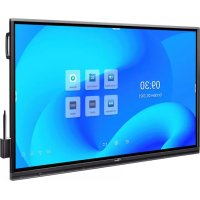
5862RK - Monitor OPTOMA - Free user manual and instructions
Find the device manual for free 5862RK OPTOMA in PDF.


| Product Type | Interactive monitor (interactive flat panel) |
| Brand | Optoma |
| Model | 5862RK |
| Screen Size | 65 inches (165 cm), 75 inches (190 cm) or 86 inches (218 cm) depending on version |
| Native Resolution | 3840 x 2160 (4K UHD) |
| Panel Type | LED backlit |
| Touch Screen | Yes, capacitive touch (supports stylus and finger) |
| Connectivity | HDMI 2.0 (x3), VGA, USB type C (DisplayPort 1.2, 65W PD), USB 3.0 (x4), USB 2.0, RJ45 (x2), RS232, audio output, SPDIF |
| Operating System | Android (version not specified) |
| Built-in Speakers | 2 x 20W |
| Main Functions | Interactive whiteboard (Creative Board), annotation, screen sharing (Creative Cast Pro), file manager, web browser, screen recorder, multi-window mode |
| Installation | Wall mount (VESA bracket supplied optionally) or on stand (optional) |
| Power Supply | 100-240 V AC, 50/60 Hz |
| Power Consumption | ENERGY STAR certified (standard mode) |
| Operating Temperature | Not specified in the manual |
| Maintenance and Cleaning | Unplug before cleaning; use a soft, dry cloth for the screen and front frame; do not use abrasive cleaners or solvents |
| Safety | Instructions: do not expose to humidity, do not block ventilation slots, use only specified accessories, unplug during storms or prolonged non-use |
| Spare Parts and Repairability | Repair only by qualified personnel; spare parts available through Optoma after-sales service |
| Warranty | Consult the reseller or www.optoma.com for details |
| Accessories Included | Remote control (AAA batteries included), touch stylus (x2), stylus holder, power cable, installation guide |
| Dimensions (approximate by size) | 65": 1488 x 896 x 90 mm (W x H x D); 75": 1710 x 1020 x 90 mm; 86": 1958 x 1155 x 90 mm (without support) |
| Weight (approximate by size) | 65": approx. 35 kg; 75": approx. 45 kg; 86": approx. 55 kg (estimate) |
Frequently Asked Questions - 5862RK OPTOMA
User questions about 5862RK OPTOMA
0 question about this device. Answer the ones you know or ask your own.
Ask a new question about this device
Download the instructions for your Monitor in PDF format for free! Find your manual 5862RK - OPTOMA and take your electronic device back in hand. On this page are published all the documents necessary for the use of your device. 5862RK by OPTOMA.
USER MANUAL 5862RK OPTOMA
natural_image
Blank whiteboard with a blank gray background, no text or symbols visible.TABLE DES MATIÈRES
SÉCURITÉ 5
Application Creative Board 55
Applid d'annotation....62
Airshare 63
Optoma Marketplace 88
Keeper 89
Joan à la télé 90
Visualiseur 93
Autres logiciels 94
Reactiv Suite 94
Optoma Management Suite (OMS) 95
INFORMATIONS SUPPLÉMENTAIRES ...... 97
Dimensions....97
65 pouces....97
75 pouces....98
86 pouces....99
natural_image
Line drawing of a metal stand with wheels and a vertical support structure, labeled 'Montage sur pied' below (no other text or symbols)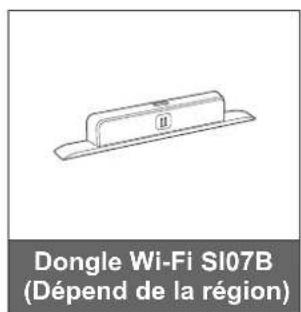
INTRODUCTION
natural_image
Technical line drawing of a dual-framed rack structure with no text or symbols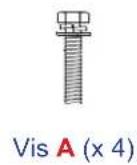
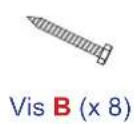
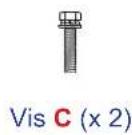


natural_image
Technical diagram of a mechanical component with a magnified inset showing a screw inserted into a slot (no text or symbols present)natural_image
Diagram showing a cylindrical device with a ring attached to a panel, connected to a dashed rectangular box (no text or symbols present)natural_image
Diagram of a mechanical assembly with a blue arrow indicating direction, no text or symbols presentnatural_image
Technical diagram showing a mechanical assembly with a close-up inset of a component labeled 'C' (no text or symbols present)Remarque :
natural_image
Technical line drawing of a mechanical component with a magnified inset showing a threaded fastener (no text or symbols)natural_image
Diagram showing a two-wheeled cart with wheels and a close-up of its mechanical component (no text or symbols)natural_image
Technical line drawing of a mechanical lifting device with wheels and a blue arrow indicating motion (no text or symbols)CONFIGURATION ET INSTALLATION
natural_image
Diagram of a smartphone rear panel with a blue arrow indicating rotation (no text or symbols)natural_image
Diagram of a remote control device showing battery and charging mechanism (no text or labels)natural_image
Diagram of a smartphone with a blue arrow indicating rotation or change, showing the battery inside (no text or symbols)MISE EN GARDE
CONFIGURATION ET INSTALLATION
Connexions
CONFIGURATION ET INSTALLATION
flowchart
graph TD
    A["HDMI OUT"] --> B["USB Cable"]
    B --> C["iWH Cable"]
    C --> D["Provision"]
CONFIGURATION ET INSTALLATION
Raccordement USB
natural_image
Pure diagram of a beam with two hanging lights and a downward arrow, no text or symbols presentnatural_image
Diagram showing a blue upward arrow pointing to a gray base with a label 'II' (no text or symbols on the diagram itself)natural_image
Diagram of a cable connector with a power outlet and cable routing (no text or symbols)natural_image
Diagram of a cable connector with a cylindrical device inserted into a socket, connected to a wall-mounted cable (no text or symbols visible)natural_image
Illustration of a hand pressing a button on a computer monitor (no text or symbols visible)
Mise hors tension
OPÉRATIONS DE BASE
OPÉRATIONS DE BASE
IFP Apparel portable
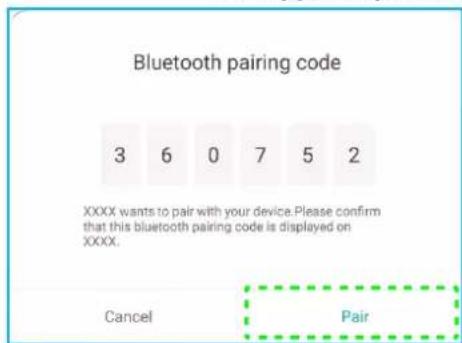
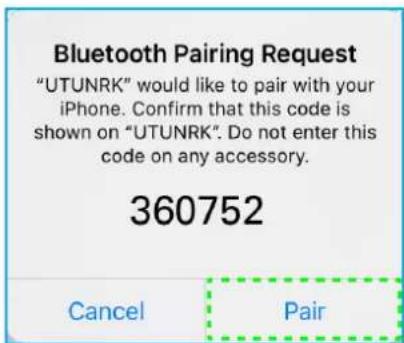
OPÉRATIONS DE BASE



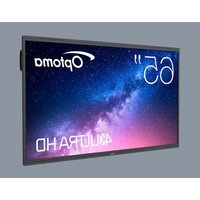
Brand : OPTOMA
Model : 5862RK
Category : Monitor