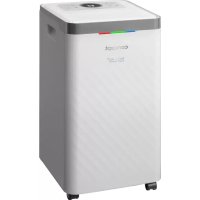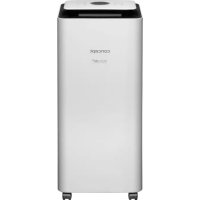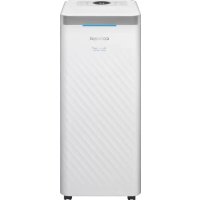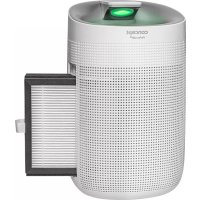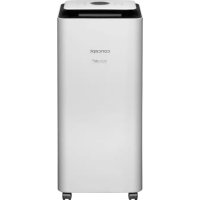
Perfect Air Smart OV2216 - Dehumidifier Concept - Free user manual and instructions
Find the device manual for free Perfect Air Smart OV2216 Concept in PDF.


| Product Type | Dehumidifier |
| Brand | Concept |
| Model | Perfect Air Smart OV2216 |
| Supply Voltage | 220-240 V ~ 50/60 Hz |
| Rated Power | 240 W |
| Dehumidification Capacity (30 °C, 80% RH) | 16 L/day |
| Water Tank Capacity | 3.5 L |
| Operating Modes | Automatic, Continuous, Clothes Drying, Fan |
| Timer | 0 to 24 hours |
| Connectivity | Wi-Fi 2.4 GHz (IEEE 802.11 b/g/n), Concept Home app |
| Additional Functions | Ionization, UVC, Auto Defrost, Full Tank Indicator |
| Operating Temperature Range | 5 °C to 32 °C |
| Air Filter | Washable coarse filter + activated carbon filter |
| Cleaning | Clean the coarse filter with water, vacuum the charcoal filter |
| Safety | Auto shut-off when tank is full, frost protection |
| Smart Compatibility | Android 5.0+ / iOS 9.0+ |
Frequently Asked Questions - Perfect Air Smart OV2216 Concept
User questions about Perfect Air Smart OV2216 Concept
0 question about this device. Answer the ones you know or ask your own.
Ask a new question about this device
Download the instructions for your Dehumidifier in PDF format for free! Find your manual Perfect Air Smart OV2216 - Concept and take your electronic device back in hand. On this page are published all the documents necessary for the use of your device. Perfect Air Smart OV2216 by Concept.
USER MANUAL Perfect Air Smart OV2216 Concept
A MUKODES LEALLITASA
Thank you for purchasing a Concept product. We wish you much joy with your new appliance every day you use it.
Please read the instruction manual carefully before initial use. To refer to this manual any time you need to, we recommend you to keep it in a safe place. And please pass it to any future owner of the appliance.
TECHNICAL SPECIFICATIONS
| OV2012 OV2120 V2216 OV2220 | ||||
| Voltage 220-240 V 50/60 Hz | ||||
| Water tank capacity 2.5 l 3.5 l | 3.5 l 3.5 l | |||
| Input 210 W 320 W 240 W 320 W | W | |||
| Capacity (30 °C RH 80 %) 12 l/day 20 l/day 16 l/day 20 l/day | ||||
| Frequency range (MHz) 2400-2483.5 | ||||
| Transmitter power (max) ≤20 dBm | ||||
IMPORTANT SAFETY PRECAUTIONS
-
Do not use the appliance in any other way than as described in this manual.
-
Remove all the covering and marketing materials from the appliance before the first use.
-
Make sure the mains voltage corresponds to the values on the rating plate of the product.
-
Place the appliance on a stable, flat surface away from other heat sources.
-
Do not leave the appliance unattended when it is switched on or connected to the mains.
-
When connecting and disconnecting the appliance from the mains, the on/off button must be turned off.
-
When disconnecting the appliance from the wall outlet, never pull the power cord, grasp the plug end and disconnect it by removing it from the receptacle.
-
Do not allow children or unauthorized people to handle the appliance, use it out of their reach.
-
Persons with reduced mobility, reduced sensory perception, mental disadvantage or persons not familiar with the operation must use the appliance only under the supervision of responsible person, who is familiar with the instructions.
-
Pay extra attention if the appliance is used near children.
-
Do not use the appliance as a toy.
-
Never put your fingers, pencils or other objects into the openings of the appliance.
-
Never use the appliance without cover grids.
-
Do not let small children and sick persons to be exposed to a direct air flow.
-
Do not cover the appliance.
-
Do not put anything on the appliance or place anything in front of it.
-
The appliance must only be used in the upright position.
-
Do not use the appliance near shower, bathtub, sink or pool.
-
Do not use the appliance in a damp or dusty environment
-
Do not use the appliance in an environment where there are explosive gases and flammable substances (solvents, varnishes, adhesives, etc.).
-
Before assembly and disassembly, disconnect the power cord from the wall outlet.
Before cleaning and after use of the appliance, switch the appliance off and disconnect it from the mains.
-
Keep the appliance clean, do not allow foreign objects to into the grid openings. It could cause serious injury, short circuit, damage to the appliance or cause fire.
-
Do not use coarse and chemically aggressive substances to clean the appliance.
-
Do not use the appliance with a damaged cord or plug and have it repaired immediately by an authorized service centre.
-
Do not use the appliance if it is not working properly, has been dropped, damaged or immersed in liquid. Have it checked and repaired by an authorized service centre.
-
The appliance is only suitable for home use and is not intended for commercial use.
-
Do not touch the appliance with wet hands.
-
Do not immerse the power cord, plug or appliance in water or any other liquid.
-
Never put any objects into the openings of the appliance. The unit is equipped with ventilator that rotates at high speeds. Contact with the rotating ventilator may result in serious injury.
-
Drain water accumulated in the water tank. Ingestion of this water or use for other purposes may cause nausea or cause unpredictable accidents.
EN
concept
- In order to prevent water in the tank from freezing, do not use the appliance or drain the hose at temperatures below 0^ .
- Do not use the dehumidifier outdoors. Exposure to direct sunlight or rain may result in overheating of the appliance, electric shock or fire.
- Do not place the water tank on the dehumidifier. Water may spill into the appliance and damage the insulation.
- Never try to use the dehumidifier for special purposes such as drying food or art objects, etc. Quality may deteriorate.
- Do not use the appliance in an area where oil or flammable gases are present.
- Do not use the unit in an area subject to exposure to chemicals.
If you are going to dehumidify continuously, make sure the water drain hose is properly positioned and it is not angled too much. - Do not place a heater near the dehumidifier.
- Do not use the appliance for sitting on or as a footrest.
If the dehumidifier is used in the cabinet, do not let children to open the cabinet by their own. - Do not remove the float lever from the water tank.
- Do not cover any of the air inlets or outlets. Do not cover the unit with wet clothing.
- Prior to launching the continuous operation, it is necessary to do a regular inspection, especially check the filter control and the drain hose, etc.
- Prior to cleaning or maintenance, first switch the appliance off and disconnect it from the mains.
- To prevent electric shock, never spray or pour water on the dehumidifier.
- Prior to manipulating with the unit, turn it off first and empty the water tank. Always use the handle when moving the unit.
- Do not repair the appliance yourself. Contact an authorized service centre.
This appliance can be used by children aged from 8 years and above and persons with reduced physical, sensory or mental capabilities or lack of experience and knowledge if they have been given supervision or instruction concerning the use of the appliance in a safe way and understand the hazards involved. Cleaning and maintenance performed by the user must not be carried out by children unless they are at least 8 years old and under supervision. Children under the age of 8 must be kept away from the appliance and its power supply. Do not let children play with the appliance.
Damages from failure to follow the manufacturer's instructions are not covered by the warranty.
PRODUCT DESCRIPTION
1 Fan speed button
2 Timer indicator
3 Dehumidification indicator
4 Ionization/UVC
5 Defrosting
6 Full water tank
7 ON/OFF button
8 Mode button
9 Slider
10 Continuous drainage of water
11 Fan indicator
12 Auto mode
13 Timer
14 Night mode
15 Wi-Fi indicat
16 Appliance di
17 Air outlet
18 Air inlet
19 Water tank
20 Handle
21 Laundry drying mode
INSTALLATION
In order for the dehumidifier to work efficiently, the recommended distance must be observed, as shown below.
If the operating noises of the dehumidifier interfere with TV or radio, place the unit at least 70 cm from the device.
OPERATION
DEFROSTING
If the dehumidifier detects icing on the surface of the cooling unit, it interrupts the dehumidification and starts the automatic defrosting process. Once the dehumidifier finishes the defrosting process, it resumes normal operation.
The dehumidifier stops the operation temporarily while defrosting.
- Do not disconnect the plug from the socket and do not turn the unit off until defrosting is done.
Note: The room temperature rises when the unit operates.
This type of dehumidifier does not have a cooling function. The unit heats up and increases the room temperature by 1 - 4^ when operating. If the dehumidifier is used in the cabinet or something similar, the temperature may rise even more. Heat is produced by all the appliance in the room, as well as by the direct sunlight, and if windows and doors are closed, the temperature in the room may increase even more.
USE
- Plug the dehumidifier into an electrical outlet.
- Press the ON/OFF button.
- Use the mode button to select the desired mode (automatic, continuous operation, laundry drying, fan).
Automatic mode:
Set the desired humidity to 30 - 80% and adjust the fan speed level.
Continuous operation:
Automatically sets humidity and fan speed to 1st power level.
Laundry drying:
Automatically sets humidity and fan speed to 2nd power level.
Fan:
Only the fan is on, no dehumidification.
Timer:
Timer can be set for these modes (0-24 h).
Press the on/off button to interrupt the power supply, this will stop the operation and all LEDs will go out. (Warning: Do not disconnect the appliance from the mains during operation. Be sure to turn off the appliance first and then unplug the power cord. Otherwise it may damage the electrical components and shorten the life of the appliance.)
CLEANING AND MAINTENANCE
- To prevent electric shock, never connect or disconnect the plug with wet hands.
Prior to cleaning or maintenance, first switch the appliance off and disconnect it from the mains. - To prevent device malfunctions or excessive noises, keep the unit in the upright position.
- Wipe the body of the appliance with a soft, dry cloth.
Use a soft, damp (well wrung) cloth to remove larger dirt deposits. Never use a damp cloth to clean the control panel.
To avoid any deformation or cracking, do not use gasoline, thinner or other liquid detergents.
Chemicals can cause colour changes of the surface of the appliance.
If you are not going to use the appliance for a prolonged period of time:
- Unplug the unit.
- Empty the water tank, wipe it with a cloth and return it to the unit.
- Clean the air filter.
- Store the unit in upright position in a dark place, do not place it on the side and avoid direct sunlight.
How to empty the water tank
- Turn off the device.
- Remove the tank from the unit.
- Grasp the tank by the handle and move it gently.
- Tilt the tank and carefully drain water out.
- Put the tank back in the unit.
Note: Water is collected in the tank during the operation. A full water tank indicator will start flashing indicating that the water tank is full and the dehumidifier automatically stops operating.
Cleaning the filters (Fig. 1-2)
- Remove the grille with filters on the air inlet.
- Remove the coarse filter and then the carbon filter from the cover.
- Rinse the coarse filter under water, dry thoroughly and carefully vacuum the carbon filter.
- Reinstall the filters in the cover and insert the cover into the appliance.
Warning:
- The operating temperature of the dehumidifier is 5 - 32^ Use the appliance within this temperature range. If you use the device outside the specified temperature range, the safety fuses will stop the operation. This is normal.
- If the room temperature is below 5^ , the humidity is relatively low and the dehumidifier cannot be used.
- The built-in compressor produces heat and it slightly increases the room temperature during operation. This is normal.
- The dehumidifier stops operating as soon as the water tank is full.
-
The dehumidifier cannot start or stop the operation itself, in this case check the following steps:
-
Make sure that there is no problem with the plug and the socket.
- If it seems there is no problem, wait 10 minutes.
-
If the appliance still does not work, contact your dealer.
-
Keep a minimum distance of 15cm between the openings of the appliance and near objects.
TROUBLESHOOTING
Prior to sending the unit to the service centre, check the following points. If one of the following phenomena occurs, your appliance is OK.
| Phenomenon Cause | |
| Operation gets interrupted for time to time The | unit is defrosting. |
| Low dehumidification volume | If the room temperature is low, the speed of dehumidification decreases. The unit stops if the room temperature drops below approx. 5 °C or rises above 32 °C. In automatic mode, the dehumidifier will stop if the humidity drops below 60 %. |
| The humidity in the room is still high | The room is too big. Doors or windows in the room may often get opened/closed. The dehumidifier is used in the room along with a kerosene heater that emits steam. |
| Unpleasant smell is emitted during operation C | dours come from walls, furniture or other objects. |
| The unit is emitting noises during operation C | circulation of the coolant can produce noises. |
| There is water in the water tank after unpacking the appliance | The water in the tank was used to test the functionality of the appliance in the factory. |
WIRELESS CONNECTION AND COMPATIBILITY
- Jindrich Valenta - CONCEPT shall in no way be liable for any incidental, indirect or consequential damages, or for any loss of data or loss due to information leakage during communication via wireless technology.
- Successful wireless communication cannot be 100% guaranteed on all Smart devices and Wi-Fi networks (routers). Due to the variety of devices on the market, there may be cases where the character or specification of a given Smart device or Wi-Fi network (router) makes connection impossible or is somehow disturbed. In addition, a number of factors, including hardware and software configuration, also affect the success of wireless communication via Wi-Fi network. The connection between the robot and your Wi-Fi network can also be adversely affected by the surrounding Wi-Fi networks, which can be tuned to the same channel and thus interfere with the connection (e.g. in housing estates, apartment buildings, etc.). These facts are not a reason to claim the appliance.
The app is owned and operated by a third party (the "Entity") different from Jindrich Valenta - CONCEPT (the "Seller"). No personal data is transferred to the Entity by the Seller. When registering for the app, the customer submits personal data directly to the Entity, who becomes the administrator of personal data. The app and the associated protection of personal data are governed by the Entity's rules.
Compatibility:
Smart device operating system - Android 5.0 and higher - IOS 9.0 and higher
Wi-Fi network - 2.4 GHz - WPA1 and WPA2 security (WPA2 recommended)
NOTICE: The appliance cannot be operated on IEEE 802.1X-protected Wi-Fi networks (usually corporate Wi-Fi networks).
Downloading, installing and pairing the app (Fig. 3-9)
- Download the Concept Home app from Google Play or App Store.
- Create an account.
- Press the mode button on the turned-off appliance, the Wi-Fi symbol will start flashing.
- Press + to add the device.
- Select the device from the list.
- Enter your Wi-Fi network and password.
- Press Next.
- Confirm that the appliance is flashing and press Next.
- Wait for the appliance to connect. When finished, the appliance can be used.
Pairing troubleshooting
- Verify that your Wi-Fi network password is correct.
The device only supports 2.4 GHz Wi-Fi networks.
The router is overwhelmed by connecting many other devices (especially in housing estates or in case of large concentrations of connected Smart devices). For stable operation it is necessary that the Wi-Fi signal reaches the room and at the same time is sufficiently strong. If possible, try also restarting the Wi-Fi router itself.
If your smart device is running Android 6.0 and above, you need to have location detection turned on.
SERVICE
Extensive maintenance or repair, which requires access to internal parts of the product, has to be performed by a qualified specialist or the service centre.
ENVIRONMENTAL CONCERNS
- Packaging materials and old appliances should be recycled.
- Packaging materials may be disposed of as sorted waste.
- Dispose the plastic bags made of polyethylene (PE) of as sorted waste.
Recycling of the appliance at the end of its lifespan:
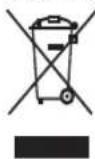
This appliance is labelled in accordance with European Directive 2012/19/EU concerning used electrical and electronic appliances (Waste Electrical and Electronic Equipment - WEEE). The symbol on the product or on its packaging indicates that this product may not be treated as household waste. Instead, it should be taken to the appropriate collection point for the recycling of electrical and electronic equipment. By ensuring this product is disposed of correctly, you will help prevent potential negative consequences for the environment and human health, which could otherwise be caused by inappropriate waste handling of this product. The disposal of such material has to be done according to the recycling regulations. For more detailed information about recycling of this product, please contact your local council, your household waste disposal service or the shop where you purchased the appliance.
The product meets all the necessary requirements of the EU directives applicable to the specific product.
Changes in text, design, and technical specifications are subject to change without prior notice and we reserve the right to change them.
DANKSAGUNG
m = 311