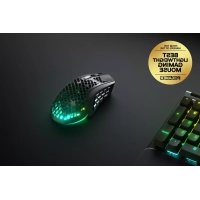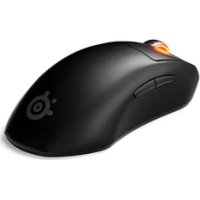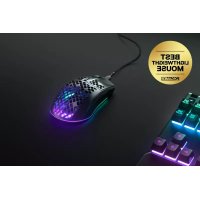
Aerox 3 2022 Edition - Mouse STEELSERIES - Free user manual and instructions
Find the device manual for free Aerox 3 2022 Edition STEELSERIES in PDF.



| Product Type | Wireless gaming mouse |
| Brand | SteelSeries |
| Model | Aerox 3 2022 Edition |
| Dimensions (L x W x H) | 120.3 mm x 65.6 mm x 37.8 mm |
| Weight | 68 g |
| Sensor | TrueMove Air |
| Resolution (CPI) | 100 – 18,000 CPI (adjustable) |
| Connectivity | 2.4 GHz wireless / Bluetooth 5.0 |
| Number of Buttons | 6 |
| Power | Rechargeable lithium-ion battery via USB-C |
| Battery Life | Up to 80 hours (2.4 GHz wireless) |
| System Compatibility | PC (Windows 7+), Mac (OS X 10.13+), Xbox |
| Customization Software | SteelSeries Engine (free) |
| Feet | Virgin PTFE (optimal glide) |
| Lighting | RGB (customizable via software) |
| Box Contents | Mouse, Super Mesh USB-C cable, USB-C dongle, extension adapter, guide |
| Care and Cleaning | Clean with a soft, dry cloth. Do not use chemicals. |
| Safety | Do not expose to moisture, drips, or splashes. |
| Spare Parts and Repairability | Parts available on steelseries.com. For repair, contact technical support. |
| General Information | Certified IC: 9638A-M00019. Complies with Canadian standards. Recyclable. |
Frequently Asked Questions - Aerox 3 2022 Edition STEELSERIES
User questions about Aerox 3 2022 Edition STEELSERIES
0 question about this device. Answer the ones you know or ask your own.
Ask a new question about this device
Download the instructions for your Mouse in PDF format for free! Find your manual Aerox 3 2022 Edition - STEELSERIES and take your electronic device back in hand. On this page are published all the documents necessary for the use of your device. Aerox 3 2022 Edition by STEELSERIES.
USER MANUAL Aerox 3 2022 Edition STEELSERIES
natural_image
Line drawing of a computer mouse with internal mesh pattern (no text or symbols)CONTENTS
Product overview 6–7
Setup 8
Connecting via 2.4 GHz wireless
Pairing via Bluetooth
Battery level indicator 9
Translations
Español 10
简体中文 12
繁體中文 14
日本語 16
한국어 18
Deutsch 20
Русский 22
Français 24
Italiano 26
Português 28
Polski 30
Regulatory 32
WELCOME TO AEROX 3
Your new mouse is the result of our unyielding pursuit of perfection for over 20 years. We poured our hearts into creating the best possible ultra lightweight gaming mouse, optimizing it for speed and performance. The SteelSeries Aerox 3 is engineered to get the fastest swipes, so you can beat the competition to the trigger. When milliseconds count, speed matters.
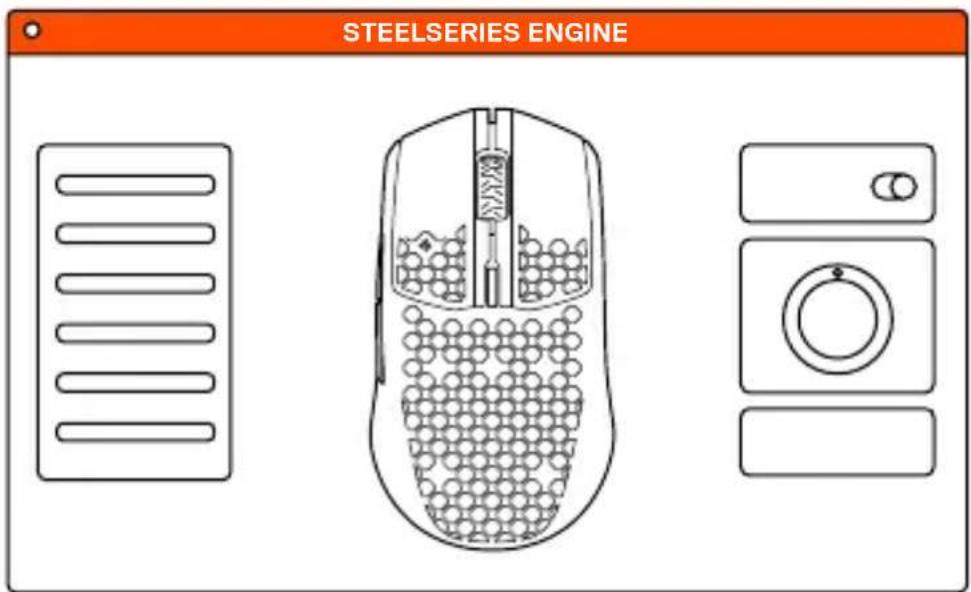
STEELSERIES ENGINE
text_image
STEELSERIES ENGINETo enjoy GameSense integration, program macros, and customize lighting effects and other mouse settings on your new Aerox 3 Wireless mouse, download SteelSeries Engine at steelseries.com/engine
PACKAGE CONTENTS
Aerox 3 Wireless Mouse
USB Type-C to USB Type-A Super
Mesh Data/Charging Cable (5'9"/1,8 m)
USB Type-C Wireless Dongle
Extension Adapter
Product Information Guide
SYSTEM REQUIREMENTS / COMPATIBILITY
PC
Mac
Xbox
STEELSERIES ENGINE SOFTWARE REQUIREMENTS
Platforms
Windows 7+
Mac OS X 10.13+
160 MB of free hard drive space for installation
PRODUCT OVERVIEW
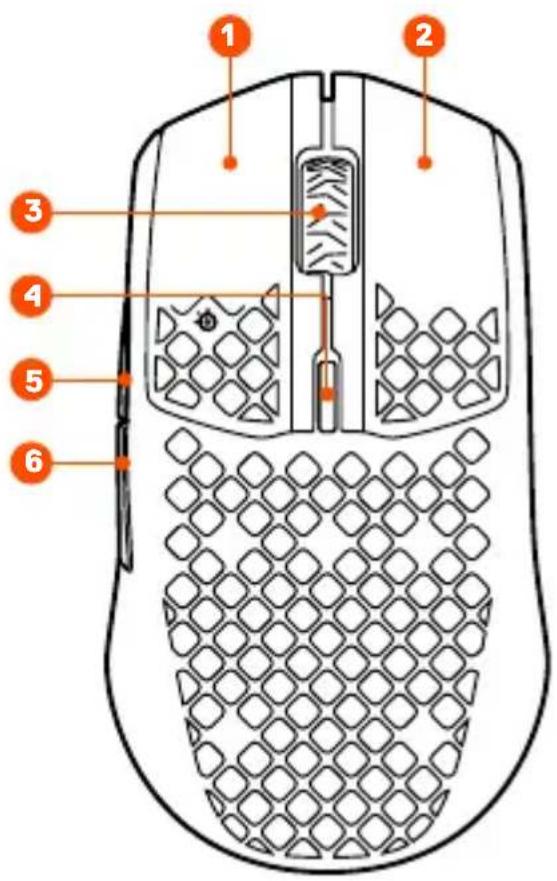
1 Left Trigger
2 Right Trigger
3 Scroll Wheel
4 CPI Button
5 Side Button 1
6 Side Button 2
text_image
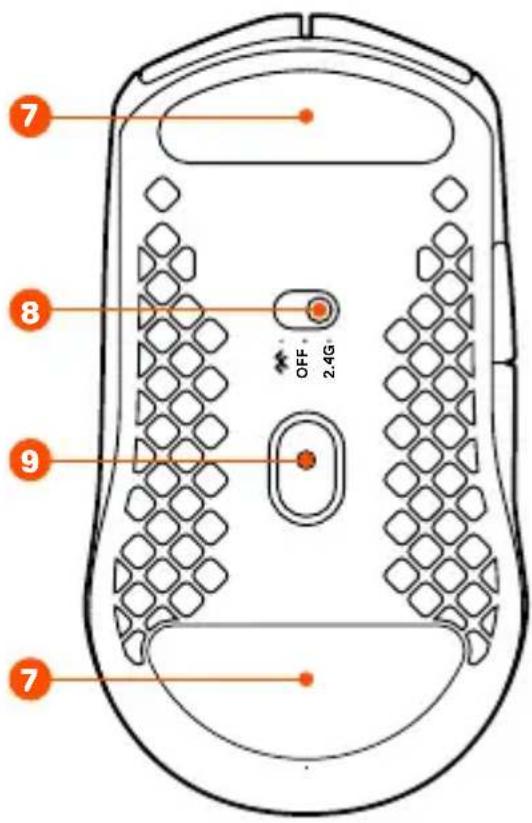
Diagram of a computer mouse with numbered parts labeled 1 through 6, showing internal structure and mesh pattern.7 Virgin-grade PTFE Feet
8 Wireless Mode Switch
9 TrueMove Air Sensor
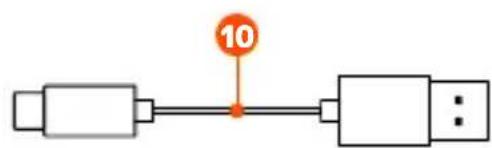
10 USB Type-C to USB Type-A SuperMeshData/Charging Cable
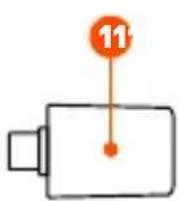
11 USB Type-C Wireless Dongle
12 Extension Adapter
flowchart
graph LR
    A[" "] --> B[" "]
    B --> C[" "]
    C --> D["..."]
    style A fill:#fff,stroke:#000
    style B fill:#fff,stroke:#000
    style C fill:#fff,stroke:#000
    note right of A: 10
    note right of B: 10
text_image
7 8 9 OFF 2.4GCONNECTING VIA 2.4 GHZ WIRELESS

1 Connect the Aerox 3 Wireless Dongle ^11 to an available USB port on your device.
2 Toggle the Wireless Mode Switch 8 to the "2.4 GHz" position.
3 The mouse and dongle will automatically pair.
4 To further customize your mouse, or re-pair a Wireless Dongle 11, download the SteelSeries Engine software from steelseries.com/engine
PAIRING VIA BLUETOOTH

1 Initiate Bluetooth pairing mode on your Bluetooth 5.0 or higher enabled device.
2 Hold the CPI Button 4 and toggle the Wireless Mode Switch 8 to the Bluetooth *position to turn on your mouse.
3 The Mouse lighting will start blinking blue when searching for a connection.
4 Select "Aerox 3 Wireless" on your Bluetooth-enabled device.
BATTERY LEVEL INDICATOR
The mouse lighting will flash yellow to notify you about battery life:

minute intervals

hours of battery remaining

minute intervals

hours of battery remaining

minute interval

hour of battery remaining
When charging, the lighting will flash green for 10 seconds, before resuming default lighting.
ESPAÑOL
CONTENIDO DE LA CAJA
support.steelseries.com
VISTA GENERAL DEL PRODUCTO
* 如需詳細的產品資訊,請瀏覽 steelseries.com/aerox-3-wireless
透過藍牙配對
support.steelseries.com
PANORAMICA PRODOTTO
1 Trigger sinistro
2 Trigger destro
7 Piedini in Virgin-grade PTFE
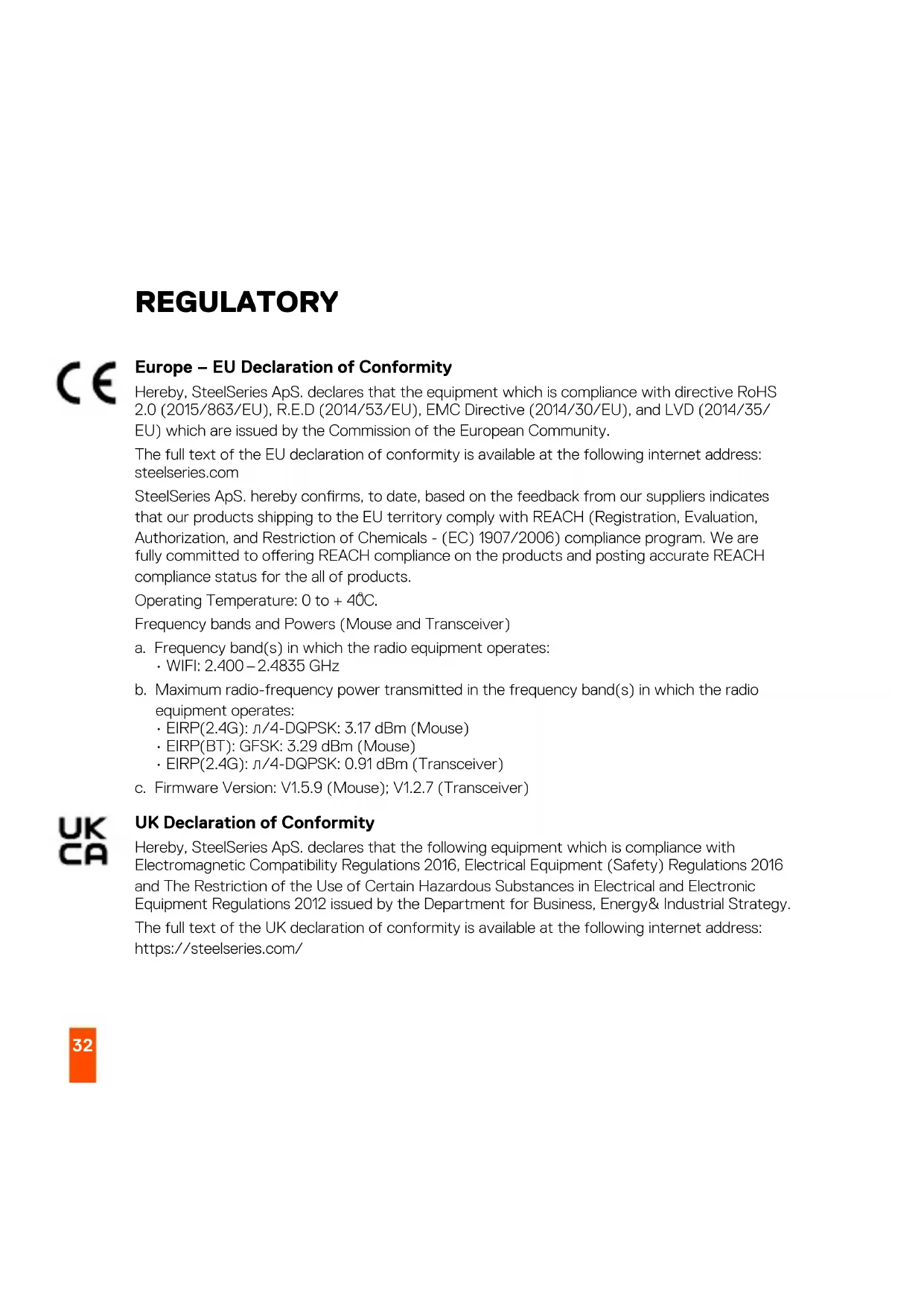
Europe – EU Declaration of Conformity
Hereby, SteelSeries ApS. declares that the equipment which is compliance with directive RoHS 2.0 (2015/863/EU), R.E.D (2014/53/EU), EMC Directive (2014/30/EU), and LVD (2014/35/EU) which are issued by the Commission of the European Community.
The full text of the EU declaration of conformity is available at the following internet address: steelseries.com
SteelSeries ApS. hereby confirms, to date, based on the feedback from our suppliers indicates that our products shipping to the EU territory comply with REACH (Registration, Evaluation, Authorization, and Restriction of Chemicals - (EC) 1907/2006) compliance program. We are fully committed to offering REACH compliance on the products and posting accurate REACH compliance status for the all of products.
Operating Temperature: 0 to +40°C.
Frequency bands and Powers (Mouse and Transceiver)
a. Frequency band(s) in which the radio equipment operates:
• WIFI: 2.400 – 2.4835 GHz
b. Maximum radio-frequency power transmitted in the frequency band(s) in which the radio equipment operates:
• EIRP(2.4G): /4 -DQPSK: 3.17 dBm (Mouse)
• EIRP(BT): GFSK: 3.29 dBm (Mouse)
- EIRP(2.4G): / 4 - DQPSK: 0.91 dBm (Transceiver)
c. Firmware Version: V1.5.9 (Mouse); V1.2.7 (Transceiver)

UK Declaration of Conformity
Hereby, SteelSeries ApS. declares that the following equipment which is compliance with Electromagnetic Compatibility Regulations 2016, Electrical Equipment (Safety) Regulations 2016 and The Restriction of the Use of Certain Hazardous Substances in Electrical and Electronic Equipment Regulations 2012 issued by the Department for Business, Energy& Industrial Strategy.
The full text of the UK declaration of conformity is available at the following internet address: https://steelseries.com/
WEEE
This product must not be disposed of with your other household waste or treat them in compliance with the local regulations or contact your local city office, your household waste disposal service or the shop where you purchased the product.
TURKEY ROHS COMPLIANCE
Republic of Turkey: In conformity with the EEE Regulation
Safety Guideline for the Battery
This battery must not be disposed of with your other household waste or treat them in compliance with the local regulations or contact your local city office, your household waste disposal service or the shop where you purchased the product.

Federal Communication Commission Interference Statement
This device complies with Part 15 of the FCC Rules. Operation is subject to the following two conditions: (1) This device may not cause harmful interference, and (2) this device must accept any interference received, including interference that may cause undesired operation.
This equipment has been tested and found to comply with the limits for a Class B digital device, pursuant to Part 15 of the FCC Rules. These limits are designed to provide reasonable protection against harmful interference in a residential installation. This equipment generates, uses and can radiate radio frequency energy and, if not installed and used in accordance with the instructions, may cause harmful interference to radio communications. However, there is no guarantee that interference will not occur in a particular installation. If this equipment does cause harmful interference to radio or television reception, which can be determined by turning the equipment off and on, the user is encouraged to try to correct the interference by one of the following measures:
- Reorient or relocate the receiving antenna.
- Increase the separation between the equipment and receiver.
- Connect the equipment into an outlet on a circuit different from that to which the receiver is connected.
- Consult the dealer or an experienced radio/TV technician for help.
FCC Caution:
Any changes or modifications not expressly approved by the party responsible for compliance could void the user's authority to operate this equipment.
This transmitter must not be co-located or operating in conjunction with any other antenna or transmitter.
Radiation Exposure Statement:
The device has been evaluated to meet general RF exposure requirement, the device can be used in portable exposure condition without restriction.
FCC ID: ZHK-M00019 (Mouse)
FCC ID: ZHK-M00019TX(Transceiver)
Frequency bands and Powers (Mouse and Transceiver)
a. Frequency band(s) in which the radio equipment operates: 2.400 - 2.4835 GHz
b. Maximum radio-frequency power transmitted in the frequency band(s) in which the radio equipment operates:
- Conducted Average Power/(2.4G): л/4-DQPSK: -1.0 dBm (Mouse)
- Conducted Average Power/(BT): GFSK: -0.95 dBm (Mouse)
- Conducted Average Power/(2.4G): /4 -DQPSK: -2.32 dBm (Transceiver)
c. Firmware Version: V1.5.9 (Mouse); V1.2.7 (Transceiver)
Industry Canada Statement
This device complies with Industry Canada license-exempt RSS standard(s). Operation is subject to the following two conditions:
- this device may not cause interference, and
- this device must accept any interference, including interference that may cause undesired operation of the device.
This Class B digital apparatus complies with Canadian ICES-003.
This device and its antenna(s) must not be co-located or operating in conjunction with any other antenna or transmitter, except tested built-in radios.
The County Code Selection feature is disabled for products marketed in the US/ Canada.
The appliance must not be exposed to splashes or drops of water and it should not be used as a support for any object filled with liquid, such as a vase.
Radiation Exposure Statement
The device has been evaluated to meet general RF exposure requirement, The device can be used in portable exposure condition without restriction.
RISK OF EXPLOSION IF BATTERY PACK IS NOT REPLACE BY SAME TYPE AS SPECIFIED BY THE MANUFACTURER.
Please keep follow all listed important warnings and cautions below while using this battery pack to avoid any damage or hazard.
- The battery polarity (+) and (-) shall not be connected and charged reversely. Risk of
explosion if the battery polarity (+) and (-) is reversed.
- Please keep this battery pack away from fire and high heat sources due to the explosion that might happen. Do not place your battery pack close to any heater or hot location.
- This battery pack shall not be hit or impacted. This battery pack shall not be dealt with any sharp or keen objects either.
- This battery pack shall not be exposed to moisture, dripping or splashing.
- If any electrolyte flows out of this battery pack when touching the user's eyes and skin, please seek medical advice immediately.
"MISE EN GARDE!"
RISQUE D'EXPLOSION SI LE BLOC-PILES N'EST PAS REMPLACÉ PAR LE MÊME TYPE QUE SPÉCIFIÉ PAR LE FABRICANT.
IC: 9638A-M00019TX (Transceiver)
The RoHS test method is based on the standards JIS C 0950 and CNS 15663.
| 設備名稱:無線滑鼠型號(型式):M-00019Equipment name: Wireless MouseType designation: M-00019 | ||||||
| 單元/Unit | 限用物質及其化學符號Restricted substances and its chemical symbols | |||||
| 鉛Lead(Pb) | 汞Mercury(Hg) | 鎘Cadmium(Cd) | 六價鉻Hexavalent chromium(Cr+6) | 多溴聯苯Polybrominated biphenyls(PBB) | 多溴二苯醚Polybrominated diphenyl ethers(PBDE) | |
| 塑膠部件/Plastic | ○ | ○ | ○ | ○ | ○ | ○ |
| 電路板及元件/PCBA | - | ○ | ○ | ○ | ○ | ○ |
| 線材/Cables | - | ○ | ○ | ○ | ○ | ○ |
| 金屬部件/Metal | - | ○ | ○ | ○ | ○ | ○ |
| 備考1.“超出0.1 wt %”及“超出0.01 wt %”係指限用物質之百分比含量超出百分比含量基準值。Note 1: “Exceeding 0.1 wt %” and “exceeding 0.01 wt %” indicate that the percentage content of the restricted substance exceeds the reference percentage value of presence condition.備考2. ○係指該項限用物質之百分比含量未超出百分比含量基準值。Note 2: ○indicates that the percentage content of the restricted substance does not exceed the percentage of reference value of presence.備考3.-係指該項限用物質為排除項目。Note 3:- indicates that the restricted substance corresponds to the exemption根据中国大陆《电子电气产品有害物质限制使用标识要求》,以下部分列出了产品中可能包含的有害物质的名称和含量: | ||||||
| 零部件名称 | 有害物质 | |||||
| 铅(Pb) | 汞(Hg) | 镉(Cd) | 六价铬(Cr(VI)) | 多溴联苯(PBB) | 多溴二苯醚(PBDE) | |
| 电路板组件 | × | ○ | ○ | ○ | ○ | ○ |
| 其他线材 | × | ○ | ○ | ○ | ○ | ○ |
| *:电路板组件包括印刷电路板及其构成的零部件,如电阻、电容、集成电路、连接器等。 | ||||||
| 本表格依据SJ/T 11364的规定编制。○:表示该有害物质在该部件所有均质材料中的含量均在GB/T 26572规定的限量要求以下。×:表示该有害物质至少在该部件的某一均质材料中的含量超出GB/T 26572规定的限量要求;上表中打“X”的部件,应功能需要,部分有害物质含量超出GB/T 26572规定的限量要求,但是符合欧RoHS法规要求(属于豁免部分)。 | ||||||
| Region Address Telephone | ||
| Asia亞洲 | 4F.-4, No. 186, Jian 1st Rd., Zhonghe Dist., New TaipeiCity 235603, Taiwan新北市中和區建一路186號4樓及4樓之4 | +886 2 8227 1999 |
| Europe Havneholmen 8, 1 ^st Floor,2450 Copenhagen SV, Denmark | +45 702 500 75 | |
| USA 656 W | Randolph St., Suite 3E,Chicago, IL 60661, USA | +1 312 258 9467 |
More information and support at steelseries.com
| Product Name (產品名稱/产品名称): | Wireless Mouse (無線滑鼠/无線鼠标) |
| Model No. (型號/型号): | M-00019 |
| Rated (規格/規格): 5V | = 400mA |
Accessories information (配件資訊/配件信息)
| Product Name: (產品名稱/产品名称): | Transceiver (收發器/收发器) |
| Model No. (型號/型号): | M-00019TX |
| Rated (規格/規格): 5V | --- 30 mA |
| Made in China (中國製造/中国制造) | |
| Operating Temperature: 0 to +40 °C | |
| 產品使用環境溫度: 0 - 40度 |

Malaysia approval (SIRIM)

Custom Union Compliance. (Russia / Belarus / Kazakhstan / Armenia / Kyrgyzstan)

ACMA Compliance (Australia/New Zealand)

Direct current
Complies with IMDA Standards DA 106032
Singapore approval (IMDA)

FR
learn more at steelseries.com