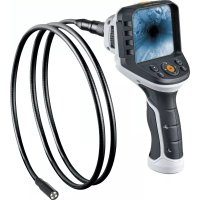
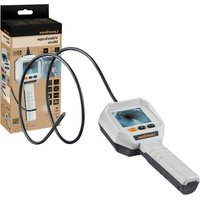
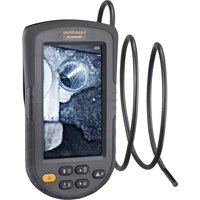
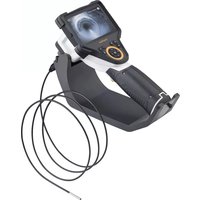
VideoFlex G4 Max - Video camera Laserliner - Free user manual and instructions
Find the device manual for free VideoFlex G4 Max Laserliner in PDF.


| Product type | Professional inspection video camera |
| Brand | Laserliner |
| Model | VideoFlex G4 Max |
| Dimensions (L x H x D) | 181 x 207 x 96 mm |
| Weight (with battery) | 342 g |
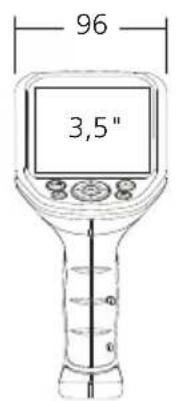
| Screen type | 3.5-inch color TFT screen |
| Screen resolution | 320 x 240 pixels |
| Image and video resolution | 640 x 480 pixels |
| File formats | JPEG for images, AVI for videos |
| Storage memory | micro SD card up to 16 GB |
| Power supply | Li-ion battery pack 3.7 V / 2.8 Ah |
| Operating time | Approximately 5 hours |
| Connections | USB Type C, Cinch video output |
| Working conditions | 0 °C to 45 °C, relative humidity 20–85 % (non-condensing) |
| Storage conditions | -10 °C to 60 °C, max. relative humidity 80 % |
| Main functions | Photo and video recording, digital zoom, adjustable LED lighting, manual image rotation, media gallery |
| Maintenance and cleaning | Clean with a slightly damp cloth, without cleaning agents or solvents |
| Safety | Do not use in the presence of electrical voltage, chemicals, hot or moving parts. Do not immerse the screen in water. |
| Spare parts and repairability | See the online manual for warranty and service information |
Frequently Asked Questions - VideoFlex G4 Max Laserliner
User questions about VideoFlex G4 Max Laserliner
0 question about this device. Answer the ones you know or ask your own.
Ask a new question about this device
Download the instructions for your Video camera in PDF format for free! Find your manual VideoFlex G4 Max - Laserliner and take your electronic device back in hand. On this page are published all the documents necessary for the use of your device. VideoFlex G4 Max by Laserliner.
USER MANUAL VideoFlex G4 Max Laserliner
natural_image
Medical endoscopy device with digital display and control buttons (no visible text or symbols)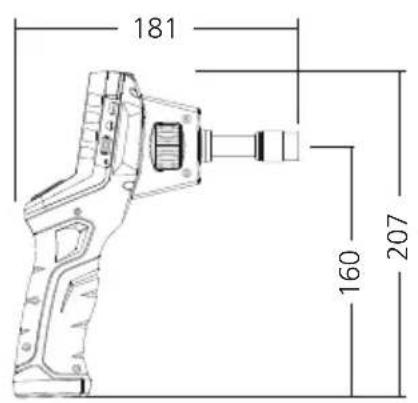
Laserliner
Laserliner
Aufnahmemodus Video
natural_image
Empty rectangular frame with a small camera icon at top-left corner (no text or symbols)Wiedergabemodus Video
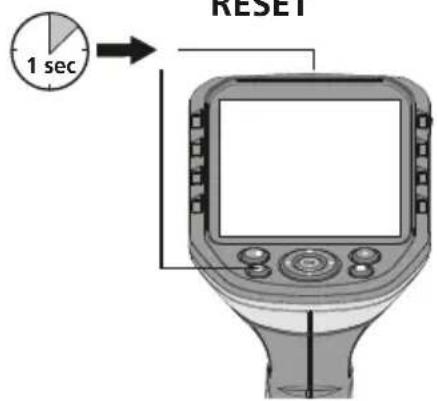
RESET
natural_image
Diagram of a GPS navigation device with a sensor and control panel, showing no text or symbols.4 Einstellungsmodus
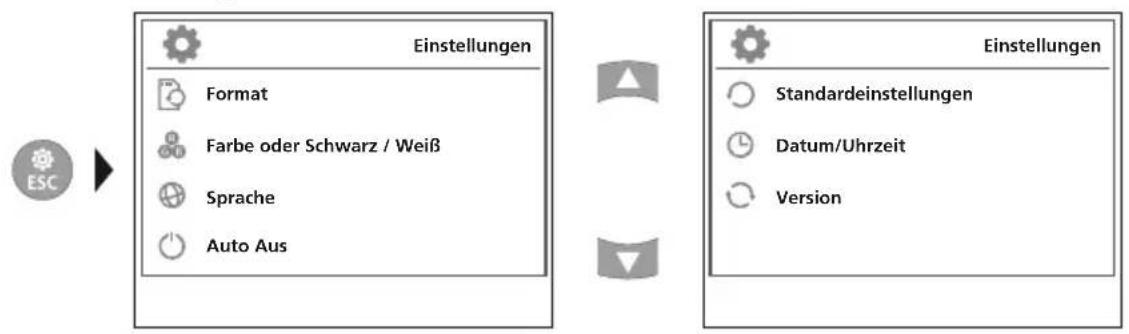
flowchart
graph LR
    A["ESC"] --> B["Einstellungen"]
    B --> C["Format"]
    B --> D["Farbe oder Schwarz / Weiß"]
    B --> E["Sprache"]
    B --> F["Auto Aus"]
    G["Standardestellungen"] --> H["Version"]
b. LED-Beleuchtung
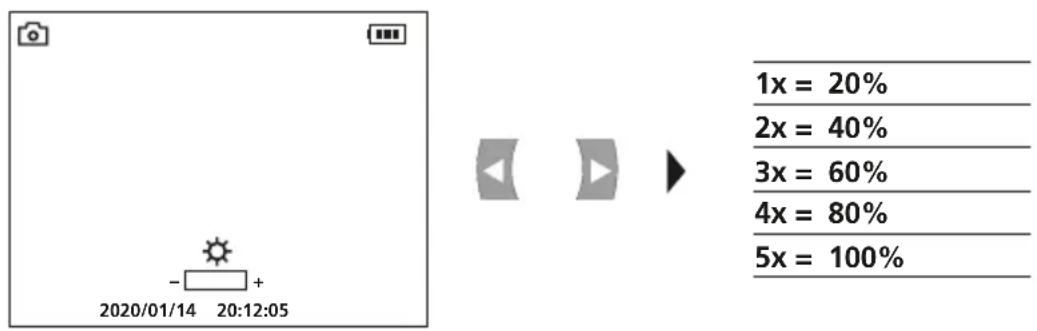
c. Zoom
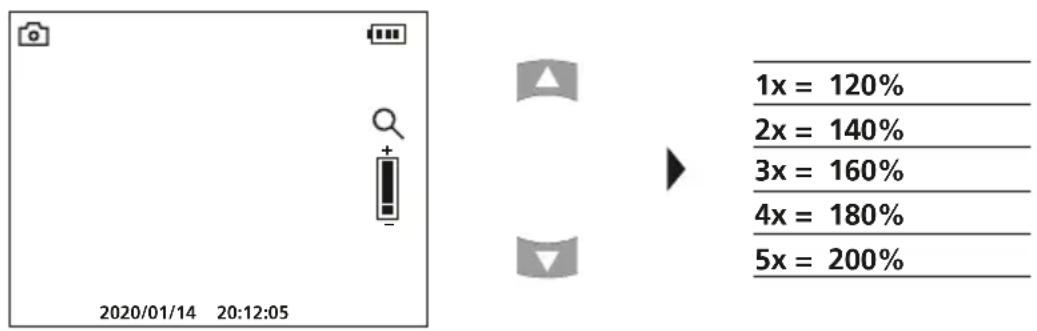
Laserliner
natural_image
Illustration of a handheld electronic device with circular arrows indicating rotation or cycle (no text or symbols)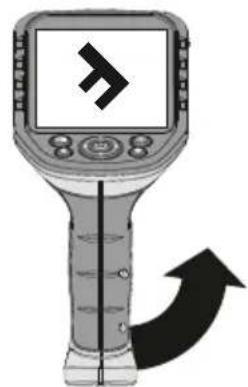
natural_image
Illustration of a handheld electronic device with a screen displaying a stylized 'F' symbol and an arrow indicating direction (no text or labels)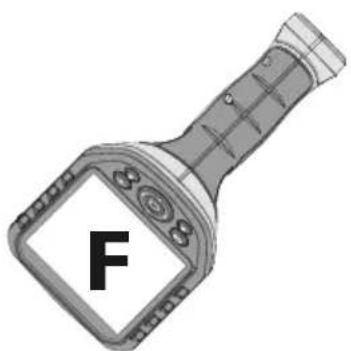
natural_image
Illustration of a handheld device with a display screen showing the letter 'F' (no text or symbols on the device itself)7 Wiedergabemodus
Completely read through the operating instructions, the „Warranty and Additional Information” booklet as well as the latest information under the internet link at the end of these instructions. Follow the instructions they contain. This document must be kept in a safe place and passed on together with the device.
Function / Application
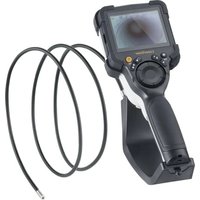
This professional video inspection system VideoFlex G4 combined with an exchangeable camera unit is suitable for easy visual inspection of hard-to-reach places in pipes, cavities, shafts, masonry and motor vehicles. Images and videos can be stored on the SDHC memory card for analysis and documentation.
General safety instructions
- The device must only be used in accordance with its intended purpose and within the scope of the specifications.
- The measuring tools and accessories are not toys. Keep out of reach of children.
– The structure of the device must not be modified in any way. - Do not expose the device to mechanical stress, extreme temperatures, moisture or significant vibration.
– The device must no longer be used if one or more of its functions fail or the battery charge is weak. - When using the device outdoors, make sure that the weather conditions are appropriate and/or that suitable protection measures are taken.
– The LCD unit must not be immersed in water. The base unit must not come in contact with liquids. - It is absolutely vital to ensure that the VideoFlex G4 does not come into contact with chemicals, voltage, moving or hot objects. This can damage the device and put its user at risk of serious injury.
– The VideoFlex G4 must not be used for medical examinations / examining people. - Please ensure compliance with the safety regulations set out by local and national authorities with regard to the correct and proper use of the device.
- The unit is not suitable for taking measurements close to dangerous voltages. Therefore always make sure that conductive parts are at zero potential when carrying out measurements in the vicinity of electrical systems. Safe isolation from the power supply and precautions to prevent systems being switched on again must be ensured by implementing suitable measures.
Safety instructions
Dealing with electromagnetic radiation
– The measuring device complies with electromagnetic compatibility regulations and limit values in accordance with EMC-Directive 2014/30/EU.
- Local operating restrictions – for example, in hospitals, aircraft, petrol stations or in the vicinity of people with pacemakers – may apply. Electronic devices can potentially cause hazards or interference or be subject to hazards or interference.
Information on maintenance and care
Clean all components with a damp cloth and do not use cleaning agents, scouring agents and solvents. Remove the battery(ies) before storing for longer periods. Store the device in a clean and dry place.
3
flowchart
graph TD
    A["OK"] --> B["a b dc e"]
    A --> C["f hg i"]
    A --> D["ESC"]
    A --> E["Play"]
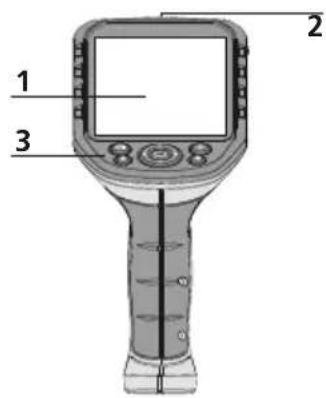
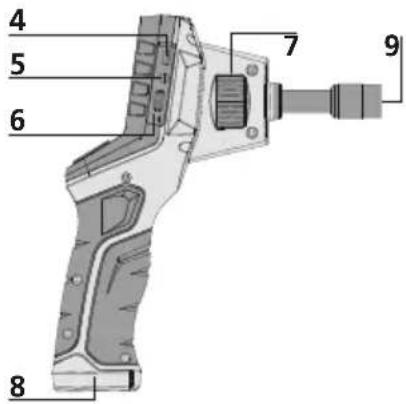
1 LCD
2 ON/OFF
3 Hot keys
4 Type C USB interface
5 Video output
6 Micro SD card slot
7 Camera unit with rotary control
8 Battery compartment
9 Camera unit connection
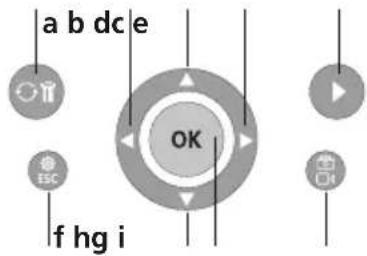
a Rotation 180° / Mirroring / Delete recording
b Menu control / LED lighting –
c Menu control / Zoom in
d Menu control / LED lighting +
e Media gallery
f Settings mode / Cancel
g Menu control / Zoom out
h Trigger / Record / Confirm
i Image / video selection
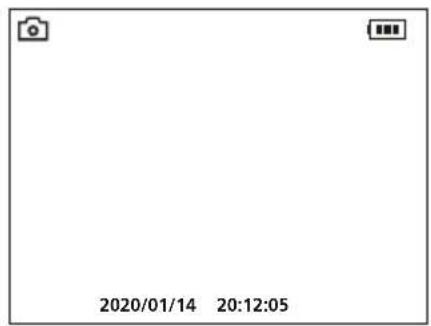
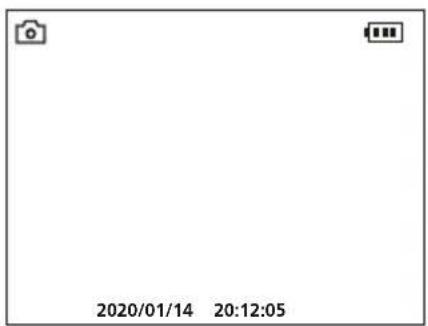
Image record mode
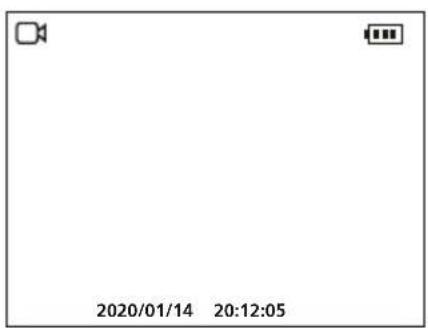
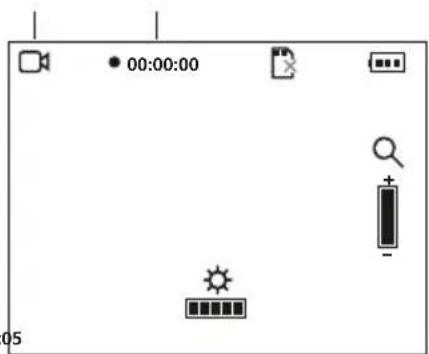
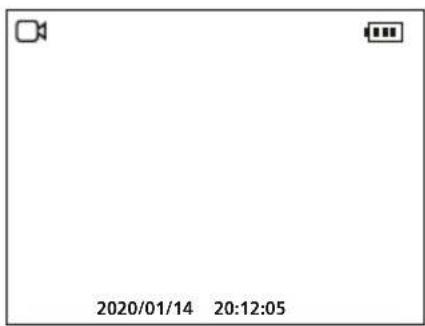
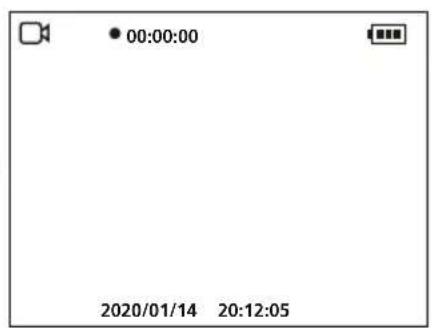
Video record mode
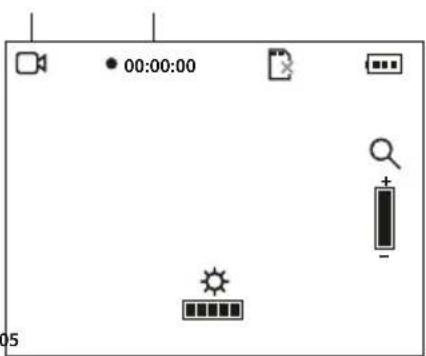
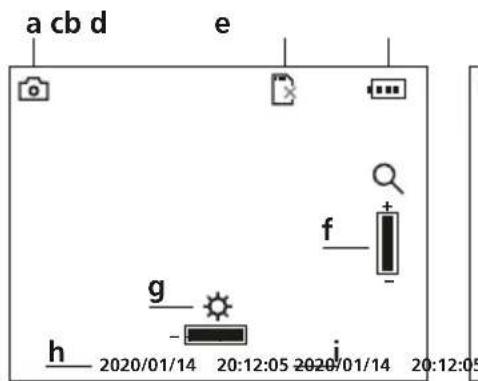
a Image recording
b Insert SD card
c Battery status
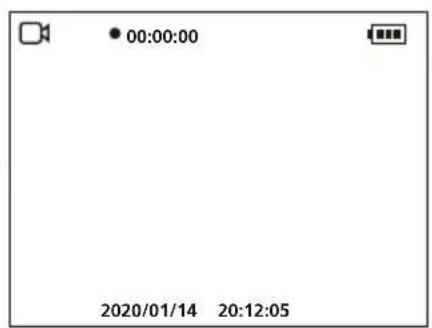
d Video recording
e REC: Recording
f Zoom
g LED lighting
h Current date
i Current time
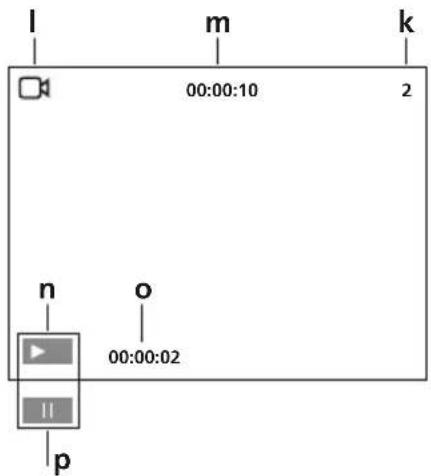
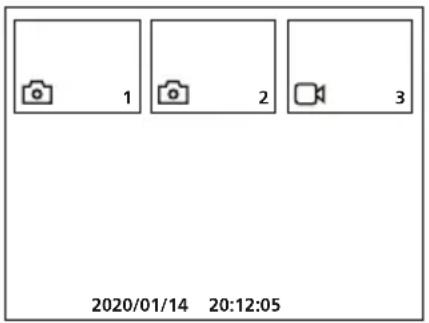
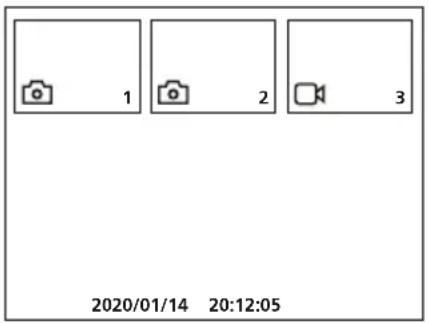
Image playback mode
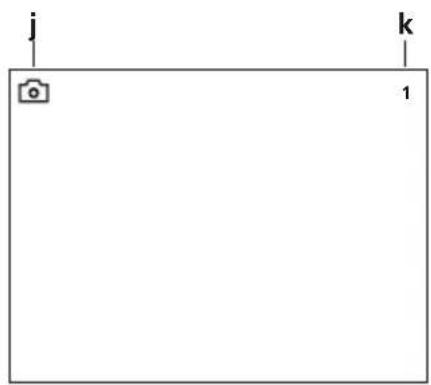
natural_image
Empty rectangular frame with a small camera icon at top-left corner (no text or symbols)Video playback mode
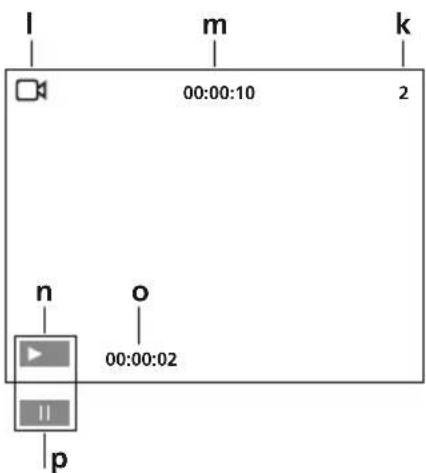
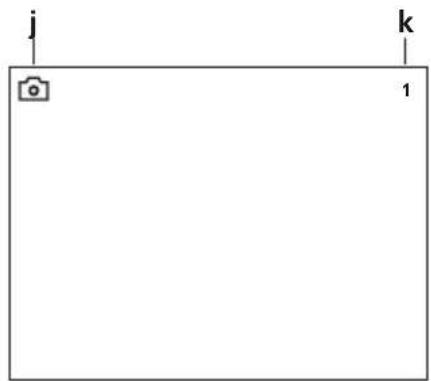
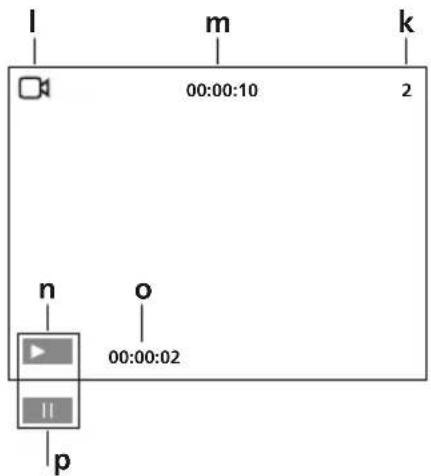
j Image recording
k Number of image
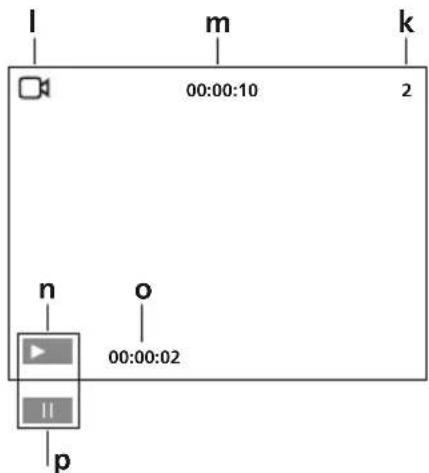
I Video recording
m Recording time
n Play
o Play duration
p Pause
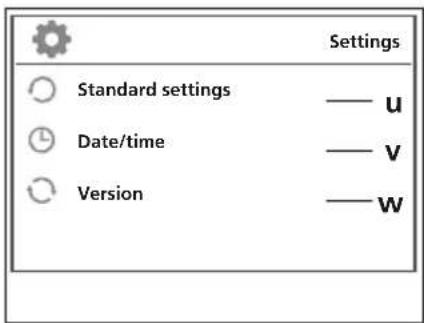
Settings mode
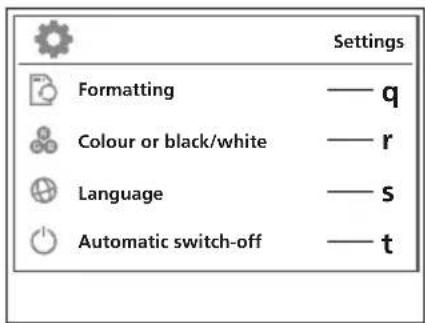
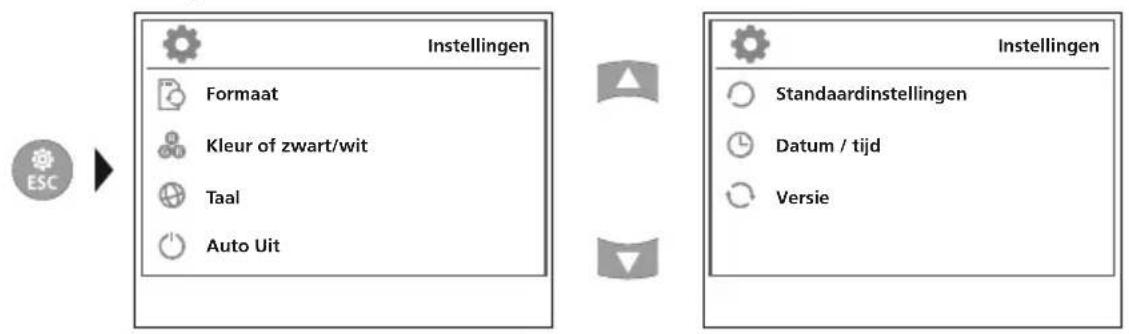
q Format data medium
r Select colour mode
s Select language (EN, JP, FR, DE, IT, PT, NL, ES)
t Auto shutdown
u Factory setting
v Set date/time
w Firmware version
First use
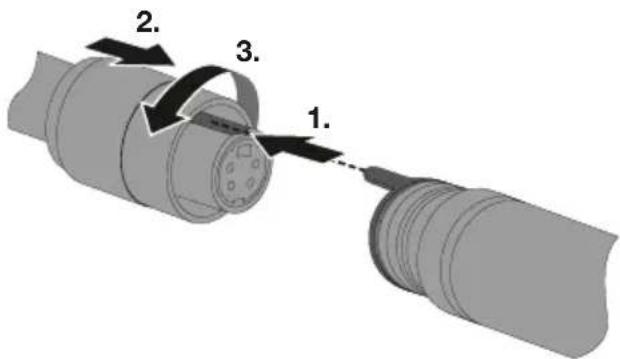
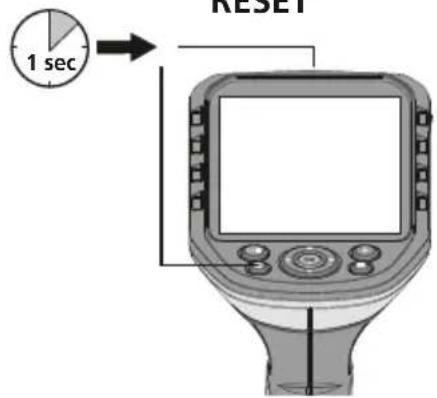
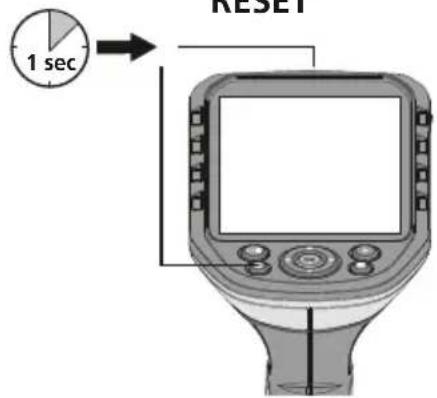
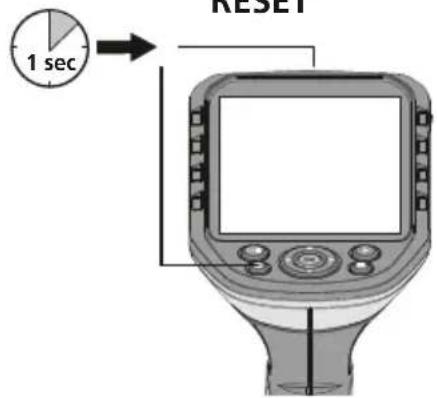
1 Connection for flex cable
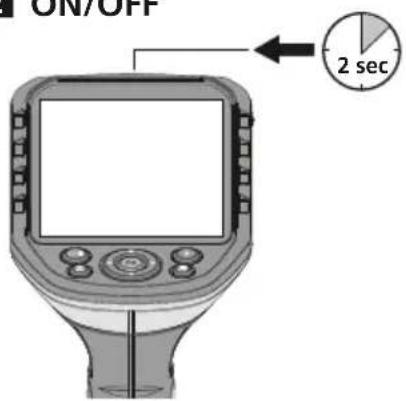
2 ON/OFF
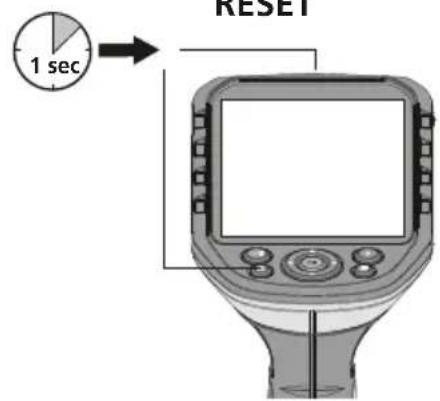
RESET
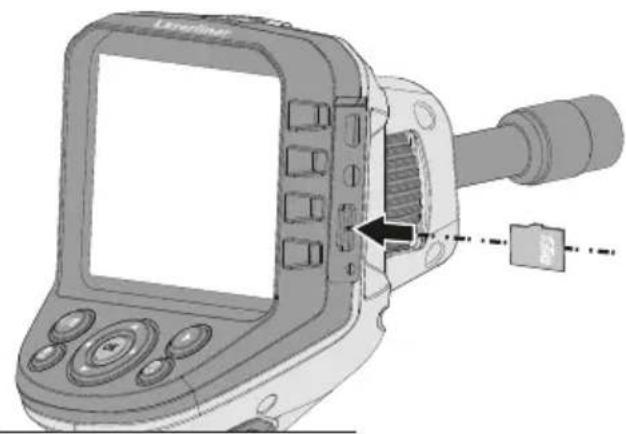
B Inserting micro-SD card
To insert a micro-SD card, first open the rubber cover and then insert the memory card as illustrated. You cannot record anything without a storage medium.
The device must be switched off before removing the micro-SD.
natural_image
Diagram of a scientific instrument with labeled parts, showing a screen and mechanical component (no text or symbols present)4 Settings mode
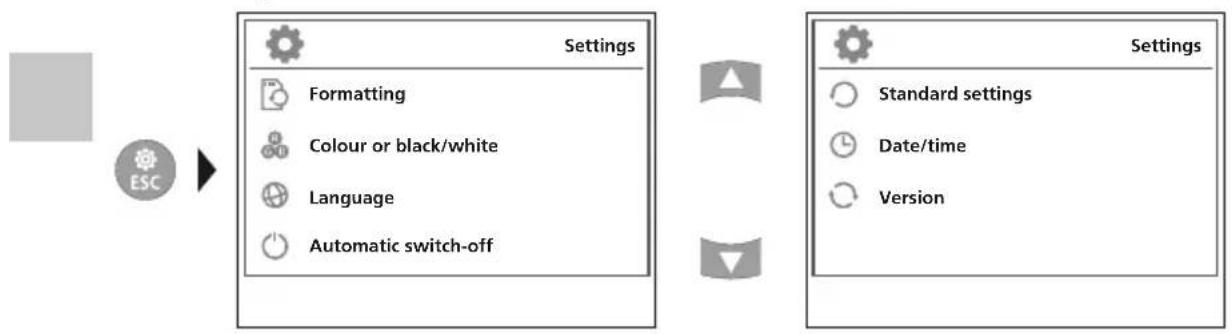
flowchart
graph LR
    A["ESC"] --> B["Settings"]
    B --> C["Formatting"]
    B --> D["Colour or black/white"]
    B --> E["Language"]
    B --> F["Automatic switch-off"]
    G["Settings"] --> H["Standard settings"]
    G --> I["Date/time"]
    G --> J["Version"]
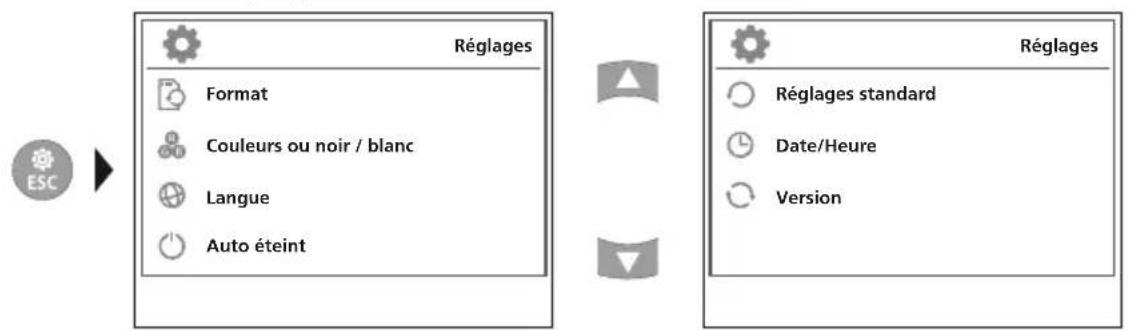
To return to recording mode, press the ESC button several times.
a. Format data medium
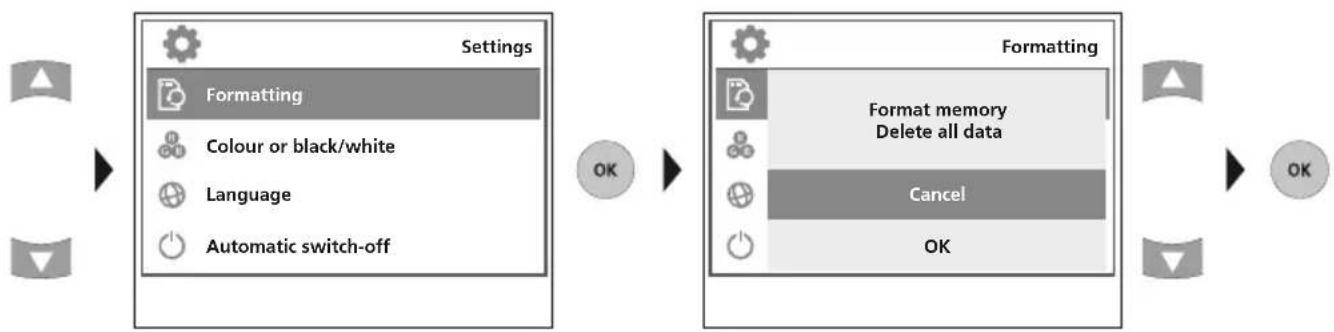
flowchart
graph LR
    A["Settings"] --> B["Formatting"]
    B --> C["Colour or black/white"]
    B --> D["Language"]
    B --> E["Automatic switch-off"]
    F["OK"] --> G["Formatting"]
    G --> H["Format memory\nDelete all data"]
    H --> I["Cancel"]
    I --> J["OK"]
All data on the SD card will be deleted. This procedure cannot be undone. There is no further prompt to confirm deletion.
b. Select colour mode
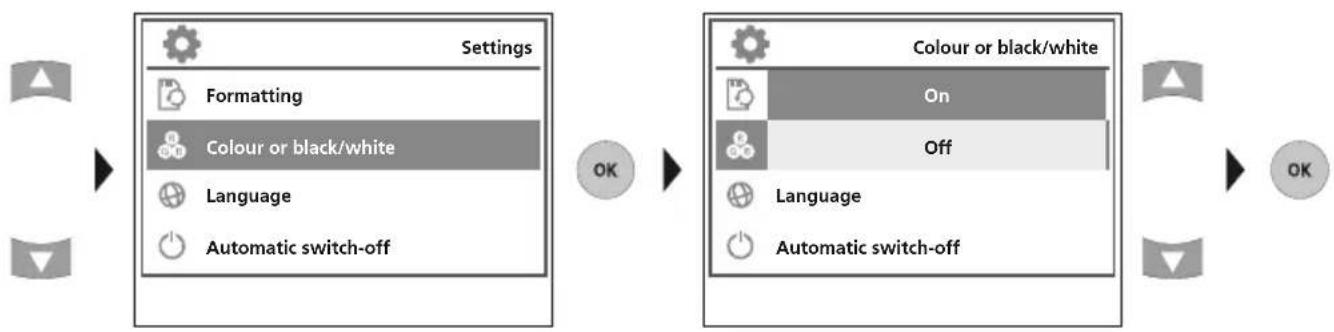
flowchart
graph LR
    A["Settings"] --> B["Formatting"]
    B --> C["Colour or black/white"]
    C --> D["Language"]
    C --> E["Automatic switch-off"]
    F["OK"] --> G["Action"]
    H["Colour or black/white"] --> I["On"]
    H --> J["Off"]
    K["Language"] --> L["Automatic switch-off"]
    M["OK"] --> N["OK"]
c. Select language (EN, JP, FR, DE, IT, PT, NL, ES)
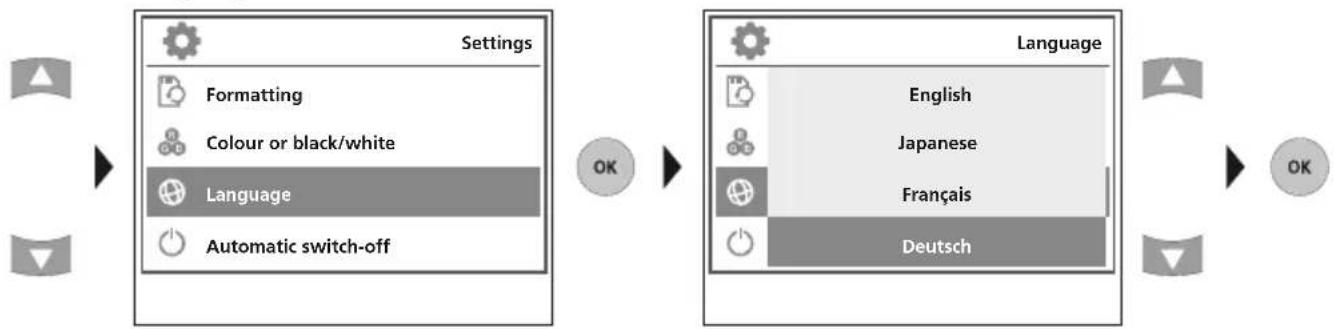
flowchart
graph LR
    A["Settings"] --> B["Formatting"]
    A --> C["Colour or black/white"]
    A --> D["Language"]
    A --> E["Automatic switch-off"]
    F["Language"] --> G["English"]
    F --> H["Japanese"]
    F --> I["Français"]
    F --> J["Deutsch"]
d. Auto shutdown
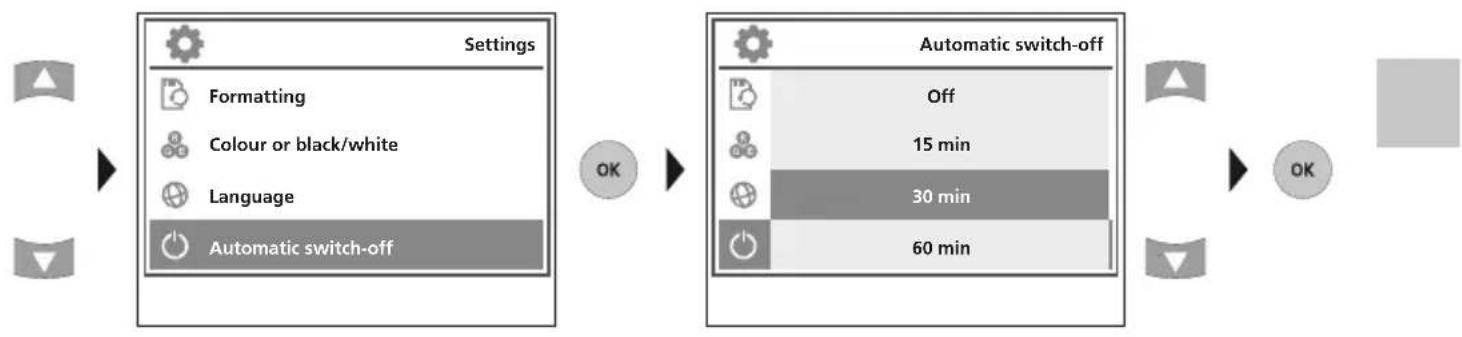
flowchart
graph LR
    A["Settings"] --> B["Formatting"]
    A --> C["Colour or black/white"]
    A --> D["Language"]
    A --> E["Automatic switch-off"]
    F["Automatic switch-off"] --> G["Off"]
    F --> H["15 min"]
    F --> I["30 min"]
    F --> J["60 min"]
e. Factory setting
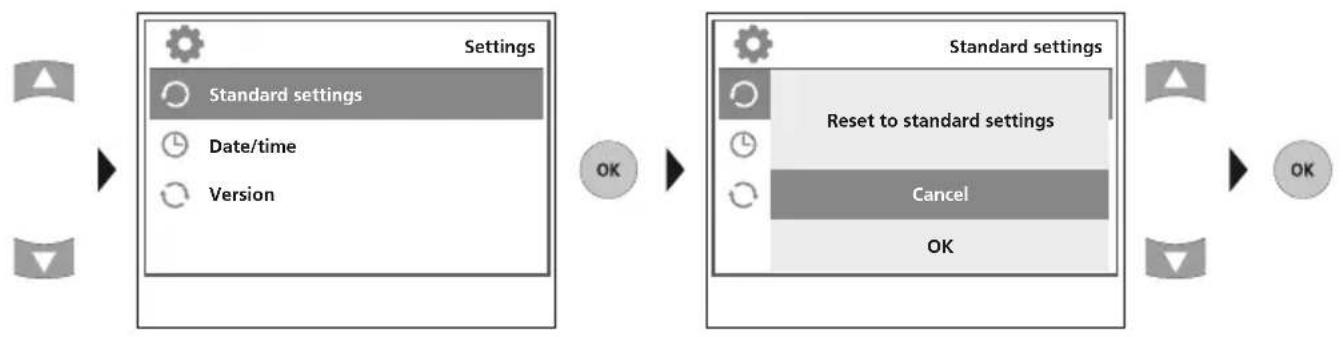
flowchart
graph LR
    A["Settings"] --> B["Standard settings"]
    B --> C["Date/time"]
    B --> D["Version"]
    E["Standard settings"] --> F["Reset to standard settings"]
    F --> G["Cancel"]
    G --> H["OK"]
    I["OK"] --> J["OK"]
f. Set date/time
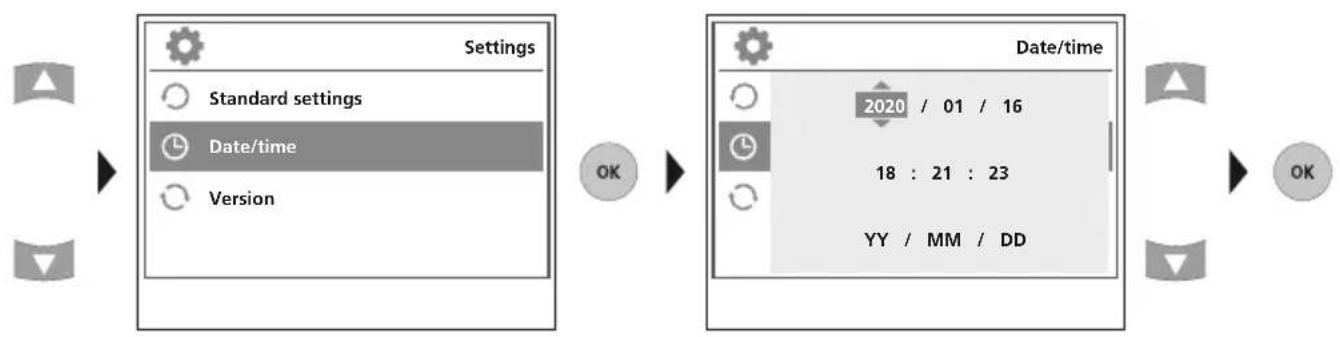
flowchart
graph LR
    A["Settings"] --> B["Standard settings"]
    A --> C["Date/time"]
    A --> D["Version"]
    E["2020 / 01 / 16"] --> F["18 : 21 : 23"]
    E --> G["YY / MM / DD"]
    H["OK"] --> I["OK"]
g. Firmware version
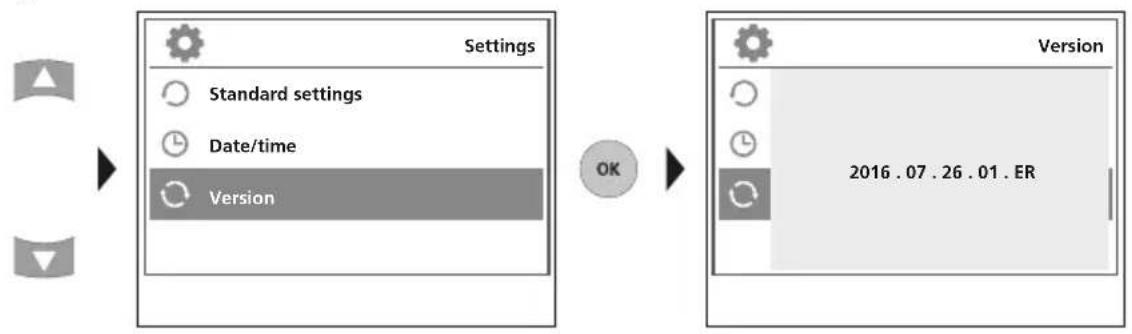
flowchart
graph LR
    A["Start"] --> B["Settings"]
    B --> C["Standard settings"]
    B --> D["Date/time"]
    B --> E["Version"]
    F["OK"] --> G["Version"]
    G --> H["2016.07.26.01.ER"]
5 Record mode
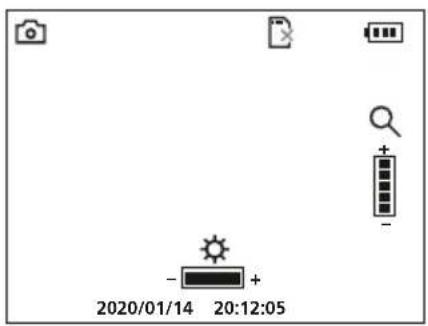
Still images/Video recordings
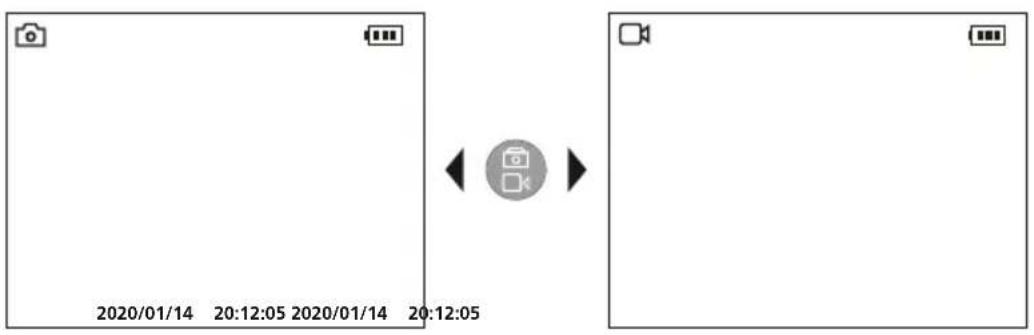
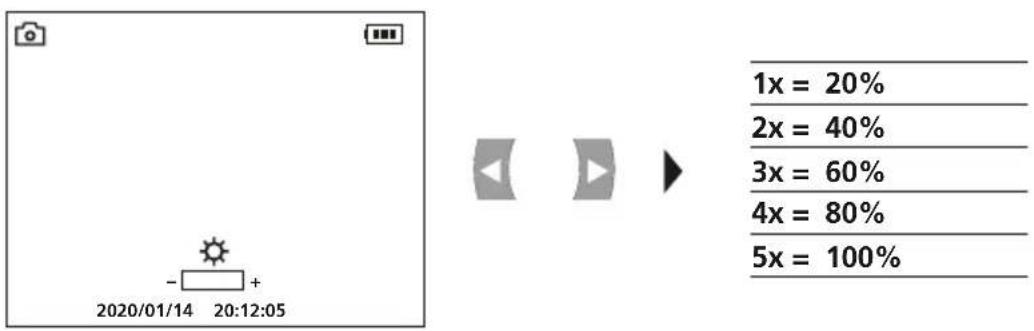
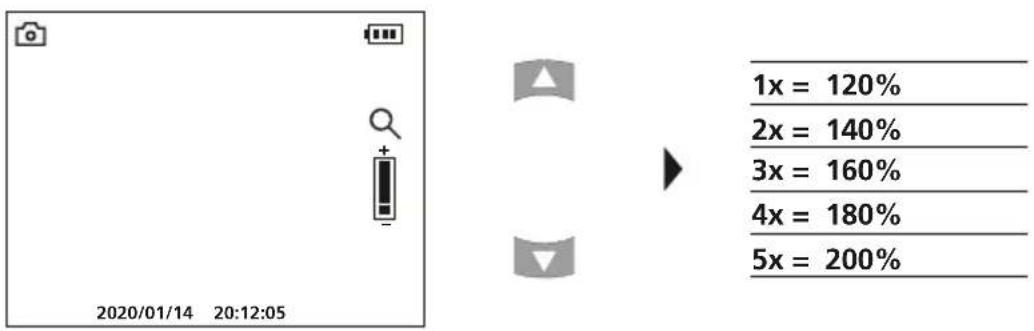
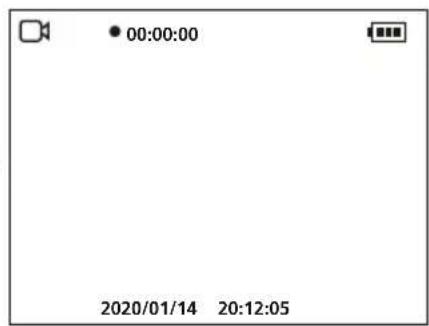
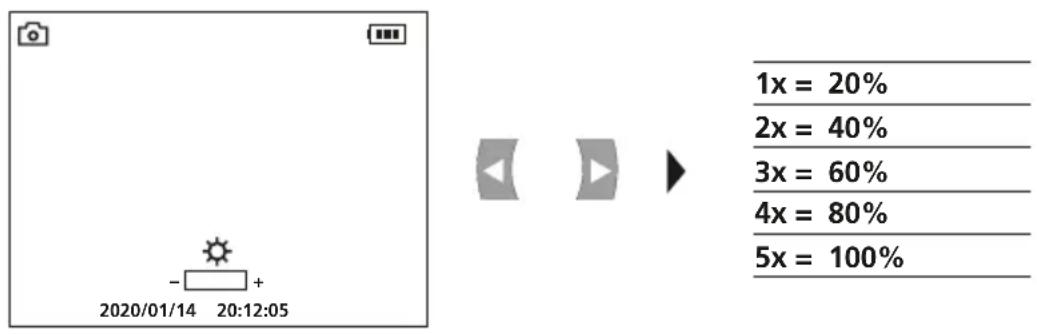
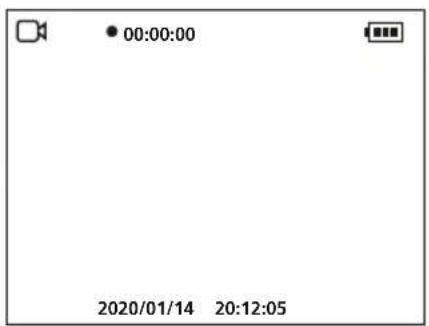
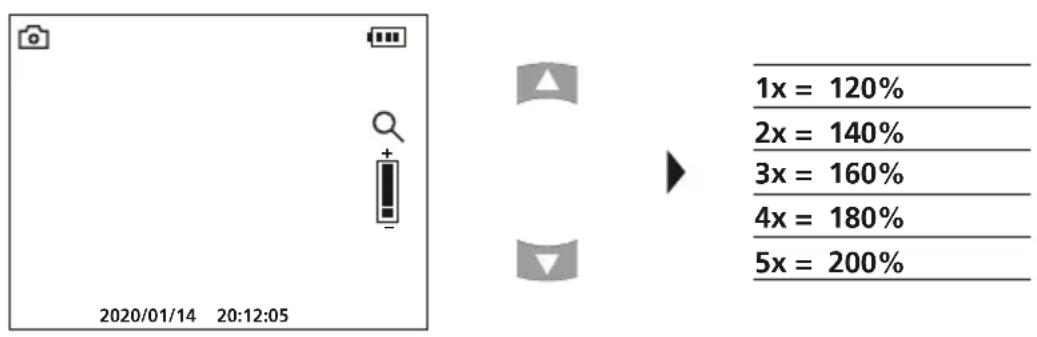
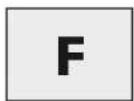
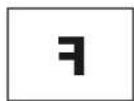
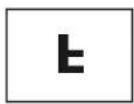
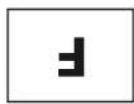
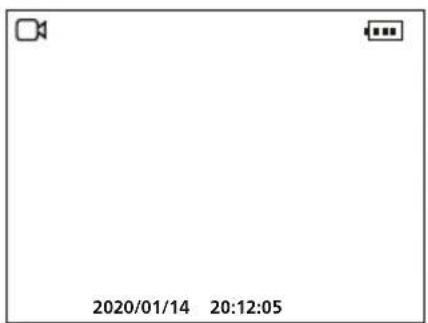
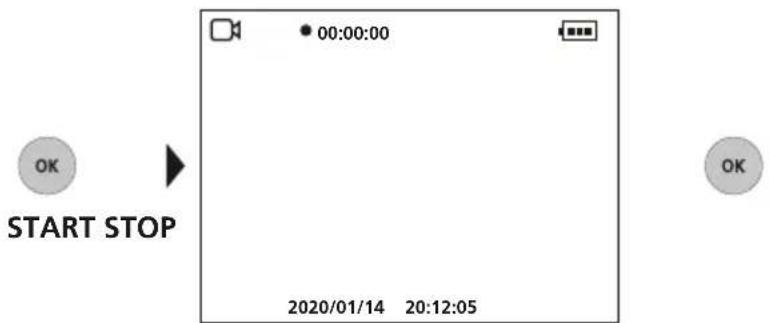
Line up the camera head on the flex cable and move it to the required position. If lighting conditions are poor, switch on the LED lighting. Zoom in on distant or small objects. The manual image rotation function enables the image to be rotated by 180° on the monitor. Briefly press the OK button to take a still image or make a video recording and save it to the SD card. Press the button again to stop recording.
a. Image/video recording selection
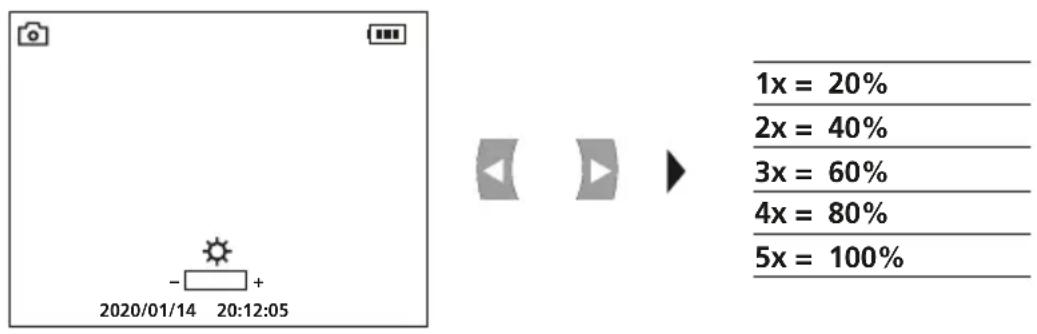
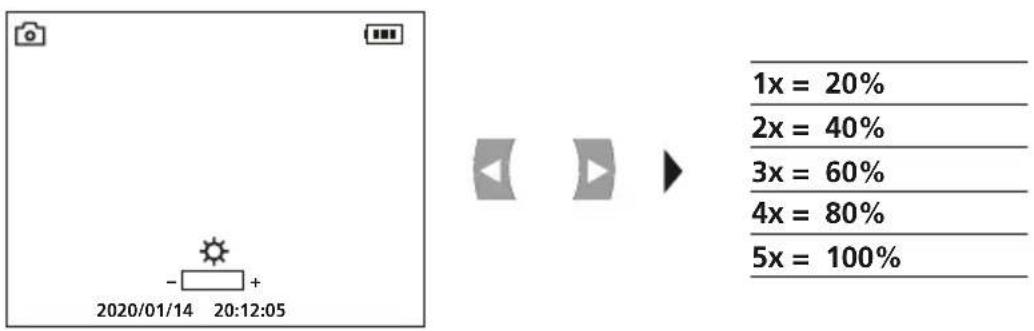
b. LED lighting
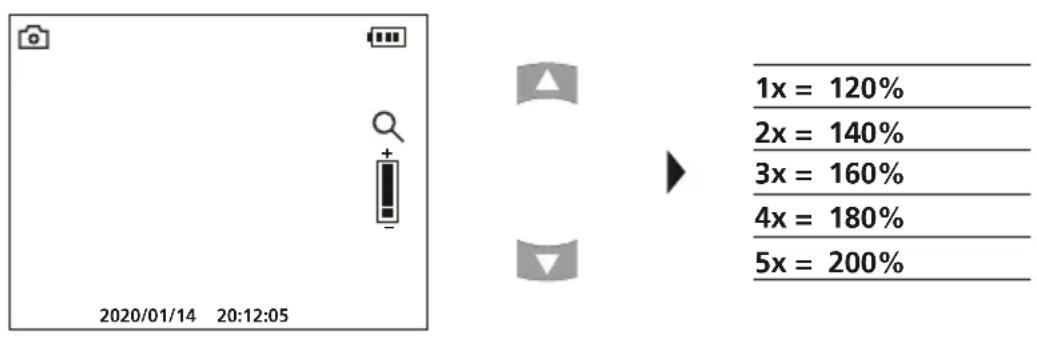
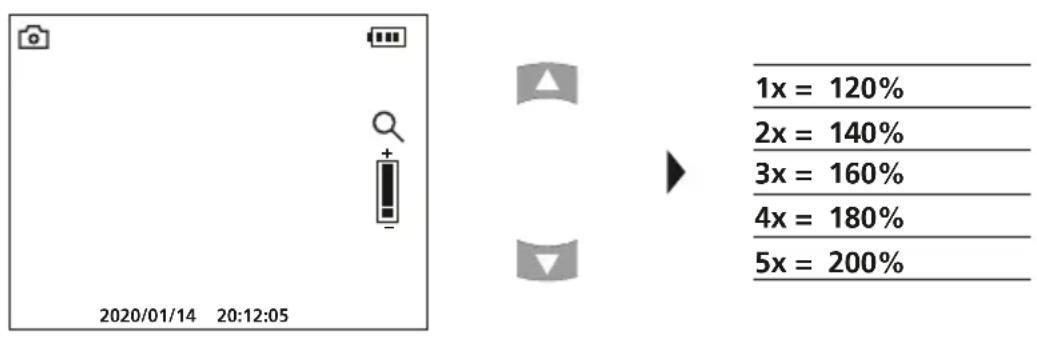
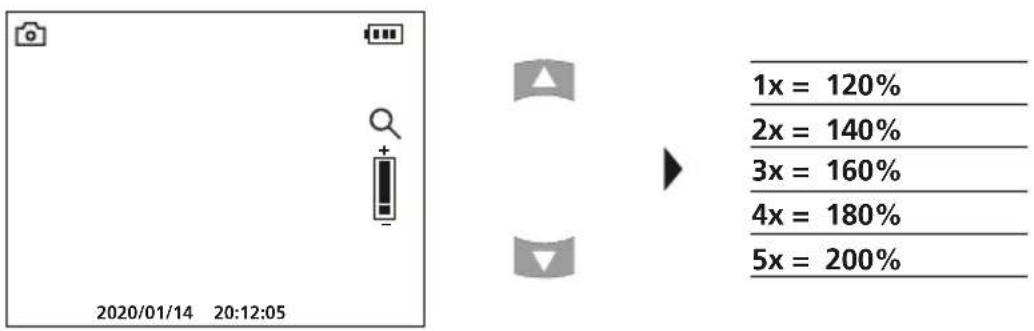
c. Zoom
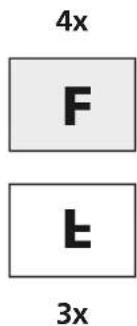
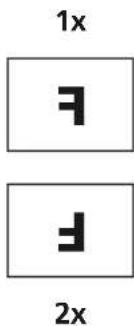
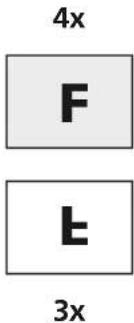
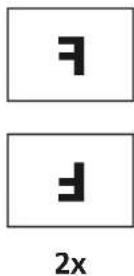
d. Image rotation / Mirroring


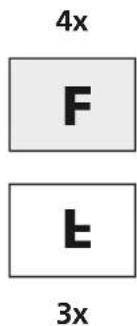
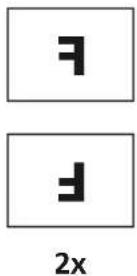
From the original image
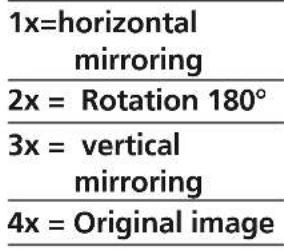
e. Record still image

f. Start/stop video recording

6 Manual image alignment
with fixed camera unit with flexible camera unit
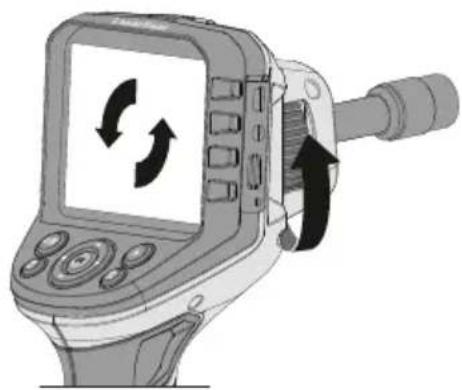
natural_image
Illustration of a handheld electronic device with a screen displaying a circular diagram and directional arrows indicating rotation or movement (no text or symbols present)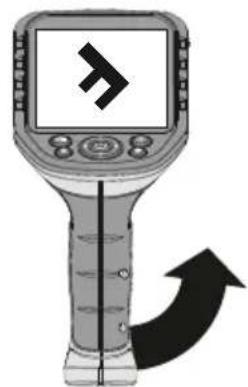
natural_image
Illustration of a handheld electronic device with a screen displaying a stylized 'F' symbol and an arrow indicating direction (no text or labels)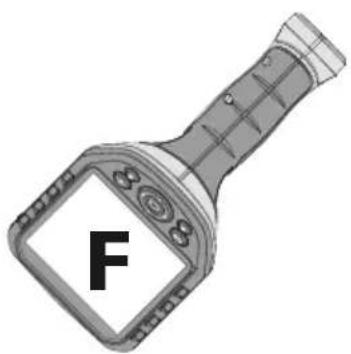
7 Playback mode
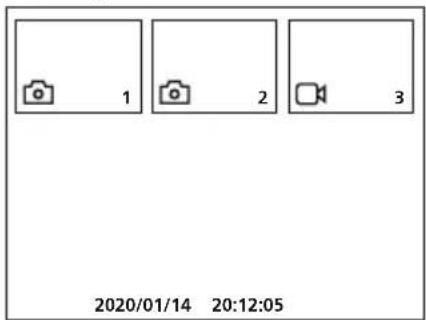
Playback of still images/video recordings
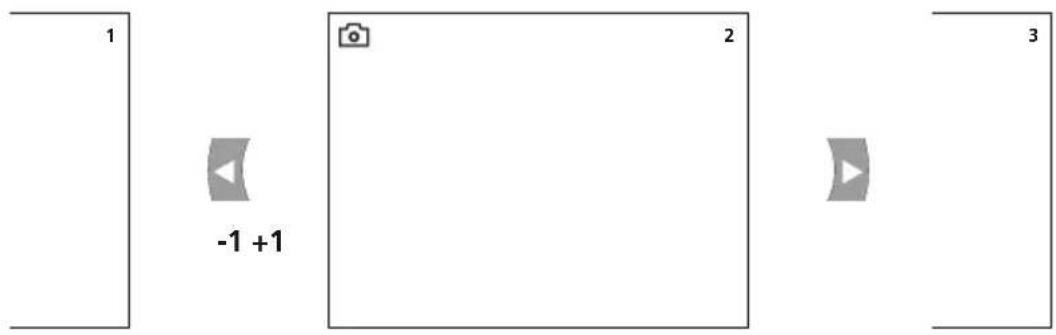
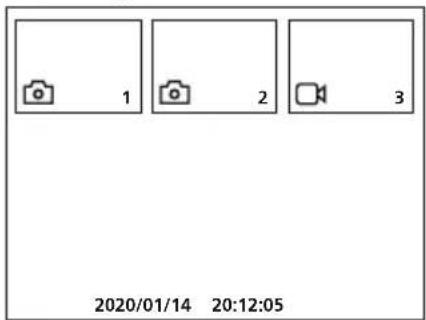
Press the „e“ button to call up the media gallery. Confirm with „OK“ to show the selected image or video in full screen mode. Use the arrow keys to navigate in the media gallery and full screen mode. Press the „f“ button to exit playback mode.
a. Navigation
b. Delete recording
flowchart
graph TD
    A["2"] --> B["Playback"]
    B --> C["Delete"]
    C --> D["OK"]
    D --> E["Playback"]
    E --> F["Cancel"]
    F --> G["OK"]
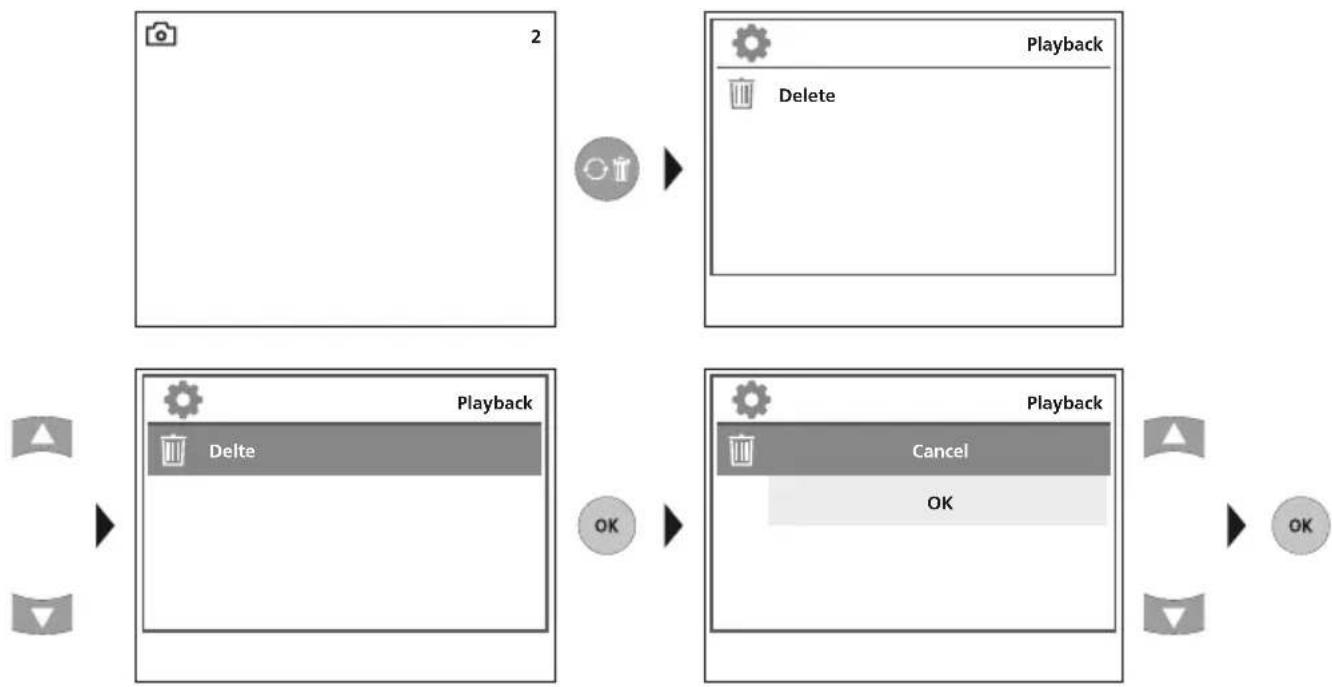
! Recordings can only be deleted in full screen mode. Deleting cannot be undone.
All files and folders can be deleted by reformatting the data medium. Refer to „4 a. Format Data Medium”.
c. Playback
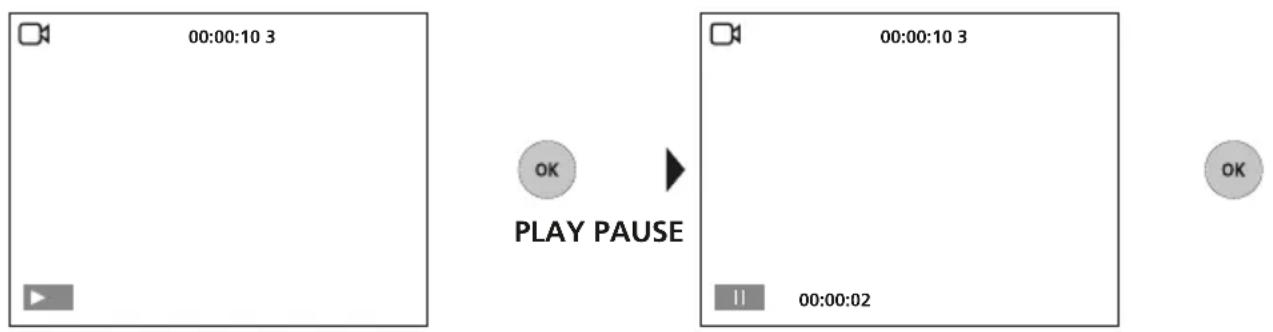
Press the „ESC“ button to stop playback.
USB data transfer
Data saved on the SD card can be transferred to PC either with a suitable card reader or directly via the USB port. Please refer to the manual supplied with your card reader for information about connecting your card adapter or card reader to a PC.
Connect power supply/battery charger
To charge the device, plug the supplied power supply/charger into the type C USB „4“ interface and connect it to a suitable power source.
| Technical Data Technical revisions reserved. 21W09 | |
| Screen type 3.5" TFT colour display | |
| Display resolution 320 x 240 pixels | |
| Image/Video resolution 640 x 480 pixels | |
| Image format/Video format JPEG / AVI | |
| Memory Micro-SD memory card up to 16 GB | |
| Connections USB type C, RCA video output | |
| Power supply Li-ion battery pack 3.7V / 2.8Ah | |
| Operating time approx. 5 hours | |
| Operating conditions | 0°C ... 45°C, max. humidity 20 ... 85% rH,no condensation, max. working altitude 4000 mabove sea level |
| Storage conditions -10°C ... 60°C, max. humidity 80% rH | |
| Dimensions (W x H x D) 181 x 207 x 96 mm | |
| Weight 342 g (incl. battery pack) | |
EU directives and disposal
This device complies with all necessary standards for the free movement of goods within the EU.
This product is an electric device and must be collected separately for disposal according to the European Directive on waste electrical and electronic equipment.
Further safety and supplementary notices at: http://laserliner.com/info?an=AGG

Laserliner
!
Opnamemodus video
Weergavemodus beeld
natural_image
Empty rectangular frame with a small camera icon at top-left corner and '1' at bottom-right corner (no text or symbols)Weergavemodus video
RESET
natural_image
Diagram of a landline GPS controller with a sensor and control panel, showing no text or symbols on the device itself.4 Instellingsmodus
flowchart
graph LR
    A["ESC"] --> B["Formaat"]
    B --> C["Kleur of zwart/wit"]
    C --> D["Taal"]
    D --> E["Auto Uit"]
    F["Instellingen"] --> G["Standaardinstellingen"]
    G --> H["Datum / tijd"]
    G --> I["Versie"]
Foto- / video-opnames
b. LED-verlichting
c. Zoom
Laserliner



f. Video-opname starten / stoppen

natural_image
Illustration of a handheld electronic device with a screen displaying a circular diagram and directional arrows indicating rotation or movement (no text or symbols present)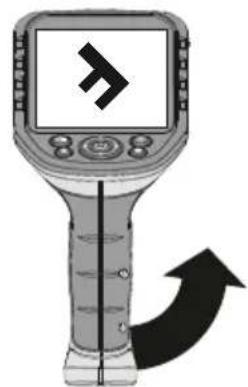
natural_image
Illustration of a handheld electronic device with a screen displaying a stylized 'F' symbol and an arrow indicating direction (no text or labels)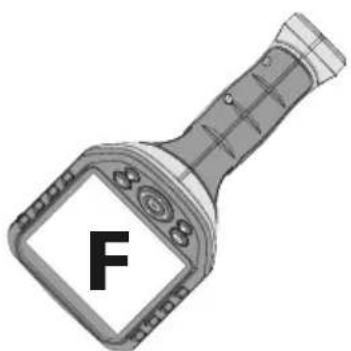
7 Weergavemodus
!
Optagelsesmodus video
natural_image
Empty rectangular frame with a small camera icon at top-left corner and '1' at bottom-right corner (no text or symbols)Gengivelsesmodus video
RESET
natural_image
Diagram of a GPS navigation device showing the main screen, cable, and sensor port (no text or labels present)4 Indstillingsmodus
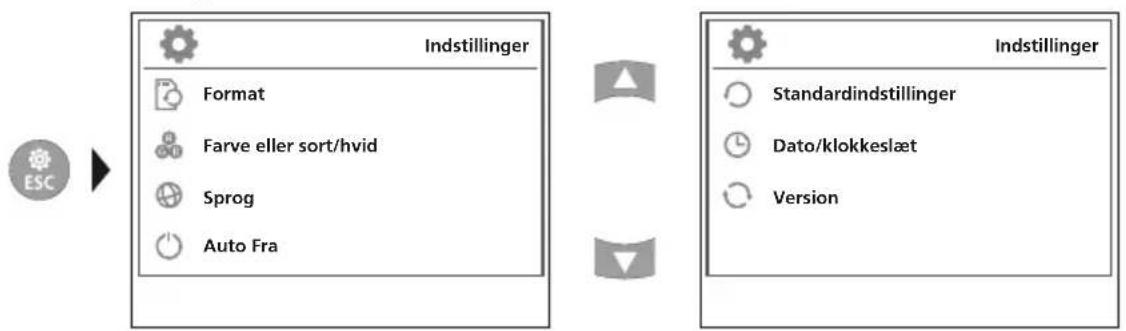
flowchart
graph LR
    A["ESC"] --> B["Indstillinger"]
    B --> C["Format"]
    B --> D["Farve eller sort/hvid"]
    B --> E["Sprog"]
    B --> F["Auto Fra"]
    G["Standardindstillinger"] --> H["Dato/klokkeslæt"]
    G --> I["Version"]
b. Diodelampe
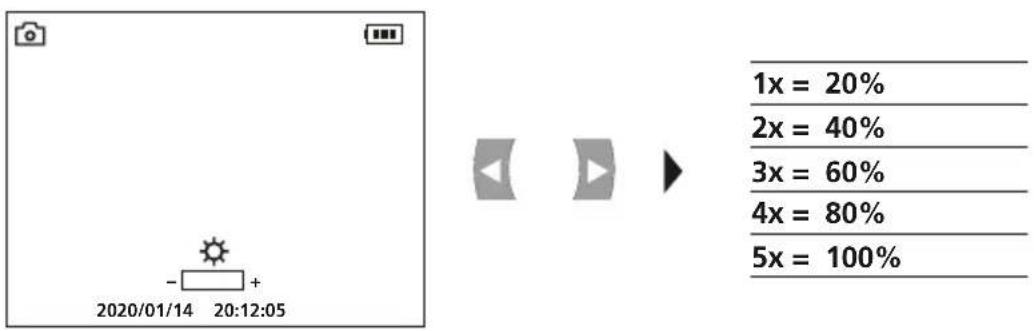
c. Zoom
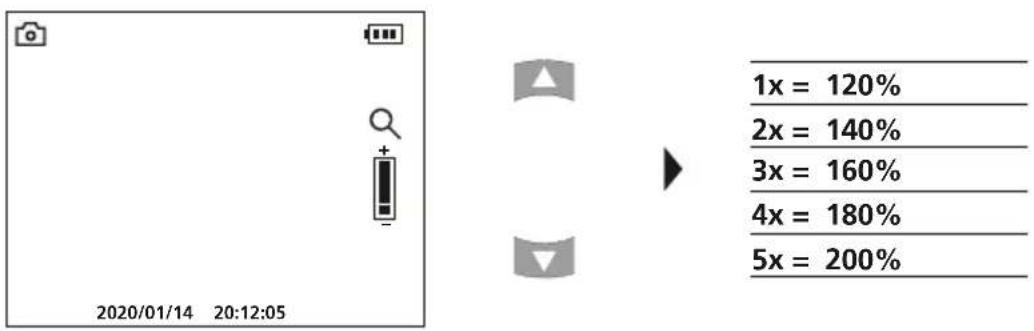
d. Billedrotation / Spejling
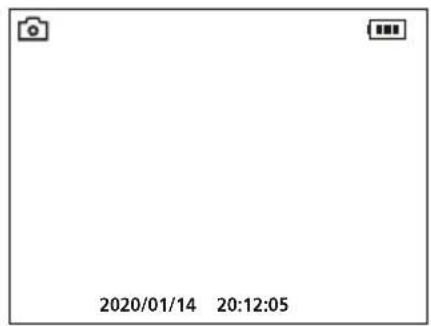


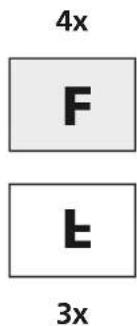
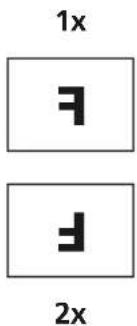
Fra udgangsbilledet
| 1x = horisontalspejling |
| 2x = Drejning 180° |
| 3x = vertikalspejling |
| 4x = Udgangsbillede |
e. Optag billede
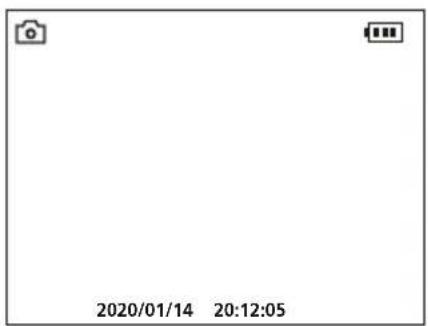

f. Start / afslut videooptagelse
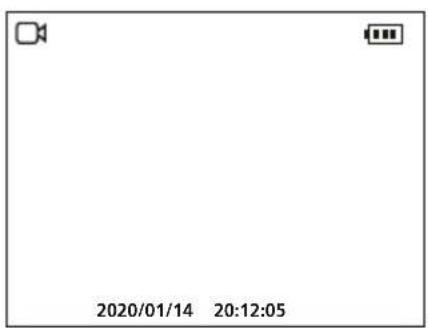

6 Manuel billedjustering
natural_image
Illustration of a GPS or navigation device with directional arrows indicating rotation and movement (no text or symbols)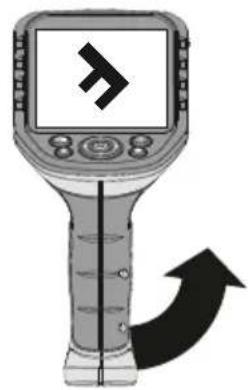
natural_image
Illustration of a handheld electronic device with a screen displaying a stylized 'F' symbol and an upward arrow (no text or labels)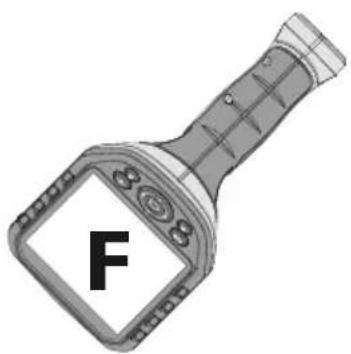
7 Gengivelsesmodus
natural_image
Empty rectangular frame with a small camera icon at top-left corner and '1' at bottom-right corner (no text or symbols)REMISE À ZÉRO
natural_image
Diagram of a GPS navigation device showing the main screen, cable, and sensor components (no text or labels)4 Mode de réglage
b. Éclairage DEL
c. Zoom
Laserliner
natural_image
Illustration of a handheld electronic device with circular arrows indicating rotation or cycle (no text or symbols)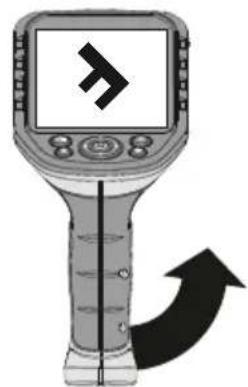
natural_image
Illustration of a handheld electronic device with a screen displaying a stylized 'F' symbol and an arrow indicating direction (no text or labels)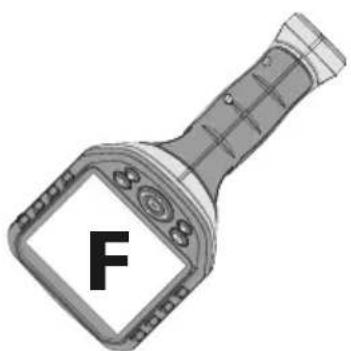
!
natural_image
Empty rectangular frame with a small camera icon at the top-left corner and numbers 1 and j above it (no text or symbols on the frame itself)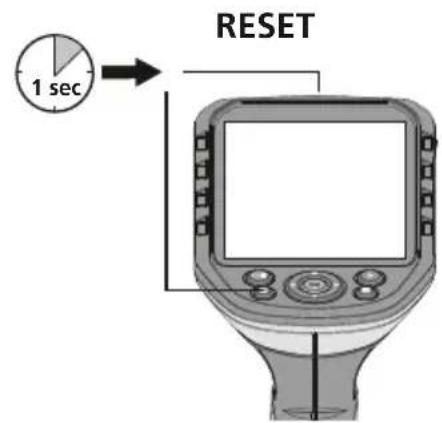
natural_image
Diagram of a LevelBar device showing the internal components and a close-up view of its connector (no text or symbols present)b. Iluminación LED
c. Zoom




natural_image
Illustration of a handheld electronic device with a screen displaying a circular diagram and directional arrows indicating rotation or movement (no text or symbols present)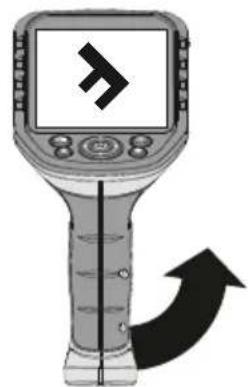
natural_image
Illustration of a handheld electronic device with a screen displaying a stylized 'F' symbol and an arrow indicating direction (no text or labels)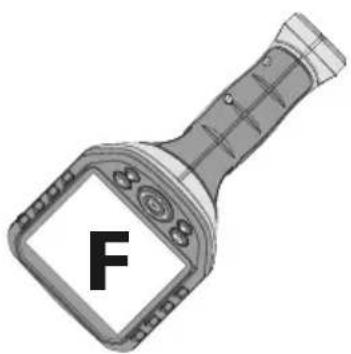
natural_image
Simple diagram with a camera icon at the top-left corner and two labeled arrows (j and k) above it, no text or symbols inside the frame.RESET
natural_image
Diagram of a GPS navigation device showing the main screen, cable, and sensor port (no text or labels present)c. Zoom
Laserliner


4x
1x

3x
2x

f. Start/stop ripresa video
natural_image
Illustration of a handheld electronic device with circular arrows indicating rotation or signal flow (no text or symbols)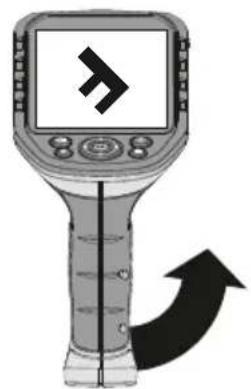
natural_image
Illustration of a handheld electronic device with a screen displaying a right-pointing arrow and an upward arrow, no text or symbols present.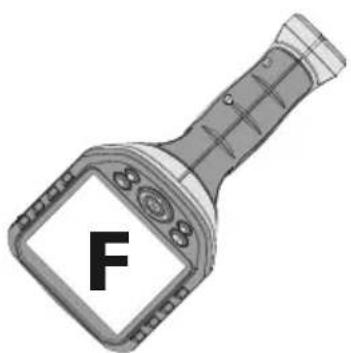
natural_image
Illustration of a robotic device connected to an elevated ductwork panel inside a modern indoor space (no text or symbols visible)SERVICE


Umarex GmbH & Co. KG
-Laserliner-
- Laserliner
- Wiedergabemodus
- Function / Application
- General safety instructions
- Safety instructions
- Information on maintenance and care
- Settings mode
- First use
- Connection for flex cable
- B Inserting micro-SD card
- Record mode
- Still images/Video recordings
- a. Image/video recording selection
- b. LED lighting
- c. Zoom
- Manual image alignment
- Playback mode
- Playback of still images/video recordings
- a. Navigation
- b. Delete recording
- USB data transfer
- Connect power supply/battery charger
- EU directives and disposal
- Foto- / video-opnames
- Weergavemodus
- d. Billedrotation / Spejling
- e. Optag billede
- f. Start / afslut videooptagelse
- Manuel billedjustering
- Gengivelsesmodus
- SERVICE
- Umarex GmbH & Co. KG
Brand : Laserliner
Model : VideoFlex G4 Max
Category : Video camera