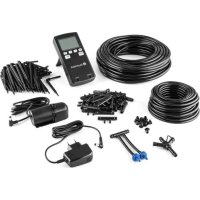
Greenkeeper - Irrigation timer Blumfeldt - Free user manual and instructions
Find the device manual for free Greenkeeper Blumfeldt in PDF.



| Brand | Blumfeldt |
| Model | Greenkeeper |
| Product type | Automatic watering timer with pump |
| Power supply | Mains adapter (included) for charging internal battery |
| Battery type | Built-in rechargeable (not specified) |
| Display | Digital LCD screen |
| Main functions | Automatic watering up to 3 times/day, hourly programming, interval 1 to 30 days, duration 1 to 600 seconds, manual mode |
| Number of programmable cycles | 3 (A, B, C) |
| Manual control | Yes, MAN key |
| Key lock | Yes, by pressing + and - keys together |
| Package contents | Control unit, water pump, mains adapter, anti-siphon set, quadruple connection, triple connection, 30 plugs, 60 drippers, hose 7/9 mm x 18 m, hose 4/6 mm x 12 m |
| Hose type | 7/9 mm and 4/6 mm, supplied |
| Installation | Requires a water tank (not included), indoor installation for the unit |
| Maintenance and cleaning | Clean the pump filter regularly; check water level |
| Safety | Integrated non-return valve, anti-siphon |
| Material | Plastic (electronic components) |
| Use | Indoor (control unit), outdoor (hoses and pump in water) |
| Warranty | Not specified, see manufacturer's terms |
| Dimensions (approx.) | Control unit: approx. 15 x 10 x 5 cm (estimate) |
| Weight (approx.) | Approx. 500 g (estimate) |
Frequently Asked Questions - Greenkeeper Blumfeldt
User questions about Greenkeeper Blumfeldt
0 question about this device. Answer the ones you know or ask your own.
Ask a new question about this device
Download the instructions for your Irrigation timer in PDF format for free! Find your manual Greenkeeper - Blumfeldt and take your electronic device back in hand. On this page are published all the documents necessary for the use of your device. Greenkeeper by Blumfeldt.
USER MANUAL Greenkeeper Blumfeldt
Berlin Brands Group UK Ltd
PO Box 1145
Oxford,OX19UW
United Kingdom
LIEFERUMFANG
Congratulations on the purchase of your appliance. Please read the following instructions carefully and follow them to prevent potential damage. We accept no liability for damage caused by disregarding the instructions or improper use. Please scan the QR code to access the latest operating instructions and for further information about the product.

CONTENTS
Package contents: 14
Construction 16
control unit 18
Troubleshooting 20
Disposal instructions 20
MANUFACTURER & IMPORTER (UK)
Manufacturer:
Chal-Tec GmbH, Wallstraße 16, 10179 Berlin, Germany.
Importer for Great Britain:
Berlin Brands Group UK Ltd
PO Box 1145
Oxford,OX19UW
United Kingdom
PACKAGE CONTENTS:
| Picture Part Quantity | ||
| control unit 1 | ||
| water pump 1 | ||
| power supply unit 1 | ||
| Anti-siphon set 1 | ||
| Four-way clutch 1 | ||
| three-way clutch 30 | ||
| Graft tube 10 | ||
| Drip 60 | ||
| Hose (7/9 mm x 18 m) 1 | ||
| Hose (4/6 mm x 12 m) 1 |
CONSTRUCTION
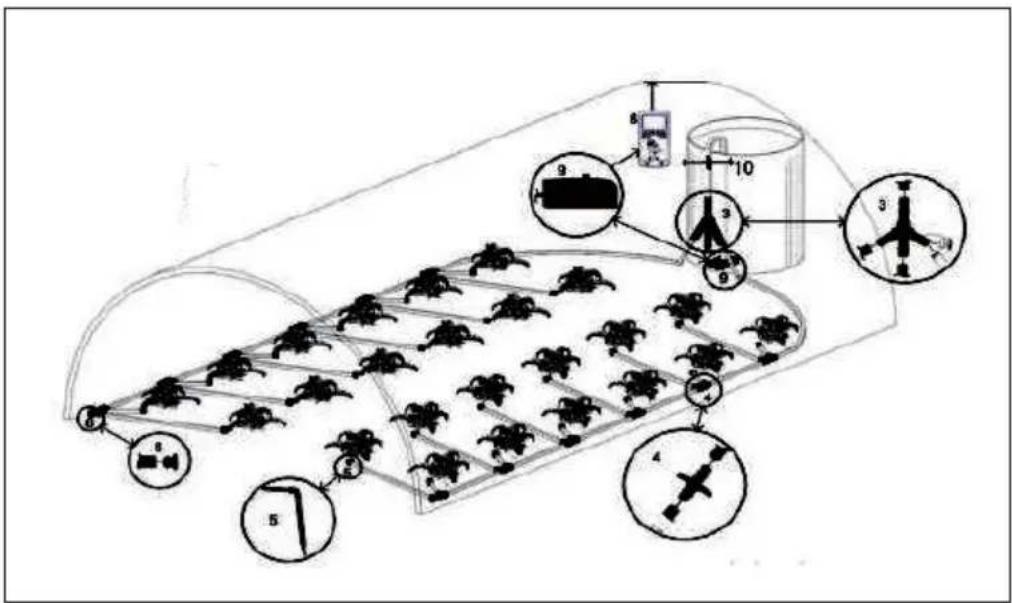
- Hose (7/9)
- Hose (4/6 mm)
- Large four-port connector
- Four-port connector
- Drip
- Hose and plug
- power supply unit
- control unit
- Pump
- Odour trap system
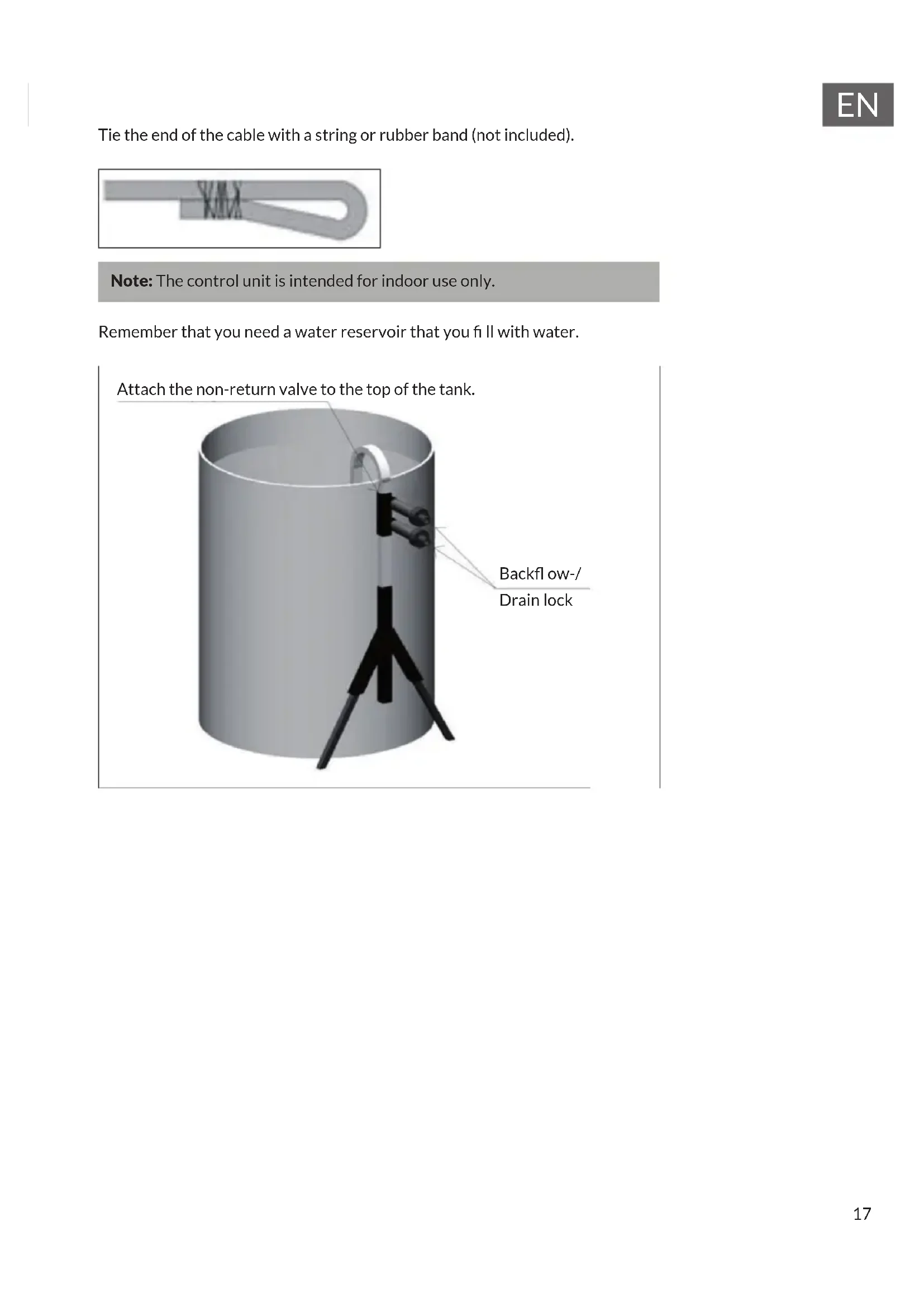
Tie the end of the cable with a string or rubber band (not included).
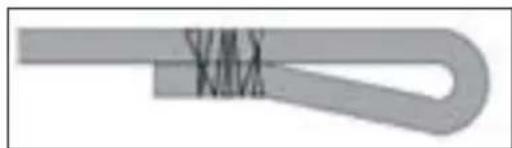
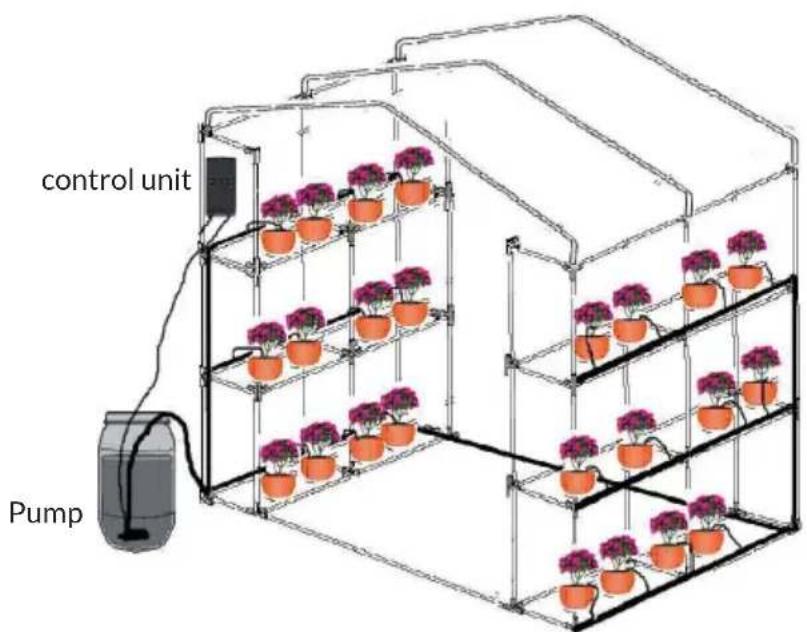
Note: The control unit is intended for indoor use only.
Remember that you need a water reservoir that you fill with water.
Attach the non-return valve to the top of the tank.
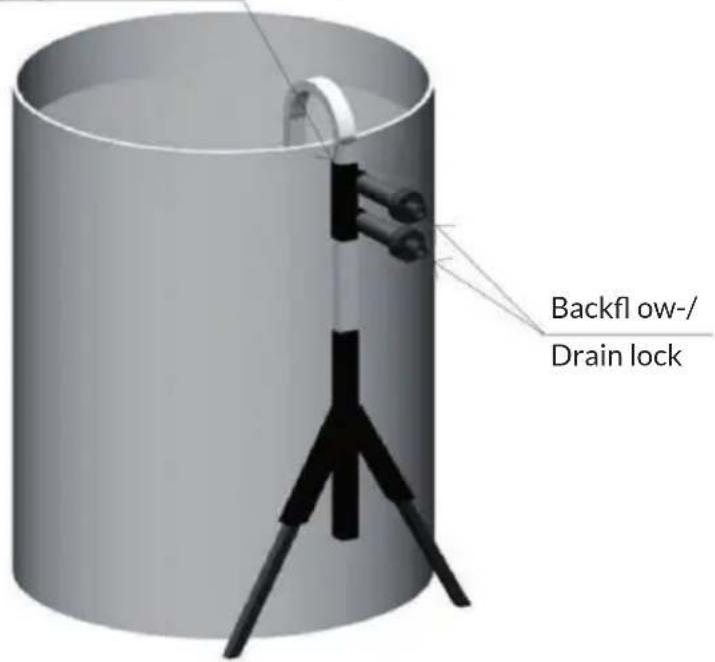
CONTROLUNIT
Press and hold the on/off switch for 5 seconds to switch the control on or off.
With the control unit you can set the irrigation in the morning or in the evening when the water evaporates the least. The system will water your garden or hanging tubs completely automatically, depending on the selected programmes. Watering continues during your holiday.
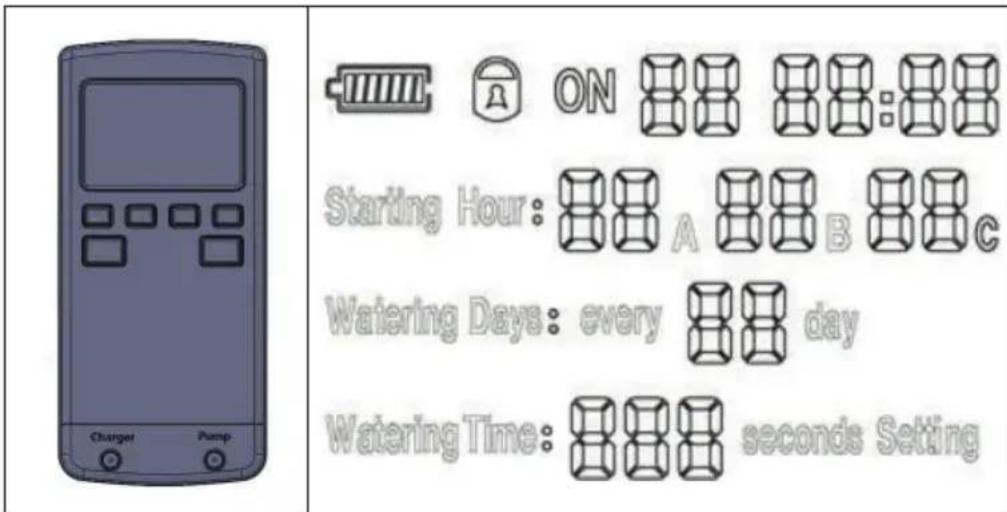
There are two methods to control the watering:
-
Manual control: Press and hold the MAN button to switch the pump on or off manually.
-
Automatic mode: The water control unit waters up to three times a day at a pre-programmed time. "Starting Hour": Setting the starting time of the pump operation. You can set three times. For example, if you set 08 A 12 B 18 C, pump operation starts at 8 am, 12 pm and 6 pm. (If you only want to water once or twice a day, set B, C or both to "00" at the same time.
-
"Watering Days": Setting the pump on individual days. If the setting is "01", the pump runs every day. If the setting is "06", the pump runs at an interval of 6 days. The longest interval that can be set is 30 days.
- "Watering Time": Length of the operating time of the pump. When the setting shows "015", the pump runs for 15 seconds. The maximum setting is 600 seconds.
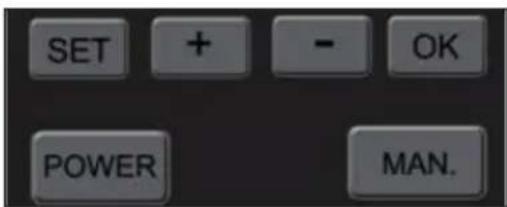
Operating keys
- SET key: Individual settings of the control (time, date, etc.). After pressing SET, the respective function flashes in the display and is ready to be programmed. Press SET again to move to the next setting and set the next values.
- Key+: go up one number
- Key : go down one number
- OK button: Exit settings.
- POWER key: Switch the control unit on or off. Press and hold the key for 5 seconds.
- MAN key: Manual switching on and off of the pump. Press the key once to start the pump. When MAN is pressed again, the pump stops working again. By pressing the MAN button and simultaneously pressing the + and - buttons, you can set the duration of pump operation.
- Locking the control panel: Press and hold the + and - simultaneously. This locks the keys. Press the + and - keys simultaneously to unlock the keys again.
- Press the SET key and the + and - keys to set the time.
TROUBLESHOOTING
- If the pump is running but no water will come out, there may have been an air pocket in the hose. Pull out the plug and start the pump manually until the water flows and then put the plug back on.
- The remote control does not switch on: Connect the power supply unit to charge the remote control.
- Check the water level at regular intervals and disassemble the pump housing. Clean the inside of the filter to loosen blockages.
DISPOSAL INSTRUCTIONS
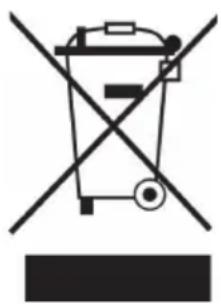
If there is a legal regulation in your country regarding the disposal of electrical and electronic equipment, this symbol on the product or on the packaging indicates that this product must not be disposed of with household waste. Instead, it must be taken to a collection point for the recycling of electrical and electronic equipment. By disposing of this product in accordance with the regulations, you are protecting the environment and the health of those around you from negative consequences. For information on recycling and disposal of this product, contact your local government or household waste disposal service.
This product contains batteries. If there is a legal regulation in your country regarding the disposal of batteries, the batteries must not be disposed of in household waste. Consult your local regulations for the disposal of batteries. By disposing of this product in accordance with the regulations, you are protecting the environment and the health of those around you from negative consequences.
Estimado cliente:
Berlin Brands Group UK Ltd
PO Box 1145
Oxford,OX19UW
United Kingdom
CONTENIDO DEL ENVÍO
Cher client, chere clientele,
PRODUTTORE IMPORTATORE (UK)
Produxtore:
Chal-Tec GmbH, Wallstraße 16, 10179 Berlin, Germania.
Berlin Brands Group UK Ltd
PO Box 1145
Oxford,OX19UW
United Kingdom