ManualGo.com
 Nevis Peak - Fireplace Klarstein - Free user manual and instructions
Find the device manual for free Nevis Peak Klarstein in PDF.



Download the instructions for your Fireplace in PDF format for free! Find your manual Nevis Peak - Klarstein and take your electronic device back in hand. On this page are published all the documents necessary for the use of your device. Nevis Peak by Klarstein.
USER MANUAL Nevis Peak Klarstein
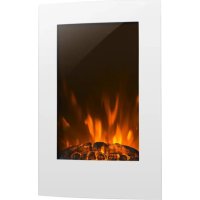
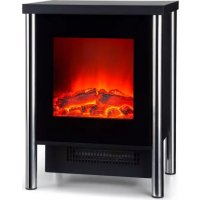
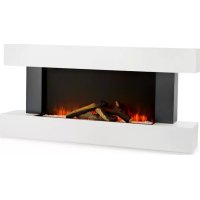
FORT ROCK FROSTY PEAK BEERENBERG NEVIS PEAK
Elektrischer Kamin
Fireplace Heater
Cheminee electrique
Camino elettrico
Chimenea electrica
10038396 10038397 10038398 10038399

ONNNNNNNNNNNNNNNNNNNNNNNNNNNNNNNNNNNNNNNNNNNNNNNNNNNNNNNNNNNNNNNNNNNNNNNNNNNNNNNNNNNNNNNNNNNNNNNNNNNNNNNNNNNNNNNNNNNNNNNN
KLARSTEIN
www.klarstein.com
Note: The device is not suitable for use as a primary heat source.
Berlin Brands Group UK Limited
PO Box 42
272 Kensington High Street
London, W8 6ND
United Kingdom
Dear Customer,
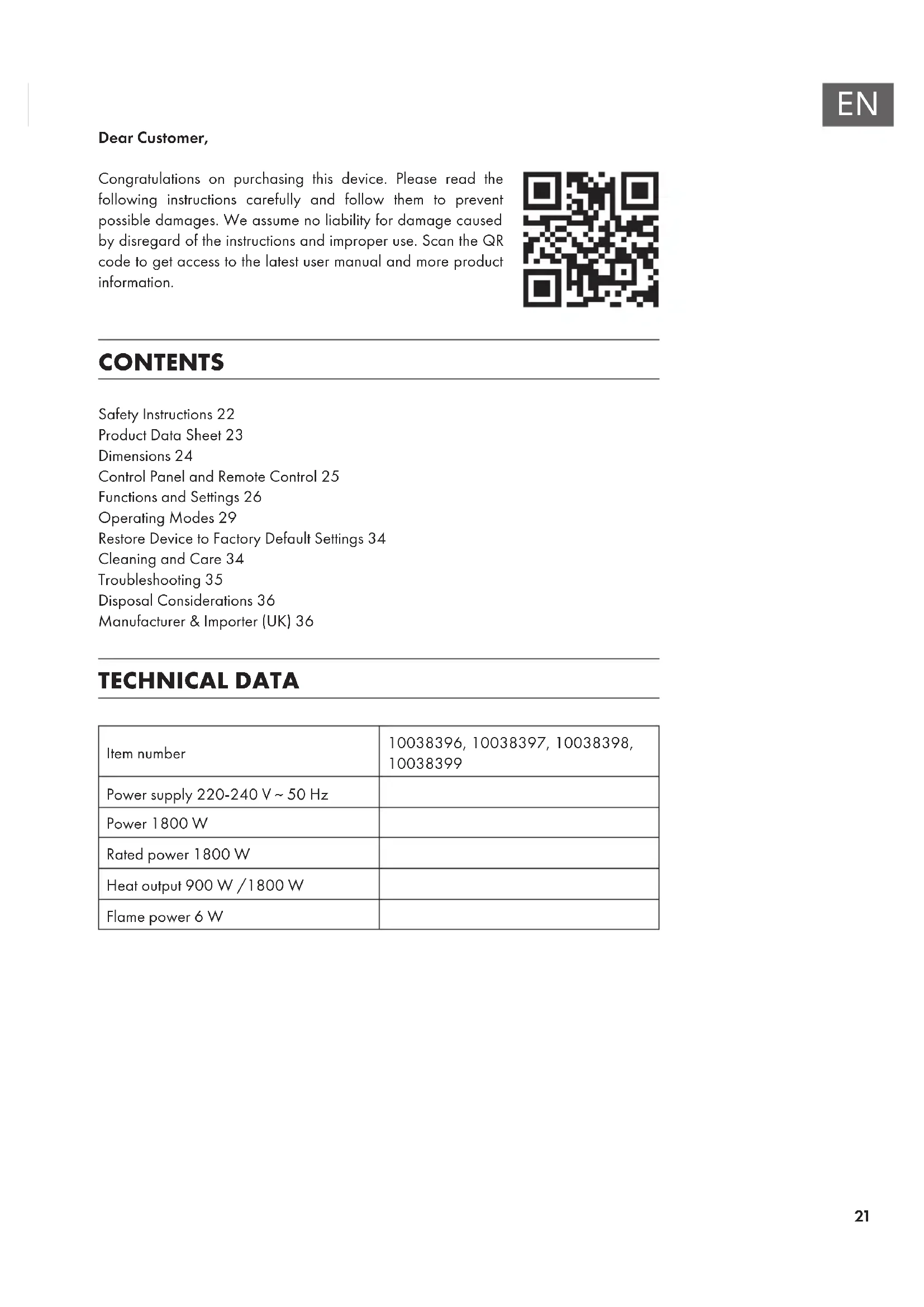
Congratulations on purchasing this device. Please read the following instructions carefully and follow them to prevent possible damages. We assume no liability for damage caused by disregard of the instructions and improper use. Scan the QR code to get access to the latest user manual and more product information.

CONTENTS
Safety Instructions 22
Product Data Sheet 23
Dimensions 24
Control Panel and Remote Control 25
Functions and Settings 26
Operating Modes 29
Restore Device to Factory Default Settings 34
Cleaning and Care 34
Troubleshooting 35
Disposal Considerations 36
Manufacturer & Importer (UK) 36
TECHNICAL DATA
| Item number | 10038396, 10038397, 10038398, 10038399 |
| Power supply 220-240 V ~ 50 Hz | |
| Power 1800 W | |
| Rated power 1800 W | |
| Heat output 900 W /1800 W | |
| Flame power 6 W |
SAFETY INSTRUCTIONS
- Do not use the appliance until it is securely fixed as described in this manual.
- Check that the voltage indicates on the data plate corresponds with that of the local network before connecting the appliance to the mains power supply.
- If the supply cord is damaged, it must be replaced by a qualified engineer in order to avoid a hazard.
- The fireplace heater must not be positioned directly under the power socket.
- Keep furniture, curtains and other flammable material at least 1 meter away from the appliance.
- Do not leave the appliance unattended during use.
- Do not leave the appliance unattended whilst connected to the mains supply.
- Keep out of reach of children and do not allow them to operate this appliance.
- This appliance is intended for household use only and should not be used for industrial purposes.
- Do not operate this appliance after a malfunction or after being damaged in any way.
- Repairs to electrical appliances should only be performed by a qualified electrician.
- Improper repairs may place user at serious risk.
- Do not run the mains cable under carpets, rugs, etc.
- Do not allow the mains cable to hang over sharp edges or come in contact with hot surfaces.
- In order to avoid overheating, do not cover the heater.
- Do not use this heater with a programmer, timer, separate remote control system or any other device that switches the heater on automatically, since a fire risk exists if the heater is covered or positioned incorrectly.
- Never immerse the product in water or any other liquid for any reasons.
- Do not use this heater in the immediate surroundings of a bath, a shower or a swimming pool.
- Do not use the appliance outdoors.
- Do not use if you have wet hands.
- Never use the appliance on or near hot surfaces.
- Do not operate with a damaged cord.
- Before cleaning the appliance, make sure it is unplugged from the power and that it is completely cooled.
- Do not clean the appliance with abrasive chemicals.
- Never use accessories that are not recommended or supplied by the manufacturer. It could cause danger to the user or damage to the appliance.
- This appliance is not intended for use by persons (including children) with reduced Physical, sensory or mental capabilities, or lack of experience and knowledge unless they have been given supervision or instruction concerning use of the appliance by a person responsible for their safety.
Children should be supervised to ensure that they do not play with the appliance.

CAUTION
Risk of burns! Some parts of this product can become very hot and cause burns. Particular attention has to be given where children and vulnerable people are present.
PRODUCT DATA SHEET
| Model identifier(s): 10038396 | 10038397, 10038398, 10038399 | |||||
| Item Symbol Value Unit Item Unit | ||||||
| Heat output Type of heat input, for electric storage local space | heaters only | |||||
| Nominal heat output P | nom | 1.8 kW | manual heat | charge control, with integrated thermostat | N/A | |
| Minimum heat output (indicative) | Pmin | 0 kW | manual heat | charge control with room and/or outdoor temperature feedback | N/A | |
| Maximum continuous heat output | Pmax,c | 1.8 kW | electronic heat | charge control with room and/or outdoor temperature feedback | N/A | |
| Auxiliary electricity consumption | fan assisted heat output N/A | |||||
| At nominal heat output (fan motor) | elmax | 0 kW | Type of heat output/room temperature control | |||
| At minimum heat output (fan motor) | elmin | 0 kW | single stage | heat output and no room temperature control | no | |
| In standby mode el | 58 | 0 | W | Two or more manual stages, no room temperature control | no | |
| with mechanic thermostat room temperature control | no | |||||
| with electronic room temperature control | no | |||||
| electronic room temperature control plus day timer | no | |||||
| electronic room temperature control plus week timer | yes | |||||
| Other control options (multiple selections possible) | ||||||
| room temperature control, with presence detection | no | |||||
| room temperature control, with open window detection | yes | |||||
| with distance control option | no | |||||
| with adaptive start control no | ||||||
| with working time limitation | yes | |||||
| with black bulb sensor | no | |||||
| Contact details | Chal-Tec GmbH, Wallstraße 16, 10179, Berlin, Germany | |||||
DIMENSIONS
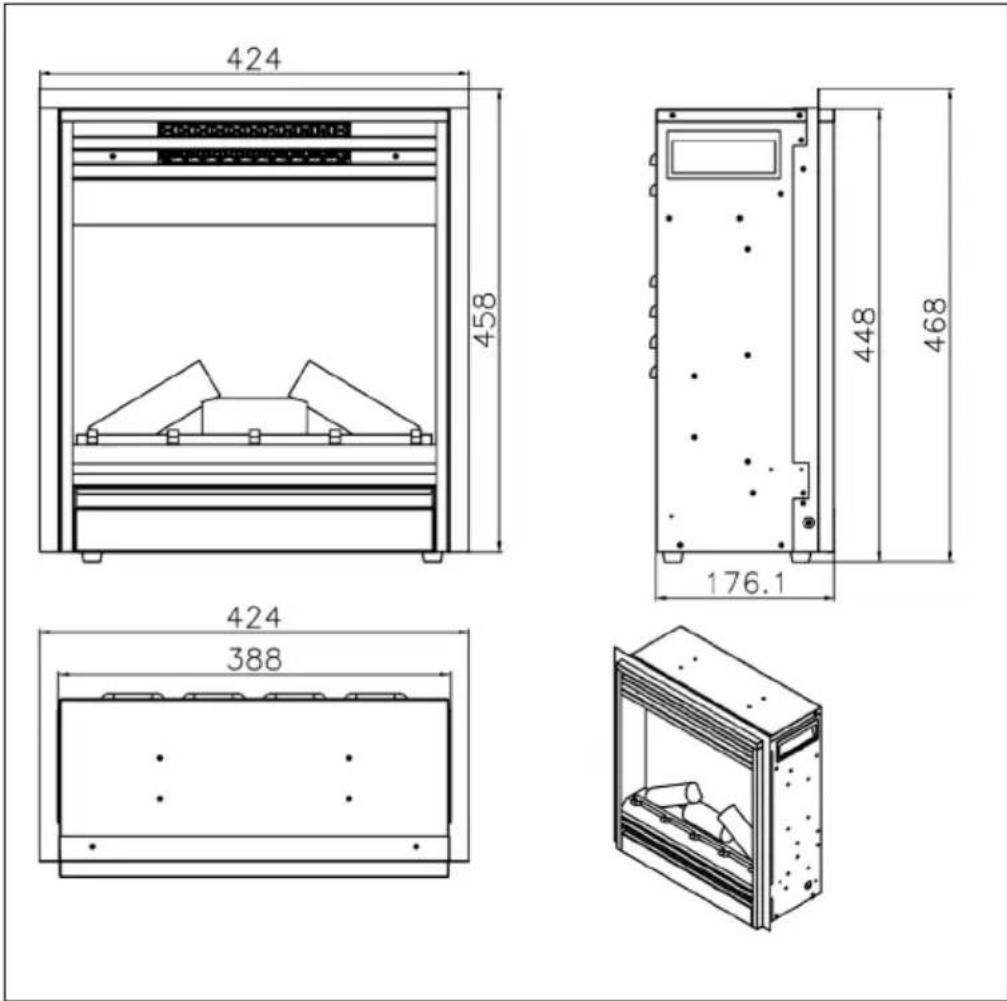
Minimum distances (measured from the glass front)
| Downwards 0 mm To the front 500 mm | |||
| To the sides 300 mm | To the top 300 mm to the ceiling | ||
| To the back 0 mm | |||
CONTROL PANEL AND REMOTE CONTROL
Control panel
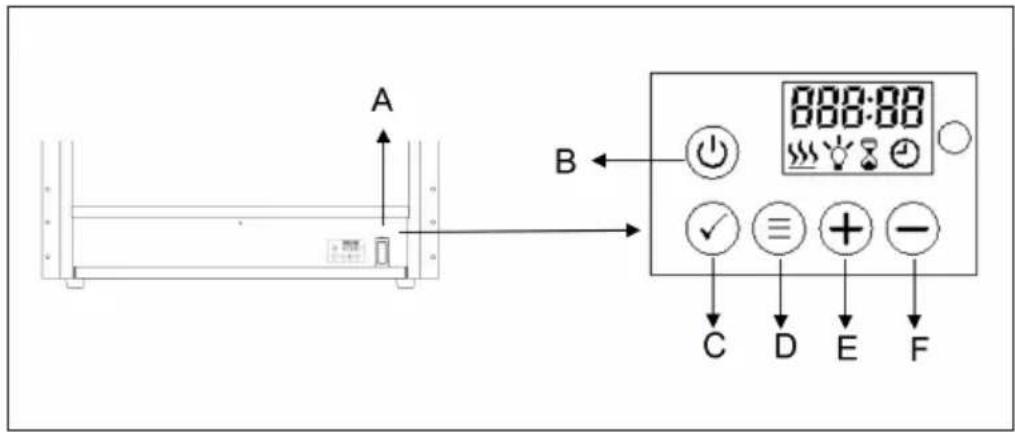
(A) Main switch
(B) On/Off button
(C) Key lock / confirm entry
(D) MENU
(E) Increase value
(F) Decrease value
Remote control
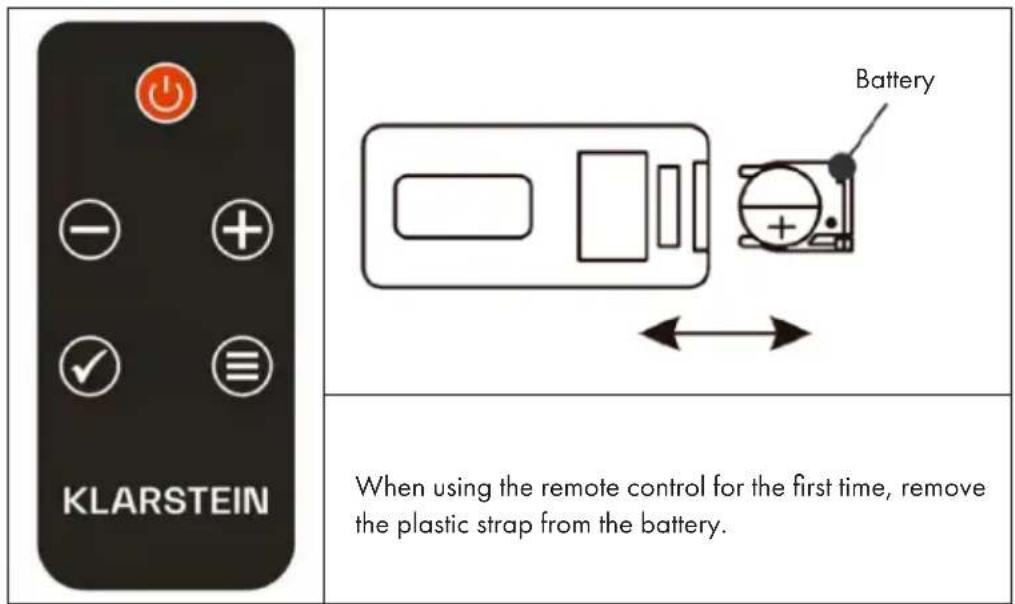
Note: This heater comes with a remote control. To operate the device with the remote control, the main switch (A) must be in the ON position. All buttons on the remote control have the same functions as the buttons on the control panel.
FUNCTIONS AND SETTINGS
Main switch (A)
Open the cover on the bottom of the unit and press button A down to the ON position.
On/Off button (B)
Press the on / off button to start the flame effect. The following will appear on the display:
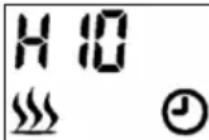
- The heating symbol will be displayed and the appliance will start to heat if the room temperature is below the standard setting (10^) . If the temperature is higher than 10^ , the icon will not be displayed and the unit will not heat up.
- The clock symbol will flash to indicate that no timer has yet been set. Follow the steps described in the „Operating Modes" section under „Timer Mode" to set the timer.
If [H10] is displayed, it means that the heating for the high heating power is set to 10^ . If [L10] is displayed, it means that the heating is set to 10^ for the low heating power. For example, if [26C] is displayed, it means that the room temperature is 26^ .
Key lock (C)
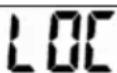
Press and hold the OK button for more than 6 seconds to lock or unlock the keys. As soon as the keys are locked, [LOC] flashes on the display for 6 seconds and then disappears. Press any key and [LOC] will flash again. Press the OK button for 6 seconds to unlock the keys.
Note: The On / Off button (B) is never locked.
Switch heating on / off / quick start
| H 10 SSS | Press the (+) or (-) button to start the heat setting directly (even if a weekly program is set). • Press either the (+) or (-) button to see the current temperature on the screen. • Press the (+) or (-) button to set the desired temperature. If the set temperature is higher than the room temperature detected by the device, the heating will start. The heater will not start if the set temperature is lower than the room temperature. |
Note: The temperature can be set between 10^ and 30^ . Select OFF to turn the heater off.
Set high heat output
| H H | Press the D (MENU) button on the control panel, the display will show H and the flashing heating symbol. |
| H 10 H | Press the OK button to set the temperature. The default temperature is 10 °C (50 °F). The image at left will appear on the display. |
Press the (+) or (-) button to set the temperature. If the set temperature is higher than the room temperature detected by the device, the heating will start. If the set temperature is lower than the room temperature, the heating will not start.
Set low heat output
| Press the MENU button twice, the display will show L and the flashing heating symbol. |
| Press the OK button to set the temperature. The default temperature is 10 °C (50 °F). The image at left will appear on the display. |
Press the (+) or (-) button to set the temperature. If the set temperature is higher than the room temperature detected by the device, the heating will start. If the set temperature is lower than the room temperature, the heating will not start.
Switch between Celsius and Fahrenheit
The default temperature display is Celsius. Press the D (MENU) button for 3 seconds, then press the (+) or (-) button to change the temperature display from Celsius to Fahrenheit.
Adjust brightness
The brightness control is used to select the desired flame brightness.
| bri | Press the MENU button repeatedly to enter the brightness setting. The display will show [bri] and the flashing light bulb icon. |
| 5 | Press the OK button to start the brightness adjustment. Press the (+) or (-) button to select the desired brightness level. |
Set runtime
| Hour | Press the MENU button repeatedly to enter the timer setting. The display will show [Hour] and the flashing timer icon. |
| 00 | Press the OK button to start the timer setting. Press the (+) or (-) button to set the desired time between 0-9 hours. The display will show the set time. |
Adjust dimmer (specific models only)
| dol | Press the MENU button repeatedly to enter the dimmer setting. The display will show [doLi]. |
| d1 | Press the OK button to start the dimmer adjustment. Press the (+) or (-) button to select the desired dimming levels (D1 / D2 / D3 / D4 / OFF). Level D1 is the brightest setting, with OFF the dimmer is off. |
Note: This unit does NOT have a dimmer function even though it can be selected on the display.
If you do not adjust for more than 15 seconds, the display will return to the standard view.
OPERATING MODES
Select mode
| NO dE | Press the MENU button repeatedly to enter the operating modes. The display will show [ModE]. Press OK to enter the mode setting and use the (+) or (-) button to select the desired mode. |
The submenu contains the following modes:
| ABCD | |||
| OPEN | 7 INNE | Prob. | ANAAU |
(A) Open window mode
| OPEN | Press the MENU button several times to enter the [ModE] operating modes. Press OK to enter the mode setting and use the (+) or (-) button to select the open window mode. The display will show [OPEN]. |
Press OK to confirm and use the (+) or (-) button to select ON or OFF:
| ON | OFF |
After activating the Open Window Detection, the appliance automatically switches off the heating if it detects that the room temperature has dropped by more than 4^ within 10 minutes. The heating stops for 20 minutes.
To restart the heater, reset the desired temperature and press the OK button to confirm the setting. After resetting the temperature, open window detection is set to OFF.
(B) Setting the Current Weekday and Time
| 7 INE | Press the MENU button several times to enter the [ModE] operating modes. Press OK to enter the timer setting and use the (+) or (-) button to select the timer mode. The display will show [TIME]. |
| d 1 | Press OK to enter the timer setting and use the (+) or (-) button to select the desired day for which you want to set a timer. D1 = Monday, D2 = Tuesday, D3 = Wednesday, D4 = Thursday, D5 = Friday, D6 = Saturday, D7 = Sunday. |
| 10.00 | Press OK and use the (+) or (-) button to set the hour. |
| 10.30 | Press OK and use the (+) or (-) button to set the minute. Then press OK again to save the setting. |
Note: You can exit the timer setting at any time by pressing MENU. In the event of a power failure, the timer icon (clock) will blink continuously, signaling that no timer has been set. In this case, you must reprogram the timer.
(C) Program weekly timer
Note: Before you can program the week timer, you must first set the current weekday and time (see Setting the Current Weekday and Time).
There are 4 pre-set programs available. Each program includes one period or several periods of time in which the fireplace will heat. Outside of these periods of time, the fireplace will not heat. The period of one program may overlap with the period of another program.
Preset programs
P1 (program 1)
Monday to Friday from 05:15 for 4 hours high heating.
P2 (program 2)
Saturday to Sunday from 06:20 for 4 hours low heating.
P3 (program 3)
Monday to Friday from 17:45 for 4 hours high heating.
P4 (Programm 4)
Saturday to Sunday from 16:30 for 4 hours low heating.
Select preset program
| Pro6 ◎ | Press the MENU button several times to enter the [ModE] operating modes. Press OK to enter the mode setting and use the (+) or (-) button to select the program mode. The display will show [ProG]. |
Press button + or - to select "ON" or "OFF" to turn on or turn off the weekly program. Press OK to validate. To exit the setting during operation, press button MENU.
| ON | OFF |
(D) Manual Setting for Weekly Programming
| AAA NU ④ | Press button MENU to select “ModE” menu. Press OK to validate, then button + or - to access Manual Setting MANU. Press OK to validate. |
- Press button [+] or [-] to select the first activation day. Press OK to validate.
- Press [+] or [-] to select the last activation day. Press OK to validate.
Example of a manually set weekly timer
| d1.d7 @ | For selecting "d1" (Monday) as first activation day, and "d7" (Sunday) as last activation day. |
| H S | Press the (+) or (-) button to select the heating level: H = high heat output, L = low heat output. Press OK to confirm the selection |
| H 10 S | Press the (+) or (-) button to set the desired temperature. Press OK to confirm the selection. |
| 10.00 | Press the (+) or (-) button to select the hour at which to start the heating. Press OK to confirm the selection. |
| 10.30 | Press the (+) or (-) button to select the minute at which to start the heating. Each press of the button increases the minute display by 5 minutes. Press OK to confirm the selection. |
| 0:30 | Press the (+) or (-) button to set how long the heater will run. Each press of the button increases the display by 30 minutes. Press OK to confirm the selection. |
| CON | Now the setting of the first heating period of the program is completed. The display will show [CON] (confirmed). |
| Note: The program cannot run until the next day. The maximum duration may not exceed midnight. That is, if the start time is 20:30 and you set 4 hours for the duration, the program ends after 3:30 because that is when midnight is. | |
| To set a second heating period, press OK. If you have set the second heating period, press OK again and the display will return to the day selection for the second heating period. | |
| FINSH | To complete the setting, press the (+) or (-) button until [FINSH] appears in the display. Then press OK to complete the programming. |
Note: Several programmed heating periods can be used for one day. A programmed heating period can also be used for several days.
Note: To save the settings made, always press the OK button. A maximum of 8 heating periods can be programmed for one program.
After the manual setting for the weekly timer is completed, the selected program will overwrite the default preset values.
RESTORE DEVICE TO FACTORY DEFAULT SETTINGS
If the mains plug is plugged in and there is a 0/1 switch, set it to "1". The appliance is in standby mode. (Do not press the On/Off button). Then press and hold the minus button for 3-6 seconds until you hear a beep. Then unplug the appliance and switch it on again after 10 seconds to restore the factory settings.
CLEANING AND CARE
Note: Do not open the device. Repairs may only be carried out by qualified personnel. Always switch off the appliance before cleaning and caring for the device.
Glass cleaning
Over time, the glass pane can become dirty or dusty. Dust can be removed by gently rubbing the glass surface with a clean, lint-free cloth or paper towel. To remove fingerprints or other marks, use a soft, damp, lint-free cloth with a high-quality household glass cleaner. The glass should always be completely dried after cleaning with a lint-free cloth or paper towel.
Note: Do not use abrasives on the glass. Do not spray liquids directly on the surface of the appliance!
Storage
Disconnect the device from the power socket when not in use and store it in a dry, dust-free location.
TROUBLESHOOTING
| Problem Possible | le cause Solution | |
| The fireplace turns off and cannot be turned on. | The fireplace has overheated and the safety device has flipped the circuit breaker. | Reset the circuit breaker by turning the unit off and unplugging it from the wall outlet. Wait a few minutes before plugging it back in and turning the unit on. |
| The flame does not move. | The wiring is loose. Check the wiring for loose connections. | |
| The flame motor is defective. | Contact a qualified service technician to replace the flame motor. | |
| The flame rod has slipped. The "flame rod" has slipped due to rough transport/handling of the product. This problem can be easily corrected: Remove the glass, turn the fireplace upside down and loosen the screws on the bottom. Hold the bottom frame plate and put the flame rod back in place. | ||
| The flame is not visible. | The wiring is loose. Check the wiring for loose connections. | |
| Incorrect brightness level set. | Select a higher brightness level. | |
| The logs do not light. | Wiring is loose. Check the wiring for loose connections. | |
| The remote control does not work. | Low batteries. Replace the batteries in the remote control. | |
| Remote control is not properly aligned. | Aim the remote control at the sensor located just behind the glass panel in the center of the unit, just above the logs. | |
| Defective remote control and/or sensor. | Replace remote control and/or sensor. | |
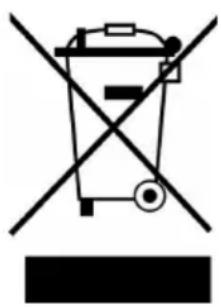
If there is a legal regulation for the disposal of electrical and electronic devices in your country, this symbol on the product or on the packaging indicates that this product must not be disposed of with household waste. Instead, it must be taken to a collection point for the recycling of electrical and electronic equipment. By disposing of it in accordance with the rules, you are protecting the environment and the health of your fellow human beings from negative consequences. For information about the recycling and disposal of this product, please contact your local authority or your household waste disposal service.
This product contains batteries. If there is a legal regulation for the disposal of batteries in your country, the batteries must not be disposed of with household waste. Find out about local regulations for disposing of batteries. By disposing of them in accordance with the rules, you are protecting the environment and the health of your fellow human beings from negative consequences.
MANUFACTURER & IMPORTER (UK)
Manufacturer:
Chal-Tec GmbH, Wallstrasse 16, 10179 Berlin, Germany.
Importer for Great Britain:
Berlin Brands Group UK Limited
PO Box 42
272 Kensington High Street
London, W8 6ND
United Kingdom
Estimado cliente:
Interruptor principal (A)
Berlin Brands Group UK Limited
PO Box 42
272 Kensington High Street
London, W8 6ND
United Kingdom
Chere cliente, cher client,
FICHE DE DONNÉES PRODUIT
Berlin Brands Group UK Limited
PO Box 42
272 Kensington High Street
London, W8 6ND
United Kingdom
Gentile cliente,
PRODUTTORE IMPORTATORE (UK)
Produttore:
Chal-Tec GmbH, Wallstraße 16, 10179 Berlin, Germania.
Berlin Brands Group UK Limited
PO Box 42
272 Kensington High Street
London, W8 6ND
United Kingdom


KLARSTEIN