ManualGo.com
 Studio Loft 2 - Fireplace Klarstein - Free user manual and instructions
Find the device manual for free Studio Loft 2 Klarstein in PDF.



Download the instructions for your Fireplace in PDF format for free! Find your manual Studio Loft 2 - Klarstein and take your electronic device back in hand. On this page are published all the documents necessary for the use of your device. Studio Loft 2 by Klarstein.
USER MANUAL Studio Loft 2 Klarstein
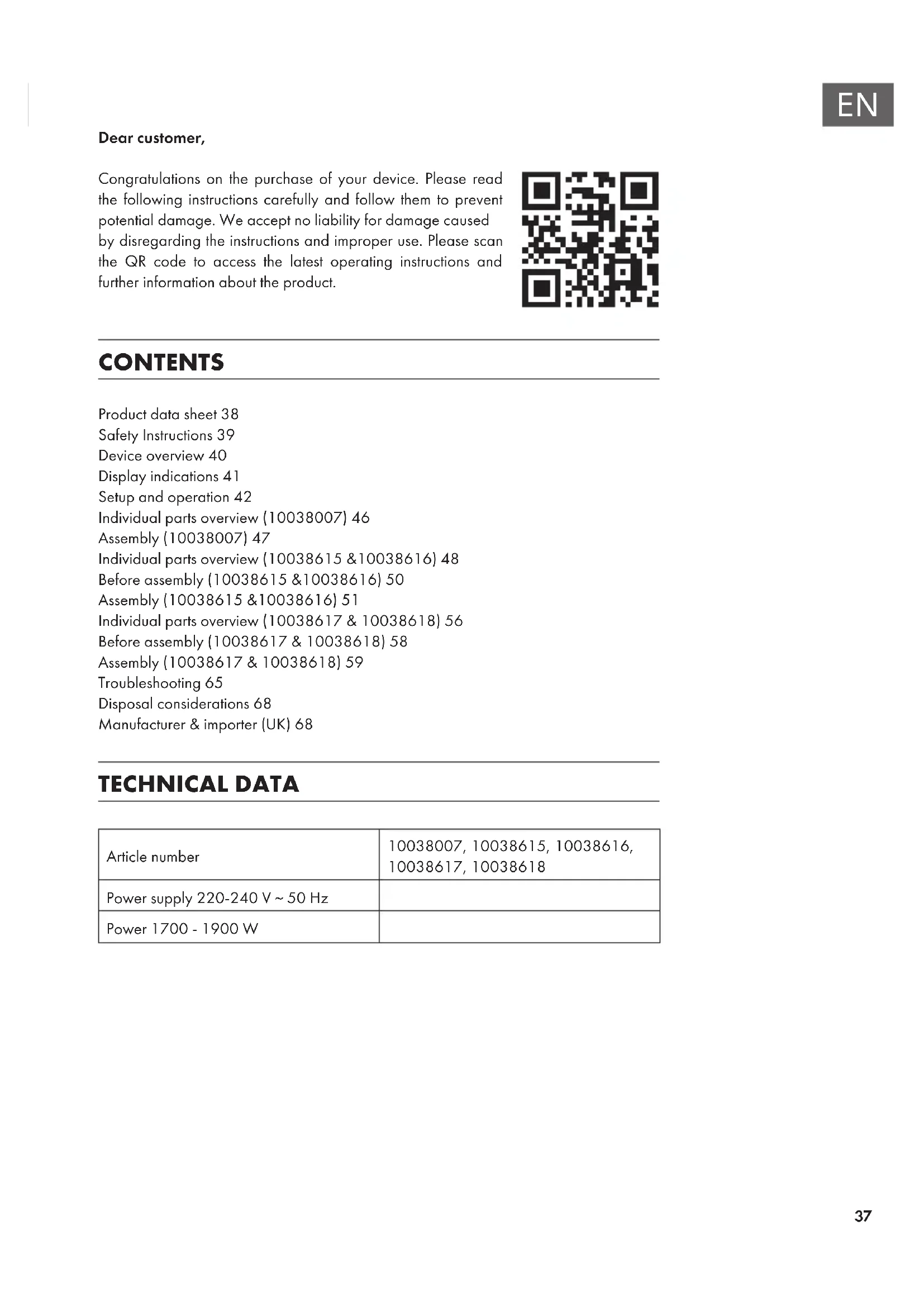
Dear customer, Congratulations on the purchase of your device. Please read the following instructions carefully and follow them to prevent potential damage. We accept no liability for damage caused by disregarding the instructions and improper use. Please scan the QR code to access the latest operating instructions and further information about the product. CONTENTS Product data sheet38 Safety Instructions39 Device overview40 Display indications41 Setup and operation42 Individual parts overview (10038007)46 Assembly (10038007)47 Individual parts overview (10038615 &10038616)48 Before assembly (10038615 &10038616)50 Assembly (10038615 &10038616)51 Individual parts overview (10038617 & 10038618)56 Before assembly (10038617 & 10038618)58 Assembly (10038617 & 10038618)59 Troubleshooting65 Disposal considerations68 Manufacturer & importer (UK)68 TECHNICAL DATA Article number 10038007, 10038615, 10038616, 10038617, 10038618 Power supply 220-240 V ~ 50 Hz Power 1700 - 1900 W38
1.902 kW Manual control of the heat supply with
integrated thermostat N/A Minimum heat output (guide value)
1.778 kW Manual control of the heat supply with feedback
of the room and/or outside temperature N/A Maximum continuous heat output Pmax
1.902 kW Electronic control of the heat supply with
feedback of the room and/or outside temperature N/A Auxiliary power consumption Heat output with fan support N/A Nominal heat output el max N/A kW Type of heat output/room temperature control With minimum heat output el min N/A kW Single stage heat output, no room temperature control
0.37 W Two or more manually adjustable levels, no
room temperature control
Room temperature control with mechanical thermostat
With electronic room temperature control no With electronic room temperature control and time of day control
With electronic room temperature control and day of week control yes Other regulatory options Room temperature control with presence detection
Room temperature control with open window detection yes With remote control option no With adaptive control of the heating start no With operating time limit no With black ball sensor no Contact details Chal-Tec GmbH, Wallstraße 16, 10179 Berlin, Germany.39
- Before use, check the voltage information on the rating plate and only connect the device to sockets that correspond to the nominal voltage of the device.
- If the power cord is damaged, have it replaced by a trained professional.
- Do not place the replace directly under the mains socket.
- Keep a distance of one metre from combustible materials such as furniture, curtains or similar.
- Use the device out of the reach of children. Children may only operate the device under supervision.
- The device is intended for use in the home and similar environments only. It is not intended for commercial use.
- Do not use the device if it malfunctions or has been damaged in any way.
- Repairs may only be carried out by trained specialists.
- Incorrectly or independently performed repairs pose a risk of injury.
- Do not run the power cord under carpets or rugs.
- Make sure that the power cord does not come into contact with sharp edges or hot surfaces.
- To prevent overheating, do not cover the replace.
- Do not use the device with an external timer, a remote controlled socket or any other device that automatically turns the replace on and off.
- Do not immerse the device in water or other liquids.
- Do not use the device near bathtubs, showers or swimming pools.
- Do not use the device outdoors.
- Do not use the device with wet hands.
- Do not use the device on or near hot surfaces
- Do not use the device with a damaged power cord.
- Before cleaning, unplug the device from the wall outlet and allow it to cool completely.
- Do not use abrasive cleaners for cleaning.
- Only use accessories that are expressly approved for this purpose by the manufacturer.
- Children from the age of 8 years and mentally, sensory and physically impaired persons may only use the device if they have been informed in detail about the functions and safety precautions by a supervisor responsible for them beforehand and understand the associated risks.
- Make sure that children do not play with the device. CAUTION Risk of burns! Some parts of the device can become very hot. Be careful not to burn yourself or your children with it.40
- The unit can be used with the remote control included with delivery as well as with the control panel, which is located on the upper right side of the unit.
- The unit has a mains switch that regulates the power supply. The power switch must be in the "On" position for the unit to be used.
- When you switch on the unit for the rst time, the time must be set immediately. Otherwise, the time will only be displayed as "00:00" and the weekly timer will not be available. Display Control panel41
Note: When you switch on the replace, the time lights up. After 60 seconds, the replace switches off automatically. You can switch it on again with any button. The backlight and the "wood crackle" function are not available on this model.
Manual operation Press this button to switch the unit on/off or press and hold this button for 10 seconds to activate/deactivate the child lock. As soon as the child lock has been activated, the heating function is switched off but the ame remains on. Press this key repeatedly to select "L1", "L2", "L3", "L4" or "OFF" (4 brightness levels that can be selected). Press this key several times to set the following functions: Room temperature between 17 °C and 27 °C (62 °F - 82 °F) > Heating continuously ON > Heating OFF. After setting, the temperature you have set ashes 5 times on the screen and is then saved. To switch between Fahrenheit and Celsius, press and hold the button for 5 seconds. Press this button several times to adjust the operating time of the device. You can set the operating time to 1 > 2 > 3 > 4 > 5 > 6 > 7 > 8 > 9 > OFF >1 (...). It is not possible to operate the weekly timer manually. If the weekly timer has been activated, the normal timer is not available. Timer Heating function Flame On/off43
Using the remote control Before using the remote control, make sure that the mains plug of the unit is plugged in and that the mains switch is in the "ON" position. Note: When using the remote control, make sure that you point the remote control at the screen of the unit when pressing any of the buttons. A beep will sound. There may be a slight delay in the signal transmission from the transmitter to the receiver. Do not press the respective button more than once within 2 seconds during operation. Function Description On/off switch Press this button to switch the device on or off. Press this button once to turn the device and the ame effects on. If you press this button again, the unit and the ame effects are switched off and the unit is in standby mode. To activate the child lock, press and hold the button for 10 seconds. As soon as the child lock is active, the heating goes off but the ame effect remains on. Flame Four brightness levels can be selected (L1-L4). Timer Press the timer button to select one of the following timer settings: 1 > 2 > 3 > 4 > 5 > 6 > 7 > 8 > 9 > OFF > 1 Heating function Press this key several times to set the following functions: Room temperature between 17 °C and 27 °C (62 °F - 82 °F) > Heating continuously ON > Heating OFF. To activate the child lock, press and hold the button for 10 seconds. As soon as the child lock is active, the heating goes off but the ame effect remains on. To switch between Fahrenheit and Celsius, press and hold the button for 5 seconds.44
Function Description Setting When the unit is on or in standby, press and hold the settings icon on the remote control for 3 seconds or press and hold the timer button on the control panel for 3 seconds in standby. The display ashes [00:00]. First set the current time. Press the [+] button on the remote control to set the hour and the [-] button to set the minute. Weekly timer After setting the current time, press the settings icon again to activate the weekly timer, then press the calendar icon to select Sunday to Saturday. The selected date lights up. Then press the settings icon to set the switch-off time and switch-on time in succession, and then press the OK button directly to complete the weekly timer settings. Note: The current time must be set after switching on or off for the rst time, otherwise the clock remains in the "00:00" state and the timer function cannot be used The clock lights up automatically when the power supply is switched on. The clock automatically switches off the display after 60 seconds in standby mode. Press any function key to then display the clock again. If you are not in settings mode, press the calendar icon directly to select the weekly timer setting.45
Important information about changing the batteries
- Old and new batteries must not be mixed.
- Only use standard AAA batteries. Make sure that children do not swallow the batteries.
- Non-rechargeable batteries must not be recharged.
- Insert the batteries with correct polarity (see illustration).
- Remove dead batteries from the remote control immediately.
- Always buy the right size and type of batteries that are best suited for the intended use.
- Replace all batteries of a set at the same time.
- Clean the battery contacts and also those of the unit before inserting the battery.
- Dispose of used batteries immediately as indicated in the chapter "Disposal".46
Parts list No. Description Pc. 1 Upper plate 1 2 Lower plate 1 3 Left side plate 1 4 Front plate 1 5 Left front plate 1 6 Right front panel 1 7 Left panel 1 8 Right panel 1 9 Left box 1 10 Right box 1 11 Electric replace 1 12 Right side panel 1 Small parts No. Description Pc.
1 Place the electric replace in the mantle. 2 Fasten the electric replace with 6 screws ST4x10.56
1 Place the electric replace in the jacket. 2 Fasten the electric replace with 6 screws ST4x10.65
TROUBLESHOOTING Problem Possible cause Solution "EE" is displayed on the screen. Short circuit Contact customer service to have the thermostat sensor replaced "88" is displayed on the screen. No warm air is blowing out and the fan is not working. Set the power switch to the "off" position and wait at least 10 minutes. Then return the power switch to the "on" position. The screen displays "OP". The open window warning (if the ambient temperature drops by 4 °C/ 8°F or more within 10 minutes and the temperature does not rise within 42 minutes) has been activated and the unit will switch off automatically. Inspect the unit and ensure that the air inlets and outlets are not blocked as this could cause the unit to overheat. Unplug the device from the mains outlet for 30 minutes so that it can cool off. Afterwards, plug the power cord back into the mains socket and switch on the device. If the problem persists, contact customer service. No electricity, the logs are not glowing. The mains plug is not plugged in. Make sure the mains cord of the device is plugged into a 220-240V outlet. Press the on/off button several times and make sure that the power switch is in the "on" position.66
Problem Possible cause Solution No warm air is blowing out. Cooling cycle Normal operation continues for a few minutes before switching off. The time depends on the current temperature. During this time, cold air is blown out. The thermostat setting prevents the heating function from being activated. Adjust the temperature setting so that the thermostat is set higher than the current room temperature. The logs are glowing but there is no ame effect. The ame effect is deactivated. Press the ame button several times. The ame effect is working but the heating function is not working, the ember bed lights up when the heating button is pressed. The heating function is deactivated With the unit switched on, press and hold the On/Off button for 10 seconds. As soon as the heating function has been activated again, the ember bed lights up several times. The heating function is not working. The safety switch has been activated. Turn off the power switch, wait 15 minutes and turn it on again. Check the fuse. If this is broken, the fuse must be replaced.67
Problem Possible cause Solution The remote control does not work when buttons are pressed. No batteries. Replace the batteries. Poor signal transmission. Make sure that the distance between transmitter and receiver is not too great. Press the buttons on the remote control with a smooth movement and gentle pressure. Repeated pressing of the buttons in rapid succession may cause the transmitter to malfunction. Distance too great. Operate the remote control at a distance of less than 20 feet from the front of the unit; point the remote control at the control panel.68
DISPOSAL CONSIDERATIONS If there is a legal regulation in your country regarding the disposal of electrical and electronic equipment, this symbol on the product or on the packaging indicates that this product must not be disposed of with household waste. Instead, it must be taken to a collection point for the recycling of electrical and electronic equipment. By disposing of this product in accordance with the regulations, you protect the environment and the health of those around you from negative consequences. For information on recycling and disposal of this product, contact your local government or household waste disposal service. This product contains batteries. If there is a legal regulation in your country regarding the disposal of batteries, the batteries must not be disposed of in household waste. Consult your local regulations for the disposal of batteries. By disposing of this product in accordance with the regulations, you protect the environment and the health of those around you from negative consequences. MANUFACTURER & IMPORTER (UK) Manufacturer: Chal-Tec GmbH, Wallstrasse 16, 10179 Berlin, Germany. Importer for Great Britain: Berlin Brands Group UK Ltd PO Box 1145 Oxford, OX1 9UW United Kingdom69