HIVE Pins 3 ANC - Earphones Niceboy - Free user manual and instructions
Find the device manual for free HIVE Pins 3 ANC Niceboy in PDF.


| Product Type | Wireless In-Ear Headphones |
| Brand | Niceboy |
| Model | HIVE Pins 3 ANC |
| Bluetooth Technology | Bluetooth 5.3 |
| Frequency Band | 2.4 GHz |
| Transmission Range | 10 m |
| Bluetooth Profiles | HFP, A2DP, AVRCP |
| Compatible Codecs | AAC, SBC |
| Active Noise Cancellation (ANC) | Yes, with Ambient mode |
| Gaming Mode | Yes, low latency |
| Earbud Battery Life (per charge) | Up to 10 hours |
| Total Battery Life (with case) | Up to 40 hours |
| Earbud Battery Capacity | 50 mAh (x2) |
| Case Battery Capacity | 400 mAh |
| Protection Rating | IPX4 (splash resistant) |
| Speaker | 10 mm |
| Frequency Response | 20 Hz – 20 kHz |
| Sensitivity | 118 ± 1.5 dB |
| Voice Assistants | Siri, Google Assistant |
| Case Charging | USB-C |
| Box Contents | Earbuds, charging case, replacement ear tips, USB-C cable, manual |
| Care and Cleaning | Do not expose to liquids or moisture. Protect from sharp objects and drops. Clean with a dry cloth. |
| Safety | Listen at moderate volume to avoid hearing damage. Do not disassemble. If battery is damaged, risk of fire. |
| General Information | Manufacturer: NICEBOY s.r.o., Czech Republic. Made in China. Declaration of conformity at niceboy.eu. |
Frequently Asked Questions - HIVE Pins 3 ANC Niceboy
User questions about HIVE Pins 3 ANC Niceboy
0 question about this device. Answer the ones you know or ask your own.
Ask a new question about this device
Download the instructions for your Earphones in PDF format for free! Find your manual HIVE Pins 3 ANC - Niceboy and take your electronic device back in hand. On this page are published all the documents necessary for the use of your device. HIVE Pins 3 ANC by Niceboy.
USER MANUAL HIVE Pins 3 ANC Niceboy
PRVNÍ SPUŠTĚNÍ A PÁROVÁNÍ
REŽIM NORMAL, AMBIENT A ANC:
PRVÉ SPUSTENIE A PÁROVANIE
REŽIM NORMAL, AMBIENT A ANC:
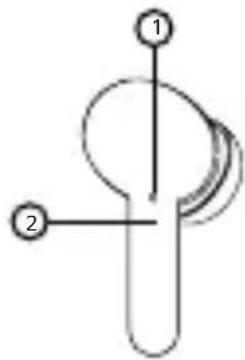
- LED
- Multifunction button
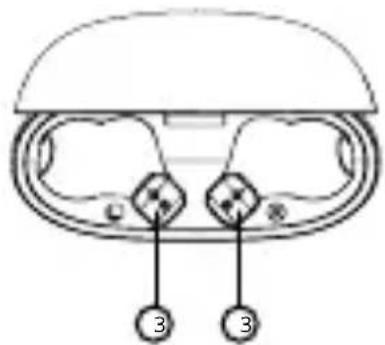
- Charging pins
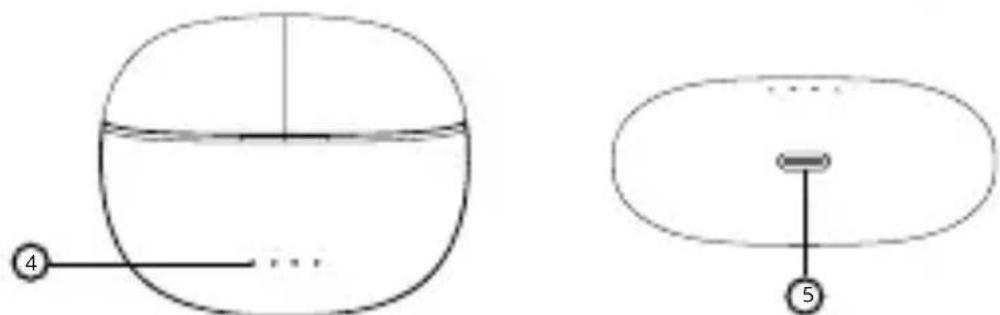
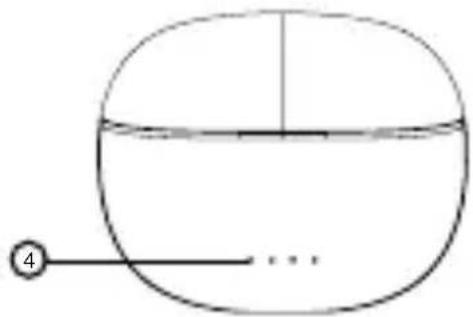
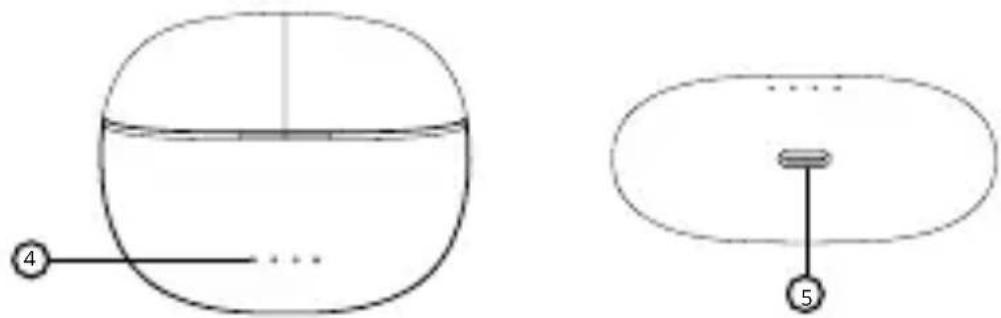
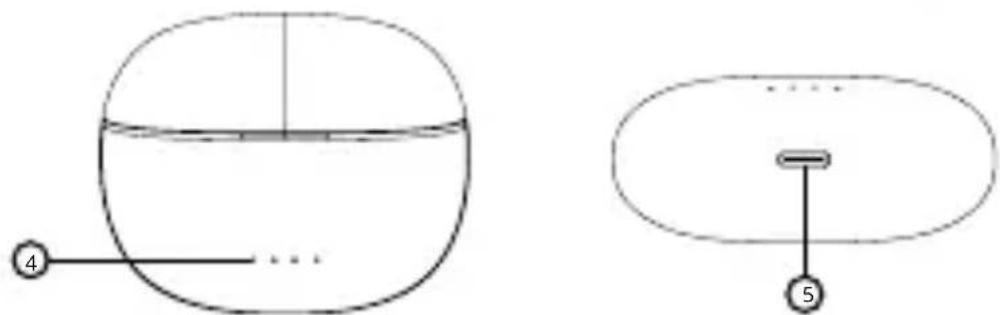
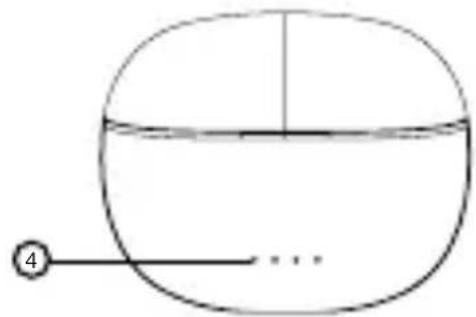
- LED charging indicator
- USB-C charging port
natural_image
Simple line drawing of a dome-shaped object with a horizontal line and a numbered label (4) pointing to its base, no text or symbols present.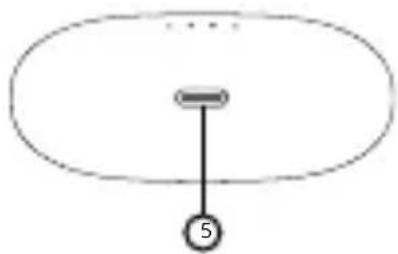
flowchart
graph TD
    A[" "] --> B[" "]
    style A fill:#fff,stroke:#000
    style B fill:#fff,stroke:#000
    note right of B
        ......
    end
FIRST START-UP AND PAIRING
- Remove both headphones from the charging box. The earphones will switch on and pair with each other. When the LED (1) starts flashing white, the headset is ready to connect to Bluetooth.
- Open the Bluetooth settings on your device and search for "Niceboy HIVE Pins 3 ANC" on the list of available devices.
- An acoustic prompt announces successful pairing, and the
LED (1) will start flashing white at long intervals. When reconnecting to an already paired device, remove the earphones from the box. They will switch on and connect to the device automatically.
SWITCHING ON AND OFF
To switch the earphones on, remove them from the charging box or manually switch them on by pressing and holding both multifunction buttons.
To switch them off, place the earphones in the charging box. They will automatically turn off and disconnect from your device. When the earphones are fully charged, the LED goes out. Alternatively, to switch the earphones off, press and hold both multifunction buttons (2) for approx. 5 seconds.
MULTIFUNCTION BUTTON - BASIC CONTROLS
Press any button once - play/pause, answer/hang up Press the right button twice – next song, reject call Press the left button twice – previous song, reject call Press and hold the right button - switch the ANC mode Press and hold the left button - switch the gaming mode Press any button three times - to activate Siri / Google Assistant
CHARGING
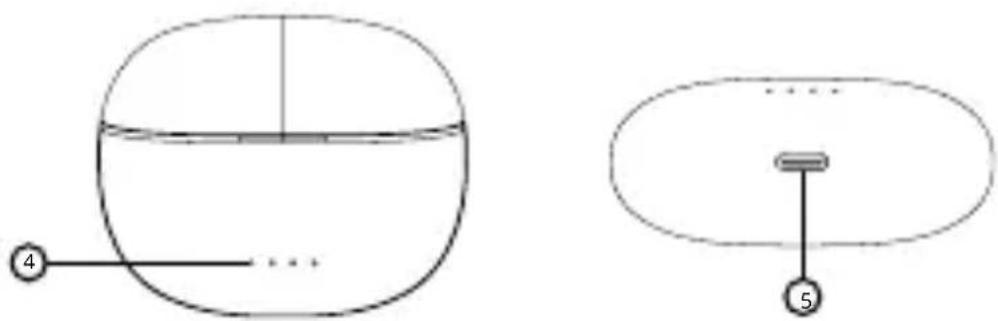
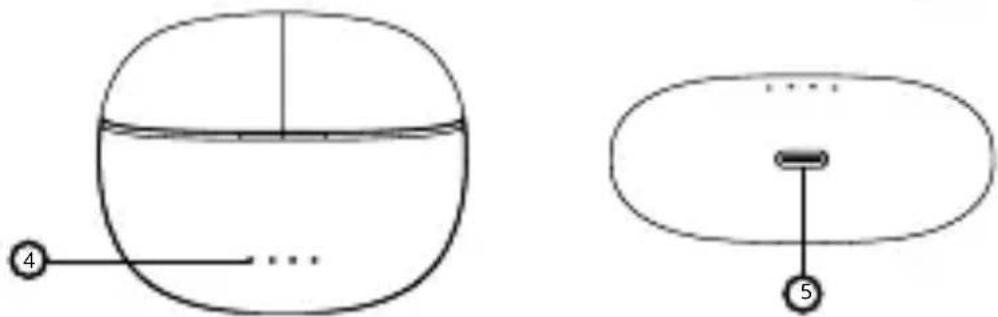
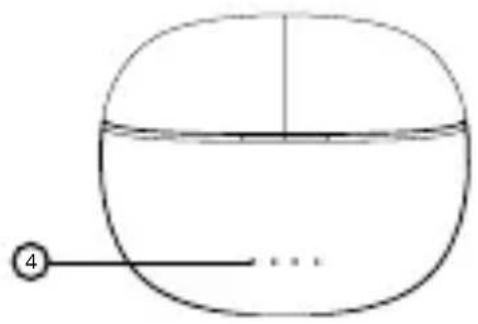
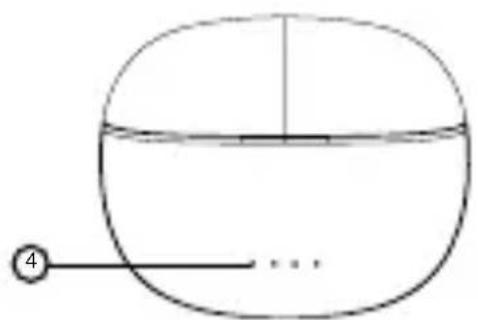
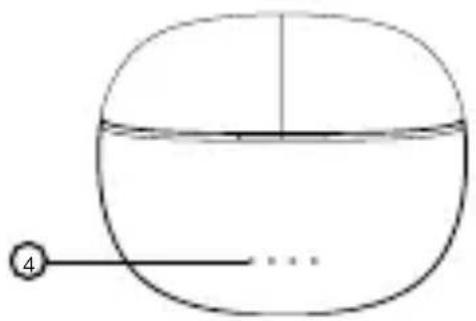
To charge the charging box itself, connect the charging cable to the USB-C port (5). Four LED indicators (4) will gradually start flashing; when fully charged, they will all turn light blue.
NORMAL, ANC AND AMBIENT MODES:
After activation, the earphones remain in normal mode, where they do not amplify or suppress the surrounding noise. In Ambient mode, the headphones pick up and amplify sounds from the surroundings, which is especially handy when traversing the city or in traffic for safety reasons. ANC (Active Noise Canceling) is a feature that eliminates ambient noise by sending out a sound of the same wavelength as the incoming noise but with an inverted frequency phase. When these two waves collide, they cancel each other out. To switch between the individual modes in this order, press and hold the right button (approx. 2 seconds). An acoustic prompt will announce a mode change.
Note: the Ambient and ANC modes have a higher power demand and thus result in the battery draining faster.
GAMING MODE
Press and hold the left button to activate gaming mode with a short audio delay. Long-pressing the button also deactivates the mode.
Note: Gaming mode has a higher power demand and thus results in the battery draining faster.
CONNECTING TO THE APP
- Download the app by scanning the QR code using your phone or search for „Niceboy ION“ in the mobile app store and download it.
- Start the „Niceboy ION“ app and register a new account or sign in with your existing account.
- Set the password and proceed to „Add device“.
- Turn on Bluetooth; nearby devices will be detected based on the strength of the signal.
- Press the „+“ button.
- Wait for „connection“.
- If the device was added successfully, „completed“ appears on the screen.
- Your device is now successfully connected.
Note: Reset the earphones to factory settings before pairing them with any new device and connect them to the Niceboy ION app.
FACTORY RESET:
In case of technical issues, reset the earphones to factory settings.
- Insert both earpieces into the charging box, remove them from the list of paired devices, and turn Bluetooth off.
- Remove both headphones from the charging box.
- Press the multifunction button five times in succession (2) on both earphones. An acoustic prompt indicates a successful reset, and the earphones will switch off.
- Place both earphones back in the charging box.
- After removing both earpieces from the charging box, they will switch on automatically and pair with each other. The reset process is now complete.
SPECIFICATIONS
BT: 5.3
Frequency band: 2.4 GHz
Radiofrequency power: ≤ 2.5 mW
BT profiles: HFP, A2DP, AVRCP
Supported codecs: AAC, SBC
Degree of protection: IPX4
Transmission range: 10 m
Speaker: 10 mm
Frequency: 20 Hz-20 kHz
Sensitivity: 118 ± 1.5 dB
Battery life (earphones): up to 10 hours
Maximum battery life: up to 40 hours
Earphones battery capacity: 50 mAh
Charging box battery capacity: 400 mAh
Voice assistants: Siri and Google
Assistant
Multipoint pairing: YES
PACKAGE CONTENTS:
Niceboy HIVE Pins 3 ANC earphones
Charging box
Replacement earpiece tips
USB-C cable
Manual
SAFETY INFORMATION
Listening to music at very high volume can damage your hearing. For your own safety, do not use the ANC function when in hazardous locations (e.g. in traffic). Do not expose the device to fluids or humidity. Do not expose the device to extreme temperatures or try to disassemble it. Protect the device from sharp objects and falls from height. Batteries – improper handling (prolonged charging, short circuit, breakage by other objects,
etc.) may result in fire, overheating or battery leakage. The battery or accumulator that may be included with the product has a service life of six months, as it is a consumable.
Information on all frequency bands in which the radio equipment operates and intentionally transmits radio waves as well as the maximum radio frequency power transmitted in the frequency band in which the radio equipment is operated is included in the instructions and safety information.
DECLARATION OF CONFORMITY
NICEBOY s.r.o. hereby declares that the type of radio equipment NICEBOY HIVE PINS 3 ANC complies with Directives 2014/53 / EU, 2014/30 / EU, 2014/35 / EU, and 2011/65 / EU. The full content of EU Declaration of Conformity is available on the following websites: https://niceboy.eu/en/declaration/hive-pins-3-anc
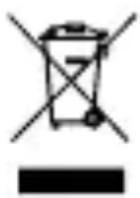
USER INFORMATION FOR DISPOSING ELECTRICAL AND ELECTRONIC DEVICES (HOME USE)
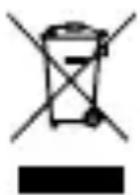
This symbol located on a product or in the product's original documentation means that the used electrical or electronic products may not be disposed together with the communal waste. In order to dispose of these
products correctly, take them to a designated collection site,
where they will be accepted for free. By disposing of a product in this way, you are helping to protect precious natural resources and helping to prevent any potential negative impacts on the environment and human health, which could be the result of incorrect waste disposal. You may receive more detailed information from your local authority or nearest collection site. According to national regulations, fines may also be given out to anyone who disposes of this type of waste incorrectly.
User information for disposing electrical and electronic devices. (Business and corporate use)
In order to correctly dispose of electrical and electronic devices for business and corporate use, refer to the product's manufacturer or importer. They will provide you with information regarding all disposal methods and, according to the date stated on the electrical or electronic device on the market, they will tell you who is responsible for financing the disposal of this electrical or electronic device. Information regarding disposal processes in other countries outside the EU. The symbol displayed above is only valid for countries within the European Union. For the correct disposal of electrical and electronic devices, request the relevant information from your local authorities or the device seller.
DE
PRODUKTBESCHREIBUNG
ERSTE INBETRIEBNAHME UND PAIRING
BT Profile: HFP, A2DP, AVRCP
Multipoint Pairing: JA
LIEFERUMFANG:
Ohrhörer Niceboy HIVE Pins 3 ANC
Ladebox
Ersatz-Ohrstöpsel
USB-C Kabel
Anleitung
SICHERHEITSHINWEISE
https://niceboy.eu/hu/declaration/hive-pins-3-anc
ELEKTROMOS ÉS ELEKTRONIKUS KÉSZÜLÉKEK MEG- SEMMISÍTÉSÉRE VONATKOZÓ FELHASZNÁLÓI TÁJÉKOZ- TATÓ (HÁZTARTÁSOK)
natural_image
Simple line drawing of a dome-shaped object with a horizontal line and a numbered label (4) pointing to its base, no text or symbols present.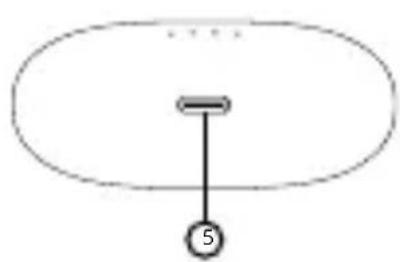
natural_image
Simple diagram with a vertical line and a numbered circle, no text or symbols presentPRVO POKRETANJE I UPARIVANJE
- Izvadite obje slušalice iz kućišta za punjenje. Slušalice će se uključiti i upariti jedna s drugom. Kada LED (1) počne treperiti bijelom bojom, slušalice su spremne za povezivanje na Bluetooth.
-
Otvorite Bluetooth postavke na svom uređaju i potražite „Niceboy HIVE Pins 3 ANC” na popisu dostupnih uređaja.
-
Zvučni signal najavljuje uspješno uparivanje, a LED (1) će početi treptati bijelom bojom u dugim intervalima.
Prilikom ponovnog povezivanja s već uparenim uređajem, izvadite slušalice iz kutije. One će se automatski uključiti i povezati s uređajem.
UKLJUČIVANJE I ISKLJUČIVANJE
natural_image
Simple line drawing of a dome-shaped object with a horizontal line and a numbered label (4) pointing to its base, no text or symbols present.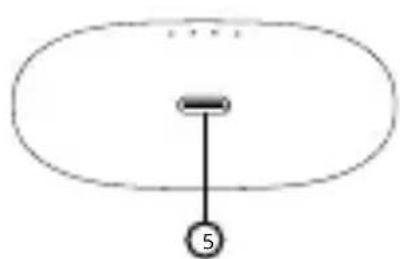
flowchart
graph TD
    A[" "] --> B[" "]
    style A fill:#fff,stroke:#000
    style B fill:#fff,stroke:#000
    note right of B: 5
PIERWSZE URUCHOMIENIE I PAROWANIE
https://niceboy.eu/pl/declaration/hive-pins-3-anc
INFORMACJA DLA UŻYTKOWNIKÓW DOTYCZĄCA UTY-LIZACJI SPRZĘTU ELEKTRYCZNEGO I ELEKTRONICZNEGO (GOSPODARSTWA DOMOWE)
PRVI VKLOP IN SEZNANJANJE
natural_image
Simple line drawing of a dome-shaped object with a horizontal line and a numbered label (4) pointing to its base, no text or symbols present.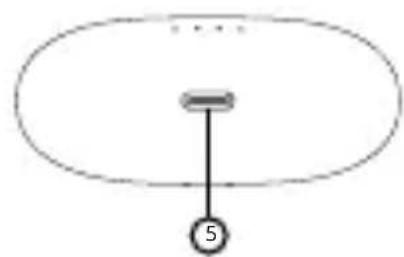
flowchart
graph TD
    A[" "] --> B[" "]
    B --> C["..."]
    C --> D["5"]
PRIMA PORNIRE ŞI ASOCIEREA
Asociere multipunct: DA
CONTINUTUL PACHETULUI:
Căști Niceboy HIVE Pins 3 ANC
Cutie de încărcare
natural_image
Simple line drawing of a dome-shaped object with a horizontal line and a numbered label (4) pointing to its base, no text or symbols present.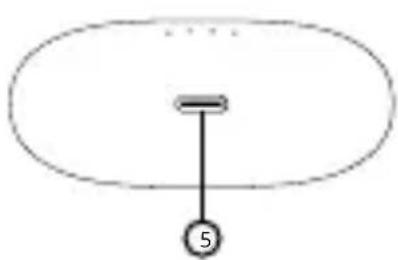
flowchart
graph TD
    A[" "] --> B["5"]
    style A fill:#fff,stroke:#000
    style B fill:#fff,stroke:#000
natural_image
Simple line drawing of a bowl with a handle and a numbered label (no text or symbols on the diagram itself)
flowchart
graph TD
    A[" "] --> B["5"]
    style A fill:#fff,stroke:#000
    style B fill:#fff,stroke:#000
PREMIÈRE MISE EN SERVICE ET APPARIEMENT
Appariement multipoint: OUI