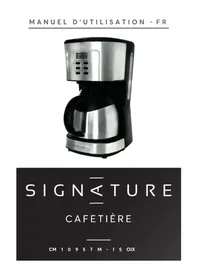
CM1095TMISOIX - Coffee machine SIGNATURE - Free user manual and instructions
Find the device manual for free CM1095TMISOIX SIGNATURE in PDF.

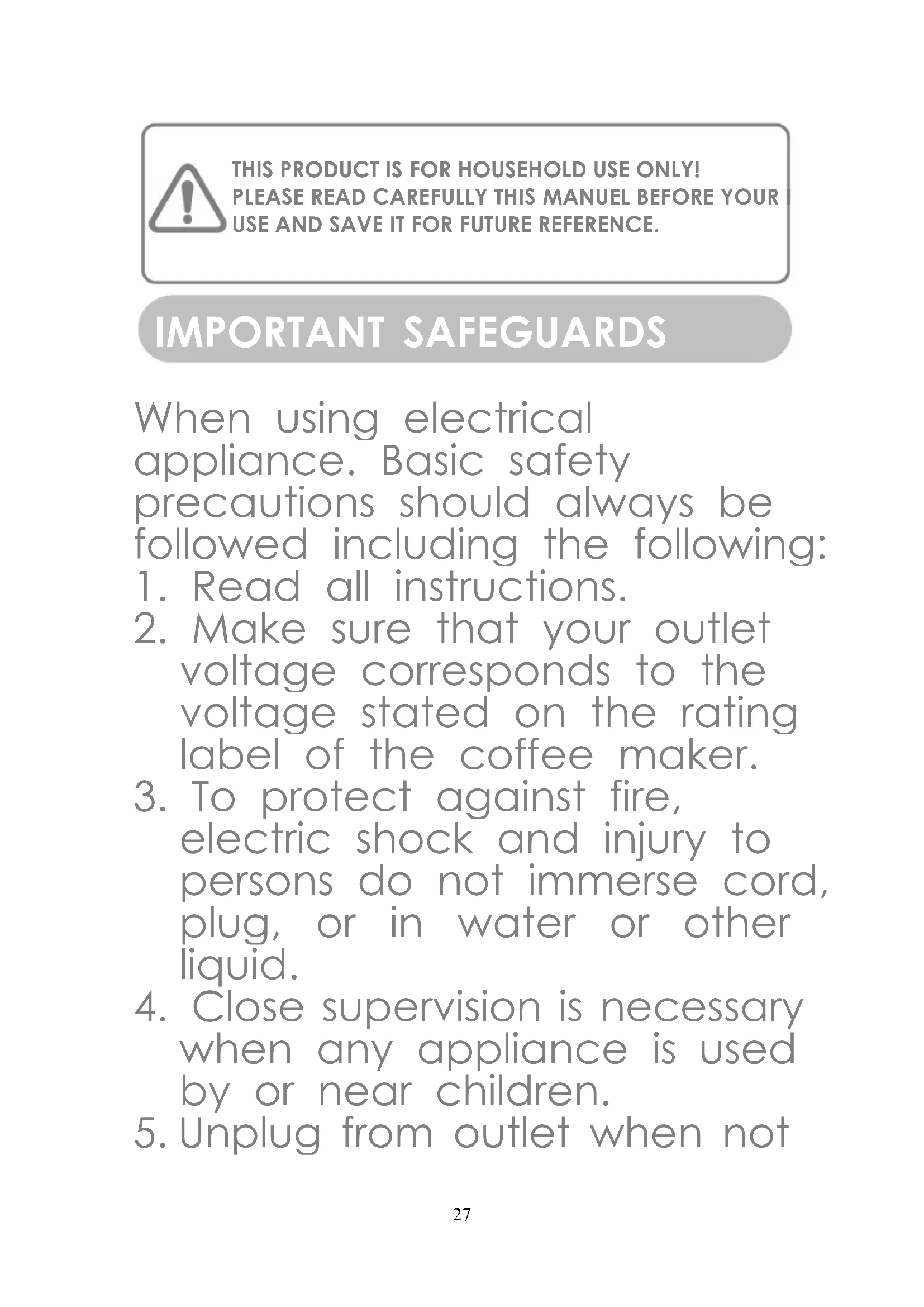

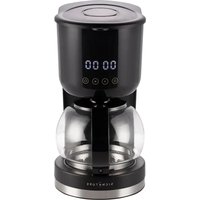
| Brand | Signature |
| Model | CM1095TMISOIX |
| Product type | Filter coffee machine |
| Power supply | 220-240 V ~ 50-60 Hz |
| Rated power | 900 W |
| Dimensions (approx.) | 25 x 20 x 35 cm |
| Weight (approx.) | 2.5 kg |
| Water tank capacity | 1.25 L (10 cups) |
| Automatic shut-off function | Yes, after 40 minutes |
| Programming function | Yes, with 24h clock |
| Intensity selector | Yes, stronger coffee |
| Hot plate | Yes, keep warm |
| Filter | Paper filter (standard size) |
| Care and cleaning | Removable parts washable with soapy water; exterior with damp cloth |
| Descaling | Recommended regularly with household descaling solution or citric acid |
| Safety | Automatic shut-off, overflow protection, hot surface indicator |
| Spare parts | Available on request from the manufacturer |
| Repairability | Repair by authorized service center recommended |
| Use | Household only |
Frequently Asked Questions - CM1095TMISOIX SIGNATURE
User questions about CM1095TMISOIX SIGNATURE
0 question about this device. Answer the ones you know or ask your own.
Ask a new question about this device
Download the instructions for your Coffee machine in PDF format for free! Find your manual CM1095TMISOIX - SIGNATURE and take your electronic device back in hand. On this page are published all the documents necessary for the use of your device. CM1095TMISOIX by SIGNATURE.
USER MANUAL CM1095TMISOIX SIGNATURE
SIGN< TURE
CAFETIÈRE
CM 1 0 9 5 T M - I S OIX
Table des matières
FAITES UN GESTE ECOCITOYEN EN TRIANT VOS EMBALLAGES CARTON
À LA FIN DE VIE DE VOTRE PRODUIT, PENSEZ À LE RAPPORTER DANS UN POINT DE COLLECTE OU DÉPOSER LE À LA DÉCHETERIE PROCHE DE VOTRE DOMICILE

CET APPAREIL EST DESTINE A UN USAGE DOMESTIQU UNIQUEMENT!
SIGN< TURE
COFFEE MAKER
CM 1 0 9 5 T M - I S OIX
Table of content
IMPORTANT SAFEGUARDS - 27 -
KNOW YOUR COFFEE MAKER -33 -
CONTROL PANEL -34-
THIS PRODUCT IS FOR HOUSEHOLD USE ONLY! PLEASE READ CAREFULLY THIS MANUEL BEFORE YOUR USE AND SAVE IT FOR FUTURE REFERENCE.
IMPORTANT SAFEGUARDS
When using electrical appliance. Basic safety precautions should always be followed including the following:
- Read all instructions.
- Make sure that your outlet voltage corresponds to the voltage stated on the rating label of the coffee maker.
- To protect against fire, electric shock and injury to persons do not immerse cord, plug, or in water or other liquid.
- Close supervision is necessary when any appliance is used by or near children.
- Unplug from outlet when not
in use and before cleaning. Allow to cool before putting on or taking off parts, and before cleaning the appliance.
-
Do not operate any appliance with a damaged cord or plug or after the appliance malfunctions, or has been damaged in any manner. Return appliance to an authorized service facility for examination, repair or adjustment.
-
The use of accessory not recommended by the appliance manufacturer may result in fire, electric shock or injury to persons.
-
Do not use outdoors.
-
Do not let cord hang over edge of table or counter, or touch hot surface.
-
Do not place on or near a hot gas or electric burner, or
in a heated oven.
-
Do not use appliance for other than intended use.
-
Do not clean container with cleansers, steel wool pads, or other abrasive material.
-
To disconnect, turn any control to “Off”, remove plug from wall outlet. Always hold the plug. But never pull the cord.
-
Scalding may occur if the cover is removed during the brewing cycles. Be careful not to get burned by the steam.
-
Some parts of appliance are hot when operated, so do not touch with hand. Use handles or knobs only.
-
Do not set a hot container on a hot or cold surface.
-
Do not let the coffee maker operate without water.
-
Do not use a cracked
container or a container having a loose or weakened handle.
-
Please do not open the top cover and make sure the thermal carafe is placed on the thermal-insulating plate correctly during the brewing.
-
To reduce the risk of fire or electrical shock, do not remove the cover. No user serviceable parts inside. Repair should be done by authorized service personnel only.
-
The container is designed for use with this appliance. It must never be used on a range top.
-
This appliance can be used by children aged from 8 years and above and persons with reduced physical, sensory or mental capabilities or lack of experience and knowledge if
they have been given supervision or instruction concerning use of the appliance in a safe way and understand the hazards involved. Children shall not play with the appliance. Cleaning and user maintenance shall not be made by children without supervision.
- This appliance can be used by children aged from 8 years and above if they have been given supervision or instruction concerning use of the appliance in a safe way and if they understand the hazards involved. Cleaning and user maintenance shall not be made by children unless they are older than 8 and supervised. Keep the appliance and its cord out of reach of children aged less
than 8 years. Appliances can be used by persons with reduced physical, sensory or mental capabilities or lack of experience and knowledge if they have been given supervision or instruction concerning use of the appliance in a safe way and understand the hazards involved. Children shall not play with the appliance.
-
This appliance is intended to be used in household and similar applications such as:
-
- staff kitchen areas in shops, offices and other working environments;
-
farm houses;
- by clients in hotels, motels and other residential type environments;
-
bed and breakfast type environments.
-
Save these instructions.
-
WARNING: Risks of injuries if you don't use this appliance correctly.
- The heating element surface is subjected to residual heat after use.
- WARNING: Avoid spillage on the connector.
- The coffee-maker shall not be placed in a cabinet when in use.
Wash the parts contact to food with clean water after removing the dregs.
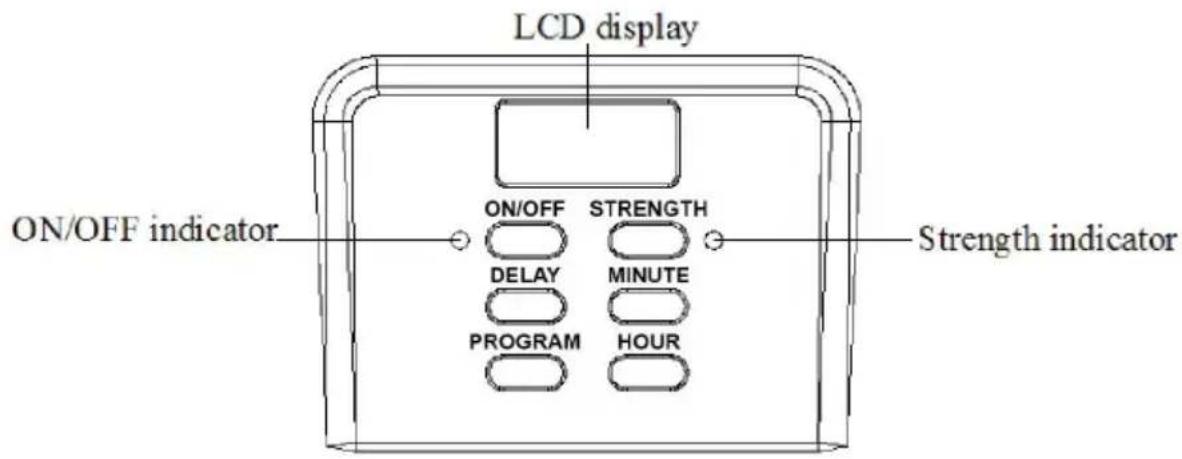
CONTROL PANEL
BEFORE THE FIRST USE
Check that all accessories are complete and the unit is not damaged. Fill water into water tank to the MAX level and brew water for several times without coffee powder, then discard the water. Clean and dry all detachable parts thoroughly according to the section “CLEANING AND MAINTENANCE”.
- Open the top cover and fill the water tank with drinking water. The water level should not exceed MAX level as indicated on the water level
gauge.
-
Place the funnel into the funnel support, make sure it is assembled correctly, otherwise the top cover cannot be closed. Place the permanent filter in the funnel.
-
Add coffee powder into permanent filter. Usually a cup of coffee needs a level spoon of coffee powder, but you may adjust according to personal taste. Close the top cover completely.
-
Insert the thermal carafe with handle closed onto thermal-insulating plate horizontally.
-
Plug the power cord into the outlet. If you want to adjust the coffee strength, you can press “STRENGTH” button once, and then the STRENGTH indicator will illuminate in orange and the appliance
will brew thick coffee. If you do not want to adjust the coffee strength, just follow the following operation to brew normal coffee.
- Press ON/OFF button, the ON/OFF indicator illuminates in red. The LCD display indicates “12:00”, and then the appliance begins to work.
Note: The brewing process can be interrupted by pressing the ON/OFF button at any time, and the ON/OFF indicator will extinguish, indicating your coffee maker is shut off.
Note: During brewing process, the buttons of “PROGRAM”, “DELAY BREW”, “HOUR” and “MINUTE” are invalid.
- The brewing process can be interrupted by pressing the ON/OFF button at any time, the ON/OFF indicator will extinguish. The appliance will
continue brewing once ON/OFF button is pressed again.
Note: You can take out thermal carafe, pour and serve at any time. The appliance will stop dripping automatically. But the time cannot exceed 30 seconds.
- Remove the thermal carafe to serve when finish brewing (about one minute later after the coffee stops dripping out.)
Note: the coffee you get will less than the water you have added, as some water is absorbed by coffee ground and adhere to the plastic.
- The appliance will shut off automatically and enter into standby mode after finish brewing. The coffee can be kept warm in the thermal carafe, suggest that the time
of keeping warm is not more than 1 hour. For an optimum coffee taste, serve it just after brewing.
- Always turn the coffee maker off and disconnect the power supply when not use.
Note: pay attention to pour the coffee out, otherwise you may be hurt as the temperature of coffee just finished is high.
DELAY FUNCTION
If you do not want the coffee maker to start operation immediately, for example now it is 8:10, you hope that the coffee maker will automatically start working at 13:00, first follow steps 1 to 5 of “USING YOUR COFFEE MAKER”, and then you can set the automatic start function as follows:
- Set the current time that is 8:10 by pressing the buttons of "HOUR" and "MINUTE".
Note: The time cycle is 24 hours.
-
Press PROGRAM button once, ON/OFF indicator flashes in green, the LCD display indicates “12:00” flickeringly. Set the automatic start time that is 13:00 by pressing the buttons of “HOUR” and “MINUTE”.
-
Press the DELAY BREW button, the ON/OFF indicator illuminates in green solidly. After a while, the LCD display indicates the current time.
Note: You may cancel the automatic start function by pressing DELAY BREW button. If you want to change the automatic start time, only following the above steps 2-3 again.
- When the time is due, the
ON/OFF indicator will illuminate in red and the appliance starts brewing.
- The appliance will shut off automatically and enter into standby mode after finish brewing. The coffee can be kept warm in the thermal carafe, suggest that the time of keeping warm is not more than 1 hour. For an optimum coffee taste, serve it just after brewing.
Note: During brewing process, the buttons of “PROGRAM”, “DELAY BREW”, “HOUR” and “MINUTE” are invalid.
CLEANING AND MAINTENANCE
CAUTION: Be sure to unplug this appliance before cleaning. To protect against electrical shock, do not immerse cord, plug or unit in water or liquid. After each
use, always make sure plug is first removed from wall outlet.
- Clean all detachable parts after each use in hot sudsy water.
- Wipe the exterior surface of unit with a soft, damp cloth to remove stains.
- Water droplets may buildup in the above area of the funnel and drip onto the product base during brewing. To control the dripping, wipe off the area with a clean, dry cloth after each use.
- Use a damp cloth to gently wipe the thermal-insulating plate. Never use abrasive cleaner to clean it.
- Replace all parts and keep for next use.
REMOVING MINERAL DEPOSITS
To keep your coffee maker operating efficiently, periodically you should clean away the mineral deposits left by the water according to the water quality in your area and the use frequency, we recommend removing mineral deposits as follows:
-
Fill the tank with water and descaler to the max level as indicated on the water level gauge (the scale of water and descaler is 4:1, the detail refers to the instruction of descaler. Please use “household descaler”, you may also use the citric acid instead of the descaler (the one hundred parts of water and three parts of citric acid).
-
Insert glass carafe onto the
thermal-insulating plate.
-
Make ensure filter (without coffee powder) and funnel are assembled in place.
-
Switch on the appliance and allow it to “brew” de-scaling solution by follow the operation above.
-
After “brew” one-cup solution, switch off the appliance.
-
Leave the solution stay for 15 minutes and repeat step 3-5.
-
Switch on the appliance and run off the solution until the water tank is completely empty.
-
Rinse by operating the appliance with water at least 3 times.
HINTS FOR GREAT-TASTING COFFEE
- A clean coffee maker is essential for making great-tasting coffee. Regularly clean the coffee maker as specified in the "CLEANING AND MAINTENANCE" section. Always use fresh, cold water in the coffee maker.
- Store unused coffee powder in a cool, dry place. After opening a package of coffee powder, reseal it tightly and store it in a refrigerator to maintain its freshness.
- For an optimum coffee taste, buy whole coffee beans and finely grind them just before brewing.
- Do not reuse coffee powder since this will greatly reduce the coffee' flavor. Reheating coffee is not recommended as coffee is at its peak flavor immediately after brewing.
- Clean the coffee maker when over-extraction causes oiliness. Small oil droplets on the surface of brewed, black coffee are due to the extraction of oil from the coffee powder.
- Oiliness may occur more frequently if heavily roasted coffees are used.
VOLTAGE/FREQUENCY: 220-240V\~ 50-60Hz
ENVIRONMENT FRIENDLY DISPOSAL
You can help protect the environment!
Please remember to respect the local regulations: hand in the non-working electrical
equipments to an appropriate waste disposal center.

- SIGN< TURE
- TABLE DES MATIÈRES
- FAITES UN GESTE ECOCITOYEN EN TRIANT VOS EMBALLAGES CARTON
- COFFEE MAKER
- TABLE OF CONTENT
- IMPORTANT SAFEGUARDS
- CONTROL PANEL
- BEFORE THE FIRST USE
- DELAY FUNCTION
- CLEANING AND MAINTENANCE
- USE, ALWAYS MAKE SURE PLUG IS FIRST REMOVED FROM WALL OUTLET
- REMOVING MINERAL DEPOSITS
- HINTS FOR GREAT-TASTING COFFEE
- ENVIRONMENT FRIENDLY DISPOSAL
Brand : SIGNATURE
Model : CM1095TMISOIX
Category : Coffee machine