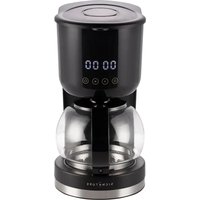
Cafe Digital - Coffee machine SIGNATURE - Free user manual and instructions
Find the device manual for free Cafe Digital SIGNATURE in PDF.


Pick your language and provide your email: we'll send you a specifically translated version.
| Brand | SIGNATURE |
| Model | Cafe Digital |
| Product type | Filter coffee machine |
| Supply voltage | 220-240 V~ |
| Frequency | 50-60 Hz |
| Power | 915-1080 W |
| Water tank capacity | Indicated by MIN and MAX marks on the tank |
| Number of cups | Indicated on the water tank |
| Main functions | Immediate and programmed heating (0-24h), automatic shut-off after 40 min |
| Display | Digital screen with clock and indicators |
| Filter type | Paper filter size 1x4 (not included) |
| Materials | Plastic, glass (carafe) |
| Maintenance | Wipe exterior with damp cloth; carafe, filter and funnel washable in warm soapy water |
| Descaling | Recommended regularly with white vinegar |
| Safety | Automatic shut-off after 40 min, overheat protection, hot surfaces indicated |
| Intended use | Domestic and similar (offices, farms, hotels, B&Bs) |
| Warranty | Legal warranty of conformity 2 years |
| After-sales service | Contact: 09 78 97 97 97 (Monday-Friday 9am-7pm, Saturday 9am-6pm) |
| Recycling | Do not dispose of with household waste, follow WEEE directive 2012/19/EU |
Frequently Asked Questions - Cafe Digital SIGNATURE
How to set the real-time clock on the Cafe Digital coffee machine?
In standby mode, press the HOUR (H) button to set the hours (0-23) and MIN (M) for the minutes (0-59). Long press scrolls quickly.
How to program a delayed start (programmed heating)?
First set the real-time clock. Press the preset button ©, then set the desired time with H and M. Press © again or wait 5 seconds to confirm. The appliance will heat up automatically at the programmed time.
What to do if coffee does not flow?
Check that the water tank contains enough water and that the filter is not clogged. Ensure the funnel is properly placed. If the problem persists, turn off the appliance, unplug it, and clean the filter and funnel.
How to clean the Cafe Digital coffee machine?
Always unplug the appliance before cleaning. Never immerse the body in water. Wipe the exterior with a damp cloth. Wash the carafe, filter, and funnel in warm soapy water.
How often should the machine be descaled?
It is recommended to descale regularly, especially if you use hard water. Descaling every 1 to 2 months is advised, or as soon as you notice a drop in flow rate.
How to descale the machine with vinegar?
Fill the water tank with plain white vinegar (no coffee). Run the appliance as for a normal cycle. Once finished, rinse by running two cycles with clear water.
What does the display '0000' mean?
The display '0000' indicates that the appliance is in standby and the real-time clock has not been set yet. You can set the time to use the programmable functions.
Can I use the machine without setting the clock?
Yes, you can use immediate heating by simply pressing the ON/OFF button. The clock is only needed for the programming function.
How much ground coffee should I put per cup?
For a standard cup, use about 5 to 6 grams of ground coffee. Adjust to taste. Use a size 1x4 paper filter.
What to do if the appliance turns off by itself?
The appliance automatically shuts off after 40 minutes of continuous operation without action. This is a safety feature. You can simply turn it back on if needed.
User questions about Cafe Digital SIGNATURE
0 question about this device. Answer the ones you know or ask your own.
Ask a new question about this device
No questions yet. Be the first to ask one.
Download the instructions for your Coffee machine in PDF format for free! Find your manual Cafe Digital - SIGNATURE and take your electronic device back in hand. On this page are published all the documents necessary for the use of your device. Cafe Digital by SIGNATURE.
USER MANUAL Cafe Digital SIGNATURE
SIGN
CAFETIÈRE
CAFE DIGITAL
TABLE DES MATIERES
INSTRUCTIONS DE SECURITE -4-
DESCRIPTION -7-
INSTRUCTIONS DE FONCTIONNEMENT -7-
AVANT LA PREMIÈRE UTILISATION -10-
PREPARATION DU CAFÉ -11-
NETTOYAGE -11-
DETARTRAGE -11-
SPECIFICATIONS -12-
ENLÈVEMENT DES APPAREILS MENAGERS USAGES -12-

CET APPAREIL EST DESTINE A UN USAGE DOMESTIQUE UNIQUEMENT!
Veuillez tire attentivement toutes les instructions avant la première utilisation et conservez-les pour une reférence ultérieure.
INSTRUCTIONS DE SECURITE
Lisez attentivement ces instructions de sécurité avant d'utiliser votre appareil et conservez-les pour une éventuelle consultation ultérieure.
- Cet apparéil peut être utilisé par des enfants âgés de 8 ans ou plus, s'ils sont surveillés, s'ils ont reçu des instructions sur l'utilisation de l' apparéil en toute sécurité et s'ils ont conscience des dangers encourus. Le nettoyage et l'entretien ne doivent pas été effectuels par des enfants, sauf s'ils ont 8 ans ou plus et s'ils sont surveillés. Tenir l' apparéil et son cordon hors de portée des enfants de moins de 8 ans.
- Les appareils peuvent être utilisés par des personnes dont les capacities physiques, sensorielles ou mentales sont réduites ou qui manquent d'expérience et de connaissances, si elles sont surveillées, si elles ont reçu les instructions sur l'utilisation de l'ordinateil en toute sécurité et si elles ont conscience des dangers encourus. Les enfants ne doivent pas jouer avec l'ordinateil.
- Si le cable d'alimentation est endommagé, il doit être remplace par le fabricant, son service après-vente ou des personnes de qualification similaire afin d'éviter
un danger.
- Cet apparéil est destiné à être utilisé dans des applications domestiques et analogues telles que :
- des coins cuisines réservés au personnel des magasins, bureaux et autres environnement professionals;
-dansdesfermes;
- l'utilisation par les clients des hotels, motels et autres environnementés à caractère résidentiel ;
- des environnements de type chambres d'hôtes.
L'appareil ne doit pas etre immerge.
- La cafetière ne doit pas être place à l'intérieur d'un meuble lorsqu'elle est en cours d'utilisation.
- MISE EN GARDE : N'utilisez pas l'appareil si la surface est fissurée.
- La surface de l'élément chauffant présente une chaleur résiduelle après utilisation. Ne touchez pas ces surfaces afin d'éviter de vous brûler.
Utilisez l'appareil conformément à ces instructions. Une mauvaise utilisation de l'appareil peut entrainer un choc électrique ou présente d'autres dangers.
- Avant de brancher l'appareil, vérifie que la tension indiquée sur l'appareil correspond à cette du secteur.
- Ne posez pas l'appareil sur une surface chaude.
N'utilisez pas cet apparéil en extérieur.
- Débranche la fiche de l'appareil de la prise secteur :
- si des problèmes survient lors de la préparation du café;
- avant de nettoyer l'appareil.
Veillez à ce que le cordon d'alimentation ne touche pas la surface chaude.
- Gardez l'appareil hors de portée des enfants lors de son utilisation. Évitez qu'ils ne tirent sur le cordon
d'alimentation.
- Remplissez le réservoir d'eau avant d'allumer l'appareil.
- La plaque chauffante devient chaude pendant l'utilisation. Ne la touchez pas - risque de graves brûlures!
- Pour replir le réservoir d'eau, utilisez uniquement de l'eau fraîche et froide.
- MISE EN GARDE : Risques de blessures en cas de mauvaise utilisation du produit.
- En ce qui concerne les informations détaillées sur la manière de nettoyer les surfaces en contact avec les aliments, reféréz-vous dans la section « NETTOYAGE».

1. Couvercle supérieur
2. Pulvérisateur
3. Indicateur de niveau d'eau
4. Câble d'alimentation
5. Socle
6. Carafe
7. Corps
8. Entonnoir
9. Filtre

INSTRUCTIONS DE FONCTIONNEMENT
1. Fonctions principales
- Deux modes de fonctionnement : Chauffage préréglé (0 ~ 24 heures) et chauffage immédiat. Le chauffage préréglé nécessite de prérégler l'horloge en temps réel et une heures pour commencer àchauffer. Lorsque le temps réel atteint
l'heure préreglee, l'appareil commence à chauffer et s'éteint automatiquement après 40 minutes. Pour le chauffage immédiat, appuyez sur le bouton de MARCHE/ARRÉT, l'appareil commence à chauffer immédiatement.
Protection de l'arrêt automatique : Lorsqu'il fonctionne en continu pendant 40 minutes sans aucune opération, l'appareil s'éteint automatiquement et passé à la protection d'arrêt automatique.
2. Instructions des boutons
- Bouton de MARCHE/ARRÉT «①»: Lorsque l'appareil est branché, il passe en mode de veille (l'écran affiche statiquement 0000). L'appareil commence à chauffer en appuyant sur ce bouton. Dans l'état de fonctionnement ou de préréglage, appuyez sur ce bouton pour effacer l'état de fonctionnement actuel et revenir à l'état de veille.
- Bouton de HEURE « (H) » (0-23): En mode veille, appuyez chaque fois sur « (H)», le temps augmente d'une heures; les heures continuents augmenter en appuyant longuemement.
- Bouton de MIN « M » (0-59): En mode veille, appuyez chaque fois sur « M, le temps augmente d'une minute; les minutes continuent d'augmenter en appuyant longuement.
- Bouton de préréglage « © »: ÀpRES avoir régle l'horloge en temps réel, l'appareil peut fonctionner.
a. Appuyez sur ce bouton pour entrer dans l'état de préréglage, l'indicateur de préréglage clignotera. À ce moment, l'heure peut être préréglée en appuyant « (H) » ou « (M) »
b. Appuyez à nouveau sur ce bouton pour sortir du l'etat de préRéglage; si l'heure a été préréglée, l'appareil entraira automatiquement dans l'ariat de fonctionnement préréglé; si ce n'est pas le cas, l'appareil reviendra à l'ariat de voirie.
c. Dans l'etat de fonctionnement préréglé, appuyez sur ce bouton pour voir l'heure préréglée.
3. États d'écran
- État de veille : Branchez l'appareil, l'écran affiche statiquement « 0000 » (si l'horloge temps réel non régée) ou affiche l'horloge en temps réel régée.
- État de chauffage: La dette « n » à gauche tourne dynamiquement dans le sens antihoraire, le chiffre à droite indique le temps de fonctionnement (0-40 min) et l'indicateur correspondant restera allumé en permanence. S'il n'y a pas de fonctionnementpendant 40 minutes, l'appareil quittera automatiquement l'état de fonctionnement et arrêtera le chauffage.
- État de préréglage : L'écran affiche l'horloge en temps réel et commence à chronométrer, l'indicateur de préréglage restera allumé en permanence. Lorsque le temps réel atteint l'heure préréglée, l'appareil commencerà à chauffer.
4. Processus de fonctionnement
- État de veille : Branchez la cafétière, l'appareil entre en état de veille et l'écran affiche statiquement « 0000 ». Appuyez sur le bouton de MARCHE/ARRÉT, l'appareil commence à chauffer immédiatement. L'écran affichera le temps de fonctionnement et commence à chronométrer. S'il n'y a pas de fonctionnementpendant 40 minutes, l'appareil s'arrêtera de chauffer automatiquement et entraera en état de veille.
- Régler l'horloge en temps réel: En mode veille, appuyez sur « H » ou « M » jusqu'à l'heure souhaïée. Le temps continue d'augmenter tout le temps en appuyant longuement.
- Régler l'heure de chauffage préréglé : Dans l'état veille de voir du fonctionnement en temps réel ou après avoir réglé l'horloge en temps réel, appuyez sur le bouton « © » pour régler l'heure de chauffage préréglé. À ce moment, appuyez sur « H » ou « M » jusqu'à l'heure que vous pouze. Le
temps continuera d'augmenter tout le temps en appuyant longuement. Une fois le réglage terminé, appuyez sur le bouton « © » ou ne prenezaucun fonctionnementpendant 5 secondes pour confirmer l'heure préréglée.L'appareil quittera l'état de réglage et entera à l'état de chauffage préréglé. Si l'horloge en temps réel ne change pas, la fonction de préréglage est sans effet. Une fois que l'horloge en temps réel atteint l'houre préréglée, l'appareil chauffe automatiquement. 40 minutes plus tard, l'appareil s'arrête de chauffer automatiquement et annulera la fonction de préréglage.
- Vous pouvez regarder l'heure préréglé en appuyant sur le bouton « © » sous l'état de fonctionnement du préréglage.
Chauffage immediat:
a. Appuyez sur le bouton de MARCHE/ARRÉT en état de veille, l'appareil commence à chauffer immédiatement.
b. Appuyez à nouveau sur le bouton de MARCHE/ARRÉT pour arrêter de fonctionner pendant le chauffage et l'indicateur correspondant s'éteint.
5. Fonction de protection
- Lorsque l'appareil branche pendant 40 minutes sans aucune opération sur les boutons, il s'éteint automatiquement pour passer à la fonction de protection.
AVANT LA PREMIÈRE UTILISATION
Pour obtenir un bon café, faites fonctionner la cafetière pendant 2 ou 3 cycles en utilisant uniquement de l'eau propre (sans café). Une fois que toute l'eau s'est écoulée, éteignez l'appareil et laissez-le refroidir pendant 5 minutes. Répétez ensuite l'opération avec de l'eau propre.
PREPARATION DU CAFÉ
- Remplissez le réservoir d'eau en y ajoutant la quantité d'eau requise. Assurez-vous que le niveau de l'eau n'est pas en dessous du repère minimum ni au-dessus de l'indication « MAX ». Utilisez uniquement de l'eau froide et propre. Le nombre de tasses est indiqué sur le réservoir d'eau.
- Si le filtrte n'a pas ete utilise, inserez un filtre a cafe en papier de taille « 1x4 » et replissez la quantitedesirede de cafe moulu.
- Mettez l'appareil en marche. Attende que la préparation du café soit terminée et que le compartmentement Fourth fonctionne à vide.
Pour les tasses plus larges: prendre 5-6 g de café moulu par tasse.
Pour préparer immédiatement plus de café
Si vous avez plus d'une tasse de café à faire et que vous souhaitez préparer plus de café tout de suite, éteignez la cafétière et laissez-la refroidir pendant au moins 5 minutes. Vous pouvez ensuite de nouveau replir le réservoir d'eau.
NETTOYAGE
- Débranchez toujours la fiche de l'appareil de la prise murale avant de nettoyer l'appareil.
N'immergez jamais l'appareil dans I'eau.
Nettoyez l'appareil à l'aide d'un chiffon humide.
La carafe, le filtrer et l'entonnoir doivent etre lavés dans de I'eau chaude savonneuse.
DETARTRAGE
- Détartrez régulieremment votre cafetière.
- Faites fonctionner l'appareil en fonction de la description. Cependant, replisssezmaintenant le réservoir avec du vinaigre ordinaire, n'ajoutez pas de café moulu dans l'entonnoir.
- Àprous le détartrage, replisssez le réservoir avec de l'eau, et laissez l'appareil fonctionner deux fois de plus pour rincer le vinaigre et le tartre résiduel.
SPECIFICATIONS
Tension: 220-240V~
Fréquence : 50-60Hz
Puissance : 915- 1080W
ENLÈVEMENT DES APPAREILS MÉNAGERS USAGÉS

La directive européenne 2012/19/UE sur les déchets d'équipements ELECTriques et électroniques (DEEE) exige que les apparciels menagers usages ne soient pas jetés dans le flux normal des déchets municipaux. Les apparciels usages doivent être collectés séparément afin d'optimiser le taux de valorisation et de recyclage des matériaux qui les composent, et de réduire l'impact sur la santé humaine et sur l'environnement. Le symbole de la poubelle barrée est apposé sur tous les produits pour vous rappeler les obligations de collecte sélective.
Le fabriquant et le revendeur ne peuvent pas etre tenus responsable de tout accident ou dommage cause par une utilisation impropre de l'appareil, ou si les instructions données dans le present manuel n'ont pas ete respectees.
Conformément à l'Article L. 217 du code de la consommation, votre produit bénéficiaie d'une garantie légale de conformité de 2 ans.
Pour contacter notre Service ÀpRES-Vente, avant de vous déplacer à votre magasin BUT, appepez-le :

0978979797
du lundi au vendredi de 09h00 à 19h00 et
le samedi de 09h00 à 18h00
Prix d'un appel local

SIGN
COFFEE MAKER
CAFE DIGITAL
TABLE OF CONTENTS
SAFETY INSTRUCTIONS -15-
DESCRIPTION -17-
OPERATINGINSTRUCTION -18-
BEFORE FIRST USE -21-
MAKING COFFEE -21-
CLEANING -21-
DESCALING -22-
TECHNICAL SPECIFICATIONS -22-
DISPOSAL OF OLD ELECTRICAL APPLIANCES -22-
SAFETY INSTRUCTIONS
Read these safety instructions carefully before using your appliance and keep them safe for future reference.
- This appliance can be used by children aged from 8 years and above if they have been given supervision or instruction concerning use of the appliance in a safe way and if they understand the hazards involved. Cleaning and user maintenance shall not be made by children unless they are older than 8 and supervised. Keep the appliance and its cord out of reach of children aged less than 8 years.
- Appliances can be used by persons with reduced physical, sensory or mental capabilities or lack of experience and knowledge if they have been given supervision or instruction concerning use of the appliance in a safe way and if they understand the hazards involved. Children shall not play with the appliance.
- If the supply cord is damaged, it must be replaced by the manufacturer, its service agent or similarly qualified persons in order to avoid a hazard.
- This appliance is intended to be used in household and similar applications such as:
- staff kitchen areas in shops, offices and other working environments;
-farm houses;
- by clients in hotels, motels and other residential type environments;
- bed and breakfast type environments.
The appliance must not be immersed.
- The coffee-maker shall not be placed in a cabinet during use.
WARNING: Do not use the appliance if the surface is cracked.
- The heating element surface is subjected to residual heat after use. Do not touch these surfaces to avoid burning yourself.
- Use the appliance according to this instruction, any misuse may cause electric shock or other hazards.
- Before connecting the appliance, please check if the voltage indicated on the appliance corresponds with the main voltage in your home.
- Do not place the appliance on a hot surface.
- Do not use this appliance outdoors.
- Remove the main plug from the wall socket;
- if problems occur during making coffee;
- before cleaning the appliance.
- Do not allow the main cord to come into contact with hot surface.
- Use the appliance out of children reach. Prevent them from pulling the main cord.
- Do pour any water before the appliance has been turned on.
- The heating plate is hot when in operation. Do not touch-risk of severe burn!
To fill the water tank use fresh cold water only.
WARNING: Risks of injuries if you don't use this
apppliance correctly.
- Regarding the instructions for cleaning surfaces in contact with food, thanks to refer to the section "CLEANING".
DESCRIPTION

1. Top Cover
2. Sprayer
3. Water Window
4. Power Cord
5. Base
6. Carafe Assy
7. Body
8. Funnel Assy
9. Filter Assy

1. Main functions
- Two working modes: Preset-heating (0~24 hour) and heating immediately. Preset heat needs presetting the real-time timer and presetting heating time. When the timer reaches the preset time, the appliance begins heating and shuts off automatically after 40 minutes. Heating immediately needs pressing the "ON/OFF" key-press, the appliance starts heating immediately.
(2) Automatic-off protection: When it works continuously for 40 minutes without key-press operations, the machine automatically shuts off and turns to Automatic-off protection.
2. Key-press instructions
- "ON/OFF (①)" Key-press: When the appliance is connected to the power supply, it enters into stand-by state (the screen statically shows 0000). Take a press on this key-press, the appliance begins heating. In the working state or presetting state, pressing this key-press can clear away the current working state and come back to the stand-by state.
- "HOUR (H)" Key-press (0-23): Under stand-by state, each time press
"①", the time adds one hour; long press it and time adds all the time.
- "MIN (M) " Key-press (0-59): Under stand-by state, each time press the "M", the time adds one minute, long press it and time adds all the time.
- "Presetting (⊙)" Key-press: It can be operated after the real-time timer has been set.
a. Take a press to enter into presetting state, the presetting indicator will flash. At this time, the presetting timer can be set by adjusting the "H" or "M"
b. Take the second press to exit from the presetting timer; if the presetting time has been set, the appliance enters presetting working state automatically; if not, the appliance comes back to stand-by state.
c. In the preset working, pressing this key-press can look over the preset time.
3. Display state
- Stand-by state: plug in, the screen statically shows "0000" (without setting the real-time timer) or shows the set real-time timer.
- Heating state: The letter "n" on the left rotates counterclockwise animatedly, the number on the right counts the working time (0-40 min) and the working indicator light will remain on all the time. If there is no operation for 40 minutes, the appliance will exit the working state automatically and stop heating.
- Presetting state: The screen shows real-time timer and counts, the presetting indicator light will remain on all the time. When the real time reaches to the preset time, the appliance will begin heating.
4. Operating processes
- Stand-by state: Plug in the coffee maker, the appliance enter stand-by state and the screen statically shows "0000".
Pressing "ON/OFF" key-press, the appliance starts heating immediately, the screen will show the working time and count. If operations do not occur for the duration, 40 minutes later, the appliance will shut off heating automatically and enter stand-by state.
- Set real-time timer: In stand-by state, press "H" or "M" till the time you want. Long press it and time adds all the time.
- Set presetting heating time: In the "Stand-by" state of the running real time or after setting the "Real-time" timer, press button "⑥" to enter into the adjusting of the preset heating. At this time, press "H" or "M" till the time you want. Long press it and time adds all the time. After finishing setting, press button "⑨" to confirm the preset time or take no operation for 5 seconds after setting the time, the appliance will exit the setting and go into the preset heating state. If the real time does not run, the presetting function is of no effect. Once the real-time timer goes to the preset time, the appliance will heat automatically. 40 minutes later, the appliance shuts off heating and cancels the presetting function.
- Pressing button " ⑨ " can look over the preset time under the presetting working state.
- Immediate heating:
a. In the stand-by state, press ON/OFF button, it starts heating immediately.
b. Repress the ON/OFF button to stop working during heating and the working indicator light will go out.
5. Protect function
- When the machine is on for 40 minutes without key-press operations, it turns off automatically to go into protecting function.
BEFORE FIRST USE
For a perfect taste, carry out 2 or 3 boil-processes with fresh water (without coffee). Once all the water has passed through, switch off the appliance and let it cool down for 5 minutes. Then repeat the process with fresh water.
MAKING COFFEE
- Fill the water tank with the required quantity of water. Ensure that the water level is not lower than the minimum mark and not higher than indication "MAX". Use cold, fresh water only. The number of cups can be read on the water tank.
- Insert filter paper size "1x4" if the filter hasn't been used and fill in the desired quantity of ground coffee.
- Switch on the appliance. Wait until the brewing process is finished and the funnel has run empty.
- For large cups: takes 5-6g of ground coffee each cup.
Making more coffee straight away?
If you have made one cup of coffee and wish to make some more straight away, please switch off the coffee maker and allow at least 5 minutes for it to cool down. Then you can refill the water tank.
CLEANING
- Always remove the main plug from the wall socket before cleaning the appliance.
- Never immerse the appliance in water.
Clean the appliance with a damp cloth.
- The carafe and the filter and the funnel can be washed in hot soapy water.
DESCALING
- Descale your coffee maker regularly.
- Operate the appliance as described. However, now use ordinary vinegar to fill the water tank and do not fill the funnel with ground coffee.
After descending let the appliance work twice more with only water to rinse away the vinegar and scale remainders.
TECHNICAL SPECIFICATIONS
VOLTAGE: 220-240V~
FREQUENCY: 50-60Hz
POWER: 915-1080W
DISPOSAL OF OLD ELECTRICAL APPLIANCES

European directive 2012/19/EU on Waste from Electrical and Electronic Equipment (WEEE), requires that used household appliances are not thrown into the normal municipal waste stream. Used appliances must be collected separately in order to optimize the rate of recovery and recycling of materials that compose them, and to reduce the impact on human health and on the environment. The crossed bin symbol is affixed to all the products to remind you of the obligations of separated collection.
We decline liability for any damage or accident derived from any use of this product which is not in conformity with the instructions contained in this booklet.
In accordance with Article L. 217 of the Consumer Code, your product benefits from a legal guarantee of conformity of 2 years. To contact our After-Sales Service, before going to your BUT store, call 09 78 97 97 97. From Monday to Friday from 9:00 to 19:00, Saturday from 9:00 to 18:00 (local call price).

LE TRI
+FACILE


Dépréciées les éléments avant de trier
BUT INTERNATIONAL
1 Avenue Spinoza
77184 Emerainville, France
CAFETIÈRE
CAFE DIGITALTABLE DES MATIERES
INSTRUCTIONS DE SECURITE -4- DESCRIPTION -7- INSTRUCTIONS DE FONCTIONNEMENT -7- AVANT LA PREMIÈRE UTILISATION -10- PREPARATION DU CAFÉ -11- NETTOYAGE -11- DETARTRAGE -11- SPECIFICATIONS -12- ENLÈVEMENT DES APPAREILS MENAGERS USAGES -12- CET APPAREIL EST DESTINE A UN USAGE DOMESTIQUE UNIQUEMENT!
Veuillez tire attentivement toutes les instructions avant la première utilisation et conservez-les pour une reférence ultérieure.INSTRUCTIONS DE SECURITE
Lisez attentivement ces instructions de sécurité avant d'utiliser votre appareil et conservez-les pour une éventuelle consultation ultérieure. - Cet apparéil peut être utilisé par des enfants âgés de 8 ans ou plus, s'ils sont surveillés, s'ils ont reçu des instructions sur l'utilisation de l' apparéil en toute sécurité et s'ils ont conscience des dangers encourus. Le nettoyage et l'entretien ne doivent pas été effectuels par des enfants, sauf s'ils ont 8 ans ou plus et s'ils sont surveillés. Tenir l' apparéil et son cordon hors de portée des enfants de moins de 8 ans. - Les appareils peuvent être utilisés par des personnes dont les capacities physiques, sensorielles ou mentales sont réduites ou qui manquent d'expérience et de connaissances, si elles sont surveillées, si elles ont reçu les instructions sur l'utilisation de l'ordinateil en toute sécurité et si elles ont conscience des dangers encourus. Les enfants ne doivent pas jouer avec l'ordinateil. - Si le cable d'alimentation est endommagé, il doit être remplace par le fabricant, son service après-vente ou des personnes de qualification similaire afin d'éviter un danger. - Cet apparéil est destiné à être utilisé dans des applications domestiques et analogues telles que : - des coins cuisines réservés au personnel des magasins, bureaux et autres environnement professionals; -dansdesfermes; - l'utilisation par les clients des hotels, motels et autres environnementés à caractère résidentiel ; - des environnements de type chambres d'hôtes. L'appareil ne doit pas etre immerge. - La cafetière ne doit pas être place à l'intérieur d'un meuble lorsqu'elle est en cours d'utilisation. - MISE EN GARDE : N'utilisez pas l'appareil si la surface est fissurée. - La surface de l'élément chauffant présente une chaleur résiduelle après utilisation. Ne touchez pas ces surfaces afin d'éviter de vous brûler. Utilisez l'appareil conformément à ces instructions. Une mauvaise utilisation de l'appareil peut entrainer un choc électrique ou présente d'autres dangers. - Avant de brancher l'appareil, vérifie que la tension indiquée sur l'appareil correspond à cette du secteur. - Ne posez pas l'appareil sur une surface chaude. N'utilisez pas cet apparéil en extérieur. - Débranche la fiche de l'appareil de la prise secteur : - si des problèmes survient lors de la préparation du café; - avant de nettoyer l'appareil. Veillez à ce que le cordon d'alimentation ne touche pas la surface chaude. - Gardez l'appareil hors de portée des enfants lors de son utilisation. Évitez qu'ils ne tirent sur le cordon d'alimentation. - Remplissez le réservoir d'eau avant d'allumer l'appareil. - La plaque chauffante devient chaude pendant l'utilisation. Ne la touchez pas - risque de graves brûlures! - Pour replir le réservoir d'eau, utilisez uniquement de l'eau fraîche et froide. - MISE EN GARDE : Risques de blessures en cas de mauvaise utilisation du produit. - En ce qui concerne les informations détaillées sur la manière de nettoyer les surfaces en contact avec les aliments, reféréz-vous dans la section « NETTOYAGE».  1. Couvercle supérieur 2. Pulvérisateur 3. Indicateur de niveau d'eau 4. Câble d'alimentation 5. Socle 6. Carafe 7. Corps 8. Entonnoir 9. Filtre  INSTRUCTIONS DE FONCTIONNEMENT1. Fonctions principales
- Deux modes de fonctionnement : Chauffage préréglé (0 ~ 24 heures) et chauffage immédiat. Le chauffage préréglé nécessite de prérégler l'horloge en temps réel et une heures pour commencer àchauffer. Lorsque le temps réel atteint l'heure préreglee, l'appareil commence à chauffer et s'éteint automatiquement après 40 minutes. Pour le chauffage immédiat, appuyez sur le bouton de MARCHE/ARRÉT, l'appareil commence à chauffer immédiatement. Protection de l'arrêt automatique : Lorsqu'il fonctionne en continu pendant 40 minutes sans aucune opération, l'appareil s'éteint automatiquement et passé à la protection d'arrêt automatique. 2. Instructions des boutons - Bouton de MARCHE/ARRÉT «①»: Lorsque l'appareil est branché, il passe en mode de veille (l'écran affiche statiquement 0000). L'appareil commence à chauffer en appuyant sur ce bouton. Dans l'état de fonctionnement ou de préréglage, appuyez sur ce bouton pour effacer l'état de fonctionnement actuel et revenir à l'état de veille. - Bouton de HEURE « (H) » (0-23): En mode veille, appuyez chaque fois sur « (H)», le temps augmente d'une heures; les heures continuents augmenter en appuyant longuemement. - Bouton de MIN « M » (0-59): En mode veille, appuyez chaque fois sur « M, le temps augmente d'une minute; les minutes continuent d'augmenter en appuyant longuement. - Bouton de préréglage « © »: ÀpRES avoir régle l'horloge en temps réel, l'appareil peut fonctionner. a. Appuyez sur ce bouton pour entrer dans l'état de préréglage, l'indicateur de préréglage clignotera. À ce moment, l'heure peut être préréglée en appuyant « (H) » ou « (M) » b. Appuyez à nouveau sur ce bouton pour sortir du l'etat de préRéglage; si l'heure a été préréglée, l'appareil entraira automatiquement dans l'ariat de fonctionnement préréglé; si ce n'est pas le cas, l'appareil reviendra à l'ariat de voirie. c. Dans l'etat de fonctionnement préréglé, appuyez sur ce bouton pour voir l'heure préréglée.3. États d'écran
- État de veille : Branchez l'appareil, l'écran affiche statiquement « 0000 » (si l'horloge temps réel non régée) ou affiche l'horloge en temps réel régée. - État de chauffage: La dette « n » à gauche tourne dynamiquement dans le sens antihoraire, le chiffre à droite indique le temps de fonctionnement (0-40 min) et l'indicateur correspondant restera allumé en permanence. S'il n'y a pas de fonctionnementpendant 40 minutes, l'appareil quittera automatiquement l'état de fonctionnement et arrêtera le chauffage. - État de préréglage : L'écran affiche l'horloge en temps réel et commence à chronométrer, l'indicateur de préréglage restera allumé en permanence. Lorsque le temps réel atteint l'heure préréglée, l'appareil commencerà à chauffer.4. Processus de fonctionnement
- État de veille : Branchez la cafétière, l'appareil entre en état de veille et l'écran affiche statiquement « 0000 ». Appuyez sur le bouton de MARCHE/ARRÉT, l'appareil commence à chauffer immédiatement. L'écran affichera le temps de fonctionnement et commence à chronométrer. S'il n'y a pas de fonctionnementpendant 40 minutes, l'appareil s'arrêtera de chauffer automatiquement et entraera en état de veille. - Régler l'horloge en temps réel: En mode veille, appuyez sur « H » ou « M » jusqu'à l'heure souhaïée. Le temps continue d'augmenter tout le temps en appuyant longuement. - Régler l'heure de chauffage préréglé : Dans l'état veille de voir du fonctionnement en temps réel ou après avoir réglé l'horloge en temps réel, appuyez sur le bouton « © » pour régler l'heure de chauffage préréglé. À ce moment, appuyez sur « H » ou « M » jusqu'à l'heure que vous pouze. Le temps continuera d'augmenter tout le temps en appuyant longuement. Une fois le réglage terminé, appuyez sur le bouton « © » ou ne prenezaucun fonctionnementpendant 5 secondes pour confirmer l'heure préréglée.L'appareil quittera l'état de réglage et entera à l'état de chauffage préréglé. Si l'horloge en temps réel ne change pas, la fonction de préréglage est sans effet. Une fois que l'horloge en temps réel atteint l'houre préréglée, l'appareil chauffe automatiquement. 40 minutes plus tard, l'appareil s'arrête de chauffer automatiquement et annulera la fonction de préréglage. - Vous pouvez regarder l'heure préréglé en appuyant sur le bouton « © » sous l'état de fonctionnement du préréglage. Chauffage immediat: a. Appuyez sur le bouton de MARCHE/ARRÉT en état de veille, l'appareil commence à chauffer immédiatement. b. Appuyez à nouveau sur le bouton de MARCHE/ARRÉT pour arrêter de fonctionner pendant le chauffage et l'indicateur correspondant s'éteint. 5. Fonction de protection - Lorsque l'appareil branche pendant 40 minutes sans aucune opération sur les boutons, il s'éteint automatiquement pour passer à la fonction de protection.AVANT LA PREMIÈRE UTILISATION
Pour obtenir un bon café, faites fonctionner la cafetière pendant 2 ou 3 cycles en utilisant uniquement de l'eau propre (sans café). Une fois que toute l'eau s'est écoulée, éteignez l'appareil et laissez-le refroidir pendant 5 minutes. Répétez ensuite l'opération avec de l'eau propre.PREPARATION DU CAFÉ
- Remplissez le réservoir d'eau en y ajoutant la quantité d'eau requise. Assurez-vous que le niveau de l'eau n'est pas en dessous du repère minimum ni au-dessus de l'indication « MAX ». Utilisez uniquement de l'eau froide et propre. Le nombre de tasses est indiqué sur le réservoir d'eau. - Si le filtrte n'a pas ete utilise, inserez un filtre a cafe en papier de taille « 1x4 » et replissez la quantitedesirede de cafe moulu. - Mettez l'appareil en marche. Attende que la préparation du café soit terminée et que le compartmentement Fourth fonctionne à vide. Pour les tasses plus larges: prendre 5-6 g de café moulu par tasse. Pour préparer immédiatement plus de café Si vous avez plus d'une tasse de café à faire et que vous souhaitez préparer plus de café tout de suite, éteignez la cafétière et laissez-la refroidir pendant au moins 5 minutes. Vous pouvez ensuite de nouveau replir le réservoir d'eau.NETTOYAGE
- Débranchez toujours la fiche de l'appareil de la prise murale avant de nettoyer l'appareil. N'immergez jamais l'appareil dans I'eau. Nettoyez l'appareil à l'aide d'un chiffon humide. La carafe, le filtrer et l'entonnoir doivent etre lavés dans de I'eau chaude savonneuse.DETARTRAGE
- Détartrez régulieremment votre cafetière. - Faites fonctionner l'appareil en fonction de la description. Cependant, replisssezmaintenant le réservoir avec du vinaigre ordinaire, n'ajoutez pas de café moulu dans l'entonnoir. - Àprous le détartrage, replisssez le réservoir avec de l'eau, et laissez l'appareil fonctionner deux fois de plus pour rincer le vinaigre et le tartre résiduel.SPECIFICATIONS
Tension: 220-240V~ Fréquence : 50-60Hz Puissance : 915- 1080WENLÈVEMENT DES APPAREILS MÉNAGERS USAGÉS
 La directive européenne 2012/19/UE sur les déchets d'équipements ELECTriques et électroniques (DEEE) exige que les apparciels menagers usages ne soient pas jetés dans le flux normal des déchets municipaux. Les apparciels usages doivent être collectés séparément afin d'optimiser le taux de valorisation et de recyclage des matériaux qui les composent, et de réduire l'impact sur la santé humaine et sur l'environnement. Le symbole de la poubelle barrée est apposé sur tous les produits pour vous rappeler les obligations de collecte sélective. Le fabriquant et le revendeur ne peuvent pas etre tenus responsable de tout accident ou dommage cause par une utilisation impropre de l'appareil, ou si les instructions données dans le present manuel n'ont pas ete respectees. Conformément à l'Article L. 217 du code de la consommation, votre produit bénéficiaie d'une garantie légale de conformité de 2 ans. Pour contacter notre Service ÀpRES-Vente, avant de vous déplacer à votre magasin BUT, appepez-le : 0978979797
du lundi au vendredi de 09h00 à 19h00 et le samedi de 09h00 à 18h00 Prix d'un appel local SIGN
COFFEE MAKER
CAFE DIGITAL
TABLE OF CONTENTS
SAFETY INSTRUCTIONS -15-
DESCRIPTION -17-
OPERATINGINSTRUCTION -18-
BEFORE FIRST USE -21-
MAKING COFFEE -21-
CLEANING -21-
DESCALING -22-
TECHNICAL SPECIFICATIONS -22-
DISPOSAL OF OLD ELECTRICAL APPLIANCES -22-
SAFETY INSTRUCTIONS
Read these safety instructions carefully before using your appliance and keep them safe for future reference.
- This appliance can be used by children aged from 8 years and above if they have been given supervision or instruction concerning use of the appliance in a safe way and if they understand the hazards involved. Cleaning and user maintenance shall not be made by children unless they are older than 8 and supervised. Keep the appliance and its cord out of reach of children aged less than 8 years.
- Appliances can be used by persons with reduced physical, sensory or mental capabilities or lack of experience and knowledge if they have been given supervision or instruction concerning use of the appliance in a safe way and if they understand the hazards involved. Children shall not play with the appliance.
- If the supply cord is damaged, it must be replaced by the manufacturer, its service agent or similarly qualified persons in order to avoid a hazard.
- This appliance is intended to be used in household and similar applications such as:
- staff kitchen areas in shops, offices and other working environments;
-farm houses;
- by clients in hotels, motels and other residential type environments;
- bed and breakfast type environments.
The appliance must not be immersed.
- The coffee-maker shall not be placed in a cabinet during use.
WARNING: Do not use the appliance if the surface is cracked.
- The heating element surface is subjected to residual heat after use. Do not touch these surfaces to avoid burning yourself.
- Use the appliance according to this instruction, any misuse may cause electric shock or other hazards.
- Before connecting the appliance, please check if the voltage indicated on the appliance corresponds with the main voltage in your home.
- Do not place the appliance on a hot surface.
- Do not use this appliance outdoors.
- Remove the main plug from the wall socket;
- if problems occur during making coffee;
- before cleaning the appliance.
- Do not allow the main cord to come into contact with hot surface.
- Use the appliance out of children reach. Prevent them from pulling the main cord.
- Do pour any water before the appliance has been turned on.
- The heating plate is hot when in operation. Do not touch-risk of severe burn!
To fill the water tank use fresh cold water only.
WARNING: Risks of injuries if you don't use this
apppliance correctly.
- Regarding the instructions for cleaning surfaces in contact with food, thanks to refer to the section "CLEANING".
DESCRIPTION

1. Top Cover
2. Sprayer
3. Water Window
4. Power Cord
5. Base
6. Carafe Assy
7. Body
8. Funnel Assy
9. Filter Assy

1. Main functions
- Two working modes: Preset-heating (0~24 hour) and heating immediately. Preset heat needs presetting the real-time timer and presetting heating time. When the timer reaches the preset time, the appliance begins heating and shuts off automatically after 40 minutes. Heating immediately needs pressing the "ON/OFF" key-press, the appliance starts heating immediately.
(2) Automatic-off protection: When it works continuously for 40 minutes without key-press operations, the machine automatically shuts off and turns to Automatic-off protection.
2. Key-press instructions
- "ON/OFF (①)" Key-press: When the appliance is connected to the power supply, it enters into stand-by state (the screen statically shows 0000). Take a press on this key-press, the appliance begins heating. In the working state or presetting state, pressing this key-press can clear away the current working state and come back to the stand-by state.
- "HOUR (H)" Key-press (0-23): Under stand-by state, each time press
"①", the time adds one hour; long press it and time adds all the time.
- "MIN (M) " Key-press (0-59): Under stand-by state, each time press the "M", the time adds one minute, long press it and time adds all the time.
- "Presetting (⊙)" Key-press: It can be operated after the real-time timer has been set.
a. Take a press to enter into presetting state, the presetting indicator will flash. At this time, the presetting timer can be set by adjusting the "H" or "M"
b. Take the second press to exit from the presetting timer; if the presetting time has been set, the appliance enters presetting working state automatically; if not, the appliance comes back to stand-by state.
c. In the preset working, pressing this key-press can look over the preset time.
3. Display state
- Stand-by state: plug in, the screen statically shows "0000" (without setting the real-time timer) or shows the set real-time timer.
- Heating state: The letter "n" on the left rotates counterclockwise animatedly, the number on the right counts the working time (0-40 min) and the working indicator light will remain on all the time. If there is no operation for 40 minutes, the appliance will exit the working state automatically and stop heating.
- Presetting state: The screen shows real-time timer and counts, the presetting indicator light will remain on all the time. When the real time reaches to the preset time, the appliance will begin heating.
4. Operating processes
- Stand-by state: Plug in the coffee maker, the appliance enter stand-by state and the screen statically shows "0000".
Pressing "ON/OFF" key-press, the appliance starts heating immediately, the screen will show the working time and count. If operations do not occur for the duration, 40 minutes later, the appliance will shut off heating automatically and enter stand-by state.
- Set real-time timer: In stand-by state, press "H" or "M" till the time you want. Long press it and time adds all the time.
- Set presetting heating time: In the "Stand-by" state of the running real time or after setting the "Real-time" timer, press button "⑥" to enter into the adjusting of the preset heating. At this time, press "H" or "M" till the time you want. Long press it and time adds all the time. After finishing setting, press button "⑨" to confirm the preset time or take no operation for 5 seconds after setting the time, the appliance will exit the setting and go into the preset heating state. If the real time does not run, the presetting function is of no effect. Once the real-time timer goes to the preset time, the appliance will heat automatically. 40 minutes later, the appliance shuts off heating and cancels the presetting function.
- Pressing button " ⑨ " can look over the preset time under the presetting working state.
- Immediate heating:
a. In the stand-by state, press ON/OFF button, it starts heating immediately.
b. Repress the ON/OFF button to stop working during heating and the working indicator light will go out.
5. Protect function
- When the machine is on for 40 minutes without key-press operations, it turns off automatically to go into protecting function.
BEFORE FIRST USE
For a perfect taste, carry out 2 or 3 boil-processes with fresh water (without coffee). Once all the water has passed through, switch off the appliance and let it cool down for 5 minutes. Then repeat the process with fresh water.
MAKING COFFEE
- Fill the water tank with the required quantity of water. Ensure that the water level is not lower than the minimum mark and not higher than indication "MAX". Use cold, fresh water only. The number of cups can be read on the water tank.
- Insert filter paper size "1x4" if the filter hasn't been used and fill in the desired quantity of ground coffee.
- Switch on the appliance. Wait until the brewing process is finished and the funnel has run empty.
- For large cups: takes 5-6g of ground coffee each cup.
Making more coffee straight away?
If you have made one cup of coffee and wish to make some more straight away, please switch off the coffee maker and allow at least 5 minutes for it to cool down. Then you can refill the water tank.
CLEANING
- Always remove the main plug from the wall socket before cleaning the appliance.
- Never immerse the appliance in water.
Clean the appliance with a damp cloth.
- The carafe and the filter and the funnel can be washed in hot soapy water.
DESCALING
- Descale your coffee maker regularly.
- Operate the appliance as described. However, now use ordinary vinegar to fill the water tank and do not fill the funnel with ground coffee.
After descending let the appliance work twice more with only water to rinse away the vinegar and scale remainders.
TECHNICAL SPECIFICATIONS
VOLTAGE: 220-240V~
FREQUENCY: 50-60Hz
POWER: 915-1080W
DISPOSAL OF OLD ELECTRICAL APPLIANCES

European directive 2012/19/EU on Waste from Electrical and Electronic Equipment (WEEE), requires that used household appliances are not thrown into the normal municipal waste stream. Used appliances must be collected separately in order to optimize the rate of recovery and recycling of materials that compose them, and to reduce the impact on human health and on the environment. The crossed bin symbol is affixed to all the products to remind you of the obligations of separated collection.
We decline liability for any damage or accident derived from any use of this product which is not in conformity with the instructions contained in this booklet.
In accordance with Article L. 217 of the Consumer Code, your product benefits from a legal guarantee of conformity of 2 years. To contact our After-Sales Service, before going to your BUT store, call 09 78 97 97 97. From Monday to Friday from 9:00 to 19:00, Saturday from 9:00 to 18:00 (local call price).

LE TRI
+FACILE


Dépréciées les éléments avant de trier
BUT INTERNATIONAL
1 Avenue Spinoza
77184 Emerainville, France
COFFEE MAKER
CAFE DIGITALTABLE OF CONTENTS
SAFETY INSTRUCTIONS -15- DESCRIPTION -17- OPERATINGINSTRUCTION -18- BEFORE FIRST USE -21- MAKING COFFEE -21- CLEANING -21- DESCALING -22- TECHNICAL SPECIFICATIONS -22- DISPOSAL OF OLD ELECTRICAL APPLIANCES -22-SAFETY INSTRUCTIONS
Read these safety instructions carefully before using your appliance and keep them safe for future reference. - This appliance can be used by children aged from 8 years and above if they have been given supervision or instruction concerning use of the appliance in a safe way and if they understand the hazards involved. Cleaning and user maintenance shall not be made by children unless they are older than 8 and supervised. Keep the appliance and its cord out of reach of children aged less than 8 years. - Appliances can be used by persons with reduced physical, sensory or mental capabilities or lack of experience and knowledge if they have been given supervision or instruction concerning use of the appliance in a safe way and if they understand the hazards involved. Children shall not play with the appliance. - If the supply cord is damaged, it must be replaced by the manufacturer, its service agent or similarly qualified persons in order to avoid a hazard. - This appliance is intended to be used in household and similar applications such as: - staff kitchen areas in shops, offices and other working environments; -farm houses; - by clients in hotels, motels and other residential type environments; - bed and breakfast type environments. The appliance must not be immersed. - The coffee-maker shall not be placed in a cabinet during use. WARNING: Do not use the appliance if the surface is cracked. - The heating element surface is subjected to residual heat after use. Do not touch these surfaces to avoid burning yourself. - Use the appliance according to this instruction, any misuse may cause electric shock or other hazards. - Before connecting the appliance, please check if the voltage indicated on the appliance corresponds with the main voltage in your home. - Do not place the appliance on a hot surface. - Do not use this appliance outdoors. - Remove the main plug from the wall socket; - if problems occur during making coffee; - before cleaning the appliance. - Do not allow the main cord to come into contact with hot surface. - Use the appliance out of children reach. Prevent them from pulling the main cord. - Do pour any water before the appliance has been turned on. - The heating plate is hot when in operation. Do not touch-risk of severe burn! To fill the water tank use fresh cold water only. WARNING: Risks of injuries if you don't use this apppliance correctly. - Regarding the instructions for cleaning surfaces in contact with food, thanks to refer to the section "CLEANING".DESCRIPTION
 1. Top Cover 2. Sprayer 3. Water Window 4. Power Cord 5. Base 6. Carafe Assy 7. Body 8. Funnel Assy 9. Filter Assy  1. Main functions - Two working modes: Preset-heating (0~24 hour) and heating immediately. Preset heat needs presetting the real-time timer and presetting heating time. When the timer reaches the preset time, the appliance begins heating and shuts off automatically after 40 minutes. Heating immediately needs pressing the "ON/OFF" key-press, the appliance starts heating immediately. (2) Automatic-off protection: When it works continuously for 40 minutes without key-press operations, the machine automatically shuts off and turns to Automatic-off protection. 2. Key-press instructions - "ON/OFF (①)" Key-press: When the appliance is connected to the power supply, it enters into stand-by state (the screen statically shows 0000). Take a press on this key-press, the appliance begins heating. In the working state or presetting state, pressing this key-press can clear away the current working state and come back to the stand-by state. - "HOUR (H)" Key-press (0-23): Under stand-by state, each time press "①", the time adds one hour; long press it and time adds all the time. - "MIN (M) " Key-press (0-59): Under stand-by state, each time press the "M", the time adds one minute, long press it and time adds all the time. - "Presetting (⊙)" Key-press: It can be operated after the real-time timer has been set. a. Take a press to enter into presetting state, the presetting indicator will flash. At this time, the presetting timer can be set by adjusting the "H" or "M" b. Take the second press to exit from the presetting timer; if the presetting time has been set, the appliance enters presetting working state automatically; if not, the appliance comes back to stand-by state. c. In the preset working, pressing this key-press can look over the preset time.3. Display state
- Stand-by state: plug in, the screen statically shows "0000" (without setting the real-time timer) or shows the set real-time timer. - Heating state: The letter "n" on the left rotates counterclockwise animatedly, the number on the right counts the working time (0-40 min) and the working indicator light will remain on all the time. If there is no operation for 40 minutes, the appliance will exit the working state automatically and stop heating. - Presetting state: The screen shows real-time timer and counts, the presetting indicator light will remain on all the time. When the real time reaches to the preset time, the appliance will begin heating.4. Operating processes
- Stand-by state: Plug in the coffee maker, the appliance enter stand-by state and the screen statically shows "0000". Pressing "ON/OFF" key-press, the appliance starts heating immediately, the screen will show the working time and count. If operations do not occur for the duration, 40 minutes later, the appliance will shut off heating automatically and enter stand-by state. - Set real-time timer: In stand-by state, press "H" or "M" till the time you want. Long press it and time adds all the time. - Set presetting heating time: In the "Stand-by" state of the running real time or after setting the "Real-time" timer, press button "⑥" to enter into the adjusting of the preset heating. At this time, press "H" or "M" till the time you want. Long press it and time adds all the time. After finishing setting, press button "⑨" to confirm the preset time or take no operation for 5 seconds after setting the time, the appliance will exit the setting and go into the preset heating state. If the real time does not run, the presetting function is of no effect. Once the real-time timer goes to the preset time, the appliance will heat automatically. 40 minutes later, the appliance shuts off heating and cancels the presetting function. - Pressing button " ⑨ " can look over the preset time under the presetting working state. - Immediate heating: a. In the stand-by state, press ON/OFF button, it starts heating immediately. b. Repress the ON/OFF button to stop working during heating and the working indicator light will go out.5. Protect function
- When the machine is on for 40 minutes without key-press operations, it turns off automatically to go into protecting function.BEFORE FIRST USE
For a perfect taste, carry out 2 or 3 boil-processes with fresh water (without coffee). Once all the water has passed through, switch off the appliance and let it cool down for 5 minutes. Then repeat the process with fresh water.MAKING COFFEE
- Fill the water tank with the required quantity of water. Ensure that the water level is not lower than the minimum mark and not higher than indication "MAX". Use cold, fresh water only. The number of cups can be read on the water tank. - Insert filter paper size "1x4" if the filter hasn't been used and fill in the desired quantity of ground coffee. - Switch on the appliance. Wait until the brewing process is finished and the funnel has run empty. - For large cups: takes 5-6g of ground coffee each cup. Making more coffee straight away? If you have made one cup of coffee and wish to make some more straight away, please switch off the coffee maker and allow at least 5 minutes for it to cool down. Then you can refill the water tank.CLEANING
- Always remove the main plug from the wall socket before cleaning the appliance. - Never immerse the appliance in water. Clean the appliance with a damp cloth. - The carafe and the filter and the funnel can be washed in hot soapy water.DESCALING
- Descale your coffee maker regularly. - Operate the appliance as described. However, now use ordinary vinegar to fill the water tank and do not fill the funnel with ground coffee. After descending let the appliance work twice more with only water to rinse away the vinegar and scale remainders.TECHNICAL SPECIFICATIONS
VOLTAGE: 220-240V~ FREQUENCY: 50-60Hz POWER: 915-1080WDISPOSAL OF OLD ELECTRICAL APPLIANCES
 European directive 2012/19/EU on Waste from Electrical and Electronic Equipment (WEEE), requires that used household appliances are not thrown into the normal municipal waste stream. Used appliances must be collected separately in order to optimize the rate of recovery and recycling of materials that compose them, and to reduce the impact on human health and on the environment. The crossed bin symbol is affixed to all the products to remind you of the obligations of separated collection. We decline liability for any damage or accident derived from any use of this product which is not in conformity with the instructions contained in this booklet. In accordance with Article L. 217 of the Consumer Code, your product benefits from a legal guarantee of conformity of 2 years. To contact our After-Sales Service, before going to your BUT store, call 09 78 97 97 97. From Monday to Friday from 9:00 to 19:00, Saturday from 9:00 to 18:00 (local call price).  LE TRI +FACILE   Dépréciées les éléments avant de trier BUT INTERNATIONAL 1 Avenue Spinoza 77184 Emerainville, France
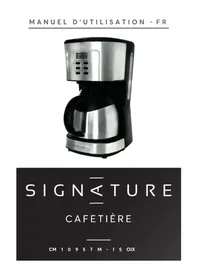
Table of contents
Click a title to access it
- SIGN CAFETIÈRE
- TABLE DES MATIERES
- CET APPAREIL EST DESTINE A UN USAGE DOMESTIQUE UNIQUEMENT!
- INSTRUCTIONS DE SECURITE
- Fonctions principales
- États d'écran
- Processus de fonctionnement
- AVANT LA PREMIÈRE UTILISATION
- PREPARATION DU CAFÉ
- NETTOYAGE
- DETARTRAGE
- SPECIFICATIONS
- ENLÈVEMENT DES APPAREILS MÉNAGERS USAGÉS
- 0978979797
- SIGN COFFEE MAKER
- TABLE OF CONTENTS
- SAFETY INSTRUCTIONS
- DESCRIPTION
- Display state
- Operating processes
- Protect function
- BEFORE FIRST USE
- MAKING COFFEE
- CLEANING
- DESCALING
- TECHNICAL SPECIFICATIONS
- DISPOSAL OF OLD ELECTRICAL APPLIANCES
Manual assistant
Powered by Anthropic
Waiting for your message
Product information
Brand : SIGNATURE
Model : Cafe Digital
Category : Coffee machine