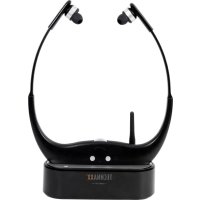
TX99 - Earplug TECHNAXX - Free user manual and instructions
Find the device manual for free TX99 TECHNAXX in PDF.

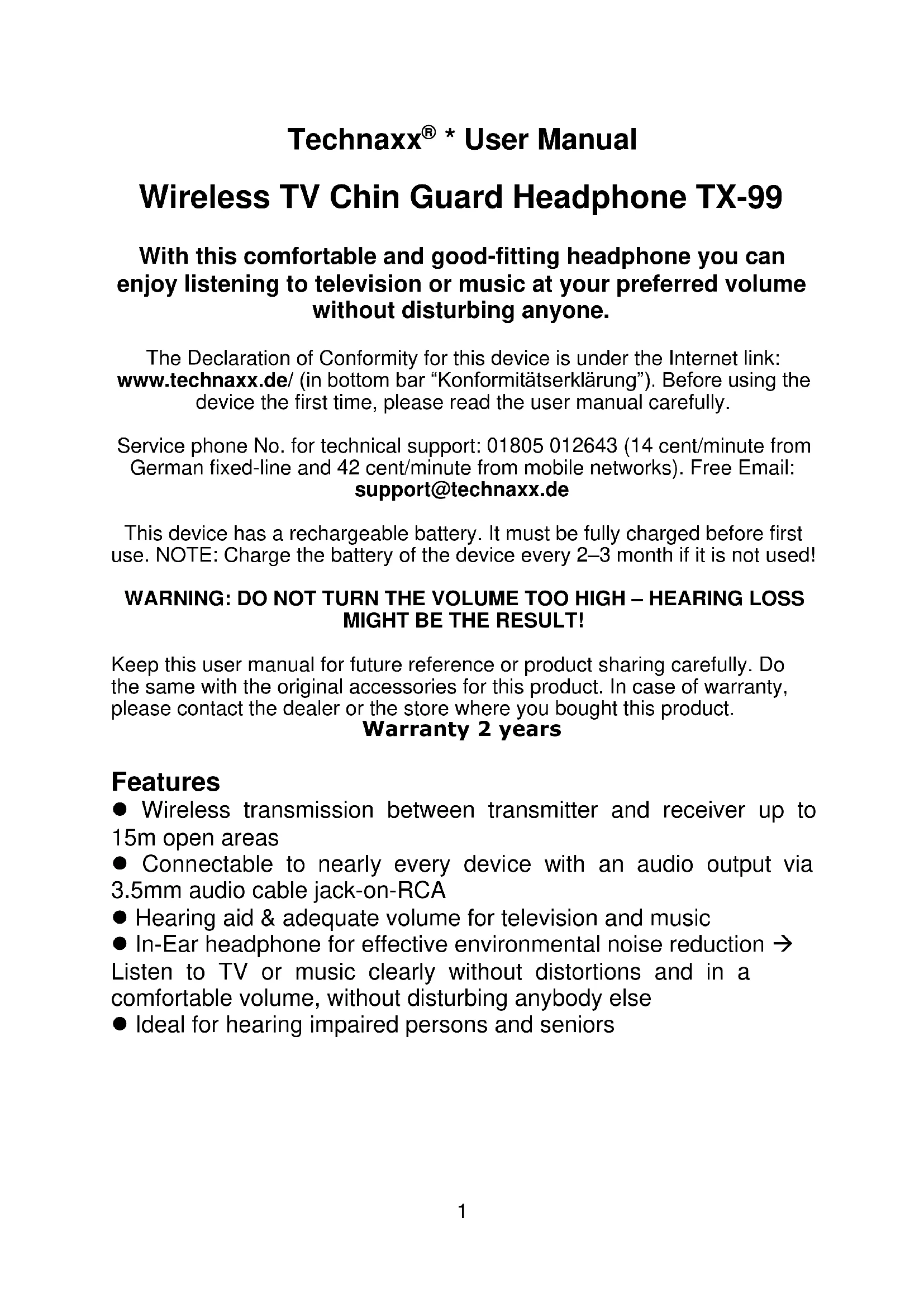


| Product Type | Wireless TV Headphone System with Receiver and Transmitter |
| Receiver Dimensions | 16.7 x 1.9 x 20.6 cm (W x D x H) |
| Transmitter Dimensions (without antenna) | 13.2 x 5.0 x 4.2 cm (W x D x H) |
| Transmitter Height with Antenna | 9.9 cm |
| Receiver Weight | 64 g |
| Transmitter Weight | 86 g |
| Power Supply | Built-in rechargeable lithium polymer battery 3.7 V / 450 mAh |
| Charging Time | Approx. 3 hours |
| Playback Time | Approx. 5 hours |
| Frequency Band | 863.4 / 864 / 864.6 MHz (FM channels) |
| Transmission Distance | Up to 15 m in open space |
| Frequency Response | 20 Hz – 20 kHz |
| Total Harmonic Distortion | < 5% at 1 kHz |
| Impedance | 32 Ω ± 15% at 1 kHz |
| Sensitivity | 114 ± 5 dB at 1 kHz |
| Connectivity | 2.5 mm microphone, 3.5 mm audio input/output |
| Material | Silicone, PP, TPE, ABS plastic |
| Package Contents | Headset (receiver + transmitter), 5 V/1 A power adapter, 2.5 mm microphone cable, 3.5 mm AUX cable, 3.5 mm to RCA audio cable, 3 sizes of ear tips, user manual |
| Care and Cleaning | Clean with a clean, dry cloth. Do not use solvents or harsh cleaners. |
| Safety | Do not set the volume too high to avoid hearing loss. Use only the supplied power adapter. |
| Warranty | 2 years |
Frequently Asked Questions - TX99 TECHNAXX
User questions about TX99 TECHNAXX
0 question about this device. Answer the ones you know or ask your own.
Ask a new question about this device
Download the instructions for your Earplug in PDF format for free! Find your manual TX99 - TECHNAXX and take your electronic device back in hand. On this page are published all the documents necessary for the use of your device. TX99 by TECHNAXX.
USER MANUAL TX99 TECHNAXX
Technaxx® * User Manual
Wireless TV Chin Guard Headphone TX-99
With this comfortable and good-fitting headphone you can enjoy listening to television or music at your preferred volume without disturbing anyone.
The Declaration of Conformity for this device is under the Internet link: www.technaxx.de/ (in bottom bar "Konformitätserklärung"). Before using the device the first time, please read the user manual carefully.
Service phone No. for technical support: 01805 012643 (14 cent/minute from German fixed-line and 42 cent/minute from mobile networks). Free Email: support@technaxx.de
This device has a rechargeable battery. It must be fully charged before first use. NOTE: Charge the battery of the device every 2–3 month if it is not used!
WARNING: DO NOT TURN THE VOLUME TOO HIGH – HEARING LOSS MIGHT BE THE RESULT!
Keep this user manual for future reference or product sharing carefully. Do the same with the original accessories for this product. In case of warranty, please contact the dealer or the store where you bought this product.
Warranty 2 years
Features
● Wireless transmission between transmitter and receiver up to 15m open areas
- Connectable to nearly every device with an audio output via 3.5mm audio cable jack-on-RCA
● Hearing aid & adequate volume for television and music
- In-Ear headphone for effective environmental noise reduction → Listen to TV or music clearly without distortions and in a comfortable volume, without disturbing anybody else
- Ideal for hearing impaired persons and seniors
Receiver (Headphone)
| Front | Rear | ||
| 1 | Power switch (on/off button) | 4 | Charging contacts |
| 2 | Scan button (changing frequency) | 5 | Indicator light (low battery → RED LED, Power → GREEN LED) |
| 3 | Volume button | ||
Transmitter
| Front | Rear | Top view | ||
| 1 | Indicator light (Charging with red LED, blue LED shows: connected input/output or placed receiver on it, power with green LED) | |||
| 2 | 2.5mm microphone-in jack | 6 | Charging contacts | |
| 3 | 3.5mm audio-in jack | 7 | SCAN button (changing frequency) | |
| 4 | 3.5mm audio-out jack | |||
| 5 | DC 5V/1A power jack | 8 | Antenna | |
General information
These hearing impaired TV headphone is specially designed to help people with a hearing impairment to hear sounds from the TV (or another audio device) clearly and without distortion, which is not always possible with a normal hearing aid, or with an ordinary wireless headphone. They can also be used as normal wireless headphones, when you do not want to disturb others while watching TV. In order to keep the perfect sound quality, please pay attention to the following situation: Away from another electronics device, for example: micro-wave oven, and another communication device e.g. telephone. Do not activate more electronic equipments in the near area at the same time. It can happen lost of sound quality & interference
There are three different ways to connect the TX-99 to a TV or another sound source (e.g. computer or HiFi system). The ways are:
● the headphone socket,
● the Audio out L/R socket or
● the included microphone.
Make sure your TV has an audio output. Not all connections on the TV are outputs. TVs are playback devices and mainly have inputs. A headphone jack on the TV is an audio output and can be connected to the TX-99.
If you do not know which port to use, please refer to the instruction manual of your TV.
The transmitter switches to standby mode after 5 minutes without input signal at the Audio-IN. As soon as a signal is applied to the audio-IN, it takes about 3-5 seconds until the music can be heard again via the receiver.
Placing and switching on the transmitter
Choose a suitable place near your TV or another audio source (e.g. computer or HiFi system). Connect the power adapter to the DC jack on the transmitter. When no receiver for charging is put in place or no input/output is connected to the transmitter. The GREEN LED on the front of the transmitter will illuminate.
To turn off the transmitter, unplug the power adapter from the wall outlet.
Charging the headset
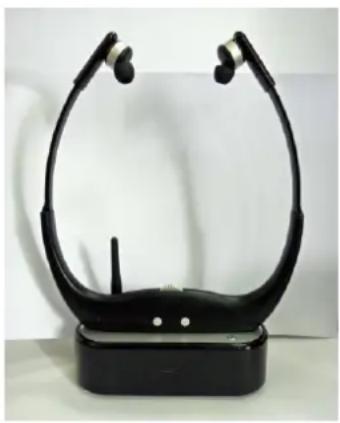
Place the receiver on the transmitter. The RED LED on the front of the transmitter will also light up.
Refer to the correct positioning like you see in the picture. The mark △ on the top of the transmitter should be matched with the mark ▽ on the front of the receiver.
When the headphones are fully charged, the RED LED on the transmitter will turn off.
→ Connecting the transmitter to e.g. TV via headphone jack
Connect one of the 3.5mm plugs of the AUX-cable with the connector on your audio source and the other plug into the "IN" jack on the TX-99 transmitter. The BLUE LED at the front of the transmitter will turn on.
→ Connecting the transmitter to e.g. HiFi system via Chinch
Connecting the L (White) / R (Red) RCA plug of the 3.5mm RCA cable into the Audio-out L/R socket on your sound source and the 3.5mm plug to the "IN" jack on the TX-99 transmitter. The BLUE LED at the front of the transmitter will turn ON.
→ Connecting the microphone
This device comprises an external microphone. When connected to the transmitter, it can be used to amplify sound from an external source, such as a TV. Connect the microphone cable to the microphone jack on the transmitter and place the microphone near the sound source (TV/HiFi system).
Note: The advantage of using the microphone is that it is possible to also here the ambient noise. The BLUE LED at the front of the transmitter will turn on. Attention: Audio-IN jack and microphone cannot be used at the same time.
How to operate the receiver
Before using the receiver, set the volume on the receiver to a low level. Press the On/Off button [1] of the receiver, GREEN LED on the rear side of the receiver [5] will turn on → the receiver is working.
Place the ear buds into your ears. The ear bud tips can be rotated to fit them comfortably in your ears. Press the ON/OFF button again, the GREEN LED turns off. It means the receiver is off.
Note: During normal working status, the GREEN LED is on.
WARNINGS
- Only use the supplied power adapter with this headphone. Do not use any other type of adapters.
- Sometimes, you may not hear the desired audio source due to the receiver picking up another audio source (e.g. from another nearby TX-99 system). To change the transmitting channel, press the SCAN button on the transmitter. There are 3 preset channels (863.4MHz, 864MHz, 864.6MHz) on this Wireless Headphone.
- If the RED LED of the receiver lights → it needs to be charged.
- The transmitter will automatically start transmitting when the audio source is connected.
- It is necessary to place the receiver in the transmitter properly when charging needed. An opposite placement of the receiver will lead to charging failure.
Technical specifications
| Transmission distance | ~15m (open areas) | ||
| Frequency band | (FM channels): 863.4/864/864.6MHz | ||
| Frequency response / THD | 20Hz–20kHz / < 5% at 1kHz | ||
| Radiated transmission power 10mW maximum | |||
| Impedance | 32Ω ± 15% at 1kHz | ||
| Sensitivity | 114 ± 5dB at 1kHz | ||
| Material | Silicone + PP + TPE + ABS plastic | ||
| Ports | Microphone 2.5mm & Line-in/out 3.5mm | ||
| Power supply | Built- in rechargeable 470mAh lithium polymer battery 3.7V | ||
| Charging time / Playing time | ~3 hours / ~5 hours | ||
| Receiver Weight / Dimensions | 64g / (L) 16.7 x (W) 1.9 x (H) 20.6cm | ||
| Transmitter Weight / Dimensions | 86g / (L) 13.2 x (W) 5.0 x (H) 4.2cm (without antenna) / (H) 9.9cm (with antenna) | ||
| Package Contents | Wireless TV Chin Guard Headphone TX-99 (receiver & transmitter), Power adapter 5V/1A, 2.5mm cable with microphone, 3.5mm AUX cable, 3.5mm audio cable to 2 female 3.5mm RCA jack & 2 male 3.5mm RCA jack, 3 different earplug sizes, User Manual | ||

Products marked with this symbol meet all applicable community regulations of the European Economic Area.
Technaxx Deutschland GmbH & Co KG has issued a "declaration of conformity" in accordance with the applicable directives and relevant standards. has been created. This can be viewed at any time upon request.
Hints for Environment Protection: Packages materials are raw materials and can be recycled. Do not disposal old devices or batteries into the domestic waste. Cleaning: Protect the device from contamination and pollution (use a clean drapery). Avoid using rough, coarse-grained materials or solvents/aggressive cleaner. Wipe the cleaned device accurately. Important Notice: Should battery fluid leak from a battery, wipe the battery case with a soft cloth dry. Distributor: Technaxx Deutschland GmbH & Co.KG, Kruppstr. 105, 60388 Frankfurt a.M., Germany
→ Connector le microphone

- TECHNAXX® * USER MANUAL
- WIRELESS TV CHIN GUARD HEADPHONE TX-99
- WITH THIS COMFORTABLE AND GOOD-FITTING HEADPHONE YOU CAN ENJOY LISTENING TO TELEVISION OR MUSIC AT YOUR PREFERRED VOLUME WITHOUT DISTURBING ANYONE
- WARNING: DO NOT TURN THE VOLUME TOO HIGH – HEARING LOSS MIGHT BE THE RESULT
- WARRANTY 2 YEARS
- FEATURES
- GENERAL INFORMATION
- PLACING AND SWITCHING ON THE TRANSMITTER
- CHARGING THE HEADSET
- → CONNECTING THE TRANSMITTER TO E.G. TV VIA HEADPHONE JACK
- → CONNECTING THE TRANSMITTER TO E.G. HIFI SYSTEM VIA CHINCH
- → CONNECTING THE MICROPHONE
- HOW TO OPERATE THE RECEIVER
- WARNINGS
Brand : TECHNAXX
Model : TX99
Category : Earplug