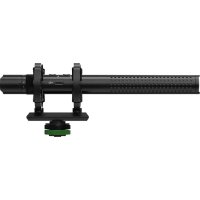
EM98MS - Microphone MACKIE - Free user manual and instructions
Find the device manual for free EM98MS MACKIE in PDF.



| Product Type | Compact electret microphone |
| Brand | Mackie |
| Model | EM98MS |
| Primary Use | Mobile recording, streaming, video |
| Polar Pattern | Cardioid |
| Frequency Response | 20 Hz - 20 kHz |
| Sensitivity | Not specified (typical -30 dBV/Pa) |
| Signal-to-Noise Ratio | Not specified (typical >70 dB) |
| Impedance | Not specified (typical 2 kΩ) |
| Dimensions (H × W) | 79 × 23 mm |
| Weight | Approximately 100 g |
| Power Supply | Plug-in power (via smartphone, camera) |
| Connectivity | 3.5 mm TRS (camera) and TRRS (smartphone) jack |
| Included Accessories | Shock mount, windscreen, TRS and TRRS cables |
| Maintenance | Clean with a dry cloth, avoid moisture and dust |
| Safety | Do not disassemble, avoid extreme heat/cold, do not use in rain |
| Repairability | Not user-serviceable, contact technical support |
| Warranty | Limited warranty, see www.mackie.com |
| Compliance | FCC Part 15, ICES-003, WEEE |
| Country of Origin | China (likely) |
Frequently Asked Questions - EM98MS MACKIE
User questions about EM98MS MACKIE
0 question about this device. Answer the ones you know or ask your own.
Ask a new question about this device
Download the instructions for your Microphone in PDF format for free! Find your manual EM98MS - MACKIE and take your electronic device back in hand. On this page are published all the documents necessary for the use of your device. EM98MS by MACKIE.
USER MANUAL EM98MS MACKIE
Mobiler Journalist (MoJo)

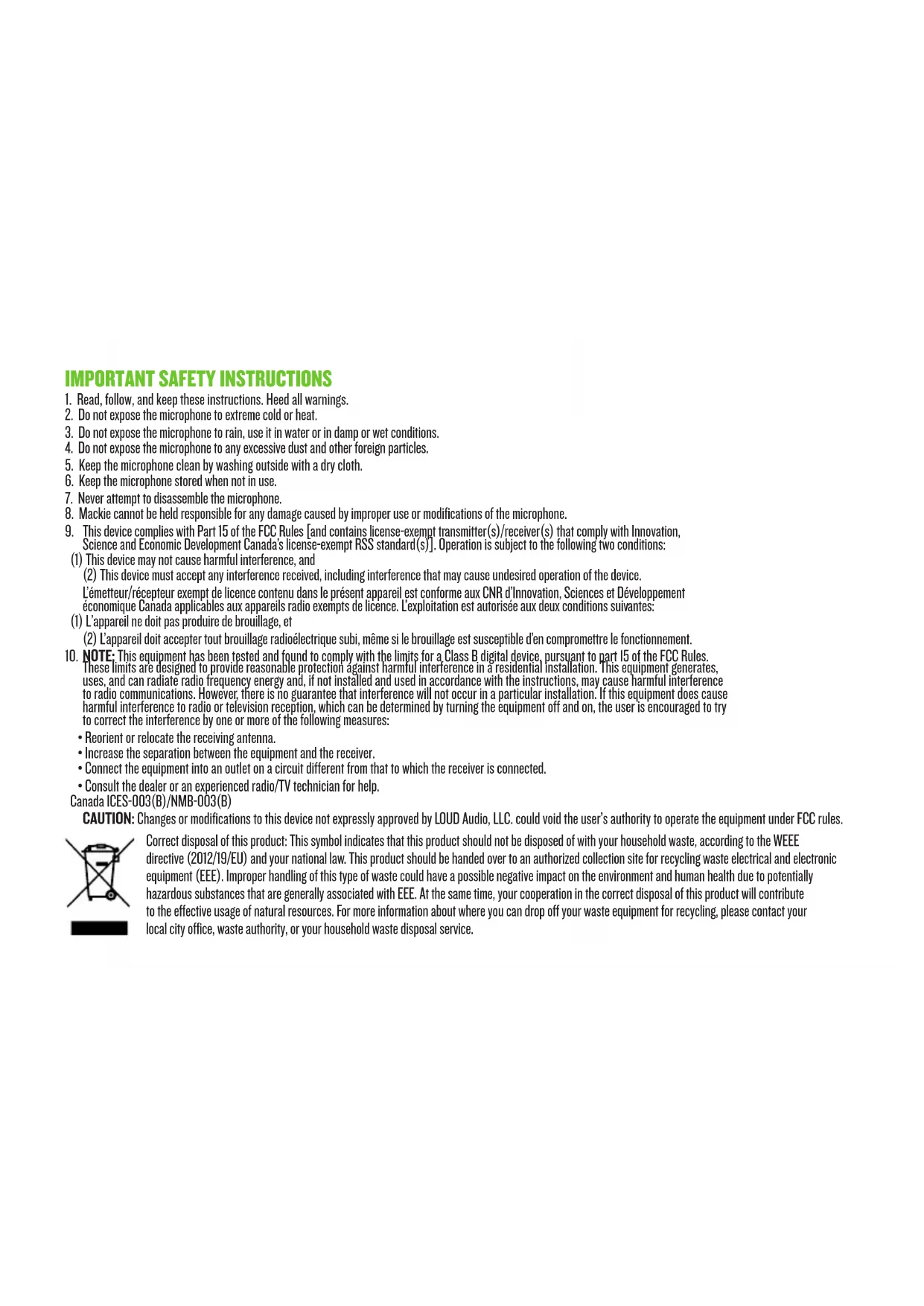
IMPORTANT SAFETY INSTRUCTIONS
- Read, follow, and keep these instructions. Heed all warnings.
- Do not expose the microphone to extreme cold or heat.
- Do not expose the microphone to rain, use it in water or in damp or wet conditions.
- Do not expose the microphone to any excessive dust and other foreign particles.
- Keep the microphone clean by washing outside with a dry cloth.
- Keep the microphone stored when not in use.
- Never attempt to disassemble the microphone.
- Mackie cannot be held responsible for any damage caused by improper use or modifications of the microphone.
- This device complies with Part 15 of the FCC Rules [and contains license-exempt transmitter(s)/receiver(s) that comply with Innovation, Science and Economic Development Canada's license-exempt RSS standard(s)]. Operation is subject to the following two conditions:
- NOTE: This equipment has been tested and found to comply with the limits for a Class B digital device, pursuant to part 15 of the FCC Rules. These limits are designed to provide reasonable protection against harmful interference in a residential installation. This equipment generates, uses, and can radiate radio frequency energy and, if not installed and used in accordance with the instructions, may cause harmful interference to radio communications. However, there is no guarantee that interference will not occur in a particular installation. If this equipment does cause harmful interference to radio or television reception, which can be determined by turning the equipment off and on, the user is encouraged to try to correct the interference by one or more of the following measures:
Reorient or relocate the receiving antenna.
- Increase the separation between the equipment and the receiver.
- Connect the equipment into an outlet on a circuit different from that to which the receiver is connected.
- Consult the dealer or an experienced radio/TV technician for help.
Canada ICES-003(B)/NMB-003(B)
CAUTION: Changes or modifications to this device not expressly approved by LOUD Audio, LLC. could void the user's authority to operate the equipment under FCC rules.

Correct disposal of this product: This symbol indicates that this product should not be disposed of with your household waste, according to the WEEE directive (2012/19/EU) and your national law. This product should be handed over to an authorized collection site for recycling waste electrical and electronic equipment (EEE). Improper handling of this type of waste could have a possible negative impact on the environment and human health due to potentially hazardous substances that are generally associated with EEE. At the same time, your cooperation in the correct disposal of this product will contribute to the effective usage of natural resources. For more information about where you can drop off your waste equipment for recycling, please contact your local city office, waste authority, or your household waste disposal service.
INTRODUCTION
EM-93M is the ultra-compact microphone upgrade for your smartphone or DSLR that you need to step up your mobile audio game.
Unlike other compact mics out there, EM-93M is built with professional-grade components that deliver clearer, more defined sound that is crucial for mobile productions.
With cables for both smartphones and DSLRs, you are ready to connect right out of the box, plus included mounting hardware makes setting up a snap.
So, get the talent ready, build your sets, line up those interviews, or whatever your creativity has in store for you, because your audio is good to go.
FEATURES
PREMIUM COMPACT CONDenser MICROPHONE
GREAT FOR MOBILE VIDEO PRODUCTION AND LIVE STREAMING
INCLUDED SHOCKMOUNT REDUCES HANDLING NOISE
FURRY WINDSCREEN DRAMATICALLY REDUCES WIND NOISE OUTDOORS
SPONGE FOAM WINDSCREEN IS PERFECT FOR INDOOR/ GENERAL USE
Connect the EM-93M and camera-shoe adaptor shock mount (A) by "snapping" it into place. Do not force it! Next, hand-tighten (clockwise) the camera-shoe adaptor shock mount to the shoe mount on top of the audio/video recording device (B). [Loosen if it doesn't fit at first].
The stickers on the included cables determine if it's for DSLR (TRS, black jack) or phone (TRRS, green jack). Plug the green connector into a phone, tablet or laptop OR plug the black connector into the "audio in" of a camera, camcorder, audio recorder or other audio/video recording device. The other end of the cable connects to the EM-93M (C).
Slide the furry windscreen or sponge foam over the mic (D) to minimize wind and other environmental noises for crystal clear indoor or outdoor recording.
| Technical Specifications EM-93M | |
| Element | |
| Polar Pattern | |
| Frequency Response | -20 kHz |
| Sensitivity | |
| Signal-to-Noise Ratio | |
| Output Impedance | |
| Size (H×W) | 3.1" × 0.9" 79×23 mm |
| Weight | kg |
| All specifications subject to change | |
NEED HELP WITH THE MICROPHONE?
- Visit www.mackie.com and click Support to find: FAQs, manuals, and addendums.
Telephone 1-800-898-3211 to speak with one of our splendid technical support chaps (Monday through Friday, normal business hours, Pacific Time).
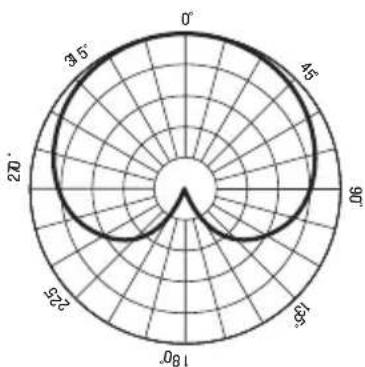
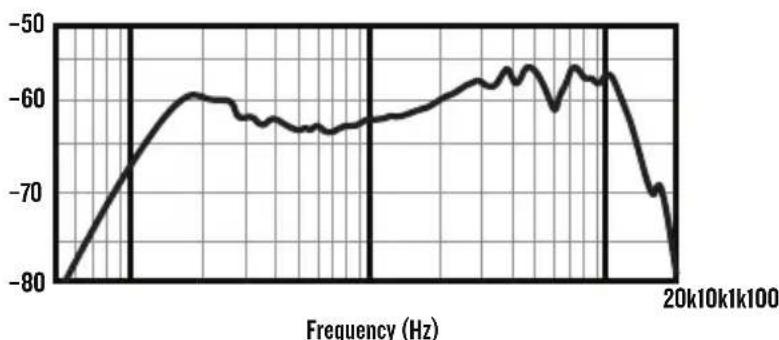
FREQUENCY RESPONSE GRAPHCARDIOID
LIMITED WARRANTY Please keep your sales receipt in a safe place.
This Limited Product Warranty ("Product Warranty") is provided by LOUD Audio, LLC. ("LOUD") and is applicable to products purchased in the United States or Canada through a LOUD-authorized reseller or dealer. The Product Warranty will not extend to anyone other than the original purchaser of the product (hereinafter, "Customer," "you" or "your").
For products purchased outside the U.S. or Canada, please visit www.mackie.com to find contact information for your local distributor, and information on any warranty coverage provided by the distributor in your local market.
LOUD warrants to Customer that the product will be free from defects in materials and workmanship under normal use during the Warranty Period. If the product fails to conform to the warranty then LOUD or its authorized service representative will at its option, either repair or replace any such nonconforming product, provided that Customer gives notice of the noncompliance within the Warranty Period to the Company at: www.mackie.com or by calling LOUD technical support at 1.800.898.3211 (toll-free in the U.S. and Canada) during normal business hours Pacific Time, excluding weekends or LOUD holidays. Please retain the original dated sales receipt as evidence of the date of purchase. You will need it to obtain any warranty service.
For full terms and conditions, as well as the specific duration of the Warranty for this product, please visit www.mackie.com.
The Product Warranty, together with your invoice or receipt, and the terms and conditions located at www.mackie.com constitutes the entire agreement, and supersedes any and all prior agreements between LOUD and Customer related to the subject matter hereof. No amendment, modification or waiver of any of the provisions of this Product Warranty will be valid unless set forth in a written instrument signed by the party to be bound thereby.
19820 North Creek Parkway #201 • Bothell, WA 98011 • USA
Phone: 425.487.4333 • Toll-free: 800.898.3211
Fax: 425.487.4337 • www.mackie.com
Part No. 2055285 Rev. A 08/22 ©2022 LOUD Audio, LLC. All Rights Reserved.


Brand : MACKIE
Model : EM98MS
Category : Microphone