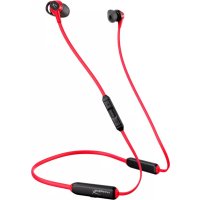
Cloud Buds - Earplug HYPERX - Free user manual and instructions
Find the device manual for free Cloud Buds HYPERX in PDF.



| Brand | HyperX |
| Model | Cloud Buds |
| Product type | Wireless in-ear headphones (earbuds) |
| Weight | 27.5 g |
| Battery life | Up to 10 hours (at 50% volume) |
| Charging time | 3 hours |
| Connectivity | Bluetooth 5.1, range up to 10 m |
| Supported audio codecs | aptX, aptX HD, SBC |
| Bluetooth profiles | A2DP, AVRCP, HFP, HSP |
| Speaker | Dynamic with neodymium magnets |
| Frequency response | 20 Hz - 20 kHz |
| Impedance | 65.2 Ω |
| Microphone | Built-in, electret condenser, omnidirectional |
| Microphone response | 100 Hz - 7.2 kHz |
| Controls | Power button, volume +/-, multifunction button |
| Multifunction button functions | Play/pause, next/previous track, call management, voice assistant |
| Charging connection type | USB-C to USB-A (cable included, 0.2 m) |
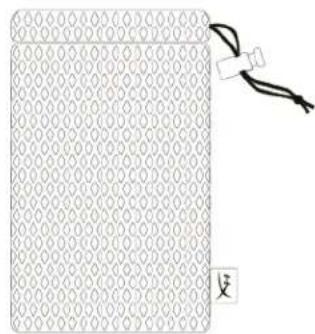
| Included accessories | Interchangeable ear tips, USB-C charging cable, carrying case |
| Care | Clean ear tips with a soft dry cloth. Do not immerse. |
| Reset | Press and hold Power + Volume - for 7 seconds |
Frequently Asked Questions - Cloud Buds HYPERX
User questions about Cloud Buds HYPERX
0 question about this device. Answer the ones you know or ask your own.
Ask a new question about this device
Download the instructions for your Earplug in PDF format for free! Find your manual Cloud Buds - HYPERX and take your electronic device back in hand. On this page are published all the documents necessary for the use of your device. Cloud Buds by HYPERX.
USER MANUAL Cloud Buds HYPERX
Find the language and latest documentation for your HyperX Cloud Buds here.
HyperX Cloud Buds Installation Guide
For instructions in English
Para instrucciones en Español
. . . . Für Anleitungen in Deutsch
Pour des instructions en Français
...... Per le istruzioni in Italiano
Por as instruções em Português
Instrukcje w języku Polskim
Для инструкции на Русском
C. Turkce talimatlar icin
日本語マニュアル用
한국어 안내
......คำแนะนำภาษาไทย
Đế xem hướng dẫn bằng tiếng Việt
Simplified Chinese ..简体中文说明书
Traditional Chinese ....繁體中文說明
Part Numbers
HEBBXX-MC-RD/G
TABLE OF CONTENTS
Overview....3
Specifications....4
Fitting the HyperX Cloud Buds to your Ears....5
Changing Ear Tips 5
Controls....6
Power Button 6
Volume Buttons 6
Multifunction Button 6
Headset Charging ....7
Status LED Indicators....7
Factory Reset....7
Questions or Setup Issues? 7
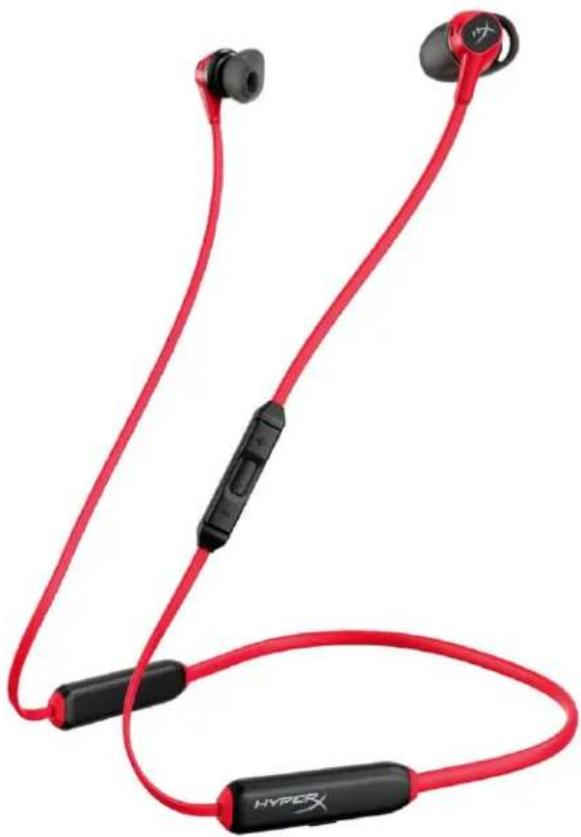
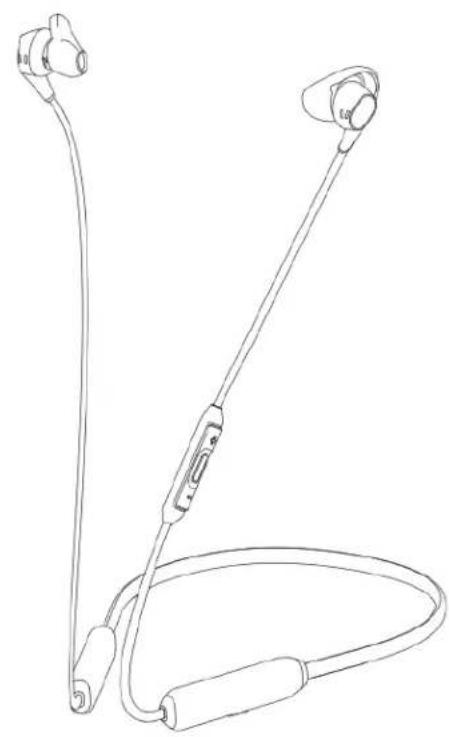
Overview
A
B
C

D
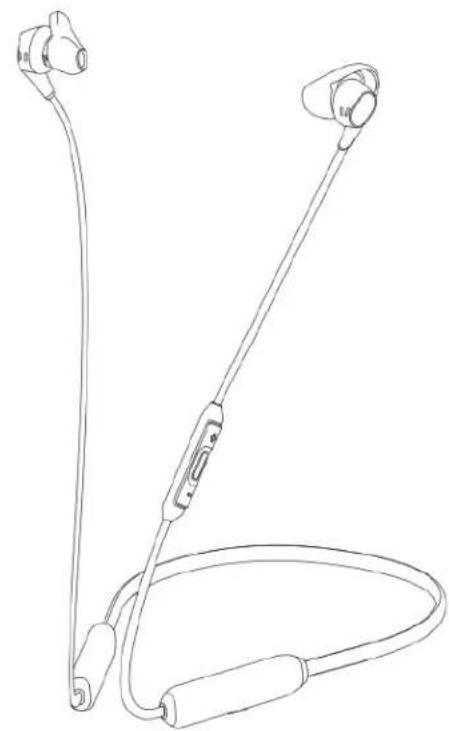
A. HyperX Cloud Buds
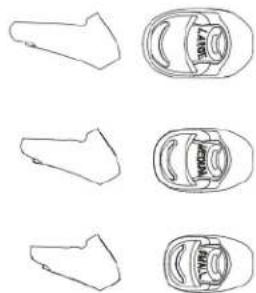
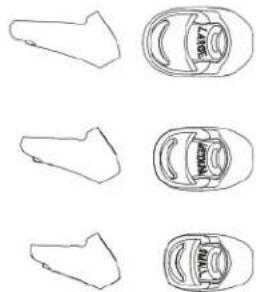
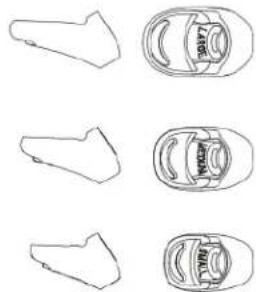
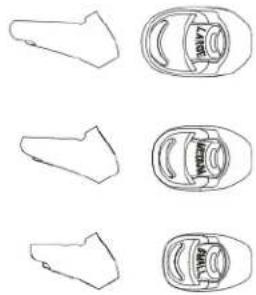
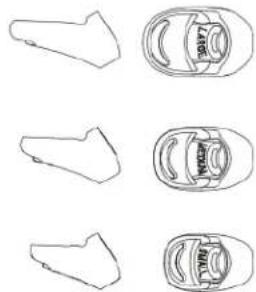
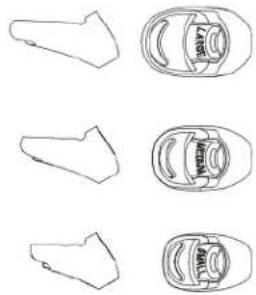
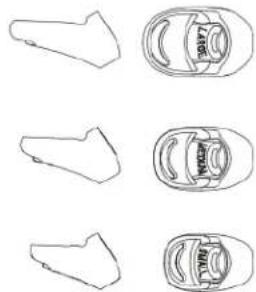
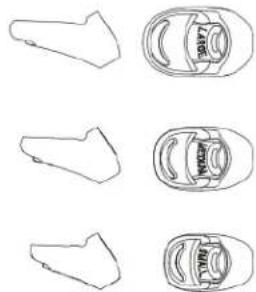
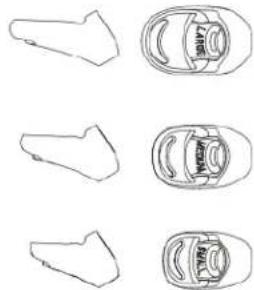
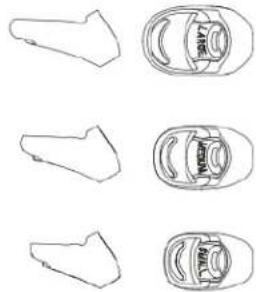
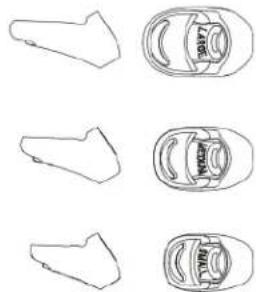
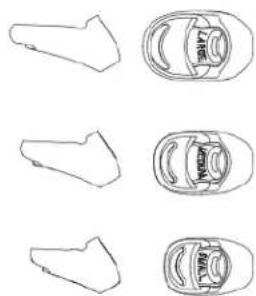
B. Interchangeable ear tips
C. USB-C charge cable
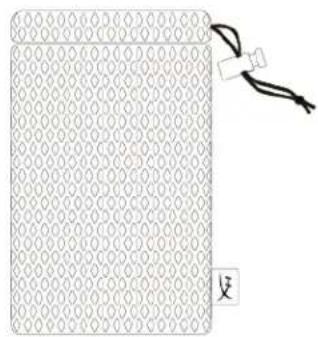
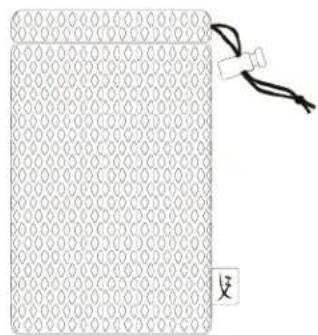
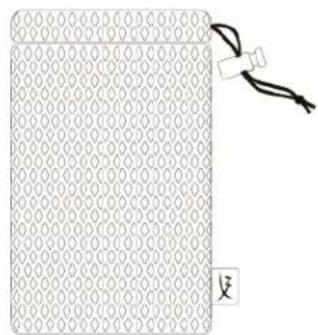
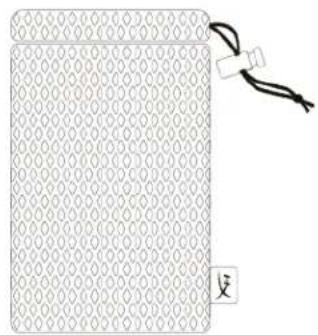
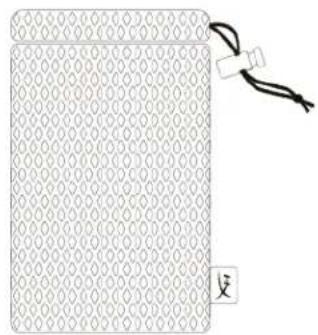
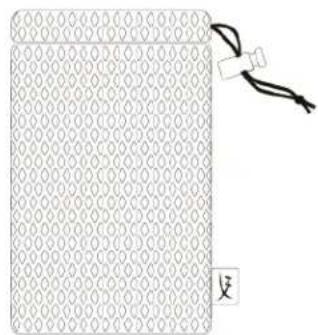
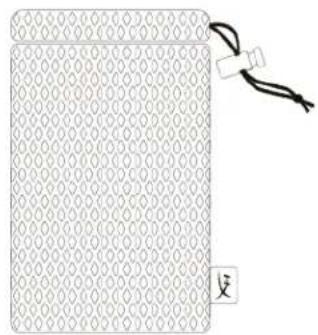
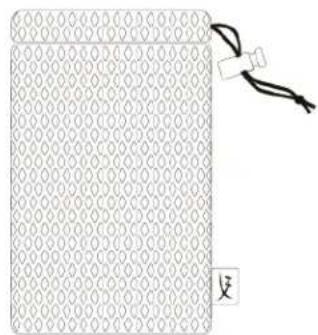
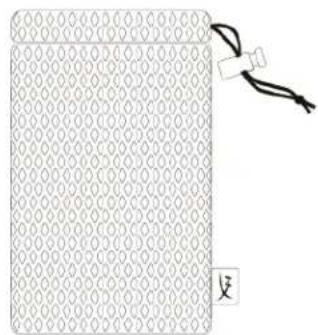
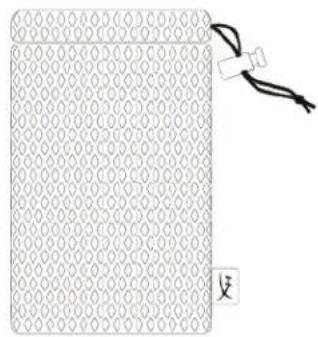
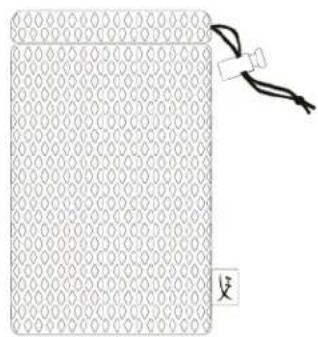
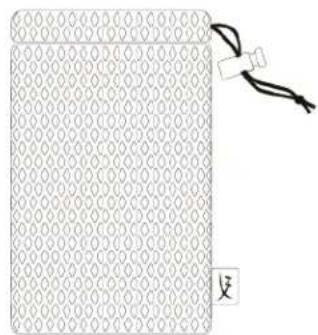
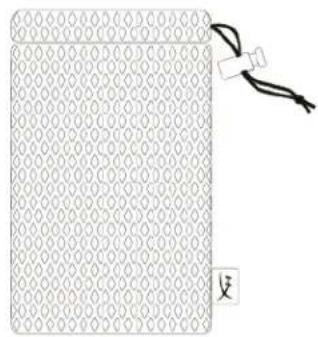
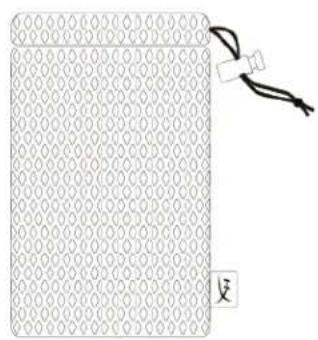
D. Carrying case
Specifications
Headphone
Speaker driver : Dynamic with Neodymium magnets
Type: Neckband
Frequency response: 20Hz - 20kHz
Impedance: 65.2 Ω
Sound pressure level: 104±3 dB 1mW at 1kHz
T.H.D: ≤2% at 200-3kHz
Weight: 27.5g
Charge cable length: USB-C to USB-A: 0.2m
Inline Microphone
Element: Electret condenser microphone
Polar pattern: Omni-directional
Frequency response: 100Hz - 7.2kHz
Open circuit sensitivity: -16.5dBV (1V/Pa at1kHz)
Battery Life*
Bluetooth: 10 hours
Bluetooth
Bluetooth version: 5.1
Wireless range**: Up to 10 meters / 33 feet
Supported codecs: aptX™, aptX™ HD, SBC
Supported profiles: A2DP, AVRCP, HFP, HSP
*Tested at 50% headphone volume
**Wireless range may vary due to environmental conditions
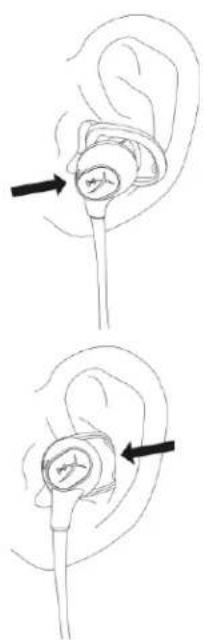
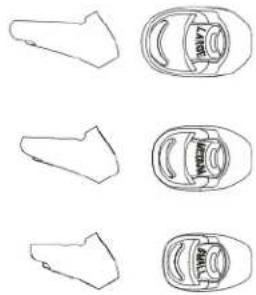
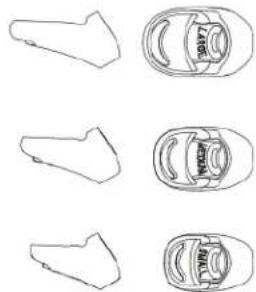
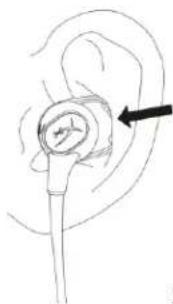
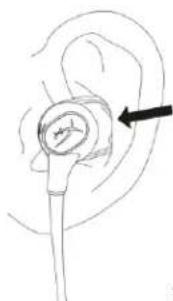
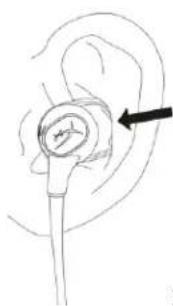
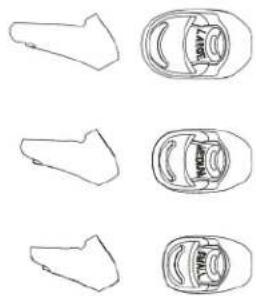
Fitting the HyperX Cloud Buds to your Ears
-
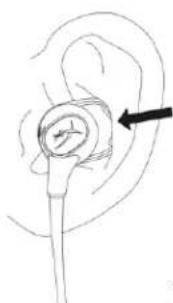
Insert ear tip into ear.
-
Tuck stabilizer flap into ear fold.
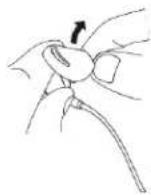
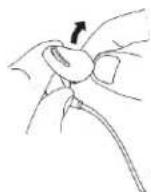
Changing Ear Tips
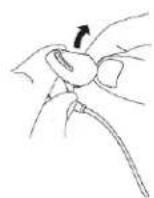
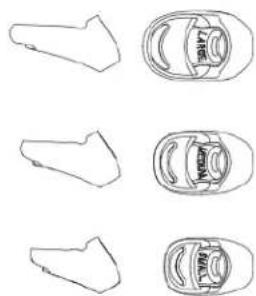
- Remove original ear tip by gripping the stabilizer flap and stretching ear tip over the hook on the nozzle.
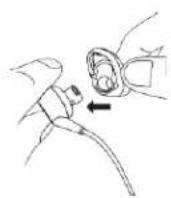
- Place new ear tip on the nozzle of the ear bud.
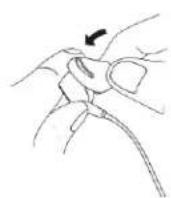
- Pull the stabilizer flap to stretch the nozzle over the hook
Controls
Power Button

Power On/Off
Hold for 2 seconds to turn on or off.
Bluetooth® Pairing
- With the headset off, hold the power button for 5 seconds to enter pairing mode. The LED indicator will flash red and blue and a voice prompt will play.
- On your Bluetooth® enabled device, search and connect to "HyperX Cloud Buds." Once connected, the indicator LED will flash blue every 5 seconds and a voice prompt will play.
Volume Buttons

Press the + and - buttons to adjust the volume level up or down.
Multifunction Button

| Status | 1 Press | 2 Presses | 3 Presses | Long Press |
| Playing Media | Play/Pause | Skip Track | Previous Track | Activate Mobile Assistant |
| Receiving Call | Answer Call | X | X | Reject Call |
| In Call | End Call | Swap Calls | X | X |
Note: Button functionality may differ depending on connected device.
Headset Charging
When the headset is connected to a charger with the USB charge cable, the status LED will indicate the charge status. The headset will take approximately 3 hours to fully charge.
| Status LED | Charging Status |
| Breathing red | Charging |
| Off | Fully charged |
Status LED Indicators
The status LED on the headset indicates the current state of the headset.
| Status LED | Headset Status |
| Flash blue every 5 seconds | Connected to a device |
| Flash blue every 2 seconds | Not connected to a device |
| Pairing mode | Flashing red and blue |
| Factory reset | Flash blue 5 times and light up red for 1 second |
Factory Reset
To perform a factory reset on the headset, hold the power and volume up buttons together for 7 seconds. The status LED will flash red and blue 2 times, followed by solid red for 1 second. At the same time, the headset will play two low beeps. After this, the headset will automatically turn off.
Questions or Setup Issues?
Contact the HyperX support team at: hyperxgaming.com/support/headsets
HyperX Cloud Buds
B
C

D
Encendido/Apagado
Mantenlo pulsado durante 2 segundos para encender o apagar.
Números de parte
HEBBXX-MC-RD/G
TABLA DE CONTENIDO
Resumen 3
B
C

D
el oído.
Encender/Apagar
Sostén durante 2 segundos para encender/apagar
Artikelnummern
HEBBXX-MC-RD/G
INHALTSVERZEICHNIS
Übersicht.... 3
Spezifikationen 4
B
C

D
ein.
Ohrfalte.
Ein-/Ausschalten
Références produits
HEBBXX-MC-RD/G
TABLE DES MATIÈRES
Présentation.... 3
Spécifications 4
B
C

D
Numeri di parte
HEBBXX-MC-RD/G
INDICE
B
C

D
nell'orecchio.
Código do Produto
HEBBXX-MC-RD/G
ÍNDICE
Visão geral 3
Especificações....4
B
C

D
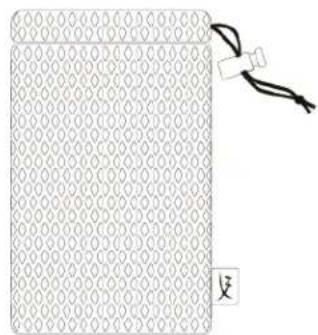
A. HyperX Cloud Buds
B. Encaixes de ouvido intercambiáveis
C. Cabo de carregamento USB-C
D. Caixa de transporte
Especificações
Fone de ouvido
ouvido.
- Insira o encaixe de ouvido no
Botão Lig/Desl
Pressione por 2 segundos para ligar ou desligar.
Pareamento Bluetooth®
Numery katalogowe
HEBBXX-MC-RD/G
SPIS TREŚCI
Widok urządzenia 3
Dane techniczne 4
B
C

D
ucha.
ucha.
Номера по каталогу
HEBBXX-MC-RD/G
СОДЕРЖАНИЕ
Обзор 3
B
C

D
Вкл./Выкл. питание
Parça Numaraları
HEBBXX-MC-RD/G
İÇINDEKILER
Genel Görünüm 3
Teknik özellikler 4
B
C

D
yerleştirin.
Güç Açma/Kapatma
製品番号
HEBBXX-MC-RD/G
目次
各部紹介 3
仕様 4
HyperX Cloud Buds を耳に合わせる....5
イヤーチップの交換......5
コントロール 6
電源ボタン....6
音量ボタン 6
多機能ボタン....7
ヘッドセットの充電....7
ステータス LED インジケーター 7
工場出荷時の状態にリセット 8
B
C

D
す。
- イヤーチップを耳に挿入しま
電源オン/オフ
부품 번호
HEBBXX-MC-RD/G
목차
개요 3
사양 4
B
C

D
1.이어 팀을 귀 안에 넣으십시오.
2.고정용 플랩을 귀 접합부에
끼우십시오.
이어 탑 교체하기
전원 켜기/끄기
หมายเลขชิ้นส่วน
HEBBXX-MC-RD/G
สารบัญ
กําพระม 3
B
C

D
เปิด/ปิดการทำงาน
Mã sản phẩm
HEBBXX-MC-RD/G
Mục LỤC
Tổng quát 3
B
C

D
Codec hỗ trợ: aptX™, aptX™ HD, SBC
Bật/Tắt nguồn
部件号
HEBBXX-MC-RD/G
目录
概览 3
规格 4
让耳朵戴上 HyperX Cloud Buds 5
更换耳塞套....5
控件 6
电源按钮....6
音量按钮....6
多功能按钮....6
耳机充电 7
状态 LED 指示灯....7
出厂重置....7
有疑问或遇到设置问题? 8
概览
A
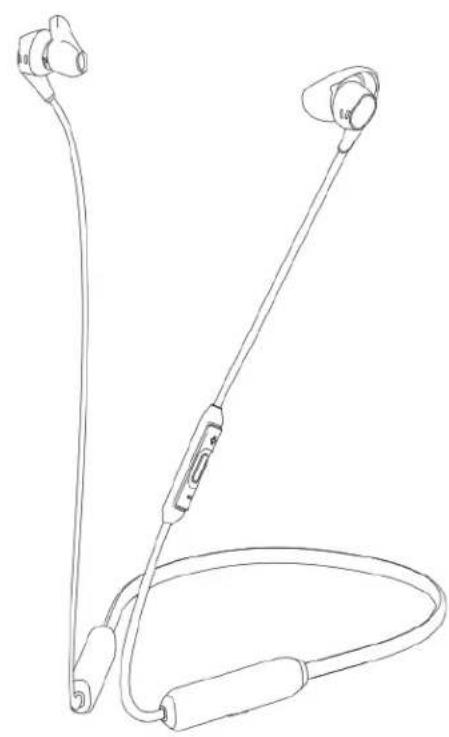
B
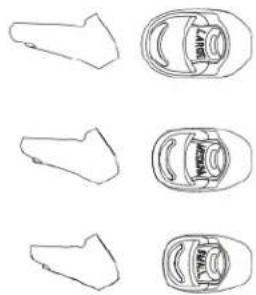
C

D
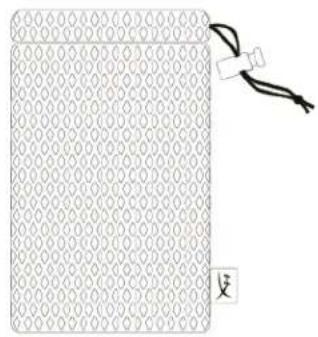
A. HyperX Cloud Buds
B. 可互换的耳塞套
C. USB-C 充电线
D. 收纳盒
规格
耳机
扬声器驱动单元:动态钕磁铁
类型:颈挂式
频率响应:20Hz - 20kHz
阻抗:65.2 Ω
- 将耳塞套插入耳朵。
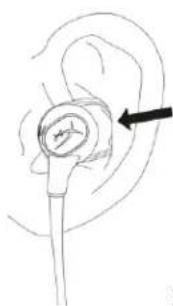
- 将稳定器翼片插入耳道。
更换耳塞套

电源打开/关闭
按住 2 秒钟即可打开或关闭。
Bluetooth® 配对
產品型號
HEBBXX-MC-RD/G
目錄
概觀 3
規格 4
配戴 HyperX Cloud Buds 5
替换耳塞套....5
操作功能 6
電源鍵....6
音量鍵....6
多功能按钮....6
耳機充電 7
LED 指示燈....7
還原原廠設定 7
設定或其他相關問題?7
概觀
A
B
C

D
A. HyperX Cloud Buds
B. 可替换耳塞套
C. USB-C 充電線
D. 收納盒
規格
耳機
驅動單體:動圈式鈦磁鐵
類型:頸掛式
頻率響應:20Hz - 20kHz
阻抗:65.2 Ω
- 將耳塞放入耳内。
- 將耳翼塞人耳窩。
替换耳塞套
開啟/關閉電源
長按 2 秒以開啟/關閉電源
Bluetooth® 藍牙配對
عازجلاً ماقراً
HEBBXX-MC-RD/G
تایوتحملا لودچ
B
C

D
ذَالْتَاعَامِس HyperX Cloud .A
ة-frاطلا لیغشّت فناقيا/لیغشّت
يلىغشئل افاقىي! وأيلىغشئل نېيكە确立 رارىسالا عجطغضا
نارتقا ®Bluetooth
- نلالید LED راشؤم ضهيس. ناریق لاعضریف لجدلل ناوّ 5 تعمل قاطا ززیع رارمسالا عطغضا، سلارلا ئعامسیلیغشعتفاقایا عم
ب. ضفخ وأ توصلا ی وتسم ع فرل - و + رارزا ی ل远程 طغضا
فناظولا ددعتم رز

| اللوطه قطغض | تاطغض 3 | تاطغض 2 | قدaho ةطغض | قناHLA |
| لَانْجِلَا دعَاسُمْ يُشْرِتِ | بَقَاسِلَارَاسُمْلَا | رَاسُمْلَا يُطْغَ | نَلَا فَاقِيَالِّلَيْغَشْتَلَا نَقُؤُم | طناسولا لِيغشَّة |
| تَمْلَالِّكُمْ ضَفِيرِ | X | X | تَمْلَكُمْ عَلِعْدِرْلَا | تَمْلَكُمْ يُقَلَّة |
| X | X | تَمْلَالِّكُمْلَا لِيْبِبِتِ | تَمْلَالِّكُمْ لِهِامِنْ! | لِيْاصِتلاً دِيَقٌ |
HyperX: hyperxgaming.com/support/headsets
- HYPERX CLOUD BUDS INSTALLATION GUIDE
- PART NUMBERS
- TABLE OF CONTENTS
- OVERVIEW
- SPECIFICATIONS
- HEADPHONE
- INLINE MICROPHONE
- BATTERY LIFE
- BLUETOOTH
- FITTING THE HYPERX CLOUD BUDS TO YOUR EARS
- CHANGING EAR TIPS
- CONTROLS
- POWER BUTTON
- POWER ON/OFF
- BLUETOOTH® PAIRING
- VOLUME BUTTONS
- MULTIFUNCTION BUTTON
- HEADSET CHARGING
- STATUS LED INDICATORS
- FACTORY RESET
- QUESTIONS OR SETUP ISSUES
- HYPERX CLOUD BUDS
- ENCENDIDO/APAGADO
- NÚMEROS DE PARTE
- TABLA DE CONTENIDO
- ENCENDER/APAGAR
- ARTIKELNUMMERN
- INHALTSVERZEICHNIS
- EIN-/AUSSCHALTEN
- RÉFÉRENCES PRODUITS
- TABLE DES MATIÈRES
- NUMERI DI PARTE
- INDICE
- CÓDIGO DO PRODUTO
- ÍNDICE
- ESPECIFICAÇÕES
- FONE DE OUVIDO
- BOTÃO LIG/DESL
- PAREAMENTO BLUETOOTH®
- NUMERY KATALOGOWE
- SPIS TREŚCI
- СОДЕРЖАНИЕ
- ВКЛ./ВЫКЛ. ПИТАНИЕ
- PARÇA NUMARALARI
- İÇINDEKILER
- GÜÇ AÇMA/KAPATMA
- 目次
- 목차
- 이어 탑 교체하기
- สารบัญ
- MỤC LỤC
- BẬT/TẮT NGUỒN
- 目录
- 概览
- 规格
- 更换耳塞套
- BLUETOOTH® 配对
- 目錄
- 概觀
- 規格
- 耳機
- 替换耳塞套
- 開啟/關閉電源
- BLUETOOTH® 藍牙配對
- تایوتحملا لودچ
Brand : HYPERX
Model : Cloud Buds
Category : Earplug