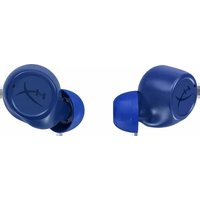
Cirro Buds Pro - Earplug HYPERX - Free user manual and instructions
Find the device manual for free Cirro Buds Pro HYPERX in PDF.


| Product type | Wireless in-ear headphones |
| Brand | HyperX |
| Model | Cirro Buds Pro |
| Connection technology | Bluetooth |
| Active noise cancellation | Yes, hybrid |
| Ambient mode | Yes |
| Game mode (low latency) | Yes |
| Battery life (ANC on) | 4.5 hours |
| Battery life (ambient mode) | 5 hours |
| Battery life (game mode) | 4 hours |
| Battery life (noise control off) | 7 hours |
| Battery type | Rechargeable (Li-ion) |
| Charging port | USB-C |
| Sensors | Touch, proximity |
| Microphones | Yes (for calls and ANC) |
| Multipoint connectivity | Yes |
| Box contents | Earbuds, charging case, USB-C cable, ear tips (large and small) |
| Care and cleaning | Clean the ear tips with a soft, dry cloth |
| Safety | Avoid prolonged exposure to high sound levels |
| Spare parts | Ear tips available |
| Support | hyperx.com/support |
| Manufacturer | HP Inc. |
Frequently Asked Questions - Cirro Buds Pro HYPERX
User questions about Cirro Buds Pro HYPERX
0 question about this device. Answer the ones you know or ask your own.
Ask a new question about this device
Download the instructions for your Earplug in PDF format for free! Find your manual Cirro Buds Pro - HYPERX and take your electronic device back in hand. On this page are published all the documents necessary for the use of your device. Cirro Buds Pro by HYPERX.
USER MANUAL Cirro Buds Pro HYPERX
HyperX Cirro Buds Pro
True Wireless Earbuds
Quick Start Guide
Overview
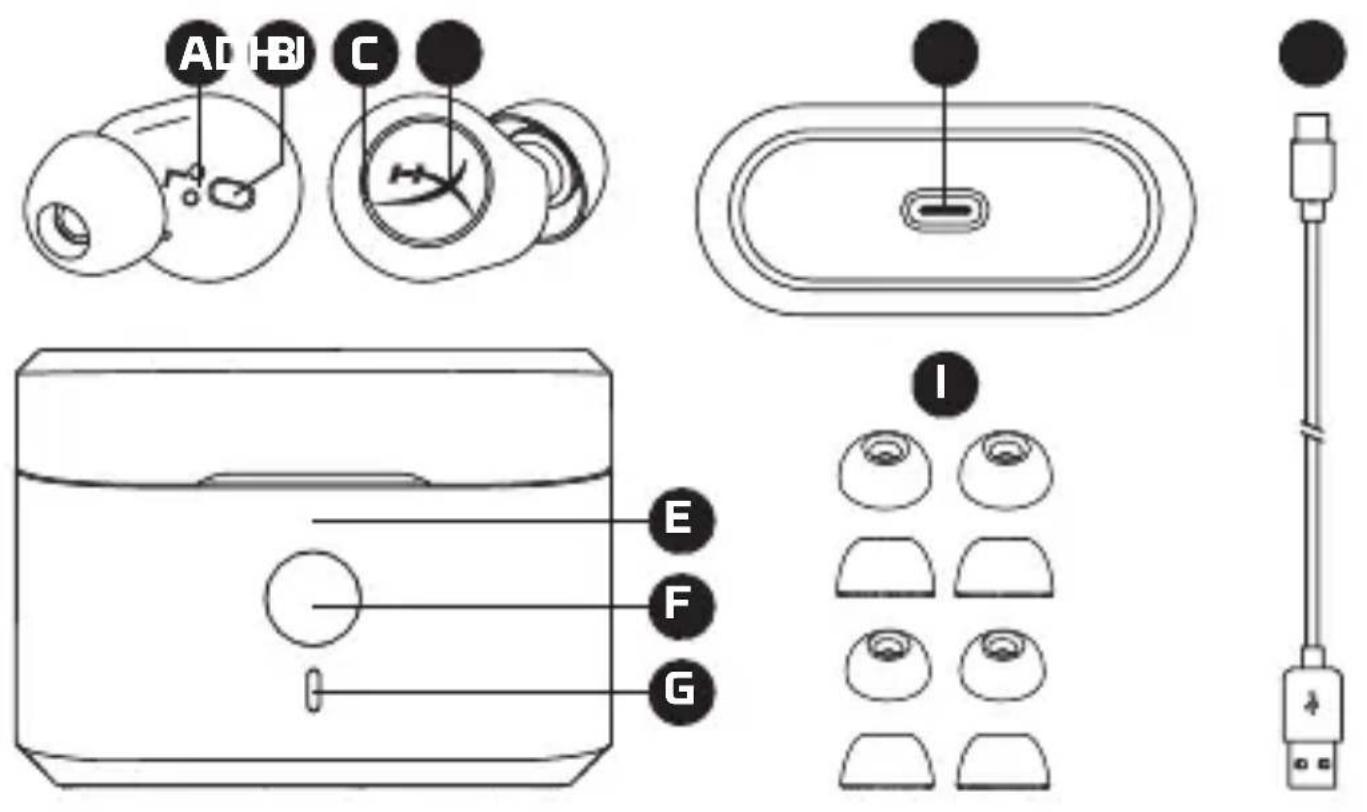
A Charging contacts
B Proximity sensor
C Microphone
D Touch sensor
E Charging case
F Charging case button
G Charging case status LED
H USB-C port
Ear tips (large, small)
USB-C to USB-A cable
HYPER
Charging
It is recommended that the earbuds and charging case be fully charged before first use.
natural_image
Line drawing of a device with a handle and internal components, no text or symbols presentTo charge the earbuds, place them in the charging case and close the lid. If the charging case is not connected to a power source, the charging case status LED will show which earbuds are charging.
| CHARGING CASE STATUS LED | EARBUD(S) CHARGING |
| Yellow Left | |
| Purple Right | |
| Cyan Left & Right |
natural_image
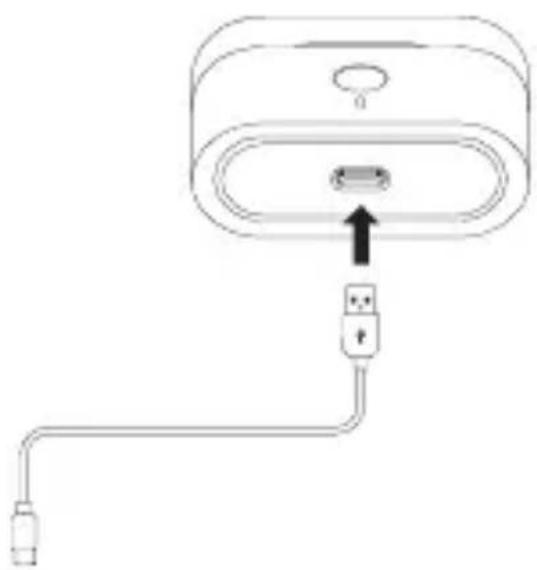
Diagram of a device with an attached USB cable and connector, showing no text or symbolsTo charge the charging case, connect a power source to the USB-C port on the bottom of the case. The charging case status LED will flash the current battery level. The LED will then breath to indicate the charging status until turning solid, indicating a full charge.
| CHARGING CASE STATUS LED | CHARGING CASE BATTERY LEVEL |
| Solid Green 100% | |
| Breathing Green 71% | - 99% |
| Breathing White 30% | - 70% |
| Breathing Red < 30% |
Once fully charged, if the charging case's lid is opened or the button is pushed, the LED will turn off.
Powering on and off the Earbuds
natural_image
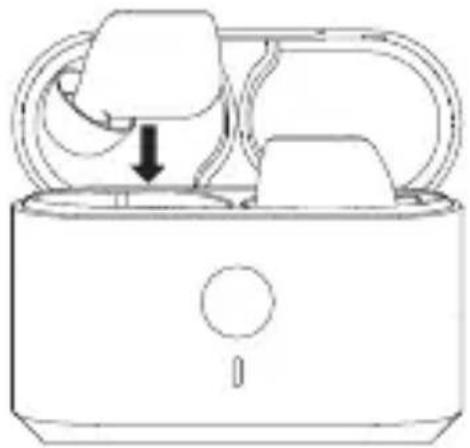
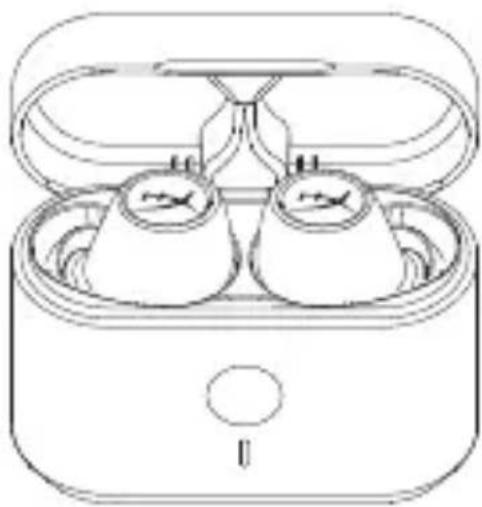
Line drawing of an open electronic device with two earbuds and a tray (no text or symbols)To power on the earbuds, open the charging case. The earbuds will power on and the charging case status LED will flash to indicate the battery level of the charging case. The earbuds can also be powered on outside of the case by holding the touch sensors for 3 seconds. To power off the earbuds, return them to the charging case and close the lid. The earbuds will power off and the charging case status LED will indicate which earbuds are charging. The earbuds can also be powered off outside of the case by holding the touch sensors for 8 seconds.
Charging
-
Power on the earbuds. The earbuds will automatically attempt to reconnect to their last Bluetooth® enabled device(s).
-
The earbuds will automatically enter pairing mode anytime they are not connected to a Bluetooth® device. To enter pairing mode while connected to a Bluetooth® device, use the device's settings to disconnect from the earbuds.
-
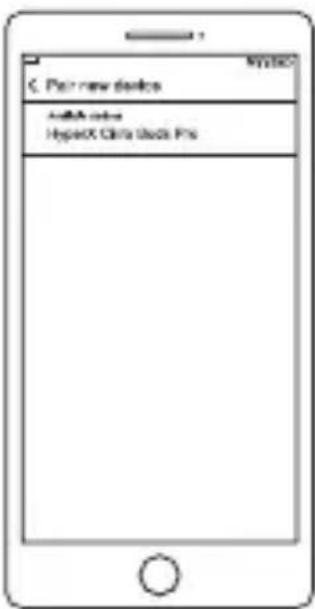
On your Bluetooth® enabled device, search for and connect to HyperX Cirro Buds Pro.
-
At this point, an additional Bluetooth ^® enabled device that had been paired to the earbuds previously can be reconnected to allow for multipoint connectivity.
Earbud Controls
Left Earbud
| STATUS 1 PRESS | 2 PRESSES | 3 PRESSES | LONG PRESS | |
| Playing Media | Play/Pause | Previous Track | Toggle Gaming Mode / Noise Control Off | Activate Mobile Assistant |
| Receiving Call | Answer Call | Reject Call | X | X |
| In Call | X | End Call | X | X |
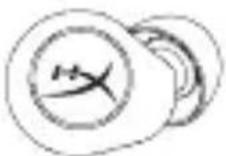
Right Earbud
| STATUS 1 PRESS | 2 PRESSES | 3 PRESSES | LONG PRESS | |
| Playing Media | Play/Pause | Next Track | X | Toggle Ambient Mode/ANC |
| Receiving Call | Answer Call | Reject Call | X | X |
| In Call | X | End Call | X | X |
Audio and Noise Control Modes
| MODE FUNCTION | MAXIMUM BATTERY LIFE | |
| ANC(Power-On Default) | Enables hybrid active noise cancellation to greatly reduce background noise. | 4.5 hours |
| Ambient Mode | Uses the earbuds' microphones to allow hearing external sound. | 5 hours |
| Gaming Mode | Reduces audio latency and enables ANC for an improved gaming experience. | 4 hours |
| Noise Control Off | Disables ambient sound, ANC, and low latency mode for the best battery life. | 7 hours |
Charging Case Button

natural_image
Simple line drawing of a rectangular device with a circular button and a handle (no text or symbols)Press the charging case button to check the charging case's battery level, indicated by flashing the case's status LED.
| CHARGING CASE STATUS LED CHARGING CASE BATTERY LEVEL | |
| Green 71% - 100% | |
| White 30% - 70% | |
| Red < 30% | |
Questions or Setup Issues?
Contact the HyperX support team or see the user manual at : hyperx.com/support
WARNING: Permanent hearing damage can occur if a headset is used at high volumes for extended periods of time.
ENGLISH
Overview
A - Charging contacts
B - Proximity sensor
C - Microphone
Charging
D - Touch sensor
E - Charging case
F - Charging case button
G - Charging case status LED
H - USB-C port
I - Ear tips (large, small)
J - USB-C to USB-A cable
It is recommended that the earbuds and charging case be fully charged before first use.
To charge the earbuds, place them in the charging case and close the lid. If the charging case is not connected to a power source, the charging case status LED will show which earbuds are charging.
| CHARGING CASE STATUS LED | EARBUD(S) CHARGING |
| Yellow Left | |
| Purple Right | |
| Cyan Left & Right |
To charge the charging case, connect a power source to the USB-C port on the bottom of the case. The charging case status LED will flash the current battery level. The LED will then breath to indicate the charging status until turning solid, indicating a full charge.
| CHARGING CASE STATUS LED | CHARGING CASE BATTERY LEVEL |
| Solid Green 100 % | |
| Breathing Green 71 % - 99 % | |
| Breathing White 30 % - 70 % | |
| Breathing Red < 30 % |
Once fully charged, if the charging case's lid is opened or the button is pushed, the LED will turn off.
Powering on and off the Earbuds
To power on the earbuds, open the charging case. The earbuds will power on and the charging case status LED will flash to indicate the battery level of the charging case. The earbuds can also be powered on outside of the case by holding the touch sensors for 3 seconds.
To power off the earbuds, return them to the charging case and close the lid. The earbuds will power off and the charging case status LED will indicate which earbuds are charging. The earbuds can also be powered off outside of the case by holding the touch sensors for 8 seconds.
Pairing the Earbuds
- Power on the earbuds. The earbuds will automatically attempt to reconnect to their last Bluetooth® enabled device(s).
- The earbuds will automatically enter pairing mode anytime they are not connected to a Bluetooth® device. To enter pairing mode while connected to a Bluetooth® device, use the device's settings to
disconnect from the earbuds.
-
On your Bluetooth ^® enabled device, search for and connect to HyperX Cirro Buds Pro.
-
At this point, an additional Bluetooth® enabled device that had been paired to the earbuds previously can be reconnected to allow for multipoint connectivity.
Earbud Controls
Left Earbud
| STATUS 1 PRESS | 2 PRESSES 3 PRESSES | LONG PRESS | ||
| Playing Media | Play/Pause | Previous Track | Toggle Gaming Mode/Noise Control Off | Activate Mobile Assistant |
| Receiving Call | Answer Call Reject Call X X | |||
| In Call X End Call X X | ||||
Right Earbud
| STATUS 1 PRESS | 2 PRESSES 3 PRESSES | LONG PRESS | ||
| Playing Media | Play/Pause | Next Track | X | Toggle ANC/Ambient Mode |
| Receiving Call | Answer Call | Reject Call | X | X |
| In Call X End Call X X | ||||
Audio and Noise Control Modes
| MODE | FUNCTION | MAXIMUM BATTERY LIFE |
| ANC(Power-On Default) | Enables hybrid active noise cancellation to greatly reduce background noise. | 4.5 hours |
| Ambient Mode | Uses the earbuds' microphones to allow hearing external sound. | 5 hours |
| Gaming Mode | Reduces audio latency and enables ANC for an improved gaming experience. | 4 hours |
| Noise Control Off | Disables ambient sound, ANC, and low latency mode for the best battery life. | 7 hours |
Charging Case Button
Press the charging case button to check the charging case's battery level, indicated by flashing the case's status LED.
| CHARGING CASE STATUS LED | CHARGING CASE BATTERY LEVEL |
| Green 71% - 100% | |
| White 30% - 70% | |
| Red < 30% |
Questions or Setup Issues?
Contact the HyperX support team or see the user manual at hyperx.com/support
WARNING: Permanent hearing damage can occur if a headset is used at high volumes for extended periods of time.
FRANÇAIS
Présentation
A - Contacts de charge
Simplified Declaration of Conformity
Hereby, HP declares that the radio equipment is in compliance with Directive 2014/53/EU. The full text of the EU Declaration of Conformity is available at the following internet address: www.hp.eu/certificates UK only: Hereby, HP declares that the radio equipment is in compliance with the relevant statutory requirements. The full text of the declaration of conformity is available at the following internet address:
www.hp.eu/certificates
www.hp.eu/certificates
www.hp.eu/certificates
www.hp.eu/certificates
www.hp.eu/certificates
www.hp.eu/certificates
www.hp.eu/certificates
www.hp.eu/certificates
www.hp.eu/certificates
www.hp.eu/certificates
www.hp.eu/certificates
www.hp.eu/certificates
HyperX has you covered! Got issues with your HyperX® product? Contact our experienced team for quick response and support. hyperx.com/support
Battery/TX Power Info
Battery Information
Earbuds contain 3.7V, 40mAh Li-ion Battery, 0.148Wh
Charging case contains 3.7V, 500mAh Li-ion Battery, 1.85Wh
Cannot be replaced by user
Frequency & TX Power Information
Frequency Bands: 2.4GHz (TX Power: ≤10dBm)
Federal Communication Commission Interference Statement This device complies with Part 15 of the FCC Rules. Operation is subject to the following two conditions: (1) This device may not cause harmful interference, and (2) this device must accept any interference received, including interference that may cause undesired operation. This equipment has been tested and found to comply with the limits for a Class B digital device, pursuant to Part 15 of the FCC Rules. These limits are designed to provide reasonable protection against harmful interference in a residential installation. This equipment generates, uses and can radiate radio frequency energy and, if not installed and used in accordance with the instructions, may cause
harmful interference to radio communications. However, there is no guarantee that interference will not occur in a particular installation. If this equipment does cause harmful interference to radio or television reception, which can be determined by turning the equipment off and on, the user is encouraged to try to correct the interference by one of the following measures:
-Reorient or relocate the receiving antenna.
-Increase the separation between the equipment and receiver.
-Connect the equipment into an outlet on a circuit different from that to which the receiver is connected.
-Consult the dealer or an experienced radio/TV technician for help.
FCC Caution: Any changes or modifications not expressly approved by the party responsible for compliance could void the user's authority to operate this equipment. This transmitter must not be co-located or operating in conjunction with any other antenna or transmitter.
Radiation Exposure Statement The product comply with the FCC portable RF exposure limit set forth for an uncontrolled environment and are safe for intended operation as described in this manual. The further RF exposure reduction can be achieved if the product can be kept as far as possible from the user body or set the device to lower output power if such function is available.
FCC ID: B94-CEB005R, FCC ID: B94-CEB005L
Canada Notices This Class B digital apparatus complies with Canadian ICES-003.
Radiation Exposure Statement The product comply with the Canada portable RF exposure limit set forth for an uncontrolled environment and are safe for intended operation as described in this manual. The further RF exposure reduction can be achieved if the product can be kept as far as possible from the user body or set the device to lower output power if such function is available.
Tested To Comply With FCC Standards For Home or Office Use

NB-0007
NOM
- HyperX Cirro Buds Pro
- True Wireless Earbuds
- Quick Start Guide
- Charging
- Powering on and off the Earbuds
- Earbud Controls
- Charging Case Button
- Questions or Setup Issues?
- ENGLISH
- Overview
- Pairing the Earbuds
- FRANÇAIS
- Présentation
- Simplified Declaration of Conformity
- www.hp.eu/certificates
- Battery/TX Power Info
- Battery Information
- Frequency & TX Power Information
Brand : HYPERX
Model : Cirro Buds Pro
Category : Earplug