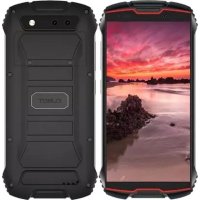
King Kong Mini 2 - Phone Cubot - Free user manual and instructions
Find the device manual for free King Kong Mini 2 Cubot in PDF.


| Product type | Rugged mobile phone |
| Brand | Cubot |
| Model | King Kong Mini 2 |
| Dimensions (approximate) | 133 x 65 x 18 mm |
| Weight | Approximately 200 g |
| Battery life | Up to 3000 mAh (typical) |
| Power supply | Rechargeable lithium-ion battery via USB |
| Display | Touchscreen, size not specified (about 4.9 inches) |
| Operating system | Android (version not specified) |
| Network | 4G LTE, dual SIM |
| Front camera | Yes, for selfies |
| Rear camera | Yes, with LED flash |
| Water and dust resistance | IP68 rating (resistant to immersion and dust) |
| Connectivity | USB, Wi-Fi, Bluetooth, GPS |
| Sensors | Accelerometer, proximity, ambient light |
| Maintenance and cleaning | Wipe with a soft, dry cloth. Avoid harsh chemicals. |
| Security | Facial recognition or fingerprint (not specified) |
| Spare parts and repairability | Non-removable battery, professional repair recommended |
| General information | Compact and rugged phone, compliant with RoHS and DAS standards |
| SAR (head) | 0.566 W/kg |
| SAR (body) | 0.907 W/kg (at 0.5 cm) |
| Operating temperature | 0 °C to 35 °C |
| Storage temperature | -20 °C to 50 °C |
| Manufacturer | Shenzhen Huafurui Technology Co., Ltd. |
Frequently Asked Questions - King Kong Mini 2 Cubot
User questions about King Kong Mini 2 Cubot
0 question about this device. Answer the ones you know or ask your own.
Ask a new question about this device
Download the instructions for your Phone in PDF format for free! Find your manual King Kong Mini 2 - Cubot and take your electronic device back in hand. On this page are published all the documents necessary for the use of your device. King Kong Mini 2 by Cubot.
USER MANUAL King Kong Mini 2 Cubot
English version ____01
日本 語 バージョン 08
Deutsche Version — 16
Accessing more information
To view the full user manual on your device, please visit www.cubot.net to view more about the user manual.
Device layout
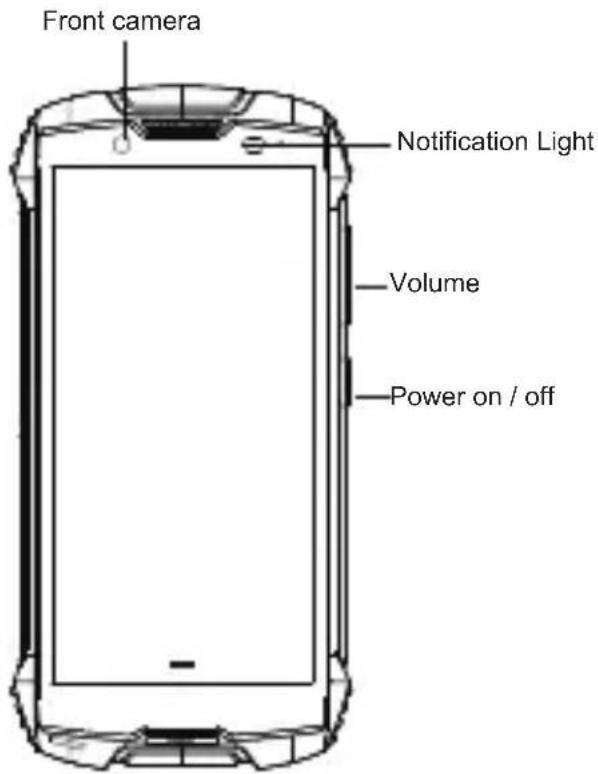
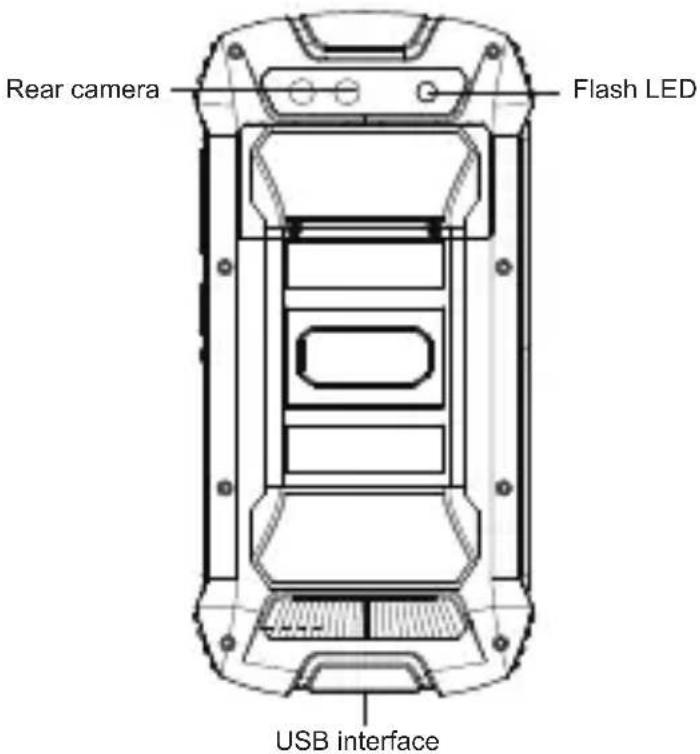
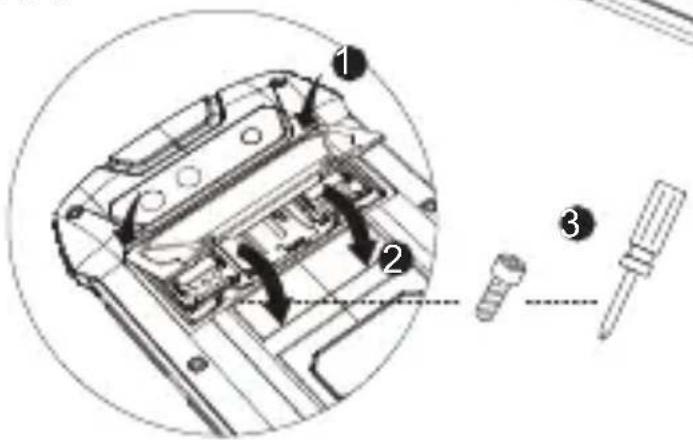
How to install the card
Open the rear cover:
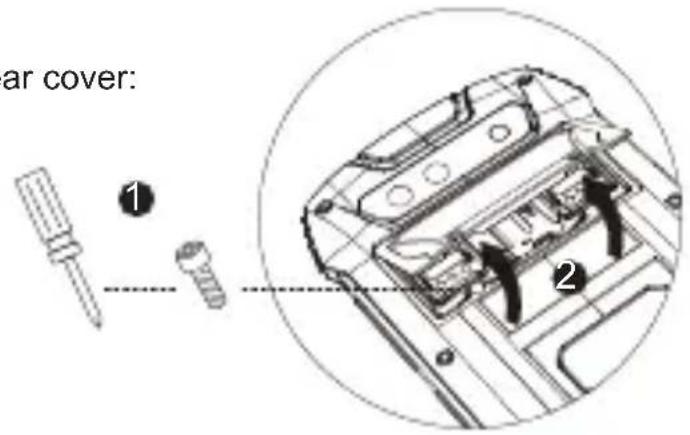
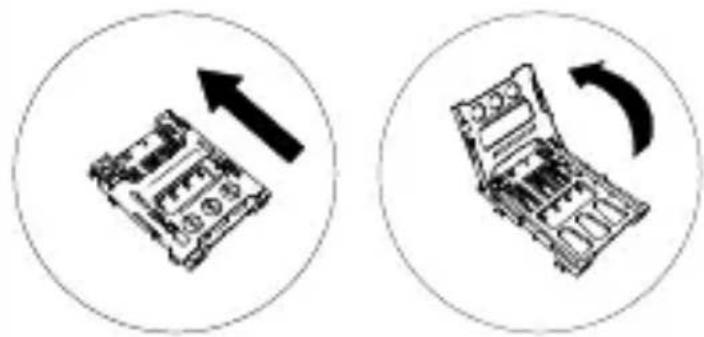
Push in the direction marked and then open:
natural_image
Two circular diagrams showing a device with an upward arrow and a curved arrow indicating rotation or movement (no text or symbols)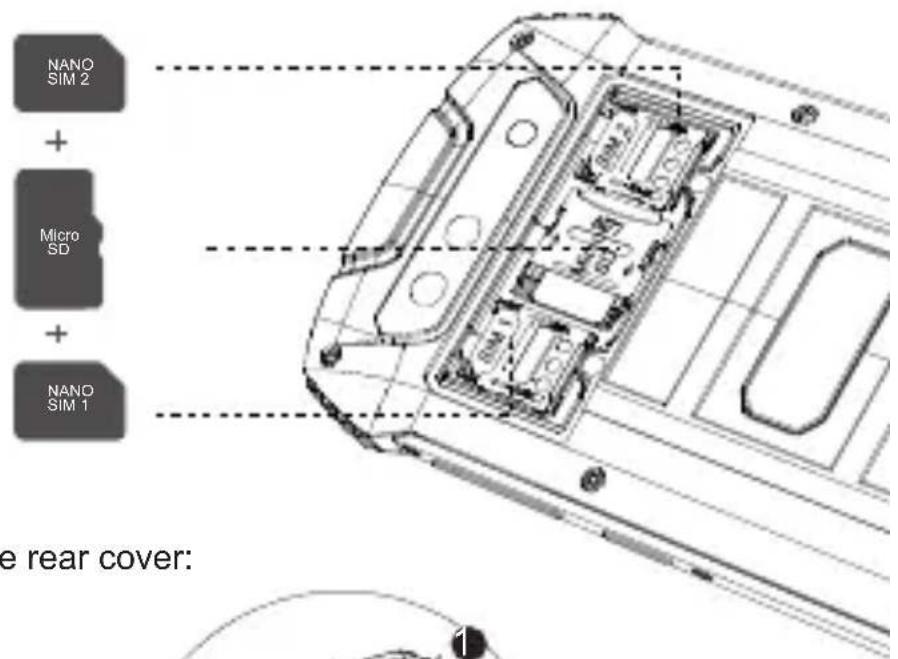
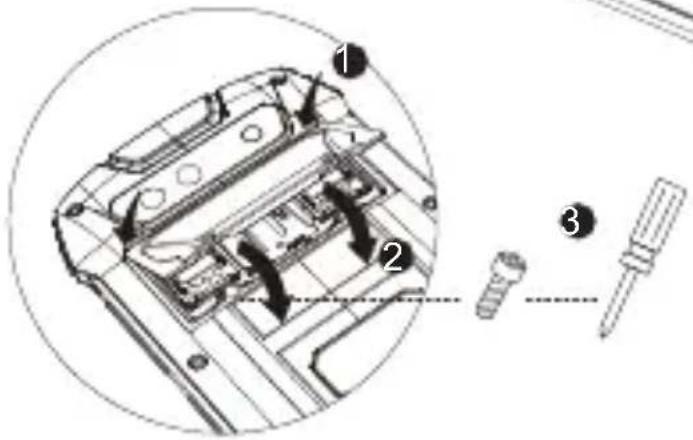
Close the rear cover:
How to boot
Press the power button for 3–5 seconds
Note: If you encounter an abnormal image such as a crash during use, the processing method is as follows: For a mobile phone that cannot remove the battery, please press and hold the power button for more than 12 seconds, the phone will be forced to restart.
How to Send SMS
- Open the SMS app
- Select New Information
• Enter a phone number or browse your contacts - Select Edit Information and enter your text
Send
Language switching settings
- Main menu-settings-system setting-language and input method
• Language and input method - language -language adding - Select the language you need, the system will automatically jump back to the language interface
- Select the icon after the language bar and drag it to the first one
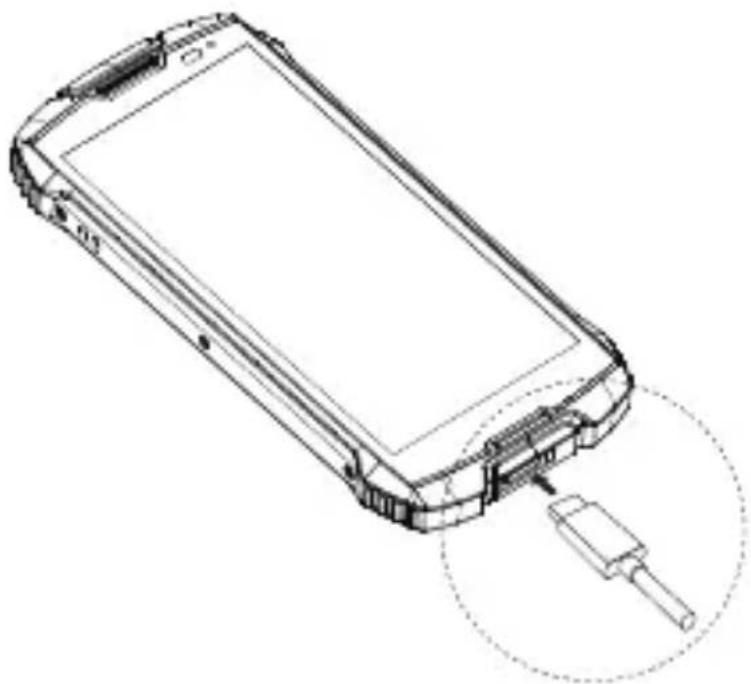
Charging the battery
Before using the device for the first time, you must charge the battery.
natural_image
Line drawing of a mobile phone with a cable inserted, showing internal components and a close-up of the cable (no text or symbols)Correct disposal
natural_image
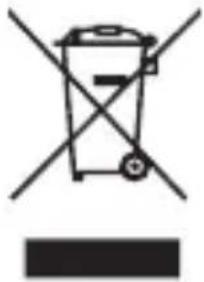
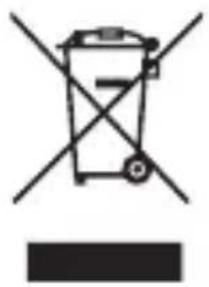
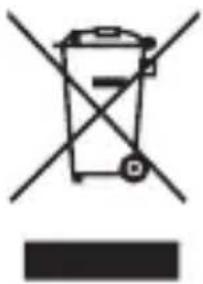
Symbol of a trash bin with crossed lines indicating no waste, and a solid black rectangle below (no text or labels)This marking on the product, accessories or literature indicates that the product and its electronic accessories (e.g. charger, headset, USB cable) should not be disposed of with other household waste.
This product is RoHS compliant.
Safety information
Read all safety information before using the device to ensure safe and proper use.
Warning
Follow the warning information provided below to prevent incidents such as fire or explosion
- Do not turn on or use the device when the battery compartment is exposed.
- The phone should be at least 15 cm away from any medical implant or rhythm adjuster and never put the device in your coat pocket.
- Do not expose the device and other batteries together with the high temperatures or heat-generating equipment such as sunlight, heaters, microwave ovens, ovens or water heaters. Overheating of the battery can cause an explosion.
- When charging is complete or not charging, disconnect the charger from the device and unplug the charger from the power outlet.
- If the device is equipped with a non-removable battery, do not replace the battery yourself to avoid damaging the battery or device.
• Use of an unapproved or incompatible power source, charger or battery may cause fire, explosion or other hazards. - Do not disassemble or reset the battery, insert other objects, immerse in water or other liquids to avoid battery leakage, overheating, fire or explosion.
- Do not drop, crush, scratch or puncture the battery to avoid subjecting the battery to excessive external pressure, resulting in internal short-circuit and overheating of the battery.
-
Possibly Keep the device away from the belly of pregnant women and the lower abdomen of adolescents.
-
For Children and young people, please make sensible use of the device, for example by avoiding night-time communication and limiting the frequency and duration of calls.
- The company does not bear the responsibility for accidents caused by non-standard related charging equipment.
Follow the warnings below to prevent injury to people or damage to the device
• Do not allow children or animals to chew or suck the device.
- If the device has a camera flash or light, do not use it close to the eyes of people or animals.
- The device can be used in locations with an ambient temperature of 0^ c to 35^ c. You can store the device at an ambient temperature of -20^ c to 50^ c. Using or storing the device outside of the recommended temperature ranges may damage the device or reduce the battery's lifespan.
• Do not use your device in a hot environment or near fire.
- Comply with all safety warnings and regulations regarding mobile device usage while operating a vehicle.
• Do not use the phone in situations where it might cause danger.
Transportation Safety: Please observe all transportation laws and regulations. Drive with both hands on the wheel.
Hospitals: Please turn off your mobile phone when near medical instruments.
Airports: Remember to follow all airport and flight safety regulations. Please do not use your phone during flight.
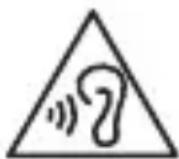
To prevent possible hearing damage when using a headset, do not listen to sound at high volume U for long periods.
- It is recommended not to use fixed graphics on part or all of the touchscreen for extended periods. Doing so may result in afterimages (screen burn-in) or ghosting.
Specific Absorption Rate (SAR) certification information
THIS DEVICE MEETS INTERNATIONAL GUIDELINES FOR EXPOSURE TO RADIO WAVES

www.sar-tick.com
Your mobile is designed not to exceed the limits for exposure to radio waves recommended by international guidelines. The guidelines were developed by an independent scientific organization (ICNIRP) and include a substantial safety margin designed to assure the safety of all persons, regardless of age and health.
The radio wave exposure guidelines use a unit of measurement known as the Specific Absorption Rate, or SAR. The SAR limit for mobile devices is 2.0 W/kg. The highest SAR values under the ICNIRP guidelines for this device model are:
| Maximum SAR for this model and conditions under which it was recorded | |
| Head (limit 2 W/kg) | 0.566 W/kg |
| Body-worn (limit 2 W/kg) | 0.907 W/kg |
| Hotspot (limit 2 W/kg) | 1.408 W/kg |
| Limb (limit 4 W/kg) | 2.891 W/kg |
Body-worn SAR testing has been carried out at a separation distance of 0.5 cm. To meet RF exposure guidelines during body-worn operation, the device should be positioned at least this distance away from the body.
Company
Shenzhen Huafurui Technology Co., Ltd.
Address
Unit 1401 & 1402, 14/F, Jin qi zhi gu mansion (No. 4 building of Chong wen Garden), Crossing of the Liu xian street and Tang ling road, Tao yuan street, Nan shan district, Shenzhen, P.R. China. 518055
クイック スタート ガイド
KINGKONG MINI 2
詳細情報へのアクセス
natural_image
Two circular diagrams showing a device with an upward arrow and a right-handled mechanical component, no text or symbols present.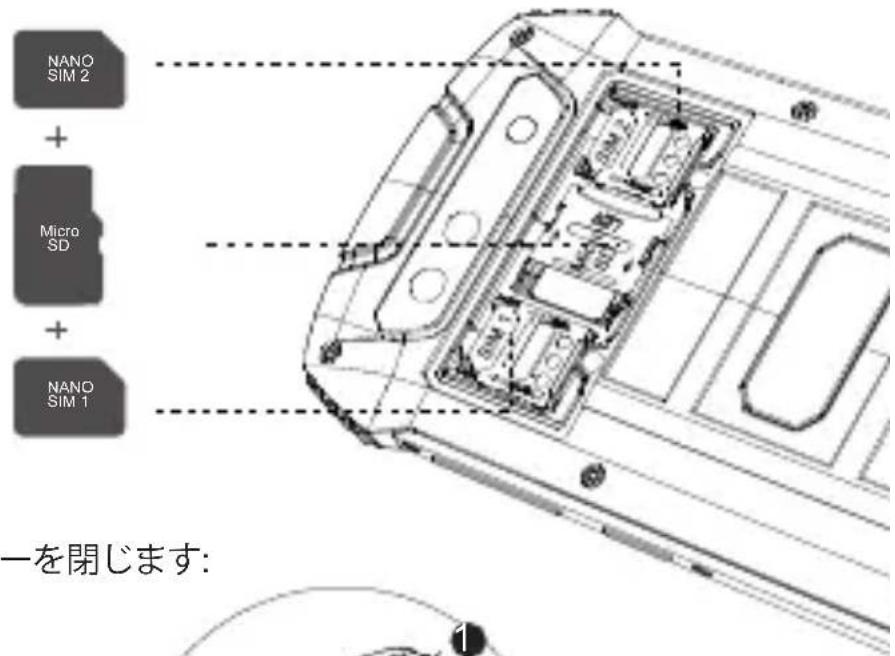
背面カバーを閉じます:
起動する方法
電源ボタンを3~5秒間押してください
natural_image
Line drawing of a smartphone with a close-up of its internal components, no text or symbols present.正しい廃棄
natural_image
Symbol of a trash bin crossed with two crossed lines and a solid black rectangle below (no text or labels)Unit 1401 & 1402, 14/F, Jin qi zhi gu mansion (No. 4 building of Chong wen Garden), Crossing of the Liu xian street and Tang ling road, Tao yuan street, Nan shan district, Shenzhen, P.R. China. 518055
natural_image
Two circular diagrams showing a device with an upward arrow and a curved arrow, no text or symbols present.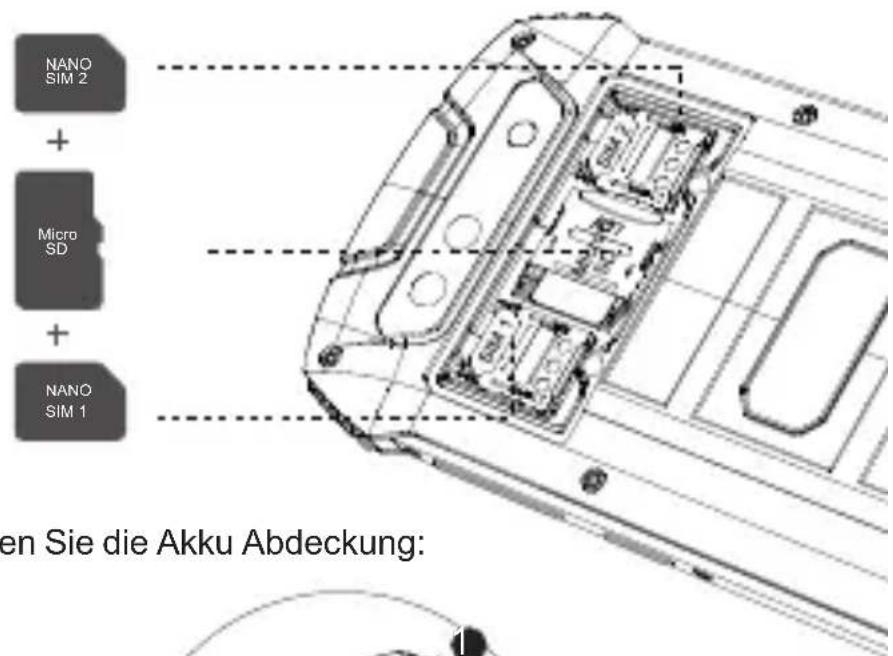
Wie man booten
natural_image
Line drawing of a smartphone with a close-up of its internal components, no text or symbols present.korrekte Entsorgung
natural_image
Symbol of a trash bin with crossed lines indicating no waste or restriction, and a solid black rectangle below (no text or labels)Unit 1401 & 1402, 14/F, Jin qi zhi gu mansion (No. 4 building of Chong wen Garden), Crossing of the Liu xian street and Tang ling road, Tao yuan street, Nan shan district, Shenzhen, P.R. China. 518055
GUIDE DE DÉMARRAGE RAPIDE
KINGKONG MINI 2
natural_image
Two circular diagrams showing a device with an upward arrow and a curved arrow indicating rotation or movement (no text or symbols)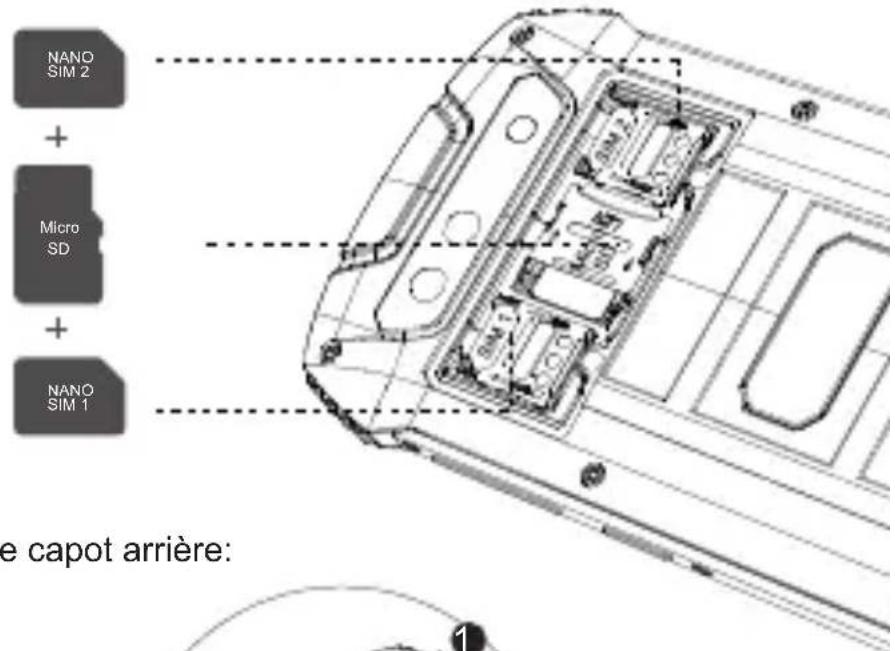
natural_image
Line drawing of a smartphone with a cable connector inserted, showing internal components and wiring (no text or symbols)natural_image
Simple line drawing of a trash bin with crossed lines indicating no waste or discharge (no text or symbols)Unit 1401 & 1402, 14/F, Jin qi zhi gu mansion (No. 4 building of Chong wen Garden), Crossing of the Liu xian street and Tang ling road, Tao yuan street, Nan shan district, Shenzhen, P.R. China. 518055
natural_image
Two circular diagrams showing mechanical components with directional arrows, no text or symbols present.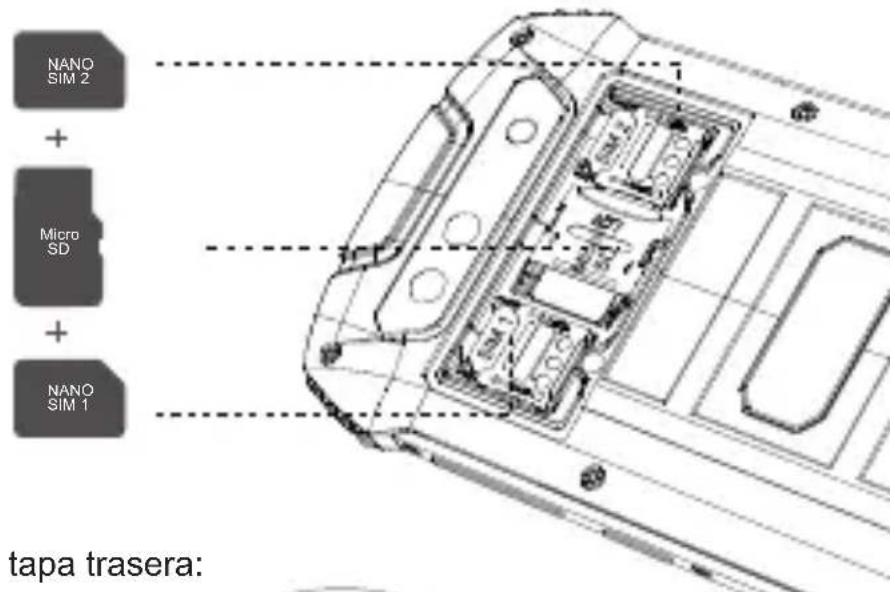
Cómo iniciart
natural_image
Line drawing of a smartphone with a cable inserted, showing internal components and a close-up of the cable (no text or symbols)natural_image
Symbol of a trash bin crossed with a diagonal line, no text or numbers presentUnit 1401 & 1402, 14/F, Jin qi zhi gu mansion (No. 4 building of Chong wen Garden), Crossing of the Liu xian street and Tang ling road, Tao yuan street, Nan shan district, Shenzhen, P.R. China. 518055
GUIDA RAPIDA
KINGKONG MINI 2
natural_image
Two circular diagrams showing a mechanical component with an upward arrow and a curved arrow indicating rotation (no text or symbols)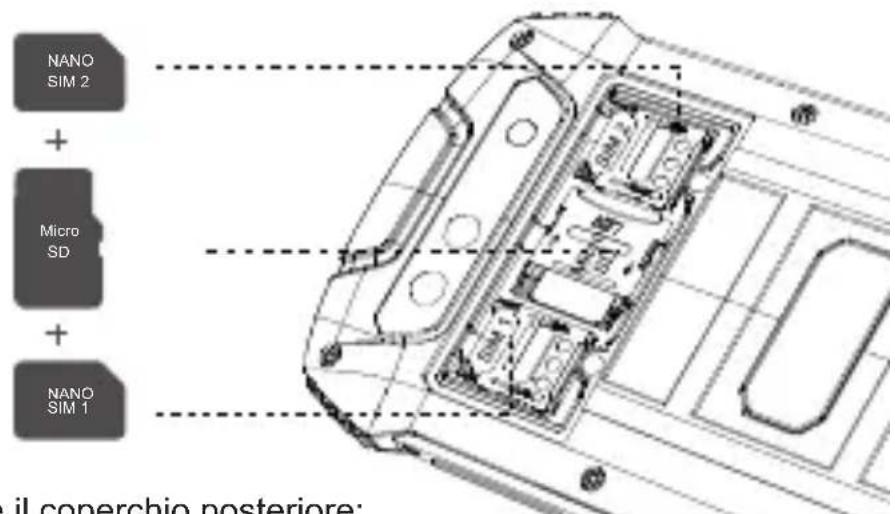
Come avviare
natural_image
Line drawing of a smartphone with a cable inserted, showing internal components and a close-up of the cable (no text or symbols)natural_image
Simple line drawing of a trash bin with crossed lines indicating no waste or discharge (no text or symbols)Unit 1401 & 1402, 14/F, Jin qi zhi gu mansion (No. 4 building of Chong wen Garden), Crossing of the Liu xian street and Tang ling road, Tao yuan street, Nan shan district, Shenzhen, P.R. China. 518055
KPATKOE
РУКОВОДСТВО
ПОЛЬЗОВАТЕЛЯ
KINGKONG MINI 2
natural_image
Two circular diagrams showing a mechanical component with an upward arrow and a curved arrow indicating rotation (no text or symbols)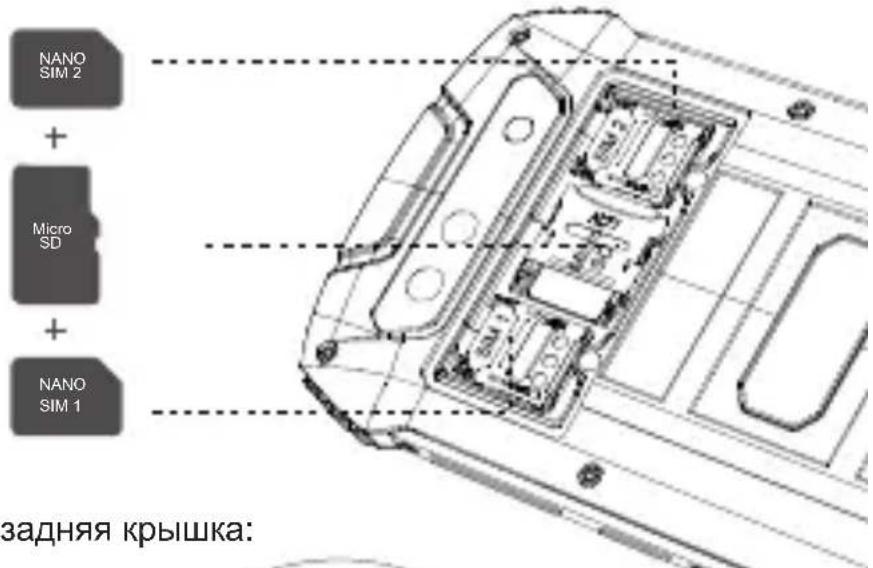
Как загрузить
natural_image
Line drawing of a smartphone with a close-up of its internal components, no text or symbols presentnatural_image
Simple line drawing of a trash bin with crossed lines indicating no waste or discharge (no text or symbols)Unit 1401 & 1402, 14/F, Jin qi zhi gu mansion (No. 4 building of Chong wen Garden), Crossing of the Liu xian street and Tang ling road, Tao yuan street, Nan shan district, Shenzhen, P.R. China. 518055

For more details, please scan the QR code to browse the official website
https://www.cubot.net