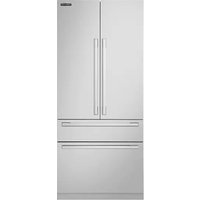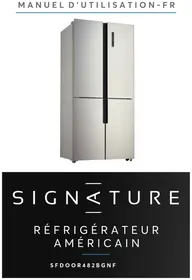
SFDOOR482BGNF - Fridge SIGNATURE - Free user manual and instructions
Find the device manual for free SFDOOR482BGNF SIGNATURE in PDF.


Pick your language and provide your email: we'll send you a specifically translated version.
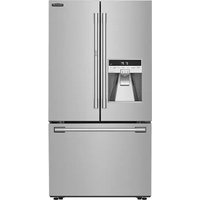
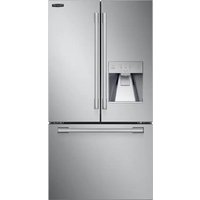
| Product type | American refrigerator |
| Brand | Signature |
| Model | SFDOOR482BGNF |
| Total capacity | 500 L (refrigerator 340 L, freezer 160 L) |
| Energy class | E |
| Annual consumption | 280 kWh |
| Dimensions (H x W x D) | 180 cm x 70 cm x 75 cm |
| Net weight | 70 kg |
| Power supply | 220-240 V, 50 Hz |
| Main features | Ventilated cooling, LED lighting, adjustable shelves, vegetable bin, water dispenser |
| Defrosting | Automatic (refrigerator), manual (freezer) |
| Maintenance and cleaning | Clean the interior with a soft cloth and soapy water. Defrost the freezer every 6 months. |
| Safety | Child lock, reversible door, open door alarm |
| Spare parts and repairability | Repairability index: 7.5/10. Parts available on the manufacturer's website. |
| General information | American refrigerator from the Signature brand. Elegant design, low noise level (42 dB). |
Frequently Asked Questions - SFDOOR482BGNF SIGNATURE
How to adjust the refrigerator temperature?
Use the control panel inside the refrigerator. Press the + or - keys to adjust the temperature. The recommended range is 2 to 6 °C for the refrigerator and -18 °C for the freezer.
How to clean the interior of the refrigerator?
Unplug the appliance. Remove all food. Clean interior surfaces with a soft cloth soaked in warm soapy water. Avoid abrasive products. Rinse and dry thoroughly before restarting.
What to do if the refrigerator no longer cools?
Check that the appliance is properly plugged in and the thermostat is not set to off. Clean the ventilation grilles at the back. If the problem persists, contact customer service.
How to change the refrigerator light bulb?
Unplug the appliance. Remove the bulb cover by turning it. Replace the defective bulb with one of the same type (E14, max 25W). Replace the cover and plug back in.
How to reverse the door opening direction?
The operation requires two people. Disassemble the upper and lower hinges. Reverse the guide parts and handles. Follow the detailed instructions in the manual. Keep the screws for reassembly.
How to install the refrigerator correctly?
Place the appliance on a stable and level floor. Leave a 5 cm space at the back and sides for ventilation. Plug into a grounded outlet. Wait 2 hours before adding food.
How long does it take to reach temperature after first startup?
Allow approximately 4 to 6 hours for the temperature to stabilize. Avoid opening the door frequently during this time.
How to use the vacation mode?
Activate vacation mode via the control panel. This mode maintains a higher temperature in the refrigerator to save energy while preventing odors. The freezer continues to operate normally.
What to do in case of a power outage?
Keep the door closed. Food will stay cold for about 4 hours. If prolonged, check freshness before consuming. Do not refreeze thawed food.
How to contact customer service?
Refer to the warranty card for contact information. You can also call the support number listed on the manufacturer's website. Have your serial number ready.
User questions about SFDOOR482BGNF SIGNATURE
0 question about this device. Answer the ones you know or ask your own.
Ask a new question about this device
No questions yet. Be the first to ask one.
Download the instructions for your Fridge in PDF format for free! Find your manual SFDOOR482BGNF - SIGNATURE and take your electronic device back in hand. On this page are published all the documents necessary for the use of your device. SFDOOR482BGNF by SIGNATURE.