USER MANUAL OFFICEJET 6500 E709A HP
© 2009 Copyright Hewlett-Packard Development Company, L.P.
www.hp.com/hpinfo/globalcitizenship/environment/
Consultez le site: www.hp.com/support.
Consultez le site: www.hp.com/support.
Consultez le site: www.hp.com/support.
Consultez le site: www.hp.com/support.
Consultez le site: www.hp.com/support.
Consultez le site: www.hp.com/support.
- Verification du support
- Verification du support
C:\Ping 123.123.123.123
Consultez le site: www.hp.com/support.
Consultez le site: www.hp.com/support.
www. hp.com/support.
Configuration recommende
The United States Federal Communications Commission (in 47 CFR 15.105) has specified that the following notice be brought to the attention of users of this product.
This equipment has been tested and found to comply with the limits for a Class B digital device, pursuant to Part 15 of the FCC Rules. These limits are designed to provide reasonable protection against harmful interference in a residential installation. This equipment generates, uses and can radiate radio frequency energy and, if not installed and used in accordance with the instructions, may cause harmful interference to radio communications. However, there is no guarantee that interference will not occur in a particular installation. If this equipment does cause harmful interference to radio or television reception, which can be determined by turning the equipment off and on, the user is encouraged to try to correct the interference by one or more of the following measures:
Reorient the receiving antenna.
- Increase the separation between the equipment and the receiver.
- Connect the equipment into an outlet on a circuit different from that to which the receiver is connected.
- Consult the dealer or an experienced radio/TV technician for help.
For further information, contact:
Manager of Corporate Product Regulations
Hewlett-Packard Company
3000 Hanover Street
Palo Alto, Ca 94304
(650) 857-1501
Modifications (part 15.21)
The FCC requires the user to be notified that any changes or modifications made to this device that are not expressly approved by HP may void the user's authority to operate the equipment.
This device complies with Part 15 of the FCC Rules. Operation is subject to the following two conditions: (1) this device may not cause harmful interference, and (2) this device must accept any interference received, including interference that may cause undesired operation.
LED indicator statement
The display LEDs meet the requirements of EN 60825-1.
Notice to users of the U.S. telephone network: FCC requirements
This equipment complies with FCC rules, Part 68. On this equipment is a label that contains, among other information, the FCC Registration Number and Ringer Equivalent Number (REN) for this equipment. If requested, provide this information to your telephone company.
An FCC compliant telephone cord and modular plug is provided with this equipment. This equipment is designed to be connected to the telephone network or premises wiring using a compatible modular jack which is Part 68 compliant. This equipment connects to the telephone network through the following standard network interface jack: USOC RJ-11C.
The REN is useful to determine the quantity of devices you may connect to your telephone line and still have all of those devices ring when your number is called. Too many devices on one line might result in failure to ring in response to an incoming call. In most, but not all, areas the sum of the RENs of all devices should not exceed five (5). To be certain of the number of devices you may connect to your line, as determined by the REN, you should call your local telephone company to determine the maximum REN for your calling area.
If this equipment causes harm to the telephone network, your telephone company might discontinue your service temporarily. If possible, they will notify you in advance. If advance notice is not practical, you will be notified as soon as possible. You will also be advised of your right to file a complaint with the FCC. Your telephone company might make changes in its facilities, equipment, operations, or procedures that could affect the proper operation of your equipment. If they do, you will be given advance notice so you will have the opportunity to maintain uninterrupted service. If you experience trouble with this equipment, please contact the manufacturer, or look elsewhere in this manual, for warranty or repair information. Your telephone company might ask you to disconnect this equipment from the network until the problem has been corrected or until you are sure that the equipment is not malfunctioning.
This equipment may not be used on coin service provided by the telephone company.
Connection to party lines is subject to state tariffs. Contact your state public utility commission, public service commission, or corporation commission for more information.
This equipment includes automatic dialing capability. When programming and/or making test calls to emergency numbers:
- Remain on the line and explain to the dispatcher the reason for the call.
- Perform such activities in the off-peak hours, such as early morning or late evening.

Note The FCC hearing aid compatibility rules for telephones are not applicable to this equipment.
The Telephone Consumer Protection Act of 1991 makes it unlawful for any person to use a computer or other electronic device, including fax machines, to send any message unless such message clearly contains in a margin at the top or bottom of each transmitted page or on the first page of transmission, the date and time it is sent and an identification of the business, other entity, or other individual sending the message and the telephone number of the sending machine or such business, other entity, or individual. (The telephone number provided might not be a 900 number or any other number for which charges exceed local or long-distance transmission charges.) In order to program this information into your fax machine, you should complete the steps described in the software.
This equipment meets the applicable Industry Canada Terminal Equipment Technical Specifications. This is confirmed by the registration number. The abbreviation IC before the registration number signifies that registration was performed based on a Declaration of Conformity indicating that Industry Canada technical specifications were met. It does not imply that Industry Canada approved the equipment.
Users should ensure for their own protection that the electrical ground connections of the power utility, telephone lines and internal metallic water pipe system, if present, are connected together. This precaution might be particularly important in rural areas.

Note The REN (Ringer Equivalence Number) assigned to each terminal device provides an indication of the maximum number of terminals allowed to be connected to a telephone interface. The termination on an interface might consist of any combination of devices subject only to the requirement that the sum of the Ringer Equivalence Numbers of all the devices does not exceed 5.
The REN for this product is 0.0B, based on FCC Part 68 test results.
Notice to users in the European Economic Area

This product is designed to be connected to the analog Switched Telecommunication Networks (PSTN) of the European Economic Area (EEA) countries/regions.
Network compatibility depends on customer selected settings, which must be reset to use the equipment on a telephone network in a country/region other than where the product was purchased. Contact the vendor or Hewlett-Packard Company if additional product support is necessary.
This equipment has been certified by the manufacturer in accordance with Directive 1999/5/EC (annex II) for Pan-European single-terminal connection to the public switched telephone network (PSTN). However, due to differences between the individual PSTNs provided in different countries, the approval does not, of itself, give an unconditional assurance of successful operation on every PSTN network termination point.
In the event of problems, you should contact your equipment supplier in the first instance.
This equipment is designed for DTMF tone dialing and loop disconnect dialing. In the unlikely event of problems with loop disconnect dialing, it is recommended to use this equipment only with the DTMF tone dial setting.
Exposure to radio frequency radiation

Caution The radiated output power of this device is far below the FCC radio frequency exposure limits. Nevertheless, the device shall be used in such a manner that the potential for human contact during normal operation is minimized. This product and any attached external antenna, if supported, shall be placed in such a manner to minimize the potential for human contact during normal operation. In order to avoid the possibility of exceeding the FCC radio frequency exposure limits, human proximity to the antenna shall not be less than 20~cm (8 inches) during normal operation.
For Indoor Use. This digital apparatus does not exceed the Class B limits for radio noise emissions from the digital apparatus set out in the Radio Interference Regulations of the Canadian Department of Communications. The internal wireless radio complies with RSS 210 and RSS GEN of Industry Canada.
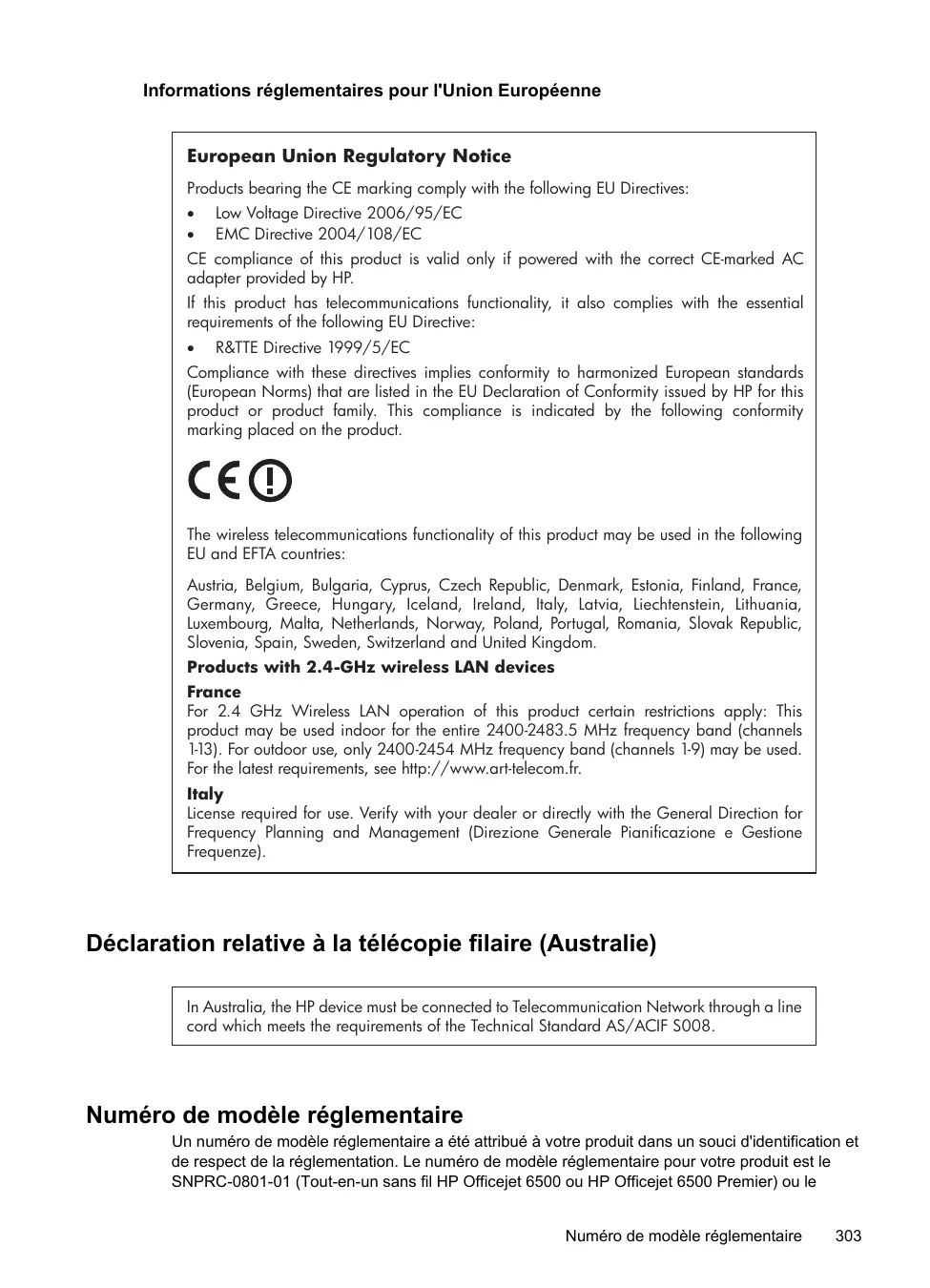
European Union Regulatory Notice
Products bearing the CE marking comply with the following EU Directives:
Low Voltage Directive 2006/95/EC
EMC Directive 2004/108/EC
CE compliance of this product is valid only if powered with the correct CE-marked AC adapter provided by HP.
If this product has telecommunications functionality, it also complies with the essential requirements of the following EU Directive:
R&TTE Directive 1999/5/EC
Compliance with these directives implies conformity to harmonized European standards (European Norms) that are listed in the EU Declaration of Conformity issued by HP for this product or product family. This compliance is indicated by the following conformity marking placed on the product.

The wireless telecommunications functionality of this product may be used in the following EU and EFTA countries:
Austria, Belgium, Bulgaria, Cyprus, Czech Republic, Denmark, Estonia, Finland, France, Germany, Greece, Hungary, Iceland, Ireland, Italy, Latvia, Liechtenstein, Lithuania, Luxembourg, Malta, Netherlands, Norway, Poland, Portugal, Romania, Slovak Republic, Slovenia, Spain, Sweden, Switzerland and United Kingdom.
Products with 2.4-GHz wireless LAN devices
France
For 2.4 GHz Wireless LAN operation of this product certain restrictions apply: This product may be used indoor for the entire 2400-2483.5 MHz frequency band (channels 1-13). For outdoor use, only 2400-2454 MHz frequency band (channels 1-9) may be used. For the latest requirements, see http://www.artelecom.fr.
Italy
License required for use. Verify with your dealer or directly with the General Direction for Frequency Planning and Management (Direzione Generale Pianificazione e Gestione Frenqueze).
In Australia, the HP device must be connected to Telecommunication Network through a line cord which meets the requirements of the Technical Standard AS/ACIF S008.
| DECLARATION OF CONFORMITY according to ISO/IEC 17050-1 and EN 17050-1 |
| Supplier's Name: | Hewlett-Packard Company DoC#: SNPRC-0801-01-A |
| Supplier's Address: | 60, Alexandra Terrace, # 07-01 The Comtech, Singapore 118502 |
| declares, that the product |
| Product Name: | HP Officejet 6500 All-In-One Series |
| Regulatory Model Number:1) | SNPRC-0801-01 |
| Product Options: | All |
| Radio Module Number: | RSVLD-0707 |
| conforms to the following Product Specifications and Regulations: |
| SAFETY: | IEC 60950-1:2001 / EN60950-1:2001 + A11:2004 EN 60825-1 1994+A1:2002+A2:2001 |
| EMC: | CISPR 22:2005/ EN 55022:2006 Class B EN 55024:1998+A1:2001 + A2:2003 EN 61000-3-2: 2000 + A2:2005 EN 61000-3-3:1995 +A1:2001 FCC CFR 47, Part 15 Class B / ICES-003, Issue 4 Class B |
| TELECOM: | EN 301 489-1 V1.6.1:2005 / EN 301 489-17 V1.2.1:2002 EN 300 328 V1.7.1 : 2006 TBR 21:1998a) FCC Rules and Regulations 47CFR Part 68 TIA-968-A-1 +A-2 +A-3+A-4 Telecommunications - Telephone Terminal Equipment CS-03, Part I, Issue 9, Feb 2005 |
| Supplementary Information: |
| 1. This product is assigned a Regulatory Model Number which stays with the regulatory aspects of the design. The Regulatory Model Number is the main product identifier in the regulatory documentation and test reports, this number should not be confused with the marketing name or the product numbers. |
| 2. This product complies with the requirements of the Low Voltage Directive 2006/95/EC, the EMC Directive 2004/108/EC & the R&TE Directive 99/5/EC and carries the CE-marking accordingly. In addition, it complies with the WEEE Directive 2002/96/EC and RoHS Directive 2002/95/EC. |
| 3. This product complies with TBR21:1998, except clause 4.7.1 (DC characteristic), which complies with ES 203 021-3, clause 4.7.1. |
| 4. This Device complies with Part 15 of the FCC Rules. Operation is subject to the following two Conditions: (1) This device may not cause harmful interference, and (2) this device must accept any interference received, including interference that may cause undesired operation. |
| 5. The product was tested in a typical configuration. |
| Singapore
April 2008 |
| Local contact for regulatory topics only: EMEA: Hewlett-Packard GmbH, HQ-TRE, Herrenberger Strasse 140, 71034 Boeblingen, Germanywww.hp.com/go/certificates USA : Hewlett-Packard, 3000 Hanover St., Palo Alto 94304, U.S.A. 650-857-1501 |
| Supplier's Name: | Hewlett-Packard Company DoC#: SNPRC-0801-02:A |
| Supplier's Address: | 60, Alexandra Terrace, # 07-01 The Comtech, Singapore 118502 |
| declares, that the product |
| Product Name: | HP Officejet 6500 All-In-One Series |
| Regulatory Model Number:1) | SNPRC-0801-02 |
| Product Options: | All |
| conforms to the following Product Specifications and Regulations: |
| SAFETY: | IEC 60950-1:2001 / EN60950-1:2001 + A11: 2004 EN 60825-1 1994+A1:2002+A2: 2001 |
| EMC: | CISPR 22:2005/ EN 55022: 2006 Class B EN 55024:1998 +A1:2001 + A2:2003 EN 61000-3-2: 2000 + A2: 2005 EN 61000-3-3:1995 +A1: 2001 FCC CFR 47, Part 15 Class B / ICES-003, Issue 4 Class B |
| TELECOM: | TBR 21: 19983) FCC Rules and Regulations 47CFR Part 68 TIA-968-A-1 +A-2 +A-3+A-4 Telecommunications – Telephone Terminal Equipment CS-03, Part I, Issue 9, Feb 2005 |
| Supplementary Information: |
| 1. This product is assigned a Regulatory Model Number which stays with the regulatory aspects of the design. The Regulatory Model Number is the main product identifier in the regulatory documentation and test reports, this number should not be confused with the marketing name or the product numbers. |
| 2. This product complies with the requirements of the Low Voltage Directive 2006/95/EC, the EMC Directive 2004/108/EC & the R&TTE Directive 99/5/EC and carries the CE-marking accordingly. In addition, it complies with the WEEE Directive 2002/96/EC and RoHS Directive 2002/95/EC. |
| 3. This product complies with TBR21:1998, except clause 4.7.1 (DC characteristic), which complies with ES 203 021-3, clause 4.7.1. |
| 4. This Device complies with Part 15 of the FCC Rules. Operation is subject to the following two Conditions: (1) This device may not cause harmful interference, and (2) this device must accept any interference received, including interference that may cause undesired operation. |
| 5. The product was tested in a typical configuration. |
| Singapore
April 2008
Local contact for regulatory topics only: |
| EMEA: Hewlett-Packard GmbH, HQ-TRE, Herrenberger Strasse 140, 71034 Boeblingen, Germany www. hp.com/go/certificales
USA: Hewlett-Packard, 3000 Hanover St., Palo Alto 94304, U.S.A. 650-857-1501 |
www.hp.com/hpinfo/globalcitizenship/environment/index.html
www. hp.com/ Hpinfo/globalcitizenship/environment/recycle/
www. hp.com/ Hpinfo/globalcitizenship/environment/recycle/
Disposal of Waste Equipment by Users in Private Households in the European Union
This symbol on the product or on its packaging indicates that this product must not be disposed of with your other household waste. Instead, it is your responsibility to dispose of your waste in a manner that minimizes the environmental impact of your disposal. The use of any kind of material for disposal will be subject to the appropriate legal and ethical considerations.
Copyright (c) 1998, 1999, 2000 Thai Open Source Software Center Ltd
Permission is hereby granted, free of charge, to any person obtaining a copy of this software and associated documentation files (the "Software"), to deal in the Software without restriction, including without limitation the rights to use, copy, modify, merge, publish, distribute, sublicense, and/or sell copies of the Software, and to permit persons to whom the Software is furnished to do so, subject to the following conditions:
The above copyright notice and this permission notice shall be included in all copies or substantial portions of the Software.
THE SOFTWARE IS PROVIDED "AS IS", WITHOUT WARRANTY OF ANY KIND, EXPRESS OR IMPLIED, INCLUDING BUT NOT LIMITED TO THE WARRANTY OF MERCHANTABILITY, FITNESS FOR A PARTICULAR PURPOSE AND NONINFRINGEMENT. IN NO EVENT SHALL THE AUTHORS OR COPYRIGHT HOLDERS BE LIABLE FOR ANY CLAIM, DAMAGES OR OTHER LIABILITY, WHETHER IN AN ACTION OF CONTRACT, TORT OR OTHERWISE, ARISING FROM, OUT OF OR IN CONNECTION WITH THE SOFTWARE OR THE USE OR OTHER DEALINGS IN THE SOFTWARE.
OpenSSL
Copyright (C) 1995-1998 Eric Young (eay@cryptsoft.com) All rights reserved.
This package is an SSL implementation written by Eric Young (eay@cryptsoft.com). The implementation was written so as to conform with Netscapes SSL.
This library is free for commercial and non-commercial use as long as the following conditions are aheared to. The following conditions apply to all code found in this distribution, be it the RC4, RSA, Ihash, DES, etc., code; not just the SSL code. The SSL documentation included with this distribution is covered by the same copyright terms except that the holder is Tim Hudson (tjh@cryptsoft.com).
Copyright remains Eric Young's, and as such any Copyright notices in the code are not to be removed. If this package is used in a product, Eric Young should be given attribution as the author of the parts of the library used. This can be in the form of a textual message at program startup or in documentation (online or textual) provided with the package.
Redistribution and use in source and binary forms, with or without modification, are permitted provided that the following conditions are met:
- Redistributions of source code must retain the copyright notice, this list of conditions and the following isclaimer.
- Redistributions in binary form must reproduce the above copyright notice, this list of conditions and the following disclaimer in the documentation and/or other materials provided with the distribution.
- All advertising materials mentioning features or use of this software must display the following acknowledgement:
"This product includes cryptographic software written by Eric Young (eay@cryptsoft.com)" The word 'cryptographic' can be left out if the routines from the library being used are not cryptographic related :-).
4. If you include any Windows specific code (or a derivative thereof) from the apps directory (application code) you must include an acknowledgement:"This product includes software written by Tim Hudson (tjh@cryptsoft.com)"
THIS SOFTWARE IS PROVIDED BY ERIC YOUNG `AS IS" AND ANY EXPRESS OR IMPLIED WARRANTYES, INCLUDING, BUT NOT LIMITED TO, THE IMPLIED WARRANTYES OF MERCHANTABILITY AND FITNESS FOR A PARTICULAR PURPOSE ARE DISCLAIMED. IN NO EVENT SHALL THE AUTHOR OR COLNTRIBUTORS BE LIABLE FOR ANY DIRECT, INDIRECT, INCIDENTAL, SPECIAL, EXEMPLARY, OR CONSEQUENTIAL DAMAGES (INCLUDING, BUT
NOT LIMITED TO, PROCEDURE OF SUBSTITUTE GOODS OR SERVICES; LOSS OF USE, DATA, OR PROFITS; OR BUSINESS INTERRUPTION) HOWEVER CAUSED AND ON ANY THEORY OF LIABILITY, WHETHER IN CONTRACT, STRICT LIABILITY, OR TORT (INCLUDING NEGLIGENCE OR OTHERWISE) ARISING IN ANY WAY OUT OF THE USE OF THIS SOFTWARE, EVEN IF ADVISED OF THE POSSIBILITY OF SUCH DAMAGE.
The licence and distribution terms for any publicly available version or derivative of this code cannot be changed. i.e. this code cannot simply be copied and put under another distribution licence [including the GNU Public Licence.
Copyright (c) 1998-2001 The OpensSL Project. All rights reserved.
Redistribution and use in source and binary forms, with or without modification, are permitted provided that the following conditions are met:
- Redistributions of source code must retain the above copyright notice, this list of conditions and the following disclaimer.
- Redistributions in binary form must reproduce the above copyright notice, this list of conditions and the following disclaimer in the documentation and/or other materials provided with the distribution.
- All advertising materials mentioning features or use of this software must display the following acknowledgment:
"This product includes software developed by the OpenSSL Project for use in the OpenSSL Toolkit. (http://www.openss1.org/)
- The names "OpenSSL Toolkit" and "OpenSSL Project" must not be used to endorse or promote products derived from this software without prior written permission. For written permission, please contact openssl-core@openssl.org.
- Products derived from this software may not be called "OpenSSL" nor may "OpenSSL" appear in their names without prior written permission of the OpenSSL Project.
- Redistributions of any form whatsoever must retain the following acknowledgment:
"This product includes software developed by the OpensSL Project for use in the OpensSL Toolkit (http://www.openssl.org/)
THIS SOFTWARE IS PROVIDED BY THE OpensSL PROJECT "AS IS" AND ANY EXPRESSED OR IMPLIED WARRANTYES, INCLUDING, BUT NOT LIMITED TO, THE IMPLIED WARRANTYES OF MERCHANTIBILITY AND FITNESS FOR A PARTICULAR PURPOSE ARE DISCLAIMED. IN NO EVENT SHALL THE OpensSL PROJECT OR ITS CONTRIBUTORS BE LIABLE FOR ANY DIRECT, INDIRECT, INCIDENTAL, SPECIAL, EXEMPLARY, OR CONSEQUENTIAL DAMAGES (INCLUDING, BUT NOT LIMITED TO, PROCEDURE OF SUBSTITUTE GOODS OR SERVICES; LOSS OF USE, DATA, OR PROFITS; OR BUSINESS INTERRUIPTION) HOWEVER CAUSED AND ON ANY THEORY OF LIABILITY, WHETHER IN CONTRACT, STRICT LIABILITY, OR TORT (INCLUDING NEGLIGENCE OR OTHERWISE) ASING IN ANY WAY OUT OF THE USE OF THIS SOFTWARE, EVEN IF ADVISED OF THE POSSIBILITY OF SUCH DAMAGE.
This product includes cryptographic software written by Eric Young (eay@cryptsoft.com). This product includes software written by Tim Hudson tjh@cryptsoft.com).
Copyright (c) 1998-2006 The OpensSL Project. All rights reserved.
Redistribution and use in source and binary forms, with or without modification, are permitted provided that the following conditions are met:
- Redistributions of source code must retain the above copyright notice, this list of conditions and the following disclaimer.
-
Redistributions in binary form must reproduce the above copyright notice, this list of conditions and the following disclaimer in the documentation and/or other materials provided with the distribution.
-
All advertising materials mentioning features or use of this software must display the following acknowledgment:
"This product includes software developed by the OpenSSL Project for use in the OpenSSLToolkit. (http://www.openssll.org/)
- The names "OpenSSL Toolkit" and "OpenSSL Project" must not be used to endorse or promote products derived from this software without prior written permission. For written permission, please contact openssl-core@openssl.org.
- Products derived from this software may not be called "OpenSSL" nor may "OpenSSL" appear in their names without prior written permission of the OpenSSL Project.
- Redistributions of any form whatsoever must retain the following acknowledgment:
"This product includes software developed by the OpenSSL Project for use in the OpenSSL Toolkit (http://www.openss.org/)
THIS SOFTWARE IS PROVIDED BY THE OpensSL PROJECT 'AS IS' AND ANY EXPRESSED OR IMPLIED WARRANTYES, INCLUDING, BUT NOT LIMITED TO, THE IMPLIED WARRANTYES OF MERCHANTABILITY AND FITNESS FOR A PARTICULAR PURPOSE ARE DISCLAIMED. IN NO EVENT SHALL THE OpensSL PROJECT OR ITS COUINTRIBUTORS BE LIABLE FOR ANY DIRECT, INDIRECT, INCIDENTAL, SPECIAL, EXEMPLARY, OR CONSEQUENTIAL DAMAGES (INCLUDING, BUT NOT LIMITED TO, PROCUREMENT OF SUBSTITUTE GOODS OR SERVICES; LOSS OF USE, DATA, OR PROFITS; OR BUSINESS INTERRUPTION) HOWEVER CAUSED AND ON ANY THEORY OF LIABILITY, WHETHER IN CONTRACT, STRICT LIABILITY, OR TORT (INCLUDING NEGLIGENCE OR OTHERWISE) ARISING IN ANY WAY OUT OF THE USE OF THIS SOFTWARE, EVEN IF ADVISED OF THE POSSIBILITY OF SUCH DAMAGE.
This product includes cryptographic software written by Eric Young (eay@cryptsoft.com). This product includes software written by Tim Hudson(tjh@cryptsoft.com).
Copyright 2002 Sun Microsystems, Inc. ALL RIGHTS RESERVED. ECC cipher suite support in OpenGL originally developed by SUN MICROSYSTEMS, INC., and contributed to the OpenGL project.
SHA2
Plastic parts over 25 grams are marked according to international standards that enhance the ability to identify plastics for recycling purposes at the end of product life.
FIPS 180-2 SHA-224/256/384/512 implementation
Last update: 02/02/2007
Issue date: 04/30/2005
Copyright (C) 2005, 2007 Olivier Gay (olivier.gay@a3.epfl.ch) All rights reserved.
Redistribution and use in source and binary forms, with or without modification, are permitted provided that the following conditions are met:
- Redistributions of source code must retain the above copyright notice, this list of conditions and the following disclaimer.
- Redistributions in binary form must reproduce the above copyright notice, this list of conditions and the following disclaimer in the documentation and/or other materials provided with the distribution.
- Neither the name of the project nor the names of its contributors may be used to endorse or promote products derived from this software without specific prior written permission.
THIS SOFTWARE IS PROVIDED BY THE PROJECT AND COLLECTORS "AS IS" AND ANY EXPRESS OR IMPLIED WARRANTY, INCLUDING, BUT NOT LIMITED TO, THE IMPLIED WARRANTY OF MERCHANTABILITY AND FITNESS FOR A PARTICULAR PURPOSE ARE DISCLAIMED. IN NO EVENT SHALL THE PROJECT OR COLLECTORS BE LIABLE FOR ANY DIRECT, INDIRECT, INCIDENTIAL, SPECIAL, EXEMPLARY, OR CONSEQUENTIAL DAMAGES
(INCLUDING, BUT NOT LIMITED TO, PROCEDURE OF SUBSTITUTE GOODS OR SERVICES; LOSS OF USE, DATA, OR PROFITS; OR BUSINESS INTERRUPTION) HOWEVER CAUSED AND ON ANY THEORY OF LIABILITY, WHETHER IN CONTRACT, STRICT LIABILITY, OR TORT (INCLUDING NEGLIGENCE OR OTHERWISE) ARISING IN ANY WAY OUT OF THE USE OF THIS SOFTWARE, EVEN IF ADVISED OF THE POSSIBILITY OF SUCH DAMAGE.
Index
A
Accessibilité 14
Accessoire recto verso installation 42
port, emplacement 15, 16
specifications 288
Deux faces,impression 44
DOC305
documentation 12
E
Eclairc copie
stries verticals 213
Impression
annuler 46
dépannage 185
Impression recto versus 44, 45
Impression sans bordure Windows 41
impression sans bordures Mac OS X 41
imprimante, alignment 171
Index photos impression 55
informations legales 301
pages Web, impression 46
proceduredassistance 279